
How to Sell Children's Books on Amazon, Etsy and Gumroad, and What Each Copy Pays
Most children's books start at home: a bedtime story that worked, a character a grandchild asked for again, a lesson a teacher kept retelling. Turning one into a book people buy is mostly a matter of numbers that are easy to get wrong. A colour picture book costs more to print than a novel and sells for less, Amazon pays a lower rate below $9.99, the square size most picture books use counts as a large trim, and an illustrated Kindle file can cost more to deliver than the royalty it earns. This page works through those numbers with Amazon's own figures (checked on 23 September 2026), shows where each kind of children's book sells best, and gives you a planner that prices your book before you write it. We cannot see what our users sell, so there are no income claims here: every figure is a per-copy calculation or a labelled example.
Amazon, Kindle, KDP, Etsy and Gumroad are trademarks of their owners. Inkfluence AI is an independent tool and is not affiliated with or endorsed by any of them.
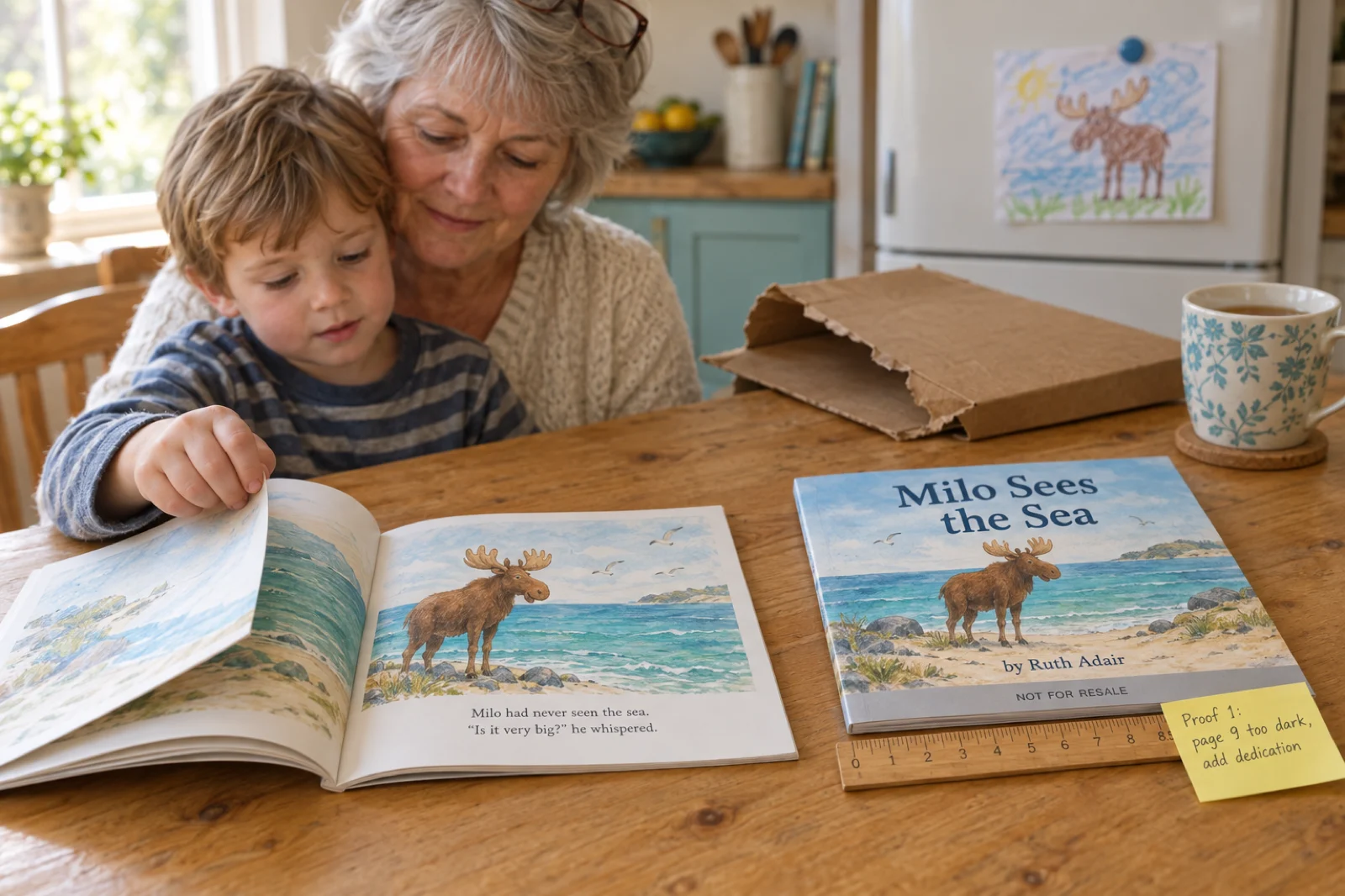
How do you sell a children's book?
Choose the kind of book first, because it decides where it sells. A picture book sells mainly in print: publish it on Amazon KDP as a premium colour paperback, usually 8.5 x 8.5 inches and at least 24 pages, set a reading age, order a proof, and price it at $9.99 or more so Amazon pays 60% rather than 50%. At $12.99 a 32-page copy costs $4.20 to print and pays $3.59. Then add the editions that suit it: a Kindle ebook if the pictures read well on a screen, a PDF on Gumroad or Etsy, and signed author copies for school fairs, markets and local shops. Chapter books and early readers are cheaper to print in black ink and sell well as Kindle ebooks, where text reflows. How much any of it makes depends on how many families find the book, which no fee table can tell you.
What colour costs
$4.20 to print a 24 to 40-page square colour picture book on Amazon.com, whatever the page count in that range. A 200-page black-ink novel costs $3.40.
Where the rate changes
$9.99. At $9.98 the same book pays $0.79 a copy; one cent higher it pays $1.79, because Amazon's paperback rate goes from 50% to 60%.
What we cannot tell you
How many copies a children's book sells. We do not see our users' sales, and no store publishes typical sales. Examples on this page are examples.
Children's book print and price planner
Pick the kind of book, the reader's age, the size, the page count and the ink, then the Amazon store you will sell in and your prices. The planner works out what KDP charges to print a copy, what each paperback sale pays you, the lowest price KDP will accept, whether libraries and bookshops can order it, the file sizes to make, what a Kindle edition and a PDF on Etsy or Gumroad would pay, and a page plan for the age you chose. It runs in your browser and uses KDP's published printing costs and royalty rates as of 23 September 2026.
KDP's minimum for a paperback is 24 pages. Count every page, including the title and copyright pages.
Paperback
Each paperback sale pays you
$0.00
Files to make for KDP
Kindle ebook
PDF as a digital download
Check before you publish
Page plan
Brief for Inkfluence AI
How the button works. Write this book opens your Inkfluence AI dashboard with the brief in the idea box. Press Create my book (you will be asked to sign in first if you are not). A brief that begins "A picture book", "An ABC book" or "A coloring book" is made in that illustrated format, painted on every page from one character sheet, and the reader's age sets how many words go on a page; the early reader and chapter book briefs are written as a kids' story in chapters. We ran each kind of brief through the app's own reading of an idea, four times each, and every run picked the intended format, age and length. To see and edit the plan first, choose New Book, then Make a picture book (or Choose a book type and the Picture book, Coloring book, ABC & counting or Kids story tile), and paste the brief there.
Paperback figures use KDP's printing costs and royalty rates for the store you pick, before tax and currency conversion; in some stores Amazon adds VAT or GST to your list price. Kindle figures follow KDP's 70% and 35% options with the published delivery charge. The PDF figures use the same fees as our travel guide selling guide: Etsy's listing, transaction and US processing fees, Gumroad's 10% + $0.50 plus 2.9% + $0.30 card processing, or 30% on Discover. For other book formats and platforms, the royalty calculator compares stores side by side and the ebook income calculator projects a month of sales.
What a 32-page picture book pays on Amazon
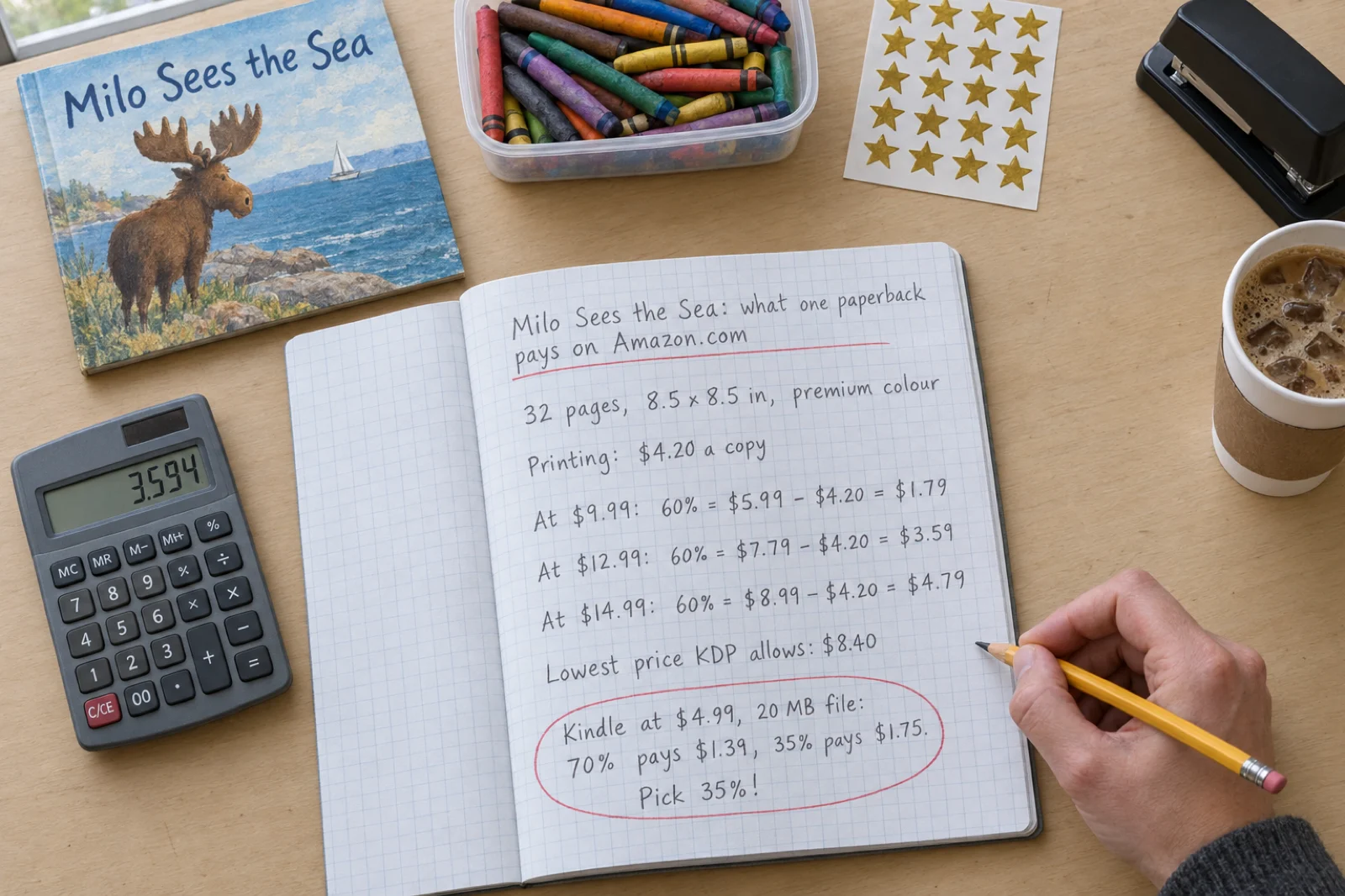
Here is the calculation most picture book authors need, done once with Amazon's published figures. The book: 32 pages, 8.5 x 8.5 inches, premium colour ink on white paper, sold on Amazon.com. KDP prints each copy when someone orders it and takes the printing cost out of your royalty, so there is nothing to pay up front, and the whole calculation is three numbers: the printing cost, the royalty rate, and your price.
The printing cost is $4.20. KDP charges a flat fee for premium colour paperbacks of 24 to 40 pages: $3.60 at regular trims and $4.20 at large trims. A trim is large when it is wider than 6.12 inches or taller than 9, which makes 8.5 x 8.5, 8 x 10 and 8.5 x 11 all large. Some guides quote $3.60 for a picture book; that is the regular-trim figure, which only applies to sizes like 6 x 9, and it would make each copy look $0.60 more profitable at $12.99 than it is.
The royalty rate is 60% or 50%. On Amazon.com a paperback listed at $9.99 or more earns 60% of the list price, and one listed at $9.98 or less earns 50%. The printing cost is then taken off.
| List price | Rate | Working | You get a copy | Via a library or shop (40%) |
|---|---|---|---|---|
| $8.40 (lowest allowed) | 50% | $4.20 minus $4.20 | $0.00 | nothing |
| $9.98 | 50% | $4.99 minus $4.20 | $0.79 | nothing |
| $9.99 | 60% | $5.99 minus $4.20 | $1.79 | nothing |
| $12.99 | 60% | $7.79 minus $4.20 | $3.59 | $1.00 |
| $14.99 | 60% | $8.99 minus $4.20 | $4.79 | $1.80 |
| $16.99 | 60% | $10.19 minus $4.20 | $5.99 | $2.60 |
Sources: KDP's Paperback Printing Cost (the formula, the colour table and the large-trim rule), Paperback Royalty (the 50% and 60% bands by store) and Expanded Distribution (40% minus printing), all read on 23 September 2026. KDP's royalty page says trim size does not affect printing cost while its printing cost table charges more for large trims; the table is what the Rights & Pricing screen uses, and it is what these figures follow. Check that screen for your own book before you set a price.
Four things the table shows
$9.99 is the price that matters most. Below it the book earns 50%, so at $9.98 you keep $0.79 a copy; at $9.99 you keep $1.79. That one cent more than doubles the royalty. KDP will not let you list the book below $8.40, because at that price 50% only just covers the printing, and a colour picture book priced in the low eights pays almost nothing.
24, 32 and 40 pages cost the same. The flat $4.20 covers every premium colour paperback from 24 to 40 pages at a large trim. The 32-page convention comes from offset printing, where sheets fold into 16-page sections; print on demand has no such constraint. Go past 40 and the price switches to $1.00 plus 8 cents a page: $4.36 at 42 pages, $4.84 at 48 and $6.12 at 64. A story that fits in 40 pages is cheaper to print than one that needs 42.
Standard colour does not help a picture book. KDP's cheaper standard colour ink starts at 72 pages, so anything shorter printed in colour is premium colour. Standard colour suits a long illustrated early reader or a colour activity book of 72 pages or more. And once a book is published, its ink and paper are locked, so a colour and a black-ink version would be two separate books.
Libraries and bookshops pay less. Expanded Distribution makes the paperback orderable by bookshops and libraries through distributors in the US and UK and pays 40% of list price minus printing: $1.00 a copy at $12.99, and nothing below $10.50. The square 8.5 x 8.5 size is eligible only with colour ink, which a picture book has anyway.
The same book in other Amazon stores
Each Amazon store has its own printing costs and its own 60% threshold. On Amazon.co.uk the book costs £3.24 to print, earns 60% from £7.99, and pays £2.15 at £8.99 and £2.75 at £9.99; the lowest price KDP allows is £6.48. On the German, French, Spanish and Italian stores it costs €3.61 to print and pays €4.18 at €12.99. In Canada and Australia the 60% rate only starts at 13.99 in local currency, so a picture book priced like a US one earns 50% there. The planner above switches between stores.
A picture book against a novel
A 200-page novel at 6 x 9 in black ink costs $3.40 to print and pays $5.59 at $14.99. The picture book pays $3.59 at $12.99 and $4.79 at $14.99, and most picture books sell for less than most novels. So a picture book earns less per copy online; its advantage is elsewhere, in the printed copy handed over at a school fair or a library reading, and in the grandparents who buy three.
How much money can you make from a children's book?
Price, minus what the printer and the store keep, times the copies you sell. Two of those are known before you write a word, and the third is the one nobody can give you. Anyone quoting a typical monthly income for children's books is guessing, and the guess usually comes from a handful of authors who made a lot, not the many who sold a few copies to family.
We cannot fill that gap either. Inkfluence AI sees that a book was sent to Etsy or Gumroad from the app, and the prices on public Gumroad pages, but no store tells us what sold. So here are worked examples, each labelled as an example, using the per-copy figures above.
Example A
20 paperbacks a month on Amazon.com at $12.99
20 x $3.59 = $71.80 a month. If five of those came through a library or bookshop order instead, they pay $1.00 each: $58.85.
Example B
30 signed copies at a school fair at $12
KDP sells you author copies at the printing cost: 30 x $4.20 = $126.00, plus shipping and any tax. Sold at $12 each, that is $360 in, $234.00 before shipping and card fees, and no royalty involved: author copies do not appear in KDP reports.
Example C
A printable coloring book on Etsy at $4.99
Each sale keeps $4.07 after Etsy's renewal, transaction and US processing fees. 25 sales: $101.75. The same PDF through your own Gumroad link keeps $3.55 a sale.
Example D
The picture book as a Kindle ebook at $4.99
A 20 MB file pays $1.75 a copy on the 35% option and $1.39 on 70%, because 70% is worked out after a $3.00 delivery charge. Ten sales on 35%: $17.50.
Can you make money writing children's books?
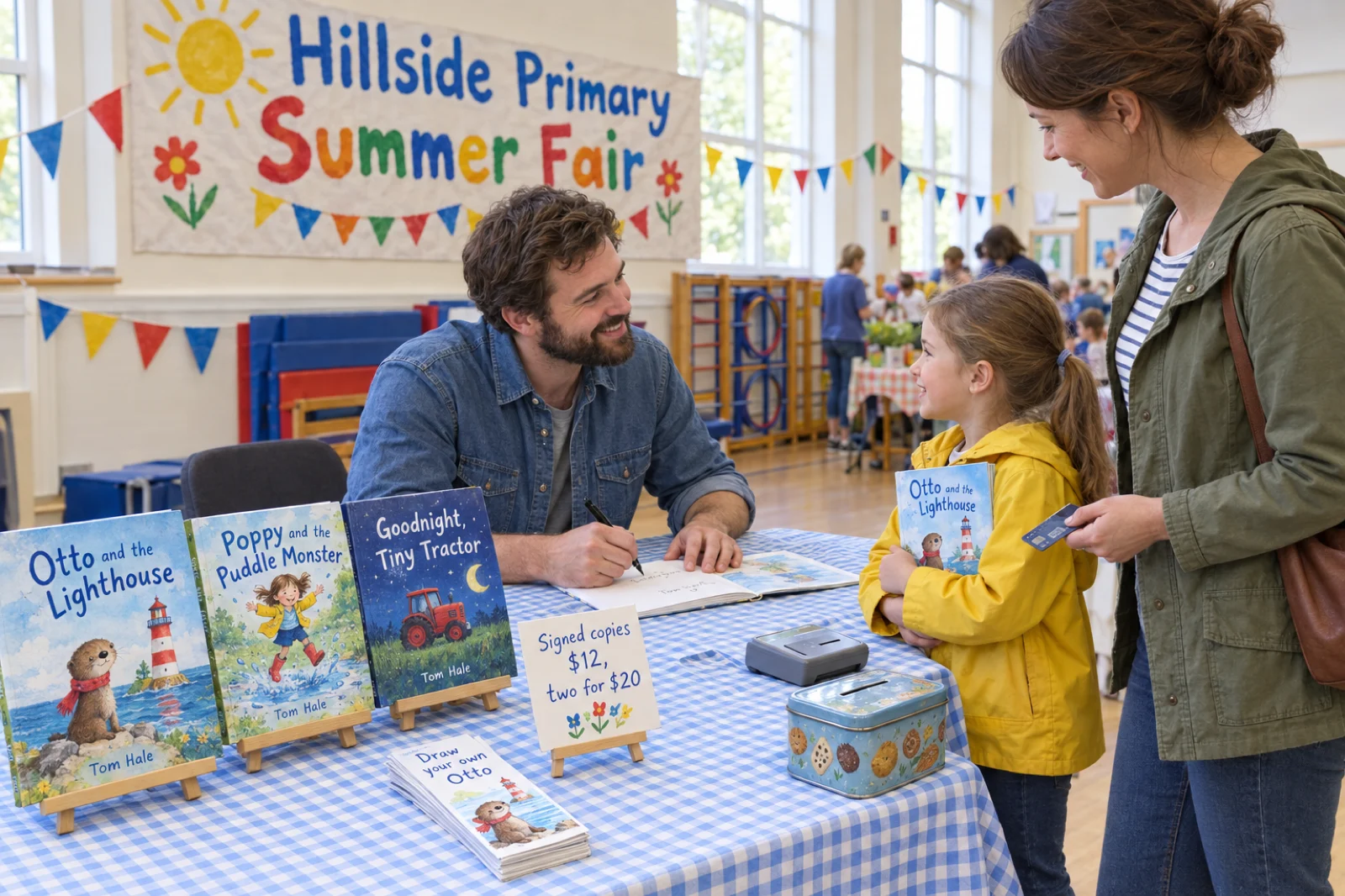
Some people do, and the ones who do tend to share three habits. They write for one narrow age and one situation a parent recognises (the first night in a new bedroom, a new baby in the house), which gives the book a reason to be searched for and bought. They publish more than one book with the same character or format, so each new book sells the others. And they sell in person as well as online, because a children's book is often bought by an adult who wants to see and hold it first. None of that guarantees sales, and a first book that sells to family and friends is a normal first book.
What goes on the other side of the ledger
- Proof and author copies. A proof costs the printing price plus shipping and carries a "Not for Resale" mark, so it is for checking, not selling. Author copies cost the same and can be sold or given away.
- Illustration. Commissioning an illustrator for a 32-page picture book is the largest cost for most authors. On Inkfluence AI the pictures come from your plan's monthly allowance: Creator ($9.99 a month) includes 20, Premium ($19.99) 50, and each extra picture uses one chapter credit.
- An ISBN, if you want your own. KDP's free ISBN costs nothing but works only for the KDP edition and shows "Independently published" as the imprint. Your own ISBN, bought from your country's agency, lets you print the same edition elsewhere.
- Ads and events. Amazon ads and fair pitches are optional and paid for up front. Etsy's Offsite Ads charge only when an ad makes a sale.
- Tax. Amazon, Etsy and Gumroad deal with sales tax on their own sales in most places. What you sell by hand, and the income from all of it, is yours to report.
Where to sell a children's book
Children's books have a quirk that shapes everything else: the reader is not the buyer. A four-year-old does not search Amazon; a parent, grandparent or teacher does, often for a specific moment, and many of them want to hold the book before paying. That is why print and in-person sales matter more here than for almost any other kind of book.
| Where | Who buys there | What they get | Suits | Watch for |
|---|---|---|---|---|
| Amazon paperback | Parents and grandparents searching by age, topic or occasion | A printed book, printed when ordered | Picture books, ABC books, coloring books, chapter books | Colour printing costs; 50% royalty below $9.99; 24-page minimum |
| Kindle ebook | Readers on Kindle devices, tablets and phones, and Kindle Unlimited | A reflowable or fixed-layout ebook | Chapter books and early readers; picture books with big, simple pictures | Delivery charge on large illustrated files; KDP Select exclusivity |
| Etsy | Shoppers searching for printables, gifts and personalised books | A download, or a printed copy you post | Printable coloring and activity books, classroom sets, gifts | AI disclosure in the description; production partner disclosure for printed copies |
| Gumroad | Your own followers, parents' groups, teachers you already reach | A download of the files you attach | Teachers, parenting accounts, series with an audience | 80 cents a sale in fixed fees; little traffic of its own |
| In person | Families at school fairs, markets, readings and local shops | A signed author copy | Picture books above all | You carry the stock and take the payments |
| Libraries and bookshops | Librarians and booksellers ordering through distributors | The same paperback | Books with reviews and a clear age | 40% minus printing; no coloring or activity books |
Amazon paperback: where most picture books are bought
Publishing a paperback on KDP costs nothing up front, and Amazon's search is where families look for a book about a new sibling or a first day at school. Two settings decide whether they find yours. The first is the reading age. KDP's Primary Audience section has an optional Reading Age field, and KDP says a children's book without one may not be eligible for its children's categories and will not appear in age-specific search results. Its bands are 0 to 2 (simple picture books with few or no words), 3 to 5 (picture books), 6 to 8 (early readers and first chapter books), 9 to 12 (middle grade) and 13 to 17. After reviews come in, Amazon may replace your age with the one customers suggest. The second is the categories: choose the narrowest children's categories that honestly fit.
Order a proof copy before you publish. It costs the printing price plus shipping, arrives with "Not for Resale" printed on it, and shows you what a screen cannot: colours that print darker than they looked, text that sits too close to the gutter, a page turn that spoils a surprise. Read it aloud to a child in the right age band. For the full paperback set-up, the KDP paperback guide walks through each screen.
Kindle: good for chapter books, harder for picture books
A chapter book or early reader works on Kindle the way any text ebook does: upload the EPUB, the text reflows to the screen, and at 1 to 2 MB the delivery charge is a few cents. Price it between $2.99 and $12.99 on Amazon.com for the 70% royalty, a band Amazon widened from $9.99 on 7 July 2026 (see KDP royalties in 2026 for what each price pays).
A picture book is different, for two reasons. Its pages are designed as pages, so the best Kindle version is fixed-layout, with each page shown whole. Amazon retired its Kindle Kids' Book Creator in 2025 and now points authors to Kindle Create, which turns a PDF or a set of page images into an illustrated kids' ebook, with optional Guided View panels that lead a young reader around each page; the words need to be part of the page images already, which they are in a PDF exported from Inkfluence AI. Inkfluence AI's own EPUB is reflowable, with each picture and its words stacked, which reads well on a phone but is not the same as the printed page. The second reason is money: illustrated files are big, and the 70% royalty is worked out after a delivery charge of $0.15 per megabyte on Amazon.com (£0.10 on Amazon.co.uk). On Amazon.com, 70% pays more than 35% only when the price in dollars is higher than 0.3 times the file size in megabytes. A 20 MB picture book at $4.99 pays $1.39 at 70% and $1.75 at 35%; at $6.99 the 70% option wins, $2.79 against $2.45. KDP's pricing section shows what each option pays once the file is uploaded, and the planner above does the sum for any size.
KDP Select, which puts the ebook in Kindle Unlimited, runs in 90-day terms and requires the ebook to be exclusive to Amazon in digital form. While enrolled, you cannot sell the same book as a PDF on Etsy, Gumroad or your own site. The paperback is not affected.
Etsy: printables, classroom sets and gifts
Etsy shoppers search for things to print and things to give. For children's books that means printable coloring and activity pages, a story PDF families print at home, classroom packs for teachers, and books personalised with a child's name. A download listing can hold up to five files of up to 20MB each. Etsy charges $0.20 to list, renewed at $0.20 each time a copy sells, a 6.5% transaction fee and, for US shops, 3% + $0.25 payment processing, so a $4.99 printable keeps about $4.07 and a $6.99 one about $5.88.
Two Etsy rules apply to AI-made children's books, covered in the section on AI below: say in the description that AI was used, and name a production partner if someone else prints the copies you post. On Creator or Premium, Publish then Sell on Etsy in Inkfluence AI sends the book's EPUB and cover to your shop as a draft listing and adds an AI line to the description; add the PDF on Etsy (most buyers of a printable want the PDF), tick With an AI generator under How it's made, and activate it. The Etsy selling guide covers shop set-up.
Gumroad: for authors who already reach parents or teachers
Gumroad is a checkout, not a shop window: it turns a link into a payment and a download, and handles the sales tax as merchant of record. It suits a teacher selling a read-aloud story with discussion questions to other teachers, a parenting account selling a bedtime book to followers, or an author whose readers want the next book in a series before the paperback. Sales through your own link pay 10% + $0.50 plus card processing of 2.9% + $0.30, so a $4.99 PDF keeps about $3.55 and a $6.99 one $5.29; sales found through Gumroad's Discover marketplace pay a flat 30%. On Creator or Premium, Publish then Sell on Gumroad sends the EPUB and cover and switches the product on; attach the PDF on Gumroad. The Gumroad selling guide goes through each screen.
In person: fairs, readings and the shop down the road
KDP sells author copies of a published paperback at the printing cost, plus shipping and tax, and you are free to sell or give them away. For a picture book that makes every copy sold by hand worth far more than a royalty: $4.20 out, whatever you charge in. School fairs, library story times, farmers' markets and Christmas markets all work for picture books because the buyer can see and hold the book and the child can meet the person who made it. Bring a card reader, a sign with the price and the age the book suits, and something free for children to take away, such as a bookmark or a colouring page of the main character.
Independent bookshops and gift shops often take local authors' books on consignment: they stock a few copies, pay you an agreed share when they sell, and return the rest. Ask what share they keep before you agree, and bring a copy and a one-page sheet with the price, the reading age and the ISBN. Libraries order through distributors, which is what Expanded Distribution is for, but a local branch may also welcome a reading or a donated copy.
Which kind of children's book, which size, what it pays
The same maths for each kind of children's book at its usual size, on Amazon.com, with KDP's printing costs as of 23 September 2026. The chosen sizes and page counts are typical examples, not rules.
| Kind of book | Example size | Ink | Printing | Pays at $9.99 | Pays at $12.99 | Library or shop at $12.99 | Sells best |
|---|---|---|---|---|---|---|---|
| Picture book | 32 pages, 8.5 x 8.5 in | Premium colour | $4.20 | $1.79 | $3.59 | $1.00 | Amazon paperback first; a PDF on Gumroad or Etsy for readers who want it tonight |
| ABC or counting book | 32 pages, 8.5 x 8.5 in | Premium colour | $4.20 | $1.79 | $3.59 | $1.00 | Amazon paperback; gift shops and nurseries by hand |
| Early reader in colour | 48 pages, 6 x 9 in | Premium colour | $4.12 | $1.87 | $3.67 | $1.08 | Amazon paperback; Kindle, where the text reflows |
| Early reader in black ink | 48 pages, 6 x 9 in | Black ink | $2.30 | $3.69 | $5.49 | $2.90 | Amazon paperback and Kindle; schools and libraries |
| Chapter book or middle grade | 160 pages, 5.5 x 8.5 in | Black ink | $2.92 | $3.07 | $4.87 | $2.28 | Kindle and paperback together; libraries through Expanded Distribution |
| Coloring or activity book | 44 pages, 8.5 x 11 in | Black ink | $2.84 | $3.15 | $4.95 | not accepted | Amazon paperback; the printable PDF on Etsy |
Picture books and ABC books are the expensive ones to print and the ones people most want in print. Price them at $9.99 or more. Early readers are where the ink decision matters most: colour pictures on 48 pages cost $4.12 a copy at 6 x 9, black ink $2.30, and the difference goes straight into the royalty. Many early readers use a colour cover with black-ink line drawings inside for exactly this reason. Chapter books and middle grade print in black ink on smaller trims and pay the most per copy, and they are the children's books that work best as Kindle ebooks. Coloring and activity books print cheaply in black ink, sell well as Amazon paperbacks and Etsy printables, and are the one kind Expanded Distribution's distributors will not take.
The coloring book guide for KDP goes deeper on that format, how to sell coloring books works through blank backs, paper and the Etsy printable, and the guide to writing a children's book covers word counts, structure and voice for each age.
What people make and sell: children's books on Inkfluence AI
We counted the kids' stories written on Inkfluence AI since 1 February 2026 and the picture books, coloring books and ABC books made since the illustrated format opened on 29 August 2026, on 23 September 2026: how many are listed for sale through the app, where, the reader age their briefs name, and the prices on public Gumroad pages. We cannot see sales, so none of this says what sold.
8.3%
of picture books, coloring books and ABC books are listed for sale through the app: 24 of 288, made by 161 people. Of kids' stories written as text since 1 February, 2.1% are (90 of 4,283), close to the rate for books of every kind.
Link to this stat45%
of kids' stories whose brief names an age are for a youngest reader of 3 to 5 (630 of 1,404). Then 6 to 8 at 23%, 9 to 12 at 16%, 13 and over at 8% and under 3 at 8%. Of picture books naming an age, half are for 3 to 5 (52 of 105).
Link to this stat$6.99
is the typical price of children's books live on Gumroad through the app: 105 products from 39 sellers, the middle half priced $3.99 to $9.99. Across every kind of book the typical price is higher.
Link to this statOur reading of these. Picture books are listed for sale about four times as often as kids' stories written as text, which fits how they are made: a picture book takes more deciding (the character, the pages, every painting), and people who put that much into a book more often mean to sell it. Where they list is the opposite of travel guides. Of the 90 listed kids' stories, 86 are on Gumroad and 9 on Etsy (some are on both); of the 24 listed picture books, 22 are on Gumroad and 3 on Etsy. Travel guides go mostly to Etsy, where strangers search for a destination; children's books go mostly to Gumroad, where the seller brings the buyers, which suggests many are sold to people the author already knows.
The ages match KDP's own bands closely: the 3 to 5 picture book age is the most common by far. Two more figures from the same count. 39% of picture books and 37.5% of kids' stories have been exported at least once, most often as a PDF. And 13.9% of kids' stories are written in a language other than English (594 of 4,283), led by Spanish, German and Portuguese. Story picture books made so far run a median of 14 pages at 29 words a page; how the first ones were made is on the picture book walkthrough.
How it was counted. Kids' stories are books in the kids' story format created from 1 February to 23 September 2026. Picture books are the illustrated formats (story, coloring, ABC and counting) created from 29 August to 23 September 2026. A book counts as listed while it is linked to an Etsy listing or a Gumroad product created through the app; listings made directly on Etsy or Gumroad are not visible to us, and Etsy listings arrive as drafts, so a few may never have been switched on. The age is the age range the brief names, read when the book was created and grouped by its youngest age into KDP's reading-age bands; 32.8% of kids' stories and 36.5% of picture books name one. Prices were read once, on 23 September 2026, from the public Gumroad page of each children's book published through the app; the typical price is the median of each seller's median, so one seller with many products counts once (the largest seller has 18% of the products). No title, brief, shop, product or account is published. The figures are published under a Creative Commons Attribution 4.0 licence: quote them with a link to this page.
Print specs for a children's book on KDP
The rules that catch children's book authors out, from KDP's help pages as they stood on 23 September 2026.
| Trim | Used for | Pages, premium colour | Pages, standard colour | Libraries and shops |
|---|---|---|---|---|
| 8.5 x 8.5 in | Square picture books, ABC books | 24 to 590 | 72 to 600 | Yes, colour only |
| 8.25 x 8.25 in | Square picture books | 24 to 800 | 72 to 600 | No |
| 8 x 10 in | Upright picture books, activity books | 24 to 828 | 72 to 600 | Yes |
| 8.5 x 11 in | Coloring books, workbooks | 24 to 590 | 72 to 600 | Yes (not coloring books) |
| 6 x 9 in | Early readers, chapter books | 24 to 828 | 72 to 600 | Yes |
| 5.5 x 8.5 in | Chapter books, middle grade | 24 to 828 | 72 to 600 | Yes |
- 24 pages minimum for every paperback, counting every page including the title and copyright pages.
- Bleed is for pictures that run to the edge of the page. With bleed, the page is 0.125 inches wider and 0.25 inches taller than the trim (8.625 x 8.75 inches for an 8.5 x 8.5 book), the picture extends past the trim line, and the whole file must be set up with bleed even if only one page needs it. Without bleed, keep everything inside the margins. Covers always have 0.125 inches of bleed on every outer edge.
- Margins: at least 0.25 inches outside (0.375 with bleed), and an inside margin of 0.375 inches for 24 to 150 pages, growing with the page count.
- Spine: premium colour paper is 0.002347 inches a page, so a 32-page picture book has a spine of 0.075 inches and its full cover, with bleed, is 17.325 x 8.75 inches. KDP prints spine text only on books of more than 79 pages, and rejects a cover with spine text below that.
- Ink and paper are locked once the book is published. Picture books need premium colour; standard colour starts at 72 pages and is paperback only.
- Hardcover: 75 to 550 pages, in 5.5 x 8.5, 6 x 9, 6.14 x 9.21, 7 x 10 or 8.25 x 11 inches, black or premium colour. No square size, so no KDP hardcover picture book in the usual shape.
- ISBN and barcode: KDP offers a free ISBN for paperbacks and hardcovers, and adds a barcode to the back cover if your file has none, bottom right. Ebooks need no ISBN.
What the Inkfluence AI export gives you, and what to add
Picture books, coloring books and ABC books export at 8.5 x 8.5 inches, and coloring books can also export at 8.5 x 11. Export, then KDP, downloads a zip with the interior manuscript, the full wrap cover (back, spine and front, with 0.125 inches of bleed) and a front cover image for the Kindle edition, plus a READ ME that states the trim, the page count and the spine width. Kids' stories export at the usual chapter book sizes (5 x 8, 5.5 x 8.5, 6 x 9, 7 x 10, 8 x 10 or 8.5 x 11). The KDP package, EPUB and DOCX come with a paid plan or a credit pack; the PDF exports on every plan.
Four things to know before you upload a picture book. Choose No bleed for the manuscript. In the KDP interior, each picture sits inside the page margins rather than running off the edge, which is what KDP's No bleed setting expects. (The ordinary PDF export runs the pictures edge to edge at the trim size, which suits printing at home or a photo-book printer, not KDP.) Set the paper in the cover designer. Open the cover designer's Print tab and choose Premium color before exporting, so the spine is sized for colour paper; the designer starts on black and white. Bring the book to 24 pages. The Picture book format writes 10 to 16 story pages, and the book comes to fewer than 24 pages in the package even with the title and copyright pages (our test export of a 16-page story came to 19). Add pages in the editor under Contents, then Add: new story pages, painted in the book's style with Illustrate, or a dedication, questions for grown-ups, a draw-your-own page and an about the author page. ABC books (26 letter pages) and coloring books (every design is followed by a blank page) clear 24 on their own. Hardcover, a fixed-layout Kindle file and your own ISBN are not something the app makes: use Kindle Create with the PDF for a fixed-layout ebook, and type your own ISBN into the cover designer if you have one.
How to make and sell a picture book, step by step
From a one-line idea to a paperback on Amazon, a PDF on Gumroad or Etsy and copies in your bag. The planner's Write this book button is the quick way into step 3; the picture book video walkthrough shows steps 3 to 5 on screen.
-
1. Choose the format, the age and the size
Decide what kind of book this is and who it is for, in one of KDP's reading-age bands: a picture book for 3 to 5, an ABC book for under-3s, an early reader for 6 to 8. Then choose the trim: 8.5 x 8.5 inches for a square picture book, 6 x 9 or 5.5 x 8.5 for a chapter book. Look at the ten best-selling books in the category you want on Amazon and note their page counts, prices and what the one-star reviews complain about.
-
2. Price it before you write it
Put the trim, ink and page count into the planner. If a colour picture book only pays at $12.99 and the books it sits beside sell for $8.99, better to know now: you might choose 24 pages instead of 48, or an early reader in black ink rather than colour.
-
3. Start the book in the right format
In Inkfluence AI, choose New Book, then Make a picture book, or Choose a book type and pick Picture book, Coloring book or ABC & counting under Illustrated books, or Kids story for a book told in chapters. Type the idea with the character, what they want and the age ("a shy moose who wants to see the sea, for children aged 4 to 5"). For picture books the slider sets a page count, and a story picture book is made with 10 to 16 pages. To write the book in another language, type the idea in that language.
-
4. Edit the plan before anything is painted
The screen titled "Here's your plan" lists every page with what happens on it. Move the surprise to after a page turn, cut a page that repeats another, rename the character if the name does not read aloud well. Changing the plan costs nothing; painting uses your allowance. Then start writing and illustrating.
-
5. Check the character, then every page
A character sheet is painted first, then the cover and each page from it, so the character looks the same throughout. Read every page aloud. Select text to Rewrite, Shorten, Expand, make it Softer or Punchier, or give your own instruction, and repaint any picture that is wrong. Pictures come from your monthly allowance: 20 on Creator, 50 on Premium, then one chapter credit each.
-
6. Bring it to 24 pages or more
Open Contents, then Add, for each page you need. A new story page with words on it offers Illustrate, which paints it from the same character sheet. Pages many picture books carry at the end work well here too: a dedication, three questions for grown-ups to ask after reading, a find-it page, a draw-your-own page, and about the author.
-
7. Set the paper, then export the KDP package
Open the cover designer, go to the Print tab and choose Premium color, so the spine matches colour paper. Then Export, then KDP. Open the READ ME in the zip and check the page count (24 or more) and the spine width. Export the PDF and, on a paid plan, the EPUB as well.
-
8. Publish the paperback on KDP
Create a paperback on KDP. In the details, set a Reading Age and choose children's categories. Under Print Options choose premium color ink on white paper, the same trim, and No bleed, then upload the KDP Manuscript and the full wrap cover PDF. Answer the AI content questions. On Rights & Pricing, set a price that pays 60% ($9.99 or more on Amazon.com), decide on Expanded Distribution, and order a proof. Publish once the proof has been read aloud to a child and fixed.
-
9. Add the digital editions
On Creator or Premium, click Publish in the editor and choose Sell on Gumroad or Sell on Etsy. Connect the account once, use Auto-fill with AI for the description, set the price and publish; both send the EPUB and the cover, so add the PDF on the store afterwards. On Etsy, tick With an AI generator under How it's made and activate the draft. For Kindle, upload the EPUB for a chapter book, or build a fixed-layout picture book in Kindle Create from the PDF.
-
10. Order author copies and sell in person
Once the paperback is live, order author copies from your KDP bookshelf at the printing cost. Offer a reading at your library or your child's school, book a table at the next fair or market, and leave a copy with the local bookshop. Keep a note of what sells where: that is the only sales data that will ever be yours.
Selling a children's book made with AI: what each store asks
Amazon KDP. KDP's content guidelines require you to tell it about AI-generated content, meaning text, images or translations, when you publish a new book or republish an edited one, and they name cover and interior images and artwork. KDP defines AI-generated as content an AI-based tool created, "even if you applied substantial edits afterwards". Content you created yourself and only edited, refined or checked with an AI tool is AI-assisted, and KDP does not ask about it. For a picture book with AI-painted pages, the answer for the images is yes. Answering does not block publishing, and you remain responsible for the book meeting KDP's guidelines, including other people's rights. The KDP AI disclosure guide goes through the questions.
Etsy. Etsy's Creativity Standards (last updated 10 June 2025) list "seller-prompted AI creations", generated with AI tools from a seller's original prompts, as a kind of item designed by a seller, and say sellers must disclose in the listing description if an item was created with AI. The same standards list a printed coloring book designed by a seller and printed and bound by a production partner as allowed, with the production partner disclosed, and they exclude a PDF of a book the seller did not create or design. Inkfluence AI's Sell on Etsy adds a line to the description saying the book was created with AI assistance, and asks you to tick With an AI generator under How it's made on the listing. We read Etsy's page from an archived copy of 28 August 2026, because Etsy blocks automated readers.
Gumroad has no separate AI setting. Saying so in the description anyway, as the Etsy line does, sets the right expectation.
Rights. Everything you make on Inkfluence AI is yours to sell, on every plan. In the US, copyright protects the parts of a book a person wrote, chose or arranged, not pictures generated from a prompt alone, which is one more reason to write and edit the words yourself. Can AI-written books be copyrighted? covers the detail.
How to market a children's book
Marketing a children's book means reaching the adult who buys it, at the moment they are looking. A few things do most of the work, and none of them needs a budget.
- Name the moment, not just the topic. "A picture book for a child starting nursery" is found by the parent of a child starting nursery. Put the moment in the subtitle and the description, and pick the categories that match it.
- Show real pages. Parents judge a picture book in seconds by its pictures and how much text sits on a page. Use Amazon's A+ Content on your book page, and listing photos on Etsy, to show two or three spreads as they print.
- Give families something to share. A free colouring page of the main character, three questions to ask after reading, or a short read-aloud video with the book in your hands travels further than an advert.
- Go where children and books already meet. Libraries run story times, schools hold book weeks and fairs, and nurseries welcome a visitor who reads aloud. Ask first, bring copies, and leave a flyer with the price and where to buy.
- Write the next one. A second book with the same character sells the first, and parents who liked one look for more. The series is the strongest marketing a children's author has.
- Ask for honest reviews. Ask readers to review the book; never ask for a particular rating or offer anything in return. Reviews also bring in customer reading ages, which Amazon shows alongside yours.
Eight mistakes that cost children's book authors money
- A colour picture book at $9.98 or less. On Amazon.com it earns 50%: $0.79 a copy at $9.98 against $1.79 at $9.99.
- Using the regular-trim printing cost. Square and upright picture book sizes are large trims: $4.20, not $3.60, for 24 to 40 pages.
- A 42-page story that could have been 40. Premium colour is flat to 40 pages; 42 pages costs $4.36 a copy.
- The 70% Kindle option on a heavy file. A 20 MB picture book at $4.99 pays less at 70% than at 35%.
- Spine text on a thin book. KDP rejects spine text below 80 pages; a 32-page cover needs a bare spine.
- The wrong PDF, or the wrong bleed setting. Upload the KDP Manuscript from the KDP package with No bleed; the ordinary edge-to-edge PDF is for home printing.
- No reading age. Without one, KDP says the book may not be eligible for its children's categories and will not show in age-specific search.
- Selling proof copies. Proofs say "Not for Resale". Order author copies for fairs and shops.
Selling children's books: FAQ
How do you sell a children's book?+
How much money can you make from a children's book?+
Do picture books make money?+
How much does it cost to print a children's book on Amazon KDP?+
What size should a children's picture book be?+
How many pages does a picture book need for KDP?+
Can I publish a hardcover picture book on KDP?+
Should a picture book ebook use the 70% or 35% Kindle royalty?+
Can I sell a children's book on Etsy?+
Can I sell an AI-illustrated children's book on Amazon?+
Do I need an ISBN or a barcode for a children's book?+
How do I get my children's book into libraries and bookshops?+
How do I market a children's book?+
Can I sell a children's book made on the free plan?+
What age should I write my children's book for?+
Related tools and guides
How to Make a Picture Book with AI (Video)
Idea, plan, character sheet, pictures and edits, on screen.
AI Picture Book Maker
The illustrated format: story, coloring and ABC books.
How to Write a Children's Book
Ages, word counts, structure and voice.
How to Sell Travel Guides
The same questions for a travel guide: stores, fees and a listing builder.
How to Sell Coloring Books
Black-ink printing, blank backs, the Etsy printable and a line-up planner.
How to Sell Romance Novels
Kindle Unlimited or wide, series launches and the paperback sums for a novel.
How to Sell Workbooks and Activity Books
Activity books and worksheet packs: Etsy printables, KDP paperbacks and the low-content rules.
How to Sell Fitness Ebooks
Workout plans, meal plans and 30-day challenges: PDF, Kindle and paperback maths, and health-claim rules.
How to Sell a Devotional
Daily devotionals, prayer journals and Bible studies: per-sale maths and how many verses each translation allows.
Paperback Publishing on KDP
Every screen of a KDP paperback, from trim to proof.
Book Royalty Calculator
Compare royalties across stores and formats.
Sell Ebooks on Etsy
Shop set-up, AI disclosure and the publish flow.
Sell Ebooks on Gumroad
Connecting your account, the listing and the launch.
One child, one age, one book priced before it is written.
Plan it above, or start from the Picture book tile. Picture books are painted on Creator and Premium, or with chapter credits on the free plan.