
Updated · checked against KDP's cover calculator 5 November 2026
KDP Spine Width Calculator: Full-Wrap Cover Size for Paperback and Hardcover
Enter your page count, trim and paper to get the spine width and the full cover size in inches, millimetres and pixels at 300 DPI, with the safe zones, the barcode area and whether your spine can carry text. Hardcovers use KDP's own case-laminate sizes, not paperback maths.
By Sam May, founder of Inkfluence AI
Quick answer (checked 5 November 2026)
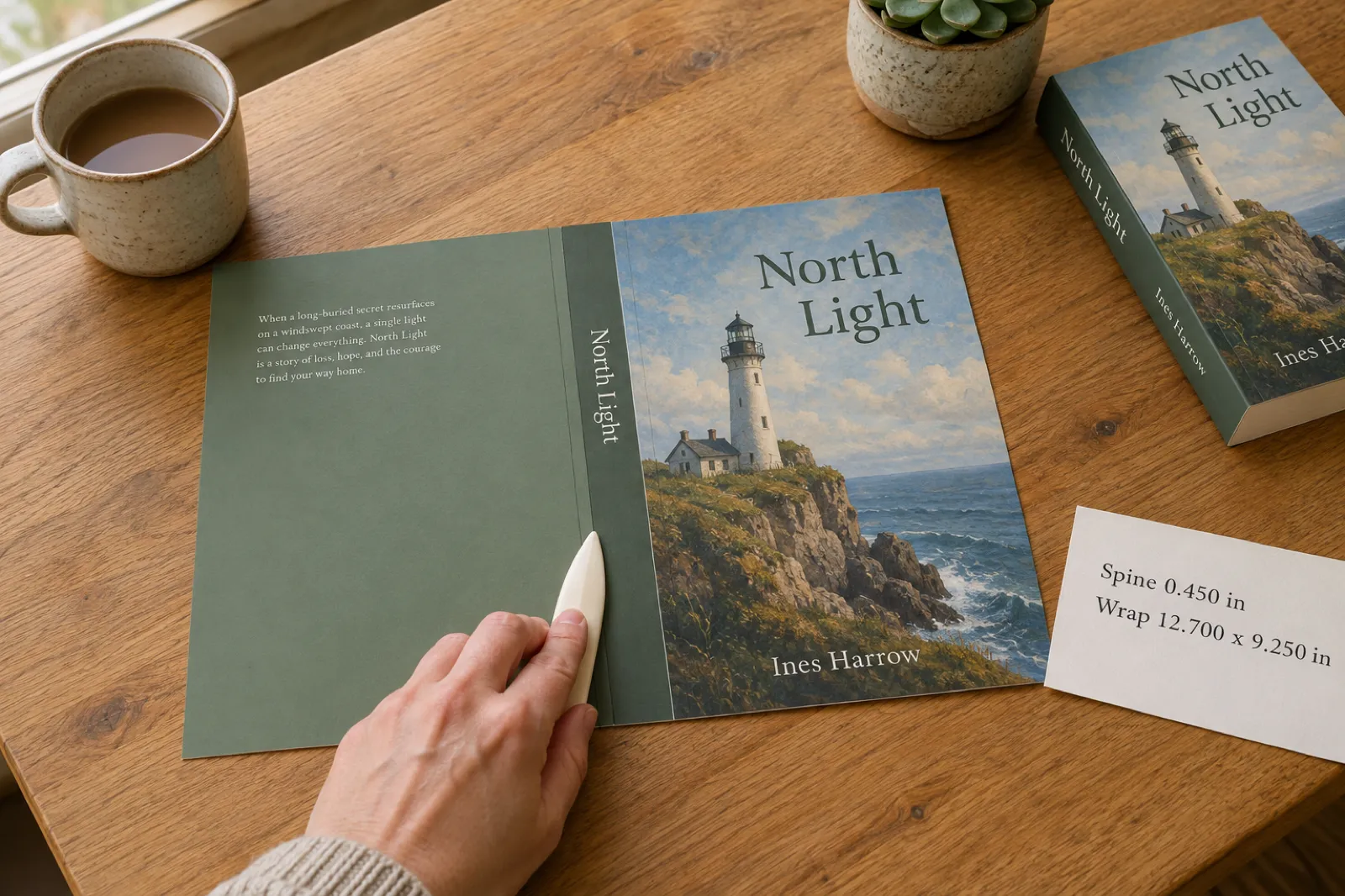
Paperback spine = page count x 0.002252 in (white paper or standard colour), 0.0025 in (cream), 0.00235 in (groundwood) or 0.002347 in (premium colour). Cover = 0.125 in + back + spine + front + 0.125 in wide, and trim height + 0.25 in tall.
A hardcover is different: KDP's cover calculator adds 4.8 mm to the spine, makes each board 5 mm wider and 6 mm taller than the trim, and adds a 15 mm (0.591 in) wrap on every outside edge. The same 200-page 6 x 9 book has a 0.450 in spine as a paperback and a 0.639 in spine as a hardcover.
Calculate your spine width and cover size
Use the page count of your finished interior PDF. Everything runs in your browser and nothing is sent anywhere.
Spine width
-
Full cover (W x H)
-
Spine text
-
| Measurement | Inches | mm | px at 300 DPI |
|---|
Inkfluence AI makes paperback interiors and full-wrap covers at ten page sizes; it does not make hardcover covers.
Paperback factors and bleed from KDP's Create a Paperback Cover and Paperback Submission Guidelines pages; hardcover sizes from KDP's cover calculator; page limits from KDP's trim size table. All checked 5 November 2026. For the long explanation of every rule, read our KDP cover size and spine width guide.
KDP spine width by paper and page count
The spine is the page count times a fixed thickness per page, and each paper has its own thickness. KDP's Create a Paperback Cover page lists white (0.002252 in), cream (0.0025 in), premium colour (0.002347 in) and standard colour (0.002252 in); the groundwood factor, 0.00235 in, is on the Paperback Submission Guidelines page. The hardcover column adds the 4.8 mm case allowance KDP's calculator uses.
| Ink and paper | Per page | Paperback 100 / 200 / 300 / 400 | Hardcover 100 / 200 / 300 / 400 |
|---|---|---|---|
| Black ink, white paper | 0.002252 in | 0.225 / 0.450 / 0.676 / 0.901 | 0.414 / 0.639 / 0.865 / 1.090 |
| Black ink, cream paper | 0.0025 in | 0.250 / 0.500 / 0.750 / 1.000 | 0.439 / 0.689 / 0.939 / 1.189 |
| Black ink, groundwood | 0.00235 in | 0.235 / 0.470 / 0.705 / 0.940 | Not offered |
| Standard colour | 0.002252 in | 0.225 / 0.450 / 0.676 / 0.901 | Not offered |
| Premium colour | 0.002347 in | 0.235 / 0.469 / 0.704 / 0.939 | 0.424 / 0.658 / 0.893 / 1.128 |
Inches, rounded to three places as KDP's calculator shows them. Hardcover is offered in black ink on white or cream and in premium colour only.
Bar length is the spine divided by the widest one shown (0.939 in). Emerald: paperback. Indigo: hardcover.
Three things follow from the table. Cream is the thickest stock, about 11% thicker than white, so a white-paper cover will not fit a cream interior. Standard colour shares white's factor, but it needs at least 72 pages where the others need 24. And a hardcover spine is always about 0.19 in wider than the same paperback, because the case adds width on top of the pages. If you have a word count rather than a page count, the book length calculator estimates the pages first; how many pages a novel prints to shows how much the trim and font move that number.

The paperback full-wrap formula
A paperback cover is one flat sheet. It is printed, wrapped round the book block, glued at the spine and trimmed on three sides, so your file has to match that sheet exactly. KDP writes it as two lines:
Cover width = bleed + back cover width + spine width + front cover width + bleed
Cover height = bleed + trim height + bleed
Bleed is 0.125 in (3.2 mm), and the back and front cover widths are both the trim width. Bleed only goes on the outside edges: there is none between the back cover and the spine or between the spine and the front, because those edges are folds, not cuts. Adding bleed to every panel is a common mistake that makes the file half an inch too wide and pushes the spine off centre.
For a 6 x 9 in book with 200 pages on white paper: the spine is 200 x 0.002252 = 0.450 in; the width is 0.125 + 6 + 0.450 + 6 + 0.125 = 12.700 in; the height is 9.250 in. The folds sit 6.125 in and 6.575 in from the left edge. At 300 DPI that is a canvas of 3,810 x 2,775 pixels, which is exactly what KDP's own calculator returned when we ran the same book.
Safe zones, spine text and the barcode
| Zone | KDP's rule | What to do |
|---|---|---|
| Bleed | 0.125 in past the trim on the top, bottom and outside edges | Run background art to the file edge; it is cut off. |
| Cover text | At least 0.125 in inside the trim lines, and none in the spine area | KDP's template marks a 5.875 x 8.75 in safe area on a 6 x 9 panel; also keeping 0.125 in from the fold looks better. |
| Spine text | Over 79 pages; 0.0625 in from each spine edge, plus 0.0625 in fold variance | Use 80+ pages and keep letters 0.125 in inside each fold. |
| Borders | At least 0.25 in inside the trim line | Avoid thin frames near the edge; trimming can vary by 0.125 in. |
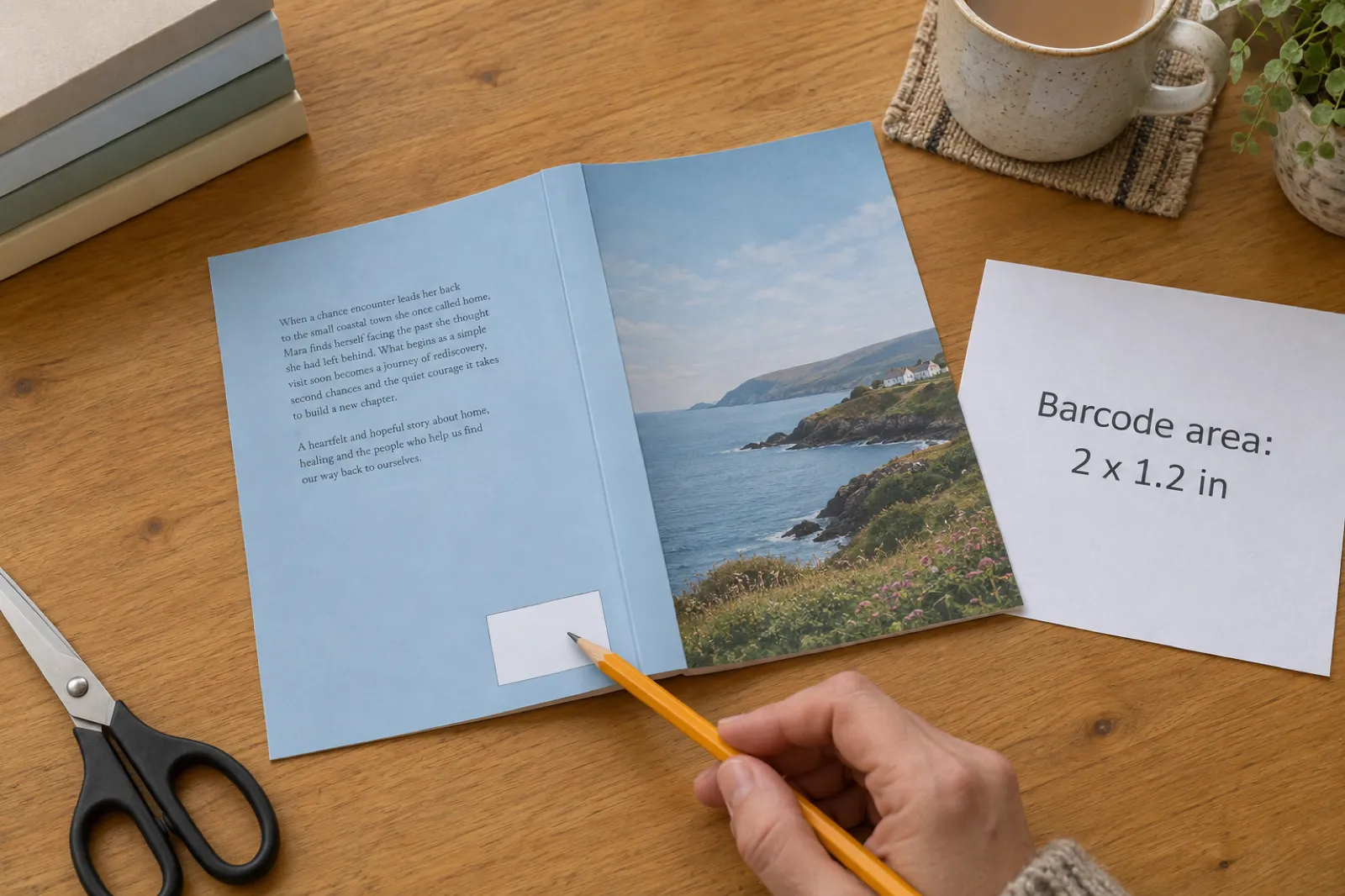
| Barcode | 2 x 1.2 in white box, lower right of the back, 0.25 in from spine and trim | Leave it clear; KDP adds a barcode free if you do not. |
| Text size and file | 7 pt minimum; one PDF at 300 DPI or more; 40 MB recommended, 650 MB limit | Flatten layers, embed fonts, remove template guides. |
Being allowed spine text is not the same as having room for it. KDP's paperback cover page asks for 0.0625 in between the text and each spine edge and allows 0.0625 in of variance either side of each fold, so lettering should sit 0.125 in inside each fold. On an 80-page white-paper book the spine is only 0.180 in, which leaves nothing. Our cover designer prints spine text from about 0.30 in, which is 134 pages on white paper, 128 on groundwood or premium colour and 120 on cream; below that, a plain spine in the back cover's colour looks cleaner. KDP's own Cover Creator reaches a similar answer and may drop spine text on books of 80 to 130 pages.
If a cover has already come back from review, our KDP rejection guide decodes the email and gives the fix. For the barcode itself and when a bought ISBN is worth it, read do you need an ISBN.
KDP hardcover cover size: why it is not paperback maths
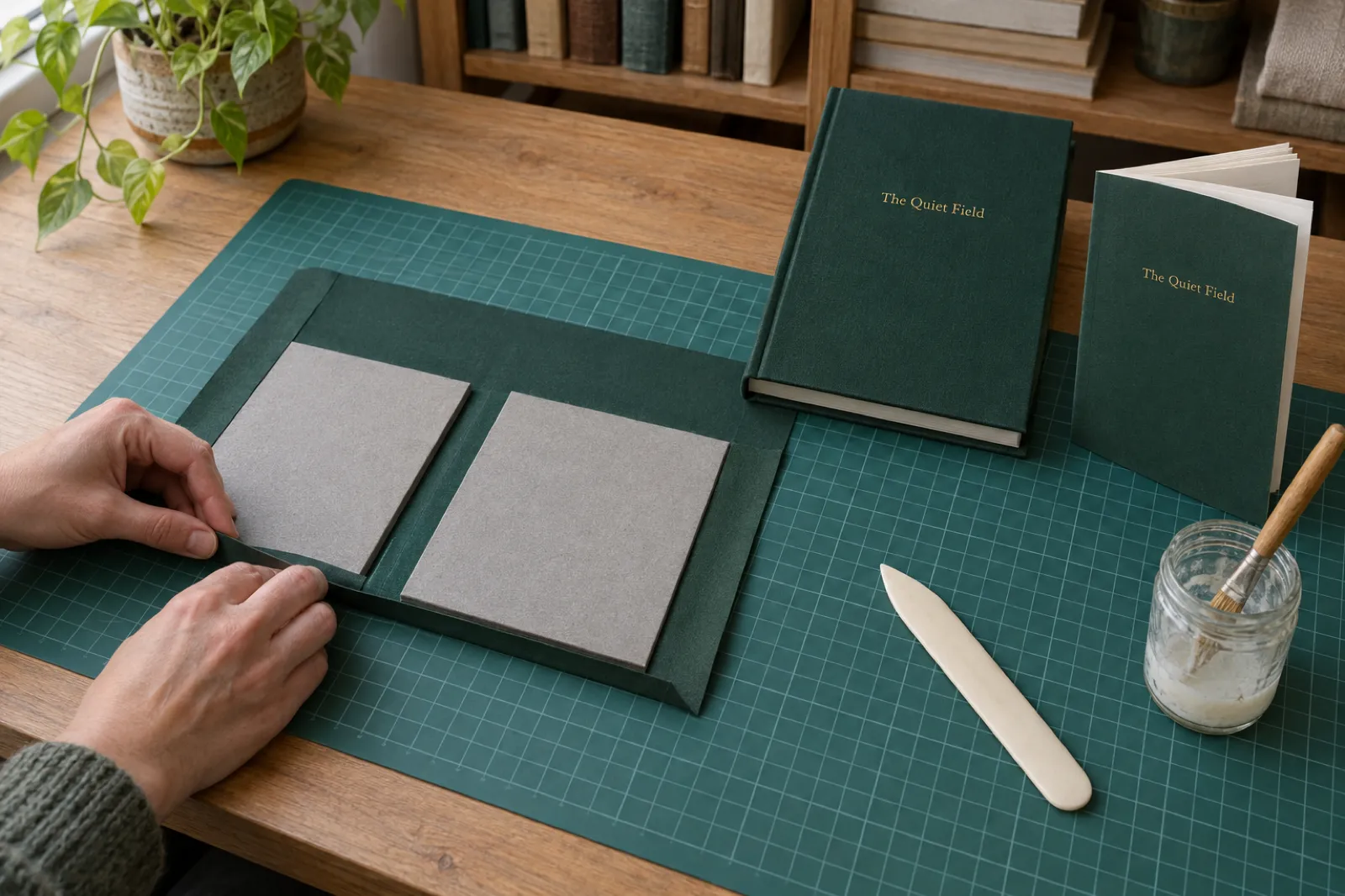
A KDP hardcover is a case laminate book: the cover is printed, wrapped round two boards and a spine piece, and glued inside. Three things change. The boards are bigger than the pages, the spine is wider than the stack of pages, and instead of 0.125 in of bleed the file carries a wrap that turns over the board edge. KDP's Create a Hardcover Cover page does not give a spine formula; it sends you to the cover calculator.
So we asked the calculator. On 5 November 2026 we ran KDP's cover calculator for 748 hardcover combinations: all five hardcover trims, white, cream and premium colour paper, and every page count from 75 to 550 on 6 x 9 white. Every answer fits one rule, to the thousandth of an inch:
Spine = pages x paper factor + 4.8 mm (0.189 in)
Board = trim width + 5 mm, by trim height + 6 mm
Width = 15 mm wrap + board + spine + board + 15 mm wrap
Height = 15 mm wrap + board height + 15 mm wrap
| Spec | Paperback | Hardcover (case laminate) |
|---|---|---|
| Past the trim | 0.125 in bleed | 0.591 in (15 mm) wrap round the board |
| Panel size (6 x 9) | 6.000 x 9.000 in | 6.197 x 9.236 in board |
| Spine, 200 white pages | 0.450 in | 0.639 in |
| Hinge | None | 0.394 in (10 mm) each side of the spine; no text or barcode |
| Barcode | 2 x 1.2 in, 0.25 in from spine and trim | 2 x 1.2 in, 0.76 in from the bottom, 0.25 in from the hinge |
| Pages and trims | 24 to 828; sixteen trims plus custom | 75 to 550; 5.5 x 8.5, 6 x 9, 6.14 x 9.21, 7 x 10, 8.25 x 11 |
One figure on KDP's help page does not match its own calculator. The help page says the image should extend "0.51” (15 mm)" past the edge of the front cover, and that text should be 0.635 in (16 mm) from the edge of the book. But 15 mm is 0.591 in, and the calculator and its template use 0.591 in, with a 0.125 in margin inside the board edge. Build to the calculator: a file made with a 0.51 in wrap would be 0.16 in too small each way. Keep text at least 0.125 in inside the board edge, and if you want to satisfy both readings, keep it 0.716 in from the file edge.
The spine also has a black-and-white headband at the top and bottom on books over 120 pages, according to the same page. If you also sell the hardcover through IngramSpark, its case laminate file is different again; the IngramSpark cover calculator gives that canvas and the dust jacket's.
Six covers worked out
These six books cover the common shapes, from a thin square picture book to a gift hardcover. Each was run through the calculator above and through KDP's own cover calculator, and both gave the same numbers.
| Book | Spec | Spine | Cover | Pixels |
|---|---|---|---|---|
| Non-fiction guide | Paperback, 6 x 9, 200 pages, white | 0.450 in | 12.700 x 9.250 in | 3,810 x 2,775 |
| Same guide, hardcover | Hardcover, 6 x 9, 200 pages, white | 0.639 in | 14.214 x 10.417 in | 4,264 x 3,125 |
| Novel | Paperback, 5.5 x 8.5, 320 pages, cream | 0.800 in | 12.050 x 8.750 in | 3,615 x 2,625 |
| Picture book | Paperback, 8.5 x 8.5, 32 pages, premium colour | 0.075 in | 17.325 x 8.750 in | 5,198 x 2,625 |
| Coloring book | Paperback, 8.5 x 11, 24 pages, premium colour | 0.056 in | 17.306 x 11.250 in | 5,192 x 3,375 |
| Gift hardcover | Hardcover, 7 x 10, 300 pages, cream | 0.939 in | 16.514 x 11.417 in | 4,954 x 3,425 |
Two patterns stand out. A square or letter-size paperback is over 17 inches across, so set the canvas from the numbers, not from a preset. And very thin books have very thin spines: a 24-page coloring book's spine is 0.056 in (1.4 mm), narrower than the 0.125 in fold allowance, so anything printed there drifts onto the covers. Give it a plain colour that matches the back. If you make coloring books or picture books, the interior pages have their own bleed sizes, covered in the picture book bleed guide.

Interior bleed, margins and page limits
The cover always has bleed, but the interior only needs it if something runs to the edge of a page: a photo, a background colour, a full-page illustration. KDP's Set Trim Size, Bleed, and Margins page says that if even one page bleeds, the whole file should be set up with bleed. A bleed page is 0.125 in wider and 0.25 in taller than the trim (6.125 x 9.25 in for a 6 x 9 book), and the minimum outside margin rises from 0.25 in to 0.375 in. The inside margin, or gutter, grows with the page count because a thicker book curves more at the spine:
| Page count | Minimum inside (gutter) | Outside, no bleed | Outside, with bleed |
|---|---|---|---|
| 24 to 150 | 0.375 in | 0.25 in | 0.375 in |
| 151 to 300 | 0.5 in | 0.25 in | 0.375 in |
| 301 to 500 | 0.625 in | 0.25 in | 0.375 in |
| 501 to 700 | 0.75 in | 0.25 in | 0.375 in |
| 701 to 828 | 0.875 in | 0.25 in | 0.375 in |
Page limits depend on trim as well as paper. Most paperback trims take 24 to 828 pages on white paper, 776 on cream, 812 on groundwood and 72 to 600 in standard colour. The bigger square and landscape trims (8.25 x 6 and 8.25 x 8.25) top out at 800 on white, and 8.5 x 8.5 and 8.5 x 11 at 590 on white and 550 on cream. A4 (8.27 x 11.69) takes 780 on white and has no standard colour. Hardcovers take 75 to 550 pages at every trim. The calculator checks your count against the right limit and warns you if it is out of range.
Trim also decides print cost: anything wider than 6.12 in or taller than 9 in is a large trim and costs more per copy. The KDP royalty calculator shows what that does to your earnings per sale, and our trim size guide compares the common sizes by genre. For setting up the interior itself, how to format a book for KDP covers margins, fonts and front matter, and the KDP paperback template gives a ready interior at each size.
From page count to uploaded cover, step by step
- Finish the interior first. The spine follows the page count, so size the cover last. Blank pages, the title page, the copyright page and the contents all count, because they are all paper.
- Choose trim, ink and paper in KDP and use exactly the same choices here. Paper is locked to the ink after publication, but black-ink books can switch between white, cream and groundwood; switching changes the spine, so the cover may need re-uploading.
- Read the page count off the final PDF, not your word processor, and enter it above.
- Set your canvas to the pixel size the calculator gives, at 300 DPI, before you start designing.
- Design inside the safe zones. Keep the blurb clear of the barcode box, and add spine text only if the spine is wide enough to read.
- Export one PDF with back cover, spine and front cover together; flatten transparency, embed fonts and remove any template guides.
- Upload and check the previewer. Order a proof if you want the print in hand; how to print one copy of a book covers what it costs.
There are four practical ways to make the file: KDP's free Cover Creator (which also does hardcovers), KDP's template in your own design software, a hired designer, or a tool that builds the cover from the same book as the interior. We think the last is the safest for a paperback, because a cover made separately from the interior is the most common cause of a spine that does not match. In Inkfluence AI the cover designer's Print tab designs the back and spine to match your front cover, and the KDP export resizes the wrap to the real page count each time, so the two files cannot drift apart. For front-cover art, see how to design a book cover with AI or the AI book cover generator.
The Kindle cover and other printers
The Kindle edition does not use the wrap. It takes the front cover on its own, ideally 2,560 x 1,600 pixels, as a JPEG or TIFF in RGB; export it separately rather than cropping the print file. Our ebook formats guide explains why the print PDF should never go up as the Kindle file.
Other printers use other paper, so their spines differ even for the same page count. IngramSpark builds covers on its own template, with its own spine and a barcode; the IngramSpark cover calculator covers paperback, case laminate and dust jacket, and IngramSpark vs KDP covers the rebuild. Barnes & Noble Press has its own rules too, set out in our Barnes & Noble Press guide. For the full background on every KDP cover rule, including ten mistakes that get covers rejected, read the long KDP cover size and spine width guide.
Why a KDP spine will not fit another printer
Every printer uses its own paper, so the same page count gives a different spine. That is why a cover made for KDP has to be rebuilt, not just re-uploaded, when you take the book elsewhere. Two published examples show how far apart the numbers are.
| Printer | Paperback spine rule | 200 pages | Spine text from |
|---|---|---|---|
| KDP, white paper | pages x 0.002252 in | 0.450 in | 80 pages |
| Lulu | pages / 444 + 0.06 in | 0.510 in | Not stated in the guide |
| IngramSpark | From its template, by paper and binding | Read it off the template | 48 pages (perfect bound) |
Lulu's Book Creation Guide gives a formula for paperbacks and a stepped table for hardcovers: a 200-page Lulu hardcover has a 0.75 in spine, against 0.639 in at KDP. IngramSpark's File Creation Guide does not publish a per-page figure; it sets the spine in the template it generates, allows no spine text on perfect-bound books under 48 pages, and asks for 0.0625 in of spine safety on spines 0.35 in and wider. If you sell the same paperback through KDP and IngramSpark, plan for two cover files from the same artwork. Our IngramSpark cost calculator covers the print cost side of that decision.
How we checked these numbers
Every paperback figure on this page comes from KDP's help pages, read on 5 November 2026. For hardcovers, KDP's help pages do not give a formula, so we asked KDP's own cover calculator directly: every page count from 75 to 550 on 6 x 9 white paper, cream and premium colour at 6 x 9 in steps of five pages, and the other four hardcover trims on white paper in steps of 25 pages. That is 748 answers, and the rule in the hardcover section above reproduces every one of them to 0.001 in. We did the same for 42 paperback combinations of white, cream, groundwood and premium colour paper at 5 x 8, 6 x 9, 8.5 x 8.5 and 8.5 x 11, plus standard colour at 6 x 9, and the paperback formula matched every one.
The calculator above uses exactly those rules. The same paper factors drive the KDP export in Inkfluence AI, so the wrap that comes out of the app and the numbers on this page agree.
Eight spine and cover mistakes to avoid
- Sizing the cover before the interior is final. Ten pages on white paper move the spine by 0.023 in. Re-run the numbers after the last edit.
- Using the manuscript's page count. A word processor's count is not the printed count. Use the exported PDF.
- Picking a different paper in KDP from the one you designed for. Cream is about 11% thicker than white, which is enough to fail review on a long book.
- Adding bleed to the spine side of each panel. Bleed goes on the outside edges only; the folds take none.
- Using paperback maths for a hardcover. The case adds 4.8 mm to the spine and the boards are bigger than the trim, so the file is about 1.5 in wider than the paperback's.
- Squeezing spine text onto a thin book. Under about 0.30 in, leave the spine plain.
- Putting art or text in the barcode corner. KDP covers it with a white box, or rejects the file.
- Scaling up a small canvas. Start at the pixel size above; enlarging later softens the art. Our cover design guide covers resolution and type.
For thin formats such as journals and planners, where the spine is often under a tenth of an inch, our guide to low-content books on KDP covers the rules that apply. If you are still at the start, how to self-publish on Amazon KDP walks through the whole listing, and the AI book generator writes the first draft.
Sources (checked 5 November 2026)
- KDP: Create a Paperback Cover: white, cream, premium and standard colour factors; 0.125 in bleed; width and height formulas; spine text rule; 0.0625 in clearance and fold variance; 7 pt; 300 DPI; file sizes.
- KDP: Paperback Submission Guidelines: groundwood factor 0.00235 in.
- KDP: Create a Hardcover Cover: wrap, hinge, text distance, barcode placement, headband.
- KDP: Cover calculator and template generator: hardcover board, wrap, hinge and spine sizes, 748 combinations queried; 42 paperback combinations queried.
- KDP: Set Trim Size, Bleed, and Margins: trims, page limits per trim and paper, interior bleed, gutter by page count.
- KDP: Print Options: inks and papers per binding, groundwood weight, paper switching.
- KDP: Cover Creator: 80-page spine text minimum and spine text removal on short books.
- KDP: eBook cover image guidelines: 2,560 x 1,600 px ideal size.
- Lulu: Book Creation Guide: paperback spine formula and hardcover spine table.
- IngramSpark: File Creation Guide: template-set spines, 48-page spine text minimum, spine safety.
Spine width and cover size questions
How do I calculate spine width for a KDP paperback?+
How is a KDP hardcover spine calculated?+
What size is a KDP paperback full-wrap cover?+
What size is a KDP hardcover cover?+
How many pages do I need for spine text on KDP?+
What is the minimum and maximum page count on KDP?+
Does cream paper make a thicker spine?+
What does interior bleed change?+
How many pixels is a KDP cover?+
Can Inkfluence AI make the cover at this size?+
Related tools and guides
Guide
KDP cover size and spine width
Every cover rule, explained at length.
Tool
KDP royalty calculator
What your page count costs and earns.
Tool
Book length calculator
Word count to printed pages.
Tool
IngramSpark cover calculator
Paperback, case laminate and jacket.
Template
KDP paperback template
An interior set up at each trim.
Guide
KDP trim sizes
Which size for which book.
Fix
KDP rejected my book
Every rejection email and the fix.
Learn
Paperbacks on KDP Print
Trims, proofs and pricing.
App
AI book formatter
A print-ready interior at a KDP trim.
Guide
Children's book on KDP
Square trims and colour printing.
Compare
Book formatting software
Tools that lay out print interiors.
Hub
KDP tools
Every free tool for an Amazon author.
The numbers are done. Make the book.
Inkfluence AI writes or imports your book, sets the interior at a KDP trim, and builds the full-wrap cover from the real page count, so the spine always fits.