
KDP Rejected My Book: Every Common Rejection Email, What It Means and the Fix (2026)
Every common reason Amazon KDP rejects or flags a book, from margin and bleed errors to spine text, blank pages, Kindle quality notices and AI disclosure, with KDP's own wording, the real messages authors forwarded to our support desk, a rejection decoder and the fix for each. Checked 13 October 2026.
Quick Answer
KDP rejects books for three kinds of reason: the interior file (margins, gutter, trim or bleed mismatch, fonts, image resolution, blank pages, template text), the cover file (wrong size for the page count and paper, spine text too near the folds) or the content (AI disclosure, public domain, freely available text). Find which file the message names, fix the source, re-export and re-upload.
Checked on 13 October 2026. Every KDP rule and every KDP quotation on this page was read on Amazon's own KDP help pages that day (listed under Sources). The rejection messages under What authors actually received come from support messages authors sent us, quoted without names or book details. Inkfluence AI facts come from our product code and our measured print checks. We did not upload test files to KDP or order proof copies for this guide.
A KDP rejection reads like a verdict, but it is nearly always a measurement: a file a fraction of an inch off, a setup answer that does not match the file, or a content rule you had not read. Each has a known fix. This guide lists every common one with Amazon's own wording, what it means, how to fix it by hand, and what our KDP export does about it.
If you have not uploaded yet, start with how to format a book for KDP, which covers the rules before anything goes wrong, and our KDP cover size and spine width calculator for the wrap. This page is for the moment after the email arrives.
The numbers KDP checks most often
0.375 to 0.875 in
inside (gutter) margin, rising with page count
0.25 in
minimum outside, top and bottom margin (0.375 in with bleed)
+0.125 x +0.25 in
page size added for a bleed interior (width x height)
4 and 10
most blank pages in a row allowed: start or middle, and end
0.0625 in
space KDP wants between spine text and the spine edge
Up to 72 hours
review time for a new book or an update on Amazon.com
Every common KDP rejection at a glance (13 October 2026)
The left column uses KDP's own words where it has them. The last column says whether the Inkfluence AI KDP package deals with the cause for you, which is the honest test of any formatter: some of these are file problems a tool can prevent, and some are decisions only you can make.
| What KDP flags | File | Usual cause | Fix | Inkfluence KDP package |
|---|---|---|---|---|
| Content outside the margins, or in the gutter | Interior | Inside margin set for a lower page count; headers or page numbers near the edge; italics overhanging | Widen the inside margin to your page-count band, move headers in | Handled: gutter set from the real page count with 0.125 in headroom |
| Page size does not match the trim size | Interior | PDF at a different size from the trim chosen in KDP | Export at the exact trim, or change the trim in KDP | Handled: file is exactly the trim; READ ME FIRST states it |
| Bleed setting does not match the file | Interior | Bleed chosen for a trim-size file, or No Bleed for a bleed file | Make the Print Options answer match the file | Handled: READ ME FIRST and the Export window give the answer |
| Fonts not embedded | Interior | PDF saved without embedding, or a font licence that forbids it | Re-save as PDF with embedding on, or swap the font | Handled: fonts are embedded in the PDF |
| Low image resolution | Interior or cover | Images under 300 DPI at printed size | Replace with larger images; do not enlarge small ones | Partly: you supply the images; use large originals |
| Too many blank pages | Interior | More than 4 blank in a row (start or middle) or 10 at the end | Delete stray breaks and empty pages | Handled for picture-book padding; your own empty pages are yours |
| Placeholder or template text | Interior | Sample text left from a template | Search and delete it | Not applicable: no template text is added |
| Book details do not match | Interior and cover | Title or author name spelled differently from the KDP setup | Make every file match the details exactly | Partly: one title and author feed every file; match them in KDP |
| Cover does not fit the full cover dimensions | Cover | Wrap built for another page count, paper or trim | Rebuild the wrap from the final page count and paper | Handled: wrap sized from the real page count and the paper you pick |
| Spine text too close to the edges | Cover | Lettering inside the fold variance | Keep spine text about 0.125 in inside each fold | Handled: 0.125 in inside each fold |
| Spine text on a book of 79 pages or fewer | Cover | Short book with a lettered spine | Remove the spine text | Handled: spine text only over 79 pages |
| Kindle quality issue (page numbers in text, formatting) | Ebook | A print PDF converted to Kindle | Upload a reflowable EPUB or DOCX | Handled: the zip includes a Kindle EPUB |
| AI-generated content not disclosed | Content | The AI question answered "No" for AI-written text | Answer the question truthfully when you publish | Yours to answer; no tool can do it for you |
| Public domain or freely available content | Content | Undifferentiated public domain text, or text already free online | Differentiate it, or publish original work | Yours to decide |
Stop fixing the same margins twice
Import your manuscript and export the KDP package: interior sized from its real page count, full-wrap cover, Kindle EPUB, and a READ ME with every answer KDP asks for.
Fix my KDP filesHow KDP checks your book, and when you hear about it
There are two checks, and knowing which one caught you tells you where to look.
- The automated check at upload. When you upload a paperback interior and cover, KDP runs its Print Previewer and, in its own words, has "our Print Previewer tool check for errors you need to fix before you can submit". It shows an explanation and links to the affected pages. You cannot submit until those are cleared.
- The manual check after you press Publish. KDP says: "After you submit your book, we manually check your interior and cover files." If the reviewer finds a problem, "you'll receive an email with direct links to the specific errors in Print Previewer". This is the email most people mean by "KDP rejected my book".
For Kindle ebooks, quality problems surface differently: KDP's Publishing and Review page points to the Quality Notifications Dashboard for ebook issues. Content problems (AI disclosure, public domain, freely available text) come from the content review and can lead to a book being rejected or removed; KDP's content guidelines say "We'll reject or remove content that does not adhere to these guidelines."
On timing: while a book is In Review, KDP says "your book is locked for changes". Its Timelines page gives up to 72 hours for a new book or an update on Amazon.com (up to 5 days in other marketplaces for paperbacks), adds that "reaching out to Customer Support will not expedite the review process", and says low-content reviews "may take 3-4 weeks to complete."
Decode my rejection
Paste the message KDP showed you, in the Previewer or in the email, and the decoder matches it against the rejections on this page. It runs in your browser; nothing you paste is sent anywhere.
The example buttons use typical wording for each issue. Only the spine example is KDP's exact text, as an author forwarded it to us.
What authors actually received
These come from support messages authors sent to our inbox between May and October 2026 while publishing books made with Inkfluence AI. We have removed every name, title and detail that could identify anyone. Only the first two are Amazon's own words; the rest are the authors' descriptions, which are useful because they show how a rejection feels from the outside and how often the real cause is something else.
1. A cover rejection, October 2026 (KDP's exact wording, forwarded by the author)
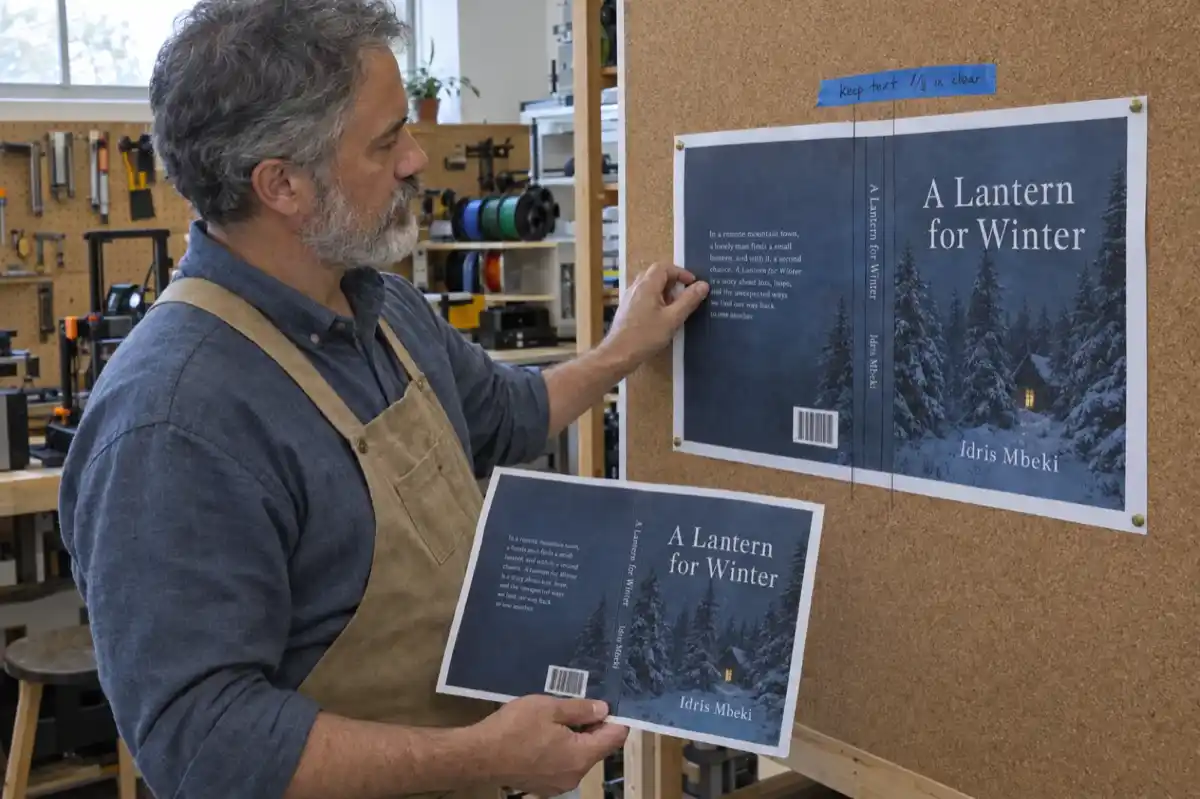
"The text on the spine of your book is too close to the edges, which could cause it to wrap onto the front or back cover during printing. To fix this, please move your spine text inward so there's at least 0.0625 inches (about the width of a penny) of empty space on both sides of the text."
What it meant: the spine lettering met KDP's 0.0625 in figure on paper but not once fold variance was allowed for. What the Inkfluence KDP export does: spine text sits 0.125 in inside each fold line (0.0625 in of clearance plus 0.0625 in of fold variance), and a spine narrower than about 0.3 in is left blank.
2. An interior flag, September 2026 (the Print Previewer's label)
"insufficient gutter"
What it meant: a 534-page book set at exactly 0.75 in, KDP's minimum for 501 to 700 pages, was flagged on 309 pages. The margin was right on paper; the Previewer measures the actual letter shapes, and italics, quotation marks and hanging punctuation reach a hair past the margin line. KDP's own help says the same: "some of the font's characters extend slightly outside of the text box and outside the margin". What the Inkfluence KDP export does: the inside margin is never printed at the tier value. It is the tier plus 0.125 in, with a 0.75 in floor, so 0.75 in up to 500 pages, 0.875 in for 501 to 700 and 1.0 in for 701 and up.
And in the authors' own words (paraphrased where needed to remove identifying detail):
- "Words bleed" beyond the expected edges, and "24 errors with the page format". An error repeated page after page almost always means one mismatch, and the first thing to check is whether the PDF's page size is the trim chosen in KDP. One wrong size produces an error on every page, which is why the count looks frightening.
- Page numbers and the author name "outside the guardrails" on a 6 x 9 hardback. The running foot sat too close to the bottom edge. The fix was moving the foot inward. Our KDP interiors now keep every running head, foot and page number at least 0.375 in from the trim (measured 0.42 in for the foot).
- A hardcover where "the words are extending to the edges", and the author wanted a smaller gutter. The opposite is true: when text runs into the edge or the fold, the inside margin needs to get bigger, not smaller.
- A cover wrap "too narrow" for standard colour printing. It was not. KDP lists the same per-page thickness for standard colour as for black ink on white paper (0.002252 in). Cream paper (0.0025 in) and premium colour (0.002347 in) are where the spine changes.
- "Bleed" chosen in KDP for a file with no bleed. KDP then expects a page 0.125 in wider and 0.25 in taller than the trim, and flags the file as the wrong size. Our READ ME FIRST now states the bleed answer on its own line for this reason.
- A paperback-sized cover uploaded as the Kindle ebook cover, and in another case EPUB, TXT and PDF "all rejected". Each KDP slot takes one kind of file: the paperback cover slot wants the full wrap PDF, the Kindle cover slot wants the front cover image, and the Kindle manuscript slot wants an EPUB or DOCX.
Most "KDP keeps rejecting my book" stories are one mismatch between a setting and a file, repeated every upload. Fix the mismatch and the whole list clears.
Interior file rejections
KDP's paperback submission guidelines list the common failure points for interiors. Here is each one with what KDP says, what it means and the fix. The paperback publishing guide covers the print side in general if you want the background.
Content outside the margins, or in the gutter
What KDP says: its formatting help tells you to reposition content outside the margins or reset them, and that "some of the font's characters extend slightly outside of the text box and outside the margin". What it means: something on the page crosses KDP's minimum margins. The inside margin is the one that catches people, because it depends on page count:
| Page count | KDP minimum inside margin | Outside, top, bottom (no bleed) | With bleed | Inkfluence prints inside |
|---|---|---|---|---|
| 24 to 150 | 0.375 in | at least 0.25 in | at least 0.375 in | 0.75 in |
| 151 to 300 | 0.5 in | at least 0.25 in | at least 0.375 in | 0.75 in |
| 301 to 500 | 0.625 in | at least 0.25 in | at least 0.375 in | 0.75 in |
| 501 to 700 | 0.75 in | at least 0.25 in | at least 0.375 in | 0.875 in |
| 701 to 828 | 0.875 in | at least 0.25 in | at least 0.375 in | 1.0 in |
Fix by hand:
- Find your real page count in the PDF, not the word processor's estimate, and read your band from the table.
- Use mirrored margins with the inside at least the band minimum, plus about 0.125 in for italics and quotation marks, which the Previewer catches.
- Keep the outside, top and bottom at 0.25 in or more (0.375 in with bleed), headers, footers and page numbers included.
- Delete empty text boxes and stray spaces (KDP warns invisible spaces count as text), and re-check the band after any change that adds pages: a book near 150, 300, 500 or 700 pages can jump to the next one.
In Inkfluence AI: the KDP export renders the book, counts the real pages, and re-renders if the count puts it in a different band, so the gutter always comes from the final page count. The inside margin is the band plus 0.125 in with a 0.75 in floor; outside is 0.5 in and top and bottom are 0.75 in. On our measured print checks (6 x 9, 5 x 8, US Letter, A5, 7 x 10, and a 173-page book in the 0.5 in band), all text sat 0.375 in or more from the trim: running foot 0.42 in, outside 0.50 in, inside 0.75 in. Our guide to formatting a book for KDP has a margin checker for any trim and page count.
Page size does not match the trim size
What it means: KDP compares the page size of your PDF with the trim you selected. KDP's help: verify the page size matches the trim size. A no-bleed file must be exactly the trim, for example 6 x 9 in. A bleed file must be 0.125 in wider and 0.25 in taller ("(Trim width) + (0.125" (bleed)) = Page width with bleed"; "(Trim height) + (0.125" x 2 (bleed)) = Page height with bleed"). A 6 x 9 bleed file is therefore 6.125 x 9.25 in.
Fix by hand: open the PDF's document properties and read the page size. If it is not your trim, either change the trim in KDP's Print Options or export the PDF again at the right size. KDP also warns that changing the size can shift text and page count, so re-check the margins band after any resize. Our guide to printing one copy is useful if you want to see the size in your hands before you commit.
In Inkfluence AI: every KDP interior is exactly the trim you chose (6 x 9 Trade, 5 x 8 Pocket, 5.5 x 8.5 Digest, 7 x 10, 8 x 10, US Letter, A5, B5, A4 or 8.5 x 8.5 Picture Book), or the bleed size when the book has Full-page photos. READ ME FIRST in the zip states the trim, so the KDP answer is copied, not remembered.
Bleed setting does not match the file
What KDP says: if a background colour or graphic triggers a margin error, "first try changing the Bleed Settings option to "Bleed"". Bleed is required when anything should print to the page edge, and a bleed interior must be a PDF.
What it means: the Bleed question in Print Options describes your file, not your wishes. There are two ways to get it wrong, and authors do both:
- No Bleed chosen, but art touches the edge. KDP sees content in the margin and flags it. Either choose Bleed and supply a bleed-size file with the art extended 0.125 in past the trim, or pull the art back inside the margins.
- Bleed chosen, but the file is exactly the trim size. KDP now expects a bigger page and reports a size mismatch. Choose No Bleed.
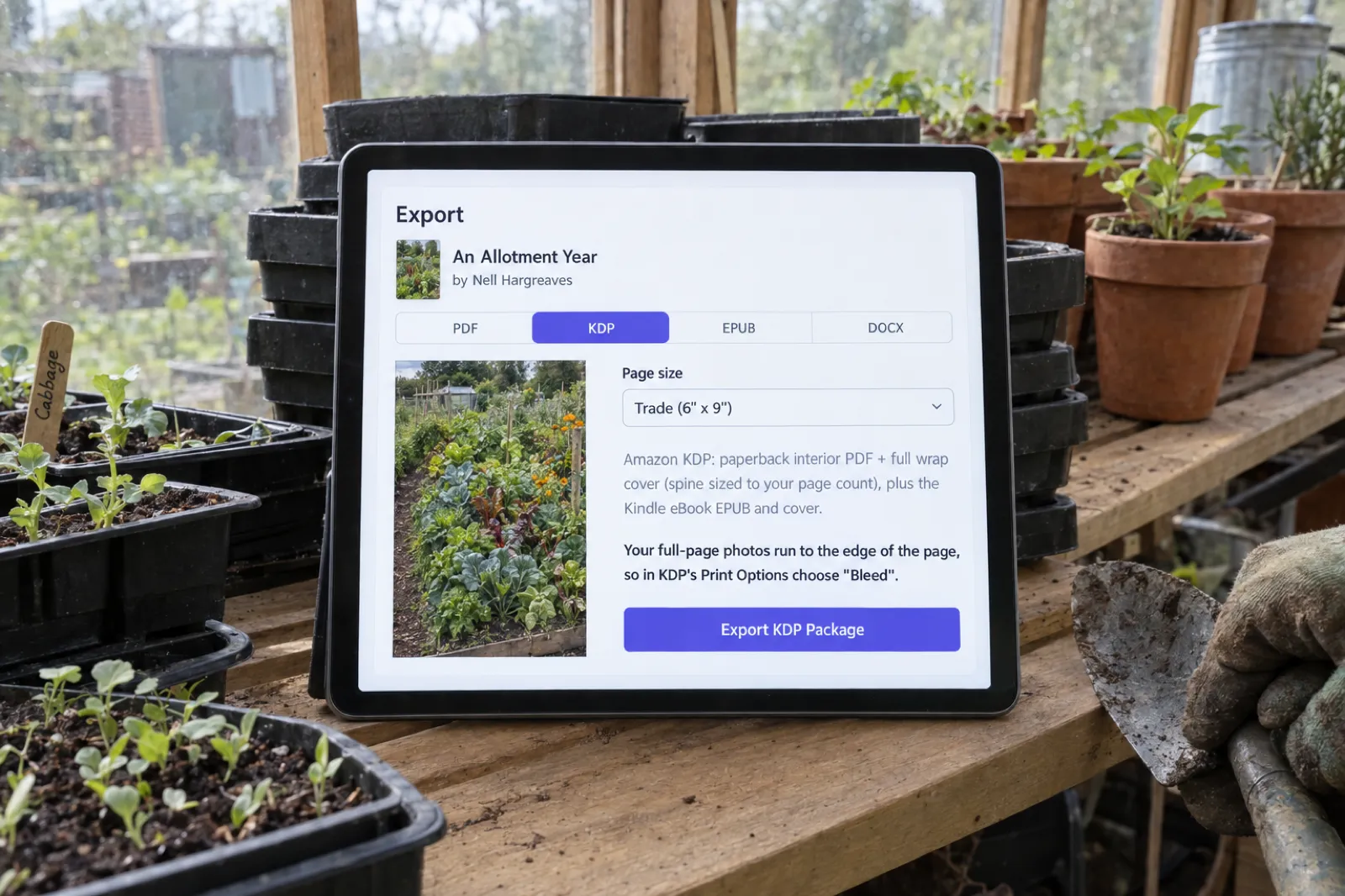
In Inkfluence AI: text books export with no bleed, exactly the trim. Books with Full-page photos (Full page in the image toolbar) export as a bleed file, trim plus 0.125 in wide and 0.25 in tall, and the Export window says so on the KDP tab. READ ME FIRST states the answer either way. Picture-book KDP interiors keep the art inside the margins, so they are no-bleed files; our children's book KDP guide explains that choice and the trade-off.
Get the bleed answer in writing
The KDP package includes READ ME FIRST with your trim, page count, spine width and the exact Bleed choice for this file. Any paid plan or a credit pack unlocks it.
Export my KDP packageFonts not embedded
What KDP says: "All fonts in the interior files should be embedded in the native program before publishing." Its formatting help adds that if the Previewer reports unembedded fonts after upload, the font's licence may not allow embedding.
Fix by hand: in Word, save as PDF with the option to embed fonts (the PDF/A option does this). In other programs, look for "embed all fonts" in the PDF export settings. If the error survives, the font is the problem: switch to one whose licence allows embedding. Avoid fonts you only have as a web download with unclear terms.
In Inkfluence AI: the KDP interior PDF is produced with its fonts embedded, so this rejection does not come from our files.
Low image resolution
What KDP says: images need a "Minimum resolution of 300 DPI", and it recommends a maximum of 600 DPI to keep the file under 650 MB. Its fixes: insert images at original size, do not enlarge them, turn off compression, and work out DPI from pixels and print size (pixels divided by inches).
What it means in numbers: a photo printed 5 in wide needs at least 1,500 pixels across. A 1,000-pixel image stretched across a 6 x 9 page is about 167 DPI and will be flagged. No tool can add detail that is not in the original; upscaling just makes a bigger blurry file.
In Inkfluence AI: this one is partly yours. Use large originals; our help centre suggests photos of at least about 2,000 pixels on the short side for Full-page photos. If your book is mostly illustrations, the AI picture book maker and the AI coloring book generator produce art sized for print; both are paid features.
Too many blank pages
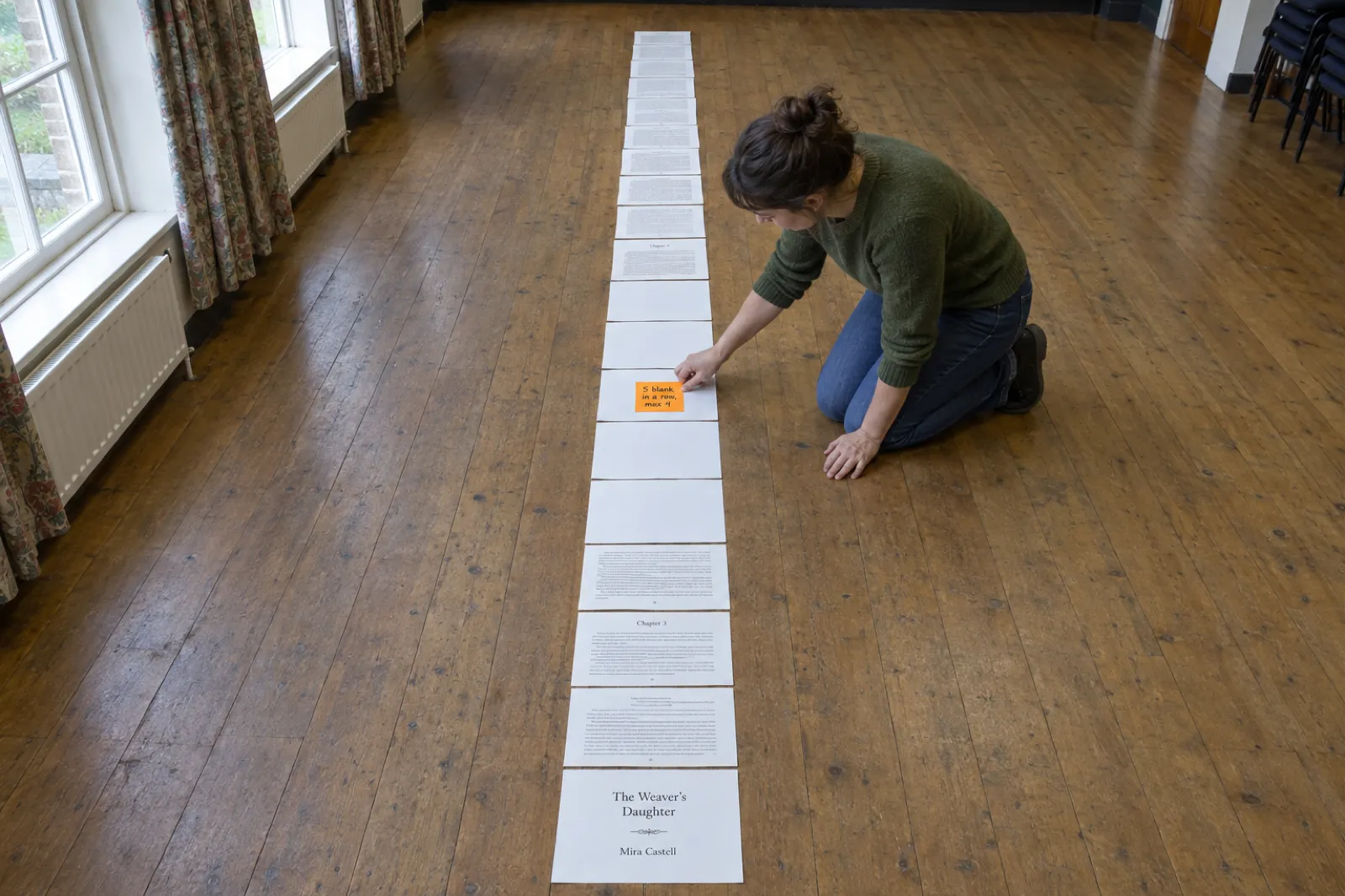
What KDP says: "we allow no more than 4 consecutive blank pages at the beginning or middle of a manuscript file" and "10 consecutive blank pages at the end."
What it means: a run of empty pages looks like a printing fault to a reader, so KDP flags it. Runs build up from stacked page breaks and section breaks (each "odd page" section break can add a blank), from empty chapters, and from authors adding blanks behind every illustration so marker pens do not bleed through.
Fix by hand: show formatting marks and delete stacked breaks. If you want a page deliberately empty, for example a "Notes" page or a colouring page's blank back, a small line of text or a page number keeps it from counting as blank in the reader's eyes. Our coloring book KDP guide covers the single-sided layout question in detail.
In Inkfluence AI: KDP needs at least 24 pages. A short picture book is padded with blank pages at export to reach 24, and the Export window tells you how many blanks it adds and suggests adding pages instead. The padding is split so no run is longer than KDP allows: at most 4 before the story and at most 10 at the end.
Placeholder text, pagination and missing pages
What KDP says: submitted files should not contain "invisible objects, annotations, placeholder text, or metadata", and page numbers must run in order, "with even numbers on left pages and odd numbers on the right" for left-to-right books. "Incorrect pagination" and "Missing pages" are both on its list of common failure points.
Fix by hand: search for the template's sample words ("Book Title", "Author Name", "Chapter Title Here") in the body, headers and footers. For page numbers, insert a section break after the front matter, unlink the header and footer from the previous section, and start numbering at the first chapter. Then compare the PDF's page count with your manuscript; a page that vanished on export is a common cause of "Missing pages".
In Inkfluence AI: no template text is added, and page numbers run in order through the book from the first chapter.
Book details do not match
What KDP says: "Make sure the information in your interior and cover files exactly matches the book details", meaning the "title, author name, ISBN, Imprint, language". "Exactly" is literal: a missing subtitle word, a middle initial on the cover but not in KDP, or "Dr." on one and not the other can all be flagged.
Fix by hand: copy the title and author name from KDP's Book Details into your title page, copyright page and cover, or change Book Details to match the files. If you use your own ISBN, it must match on the copyright page and the barcode; our book copyright page template labels one ISBN per format, and do you need an ISBN shows where each number goes.
In Inkfluence AI: one title and author name feed the interior title page, the cover and the EPUB, so the files agree with each other. Make KDP's details agree with them too. A short title page description under the title can be edited or cleared in the book details if you do not want it printed.
Illegible text and files KDP cannot process
The remaining interior failures are less common but quick to fix once named:
- Illegible text: KDP wants "Text is at least 7-point font", nothing cut off or overlapping, and text distinct from its background. Small captions inside images count.
- Transparency: "Flatten transparent objects and layers in the native file before publishing", or content can shift in processing.
- Spreads and crop marks: "We require single page files (as opposed to spreads or 2-up files)", and files must not contain crop marks, trim marks, bookmarks or comments.
- Locked files, size and names: no passwords or permissions, no more than 650 MB, and file names "must not contain emoji characters or other unsupported special characters".
None of these apply to the Inkfluence KDP manuscript, which is a plain, single-page, unlocked PDF named after your book. If you are comparing formatters on these points, our best book formatting software roundup and the AI book formatter page go through what each one handles.
Cover file rejections
Paperback covers fail for fewer reasons than interiors, but the reasons are stricter, because a cover is one exact size for one exact page count. Our cover size and spine width calculator does the arithmetic for any trim, page count and paper.
The cover does not fit the full cover dimensions
What KDP says: the cover "must be a single PDF file that includes the back cover, spine, and front cover as one image", it must match the full cover dimensions with bleed, with no white space or crop marks, and "If it does not, it will be rejected."
The arithmetic: cover width = 0.125 in bleed + back cover width + spine width + front cover width + 0.125 in bleed; cover height = 0.125 + trim height + 0.125. Spine width = page count x paper factor:
Spine width for a 200-page book, by paper (KDP factors)
A 6 x 9 wrap at 200 pages on cream is 0.125 + 6 + 0.5 + 6 + 0.125 = 12.75 in wide and 9.25 in tall. Pick white instead and it is 12.70 in wide.
What usually went wrong: the interior changed after the cover was made, or the paper chosen in KDP is not the paper the cover was built for (cream adds 0.025 in of spine per 100 pages over white). Fix by hand: build the wrap last, from the final page count and the exact ink and paper you will select, or use KDP's cover template for those numbers.
In Inkfluence AI: the wrap in the KDP package is built at export from the real page count of the interior in the same zip, and from the ink and paper chosen in the cover designer's Print tab (B&W white, B&W cream, Standard color, Premium color). Choose the same paper in KDP. If you change trim or paper later, re-export so the cover and interior match. We make paperback wraps only; Inkfluence does not make hardcover (case laminate) covers. The AI book cover generator covers the front, back and spine design side.
Spine text too close to the edges, or on a short book
What KDP says: keep "at least 0.0625" (1.6 mm) of space between the text and the edge of the spine", and "Allow for 0.0625" (1.6 mm) variance on either side of the fold lines". On short books: "Book has fewer than 79 pages and can't have text on the spine". KDP's cover page words the threshold two ways ("at least 79 pages" in one line, "more than 79 pages" in another), so the safe reading is: spine text only on books over 79 pages.
What it means: the two 0.0625 in figures add up. Text that is exactly 0.0625 in from the fold can still land on the fold when the cover shifts in the binder, which is what the message quoted above warns about ("could cause it to wrap onto the front or back cover"). Keep spine text 0.125 in inside each fold. That means a spine needs to be about 0.3 in wide before it can carry a readable line of type, roughly 133 pages on white paper.
Fix by hand: shrink the spine type or drop the subtitle until the lettering clears 0.125 in on both sides. On a book of 79 pages or fewer, remove the spine text entirely.
In Inkfluence AI: spine text is printed only on books over 79 pages and kept 0.125 in inside each fold line: title and author where they fit, otherwise the title alone. A spine narrower than about 0.3 in is left blank.
Barcode, safe zone and the wrong file in the wrong slot
- Text safe zone: keep cover text at least 0.125 in inside the trim lines, at the outer edges as well as the spine.
- Barcode: you can upload a cover with or without a barcode; if you leave it out, KDP places one on the back cover. Keep that area clear of text you care about. Our wrap leaves a barcode zone in the lower right of the back cover, by the spine.
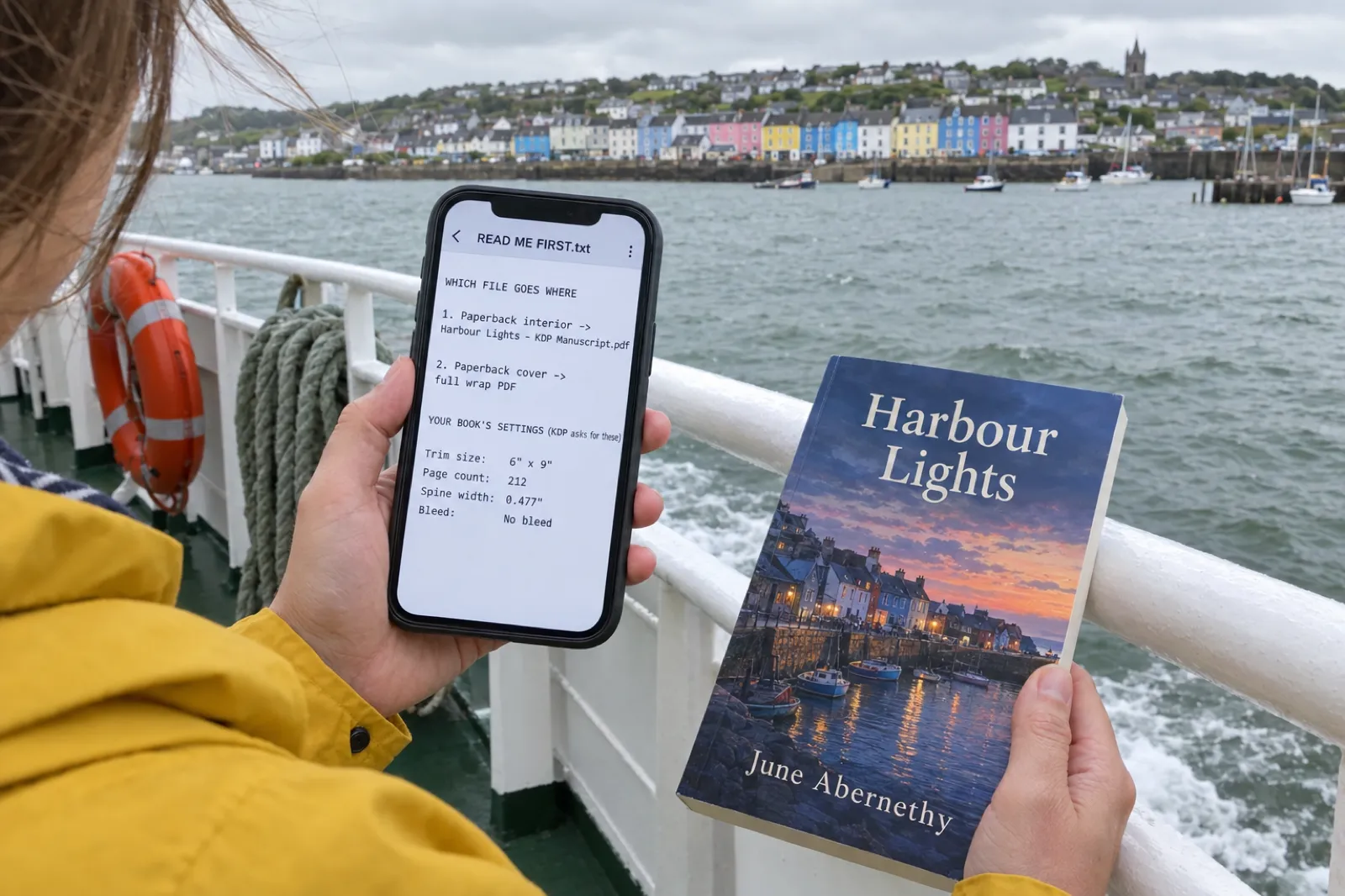
- Wrong file: the paperback slot takes the full-wrap PDF; the Kindle cover slot takes a front-cover image (KDP's ideal is 2,560 x 1,600 pixels, RGB, 5 MB or less). Uploading a front-only image as the paperback cover, or the paperback wrap as the Kindle cover, fails. READ ME FIRST says which file goes where, and warns against using the Kindle cover for the paperback.
- Promotions on the cover: KDP's Kindle cover guidelines say a cover must not mention pricing or temporary promotional offers, and the title and author should match the detail page.
A cover that matches the interior it ships with
The full wrap is sized from the same page count as the manuscript in the zip, with spine text kept clear of the folds.
Build my cover wrapKindle ebook rejections and quality notices
Ebooks reflow, so they rarely fail on size. They fail on quality. KDP's Guide to Kindle Content Quality lists the issues, and the consequence matters: "any Critical Issue will result in the book being removed from sale until corrections are made", while moderate issues can leave the book on sale with "a temporary quality warning displayed on the detail page until corrections are made."
The issues on that list that trip up self-published books most often:
- In-line page numbering ("In-line page numbering is present", a critical issue). This happens when a print PDF or a Word file with typed page numbers is converted to Kindle: the old page numbers end up in the middle of sentences.
- Body text in the wrong style ("Body text rendered as bold, italicized, underlined or hyperlinked text").
- Missing or duplicated content ("More text is missing than just a short phrase"; "A portion of text that is repeated within a chapter or section").
- Typos ("among the most common quality issues customers report"), entire scans, and prohibited external links such as links to other ebook stores.
- Content unsuited to Kindle, such as puzzle books, blank journals and coloring books. Publish those as paperbacks; our low-content books guide covers the paperback rules for journals and notebooks.
Fix: upload a reflowable EPUB, DOCX or KPF, which KDP recommends, never the print PDF. KDP's ebook formatting guide says not to use headers, footers or page numbers in an ebook. MOBI is no longer accepted for new books or revisions (KDP ended reflowable MOBI on August 1, 2021 and fixed-layout MOBI on March 18, 2025). Check the result in Kindle Previewer before you publish. Our ebook formats guide explains the difference between the file types.
In Inkfluence AI: the KDP package includes a Kindle eBook EPUB made from the same manuscript, with no print page numbers or running heads in it, and READ ME FIRST tells you to use it for Kindle rather than the PDF. The ebook cover JPG in the zip is the front cover only, for the Kindle cover slot. The AI manuscript editor helps with the typo side before you export.
Content rejections: AI, public domain, freely available text
These are not file problems, so no formatter fixes them. They are worth knowing before you publish, because a content removal is harder to undo than a margin. KDP says "We'll reject or remove content that does not adhere to these guidelines", and "If we remove a title, we let the author, publisher, or selling partner know and they can appeal our decision."
AI-generated content disclosure
What KDP says: "We require you to inform us of AI-generated content (text, images, or translations) when you publish a new book or make edits to and republish an existing book through KDP." If an AI tool created the content, "it is considered "AI-generated," even if you applied substantial edits afterwards." If you wrote it and used AI to "edit, refine, error-check, or otherwise improve that content", it is AI-assisted, and "You are not required to disclose AI-assisted content."
What it means: being AI-generated is not a reason for rejection. Hiding it is a risk you do not need to take. Answer the question truthfully for text, images and translations separately. Our KDP AI disclosure policy guide walks through the exact questions, and how to publish AI-generated books on KDP covers the whole route. On ownership questions, see can AI-written books be copyrighted.
Public domain and freely available content
What KDP says: "We allow content that is in the public domain and no longer under copyright", but "If a free version of a public domain title is available in our store", KDP "will only allow you to publish a differentiated version". Differentiation means original translations, original annotations, or "10 or more original illustrations relevant to the book", with (Translated), (Annotated) or (Illustrated) in the title field and a short originality summary at the start of the description. Formatting fixes and table-of-contents links do not count. Public domain ebooks are "not eligible for all eBook royalty options or KDP Select." Separately, KDP "will not accept content under copyright that is freely available on the web."
What it means: republishing a classic as-is, or a collection of articles that are free online, will not pass. An original translation is one route; the AI book translator can produce a draft you then check and edit. If KDP asks you to prove you hold the rights to a text, reply with the evidence it asks for. For originality checks before you publish, read how to make sure AI book content is original.
Disappointing, misleading or advertising content
What KDP says: "We do not allow descriptive content meant to mislead customers" and "We also do not allow content that's typically disappointing to customers." Its quality guide lists, among disappointing content, "Content that is freely available on the web", "Content that is poorly translated", and content "whose primary purpose is to solicit or advertise". It also lists metadata where "The keywords and/or the categories do not match the nature of the book content", and summaries, study guides and workbooks based on other people's books (with limited exceptions).
What it means: a short book that promises more than it delivers, a book that is mostly a sales funnel, or keywords borrowed from a bestseller can all be pulled. Make the title, subtitle and description describe the book you actually wrote. Our book description generator, KDP SEO guide and KDP categories guide help with honest listings.
What to do the day the email arrives
- Read which file it names. Interior, cover or content. The manual-check email links to the exact pages in Print Previewer; open them before changing anything.
- Find the one mismatch. Twenty errors usually have one cause: a wrong trim, a wrong bleed answer, a margin band. Use the decoder above if the wording is unclear.
- Fix the source, not the PDF. Change the manuscript or the export settings, then export a fresh file. Editing a PDF by hand tends to break something else.
- Re-check the page count. If the fix added or removed pages, rebuild the cover so the spine matches, and confirm the margin band did not change.
- Upload again. On your Bookshelf: the "..." button next to the book, Edit content, Upload Manuscript (or the cover), then Launch Previewer, Save and Continue, and Publish on the Pricing page.
- Wait for the review. Up to 72 hours on Amazon.com. The book is locked while In Review, and support cannot speed it up.
- For content removals, appeal or change the content. Reply with what changed, or the evidence KDP asked for.
The pre-upload checklist that prevents most rejections
- Page size is the trim (or trim + 0.125 x 0.25 in with bleed), and the Bleed answer matches.
- The inside margin fits the final page count with a little extra; other edges 0.25 in or more, headers and page numbers included.
- Fonts embedded, nothing under 7 pt, images 300 DPI at printed size.
- No more than 4 blank pages in a row (10 at the end), no template text, single unlocked pages.
- The cover wrap is built from the final page count and the same paper you choose in KDP; spine text only over 79 pages, 0.125 in inside each fold.
- Title, subtitle, author name and ISBN are identical in KDP, on the title page and on the cover.
- The Kindle edition is an EPUB or DOCX, checked in Kindle Previewer, with no page numbers or running heads.
- The AI questions are answered truthfully for text, images and translations.
For the rest of the launch (royalties, pricing, listing), see how to self-publish on Amazon KDP, KDP royalties with our royalty calculator, and the Amazon KDP tools guide.
Most of that checklist, done in one export
Trim, bleed, gutter, fonts, page order, cover wrap, spine text and the Kindle EPUB come from one export. You keep the decisions only you can make.
Try Inkfluence AI freeWhat our KDP export handles, and what it does not
Inkfluence AI is our pick for getting a book through KDP review without learning print layout, because it answers the file questions from the book itself rather than from settings you have to remember. Export, then KDP, gives you one zip:
- Paperback interior PDF ("KDP Manuscript") at your trim, with the inside margin sized from the real rendered page count plus headroom, outside 0.5 in, top and bottom 0.75 in, fonts embedded.
- Full-wrap paperback cover PDF (back, spine and front, 0.125 in bleed), with the spine from that same page count and the paper chosen in the cover designer's Print tab.
- Kindle ebook cover JPG and the Kindle eBook EPUB, for the ebook slots.
- READ ME FIRST.txt with trim, page count, spine width, paper and the Bleed answer, plus which file goes in which KDP slot.
The honest limits: the KDP package is paid (any paid plan, Creator is $9.99 a month, or a credit pack, 15 credits for $9.99; see pricing). The free plan exports PDF only, with a footer credit and a closing credit page, which is not what you want inside a book for sale. We make paperback wraps only, not hardcover. Picture books are paid. And your images and your answers stay yours: low-resolution photos stay low-resolution, and the AI, public domain and listing questions are decisions only you can make.
If you are choosing tools for the first time, our pages for Kindle publishers and for first-time authors show the whole route, and the real cost of publishing an AI book adds up what you will spend. The KDP tools page lists every free calculator we keep for Amazon publishing.
Frequently asked questions
Why did KDP reject my book?
Almost every KDP rejection comes from the interior file (margins, gutter, a page size that does not match the trim or bleed answer, fonts, image resolution, blank pages, template text), the cover file (wrong size for the page count and paper, spine text too near the folds) or the content (AI disclosure, public domain, freely available text). The email or the Print Previewer names the file and the pages.
How do I fix "text outside the margins" on KDP?
Set the inside margin for your page count (0.375 in for 24 to 150 pages, up to 0.875 in for 701 to 828), keep the other edges at 0.25 in or more (0.375 in with bleed), move headers and page numbers inward and delete empty text boxes. Italics can poke past the margin, so leave a little room above the minimum.
What does "trim size does not match" mean on KDP?
The page size of your PDF is not the trim you selected, or your bleed answer does not match the file. A no-bleed file must be exactly the trim size. A bleed file must be 0.125 in wider and 0.25 in taller than the trim, and you must choose Bleed in Print Options. Either change the setting in KDP or export the file at the right size.
Why does KDP say my spine text is too close to the edges?
KDP wants at least 0.0625 in of space between the spine text and the edge of the spine, and allows for 0.0625 in of variance on either side of each fold. In practice keep spine lettering about 0.125 in inside each fold line. If your page count changed after you made the cover, the spine width changed too, so rebuild the cover from the final page count.
How many blank pages does KDP allow?
KDP's formatting help says it allows no more than 4 consecutive blank pages at the beginning or middle of a manuscript and 10 consecutive blank pages at the end. Longer runs are flagged. Remove extra blanks, or add a short line of text such as "Notes" if you want the page kept.
How long does KDP take to review a fixed book?
Up to 72 hours on Amazon.com for a new book or an update, and up to 5 days in other marketplaces for paperbacks, per KDP's Timelines page. Contacting support does not speed it up; low-content books can take 3 to 4 weeks.
Does KDP reject AI-generated books?
Not for being AI-generated. KDP requires you to disclose AI-generated text, images or translations when you publish or republish, and content an AI tool created stays AI-generated even after substantial edits. AI-assisted content (your writing that AI helped edit) needs no disclosure. The usual content and quality rules still apply.
Can I publish a public domain book on KDP?
Yes, if it is differentiated: an original translation, original annotations, or 10 or more original illustrations, labelled (Translated), (Annotated) or (Illustrated) in the title field. If a free version is already in the Kindle store, KDP only allows a differentiated one, and public domain ebooks are not eligible for all royalty options or KDP Select.
Why was my Kindle ebook flagged for quality?
KDP's quality guide lists typos, in-line page numbers, body text in bold or italic, missing or duplicated text, scans and prohibited links. Critical issues remove the book from sale until fixed; moderate ones add a temporary warning to the detail page. Upload an EPUB, not a PDF, so print page numbers stay out of the text.
Can I appeal a KDP rejection?
For content removals, yes: KDP says it lets the author know and they can appeal. For file problems, fix the file and resubmit; the email after the manual check links to the pages in Print Previewer that need changes.
Rejected once is enough
Bring in your manuscript, export the KDP package, and upload files built from your book's real page count.
Re-export my book for KDPSources
Every external fact and quotation on this page was read on the source below on 13 October 2026. Rejection messages from authors come from our support inbox and are quoted without identifying details. Inkfluence AI facts come from our product code and our measured print checks on that date.
- KDP: Fix Paperback and Hardcover Formatting Issues (automated and manual checks, the email after submission, margins, italics, bleed setting, blank pages, book details, illegible text, spine text, cover size), checked 13 Oct 2026
- KDP: Paperback Submission Guidelines (fonts, 7 pt, 300 and 600 DPI, 650 MB, placeholder text, crop marks, flattening, single pages, pagination, file names, common failure points), checked 13 Oct 2026
- KDP: Set Trim Size, Bleed, and Margins (margin table, bleed page size, minimum page counts, hardcover page ranges), checked 13 Oct 2026
- KDP: Create a Paperback Cover (single PDF, cover size formula, spine factors, spine text clearance and fold variance, 79 pages, safe zone, barcode), checked 13 Oct 2026
- KDP: Cover Image Guidelines for Kindle eBooks (2,560 x 1,600 pixels, RGB, 5 MB, no pricing or promotions, details match), checked 13 Oct 2026
- KDP: Guide to Kindle Content Quality (critical and moderate issues, in-line page numbers, scans, links, disappointing content, companion guides), checked 13 Oct 2026
- KDP: Content Guidelines (AI-generated and AI-assisted definitions, misleading and disappointing content, public domain, freely available content, removal and appeal), checked 13 Oct 2026
- KDP: Publishing Public Domain Content (differentiation, title labels, free versions, royalty and KDP Select limits), checked 13 Oct 2026
- KDP: Publishing and Review (In Review lock, Quality Notifications Dashboard), checked 13 Oct 2026
- KDP: Timelines (up to 72 hours, 5 days for other marketplaces, low-content 3 to 4 weeks, support does not expedite), checked 13 Oct 2026
- KDP: Update Your Manuscript (re-upload steps), checked 13 Oct 2026
- KDP: Supported eBook Formats (EPUB, DOCX, KPF, Kindle Previewer), checked 13 Oct 2026
- KDP: eBook Manuscript Formatting Guide (no headers, footers or page numbers), checked 13 Oct 2026
- KDP: MOBI Support for eBooks FAQ (reflowable ended August 1, 2021; fixed-layout March 18, 2025), checked 13 Oct 2026
Related reading
- How to Format a Book for Amazon KDP
- KDP Cover Size and Spine Width Calculator
- How to Self-Publish a Children's Book on Amazon KDP
- KDP Trim Sizes: Which Size for Which Book
- Atticus vs Vellum (2026): Price, Windows vs Mac, Print Output
- How to Create a Print-Ready PDF Book
- How to Sell Ebooks on Amazon KDP
- Self-publishing on Amazon KDP and the self-publishing guide
- Book cover design
- AI Book Formatter
- Book Copyright Page Template
- Do You Need an ISBN? Free vs Bought, Cost by Country

Founder, Inkfluence AI
Sam is the founder of Inkfluence AI. He built the platform to make book creation accessible to everyone - from first-time authors to seasoned publishers.
Helpful links
Ready to Create Your Own Ebook?
Start writing with AI-powered tools, professional templates, and multi-format export.
Get Started FreeRelated Articles
 Children's Books
 Children's Book Word Count and Page Count by Age (2026): Board Books to Middle Grade, with Real Picture-Book Data
How many words and pages a children's book needs, from board books to young adult, with every range sourced to a publisher or editor and dated, words per page from real picture books by age band, and a word-budget calculator that checks KDP's 24-page minimum.
 Publishing
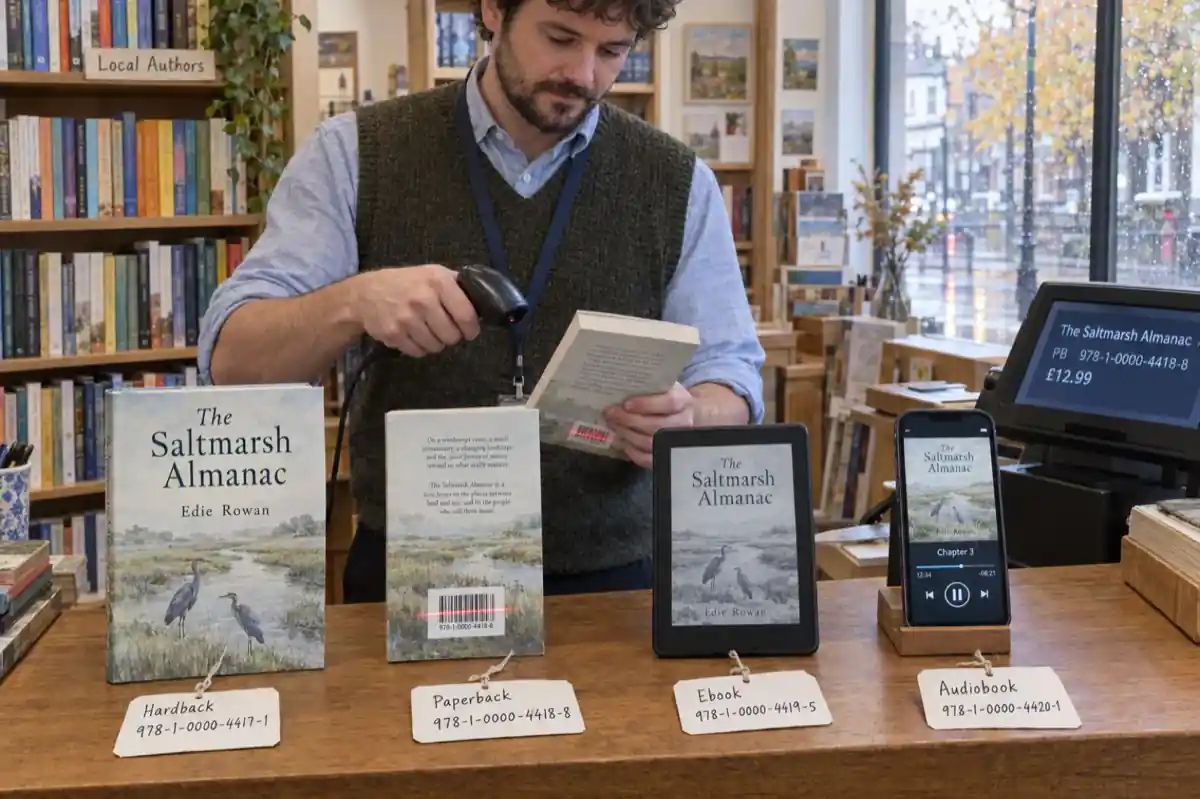
 Do You Need an ISBN? Free vs Bought, Cost by Country, and Which Formats Need One (2026)
When a self-published book needs an ISBN and when it does not, what one costs in the US, UK, Canada, Australia, New Zealand, India, Germany, Italy and France (checked at each agency on 13 October 2026), free ISBNs from KDP, IngramSpark and Draft2Digital, and a picker that tells you how many you need.
 Publishing
 IngramSpark AI Policy (2026): What It Accepts, the Setup Question and the "Assisted By" Credit
IngramSpark accepts AI-drafted books with significant human editing and the "Assisted By - Generative AI" credit, and refuses works created solely with generative AI. Its exact wording, covers and translations, how it differs from KDP, a checker for your book, and an editing workflow.
Get ebook tips in your inbox
Join creators getting weekly strategies for writing, marketing, and selling ebooks.