
Book Description and Blurb Generator
Write the back-cover blurb and the Amazon description in one go. Pick a genre, add your premise or topic, and get five blurbs in five proven formulas, with word counts, character counts and a version ready to paste into KDP.
Looking for a book blurb generator, a back cover blurb or an Amazon book description generator? This is the page. The free generator below works from genre templates; if you want an AI blurb written from your own chapters, Inkfluence AI's Book Description tool does that inside the app.
Quick answer: how to write a book blurb
- Hook: one line that names the stakes (fiction) or the reader's problem (non-fiction).
- Setup: one main character and situation, or one clear promise, in two or three sentences.
- Stakes or promise: what could be lost, or what will be different after reading.
- Proof: a comparison readers recognise, a real credential or a specific detail.
- Close: a line that tells the reader what kind of read this is and invites them in.
Keep it to 100 to 250 words. Amazon KDP allows 4,000 characters including HTML, and shows only the opening before a "Read more" link, so the first two sentences carry the sale. The generator below gives you five versions to edit. If your book is in Inkfluence AI, the Book Description tool writes three more from your actual chapters.

Free tool
Blurb generator: five book descriptions in five formulas
Fiction genres use your setting and main character; non-fiction genres use your topic and reader. Each blurb is a 60 to 100 word core: add the specifics only you know and it lands in the 100 to 250 word range.
Use it in your book
Click "Use" on any blurb, then take it into Inkfluence AI.
Opens your dashboard with this blurb as the brief: press Go and it writes the book the blurb promises. Your pick is also copied, so you can paste it into KDP or an existing book.
The blurbs are assembled in your browser from genre sentences and formulas we wrote by hand; nothing you type leaves the page. Treat every result as a first draft and swap in the real names, places and details from your book.
Direct answers about book descriptions
Can AI write my Amazon book description?
Yes. Inkfluence AI's built-in Book Description tool reads your book's title, genre and opening chapters and writes three ready-to-publish descriptions in Hook, Benefit and Short styles. Because it works from your actual pages, the copy reflects your real story or argument. You edit the one you like and save it to the book.
How long should a book description be, and what is Amazon's limit?
Amazon KDP allows up to 4,000 characters, including any HTML tags. Most strong descriptions run 100 to 250 words, and Inkfluence AI's tool writes each version at 90 to 170 words. Amazon hides the lower part of the description behind a Read more link, so the hook has to land in the first one or two sentences.
Will the blurb match my genre?
Yes. The free generator on this page uses separate hooks, stakes and closing lines for 15 genres, so a thriller blurb and a cookbook blurb read nothing alike. Inkfluence AI's tool matches the genre and tone of your manuscript.
Is the book description generator free?
The generator on this page is free with no sign-up. The Book Description tool inside Inkfluence AI, which writes from your manuscript, is on the Creator and Premium plans and available with chapter credits, the same access as Kindle export, with up to 25 generations a day. You can start writing a book on the free plan with no credit card.
What is a book blurb? Blurb vs description vs synopsis
Five pieces of book copy get confused all the time. They have different lengths, readers and rules about spoilers.
| Type | Typical length | Written for | Spoilers? | Where it goes |
|---|---|---|---|---|
| Blurb | 100 to 200 words | Book buyers | No: stops at the midpoint | Back cover, inside flap, ads |
| Book description | 150 to 300 words (KDP max 4,000 characters) | Online shoppers | No | Amazon, Apple Books, Kobo, your site |
| Synopsis | 1 to 2 pages | Agents and publishers | Yes: includes the ending | Query letters and submissions |
| Logline | 1 sentence, about 25 to 50 words | Pitch listeners | No | Pitches, query openings, your own planning |
| Tagline | Under 12 words | Anyone scrolling | No | Front cover, ads, social posts |
A book blurb is the short piece of sales copy that tells a browser what the book is and why it is for them. On a paperback it sits on the back cover; online it becomes the book description on Amazon and other stores. Most self-published authors write one text and use it in both places, sometimes adding a longer store version with a bulleted list or a line of praise. Further down the Amazon page, the A+ Content section carries images and short copy under similar rules; the A+ Content checker tests that copy against KDP's guidelines.
What a blurb is not: a synopsis. A synopsis tells the whole plot, including the ending, so an agent or editor can judge the structure. A blurb does the opposite. It sets up the question and stops, because the reader has to buy the book to get the answer. If your draft blurb mentions the final twist, you have written a synopsis.
Kindlepreneur's Dave Chesson puts the stakes plainly: when a book converts poorly, "99% of the time, the book description is the problem", and in one of his case studies a rewrite of the description tripled the conversion rate. The cover gets the click; the blurb gets the sale.

Anatomy of a book blurb that sells
Every formula on this page is a different arrangement of the same five parts.
1. Hook
One line that makes the reader need the next one. For fiction, a situation with something wrong in it. For non-fiction, the problem in the reader's own words.
2. Setup
Who, where and what they want, in two or three sentences. One main character; two at most.
3. Stakes or promise
What could be lost, or what will change for the reader. This is the line that creates urgency.
4. Proof
A comparison to books readers know, a real award or credential, or a specific detail that makes the book feel real. Never invent reviews or awards.
5. Close
Name the experience ("a warm, witty cozy mystery") or give a reason to start now.
Seven blurb formulas, and when to use each
The generator uses five of these per genre. Fiction leans on hook-led, 3-act and comp-led; non-fiction on PAS and benefit-led.
| Formula | Best for | Shape | Example opening |
|---|---|---|---|
| Hook-led | Thrillers, horror, YA | Hook line, then setup and twist, then a closing promise | "The message arrived at 2:14 a.m.: I know what happened at the lake house." |
| 3-Act | Literary, fantasy, science fiction | Situation, complication, the question the book answers | "For thirty years, Marisol has kept the same promise." |
| AIDA | Any genre | Attention, interest, desire, action | "Everyone in the village is scared of the dragon. Everyone except Pip." |
| Comp-led | Romance, cozy mystery, series | Comparison to books readers know, then the hook and setup | "For fans of small-town romance and sparkling banter..." |
| PAS | Self-help, business, health | Problem, agitation, solution | "Most busy parents do not lack willpower. They lack a plan that fits real life." |
| Benefit-led | How-to, cookbooks, business | Promise, bulleted list of what is inside, call to action | "Inside, you will discover..." |
| Short | Ads, storefront snippets, social | Tagline plus one or two sentences | "One house. One night. One lie that will not stay buried." |
How to pick. If your book's appeal is a situation (a locked house, a fake engagement, a dying colony), start with the hook-led formula and put the situation in the first line. If its appeal is a world or an emotional arc, the 3-act shape gives it room. If readers choose your genre by feel (romance, cozy mystery, series fantasy), the comp-led formula tells them in five words that this is their kind of book.
For non-fiction, PAS works when readers already feel the problem: anxiety, money, a stalled business. Benefit-led works when they are shopping for a skill or a result: learning to paint, cooking faster, managing a team. AIDA is the safe middle path for both.
Whatever formula you start with, generate several. The generator puts five side by side because comparing structures is faster than polishing the first one you wrote.
Book blurb examples by genre
Eight original blurbs written for this page, each with a note on why it works. Use them as models for length, rhythm and structure.
Thriller blurb example
Claire came to the lake house to forget. Someone else came to remember.
Ten years ago, a summer night at the lake ended with a body and a story everyone agreed to tell. Now an old friend is missing, a photograph has turned up that should not exist, and every witness from that night is getting the same message.
A tense, twisting thriller about the lies we tell to stay safe, and what they cost.
Why it works: Opens on a contrast, names one character, gives a ticking problem and ends on the theme rather than the twist.
75 words
Cozy mystery blurb example
There is a body in the poetry section, and the police think Mabel put it there.
Mabel runs the only bookshop in Puffin Bay, bakes the best scones on the coast and has never once wanted to solve a murder. But the inspector wants a quick arrest, half the book club is lying, and the victim's missing will could change everything.
A warm, witty cozy mystery with a puzzle that plays fair and a village you will want to move to.
Why it works: The first line mixes danger and charm, which is the genre's whole promise. The close tells readers exactly what kind of read it is.
81 words
Romance blurb example
June has a plan for the summer: fix up her grandmother's cottage, sell it, and leave the harbour town for good. Falling for Leo is not on the list.
Leo is the only builder free all summer, and he has never forgiven June for leaving without a word five years ago. What starts as a truce over a shared kitchen turns into late-night talks and borrowed sweaters, and a very inconvenient question about where home really is.
A warm, funny second-chance romance with a guaranteed happy ending.
Why it works: Two names, one setting, a clear trope and a promise of the ending readers want. The tension is in the plan versus the feeling.
87 words
Fantasy blurb example
In the salt kingdom of Veyra, magic is paid for in memories, and Ilyra has almost none left to spend.
When the queen is murdered and the court blames the wrong rebel, Ilyra is forced into an uneasy alliance with the prince sworn to hang her. To clear her name, she must cross the forbidden tidelands before the last moon of winter, and every spell she casts will cost her another piece of who she is.
The first book in a sweeping new series of court intrigue, forbidden magic and the price of power.
Why it works: The magic system's cost appears in the first sentence, so the stakes are built into the world. The series line sets expectations.
94 words
Self-help blurb example
Most busy parents do not lack willpower. They lack a plan that fits real life.
The Small Wins Method shows you how to build habits that last when your days are full: ten-minute routines, simple ways to track progress without guilt, and a thirty-day plan you can start tonight.
Inside, you will discover: • Why the usual habit advice backfires • A ten-minute daily practice that actually sticks • How to restart after a bad week without starting over
Small steps. Real change. Start today.
Why it works: PAS opening, a named method, specific deliverables and a short list that scans well on a phone.
85 words
Business blurb example
Most founders are told to hire faster. The ones who scale learn to hire slower.
The Fifty-Person Ceiling explains why growing companies stall at around fifty people, and gives managers a clear framework for roles, rituals and decision-making that keeps a team fast as it grows. Written in plain language, with checklists you can use on Monday.
Stop guessing. Start building.
Why it works: A counter-intuitive claim earns the second sentence. The middle says exactly what the reader gets and who it is for.
61 words
Cookbook blurb example
Dinner should not be the hardest part of your day.
One Pan, Many Nights brings together 80 easy recipes that go from fridge to table in a single pan, with supermarket ingredients and almost no washing up. Weeknight favourites, make-ahead ideas and simple swaps for vegetarian cooks.
Pick a recipe, grab a pan, and get cooking tonight.
Why it works: BookBub found that stating the number of recipes beat naming individual dishes in its cookbook blurbs. This one leads with the problem, then the count.
57 words
Memoir blurb example
Ruth was eleven the summer everything changed. It started, and ended, in her mother's farmhouse kitchen.
In short, vivid chapters, this honest and often funny memoir traces a childhood shaped by a loving, difficult family, the secrets they kept, and the long road back to understanding them.
Tender, brave and deeply human: a memoir for anyone who has ever tried to go home again.
Why it works: One place carries the whole book. The middle names the tone (honest, funny) so readers know it is not unrelentingly sad.
64 words
What blurb testing actually shows
Published A/B tests are rare. BookBub has shared results from split-testing its own deal emails.
+4%
average click-through lift from naming a specific subgenre, such as psychological thriller or police procedural.
-10%
fewer clicks for blurbs that named three or more characters.
+9%
for cookbooks that stated the number of recipes instead of naming dishes.
-20%
when business blurbs used the word "accessible".
+5%
average lift from mentioning a prestigious, genre-specific award (up to 25%).
+5%
average lift from ellipses in suspenseful genres; most other punctuation hurt.
Source: BookBub Partners, "Book description A/B tests". These were Featured Deal blurbs, usually under 50 words, so treat them as direction, not law, for a full Amazon description. The pattern still holds up: be specific about subgenre and contents, keep the cast small, and skip vague praise words.
Amazon KDP book description rules
The formatting details most authors miss, from KDP's own help pages.
4,000 characters, and HTML counts
KDP allows up to 4,000 characters for the description, and tags count toward the limit: bolding the word "test" turns 4 characters into 11. The generator shows both counts, for plain text and for the KDP-ready HTML.
Only a short list of tags works
Supported: line breaks, paragraphs, bold, italics, emphasis, underline, headings h4 to h6, and numbered or bulleted lists. Headings h1 to h3 are not supported, and styling pasted from a word processor does not carry over. The "Copy for KDP" button uses only paragraph, bold and list tags.
Write for the "Read more" fold
Amazon shows the opening of the description and tucks the rest behind a "Read more" link. The cutoff varies by device, so do not count characters; make sure the first one or two sentences could sell the book on their own. A bold first line helps on mobile.
Match the title, cover and category
A description that reads like a thriller under a cover that looks like a romance confuses the reader and costs the sale. Use the same genre words your category and cover signal. If you are still settling the title, the book title generator has 160 title ideas by genre, and the KDP SEO checklist covers choosing categories and keywords that agree with both.
You can change it after launch
Unlike the title, the description can be edited in KDP after publishing. That makes it the cheapest thing to test on a book that is not selling. The guide to selling ebooks on Amazon covers the other levers, such as price, keywords and categories.
One blurb, three places: back cover, Amazon and ads
Write the core once, then trim or extend it for where it will be read.
Back cover
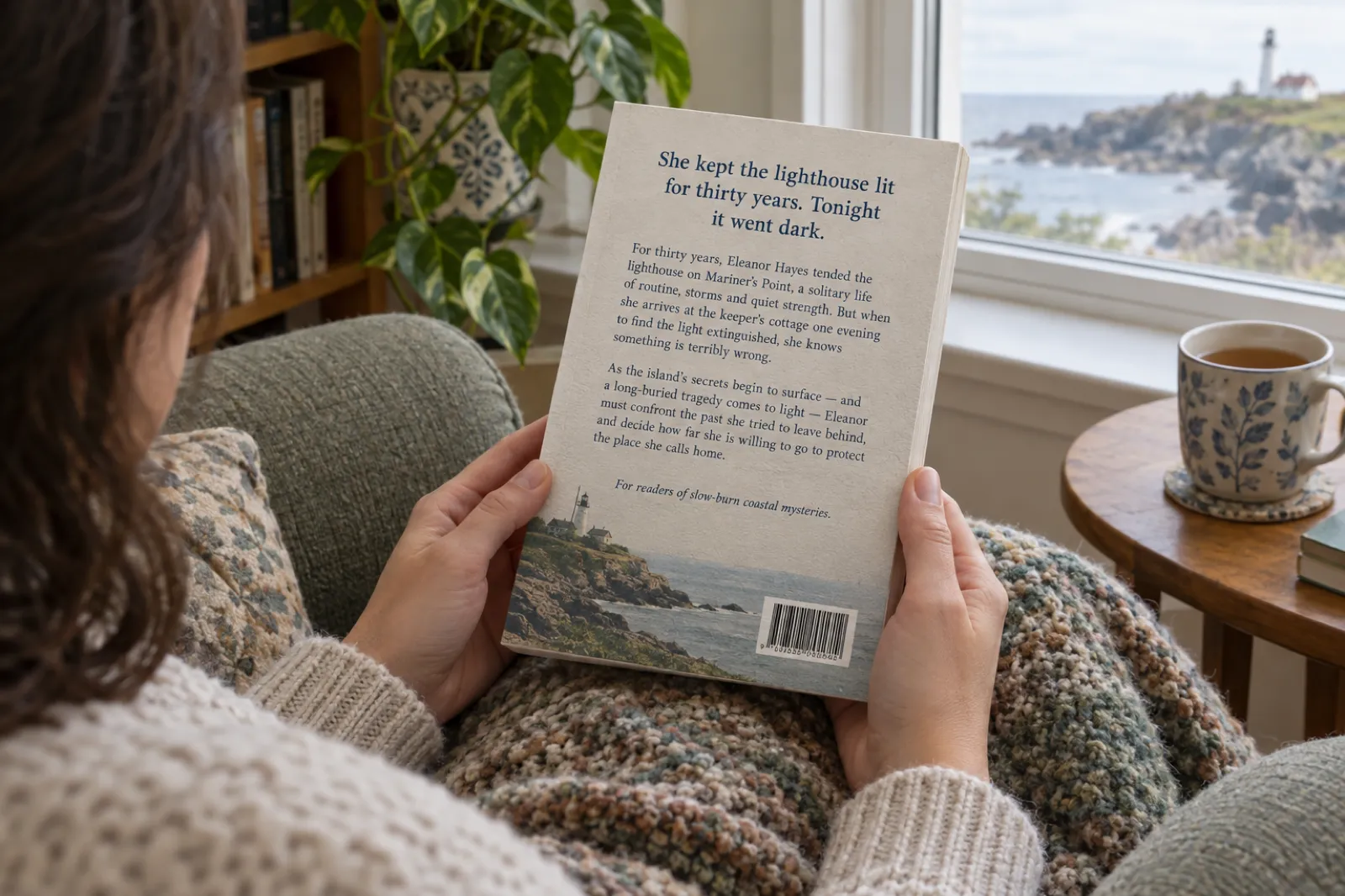
The tightest version: a tagline in larger type, then 100 to 180 words. A paperback back cover also has to fit a barcode, and often an author photo or a short bio, so every line has to earn its space. Readers pick the book up and turn it over in a shop; the tagline is what they read first.
Amazon description
The fullest version: bold opening line, the blurb, then optional extras below the fold, such as a short list of what is inside for non-fiction, a series note, or a line of genuine praise. Use the "Copy for KDP" button for clean paragraph and bold tags, and keep the whole thing well under 4,000 characters.
Ads and social posts
The shortest version: the tagline plus one sentence, which is what the generator's Short formula gives you. BookBub's tested blurbs were usually under 50 words, and short copy leaves room for the cover to do its job in a feed.
If your book is in Inkfluence AI, saving a description with "Use as description" places it on the exported title page and in the EPUB metadata, and pre-fills listings on Gumroad and Etsy. For Amazon, copy the text into the description field when you set up the book in KDP. The self-publishing guide covers the rest of the KDP setup, and the author bio generator writes the about-the-author paragraph that usually sits beside the blurb.
How to edit a generated blurb
A template gives you structure. These edits make it yours.
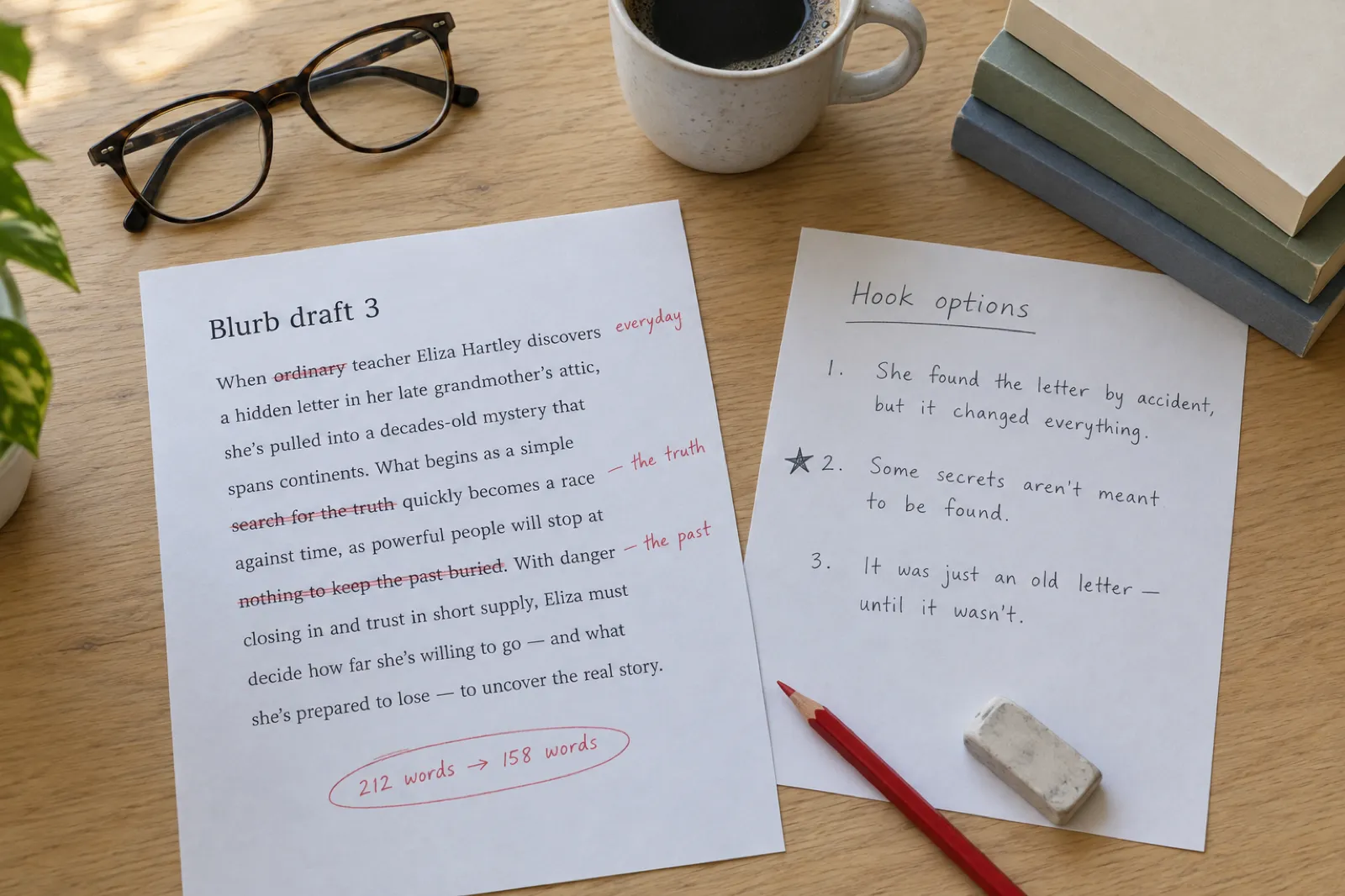
- 1. Swap every general noun for a specific one. "A small town" becomes "Puffin Bay". "A secret" becomes "the letter in the attic".
- 2. Cut to the best 150 words. Delete adjectives first, then any sentence that repeats an idea.
- 3. Keep the cast to two names. Everyone else is "her sister" or "the inspector".
- 4. Stop at the midpoint. If a sentence reveals something from the second half of the book, remove it.
- 5. Read it aloud. Where you stumble, readers skim.
- 6. Check the first two sentences alone. They are all many shoppers see before "Read more".
- 7. Keep proof honest. Use real reviews, awards and credentials, or none. The comparison line ("for fans of...") is proof you never have to invent.
Ways to write a book description, compared
Most authors combine two: a fast draft from a tool, then their own edit.
| Method | What it knows | Output | Cost | Best for |
|---|---|---|---|---|
| This free generator | Your genre, premise or topic, names and comps | 5 blurbs in 5 formulas per click | Free, no sign-up | A fast first draft and seeing different structures side by side |
| Inkfluence AI Book Description tool | Your title, genre and opening chapters | 3 versions: Hook, Benefit, Short (90 to 170 words) | Creator, Premium or chapter credits | Copy that reflects the book you actually wrote, saved straight to the book |
| General chat assistant | Whatever you paste in | As many versions as you ask for | Free tiers and paid plans | Rewording a draft you already like |
| Freelance copywriter | Your book and your brief | 1 to 3 polished versions | Paid per project | A big launch where every percentage point matters |
| Writing it alone | Everything | As many drafts as you have patience for | Free | The final edit, whichever route you start from |
Where a template generator wins: speed and structure. Five formulas side by side show you in seconds whether your book sells better on its situation, its character or its promise, which is the decision that matters most.
Where it falls short: it does not know your book. It cannot pick the one image from chapter four that makes a reader shiver, or the statistic from your research that makes a sceptic stop. That is the edit only you, or a tool that has read your chapters, can make.
Where the in-app tool fits: if you wrote or imported the book into Inkfluence AI, the Book Description tool works from the book itself and saves the result where it is needed: the title page, the EPUB file and your Gumroad and Etsy listings. For KDP, you copy it into the description field.
Book description and blurb FAQ
What authors ask before they publish the copy that sells the book.
What is a book blurb?
A book blurb is the short sales copy on the back cover and on the retailer page that tells a browser what the book is and why they should read it. For fiction it sets up the main character, the situation and the stakes without spoiling the ending; for non-fiction it names the reader's problem and the result the book delivers. Most blurbs run 100 to 250 words.
Is a blurb the same as a book description?
In everyday use, yes. "Blurb" usually means the back-cover copy and "book description" usually means the Amazon or store listing, but most authors use one text for both, sometimes with a longer store version. A blurb is different from a synopsis, which summarises the whole plot including the ending and is written for agents and publishers, not readers.
How long should a book description be?
Aim for 100 to 250 words. Amazon KDP allows up to 4,000 characters, and the HTML tags you use count toward that limit. Amazon shows the opening of the description and hides the rest behind a "Read more" link, so the first one or two sentences have to do the selling. Back covers usually need the shorter end of the range.
Is this blurb generator free?
Yes. The generator on this page is free, needs no sign-up and has no limit on how many times you click Generate. Inkfluence AI's separate Book Description tool, which writes from your actual chapters, is included on the Creator and Premium plans and with chapter credits.
Is this an AI blurb generator?
The free generator on this page is not AI. It builds blurbs in your browser from hand-written, genre-specific sentences and five proven formulas, so it is instant and private. For an AI-written description, Inkfluence AI's Book Description tool reads your book's title, genre and opening chapters and writes three versions (Hook, Benefit and Short) you can edit and save.
How do I write a book blurb that sells?
Open with a hook that names the stakes or the reader's problem. Introduce one main character or one core promise. Raise the tension or show the transformation. Add a line of proof or a comparison to books readers know. End with a reason to start reading now. Keep it to 100 to 250 words and test two or three versions.
What should a fiction blurb include?
The main character's name, the situation they are in, what goes wrong, and what they stand to lose, in roughly that order. Stop before the midpoint of the plot: a blurb sells the question, not the answer. Name no more than two characters; BookBub's tests of its own deal blurbs found that blurbs naming three or more people got about 10% fewer clicks.
What should a non-fiction book description include?
Who the book is for, the problem they have, what the book shows them, and what will be different after reading it. A short bulleted list of what is inside works well on Amazon. If you have real credentials, results or endorsements, add one line of proof; never invent them.
Can I use these descriptions on Amazon KDP?
Yes. Edit the generated blurb so every detail matches your book, then paste it into the description field in KDP. The "Copy for KDP" button gives you a version with paragraph tags and a bold opening line, using HTML that KDP supports. Check the character count before you paste.
Which HTML tags does Amazon KDP allow in a book description?
KDP's help pages list line breaks, paragraphs, bold, italics, emphasis, underline, headings from h4 to h6, and numbered and bulleted lists. Headings h1 to h3 are not supported. Every tag counts toward the 4,000-character limit.
Do I own the description the generator writes?
Yes. Anything you generate and edit on this page is yours to use on Amazon, your website, ads and printed covers, with no attribution needed. Because the output is built from shared templates, edit it so it is specific to your book; that is what makes it sell anyway.
Can the generator write descriptions in other languages?
The free generator on this page writes in English. If you write your book in another language with Inkfluence AI, write or adapt the description in that language too, so it matches the book readers will open.
How do I write a description for a book in a series?
Make each description work on its own for a new reader, then add one line that places it in the series, such as "The second Mabel Investigates mystery". Avoid spoilers from earlier books in the opening lines, because Amazon may show the later book to readers who have not started the series.
How many versions of a blurb should I write?
Write at least three with different openings: one that starts with the character, one that starts with the threat or problem, and one that starts with a comparison or a question. Read them aloud, show them to a few readers in your genre, and keep the one they react to fastest. On KDP you can update the description after publishing.
Sources
Where the facts on this page come from
Amazon KDP: book description guidelines
The 4,000-character limit, how HTML tags count toward it, and the supported tags (line and paragraph breaks, bold, italics, underline, h4 to h6, lists).
KDP Help →BookBub: book description A/B tests
Split tests of BookBub Featured Deal blurbs (usually under 50 words): subgenre mentions averaged +4% clicks, recipe counts +9% in cookbooks, three or more character names -10%, and "accessible" -20% in business titles.
BookBub Partners →Kindlepreneur: write and test a book description
Dave Chesson's view that when a book converts poorly, the description is the problem "99% of the time", with a case study where a rewrite tripled the conversion rate.
Kindlepreneur →Inkfluence AI help: generate a book description
How the in-app Book Description tool works: three styles, where the saved description is used, and which plans include it.
Help centre →Related tools and reading
Book Title Generator
24 title ideas per click, 160 ideas by genre
Book Title Ideas
Real titles by genre, formulas and KDP's title rules
Author Bio Generator
The about-the-author paragraph
AI Book Cover Generator
A cover that matches your blurb
Book Outline Generator
Plan the book before you write it
AI Ebook Generator
Write the whole book from an idea
Pen Name Generator
The author name on the listing
Self-Publishing Guide
The full Amazon setup, step by step
Chapter Title Generator
Chapter names for the Look Inside preview
Ebook Marketing Strategy
Launch and promotion for self-published authors

Write the book. Then let it write its own blurb.
Inkfluence AI turns your idea into an outline and chapters. On Creator and Premium, the Book Description tool turns those chapters into a blurb. Start free with 5 chapters, plus 5 every month.
Write my book freeNo credit card required.