
Write, design, and sell books
from one place
Describe the book you want. The AI drafts it chapter by chapter, you shape it in the editor, design the cover, and export files ready for Amazon, Etsy, or your own audience. No second tool required.
PDF, EPUB, DOCX
Multi-format exports
49 AI voices
Audiobook generation
20+ templates
Fast publishing setup
Quick Answer
Inkfluence AI is an all-in-one ebook creation platform. Key features include: AI book generation from a topic or outline (complete chapters in minutes), a full rich-text editor for rewriting and regenerating any section, an AI cover designer with 50+ templates, one-click PDF and EPUB export, an audiobook generator using text-to-speech, and direct one-click publishing to both Etsy and Gumroad with AI-drafted listing copy and AI disclosure auto-handled. Free users get unlimited editing and PDF export; paid plans add EPUB, priority AI, marketplace publishing to Etsy and Gumroad, and custom branding.
From first idea to first sale
Writing, design, export, audio, and selling usually take five tools and a folder of exported files. Here they are one workflow, so the book you finish is already the file you upload.
AI Book Generator
From loose concept to 15-chapter manuscript in minutes. Our AI handles structure, pacing, and hooks.
Sell on Etsy & Gumroad
Publish your finished book straight to your Etsy or Gumroad shop in one click. AI-drafted title, description, tags, and AI disclosure auto-filled. No exclusivity, list on both.
Smart Editor
Context-aware rewriting that learns your voice. Fix pacing, expand scenes, or simplify technical jargon.
Brand Kit
Global design settings that keep every ebook, worksheet, and lead magnet perfectly on-brand.
Multi-Format Export
One-click export to PDF, EPUB, and web-ready formats. Perfectly optimized for every device.
Lead Magnet Blocks
Built-in CTA blocks, lead magnet forms, and sponsor placement spots to monetize your content.
iPhone & iPad App
Write, edit, and export ebooks directly from your iPhone or iPad. Create on the go, wherever inspiration strikes.
AI Cover Designer
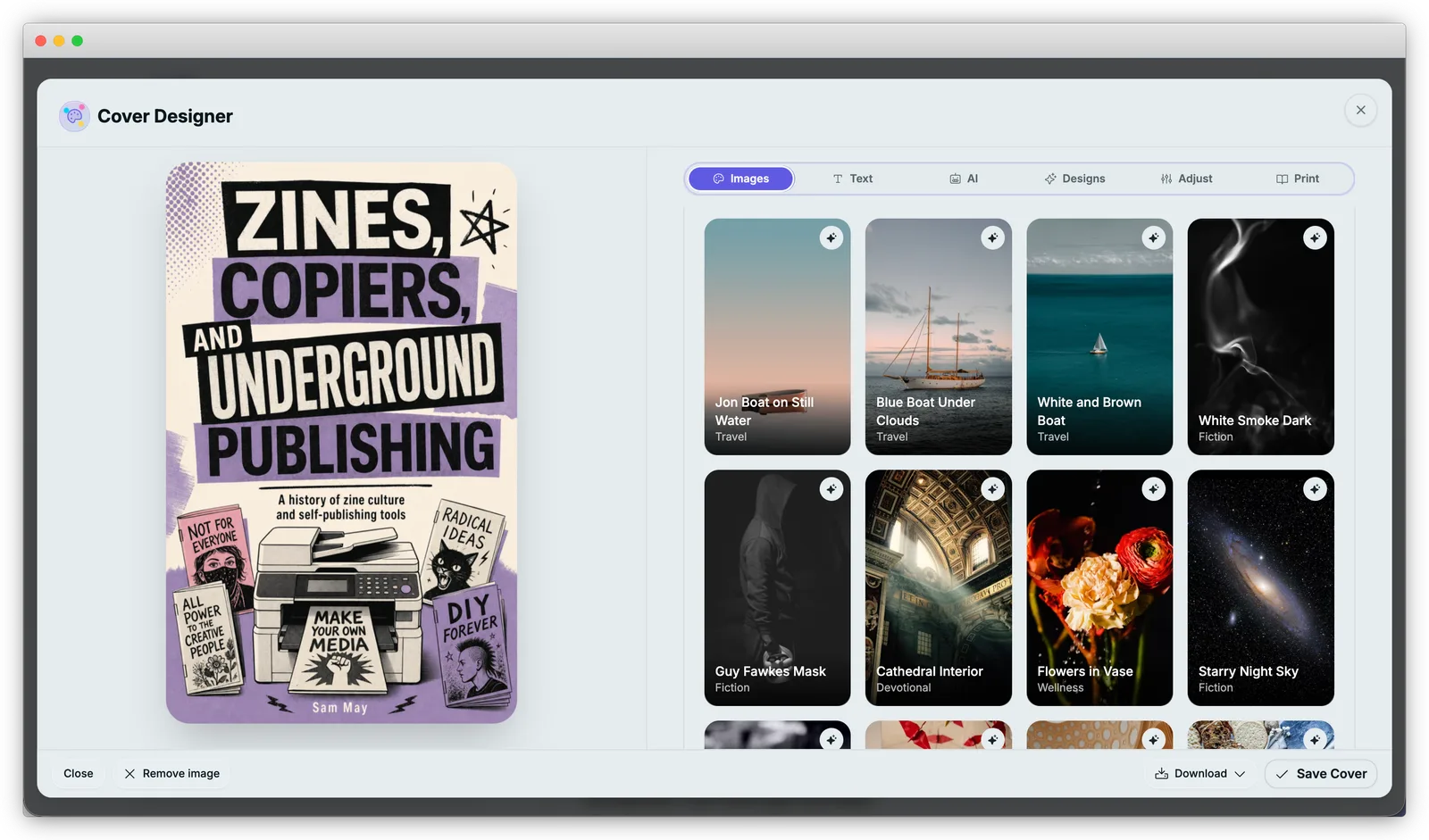
Professional book covers from text prompts. Five-tab editor with typography, layout, and AI image generation for KDP-ready exports.
Feature Navigation
Explore the full platform
Jump to the tools and pages most people compare before they start publishing.
AI Ebook Generator
Generate full drafts from one prompt.
AI Book Writer
Rewrite and refine chapters faster.
AI Book Writer Free
Write complete books with no signup.
AI Audiobook Generator
Convert chapters into narrated audio.
Pricing
See plan limits and feature access.
Best AI Ebook Generators
Compare options and workflows.
Ebook Creation Hub
Step-by-step publishing guides.
AI Book Cover Generator
Design professional covers with AI.
Inkfluence vs stitched tool stacks
For brand search traffic, this is the core decision: one integrated workflow or 4-5 separate apps.
| Workflow Step | Stitched Tools | Inkfluence AI |
|---|---|---|
| Draft the manuscript | AI writer + docs app + manual cleanup | Single AI workflow with chapter structure |
| Design and branding | Separate design tool + asset syncing | Built-in brand system and templates |
| Export and publish | Formatter + converter + QA pass | One-click PDF, EPUB, and DOCX export |
| Convert to audio | External TTS tool + file management | Native audiobook generation in the same project |
| Sell to readers | Re-upload to a marketplace, write listing copy, attach cover by hand | One-click publish to Etsy or Gumroad with AI-drafted listing, automatic cover handoff, and AI disclosure auto-filled |
Pick the path that fits your book
See how the platform adapts to your specific publishing needs.
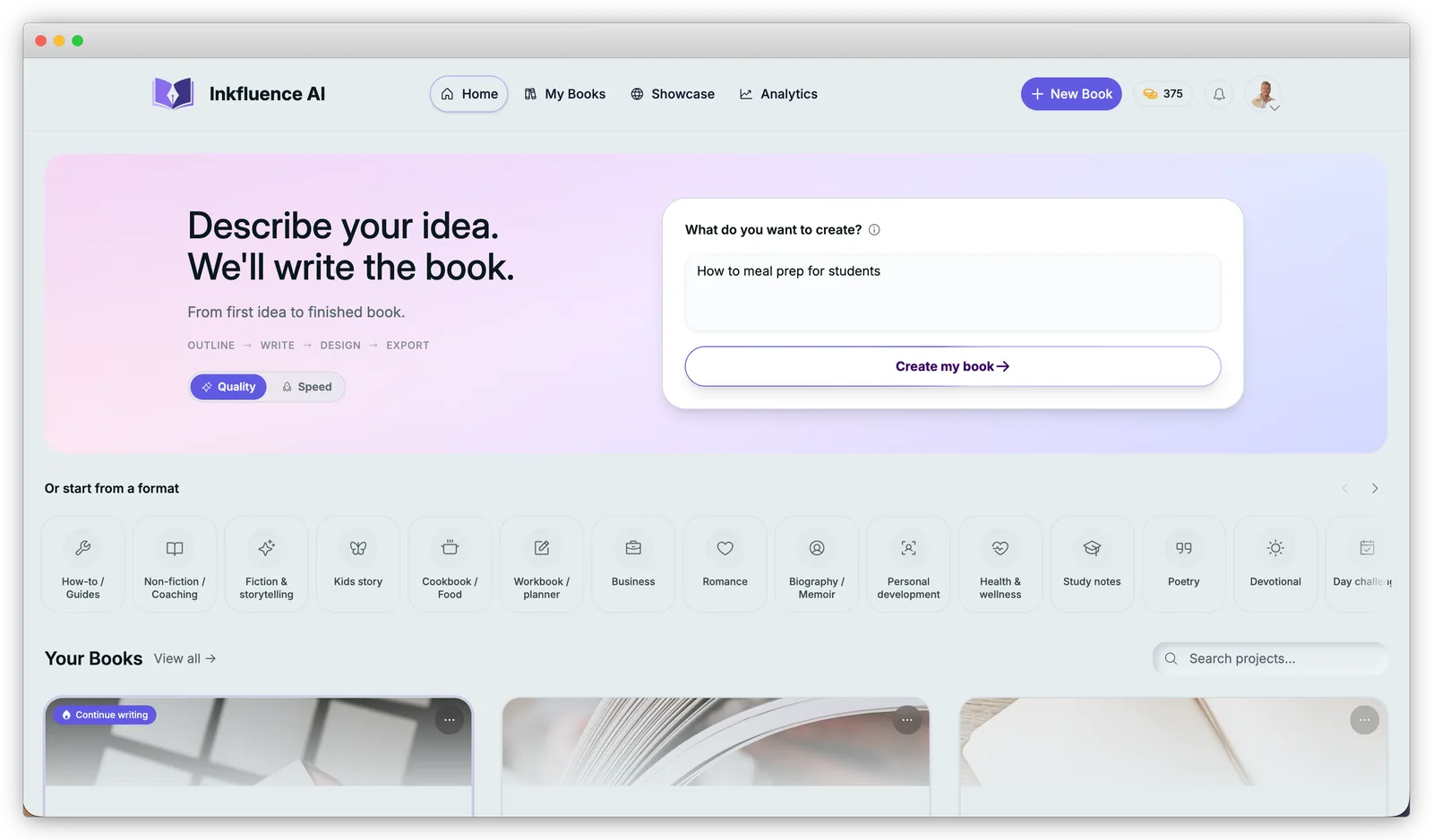
Unblock Your Creativity
Type one sentence about the book you want. The AI builds the outline, then writes every chapter - you review, edit, and make it yours.
- One-sentence brief to full outline
- Import existing drafts (Word, PDF, EPUB)
- Quality and Speed writing modes
Curriculum to Courseware
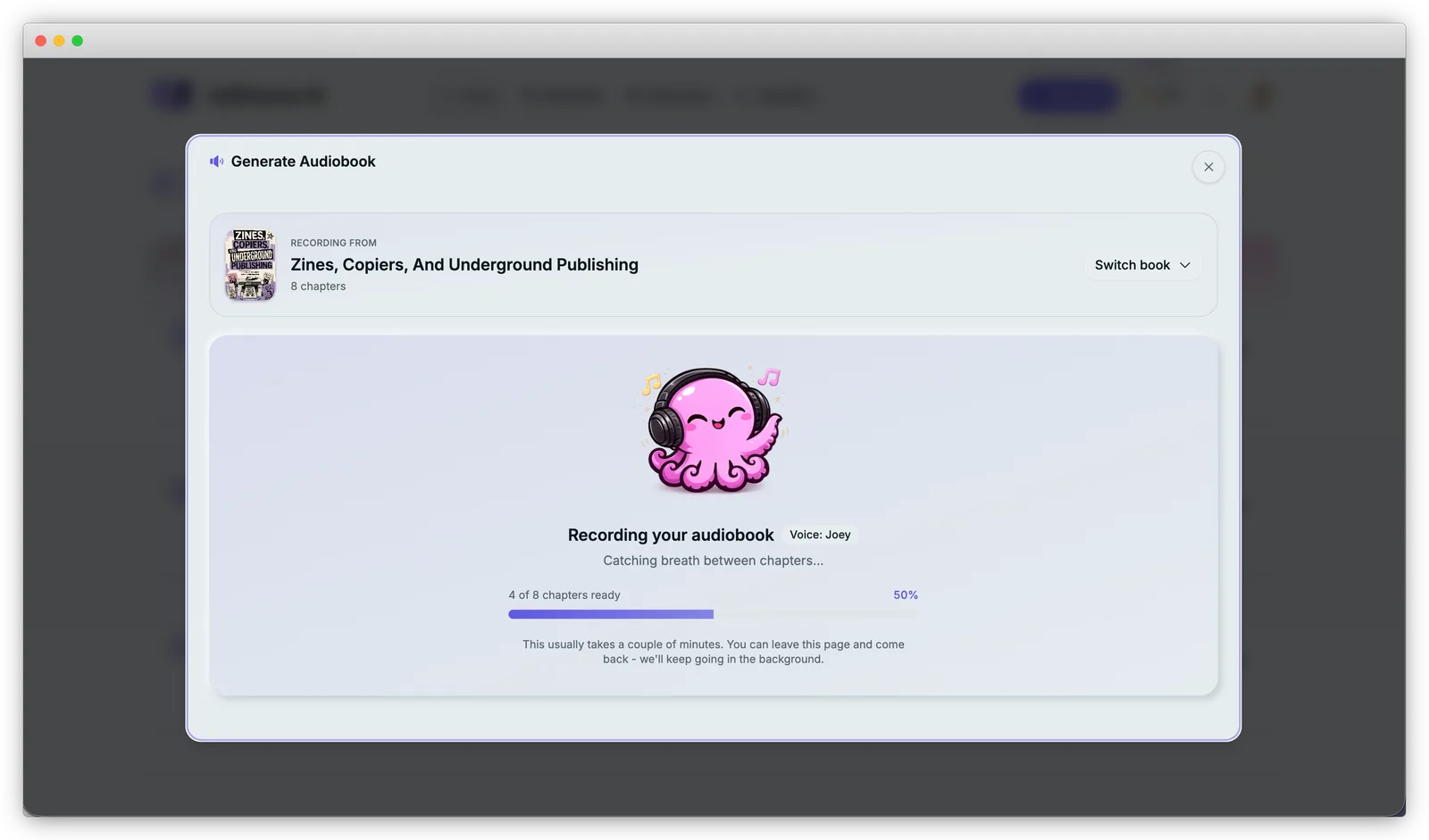
Turn lesson plans and lecture notes into workbooks and study guides, then narrate the same material as an audiobook for students who learn by listening.
- Import lecture notes (Word, PDF, text)
- Workbook, study-guide, and lesson-plan formats
- Audiobook narration with 49 AI voices
High-Converting Lead Magnets
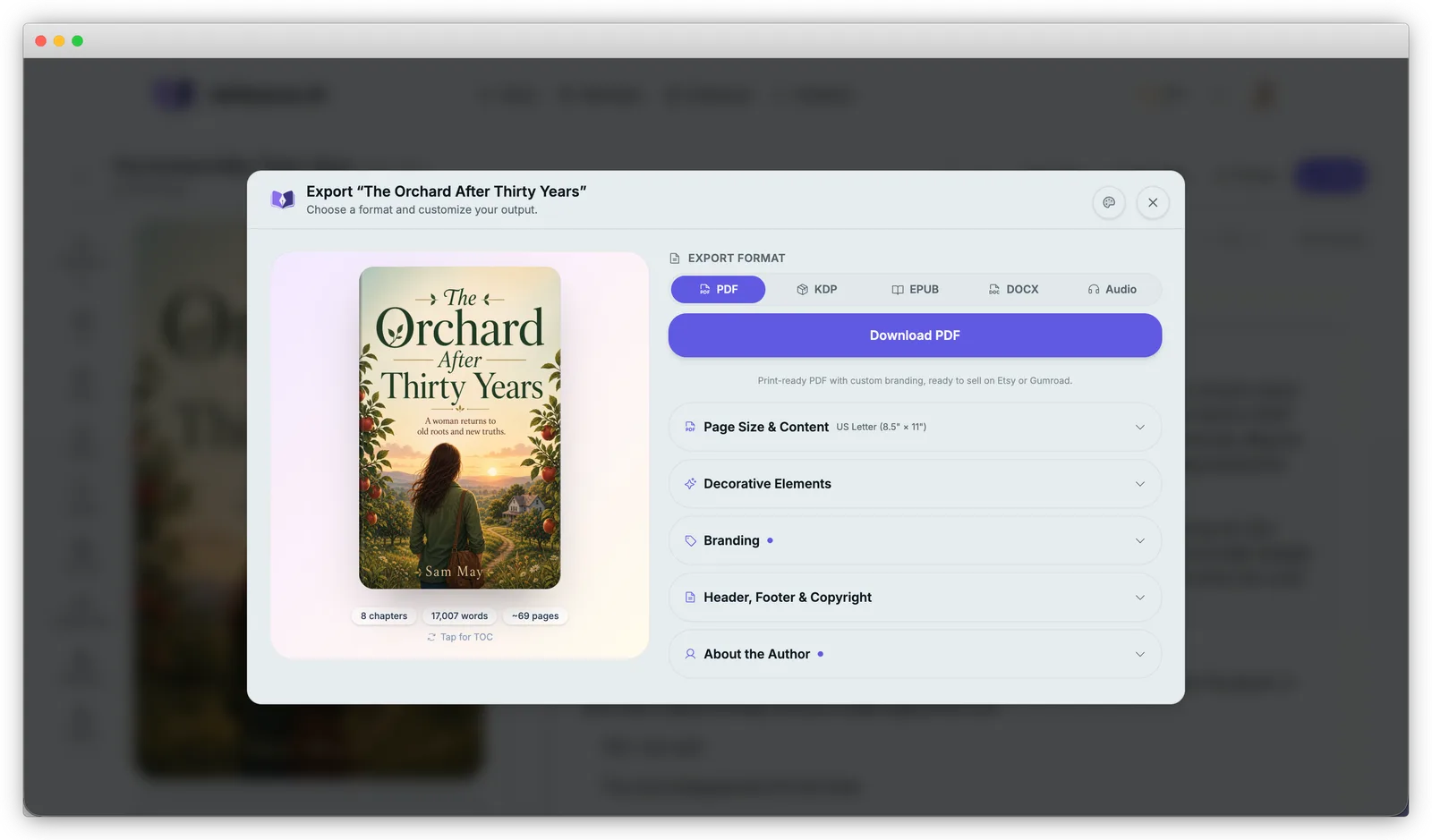
Ship a lead magnet that looks designed, not thrown together. Add CTA blocks inside chapters, export a print-ready branded PDF, and sell or give it away on Etsy, Gumroad, or your own site.
- CTA and link blocks inside chapters
- Custom branding, headers, and author bio
- One-click publish to Etsy or Gumroad
See Real AI-Generated Books
Flip through actual pages created by Inkfluence AI - business guides, cookbooks, and fiction.
Loading preview...
Published by Real Creators
Browse books written and published with Inkfluence AI. Every genre, every style, every niche - all created by people like you.
It's like having a professional editor on retainer.
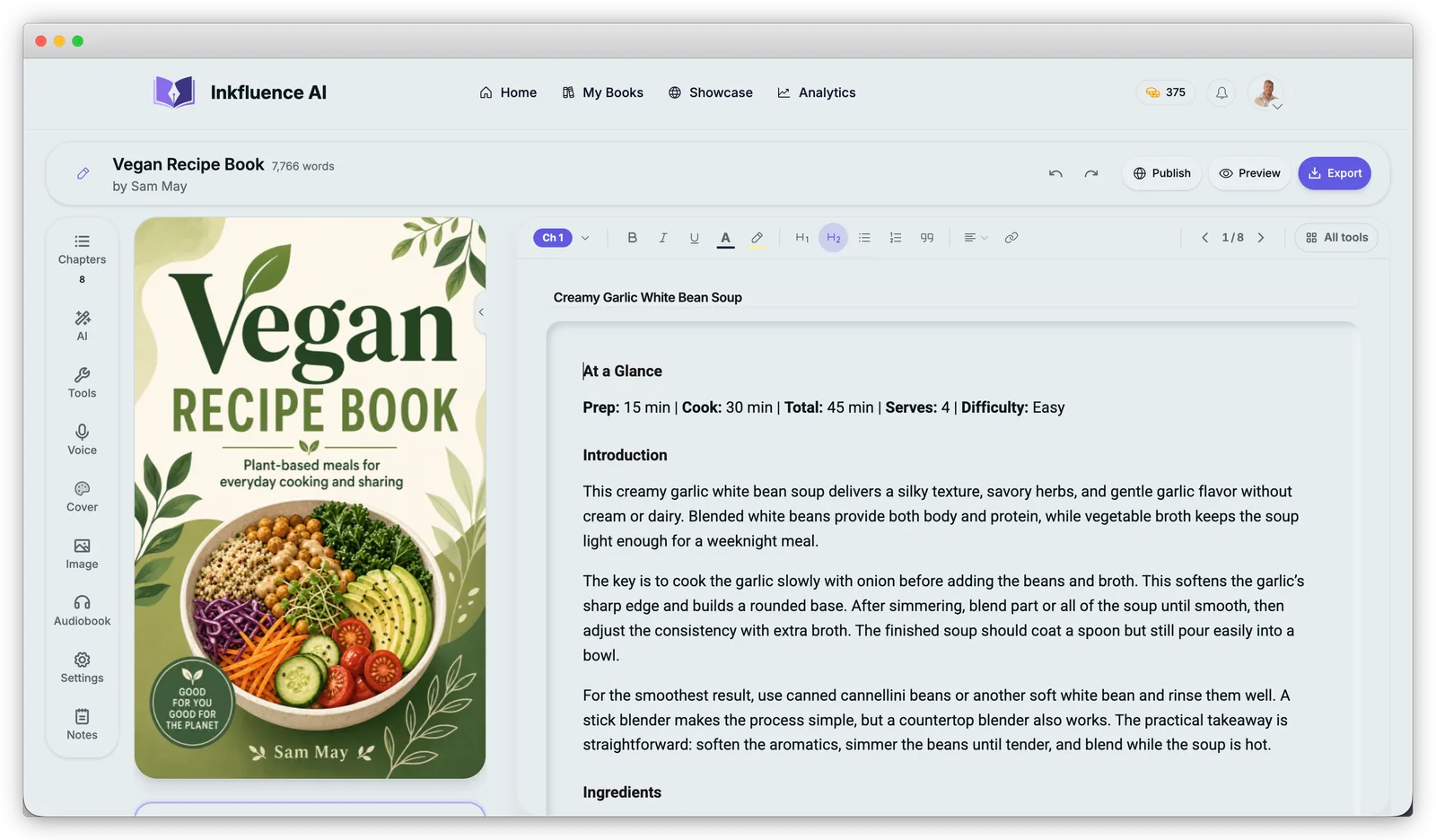
Stuck on a sentence? Let our AI suggest improvements. Need to expand a bullet point into a paragraph? Just highlight and click. The writing assistant understands context, tone, and your specific goals.
Beautiful by default.
Customizable by choice.
Don't waste days fighting with formatting. The layout engine handles margins, page breaks, and typography automatically, and the cover designer gives you a full editor - stock and AI images, typography, layout, and print-ready output for KDP.
- Export as PDF, ePub, or Web Link
- Auto-generated Table of Contents
- Smart page breaks and formatting
How the Features Work Together
Most publishing platforms force you to jump between separate apps for writing, design, formatting, and distribution. Inkfluence AI collapses that entire stack into a single workspace. You begin with a topic or outline, and the AI Ebook Generator builds the manuscript. From there, the Smart Editor lets you rewrite sections, adjust tone, and expand ideas without leaving the page.
Once the draft is solid, the brand kit applies your colors, fonts, and logo across every chapter automatically. That means every lead magnet, workbook, or course PDF you export carries the same professional look - no manual formatting required. The Multi-Format Export engine then generates PDF, EPUB, and DOCX files optimized for their target platform.
The lead magnet blocks adds CTAs and opt-in forms so your content works as a growth tool, not just a static file. And if you need to turn that ebook into an audiobook, you can convert it chapter by chapter with realistic AI narration, all from the same project.
The result is a workflow where content moves from idea to published asset in minutes, not weeks. Whether you are a solo creator building your first lead magnet or an agency producing ebooks for clients, every feature in the stack is designed to remove a step and keep your momentum going.
Feature FAQs
Answers to the most common product and workflow questions.
Which export formats are included in Inkfluence AI?
Inkfluence AI supports PDF, EPUB, and DOCX exports so you can publish to KDP, direct download pages, and editable workflows.
Can I sell my book directly from Inkfluence AI?
Yes. Connect your Etsy or Gumroad shop and publish your finished book in one click. Inkfluence handles the file upload, cover handoff, AI-drafted listing description, tags, and AI disclosure (Etsy Creativity Standards compliance). You can edit anything on the marketplace afterwards. Amazon KDP integration is next.
Can I keep a consistent brand style across every book?
Yes. The brand kit applies logos, colors, and typography settings across your project so every chapter stays visually consistent.
Does Inkfluence AI include audiobook creation?
Yes. You can generate audiobook chapters with AI voices from the same project without moving to another platform.
Is Inkfluence AI useful for lead magnets and business content?
Yes. You can create lead magnets, guides, and client-facing assets with built-in conversion-oriented layouts and export options.
Can beginners use these features without technical setup?
Yes. The workflow is designed for non-technical creators, with guided prompts, templates, and one-click export.
Your first book is free to write
Join thousands of creators who are writing better books, faster. Start for free today to see the magic for yourself.
No credit card required - Cancel anytime