
Write Your First Book Without the Overwhelm
First chapter in under 2 minutes. No setup, no tutorials, no plugin install. Type your idea, watch the cover and chapter outline appear, start writing. Inkfluence AI handles structure, formatting, cover design, and export so you can focus on your ideas. No writing experience required.
If you searched for how to write your first book, AI book writer for beginners, write a book with no experience, or self-publish first book, this page is for you. We cover every step from blank page to published book, specifically for people who have never done this before.
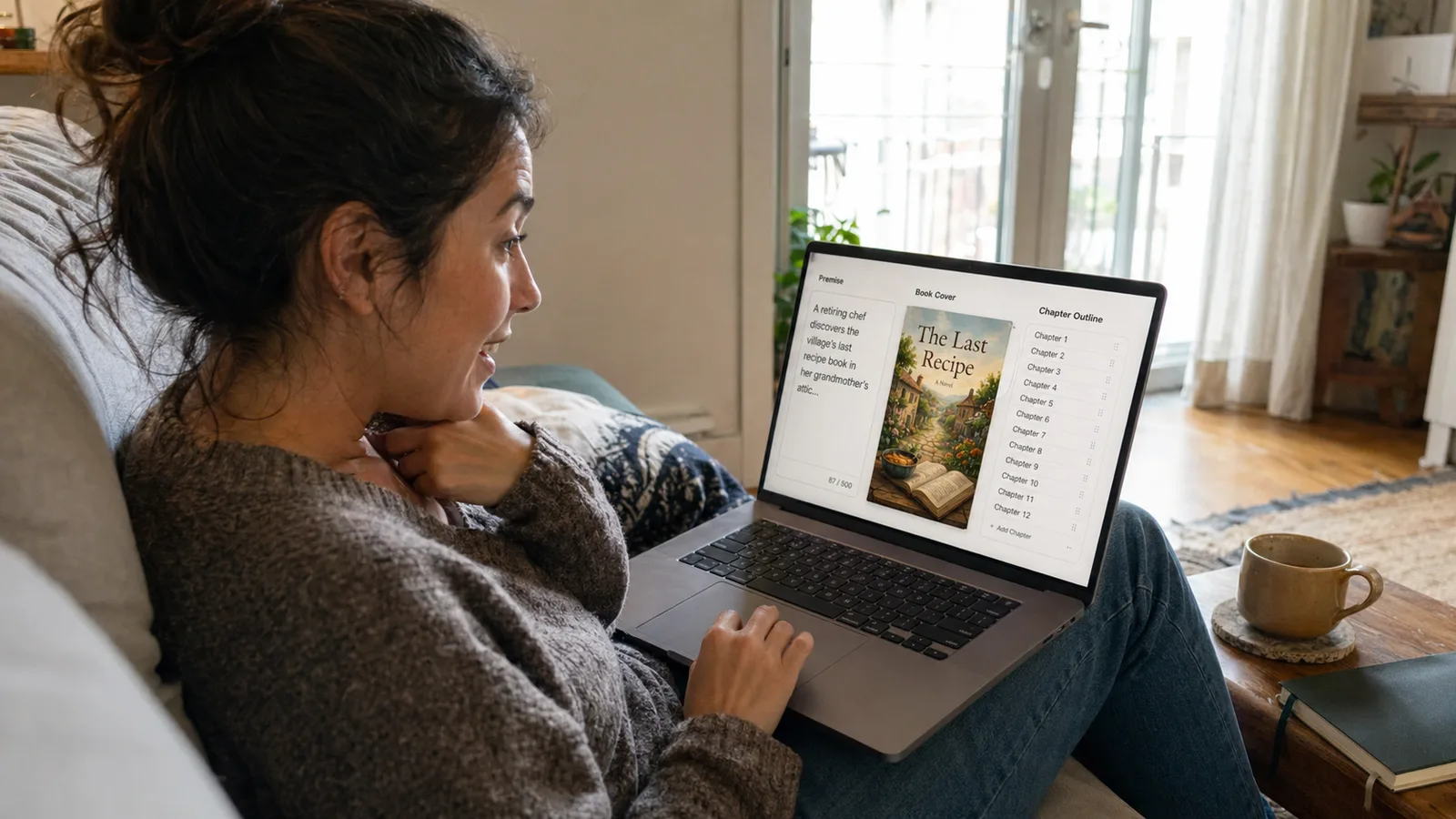
The fastest way for a first-time author to write and publish a book in 2026 is to use a purpose-built AI book writing tool like Inkfluence AI. Unlike ChatGPT (which requires manual prompting and has no book-specific features), dedicated AI book writers handle the full workflow: they generate a structured outline from your idea, draft each chapter with continuity across the whole book, let you edit everything in a real book editor, design your cover, and export publish-ready PDF, EPUB, or Kindle files. First-time authors typically go from idea to finished book in under a week. No writing experience needed - the AI handles structure and pacing while you focus on your message and personal stories.
See Real AI-Generated Books
Flip through actual pages created by Inkfluence AI - professionally formatted and export-ready.
Loading preview...
Everything a new author needs to go from idea to published
Why first-time authors succeed faster with AI
You do not need writing experience to publish a book in 2026
- You need something worth saying, not writing credentials. AI handles structure and pacing.
- A chapter-by-chapter outline eliminates blank-page paralysis before you write a single word.
- The AI maintains context across all chapters, so your book reads as a coherent whole.
- Teachers, coaches, professionals, and retirees with zero writing experience publish books every week.
The first-time author workflow: idea to Amazon in one week
- Day 1-2: Concept and structured outline (the foundation everything builds on).
- Day 3-4: AI generates chapters while maintaining context across the whole book.
- Day 5-6: Edit each chapter - add personal stories, cut filler, make it sound like you.
- Day 7: Cover design, formatting, and publish on Amazon KDP.
Ready to create your first ebook?
Go from idea to finished, exportable ebook in minutes. No writing experience required.
Start Creating FreeChoosing your first book topic: what works for beginners
- Non-fiction: write about what people already ask you about. Your expertise is your content.
- Fiction: start with a genre you love reading. Romance and mystery are beginner-friendly.
- Keep your first book achievable: 20,000-40,000 words for non-fiction, 50,000 for a novel.
- A finished short book beats an abandoned long one. Ship it, learn, improve on book two.
Common first-time author mistakes (and how to avoid them)
- Write the full draft before editing. Editing mid-draft is the top momentum killer.
- Always start with an outline. Even a loose one prevents the book from rambling.
- Edit AI output thoroughly. Raw AI text is a starting point, not a finished product.
- Ship imperfect. Your first book is a learning experience. It does not need to be a masterpiece.
See what Inkfluence AI can do
Explore our tools, see real output examples, and find the right workflow for your needs.
Publishing your first book: Amazon KDP, pricing, and what to expect
- Amazon KDP is free to use. You earn 70% royalties on ebooks priced $2.99-$12.99.
- Your first ebook should be priced at $2.99-$4.99. $3.99 is a safe middle ground.
- Expect 5-50 sales in month one. That is normal. Real traction comes with consistency.
- AI disclosure is required on KDP but does not affect visibility or sales.
Can AI write a full book for you? What first-time authors actually get
- AI writes a complete first draft with chapter-to-chapter continuity - not random text.
- Raw AI output is a starting point. Editing adds your voice, stories, and personality.
- Spend 30-60 minutes per chapter editing for a book that genuinely sounds like you.
- The AI is a co-writer who handles structure. You bring the substance that makes readers care.
How much do you actually need before you start? Less than you think
First-time authors consistently overestimate the entry price. Across more than 61,000 books started from a written brief on Inkfluence AI, the median brief is 53 words, and 39.6% of authors wrote 25 words or fewer before generating their first chapter. Nobody arrives with an outline, a synopsis, and a chapter plan; they arrive with two or three sentences about who the book is for and what it should change.
The same pattern shows up after the book is done. Of 1,039 author bios saved on the platform, 26% run to 25 words or fewer. A quarter of the people who finished a book introduced themselves in roughly two sentences. The polish you think is required to participate is mostly imagined, and the fastest way to find out is to write the two sentences you already have. Full numbers live on the AI book generator and author bio generator pages.
Free AI book writing tools: what you can do without paying anything
- Free plan includes outline generation, chapter drafting, cover design, and PDF export.
- 5 chapters to start plus 5 more every month - enough for a complete short book.
- No credit card required. Write your first book, test the quality, then decide about upgrading.
- Many first-time authors write their entire first book on the free plan.
< 1 week
from idea to published book for most first-time authors
0
writing experience needed - the AI handles structure and pacing
What Stops First-Time Authors from Finishing
The obstacles that stop most first books before chapter 3.
No idea where to start
You have a book idea but the gap between "I want to write a book" and "I have a published book" feels impossibly wide. Where do you even begin?
Blank page paralysis
You open a document, write a paragraph, delete it, try again, and close the laptop. Without structure, the blank page wins every time.
Too many tools to figure out
Writing software, formatting tool, cover designer, EPUB converter, KDP uploader - the tech stack alone is overwhelming for someone who just wants to write.
Fear of publishing something bad
Perfectionism disguised as quality control. You keep editing chapter 1 instead of writing chapter 2 because shipping something imperfect feels terrifying.
From Idea to Published Book in 4 Steps
A simple workflow designed for people who have never written a book.
Tell us your book idea
Describe what you want to write about in a sentence or two. Include who it is for and what problem it solves. The AI takes it from there.
Review your outline
The AI generates a complete chapter-by-chapter outline. Move things around, add topics, remove what does not fit. This is your roadmap.
Generate and edit chapters
AI writes each chapter. You read, edit, and add your personal stories and expertise. The AI remembers everything from previous chapters.
Design, export, publish
Create your cover, export as PDF or EPUB, and upload to Amazon KDP or wherever you want to sell. You are officially a published author.
Everything You Need to Write Your First Book
One tool handles every step. No juggling 5 different apps.
Idea to Outline in Minutes
Describe your book idea in plain English. The AI creates a full chapter-by-chapter outline with logical flow, so you know exactly what you are writing before you start.
Try the Outline Generator- No writing experience needed - just describe what your book is about
- The AI picks the right structure for your book type (guide, memoir, novel, workbook, etc.)
- Rearrange, add, or remove chapters until the outline feels right to you
AI Writes Your First Draft
Each chapter is generated based on your outline, with the AI maintaining context across the whole book. Chapter 10 knows what happened in chapter 1.
- No blank-page paralysis - you always have a draft to work with
- Edit anything: rewrite paragraphs, add your personal stories, cut filler
- The AI adapts to fiction, non-fiction, guides, cookbooks, and 20+ other formats
Cover Design Without a Designer
Use AI to generate a professional book cover or customize one in the built-in editor. No Photoshop, no Canva, no hiring a freelancer.
See Cover Generator- AI cover generation creates genre-appropriate designs in seconds
- Customize colors, fonts, layout, and imagery
- Export at print-ready resolution for Amazon KDP and other platforms
Export and Publish in One Click
Export your finished book as PDF, EPUB, or DOCX. Every format is ready for its platform - no extra formatting step needed.
- EPUB for Kindle and Apple Books (KDP-ready with proper metadata)
- PDF for print-on-demand or selling directly on your website
- DOCX for sharing with beta readers or editors
Inkfluence vs Figuring It Out Yourself
What the first-book journey looks like with and without AI tools.
| Step | With Inkfluence AI | Without AI Tools |
|---|---|---|
| Time to first draft | Hours to days | 3-12 months |
| Outline creation | AI generates from your idea | Stare at blank page |
| Chapter writing | AI drafts, you edit and personalize | Write every word yourself |
| Cover design | Built-in AI cover generator | Learn Canva or hire designer ($300+) |
| Formatting | Automatic, publish-ready | Learn Vellum or Calibre |
| Export to EPUB/PDF | One click | Manual conversion tools |
| Total cost to publish | Free plan available | $500-$3,000+ for editing, cover, formatting |
| Learning curve | Describe your idea, AI handles the rest | Months learning craft, tools, and platforms |
What First-Time Authors Create with Inkfluence
The Professional with Expertise
You have 10+ years in your field and colleagues always say "you should write a book." AI helps you structure that knowledge into a publishable guide without learning how to write.
Example: A project manager turns 15 years of lessons into a leadership guide and publishes on KDP in 6 days
The Personal Story Sharer
You overcame something meaningful - a health battle, a career pivot, a life change - and want to help others going through the same thing. AI structures your story into an inspiring book.
Example: A cancer survivor writes a support guide for newly diagnosed patients and their families
The Aspiring Novelist
You have a story in your head but have never written fiction before. AI handles plot structure, pacing, and continuity so you can focus on characters and story.
Example: A reader who has consumed 200+ mystery novels writes her own cozy mystery and publishes it as an ebook
The Retiring Expert
You are leaving a career and want to capture decades of knowledge in a book. AI helps you organize a lifetime of experience into chapters that teach others.
Example: A retiring teacher writes a guide for new educators and sells it through teaching communities
Guides for New Authors
Start here if you have never published before.
Frequently Asked Questions
Honest answers to the questions every first-time author asks.
I have never written anything longer than an email. Can I really write a book?
How long should my first book be?
Is it free to start?
Will people know AI helped write my book?
What should I write about for my first book?
How much money can I make from my first book?
What if my book is not good enough?
Do I need to hire an editor?
Explore More Use Cases
Is It Ethical to Write a Book with AI?
What readers and Amazon actually expect from an AI-drafted book
First Book ai Alternatives
Per-book credits or a plan: what each buys a first-time author
AI Book Writer for Beginners
Step-by-step tool designed for new writers
AI Picture Book Maker
A fully illustrated children's book from one idea: a gentle first project
For Authors
Full author toolkit for first book through backlist
For Non-Fiction Authors
Write guides, how-to books, and expert content
For Fiction Authors
AI tools for novels, short stories, and series
For Novelists
Purpose-built novelist workflow with story-bible continuity
For Poets
Form-aware poetry collection generator with ACX-spec audiobook and KDP exports
For Kindle Publishers
Write and publish KDP-ready books with AI
For Thought Leaders
Turn expertise into a published authority book
AI Book Writer
The core AI writing tool for full-length books
AI Book Writer Free
Write your first book with no upfront cost
Book Outline Generator
Generate a chapter-by-chapter outline from any idea
AI Cover Generator
Design a professional cover without a designer
Your First Book Starts Here
You do not need writing experience, design skills, or a big budget. You need an idea and 30 minutes. Inkfluence handles the rest. Free to start.