
How to Actually Sell Your Ebook on Amazon KDP (Not Just Publish It)
Publishing on KDP is the easy part. This guide covers what most authors skip: keyword research, category strategy, book description copywriting, pricing psychology, launch week tactics, Amazon ads, and building review velocity. Practical strategies that drive real sales.
Quick Answer
Most ebooks on Amazon sell fewer than 10 copies because authors focus on publishing and ignore selling. The books that sell consistently get five things right: targeted keyword selection, strategic category placement, a high-converting book description, a planned launch week, and early review velocity. This guide covers each one with specific, actionable steps you can apply today.
The Publishing vs Selling Gap
Hitting "Publish" is step one. Not the last step.
The KDP upload process takes about 30 minutes. The difference between a book that sells and one that sits there forever is what you do before and after that upload. Amazon is a search engine for books. If your listing is not optimised for how buyers actually search, your book is invisible.
This guide assumes you already have a finished book. If you need to create one first, start with our AI book writer or follow our KDP publishing guide for account setup and formatting.
Amazon KDP has made publishing accessible to everyone. The problem is not getting your book on Amazon. The problem is getting it found, clicked on, and purchased among millions of competing titles.
This guide is specifically about the selling side. Not the upload form, not formatting requirements, not account setup. Those are covered in our complete KDP publishing guide. Here we are focused on the marketing and optimisation decisions that determine whether your book actually makes money.
4.4M
Ebooks published on Amazon KDP. You are competing for attention in a massive marketplace.
72%
Of Amazon book purchases start with a search, not browsing. Keywords are everything.
8 sec
Average time a shopper spends on a book listing before deciding to read more or leave.
$2.99
Minimum price for the 70% royalty tier. Below this, you only earn 35%.
Keyword Research for Amazon Books
Amazon gives you 7 keyword slots when you publish your book. These are the most important fields in your entire listing because they control when your book appears in search results.
How Amazon keyword search works
When someone searches "anxiety journal for teens" on Amazon, the algorithm checks: your title, subtitle, 7 keyword fields, book description, and category. Your book appears in results only if the search terms match something in these fields. No match, no visibility.
Finding the right keywords
The goal is keywords with decent search volume but low enough competition that your book can rank on page 1. Here is the process:
- Start with Amazon autocomplete. Type your main topic into the Amazon Kindle Store search bar and note every suggestion. These are real searches people are making right now. "Anxiety journal" might autocomplete to "anxiety journal for women", "anxiety journal for teens", "anxiety journal with prompts", etc.
- Check competition for each term. Search each keyword phrase and look at how many results appear. Under 2,000 results is low competition. Under 5,000 is moderate. Over 10,000 is highly competitive.
- Look at the top results. If the first page is dominated by books with hundreds of reviews and professional publishers, that keyword is very hard to rank for. If you see books with under 50 reviews ranking on page 1, you have a realistic chance.
- Use long-tail phrases. "Self-help book" has massive competition. "Self-help book for single mothers over 40" is a long-tail phrase with less competition and highly targeted buyers who are more likely to purchase.
- Fill all 7 slots with unique phrases. Do not repeat words across slots. Amazon reads them as a pool. If your title says "anxiety journal," do not put "anxiety journal" in a keyword slot. Use that slot for a different term like "CBT workbook for worry."
Example keyword strategy for a gratitude journal:
Slot 1:
gratitude journal for women daily
Slot 2:
thankfulness diary with prompts
Slot 3:
appreciation notebook mindfulness
Slot 4:
positive thinking exercises self care
Slot 5:
morning reflection writing wellness
Slot 6:
guided journal happiness mental health
Slot 7:
daily planner personal development gift
Notice: no repeated words across slots. Each one targets different search phrases while covering related terms buyers might use.
Category Strategy: Getting into the Right Lists
Categories determine which bestseller lists your book can appear on. Getting a "#1 Best Seller" badge in a niche category significantly boosts click-through rates from search results.
How to choose categories
KDP lets you select two browse categories during publishing. The strategy is to pair one broader category (for visibility) with one narrower category (for bestseller ranking potential).
- Check subcategory depth. "Self-Help" has millions of books. "Self-Help > Journal Writing" has far fewer. The deeper you go, the easier it is to rank.
- Look at the #1 book in each category. If the current #1 has a Best Sellers Rank (BSR) of 50,000 or higher, that category is obtainable. If the #1 has a BSR under 5,000, it is very competitive.
- Request additional categories. After publishing, you can contact KDP support and request to be added to up to 8 additional categories. This is one of the most underused tactics in KDP publishing. Be specific about the exact category path you want.
The bestseller badge hack
Getting 10-20 sales in a single day is often enough to hit #1 in a narrow subcategory. That orange "#1 Best Seller" badge stays on your listing for as long as you hold the position and creates a powerful trust signal. Plan your launch week around this goal - concentrate your promotional efforts to drive a burst of sales on one specific day.
Writing a Book Description That Converts
Your book description is a sales page. Most authors write it like a back-cover blurb. The top sellers write it like direct response copy.
The high-converting description formula
- Hook (first 2 lines). These are visible before the "Read more" fold. Ask a question that triggers the reader's pain point or desire. "Still staring at a blank page, wondering if your book will ever get finished?" is better than "This book is about writing productivity."
- Problem agitation (3-4 lines). Describe the struggle your reader is experiencing. Make them feel understood. This builds connection and trust.
- Promise (2-3 lines). What will the reader gain? Be specific. "Learn to write 2,000 words per day without burnout" is stronger than "improve your writing."
- Bullet points (5-8). List the specific topics or takeaways. Start each bullet with a benefit, not a feature. "Master the morning routine that bestselling authors use" beats "Chapter 3 covers morning routines."
- Social proof (1-2 lines). A quote from a reader, a credential, or a result. "Over 500 readers have used this system to finish their first draft."
- Call to action. "Scroll up and click Buy Now to start writing your book today." Simple, direct, effective.
Need help writing your book description? Our book description generator creates optimised descriptions in the format Amazon buyers respond to.
Formatting your description
Amazon's description field supports basic HTML. Use it. Bold your headings, use line breaks between sections, and format your bullet points. A wall of unformatted text loses readers immediately. The most effective descriptions use <b> tags for section headers and <br> tags for spacing.
Cover Design That Sells at Thumbnail Size
On Amazon, your cover is displayed as a thumbnail roughly 160 pixels wide. Most shoppers see it in a grid alongside 15 other books. The cover's job is not to be beautiful. It is to stop the scroll and communicate genre instantly.
Cover principles for Amazon
- Title readability at thumbnail size. If you cannot read the title when the cover is the size of a postage stamp, the title text is too small or the font is wrong. This is the most common mistake.
- Genre signalling. Readers recognise genre from cover style before reading a single word. Self-help books use clean, bold typography. Thrillers use dark backgrounds and sans-serif fonts. Romance uses warm colours and script fonts. Match the visual language of your category.
- Contrast and colour. Amazon's background is white. Covers with white or very light backgrounds disappear into the page. Use strong contrast. Dark backgrounds with light text, or bold colour blocks, stand out in search results.
- Less is more. One strong visual element, a clear title, and the author name. Cluttered covers with multiple images, taglines, and decorative elements look amateurish and are unreadable at small sizes.
You can generate professional covers with the AI cover generator built into Inkfluence AI. Test multiple designs and check how they look at thumbnail dimensions before committing.
Pricing Strategy for Maximum Revenue
Amazon has two royalty tiers for ebooks, and the pricing boundary creates some non-obvious strategy. The top of the 70% band rose from $9.99 to $12.99 on 7 July 2026; KDP royalties in 2026 covers what that change means for pricing.
| Price Range | Royalty Rate | Your Earnings | Best For |
|---|---|---|---|
| $0.99 - $2.98 | 35% | $0.35 - $1.04 | Loss leaders, series starters, short reads |
| $2.99 - $12.99 | 70% | $2.09 - $9.09 (before delivery) | Sweet spot for most ebooks |
| $13.00+ | 35% | $4.55+ (but lower rate) | Premium niche, professional/technical content |
Pricing recommendations by book type
- Short non-fiction (under 20,000 words): $2.99-$4.99. The 70% tier minimum gives you more per sale than pricing at $1.99.
- Full-length non-fiction (20,000-60,000 words): $4.99-$9.99. Test different prices. Many authors find $6.99 or $7.99 maximises total revenue.
- Guided journals and workbooks: $4.99-$9.99 for ebook, $9.99-$16.99 for print-on-demand paperback.
- Fiction: $0.99 for the first book in a series (loss leader), $3.99-$5.99 for subsequent books.
- Lead magnets and short guides: Free to $2.99. If using as a lead magnet, free maximises downloads. Our lead magnet generator creates these quickly.
The $0.99 trap
New authors often price at $0.99 thinking it will drive more sales. At the 35% royalty rate, you earn $0.35 per sale. You need to sell 6x more copies than a $2.99 book just to earn the same revenue. Unless you are deliberately using a series-starter loss leader strategy, price at $2.99 or above.
Launch Week: The Make-or-Break Window
Amazon's algorithm heavily weights initial sales velocity. A book that sells 50 copies in its first week gets significantly more algorithmic visibility than one that sells 50 copies over its first year. This is why launch planning matters.
The 7-day launch plan
Days 1-3 before launch:
- Email your list with a pre-launch announcement. Explain the book, the problem it solves, and when it goes live.
- Post on social media with a countdown and cover reveal.
- Line up 3-5 people who have read advance copies and are ready to leave reviews on day 1.
- If running Amazon Ads, set up your campaigns to start on launch day.
Launch day (Day 1):
- Email your list with the direct Amazon link. Make it the only call to action - do not dilute with other links.
- Post across all social channels with the purchase link.
- Ask friends and colleagues to buy and share.
- Goal: concentrate as many sales as possible on this single day for maximum bestseller rank impact.
Days 2-7:
- Follow-up email to non-openers from day 1.
- Share any early reviews or reader feedback on social media.
- Engage in relevant forums, Facebook groups, and Reddit communities (add value first, mention your book naturally).
- Send the book to 5-10 book bloggers or newsletter curators in your niche.
Building Review Velocity
Reviews are the social proof currency on Amazon. Books with 20+ reviews convert at significantly higher rates than books with under 5. But Amazon's review policies are strict - here is what works and what does not.
What works
- Ask readers directly. Add a note at the end of your book: "If you enjoyed this book, please take 30 seconds to leave an honest review on Amazon. It helps other readers find this book." Simple and effective.
- Advance Reader Copies (ARCs). Send free copies to 10-20 people before launch. Ask them to post their honest review during launch week. Use BookSirens, StoryOrigin, or simply your email list.
- Email your buyers. If you have an email list, send a follow-up 2 weeks after launch asking for reviews. Include the direct review link.
- Engage book review communities. Many Goodreads groups and book blogs accept review copies.
What does not work (and gets you banned)
- Paying for reviews or offering incentives for positive reviews.
- Having friends or family members who live at the same address leave reviews (Amazon detects this).
- Using review exchange groups ("I'll review yours if you review mine").
- Creating fake accounts to leave reviews.
Amazon actively monitors for review manipulation. A single violation can result in all your reviews being removed and your account being flagged. Play the long game.
Amazon Ads for Authors
Amazon Ads (formerly AMS) let you promote your book directly in Amazon search results and on other books' product pages. For most self-published authors, this is the most effective paid advertising channel because buyers are already on Amazon looking for books.
Getting started with Amazon Ads
Sponsored Products are the best starting point. They show your book in search results when someone searches for specific keywords. You set a budget, choose keywords, and pay per click.
- Start with a small daily budget: $5-$10/day. Run for 2 weeks before making decisions.
- Target specific, low-competition keywords first. The same keyword research from your listing applies here. Long-tail keywords convert better and cost less per click.
- Target competitor books. You can target specific ASINs (book product IDs). Your ad appears on those books' product pages. Choose competing books that are similar to yours but have fewer reviews.
- Monitor ACoS (Advertising Cost of Sales). If your book earns $3.50 per sale at $4.99, your breakeven ACoS is 100%. An ACoS under 70% means you are profitable. Under 50% means ads are working well.
When to use ads
Ads work best when your listing is already optimised - great cover, compelling description, some reviews. Running ads to an unoptimised listing is like driving traffic to a broken website. Fix the listing first, then amplify with ads.
Need a book to sell? Create one in an afternoon.
Start Creating FreeWrite, design, and export to PDF or EPUB for KDP
The Backlist Strategy: Why More Books = More Sales
The single most reliable way to increase KDP revenue is to publish more books. This is not just about volume. Each book becomes a discovery channel for your other books.
How the backlist effect works
- Each book ranks for different keywords, expanding your total search visibility.
- Amazon's "Customers also bought" algorithm creates cross-discovery between your titles.
- "Also by this author" links on every book page drive traffic to your catalogue.
- A reader who enjoys one book often buys more from the same author immediately.
- More books means more total reviews, strengthening your author brand on Amazon.
Many full-time KDP publishers report that their income doubled when they went from 5 books to 10, and doubled again at 20. Each new book lifts the entire catalogue.
This is where AI book creation tools become a meaningful business advantage. Instead of spending 3-6 months per book, you can produce a quality book in days. A 10-book catalogue in a focused niche is achievable in a single month with AI writing assistance.
Niche stacking
Rather than publishing across unrelated topics, stack multiple books in the same niche. An author who publishes "Anxiety Journal for Teens," "Gratitude Journal for Teens," "Self-Esteem Workbook for Teens," and "Mindfulness Guide for Teens" captures a significant share of the teen wellness market on Amazon. Each book reinforces the others.
10 Mistakes That Kill KDP Sales
- No keyword research. Publishing without researching what buyers actually search for. Your book might be excellent, but if it is not indexed for the right terms, nobody finds it.
- Generic book description. Writing a description that describes the book instead of selling it. Every sentence should give the reader a reason to buy.
- Amateur cover design. A cover that looks self-published kills trust before the reader even reads your description. Invest in a professional cover or use an AI cover generator.
- Wrong price point. Pricing at $0.99 when you should be at $4.99, or $14.99 when your competition is at $6.99. Research comparable titles and price competitively.
- No launch plan. Clicking "Publish" and hoping for the best. Without a plan to drive initial sales, Amazon's algorithm never gives your book visibility.
- Ignoring categories. Accepting whatever default categories KDP suggests instead of researching which subcategories give you the best chance of ranking.
- One book and done. Publishing a single book and wondering why revenue is low. A single title can succeed, but a catalogue creates a sustainable business.
- No back matter. Missing the opportunity to link to your other books, email list, or website at the end of your book. Every reader who finishes your book is your warmest lead for the next one.
- Rushing to publish. Uploading a first draft without editing. Bad reviews from quality issues are nearly impossible to recover from.
- Ignoring your analytics. KDP provides data on impressions, clicks, and sales. If you are not reviewing this weekly and adjusting your keywords and pricing, you are leaving money on the table.
Frequently Asked Questions
How long does it take to start making sales on KDP?
With a focused launch, you can see sales within the first week. Organic search traffic typically takes 2-4 weeks to build as Amazon indexes your book and starts showing it in search results. Consistent sales usually develop within 1-3 months if your listing is well-optimised.
Can I publish an AI-written book on Amazon?
Yes. Amazon requires you to disclose that AI tools were used during the writing process. This applies to any book where AI contributed to the text, images, or translations. See our detailed guide on Amazon's AI disclosure policy for exact requirements.
How many sales do I need to become a bestseller?
It depends entirely on the category. In narrow subcategories, 10-20 sales in a day can put you at #1. In broad categories like "Self-Help," you might need 200+ sales in a day. The strategy is to target realistic subcategories where your launch efforts can achieve a #1 ranking.
Should I enrol in KDP Select / Kindle Unlimited?
KDP Select gives your book access to Kindle Unlimited (KU) subscribers who read for free. You earn per page read. The tradeoff is 90-day exclusivity to Amazon. For most self-published authors, KDP Select increases total earnings because KU subscribers read significantly more. Test it for one 90-day cycle and compare your numbers.
How many keywords should I use?
Fill all 7 keyword slots. Each slot can contain a phrase of up to 50 characters. That is 350 characters of keyword data that controls your search visibility. Leaving slots empty is leaving discoverability on the table.
Do I need a paperback version too?
Strongly recommended. Amazon combines ebook and paperback reviews on a single listing page. A paperback version also captures buyers who prefer physical books and improves your listing's perceived professionalism. With KDP Print, there is no upfront cost - it is print-on-demand.
How often should I update my listing?
Review your keywords and description every 3-6 months. If certain keywords are not driving impressions, replace them. If your conversion rate is low, rewrite your description. KDP allows unlimited updates to metadata - use this to continuously optimise.
Is Amazon the only platform I should sell on?
Amazon dominates with roughly 70% of ebook sales, so it should be your primary focus. But diversifying to Apple Books, Kobo, Google Play, and Barnes & Noble via aggregators like Draft2Digital or Smashwords adds incremental revenue at minimal effort. Only consider this after your Amazon listing is fully optimised.
Ready to create your next bestseller?
Write your book, design the cover, and export a KDP-ready file - all in one afternoon.
Start Creating FreeRelated Reading
How to Self-Publish on Amazon KDP in 2026
Complete step-by-step publishing guide
Amazon KDP AI Disclosure Policy 2026
What to disclose and how
Amazon KDP Tools: Complete Toolkit
Keyword research, descriptions, and listing tools
Best Ebook Niches: Low Competition, High Demand
Find profitable niches for your next book

Founder, Inkfluence AI
Sam is the founder of Inkfluence AI. He built the platform to make book creation accessible to everyone - from first-time authors to seasoned publishers.
Helpful links
Ready to Create Your Own Ebook?
Start writing with AI-powered tools, professional templates, and multi-format export.
Get Started FreeRelated Articles
 AI Writing
 Best AI for Editing a Book (2026): 9 Tools Compared by Editing Job
Which AI should edit your manuscript? We compare ProWritingAid, Grammarly, AutoCrit, Sudowrite, Novelcrafter, ChatGPT, Claude, the free checks in Google Docs and Word, and Inkfluence AI by the job each does best: grammar, line editing, story feedback, or editing and publishing in one place. Prices checked 2 October 2026.
 Self-Publishing
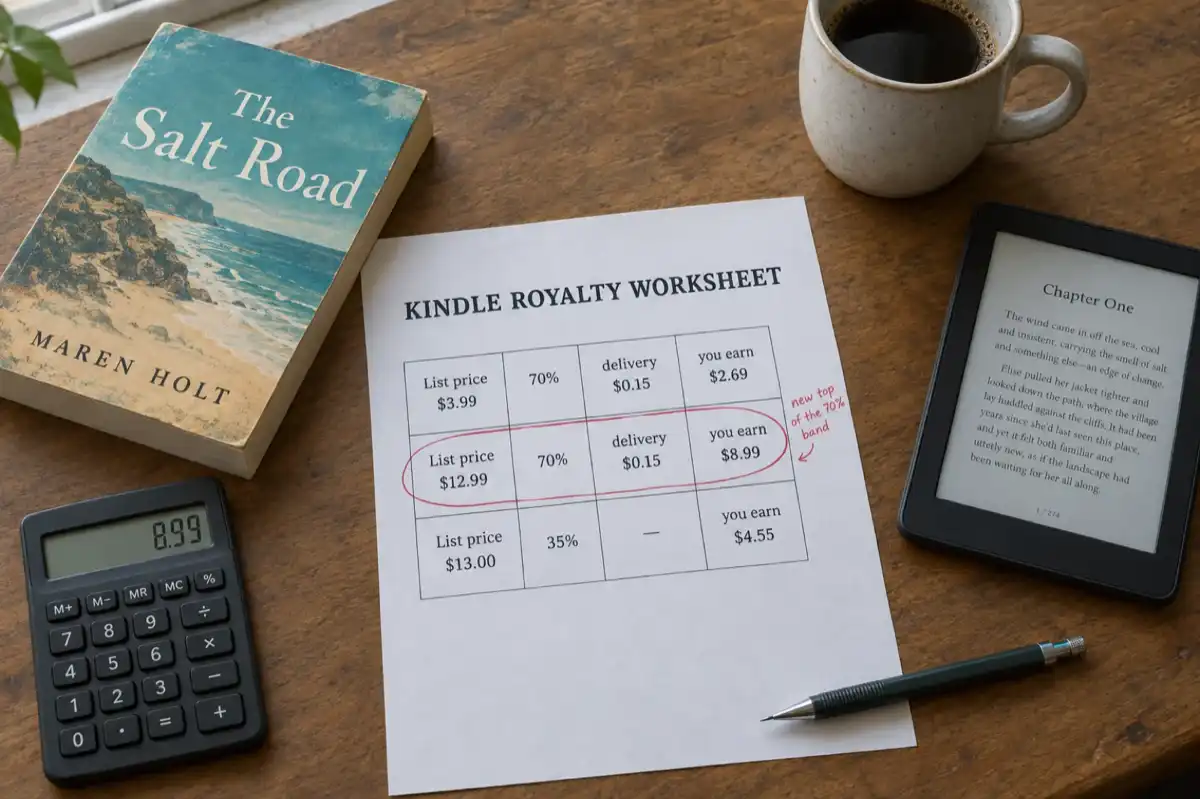
 KDP Royalties 2026: The 70% Band Now Runs to $12.99
Since 7 July 2026 Amazon KDP pays 70% on Kindle ebooks priced from $2.99 to $12.99, up from $9.99. What the change means for your price, how the delivery charge and the $13 cliff work, and what paperbacks, hardcovers and Kindle Unlimited pay, with worked examples.
 Publishing
 Is It Ethical to Write a Business Book with AI? What Readers, Amazon and Your Clients Actually Expect (2026)
The honest answer, with the three positions authors take, what Amazon KDP requires at upload, the reader test, the one thing that is never fine, and disclosure wording you can use.
Get ebook tips in your inbox
Join creators getting weekly strategies for writing, marketing, and selling ebooks.