
Low-Content Books on KDP in 2026: What Still Sells, What Amazon Blocks, and the Medium-Content Upgrade
What Amazon KDP counts as a low-content book, what the Low-content box changes (ISBN, Look Inside, Expanded Distribution, series, review time), the weekly title limits and quality rules, what the bestseller lists showed on 13 October 2026, the per-copy maths, and how to upgrade a notebook idea into a guided journal, workbook or coloring book with words.
Quick Answer
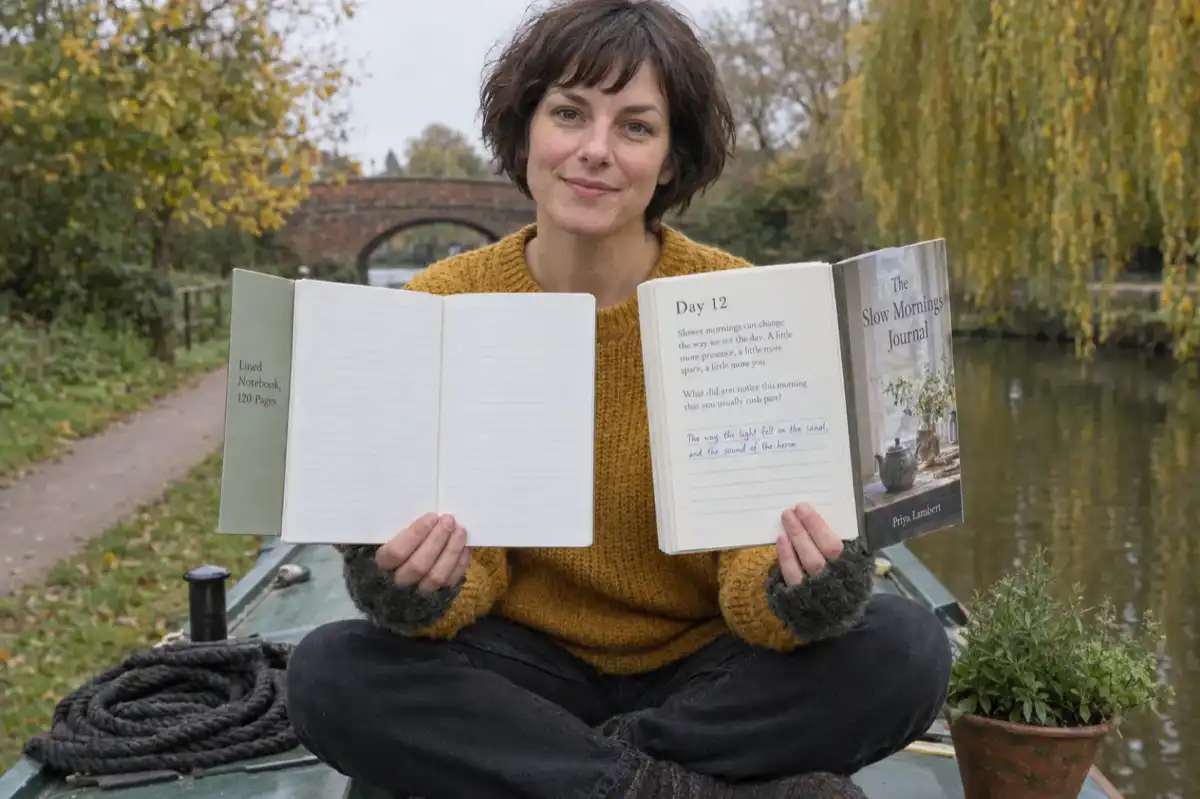
KDP calls a book low-content when its pages are mostly repetitive and filled in by the reader: notebooks, planners, journals, prompt journals, log books. Tick the Low-content box for these, and accept no free ISBN and no Expanded Distribution. Coloring and puzzle books are not low-content. What still sells is themed, useful medium-content.
Checked on 13 October 2026. Every KDP rule on this page was read on Amazon's own KDP help pages that day, and the bestseller observations come from four Amazon.com Best Sellers lists read the same day (all listed under Sources). Amazon updates those lists hourly, so treat them as a snapshot. Inkfluence AI facts come from our product code, and our usage counts come from our own database, with our team's test accounts left out. We did not publish a test book or order a proof for this guide.
Low-content publishing was sold for years as the easy door into Amazon: design one lined interior, change the cover, upload twenty versions. The door is still there, but KDP has narrowed it. Low-content books get no free ISBN, no Expanded Distribution, no series page and no Look Inside without your own ISBN; review can take three to four weeks; and every account can now create and submit only two new paperbacks a week. This guide sets out the rules as KDP states them today, what the bestseller lists actually show, the per-copy arithmetic, and the upgrade that most sellers move to once they have done the sums: books with real content on every page.
The numbers that shape a low-content book
2 a week
new paperback titles you can create, and 2 you can submit, per account
3 to 4 weeks
KDP's current estimate for low-content reviews
$2.30 / $2.84
Amazon.com print cost for a 24 to 110 page black-ink paperback, regular / large trim
60% from $9.99
paperback royalty rate on Amazon.com; 50% at $9.98 and below
0
free KDP ISBNs for low-content books (own ISBN or none)
2 x 1.2 in
white barcode box KDP prints on the back cover if you publish without an ISBN
Low-content, medium-content and full books at a glance (13 October 2026)
The five middle columns come from KDP's help pages. "Medium-content" is a seller's word, not a KDP category; KDP only asks one question, whether the book is low-content, and its answer drives everything else in the row. The last column says what Inkfluence AI makes, including what it does not.
| Book type | KDP's column | Low-content box | Free KDP ISBN | Expanded Distribution | Kindle ebook | Inkfluence AI |
|---|---|---|---|---|---|---|
| Workbook that teaches, then sets exercises | Reads as nonfiction or textbook: not generally low-content | Leave unticked | Yes | Can enrol, subject to KDP's rules | Possible if the teaching stands alone | Yes: Workbook / planner format, ruled answer lines |
| Coloring book with words under each design | Coloring books: not generally low-content | Leave unticked | Yes | No: coloring books are not accepted | No: not suited to Kindle | Yes (paid): Coloring book format plus the words switch |
| Guided journal with a short reading each day | Between columns: KDP decides edge cases | Your call; see the checker below | Only if not low-content | Unlikely: frequent lined pages are not accepted | No: writing is the main purpose | Yes: Workbook / planner or Devotional format |
| ABC or picture book | Children's books: not generally low-content | Leave unticked | Yes | Can enrol, subject to KDP's rules | Possible | Yes (paid): Picture book, ABC & counting |
| Plain coloring book | Coloring books: not generally low-content | Leave unticked | Yes | No | No | Yes (paid): Coloring book format |
| Puzzle book | Puzzle books: not generally low-content | Leave unticked | Yes | Can enrol, subject to KDP's rules | No: not suited to Kindle | No: we do not make puzzles |
| Prompt journal (a question per page, lines to write on) | Prompt journals: low-content | Tick | No | No | No | Yes, as a guided journal with more than prompts |
| Planner, log book, habit tracker | Planners, log books: low-content | Tick | No | No | No | No calendar or tracker grids |
| Blank, lined or dot-grid notebook | Notebooks, diaries: low-content | Tick | No | No | No | No blank notebooks |
Two things in that table surprise most people. First, coloring and puzzle books, the two formats most "low-content" courses teach, are not low-content in KDP's eyes, so ticking the box for them is the wrong answer. Second, Expanded Distribution is closed to more than low-content books: KDP's own list of content its distributors do not accept includes "Coloring books" and "Paperbacks containing frequent lined or blank pages, such as journals, notebooks, planners", whichever box you tick.
Skip the lined template. Write the book.
Describe a guided journal, workbook or coloring book and Inkfluence AI writes or draws every page, then exports a KDP paperback interior, a full-wrap cover and a READ ME with the answers KDP asks for.
Start a medium-content bookWhat KDP counts as a low-content book
KDP's definition is short. In its own words: "A low-content book has minimal or no content on the interior pages. Low-content books are generally repetitive, and designed to be filled in by the user." Two tests sit in that sentence, and a book needs to pass both to be low-content: the pages repeat, and the reader supplies the content.
KDP then gives a two-column table of examples, with the note that "there can be exceptions":
| Low-content (KDP's list) | Not generally low-content (KDP's list) |
|---|---|
| Notebooks | Novels |
| Planners | Nonfiction |
| Diaries/journals | Puzzle books |
| Prompt journals | Coloring books |
| Log books (habits, activity, thankfulness) | Photography |
| Coupon books | Sheet music |
| Score card templates | Manuals |
| Crafting templates (scrapbook paper, ephemera) | Textbooks |
| Blank sheet music (manuscript or staff paper) | Children's books |
On activity books KDP is explicit: the definition "does not typically include activity books, such as puzzle books or coloring books, which generally do not feature repetitive content on each page." A coloring book has a different design on every page; a word search has a different grid on every page. That variety is what takes them out of the low-content column.
The word "workbook" does not appear in either column, so judge a workbook by its pages. Explanation and exercises that change from page to page read as nonfiction or a textbook. The same prompt and lines repeated for a year read as a prompt journal. Our guide to selling workbooks sorts workbooks, planners and activity books into the two columns in more detail, and how to sell coloring books covers the coloring side, including why the box stays unticked.
A useful way to apply the definition: open your interior at three random pages. If a reader could not tell them apart without the page numbers, it is low-content. If each page gives the reader something new to read, colour, solve or learn, it is not.
What the Low-content box changes
The box sits under Categories on the Paperback (or Hardcover) Details page. KDP's warning is blunt: "if you do not select this box, or select a different box, your book will be rejected." Ticking it changes six things.
1. ISBN: your own, or none
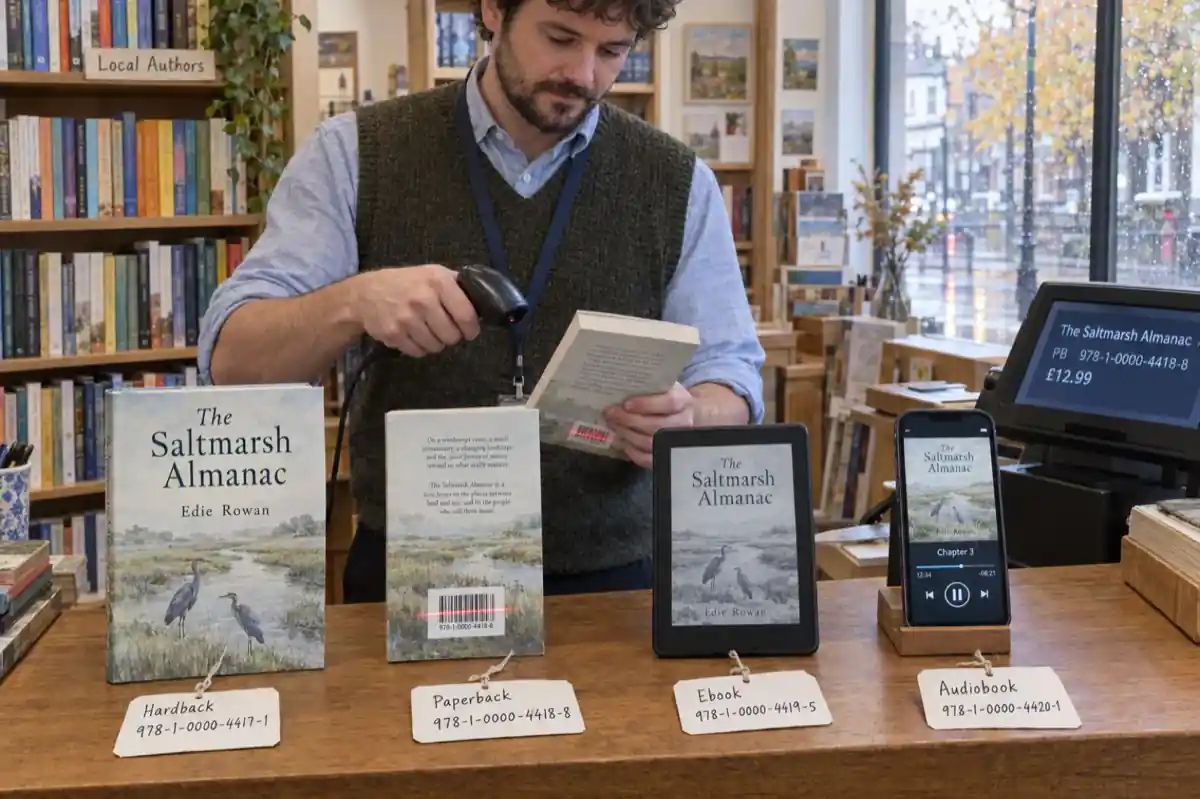
"Low-content books do not require an ISBN," KDP says. You can choose Publish without an ISBN or Use my own ISBN, and "Low-content books are not eligible for the free KDP ISBN." Without an ISBN, KDP assigns an ASIN and places a barcode on the back cover in a white box of 2 in (50.8 mm) by 1.2 in (30.5 mm) in the lower right-hand corner. Anything you put in that area is covered, "which could result in your file being rejected", so keep it clear. If you want an ISBN, buy one from Bowker in the US or your country's ISBN agency; our ISBN cost by country table has the prices.
The choice is permanent: "You cannot change your ISBN selection after you've published your book." Changing it means unpublishing and republishing, which starts the listing again from zero.
2. No Look Inside without an ISBN
KDP's Read Sample page says paperback samples show 20% of the book, but "Books without an ISBN, such as low-content books, will not display the feature," and the back cover thumbnail is not shown either. For a journal or planner, the interior is the product, so a listing with no sample is a real handicap. KDP's own suggestion is to buy an ISBN or use A+ Content to add images of the interior to the detail page. Our A+ Content examples and A+ module sizes pages show what fits.
3. No Expanded Distribution
"Expanded Distribution is not supported for low-content books, regardless of the ISBN option you select." That rules out bookstores, libraries and other retailers through KDP. In practice this matters less than it sounds for notebooks, because KDP's Expanded Distribution page separately lists "frequent lined or blank pages" and "Coloring books" as content its distributors do not take.
4. No series
"Low-content books are not eligible for creating a series, regardless of the ISBN option you select." KDP's metadata guidelines say the same for public domain books. For sellers who planned "Volume 1, Volume 2" notebook runs, the series page that links them on Amazon is not available.
5. No Release Date option, and slower review
KDP notes "we don't currently offer Release Date for low-content books", so you cannot schedule one ahead. Its Timelines page says a normal book or update goes live in about 3 business days, but "For low-content books, such as journals or notebooks, reviews may take 3-4 weeks to complete due to higher-than-normal publishing volumes," and that contacting support will not speed it up. Plan seasonal books (Christmas planners, back-to-school journals) a month earlier than you would a novel.
6. No Transparency codes
Books without an ISBN are not eligible for Transparency codes, though KDP adds that Transparency codes "are being retired from KDP print barcodes and are not available for books created after November 2025", so this no longer separates new books.
What does not change: low-content books can be paperback or hardcover, and the printing cost and royalty sums are the same as for any other paperback. Hardcover publishing is not supported on kdp.amazon.co.jp.
What Amazon blocks, limits or removes
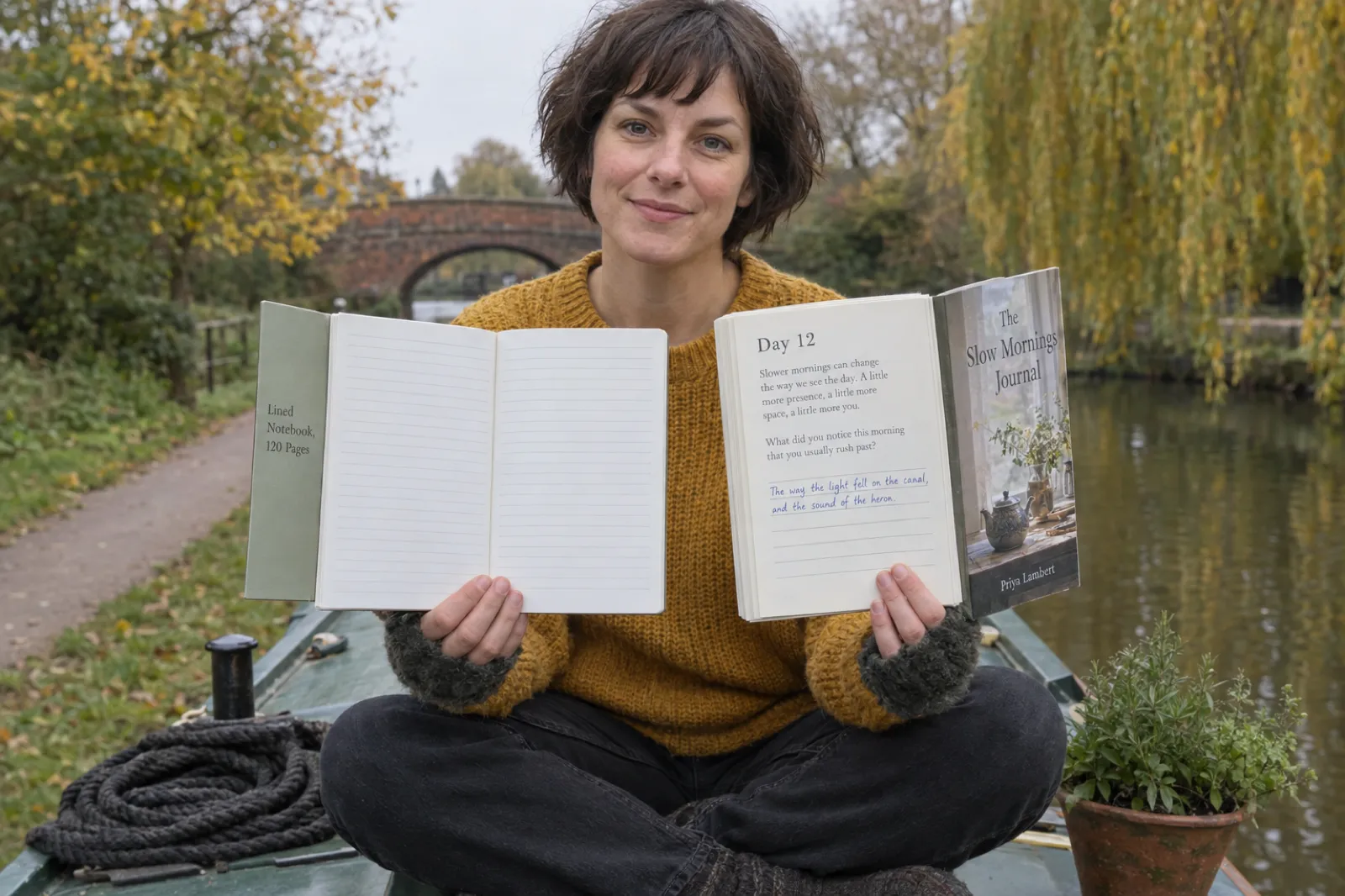
Low-content books are not banned. What KDP has tightened is volume, sameness and books that disappoint. These rules apply to every book, but they land hardest on template publishing.
Two new titles a week, per format
KDP's Create a Book page now states two weekly limits: "Creation limit: Up to 2 titles per book format each week" and "Submission limit: Up to 2 new titles per book format each week, counted the first time you submit a title for publication." The limits are separate, apply separately to eBook, paperback and hardcover, and "reset every Sunday at 12:00 AM Coordinated Universal Time (UTC)." Updates to titles you have already submitted do not count. A plan that depends on uploading dozens of interiors a week no longer fits the rules. Two well-made books a week is the ceiling, and for most people a good pace.
Disappointing and repeated content
KDP's Guide to Kindle Content Quality lists content it does not allow because it "disappoints our customers or creates a poor shopping experience." Several items read as if written with template publishing in mind:
- "Content that is not significantly different from content in another book available in the Kindle Store"
- "Content that is excessively reused, recycled, or repeated within or across books"
- "Content that is too short"
- "Content that does not provide an enjoyable reading experience"
- "Content that is rebranded or re-released with significant changes to the metadata, resulting in a confusing reader experience"
- "Content whose primary purpose is to solicit or advertise"
The Content Guidelines repeat the principle ("We also do not allow content that's typically disappointing to customers") and add two things a low-content seller should know: Amazon reserves "the right to change the categories of a book at any time", and "We'll reject or remove content that does not adhere to these guidelines". If a title is removed, KDP says it lets the author know and they can appeal. A hundred notebooks that differ only by cover colour is exactly the pattern these lines describe. If KDP has already flagged a book, our guide to every common KDP rejection matches the message to the fix.
Not suited to Kindle
The same quality guide says books whose main purpose "is to allow the reader to write or color on the pages" are "better suited to publishing in a physical form", and lists puzzle books, blank journals, pattern books and coloring books as examples. Such books "may be rejected upon submission or removed from sale." Publish journals, planners and coloring books as paperbacks. If you want a digital version, sell a printable PDF on Etsy or Gumroad instead.
Covers and descriptions that mislead
KDP's metadata guidelines say "Covers that may be misleading because they closely resemble another book's layout, color scheme, fonts and/or images aren't allowed," and the title, subtitle and author on the cover should match the metadata. The Content Guidelines add that "descriptive content meant to mislead customers" is not allowed. A "Journal" titled to look like a famous self-help book, or a planner with a subtitle stuffed with unrelated keywords, risks both.
Companion books
"Companion guides (including summaries, study guides, workbooks, analyses, and other related content based on other books) are not allowed, with limited exceptions for guides with positive reader engagement." A workbook for someone else's bestseller is a companion guide. Build workbooks on your own method or topic, not on another author's book.
AI disclosure
KDP requires you to say when text, images or translations were created by an AI tool, when you publish or republish, and it states that "AI-generated images include cover and interior images and artwork." That covers AI-drawn coloring pages and AI-written journal prompts. Disclosure is a question in title setup, not a ban; content you wrote yourself and then improved with AI is "AI-assisted" and needs no disclosure. Our KDP AI disclosure guide walks through the question line by line, and how to publish AI-generated books on KDP covers the rest of the setup.
What still sells: the bestseller lists on 13 October 2026
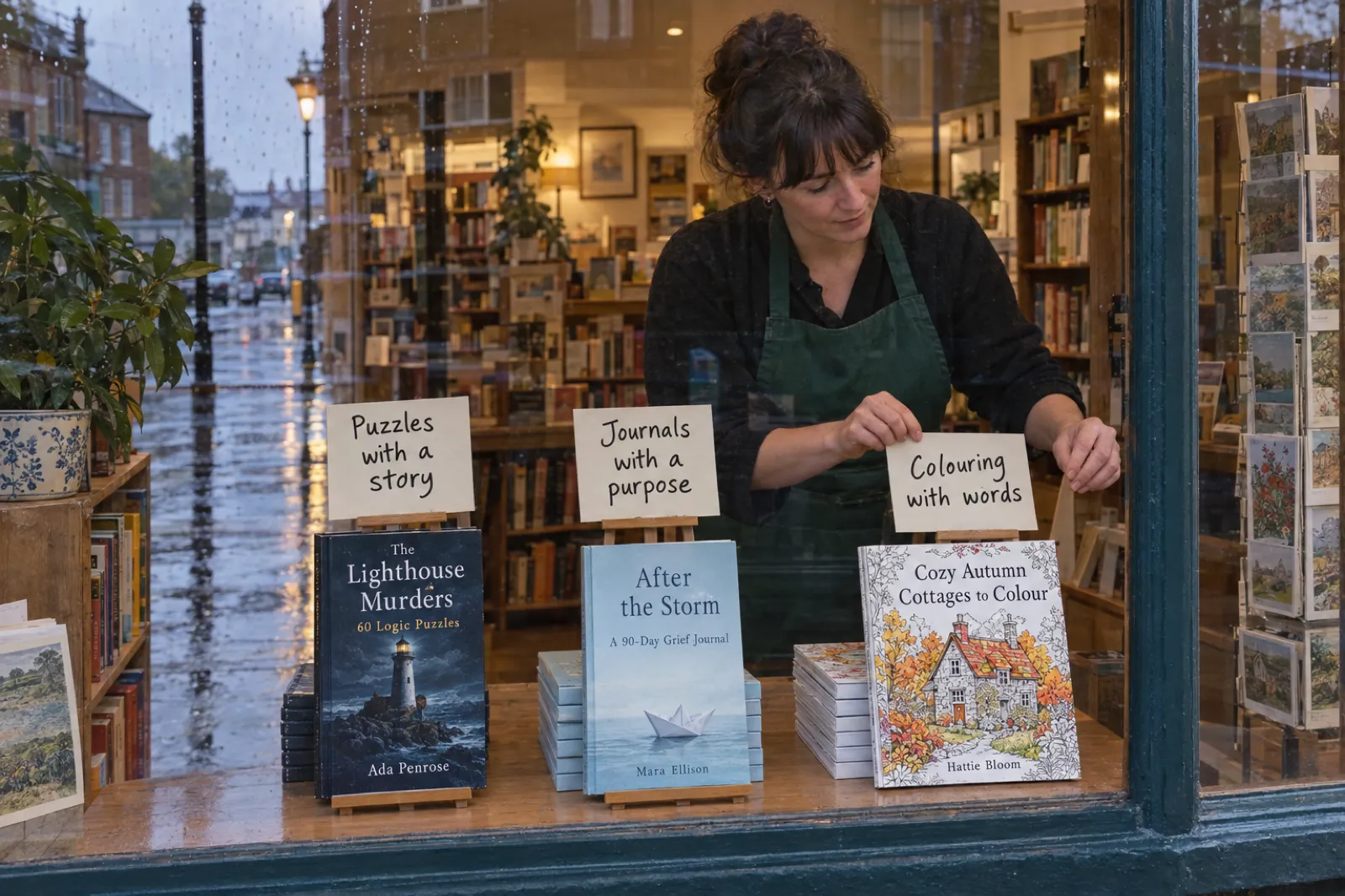
We cannot see anyone's sales, and Amazon does not publish unit numbers, so this section describes what was visible: the top 30 of four Amazon.com Best Sellers lists, read on 13 October 2026. A rank is a snapshot that Amazon updates hourly, the lists mix large publishers with independents, and mid-October tilts everything towards Halloween and autumn. Treat these as patterns, not proof.
| List (Amazon.com, 13 Oct 2026) | What filled the top 30 | What was scarce |
|---|---|---|
| Coloring Books for Grown-Ups | Cozy and "hygge" scenes; bold and easy designs; seasonal spooky-cute sets; large-print books aimed at older colourers; coloring books carrying Bible verses, mindful prompts, or facts and quizzes (several anatomy titles) | Books with no theme, mood or audience in the title; the pattern books present came from established series |
| Journal Writing (Self-Help) | Guided journals with one clear purpose: grief, stoic daily reflection, self-love, anxious attachment, faith identity; a one-question-a-day five-year journal; journaling bibles with space to write | Plain lined notebooks: the two present were faith-themed gift notebooks from an established gift publisher |
| Puzzles & Games | Puzzle books built around a story (murder mystery logic puzzles, detective word searches); large-print word searches; trivia and fact books | Generic collections, apart from big-volume books from large puzzle brands |
| Children's Activities, Crafts & Games | Seasonal seek-and-find and sticker books, joke books, pencil-control practice, big toddler coloring books, and Halloween picture books | Blank activity pages with no theme or skill |
The common thread is not page count. It is that each leading book promises a specific experience to a specific reader: a grieving adult, a word-search fan whose eyes need large print, a parent filling a rainy October afternoon. Many of them also put words on the page: a prompt with a reason behind it, a fact under a drawing, a clue that ties forty puzzles into one case. That is the shift sellers mean by "medium-content", and it is visible on the lists even where the books are made by big publishers.
Three cautions before you copy a pattern. A theme near the top in October may be gone in November. A bestseller from a known brand tells you there is demand, not that a new seller can reach it. And none of this says a plain notebook cannot sell; it says plain notebooks were not what the top of these lists looked like on this date. For a broader view of where demand sits, our best ebook niches page and the coloring book niches guide go topic by topic.
The medium-content upgrade
A medium-content book keeps what buyers like about low-content books (a format they can write in, colour or use) and adds something on every page that the buyer could not have made with a ruler. The idea is not to fill pages for the sake of it. It is to give each page a reason to exist.
Here are the upgrades that match what the lists showed. Each starts from a common low-content idea and says what to add.
| Low-content idea | Medium-content version | What you add on each page | Inkfluence AI format |
|---|---|---|---|
| Lined gratitude notebook | 90-day guided gratitude journal | A short reflection on one theme, then a question that follows from it, then lines | Workbook / planner, or Devotional |
| Habit tracker | 30-day challenge workbook | One lesson or step a day, then a place to record what you did | Day challenge |
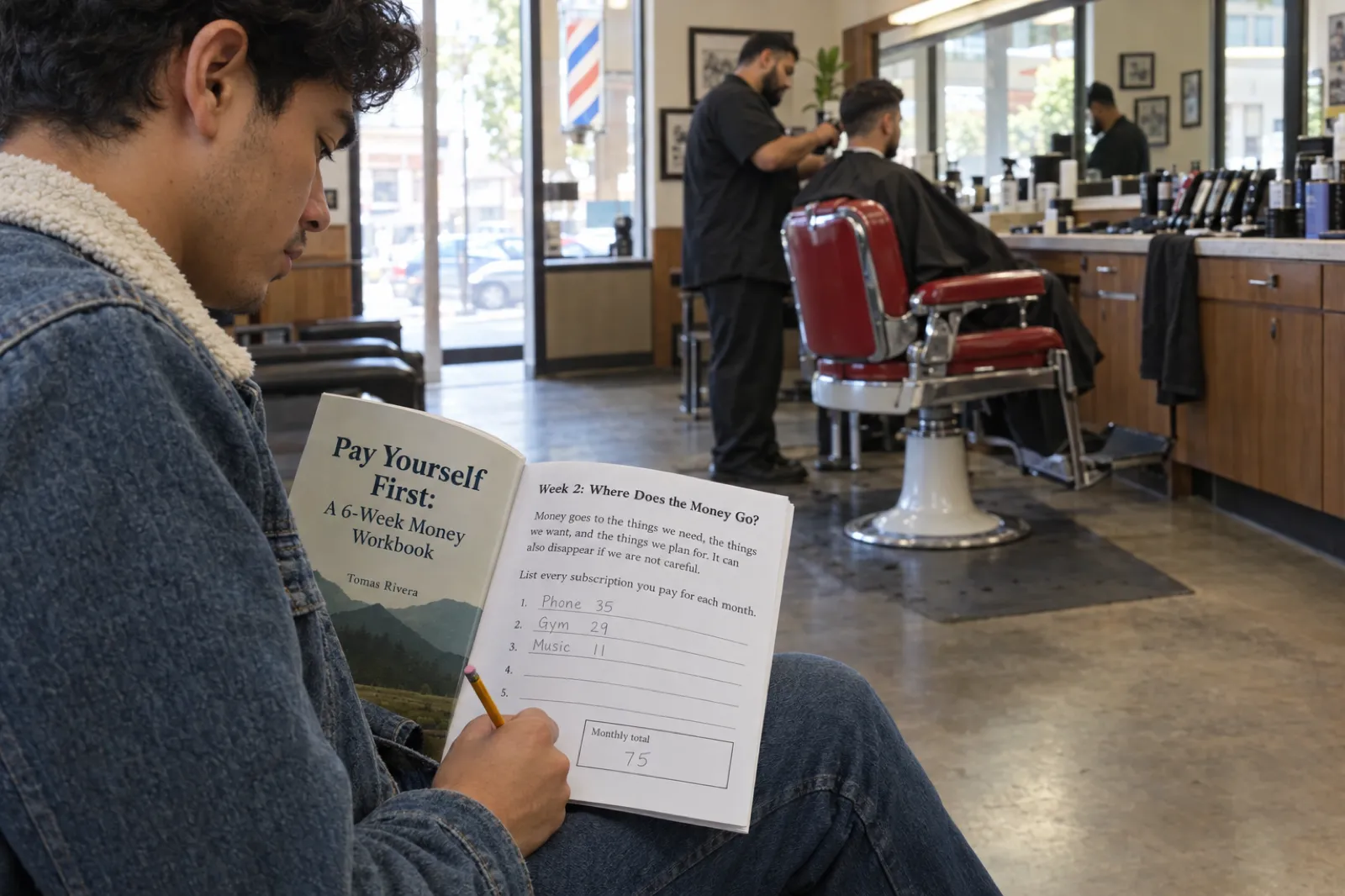
| Budget planner with blank tables | Money workbook | A short explanation per week, a worked example, then exercises and write-in boxes | Workbook / planner |
| Prayer journal with dated pages | Devotional journal | A verse or reading, a short reflection, then a prayer prompt and lines | Devotional |
| Plain coloring book | Coloring book with words | A fact, an affirmation, a verse or a name under each design | Coloring book, with "Print the words under each design" |
| Alphabet tracing pages | ABC book | One letter or number per page, a picture and words to read aloud | ABC & counting |
| Study planner | Revision workbook | A summary of the topic, then questions with answer lines | Workbook / planner, or Study notes |
Two honest notes. The first is classification. Adding content moves a book towards KDP's "Nonfiction" column, but KDP decides edge cases, and a book that is mostly prompts and lines is still a prompt journal however good the prompts are. If you are unsure, KDP's rule is that the wrong box gets the book rejected, so decide on the pages you have, not the pages you hope to add. The second is that "medium" describes the reader's experience, not a page ratio. A workbook that is 70% exercises can be excellent if every exercise follows from what the reader has just learned.
Our guided journal guide and workbook guide go deeper on structure, and the best AI for workbooks and journals compares the tools.
Low-content or medium-content? Check your idea
Pick what is on most of your interior pages and how much of each page you write yourself. The checker gives KDP's likely column, what that means for the Low-content box, ISBN, Look Inside, Expanded Distribution and Kindle, and the print cost and royalty per copy on Amazon.com for black-ink paperbacks. It runs in your browser and sends nothing anywhere. KDP has the final say on classification.
Print costs and royalty rates from KDP's Paperback Printing Cost and Paperback Royalty pages, Amazon.com, black ink on white or cream paper, checked 13 Oct 2026. KDP counts pages in even numbers; 8.5 x 11 and 8.5 x 8.5 top out at 590 pages on white paper.
The maths: cheap notebooks versus books with content
Print cost and royalty are where the low-content pitch usually goes quiet. KDP's formula is (royalty rate x list price) minus printing cost. On Amazon.com, a black-ink paperback of 24 to 110 pages costs a flat $2.30 to print at a regular trim and $2.84 at a large trim (wider than 6.12 in or taller than 9 in). Above 110 pages it is $1.00 plus $0.012 a page (regular) or $0.017 a page (large). The royalty rate is 60% at a list price of $9.99 or more and 50% at $9.98 or less. KDP also sets a minimum list price, the printing cost divided by the rate, so you cannot price below cost.
Royalty per copy on Amazon.com, black-ink paperback (KDP's rates, 13 Oct 2026)
Bar length = royalty / $5.95. Worked examples at prices we chose, not forecasts: what a book can sell for is the market's decision. A 20-design coloring book with a blank page behind each design is about 44 pages.
Three things follow from the arithmetic.
- The flat print cost punishes cheap books. A 100-page notebook costs the same $2.30 to print whether you sell it at $5.99 or $9.99, so at $5.99 you keep about 70 cents. A buyer who would pay $5.99 for a notebook can also buy one at a supermarket, which is why plain notebooks fight on price and lose margin.
- $9.99 is a cliff, not a step. The same 120-page 6 x 9 book earns $2.06 at $8.99 and $3.55 at $9.99, because the rate jumps from 50% to 60%. A book needs enough on its pages to justify $9.99 or more. Content is what justifies it.
- Large trims cost more per page. Above 110 pages, 8.5 x 11 costs $0.017 a page against $0.012 for 6 x 9. Workbooks and coloring books usually need the big page; guided journals usually do not. Our KDP trim sizes guide sets out which size suits which book, and KDP royalties explained covers the ebook side and other marketplaces.
None of this counts advertising, and a book without an ISBN has no Look Inside sample to help a browser decide. Run your own numbers in our royalty calculator or the checker above, and confirm in KDP's own Pricing tab before you publish.
Make the $9.99 book, not the $5.99 one
A guided journal, a workbook with ruled answer lines, or a coloring book with words under every design. Inkfluence AI writes it, lays it out at KDP trim sizes and builds the cover wrap.
Make my bookMaking a medium-content book with Inkfluence AI
Inkfluence AI is built for the medium-content end of this market. It is the tool we would pick for guided journals, workbooks, devotionals, day-challenge books and coloring books with words, because it writes or draws every page of the book in one run and then exports print files sized for KDP. It is not a notebook or planner maker, and it says so: there are no blank pages, calendar grids or puzzle generators. If your idea is a dot-grid notebook, a design tool is the right tool.
Guided journals and workbooks
- On the dashboard, choose Workbook / planner (or Devotional for faith and reflection journals, Day challenge for 30-day programmes) and describe the book: who it is for, what they will work through, and the tone. For example: "A 12-week guided journal for new runners: each entry has a short coaching note, one reflection question and space to log the run."
- Inkfluence writes the outline, then every chapter. Workbook chapters include reflection questions, self-checks and "your turn" exercises, each followed by answer lines.
- Edit anything in the editor. To add more space to write, type a row of at least ten underscores on its own line; each row exports as one clean, full-width ruled line. For a box, insert a table with one empty cell; it keeps its height in the PDF. The answer-lines article in our help centre shows both.
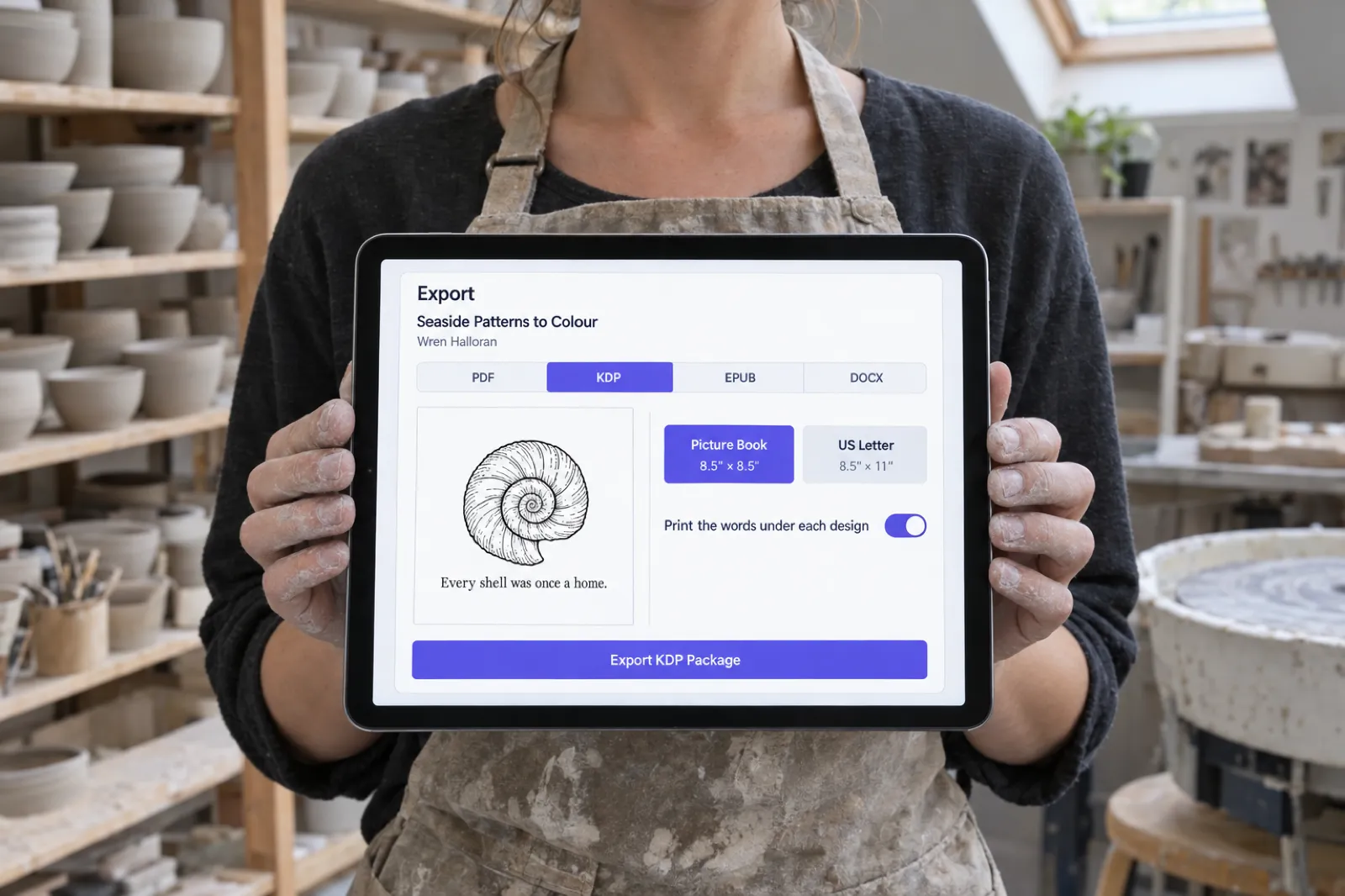
- Open Export, choose the KDP tab and a trim (6 x 9 suits most journals; 7 x 10 or US Letter 8.5 x 11 suit workbooks), and export the KDP package.
Coloring books with words
- Choose Coloring book and describe the theme and audience, for example "a cozy autumn coloring book for adults, bold and easy lines". Inkfluence plans each scene as a distinct page and draws clean black-and-white line art; a book has 12 to 40 designs, 20 by default.
- In the editor, replace the short caption under any design with your own words: a fact about the bird, an affirmation, a verse, the name of the place. Delete it on pages you want to stay art only.
- In Export, turn on Print the words under each design. The words print centred beneath the design, inside the margins and never over the line art. Coloring books export at 8.5 x 8.5 in (the default) or US Letter 8.5 x 11 in, with a blank page behind every design so markers do not ruin the next picture.
The AI coloring book generator covers the format, with style pages for bold and easy, cozy, mandala and Halloween books. For the Amazon side, read selling AI coloring books on KDP; for an adult book from scratch, how to make an adult coloring book.
A coloring book with something to say
Pick a theme, let Inkfluence draw every design, then add a fact, verse or affirmation under each one and export the KDP paperback files. Coloring books are a paid feature.
Make a coloring book with words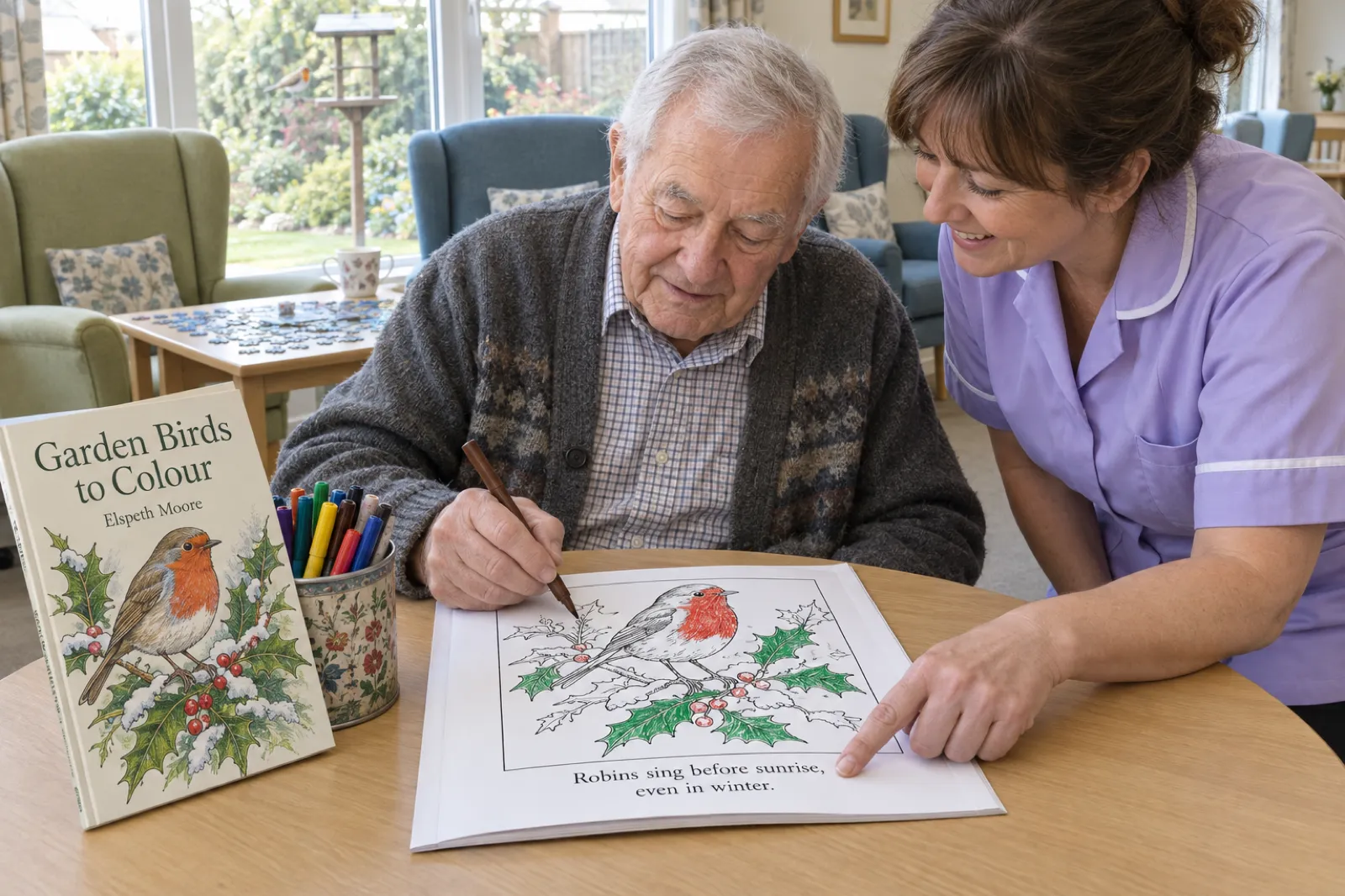
ABC and picture books
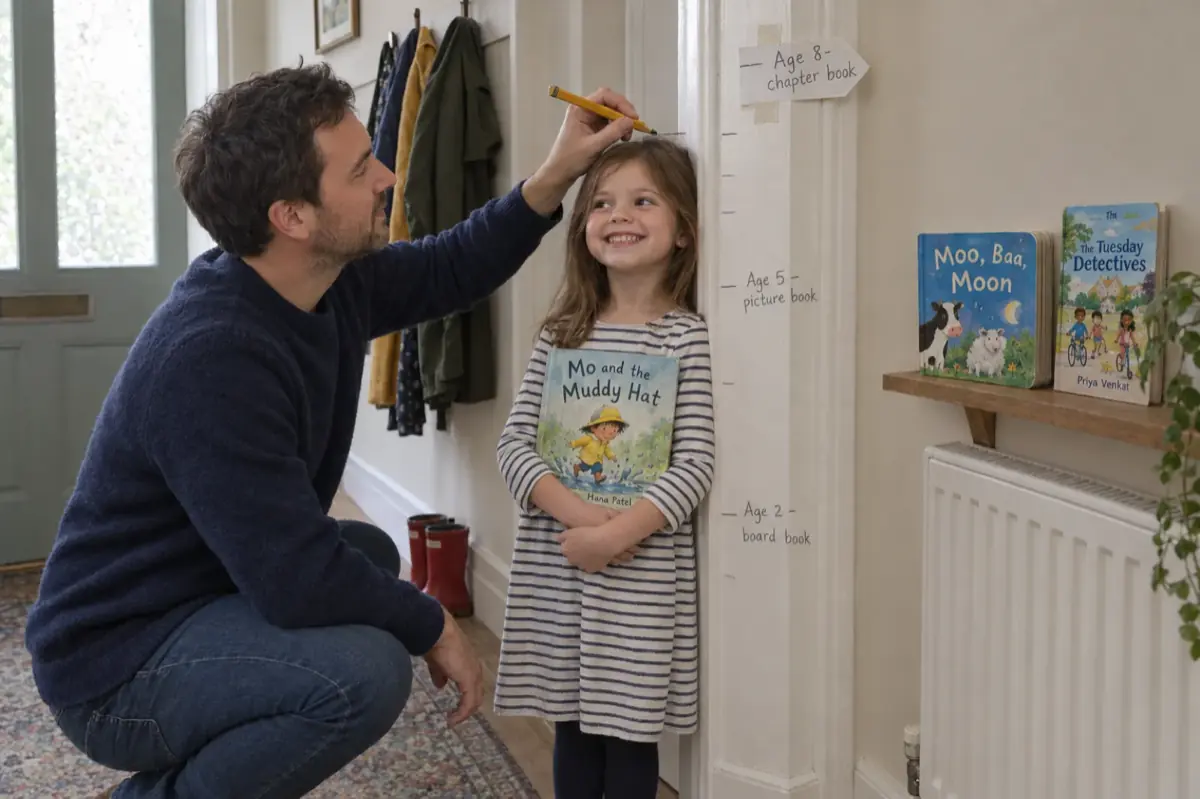
For children's books that would otherwise be tracing sheets, ABC & counting makes one letter or number per page with a picture, and Picture book puts a picture and words on every page. Both export for KDP at 8.5 x 8.5 in. See the ABC book maker, the picture book maker, and our guide to self-publishing a children's book on Amazon.
What the KDP package gives you
The KDP package is a zip with the paperback interior PDF at your trim (exactly the trim size, no bleed, so you answer "No bleed" in KDP), a full-wrap cover PDF with the spine worked out from the real page count and the paper you chose in the cover designer's Print tab, the Kindle EPUB and ebook cover (leave them unused for journals and coloring books, which KDP says do not suit Kindle), and a READ ME FIRST file with the trim, page count, spine width and bleed answer. The back-cover text is kept clear of the bottom-right barcode zone, which matters if you publish without an ISBN and let KDP place the barcode. Spine text is only printed on books over 79 pages, as KDP requires. Our guides to formatting a book for KDP and the cover size and spine width calculator explain each measurement.
What people make in these formats
Counted in our database on 13 October 2026, books created in the 90 days from 15 July, with our team's test accounts left out. The coloring and ABC formats launched on 29 August, so they had about six weeks of that window.
Books created in medium-content formats on Inkfluence AI, 15 Jul to 13 Oct 2026
Bar length = books / 1,837. Workbooks and planners, the largest medium-content format, are counted on how to sell workbooks. Counts of books started, not books published or sold; we cannot see sales. Who the workbooks are for and how many are listed for sale are on how to sell workbooks; coloring book styles and themes are on how to sell coloring books.
The honest limits
- The KDP package is paid. Any paid plan (Creator is $9.99 a month or $89 a year) or a credit pack (15 credits for $9.99) unlocks it. The free plan gives 5 chapters, then 5 more each month, and exports PDF only, with a footer credit and a closing credit page, which you would not want inside a book for sale. See pricing.
- Coloring, ABC and picture books are paid features, drawn from the monthly image allowance (20 images on Creator, 50 on Premium; extras use credits).
- Paperback only. We make paperback cover wraps, not hardcover case laminate covers.
- No notebooks, planners, calendars or puzzles. If the book is mainly those, use a layout tool, and use Inkfluence for the written parts. Atticus has a help article on lined pages for journals; our Atticus vs Vellum comparison covers both desktop formatters.
- The publishing answers are yours. The Low-content box, the ISBN choice and the AI disclosure are decisions only you can make in KDP.
Turn a notebook idea into a guided journal
Describe who it is for and what they will work through. Inkfluence writes every entry, adds the answer lines and exports the KDP paperback files.
Write my guided journalPublishing checklist for a low- or medium-content book
- Decide the box first. Open three random interior pages. Repetitive pages for the reader to fill in: tick Low-content. A different design, puzzle or lesson on each page: leave it unticked. The wrong answer gets the book rejected.
- Choose the ISBN route. Not low-content: take the free KDP ISBN or use your own. Low-content: your own ISBN (for Look Inside) or none (KDP prints a barcode in a 2 x 1.2 in box at the lower right of the back cover). The choice is permanent.
- Pick the trim and paper. 6 x 9 for journals, 8.5 x 11 or 8.5 x 8.5 for coloring books and most workbooks, black ink on white paper for anything people colour on. KDP locks the ink and paper type after publishing. See KDP trim sizes.
- Build the interior at the exact trim, with at least 24 pages and margins clear of KDP's minimums. Our formatting guide has the margin table.
- Build the cover last, from the final page count and paper, with spine text only above 79 pages. Use the spine width calculator if you are making it by hand.
- Write a listing that names the reader. "A 90-day grief journal for adults who lost a parent" tells a buyer more than "Journal, 120 pages, 6 x 9". Our KDP categories guide and KDP SEO page cover categories and keywords.
- Answer the AI question truthfully for text and images.
- Show the inside. Without an ISBN there is no Look Inside, so add interior images with A+ Content.
- Price at $9.99 or more if the content supports it, and check the royalty in KDP's Pricing tab.
- Order a proof and write on it, colour on it, or work through it. A journal whose lines are too close together, or paper that markers bleed through, shows up in reviews, not in previews.
- Budget time. Low-content reviews may take 3 to 4 weeks, and you can create and submit two new paperbacks a week.
The KDP tools page lists every free calculator and checker we keep for Amazon publishing, and the paperback publishing guide covers print-on-demand in general.
Mistakes that sink low-content listings
- Ticking Low-content for a coloring or puzzle book. It is the wrong box by KDP's own table, and it costs you the free ISBN, the sample and the series.
- Publishing a coloring book or journal as a Kindle ebook. KDP says these may be rejected or removed.
- Twenty covers on one interior. "Not significantly different" and "excessively reused" content is exactly what the quality guide rules out, and the weekly title limit makes the plan slow anyway.
- Pricing at $6.99 because notebooks do. The royalty at that price is about a dollar. Add the content that earns $9.99.
- Copying a bestseller's look. Covers that closely resemble another book's layout, colours, fonts or images are not allowed.
- Building a workbook on someone else's book. That is a companion guide, which KDP does not allow outside narrow exceptions.
- Leaving text in the barcode area on a book with no ISBN. KDP prints over it and may reject the file.
If you are also selling the files directly, the same interior can go on Etsy as a printable: our guides to selling AI-made books on Etsy and the page for Etsy sellers cover the listing rules. For the wider Amazon picture, Inkfluence for Kindle publishers shows the whole route.
Frequently asked questions
What is a low-content book on KDP?
KDP defines a low-content book as one with "minimal or no content on the interior pages", generally repetitive and designed to be filled in by the user. Its examples are notebooks, planners, diaries and journals, prompt journals, log books, coupon books, score card templates, crafting templates and blank sheet music. KDP adds that there can be exceptions.
Are coloring books low-content books on Amazon KDP?
Not usually. KDP lists coloring books and puzzle books under "Not Generally Low-Content" because their pages are not repetitive. Publish a coloring book as a normal paperback with the Low-content box unticked, so it can take the free KDP ISBN, show a Look Inside sample and join a series.
Do low-content books need an ISBN?
No. A low-content book can be published without an ISBN (KDP assigns an ASIN and prints a barcode on the back cover) or with your own ISBN. Low-content books are not eligible for the free KDP ISBN, and the ISBN choice cannot be changed after publishing without unpublishing and republishing.
What happens if I do not tick the Low-content box?
KDP's Low-Content Books page says that if you do not select the Low-content box under Categories for a low-content book, or select a different box, the book will be rejected. Tick it for notebooks, planners, journals and log books; leave it unticked for coloring books, puzzle books, workbooks that teach, and children's books.
Do low-content books get Look Inside on Amazon?
Not if they are published without an ISBN: KDP says the Read Sample (Look Inside) feature and the back cover thumbnail are not supported for low-content books without an ISBN. Use your own ISBN to get the sample, or add interior images with A+ Content on the detail page.
How many books can I publish on KDP per week?
KDP's Create a Book page sets two weekly limits per format: up to 2 new titles created and up to 2 new titles submitted for publication, for each of eBook, paperback and hardcover separately. Updates to titles already submitted do not count, and both limits reset every Sunday at 12:00 AM UTC.
Do low-content books still sell on Amazon in 2026?
Some do, but the bestseller lists we read on 13 October 2026 were led by books with a specific purpose: guided journals for grief, stoic reflection or self-worth, puzzle books built around a mystery, and themed coloring books, several with words or facts on the page. Plain notebooks appeared mainly as branded gift items. A list rank is a snapshot, not a sales figure.
What is a medium-content book?
Sellers use "medium-content" for books where every page carries something written for the reader, such as a guided journal with a short reading before each prompt, a workbook that teaches and then sets exercises, or a coloring book with a fact or verse under each design. It is a seller's term, not a KDP category: KDP only asks whether the book is low-content.
Can I publish a journal or coloring book as a Kindle ebook?
Usually not. KDP's content quality guide says books whose main purpose is to let the reader write or colour on the pages are not suited to Kindle, naming puzzle books, blank journals, pattern books and coloring books, and says they may be rejected or removed from sale. Sell the paperback, and a printable PDF on Etsy or Gumroad.
Do I have to disclose AI on a low-content or coloring book?
Yes, if an AI tool created the text, images or translation. KDP asks about AI-generated content when you publish or republish, and says AI-generated images include cover and interior images and artwork. AI-assisted content (your own work that AI helped edit or brainstorm) does not need disclosing.
Give every page a reason to exist
Start free with 5 chapters. Upgrade or buy a credit pack when you are ready to export the KDP paperback package.
Try Inkfluence AI freeSources
Every external fact and quotation on this page was read on the source below on 13 October 2026. Usage counts come from our own database (books created 15 July to 13 October 2026, team test accounts excluded). Inkfluence AI facts come from our product code on that date.
- KDP: Low-Content Books (definition, examples table, Low-content box and rejection, ISBN options, barcode box, Transparency codes, Expanded Distribution, Look Inside and A+ Content, series, Release Date, ISBN change), checked 13 Oct 2026
- KDP: Create a Book (new title creation and submission limits, 2 per format each week, reset Sunday 12:00 AM UTC), checked 13 Oct 2026
- KDP: Paperback Submission Guidelines (title limits restated), checked 13 Oct 2026
- KDP: Timelines (3 business days; low-content reviews 3-4 weeks; support does not expedite), checked 13 Oct 2026
- KDP: Read Sample (Look Inside the Book) (20% for paperbacks; not shown for books without an ISBN), checked 13 Oct 2026
- KDP: Expanded Distribution (content not accepted: frequent lined or blank pages, coloring books), checked 13 Oct 2026
- KDP: Metadata Guidelines for Books (low-content books not eligible for series; ISBN not needed for low-content print books; misleading covers), checked 13 Oct 2026
- KDP: Guide to Kindle Content Quality (content unsuited for Kindle; disappointing content list; companion guides), checked 13 Oct 2026
- KDP: Content Guidelines (AI-generated and AI-assisted content, images, poor customer experience, category changes, reject or remove, appeal), checked 13 Oct 2026
- KDP: Paperback Printing Cost (formula, $2.30 / $2.84 for 24-110 pages, $1.00 + $0.012 / $0.017 per page, large trim definition, minimum list price), checked 13 Oct 2026
- KDP: Paperback Royalty (60% at $9.99 and above, 50% at $9.98 and below on Amazon.com), checked 13 Oct 2026
- KDP: Print Options (ink and paper type locked after publication), checked 13 Oct 2026
- KDP: Set Trim Size, Bleed, and Margins (24-page minimum; 8.5 x 11 in white paper 24-590 pages), checked 13 Oct 2026
- Amazon.com Best Sellers: Coloring Books for Grown-Ups, Journal Writing Self-Help, Puzzles & Games, Children's Activities, Crafts & Games (top 30 of each, read 13 Oct 2026; lists update hourly)
Related reading
- How to Sell Coloring Books and How to Sell Workbooks
- Selling AI Coloring Books on Amazon KDP
- How to Create a Guided Journal with AI
- Workbook Generator and AI Journal Generator
- AI Devotional Book Generator and How to Sell Devotionals
- How to Write and Publish a Devotional Book
- KDP Trim Sizes: Which Size for Which Book
- Atticus vs Vellum (2026): Price, Windows vs Mac, Print Output
- KDP Rejected My Book: Every Common Rejection and the Fix
- Book Copyright Page Template
- Best Ebook Niches
- Do You Need an ISBN? Free vs Bought, Cost by Country

Founder, Inkfluence AI
Sam is the founder of Inkfluence AI. He built the platform to make book creation accessible to everyone - from first-time authors to seasoned publishers.
Helpful links
Ready to Create Your Own Ebook?
Start writing with AI-powered tools, professional templates, and multi-format export.
Get Started FreeRelated Articles
 Children's Books
 Children's Book Word Count and Page Count by Age (2026): Board Books to Middle Grade, with Real Picture-Book Data
How many words and pages a children's book needs, from board books to young adult, with every range sourced to a publisher or editor and dated, words per page from real picture books by age band, and a word-budget calculator that checks KDP's 24-page minimum.
 Publishing
 Do You Need an ISBN? Free vs Bought, Cost by Country, and Which Formats Need One (2026)
When a self-published book needs an ISBN and when it does not, what one costs in the US, UK, Canada, Australia, New Zealand, India, Germany, Italy and France (checked at each agency on 13 October 2026), free ISBNs from KDP, IngramSpark and Draft2Digital, and a picker that tells you how many you need.
 Publishing
 IngramSpark AI Policy (2026): What It Accepts, the Setup Question and the "Assisted By" Credit
IngramSpark accepts AI-drafted books with significant human editing and the "Assisted By - Generative AI" credit, and refuses works created solely with generative AI. Its exact wording, covers and translations, how it differs from KDP, a checker for your book, and an editing workflow.
Get ebook tips in your inbox
Join creators getting weekly strategies for writing, marketing, and selling ebooks.