
KDP A+ Content Generator for Books
Inkfluence AI turns your finished book into a complete Amazon A+ Content pack: text for three KDP modules written to Amazon's A+ rules, and five images in the style of your cover, sized for each module and ready to upload.
It takes about a minute, works before your book is live, and keeps words out of the images so they read on a phone. The pack shown is from a real novel, The Island Before.
Quick answer
A+ Content is the images-and-text section further down an Amazon book page. KDP authors add it free in KDP, Marketing, A+ Content Manager once a book is published, separately for each Amazon marketplace, with no Brand Registry needed. Amazon says approved content appears within eight business days.
The hard part is the material: images at the right sizes, under 2 MB and readable on a phone, and text free of the words Amazon rejects. The Inkfluence AI A+ Content generator makes all of it from your book in about a minute, on the Publish page. The sizes KDP publishes for each module are on the KDP A+ Content sizes cheat sheet.
See a real pack
Three books, three A+ packs, word for word
Real packs the generator made from three real books, word for word, laid out in the order the modules stack on an Amazon book page. Pick a book to switch.
Preview: the modules as they stack on a book page
Literary mystery novel: The Island Before
Module 1 · Standard Image Header with Text · 970 x 600

The sea gives up a diary. The island keeps its secrets.
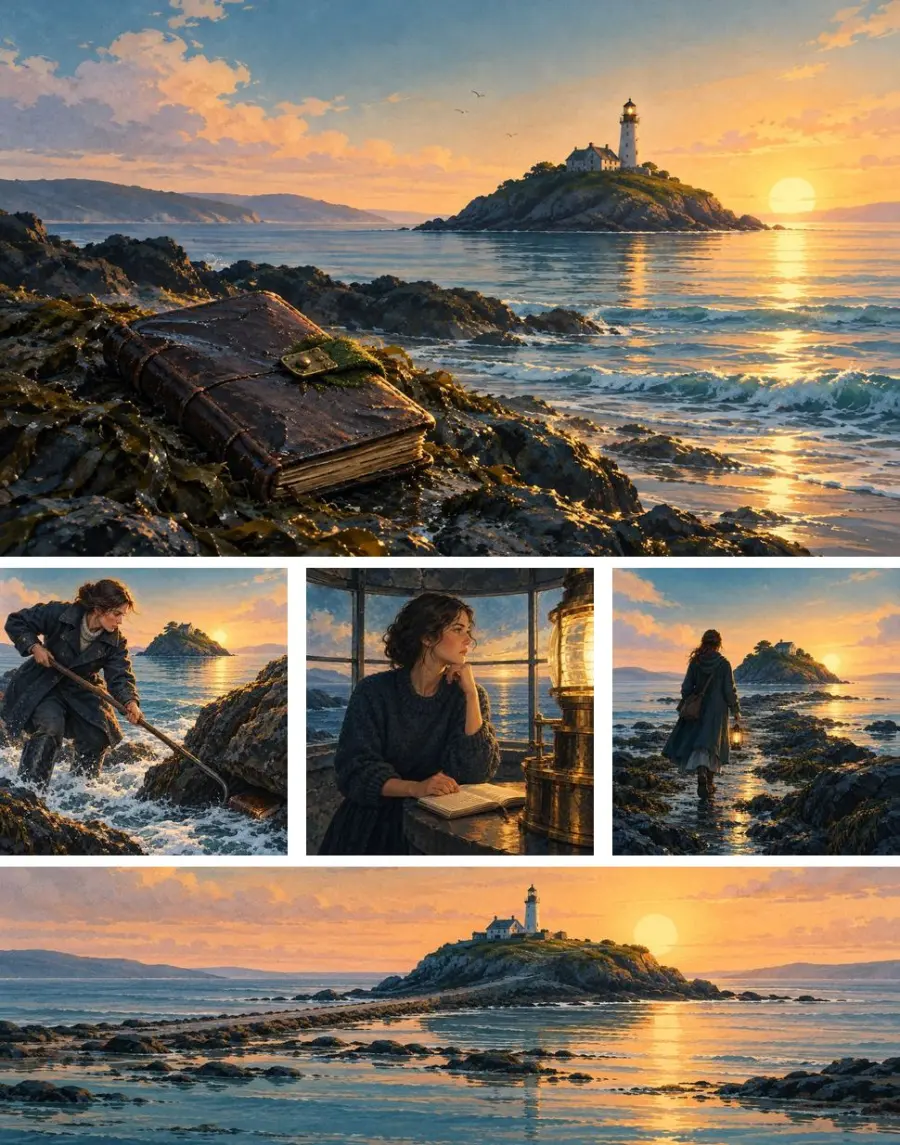
Lighthouse keeper Elowen Trevelyan finds a waterlogged diary among the rocks of a remote Cornish island. Its pages describe events before they happen, drawing her into a mystery shaped by the tide, the island, and what may still be to come.
Module 2 · Standard Three Images & Text · 600 x 600 each

A book caught in the wrack
As the tide turns beneath the western cliffs, Elowen spots a black shape wedged among the rocks. Reaching for it means risking the rising water.
A bell with no hand on the rope
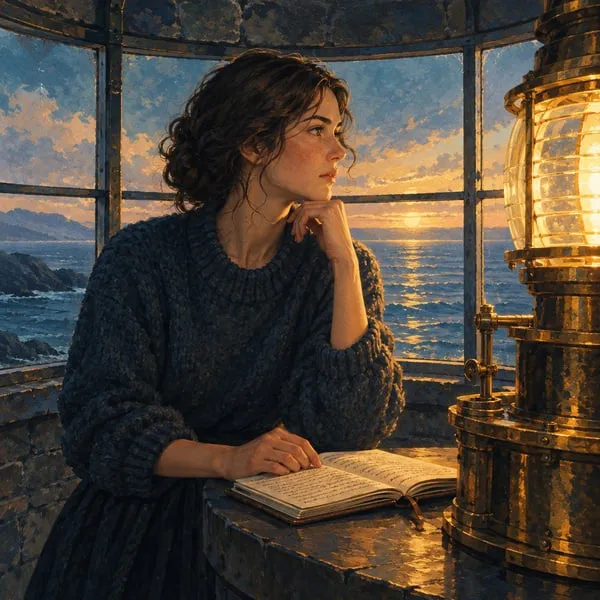
The diary predicts a bell will sound before dawn. Alone in the lighthouse, Elowen waits with the book and the turning lantern, listening to the sea.

A stranger at low water
One entry places a man at the causeway, without a light or a name. Elowen sets out to find him before the returning tide cuts the island off.
Module 3 · Standard Image & Light Text Overlay · 1940 x 600

For readers drawn to islands and uneasy mysteries
Alt text written for each image
- A waterlogged leather diary caught among rocks below a lighthouse.
- Elowen reaches for a leather book among rocks as the tide rises.
- Elowen stands beside an open diary in the lighthouse lantern room.
- Elowen carries a lamp toward the exposed causeway at dawn.
- A lighthouse overlooks a narrow causeway exposed at low tide.
Images on this page are compressed copies for the web. The files you download are full size: 1940 x 1200 for the header, 600 x 600 for each square and 1940 x 600 for the banner, RGB JPEG, well under 2 MB each. More packs are on the A+ Content examples page.
Your book next
Open the Publish page, pick your book, and click Make my A+ Content.
It is step 7 of the Amazon listing kit. You get the text, five images and one download with everything in it.
What you get
Three modules, module by module
KDP offers 17 module types and lets you stack up to five in one layout. The generator fills the three that suit every kind of book, in the order a reader meets them, and leaves room for two more of your own.
Module 1
Standard Image Header with Text
A wide image, then a headline and a short paragraph: the hook for the whole book, whether a novel's premise or the problem a guide solves. The headline runs to about 70 characters and the paragraph to two or three sentences.
Image: 970 x 600 is the size the module is designed around; you get 1940 x 1200, twice the pixels, sharp on high-density screens.
Module 2
Standard Three Images & Text
Three squares side by side, each with a short headline and caption. For fiction, three moments, places or people from the story, without the ending. For non-fiction, three concrete things the reader learns or can do.
Images: KDP's minimum is 300 x 300 and its recommended size is 600 x 600. You get 600 x 600 for each square.
Module 3
Standard Image & Light Text Overlay
A wide banner with a light text box on top, saying who the book is for and how it feels to read. The picture keeps the important part in a band across the middle, so nothing that matters is lost in the thin shape.
Image: KDP's minimum is 970 x 300 and its recommended size is 1940 x 600. You get 1940 x 600.
| Module | KDP minimum | KDP recommended | What the generator exports | Text it writes |
|---|---|---|---|---|
| Image Header with Text | Not listed by KDP | Designed around 970 x 600 | 1940 x 1200 JPEG | Headline, paragraph, alt text |
| Three Images & Text | 300 x 300 each | 600 x 600 each | Three 600 x 600 JPEGs | Three headlines, three captions, three alt texts |
| Image & Light Text Overlay | 970 x 300 | 1940 x 600 | 1940 x 600 JPEG | Overlay headline, overlay text, alt text |
| Comparison Chart (optional) | 150 x 300 per image | Not listed by KDP | 300 x 600 cover image per book | Title, one-line summary, alt text |
Sizes from KDP's A+ module help page. Every image is RGB, since KDP does not accept CMYK, and well under the 2 MB limit in KDP's guidelines (the module page says 3 MB; staying under 2 MB satisfies both). The A+ Content sizes cheat sheet covers every module KDP publishes a size for.
Why these three modules
Together they answer a browser's three questions. What is this book? The header's hook. What is inside? The three squares. Is it for me? The banner. That order works for a thriller, a picture book and a cookbook alike.
None of them needs a logo or a specification table, which suit physical products more than books. And three modules out of a possible five leave room for the comparison chart below, or one module of your own.
The rules it follows
KDP's A+ Content guidelines, in plain words
These are the rules from KDP's A+ guidelines page, what each means for a book, and what the generator does about it.
| KDP rule | What it means for a book | The generator |
|---|---|---|
| No prices, discounts or buying language | No "buy now", "add to cart", "affordable", "bonus" or "free". Describe the book, not the deal. | Rewrites them out |
| No customer reviews | No star ratings or reader comments. KDP points authors to Author Central for reviews. | Rewrites them out |
| No time-sensitive language | Avoid "now", "new", "latest", "on sale", holiday tie-ins and any mention of Kindle Unlimited. | Rewrites them out |
| Four quotes at most | Only from well-known publications or public figures, with the source named. | Never adds quotes; add your own if you have them |
| No awards older than two years | A recent award can go in; an old one cannot. | Never adds awards |
| Health or medical claims need substantiation | Say what the book covers, not what it will cure. | Writes cautiously; you check it |
| No contact details or links | No phone numbers, addresses, emails, website links or anything that sends readers off Amazon. | Rewrites them out |
| No comparisons, except with your own books | No "better than" another author's series. Comparing your own books is fine. | Describes your book only; the comparison chart uses your own books |
| No QR codes, guarantees or Amazon look-alike designs | No "satisfaction guaranteed", no badges that look like Amazon's own. | No writing in images; guarantees rewritten out |
| Spell out numbers under ten | "Six weeks", not "6 weeks". | Automatic |
| Consistent punctuation, serial commas | "Mia, Pepper, and the tiny ghost", with the comma before "and". | Written that way; worth a read |
| Bold and italic sparingly, no all-caps | Emphasis for headings or a few words only. No shouting in capitals. | All-caps runs fixed automatically |
| Alt text for every image | A plain description for screen readers. | Written for every image |
| Images and text unique to A+ | Do not repeat images or text already on the listing. | New images and fresh text, not your cover or description |
| One logo at most | A publisher or series logo can appear once. | Never adds logos |
| The marketplace's language | German text on Amazon.de, French on Amazon.fr, and so on. | Writes in your book's language |
How the rules are enforced, not just suggested
Words like "free", "new" and "now" slip into ordinary sentences all the time, so a rule in the instructions is not enough. The generator checks its own text against a list of the words and patterns KDP rejects, including links and phone numbers. If any turn up, it rewrites the text without them, then drops any sentence that still carries one. Numbers under ten are spelled out and runs of capitals are set in normal case.
Some rules need your judgment. The generator never adds quotes, awards, logos or reviews, because it cannot know which you may use; add a qualifying quote or recent award yourself. For health, money and medical books, read every claim against the book: the diet guide above says "may influence" and "may relate" for exactly this reason.
If you write some A+ text by hand, or edit what the generator wrote, run it through the free A+ Content checker before you submit.
How it works
It starts from your book and your cover
Other routes start from a live listing or a blank template. This one starts from the book you wrote.
What it reads
The generator reads what makes the book yours: the title and subtitle, the kind of book it is, who it is for, your book description, and the opening of the first chapters. From that it writes the five pieces of module text, and for each image a short picture brief: one scene, setting, object or person from the book, described in physical, concrete terms.
That is why the packs above sound like their books. The Island Before gets a waterlogged diary, a lantern room and a causeway at low tide, because those are in the story. The diet guide gets a symptom journal and olive oil, because tracking and simple swaps are what it teaches. Nothing is a stock photo of "a person reading".
The better your description, the better the pack. If yours is thin, strengthen it first with the book description generator or the listing kit's Write one from my book button.
How the images match your cover
Each image is made with your cover as the style reference: the same art style, colour palette, lighting and mood, without copying the cover or its layout. A watercolour picture book gets watercolour squares; a moody literary cover gets low-light scenes. Readers scrolling down the page see one book, not a cover from one world and a banner from another.
Without a cover, the images are finished illustrations that match nothing in particular. Make the cover first with the AI book cover generator and the A+ images follow it.
Each image is also composed for its module: the header with its subject off-centre and calm space on one side, each square with one clear subject because it is seen small, and the banner with everything important in a band across the middle, because 1940 x 600 is a thin strip.
No words in the images, and why
Every image is made with no writing in it at all: no titles, captions, labels, logos or watermarks. Any book, notebook, sign or screen in the picture is blank or out of focus. This is on purpose, for four reasons.
- Phones. KDP rejects images that cannot be read on mobile. Words baked into a banner become tiny on a phone; words in the module's text fields stay readable on every screen.
- Screen readers. Text in an image is invisible to a screen reader; text in the module fields is read aloud, and alt text describes the picture.
- Other marketplaces. A+ Content is made per marketplace, in its language. With no words in the images, the same five files work on Amazon.de or Amazon.co.jp; only the text changes.
- Review. Prices, badges, review stars and QR codes are all against the rules. An image with no writing cannot carry any of them.
For authors with more than one book
The comparison chart builder
KDP's Standard Comparison Chart module puts books side by side in columns, each with an image, a title and a line of text, linked to a book by its ASIN. KDP only allows comparisons with your own books, which makes the chart a natural way to walk a reader from book one of a series to book two.
If you have other books in Inkfluence AI, the A+ step builds the chart material for you. Pick which of your other books should sit next to this one; books in the same series are offered first. For each book you get:
- a cover image at 300 x 600, twice the 150 x 300 minimum KDP lists for the module, with the cover centred on white;
- the book's title and a one-line summary taken from its description;
- alt text for the image.
It all downloads as one file with a note on what goes in each column, built in your browser. In KDP you add the module, type each book's ASIN, upload its image and paste its line. KDP's module page describes the chart as comparing up to five ASINs, so if the module will not take another column, leave the last book out. A series planned with the AI book series writer is the obvious fit.
Step by step
Make it on the Publish page, upload it in KDP
Part one happens in Inkfluence AI and can be done before launch. Part two happens in KDP once the book is published.
Part one: make the pack in Inkfluence AI
1. Finish the book and give it a cover
Write it in Inkfluence AI, or bring in a manuscript you already have. The Publish page lists finished books only, and the images take their style from the cover, so make the cover before the A+ Content.
2. Open Publish and pick the book
Click Publish in the top menu, next to My Books, and choose the book from Your books. Below the store cards is the Amazon listing kit: title, description, seven keywords, categories, price guidance and KDP's AI disclosure question.
3. Click Make my A+ Content
It is step 7 of the kit. The step shows what it is doing: writing the text from your book, then making five images in your cover's style. The whole pack takes about a minute.
4. Read it against the book
Check names, places and claims, and edit any line as you paste it. If the set misses, Make it again.
5. Download images and text
One download holds every image, named in module order, and a text file that says which module each headline, paragraph and alt text belongs to.
Part two: upload in KDP A+ Content Manager
6. Wait until the book is published
A+ Content Manager works with published books. Self-publishing on Amazon KDP walks through the upload, and the KDP AI disclosure guide covers KDP's question about AI-generated content.
7. Go to KDP, Marketing, A+ Content Manager
Sign in to KDP, open Marketing in the top menu, find A+ Content Manager and start new A+ content. Content is created per marketplace, so check you are working in the store you mean.
8. Add the three modules in order
Add Standard Image Header with Text, then Standard Three Images & Text, then Standard Image & Light Text Overlay. In each, upload the image, paste the headline and text, and paste the alt text into the image's alt text field. Add the comparison chart as a fourth module if you made one.
9. Apply it to the book and submit
Choose which of your titles the content applies to and submit it for review. KDP says content that follows its guidelines appears within eight business days.
10. Repeat for each marketplace you sell in
KDP has you create A+ Content separately for each of its marketplaces: Amazon.com, .ca, .co.uk, .de, .es, .fr, .it, .nl, .com.au, .com.br, .com.mx, .in and .co.jp. The images can be the same everywhere; the text must be in the marketplace's language. A book translated with the AI book translator is an edition of its own and gets its own pack in its language.
Before you click submit: a two-minute check
- Every name, place and number matches the book.
- No price, offer, review, link, "new" or "now" crept in while you edited.
- Health, money or legal lines say what the book covers, not a promised result.
- The text is in the language of the marketplace you picked.
Paste edited text into the free A+ Content checker for a second look.
An honest comparison
Five ways to make A+ Content for a book
There is no single right way. Here is what each route works from, what you end up with, and who it suits.
| Route | Works from | Images | Text | Before launch? | Best for |
|---|---|---|---|---|---|
| Inkfluence AI A+ generator | The book's text, description and cover | Five, in the cover's style, sized for three modules, no writing inside | Headlines, paragraphs and alt text for three modules, checked against KDP's rules | Yes | Authors who want a finished, on-brand pack from the book itself, before or after launch |
| KDP's AI Ready modules | The live listing, by ASIN | An image for supported modules | Module text | No, needs the ASIN | A quick start on a published US title in English |
| Design templates you fill in | Whatever you put in | You place your own art in a ready layout | You write it | Yes | Authors who enjoy design and already have artwork |
| Hiring a designer | Your brief and files | Custom work | Usually yours, or a copywriter's | Yes | A big launch or a series brand you will reuse for years |
| Text-only A+ tools | What you type in | None, or ideas for images | Draft module text | Yes | Help with wording when you already have images |
KDP's own AI Ready modules
Credit where it is due: some A+ modules carry an AI Ready badge, and KDP can generate module text and an image from your book's ASIN. It costs nothing and sits where you upload, so it is a fine starting point. KDP says it is currently for the US marketplace in English and may limit daily use. It works from the live listing, so the book must be published and the tool knows what the listing says.
Hiring a designer
A designer who knows Amazon's modules gives you something truly custom, worth it for a flagship series. Expect to write the brief, supply the text, wait for revisions, and pay again for each book and language. A generated pack also makes a useful brief.
Templates and text-only tools
Templates give you a layout at the right sizes and leave the pictures, words and rules to you, which suits authors who already have illustrations. Text-only tools draft wording but no images. Either way, finding five images that match your cover is still the hard part.
Where Inkfluence AI fits best
If your book is in Inkfluence AI, this is the shortest route to a complete A+ pack: it reads the book, follows the cover, writes to KDP's rules and sizes every image, before or after launch. It sits beside the rest of the listing kit, so the description, the seven keywords and the categories come from the same book. Where it is not the best fit: for a hand-drawn custom layout, hire a designer; for one quick module on a live US listing of a book written elsewhere, try KDP's AI Ready modules first.
By book type
What to put in the modules for your kind of book
The same three modules do different jobs for a novel and a workbook. More packs by genre are on the A+ examples page.
Novels
A novel's A+ Content sells a mood and a question, not a list of features. Use the header for the premise in one image and one line: The Island Before opens with "The sea gives up a diary. The island keeps its secrets." Use the squares for three moments from the first half of the book, each a place, a person or an object a reader will recognise later, and stop well before the midpoint: the squares are a trailer, not a synopsis. Use the banner for the reader the book suits ("For readers drawn to islands and uneasy mysteries"), which does the job of a "for fans of" line without naming anyone else's books.
Name one or two characters at most, and keep the scenes in the cover's genre. For a series, add the comparison chart. More on fiction listings is in how to sell romance novels and on the AI novel writer page.
Picture books
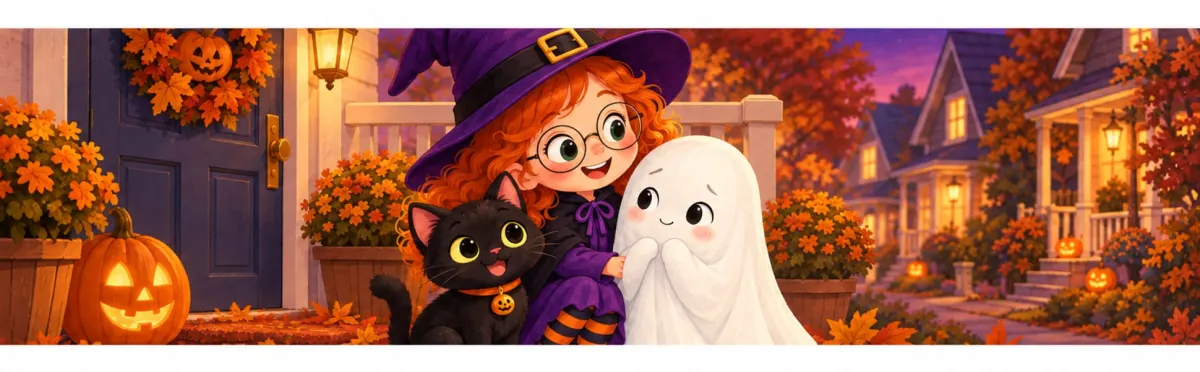
For a picture book, the images are the product, and A+ is where a parent sees more than the cover. Use the header to introduce the main character and the situation, the squares to follow the opening beats ("A rustle in the closet", "A gentle first hello"), and the banner for who it is for and when it gets read ("a warm read-aloud about kindness"). Because the images follow the cover's art style, they look like pages from the book.
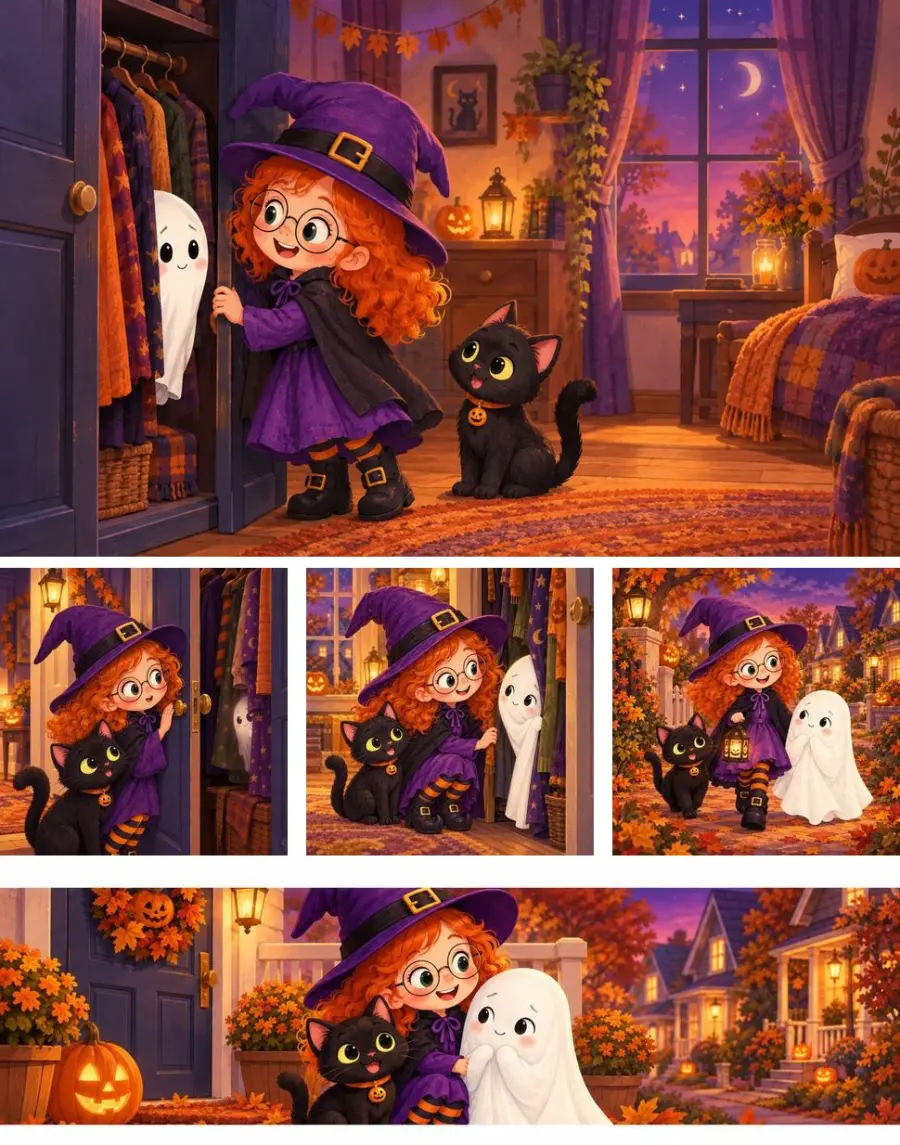
One thing to check here: the story takes place on Halloween, so the word appears in the text. That describes the book, which is different from seasonal selling language such as gift wording, the target of the time-sensitive rule. If you would rather not leave it to a reviewer, rewrite the line around the story itself (for example, "a night of costumes and an unexpected friend"). Books from the AI picture book maker get a pack in their own art style, and how to sell children's books covers colour print costs.
Coloring books
A coloring book buyer wants to know what the designs are, how detailed they are, and how the pages are set out. Use the header for the theme and feel ("calm seaside scenes with bold, easy outlines"), the squares for three kinds of design inside or three levels of detail, and the banner for who it suits, with no dates or occasions. If each design has its own page with a blank back, say so: it matters to anyone who colours with markers.
The generated images follow the cover, which is usually in full colour. That is fine for the header and banner, but consider swapping one square for a 600 x 600 crop of a real page, so buyers see the line work they will colour. Books from the AI coloring book generator work with the A+ step like any other, and how to sell coloring books covers paper, trim and pricing.
Non-fiction guides
For a how-to, business or health guide, the header names the reader's problem and the book's plan, the squares three concrete things the reader learns or can do, and the banner who it is for. The diet guide does all three: "A practical plan for joint pain and brain fog", then patterns, meals and triggers, then "For adults ready to make changes one step at a time".

Two cautions. Health and medical claims need substantiation under KDP's rules, so keep to what the book covers ("may influence", "explore", "track") rather than results. And credentials belong in the author bio, not in invented praise; the author bio generator helps there.
Workbooks and journals
A workbook sells what the reader will do on the page. Use the header for the outcome of working through it, the squares for three kinds of exercise inside (prompts, trackers, checklists, worksheets), and the banner for who it is for and how it is used: alone, with a group or in a classroom. Any notebook or worksheet in the images is blank or out of focus; the words that explain each exercise go in the captions.
Write with the paperback in mind, since that is the edition people write in, and do not suggest the ebook can be filled in. Books from the workbook generator come through the Publish page like any other, and how to sell workbooks works through an 8.5 x 11 workbook's royalty.
No book yet? Start with the book, the A+ comes with it.
Write a novel, picture book, coloring book, guide or workbook from an idea. When it is finished, the KDP files, listing kit and A+ step are on the Publish page.
Start my bookThe rest of the listing
A+ Content is the last part of an Amazon listing, not the first
A browser sees your cover, title, price and the top of your description before they scroll anywhere near A+ Content, so get those right first: a cover that reads at thumbnail size, a clear title, a description whose first two sentences carry the sale, keywords that match how readers search (see Kindle keyword research for beginners), and the right categories. A+ then gives the reader who scrolled more pictures and a clearer sense of the book.
Pricing sits underneath all of it: in the US store, ebooks priced from $2.99 to $12.99 earn KDP's 70% royalty and those outside that range earn 35%. The royalty calculator shows what each price pays. For the wider picture, see how to sell ebooks on Amazon, the self-publishing guide and our round-up of KDP tools.
KDP also asks at upload whether your book's text, images and translations are AI-generated. Read KDP's own wording; our KDP AI disclosure policy explainer goes through it question by question.
Frequently asked questions
What authors ask before adding A+ Content to a book.
What is A+ Content on Amazon KDP?
A+ Content is the section of images and text further down an Amazon book detail page. KDP authors add it free under Marketing, in A+ Content Manager, once the book is published. No Brand Registry is needed; that belongs to Seller Central. A layout holds up to five modules from 17 module types.
Is A+ Content free on Amazon KDP?
Yes. Adding A+ Content in KDP costs nothing; the work is in the images and in text that passes review. Inkfluence AI's A+ generator comes with any paid plan or a credit pack, up to ten packs a month.
Can I make A+ Content before my book is published?
You can make the pack in Inkfluence AI before launch, because it works from the book rather than an Amazon listing. You upload it once the book is published, since A+ Content Manager works with published books. KDP's own AI Ready modules work from the book's ASIN, so they only help after launch.
What image sizes does KDP A+ Content need?
It depends on the module. Standard Image Header with Text is designed around 970 x 600. Standard Three Images & Text needs 300 x 300 per image at least, 600 x 600 recommended. The image and text overlay module needs 970 x 300 at least, 1940 x 600 recommended. Use JPG or PNG in RGB at 72 dpi or more, under 2 MB each.
Why does the generator put no words inside the images?
KDP rejects images that are hard to read on a phone, and words baked into a picture shrink with it. Text in the module fields stays sharp on every screen, is read by screen readers, and can be changed for another marketplace's language without a new image. Each image also gets alt text.
How long does Amazon take to approve A+ Content?
KDP says A+ Content that follows its guidelines appears within eight business days. If a module is rejected, check it against the guideline list, fix what does not fit and submit again.
Do I need separate A+ Content for each Amazon marketplace?
Yes. KDP has you create A+ Content separately for each marketplace, in that marketplace's language. You can reuse the same images everywhere; because the generator keeps words out of them, only the text needs translating.
Should I use KDP's own AI Ready modules instead?
They are a fine starting point. KDP can generate module text and an image from the book's ASIN for modules with an AI Ready badge, currently for the US marketplace in English, and it may limit daily use. Inkfluence AI works from the book and its cover, gives you text for three modules and five matching images in one go, and works before launch.
Does A+ Content increase book sales?
Nobody outside Amazon can give you a reliable figure for books. Amazon does not publish A+ results per book, and any effect depends on the cover, price and description above it. What A+ does give a browser is more pictures and a clearer sense of the book.
Can I edit the text, or make the pack again?
Yes. Every headline and paragraph has a Copy button, so you can edit before pasting into KDP. Make it again writes a fresh set of text and images; each set counts toward the ten packs a month.
Sources
Where the facts on this page come from
KDP's help pages, read on 10 October 2026. Check the current pages before you submit.
KDP help: A+ Content
A+ Content Manager under Marketing, per-marketplace content, and the eight business day timeline.
Read the page →KDP help: A+ Content modules
The 17 module types, five per layout, image sizes, file types and size cap.
Read the page →KDP help: A+ Content guidelines
The text and image rules, from buying language and reviews to alt text and RGB images under 2 MB.
Read the page →KDP help: AI tools for A+ Content
The AI Ready badge, generation from the ASIN, US and English only for now, possible daily limits.
Read the page →Inkfluence AI help: the Publish page
Where Make my A+ Content sits and what the pack contains.
Read the page →Related tools and reading
The rest of the A+ set, and the rest of the Amazon listing.
KDP A+ Content Sizes
Minimum and recommended sizes, module by module.
A+ Content Checker
Paste your text and see what KDP would reject.
A+ Content Examples for Books
Real packs by genre, module by module.
Book Description Generator
The blurb above the A+ section.
AI Book Cover Generator
The cover your A+ images follow.
KDP SEO
Keywords and categories readers search by.
KDP Tools
Every tool an Amazon KDP author needs.
Self-Publishing on Amazon KDP
The upload, trim sizes and settings.
Help: the Publish page
Where the A+ step and listing kit live.
Your book already has its A+ Content in it
The scenes, the people and the promise are on the page. Inkfluence AI turns them into three KDP modules, five images in your cover's style and alt text for each, in about a minute.