
Do You Need an ISBN? Free vs Bought, Cost by Country, and Which Formats Need One (2026)
When a self-published book needs an ISBN and when it does not, what one costs in the US, UK, Canada, Australia, New Zealand, India, Germany, Italy and France (checked at each agency on 13 October 2026), free ISBNs from KDP, IngramSpark and Draft2Digital, and a picker that tells you how many you need.
Quick Answer
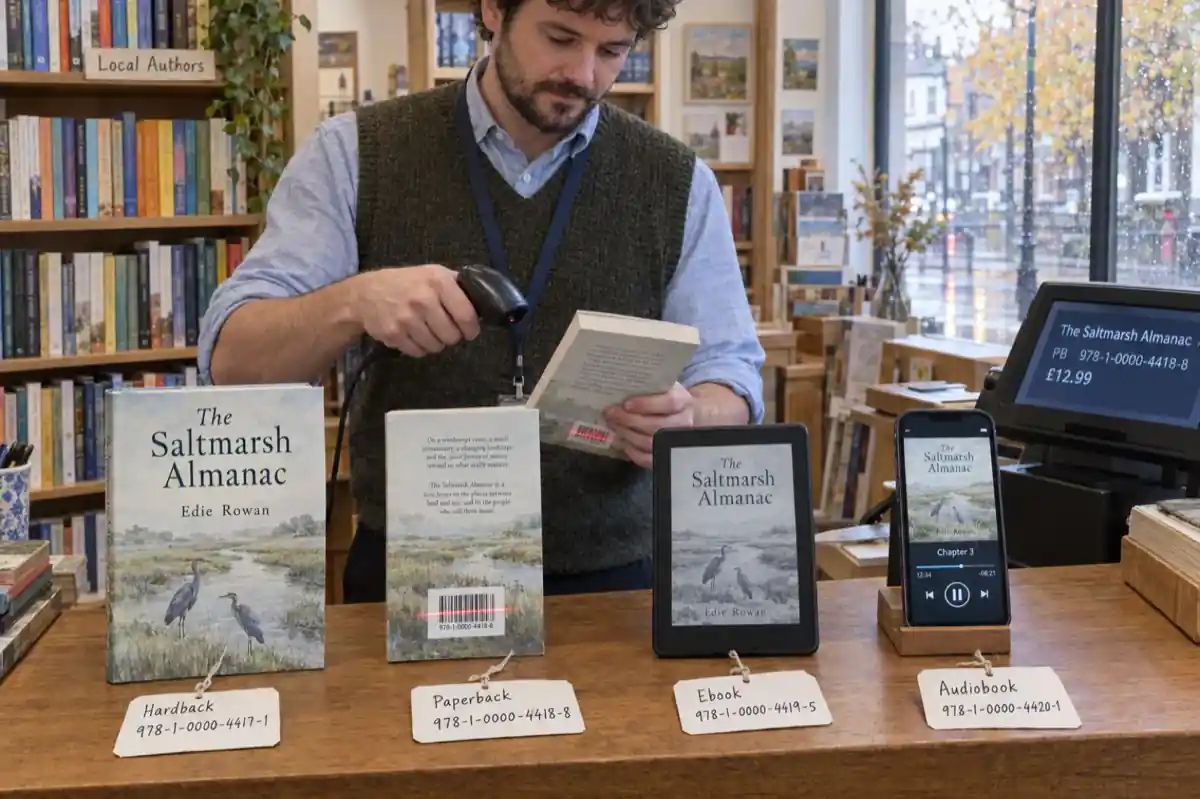
A Kindle ebook needs no ISBN. A KDP paperback or hardcover needs one, and KDP gives it free, but that number only works on KDP. Buy your own to use your imprint or sell through IngramSpark too: $125 in the US, £93 in the UK, free in Canada, New Zealand and India. Every format needs its own.
An ISBN is a 13-digit product number. It does not protect your book, prove you wrote it or get it into shops by itself. What it does is tell every bookshop, library and distributor exactly which edition and format they are ordering, and who published it. Whether you need one, and whether you should pay for it, depends on three things: the formats you are making, where you will sell them, and whether you want your own publisher name on the listing.
This guide answers that for each format and each place you might sell, with the price of an ISBN in nine countries read from each national agency's own page on 13 October 2026. The picker further down does the counting for you: tell it your country, formats and stores, and it says which ISBNs you need, which are free, how many to buy and what that costs.
Not legal advice. This is general information about published platform rules and agency prices, checked on the date shown. Prices and rules change; confirm on the agency's or platform's own page before you buy. Every source is listed under Sources.
Do you need an ISBN? The answer by store and format (checked 13 Oct 2026)
Most of the confusion comes from treating "an ISBN" as one decision. It is one decision per format per store. The table puts the rule for each common route next to the platform's own wording.
| Where and what | ISBN needed? | Free option | The catch |
|---|---|---|---|
| Kindle ebook (KDP) | No | Not needed; Amazon assigns an ASIN | KDP does not offer a free ISBN for ebooks |
| Paperback (KDP) | Yes | Free KDP ISBN | Imprint shows as "Independently published"; KDP only |
| Hardcover (KDP) | Yes, its own | Free KDP ISBN | Same as paperback; not available on kdp.amazon.co.jp |
| Low-content book (KDP) | Optional | None: not eligible for the free ISBN | No Expanded Distribution either way |
| Print book (IngramSpark) | Yes, to sell it | Free for US accounts | Imprint shows as Indy Pub; IngramSpark only; cannot transfer |
| Ebook (IngramSpark) | Yes | Free for US accounts | Same as print |
| Ebook (Draft2Digital) | No | Assigned free automatically | Cannot be used outside Draft2Digital |
| Ebook (Apple Books) | No | Not needed | If you have one, add it on first submission; it cannot be added later |
| Your own site, Etsy, Gumroad | No | Not needed | None; you sell the file directly |
| Audiobook | Depends on the distributor | Varies | A separate format, so a separate ISBN if it has one; ACX starts from your ebook's Amazon ASIN |
| Copies you sell by hand | No | Not needed | Bookshops and libraries order by ISBN, so they cannot easily order it |
From KDP help (ISBN, Get an ISBN, Low-Content Books), IngramSpark's free ISBN page and FAQ, Draft2Digital's FAQ and Apple's Pages publishing guide, all read 13 Oct 2026. Links under Sources.
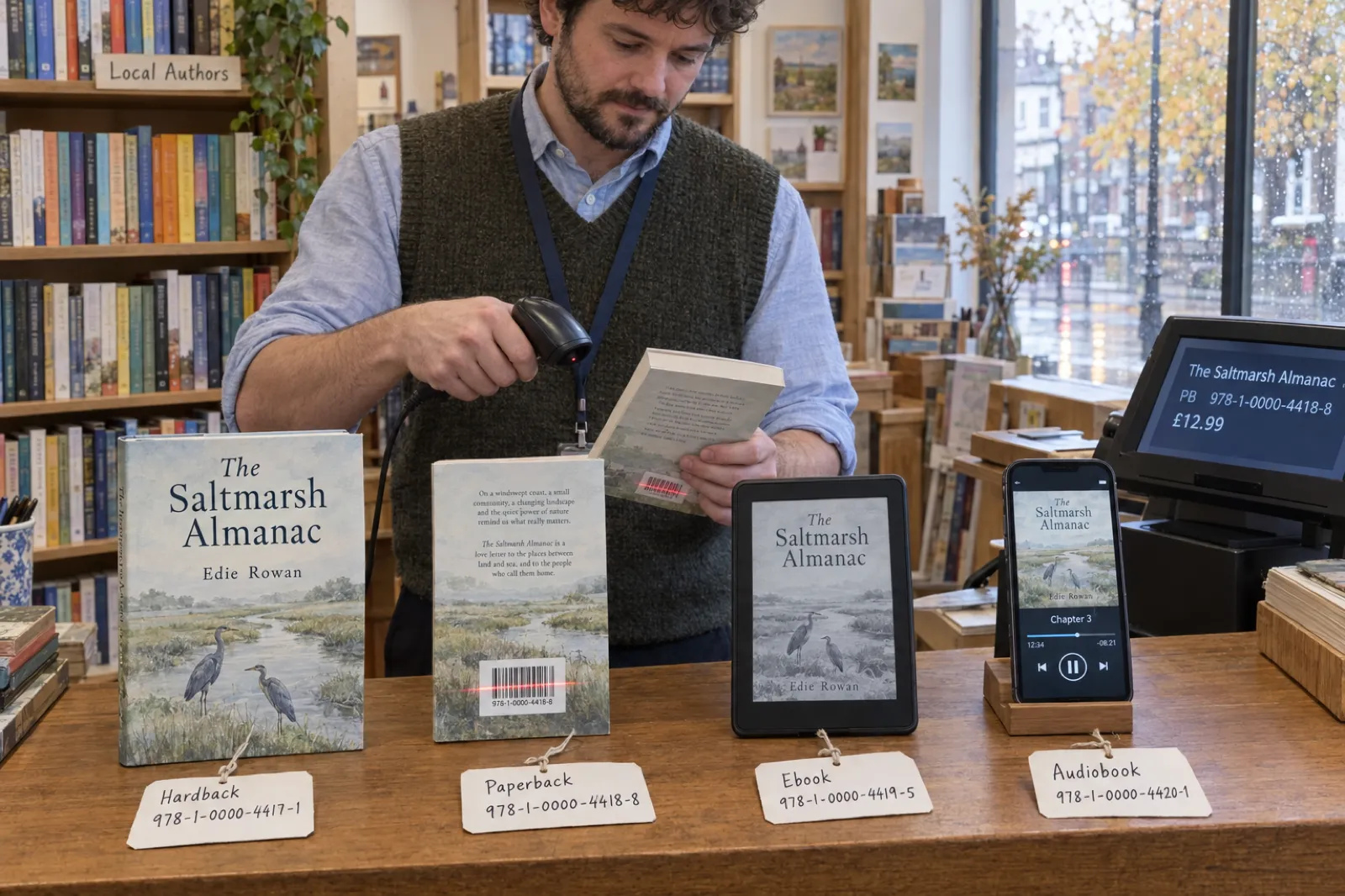
Two patterns fall out of that table. First, ebooks rarely need one: Kindle, Apple Books and direct sales all work without, and Draft2Digital hands you a free one. IngramSpark is the exception. Second, print always needs one to reach stores, and every free print ISBN is tied to the platform that issued it. That tie is the whole cost of "free": the number cannot follow your book anywhere else, and the listing shows the platform's imprint, not yours.
The UK agency puts the legal position plainly: "it is not a legal requirement to allocate ISBNs to your books". The requirement comes from the stores and distributors, and from bookshops and libraries whose ordering systems run on them. How many ISBNs that adds up to is a big number: Bowker registered 3,529,980 self-published ISBN titles in the US in 2025, as reported by Publishers Weekly; our self-publishing statistics page has the full breakdown and its caveats.
Get the book finished first
You can publish a Kindle ebook today with no ISBN at all. Inkfluence AI writes and formats the book; any paid plan or credit pack then exports a Kindle-ready EPUB and the full KDP paperback package. Start free.
Start your book freeThe ISBN picker: which ones you need and what they cost
Pick your country, the formats you are making and where you will sell. Tick "my own imprint" if you want your publisher name on the listings rather than the platform's. The picker applies the rules in the table above, counts the ISBNs you would buy, and prices them at your national agency on the cheapest single-or-block option. It runs in your browser; nothing is sent anywhere.
Do I need an ISBN, and which one?
General information, not legal advice. Prices and rules checked 13 Oct 2026.
Your ISBNs
| Format | Needed? | Best route | Why |
|---|
Paste a 13-digit ISBN to check its check digit before you print it.
Prices: Bowker (US), Nielsen (UK and Ireland, incl. VAT), Thorpe-Bowker (Australia, plus a one-off A$55 setup fee), MVB (Germany, plus VAT), EDISER (Italy, author tariff up to 5 codes, plus IVA), AFNIL (France, first-request handling fee, excl. VAT). Canada, New Zealand and India: free to eligible local publishers. The picker counts the ISBNs you would own; free platform ISBNs are listed but cost nothing. ISBN check: 13 digits starting 978 or 979, with the last digit making the weighted sum (weights 1 and 3) a multiple of 10.
A worked example: a US author writing a novel in ebook and paperback, selling on Amazon only and happy with "Independently published", needs nothing: the Kindle edition has no ISBN and the paperback takes KDP's free one. Tick IngramSpark and "my own imprint", and the answer becomes two ISBNs of her own (ebook and paperback), $250 as two singles from Bowker, or $295 for a block of ten that also covers her next books.
ISBN cost by country (checked 13 Oct 2026)
You buy ISBNs from the agency in the country where you, the publisher, are based. The International ISBN Agency says so directly, and the US and UK agencies only sell to publishers located in their territory. Prices below are as listed on each agency's own site on 13 October 2026, in local currency, with tax as the agency states it.
| Country | Agency | 1 ISBN | 10 ISBNs | 100 ISBNs | Notes |
|---|---|---|---|---|---|
| United States | Bowker (myidentifiers.com) | $125 | $295 | $575 | 1,000 for $1,500. With a barcode: 1 for $150, 10 with one barcode $320. IngramSpark sells owned ISBNs for $85 during title setup |
| UK and Ireland | Nielsen UK ISBN Agency | £93 | £174 | £387 | Incl. VAT. 1,000 for £994. Publishers based in the UK, Ireland or a British Overseas Territory |
| Canada | ISBN Canada (Library and Archives Canada) | Free | Free | Free | Self-publishers physically located in Canada. New accounts can take up to two months. French-only publishers apply through BAnQ |
| Australia | Thorpe-Bowker (myidentifiers.com.au) | A$44 | A$88 | A$480 | Plus A$55 new-publisher setup fee the first time. 1,000 for A$3,035 |
| New Zealand | National Library of New Zealand | Free | Free | Free | People and organisations located in New Zealand |
| India | Raja Rammohun Roy National Agency for ISBN | Free | Free | Free | Its FAQ: "Currently it is free" |
| Germany | MVB (german-isbn.de) | €70 | €225 | €300 | Plus VAT (price list dated 1 Aug 2022, still current). 1,000 for €400 |
| Italy | EDISER (isbn.it) | €60 | €70 as a publisher prefix | €200 prefix | Plus IVA. Authors can buy up to 5 single codes (€60, €110, €150, €180, €200); prefixes are for publishers and professional applicants |
| France | AFNIL | €37 handling fee for a first request (standard, about 3 weeks) | Excl. VAT. Faster handling €87 (1 week) or €154 (2 working days) | ||
Read on each agency's site on 13 Oct 2026; links under Sources. We could not load the South African agency's site on that day, so it is not listed; for South Africa, Nigeria, Kenya and every other country, the International ISBN Agency keeps the directory of national agencies.
The price of a single ISBN is the number people search for, but the block price is the one that matters. A book in ebook and paperback with ISBNs on both uses two; add a hardcover, a large-print edition or a second book and you are past three. In the US, three singles cost $375 and a block of ten costs $295.
Cost per ISBN by block size
Bar length is the price per ISBN as a share of the single price, in each country's own currency. Checked 13 Oct 2026.
United States (Bowker)
UK and Ireland (Nielsen, incl. VAT)
United States
Bowker is the official agency "for publishers physically located in the United States and its territories". A single ISBN is $125, ten are $295 ($29.50 each), 100 are $575 and 1,000 are $1,500. ISBNs never expire, so a block bought now covers later books and editions. KDP's help notes that "Bowker does offer discounted rates for KDP authors", without a figure. IngramSpark offers a third route for US authors: buy an ISBN you own outright from inside your IngramSpark account during title setup for $85. That is cheaper than a Bowker single for one or two ISBNs and dearer than a Bowker block from four up.
United Kingdom and Ireland
Nielsen sells to publishers based in the UK, Ireland or a British Overseas Territory: £93 for one, £174 for ten, £387 for 100 and £994 for 1,000, all including VAT. Two singles (£186) already cost more than a block of ten. Its advice on how many to buy is the same as everyone's: one book in one format needs one, but a paperback and an ebook, or a later revised edition, each need their own, "so ten ISBNs would be more suitable".
Canada
ISBN Canada, run by Library and Archives Canada, "provides free ISBNs to eligible publishers and publications". Self-publishing authors must be physically located in Canada; companies must have their main place of business there. Apply for an account first, and allow time: the agency says new accounts can take up to two months to process. Publishers that release only French-language titles apply to Bibliothèque et Archives nationales du Québec (BAnQ) instead.
Australia
Thorpe-Bowker is the agency "for publishers physically located in Australia": A$44 for one, A$88 for ten, A$480 for 100 and A$3,035 for 1,000, with a one-off A$55 setup fee added the first time you buy. Two singles cost A$88, the same as a block of ten, so unless you will only ever use one ISBN, buy the block.
New Zealand and India
The National Library of New Zealand "provides a free service to eligible registrants", meaning a person, company or organisation located in New Zealand. India's national agency, the Raja Rammohun Roy National Agency for ISBN, answers its own FAQ question about fees with "Currently it is free".
Germany, Italy and France
MVB charges €70 for one ISBN, €225 for ten, €300 for 100 and €400 for 1,000, plus VAT. EDISER in Italy has an author tariff of up to five single codes (€60 for one, €200 for five, plus IVA) and publisher prefixes from €70 plus IVA for ten codes, for publishers and professional applicants. AFNIL in France prices a first request as a handling fee: €37 excluding VAT at standard speed (about three weeks), more for faster processing. Writing in one of those languages? Our German, Italian and French pages collect our guides in each language.
Print ISBNs on the cover without a designer
The KDP package in Inkfluence AI builds the full paperback wrap with your imprint and ISBNs on the back cover, clear of Amazon's barcode. Any paid plan or credit pack unlocks it.
Design your coverFree ISBN or your own: what actually changes
A free ISBN is a real ISBN. Shops and libraries can look it up, and readers will never notice. The differences are about who is recorded as the publisher and where the number can go.
| Free KDP ISBN | Free IngramSpark ISBN (US) | Free Draft2Digital ISBN | Your own ISBN | |
|---|---|---|---|---|
| Formats | Paperback, hardcover | Print and ebook | Ebook and print through Draft2Digital | Any |
| Imprint shown | "Independently published" | Indy Pub | Your publisher name, or your author name if blank | Yours |
| Use elsewhere? | No, KDP only | No, IngramSpark only; cannot transfer accounts | No, Draft2Digital only | Yes, every platform |
| Distribution limits | Expanded Distribution allowed | Must be in IngramSpark's wholesale distribution | Draft2Digital's stores | None from the ISBN |
| Switching later | New edition with a new ISBN | Set up again as a new or revised title | Ask Draft2Digital before you change routes | Nothing to switch |
| Cost | $0 | $0 | $0 | See the country table |
Take the free one when the book is going to one platform and you do not mind the platform's name in the publisher field. A first novel on Amazon only, a short guide sold as a paperback and a Kindle ebook, a family history printed for relatives: the free KDP ISBN is fine, and many successful self-published books use it.
Buy your own when you want the same print book on Amazon and through IngramSpark, you want your imprint on the listing (for a business book where the publisher name is part of the brand, or a small press you plan to grow), or you expect to publish several books. Owning the number also means the record at the agency lists you as the publisher, which is what bookshops and librarians see when they look the book up.
The decision is hard to reverse. KDP says ISBNs "cannot be changed if your book is published"; to switch you unpublish and publish a new edition, which starts a new listing. If there is any chance you will want bookshops, decide before you press publish. Our KDP Select vs wide distribution lesson covers the bigger choice that sits behind this one.
How many ISBNs do you need? Formats, editions and translations
The rule from every agency and platform is the same: one ISBN per format, per edition. The International ISBN Agency's assignment guidance spells out the cases that trip people up:
- Each format gets its own. Paperback, hardcover and ebook are separate products. The agency adds that "different formats of digital publications (e.g. pdf, html) also need separate ISBNs", so if you give your EPUB an ISBN and also sell a PDF edition with one, those are two.
- A substantially changed text is a new edition. It needs a new ISBN, and the reverse of the title page (the copyright page) should say it is a revised edition and carry the new number.
- Each language edition gets its own. A Spanish translation of your English book is a new product with a new ISBN, applied for in the country where you, the publisher, are based.
- A price change does not. Neither does a reprint with no changes to text, format or binding; the agency says a new ISBN cannot be issued for marketing reasons alone.
KDP's version is shorter: each format needs its own ISBN, and the same ISBN cannot be reused across formats "or new editions that introduce significant changes from the original version". Fixing a handful of typos is a corrected printing, not a new edition.
| Your book | ISBNs (all formats numbered) | Typical cheapest setup |
|---|---|---|
| Kindle ebook only | 0 | None needed |
| Kindle ebook + KDP paperback | 1 | Free KDP ISBN for the paperback |
| Ebook + paperback + hardcover, Amazon and IngramSpark, own imprint | 3 | A block of 10 ($295 US, £174 UK) |
| The above + an audiobook with an ISBN | 4 | Same block of 10 |
| The above + a Spanish translation in ebook and paperback | 6 | Same block of 10 |
| A three-book series, ebook + paperback each, own imprint | 6 | A block of 10 |
That is why the block of ten is the default advice for anyone who writes more than one book. If you are translating, our AI book translator produces the new language edition, and it will need its own ISBN on its own copyright page. How that route compares with Amazon's Kindle Translate, which translates Kindle ebooks only, is in Kindle Translate vs translating your book yourself. Planning a series? The series writer keeps the books consistent; the ISBNs keep them distinct.
Using KDP and IngramSpark together
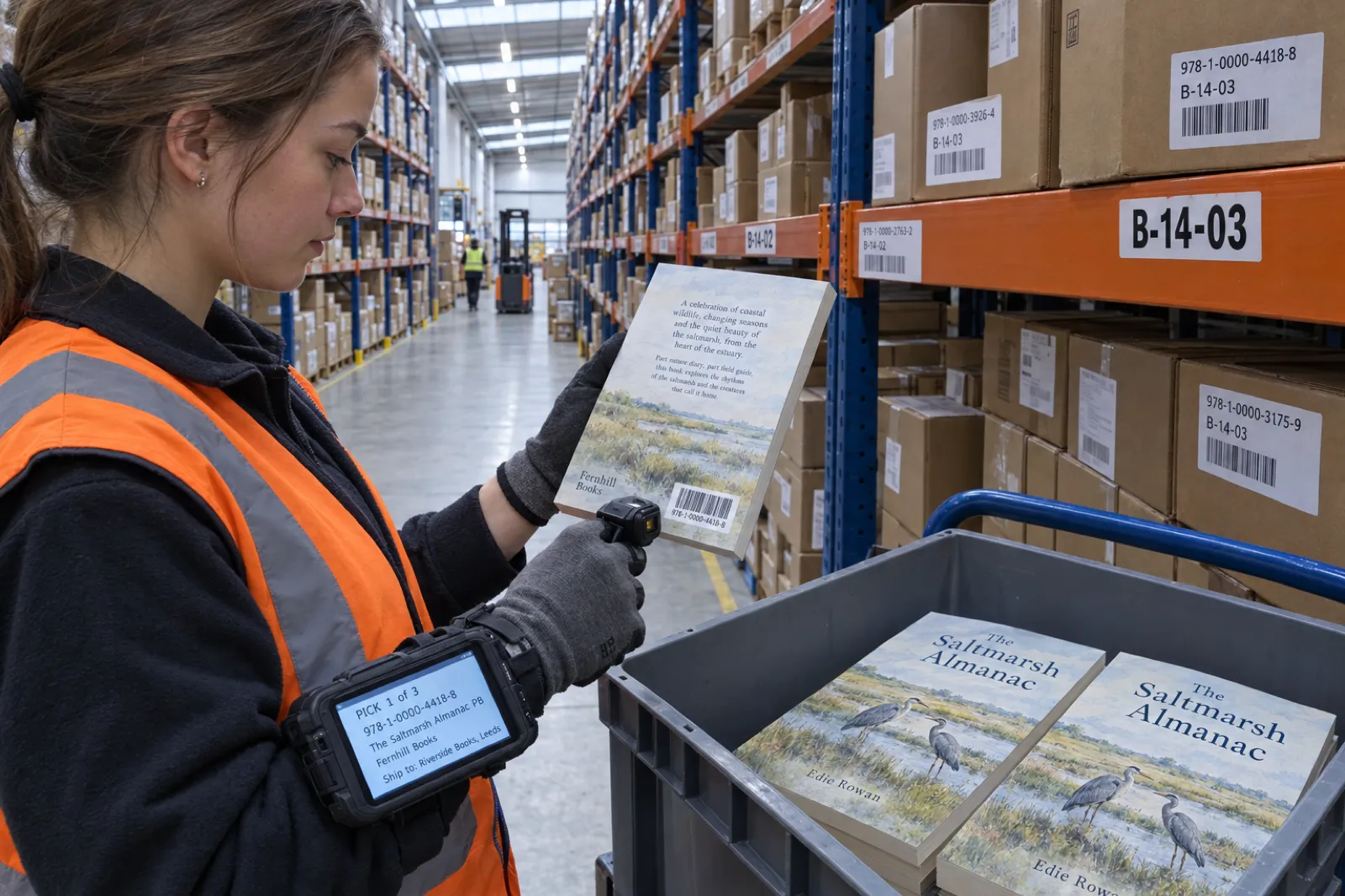
The most common reason self-publishers buy ISBNs is to sell the same paperback on Amazon through KDP and in bookshops and libraries through IngramSpark. Three platform rules decide how to set that up:
- Free ISBNs do not cross over. KDP's free ISBNs "can only be used on KDP", and IngramSpark says you cannot use free ISBNs from other platforms on IngramSpark (and its own free ISBNs only work there).
- Your own ISBN can go on both. KDP says an ISBN you bought "can be used to publish the same book on other publishing services", and IngramSpark is not exclusive. The details you enter at each must match the agency record.
- KDP Expanded Distribution is off for that book. KDP's Expanded Distribution requires that "your book's ISBN must not have been submitted for distribution through another service". If IngramSpark is distributing the paperback, IngramSpark is your route to bookshops and libraries, and KDP serves Amazon.
So the clean setup is one owned ISBN per print format, entered identically at both, with Expanded Distribution unticked at KDP. US authors can technically use KDP's free ISBN on Amazon and IngramSpark's free ISBN at IngramSpark instead. That gives the same book two numbers and two imprints, and IngramSpark warns that "listing the same book with different ISBNs or EANs on multiple websites or with multiple distributors may confuse retailers and consumers". If you are only now weighing up IngramSpark, our paperback publishing on KDP Print lesson covers the KDP side, and the royalty calculator compares what each platform pays per copy.
One honest limit on our side: Inkfluence AI's cover wrap is built to KDP's formula (spine from page count and paper, 0.125 in bleed). We have no IngramSpark-specific template, so for IngramSpark, check the wrap against IngramSpark's own cover template generator before you upload. IngramSpark vs KDP checks KDP-ready files against IngramSpark's specs, with fees and print cost per copy on each, and the IngramSpark cost calculator works out the print cost, author copies and earnings per sale for your own book.
Imprint names: what they are and how to set one up
An imprint is the publisher name a book is released under. KDP's own definition: publishers "often release books under a different name than their company name, i.e. an imprint". For a self-publisher it is simply the name you register with your ISBNs: "Fernhill Books", "Hollow Pine Press", your own name, or your company.
- It comes from the ISBN record. With your own ISBN, KDP "will check whether your book's imprint matches what's on file with the ISBN agency", and if there is a mismatch "you won't be able to publish". With a free KDP ISBN the imprint is set to "Independently published" for you.
- Match it character for character. KDP says imprint and ISBN details are case-sensitive and that "even extra spaces at the end of the imprint name can cause mismatch errors". Copy and paste from your agency account. The field takes up to 100 characters, and placeholders like "n/a" are not allowed.
- An imprint is not a company or a trademark. Registering an imprint with the ISBN agency names you as publisher in book databases. It does not create a business, and it does not reserve the name for you against others. If you want the name protected, that is a trademark question for your own country.
- Pick something that ages well. Avoid names that sound like an existing publisher, and avoid your book's title (the imprint will outlive it). If you also write under a pen name, the imprint and the pen name can be different; our pen name generator helps with the author side.
Barcodes: when you need one (usually not)
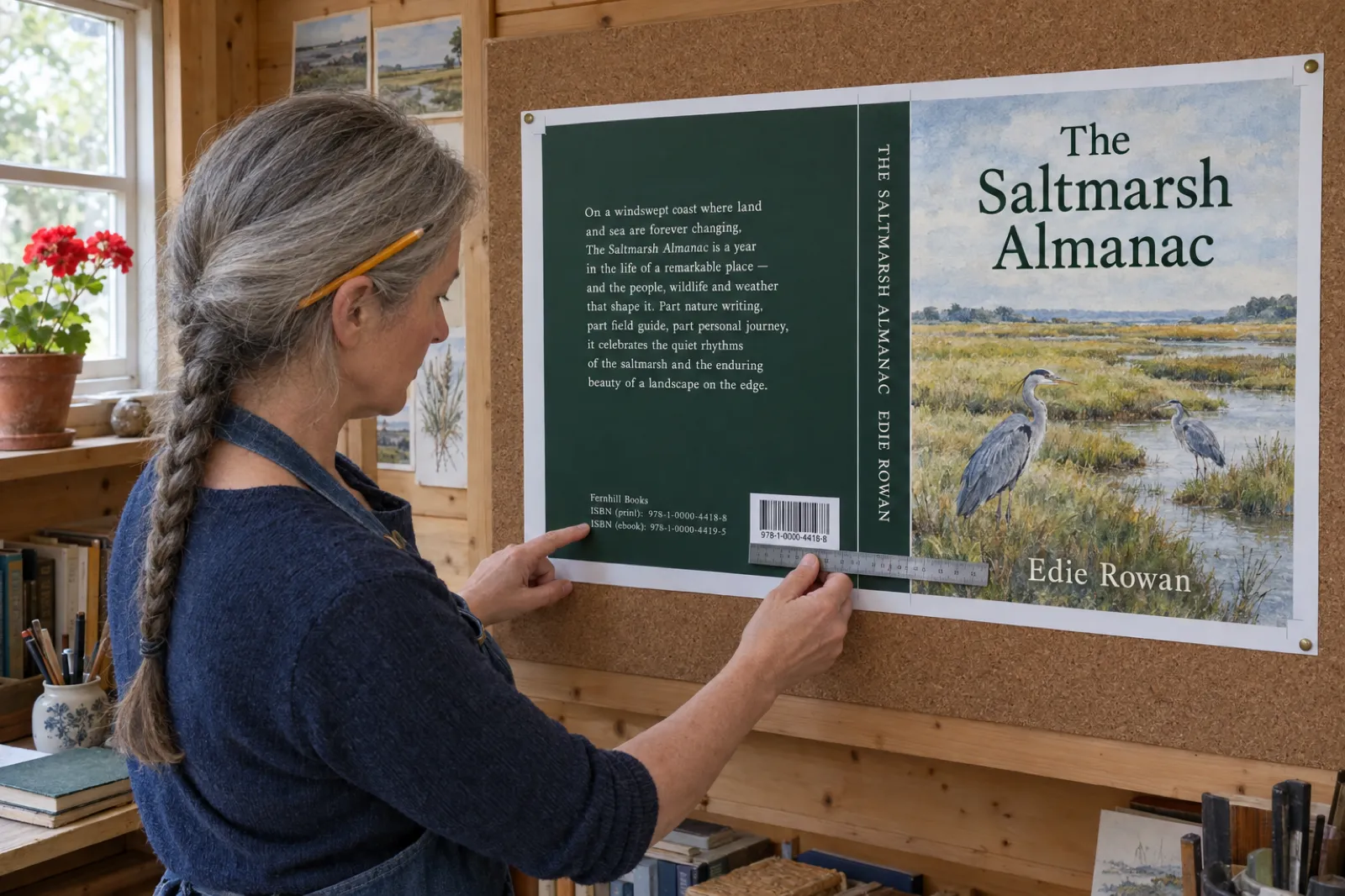
The barcode on a back cover encodes the ISBN as an EAN-13 so tills and warehouses can scan it. For KDP paperbacks you almost never need to buy one: "If you choose not to provide your own barcode, we'll automatically place one on your back cover", and when an author's own barcode fails validation, KDP says a properly formatted one "will be automatically added to your back cover at no additional cost".
If you supply your own, KDP's barcode page sets the rules: suggested size 2 x 1.2 in (minimum 1.4 x 0.8 in), 100% black on a solid white background, at least 0.25 in from the spine and trim, not flattened into the cover image, and the ISBN in it must match the book's ISBN exactly. Covers with images or text in the barcode location are rejected.
Bowker sells one ISBN with a barcode for $150, and Italy's EDISER converts an ISBN to a barcode file for €9.50 plus IVA. Buy one only when a printer or distributor asks you to supply the barcode in the cover file. One more detail from KDP's cover guide: for right-to-left content (Arabic, Hebrew), KDP places the barcode at the lower left of the back cover, so keep that corner clear on those books.
IngramSpark is stricter: a barcode is mandatory on the back of every print cover, including a dust jacket. Its emailed cover template already carries a free one, or you can leave an area at least 1.75 x 1 in clear and IngramSpark places one for you. Our IngramSpark cover calculator covers the barcode size, placement and colour rules alongside the full cover canvas.
Where the ISBN goes in the book and on the cover
The International ISBN Agency says a printed book carries its ISBN on the reverse of the title page (the copyright page), or at the foot of the title page if there is no room, and on the back cover or jacket if there is no barcode. A digital book shows it on the title display or the screen with the copyright notice. Three practical rules follow:
- Label every ISBN with its format on the copyright page: "ISBN 978-... (paperback)", "ISBN 978-... (ebook)". Readers and librarians should be able to tell which is which.
- The paperback file carries the paperback number. KDP's metadata guidelines say an ISBN printed in your manuscript must match the one entered in title setup.
- The ISBN on the copyright page, the barcode and the listing are one number. If any of the three disagree, fix the file before you publish.
For the copyright page itself, use our copyright page template and builder. It writes the page with one labelled ISBN line per format, swaps your imprint for "Independently published" when you choose KDP's free ISBN, and checks each ISBN's check digit, so the number you print is the number you registered.
Build the copyright page next
Your ISBNs belong on the copyright page, labelled by format. Our free builder writes it; paste it into the Export window in Inkfluence AI and it goes into the PDF, the KDP paperback and the EPUB.
Open the copyright page builderHow to get an ISBN, step by step
- Decide per format. Use the picker above. If every format can go without one or take a free platform ISBN you are happy with, stop here.
- Find your agency. The one in the country where you are based: Bowker (US), Nielsen (UK and Ireland), ISBN Canada, Thorpe-Bowker (Australia), the National Library (New Zealand), the national agency at isbn.gov.in (India), or the International ISBN Agency's directory for anywhere else. Do not buy single ISBNs from resellers: Bowker warns that an ISBN from a source other than the official agency "might not identify the publisher of the title accurately".
- Open an account and set your publisher name. This is your imprint. Type it exactly as you will enter it at KDP and IngramSpark.
- Buy or request the ISBNs. Compare singles with a block: in the US a block of ten is cheaper from three ISBNs, in the UK and Australia from two. In Canada, allow up to two months for a new account.
- Assign each ISBN to a format. In the agency dashboard, register the title, author, format and publisher for each number. Thorpe-Bowker, for example, asks for "the finalized title detail" because it goes out to book databases within 48 hours.
- Enter it at the store. At KDP, choose "Add your own ISBN" in the paperback or hardcover setup and paste the number and imprint. KDP says changes to the details of your own ISBN can take up to 5 business days to register.
- Print it. Add it to the copyright page and, if you supply your own barcode, the back cover. Check the three match.
ISBNs in Inkfluence AI
We do not sell ISBNs, and we do not need to: the ISBN comes from your agency or the platform you publish on. What we do is put the number in the right places in the files you upload, so the copyright page, the cover and the listing agree.
On the back cover
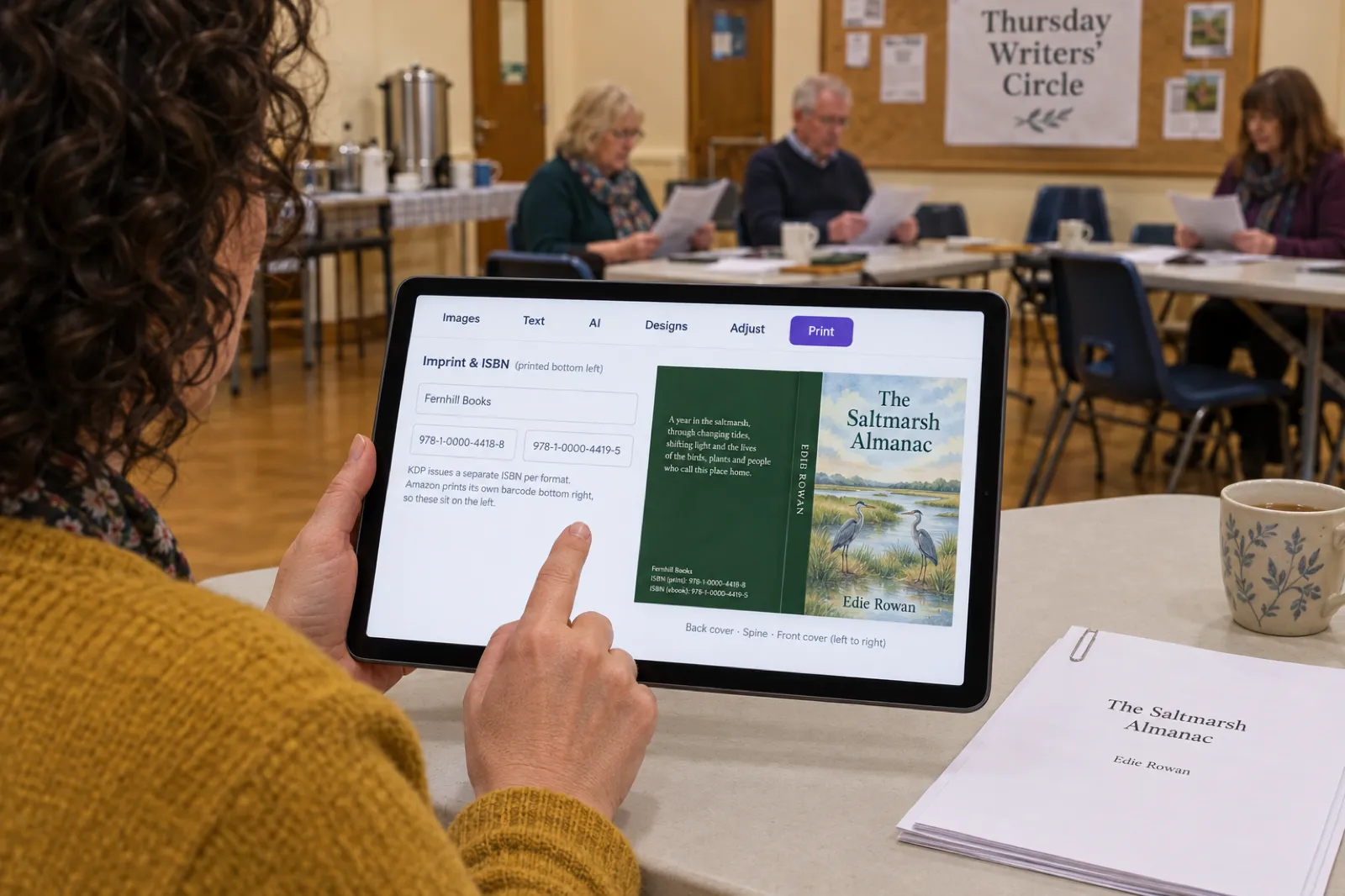
Open your book, click Cover in the left sidebar, then the Print tab. Under the back cover fields there is Imprint & ISBN (printed bottom left): one box for the publisher or imprint name and two for the ISBNs, labelled ISBN (paperback) and ISBN (ebook), because each format has its own. The wrap prints them as "ISBN (print): ..." and "ISBN (ebook): ..." at the bottom left of the back cover, and the layout keeps a clear space at the bottom right for the barcode Amazon adds. Leave the ISBN boxes empty and nothing prints there; KDP still adds its barcode.
On the copyright page
Our standard copyright page has no ISBN or imprint line, because we cannot know yours. On any paid plan or credit pack, paste your own text in the Export window (Header, footer & copyright for PDF and KDP, Title & copyright pages for EPUB), up to 500 characters, and it goes into the PDF, the KDP paperback interior and the EPUB. The copyright page builder writes text that fits.
In the files you upload
The KDP package (any paid plan or credit pack) holds the paperback interior PDF, the full-wrap cover PDF with your ISBN lines, the Kindle EPUB and cover JPG, and a READ ME with the trim, page count and spine width KDP asks for. Our EPUB does not write the ISBN into the file's own metadata; stores take the ebook ISBN in their setup form, which is where it has to be right. How to format a book for KDP walks through the interior, the cover size and spine calculator through the wrap, and KDP trim sizes through picking the size.
The limits
- We make paperback wraps, not hardcover case wraps, so there is no hardcover ISBN box on the cover.
- No IngramSpark-specific cover template; check our wrap against theirs.
- The cover fields do not validate the check digit. Paste the number into the picker's checker above first.
- For right-to-left books, where KDP puts the barcode at the lower left, leave the cover ISBN boxes empty and print the ISBNs on the copyright page instead.
- The free plan exports a PDF only, with a footer credit; the KDP package, the EPUB and your own copyright text come with any paid plan or credit pack (from $9.99 a month or a $9.99 credit pack, see pricing).
From draft to KDP upload in one place
Write, edit and format the book, design the cover wrap with your imprint and ISBNs, and export the KDP package. Free to start; the KDP package comes with any paid plan or credit pack.
Create your book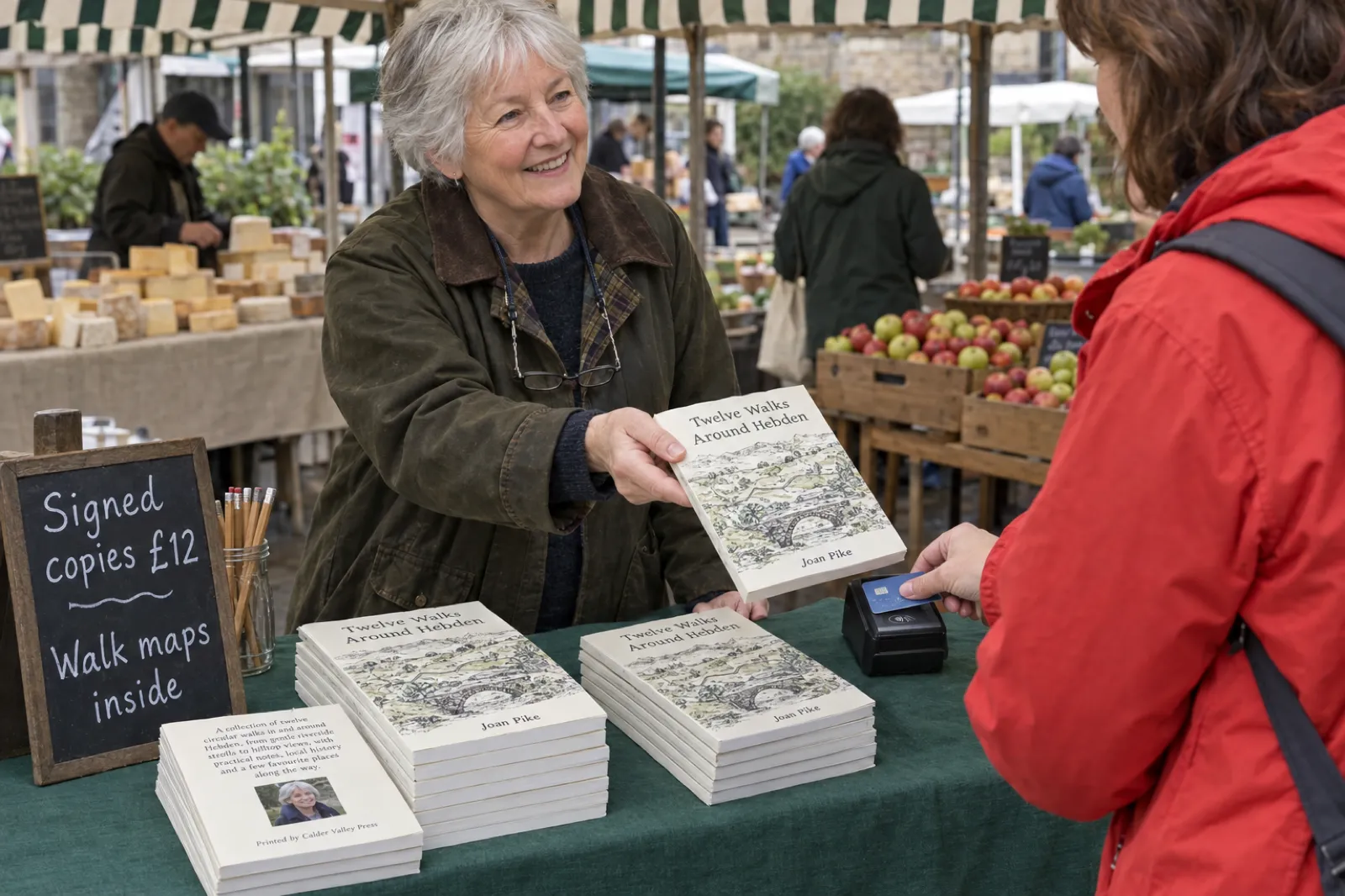
Selling directly: Etsy, Gumroad, your own site and events
If you sell the ebook file yourself, there is nothing to number. A PDF or EPUB sold on Etsy, Gumroad or your own Shopify store is a digital download, and the listing has no ISBN to fill in; when Inkfluence AI publishes a book to Etsy or Gumroad for you (a paid feature), no ISBN is sent or needed. Our Etsy vs Gumroad comparison covers fees and which suits which book.
The same goes for a short print run you sell at talks, markets and workshops, or a single printed copy for a gift. The moment you want a bookshop to stock it or a library to order it, give it an ISBN, because those systems order by number.
Nine ISBN mistakes
- Buying a single when you need three. In the US, three singles cost $80 more than a block of ten.
- Buying from a reseller. Buy from your national agency, where you are recorded as the publisher.
- Buying from the wrong country's agency. Apply where you are based, not where your readers are.
- Taking the free KDP ISBN, then wanting bookshops. It cannot move to IngramSpark. Decide before you publish.
- One ISBN on two formats. The paperback and the hardcover each need their own; so does an ebook that has one.
- An imprint that does not match. Case, spelling and even a trailing space must match the agency record, or KDP will not publish.
- Leaving Expanded Distribution on for a paperback that IngramSpark also distributes.
- Keeping the old ISBN on a revised edition with substantial changes, or a translation. Both need new numbers.
- Printing a number that does not match. The copyright page, the barcode and the listing should show the same digits. Check the check digit.
Ready to publish? Our KDP self-publishing guide covers the full upload, how to publish AI-generated books on KDP covers the AI questions in setup, KDP royalties shows what each copy earns, and the real cost of publishing an AI book puts the ISBN in the full budget. If KDP sends the book back, KDP rejected my book decodes the email. Making a journal or planner instead? Read low-content books on KDP first, since the ISBN rules differ. For audiobooks, where to sell an AI audiobook covers the stores. All our free publishing calculators are on the KDP tools page, and if this is your first book, start with the self-publishing guide or our page for first-time authors.
Your book, numbered and ready
Outline, chapters, editing, cover wrap with your ISBNs, copyright page and KDP export. Start free and upgrade when you are ready to publish.
Start writing freeFrequently asked questions
Do I need an ISBN to publish on Amazon KDP?
For a paperback or hardcover, yes, but KDP gives you one free during setup. For a Kindle ebook, no: KDP says eBooks do not require an ISBN, and Amazon identifies the book with an ASIN instead. Low-content books (journals, planners, log books) can be published without an ISBN and cannot use the free one.
Do I need an ISBN for an ebook?
Not for Kindle, Apple Books or a file you sell yourself on Etsy, Gumroad or your own site. You do need one to publish an ebook through IngramSpark (US accounts can take a free one). Draft2Digital assigns a free ISBN automatically, which can only be used through Draft2Digital.
How much does an ISBN cost?
It depends on where you live, because you buy from the agency in your own country. On 13 October 2026: US (Bowker) $125 for one or $295 for ten; UK and Ireland (Nielsen) £93 for one or £174 for ten including VAT; Australia (Thorpe-Bowker) A$44 for one or A$88 for ten plus a one-off A$55 setup fee; Germany (MVB) €70 for one plus VAT; Italy (EDISER) €60 for one plus IVA. Canada, New Zealand and India issue them free.
Can I get an ISBN for free?
Yes, in two ways. Some countries issue them free to local publishers: Canada (ISBN Canada), New Zealand (National Library) and India (the national ISBN agency) did on 13 October 2026. And some platforms give a free ISBN that only works on that platform: KDP for paperbacks and hardcovers, IngramSpark for US accounts, and Draft2Digital.
Can I use my free KDP ISBN on IngramSpark or another platform?
No. KDP says free ISBNs from KDP can only be used on KDP, and IngramSpark says it cannot accept free ISBNs from other platforms. If you want the same paperback on Amazon and in bookshops through IngramSpark, buy your own ISBN and use it on both, and leave KDP Expanded Distribution off for that book.
Do I need a separate ISBN for the paperback, hardcover and ebook?
Yes, if each one has an ISBN. KDP says each format needs its own ISBN and the same ISBN cannot be reused across formats; the International ISBN Agency says the same, including separate ISBNs for different digital formats such as PDF and EPUB if you assign them. A book in paperback, hardcover and ebook with ISBNs on all three needs three.
Do I need a new ISBN for a new edition or a translation?
A new edition with substantial text changes needs a new ISBN, and so does each language edition (a translation). A price change does not, a reprint with no changes keeps the original number, and fixing a few typos does not need one either. On KDP an ISBN cannot be changed once the book is published; you publish a new edition instead.
Does an ISBN protect my copyright?
No. Bowker, the US agency, says the ISBN "conveys no legal or copyright protection". Your copyright exists automatically once the book is written down. The ISBN is a product number that helps shops, libraries and distributors identify the exact edition and format.
I live outside the US. Can I buy an ISBN from Bowker?
Bowker sells to publishers physically located in the US and its territories, and Nielsen only to publishers based in the UK, Ireland or a British Overseas Territory. The International ISBN Agency says to apply to the agency where you, the publisher, are based, not the country of the book's language. KDP's free ISBN does not depend on where you live, but it only works on KDP.
Do I need to buy a barcode with my ISBN?
Not for KDP. KDP places a barcode on your paperback's back cover automatically if your cover does not have one, at no cost. You only need your own barcode for a printer or distributor that asks for one in the cover file; Bowker sells one ISBN with a barcode for $150.
Sources
Every external fact on this page was read on the source below on 13 October 2026. Prices are as each agency listed them that day, in its own currency.
- KDP: What is an ISBN and Imprint? (one ISBN per format, ebooks and low-content optional, free ISBN for paperback and hardcover only, KDP-only use, "Independently published", imprint must match, case-sensitive, 100 characters), checked 13 Oct 2026
- KDP: Get an ISBN (no ISBN needed for eBooks, own ISBN usable on other services, Bowker discounted rates for KDP authors, setup options), checked 13 Oct 2026
- KDP: What is an ISBN and Imprint Name? (ASIN, 13 digits starting 978 or 979, imprint definition), checked 13 Oct 2026
- KDP: Change or view your ISBN (cannot change after publishing; new edition instead; 5 business days for own-ISBN updates), checked 13 Oct 2026
- KDP: Low-Content Books (ISBN optional, no free ISBN, no Expanded Distribution), checked 13 Oct 2026
- KDP: Expanded Distribution (ISBN not submitted through another service; paperbacks only), checked 13 Oct 2026
- KDP: Barcodes (free automatic barcode, size, colour, placement and ISBN-match rules) and Create a Paperback Cover (with or without a barcode; lower left for right-to-left content), checked 13 Oct 2026
- KDP: Metadata Guidelines for Books (an ISBN in the manuscript must match title setup), checked 13 Oct 2026
- IngramSpark: Free ISBNs and FAQs (free for US self-publishers, Indy Pub imprint, IngramSpark only, no free ISBNs from other platforms, wholesale distribution required, $85 owned ISBN in setup, one ISBN per format, ebook ISBN required), checked 13 Oct 2026
- Draft2Digital: FAQ (free ISBN assigned automatically; cannot be used outside Draft2Digital), checked 13 Oct 2026
- Apple: Publish a book to Apple Books in Pages for iCloud (ISBN not needed; can only be entered on first submission), checked 13 Oct 2026
- ACX: Claim my title (titles claimed with the ebook's ASIN; the ebook must already be on sale on Amazon.com), checked 13 Oct 2026
- International ISBN Agency: ISBN assignment (language editions, revised editions, formats incl. separate digital formats, price changes, reprints, apply where the publisher is based) and Scope and assignment (where to print the ISBN; audiobooks eligible), checked 13 Oct 2026
- International ISBN Agency: agency directory, checked 13 Oct 2026
- Bowker (myidentifiers.com): Buy ISBNs ($125, $295, $575, $1,500; barcode bundles; US and territories; no copyright protection; never expire), checked 13 Oct 2026
- Nielsen UK ISBN Store (£93, £174, £387, £994 incl. VAT; UK, Ireland and British Overseas Territories; not a legal requirement), checked 13 Oct 2026
- Library and Archives Canada: ISBN and About ISBNs (free, eligibility, up to two months for new accounts, BAnQ for French-only publishers, one per format and edition), checked 13 Oct 2026
- Thorpe-Bowker (myidentifiers.com.au): Buy ISBNs (A$44, A$88, A$480, A$3,035; A$55 new-publisher fee; Australia), checked 13 Oct 2026
- National Library of New Zealand: ISN service terms (free service; located in New Zealand), checked 13 Oct 2026
- Raja Rammohun Roy National Agency for ISBN: FAQ ("Currently it is free"), checked 13 Oct 2026
- MVB (german-isbn.de): Preise und Pakete (€70, €225, €300, €400 plus VAT, as of 1 Aug 2022), checked 13 Oct 2026
- EDISER (isbn.it): Tariffe (author codes €60 to €200; publisher prefixes from €70; barcode €9.50; all plus IVA), checked 13 Oct 2026
- AFNIL: Tarification (first request €37, €87, €154 excl. VAT), checked 13 Oct 2026
- Publishers Weekly: Book Output Topped Four Million in 2025 (Bowker data, 3,529,980 self-published titles), March 2026
Related reading
- Book Copyright Page Template (2026): Examples and Free Builder
- How to Format a Book for Amazon KDP
- KDP Cover Size and Spine Width Calculator
- KDP Trim Sizes: Which Size for Which Book
- How to Publish AI-Generated Books on KDP
- The Real Cost of Publishing an AI Book
- IngramSpark vs KDP (2026): Fees, Print Quality and Distribution
- IngramSpark Cost Calculator
- IngramSpark Cover Size Calculator
- Kindle Translate vs Translating Your Book Yourself
- How to Write and Publish a Devotional Book
- How to Self-Publish a Children's Book on Amazon
- Self-publishing on Amazon KDP
- Paperback publishing on KDP Print
- Ebook formats explained
- AI Book Formatter
- Inkfluence AI for Kindle publishers

Founder, Inkfluence AI
Sam is the founder of Inkfluence AI. He built the platform to make book creation accessible to everyone - from first-time authors to seasoned publishers.
Helpful links
Ready to Create Your Own Ebook?
Start writing with AI-powered tools, professional templates, and multi-format export.
Get Started FreeRelated Articles
 Children's Books
 Children's Book Word Count and Page Count by Age (2026): Board Books to Middle Grade, with Real Picture-Book Data
How many words and pages a children's book needs, from board books to young adult, with every range sourced to a publisher or editor and dated, words per page from real picture books by age band, and a word-budget calculator that checks KDP's 24-page minimum.
 Publishing
 IngramSpark AI Policy (2026): What It Accepts, the Setup Question and the "Assisted By" Credit
IngramSpark accepts AI-drafted books with significant human editing and the "Assisted By - Generative AI" credit, and refuses works created solely with generative AI. Its exact wording, covers and translations, how it differs from KDP, a checker for your book, and an editing workflow.
 Publishing
 IngramSpark vs KDP (2026): Fees, Print Quality, Distribution, and Whether to Use Both
IngramSpark vs Amazon KDP compared on 2026 fees, print cost per copy for real trim sizes, earnings per sale, distribution, paper and binding options, and file specs, with a per-copy earnings calculator and the setup for using both with one ISBN.
Get ebook tips in your inbox
Join creators getting weekly strategies for writing, marketing, and selling ebooks.