
Kindle Translate vs Translating Your Book Yourself: How to Publish in Spanish, German, Italian and More (2026)
What Amazon's Kindle Translate beta covers on 13 October 2026 (invite only, ten language pairs, Kindle ebooks only, free), what it does not, how to translate a book yourself into any of 59 languages, the KDP rules for a translated edition, the rights you need, and a picker that tells you which route fits each language.
Quick Answer
Kindle Translate is free but invite-only, makes Kindle ebooks only, covers ten language pairs that all start or end in English, and its files stay on Amazon. For print, other stores, other languages or text you can edit, translate the book yourself, have a native speaker read it, and tell KDP the translation is AI-generated when you upload it.
You have a finished book and readers in other countries. Amazon now offers to translate it for you, free, inside KDP. That sounds like the end of the question, until you check what the offer covers: one format, ten language pairs, an invitation you may not have, and a translation you can look at but not change. This guide sets out exactly what Kindle Translate does today, according to Amazon's own help pages, what translating a book yourself involves instead, and how to decide language by language.
Everything about Kindle Translate below comes from KDP's help pages and the beta terms, read on 13 October 2026. We are not in the beta, so you will find no screenshots of it here; KDP also asks beta authors not to share them. Everything about our own translation feature comes from its code, and the sample translation in this post was run on 13 October 2026 and recorded. One limit up front: no native speaker reviewed that sample, so this post makes no claim about its quality.
Not legal advice. This is general information about published platform rules and copyright basics, checked on the date shown. Rules change, and translation rights depend on your contracts; check the source pages listed under Sources and take advice on any contract.
Kindle Translate vs translating it yourself: the comparison (checked 13 Oct 2026)
There are three ways to get a book into another language: translate it yourself with an AI book translator, use Kindle Translate if Amazon has invited you, or pay a human literary translator. The table puts them side by side on the questions that decide the route.
| Question | Translate it yourself in Inkfluence AI | Kindle Translate (beta) | Human translator |
|---|---|---|---|
| Who can use it | Anyone on Creator or Premium, or with a credit pack | Invited KDP authors only; ebooks created on kdp.amazon.com | Anyone who hires one |
| Languages | 59 target languages, any source | 10 pairs, all into or out of English | Whatever pair the translator works in |
| Formats you can publish | Kindle EPUB, print PDF, KDP paperback package, DOCX | Kindle ebook only | Any; you own the text |
| Where it can be sold | Anywhere: KDP, other stores, Gumroad, Etsy, your site | Amazon Kindle stores only; Amazon keeps ownership of the files | Anywhere your contract allows |
| Can you edit the translation? | Yes, every chapter, in the editor | No; preview only | Yes, with the translator |
| Cost | 15 translations a month on Creator ($9.99), 40 on Premium ($19.99); then 1 credit per 20,000 characters | Free during the beta | Paid per word; get quotes |
| Quality gate | Structure and language checks on every chunk; you and a native reader do the rest | Amazon's 7-step check; a failed book shows "Cannot be published" | The translator's craft and your editor |
| Cover | Cover title and subtitle translated in the cover designer | Your cover with a white border and the language at the top, or upload your own | Yours to commission |
| Picture books and fixed layout | Illustrations and spread layout kept | Fixed-layout ebooks not eligible; image-heavy books "may not" translate well | Yes, at a price |
| AI disclosure on KDP | Yes: answer that the translation is AI-generated | Not covered on KDP's pages; readers see a language label | No AI disclosure needed for a human translation |
| Time | Minutes for a novel | Up to 24 hours to create, up to 72 hours to go live | Weeks to months |
Kindle Translate column from KDP help (Beta: Kindle Translate, Getting Started, Languages, Eligibility, Quality, Pricing) and the beta terms, read 13 Oct 2026. Inkfluence AI column from our code and plan settings on the same day. Links under Sources.
Read the table by row, not by column. If you only want a Kindle ebook in Spanish, German, French, Italian or Brazilian Portuguese, you are already invited, and the book is plain prose, Kindle Translate costs nothing and is the obvious first try. Change any one of those conditions (a paperback, Apple Books or Gumroad, Polish or Japanese, a picture book, a chapter you want to adapt) and you need a translation you own.
Translate the whole book, then edit it
Inkfluence AI turns your finished book into a new book in any of 59 languages, with chapters, headings, images and cover text carried across, and your original untouched. Edit any line, then export a Kindle EPUB or the KDP paperback package.
Translate your bookWhat Kindle Translate is, from Amazon's own pages
KDP describes Kindle Translate as "Amazon's new AI-powered translation service that enables authors to translate their eBooks into multiple languages". The beta terms that govern it are dated 6 November 2025. Here is what the help pages say on each point an author asks about, and nothing they do not say.
Who can use it
"At this time, Kindle Translate is an invite-only beta for eligible KDP eBooks created on kdp.amazon.com. We plan to grow the beta over time." Ebooks created on kdp.amazon.co.jp are excluded. If you are not invited, KDP points you to an interest list and its news emails. If you are invited, an eligible ebook shows a Translate your eBook option on your KDP Bookshelf. Amazon also reserves the right to decide which ebooks it accepts and to remove translations from sale at any time.
Which books are eligible
KDP runs an eligibility check after your ebook is live. The book must:
- be Live, not still publishing, and not a pre-order;
- be reflowable, not a fixed-layout ebook;
- have English, French, German, Italian, Portuguese or Spanish set as its primary language (Japanese books are not eligible);
- not consist mainly of public domain content (retellings and adaptations that are mainly your own writing are fine);
- not already be a translation, including a Kindle Translate edition;
- have a cover and a primary author or contributor;
- not be empty or have empty chapters.
The terms add one more condition that matters most: the ebook must be one "for which you hold the applicable translation rights". More on that under rights.
What translates well, by Amazon's own account
KDP's troubleshooting page is unusually direct. Content that translates well: fiction (novels, short stories, narrative non-fiction), business books and self-help guides, straightforward instructional content, standard prose and dialogue. Content that may not: highly technical or specialised terminology, complex literary devices and wordplay, poetry, extensive cultural references, and books with complex formatting. Books "with a lot of images, contain multiple languages, have tables, graphs, or code excerpts" may not give the best reader experience; KDP names cookbooks and comic books as examples. And some elements are never translated: text inside images, charts and graphics, passages in a language other than the book's primary one, and book subtitles.
Cost, royalties and KDP Select
"Kindle Translate is a free service in beta." Translations get the same royalty choices as any ebook (35% or 70%), and by default they use your source ebook's list price and royalty plan; you can set a different price per translation. They can be enrolled in KDP Select and Kindle Unlimited, managed separately from the source ebook. If the source ebook is in KDP Select when you submit the translations, the translations are enrolled for 90 days too, renewing automatically unless you opt out. Unpublishing a Select translation removes it from Kindle Unlimited, but you stay bound by Select exclusivity for the rest of the 90-day term.
Preview, labels and cover
You cannot edit the translated text: "Direct editing of the translated text is not available at this time." You can preview each draft translation, including its cover and translated front matter such as the copyright page, before you submit it. Readers "will see language labels for Kindle Translate titles, along with samples to preview the translation." The default cover is your existing cover with a white border and the language at the top; you can upload your own JPG or TIFF instead. Book details such as title and author name are translated from the source ebook and cannot be changed on the translation independently.
Quality check and timing
A translation only becomes available to preview if it passes what Amazon calls its 7-step quality assurance threshold, which looks at mistranslations, idioms, names and titles, additions or omissions, terminology consistency, formal or informal address, gender consistency in character references, grammar and spelling. A book that fails shows "Cannot be published", and KDP's guidance for an incomplete translated series includes "engaging professional translators". Creating a translation can take up to 24 hours; it can take up to 72 hours to appear in the store, and your source ebook is locked for editing until the translations are live. Edit the source manuscript later and you are prompted to re-translate, and a re-translation can fail the check.
Who owns the files
This is the line in the beta terms most authors miss: "Amazon retains ownership of Kindle Translate Edition files, and you may not sell or distribute Kindle Translate Editions outside of the Program." Distribution rights for those editions are exclusive to Amazon. The terms do let you commission your own translation in the same language and sell it outside Amazon, unless the Kindle Translate edition is in KDP Select. Inside the Kindle Store, KDP says only one translated edition per language can be available, so if you turn on automatic translation and already have your own edition in that language, you choose which one stays.
Language pairs: what Kindle Translate covers and what it leaves out
On 13 October 2026, KDP's language page listed these pairs. KDP notes the page "is regularly updated as new translation options are added".
| Your book is in | Kindle Translate can translate it into | Inkfluence AI can translate it into |
|---|---|---|
| English | French (France), German, Italian, Portuguese (Brazil), Spanish (Spain) | 58 languages |
| French | English (US) | 58 languages |
| German | English (US) | 58 languages |
| Italian | English (US) | 58 languages |
| Portuguese | English (US) | 58 languages |
| Spanish | English (US) | 58 languages |
| Japanese, Dutch, Polish, any other | Not eligible | 58 languages |
Kindle Translate: KDP help "Kindle Translate Languages", read 13 Oct 2026. Inkfluence AI: the 59 target languages in our translation code, less the book's own language.
Target languages available for one book
Bar length is the number of languages a book can be translated into, out of 58. Checked 13 Oct 2026.
Three gaps fall out of that. First, no pair runs between two non-English languages: a Spanish novelist cannot reach Italian or Brazilian readers through Kindle Translate, only English ones. Second, the variants are fixed: Spanish means Spanish (Spain), Portuguese means Portuguese (Brazil), French means French (France), English means English (US). Third, everything outside those six languages is out, including big Kindle languages such as Dutch and Japanese.
What our own users ask for shows why that matters. Of the 395 translated editions started on Inkfluence AI between 21 April and 4 September 2026, English was the most common target (29.1%, mostly authors writing in another language who want the Amazon.com market), then Spanish (15.9%), German (11.9%), Russian (5.6%), Italian (4.8%) and French (4.3%), with 26 further languages making up 22.1%. The breakdown and its caveats live on our AI book translator page. Russian alone, our fourth most requested target, is neither a Kindle Translate pair nor on KDP's list of supported publishing languages.
The picker: which route fits each language
Tick the languages you want, the formats and where you will sell, and answer the questions about access and rights. For each language the picker checks the Kindle Translate pairs and eligibility rules, KDP's list of supported publishing languages for ebooks and print, and the cost of translating it yourself. It runs in your browser; nothing is sent anywhere.
Kindle Translate or translate it yourself?
Rules checked 13 Oct 2026 on KDP help. General information, not legal advice.
Your route, language by language
| Language | Kindle Translate | KDP accepts | Best route | Why |
|---|
Kindle Translate pairs and eligibility: KDP help, 13 Oct 2026. "KDP accepts": KDP's Book Supported Languages page (Polish and Ukrainian are print only; Arabic, Hindi and Chinese (Traditional) are ebook only; Japanese has no hardcover; Russian, Turkish, Korean, Indonesian and Chinese (Simplified) are not listed). Credits: 1 chapter credit per 20,000 characters of text, at least 1, estimated at 5.6 characters per English word (the ratio in our sample novel).
A worked example: an English novelist, not yet invited, wants Spanish, German and Italian ebooks and paperbacks on Amazon. The picker says translate all three yourself: Kindle Translate makes no print, and without an invitation it is not an option for the ebooks either. At 40,000 words the book is about 224,000 characters, so the three translations sit inside Creator's 15 a month, or cost about 12 credits each past the allowance. Tick "Yes" for the invitation and untick the paperback, and the ebooks become Kindle Translate candidates instead.
Translating your book yourself in Inkfluence AI
Translating it yourself used to mean pasting a book into a chat window a few pages at a time and rebuilding the formatting afterwards. In Inkfluence AI it is one action on the finished book, and the result is a new book in your library that you can edit, export and publish like any other.
How it works, step by step
- Open the book menu. On the Home or My Books tab, click the three-dot menu on the book's card and pick Translate. The Publish page also has a Sell it in more languages card that lists the editions a book already has.
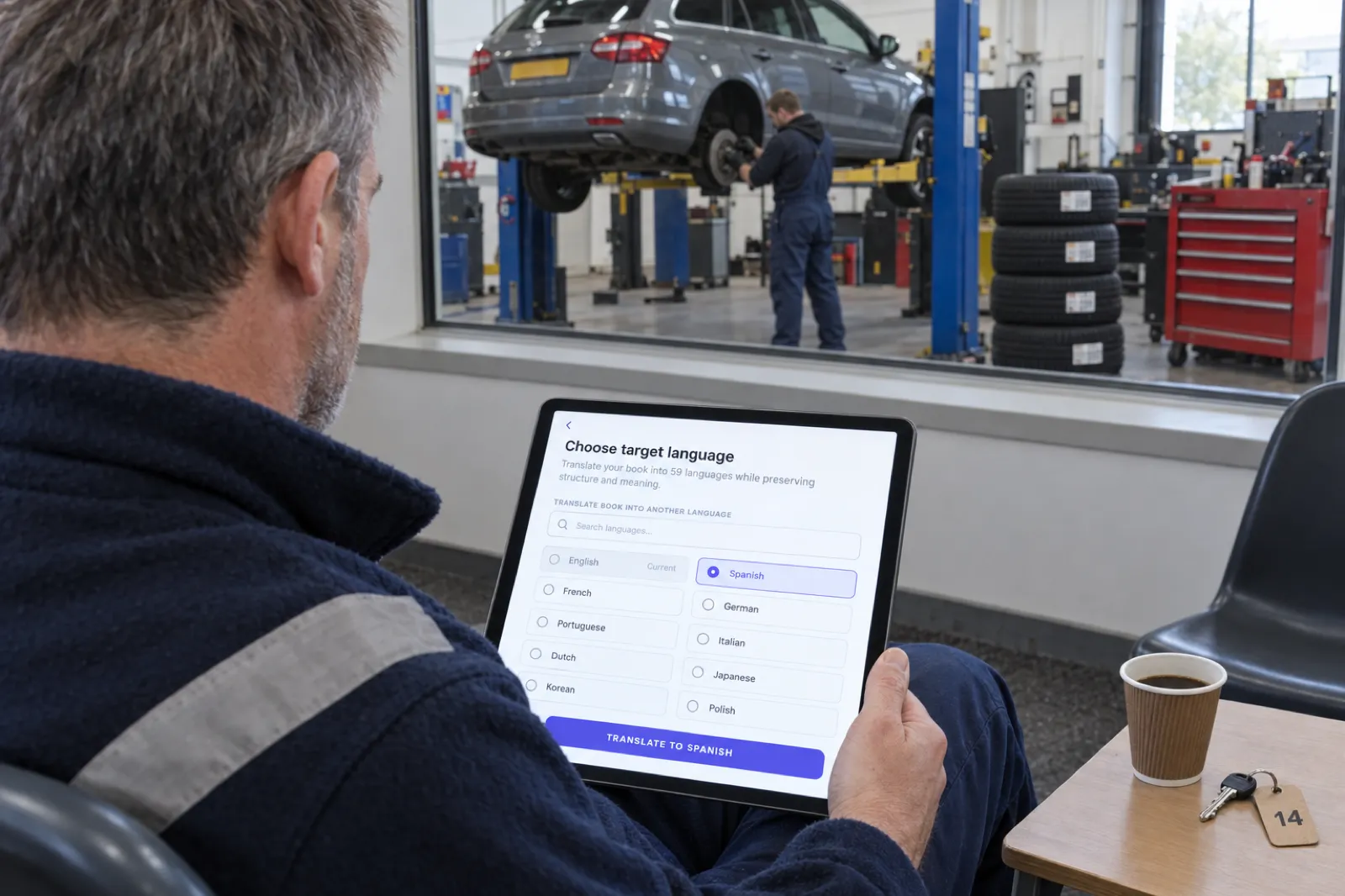
- Choose the language. The window lists all 59 languages with a search box; your book's current language is greyed out. Pick one and press Translate to followed by the language.
- Let it run. A new book appears on your dashboard with the language as its subtitle and a progress bar. Chapters are translated in parallel rather than one after another.
- Read and edit. Open the new book in the editor. Every chapter is ordinary editable text: fix a term, adapt an example, rename a character for the market, or change a chapter title.
- Check the cover. The cover design's title and subtitle are translated with the book. Look at the cover in the cover designer before you export, especially if the title is a pun or an idiom.
- Export. Paid plans and credit packs export a Kindle EPUB, a print PDF, DOCX, or the KDP package (paperback interior, full-wrap cover PDF, Kindle EPUB and cover JPG). Chapter labels and the contents heading print in the book's language: "Capítulo" and "Tabla de Contenidos" in Spanish, "Capitolo" and "Indice" in Italian, "Kapitel" and "Inhaltsverzeichnis" in German.
What gets translated
The book title, every chapter title and chapter, the book description, the introduction and closing section if your book has them, and the title and subtitle in the cover design. Chapter structure, headings, lists, tables, bold and italic text and inline images come across in the same order. Picture books keep their illustrations and spread layout, so a translated picture book is still a picture book; text drawn inside an illustration is part of the image and is not translated, which is true of every route. Your original book is never modified.
The checks every chunk goes through
Long chapters are split into chunks of about 2,000 words at most, at paragraph or block boundaries, and every chunk is checked when it comes back. It must have exactly the same structure as the original (the same headings, paragraphs, lists and table cells, in the same order), it must not be cut short, and it must not be the original text handed back. That last check exists because a translation tool can return the source text untranslated with every tag intact, which passes a structural check; ours compares the wording of the result with the original and rejects a chunk that is mostly unchanged. A rejected chunk is sent again. If a chunk still fails, the whole translation stops, the new book is marked as failed instead of being shown half-done, and nothing is counted against your allowance or credits; you can simply retry. Requesting the same translation of an unchanged book again returns the finished copy instead of spending another translation.
The 59 languages
English, Spanish, French, German, Portuguese (Brazilian), Italian, Dutch, Japanese, Korean, Chinese (Simplified), Chinese (Traditional), Arabic, Hindi, Russian, Turkish, Polish, Swedish, Indonesian, Vietnamese, Thai, Bengali, Urdu, Tagalog, Tamil, Telugu, Malay, Swahili, Persian, Ukrainian, Romanian, Czech, Greek, Hungarian, Hebrew, Finnish, Danish, Norwegian, Bulgarian, Croatian, Serbian, Slovak, Catalan, Gujarati, Punjabi, Nepali, Burmese, Latvian, Lithuanian, Estonian, Slovenian, Icelandic, Georgian, Armenian, Mongolian, Kazakh, Uzbek, Hausa, Zulu and Afrikaans. Not all of them can be published on KDP; the KDP section below lists which can.
What it costs
Translation is a paid feature. Creator ($9.99 a month) includes 15 book translations a month and Premium ($19.99 a month) includes 40. Past the allowance, or on the free plan with a credit pack (15 credits for $9.99), a translation costs 1 chapter credit per 20,000 characters of text, with a minimum of 1. The charge is only taken when the translation finishes.
| Book | Approx. characters | Credits per language past the allowance |
|---|---|---|
| Short guide, about 6,000 words | ~34,000 | 2 |
| Our sample novel, 16,559 words | 92,805 (counted) | 5 |
| Non-fiction book, about 30,000 words | ~168,000 | 9 |
| Novel, about 60,000 words | ~336,000 | 17 |
| Long novel, about 90,000 words | ~504,000 | 26 |
Estimated at 5.6 characters per word including spaces, the ratio in our sample novel; the real charge counts your book's own text. Plans on our pricing page.
The limits
- No translation is reviewed by a person on our side. The checks above catch broken structure, truncation and untranslated text; they do not judge style, idiom or tone.
- Text inside images and in the cover artwork is not translated. Re-make a cover image that has words painted into it.
- The free plan has no translation allowance; a credit pack unlocks it. The free plan also exports a PDF only, with a footer credit; EPUB, DOCX and the KDP package come with any paid plan or credit pack.
- We make paperback wraps, not hardcover case wraps.
One more option worth knowing: you do not have to translate at all. Inkfluence AI writes natively in the language you prompt in, so a book planned for Spanish or German readers from the start can be written in that language rather than translated from English. Our language pages collect guides for each market: Español, Deutsch, Français, Italiano and Português.
Your book in Spanish, German or Italian this afternoon
Translate a finished book into any of 59 languages, edit it, and export the Kindle EPUB and paperback files. Creator includes 15 translations a month; Premium includes 40.
Start translatingOur sample run: one novel into Spanish and Italian
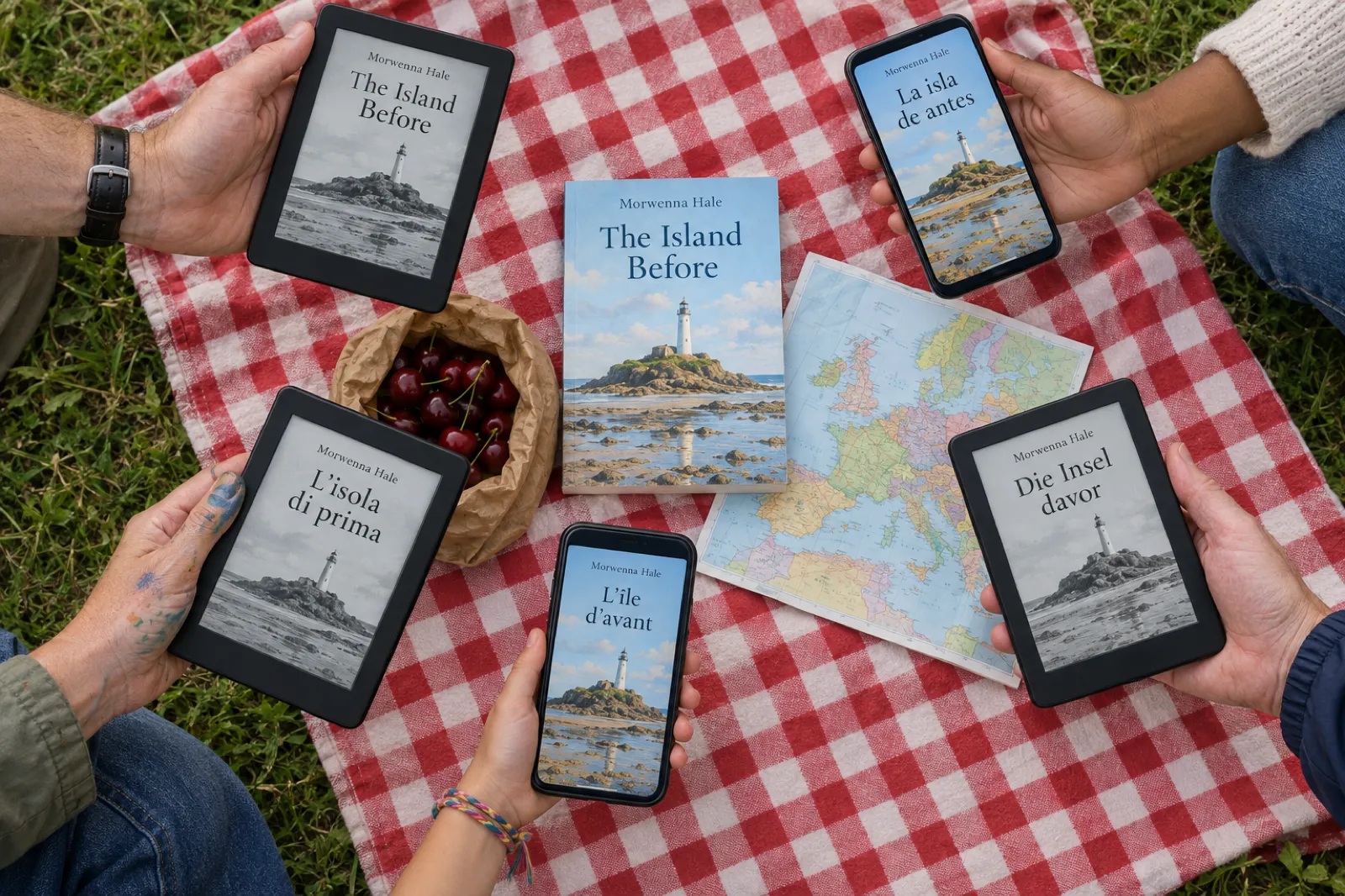
To show what the process produces, we translated one book on 13 October 2026. The source was an English novel on our test account, The Island Before: 8 chapters, 16,559 words, 92,805 characters of text, with one image. We ran the same translation code our servers use, on our own machine, with the book loaded read-only; nothing was published and no customer data was involved. The run record is kept in our internal notes.
| Measure | Spanish | Italian |
|---|---|---|
| Time for all 8 chapters and chapter titles | 24 seconds | 33 seconds |
| Translation requests for the chapters | 12 | 12 |
| Chunks rejected by the checks | 0 | 0 |
| Chapters with identical structure to the original | 8 of 8 | 8 of 8 |
| Paragraphs (original: 95) | 95 | 95 |
| Image kept in place | Yes | Yes |
| Words (original: 16,559) | 17,439 (+5.3%) | 16,522 (-0.2%) |
Run 13 Oct 2026. Times are from our machine with chapters in parallel; inside the app the job also translates the book title, description and cover lines and saves the new book, so allow a few minutes.
Not reviewed by a native speaker. No native Spanish or Italian speaker has checked this sample. The numbers above measure structure, completeness and speed, not quality. We make no claim that the translation is publishable as it stands, and we recommend a native read of every translation before you publish, ours included.
Here is the novel's opening, as the run produced it:
| English (original) | Spanish (unreviewed) | Italian (unreviewed) |
|---|---|---|
| The western marker buoy had vanished behind the swell when Elowen Trevelyan saw the black shape caught among the rocks. | La boya de señalización occidental había desaparecido tras la marejada cuando Elowen Trevelyan vio la silueta negra atrapada entre las rocas. | La boa occidentale era scomparsa dietro la mareggiata quando Elowen Trevelyan vide la sagoma nera incastrata tra gli scogli. |
| She stopped with one boot in a wash of white water, the lighthouse beam turning above her in its steady, pale sweep. It was not driftwood. | Se detuvo con una bota en un remolino de espuma blanca, mientras el haz del faro giraba sobre ella con su barrido constante y pálido. No era madera a la deriva. | Si fermò con uno stivale immerso in una schiuma bianca, mentre il fascio del faro ruotava sopra di lei con il suo regolare, pallido movimento. Non era legno alla deriva. |
And the eight chapter titles:
| English | Spanish (unreviewed) | Italian (unreviewed) |
|---|---|---|
| The Diary in the Wrack | El diario entre los restos naufragados | Il diario tra i rottami |
| The Bell Before Dawn | La campana antes del amanecer | La campana prima dell'alba |
| The Stranger at Low Water | El extraño en aguas bajas | Lo straniero a bassa marea |
| The Handwriting in the Ledger | La letra manuscrita en el libro de cuentas | La grafia nel registro |
| The Storm That Came Early | La tormenta que llegó temprano | La tempesta arrivata in anticipo |
| The Page Elowen Burned | La página que Elowen quemó | La pagina che Elowen bruciò |
| The Light Kept Burning | La luz siguió encendida | La luce continuava a brillare |
| The Island After the Warning | La isla después de la advertencia | L'isola dopo l'avvertimento |
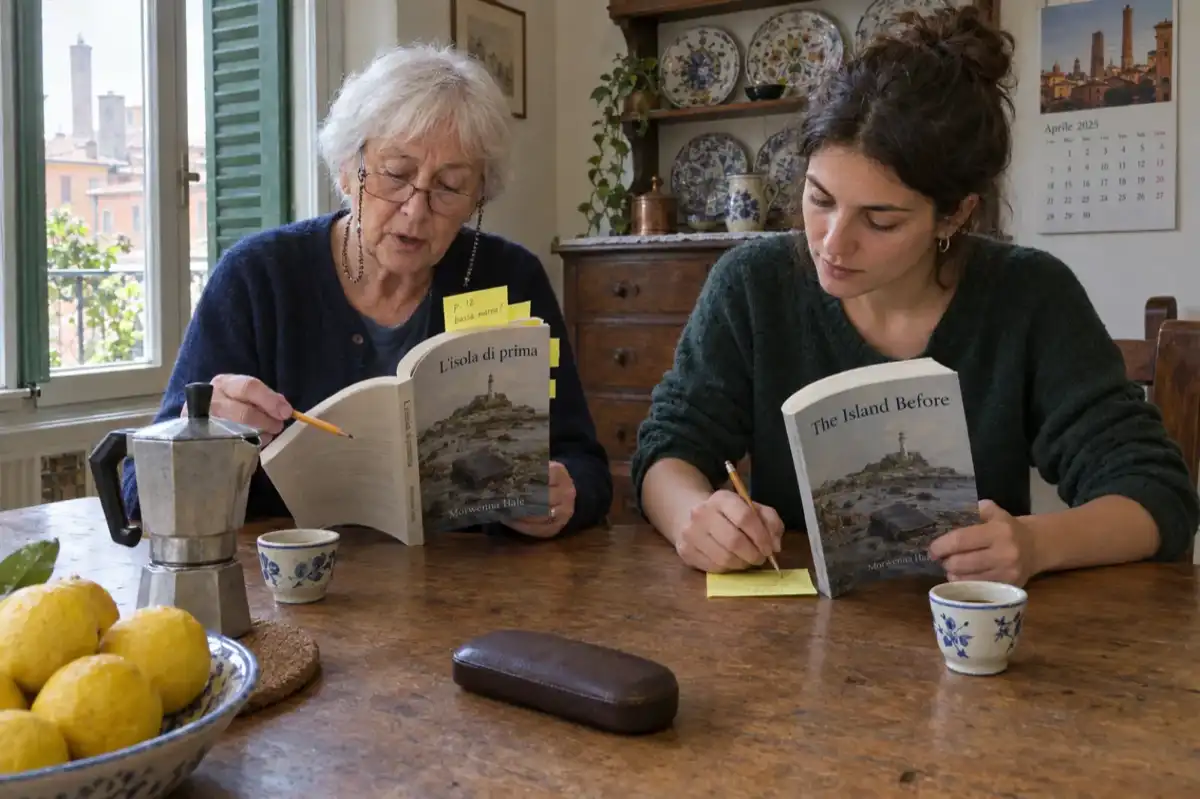
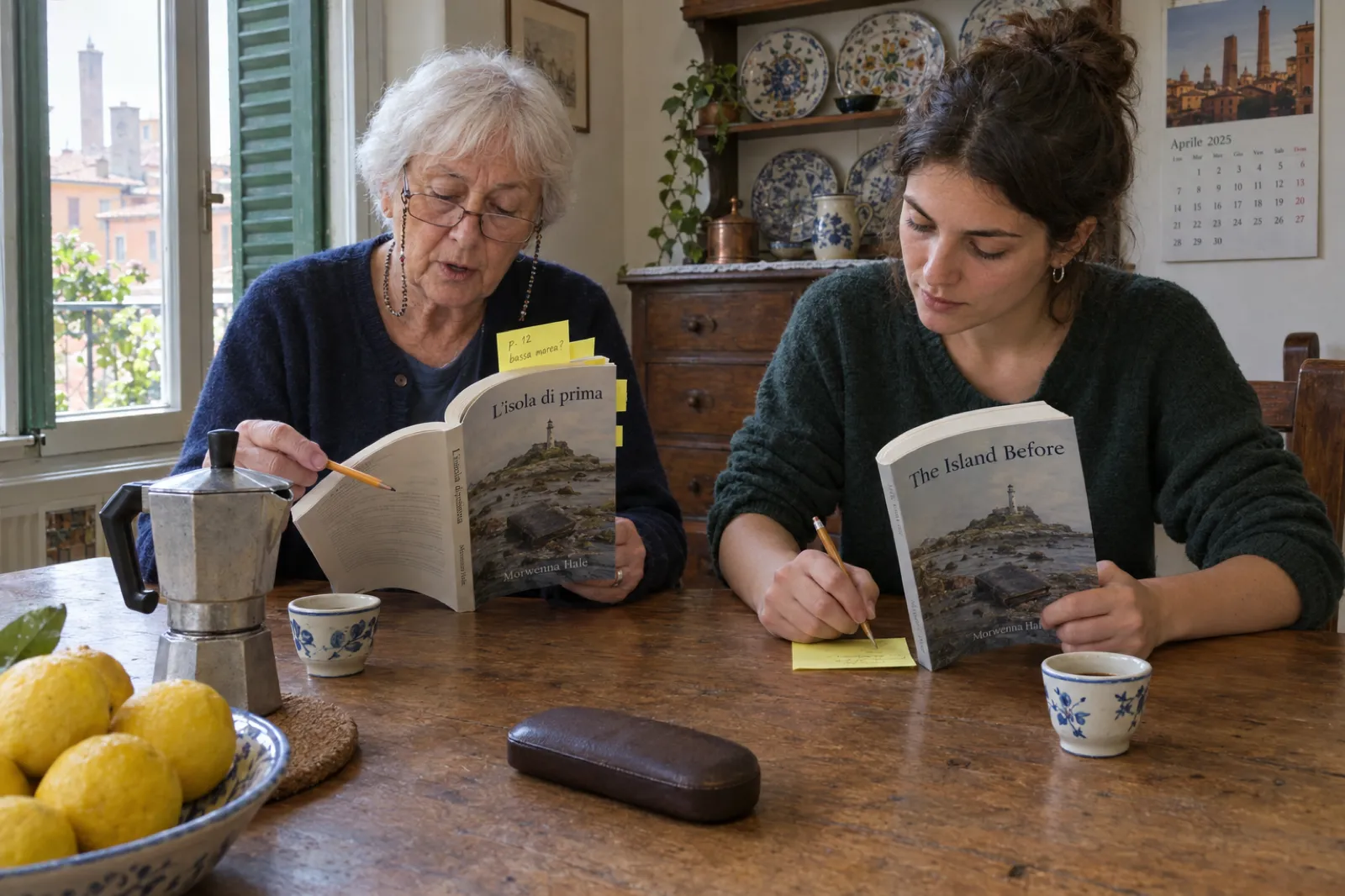
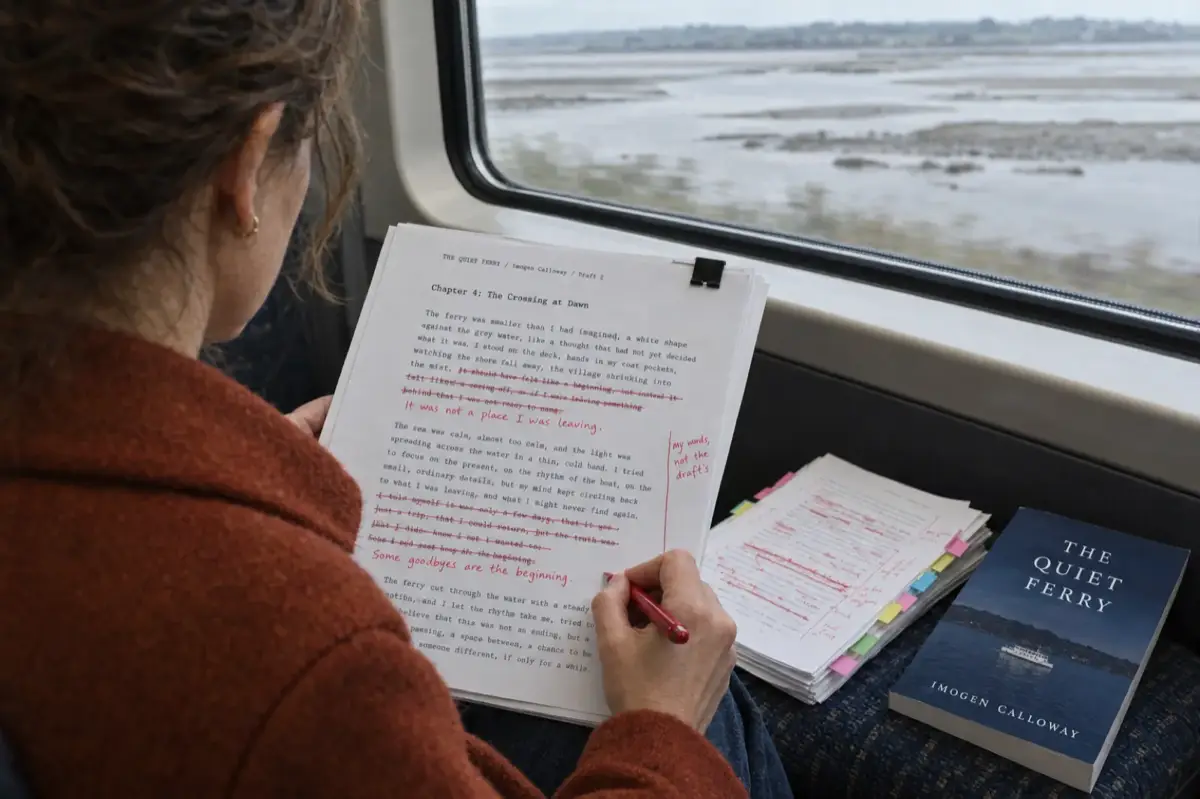
Chapter titles are where a native reader earns their fee, because a title has no surrounding sentences to settle its meaning. "The Stranger at Low Water" is a good example of a line to query rather than a verdict: "low water" is a tide, which the Italian keeps with "bassa marea", while the Spanish "aguas bajas" reads more literally; and English "stranger" can mean an unknown person or a foreigner, which in Italian are different words ("sconosciuto" and "straniero"). Only someone who knows both the language and the story can choose. That is the kind of note the reader in our kitchen photo is writing, and it is the kind of judgement our checks are not designed to make.
What the run does show: the whole novel came back complete in both languages, structurally identical to the original down to the paragraph, with nothing left in English and nothing rejected, in well under a minute of translation time per language. That is a draft a fluent reader can work through chapter by chapter, which is the realistic way to publish a translated book you cannot read yourself.
Get the draft, then get the native read
Translate the book in Inkfluence AI, send your reader the DOCX, fold their notes back in, and export. Your edits stay in the translated book; the original stays as it was.
Create the translated editionKDP rules for a translated edition
A translated edition you upload yourself is an ordinary new KDP title. These rules from KDP's help pages apply to it.
It is a separate title with its own page
KDP's linking help answers the question directly: "Can I link editions in different languages? No." Language is one of the details that must match for formats to share a product page, "so a French edition and an English edition of the same book will always have separate detail pages and won't appear together under 'All formats and editions.'" Set up the translation as a new ebook (and a new paperback if you print it), choose the translation's language as the book language, and link the Spanish ebook with the Spanish paperback, not with the English ones.
Disclose the AI translation
KDP's content guidelines have a heading for exactly this: "Artificial intelligence (AI) content (text, images, or translations)". You must tell KDP about AI-generated content when you publish a new book or republish an edited one, and the definition covers translations: "If you used an AI-based tool to create the actual content (whether text, images, or translations), it is considered 'AI-generated,' even if you applied substantial edits afterwards." So a book translated with any AI tool, then corrected by a native reader, is still AI-generated for this question. AI-assisted use (editing or checking text you translated yourself) does not need disclosing. Our guide to the KDP AI disclosure policy walks through the form.
Credit the translator and the original author
KDP's content and metadata guidelines both carry the same note: "Books that are translations of another work must credit the translator and the original author in the contributor field." Add a translator contributor when a person translated or substantially revised the text. KDP's help does not say what to enter when no person did the translating; whatever you choose, the AI disclosure above is where KDP asks about the tool.
Quality is a content rule, not a nicety
KDP's Guide to Kindle Content Quality lists "Content that is poorly translated" among the disappointing content it does not allow. It also lists facing-page translations (one language on the left page, the same text in another on the right) as not suited to Kindle. A bilingual edition is fine in print; a Kindle edition should be one language.
Each print edition needs its own ISBN
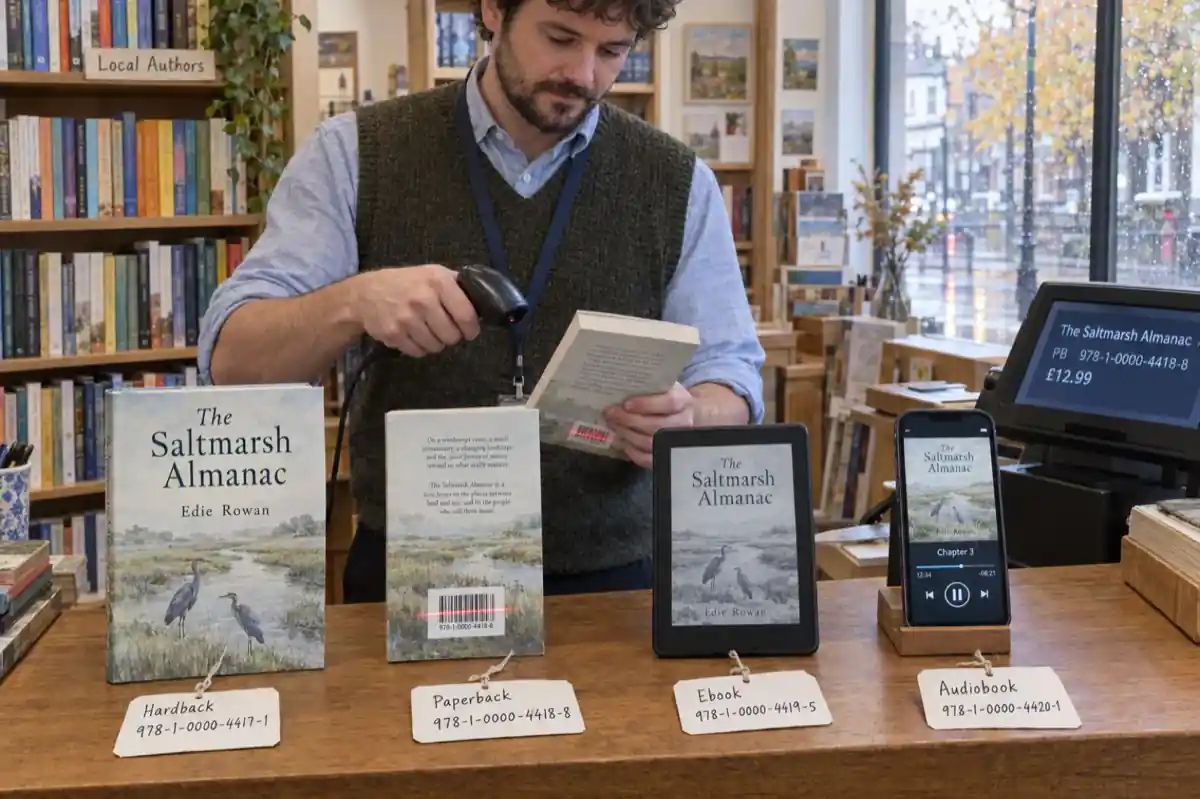
A Kindle ebook needs no ISBN. A paperback does, and the International ISBN Agency says "Each different language edition of a book will need its own ISBN." KDP's free ISBN works for this, or use your own. Our guide Do you need an ISBN? has the cost in each country and a picker for how many you need.
KDP must support the language
KDP only accepts books in the languages on its supported list, and some are limited to one format. "eBook content uploaded in an unsupported language won't display properly on Kindle devices and will be removed from sale." For the languages translated most often:
| Language | Kindle ebook | Paperback | Hardcover |
|---|---|---|---|
| Spanish, German, French, Italian, Portuguese, Dutch, Swedish, Danish, Finnish, Norwegian, Catalan, Afrikaans, Icelandic, Hebrew | Yes | Yes | Yes |
| Japanese | Yes | Yes | No |
| Arabic, Hindi, Gujarati, Tamil, Persian, Chinese (Traditional) | Yes | No | No |
| Polish, Ukrainian | No | Yes | Yes |
| Russian, Turkish, Korean, Chinese (Simplified), Indonesian, Vietnamese, Thai, Romanian, Czech, Greek, Hungarian | Not listed | Not listed | Not listed |
KDP help "Book Supported Languages", read 13 Oct 2026. KDP also notes that standard colour right-to-left paperbacks are limited to Amazon.co.jp and that PDF uploads are only supported for English, French, German, Italian, Portuguese, Spanish, Catalan, Galician and Basque; for other languages, upload an EPUB or DOCX.
That last note is one more reason to export an EPUB for the Kindle edition whatever the language. The KDP package's Kindle EPUB is the file to upload; the PDF is for the paperback interior. For the formatting side, see how to format a book for KDP, and if a translated title comes back from review, KDP rejected my book decodes the email.
The rights you need before you translate
Translation is not a formatting change; in copyright terms it is a new work based on yours. The Berne Convention, which nearly every country follows, gives authors "the exclusive right of making and of authorizing the translation of their works" (Article 8). The US Copyright Office lists "a translation of a novel written in English into another language" as a standard example of a derivative work and says "only the owner of copyright in a work has the right to prepare, or to authorize someone else to create, an adaptation of that work."
For most self-published authors that is simple: you wrote the book, you never signed the rights away, so you hold them. Three situations need a second look:
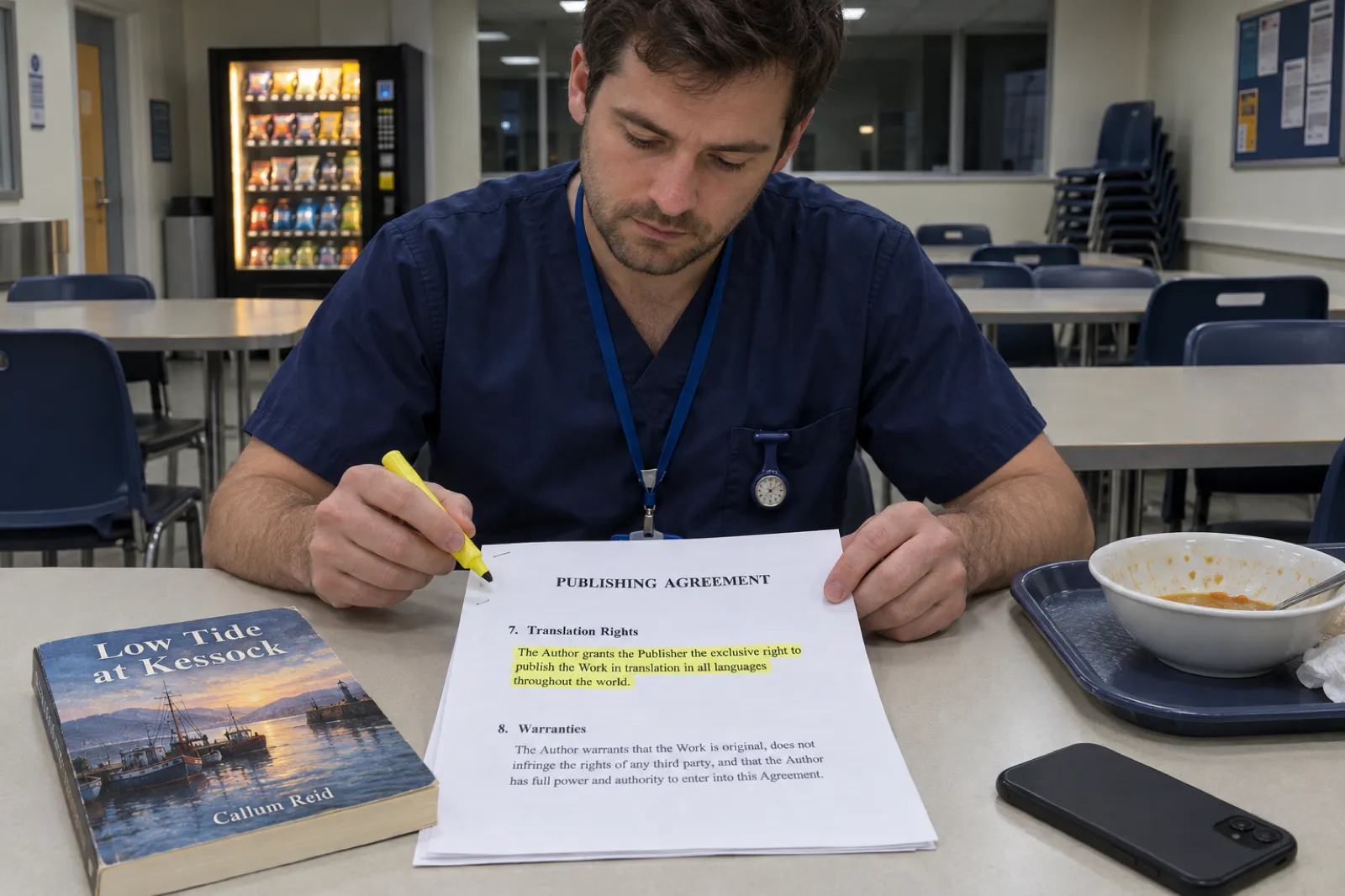
- You signed a publishing contract. Many contracts grant the publisher translation rights, sometimes worldwide, sometimes with a reversion clause. Read the rights clause before you translate an edition the publisher may already control.
- The book is mostly public domain text. You may translate it, but Kindle Translate will not accept it, and KDP's public domain rules ask for "(Translated)" in the title field, a short bullet summary of what is original at the start of the description, and an original translation (not one copied from elsewhere). An original translation can qualify for the 70% royalty; undifferentiated public domain text earns 35%.
- The book is already a translation. Translating it again needs permission from whoever holds the rights in the original work, and possibly in the existing translation. Kindle Translate excludes these books outright.
Kindle Translate's own terms make the point explicit: the ebook must be one "for which you hold the applicable translation rights", and joining grants Amazon a licence to translate it. If you have co-authors, illustrators whose work carries text, or quoted material you licensed for one language, check those permissions cover the new language too. Our copyright page templates include wording for a translated edition.
Pricing a translated edition in each Amazon store
A translated ebook is priced store by store like any other. These are KDP's list price bands for the 70% royalty on 13 October 2026, after the band widened on 7 July 2026. Below the band you can still sell at 35%.
| Store | Language readers | 70% band (list price) | Note |
|---|---|---|---|
| Amazon.es | Spanish (Spain, Andorra) | €2.69 to €12.99 | Euro band shared by .de, .fr, .it and .nl |
| Amazon.de | German (Germany, Austria, Switzerland, Liechtenstein, Luxembourg) | €2.69 to €12.99 | Price includes VAT |
| Amazon.it | Italian (Italy, San Marino, Vatican City, Switzerland) | €2.69 to €12.99 | Price includes VAT |
| Amazon.fr | French (France, Monaco, Belgium, Switzerland, Luxembourg) | €2.69 to €12.99 | Price includes VAT |
| Amazon.com.br | Portuguese (Brazil) | R$5.99 to R$31.99 | 70% only if enrolled in KDP Select |
| Amazon.com.mx | Spanish (Mexico) | MX$34.99 to MX$199.99 | 70% only if enrolled in KDP Select |
| Amazon.com | English, plus readers in countries without their own Kindle store | $2.99 to $12.99 | Readers in most of Latin America buy here |
| Amazon.co.jp | Japanese | ¥250 to ¥1,650 | 70% only if enrolled in KDP Select |
KDP help "eBook List Price Requirements", "eBook Royalties" and "eBook Distribution Rights", read 13 Oct 2026. The 70% royalty is paid on the list price less VAT and a delivery cost by file size (for Amazon.es, €0.10 per MB).
Two things to plan around. First, Spanish has three Amazon homes: Amazon.es for Spain, Amazon.com.mx for Mexico, and Amazon.com for most of the rest of Latin America, so price the US store with Spanish-speaking readers in mind too. Second, Brazil, Mexico and Japan pay 70% only to KDP Select books, which ties the ebook to Amazon (see below). Kindle Translate editions follow the same price rules. To see what a sale earns in each store, use our royalty calculator, read KDP royalties explained, and our guide to how to price an ebook. Italian authors can use the euro royalty calculator on Creare un ebook con l'IA; Spanish readers will find KDP set-up in Spanish on Publicar un libro en Amazon KDP, and German readers on E-Book erstellen mit KI.
Selling translations outside Amazon
Amazon is not the only market, and for some languages it is not a market at all. A Russian, Turkish, Korean or Indonesian edition cannot go on KDP today, and a Polish ebook cannot either. Those editions sell as files: on Gumroad, on Etsy, on your own site, or through other ebook stores. Our comparisons of Etsy vs Gumroad and Gumroad vs Amazon KDP set out the fees, and Spanish-language guides cover selling on Gumroad and selling ebooks generally. IngramSpark, the main route to bookshops and libraries, accepts an AI translation only after significant human review, credited with the reviewer as Translator and "Assisted By - Generative AI" after them; our guide to IngramSpark's AI policy covers what that review involves.
KDP Select is the catch for the languages that are on KDP. "Your Kindle eBook must also be exclusive to the Kindle Store for the KDP Select enrollment period"; during the 90 days the ebook "can only be distributed through KDP and public libraries", though print, audio and other formats can be sold anywhere. So decide per language: a Spanish ebook in Select can earn from Kindle Unlimited and the 70% royalty in Mexico, but cannot also sit on Gumroad. Our guide to KDP Select vs wide distribution covers the trade-off. Kindle Translate editions cannot go wide at all, Select or not, because the files stay inside Amazon's program.
Inkfluence AI can publish a finished book to Gumroad and Etsy for you on paid plans, which suits a translated edition in a language KDP does not take. A finished translation can also become an audiobook: our AI audiobook generator has narrator voices in 14 languages, including Spanish, German, French, Italian, Portuguese and Japanese.
Pre-publish checklist for a translated edition
- Rights. You hold the translation rights for this language, and any licensed quotes or images are cleared for it.
- Route. Kindle Translate only if you are invited, the pair is offered, and a Kindle ebook sold on Amazon is all you want. Otherwise, your own translation.
- Native read. A fluent native reader has read at least the opening chapters, every chapter title, the description and the cover.
- Names and terms. Character names, places, brand names and recurring terms are spelled the same way in every chapter.
- Formal or informal address. Spanish "tú" or "usted", German "du" or "Sie", French "tu" or "vous": one choice, used throughout.
- Images. Words inside images, charts and the cover artwork are re-made in the new language or removed.
- Front and back matter. Copyright page, author note and calls to action are translated, with the translator credit if a person translated it.
- KDP set-up. New title, language set to the translation's language, AI-generated translation disclosed, original author and translator credited, the paperback on its own ISBN.
- Price. Set per store; check the euro, real and peso bands and whether you want KDP Select.
- Description and keywords. Written for readers of that language, not just translated word for word; see Kindle keyword research for beginners.
The rest of publishing is the same as for your original. Our guide to publishing AI-generated books on KDP covers the upload, the cover size and spine calculator sizes the paperback wrap (a translation can change the page count, and with it the spine), and the real cost of publishing an AI book puts the translation in the budget. Our pages for authors, for non-fiction authors and for Kindle publishers show the rest of the workflow, and every free publishing calculator is on our KDP tools page.
One book, every market you want
Write it, translate it into the languages your readers speak, edit each edition, and export the Kindle and paperback files. Free to start; translation comes with Creator, Premium or a credit pack.
Start your book freeFrequently asked questions
What is Kindle Translate?
Kindle Translate is Amazon's AI translation service for KDP ebooks. It turns an eligible Kindle ebook into a translated Kindle edition that Amazon publishes as its own title, with a language label and a sample. On 13 October 2026 it was an invite-only beta, free to use, for Kindle ebooks only (no paperbacks, hardcovers or audiobooks), and for ebooks created on kdp.amazon.com.
Which languages does Kindle Translate support?
Ten pairs on 13 October 2026: English into French (France), German, Italian, Portuguese (Brazil) and Spanish (Spain), and French, German, Italian, Portuguese and Spanish into English (US). There is no pair between two non-English languages, so a Spanish book cannot go into Italian. Japanese books are not eligible.
How do I get access to Kindle Translate?
Amazon invites authors. KDP says the beta is invite-only and that it plans to grow it over time; you can join its interest list from the Kindle Translate help page. If your account is in the beta and a book is eligible, a "Translate your eBook" option appears next to it on your KDP Bookshelf.
Why is Kindle Translate not showing on my Bookshelf?
Either your account is not in the beta, or the book fails an eligibility rule. The book must be live (not publishing, not a pre-order), reflowable rather than fixed layout, have English, French, German, Italian, Portuguese or Spanish as its primary language, have a cover and a primary author, not consist mainly of public domain content, and not itself be a translation. KDP shows the reason under "Why isn't my eBook eligible?" on the Bookshelf.
Does Kindle Translate cost anything?
No. KDP calls it "a free service in beta". Translated editions earn on the same 35% or 70% royalty options as any Kindle ebook, and you can set a different list price for each translation.
Can I edit a Kindle Translate translation?
Not on 13 October 2026. KDP says direct editing of the translated text is not available; you can preview a translation before you publish it. If you need to change wording, fix a term or adapt a chapter, you need a translation you own and can edit.
Can I sell a Kindle Translate edition outside Amazon or in print?
No. The beta terms say Amazon retains ownership of the Kindle Translate edition files and you may not sell or distribute them outside the program, and Kindle Translate cannot create print books or audiobooks. For a paperback, other ebook stores or direct sales, translate the book yourself or hire a translator.
Do I have to disclose an AI translation on KDP?
Yes. KDP's content guidelines name translations specifically: text, images or translations created by an AI-based tool count as AI-generated, "even if you applied substantial edits afterwards", and you must tell KDP when you publish. KDP also asks that a translated book credit the translator and the original author in the contributor fields.
How do I translate my book into Spanish and publish it on Amazon?
Check you hold the translation rights, translate the whole book (Kindle Translate if you are invited and only want a Kindle ebook; otherwise your own translation, for example with Inkfluence AI, which makes a new Spanish book you can edit), have a native Spanish speaker read it, then create a new KDP title with Spanish as the language, answer Yes to the AI-generated question if a tool translated it, credit the original author, set a euro price for Amazon.es, and give the paperback its own ISBN.
Is AI translation good enough to publish?
It depends on the book and on who checks it. KDP lists "content that is poorly translated" as disappointing content it does not allow, and Kindle Translate itself only publishes translations that pass Amazon's quality check. Plain prose, business and self-help books translate best; wordplay, poetry and heavy cultural references are hardest. Whichever tool you use, have a fluent native reader go through at least the opening chapters before you publish.
Sources
Every external fact on this page was read on the source below on 13 October 2026.
- KDP: Beta: Kindle Translate (invite-only, kdp.amazon.com only, interest list, no direct editing, free in beta, language labels and samples, ebooks only, no translation of a Kindle Translate edition), checked 13 Oct 2026
- KDP: Getting Started with Kindle Translate (not on kdp.amazon.co.jp, creating and previewing, 24 and 72 hours, source locked, default cover, one edition per language, worldwide rights for automatic translation, metadata, re-translation, series, unpublishing, beta confidentiality), checked 13 Oct 2026
- KDP: Kindle Translate Languages (the ten pairs and variants; Japanese not eligible), checked 13 Oct 2026
- KDP: Kindle Translate Eligibility and Troubleshooting (eligibility criteria; content that translates well and not; elements not translated), checked 13 Oct 2026
- KDP: Kindle Translate Quality (7-step threshold, checks, "Cannot be published"), checked 13 Oct 2026
- KDP: Pricing, royalties, and reports for translations (35% and 70% options, KDP Select enrollment), checked 13 Oct 2026
- KDP: Terms and Conditions for the Beta Version of Kindle Translate (last updated 6 November 2025; eligibility, translation rights, Amazon retains the files, exclusive distribution, alternative translations), checked 13 Oct 2026
- KDP: Content Guidelines (AI-generated content including translations; translator and original author credit), checked 13 Oct 2026
- KDP: Metadata Guidelines for Books (contributors; translator credit), checked 13 Oct 2026
- KDP: Why are my books not linked on Amazon? (editions in different languages cannot be linked), checked 13 Oct 2026
- KDP: Guide to Kindle Content Quality (poorly translated content; facing-page translations), checked 13 Oct 2026
- KDP: Book Supported Languages (languages by format; PDF upload languages; right-to-left paperbacks), checked 13 Oct 2026
- KDP: Publishing Public Domain Content ("(Translated)" in the title; description summary), checked 13 Oct 2026
- KDP: eBook List Price Requirements (70% bands by store from 7 July 2026; KDP Select needed for 70% in Brazil, Japan, Mexico and India), checked 13 Oct 2026
- KDP: eBook Royalties (70% less VAT and delivery; Spain delivery €0.10/MB; original translations of public domain works), checked 13 Oct 2026
- KDP: eBook Distribution Rights (Kindle stores and the territories each covers), checked 13 Oct 2026
- KDP: How to enroll in KDP Select (ebook exclusivity for the 90-day term; other formats can be sold elsewhere), checked 13 Oct 2026
- International ISBN Agency: ISBN assignment (each language edition needs its own ISBN), checked 13 Oct 2026
- WIPO: Berne Convention for the Protection of Literary and Artistic Works (Article 8, right of translation), checked 13 Oct 2026
- US Copyright Office: Circular 14, Copyright in Derivative Works and Compilations (translations as derivative works; who may authorise them; reviewed July 2020), checked 13 Oct 2026
Related reading
- AI Book Translator: translate a whole book into 59 languages
- Do You Need an ISBN? Free vs Bought, Cost by Country
- Amazon KDP AI Disclosure Policy
- IngramSpark AI Policy (2026)
- How to Publish AI-Generated Books on KDP
- KDP Royalties Explained
- How to Price an Ebook in 2026
- KDP Select vs Wide Distribution
- Self-publishing on Amazon KDP
- How to Self-Publish a Children's Book on Amazon
- AI Book Formatter

Founder, Inkfluence AI
Sam is the founder of Inkfluence AI. He built the platform to make book creation accessible to everyone - from first-time authors to seasoned publishers.
Helpful links
Ready to Create Your Own Ebook?
Start writing with AI-powered tools, professional templates, and multi-format export.
Get Started FreeRelated Articles
 Children's Books
 Children's Book Word Count and Page Count by Age (2026): Board Books to Middle Grade, with Real Picture-Book Data
How many words and pages a children's book needs, from board books to young adult, with every range sourced to a publisher or editor and dated, words per page from real picture books by age band, and a word-budget calculator that checks KDP's 24-page minimum.
 Publishing
 Do You Need an ISBN? Free vs Bought, Cost by Country, and Which Formats Need One (2026)
When a self-published book needs an ISBN and when it does not, what one costs in the US, UK, Canada, Australia, New Zealand, India, Germany, Italy and France (checked at each agency on 13 October 2026), free ISBNs from KDP, IngramSpark and Draft2Digital, and a picker that tells you how many you need.
 Publishing
 IngramSpark AI Policy (2026): What It Accepts, the Setup Question and the "Assisted By" Credit
IngramSpark accepts AI-drafted books with significant human editing and the "Assisted By - Generative AI" credit, and refuses works created solely with generative AI. Its exact wording, covers and translations, how it differs from KDP, a checker for your book, and an editing workflow.
Get ebook tips in your inbox
Join creators getting weekly strategies for writing, marketing, and selling ebooks.