
Atticus vs Vellum (2026): Price, Windows vs Mac, Print Output, and When an AI Formatter Is Enough
Atticus ($147, any computer) against Vellum ($199.99 to $249.99, Mac only): price, platforms, KDP print output, ebooks, styles, collaboration and 2026 updates, checked on both vendors' sites on 13 October 2026, with a picker that tells you which to buy.

Quick Answer
Buy Vellum ($249.99 with print, $199.99 ebooks only) if you work on a Mac and want polished books with almost no setup. Buy Atticus ($147) on Windows, Chromebook or Linux, or if you want a theme builder and co-author roles. Both are one-time, both format finished manuscripts only. If you need the writing too, Inkfluence AI writes and formats in one place.
Checked on 13 October 2026. Every Atticus and Vellum fact on this page was read on the vendors' own websites and help pages that day; they are listed under Sources with the date. This is a spec comparison: we did not buy both tools and format the same manuscript in each, so there are no output scores here. We make Inkfluence AI, which appears below as a third option, and we say plainly where Vellum and Atticus do more.
Atticus and Vellum are the two formatting apps most self-published authors end up choosing between. They do the same core job: take a finished manuscript, usually a Word file, apply a professional design, and export the ebook and print files that Amazon KDP, IngramSpark and the other stores accept. They differ on four things that decide most purchases: what computer you use, what you want to spend, how much design control you want, and whether you work alone.
This page puts both tools side by side with prices and features checked on their own sites, gives you a short picker, and then covers the case neither tool handles: when the book is not written yet, or when you want the KDP files and cover wrap made for you in a browser. If you are still deciding between all formatters rather than these two, our best book formatting software guide ranks the wider field, including the free options.
Atticus vs Vellum by the numbers (13 Oct 2026)
$147
Atticus, one-time, ebook and print
$249.99
Vellum Press, one-time (Vellum Ebooks $199.99)
Mac only
Vellum needs macOS 13 or newer
4 platforms
Atticus: Windows, Mac, Linux, Chromebook
30 days
refund window on both
0
AI features in either tool
Atticus vs Vellum at a glance (checked 13 October 2026)
The first two columns are the head-to-head. The third is the option for writers who want one tool for the writing and the KDP files; it is not a like-for-like typesetter, and the rows where it does less are marked.
| Inkfluence AI (writing + formatting) | Atticus | Vellum | |
|---|---|---|---|
| Price | Free plan (PDF with a footer credit); Creator $9.99/mo or $89/yr; credit packs from $9.99 unlock the KDP package | $147 one-time | $199.99 Ebooks, $249.99 Press (print), one-time; Ebooks to Press upgrade $69.99 |
| Try before paying | Free plan, no card | No trial; 30-day money-back guarantee | Free download to import, style and preview; pay to generate files; 30-day refund |
| Runs on | Any browser, plus an iOS app | Browser app on Windows, Mac, Linux, Chromebook; installs on iPad | Mac only, macOS 13 or newer |
| Offline | Needs a connection | Writing offline; import and export need a connection | Desktop app |
| Imports | DOCX, PDF, EPUB, TXT, Markdown, or write it in the app | DOCX | DOCX |
| Exports | PDF, EPUB, DOCX, KDP package | EPUB, print PDF, DOCX | One ebook file per store (Kindle, Apple, Kobo and others) plus optional Generic EPUB; print PDF with Press; Word export for editors |
| Design | Five book styles, about two dozen fonts, drop caps, dividers, callout boxes. No theme builder (does less) | 17 chapter templates, 1,200+ combinations, custom theme builder | "Dozens" of built-in styles, each configurable; saved custom styles |
| Fonts | About two dozen in the editor's font picker | 15 body fonts, 1,500+ heading fonts (Google Fonts, beta); no font upload yet | Set by the styles; Vellum's help does not document adding your own |
| Print trims | 10 sizes, 5 x 8 to 8.5 x 11, A4, A5, B5, 8.5 x 8.5 | Chosen in the Formatting tab; Atticus does not publish a list | 24 sizes (30 entries incl. a Large Print section) |
| Margins | Set for you from the real page count; not editable (does less) | Set for you; Atticus says the defaults meet industry standards | Inside 0.875 in by default (1 in for full-size trims); outside set automatically; both editable |
| Footnotes, large print, box sets | No, no, no | Yes, yes, yes | Yes, yes, yes |
| Hardcover | No (paperback only) | Interiors | Interiors (with Press) |
| Paperback cover wrap | Yes, spine sized to page count and paper | No | No (upload it to the printer) |
| Collaboration | DOCX export to share with an editor | Owner, co-writer, editor, beta reader roles; tracked changes and comments | None documented; Word export to share with an editor |
| Writing tools | AI drafting from your idea or notes, editor, assistant | Editor, writing goals | Text editing inside the app; built for importing a finished manuscript |
| AI | Yes | None | None |
| Latest release | Web app, updated continuously | 3 Sep 2026 (social icons for author profiles) | 4.1.6, 7 Oct 2026 (macOS 27 stability) |
The short verdict
- Buy Vellum if you work on a Mac, you have a finished manuscript, and you want the book to look professionally typeset after a few clicks. Vellum's styles are strong defaults; you spend your time choosing, not adjusting. It is also the only one of the three that makes a separate ebook file for each store.
- Buy Atticus if you use Windows, a Chromebook, Linux or more than one computer, if $147 is your ceiling, or if you want to design your own chapter theme. It is also the one to pick if you write with a co-author or want an editor working inside the book with tracked changes.
- Choose Inkfluence AI if the book is not finished, you want help writing it, or you want the KDP paperback files and the full wrap cover made for you in a browser without buying a desktop app. Accept fewer layout controls than either formatter in return.
- Buy neither if you only publish a text-only Kindle ebook: Amazon's own Kindle Create app turns a Word file into a Kindle book, and our guide to making an ebook for free covers the other no-cost routes.
A word on the reviews you will find elsewhere. Many "Atticus vs Vellum" articles in search results are published by Kindlepreneur, whose own affiliate disclaimer says some tools it recommends, including Atticus, may be owned by, developed by or closely affiliated with Kindlepreneur. That does not make those articles wrong, but read them knowing who wrote them, as you should read this one knowing that we make Inkfluence AI.
Which one should I buy? Answer five questions
The picker runs in your browser and sends nothing anywhere. It uses the prices and platform facts on this page.
Atticus, Vellum or Inkfluence AI?
Our pick for you
Atticus ($147)
How the picker decides. If the manuscript is not finished, it always suggests Inkfluence AI, because neither formatter writes. If it is finished, the computer comes first (Vellum is only ever suggested on a Mac), then the budget: Vellum needs $199.99 to $249.99, Atticus $147, and below that the options are a credit pack, a monthly plan, or Amazon's Kindle Create for a Kindle-only book. Books per year changes the second suggestion: at four or more books a year, a one-time licence beats a subscription that you only use for formatting.
Price: what each one really costs
Both tools are one-time purchases, which is the main reason authors pick them over subscription software. The details differ more than the headline numbers suggest.
Vellum: two editions and an upgrade path
- Vellum Ebooks, $199.99: unlimited ebooks. No print files.
- Vellum Press, $249.99: unlimited ebooks and paperbacks. Vellum's print help adds that it creates hardcover interiors too.
- Upgrade, $69.99: Ebooks to Press later. Buying Ebooks and then upgrading totals $269.98, so if you expect to print within a year, Press up front saves $19.99.
- Tax: Vellum's prices do not include tax.
- Try first: you can download Vellum free, import a manuscript, style it and preview it. Generating publishable files is what needs the purchase.
- Refund: Vellum's purchasing help says you can cancel within 30 days for a refund.
- Licence: tied to one person and not shareable; you can restore it onto a second computer you own. Unlimited books and unlimited pen names. You may format books for other authors. Updates are free, though Vellum notes optional paid features may come later.
Atticus: one price, no trial
- $147 once for ebook and print, with "Ongoing Updates for Life" and "No monthly fees. Forever." on its homepage.
- No free trial. The homepage instead offers a 30-day money-back guarantee, "no questions asked".
- Unlimited books: the site's sign-off reads "Write and Format Unlimited Books and Ebooks For Only $147".
What one book costs you in the first year
For someone formatting a single finished book as both ebook and paperback, here is the cash out of pocket in year one at list prices (before tax). Bar length is the price divided by the highest price shown.
Year-one cost to format one ebook + paperback (US list prices, 13 Oct 2026)
Vellum and Atticus are formatting only. Inkfluence AI prices include writing; a credit pack (15 credits) unlocks EPUB, DOCX and the KDP package. Sources: vellum.pub, help.vellum.pub/purchasing, atticus.io and our pricing page.
Over three years, and the break-even
One-time tools get cheaper per book the more you publish. A subscription you use only for formatting does not. The arithmetic, at list prices:
| Tool | Year 1 | Year 3 (total) | What the money covers |
|---|---|---|---|
| Inkfluence AI Creator, yearly | $89 | $267 | Writing (35 chapters a month), covers, all export formats, KDP package, 15 audiobook chapters and 15 translations a month |
| Atticus | $147 | $147 | Writing editor, formatting, EPUB, PDF, DOCX |
| Vellum Ebooks | $199.99 | $199.99 | Ebook formatting, per-store files |
| Vellum Press | $249.99 | $249.99 | Ebook and print formatting |
Against Creator billed monthly ($9.99), Atticus pays for itself after about 15 months and Vellum Press after about 25. Against Premium ($19.99 a month), Vellum Press breaks even in about 12.5 months. Those numbers only matter if formatting is all you need. If you would otherwise pay for a cover designer and a separate writing tool as well, the comparison changes; our breakdown of what publishing a book really costs adds those lines up.
For a Windows user set on Vellum, add the cloud Mac. Vellum's help points to MacinCloud, which it says starts "as low as $1 USD per hour", and says creating final files should take "considerably less than an hour" once you know the software. Learning the software takes longer, and you pay for that time too.
One book, no desktop app
Import your Word, PDF, EPUB or text manuscript in the browser and export the KDP package: interior PDF with margins set from the real page count, full-wrap cover, Kindle EPUB and a READ ME. A credit pack or any paid plan unlocks it.
Format my bookWindows vs Mac (and Chromebook, Linux, iPad)
This is the question that settles most purchases before price even comes up.
Vellum is Mac only
Vellum's homepage says it plainly: "Vellum is only available for Mac", and it needs macOS 13 or newer. There is no Windows version, no web version and no iPad app. Vellum's help has a guide called "Using Vellum on Windows", which recommends renting a Mac in the cloud through MacinCloud (Vellum says it is not affiliated) and connecting with Microsoft Remote Desktop. The caveats it lists are real ones:
- You still buy a Vellum licence; the rented Mac does not come with one.
- MacinCloud staff, not you, install Vellum updates. If the installed version is out of date, you file a support ticket.
- Vellum advises making the remote window as large as possible for smoother scrolling, and saving your files to a cloud-sync folder so you keep a copy on your PC if the rental lapses.
It works, but it is a workaround. If you are on Windows and like the idea of Vellum, Atticus is the tool built for your situation.
Atticus runs in a browser, everywhere
Atticus lists Windows, Mac, Linux and Chromebook on its homepage and describes itself as a Progressive Web App that "works online and offline". Its tutorials cover installing it on each platform, plus iPad, iPhone and Android. Two limits from its own help pages are worth knowing:
- On an iPad you install it from Safari. You can write offline and your work syncs when you reconnect, but importing and exporting files need an internet connection.
- The help centre "strongly recommend[s]" a desktop or laptop for Atticus, because sizing can look different on other devices. Treat the iPad as a place to write, not to sign off a print layout.
Inkfluence AI runs in a browser too
Inkfluence AI is a web app that works on any computer with a browser, and it has an iOS app. It needs a connection; there is no offline mode. The difference from Atticus is what happens in that browser: the book can be written there as well as formatted, and the export includes the cover wrap.
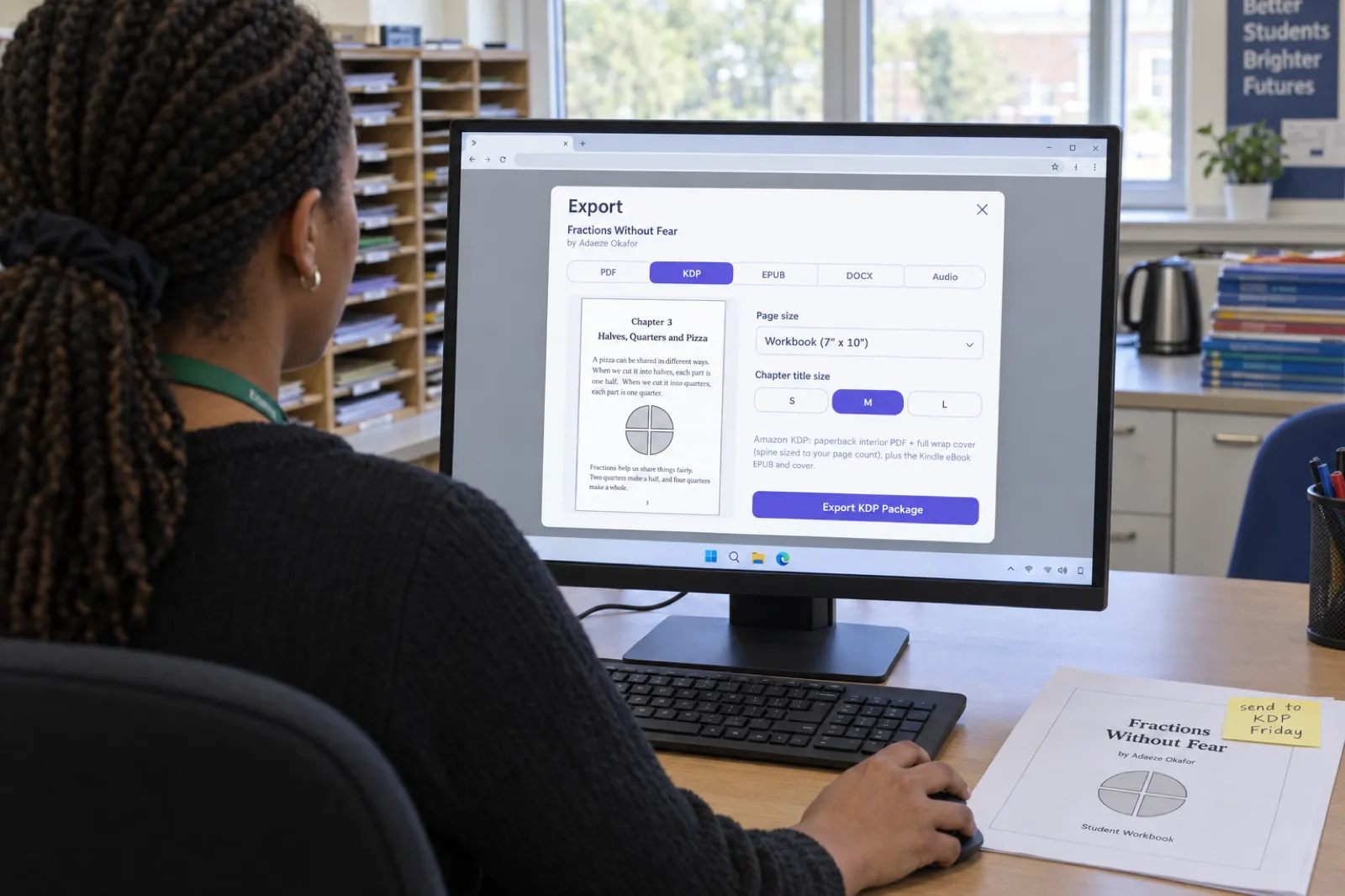
| Your device | Atticus | Vellum | Inkfluence AI |
|---|---|---|---|
| Mac (macOS 13+) | Yes | Yes, native app | Yes, browser |
| Older Mac (macOS 12 or earlier) | Yes, browser | No | Yes, browser |
| Windows | Yes | Only via a rented cloud Mac | Yes |
| Linux | Yes | No | Yes, browser |
| Chromebook | Yes | No | Yes, browser |
| iPad | Installs from Safari; desktop recommended | No | Browser and iOS app |
| No internet | Writing yes; import and export no | Desktop app | No |
Print output for KDP
A KDP paperback interior has to meet Amazon's rules whatever tool made it. From KDP's margin help page (checked 13 October 2026): the inside (gutter) margin rises with page count, from 0.375 in for 24 to 150 pages to 0.875 in for 701 to 828 pages; the outside, top and bottom margins must be at least 0.25 in without bleed and 0.375 in with bleed; and if even one page bleeds, the whole file must be set up with bleed, which makes each page 0.125 in wider and 0.25 in taller than the trim. Our KDP formatting guide has the full table and a margin checker. Here is how each tool meets those rules.
Trim sizes
- Vellum lists 30 trim size entries on its help page, which is 24 different sizes once you remove the six repeated in its Large Print section. They run from mass-market 4 x 6 in through 5 x 8, 5.5 x 8.5, 6 x 9 and 6.14 x 9.21 to 8.5 x 11 and A4, plus metric novel and pocket sizes.
- Atticus has you "click the corresponding page size in the formatting tab", and its formatting basics tutorial says it handles the rest. Atticus does not publish a full list on its site, so if you need an unusual size, check it inside the app during the refund window.
- Inkfluence AI exports 10 trims: 5 x 8, 5.5 x 8.5, 6 x 9, 7 x 10, 8 x 10, 8.5 x 11, A5, B5, A4 and 8.5 x 8.5 for picture books. Fewer than Vellum, but they cover the common KDP sizes. Our paperback publishing guide explains how to choose.
Which size suits which kind of book, with KDP's page limits and the print cost at each size, is in our KDP trim size guide.
Margins and the gutter
Vellum defaults to an inside margin of 0.875 in for most trims and 1 in for full-size trims, resets it when you change trim size, and sets the outside margin automatically, with a Customize button to change either. Vellum's own advice is to keep the inside margin at least at KDP's requirement. Note that 0.875 in already meets KDP's largest tier, so the default is safe at any page count up to 828.
Atticus's formatting basics tutorial says that if you leave the margins at their default settings, "they meet industry standards", and advises leaving Advanced Settings at the defaults. It also has a Layout Priority setting under Print Layout with three modes: Widows and Orphans (for story-led books), Balanced Page Spread (for structured or design-heavy books) and Best of Both.
Inkfluence AI does not let you edit margins; it sets them. The outside margin is 0.5 in and top and bottom 0.75 in. The inside margin is 0.75 in up to 500 pages, 0.875 in for 501 to 700 pages and 1.0 in above that, which is above KDP's minimum at every tier. It is set from the real rendered page count: the export renders the book, counts the pages and re-renders if the count crosses a tier. The extra room exists because KDP's checker measures overhanging italics and punctuation; in one book we examined, a 534-page interior set at exactly KDP's 0.75 in minimum was flagged for insufficient gutter on 309 pages.
Bleed, full-page images and spreads
Vellum's print settings offer "Include Bleed" as Only if Necessary (the default, used when the book has backgrounds or full-page images) or Always, with a 0.125 in bleed on the outside edges to match KDP and IngramSpark. It also lists other printers' bleed sizes, such as 3 mm for Bookvault and 5 mm for BoD. Atticus supports full-bleed images and has a help article on creating a two-page image spread. Inkfluence AI makes a bleed interior automatically when a book contains full-page photos and tells you in its READ ME to choose Bleed in KDP; otherwise the interior is exactly the trim size with no bleed.
Fonts that KDP rejects
Fonts are where formatting tools quietly protect you. Vellum's 4.0.3 release in February 2026 stopped using Lucida Grande in print output, which Vellum says KDP now prohibits. Atticus's print fonts are a curated set of 15 body fonts chosen to be free for commercial use, so you can sell the book without a separate font licence. Either way, if KDP flags a font, our list of KDP rejection emails and their fixes covers it.
Hardcover and covers
Both format hardcover interiors: Vellum says Press creates "paperback and hardcover interiors", and Atticus's help says it formats both. Atticus's help adds the useful warning that hardcovers usually need a larger inner margin, so check your printer's requirement.
Neither makes the paperback cover. Vellum's FAQ says you upload the print cover "directly to the print service of your choice", and its print help calls the cover "a completely separate file from the interior file". Atticus's help covers sizing the ebook cover image and points you to each platform's cover rules. You will need the final page count to size the wrap; both show it (Vellum in Print Settings, Atticus in a help article on viewing the print page count). Our KDP cover size and spine width calculator does the arithmetic, or an AI book cover generator handles the design.
Get the cover wrap with the interior
The Inkfluence KDP package includes a full-wrap paperback cover PDF (back, spine and front, 0.125 in bleed) with the spine width worked out from your real page count and the paper you choose, plus the Kindle cover and EPUB. Paperback only; hardcover cases are not made.
Make my KDP filesEbook output
Here the two tools take different approaches.
Vellum generates one file per store. Its generating help says that by default "Vellum will generate files for individual ebook platforms (such as Kindle, Apple, and Kobo)". A Generic EPUB is not made by default; you add it to the list of platforms if you upload through an aggregator. Per-store files matter mostly for store links: Vellum's Store Link feature links to your other books in each store, and stores can reject books that link to a competitor.
Atticus generates one universal EPUB. Its help says "ePubs are a universal file type", so one file goes to Amazon, Barnes and Noble, Kobo and the rest. For links to your other books it uses Booklinker universal links, which let the reader pick a store; its help says that without one you would need a separate export for each channel. The previewer dropdown shows Print and several e-reader previews, which Atticus describes as "not exact, nor universal", and its tutorial recommends checking the EPUB in Amazon's Kindle Previewer before publishing.
Inkfluence AI generates one EPUB with a Kindle, tablet and phone preview, and the KDP package labels which file goes in which KDP upload slot. KDP lists EPUB, DOCX and KPF among its suggested ebook formats, so any of the three tools gives Amazon what it wants. Our guide to ebook formats explains the differences, and how to self-publish on Amazon KDP covers the upload itself.

Styles and design control
Vellum: strong defaults you configure
Vellum's styles page describes "dozens of built-in style options". Each style can be adjusted in Configure mode, feature by feature: Heading, Subhead, First Paragraph, Paragraph After Break, Header and Footer, Background and Border, Body, Ornamental Break, Block Quotation, Verse, Text Conversation, Written Note, Photograph, Portrait and Caption. A configured style can be saved and reused in other books, which is how series authors keep every volume identical. Font size is set automatically from the trim size using what Vellum calls perceptual sizing, with Text Adjustments to fine-tune size and line spacing.
Vellum's text features cover what fiction and narrative non-fiction need: subheads, ornamental and scene breaks, inline images, lists, block quotations, verse, text message conversations, notes written by a character, web, store and internal links, footnotes and endnotes. Its help has dedicated guides for box sets, anthologies, large print editions, teasers and reusing elements across books.
Atticus: templates plus a theme builder
Atticus offers 17 chapter templates, "1200+ unique combinations" and a custom theme builder, so you can design chapter openings from scratch rather than adjusting a preset. Its homepage lists full-bleed images, volumes and parts, large print, footnotes, H2 to H6 headings and callout boxes. Its help centre covers box set covers, anthologies, bibliographies with hanging indents, lined pages for journals, two-page image spreads, ornamental scene breaks and unique drop caps per chapter (added March 2026). Fonts are 15 curated body fonts and a heading library of 1,500+ open-licence Google Fonts, which Atticus labels beta; you cannot upload your own fonts yet, though Atticus says it is researching licensing options.
Which gives you more control?
Atticus, on paper: a theme builder and a larger heading font library go further than configuring a built-in style. Vellum's case is that its defaults are good enough that most authors never need to go further, and that its configurable features (verse, text conversations, written notes) solve real fiction problems neatly. If you want to design, Atticus. If you want to choose, Vellum.
Inkfluence AI: a handful of clean choices
Inkfluence AI is deliberately simpler. In the preview you pick one of five book styles (Standard, Classic, Modern, Structured, Workbook). In the editor you choose a font from about two dozen and set paragraphs to indented or spaced. The Export window adds drop caps, chapter dividers, pull quotes, callout boxes and page borders, chapter numbers (1, 2, 3, Roman numerals or none), a chapter title size (S, M or L), and header and footer text with page numbers. There is no theme builder, no footnote or endnote feature, no large print preset and no per-store ebook files. For a novel where typography is the point, Vellum and Atticus give you more. For a how-to guide, workbook or memoir that needs to look clean and pass KDP, the presets are usually enough.
Writing, editing and collaboration
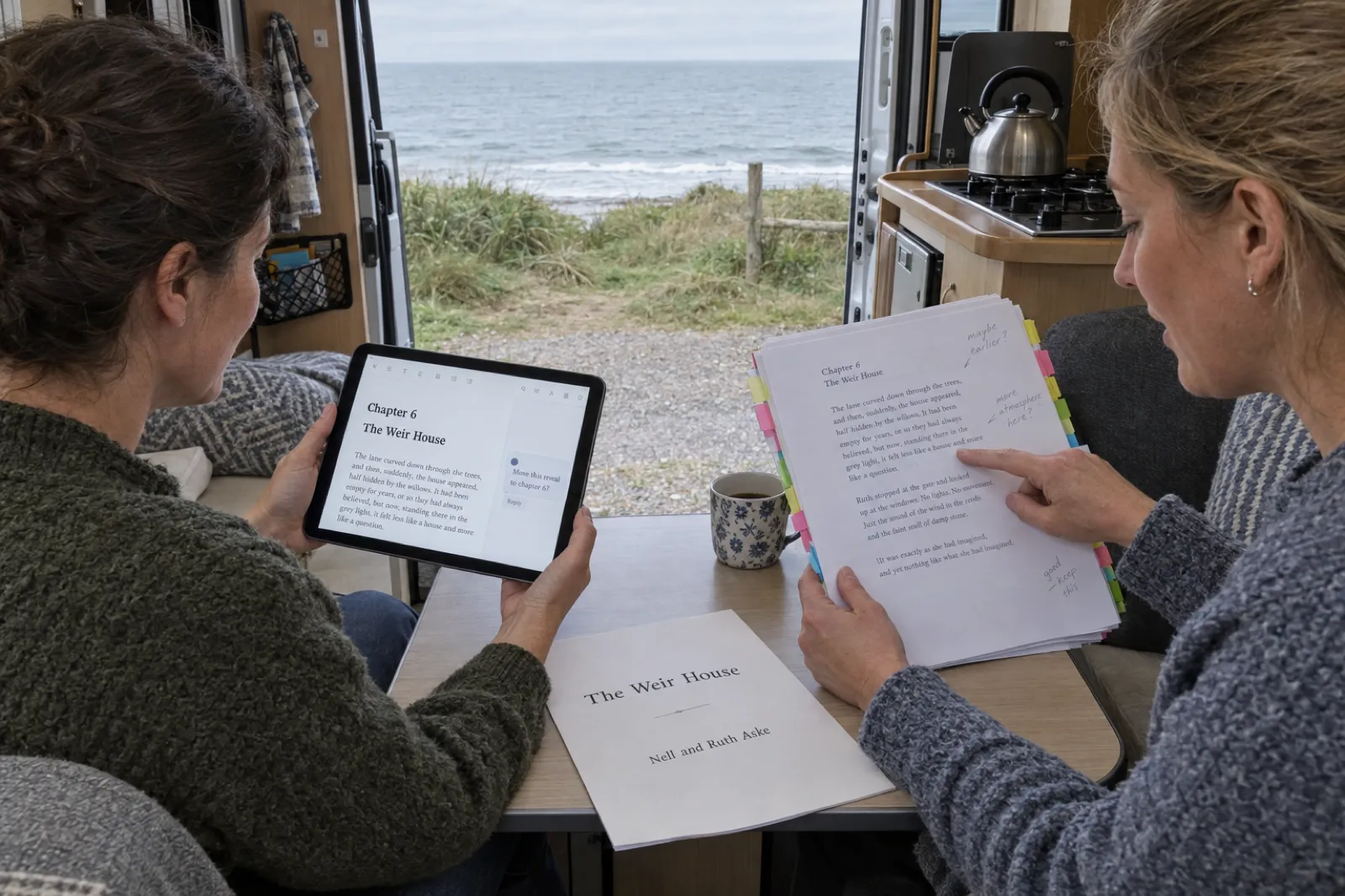
Atticus is a writing app as well as a formatter. It has its own editor and writing goals, and its collaboration help pages (dated December 2024) describe four roles: the Owner (full control), a Co-writer (writes in the text but has no formatting access and cannot move or delete chapters), an Editor (works through tracked changes and comments) and a Beta Reader (comments only). If you write with a partner or pay an editor who works inside the book, this is a real advantage.
Vellum documents no collaboration features. Its help index has no collaboration section. To share with an editor, its FAQ says to use File, Export Content As, Word File, and adds that "This exported file is not intended for publishing." A Vellum licence is tied to one person and cannot be shared. Vellum is built around importing a manuscript written elsewhere (Word, Scrivener and Pages can all save .docx); its import guide recommends styling chapter titles with Word's Heading 1 so chapters are detected.
Inkfluence AI is where the writing happens if you want help with it: it drafts the outline and chapters from your idea or notes, and you edit in the same place. For an outside editor, it exports DOCX with chapter titles as Heading 1. If your current writing tool is the question, our comparisons with Scrivener, Reedsy and Novelcrafter cover it, and the AI manuscript editor page shows the editing side.
Updates in 2026
Both tools are actively maintained. Neither has added AI. Here are their 2026 release notes as published on their own sites.
Vellum (blog.vellum.pub)
- 4 Feb: 4.0.3, stops using Lucida Grande in print output
- 26 Mar: 4.1, expanded heading controls, improved Word import
- 7 Apr: 4.1.1, word-count graph, percentage-through-book toolbar item
- 23 Apr: 4.1.2, better Word export (lists, footnotes, endnotes) and image import
- 19 May: 4.1.3, updated Kindle cover preview
- 15 Jul: 4.1.4, smaller PDFs for black-and-white images, Word export indents restored
- 14 Sep: 4.1.5, macOS 27 compatibility
- 7 Oct: 4.1.6, macOS 27 stability
Atticus (atticus.io/updates)
- 27 Jan: dark mode
- 12 Mar: unique drop caps
- 7 Apr: PDF generation reliability, account security
- 28 Apr: import and caching improvements
- 1 Jun: EPUB page-flip view, draft mode, full book view
- 9 Jun: another copyright page template
- 23 Jun: more header and footer options
- 8 Jul: speed and maintenance
- 23 Jul: user functionality improvements
- 12 Aug: folders for images
- 3 Sep: 10+ more social icons for author profiles
The pattern: Vellum ships fewer, focused releases and keeps pace with macOS, which matters because it is a native Mac app. Atticus ships small formatting additions roughly monthly. Neither changelog points to a change in direction, so buy whichever fits you today rather than waiting for a feature.
When an AI formatter is enough
Atticus and Vellum assume two things: the manuscript is finished, and you want to make the design decisions yourself. If either is not true, an AI book formatter can be the better buy. Inkfluence AI is our top pick for writers who want one tool for the whole job, for these reasons:
- It writes, if you want it to. Start from an idea or your notes and it drafts the outline and chapters with you, across fiction and non-fiction book types and in other languages through the book translator. Or import your finished manuscript (DOCX, PDF, EPUB, TXT or Markdown) and use it only to format.
- The KDP package. One zip with the paperback interior PDF, the full-wrap paperback cover PDF with the spine sized to your real page count and paper type, the Kindle ebook cover, the Kindle EPUB, and a READ ME FIRST file with the trim, page count, spine width, paper and the bleed answer to give KDP.
- Margins you do not have to think about. Set from the rendered page count, with headroom above KDP's minimums. In our measured print checks on real renders, every page came out exactly at the trim or bleed size with all text at least 0.375 in from the trim, at 6 x 9, 5 x 8, US Letter, A5 and 7 x 10.
- Covers and audio. The cover designer and the audiobook generator work on the same book, which neither formatter offers.
- Any computer. It runs in a browser, so Windows, Chromebook and Linux are covered.
Its limits, plainly. Vellum is better at typography: its styles, ornaments and per-feature controls produce a more finished novel interior, and both Vellum and Atticus give you far more manual control. Inkfluence AI has no theme builder, no editable margins, no footnotes, no large print preset, no hardcover and no per-store ebook files, and it needs an internet connection. The free plan exports a PDF only, with a footer credit and a closing credit page; EPUB, DOCX and the KDP package need any paid plan or a credit pack. AI cover art is not on the free plan.
| Your book | Is an AI formatter enough? |
|---|---|
| How-to guide, business book, workbook, memoir | Usually yes. Text-led, few special layouts. |
| Novel where you care about every chapter opening | Vellum or Atticus will look more finished. |
| Academic or history book with footnotes | No. Use Vellum or Atticus, both of which do footnotes and endnotes. |
| Large print edition | No. Vellum and Atticus both handle large print. |
| Children's picture book | Yes, with Inkfluence's picture book mode (paid), which pads short books to KDP's 24-page minimum. See publishing a children's book on KDP. |
| Hardcover | No. Inkfluence's KDP package is paperback only. |
| Book not written yet | Yes. Neither formatter writes. |
Write it and format it in one place
Start free: 5 chapters, then 5 more every month, with a formatted PDF. Creator ($9.99 a month) adds EPUB, DOCX and the KDP package.
Start my bookUsing two tools together
Plenty of authors draft in one tool and format in another. Both Atticus and Vellum import Word files, so any tool that exports a clean DOCX can feed them. If you draft in Inkfluence AI and want Vellum's or Atticus's typography at the end:
- Finish the edit first. Make your last content changes in Inkfluence; going back and forth between tools after formatting creates two versions of the truth.
- Set Chapter numbers to None in the Export window. Atticus and Vellum add their own chapter numbering, and a separate number line above each title would import as body text.
- Decide on the extras. Turn the Introduction and Final thoughts pages off if you do not want them carried over; Atticus and Vellum both build their own front and back matter (title page, copyright, also by).
- Export DOCX. Chapter titles come out as Heading 1, which is the style Vellum's import guide recommends for chapter detection. DOCX export needs any paid plan or credit pack.
- Import and check the chapter list. Vellum lets you split or merge chapters if detection misses one; extra blank lines are the usual cause of stray "Untitled" chapters.
- Re-insert images inside the formatter. Atticus's own advice is to keep images in a separate folder and insert them in Atticus after importing the text.
Going the other way also works: Inkfluence AI imports DOCX, so a book formatted elsewhere can come in for an audiobook, a translation or a new cover. Our Inkfluence AI vs Vellum and Inkfluence AI vs Atticus comparisons go deeper on each pairing, and the help centre covers importing a DOCX or EPUB and exporting for KDP.
Draft here, finish anywhere
Write the book with AI help, then export a DOCX with Heading 1 chapter titles for Vellum or Atticus, or skip the second tool and export the KDP package directly.
Draft my book
Which to buy, by situation
| You are | Buy | Why |
|---|---|---|
| A novelist on a Mac publishing a series | Vellum Press | Saved styles keep every volume identical; box set guide; strongest defaults. |
| A novelist on Windows | Atticus | Closest to Vellum off the Mac, for less. |
| Writing with a co-author | Atticus | Co-writer, editor and beta reader roles with tracked changes. |
| Ebook only, on a Mac, wide distribution | Vellum Ebooks | One file per store plus Generic EPUB; add print later for $69.99. |
| On a Chromebook | Atticus, or Inkfluence AI on a small budget | Vellum cannot run there. |
| A coach or consultant writing a business book | Inkfluence AI | The writing is the hard part; the KDP files come with it. See for non-fiction authors. |
| Publishing your first book, not yet written | Inkfluence AI | Free to start; formatting is included. See for first-time authors. |
| Formatting books for clients | Vellum (Mac) or Atticus | Vellum allows formatting for other authors on one licence; Atticus has unlimited books. |
| A non-fiction author with footnotes | Vellum or Atticus | Both do footnotes and endnotes; Inkfluence AI does not. |
| A Kindle-only author on a tight budget | Kindle Create | Amazon's app turns a Word file into a Kindle book. |
Fiction writers deciding where to draft as well as format will find more in Inkfluence AI for fiction authors and the AI novel writer; KDP-first authors in Inkfluence AI for Kindle publishers.
Before you pay: a checklist
- Check your computer. Vellum needs a Mac on macOS 13 or newer. If you are on an older Mac, Windows, Linux or a Chromebook, Vellum is out unless you rent a cloud Mac.
- Style your real manuscript in Vellum first. It is free to download, import and preview, so you can see your own book in its styles before paying anything.
- Use the Atticus refund window properly. There is no trial, but there is a 30-day money-back guarantee. Import your manuscript on day one, export a print PDF and an EPUB, and check both before the 30 days run out.
- Prepare the Word file. Style chapter titles as Heading 1, remove runs of blank lines, and keep images in a separate folder. Both tools import DOCX only.
- Decide ebook only or ebook and print. With Vellum, that is the difference between $199.99 and $249.99; buying Ebooks and upgrading later costs $19.99 more than buying Press.
- Plan the cover separately. Neither tool makes the paperback wrap. Get your final page count from the formatter, then size the wrap with KDP's template or a spine width calculator.
- Check the files before you upload. Open the EPUB in Kindle Previewer and the print PDF in a two-page view, as Atticus's own tutorial recommends, then check KDP's previewer after upload. Our print-ready PDF guide lists what to look for.
- Think about AI disclosure. If any of the text or images came from AI, KDP asks you to say so when you publish. Our KDP AI disclosure guide explains what counts. Atticus's help centre even has an article on an "AI/Human Written" copyright page template.
Not on a Mac and not sure about $147?
Try the whole path free: write or import the book, preview it in five styles, and export a formatted PDF. Unlock the KDP package when you are ready to publish.
Try Inkfluence AI freeOnce the files are ready, the money side starts: our royalty calculator and KDP royalties guide show what each sale earns, and the KDP tools page collects the rest of the free calculators.
Frequently asked questions
Is Atticus or Vellum better?
Neither wins outright. Vellum gives the most finished result for the least setup, but it runs only on a Mac (macOS 13 or newer) and costs $199.99 for ebooks or $249.99 with print. Atticus costs $147, runs in a browser on Windows, Mac, Linux and Chromebook, and adds a custom theme builder and co-author roles. On a Mac with the budget, buy Vellum. Anywhere else, or if $147 is the ceiling, buy Atticus.
Is there a Vellum for Windows?
No. Vellum says it is only available for Mac. Its help suggests Windows users rent a cloud Mac through MacinCloud, which it says starts at about $1 an hour, and you still need to buy a Vellum licence to generate files. Atticus is the usual Windows alternative, and Inkfluence AI runs in any browser.
How much does Vellum cost in 2026?
Vellum Ebooks is $199.99 and Vellum Press, which adds print, is $249.99, both one-time purchases before tax (checked 13 October 2026). You can upgrade from Ebooks to Press later for $69.99. Vellum is free to download, so you can import and style a book before paying; you pay when you want to generate publishable files. Purchases can be cancelled within 30 days for a refund.
Is Atticus worth $147?
If you will format at least one paperback and ebook yourself and you are not on a Mac, usually yes: it is a one-time payment with ongoing updates, it handles print PDF, EPUB and DOCX, and it has a 30-day money-back guarantee. It is less worth it if you only need a Kindle ebook, or if you also need the writing, the cover wrap or an audiobook, which Atticus does not do.
Does Atticus or Vellum use AI?
No. Neither mentions AI on its own site, and neither one writes, edits or generates content for you (checked 13 October 2026). Both format a manuscript you have already written. If you want AI help with the writing as well as formatting, Inkfluence AI does both in one place.
Can Atticus or Vellum make my paperback cover?
No. Vellum says you upload your print cover straight to the print service, and Atticus handles the ebook cover image but has no wrap cover designer. You make the full wrap (back, spine and front) elsewhere, for example with KDP's cover tools, a designer, or Inkfluence AI, whose KDP package includes a full wrap cover with the spine sized to your page count and paper.
Do Atticus and Vellum format hardcover books?
Both format hardcover interiors. Vellum's help says it creates paperback and hardcover interiors for print-on-demand, and Atticus's help says it can format both paperback and hardcover. Neither makes the hardcover case cover. Inkfluence AI's KDP package is paperback only.
Can I switch from Vellum to Atticus, or the other way?
Both import Word (.docx) files, and Vellum can export a Word file of your book, which its FAQ says is meant for sharing with an editor rather than for publishing. Expect to re-apply styles after a move: neither imports the other's project format. Atticus's help also covers exporting your book to Word.
Which is better for large print and box sets?
Both handle them. Vellum has guides for creating a large print edition and a box set, and its trim list has a Large Print section with six sizes. Atticus lists large print on its homepage and has help articles on box set covers and on parts and volumes. Inkfluence AI has no large print preset.
When is an AI formatter enough instead of Atticus or Vellum?
When the book is mostly text, you are happy with a handful of clean styles rather than hand-tuning every chapter opening, and you want the KDP files and the cover wrap made for you. Inkfluence AI sets the margins from the real page count, makes the full wrap cover and the Kindle EPUB, and runs in a browser. Choose Vellum or Atticus when typography is the point: custom themes, footnotes, large print, or per-store ebook files.
Sources
- Vellum homepage (Ebooks $199.99, Press $249.99, price excludes tax, macOS 13 or newer, "only available for Mac", free download), checked 13 Oct 2026
- Vellum Help: Purchasing (one-time purchase, $69.99 upgrade, 30-day refund, licence per individual, unlimited books and pen names, client work, free updates), checked 13 Oct 2026
- Vellum Help: Using Vellum on Windows (MacinCloud, from $1 an hour, caveats), checked 13 Oct 2026
- Vellum Help: Trim Sizes (30 entries, 24 sizes, Large Print section), checked 13 Oct 2026
- Vellum Help: Print Settings (0.875 in inside margin default, bleed options and sizes, perceptual font sizing), checked 13 Oct 2026
- Vellum Help: Print (interior PDF, paperback and hardcover interiors, cover is a separate file), checked 13 Oct 2026
- Vellum Help: Generating (per-store ebook files, Generic EPUB optional), checked 13 Oct 2026
- Vellum Help: Styles (dozens of styles, configurable features, saved styles), checked 13 Oct 2026
- Vellum Help: Text Features (footnotes, endnotes, verse, text conversations, store links), checked 13 Oct 2026
- Vellum Help: Importing (.docx only, Heading 1, split and merge chapters), checked 13 Oct 2026
- Vellum Help index (guides: box set, anthology, large print, Windows; no collaboration section), checked 13 Oct 2026
- Vellum FAQ: Word file for your editor, checked 13 Oct 2026
- Vellum FAQ: print cover, checked 13 Oct 2026
- Vellum blog (2026 releases 4.0.3 to 4.1.6), checked 13 Oct 2026
- Atticus homepage ($147 one-time, 30-day money-back guarantee, platforms, 17 templates, 1,200+ combinations, exports and imports, no AI mentioned), checked 13 Oct 2026
- Atticus updates (2026 changelog), checked 13 Oct 2026
- Atticus: Collaboration Roles (Owner, Co-writer, Editor, Beta Reader; last updated 3 Dec 2024), checked 13 Oct 2026
- Atticus: Fonts Available (15 body fonts, 1,500+ heading fonts, no font upload), checked 13 Oct 2026
- Atticus: Book Formatting Basics (trim size in the formatting tab, default margins, Kindle Previewer and two-page PDF check, images separate), checked 13 Oct 2026
- Atticus Help: Formatting and Organization (hardcover, Layout Priority, two-page spreads, anthology, lined pages, unique drop caps, print page count), checked 13 Oct 2026
- Atticus Help: Exporting and Publishing (universal EPUB, Booklinker links, iPad install and offline limits, box set cover, cover information, AI/Human Written copyright template), checked 13 Oct 2026
- Kindlepreneur affiliate disclaimer (Atticus affiliation wording; last reviewed 3 Jan 2026), checked 13 Oct 2026
- KDP Help: Set Trim Size, Bleed, and Margins, checked 13 Oct 2026
- KDP Help: Kindle Create (Windows and Mac, DOC/DOCX in, KPF out, limitations), checked 13 Oct 2026
- KDP Help: eBook manuscript formats, checked 13 Oct 2026
- Inkfluence AI facts: our export code and measured print checks on real rendered interiors, 13 Oct 2026, and our pricing page.
Related reading
- Best book formatting software and the AI book formatter
- Inkfluence AI vs Vellum and Does Atticus have AI? Inkfluence AI vs Atticus
- How to Format a Book for Amazon KDP
- KDP Trim Sizes: Which Size for Which Book and low-content books on KDP
- How to Publish AI-Generated Books on KDP
- Best ebook creators and the best AI book writing apps
- Inkfluence AI vs Canva and all comparisons
- Self-publishing guide and self-publishing on Amazon KDP
- Amazon KDP Tools Guide
- Book Copyright Page Template
- AI Book Writer

Founder, Inkfluence AI
Sam is the founder of Inkfluence AI. He built the platform to make book creation accessible to everyone - from first-time authors to seasoned publishers.
Helpful links
Ready to Create Your Own Ebook?
Start writing with AI-powered tools, professional templates, and multi-format export.
Get Started FreeRelated Articles
 Children's Books
 Children's Book Word Count and Page Count by Age (2026): Board Books to Middle Grade, with Real Picture-Book Data
How many words and pages a children's book needs, from board books to young adult, with every range sourced to a publisher or editor and dated, words per page from real picture books by age band, and a word-budget calculator that checks KDP's 24-page minimum.
 Publishing
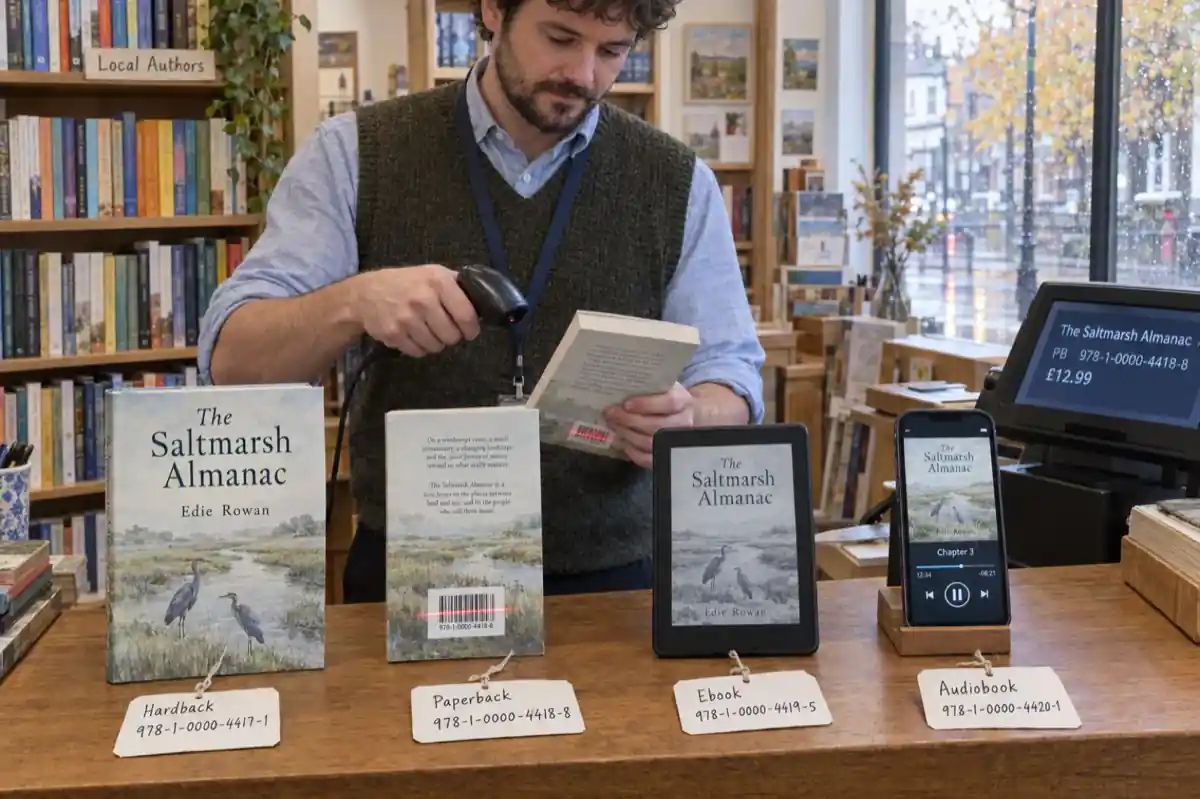
 Do You Need an ISBN? Free vs Bought, Cost by Country, and Which Formats Need One (2026)
When a self-published book needs an ISBN and when it does not, what one costs in the US, UK, Canada, Australia, New Zealand, India, Germany, Italy and France (checked at each agency on 13 October 2026), free ISBNs from KDP, IngramSpark and Draft2Digital, and a picker that tells you how many you need.
 Publishing
 IngramSpark AI Policy (2026): What It Accepts, the Setup Question and the "Assisted By" Credit
IngramSpark accepts AI-drafted books with significant human editing and the "Assisted By - Generative AI" credit, and refuses works created solely with generative AI. Its exact wording, covers and translations, how it differs from KDP, a checker for your book, and an editing workflow.
Get ebook tips in your inbox
Join creators getting weekly strategies for writing, marketing, and selling ebooks.