
AI Book
Formatter
Format your book for Kindle, Apple Books, IngramSpark, and more - automatically.
AI writes your content and formats it in one workflow.
By Sam May, Founder of Inkfluence AI · Updated October 2026
PDF + EPUB + DOCX - Custom fonts and colours - Auto table of contents - KDP-ready exports
Quick Answer
An AI book formatter automatically formats your book for publishing platforms like Amazon KDP, Apple Books, and IngramSpark. Inkfluence AI is the only tool that writes your book with AI and formats it in the same workflow - no need for a separate formatting tool. Choose your fonts, colours, and layout, then export as PDF, EPUB, or DOCX with professional formatting applied automatically. Free to start, covers from the built-in cover designer, and audiobook narration on paid plans. The entire process from idea to formatted book takes minutes.
Can AI format my book for KDP for free?
Partly. The free plan formats your book and exports a PDF at no cost, at any of the nine trim sizes, with a small "Made with Inkfluence AI" line in the footer and a closing credit page. That PDF works for proofreading, a direct-sale download or a quick print.
The files KDP asks for when you publish a paperback come in the KDP package: an interior PDF with mirrored gutter margins, a full wrap cover with the spine sized to your page count, the front cover and the Kindle EPUB. The package needs any paid plan or a credit pack; Creator starts at $9.99/month. The real export below shows what it produces.
What Is an AI Book Formatter?
An AI book formatter automates the technical formatting step that traditionally sits between finishing your manuscript and publishing it. Instead of manually adjusting chapter headings, font sizes, margins, page breaks, and table of contents entries in a tool like Atticus or Vellum, the AI handles it for you.
Most formatting tools require you to write your book elsewhere, then import it and format separately. Inkfluence AI takes a different approach: it writes your book with AI and formats it in the same workflow. You go from an idea to a formatted, export-ready book without switching tools. Choose your font pairing, colour scheme, and layout options - then export as PDF, EPUB, or DOCX with professional formatting applied automatically. If your manuscript already exists, import it into the editor and the same formatting applies on export; if you are starting fresh, the book generator writes the content this page formats.
3
Export formats (PDF, EPUB, DOCX)
33
Book types with adapted formatting
30+
Languages supported
Export Formats for Every Platform
One book, three formats. Export for Amazon KDP, Apple Books, Gumroad, print-on-demand, or further editing. Not sure which you need? Our ebook formats guide settles it in five minutes, and the KDP print guide covers the paperback route end to end.
EPUB
Clean EPUB with navigable table of contents, embedded cover, proper chapter breaks, and metadata. Upload directly to any ebook store.
Compatible Platforms
Amazon KDP, Apple Books, Kobo, Barnes & Noble, Google Play Books
Professional PDF with consistent typography, page numbers, headers, and embedded fonts. Suitable for digital delivery and print-on-demand.
Compatible Platforms
Gumroad, Payhip, Your Website, KDP Print, IngramSpark
DOCX
Editable Word document preserving your chapter structure, headings, and formatting. Import into any word processor for additional editing before publishing.
Compatible Platforms
Word, Google Docs, Further Editing
A Real KDP Export, Page by Page
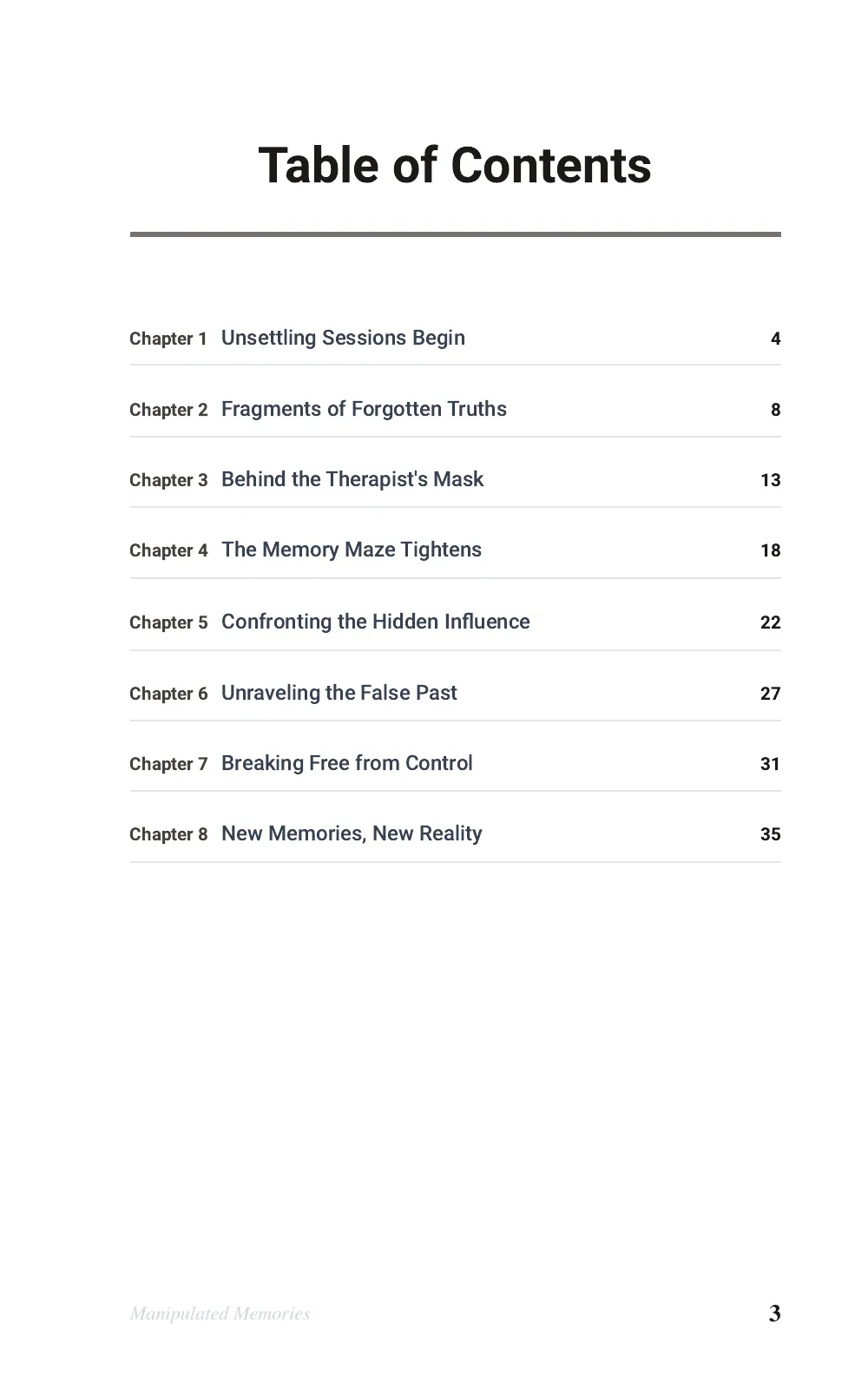
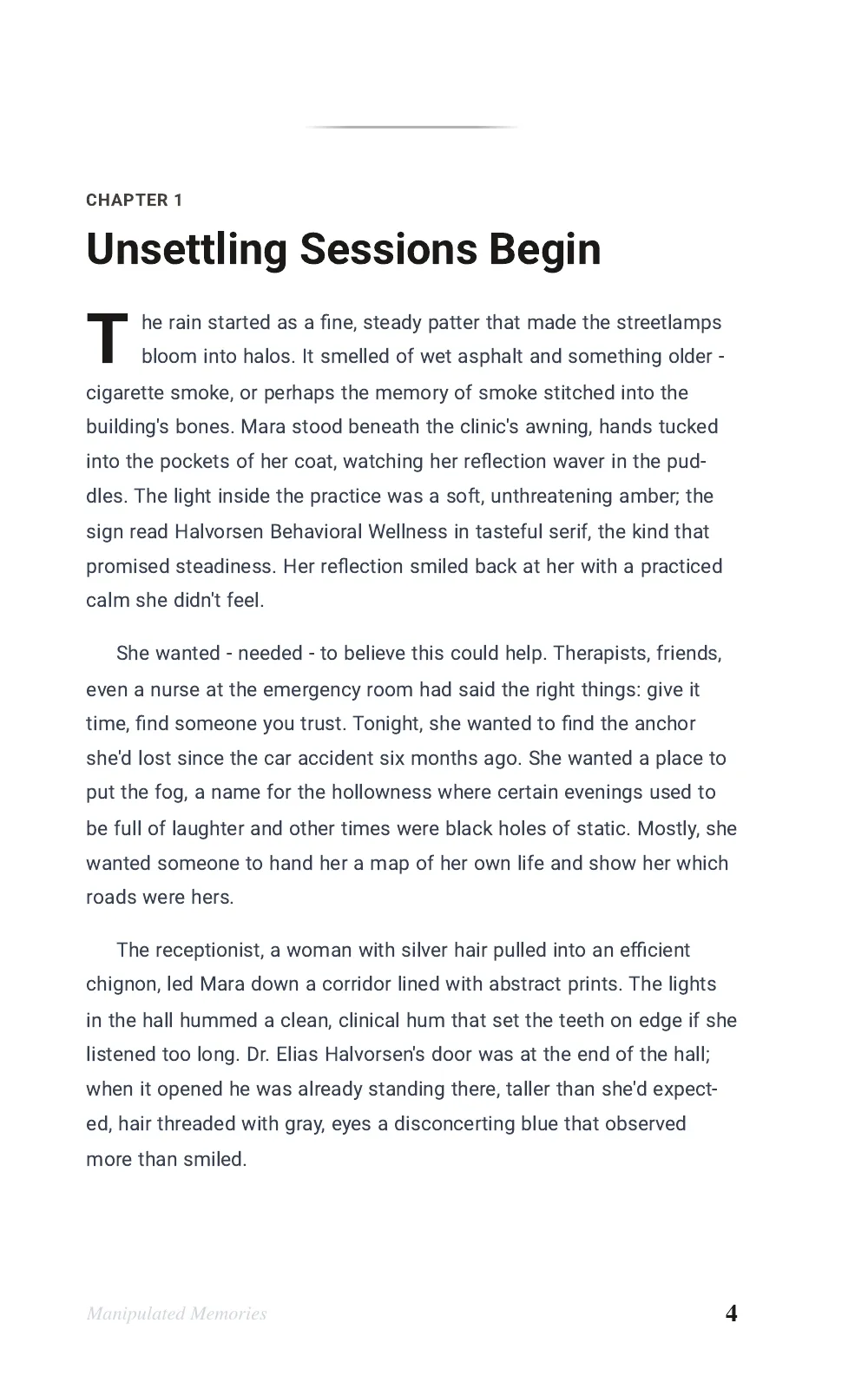
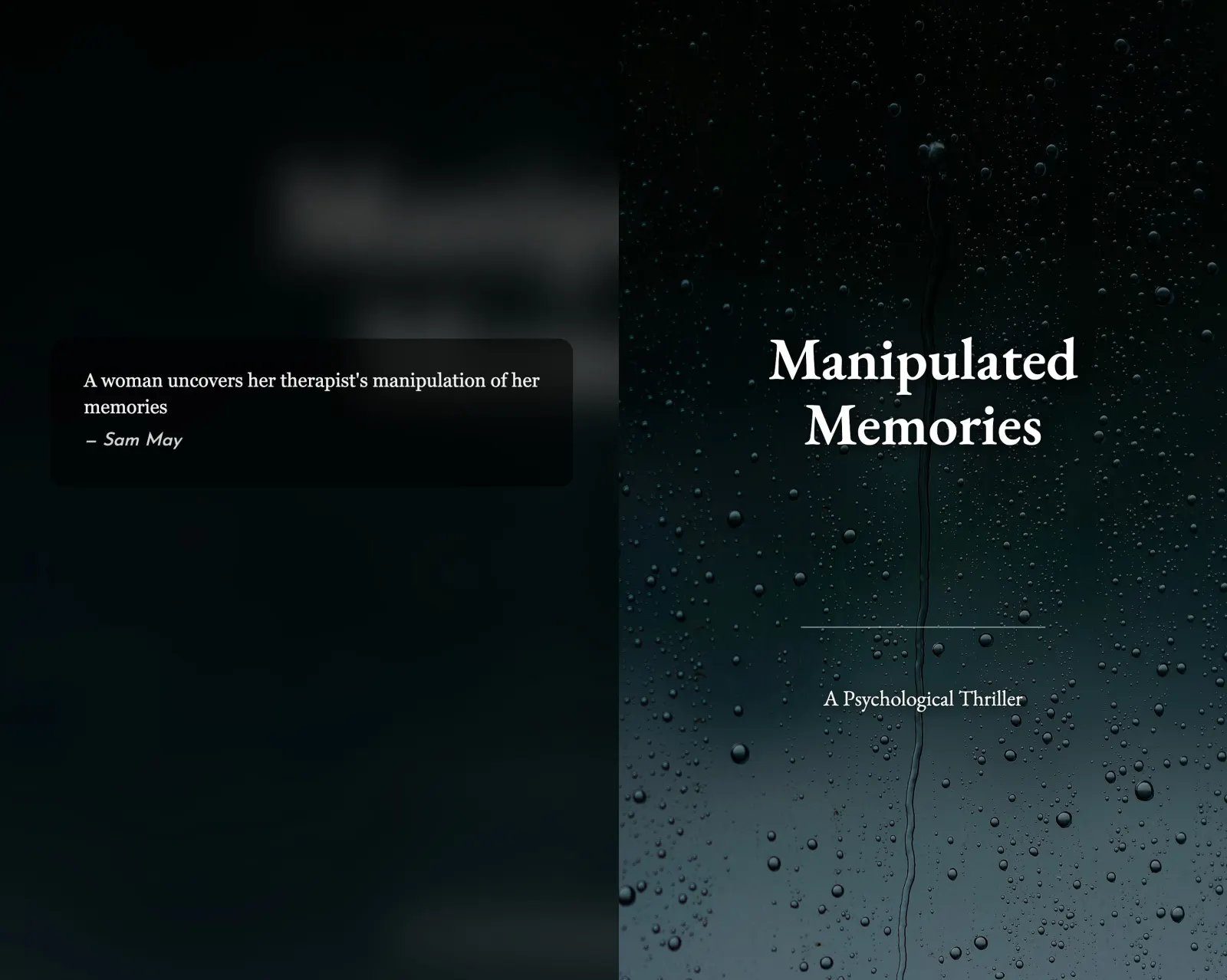
These are unedited renders, not mockups. The book is a 38-page psychological thriller written in Inkfluence AI, exported at the 5 x 8 inch Pocket trim on 8 October 2026 with the same code the KDP package runs. A manuscript you import goes through the same export.
What goes in
- Your manuscript as a Word file, PDF, EPUB or TXT, through the import in the editor. Word files with chapter titles set as Heading 1 split into chapters most reliably.
- Or chapters the AI writes from your outline, as in this sample.
- No margins, page numbers, contents page or spine maths in the file. The export adds those.
What comes out (one zip)
- Manipulated Memories - KDP Manuscript.pdf: 38 pages at exactly 5 x 8 in
- Manipulated Memories - KDP Cover (full wrap).pdf: 10.336 x 8.25 in, back, spine and front
- Manipulated Memories - KDP Cover.jpg: the front cover for the Kindle edition
- Manipulated Memories - Kindle eBook.epub: the ebook manuscript
- READ ME FIRST.txt: which file goes in which KDP upload slot, plus the trim, page count, spine width and paper to select
What Each Export Contains, and Which Plan Includes It
The full list, checked against the export code on 8 October 2026. Trim sizes on offer for print: US Letter (8.5 x 11), Trade (6 x 9), Workbook (7 x 10), Large (8 x 10), Digest (5.5 x 8.5), Pocket (5 x 8), A5, B5 and A4, plus 8.5 x 8.5 for picture books.
| Export | What you get | Plans |
|---|---|---|
| A formatted PDF at your chosen trim size with cover page, contents, page numbers and the book title in the footer. PDFs made on a phone are rendered on our server and their contents page carries real page numbers. PDFs made on a desktop print through your browser, so the contents page lists the chapters without page numbers. | Free plan, with a "Made with Inkfluence AI" footer and a closing credit page. Any paid plan or credit pack removes the branding. | |
| EPUB | An EPUB 3 file with a linked contents list, embedded cover and optional title and copyright pages. Text reflows to fit any screen. Upload it to KDP for Kindle, or to Apple Books, Kobo and Google Play. | Any paid plan or credit pack |
| DOCX | An editable Word document with your chapter headings and a linked contents list, for Word or Google Docs. | Any paid plan or credit pack |
| KDP package |
One zip with five files:
Picture books under 24 pages are padded with blank pages to reach KDP's 24-page minimum. | Any paid plan or credit pack |
Plan details and prices are on the pricing page. For the upload steps after export, see the KDP paperback guide.
KDP Formatting Rules We Follow
Each rule below is quoted from Amazon's KDP help pages, checked 8 Oct 2026, next to what the export does with it.
Inside margins grow with page count
KDP's Set Trim Size, Bleed, and Margins page sets the minimum inside margin at 0.375 in for 24 to 150 pages, rising to 0.875 in for 701 to 828 pages, and says "The top, bottom, and outside margins must be a minimum of 0.25 inches for books without bleed". What we do: 0.75 in inside for any book up to 500 pages, then 0.875 in and 1 in, always above the minimum for that page count, with 0.5 in outside. All ten trim sizes we offer appear on the same page's paperback list.
Spine width, spine text and cover bleed
KDP's Create a Paperback Cover page gives the spine as page count x 0.002252 in for white paper, x 0.0025 in for cream, and x 0.002347 in for premium colour, and says: "We only print spine text on books with more than 79 pages." It asks for 0.0625 in between spine text and the spine edge, to "Allow for 0.0625" (1.6 mm) variance on either side of the fold lines", and to "Add 0.125" (3.2 mm) to the top, bottom, and outside edges of your cover." What we do: the same factors, spine text only from 80 pages, the text kept 0.125 in inside each fold line, and 0.125 in bleed on every outside edge.
Manuscript file and image resolution
KDP's Save Your Manuscript File page says a book without bleed can be uploaded "as a PDF, DOC, DOCX, RTF, HTML, or TXT file", to "Embed all fonts in your native file prior to submission", and that "All images (both cover and manuscript) should be at least 300 DPI." What we do: the interior is a PDF at exactly the trim size with no bleed and its fonts embedded, so you answer "No Bleed" in KDP's print options; the wrap cover renders at 300 DPI.
Minimum page count
KDP's Print Options page lists 24 pages as the paperback minimum for most ink and paper choices. What we do: picture books that come in under 24 pages get blank pages added at export.
Printing with IngramSpark instead
The KDP package is built to KDP's numbers. IngramSpark's file requirements for print books state that "All fonts must be embedded" and offer a cover template generator: "Simply fill in the required fields and a custom template will be emailed to you." Build the IngramSpark cover on that template, and check the interior against its guide before you upload.
What Gets Formatted Automatically
Every export includes these formatting elements - applied automatically with no manual adjustment needed.
Chapter Headings
Consistent heading styles across all chapters with customisable fonts and spacing
Table of Contents
Auto-generated TOC with chapter titles. Navigable in EPUB, page-numbered in the KDP interior and in PDFs made on a phone
Font Pairing
Choose from serif, sans-serif, and decorative font options for headings and body text
Colour Scheme
Set primary and accent colours that apply to headings, dividers, and design elements
Page Numbers
Automatic page numbering in PDF exports with proper placement and formatting
Cover Embedding
Your book cover is automatically embedded as the front page of every export
Copyright Page
Optional auto-generated copyright page with your name, year, and rights statement
Author Bio
Add an about-the-author section that appears at the end of your formatted book
Metadata
Title, author, description, and keywords embedded in EPUB and PDF file properties
Chapter Breaks
Clean page breaks between chapters with consistent spacing and formatting
Running Headers
Book title in the footer of PDF pages by default; your own header and footer text on any paid plan or credit pack
Branding Options
Add your logo or customise the design to match your brand identity
Skip the formatting hassle
Create a book and export it formatted for any platform - in minutes, not hours. AI writes, formats, and exports in one workflow.
Start Formatting FreeHow to Format a Book with AI
Four steps from idea (or existing manuscript) to a professionally formatted book ready for any platform. The same flow handles every format we generate, from workbooks to cookbooks with their recipe layouts.
Start Your Book Project
Create a new project in Inkfluence AI. Enter your title, choose your genre, and describe what your book is about. The AI generates a structured outline with chapter titles and summaries.
Generate or Import Content
Let the AI write your chapters in minutes, or import an existing manuscript in PDF, DOCX, EPUB, or TXT format. Edit and refine your content in the built-in chapter editor.
Customise Your Formatting
Choose fonts, colours, and layout in the export settings. Preview your book in real time as PDF or EPUB. Adjust chapter headings, spacing, table of contents style, and add your author bio and branding.
Export for Any Platform
Hit export and your book is formatted automatically. Download as PDF (Gumroad, print-on-demand), EPUB (Amazon KDP, Apple Books, Kobo), or DOCX (Word, Google Docs). No manual formatting step needed.
Inkfluence AI vs Atticus vs Vellum vs Scrivener
How Inkfluence AI compares with dedicated formatting tools. Different strengths for different workflows; the full head-to-head lives on the Atticus comparison page.
| Feature | Inkfluence AI | Atticus | Vellum | Scrivener |
|---|---|---|---|---|
| AI content generation | Yes - writes full books from outline | No - formatting only | No - formatting only | No - writing environment only |
| Automatic formatting on export | Yes - one click | Manual - choose themes and adjust | Manual - choose styles and adjust | Manual - compile settings |
| EPUB export (Kindle, Apple Books) | Yes | Yes | Yes | Yes |
| PDF export (print, direct sales) | Yes | Yes | Yes (Mac only) | Yes |
| DOCX export | Yes | Yes | No | Yes |
| Chapter theme templates | Font and colour customisation | 17+ themes, 1,200+ combos | Limited polished styles | Compile presets |
| Print layout control | Nine trim sizes, KDP gutters by page count, wrap cover with spine | Full print control (trim, gutter, bleed) | Full print control (Mac only) | Compile settings |
| Cover design tool | Yes - built-in AI cover generator | No | No | No |
| Audiobook narration | Yes - AI voice narration | No | No | No |
| Platform | Web (any device) | Desktop app (Win, Mac) | Mac only | Desktop app (Win, Mac, iOS) |
| Price | Free plan, $9.99/mo Creator | $147 one-time | $249.99 one-time | $49 one-time |
| Best for | Fastest idea-to-formatted-book | Dedicated formatting with themes | Elegant Mac-only print formatting | Writers who want a full writing env |
Need a deeper comparison? See Inkfluence AI vs Atticus for a detailed feature breakdown.
Prompt Templates
Copy a prompt, paste it into Inkfluence AI, and get a formatted book in minutes.
Self-Help Book for KDP
"Write a self-help book about building confidence after a career change. 8 chapters with practical exercises. Format for Kindle publishing."
Business Lead Magnet
"Create a 5-chapter guide on email marketing for small businesses. Professional formatting with clean headings and actionable steps. Export as PDF."
Fiction Novel Chapter Format
"Write a mystery novel set in a coastal town. 12 chapters with clean chapter breaks and running headers. Export as EPUB for Apple Books."
Cookbook with Recipe Layout
"Generate a Mediterranean cookbook with 30 recipes organised by meal type. Each recipe has ingredients, method, and timing. Format for print-ready PDF."
Course Companion Workbook
"Create a workbook companion for an online photography course. Include exercises, checklists, and reflection prompts. Export as PDF and EPUB."
Who Is the AI Book Formatter For?
Anyone who wants a formatted book without learning a dedicated formatting tool.
Self-Published Authors
Format for Amazon KDP, Apple Books, and Kobo without learning a dedicated formatting tool. Go from idea to published ebook in one sitting.
Course Creators
Turn your course material into a professionally formatted companion ebook. Export as PDF for students or EPUB for ebook stores.
Non-Fiction Writers
Business books, self-help guides, and how-to manuals formatted with consistent headings, numbered lists, and clean structure.
Fiction Authors
Novels, short story collections, and genre fiction formatted with proper chapter breaks, running headers, and navigable TOC.
Coaches and Consultants
Package your expertise into a formatted ebook or workbook. Export as PDF for lead magnets or EPUB for selling on Amazon.
Content Creators
Repurpose blog posts, newsletters, and social content into a formatted book. Import existing text and export as a professional ebook.
How 4,486 Authors Actually Format Their Books
First-party data from the saved export settings of 4,486 recently active authors on Inkfluence AI, measured August 2026. The pattern is clear: professional defaults carry most books, and the authors who change anything change the trim size first.
keep the Letter page size for digital-first PDFs, while 6x9 inches leads among true print trims, the standard paperback size Amazon KDP expects
use standard numeric chapter numbering; roman numerals and unnumbered chapters together account for barely 2 in 100 books
add custom running headers or footers; the rest ship with the clean defaults, which is exactly what a formatter earning its keep looks like
The takeaway for your own book: the defaults on this page are the settings most published books actually use. Change the trim size if you are printing, and let the rest do its job. For what happens after formatting, our export data study shows which formats authors actually ship, and the selling walkthrough shows the formatted file going live.
Format your book in minutes
AI writes your content, formats it automatically, and exports for any platform. No formatting tool needed.
Frequently Asked Questions
Everything you need to know about formatting books with AI.
Is the AI book formatter free?
What tools do self-published authors use to automate formatting for Kindle?
What do serious self-published authors use instead of Word for final formatting?
Can I format my book for Amazon KDP with this tool?
Can AI format my book for KDP for free?
What export formats are available?
How does automatic formatting work?
Can I customise fonts and colours?
How is this different from Atticus?
How is this different from Vellum?
Does formatting work for fiction and non-fiction?
Can I import an existing manuscript and format it?
Does the formatter create a table of contents?
What about print formatting and print-on-demand?
How long does formatting take?
Is the output good enough for professional publishing?
Can I format books in languages other than English?
Do I keep full rights to my formatted books?
What is the best AI book formatter in 2026?
Can AI assist with alt text and accessibility for ebook images?
Related Tools
Complete your publishing workflow
AI Ebook Generator
Generate full ebooks with AI
AI Book Cover Generator
Design professional covers
AI Book Writer for Kindle
Write and publish on KDP
AI PDF Ebook Maker
Create professional PDF ebooks
AI Audiobook Generator
Turn your book into audio
Book Outline Generator
AI-generated chapter outlines
AI Book Editor
Edit and refine your manuscript
Book Description Generator
Write compelling Amazon blurbs
AI Ebook Workflow
Outline to PDF/EPUB pipeline
Outline to PDF & EPUB
Turn any outline into publish-ready files
Related Reading
Guides for formatting, self-publishing, and ebook creation
Self-Publishing with AI: Complete Guide
From manuscript to published book. Covers formatting, KDP, pricing, and marketing.
Read guideHow to Create a Multi-Format Ebook
Export your ebook as PDF, EPUB, and DOCX from one source file.
Read guideComplete Guide to AI Self-Publishing
Everything from AI writing to formatting, covers, and Amazon listings.
Read guide