
How to Sell Your Ebook
Watch a finished book go on sale three ways from one Publish tab: the free Showcase, your own Etsy shop, and Gumroad, in under two and a half minutes.
By Sam, Founder of Inkfluence AI · Updated September 2026
Watch the full publishing walkthrough, or read the transcript below. Try Inkfluence AI free.
10% + $0.50
Gumroad's fee per direct sale, plus card processing (roughly 2.9% + $0.30). Sales via Gumroad Discover are a flat 30% instead.1
14-19%
Etsy's typical all-in cut per ebook sale: $0.20 listing fee, 6.5% transaction fee, and payment processing combined.2
86M+
Active buyers on Etsy (Q1 2026) who find digital downloads through search, no audience required.3
70%
Amazon KDP's top royalty rate, available on ebooks priced between $2.99 and $12.99.4
Quick Answer
To sell an ebook you made with Inkfluence AI, open the Publish tab on your finished book and pick your channels. The free Inkfluence Showcase gives the book a public page for exposure and credibility, with your author bio and photo or an anonymous byline. The one-click Etsy integration creates a draft listing in your own Etsy shop for you to review and activate. And the Gumroad integration publishes a priced listing (the demo uses $4.99) with a description you can generate with AI, which you finalize on Gumroad once your bank details are in. All three can run at once, and the same book can also go to Amazon KDP. Watch the two-minute demo, then read the complete transcript below.
In this video
- 0:00 Intro: the finished book and cover
- 0:26 Publishing your ebook: the Publish tab
- 0:35 Publish on the free Showcase
- 1:05 Connect Etsy and list your book
- 1:28 Sell on Gumroad: description, price, publish
Where do you sell an ebook made with Inkfluence AI?
Everything in the video starts from one place: the Publish tab on a finished book. The book in the demo was written with Inkfluence AI and the cover was generated in the app too, so there is nothing to export or convert first. From Publish, the same book can go live on three different sites: the free Inkfluence Showcase, your own Etsy shop, and Gumroad. They are not exclusive, so most authors use more than one, and the same file can also be exported for Amazon KDP. If you are still at the writing stage, the book-writing walkthrough covers everything up to this point.
What is the free Showcase and why publish there?
The first option in the Publish tab is the free Showcase: a public page for your book on Inkfluence AI. It costs nothing, gives the book free exposure, and builds your credibility as a published author, which matters when you are starting from zero. You can add your author bio and a photo so the page doubles as an author profile, or publish anonymously, which hides your name but still publishes the book. Because the Showcase links out to your paid listings, it works as a free top-of-funnel page for the Etsy and Gumroad listings you set up next. A strong blurb helps here: the book description generator writes one from your book's contents.
There is no catch to look for. Showcase pages are free on every plan, there is no fee on anything a reader goes on to buy from your linked listings, and you can unpublish at any time. If your paid listings do not exist yet, the Showcase still gives you a link worth sharing on day one, so early interest lands on a real page instead of evaporating while you set up shops.
How do you sell your ebook on Etsy?
Etsy needs one piece of setup the other channels do not: a seller shop. You open one at etsy.com/sell, and Etsy may show a one-time shop setup fee when it opens (Etsy's fee pages publish no amount). That is a one-off cost, not a subscription. Once the shop exists, you connect it to Inkfluence AI a single time, and from then on you can list books straight from the Publish tab. The integration creates each listing as a draft in your shop, with the book file and cover attached, so you review the title, description, tags, and price inside Etsy before activating. Etsy's big advantage is built-in search traffic: buyers find your book without you bringing an audience. Its per-sale fees land around 14-19% all-in at typical ebook prices; the full fee breakdown, niche picks, and AI disclosure steps are in the dedicated guide to selling ebooks on Etsy.
How do you sell your ebook on Gumroad?
Gumroad is the fastest of the three to set up because there is no shop to open and no setup fee. In the Publish tab you add a listing description, and you can generate that with AI inside Inkfluence rather than writing it yourself. Then you set your price: the demo uses $4.99, and most self-published ebooks sell between $2.99 and $9.99. Click publish and Inkfluence AI prepares everything and pushes the listing to Gumroad. The last step happens on Gumroad itself: click Edit, add your bank details so you can get paid, finalize the listing details, and publish. Gumroad takes 10% plus $0.50 per direct sale, plus card processing at roughly 2.9% plus $0.30. Sales that arrive through Gumroad's own Discover marketplace are charged a flat 30% all-inclusive instead, but that rate only applies to buyers Gumroad found for you. The trade-off for the fees is that you keep the customer relationship and their email, which no marketplace gives you. The full playbook, including pricing psychology and launch tactics, is in the guide to selling ebooks on Gumroad.
How should you price it, and what do you keep?
The $2.99 to $12.99 band covers most self-published ebooks: short practical guides at the low end, deeper non-fiction with worksheets and bonuses at the top. The $4.99 used in the demo is a reliable middle: high enough to signal value, low enough to stay an impulse purchase. What you keep differs by platform, since each takes its own cut per sale, so run your exact numbers per platform and price in the royalty calculator. Once listings are live, discoverability is the next lever: ebook SEO covers metadata, keywords, and how buyers actually find ebooks, and if you want the wider business picture, from niche selection to scaling a catalogue, see how authors make money selling AI ebooks.
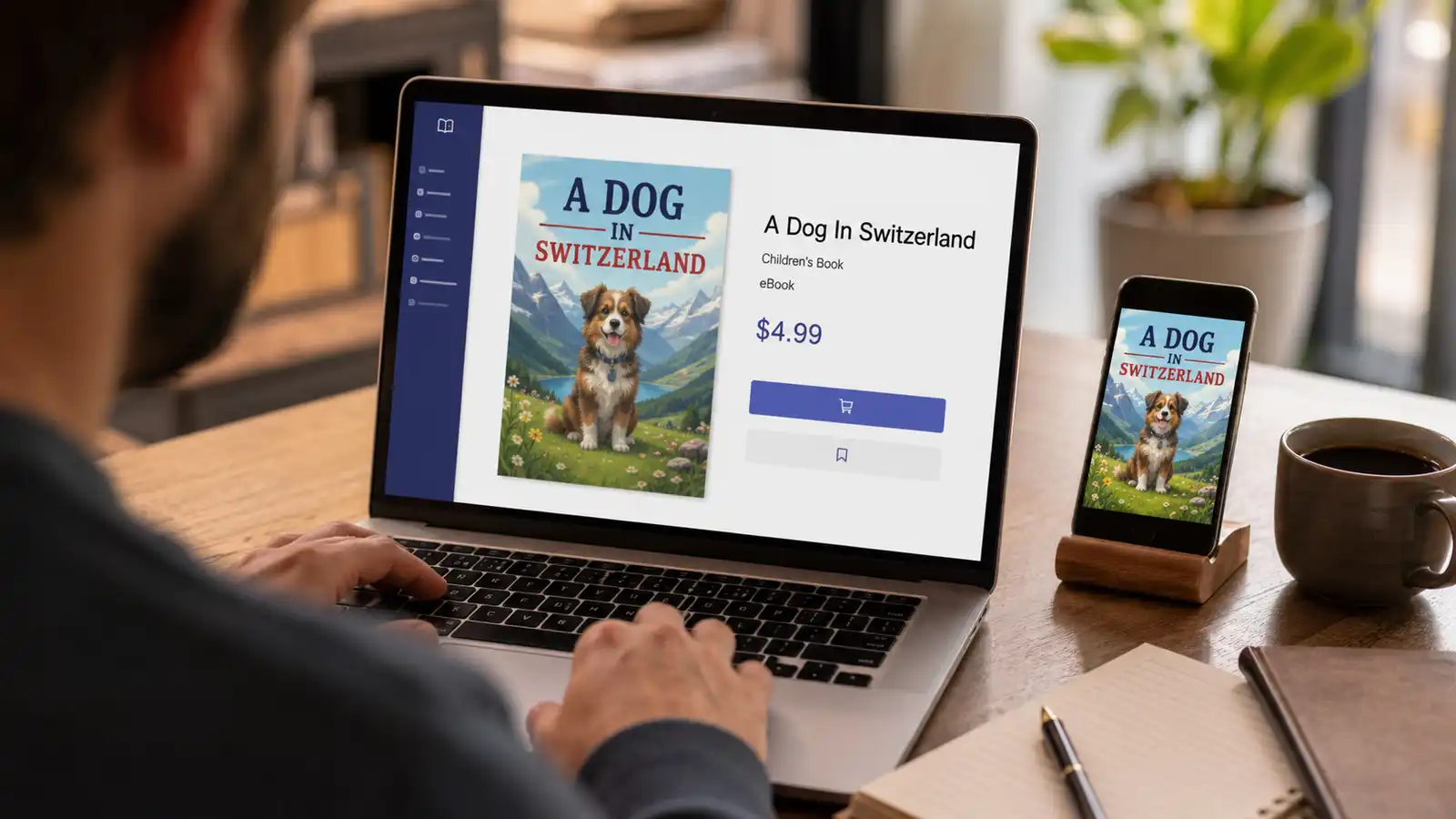
To make the fee differences concrete at the demo's $4.99 price: Etsy's 14-19% all-in cut leaves you roughly $4.04 to $4.29 per sale. Amazon KDP's 70% royalty tier pays about $3.49, minus Amazon's small per-download delivery charge for the file. A direct Gumroad sale leaves roughly $3.55 once the 10% cut, the flat $0.50, and card processing come out; Gumroad's flat 50 cents bites hardest at low prices and fades as the price rises, which is one reason direct sellers rarely price at the very bottom of the band. These figures are arithmetic on the platforms' published fees, not earnings predictions: what any book earns depends entirely on demand and how you market it.
Why sell direct instead of only on Amazon KDP
Most first-time authors assume selling an ebook means Amazon, full stop. Amazon KDP is a strong channel, and the same book from this video can go there too, but treating it as the only channel leaves the best economics of self-publishing untouched. Four differences matter.
Fees. KDP's headline 70% royalty only applies to list prices between $2.99 and $12.99; outside that band the rate drops to 35% (our KDP royalties guide has the per-price figures). On Etsy, the all-in cut at typical ebook prices is around 14-19%. On Gumroad, a direct sale costs 10% plus $0.50 plus card processing. At most realistic ebook prices, you keep a noticeably larger share of each direct sale than of each Amazon sale, and the gap widens the moment your price leaves Amazon's 70% band.
Price freedom. Direct channels have no royalty bands. If your book is a workbook with printable bonuses, a professional reference, or part of a bundle, you can price it at $14.99 or $24.99 on Gumroad or Etsy without your share collapsing. On KDP, crossing $9.99 halves your rate, which quietly caps what most authors dare to charge.
The customer relationship. Gumroad gives you the buyer's email address by default, so you can announce your next book, send updated editions, and build a reader list you own. Etsy gives you a shop with repeat visitors and reviews under your name. Amazon keeps the customer: you never learn who bought your book, and you cannot contact them again.
Exclusivity. Etsy, Gumroad, and the Showcase demand none. KDP itself demands none either, but its KDP Select programme trades 90 days of digital exclusivity for promotional perks, and authors who opt in cannot sell the same ebook anywhere else during that window. The trade-offs are covered in KDP Select vs wide distribution.
None of this makes Amazon the wrong channel. It has the largest book-buying audience on the internet, and for fiction in particular it is hard to ignore; the process is covered in the guide to selling ebooks on Amazon and the full KDP walkthrough. The point is that "publish on KDP" and "sell direct" are not competing strategies. The same book can do both, and the direct channels in this video take minutes to add.
Showcase vs Etsy vs Gumroad vs KDP: which fits your book?
A side-by-side of the four channels this page covers. Remember they are not exclusive: the usual pattern is Showcase plus one or two paid channels, with KDP added when you want Amazon reach.
| Channel | Cost to start | Fee per sale | Who brings the buyers | Best for |
|---|---|---|---|---|
| Inkfluence Showcase | Free | None; the page links out to your paid listings | Showcase visitors, plus anyone you share your link with | Free exposure, author credibility, a public page from day one |
| Gumroad | Free account, no listing fee | 10% + $0.50 + card processing (direct); flat 30% via Discover | You: your email list, social following, content audience | Fast setup, keeping the buyer's email, flexible pricing |
| Etsy | One-time shop setup fee may apply (shown at sign-up) + $0.20 per listing | ~14-19% all-in at typical ebook prices | Etsy search: 86M+ active buyers | Niche non-fiction, workbooks, kids books, sellers with no audience |
| Amazon KDP | Free account | You keep 70% at $2.99-$12.99 list prices, 35% outside that band | Amazon search and browse | Maximum reach, readers who only shop on Amazon |
Fees per the platforms' published pricing pages as of August 2026; see the sources at the end of this page. Your exact take-home varies with price and country, so check your own numbers in the royalty calculator.
One Publish tab, three sales channels
Write and cover your book in Inkfluence AI, then list it on the free Showcase, your Etsy shop, and Gumroad without leaving the app. Free to start writing, no credit card.
Start writing freeWhat actually makes an ebook listing convert
The platform decides who sees your listing; four things on the listing itself decide whether they buy. Every one of them can be fixed in minutes, and together they matter more than which channel you picked.
The cover, at thumbnail size. Buyers meet your cover as a small tile in a search grid, not full-screen. If the title is unreadable at that size, or the design could belong to any book in the category, the click never happens. Test yours by zooming out until it is roughly the height of your thumb; the title should still be legible and the genre obvious. The AI book cover generator produces covers designed for exactly this test, and it is the same tool used for the cover in the video.
A searchable title. On marketplaces, a title is a search query target first and a piece of art second. "Toddler Sleep Guide for Exhausted Parents" gets found; a purely poetic title does not, however good the book is. You do not have to rename the book itself: Etsy and Gumroad listings can carry a longer, keyword-led listing title while the cover keeps the short one. The book title generator produces 20 options per click if yours is not pulling weight.
A description that sells the outcome. The pattern that converts for non-fiction is consistent: a one-line hook naming the problem, a short list of what the reader gets, who it is for, and what makes this one different. Buyers skim, so front-load the first two lines; on most platforms that is all that shows before the fold. The book description generator drafts one in this structure from your actual chapters, and inside the Publish flow the Gumroad description can be AI-written the same way, as the video shows.
A price that matches the promise. Within the usual $2.99 to $9.99 price range, price signals positioning more than it changes conversion: a $2.99 listing whispers "short and thin" while $7.99 says "substantial guide". Match the price to what the description promises, keep the .99 ending buyers expect, and resist competing on cheapness; underpricing reads as a quality warning on Etsy especially.
Beyond those four, discoverability compounds over time: tags and keywords on Etsy, a clean URL and clear category on Gumroad, metadata everywhere. The ebook SEO guide covers that layer in full.
One book, four channels: a sensible launch order
Because the channels stack, the order you switch them on matters less than people fear, but there is a sequence that wastes the least time.
Day one: Showcase and Gumroad. Both are free to start and live within minutes of the book being finished, exactly as in the video. The Showcase gives you a shareable page immediately; Gumroad gives you a priced listing the same afternoon. Remember the one manual step on Gumroad: click Edit, add your bank details, and finalize, or the listing cannot pay you.
Week one: Etsy. Open the shop at etsy.com/sell, pay the one-time setup fee, connect it to Inkfluence once, and publish. The listing lands as a draft; before activating, tick "With an AI generator" under How it's made, because Etsy requires AI disclosure on AI-assisted listings and enforcement is real. Give Etsy a little patience too: new shops typically take a few weeks for search traffic to ramp.
When the direct channels are live: KDP. Export the KDP-ready package and upload. Declare the AI-generated content at upload, which Amazon requires but does not display to buyers, and skip KDP Select if you want to keep selling the same ebook on Etsy and Gumroad, since Select's 90-day exclusivity forbids it.
Then keep the listings consistent. Same cover, same title, same core description everywhere, so a buyer who sees the book twice recognises it instantly. When you update the book, Gumroad delivers the new file to existing buyers automatically, and Etsy and KDP take a re-upload. One book, maintained in one place, selling in four.
Full transcript
Every word from the walkthrough above, lightly edited for readability, so you can skim or quote it without scrubbing through video. Presenter: James, Inkfluence AI.
James: Hi everyone, James from Inkfluence AI, and today I'm going to be showing you how to sell your ebook on Gumroad and Etsy.
So we've got our finished book here. It looks absolutely amazing. We've got the cover generated through Inkfluence AI, and we've created the book through Inkfluence AI as well. Now what we want to do is navigate to Publish, and here we are able to publish our book on three different sites.
So the first option is a free showcase through Inkfluence AI. Now this is great because it's free exposure to showcase your book, and it builds your credibility as a published author. You can add in your bio and a photo, or you can publish anonymously, where it will hide your name but publish your book.
You can also sell on Gumroad and Etsy. So with Etsy, you need to set up an Etsy shop. There is a one-time setup fee of $19, and that's charged by Etsy when your shop opens. Once you set up your shop, you just connect your Etsy shop to Inkfluence AI, and then you are able to list your books through Etsy.
On Gumroad, you just need to add in a listing description. You can also do that using AI through Inkfluence AI. You set your price, so let's go for $4.99, and then you can publish to Gumroad. Inkfluence AI is then getting everything ready for it to be published to Gumroad. And all you then need to do is click Edit on Gumroad, and you'll be able to finalize and publish once you add in your bank details so that you can get paid, and also finalize the listing details as well.
So that's how you can publish your book and sell your book that you've created through Inkfluence AI on Gumroad and Etsy.
Note: Etsy's fee pages publish no amount for the one-time shop setup fee; if one applies, Etsy shows it when you open the shop. The $19 mentioned in the video is the fee James was shown for his region.
Write a book worth selling
Free plan includes AI chapters, PDF export, and a cover designer. No credit card.
Start writing freeFrequently Asked Questions
Can you sell an ebook created with AI?
Do you own the rights to books you create with Inkfluence AI?
What is the free Inkfluence AI Showcase?
Do you need an Etsy shop before you can sell there?
How does the Etsy integration work?
How do you get paid on Gumroad?
How much should you charge for an ebook?
What file formats do buyers receive?
What fees and taxes apply when you sell an ebook?
Can you sell the same ebook on multiple platforms at once?
What about selling on Amazon KDP?
Does Inkfluence AI take a commission on your sales?
Which platform should you sell your ebook on first?
What is Gumroad Discover, and why is its fee different?
Sources and references
- Gumroad pricing page for the current 10% + $0.50 direct-sale fee, card processing rates, and the flat 30% Gumroad Discover fee.
- Etsy Help Center for the $0.20 listing fee, 6.5% transaction fee, payment processing rates by country, and the one-time shop setup fee.
- Etsy Seller Handbook for active-buyer counts communicated in Etsy's investor and seller updates.
- Amazon KDP royalty documentation for the 70% royalty rate on $2.99 to $12.99 list prices and the 35% rate outside that band.
- The timed walkthrough in the video above, recorded on a finished book in the Inkfluence AI Publish flow.
Third-party fees are paraphrased from and checked against the linked pages at time of writing (August 2026). Platforms change fees; the linked pages are authoritative.
Related
How to Create a Lead Magnet with AI (Video)
Six-minute walkthrough: a short ebook lead magnet from one promise to a PDF export.
Ebook to Audiobook
Video walkthrough
Sell Ebooks on Etsy
The full Etsy guide
Sell Ebooks on Gumroad
The full Gumroad guide
Sell Ebooks on Amazon
The KDP route
Make Money with AI Ebooks
The business side
Write a Book with AI
Video walkthrough
Royalty Calculator
Your take-home per sale
Write a Non-Fiction Book
Video walkthrough
Create a Travel Guide with AI
Video walkthrough: a guide made to sell on Etsy and Gumroad
Sell a Travel Guide
Store by store, with the take-home per sale
Sell a Fitness Ebook
Workout plans and meal plans, store by store
Sell a Devotional
Devotionals, prayer journals and Bible studies