
How to Write and Publish a Devotional Book (2026): Structure, Scripture Permissions, KDP and YouVersion
A practical guide to writing and publishing a devotional: choosing the reader and length, the four-part daily reading, choosing scripture, how many verses each Bible publisher lets you quote, a free 30, 40, 52-week and 365-day planner, Amazon KDP step by step, and publishing a reading plan on YouVersion.
Quick Answer
To write a devotional, choose one reader, one season and a length (30, 40, 52 weeks or 365 days), then plan every reading: a theme, a passage and a practice. Write each in four parts: scripture, reflection, practice, prayer. Check your translation's quote limit, print its notice, and publish on KDP or as a YouVersion plan.
A devotional is read differently from any other book. Nobody reads it in a weekend. It sits by the kettle, in a bag or on a bedside table, and the reader opens it once a day for a month or a year. That changes how you plan it, how long each reading should be, how you handle Scripture, and how you publish it.
This guide covers the whole job, from the first plan to a paperback in a church foyer and a reading plan in the Bible App. It is practical rather than doctrinal: it does not tell you what to believe or teach, only how to build a book that serves the readers you have in mind. If you want writing prompts and devotional ideas, our devotional writing guide has premise templates and niches, and the AI devotional book generator page shows the two devotional formats in Inkfluence AI. If you are ready to sell, how to sell devotionals covers stores, pricing and church bulk orders. This page is the part between: the plan, the permissions and the publishing.
There is a free devotional planner halfway down. Pick 30 days, 40 days, 52 weeks or 365 days, and it lays out every reading with a theme, a scripture slot and a practice, checks your verse count against your translation's limit, and opens the plan in Inkfluence AI.
Devotional formats at a glance (13 Oct 2026)
Choose the format first, because it decides the number of readings, how long each one is, the trim size and where the book will live. The word counts below are our suggestions for each format, not industry rules; reading times use the average adult silent reading speed for non-fiction of 238 words a minute (see the sources).
| Format | Readings | Words a reading (our suggestion) | Whole book | Where it usually goes |
|---|---|---|---|---|
| 30-day devotional | 30 | 350 to 500 (about 2 minutes) | 10,500 to 15,000 words | KDP paperback and Kindle; a first book |
| 40-day devotional | 40 | 350 to 500 | 14,000 to 20,000 words | Lent and other 40-day seasons; church copies |
| 52-week devotional | 52 | 600 to 800 (about 3 minutes) | 31,200 to 41,600 words | Small groups, families, a weekly rhythm |
| 365-day devotional | 365 | 200 to 300 or 350 to 500 | 73,000 to 182,500 words | A dated year book, often bought as a gift |
| Reading plan excerpt | 5 to 7 | As in the book | One week of the book | YouVersion Bible Plan, email series, church sample |
| Prayer journal | 30 to 365 prompts | Under 100, plus writing space | Mostly lines and space | KDP paperback (may be low-content); a printable |
Most first-time authors start with 30 or 40 readings. It is a book a reader can finish, which is what earns the next one, and it is small enough to edit properly. A year book is four to twelve times the writing and checking, so plan it as a series of monthly parts from the start.
Step 1: one reader, one season, one length
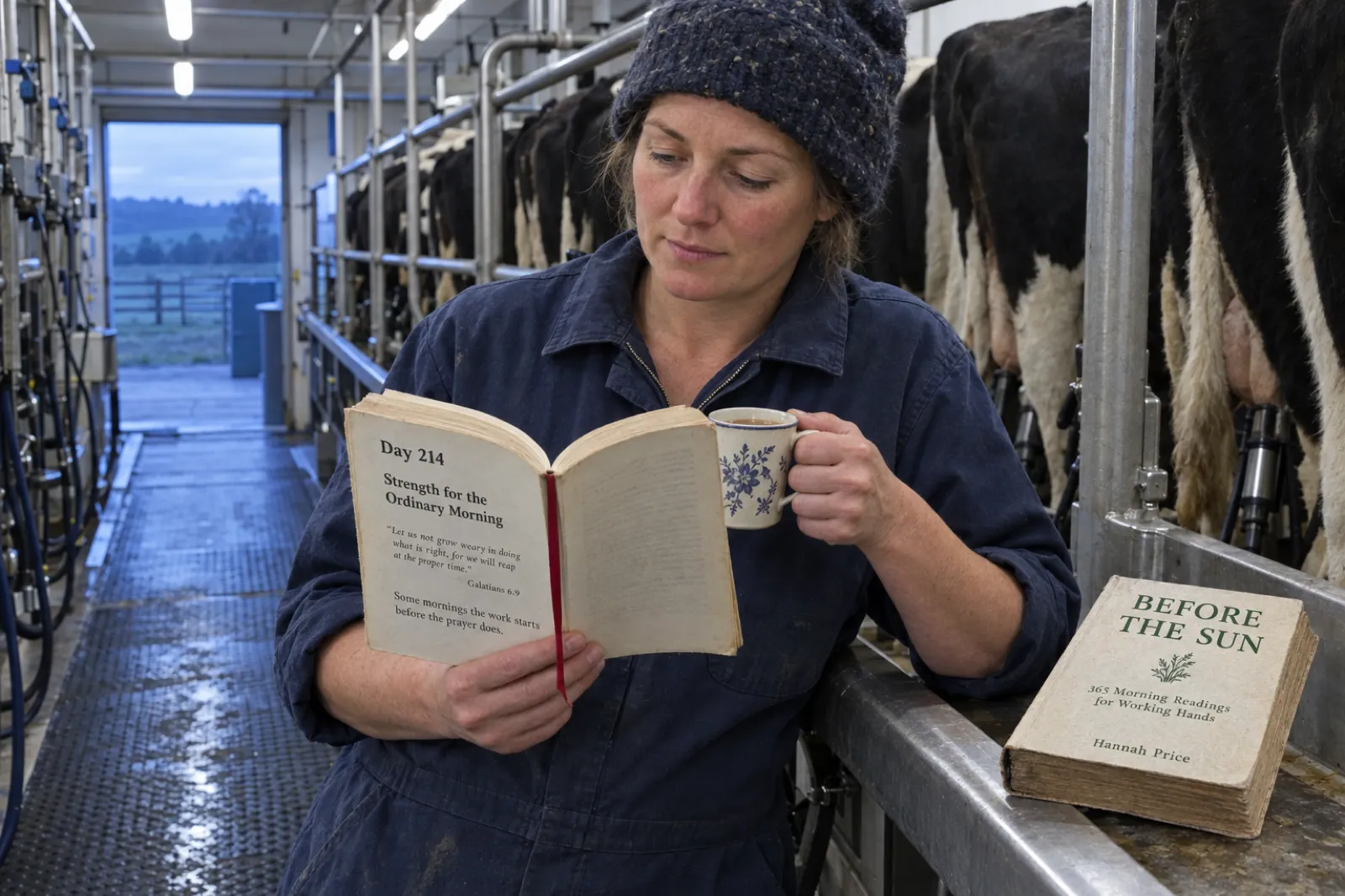
"A daily devotional" has no reader. "Thirty readings for parents of young children who have not had a quiet morning in years" has one, and every choice that follows becomes easier: the length of a reading, the passages you choose, the practices that will actually get done, the cover, even the trim size.
Write three things on a card before you plan anything:
- The reader, described by their situation. New believers in their first year. Men in recovery. Nurses on night shifts. A youth group of 14 to 17 year olds. Widows and widowers in the first year after a loss. Age and gender matter less than what their days look like.
- The season. A season of the church year (Advent, Lent), a season of life (a new baby, retirement, grief), or simply a year. The season decides the length: Lent suggests 40 readings, a new school year suggests a term, a gift book suggests a year.
- The change you hope for. Not a promise, a direction: from anxious to steadier, from new to grounded, from busy to rested. It gives the book an arc, so day 30 is not interchangeable with day 3.
Give the book an arc
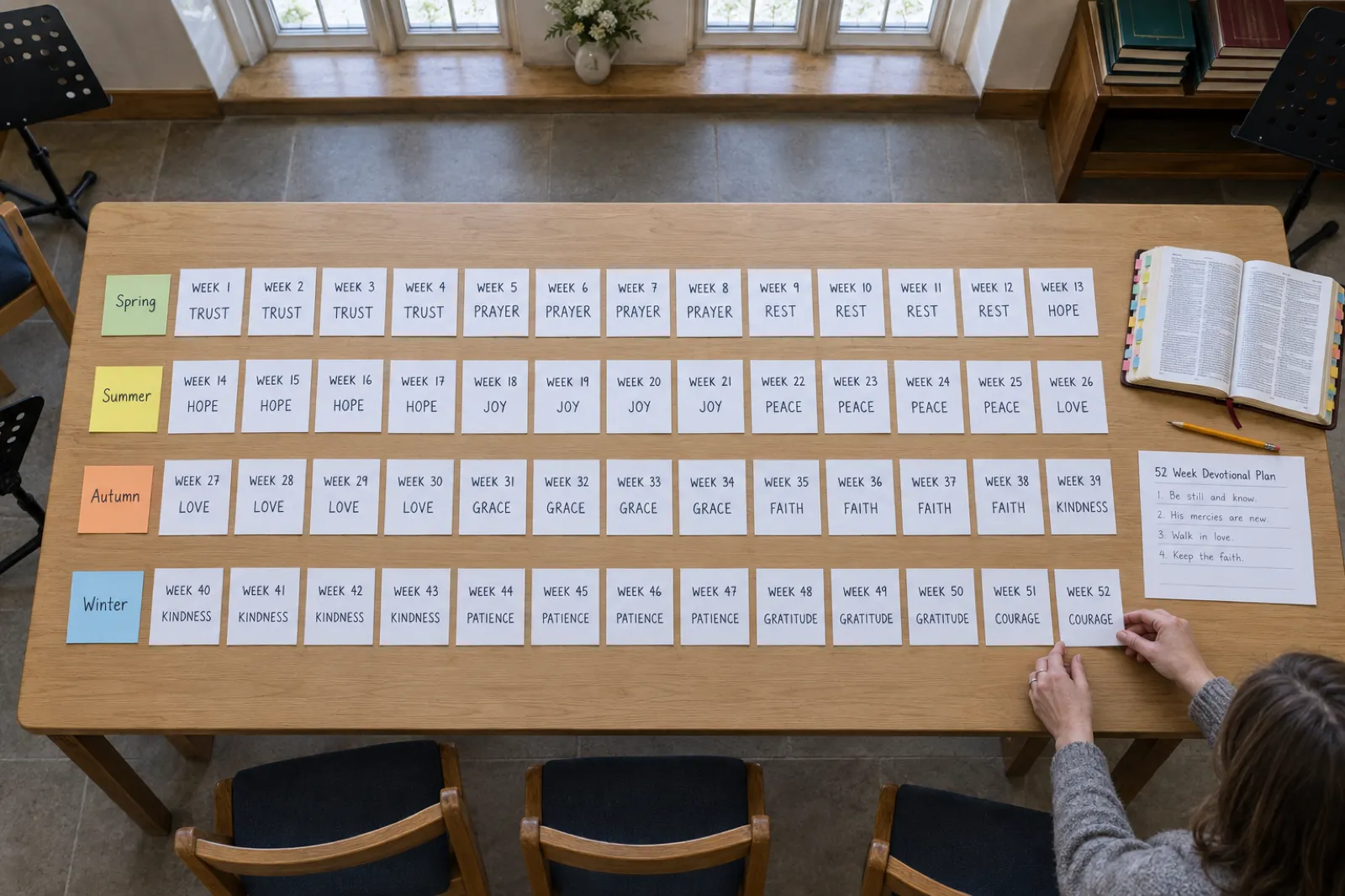
A devotional is read one day at a time, but it is planned as a whole. Split it into parts, each with its own theme, and order the parts so they build. A 30-day book works well as four weeks of seven readings plus two closing days. A 40-day book splits into five parts of eight. A 52-week book can follow the four seasons of the year, thirteen weeks each, or thirteen four-week themes. A 365-day book splits naturally into twelve months, each with its own theme, and each month into four weeks with a rest-and-review day at the end of each week.
Inside each part, vary what the reading asks of the reader so the week has a rhythm: a first look at the theme, the passage itself, the theme on an ordinary day, a practice, the theme with other people, the hard questions, and a day of rest and review. That rhythm is what the planner below uses, and you can rename every line of it.
Step 2: the anatomy of a daily reading
Readers of devotionals value predictability. They want to know where the passage is, how long the reading takes and where the prayer starts, so they can settle into it in the minutes they have. Give every reading the same parts in the same order, and vary what goes inside them.
| Part | What it does | Rough share of a 400-word reading |
|---|---|---|
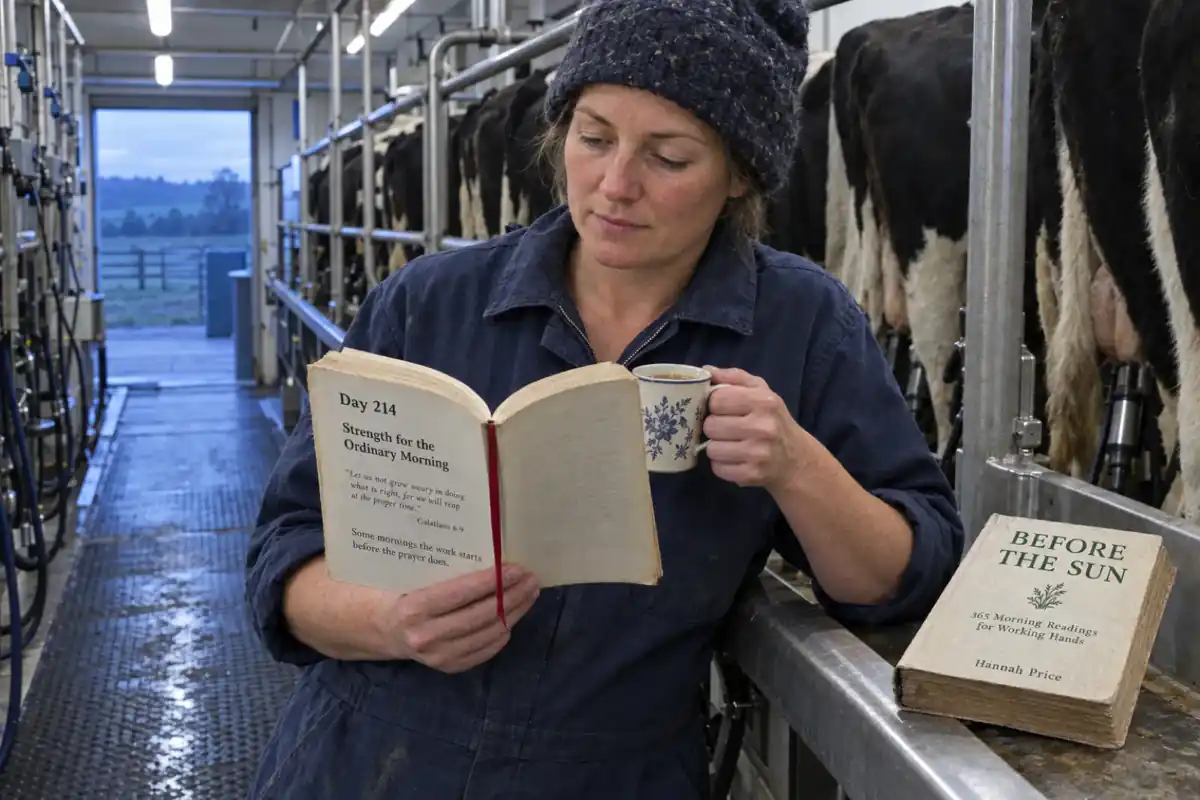
| Day number, date and title | Tells the reader where they are. A title that names the day's idea ("Strength for the Ordinary Morning") helps them find it again | A line |
| Scripture | The passage for the day, with its reference and translation. One to five verses is typical; give a longer passage as a reference to look up | 40 to 80 words |
| Reflection | Connects the passage to the reader's real day: one story, observation or question, and one idea worth carrying. The heart of the reading | 200 to 250 words |
| Practice for today | One small, specific thing to do: a journaling question, a two-minute prayer, a verse to memorise, a conversation, an act of service | 40 to 60 words |
| Closing prayer or thought | A short prayer, blessing or line to carry through the day, in the reader's voice ("I", "we") | 30 to 50 words |
A reading, laid out
Day 9 (an invented example of the layout)
Remembering on an Ordinary Day
Scripture. [Reference and two or three verses, quoted word for word from the translation named on your copyright page.]
Reflection. Open on one concrete moment from a day like your reader's: the school run, the night shift handover, the kitchen at six. Connect it to the passage in a sentence or two. Say one true thing about it, simply, and stop before it becomes a sermon.
Practice for today. Write down one thing from yesterday you would have forgotten by Friday. Read it again tonight.
Prayer. A short prayer in the reader's own voice, tied to the day's passage.
Rules that keep readings readable
- One idea per reading. If you find two, you have two days.
- Short paragraphs. The reader may be half awake, on a bus or between patients.
- Practices that fit in the day. "Pray for an hour" will be skipped; "pray for the person you find hardest at work, by name, before lunch" will be done.
- Vary the emotional temperature. Comfort, challenge, gratitude, lament and hope across a week, so the book never reads as one long note.
- Your own stories, used honestly. Readers come back for the author. If you use someone else's story, ask them first; if you change details, say so once at the front.
Start with the plan, not a blank page
Describe your reader, theme and length in Inkfluence AI, check the chapter plan, and get every reading drafted in the four-part format, ready for you to make your own. The free plan writes the first five readings so you can see the format.
Plan your devotional freeStep 3: choose the scripture
Choose the passages before you write the reflections. A reflection written first and matched to a verse afterwards tends to bend the verse to fit; a passage chosen first gives the reflection something to stand on.
- Choose your translation now. It decides how many verses you may quote without permission, the notice you print, and the wording every reflection refers to. Changing translation after the book is written means rechecking every reading.
- Give each reading one main passage. One to five verses quoted, with a longer passage given as a reference for readers who want more.
- Spread the readings across Scripture. A simple rotation (a Psalm, a Gospel passage, a wisdom book, a letter, an Old Testament story, the Prophets, then a review day) stops the book leaning on the same twenty favourite verses. The planner uses this rotation for its scripture slots.
- Read every passage in its context. Read the whole chapter around the verse before you write about it, so the reflection says what the passage says.
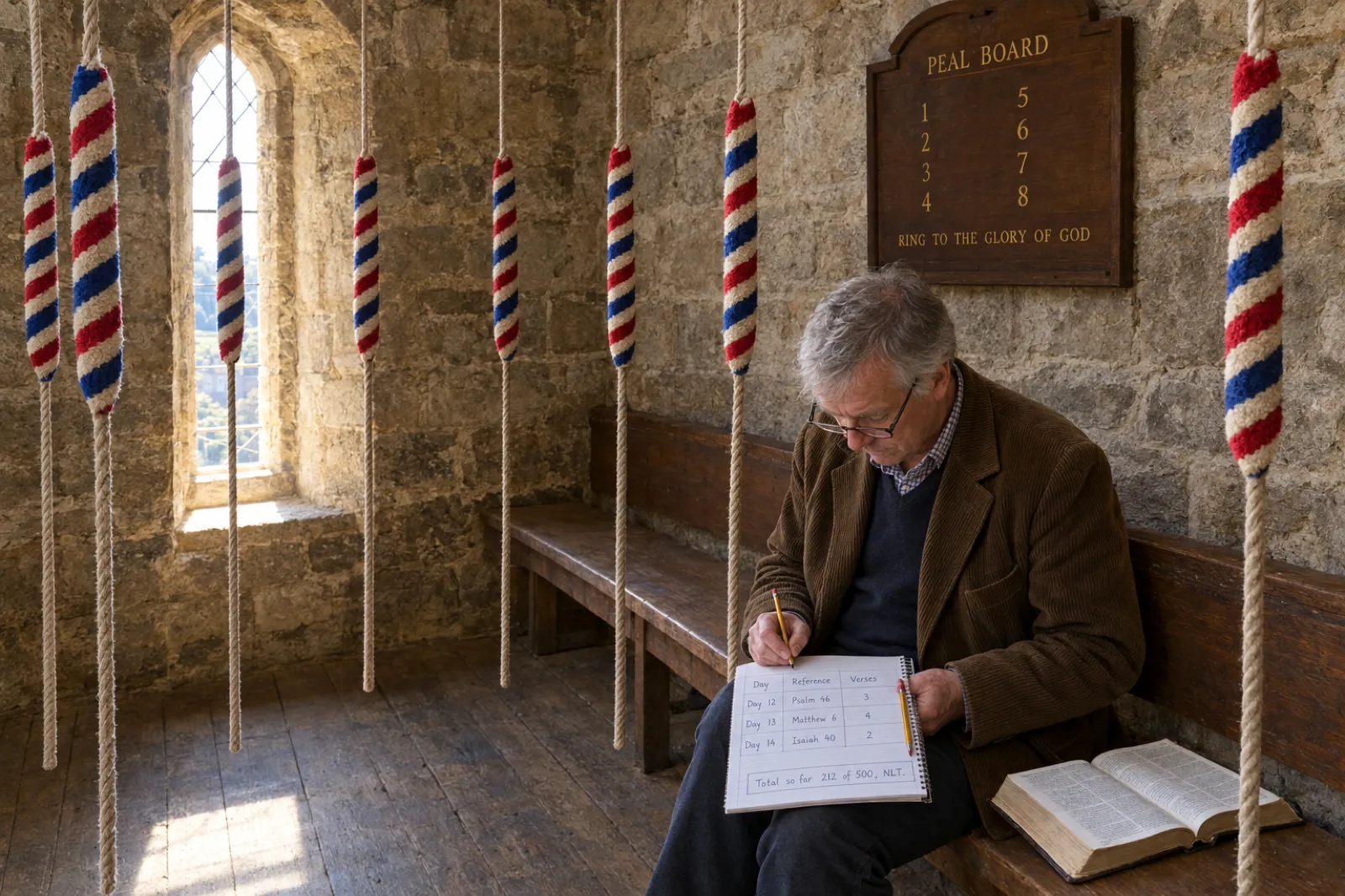
- Keep a verse log. One line per reading: day, reference, number of verses quoted. It is how you stay inside a publisher's limit, and it becomes your scripture index at the back of the book.
How many Bible verses can you quote? Permissions by translation
Modern Bible translations are copyrighted, and each publisher publishes its own rule for how much you may quote without asking. The table sets out what each publisher's permission page said when we read it on 13 October 2026. It is a summary, not legal advice: read the page for your translation before you publish, because the publisher's own wording is what counts.
| Translation | Who grants it | Quote without written permission | Conditions | Notice you must print |
|---|---|---|---|---|
| NIV | Zondervan (HarperCollins Christian Publishing), for commercial use in the US and Canada. Elsewhere, Biblica; commercial use in the UK, EEC and EFTA beyond the guidelines, Hodder and Stoughton | Up to and including 500 verses | Not more than 50% of a complete book of the Bible; not 25% or more of your book's total text; not a commentary or other biblical reference work. Latest edition (currently 2011) only | "Scripture quotations taken from The Holy Bible, New International Version®, NIV®. Copyright © 1973, 1978, 1984, 2011 by Biblica, Inc. Used with permission of Zondervan. All rights reserved worldwide. www.zondervan.com" |
| ESV | Crossway | Up to and inclusive of 500 verses, in print, digital and audio | Not more than one-half of any one book of the Bible; not 25% or more of your book's total text; not a commentary or other biblical reference work | On the title or copyright page: "Scripture quotations are from the ESV® Bible (The Holy Bible, English Standard Version®), © 2001 by Crossway, a publishing ministry of Good News Publishers. ESV Text Edition: 2025. The ESV text may not be quoted in any publication made available to the public by a Creative Commons license. The ESV may not be translated in whole or in part into any other language. Used by permission. All rights reserved." |
| NLT | Tyndale House Publishers | Up to and inclusive of 500 verses, in any print or ebook form | Not more than 25 percent of your book; no complete book of the Bible. Quotations must be exact, including punctuation and capitalisation. A commentary or Bible reference work for sale needs written permission | If NLT only: "Scripture quotations are taken from the Holy Bible, New Living Translation, copyright ©1996, 2004, 2015 by Tyndale House Foundation. Used by permission of Tyndale House Publishers, Carol Stream, Illinois 60188. All rights reserved." Tyndale gives other wordings for books that mix translations |
| NKJV | Thomas Nelson (HarperCollins Christian Publishing) | Up to 500 verses, in any form | Scripture not more than 25% of your book's total text; not more than 50% of an entire book of the Bible; not a commentary or other biblical reference work | "Scripture taken from the New King James Version®. Copyright © 1982 by Thomas Nelson. Used by permission. All rights reserved." |
| KJV | No one in the US (public domain). In the UK, rights are vested in the Crown and administered by Cambridge University Press, the Crown's patentee under royal Letters Patent | US: no limit. UK: Cambridge's front matter says no application is needed for liturgical use up to 500 verses (or less than a full book) | UK: other uses need permission from Cambridge University Press. Cambridge's permissions web page could not be read on 13 Oct 2026, so ask Cambridge directly before selling a KJV devotional in the UK | US: none required. UK: ask Cambridge for its acknowledgement wording |
| WEB (World English Bible) | No one: public domain | No limit; "you may freely copy it in any form" | The name "World English Bible" is a trademark, permitted only to identify faithful copies of the text | None required; naming the translation helps readers |
What the limits mean for a devotional
- Count every quoted verse, not every reference. A reference the reader looks up ("read Psalm 23") is not a quotation. Quoting three verses a day in a 365-day book is about 1,095 verses: over the 500-verse line for all four modern translations above. Quoting one verse a day and giving the rest as references keeps a year book at 365.
- The 25% test applies to the whole book. In a devotional with short readings, Scripture can creep towards a quarter of the text. Your verse log and word count tell you where you stand.
- Mixing translations? Crossway, Tyndale and Zondervan all expect the notice to say which quotations come from which translation, typically with "Scripture quotations marked (ESV) are from..." or "Unless otherwise indicated, all Scripture quotations are from...". Mark each quotation with the translation's initials.
- Over the limit? Quote less and reference more, switch to a public-domain translation such as the WEB (or the KJV for a US book), or apply to the publisher through its permission page well before your launch date.
- Verse art is different. A single verse on a card, poster or product is covered by separate rules on the Zondervan and Thomas Nelson pages. Our guide to selling devotionals covers verse art, calendars and planners.
For the copyright page itself (where these notices go, alongside your own copyright line, the ISBN and the AI statement), see our copyright page template.
Free devotional planner: 30 days, 40 days, 52 weeks or 365 days
Choose a length, a reader and a theme. The planner lays out every reading in parts (weeks, five eight-day parts, four-week blocks or months), with a title, a scripture slot that rotates through the Bible and a practice. Add your own part themes, separated by commas, to replace the starter ones. Choose a translation and verses per reading to check your total against that publisher's limit and see the notice for your copyright page. It runs in your browser; nothing is sent anywhere unless you press a button.
Devotional planner
Length, reader and theme in; a day-by-day plan, a permissions check and a ready-made brief out.
Each write button opens your dashboard with that part of the plan loaded as the book idea. You can edit it before anything is written, and you see the chapter plan to rename, reorder or remove readings before they are drafted. Verse limits are as each publisher's page stated them on 13 Oct 2026; check the page before you publish.
Treat the output as scaffolding. The titles are structural ("Practising Courage", "When Remembering Is Hard") so you can see the shape of the book; rename them in your reader's words, and choose a real passage for each scripture slot. A plan with every passage chosen and every title written in your voice is most of the hard thinking done.
Step 4: write the readings
With the plan done, drafting is steady work: one reading at a time, in the same format, in your voice. Two things make it go faster without making it worse. Batch by part, so a week's readings share a mood and you are not switching themes every half hour. And write the reflection last, after you have the passage, the practice and the prayer: the reflection is the bridge between them, and it is easier to build when both ends are fixed.
Write it with Inkfluence AI
Inkfluence AI has two devotional formats, and they are built for this shape of book. Here is exactly what happens, so you know what you are editing.
- Describe the book. Paste the brief from the planner above into the idea box on the dashboard, or choose Devotional from the formats row ("Daily readings and reflections, faith or secular") and describe it. The app picks the format from your description: a brief that clearly mentions Scripture, prayer, God or a named faith tradition is written in the faith devotional format, and one about gratitude, mindfulness or reflection uses the reflective format, whose readings open with a quote, question or observation instead of a passage. Say the number of readings you want; a run writes up to 40 chapters.
- Check the plan. Before anything is written you see "Here's your plan": a chapter for each reading you asked for, with titles that lead with the day number (for example "Day 1: A Fresh Start"). Rename, reorder, remove or add chapters here. This is the moment to make it your arc.
- Generate the readings. Each chapter is written as one devotional reading in four parts. In the faith format these are a scripture passage (the reference in bold and the verse in a block quote), a reflection, a practice for today, and a short closing prayer in italics. The headings rotate between chapters so the book does not read like a form: Scripture Focus, Reflection, Practice for Today and Closing Prayer in one chapter; Today's Word, Walking in the Word, Your Step of Faith and A Prayer for Today in the next; then Sacred Reading and Benediction; then Scripture Seed, Heart Check and Journal & Respond. Chapters are written independently and at the same time, so the arc comes from the plan, not from one chapter reading the last.
- The guard rails. The faith format is told to avoid condemning, shaming or fear-driven language, invented personas and dramatic scenes, long theological lectures without application, and copy-pasted prayers. It does not decide doctrine for you: if you write from a particular tradition, say so in the brief.
- Edit as the author. Replace the general reflections with your own stories, check every verse (next step), and adjust prayers to your voice. AI Assist in the editor can rewrite a passage, shorten a reading or review a chapter or the whole book.
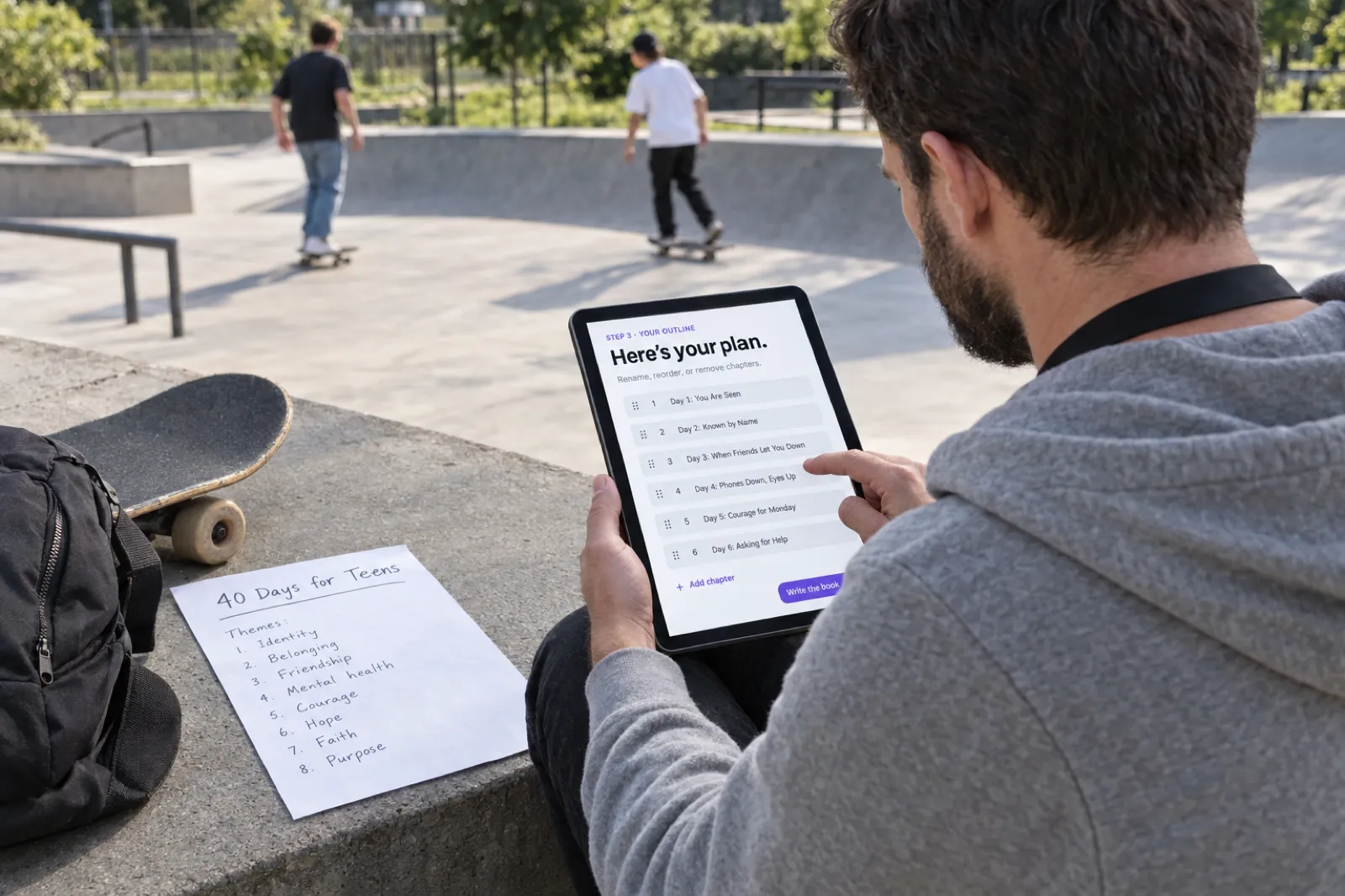
Length, runs and plans
Each chapter is one reading, so the number of chapters is the number of readings. A run writes up to 40 chapters. Inkfluence AI does not take a page target, and reflections in recent faith devotionals ran longer than a typical daily reading (see the data below), so put the length you want in the brief, as the planner does ("Write 350-500 words"), and trim as you edit.
- 30 or 40 days: one run. The free plan writes 5 chapters, enough to see the format. Creator ($9.99 a month) includes 35 chapters a month; Premium ($19.99 a month) has unlimited chapters; credit packs (15 for $9.99, 25 for $12.99, 50 for $24.99) top up either.
- 52 weeks: two runs of 26.
- 365 days: twelve runs, one per month. Publish them as twelve monthly volumes, or export each month as Word and import all twelve files as one book (the importer accepts several files at once). At 365 chapters, Premium's unlimited chapters is the realistic plan.
Your plan, drafted reading by reading
Paste your plan, name your translation and reading length, and get every reading drafted with a passage, a reflection, a practice and a prayer. You add the stories, check the verses and make it yours.
Write your devotionalWhat devotional drafts look like in Inkfluence AI
Devotionals are among the most-made book types in Inkfluence AI (our selling guide has the counts, and AI book writing statistics has typical lengths by book type). To show what you would be editing, on 13 October 2026 we looked at the structure of the 120 most recent English-language faith devotionals with at least 1,000 words, created between 1 and 13 October 2026 (1,233 chapters; staff and test accounts excluded). We matched patterns in the text; we did not read or store the books.
Structure of recent faith devotional drafts
120 books, 1,233 chapters, created 1 to 13 Oct 2026. Bar width = share / largest share.
Three findings matter for your edit. First, each chapter is one reading: only 0.4% of chapters contained two or more "Day N:" labels in the body. If you want 30 separate readings, ask for 30 chapters. Second, the median chapter was about 930 words, roughly twice the 350 to 500 words many devotional readings run to, which is why the planner puts a word range in the brief. Third, fewer than half of the books named a translation, and where they did, several named more than one.
Translations named in those 120 books
Number of books naming each translation; a book can name several. Bar width = count / largest count.
The practical lesson: treat every verse in a draft as a placeholder until you have checked it. Quote the exact wording of the one translation on your copyright page, mark any others with their initials, and keep the verse log.
Step 5: check, review and read aloud
- Check every verse against your translation, word for word. Open the translation's text beside your manuscript and compare each quotation, including punctuation and capitals (Tyndale's page says NLT quotations must be accurate in exactly these respects). Check that each reference points to the words quoted.
- Check each reflection against its passage. Does the reading say what the passage says, read in context? This is where a second reader helps most.
- Ask for a theological review. A pastor, elder, chaplain or a trusted reader from your tradition, reading a sample of a week or a month. They are reading for faithfulness and care, not grammar. Thank them in the acknowledgements, with their permission.
- Read every reading aloud. A devotional is often read aloud, at a family table or in a group. Anything you stumble over, the reader will too.
- Check the dates and numbers. In a dated year book, check that 29 February is handled the way you intend and that each date matches its day number. In any book, check that the day numbers run without gaps.
- Remove every placeholder. KDP lists placeholder text among the common reasons a paperback file fails. Search for square brackets and "TBC" before you export.
If you used AI for the draft, our guides to whether AI-written books can be copyrighted and the KDP AI disclosure policy cover ownership and what to tell Amazon.
Front and back matter
- Copyright page. Your copyright line, the ISBN, the Scripture notice for each translation you quote (exactly as the publisher gives it), and an AI statement if you choose to include one. In Inkfluence AI, paid plans and credit packs can replace the copyright page text in the PDF and the EPUB; the copyright page template has wording to copy.
- How to use this book. A short page: when to read, how long a reading takes, what to do with the practice, and that it is fine to miss a day.
- Contents. List the parts (weeks or months) rather than 365 entries, unless the book is short.
- Scripture index. Built from your verse log: every passage, in Bible order, with the day it appears. Readers and group leaders use it.
- About the author. Two or three warm sentences and one way to find you. The author bio generator helps with a first draft.
Publish on Amazon KDP, step by step
KDP (Kindle Direct Publishing) prints paperbacks on demand and sells the Kindle edition, with no cost to publish. Every fact below is from KDP's help pages as read on 13 October 2026.
1. Choose the trim size and paper
| Trim (inches) | Feels like | Good for | KDP price band |
|---|---|---|---|
| 5 x 8 | Pocket book; fits a bag | 30 and 40-day devotionals, gift books | Regular |
| 5.5 x 8.5 | Digest; the classic devotional size | Most devotionals, including year books | Regular |
| 6 x 9 | Trade paperback; KDP's default | Year books with long readings; large print | Regular |
| 7 x 10 or 8.5 x 11 | Workbook | Devotional journals and study guides with writing space | Large (more than 6.12 in wide or 9 in tall) |
Paper: black ink on cream or white paper (both 50 to 61 pound), or 45 pound groundwood, which KDP says costs about 5% less per page. Cream is common for reading books; white suits books with photos or colour. Ink type cannot be changed after publication, but black-and-white books can switch between cream, white and groundwood. On the 5 x 8 trim, KDP accepts 24 to 828 pages on white paper and 24 to 776 on cream, which covers a year book comfortably. Our KDP trim sizes guide covers every size.
2. Prepare the files
- Interior. A print-ready PDF at your trim size, with fonts embedded and no placeholder text, comments or crop marks. A text-only devotional needs no bleed. Margins grow with page count (the gutter on the binding side especially), so a year book needs wider inside margins than a 30-day one; our KDP formatting guide explains why.
- Cover. One continuous PDF: back, spine and front, with 0.125 inch bleed on every side. The spine width is the page count times 0.002252 inches on white paper or 0.0025 inches on cream. Spine text is allowed only on books over 79 pages. The cover size and spine width calculator does the sums.
- Kindle. An EPUB for the ebook; do not upload the print PDF as the Kindle file.
In Inkfluence AI, Export then KDP downloads all of these at once on any paid plan or credit pack: the paperback interior PDF with margins set from the real page count, a full-wrap cover with the spine sized for your page count and paper, a Kindle cover, a Kindle EPUB and a READ ME file with the answers KDP asks for. The free plan exports a PDF with a small footer credit. We make paperback files, not hardcover wraps.
3. Set up the book on KDP
- Title, subtitle and author. Put the reader and the length in the subtitle: "30 Days of Rest for Tired Parents" tells a browser who it is for. The book title generator and book description generator help with both.
- AI content. KDP asks whether the book contains AI-generated text, images or translations. Text created by an AI tool counts as AI-generated even if you edited it heavily; text you wrote yourself and only refined with AI counts as AI-assisted and needs no disclosure.
- Publishing rights. If the readings are your own writing with quoted verses, choose that you own the copyright and hold the publishing rights. KDP's public domain option is for books that are mostly public-domain text, and KDP may refuse public-domain content that is already freely available unless it is differentiated (translated, annotated, or with 10 or more original illustrations). A book that is mostly KJV text with little of your own falls into that rule.
- ISBN. The paperback needs one; KDP gives one free, or use your own. The Kindle ebook needs none. Read do you need an ISBN before you choose, because a free KDP ISBN cannot move to other distributors.
- Upload, preview and proof. Upload the interior and cover, check every page in the print previewer, and order a proof copy before you publish. Check the gutter, the spine and that the first reading starts on the page you expect.
- Price. KDP takes the printing cost from your list price. On Amazon.com, a black-ink paperback in a regular trim size costs a flat $2.30 to print at 24 to 110 pages, and $1.00 plus $0.012 a page from 110 pages up. See how to price an ebook and KDP royalties for what you keep.
Printing cost per copy, Amazon.com, black ink, regular trim
From KDP's printing cost formula, read 13 Oct 2026. Bar width = cost / largest cost.
If the book was rejected or flagged, KDP rejected my book walks through the common reasons. For the whole route from draft to listing, see how to publish AI-generated books on KDP and paperback publishing on KDP.
Journaling space and prayer journals
A few ruled lines after each practice turns a devotional into something readers write in, and suits a 7 x 10 trim. Be deliberate about it: KDP's paperback guidelines list excessive blank pages among the common points of failure, so every page needs a purpose. A book that is mostly prompts and lines is a prayer journal, which KDP may treat as a low-content book; our low-content books guide covers the rules, and the AI journal generator and workbook generator make that kind of book. We print-format these but do not make fillable PDF forms.
From plan to a KDP-ready paperback
Write the readings, set your copyright page with the Scripture notice, design the cover, and export the KDP package: print interior, full-wrap cover with the spine sized for your page count, Kindle cover and Kindle EPUB in one download.
Start your devotional freePublish a reading plan on YouVersion
YouVersion's Bible App carries Bible Plans from churches, ministries and individual authors, and it is where many devotional readers already spend a few minutes a day. You publish there as a Content Partner. Everything below is from YouVersion's own Content Partners page as read on 13 October 2026; YouVersion's help centre had no public article on plan submission when we looked, so we describe only what the page states.
- Who can apply. YouVersion says you do not need to be a large ministry: "If your content aligns with our mission, we'd love to hear from you, whether you're a global ministry or a passionate individual creator."
- What you can publish. Bible Plans (written, audio or video), video teaching or series content, and topical collections and multi-day series. All content should be Scripture-based and focused on spiritual growth.
- Cost. Free: "Partnering with YouVersion and using YouVersion Connect is completely free."
- How. Apply through the "Apply to Become a Content Partner" form on the Content Partners page. Once approved, you get YouVersion Connect, the partner portal, with a Partner Page in the Bible App, publishing tools for Plans and videos, real-time engagement figures, Discover tab visibility and Plan Collections, and you can invite your team to manage content.
- Scale. YouVersion's page cites 15 million daily users, 619 million Bible Plan completions and more than 7,000 partners in 180+ countries.
Turning a book into a plan
YouVersion did not publish plan length or format rules on the page we read, so check them inside YouVersion Connect once you are approved. As a starting point, a book cut into a plan usually works best as one complete week: five to seven consecutive readings that stand alone, from the start of the book or from its strongest part. Keep each day's passage, reflection and prayer, and end the last day by telling readers where the full book is. Make sure your translation permission covers the plan as well as the book: the ESV and NKJV terms above include digital use within the same limits, the NIV page sends electronic-rights requests outside the US and Canada to Biblica, and Tyndale's NLT terms above are for print and ebook, so ask Tyndale about other uses. A plan is not a substitute for the book: it is how readers who have never heard of you find out whether your readings help them.
Churches, PDFs and audio
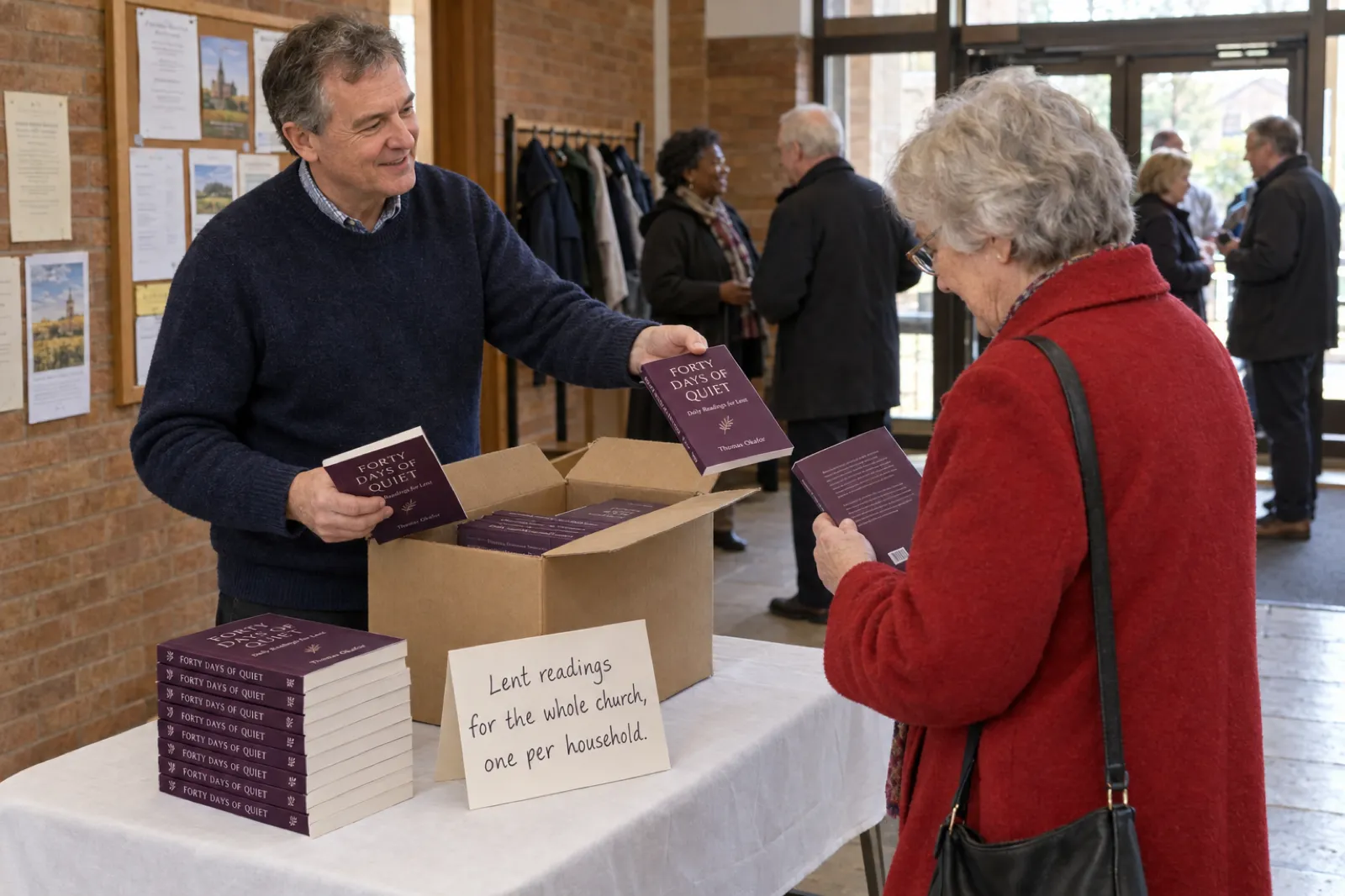
- Author copies for a church. Once a KDP paperback is live, you can order up to 999 author copies per order at the author price, which is the printing cost times the number of copies, plus shipping (author copies do not qualify for free or Prime shipping). A seasonal devotional for one congregation is often given away or sold at cost; our selling guide covers church bulk orders, and how to print one copy of a book covers proofs and small runs. Our page for churches shows other ways churches use the app.
- A PDF. For a church website, an email series or a printable, the PDF is enough. Any plan can download one (free plan PDFs carry a small footer credit), and paid plans can list a book on Etsy or Gumroad from the Publish page; see selling ebooks on Etsy and Gumroad.
- Audio. Devotionals are often heard on the way to work. Inkfluence AI's audiobook studio narrates chapters with AI voices (15 a month on Creator, 30 on Premium), or you can record your own narration, which many devotional readers will prefer from the author. See narrate your own audiobook and ebook to audiobook.
- Other languages. A devotional for a bilingual congregation can be translated into a copy in the editor; see the AI book translator. Check the translation's permission terms first: Crossway's notice says the ESV may not be translated in whole or in part into any other language, so quote a Bible in the target language instead.
- A cover that looks like a devotional. Upload your own, design one with fonts and colours, or generate one in the Cover Designer; the AI book cover generator shows what it makes. AI cover art is not on the free plan.
Writing something adjacent? A book that teaches one change over a few chapters is closer to a self-help book (how to write a self-help book) or an inspirational book (AI inspirational book writer). Our page for spiritual coaches covers coaching companions, and the best AI for writing non-fiction compares tools if you are still choosing one.
Devotional checklist
- One reader, one season, one length, and a change you hope for.
- Parts with their own themes, ordered as an arc; a weekly rhythm inside each part.
- The same four parts in every reading: scripture, reflection, practice, prayer.
- Translation chosen before writing; its permission page read; verses per reading decided.
- A passage chosen for every reading before the reflections are written, read in context.
- A verse log with a running total, kept under the publisher's limit and under 25% of the book.
- Every verse checked word for word against the named translation.
- A theological review by a pastor or trusted reader; every reading read aloud.
- The Scripture notice on the copyright page, exactly as the publisher gives it.
- No placeholders; dates and day numbers checked.
- Trim size, paper, ISBN, AI answer and publishing rights decided for KDP; a proof ordered.
- A five to seven day excerpt ready for a YouVersion plan, a church sample or an email series.
Ready to start?
Turn your plan into a full draft, a print-ready paperback and a Kindle edition, and spend your time on the parts only you can write: the stories, the prayers and the care for your readers.
Start writing freeFrequently asked questions
How do I write a devotional book?
Pick one reader, one season of life and one length (30, 40, 52 weeks or 365 days). Plan the whole arc before you write: a theme for each week or month and a theme, a scripture passage and a practice for each reading. Give every reading the same four parts (scripture, reflection, a practice for today, a closing prayer), keep each one short enough to read in a few minutes, check every verse against the translation you name, and ask a pastor or trusted reader to review the theology before you publish.
How long should a devotional be?
Set the length by the number of readings, then the length of each reading. Common formats are 30 days, 40 days (often for Lent), 52 weekly readings and 365 days. We suggest 200 to 300 words for a short reading, 350 to 500 for a standard one, and 600 to 800 for a deeper weekly reading. At the average adult reading speed of 238 words a minute, a 400-word reading takes under two minutes. A 30-day devotional at that length is about 12,000 words; a 365-day one is about 146,000.
How many Bible verses can I quote in a devotional without permission?
It depends on the translation, and each publisher sets its own rule. On 13 October 2026, the NIV (Zondervan, US and Canada), ESV (Crossway), NLT (Tyndale) and NKJV (Thomas Nelson) permission pages each allowed up to 500 verses without written permission, with conditions: Scripture must stay under 25% of your book (NLT: not more than 25%), you must not quote a whole book of the Bible or more than half of one (NLT: no complete book), and the work must not be a commentary or Bible reference work (NLT: one sold commercially needs written permission). You must also print the publisher's copyright notice. Above the limit, you need written permission.
Do I need permission to quote the King James Version?
Not in the United States, where the KJV is in the public domain. In the United Kingdom, rights in the KJV are vested in the Crown and administered by Cambridge University Press as the Crown's patentee. Cambridge's own front matter says no application is needed for liturgical use of up to 500 verses (or less than a full book) and that other uses need its permission, so ask Cambridge before you sell a KJV devotional in the UK. The World English Bible is a modern public-domain alternative.
How do I publish a devotional on Amazon KDP?
Create a free KDP account, add a paperback and a Kindle ebook, and fill in the details: title, subtitle, author, description, keywords and categories, the AI question, and publishing rights (choose that you own the copyright if the readings are your own writing). Choose a trim size such as 5 x 8, 5.5 x 8.5 or 6 x 9 inches and cream or white paper, take KDP's free ISBN for the paperback or use your own, upload the interior PDF and the full cover wrap, check the print previewer, order a proof, then set prices and publish. Upload an EPUB for the Kindle edition.
Do I need an ISBN to publish a devotional?
A KDP paperback needs one, and KDP gives you one free during setup, though that free number can only be used on KDP. A Kindle ebook does not need an ISBN. If you want your own imprint in the publisher field or plan to sell the paperback through other distributors too, buy your own. A prayer journal that is mostly blank pages may count as a low-content book, which KDP lets you publish without an ISBN.
How do I publish a reading plan on YouVersion (the Bible App)?
Apply to become a YouVersion Content Partner through the application form on YouVersion's Content Partners page. YouVersion says you do not need to be a large ministry, that partnering is free, and that content should be Scripture-based and focused on spiritual growth. Once approved, you manage and publish Bible Plans (written, audio or video) in YouVersion Connect, its partner portal, with a Partner Page and engagement figures. A 5 to 7 day plan cut from your book is a natural first submission.
How much does it cost to publish a devotional?
Publishing on Amazon KDP is free, and KDP gives a free ISBN for the paperback. Each printed copy has a printing cost that KDP takes from the list price: on Amazon.com, a black-ink paperback in a regular trim size costs $2.30 to print at 24 to 110 pages, and $1.00 plus $0.012 a page above that, so a 200-page devotional costs $3.40 a copy. Your other costs are optional: an editor, a cover designer, your own ISBNs, and the tool you write with (Inkfluence AI has a free plan, and paid plans start at $9.99 a month).
Can AI write a devotional?
AI can draft one from your plan, and Inkfluence AI has a faith devotional format that writes each reading with a scripture passage, a reflection, a practice for today and a closing prayer. What it cannot supply is the part readers come back for: your faith, your stories and your judgement about what a passage means. Treat the draft as a first draft, check every verse word for word against the translation you name, have the theology reviewed, and disclose AI-generated text when you publish on KDP.
Should a devotional have journaling space?
It can, but decide which book you are making. A devotional with a few lined lines after each reading is still a devotional. A book that is mostly lined or blank pages is a prayer journal, which KDP may treat as a low-content book. Keep journaling pages purposeful: KDP lists excessive blank pages as a common reason paperback files fail review. For a full journal, see our guides to low-content books and the AI journal generator.
Sources
Every external fact on this page was read on the source below on 13 October 2026. This page summarises publishers' permission terms and is not legal advice. Inkfluence AI facts were checked against the app's code on the same day.
- HarperCollins Christian Publishing: Permissions (NIV and NIrV via Zondervan: 500 verses, 50% of a book, 25% of the work, not a commentary, latest NIV edition only, notice text; outside the US and Canada, Biblica; UK commercial use beyond the guidelines, Hodder and Stoughton. NKJV and other Thomas Nelson translations: 500 verses, 25%, 50% of a book, notice text; verse-alone products need permission), checked 13 Oct 2026
- Crossway: ESV Permissions (500 verses, one-half of a book, 25% of the work, not a commentary; notice text with ESV Text Edition: 2025; wording for mixed translations; no translation into other languages), checked 13 Oct 2026
- Tyndale House Publishers: Permissions (NLT: 500 verses in print or ebook, not more than 25 percent, no complete book; notice wordings; accuracy of quotations; commercial commentaries need permission), checked 13 Oct 2026
- Cambridge University Press: KJV edition front matter (rights in the Authorized Version vested in the Crown; Cambridge University Press as the Crown's patentee under royal Letters Patent; no application needed for liturgical use up to 500 verses or less than a full book; other uses need permission). Cambridge's permissions web page refused automated access on 13 Oct 2026 and is not quoted. Checked 13 Oct 2026
- Yale Divinity Library: KJV guide (under US jurisdiction the KJV is in the public domain), checked 13 Oct 2026
- World English Bible (public domain, no copyright, may be copied in any form; "World English Bible" is a trademark for faithful copies), checked 13 Oct 2026
- YouVersion: Become a Content Partner (who can apply, formats, free, YouVersion Connect features, application form, 15M+ daily users, 619M+ plan completions, 7k+ partners, 180+ countries), checked 13 Oct 2026
- YouVersion Connect (portal for churches, ministries and content partners), checked 13 Oct 2026
- Amazon KDP: Print Options (paper types and weights, groundwood about 5% cheaper per page, switching paper after publication, large trim definition, 5 x 8 page ranges), checked 13 Oct 2026
- Amazon KDP: Paperback Submission Guidelines (file rules, common points of failure including excessive blank pages and placeholder text, 0.125 in cover bleed, spine width per page), checked 13 Oct 2026
- Amazon KDP: Paperback Printing Cost (Amazon.com black ink regular trim: $2.30 at 24 to 110 pages; $1.00 + $0.012 a page from 110 pages), checked 13 Oct 2026
- Amazon KDP: How much do proof or author copies cost? (author price = print cost x copies), and How do I order a proof or author copy? (up to 5 proofs and 999 author copies per order; no free or Prime shipping), checked 13 Oct 2026
- Amazon KDP: Publishing Public Domain Content (differentiation: translated, annotated or 10+ original illustrations; publishing rights options), checked 13 Oct 2026
- Amazon KDP: Content Guidelines (AI-generated versus AI-assisted content), checked 13 Oct 2026
- Brysbaert, M. (2019). How many words do we read per minute? Journal of Memory and Language, 109, 104047 (238 words a minute for English non-fiction), checked 13 Oct 2026
- Inkfluence AI drafts: the 120 most recent English-language faith devotionals with at least 1,000 words, created 1 to 13 Oct 2026 (1,233 chapters), staff and test accounts excluded; pattern counts only, no text stored. Devotional formats and behaviour from the app's code, 13 Oct 2026.
Related reading

Founder, Inkfluence AI
Sam is the founder of Inkfluence AI. He built the platform to make book creation accessible to everyone - from first-time authors to seasoned publishers.
Helpful links
Ready to Create Your Own Ebook?
Start writing with AI-powered tools, professional templates, and multi-format export.
Get Started FreeRelated Articles
 Children's Books
 Children's Book Word Count and Page Count by Age (2026): Board Books to Middle Grade, with Real Picture-Book Data
How many words and pages a children's book needs, from board books to young adult, with every range sourced to a publisher or editor and dated, words per page from real picture books by age band, and a word-budget calculator that checks KDP's 24-page minimum.
 Publishing
 Do You Need an ISBN? Free vs Bought, Cost by Country, and Which Formats Need One (2026)
When a self-published book needs an ISBN and when it does not, what one costs in the US, UK, Canada, Australia, New Zealand, India, Germany, Italy and France (checked at each agency on 13 October 2026), free ISBNs from KDP, IngramSpark and Draft2Digital, and a picker that tells you how many you need.
 Publishing
 IngramSpark AI Policy (2026): What It Accepts, the Setup Question and the "Assisted By" Credit
IngramSpark accepts AI-drafted books with significant human editing and the "Assisted By - Generative AI" credit, and refuses works created solely with generative AI. Its exact wording, covers and translations, how it differs from KDP, a checker for your book, and an editing workflow.
Get ebook tips in your inbox
Join creators getting weekly strategies for writing, marketing, and selling ebooks.