
Narrate your own audiobook: record it, master it, sell it everywhere
Plenty of authors want their audiobook in their own voice. It is the voice the stories happened to, or the one their clients and readers already know. The hard parts used to be technical: levels, file formats and ACX's long list of audio rules. This guide covers everything that is still up to you (the room, the reading, the time it takes) and shows what the audiobook studio now handles: you record each chapter in the browser or upload a file, and it levels the audio and builds files to the spec stores ask for. The store rules were read from each store's own help pages on 1 October 2026.
Can you narrate your own audiobook?
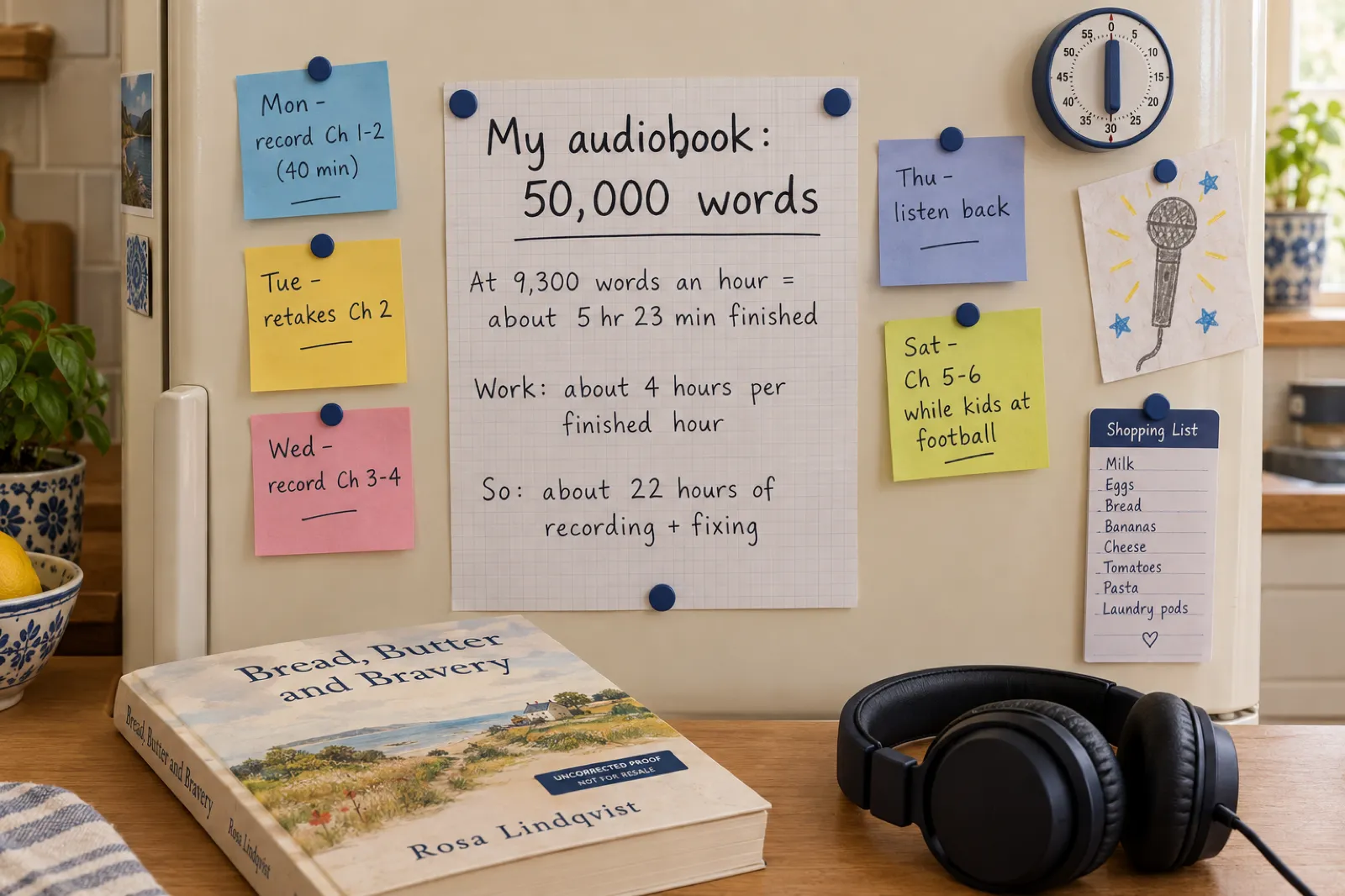
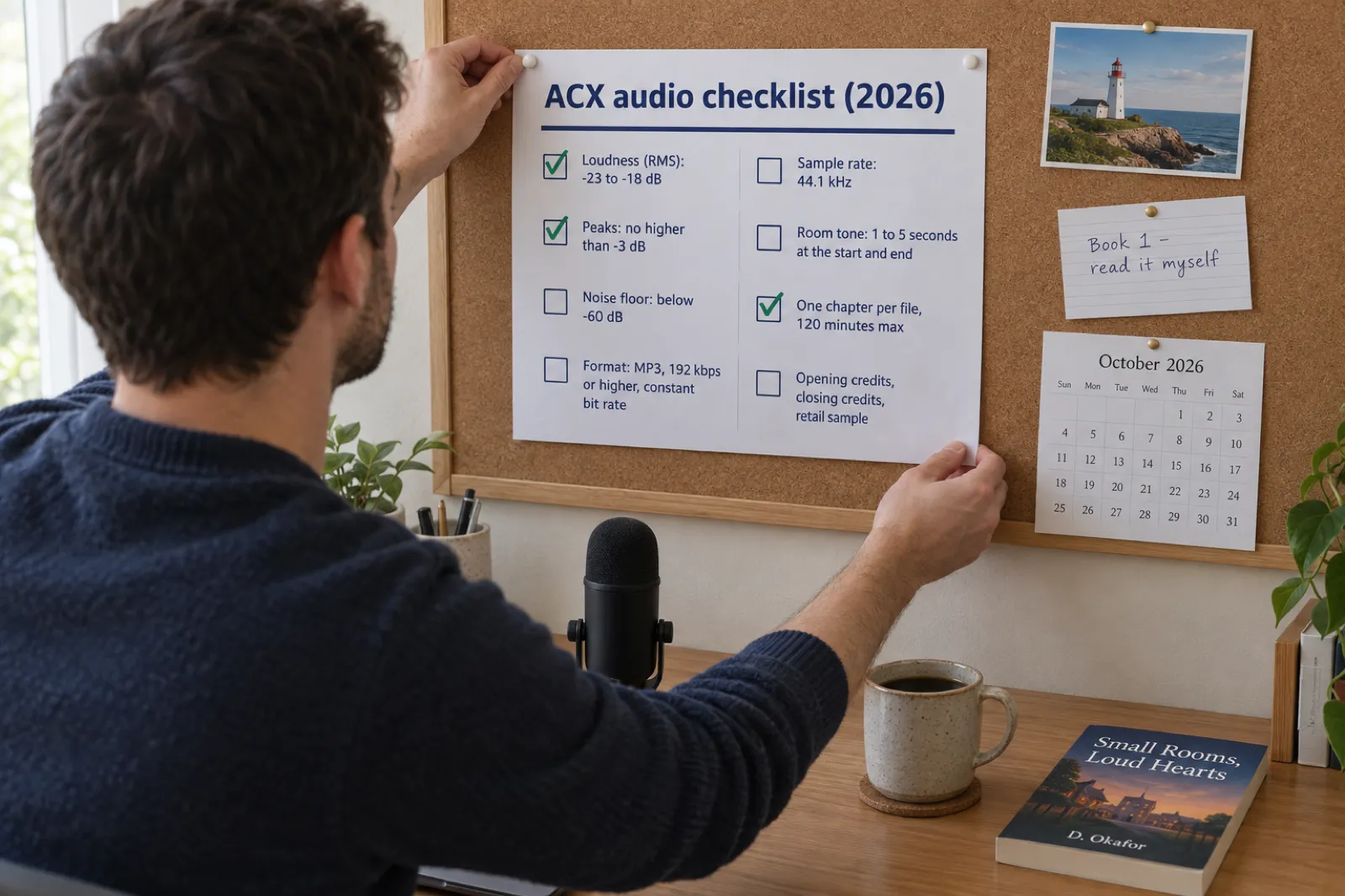
Yes, and every major store accepts it, ACX (Audible and Amazon) included. Budget about 9,300 words per finished hour of audio and 4 to 5 hours of work per finished hour, so a 50,000-word book is about 5 hours 23 minutes of audiobook and 22 to 27 hours of recording, retakes and listening. ACX's files must be MP3 at 192 kbps or more, constant bit rate, 44.1 kHz, with RMS between -23 and -18 dB, peaks no higher than -3 dB, a noise floor below -60 dB, one chapter per file, 1 to 5 seconds of room tone at each end, separate opening and closing credits and a retail sample of five minutes or less. New ACX users earn 50% exclusive or 30% non-exclusive, with no narrator to pay. A book that mixes your voice with AI narration is not eligible for standard ACX, so read every chapter yourself if Audible matters.
Should you narrate your own audiobook?
The honest answer depends on the book more than on your voice. Listeners forgive a lot from an author reading their own memoir: a regional accent, a slightly flat delivery, a laugh in the wrong place. They are buying the person. They are less forgiving of a thriller with nine characters where every voice sounds the same, because they are buying the story, and a performer serves it better.
So the books where the author's voice is the point are mostly non-fiction: memoir, self-help, business, faith and devotional writing, and how-to books where the author is the expert the reader came for. Coaches, teachers, pastors and podcasters often have an advantage here, because their audience already knows the voice and expects to hear it (our page for self-help authors covers the writing side of that kind of book). If you already speak for a living, reading your own book is a natural next step.
Read it yourself if
- It is memoir, self-help, business, devotional or how-to.
- Your readers know your voice from talks, a podcast or videos.
- You can find a quiet room and a few hours a week.
- You want Audible and the 50% or 30% royalty without a narrator to pay.
- Your recorded test chapter is one you would listen to again.
Think twice if
- It is fiction with a large cast, accents or a lot of dialogue.
- There is no room you can make quiet for an hour at a time.
- The book is long and you want the audiobook out within weeks.
- Reading aloud for an hour leaves your voice tired or strained.
- You want to publish in a language you do not speak fluently.
There is a middle road for the second list. You can read the parts only you can read (the foreword, the story of why you wrote the book, the closing letter to the reader) and let an AI narrator read the rest. That is a real option in the studio, and the section on mixing your voice with AI narration explains what it changes about where the book can be sold. If you are weighing a professional narrator instead, our AI narration vs human narrators comparison sets out the cost and the timing side by side.
The quickest way to decide is to try. Record one chapter, leave it for a day, and play it back on headphones while doing something else. If you would happily keep listening, read the whole book. If you wince, the reason is usually fixable (the room, the distance from the microphone, reading too fast) and the rest of this guide covers each one.
What our audiobook data says about length
Before you plan the recording, it helps to know how long audiobooks like yours actually run. These numbers come from every book with a finished audiobook on Inkfluence AI, read on 1 October 2026. They are mostly AI-narrated books, so treat them as a guide to length and chapter shape rather than to delivery.
The useful number for planning is the chapter. In self-help and how-to books on the platform, a chapter runs about 12 minutes on average (12.4 minutes in personal development, 12.0 in how-to), and a whole book about 105 to 108 minutes over roughly 9 chapters. Devotionals are shorter still: about 7 minutes a chapter and 70 minutes a book. A 12-minute chapter is a comfortable single session for most first-time narrators, retakes included. For the length of your own book from its word count, the audiobook length calculator gives the runtime at several reading speeds, and our AI audiobook trends page breaks the whole set down by genre and language.
One more number worth knowing: AI narration on the platform averages 164 words a minute. ACX's figure of 9,300 words per finished hour works out at about 155 words a minute, which is a typical human reading pace. Slower than you speak in conversation, and that is deliberate. Listeners need a moment for each sentence to land.
How long does it take to narrate an audiobook?
Longer than the audiobook itself, by a factor of about four or five. ACX's own guidance puts a finished hour at around 9,300 words and the work at roughly 4 to 5 hours per finished hour once you count retakes, fixing mistakes and listening back. Put in your word count and a schedule you could actually keep.
That is roughly 27 chapters of 12 minutes, the typical length in self-help and how-to audiobooks on the platform. Short sessions keep a voice consistent: most narrators sound tired well before the second hour.
9,300 words per finished hour and 4 to 5 hours of work per finished hour are ACX's published estimates; 6 is our allowance for a first book, not an ACX figure. Nothing you enter leaves this page.
Why the time adds up, and where the studio saves it
The reading itself is the smallest part. A typical hour of narration work for a first-timer goes something like this: twenty-odd minutes of reading, with stops for stumbles, a cough or a car outside; ten minutes going back over the passages you are not sure about; ten minutes listening to the finished chapter on headphones; and the rest on the parts that only feel like admin until you try them, such as finding where in the take a mistake happened.
The traditional workflow adds a whole second job after that: editing out the mistakes in an audio program, adjusting loudness until it falls in ACX's window, checking the peaks, adding room tone to each end, exporting at exactly the right bit rate and sample rate, and naming one file per chapter. Narrators who do this professionally call it mastering, and for a newcomer it is often where the project stalls.
The studio takes over that second job. You still read, retake and listen back. When a chapter is recorded, it measures the loudness, levels it, holds the peaks down and keeps a master copy; when you download the chapter ZIP, every file is already the format, loudness and length that ACX's technical rules ask for. That is why the calculator above is about the reading: the file work is done for you.
How to record an audiobook at home: the room comes first
Of all ACX's rules, the noise floor is the one most home recordings fail, and no microphone fixes it. The noise floor is the sound of the room when you are not speaking: the fridge, the road, the computer fan, the echo off bare walls. ACX wants it below -60 dB, which is very quiet. Soft surfaces and silence get you there; expensive equipment in a bare, echoing room does not.
Tick what is already true of the place you plan to record. The check puts the fixes in order of how much each one changes the recording.
0 of 8 in place
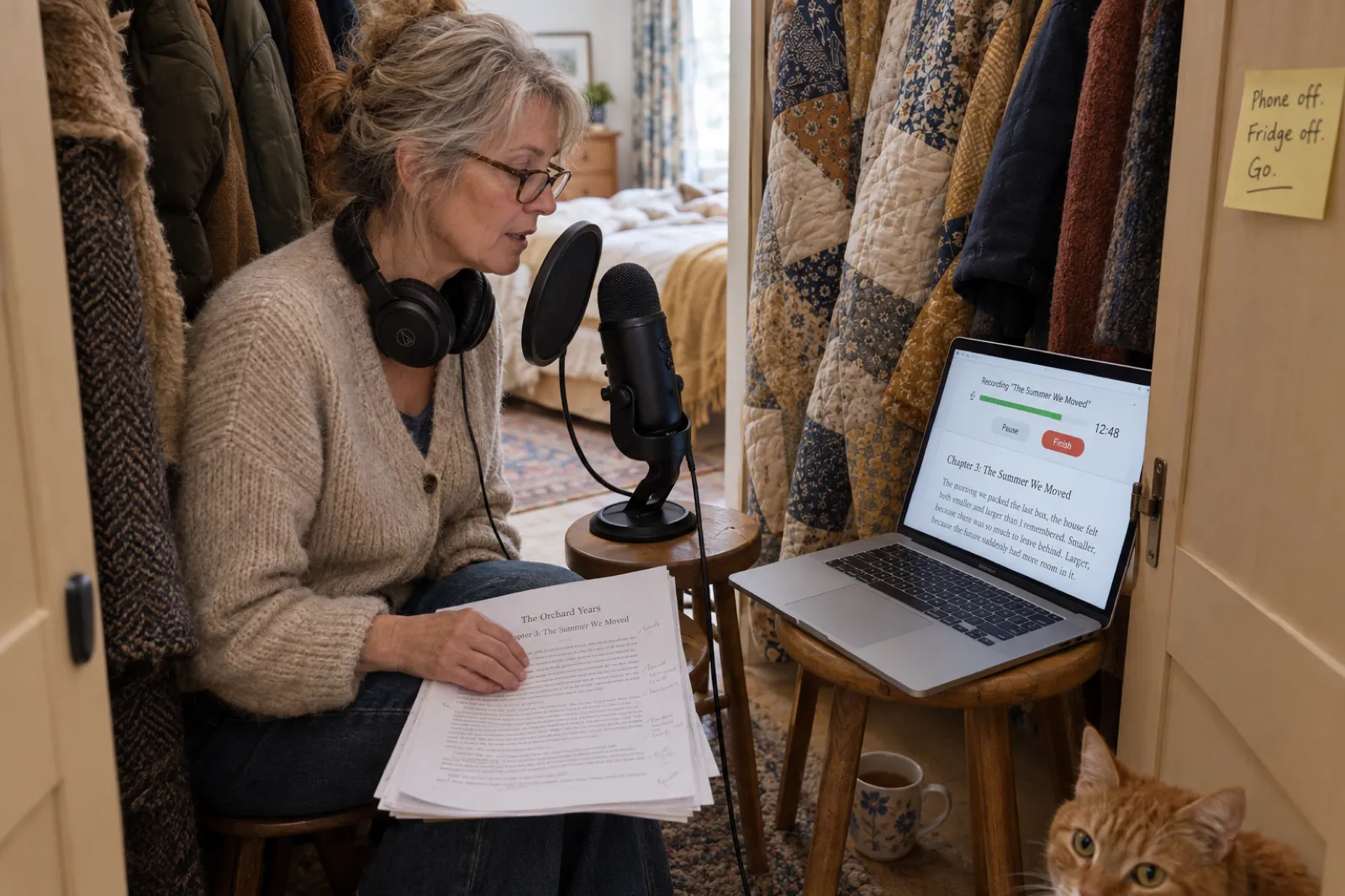
Next: Soft surfaces matter most. A wardrobe full of coats, or a duvet hung behind the microphone, does more than any upgrade.
Audiobook recording setup: what to buy, and what to skip
A home setup for narrating your own book is short and inexpensive. Spend on the room before the microphone, and on the microphone before anything else.
A USB microphone
Plugs straight into a laptop, and the studio picks it up as soon as you allow the browser to use it. A dynamic microphone picks up less of the room than a condenser, which helps in a home that is not perfectly quiet.
A pop filter and a stand
The filter softens the bursts of air on P and B sounds that push peaks over ACX's -3 dB limit. A stand keeps the distance the same all chapter, so the loudness stays even.
Closed headphones
You hear clicks, hums and the neighbour's lawnmower while there is still time to stop and retake. Closed-back headphones stop your playback leaking into the microphone.
Soft things you already own
A wardrobe of clothes, a duvet over a clothes rack, cushions on the desk. They absorb echo better than thin foam tiles and cost nothing.
What to skip at the start: audio interfaces, preamps, editing software subscriptions and acoustic panels. All of them have a place in a professional studio, and none of them fixes a noisy room or a rushed read. If you are recording on a phone, the same rules apply with more force, because a phone's microphone hears more of the room. Record somewhere very soft, hold the phone at the same distance throughout, and upload the file to the studio afterwards.
Recording chapter by chapter in the audiobook studio
The audiobook studio already knows your book: its chapters, their order and their text. Each chapter has a "Read by" row, and that is where you choose your own voice. There are two ways in.
-
Option 1
Record it yourself, in the browser
Choose "Record it yourself" on a chapter. The chapter text stays on screen while you read, with a level meter, a timer, Pause and Finish. Pause for a drink or a passing car, carry on, and press Finish at the end. The recording is processed and the chapter is marked as read by you.
-
Option 2
Upload a recording you made elsewhere
Choose "Upload your own recording" and pick the file: MP3, WAV, M4A, AAC, FLAC, OGG, WebM or AIFF, up to 200 MB and 2 hours per chapter. Use this for chapters recorded on a phone, in an audio editor where you cut out mistakes, or in a friend's studio.
Either way, the studio measures the recording's loudness, sets it to a steady level, holds down any peaks, and keeps two copies: one for the book player in the studio, so you can listen to the chapter in place, and a high-quality master for the chapter ZIP. A file with no usable audio in it, such as a silent recording or the wrong file, is refused with a plain message rather than quietly added to your book.
Chapters you read yourself do not use your monthly audiobook chapters or any chapter credits. The studio opens on any paid plan, or with chapter credits on your account, and from there your own recordings are free to make, replace and download. To fix a chapter, record it again or upload a corrected file: the new take replaces the old one. There is no waveform editor inside the studio, so if you prefer to cut out individual stumbles, do that in any audio editor and upload the result.
If you would rather start from AI narration and record only some chapters, how to make an audiobook with AI covers that side. For the step-by-step version with screenshots, the ebook to audiobook walkthrough covers the studio from opening a book to downloading the files, and the AI audiobook generator page lets you hear the narrators if you plan to mix voices.
How to read well: a narrator's habits for first-timers
Reading aloud for an audiobook is closer to telling a story to one person than to giving a talk. The microphone is a few inches from your mouth, so you do not need to project; speak as if to someone sitting beside you. Most first recordings are too fast, because nerves speed us up. Aim for a pace that feels slightly slow to you; it will sound natural on playback.
- Read the chapter through before you record it. Mark the long sentences, the names you might trip on and the lines you want to land. Pencil marks on a printout, or highlights on screen, both work.
- When you stumble, pause and go back to the start of the sentence. Do not correct mid-word. A clean restart is easy to cut in an editor, and in a single take it simply sounds like a considered pause.
- Keep the same distance and the same energy. Listeners notice a chapter recorded on a tired Friday next to one recorded on a fresh Monday. Record at the same time of day where you can.
- Read the chapter heading aloud. ACX expects each file to open with its section heading, such as "Chapter Three. The Summer We Moved."
- Stop before your voice tires. Most people's voices change noticeably within an hour or two of continuous reading. Two short sessions sound better than one long one.
Fiction is harder: dialogue, accents and a cast of characters ask for performance, and many novelists choose a narrator or the fiction audiobook generator for that reason. Expect your first chapter to sound unfamiliar. Almost nobody likes the sound of their own recorded voice at first; that is a well-known effect, not a sign the recording is bad. Judge it by whether the words are clear and the pace is easy to follow, and ask someone you trust to listen for five minutes.
ACX's audio requirements in 2026, and who handles each one
These are ACX's audio submission requirements, last updated by ACX on 15 April 2026 and read on 1 October 2026. The middle column is what the studio's chapter ZIP does for a book you narrate; the last column is what no software can do for you. ACX reviews every title before release and has the final word.
| Rule | ACX requires | The studio's chapter ZIP | Still on you |
|---|---|---|---|
| Loudness | RMS between -23 dB and -18 dB | The chapter ZIP levels each file to -20 LUFS, which lands inside that window. | Keep an even distance from the microphone so one loud passage does not drag the rest down. |
| Peaks | No higher than -3 dB | A limiter holds peaks at -3 dB in the ZIP. | Avoid popped P and B sounds: a pop filter or speaking slightly across the microphone. |
| Noise floor | Below -60 dB | Not changed. The studio does not run noise reduction. | This one is your room. A quiet, soft space is the fix, not software. |
| File format | MP3, 192 kbps or higher, constant bit rate, 44.1 kHz | The ZIP is 192 kbps CBR, 44.1 kHz. | Nothing. Record in any format the studio takes. |
| Channels | All files mono, or all stereo | Every file in the ZIP is mono. | Nothing. |
| One chapter per file | One chapter or section per file, 120 minutes at most | One file per chapter; the studio takes up to 2 hours per chapter. | Split a chapter longer than two hours into two in the editor. |
| Room tone | 1 to 5 seconds at the start and the end of each file | Adds 1.5 seconds before and 3 seconds after each chapter. | Do not leave long pauses of your own at either end. |
| Credits | Opening and closing credits as their own files | For a book you read yourself, none are generated: they should be in your voice. | Record two short files: title, author and narrator; then "The end" and the same names. |
| Retail sample | Five minutes or less | Not made for you. | Cut a short, strong passage from chapter one in any audio editor. |
| Performance | Consistent narration, no mistakes, edits or mouth noise left in | Cannot check this. | Listen to every chapter end to end before you upload. |
Two lines in that table matter most. The first is the noise floor: the studio raises your voice to the right level, and anything quiet underneath it comes up too, so a humming room stays a humming room. Getting the room right is how you pass it. The second is performance. ACX listens for mistakes left in, repeated lines, odd edits, mouth clicks and breathing that is louder than the words, and a file converter cannot hear any of those. Listen to every chapter before you upload it.
ACX also expects every file in the book to sound like it came from the same session. Record in the same place, with the same setup, and do not switch from a USB microphone to a phone halfway through a book.
Credits, the retail sample and the cover
ACX asks for three short pieces of audio besides the chapters, each as its own file. For a book you narrate, all three should be in your own voice, which is why the studio does not generate them for an all-you book.
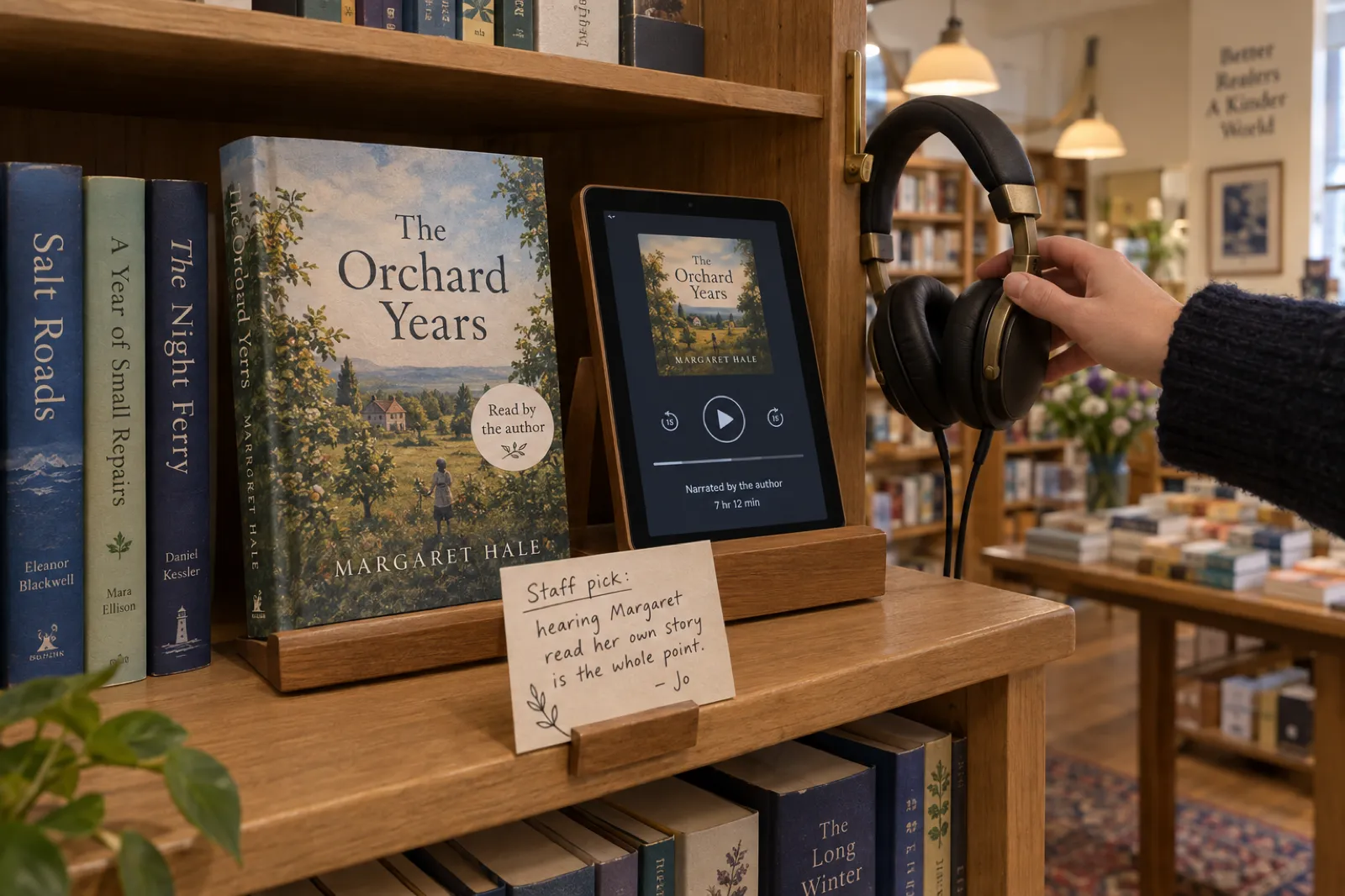
- Opening credits. The title, the author and the narrator. For a self-narrated book that can be as simple as "The Orchard Years. Written and narrated by Margaret Hale."
- Closing credits. A clear ending, such as "The end", followed by the same names. Many authors add a copyright line and a thank-you here.
- Retail sample. The preview listeners hear in the store, five minutes or less. Choose a passage that shows the book at its best, usually from the first chapter, rather than the credits or a table of contents.
Record the credits in the same room, with the same setup and ideally in the same session as a chapter, so they match its sound, and save them as separate files. ACX also needs a square cover image; your ebook cover cropped to a square rarely works well, so plan a version designed for the square from the start. Our guide to creating an ACX audiobook from your ebook walks through the account, the title claim and the upload screens.
Mixing your voice with AI narration: what it changes
In the studio every chapter has its own narrator, so you can read the foreword, the introduction and the personal chapters yourself and give the rest to an AI voice. For some books that is the right shape: the author speaks directly to the reader where it matters, and a steady narrator carries the reference chapters. Readers of a long how-to guide may not mind at all.
The catch is where it can be sold. ACX requires human narration unless it has authorised otherwise (our ACX AI narration policy explainer has the detail), so a book with one AI chapter falls outside standard ACX, even if you read every other word. Pick who reads the book, and whether it is on Amazon, to see the routes.
Every chapter in your voice makes this a human-narrated audiobook. Every route is open to it.
- ACX (Audible and Amazon)Works
Claim your title, choose the option for audio you already have, upload the chapter ZIP plus your own credits and a retail sample. 50% royalty exclusive or 30% non-exclusive for new users.
- Google Play BooksWorks
Upload the chapter MP3s in the Partner Center with you as narrator.
- Kobo Writing LifeWorks
No exclusivity; 45% of list price on single sales at $2.99 and up.
- Spotify for AuthorsWorks
Takes MP3, WAV or FLAC.
- Voices by INaudio and Author's RepublicWorks
Distributors that reach Apple Books, libraries and other stores in one upload. If you go exclusive on ACX, these wait until the exclusivity ends.
- Your own shopWorks
Sell the ZIP or single MP3 on Gumroad, Payhip or your site, at your price.
Store rules as read on 1 October 2026. For a book with AI narration, the full store-by-store rules are on where to sell an AI audiobook.
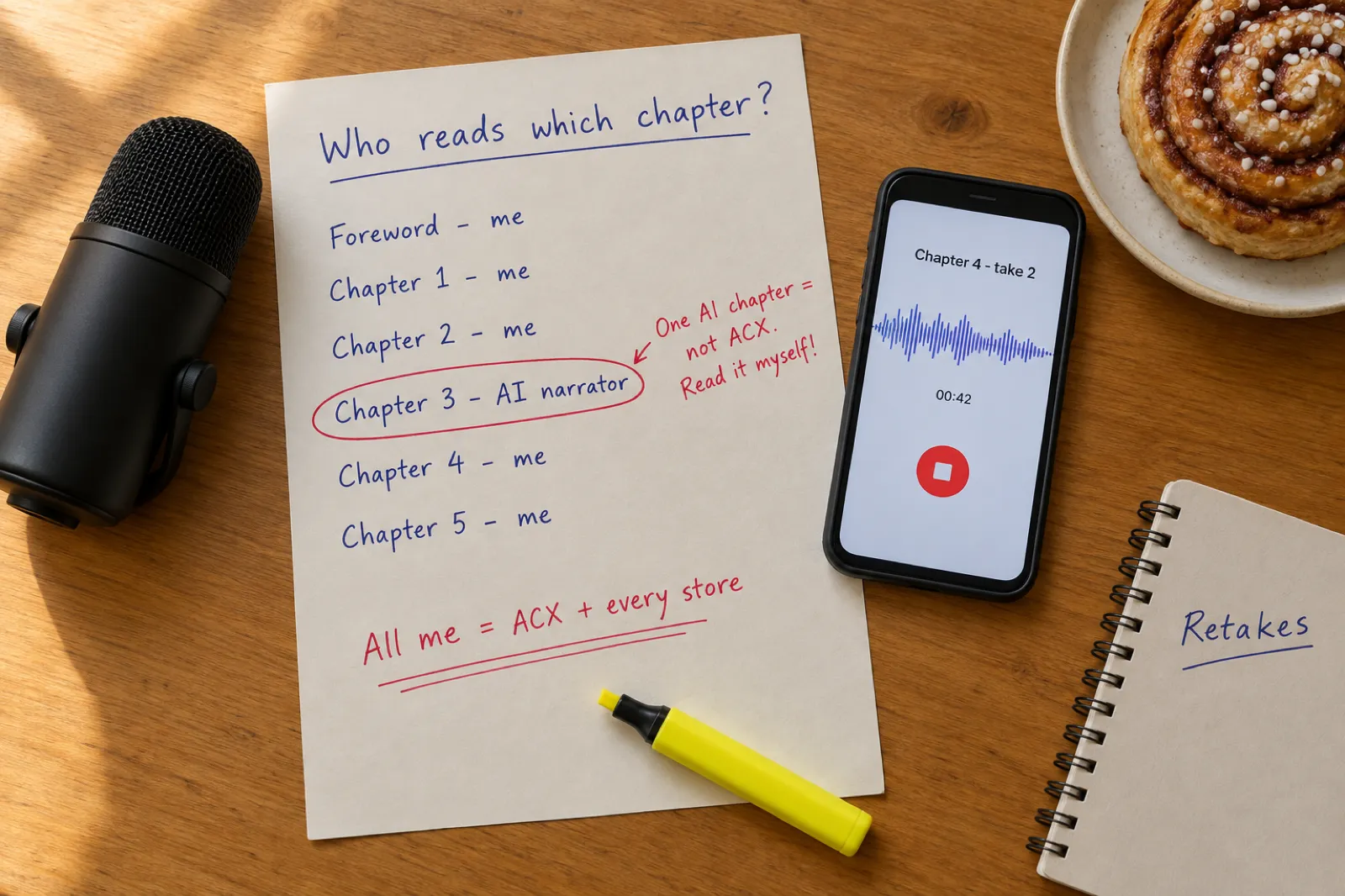
The studio's downloads follow the same rule, so you are never left guessing. When every chapter is your own recording, the chapter ZIP is described as human-narrated, ready for you to add your own credits and a retail sample. When the book mixes your voice with AI, the download says it is not eligible for standard ACX and points you to the stores that take AI narration. If you change your mind, record the AI chapters yourself: the moment the last one is replaced, the book counts as all you.
A mixed book still has good places to go. Google Play Books and Kobo accept AI narration when it is disclosed in the narrator field, and your own shop has no rule at all. The where-to-sell page keeps those rules current.
Where a self-narrated audiobook can be sold
A book you read yourself is a human-narrated audiobook, so the AI rules that close off half the market do not apply to it. Each row below was read from the store's own help pages on 1 October 2026; where a store does not publish a rate, the table says so rather than guessing.
| Store | Takes author narration? | File rules and notes | Royalty or fees (where stated) |
|---|---|---|---|
| ACX (Audible, Amazon) | Yes | The spec in the table above. The book must already be on Amazon. | 50% exclusive or 30% non-exclusive for new users since 26 May 2026. |
| Google Play Books | Yes | MP3 at a constant bit rate of 128 kbps or more, mono accepted; the whole book between 5 minutes and 100 hours. | Set in your Partner Center agreement. |
| Kobo Writing Life | Yes | Upload in Kobo Writing Life; no exclusivity. | 45% of list price on single sales at $2.99 and up. |
| Spotify for Authors | Yes | MP3, WAV or FLAC. | Not stated on the help page. |
| Voices by INaudio | Yes | MP3 at a constant bit rate. Distributes to a long list of retailers and libraries. | Set in the INaudio agreement. |
| Author's Republic | Yes | Up to 119 minutes and 170 MB per file. | 80% of what Author's Republic receives. |
| Apple Books | Through a distributor | No direct upload for independent audiobooks; Apple is reached through distributors such as the two above. | Set by the distributor. |
| Your own shop (Gumroad, Payhip, your site) | Yes | Any file you like; a ZIP of chapter MP3s is normal. | Gumroad 10% + $0.50 per sale; Payhip 5%; plus card fees. |
The big decision is exclusivity on ACX, the audio version of the choice in KDP Select vs wide distribution. Exclusive distribution pays new users 50% but keeps the audiobook off other stores and distributors while it lasts. Non-exclusive pays 30% on ACX and lets you use every other row in the table at the same time. Many authors with a direct audience (a newsletter, a podcast, a coaching practice) choose non-exclusive, because selling direct keeps far more of each sale. Sources: Google Play Books Partner Center help, Voices by INaudio support, Spotify for Authors help, and Kobo Writing Life and Author's Republic help pages.
To see what a sale earns at each store and price, try the royalty calculator. To sell the audiobook from your own page alongside the ebook, how to sell your ebook covers Gumroad and Etsy listings.
What it costs compared with hiring a narrator
Narrating it yourself trades money for time. Here is how the main routes compare for the same book, without inventing prices for narrators, whose rates vary widely by experience and genre.
| Route | Upfront cost | Your time | Royalty split | ACX? |
|---|---|---|---|---|
| You narrate, in the studio | Equipment, plus a plan or credits to open the studio. Your recordings use no audiobook chapters. | 4 to 5 hours per finished hour | All yours | Yes |
| Narrator paid per finished hour | A fee per finished hour, agreed with the narrator | Casting, reviewing chapters, approving the final | All yours after the fee | Yes |
| Narrator on royalty share | None | Casting and reviewing | Split with the narrator, and exclusive to ACX distribution | Yes |
| AI narration in the studio | Included chapters on Creator and Premium, or credits | An afternoon | All yours | No; other stores yes |
Self-narration is the only route that keeps every store open, costs no narrator fee and leaves the whole royalty with you. The price is your time and the discipline of a schedule. For a short non-fiction book, the typical two-hour audiobook on the platform, that is roughly 8 to 10 hours of work: a few weeks of evenings.
From first chapter to ACX, step by step
1. Publish the book on Amazon
ACX starts from a title that exists on Amazon, as an ebook or paperback. Our KDP self-publishing guide covers it.
2. Set up the room and test
Use the room check above, record one minute, and listen on headphones.
3. Record every chapter
In the studio, choose your own voice on each chapter's "Read by" row, then record or upload.
4. Listen back to the whole book
Retake any chapter with mistakes, clicks or a changed sound. The new take replaces the old.
5. Record the credits and cut the sample
Opening and closing credits as their own files; a retail sample of five minutes or less.
6. Download the chapter ZIP
One MP3 per chapter at ACX's file spec, with room at each end.
7. Claim your title on ACX
Choose the option for audio you already have, then exclusive (50%) or non-exclusive (30%).
8. Upload and submit
Chapters in order, credits, sample and square cover. ACX reviews the title before it goes on sale.
Common mistakes when you record your own audiobook
Recording in the quietest-looking room
A tidy home office with bare walls and a wooden floor echoes. The cluttered bedroom with the full wardrobe usually sounds better.
Reading too fast
Nerves speed people up. Around 155 words a minute is ACX's pace; a 3,000-word chapter should take about 20 minutes, not 14.
Changing the setup mid-book
A new microphone, a different room or a phone for one chapter changes the sound, and ACX listens for consistency across the book.
Skipping the listen-back
Mistakes you did not notice while reading are obvious on playback. Every chapter, end to end, on headphones, before it goes anywhere.
One AI chapter in a book meant for Audible
It feels like a small shortcut and it takes the whole book outside standard ACX. Read every chapter if Audible is the goal.
Marathon sessions
Hour three sounds different from hour one. Short regular sessions keep the voice even and the project moving.
Narrating your own audiobook: FAQ
Can I narrate my own audiobook?
Yes. Authors narrate their own audiobooks all the time, and every major store accepts a book read by its author, ACX included. You need a quiet room, a decent microphone, time (about 4 to 5 hours of work for every finished hour, by ACX's own estimate) and files that meet each store's audio rules. Inkfluence AI's audiobook studio lets you record each chapter in the browser or upload a recording, then levels it and builds the files.
Can I narrate my own audiobook on ACX?
Yes. On ACX you claim your title (the book must already be on Amazon), choose the option for audio you already have, and upload one MP3 per chapter plus opening credits, closing credits and a retail sample. Files must meet ACX's audio submission requirements: RMS between -23 and -18 dB, peaks no higher than -3 dB, a noise floor below -60 dB, 192 kbps or higher constant bit rate MP3 at 44.1 kHz, and 1 to 5 seconds of room tone at each end. ACX checks every title before release.
How long does it take to narrate an audiobook?
A finished hour of audiobook is about 9,300 words, so a 50,000-word book runs about 5 hours 23 minutes. ACX puts the work at around 4 to 5 hours per finished hour once retakes, editing and listening back are counted, so that book is about 22 to 27 hours of work. Split into 45-minute sessions four days a week, that is about two months. First books usually take longer.
Should I narrate my own audiobook?
It suits memoir, self-help, business, devotional and how-to books, where listeners want the person who lived it or teaches it, and authors who already speak for a living. It suits fiction with many characters and accents less, unless you enjoy performing. A practical test: record one chapter, wait a day, and listen to it on headphones. If you would happily listen to the next chapter, read it yourself.
What equipment do I need to record an audiobook at home?
A quiet, soft room matters more than anything you buy: a wardrobe full of clothes or a duvet hung behind you does a lot of the work. Beyond that, a USB microphone, a pop filter, closed headphones and a stand that keeps the microphone still. You do not need an audio interface or editing skills to start; the studio records in the browser and handles levels and file formats.
Can I record my audiobook on an iPhone?
You can record a chapter on a phone with a voice memo app and upload the file to the studio, which accepts M4A, MP3, WAV and other common formats up to 200 MB and 2 hours per chapter. The phone's built-in microphone picks up more of the room than a USB microphone, so record somewhere very quiet and soft, and keep the phone the same distance from your mouth throughout.
Can I mix my own narration with AI narration?
In the studio, yes: each chapter can have its own narrator, so you can read the foreword and some chapters and let an AI voice read the rest. But a book with any AI-narrated chapter is not eligible for standard ACX, which requires human narration. It can still go to stores that accept AI narration, such as Google Play Books and Kobo, with the AI narration disclosed. To keep every route open, read every chapter yourself.
Does recording my own chapters use audiobook credits?
No. Chapters you record or upload yourself do not use your monthly audiobook chapters or chapter credits. The audiobook studio needs a paid plan, or chapter credits on your account, to open; after that your own recordings are free. AI-narrated chapters use the plan's allowance as usual.
Are the files ready to upload to ACX?
For a book read entirely by you, the chapter ZIP meets ACX's technical file rules: mono, 44.1 kHz, 192 kbps constant bit rate, levelled to -20 LUFS with peaks held at -3 dB, and 1.5 seconds of silence before and 3 seconds after each chapter. ACX also checks things a file converter cannot fix: the noise floor of your room, mistakes, edits and mouth noise. You also record your own opening and closing credits and cut a retail sample. ACX makes the final decision on every title.
How much do self-narrated audiobooks earn on ACX?
As of 26 May 2026, new ACX users earn a 50% royalty if the audiobook is exclusive to ACX distribution, and 30% if it is non-exclusive, which lets you also sell it through Google Play Books, Kobo, Spotify for Authors, distributors and your own shop. Because you are the narrator, there is no narrator fee and no royalty share to split.
Related reading
Your book, in your voice.
Record a chapter tonight in the browser. The studio handles the levels and the files; you bring the room and the reading.
Record your audiobook