
· KDP rules checked 22 Oct 2026
KDP Paperback Template Calculator: Page Size, Margins, Bleed and Spine (2026)
Pick your trim size, page count, ink and paper, and whether anything on the page runs to the edge. The calculator gives the exact page size to set for the PDF you upload to Amazon KDP, the smallest gutter and outside margins KDP accepts at that page count, the spine width, the Amazon.com print cost, and the numbers to type into Word or Google Docs. Every rule comes from KDP's own help pages, read on 22 Oct 2026. It runs in your browser and nothing is sent anywhere.
By Sam May, Founder of Inkfluence AI
Quick answer
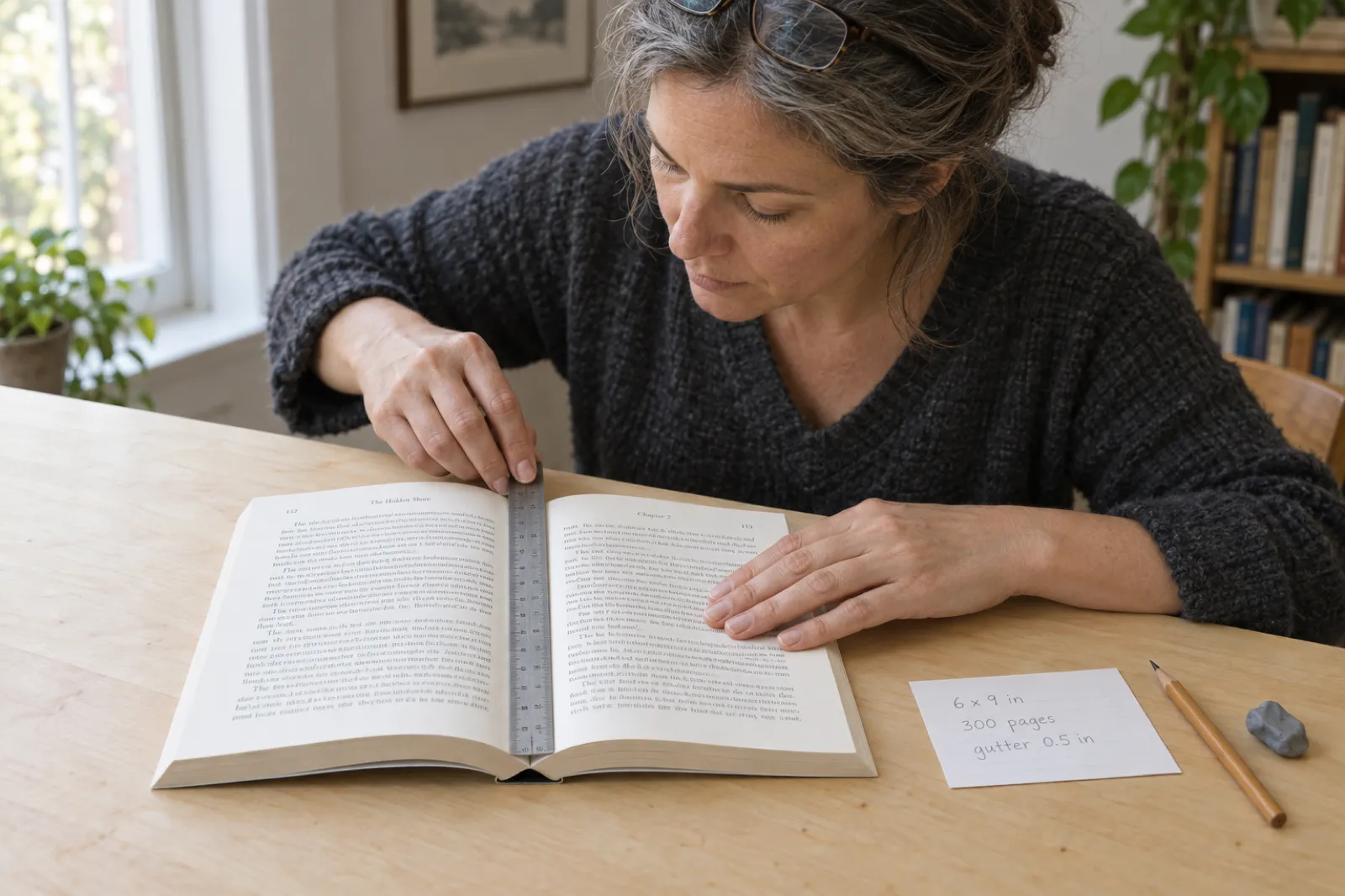
A KDP paperback template is a document set to your trim size (6 x 9 in is the default) with margins that suit your page count. Without bleed the PDF page is exactly the trim; with bleed it is 0.125 in wider and 0.25 in taller. The inside (gutter) margin must be at least 0.375 in up to 150 pages and grows to 0.875 in above 700 pages; top, bottom and outside margins must be at least 0.25 in, or 0.375 in with bleed. A 6 x 9 in, 300-page book on white paper needs a 0.5 in gutter, has a 0.676 in spine and costs $4.60 to print on Amazon.com.
KDP paperback template calculator
Start from a preset or set your own book. If you do not know the page count yet, use an estimate and come back with the real one: the gutter and the spine both change with it.
PDF page size
-
Minimum inside (gutter) margin
-
Minimum top, bottom, outside
-
Spine width
-
Title on the spine?
-
Print cost on Amazon.com
-
Set up your document
The margins above are the comfortable set our own KDP export prints (0.75 in top and bottom, 0.5 in outside, at least 0.75 in inside), measured from the trim. KDP's minimums are listed under them.
One right-hand page, to scale
Binding edge on the left. Shaded strips are KDP's minimum margins; the dashed box is where text sits with the margins in the setup block. Print at 100% (Actual size) and check the 1 in bar with a ruler. Pages over 8 in wide need a larger sheet than Letter or A4.
Rules: KDP help pages Set Trim Size, Bleed, and Margins; Paperback Printing Cost; Create a Paperback Cover; Paperback Submission Guidelines; all read 22 Oct 2026. Print cost is for copies sold on Amazon.com in US dollars. KDP's previewer and its own calculator have the final say.
The KDP paperback numbers in one place
16
Paperback trim sizes on Amazon.com, from 5 x 8 in to 8.5 x 11 in, plus custom sizes 4 to 8.5 in wide and 6 to 11.69 in tall.
0.125 in
Bleed on the top, bottom and outside edge (3.2 mm). The bleed page is 0.125 in wider and 0.25 in taller than the trim.
0.375 to 0.875 in
Minimum gutter, in five steps from 24 to 828 pages. The thicker the book, the more the pages curve into the binding.
0.25 / 0.375 in
Minimum top, bottom and outside margin without bleed and with bleed.
80 pages
First even page count where KDP prints a title on the spine. Below that, the spine stays blank.
$4.60
To print a 6 x 9 in, 300-page black-and-white paperback sold on Amazon.com ($1.00 plus $0.012 a page).
What a KDP paperback template is, and what it is not
A KDP paperback template is a document whose page size and margins already match the printed book you chose in KDP's Print Options. You lay the book out in it and export a PDF that Amazon's printers can trim without cutting off a word. Four settings make a template: the page size, the margins (with a wider inside margin, the gutter), mirror margins so left and right pages swap that wide margin, and the bleed choice.
It is not one fixed file. The gutter depends on how many pages the book ends up with, and the page size depends on whether anything bleeds. Write another 60 pages, cross from 300 to 360, and the minimum gutter jumps from 0.5 in to 0.625 in; KDP's previewer then flags text in the gutter.
The interior template is also separate from the cover. The cover is one PDF with the back, spine and front side by side, and its width depends on the page count and paper. The calculator above gives the spine and the full wrap size in one line; our KDP cover size and spine width calculator lays out the whole cover, with the barcode area and safe zones.
If you have not chosen a trim yet, start with our guide to KDP trim sizes, which compares every size by genre, page limit and print cost, and come back once you know yours. The Kindle ebook needs no page size at all, because it reflows; our guide on how to format a book for Kindle covers that file.
KDP paper size for every trim: the PDF page with and without bleed
This is the "amazon kdp paper size template" question in one table: for each of the 16 Amazon.com paperback trims, the page size to set in your document. Without bleed the page is the trim. With bleed, add 0.125 in to the width (outside edge only, because the binding edge is never trimmed) and 0.25 in to the height (0.125 in at the top and at the bottom). Large trims (wider than 6.12 in or taller than 9 in) cost more to print.
| Trim (width x height) | PDF page, no bleed | PDF page, with bleed | Price band | Pages, black and white | Pages, standard colour |
|---|---|---|---|---|---|
| 5 x 8 in | 5 x 8 in | 5.125 x 8.25 in | Regular | 24 to 828 | 72 to 600 |
| 5.06 x 7.81 in | 5.06 x 7.81 in | 5.185 x 8.06 in | Regular | 24 to 828 | 72 to 600 |
| 5.25 x 8 in | 5.25 x 8 in | 5.375 x 8.25 in | Regular | 24 to 828 | 72 to 600 |
| 5.5 x 8.5 in | 5.5 x 8.5 in | 5.625 x 8.75 in | Regular | 24 to 828 | 72 to 600 |
| 6 x 9 in | 6 x 9 in | 6.125 x 9.25 in | Regular | 24 to 828 | 72 to 600 |
| 6.14 x 9.21 in | 6.14 x 9.21 in | 6.265 x 9.46 in | Large | 24 to 828 | 72 to 600 |
| 6.69 x 9.61 in | 6.69 x 9.61 in | 6.815 x 9.86 in | Large | 24 to 828 | 72 to 600 |
| 7 x 10 in | 7 x 10 in | 7.125 x 10.25 in | Large | 24 to 828 | 72 to 600 |
| 7.44 x 9.69 in | 7.44 x 9.69 in | 7.565 x 9.94 in | Large | 24 to 828 | 72 to 600 |
| 7.5 x 9.25 in | 7.5 x 9.25 in | 7.625 x 9.5 in | Large | 24 to 828 | 72 to 600 |
| 8 x 10 in | 8 x 10 in | 8.125 x 10.25 in | Large | 24 to 828 | 72 to 600 |
| 8.25 x 6 in | 8.25 x 6 in | 8.375 x 6.25 in | Large | 24 to 800 | 72 to 600 |
| 8.25 x 8.25 in | 8.25 x 8.25 in | 8.375 x 8.5 in | Large | 24 to 800 | 72 to 600 |
| 8.27 x 11.69 in | 8.27 x 11.69 in | 8.395 x 11.94 in | Large | 24 to 780 | Not offered |
| 8.5 x 8.5 in | 8.5 x 8.5 in | 8.625 x 8.75 in | Large | 24 to 590 | 72 to 600 |
| 8.5 x 11 in | 8.5 x 11 in | 8.625 x 11.25 in | Large | 24 to 590 | 72 to 600 |
Page ranges are for black ink on white paper (cream tops out lower, at 776 pages for most trims) and standard colour. Premium colour runs from 24 pages to the black-and-white maximum, except A4 (590). KDP's own bleed table lists 5.626 in for the 5.5 in trim; the formula gives 5.625 in, which is what to type. Source: KDP help, Set Trim Size, Bleed, and Margins, read 22 Oct 2026.
KDP margins and gutter by page count
A paperback is glued at the spine, and the pages curve into the binding as they open. A thick book curves more, so text needs more room on the inside. KDP sets the inside (gutter) minimum in five page bands. The outside, top and bottom minimums do not change with page count: at least 0.25 in without bleed, at least 0.375 in with bleed. They can differ from each other, so a 1 in top and bottom with a 0.5 in outside margin is fine.
| Page count | KDP minimum inside (gutter) | Outside, no bleed | Outside, with bleed | What our KDP export prints inside |
|---|---|---|---|---|
| 24 to 150 pages | 0.375 in (9.5 mm) | at least 0.25 in | at least 0.375 in | 0.75 in |
| 151 to 300 pages | 0.5 in (12.7 mm) | at least 0.25 in | at least 0.375 in | 0.75 in |
| 301 to 500 pages | 0.625 in (15.9 mm) | at least 0.25 in | at least 0.375 in | 0.75 in |
| 501 to 700 pages | 0.75 in (19.1 mm) | at least 0.25 in | at least 0.375 in | 0.875 in |
| 701 to 828 pages | 0.875 in (22.2 mm) | at least 0.25 in | at least 0.375 in | 1 in |
Why print more than the minimum. The minimum is where KDP stops rejecting, not where a book reads well. A 0.375 in gutter on a 140-page book is legal, but the last letters of each line on the left-hand page sit in the curve. KDP's own Word templates use a wider inside margin, and our export never prints less than 0.75 in inside. From 501 pages we print 0.125 in above KDP's step, because italics, quotation marks and hanging punctuation poke a little past the margin line and KDP's previewer measures the ink, not your setting.
Inside margin and gutter are the same thing in KDP's language. Some programs have two fields. KDP's help says to put the same value in both. Word adds them together, so entering 0.5 in in each gives a 1 in inside margin: wider than needed, but never rejected. The setup block above uses Inside plus a 0 in Gutter, which is easier to reason about.
Worked examples from the calculator: a 120-page 6 x 9 in book needs a 0.375 in gutter; at 300 pages it is 0.5 in; a 520-page novel on cream paper needs 0.75 in and has a 1.3 in spine. The full print guide in our paperback publishing walkthrough covers the rest of the interior rules, from front matter to proof copies.
Bleed or no bleed: how to choose
Every page is cut to size after printing, and the blade can land a hair either side of the line. If a photo or a coloured background stops exactly at the trim line, that variance shows as a thin white edge. Bleed solves it: you extend the art 0.125 in past the trim, the blade cuts through the art, and the colour reaches the edge however the cut lands.
- Choose no bleed for novels, memoirs, most non-fiction and any book where text and images sit inside the margins. This is most books, and it is simpler: the page is the trim, and KDP also takes a Word file.
- Choose bleed for picture books, cookbooks with full-page photos, colouring pages that run to the edge, and any design with a tinted background or edge tabs. If even one page bleeds, the whole file must be set up at the bleed size.
- Bleed costs nothing extra. KDP's printing cost help says bleed and cover finish do not change the print cost.
- Bleed must be a PDF. KDP converts Word, RTF, HTML and text files only for no-bleed interiors.
The bleed choice in your file must match the choice in KDP's Print Options. A no-bleed PDF uploaded with Bleed selected fails because the page is 0.125 in too narrow; a bleed PDF uploaded as no bleed fails because it is too big. With bleed, keep text at least 0.375 in from the edge of the bleed-size page, which is 0.25 in inside the trim.
Here is the picture book from the calculator's preset: 8.5 x 8.5 in, 32 pages, premium colour, bleed. The PDF page is 8.625 x 8.75 in, the gutter minimum is 0.375 in, the outside minimum 0.375 in, the spine 0.075 in with no room for a title, and Amazon.com charges a flat $4.20 to print it (premium colour up to 40 pages is a flat rate at a large trim). For the full picture-book route, from idea to illustrated pages, see how to make a picture book with AI and our guide to self-publishing a children's book on Amazon.
Why KDP rejects paperback files
Most paperback rejections come from the template, not the writing. These are the ones a correct template prevents:
- Page size does not match the trim. A Letter-size Word file uploaded as 6 x 9 in gets scaled or rejected. The page must equal the trim, or the trim plus bleed.
- Content in the gutter or outside the margins. The gutter was set for an earlier, shorter draft, or a wide table or image runs into the margin.
- Bleed setting mismatch between the file and Print Options, as above.
- Fonts not embedded. KDP asks for every font fully embedded, not just the characters used. Fonts in tables or charts pasted from spreadsheets are the usual culprits.
- Low-resolution images. KDP wants 300 DPI at the printed size. A 900-pixel-wide image printed 6 in wide is 150 DPI.
- Too many blank pages, missing pages, wrong pagination (odd numbers belong on right-hand pages), placeholder text left from a template, or a file that is locked or encrypted.
- Spine text on a book under 80 pages, or a cover sized for the wrong page count.
If a rejection email has already arrived, our KDP rejection decoder goes through every common message, what triggers it and the fix. For the content side (AI disclosure, public domain, quality), see Amazon's AI disclosure policy explained.
Which trim size to build the template for
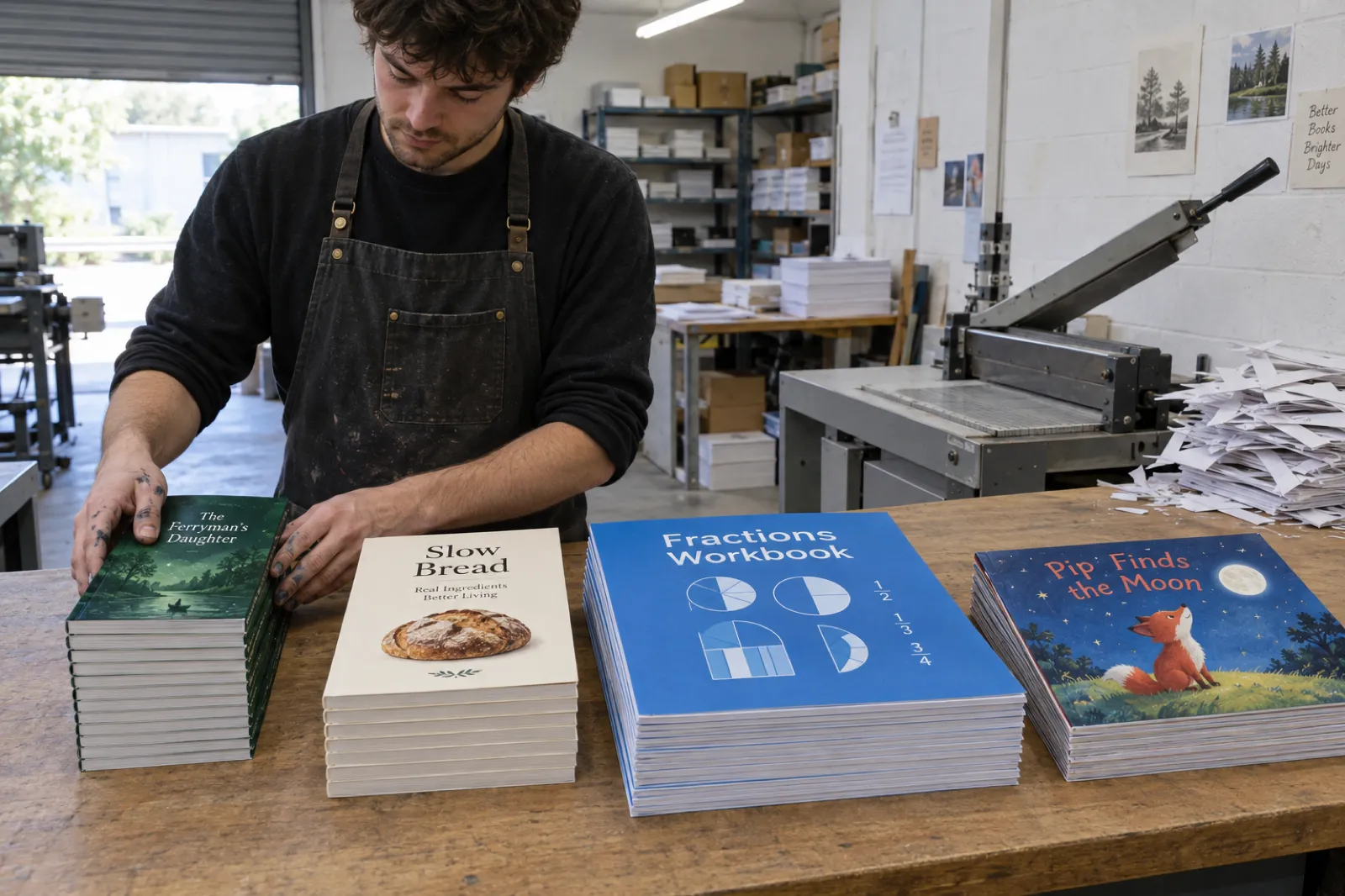
The short version, before you open the template: match the books your readers already buy. Our trim size guide has the full chart, a picker and our test of one novel at ten trims.
Novels
5 x 8, 5.25 x 8, 5.5 x 8.5 or 6 x 9 in, black ink on cream. Smaller trims make a thicker book from the same text; see how many pages a novel is.
Non-fiction and memoir
6 x 9 in on white paper, KDP's default and the cheapest size that still reads as a full book. 5.5 x 8.5 in for shorter guides.
Workbooks, journals, planners
7 x 10, 8 x 10 or 8.5 x 11 in, so there is room to write. See how to create a workbook.
Picture books, colouring and cookbooks
8.5 x 8.5, 8.25 x 8.25, 8 x 10 or 8.5 x 11 in, usually premium colour and bleed. Colouring books: how to make a coloring book.
How to make a KDP paperback template in Word, step by step
Word is the tool KDP writes its own guides and templates for, and it handles mirror margins properly. The steps below use the 6 x 9 in, 300-page example; the calculator's setup block gives your own numbers in the same order. Menu names are from current Word for Windows and Word for Mac (checked 22 Oct 2026); KDP notes that its guides may lag behind your version.
- Start from a copy. Save your manuscript under a new name first. Formatting is easier to undo when the original is untouched, and KDP warns that saving over the same file repeatedly can carry corruption forward.
- Set the page size. On Windows: Layout, Size, More Paper Sizes, then Width 6 in and Height 9 in, Apply to Whole document. On a Mac: File, Page Setup, Paper Size, Manage Custom Sizes, add a 6 x 9 in custom size, then select it. For bleed, type the bleed size instead (6.125 x 9.25 in).
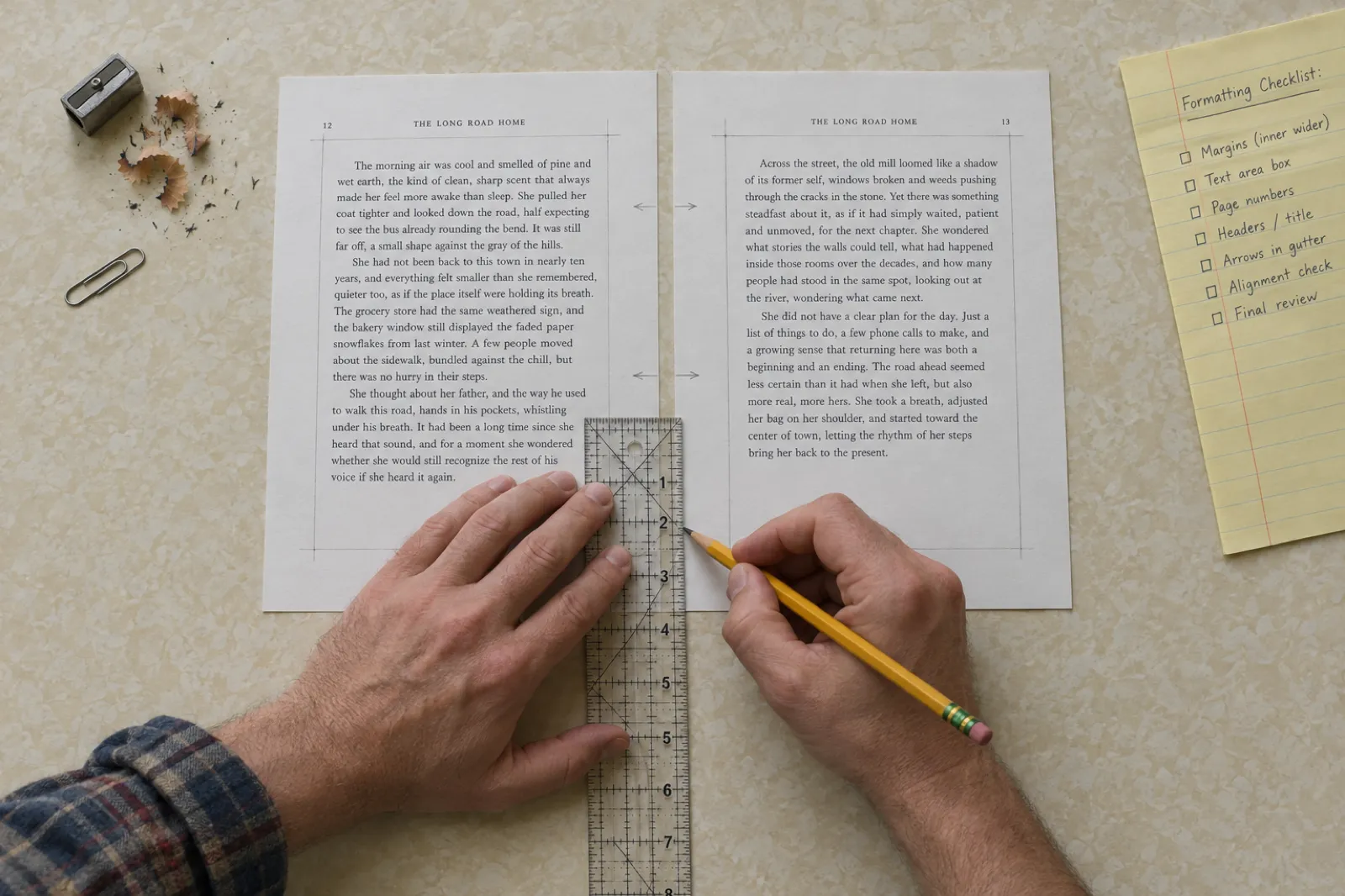
- Set mirror margins. Layout, Margins, Custom Margins. Under Pages, Multiple pages, choose Mirror margins. The Left and Right fields turn into Inside and Outside.
- Type the margins. Top 0.75 in, Bottom 0.75 in, Inside 0.75 in, Outside 0.5 in, Gutter 0 in. KDP's floor for this book is 0.5 in inside and 0.25 in elsewhere, so these leave headroom. With mirror margins on, Word adds any Gutter value to the inside margin.
- Check the header and footer distance. In the Layout tab of the same dialog, keep Header and Footer distances inside the margins (0.4 to 0.5 in from the edge works with a 0.75 in top and bottom). Page numbers that sit too close to the edge count as content outside the margins.
- Use styles, not manual spacing. One style for body text (justified or left aligned, 10 to 12 point, first-line indent), one for chapter titles with Page break before switched on. KDP's minimum font size is 7 point, which applies to captions and footnotes too.
- Start chapters on new pages with section breaks set to Next page. Avoid Odd page breaks unless you want blank left-hand pages: KDP's Word guide warns that Word hides those blanks on screen and the PDF adds them, and too many blank pages is a rejection reason.
- Number the pages with odd numbers on right-hand pages. Front matter can use roman numerals; restart at 1 on the first chapter by unlinking the footer from the previous section.
- Place images at their final size through Insert, Pictures, not drag and drop, and switch on File, Options, Advanced, Do not compress images in file. Word otherwise downsamples images when it saves.
- Embed fonts. File, Options, Save, Embed fonts in the file, with "Embed only the characters used" and "Do not embed common system fonts" both unchecked.
- Check the page count, then the gutter again. The status bar shows the page count. If it crossed a band (150, 300, 500 or 700 pages), raise the inside margin and recheck that chapters still break where you want.
KDP also publishes ready-made Word templates for every trim, blank (page size and margins set) or with sample content, and a set using Amazon Endure, a typeface Amazon designed to reduce page count and with it the print cost. They are a fine start; check the inside margin against your page count and delete every line of placeholder text, because leftover template text gets a book rejected. If your manuscript is already in Word and you would rather not do any of this, import it into Inkfluence AI and export the KDP package.
How to make a KDP template in Google Docs (and where it falls short)
Google Docs is where many first books get written, and it can export a KDP interior for a plain text book. It has three limits worth knowing before you start: its page sizes are a fixed list, it has no mirror margins, and it has no bleed.
- Switch to pages. File, Page setup, Pages. Page size and margins are not available in Pageless format.
- Pick a paper size. The list includes three sizes that are also KDP trims: Statement (5.5 x 8.5 in), Letter (8.5 x 11 in) and A4 (8.27 x 11.69 in). There is no 6 x 9 in or 5 x 8 in option. For those, a page-size add-on from the Google Workspace Marketplace can set a custom size; Google's own help does not describe custom sizes.
- Set the margins. Docs applies the same left and right margin to every page, so set both left and right to your inside value. The outside margin ends up wider than it needs to be, which costs a little width but is never rejected.
- Lay out the book. Use Heading 1 for chapter titles and Insert, Break, Page break before each chapter. Insert page numbers in the footer.
- Download a PDF. File, Download, PDF Document (.pdf). Open it and check the page size and the font list (in most PDF readers: File, Properties, Fonts) before uploading.
For a 6 x 9 in book, a book with images to the edge, or anything with facing-page design, write in Docs and do the layout elsewhere: download a .docx and finish in Word, or bring the text into a book tool. Our comparison of book formatting software covers the options, from free to paid.
Four ways to get a KDP paperback interior
All four end in a PDF at the right page size with legal margins; they differ in how much of the arithmetic is yours. Our guide on how to format a book for KDP walks through each route in full, Canva included.
Word (or a KDP Word template)
Full control, mirror margins, bleed by setting the page larger. You set every number yourself and recheck the gutter when the page count moves.
Google Docs
Free and familiar. Three KDP sizes only without an add-on, no mirror margins, no bleed. Best for plain text in 5.5 x 8.5 or 8.5 x 11 in.
Kindle Create
Amazon's free app. Imports a .docx, resizes content and margins for the trim you pick, adds page numbers, headers and footers, and starts chapters on right-hand pages.
Inkfluence AI
Write or import the book, pick the trim, export one package: interior PDF with a gutter sized to the real page count, full-wrap cover, Kindle file and a READ ME with the KDP settings. Start a book.
How to export a print-ready PDF for KDP
KDP recommends a PDF even when it accepts Word, because a Word file can paginate differently on another computer with other fonts or another default printer. Its Save Your Manuscript File page sets out what the PDF needs:
- The exact page size, single pages, not spreads or two pages to a sheet.
- All fonts embedded, preferably in full rather than as subsets.
- Images at 300 DPI or more, with downsampling switched off when you export. KDP suggests no more than 600 DPI to keep the file under its 650 MB limit.
- No crop marks, trim marks, bookmarks, comments, annotations or metadata, no PDF creation logos or watermarks, and no password or encryption.
- Transparency and layers flattened, which matters for designs made in layout or image software.
Is PDF/X required? No. KDP says PDF/X-1a is preferred, and that if you send another kind of PDF, comments, forms or other non-printing objects could be removed in review. A standard PDF with embedded fonts and full-resolution images prints fine. If your software offers a press-quality or PDF/X-1a preset, use it; if it does not, do not buy software for it.
From Word: File, Save As (or Export), PDF, and choose the Standard (publishing online and printing) option rather than Minimum size. KDP's own Word guide notes that printing to a PDF printer rather than saving can keep images at full resolution, and that the page size must exist in the PDF printer's settings. Then open the PDF, check the page size and count the pages.
Why the Kindle file is a different format altogether is explained in our guide to ebook formats and the print-ready PDF guide.
Kindle Create for paperbacks: what it does
Kindle Create is Amazon's free formatting app for Windows and Mac. You import a .doc or .docx file and it builds a reflowable Kindle ebook; the same project can also prepare the paperback. According to KDP's help (read 22 Oct 2026), for print it:
- resizes the content and margins automatically for the trim size you choose;
- numbers pages, with roman numerals for front matter and page 1 at the start of the body, and fills in page numbers in the table of contents;
- adds headers and footers (author, title and page number) from its Print Settings;
- starts title and chapter pages on right-hand pages, and reduces widows and orphans.
Its limits: tables, lists, footnotes and inline images from your Word file cannot be edited inside Kindle Create (fix them in Word and re-import), and KDP's help does not describe bleed settings for its print output. For a text-led novel or memoir it is the least effort route to a correct template. For image-led books with bleed, a layout tool or a book tool that sets bleed for you is the better fit. Where Kindle Create sits in the whole publishing sequence is covered in how to self-publish on Amazon KDP.
Spine width, spine text and the cover file
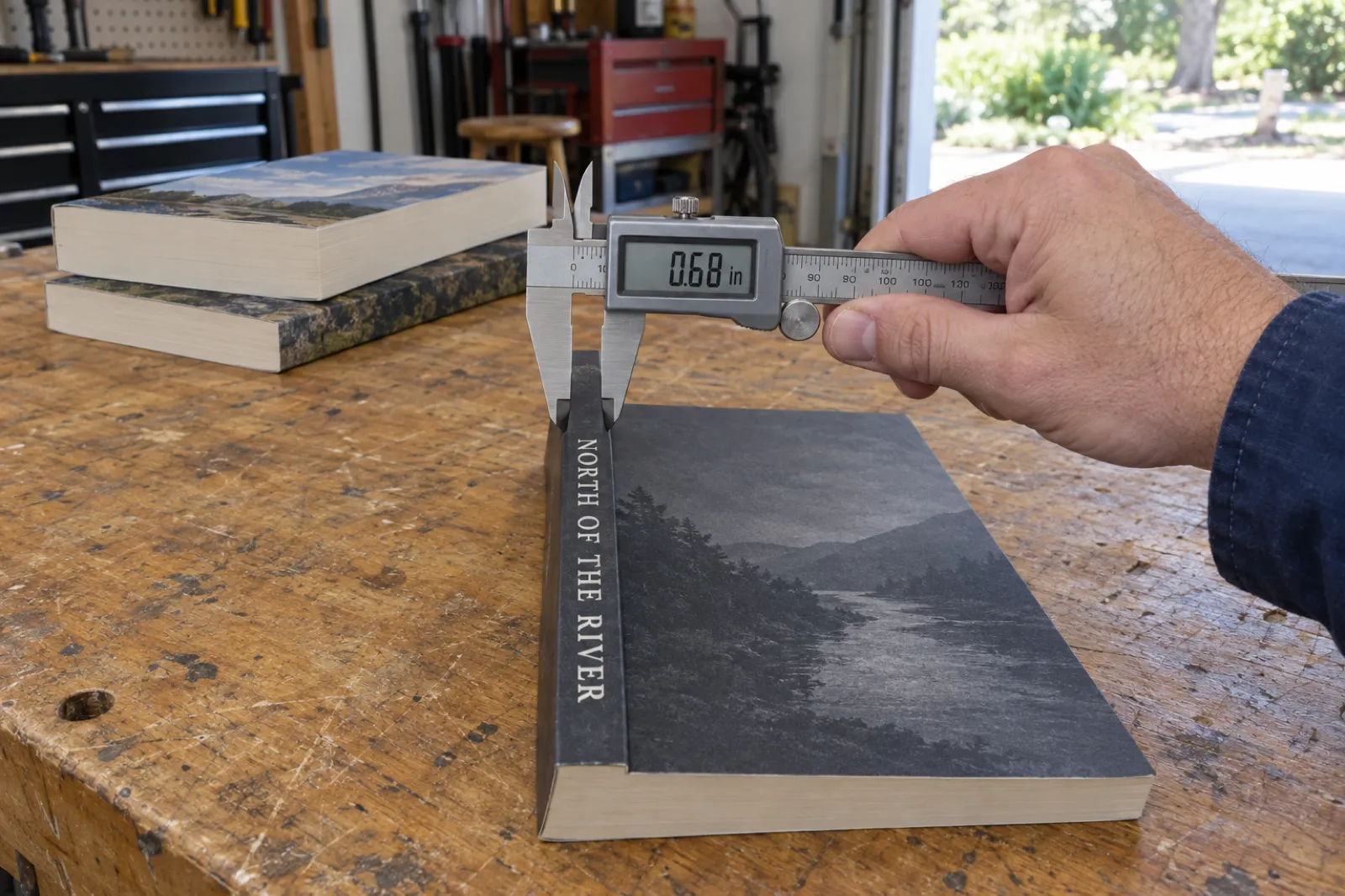
The interior template decides the cover size. KDP's spine width is the page count times a per-page figure for the paper: 0.002252 in for white paper and standard colour, 0.0025 in for cream, 0.00235 in for groundwood and 0.002347 in for premium colour. Cream is the thickest stock, so a cream novel has a wider spine than the same book on white.
The cover PDF is then 0.125 in of bleed, the back cover, the spine, the front cover and another 0.125 in, by the trim height plus 0.25 in. For the 6 x 9 in, 300-page example on white paper the spine is 0.676 in (17.2 mm) and the full wrap is 12.926 x 9.25 in.
Spine text. KDP's cover help says spine text needs "at least 79 pages" in one place and "more than 79 pages" in another, and Cover Creator needs 80. KDP rounds every page count up to an even number, so a 79-page book is a 80-page book, and 80 is the first count that clears both readings. Below 80 pages, leave the spine blank or the cover is rejected. Spine text also needs at least 0.0625 in clear of each fold.
That is as far as this page goes on covers. The KDP cover size calculator draws the full wrap with safe zones and the barcode box, the book cover design guide covers what makes a cover sell, and the AI book cover generator makes the front. Selling through IngramSpark too? Its spine differs; use the IngramSpark cover calculator.
What KDP charges to print your paperback
Amazon KDP printing is print on demand: each copy is printed when a reader orders it, and the printing cost comes out of your royalty. The cost depends on the ink, the paper, the page count and whether the trim is regular or large, and it is the same with or without bleed. On Amazon.com:
- Black ink, white or cream: a flat $2.30 (regular) or $2.84 (large) up to 110 pages; then $1.00 plus $0.012 a page (regular) or $0.017 (large).
- Black ink, groundwood: a flat $2.23 or $2.75 up to 112 pages; then $1.00 plus $0.0114 or $0.0162 a page. About 5% cheaper per page.
- Premium colour: a flat $3.60 or $4.20 up to 40 pages; then $1.00 plus $0.065 or $0.08 a page.
- Standard colour (72 pages and up): $1.00 plus $0.0255 or $0.0402 a page.
| Book | Trim (in) | Pages | Ink and paper | Spine | Print cost, Amazon.com |
|---|---|---|---|---|---|
| Novel | 5 x 8 | 250 | Black, cream | 0.625 in | $4.00 |
| Non-fiction | 6 x 9 | 300 | Black, white | 0.676 in | $4.60 |
| Novel on groundwood | 6 x 9 | 300 | Black, groundwood | 0.705 in | $4.42 |
| Short guide | 6 x 9 | 100 | Black, white | 0.225 in | $2.30 |
| Workbook | 8.5 x 11 (large) | 120 | Black, white | 0.27 in | $3.04 |
| Illustrated how-to | 7 x 10 (large) | 200 | Standard colour | 0.45 in | $9.04 |
| Picture book | 8.5 x 8.5 (large) | 32 | Premium colour | 0.075 in | $4.20 |
| Cookbook | 8 x 10 (large) | 150 | Premium colour | 0.352 in | $13.00 |
The calculator above checks its formula against KDP's own worked example (a 300-page black-ink paperback at a regular trim: $4.60) and its colour examples ($4.06 standard and $8.80 premium for 120 pages). What you earn per sale, in every Amazon store, is the job of our book royalty calculator. If you are weighing KDP against a second printer, see IngramSpark vs KDP and the IngramSpark cost calculator.
The faster route: let Inkfluence AI build the template for you
Every number here depends on a page count you only know once the book is laid out, and the gutter in turn changes the page count. Inkfluence AI does that loop for you. The Export window's KDP tab builds one zip, numbered by the KDP box each file goes in:
- The paperback manuscript PDF at your trim size. It renders the book, counts the real pages, and sizes the inside margin from that count (never under 0.75 in), with 0.5 in outside and 0.75 in top and bottom. Most books come out without bleed; books with full-page photos, and every picture book and ABC book, are made with bleed.
- A full-wrap cover PDF with 0.125 in bleed and the spine sized from the page count and the paper you pick.
- A Kindle eBook file and cover for the Kindle side of the same listing (colouring books are paperback only).
- A READ ME with the trim, page count, spine width, paper and bleed setting to choose in KDP, plus your Amazon.com print cost and royalty.
Eight of our page sizes are Amazon.com trims: 5 x 8, 5.5 x 8.5, 6 x 9, 7 x 10, 8 x 10, 8.5 x 8.5 and 8.5 x 11 in, and A4. For the other KDP trims, Word or Kindle Create with the numbers from the calculator is the route. You can write the book with our AI book generator, or bring a finished manuscript and use the AI book formatter; the book description generator writes the back-cover copy.
The KDP package comes with Creator ($9.99 a month), Premium ($19.99 a month) or any credit pack. The free plan exports a PDF with a small Inkfluence footer. Step-by-step instructions are in our help article on exporting for KDP, and the whole publishing sequence is on our KDP tools page.
Pre-upload checklist for a KDP paperback
Run through this with the PDF open, not the Word file. It mirrors KDP's own manual review list and the rejections we see most.
- The PDF page size equals the trim, or the trim plus 0.125 in by 0.25 in for bleed, on every page.
- The trim, ink and paper, and bleed choice in KDP's Print Options match the file.
- The final page count is even and within the range for your trim and paper (24 pages minimum; 72 for standard colour).
- The inside margin meets the band for that final count, with some headroom for italics and quotation marks.
- Top, bottom and outside margins are at least 0.25 in (0.375 in with bleed), page numbers and running heads included.
- Odd page numbers are on right-hand pages, and there are no runs of blank pages.
- Every font is embedded; no text smaller than 7 point.
- Images are 300 DPI at printed size, gray fills at least 10%, lines at least 0.75 point.
- No placeholder text, comments, crop marks, watermarks or file security.
- The title and author on the title page, running heads and cover match what you typed into KDP exactly.
- The cover was sized for this page count and paper, with no spine text under 80 pages.
- You have ordered, or will order, a proof copy before going live.
Then upload, open the online previewer and page through every spread. It flags margin and size problems before the review does. KDP's timelines and the rest of the publishing flow are in our KDP self-publishing guide, and if you need an ISBN first, read do you need an ISBN. Want a single physical copy before committing? See how to print one copy of a book.
KDP paperback template: frequently asked questions
What size should a KDP paperback template be?
The PDF page size is your trim size if nothing on the page runs to the edge, and the trim plus 0.125 in wide and 0.25 in tall if anything does (that is bleed). A 6 x 9 in book is a 6 x 9 in page without bleed and 6.125 x 9.25 in with bleed. KDP rejects a PDF whose page size matches neither.
What margins does KDP require for a paperback?
The inside (gutter) margin depends on page count: 0.375 in for 24 to 150 pages, 0.5 in for 151 to 300, 0.625 in for 301 to 500, 0.75 in for 501 to 700 and 0.875 in for 701 to 828. Top, bottom and outside margins must be at least 0.25 in without bleed and 0.375 in with bleed. Those are minimums; most books read better with more.
How much bleed does KDP need?
KDP trims 0.125 in (3.2 mm) from the top, bottom and outside edge of every page, so a bleed file is 0.125 in wider and 0.25 in taller than the trim. There is no bleed on the inside (binding) edge. If even one page bleeds, the whole file must be set up at the bleed size, and it must be uploaded as a PDF.
Does KDP have its own paperback templates?
Yes. KDP offers Word templates for every trim, blank (page size and margins set) or with sample content (title page, contents, chapters with placeholder text), plus versions in its Amazon Endure font. The blank ones still need your page count checked against the gutter table, and any leftover placeholder text gets a book rejected.
Can I format a KDP paperback in Google Docs?
For a text-only book without bleed, partly. Google Docs has paper size presets that match three KDP trims (Statement 5.5 x 8.5 in, Letter 8.5 x 11 in and A4), no mirror margins and no bleed. For 6 x 9 in and other trims you need a page-size add-on, or you write in Docs and do the layout in Word or a book tool.
Does KDP require PDF/X?
No. KDP says PDF/X-1a is preferred, and if you send another kind of PDF any comments, forms or other non-printing objects may be removed in review. What it does require: fonts embedded, images at 300 DPI or more, single pages (not spreads), no crop marks, and no locked or encrypted file.
Can I upload a Word file instead of a PDF?
Only without bleed. KDP accepts PDF, DOC, DOCX, RTF, HTML or TXT for a no-bleed interior and converts it to PDF; a bleed interior must be a PDF. KDP itself recommends uploading a PDF, because a Word file can paginate differently on another computer.
How do I work out the spine width for KDP?
Multiply the page count by KDP's figure for your paper: 0.002252 in for white, 0.0025 in for cream, 0.00235 in for groundwood, 0.002347 in for premium colour and 0.002252 in for standard colour. A 300-page book on white paper has a 0.676 in spine.
How many pages does a KDP book need for spine text?
KDP prints spine text only on books of more than 79 pages, and its Cover Creator needs 80. KDP rounds page counts up to an even number, so in practice 80 pages is the first count where a title on the spine is allowed.
How much does KDP charge to print a paperback?
On Amazon.com a black-and-white paperback of up to 110 pages costs a flat $2.30 at a regular trim or $2.84 at a large one; from 112 pages it is $1.00 plus $0.012 a page (regular) or $0.017 (large). A 6 x 9 in, 300-page book costs $4.60. The cost comes out of your royalty, not your pocket, except when you order author copies.
Sources
All read 22 Oct 2026. KDP changes its help pages without notice (groundwood paper is a 2026 addition); if a number here and KDP's page disagree, KDP's page wins.
- KDP: Set Trim Size, Bleed, and Margins: the 16 trims and page ranges, large trim rule, bleed formula and page sizes, margin table, inside margin and gutter note.
- KDP: Print Options: ink and paper types and weights, groundwood, custom trim limits, 6 x 9 in default.
- KDP: Paperback Printing Cost: fixed and per-page costs by marketplace, worked examples, bleed does not change cost.
- KDP: Create a Paperback Cover: spine factors, spine text rule, cover size formula.
- KDP: Paperback Submission Guidelines: groundwood spine factor, file and interior specifications, pagination, page count rounding.
- KDP: Save Your Manuscript File: accepted file types, PDF settings, PDF/X-1a preferred, fonts, gray fill and line width.
- KDP: Paperback and Hardcover Manuscript Templates: blank and sample templates, Amazon Endure.
- KDP: Convert a Paperback Word File to PDF: Word blank pages, image compression, font embedding.
- KDP: Prepare Reflowable and Print Books with Kindle Create: print preparation features and limits.
- KDP: Color Ink Options: standard vs premium colour, 120-page cost example.
- Google Docs Editors Help: Change page settings: Page setup, Pages vs Pageless, paper size and margins.
- Microsoft Learn: PageSetup.Gutter: the gutter is added to the inside margin when mirror margins are on.
Amazon, Kindle, KDP and Kindle Create are trademarks of Amazon.com, Inc. or its affiliates; Word is a trademark of Microsoft and Google Docs of Google. Inkfluence AI is an independent tool and is not affiliated with or endorsed by any of them.
Related tools and guides
KDP Trim Sizes
Which size suits which book, with page limits and print cost.
KDP Cover Size and Spine Calculator
The full-wrap cover for the page count you set here.
How to Format a Book for Kindle
The ebook side of the same listing, step by step.
Paperback Publishing on KDP
The full print guide, from interior to proof copy.
Self-Publishing on Amazon KDP
Account, formats, pricing and publishing, start to finish.
Book Royalty Calculator
What each sale earns on KDP and other stores.
KDP Rejected My Book
Every common rejection email, decoded, with the fix.
Book Length Calculator
Turn a word count into a page count for any trim.
AI Book Formatter
From manuscript to print-ready interior and EPUB.
Best Book Formatting Software
Word, layout apps and book tools compared.
IngramSpark Cost Calculator
Print cost and author copies on the other big printer.
How to Sell Workbooks
Large-trim books that readers write in, priced and published.
Get the book written, then let the template take care of itself.
Write or import your book, pick a KDP trim, and export the interior, full-wrap cover and Kindle file sized to the real page count. Free to start.
Start your book on Inkfluence AI