
How to Make a Coloring Book with AI (Watch One Get Drawn in 7 Minutes)
A coloring book is the simplest book there is to describe and one of the slowest to make by hand: twenty pages of clean line art, one subject, one style, and the same character wherever it appears. In the video below, James from the Inkfluence team types "dinosaur exploring the UK", sets a page count, edits the plan, and watches the pages draw themselves from a single character sheet, so the dinosaur outside a castle on page nine is the dinosaur on page one. This page walks through every step you see on screen, explains why the page count and the image count differ, and takes the finished book through to download and sale.
47
coloring books made in the format's first nine days (29 August to 6 September 2026) by 25 different people, before this video existed
20 pages
the median length of those books, which is also the format's default; 30 of the 47 stayed between 13 and 20 pages, and 5 went to 31 or more
10
already exported to a finished file within those nine days, roughly one book in four of those still in their makers' accounts
Quick Answer
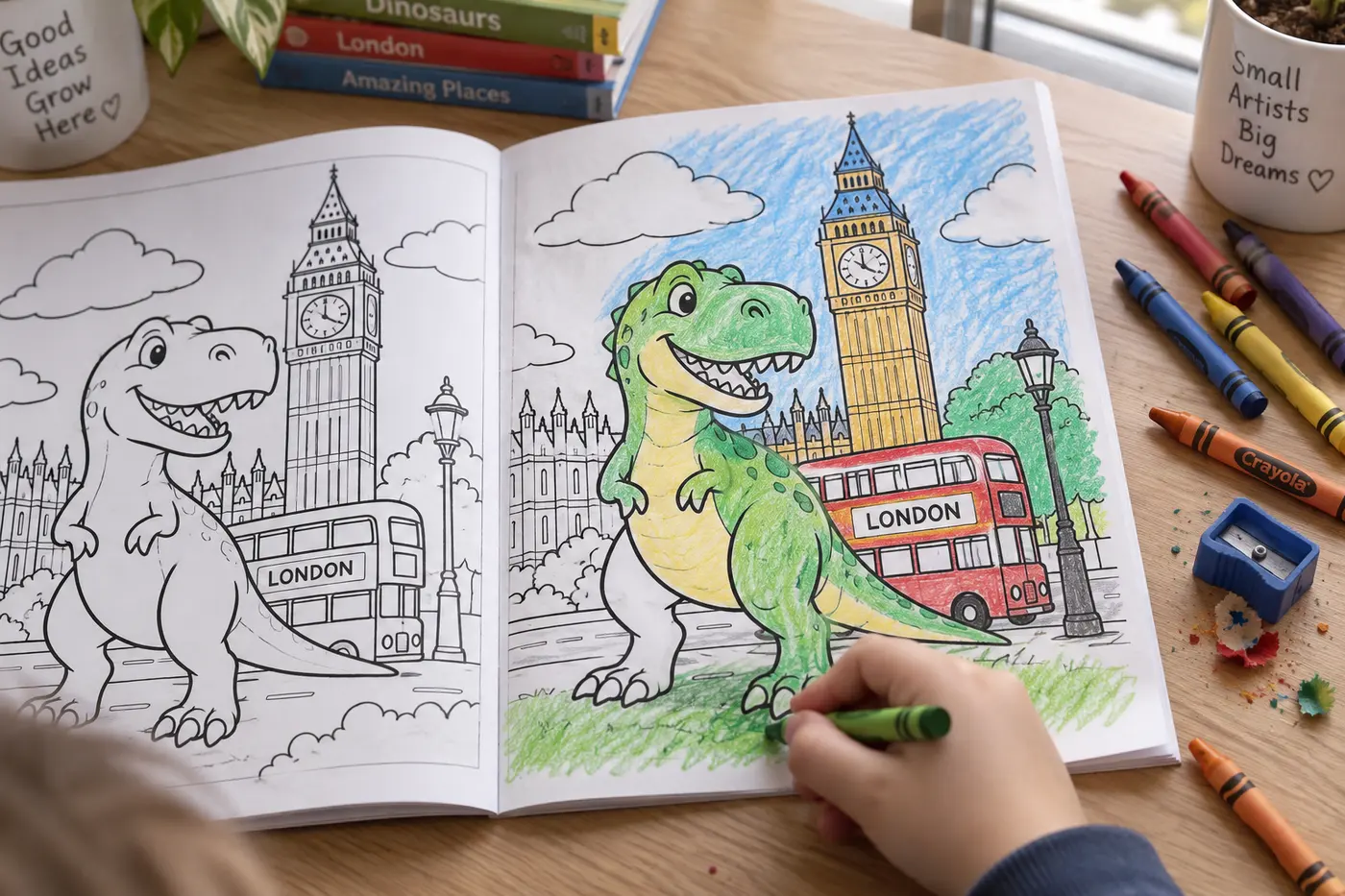
To make a coloring book with AI, set the book type to Coloring book in the Inkfluence AI coloring book generator, describe the book in a sentence, set a page count (20 is the default; the format takes 12 to 40), review the plan the AI proposes, and click create my coloring book. If the prompt has a recurring character, a character sheet is drawn first and every page is drawn from it, which is what keeps the dinosaur the same across the book; a colour cover is drawn too, so 20 pages become 22 images. You click through the finished pages, redraw any you dislike, then download a print-ready PDF or publish straight to Etsy or Gumroad. The video above shows the whole flow in under seven minutes, and the full transcript is further down the page.
In this video
- 0:00 A finished coloring book, and where this one is going
- 0:20 Book type: choosing Coloring book
- 0:29 Quick example prompts, or your own
- 0:37 The prompt: "dinosaur exploring the UK"
- 0:45 The page count slider, up to 40 pages
- 0:53 The line that tells you how many illustrations you get
- 1:05 Generate my book: the plan is written first
- 1:20 The plan screen: rename, move, remove and add pages
- 2:05 Create my coloring book: the pages start drawing
- 3:20 Where a finished book can go: Etsy, Gumroad, Amazon, print, or your laptop
- 3:45 The character sheet: the dinosaur every page is drawn from
- 4:20 Continue to your book: the pages finish in the background
- 4:40 The first page, and clicking through the rest
- 5:10 The same dinosaur on every page, sticking to the prompt
- 5:50 The last pages, and the book is bound
- 6:20 The review screen: download, edit, or publish
Where do you start, and what do you type?
The video opens on a finished book, and then goes back to the beginning to show how it was made. The first choice is the book type. The New Book screen lists the illustrated formats side by side, and James picks Coloring book, which is the one that draws clean line art with no fill. The picture book walkthrough covers the sister format that paints full-colour scenes with a story; the ABC book maker covers the third, and has its own ABC and counting book video. All three share the drawing pipeline, so what you learn here about the plan, the character sheet and the allowance carries over.
Under the book type sit a few quick example prompts you can click, and a box for your own. James types "dinosaur exploring the UK", and it is worth noticing what that brief contains. One subject: a dinosaur. One setting that is really a series of settings: the UK, which the plan will turn into a castle, a red bus, a beach, a rainy high street. Nothing about style, nothing about age, nothing about the number of pages. That is enough for a plan the AI can build, and it is more than most of the 47 books made in the format's first nine days had. Their titles run to cozy scenes, homes, a Dalmatian, an octopus, fashion dolls, a Welsh dragon, weather, a tour of Britain: one subject each, which is the right shape for a coloring book.
If you want to give the AI more, give it the right more. The two details that change the drawing are the audience and the line weight. "For ages 4 to 8" or "bold and easy" produces thick outlines and large open regions; "intricate" or "for adults" produces fine line work and pattern density. The bold and easy page sets out the first style in numbers, and the adult coloring page covers the second. Visual details about the character come next: a scarf, a backpack, a hat. What you do not need is a list of scenes; that is the plan's job, and you get to edit it in a moment.
Why does the page count and the image count differ?
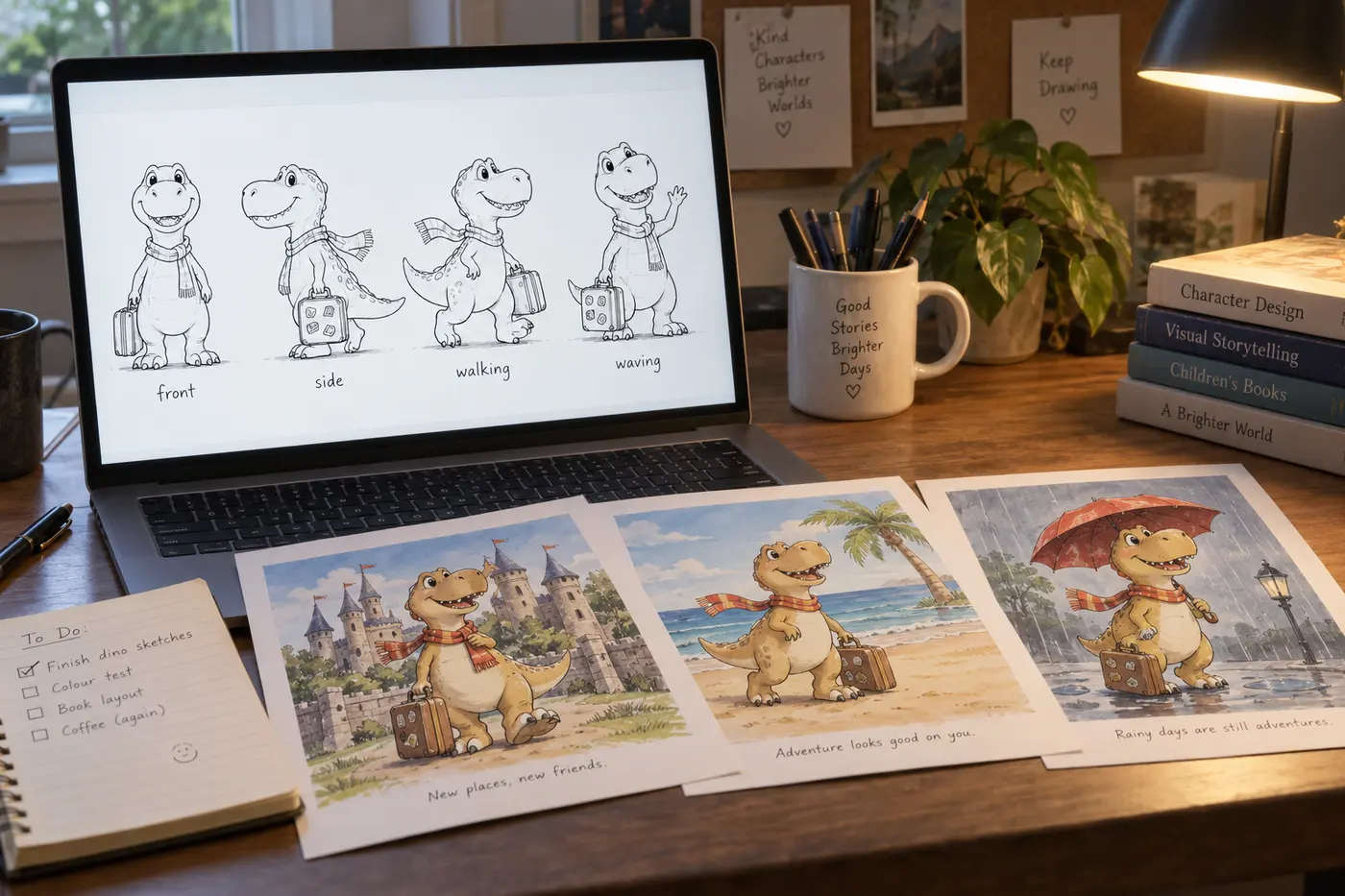
Below the prompt sits the page count, and the video pauses on it. The slider runs up to 40 pages, and the format's minimum is 12; the default is 20. Underneath is a line of text that changes as you move the slider, telling you how many illustrations will be drawn for the count you have chosen. The number is higher than the page count for two reasons. A colour cover is drawn for every book. And when the prompt has a recurring character, a character sheet is drawn before any page: one image that fixes what the dinosaur looks like from a few angles, so every page can be drawn from it. Twenty pages of a dinosaur book are therefore 22 images. A book with no character, such as a mandala book or a cozy cabins book, skips the sheet and is 21.
The first nine days of the format say people trust the default. Of the 47 coloring books made between 29 August and 6 September 2026, the median length was 20 pages, 30 of them stayed between 13 and 20, five went down to a dozen or fewer, and five went to 31 or more, up to the 40 maximum. A 40-page book is the shelf standard for a coloring title, and every length the format allows clears Amazon's 24-page paperback minimum once the blank page behind each design is counted: the 20-page default comes to about 42 pages in print.
| Pages you choose | Images drawn (with a character) | Images drawn (no character) | Fits the Creator allowance? | Fits the Premium allowance? |
|---|---|---|---|---|
| 12 (minimum) | 14 | 13 | Yes | Yes, three times over |
| 20 (default) | 22 | 21 | Nearly: 1 or 2 credits on top | Yes, twice |
| 24 | 26 | 25 | No: 5 or 6 credits on top | Yes |
| 40 (maximum) | 42 | 41 | No: about 22 credits on top | Yes, with 8 or 9 to spare |
The allowance columns follow the help centre rule: drawing a coloring book uses one image from your monthly allowance per page, plus the cover, plus the character sheet when there is one. Twenty images a month on Creator, fifty on Premium, and chapter credits cover anything beyond that at one credit per image. The pricing page has the current numbers. Uploading your own drawings for any page uses no allowance at all, which matters if you already have art and want the plan, the layout and the export.
What does the plan screen let you change?
After you click generate my book, the AI does not draw the book. It writes the plan and shows it to you. Every page has a title and a line describing the scene, and the video shows each thing you can do with it: click a title and rename it, rewrite the description underneath, move a page up or down, remove one (James removes two), and add a new one. Only when you are happy do you click create my coloring book, and only then does anything get drawn.
This is the free moment to change the book, and it is the moment most people skip. A page that is wrong in the plan costs one line to fix. The same page wrong in the finished book costs a redraw, which is one image from the allowance. Three checks take a minute. Does every scene put the subject in a different place or pose, so the book does not repeat itself by page eight? Are the scenes drawable as a single image, rather than "the dinosaur travels around Scotland"? And for a kids' book, is anything in the plan going to be too fiddly at the line weight you asked for? A dinosaur in front of Big Ben is one clear shape against a landmark; a dinosaur in a crowd of tourists is fifty small shapes, and children give up on it.
What happens when you click create my coloring book?
The status line says it is sharpening the pencils, and then the pages start drawing. The order is the part worth understanding. If the prompt has a recurring character, the character sheet is drawn first, then the cover from that sheet, then each page from the same sheet. Pages draw in parallel, so they arrive out of order and in clusters; the screen fills in as they land. The video waits and shows each one, because it is a video. In practice you click continue to your book, the pages finish in the background, and the book tells you when every page is done.
Open the character sheet as soon as it appears. James does, at about three and a half minutes, and points out the thing that matters for a coloring book: the sheet is clear line work, black outlines on white, the kind of drawing you could colour in by hand once it is printed. It is the one image that decides whether the book hangs together, and it is the one to judge before the pages exist. If the dinosaur has the wrong proportions, the wrong expression, or a detail you never asked for, this is when to regenerate the character, because every later page inherits it. If it is right, the pages will be right.
What do the first pages tell you?
Around four and a half minutes the first page lands and James clicks through the ones that have finished. Watch what he checks without saying so: the character matches the sheet, the scene matches the page description, and the prompt has been kept, which in this book means the dinosaur is somewhere recognisably British on every page. That last check is the one people forget. A coloring book is a promise made by its title, and a "dinosaur exploring the UK" book with three generic jungle pages breaks it.
The other thing to check on the first two or three pages is the line itself. Are the outlines closed, so colour has somewhere to stop? Are the open regions big enough for the audience you named? Is there any grey shading or fill creeping in? The format draws pure line art by design, but a prompt that mentions "shadows" or "realistic" can pull it towards tone, and that is easier to fix by rewording the plan than by redrawing twenty pages. The written coloring book guide has a longer version of this checklist, including the KDP rejection reasons that line art can trip.
What can you do on the review screen?
When the last page is drawn the app binds the book and moves to the review screen. The video lists the options plainly: download the book straight away, amend it first, publish it to Etsy or Gumroad from inside the app, or take the file to Amazon yourself. Amending a coloring book is mostly about pages, not words. Any page can be redrawn from the same character sheet, so the dinosaur stays the dinosaur while the scene changes; editing the page description first, then redrawing, gives you control over what the new scene shows. Any page can also be replaced with your own drawing, which uses no allowance. The short captions under each page, when the book has them, take the same quick actions every book gets in the editor: rewrite, shorten, expand, or a custom instruction.
The cover is the other thing to look at before you export. The book draws a colour cover from the character sheet, and for a digital product that is usually the cover you sell with. For a paperback you can rework it in the cover designer, which adds the back cover and spine a print wrap needs, without redrawing a single page.
Coloring, picture book or ABC: which illustrated format is the video showing?
The video is the coloring format. It shares the New Book screen, the plan, the character sheet and the monthly allowance with two other illustrated formats, and people mix them up because the first minute looks the same. The differences are in what gets drawn and what the page is for.
| Format | What is drawn | Pages | Words on the page | Character sheet | Made for |
|---|---|---|---|---|---|
| Coloring book (this video) | Black line art, no fill, no shading | 12 to 40, default 20 | A short caption at most | Only when the prompt has a recurring character | Printable books, Etsy, Gumroad, KDP |
| Picture book | Full-colour painted scenes | 10 to 16, default 14 | A read-aloud story, a few lines per page | Always | Bedtime books, gifts, KDP paperbacks |
| ABC and counting | One hero subject per letter or number | 10 to 26, default 26 | The letter or number, drawn into the art | Always | Toddler alphabet and number books |
All three draw on the same monthly allowance, so the page count is close to the image count. The children's book creator page sits above all three and covers chapter books for older readers as well; the illustration generator is the different tool for adding pictures to a book that already has its words.
Five coloring book prompts that work, and why
These follow the shape of the prompt in the video: one subject, one setting, the audience, and the line weight, nothing else. Each one maps to a page on this site that goes deeper on that sub-niche.
- "A friendly T-rex exploring the UK, for ages 4 to 8, bold outlines." The video's prompt with the two useful details added. The character sheet locks the dinosaur; the setting gives the plan twenty different places; the age and line weight set the drawing. This is a character-led book, and the sheet is what makes it one.
- "Cozy cabins in four seasons, intricate, for adults." No character, so no sheet, and every image in the allowance is a page. Cozy scenes were the single most common theme in the format's first nine days, and the cozy page explains why the sub-niche still has room.
- "Mandalas built from sea creatures, symmetrical, fine line." A pattern book. The plan describes each mandala's motif rather than a scene, and the mandala page covers the symmetry and density settings that matter.
- "Diggers and dump trucks on a building site, bold and easy, for toddlers." A vehicle family with one recurring machine, the shape the car and truck page is built around. Thick outlines and big open shapes are the whole point at this age.
- "Christmas in a small village, large print, for seniors." Seasonal and large-print at once, with a deadline the Christmas page is honest about. Two of the 47 first-nine-day books were made for seniors, which is a niche the trade has only recently noticed.
The prompt that does not work is the one that tries to be three books. "Animals, vehicles and mandalas for all ages" gives the plan nothing to hold, the character sheet nothing to lock, and the buyer nothing to search for. Pick one, and make the second book next week; the niche map is the place to pick from.
What the first nine days of the format tell us
The coloring format went live on 29 August 2026 alongside the picture book and ABC formats. The video above was recorded on 6 September, so everything below happened before anyone had watched it, which makes it a clean read on what people do with the tool unprompted. These are the app's own records, read on 6 September; the picture-book side of the same launch is on the picture book walkthrough, and the five-day count for coloring and ABC together is on the bold and easy page.
- 47 coloring books by 25 different people in nine days, about five a day. That is 0.9% of the 5,286 books generated on the platform in the same window, which is the right scale for a new format nobody had been told about: real, not yet a wave.
- The busiest days were 1 and 3 September, with 11 and 13 books, both after the weekend. Coloring books look like a weekday-evening project.
- 20 pages was the median and the default, and 30 of the 47 stayed between 13 and 20. Five went to a dozen or fewer, five went to 31 or more. The print crowd is small but present from day one.
- Roughly one book in four was exported to a finished file within the window: 10 of the 42 books still in their makers' accounts. For a format where every page has to be drawn first, and where a fair share of the books were tests, that is a healthy early finish rate.
- The themes were narrow, which is good. Cozy scenes led with six books, dinosaurs had four, homes three, and then a long tail of one-subject books: a Dalmatian, an octopus, fashion dolls, a Welsh dragon, weather, road safety, peaceful walks, enchanted gardens, a British tour. Almost nobody asked for "animals" or "everything"; they asked for one thing.
- Every book was in English. The format draws no words into the art, so a prompt in another language produces the same line art with page titles in that language; nobody had tried it yet.
The wider coloring market numbers, the KDP shelf and the search demand behind each sub-niche live on the coloring book generator page and its style pages; this page keeps to the format's first nine days.
Getting the coloring book ready to print and sell
The video ends where the interesting decisions start: the book exists, and it can go to a home printer, to a digital storefront, or to Amazon as a paperback. Each route has one requirement the others do not.
| Where it is going | Export | What to check |
|---|---|---|
| Your own printer | PDF, square or Letter | Print one page first. Line art that looks crisp on screen can print thin on a home inkjet; the bold styles are safer here. |
| Etsy or Gumroad (digital) | PDF, published from the review screen | The listing needs a cover image and three or four sample pages as previews. The Etsy guide covers the listing itself. |
| Amazon KDP paperback | PDF interior at 8.5 x 11 or 8.5 x 8.5, plus a cover wrap | 24 pages minimum (the blank page behind each design takes care of it), No bleed with the art inside the margins, white paper, and the AI declaration ticked. The KDP coloring guide has the interior settings; the print guide has the general paperback steps. |
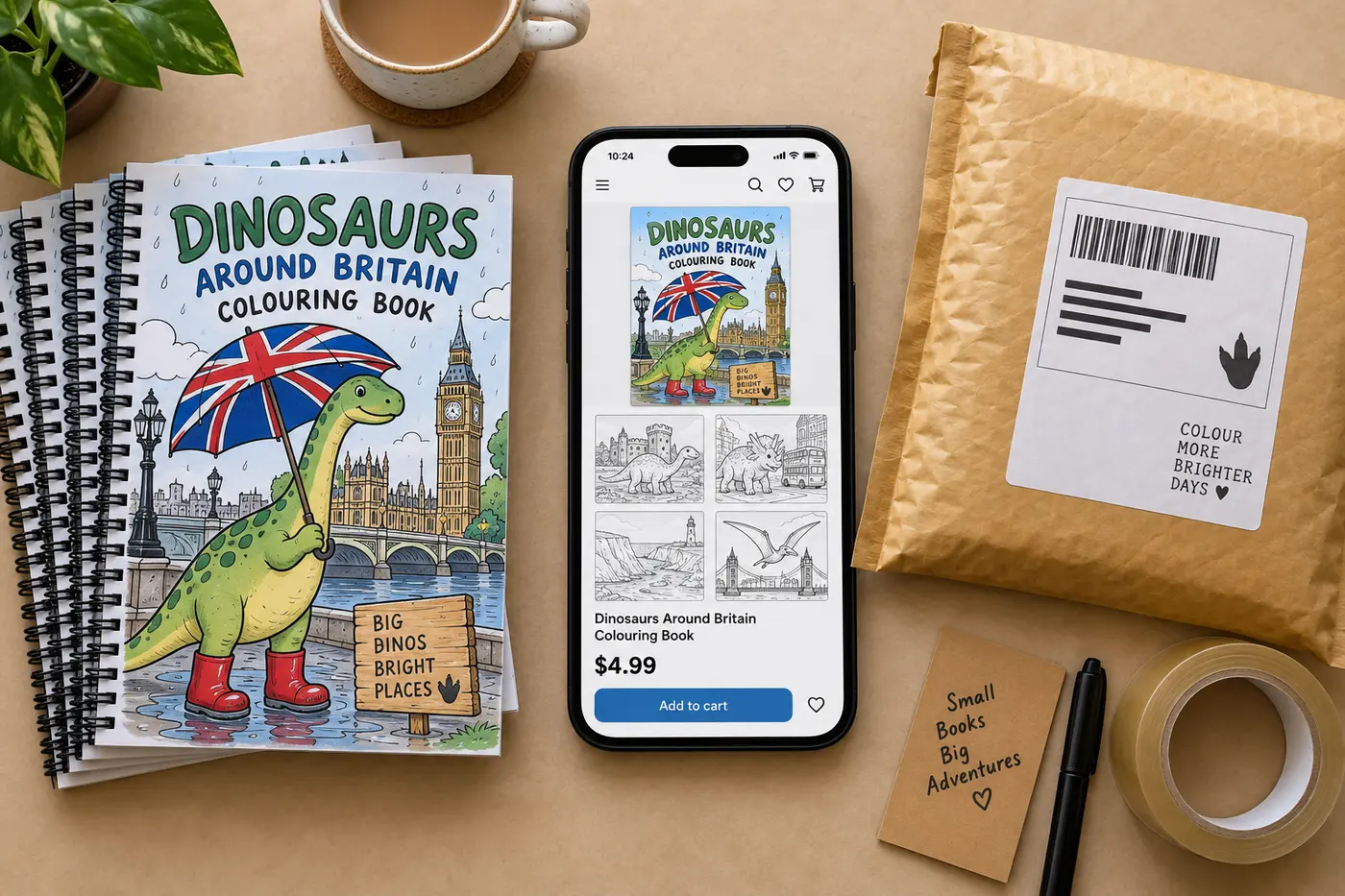
Before any of those, three checks: open the exported PDF and look at every page, not the app preview, because the file is what the printer gets; look at the cover at thumbnail size, because that is how a buyer first sees it; and read the page titles once, because a coloring book's contents page is often the only text a buyer reads. The formats guide explains what a print PDF carries that an ebook file does not, and the royalty calculator shows what a 24-page paperback at a given price actually pays after printing.
Five mistakes that weaken an AI coloring book
- Skipping the plan. The plan is the only free edit. A book whose pages all show the character standing in a different place, facing the same way, was fixable in the plan in a minute.
- Asking for a style and an audience that disagree. "Intricate, for toddlers" produces pages neither group can use. Pick the audience first; the line weight follows.
- Not opening the character sheet. Every page inherits it. Regenerating the sheet costs one image; regenerating twenty pages that inherited a bad sheet costs twenty.
- Listing the paperback PDF as a printable. The export puts a blank page behind every design, which is right for a paperback and wasteful on a home printer. Delete the blank pages before you list the PDF on Etsy or Gumroad.
- Judging the pages in the app preview. The preview is scaled and smoothed. Print one page, or at least open the PDF at 100%, before you decide a line is too thin or a region too small.
How the audience you name changes the drawing
The video's prompt names no audience, and the book comes out in the middle of the range: clear outlines, medium detail, a dinosaur a seven-year-old could colour and an adult would not be bored by. Naming the audience moves the drawing in one direction or the other, and it is the most useful word you can add after the subject.
| What you write | Line weight | Detail | Best for |
|---|---|---|---|
| "for toddlers", "bold and easy", "large print" | Thick, uniform | Few shapes, big open regions, no background clutter | Ages 2 to 5, seniors, anyone colouring with markers |
| "for kids", "ages 4 to 8" (or nothing, as in the video) | Medium | A subject and a simple setting per page | Primary-age children, family books |
| "intricate", "detailed", "for adults" | Fine | Pattern density, texture, full backgrounds | Adult stress-relief books, mandalas, florals |
An adult book that names no people or animals, such as a mandala or a florals book, draws no character sheet at all, so every image in the allowance is a page you can sell. The adult coloring page covers that end of the ladder and the bold and easy page the other; the video sits in the middle.
What a coloring book costs to make, three ways
| Route | A 20-page book | Time | Consistency |
|---|---|---|---|
| Commission an illustrator | Hundreds to low thousands, by page rate | Weeks | As good as the artist |
| Image-by-image with a general image tool | Cheap per image, expensive in your time | Days, plus assembly in a layout tool | Poor: each page is a fresh roll of the dice for the character |
| This video | 22 images from the monthly allowance, or credits | Minutes, laid out and exported | One character sheet, every page drawn from it |
The middle row is where most people who try this by hand end up, and the reason the character sheet exists. A general image tool can draw a fine dinosaur; it cannot draw the same dinosaur twenty times, and it does not know what a coloring page is for. The pricing page has the plan allowances; the table in the page-count section above shows which page counts fit inside them.
If something looks wrong, in the order it can go wrong
- The plan repeats itself. Rewrite the repeated page descriptions before drawing, or remove them and add new scenes. Nothing has been drawn yet.
- The character sheet is wrong. Regenerate the character before the pages. One image, and every page after it inherits the fix.
- A page has shading or fill. Reword that page's description to remove words like "shadow", "realistic" or "textured", then redraw it. One image.
- A page ignores the setting. Put the place in the page description explicitly ("in front of Edinburgh Castle"), then redraw. One image.
- The lines are too thin for the audience. Add "bold outlines" or "large print" to the page descriptions and redraw the pages that matter, or start a fresh book with the line weight in the prompt so the sheet is drawn that way.
- You ran out of allowance mid-book. The book keeps the pages already drawn and finishes the rest when credits or the next month's allowance arrive; nothing is lost.
Watch this, or read the written guide?
Watch this if you want to see what the screen does and how long each step takes; the video is honest about the waits. Read the written coloring book guide if you are deciding what book to make and where to sell it: it covers niche selection, the KDP upload, the royalty maths and the rejection checklist in more depth than a seven-minute video can. The text book walkthrough is the same dashboard for a book with chapters, if you have not made one before.
What a 20-page plan for "dinosaur exploring the UK" could look like
The plan the AI writes will differ from run to run; this is the shape of a good one, and the kind of scene list you should expect to see before you click create. Each line is one drawable image with the dinosaur in a different place or pose.
- The dinosaur steps off a ferry with a suitcase
- Waving at a red double-decker bus in London
- Standing under Big Ben with a map
- Riding the London Eye, looking out
- Building a sandcastle on a Cornish beach
- Eating an ice cream on a seaside pier
- Punting past a college in Cambridge
- Getting rained on outside a village pub, holding an umbrella
- Hiking up a hill in the Lake District
- Meeting a sheep on a Welsh mountain road
- Looking for a monster on the shore of Loch Ness
- Wearing a kilt outside Edinburgh Castle
- Crossing the Giant's Causeway stones
- Watching cricket on a village green
- Having afternoon tea with a tower of cakes
- Standing among the stones at Stonehenge
- Riding a steam train through the countryside
- Visiting a lighthouse on a windy cliff
- Feeding ducks in a city park
- Asleep on the ferry home, suitcase full of souvenirs
Notice what the list does: every page is one place and one action, the pose changes, the props change, and the last page closes the loop the first one opened. That is all the structure a coloring book needs, and it is exactly what the plan screen lets you fix when a run does not deliver it.
If you are selling it: what the listing needs that the book does not
A finished coloring book is a PDF. A listing is a cover image, a title with the words buyers type, three or four preview pages, and a description that says the page count, the trim, the audience and the line weight in the first two lines. For Etsy, the Etsy guide covers the digital-download listing; for Amazon, the categories guide and the keyword guide show how to fill the seven keyword fields with terms like "bold and easy", "large print" and the subject, and the AI disclosure guide says exactly what to tick. The full account-to-first-sale route is on the self-publishing on KDP guide, and what a copy pays at three prices, and why KDP does not count a coloring book as low-content, is in how to sell coloring books.
One thing the video's book does well as a product: the title is the search term. "Dinosaur coloring book" plus "UK" is what a parent types, and the sub-niche is specific enough to stand out from the thousand generic dinosaur books. The second book in the same sub-niche, "dinosaur exploring Scotland", is where a catalogue starts.
Full video transcript
Lightly punctuated for readability; the wording is as spoken.
Read the transcript (6:58)
Everyone, it's James from Inkfluence AI, and today I'm going to be showing you how to create a coloring book just like this one here. So, this is a coloring book that I created earlier. And as you can see, we've got an amazing coloring book that Inkfluence AI has generated from my prompt. So, to create a coloring book just like that, you can head to book type and select coloring book. Here there's some quick examples of prompts that you can use, or you can add in your own prompt here. So I'm going to add in "dinosaur exploring the UK". And underneath you've got the page count. So you can create a coloring book all the way up to 40 pages. And underneath you've got some text explaining how many illustrations you will get based on the number of pages that you create.
So when I'm ready, I'm going to click generate my book. And Inkfluence AI is now piecing together our coloring book. So what it's going to do, it's going to give us the various pages so we can review them. And if we're happy, we can click generate and Inkfluence AI will create our coloring book. So here we've got our plan. So if we wanted to edit anything, we can edit the chapter name and the text underneath. We can move chapters up and down. We can remove chapters. So we can remove, let's say, that one and that one. And we can also add chapters in as well. So, when we're ready, we click create my coloring book and Inkfluence AI will start to create our book.
Now, as you can see, it's beginning to create the coloring book pages, and we can see each chapter when it's done. Now, it's sharpening the pencils, and it's beginning to draw each page of our coloring book. And very shortly, we'll be able to see a sneak preview of our book and what it's going to look like. Now, like I said, you can use a pre-generated prompt or you can add in your own prompt. So, depending on what you want your coloring book to contain, you can type it into Inkfluence AI and it will begin to piece together your coloring book for you. As you can see, we've got the number of pages that we've selected. And each page is going to correspond to what it was showing on the previous screen.
And in a few minutes, we'll have our coloring book, and we can do whatever we want with that. So, you can publish it to Etsy, Gumroad, or upload it to Amazon. You can create a book for yourself, a physical copy, or you can just have it online on your laptop and view it digitally. Here, as you can see, we've got our character sheet of our dinosaur. And very shortly, we'll start to see the first few pages of our coloring book. As you can see also, it's clear, so you can highlight and color in this dinosaur when you get it physically. So the various pages are being created, and I'll just wait until they are so we can show you each page in our coloring book. Now, if you did want to continue to your book, you can click that and the illustrations will finish in the background. But as it's a video, I want to show you the book being created step by step.
Now, here we go. Inkfluence AI is beginning to piece together our coloring book. And here we've got the first page in our book. If I click through, you can then see the character is consistent throughout, and it's sticking to the prompt that we gave it. So our prompt was a dinosaur exploring the UK. And as you can see, we've got just that: the same dinosaur, consistently through our book, exploring the UK. If I click off, you can see there's two more pages to be created in our coloring book. And then we've got a full coloring book that Inkfluence AI has created. Like I said, once we've got this, you can publish it to Gumroad, Etsy, or upload it to Amazon and sell your illustrated coloring book. Here we go. We've got the final few pages being created.
There's one more page, and that is our coloring book created through Inkfluence AI. It will then take you through to the final page where you can download your book instantly, or you can amend the book as you see fit. So, as you can see, it's just finalizing our coloring book, and then we can do what we want with it. You can upload it to Gumroad and Etsy through Inkfluence, or you can download it as a various file type. And from there, you can upload it anywhere you wish.
If I click on and click through, we've then got our coloring book with the same dinosaur throughout, exploring the UK, sticking to the prompt that we gave it. It's truly amazing how quickly it has pieced together this coloring book. And you can get very creative with your prompts and your ideas to create that coloring book you've always had in mind. As you can see, it's just binding the book and finalizing the last few pieces before we can review it. But just like that, within a few minutes, Inkfluence AI has created an illustrated coloring book that we can then use.
Coloring book FAQ
How do you make a coloring book with AI?+
How many pages should a coloring book have?+
Why does the illustration count differ from the page count?+
How does the AI keep the dinosaur the same on every page?+
Is making a coloring book with AI free?+
Can I edit the plan before the pages are drawn?+
How long does it take?+
Are the pages really printable line art?+
Can I change a page I do not like?+
What size does the coloring book export in?+
Can I sell a coloring book made with AI on Amazon?+
Can I sell it on Etsy or Gumroad instead?+
Who owns the rights to the pages?+
Kids or adults: does the same tool make both?+
What makes a good coloring book prompt?+
Can I make the coloring book in another language?+
Where does the video happen, and can I follow along?+
Keep reading
- AI coloring book generator: the tool page, with the market data and the prompt box explained.
- Best AI coloring book generators: seven tools scored for KDP, with who allows commercial use.
- How to make a coloring book with AI: the written workflow, from niche to KDP upload.
- Bold and easy coloring book generator: the thick-outline style, defined in numbers.
- Adult coloring book generator: the intricate end, with the market and royalty numbers.
- Selling AI coloring books on KDP: interior settings, the AI declaration, the royalty maths.
- Coloring book niches 2026: what sells, what is saturated, how to validate for free.
- How to make a cozy coloring book with AI: the twelve-minute follow-up, with the plan editor, the painted cover and the full showcase, Gumroad, Etsy and export tour.
- How to make a picture book with AI: the sister video, for the full-colour story format.
- How to make an ABC book with AI: the alphabet and counting video, with A to Z ideas for every letter.
- In other languages: Livro de colorir com IA, for making and selling a coloring book from Brazil, and Buku Mewarnai AI, for children, adults and seniors in Indonesia.
- Pricing: the monthly image allowance on each plan.
Type one subject and one setting
The plan appears in under a minute. The character sheet a few minutes after that.