Updated October 2026 · 9 tools · prices checked 31 Oct 2026
Best AI Coloring Book Generator (2026): Checked for KDP and Etsy
Most coloring tools make pages. A book you can sell needs one line style across every design, no grey, no near-duplicates, blank backs, a cover wrap sized to the page count, and a licence to sell. We scored seven generators and two design tools on exactly that.
By Sam May, founder of Inkfluence AI. Our own product is ranked here, and its limits are listed too.
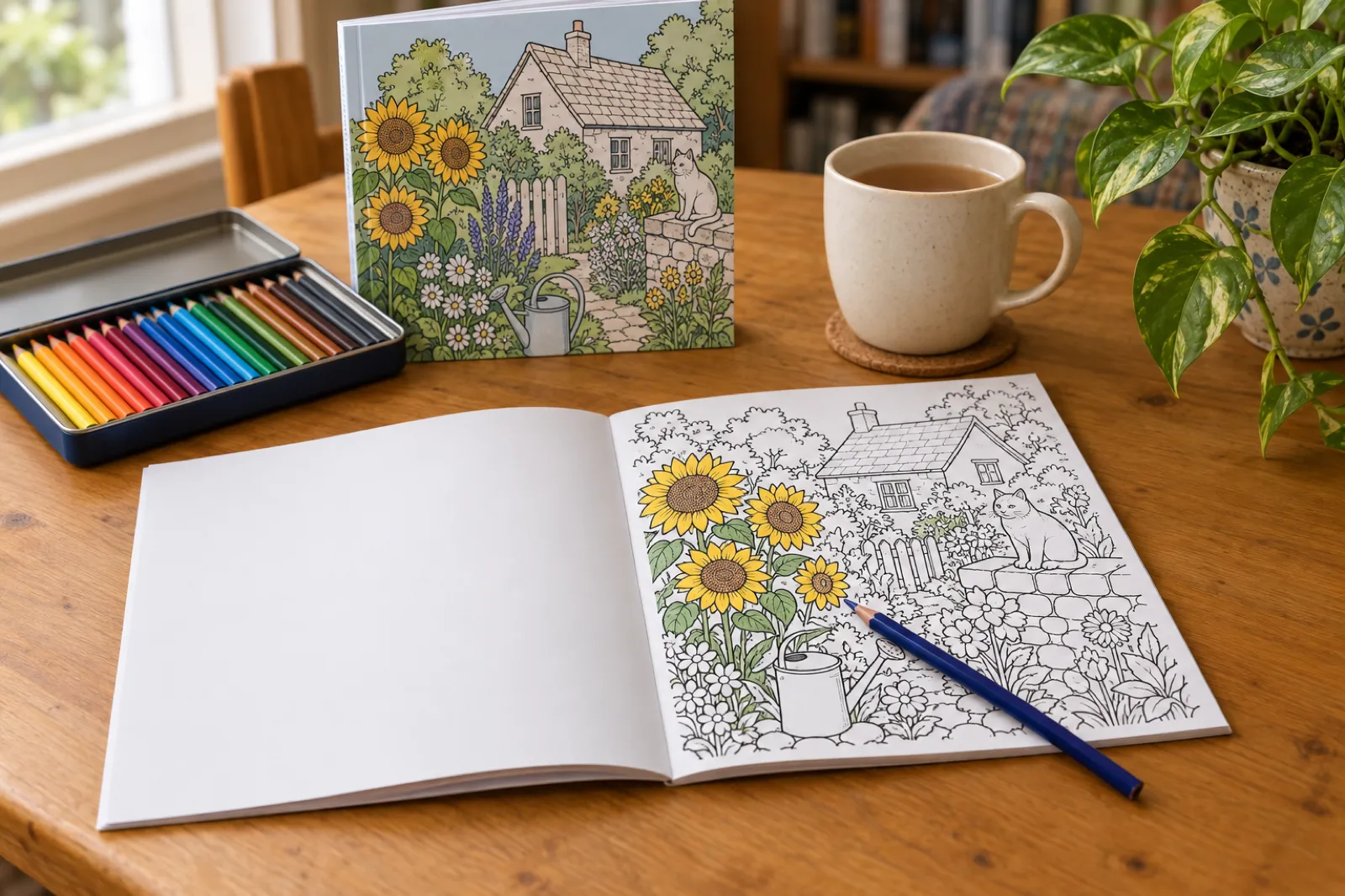
A blank page behind every design is what stops markers ruining the next picture. Not every generator adds it.
Which AI coloring book generator should you pay for?
If you want to sell the book on Amazon KDP or Etsy, choose the tool that finishes the book, not just the pages. Inkfluence AI plans and draws the whole book in one of three line styles, adds the blank backs, paints a full-wrap cover and exports the numbered KDP files, with selling rights on every plan. It costs more per page than the volume tools, so if you already publish many books a month, LitPal or Colorin AI will be cheaper.
The biggest trap is the licence. ColorBliss allows selling only from $35 a month and ColoringBook.ai from $27.99; a book made on their cheaper plans is not yours to sell.
Best overall
Inkfluence AI
Pages, cover wrap, KDP files and Etsy or Gumroad in one place.
Cheapest at volume
LitPal, Colorin AI
Pennies a page once you make several books a month.
Best single pages
ColorBliss
Fast pages and photo-to-coloring; sell only from Artist.
Coloring plus puzzles
Univers Studio
Mazes, sudoku and coloring in one toolkit.
What changed for AI coloring books in 2026
Most "best AI coloring book" lists were written before these changes. Each line below was read from its source on 31 Oct 2026.
From 21 Sep 2026
Two new titles per format a week
KDP's Create a Book page now limits each account to 2 new titles per book format each week, resetting Sunday 12:00 AM UTC.
KDP rule
AI disclosure covers interior art
KDP's Content Guidelines say AI-generated images "include cover and interior images and artwork". Declaring it does not block a book.
KDP rule
Coloring books are not low-content
KDP's Low-Content Books page lists coloring and puzzle books under "Not Generally Low-Content". Leave that box unticked.
Licences
Selling rights moved up the price list
ColorBliss allows commercial use from Artist ($35/mo) and ColoringBook.ai from Professional ($27.99/mo). Colorin AI includes it on every paid plan, and Inkfluence on every plan and credit pack.
Etsy
Etsy asks how the item was made
Printable coloring books made with AI are listed with "With an AI generator" under How it's made. See our Etsy AI disclosure guide.
Inkfluence, Oct 2026
1 credit per page, and series
Coloring books now cost 1 credit per page with the cover included, and a finished coloring book can be continued as a series with a new theme in the same style.
How we checked each tool
We did not generate 30 pages in every tool. What we did, so you can judge the scores for yourself:
Read every vendor's own pricing page, product page and samples on 31 Oct 2026 and scored eight things a seller needs. Where a vendor is silent, the score is "Not stated".
Took every price from the vendor's own site. Where it would not open (Book Bolt, Canva), the price is left out.
For Inkfluence, we used the product's help pages and a real coloring book we published on KDP in October 2026 (the worked example).
Left out tools that are still invite-only or have no public product page.
The scorecard: eight checks a sellable coloring book needs
Green: the vendor says it does this. Indigo: partly, or only on some plans. Grey: the vendor's pages do not say, so ask before you pay. Book Bolt and Canva are design tools, covered in their own sections.
Tool
Print file
Book parts
Selling
Inkfluence AIWhole book, cover wrap and KDP packageStyles: Children's, Bold and easy, Detailed
300 dpi: YesEvery page cleaned and enlarged to 300 dpi in the print PDFKDP trim: Yes8.5 x 8.5 default, US Letter in the list
Blank backs: YesCover wrap: YesFull wrap, spine from page count
YesEvery plan and credit pack
ColorBlissPage generator with bulk runsStyles: Simple, intricate, cartoon, zentangle, manga
300 dpi: YesPNG or PDF at 300 DPIKDP trim: PartlyPortrait and square, no KDP sizes listed
Blank backs: Not statedCover wrap: NoNo cover tool on its pages
PartlyArtist ($35/mo) and up only
ColoringBook.aiPage generator with a KDP BuilderStyles: Age-based styles and templates
300 dpi: PartlyUpscale for print: 2748 x 4096 pxKDP trim: YesKDP Builder on Professional and up
Blank backs: Not statedCover wrap: NoNo cover tool on its pages
PartlyProfessional ($27.99/mo) and up only
Colorin AIBook builder with KDP sizesStyles: Six styles, from cartoon to zentangle
300 dpi: Not statedNot statedKDP trim: Yes8.5 x 11, 8.5 x 8.5, 6 x 9, A4, margin presets
Blank backs: Not statedCover wrap: PartlyPre-sized cover templates
YesEvery paid plan
LitPalKDP content kit, cheapest at volumeStyles: Coloring, color by number, puzzles
300 dpi: Not statedNot statedKDP trim: YesKDP print-ready PDF, 0.125 in bleed option
Blank backs: YesCover wrap: YesAI covers, full wrap
YesAllowed under its Terms
BookCoversLabInterior formatter plus cover makerStyles: Theme, audience and detail level
300 dpi: YesDPI check, HD repair below 300KDP trim: Yes8.5 x 11, 8.5 x 8.5, 8 x 10, 6 x 9
Your pages also must not copy existing characters or brands, and KDP still asks you to declare AI art. Our KDP AI disclosure walkthrough shows each question on the form.
What a page costs, and what one book costs
Two numbers, pointing opposite ways. Per page at volume, Inkfluence is the most expensive tool here. For one sellable book in a month, it ties for cheapest, with the cover and KDP files included.
Cost per page at the first tier that allows selling
If every credit in the month goes on coloring pages. Lower is cheaper.
ColoringBook.ai Professional$0.03
$27.99 for up to 1,000 pages
Colorin AI Hobby$0.09
$14.99 for 500 credits, 3 per standard page
Univers Studio Creator$0.10
$9.99 for 100 credits, 1 per page
BookCoversLab$0.12 to $0.16
its own per-AI-page figures by plan
LitPal Basic$0.17
$29.99 for 60 credits, 1 credit per 3 pages
Inkfluence AI Premium$0.40
$19.99 for 50 pictures, cover included
Inkfluence AI Creator$0.50
$9.99 for 20 pictures, cover included
Cost of one sellable 20-design book in a month
The cheapest plan that allows selling and covers 20 pages. Lower is cheaper.
Inkfluence AI (Creator)$9.99
Pages, cover wrap and KDP package
Univers Studio (Creator)$9.99
Pages; cover builder 1 credit more
Colorin AI (Hobby)$14.99
Pages and a cover template
ColoringBook.ai (Professional)$27.99
Pages and KDP Builder; no cover
LitPal (Basic)$29.99
Pages, cover and print PDF
ColorBliss (Artist)$35.00
Pages only
Prices from each vendor's own pricing page, checked 31 Oct 2026. ColorBliss does not say how many credits a page uses, and BookCoversLab lists no plan prices in dollars, so each misses one chart. Inkfluence credit packs: 15 for $9.99, 25 for $12.99, 50 for $24.99, at 1 credit per page with the cover included.
The tools, one by one
Each section ends with the full eight-point checklist. Where another tool beats ours, the section says so.
1. Best overall
Inkfluence AI: the whole coloring book, ready for KDP
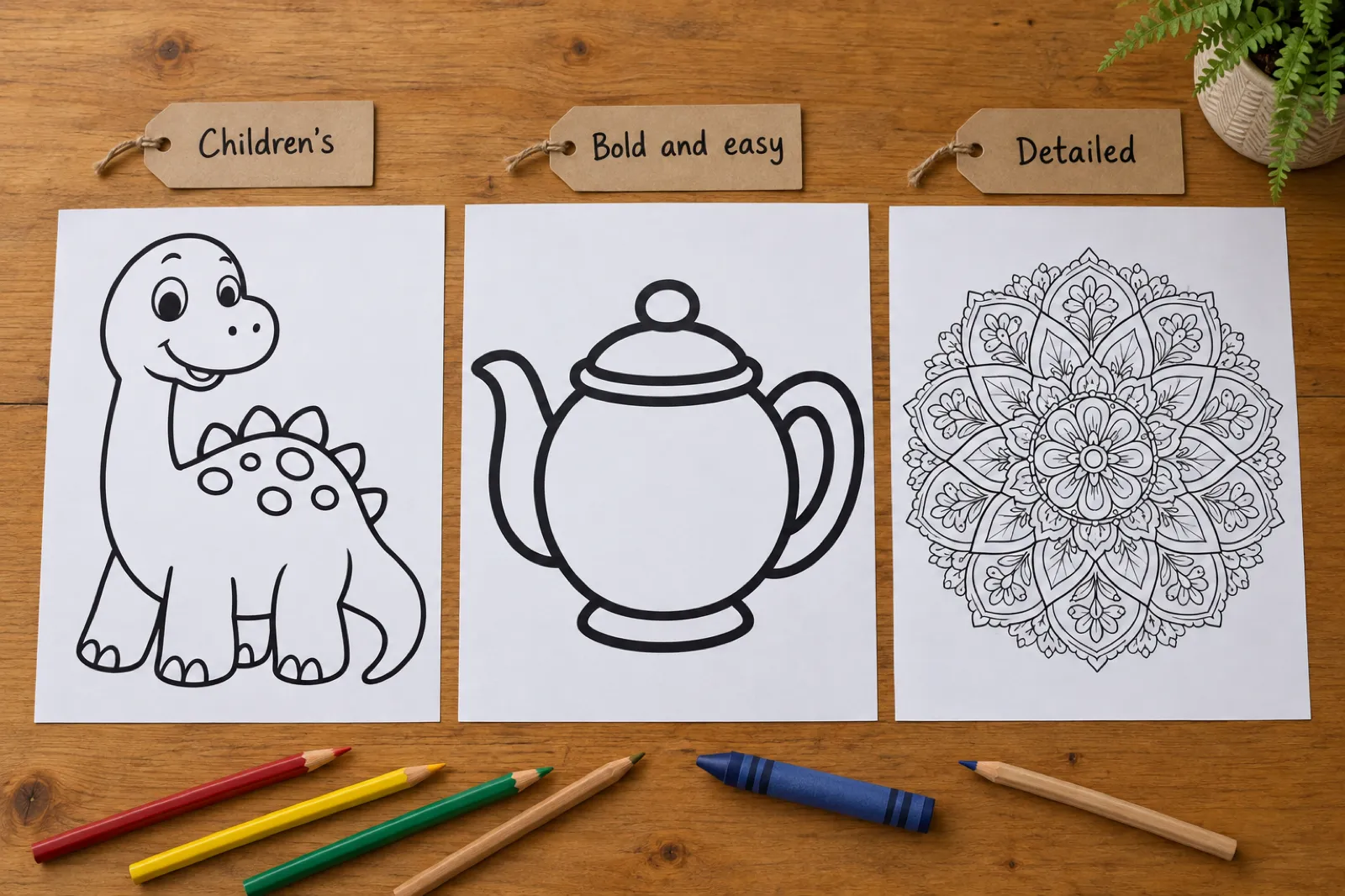
Choose Coloring book under New Book, describe the theme, and Inkfluence plans 12 to 40 designs (20 by default) as distinct scenes. The "Coloring style" picker has three tiles: Children's (bold outlines, big shapes), Bold and easy (extra-thick lines and a few large areas, for large print and seniors) and Detailed (intricate line art for adults and teens). It is pre-selected from your idea; every page, including a redrawn one, uses it. A recurring character is drawn from a character sheet.
The three coloring styles. Bold and easy books for adults leave out people and animals unless your idea names one.
The book exports at 8.5 x 8.5 inches by default, with US Letter (8.5 x 11) in the page size list, a blank page behind every design and a "This book belongs to" page. Captions stay off the printed page unless you turn on "Print the words under each design" in Export (off by default); then your words print under the art, never on it. To redraw a weak page, use Image, then Generate Illustration in the editor.
The cover designer paints the front, writes the back and builds the spine. The KDP package has three numbered files: a READ ME with trim, page count, spine width, print cost and royalty; the manuscript (No bleed); and a full-wrap cover with 0.125 inch bleed. PDF, EPUB and Word exports are there too. The Publish page saves an Etsy draft listing or lists the book on Gumroad, and Continue as a series makes the next book in the same style with a new theme.
Price: Creator ($9.99) includes 20 pictures a month and Premium ($19.99) 50, then 1 credit per extra page. Without a plan it is 1 credit per page from a pack, cover included; the free plan's 5 chapters are for text books. The Terms say you keep all rights in what you create, on every plan.
Where it falls short: it makes no puzzle or color-by-number pages, and at very high volume a page-only tool can cost less per page. Every print PDF already carries its pages at 300 dpi, cleaned to crisp black lines, so the files go straight to KDP.
Inkfluence AI checklist
Line stylesChildren's, Bold and easy, Detailed
Yes
Closed shapes, no greyAsked for on every page; you check and redraw
Yes
No near-duplicate pagesEach design planned as a distinct scene
Yes
300 dpi filesEvery page cleaned and enlarged to 300 dpi in the print PDF
Yes
KDP trim and margins8.5 x 8.5 default, US Letter in the list
Yes
Blank backsBuilt in, plus a belongs-to page
Yes
Cover wrap with spineFull wrap, spine from page count
ColorBliss: quick pages, selling rights from Artist
ColorBliss is a page generator with many styles (simple, intricate, cartoon, zentangle, manga and more), a photo-to-coloring tool, and downloads as PNG or PDF at 300 DPI. Free accounts can make up to 12 pages; bulk runs of 50 come with Artist.
Price, checked 31 Oct 2026: Starter $9 a month ($84 a year, 250 credits), Hobby $18 ($149 a year, 500), Artist $35 ($297 a year, 1,000), Business $99 ($997 a year, 5,000), plus credit packs from $25 for 500. Its pricing page marks commercial use as included on Artist and Business only; Starter and Hobby are personal use.
Its pages describe no KDP trim sizes, blank backs or cover tool, so you assemble the book elsewhere. Good for teachers and testing a theme.
ColorBliss checklist
Line stylesSimple, intricate, cartoon, zentangle, manga
Yes
Closed shapes, no greyNot stated
Not stated
No near-duplicate pagesNot stated
Not stated
300 dpi filesPNG or PDF at 300 DPI
Yes
KDP trim and marginsPortrait and square, no KDP sizes listed
Partly
Blank backsNot stated
Not stated
Cover wrap with spineNo cover tool on its pages
No
Commercial useArtist ($35/mo) and up only
Partly
3. Cheapest per page once you can sell
ColoringBook.ai: a KDP Builder behind the Professional plan
ColoringBook.ai generates pages by age group and template, and its KDP Builder formats a book to KDP's size and margins as a PDF. Standard pages are 687 x 1024 pixels; "Upscale for Print" makes them 2748 x 4096, enough for 300 dpi on an 8.5 x 11 page.
Price, checked 31 Oct 2026: a free plan with 4 credits a month; Starter $6.99 a month (up to 100 pages), Hobby $13.99 (up to 300), Professional $27.99 (up to 1,000) and Business $69.99 (up to 5,000), with yearly prices on its pricing page. Starter and Hobby say "Personal use" and cap books at 10 pages, so a KDP book (24 pages minimum) needs Professional, which also unlocks commercial use and books of up to 200 pages.
At up to 1,000 pages for $27.99 it is the cheapest per page here. Its pages show no cover tool and no blank backs.
ColoringBook.ai checklist
Line stylesAge-based styles and templates
Yes
Closed shapes, no greyNot stated
Not stated
No near-duplicate pagesNot stated
Not stated
300 dpi filesUpscale for print: 2748 x 4096 px
Partly
KDP trim and marginsKDP Builder on Professional and up
Yes
Blank backsNot stated
Not stated
Cover wrap with spineNo cover tool on its pages
No
Commercial useProfessional ($27.99/mo) and up only
Partly
4. Best value book builder
Colorin AI: commercial use on every paid plan
Colorin is the closest to a book builder among the page generators: six styles (cartoon, kawaii, minimalist, storybook, intricate, zentangle), a character lock, KDP trims of 8.5 x 11, 8.5 x 8.5 and 6 x 9 plus A4, margin presets and pre-sized cover templates, exported as one PDF.
Price, checked 31 Oct 2026: 16 free pages with no card; Hobby $14.99 a month (500 credits, about 166 standard pages), Essential $19.99 (800), Pro $49.99 (2,200) and Business $99.99 (5,000), with yearly billing giving two months free. A standard page uses 3 credits. Its pricing page says "Commercial license on every paid plan, with no royalty split". Hobby limits automatic margins to 30 uses and covers to 5 a month.
Its pages do not mention blank backs, 300 dpi or a full wrap with spine. For volume sellers it is the strongest alternative to us.
Colorin AI checklist
Line stylesSix styles, from cartoon to zentangle
Yes
Closed shapes, no greyNot stated
Not stated
No near-duplicate pagesNot stated
Not stated
300 dpi filesNot stated
Not stated
KDP trim and margins8.5 x 11, 8.5 x 8.5, 6 x 9, A4, margin presets
Yes
Blank backsNot stated
Not stated
Cover wrap with spinePre-sized cover templates
Partly
Commercial useEvery paid plan
Yes
5. Cheapest for high-volume KDP sellers
LitPal: a KDP content kit with full-wrap covers
LitPal is built for KDP activity publishing: coloring, color by number, kids' storybooks, puzzles and AI covers. Its print export has a "KDP Print Ready" switch with a 0.125 inch bleed option, and its samples show a blank back behind each coloring page.
Price, checked 31 Oct 2026: no free plan, a 3-day trial; Basic $29.99 a month (60 credits), Standard $49.99 (150), Premium $99.99 (400) and Unlimited $199.99, or $239.99, $399.99, $799.99 and $1,599.99 a year. Adding coloring pages costs 1 credit per 3 pages, and coloring pages are included on Unlimited. Source: LitPal's pricing page.
A Basic month covers about 180 pages, a fraction of our per-page price. If you publish many coloring books a month and need nothing else, LitPal is cheaper, as our LitPal alternative page says. What it does not have: publishing to Etsy or Gumroad from the app, or audiobooks for the rest of your catalogue.
LitPal checklist
Line stylesColoring, color by number, puzzles
Yes
Closed shapes, no greyNot stated
Not stated
No near-duplicate pagesNot stated
Not stated
300 dpi filesNot stated
Not stated
KDP trim and marginsKDP print-ready PDF, 0.125 in bleed option
Yes
Blank backsBlank back behind each page
Yes
Cover wrap with spineAI covers, full wrap
Yes
Commercial useAllowed under its Terms
Yes
6. Best interior preflight
BookCoversLab: an interior formatter that checks DPI
BookCoversLab, a cover maker, added a coloring interior tool. It generates a set of pages from a theme, audience and style, or takes your own art, and lays it out at 8.5 x 11, 8.5 x 8.5, 8 x 10 or 6 x 9, from 4 to 120 pages, with blank backs and continuous page numbers. Before export it checks each page against 300 DPI and offers an HD repair. The cover wrap is made in its separate cover tool.
Price, checked 31 Oct 2026: its coloring page lists Starter, Growth and Pro plans at $0.16, $0.15 and $0.12 per AI page, with 2, 10 and 20 interior PDF exports a month, and pay-as-you-go top-ups; it does not give the plan prices in dollars there. The page does not state commercial-use terms.
It also publishes "best AI coloring book creator" lists in eight languages ranking itself first. Its DPI preflight is genuinely useful.
BookCoversLab checklist
Line stylesTheme, audience and detail level
Yes
Closed shapes, no greyNot stated
Not stated
No near-duplicate pagesPages generated as one set
Partly
300 dpi filesDPI check, HD repair below 300
Yes
KDP trim and margins8.5 x 11, 8.5 x 8.5, 8 x 10, 6 x 9
Yes
Blank backsBlank back or black separator
Yes
Cover wrap with spineSeparate cover tool
Partly
Commercial useNot stated on the page
Not stated
7. Best for coloring plus puzzles
Univers Studio: an activity-book toolkit
Univers Studio bundles a coloring page generator with mazes, sudoku, word search, color by number and mosaics, plus a KDP cover builder and preflight checker. All plans export 300 DPI PNG files with KDP bleed presets.
Price, checked 31 Oct 2026: a free plan with 3 tries per activity a month (puzzles and name coloring only, no commercial use); Creator $9.99 a month (100 credits), Pro $24.99 (400) and Studio $49.99 (1,200), with 20% off yearly. A coloring page and the KDP Cover Builder use 1 credit each. Commercial use starts on Creator, per its pricing page.
It is a toolkit, not a book generator: you make pages, then assemble them. For books that mix coloring with puzzles, it covers more page types than we do.
Univers Studio checklist
Line stylesColoring, color by number, mosaics
Yes
Closed shapes, no greyNot stated
Not stated
No near-duplicate pagesNot stated
Not stated
300 dpi files300 DPI print-ready PNG
Yes
KDP trim and marginsKDP presets with bleed margins
Yes
Blank backsNot stated
Not stated
Cover wrap with spineKDP Cover Builder, 1 credit
Partly
Commercial useCreator and up
Yes
8. For sellers who already use it for research
Book Bolt: KDP research and a design studio for interiors
Book Bolt is a KDP research suite (keywords, categories, competitor listings) with a design studio for interiors and covers. Coloring sellers commonly use it to lay out pages they made or bought elsewhere and to add a blank page behind each design. Its pricing and product pages would not open for us on 31 Oct 2026, so we have left out its price and do not score its AI drawing; check both on its own site.
If you already pay for it for research, its studio can assemble a book; line style, duplicates and selling rights then depend on where your pages come from. Our KDP tools page covers the free research and file tools we make.
9. For hands-on layout
Canva: a layout tool, not a coloring book generator
Canva has a free plan and a paid Pro plan (its pricing page would not open for us on 31 Oct 2026, so no price is shown here). It can make single AI images and lay out pages, and many sellers assemble coloring books in it from clip art or AI pages. You set the trim, add each blank back, and build the cover wrap and spine yourself from KDP's cover calculator or our KDP spine width calculator.
It suits text-heavy activity books. For line art in one consistent style, a book generator does in one run what Canva takes an evening to assemble, and Canva's content licence has its own rules for print-on-demand. The longer comparison is in Inkfluence AI vs Canva.
A black-ink paperback of 24 to 110 pages costs a flat $2.84 at the coloring trims on Amazon.com, per KDP's printing cost table.
AI disclosure, low-content and the weekly cap
KDP requires you to declare AI-generated content, including interior artwork; AI-assisted work you made yourself needs no disclosure. Declaring it does not block publishing.
Coloring books are "Not Generally Low-Content", so they publish as normal paperbacks. Our low-content books guide covers the books that are.
Since 21 September 2026 KDP takes 2 new titles per format a week, so each upload counts and seasonal books go up weeks early (see the KDP Christmas deadlines).
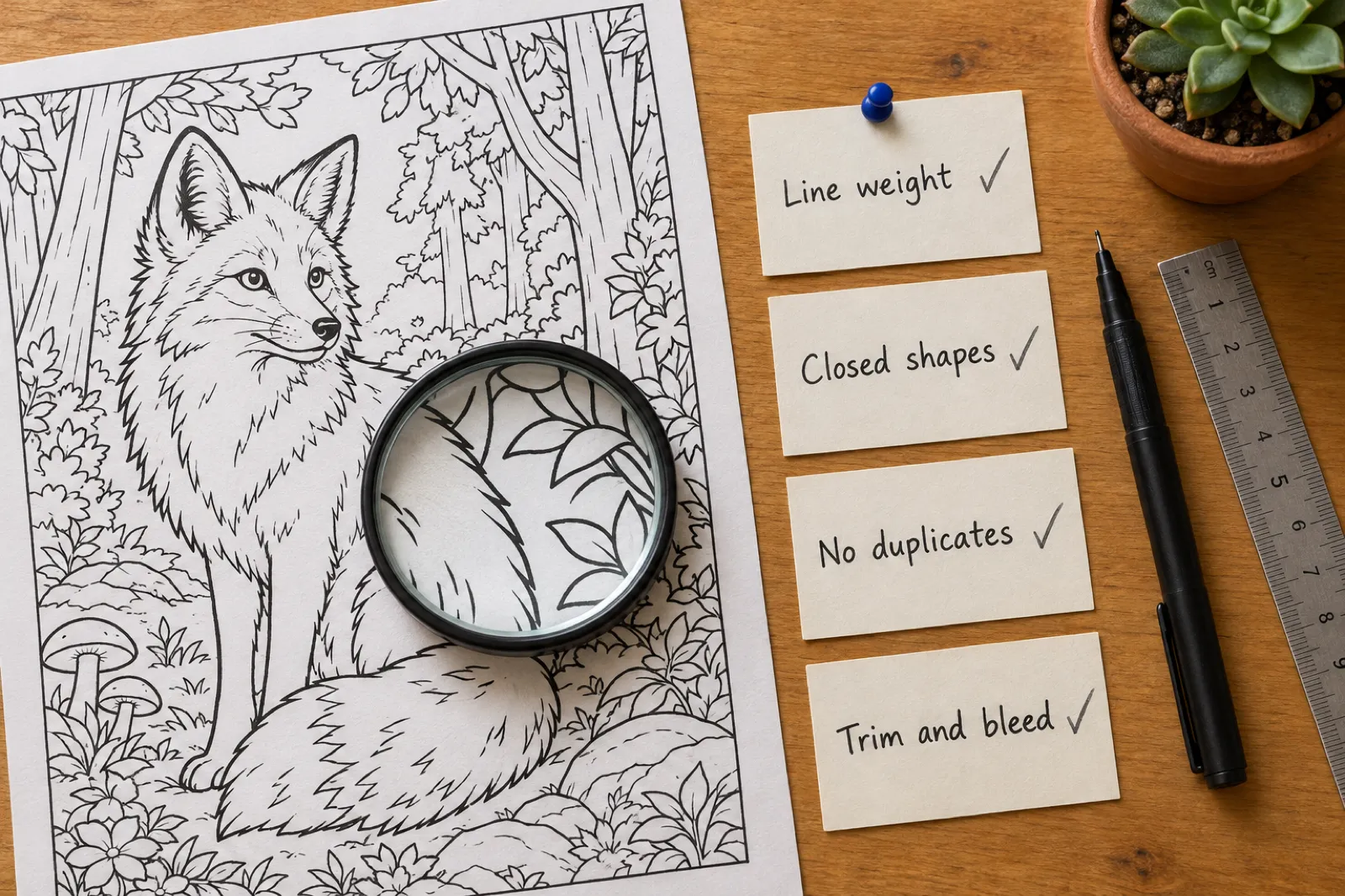
The four checks that decide reviews: line weight, closed shapes, no duplicates, trim and bleed.
How to check any generator's pages before you pay
Use the free tier or trial: generate five pages of one theme, print them, and look as a buyer with a marker would. One-star coloring reviews almost always name one of these six problems.
1
Closed shapes
Every region needs a closed outline. Zoom in on hair, leaves and fur.
2
No grey
Shading prints muddy on a black-ink interior. Pure black line on white only.
3
Even line weight
Page 9 should look like page 8. Drift is the tell of pages made one prompt at a time.
4
No near-duplicates
Ten versions of one composition reads as padding. Each page is its own scene.
5
Right size for the reader
Crayon-sized regions for a four-year-old, detail for adults, bold and few for seniors.
6
Anatomy and text
Count fingers, legs and wheels, and look for stray letters in the art.
Worked example: one Inkfluence coloring book, start to Amazon
A real book, not a test run: in October 2026 we made a cozy Christmas coloring book in Inkfluence and published it on KDP under a pen name.
1.Made: one idea, then a pass through every page, redrawing the weak ones.
2.Exported: the KDP package at 8.5 x 8.5. With the title page, copyright page, belongs-to page and a blank back behind every design, it came to 84 printed pages.
3.Set up on KDP: black ink on white paper, No bleed, matte cover, a free KDP ISBN, the cover PDF uploaded as "a cover you already have", and the images answered as AI-generated.
4.Priced: $9.99 on Amazon.com. At 84 pages the print cost is the flat $2.84, so the royalty is 60% of $9.99 minus $2.84, about $3.15 a copy. Our royalty calculator runs the same sum for any price.
5.Result: approved and live within hours.
A second book taught us the common cover bounce: KDP returned it because the painted title sat too close to the top, asking for cover text at least 0.375 inch from every edge. The cover designer's Print tab has a "Keep the front inside Amazon's safe area" switch for this. If KDP has bounced your book, KDP rejected my book matches each email to its fix.
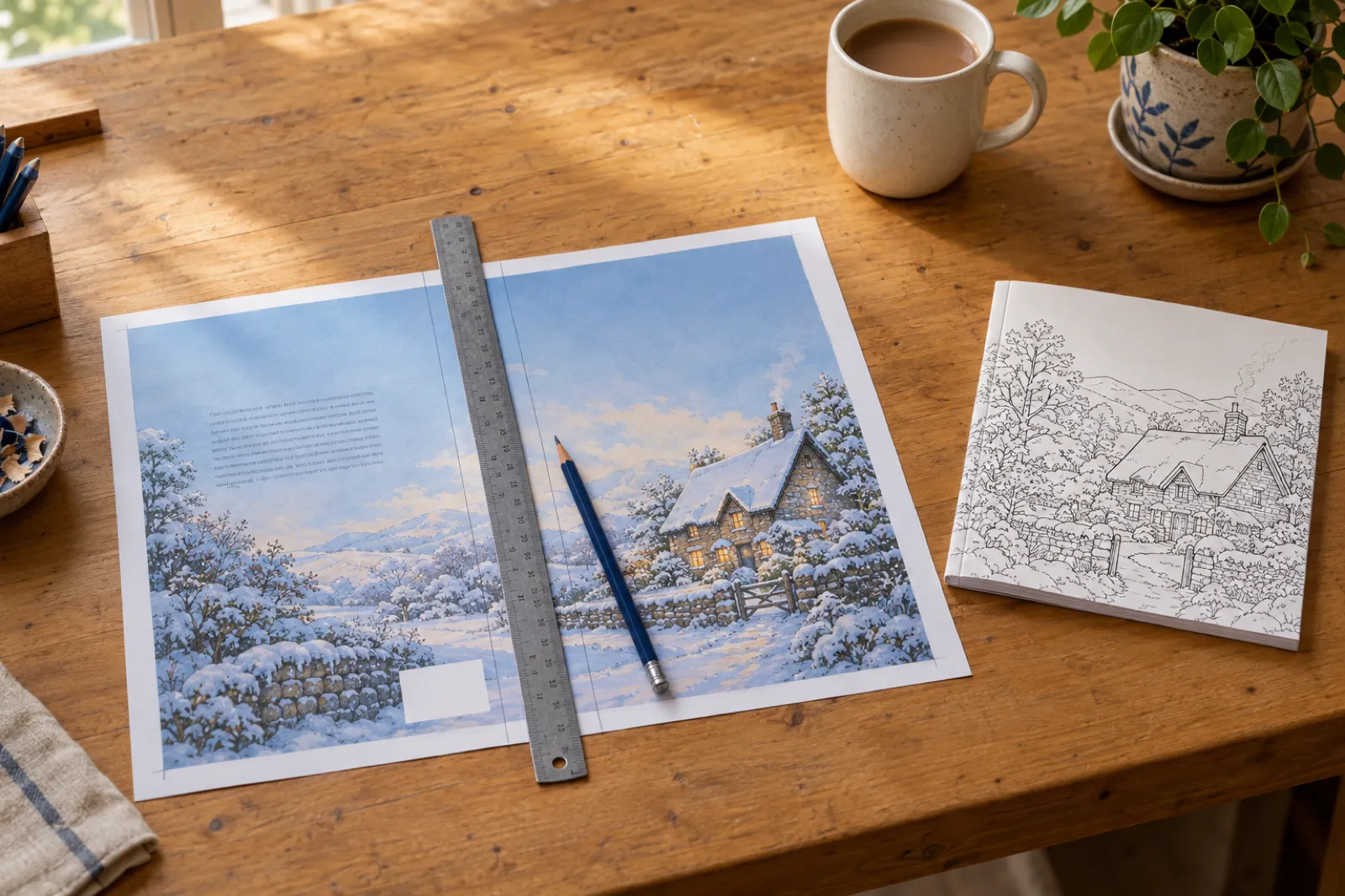
A full-wrap cover: back, spine and front in one PDF, with room left at the top for the title and a clear box for the barcode.
Etsy draft listing or Gumroad product from the same book.
Sell the same book twice: paperback and printable
The PDF behind your paperback is also a printable coloring book that parents can print again and again. On Etsy and Gumroad there is no printing cost, and the buyers are often different people from Amazon's.
Most generators stop at the PDF. Inkfluence's Publish page saves an Etsy draft listing with the files, cover and description, ready for you to tick the AI question and publish, or lists it on Gumroad. Take the blank backs out of the printable first. The setup is in selling on Etsy and selling on Gumroad, and Etsy vs Gumroad compares the fees.
Same designs, two products: the paperback on Amazon and the printable on Etsy or Gumroad.
Why the second book matters more than the first
Coloring is a series category: the buyer of "Ocean Mandalas" is the natural buyer of "Forest Mandalas". With two new paperbacks a week, a planned series uses the slots better than one-offs. In Inkfluence, Continue as a series plans the next book with a new theme in the same style, page size and page count, and shows what it will cost before you confirm.
What is the best AI coloring book generator in 2026?+
For a book you plan to sell, Inkfluence AI: it draws the whole book in one of three line styles, adds blank backs, paints a full-wrap cover and exports the KDP files, with selling rights on every plan. LitPal and Colorin AI are cheaper per page at volume; ColorBliss suits single pages.
Can I sell AI-generated coloring books on Amazon KDP?+
Yes. KDP asks you to declare AI-generated content, which its guidelines say includes interior images. Declaring it does not block the book. Rejections come from quality and spec problems: open lines, grey shading, near-duplicates, under 24 pages, or cover text too near the edge.
Does KDP treat coloring books as low-content books?+
Generally no. KDP's Low-Content Books page lists coloring and puzzle books under "Not Generally Low-Content", noting there can be exceptions. Leave the low-content box unticked for a normal coloring book.
How many coloring books can I publish on KDP each week?+
Two new titles per book format per week, counted separately for ebook, paperback and hardcover and reset every Sunday at 12:00 AM UTC, per KDP's Create a Book page. Coloring books are paperback only, so plan two a week.
Which AI coloring book tools allow commercial use?+
Checked 31 Oct 2026: Inkfluence AI on every plan and credit pack; Colorin AI on every paid plan; Univers Studio from Creator; ColorBliss from Artist ($35 a month); ColoringBook.ai from Professional ($27.99 a month); LitPal under its Terms. BookCoversLab's coloring page does not say.
What trim size and bleed should a KDP coloring book use?+
8.5 x 11 or 8.5 x 8.5 inches, both KDP large trims. Interiors are normally No bleed on black ink and white paper, with a blank page behind each design. The cover is a full wrap with 0.125 inch bleed, sized to the final page count.
Do coloring pages need to be 300 dpi for KDP?+
KDP asks for images of at least 300 DPI, and its previewer shows how each page will print. Bold line art is forgiving in print. Inkfluence AI cleans and enlarges every coloring page to 300 dpi in its print PDF, so the file you upload already meets that. If you will move single pages into another layout tool, pick a generator that exports 300 DPI page files.
What is the cheapest AI coloring book generator?+
Per page at volume: ColoringBook.ai Professional (about $0.03), Colorin AI and Univers Studio (about $0.09 to $0.10) and LitPal Basic (about $0.17), against $0.40 to $0.50 on Inkfluence. For one sellable book in a month, Inkfluence Creator and Univers Creator are cheapest at $9.99.
Is there a free AI coloring book generator?+
Colorin AI gives 16 free pages and ColoringBook.ai 4 credits a month, but those tiers do not grant selling rights. On Inkfluence a coloring book needs Creator, Premium or a credit pack at 1 credit per page; the free plan is for text books.
Can I sell the same coloring book on Etsy and Gumroad?+
Yes, as a printable PDF with no printing cost. Inkfluence's Publish page saves an Etsy draft listing with the files, cover and description, or lists the book on Gumroad. Take the blank backing pages out of the printable version.
Did you generate 30 pages in every tool?+
No. The checklist comes from each vendor's own pricing pages, product pages and samples, read 31 Oct 2026, and says "Not stated" where a vendor is silent. Our own evidence is a coloring book made in Inkfluence and published on KDP in October 2026.
Pick Children's, Bold and easy or Detailed, describe the theme, and get the designs, the cover wrap and the KDP files in one place. Creator is $9.99 a month with 20 pictures, or pay 1 credit per page with no plan.