
How to Make an ABC Book with AI, and a Counting Book Too (Watch a Dinosaur Alphabet Get Made in 9 Minutes)
An alphabet book where every letter is a different dinosaur, for toddlers: picked from the quick examples, planned in seconds, painted page by page from one character sheet, and finished with a cover, all in under ten minutes of video. Below the video is everything you need to make your own: A to Z ideas for eight themes, counting books from 1 to 10 and beyond, personalised and baby shower alphabet books, classroom ABC projects, and how to print or sell the result.
Quick Answer
To make an ABC book with AI, open New Book in Inkfluence AI, choose ABC & counting, and describe the book in one line: the theme, alphabet or counting, and who it is for ("an alphabet book where every letter is a different dinosaur, for toddlers"). An alphabet book is always 26 pages, A to Z; a counting book runs from 1 and can be 5 to 20 pages. Click generate, change any page subject in the plan, then click create. Every page is painted in full colour with the letter or number large on the page and a short read-aloud line, from one character sheet so the same character looks the same throughout. Publish it to the free showcase, sell it on Gumroad or Etsy, or export a PDF, KDP files or an EPUB. The AI ABC book maker page covers the tool itself.
In this video
- 0:00 An ABC book for toddlers in a few minutes
- 0:09 Start from a book type and pick ABC & counting
- 0:19 The quick examples: animals, counting diggers, a dinosaur for every letter
- 0:49 Page count and the illustration count: pages, cover, character sheet
- 1:17 Choosing the length and clicking generate my book
- 1:56 The plan: one dinosaur per letter
- 2:10 Create my ABC book: the outline, then the designs
- 2:57 The progress bar, page by page
- 3:25 Designs being made, and where a finished book can be sold
- 4:10 The character sheet: a dinosaur with a bow tie and a leaf
- 4:42 The first pages arrive
- 5:38 A dinosaur singing
- 6:13 The last few designs
- 7:01 Why the quick examples help: ideas you would not think of
- 7:50 Every page from the same character sheet, and the book already saved
- 8:23 Fully illustrated: the cover and the pages
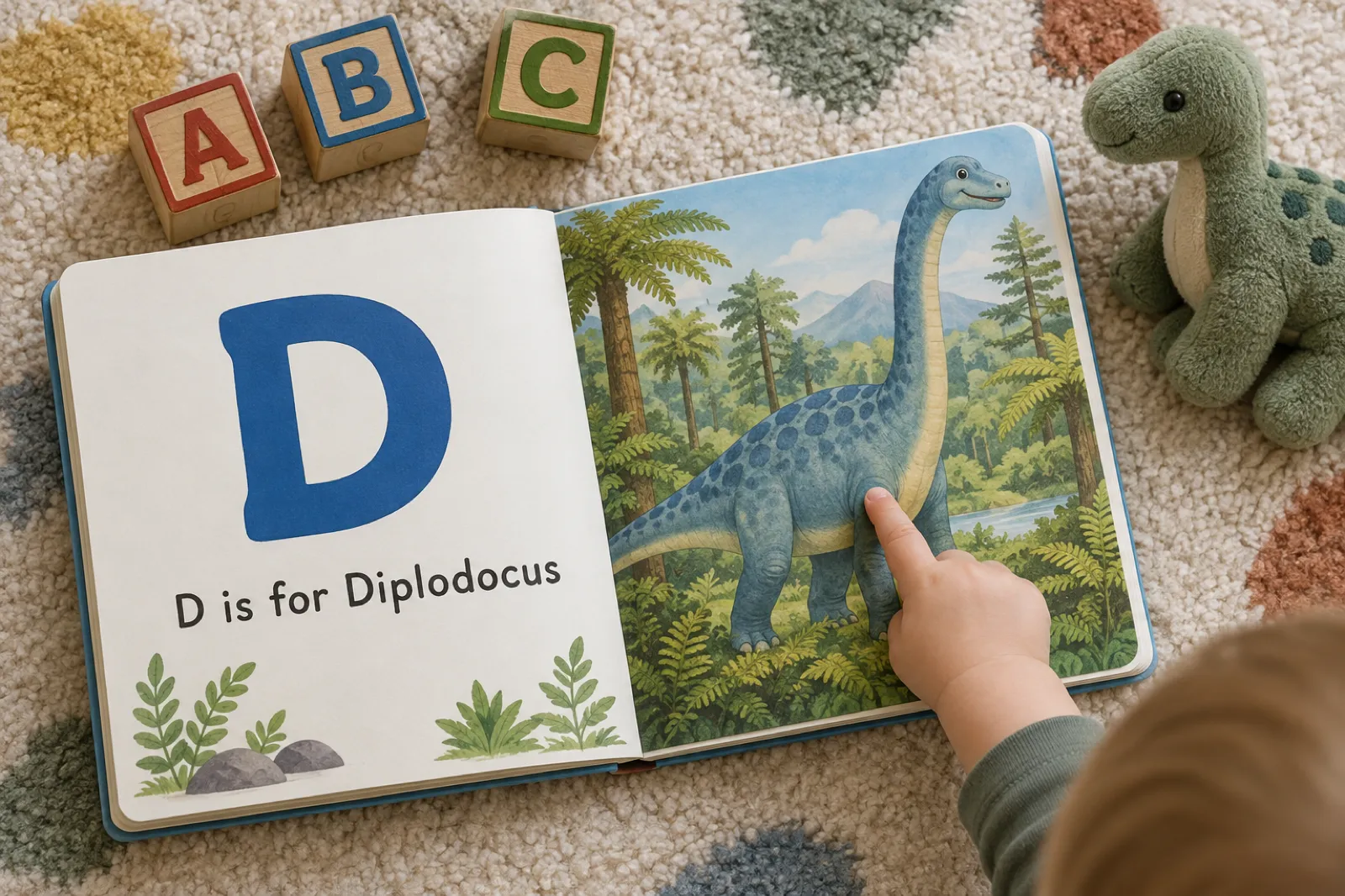
- 8:48 A, B, C, D: Brachiosaurus, Ceratosaurus, Diplodocus
- 9:07 Publish to the free showcase, Gumroad or Etsy
- 9:19 Export as PDF, KDP or EPUB
Step one: the ABC & counting tile and its three examples
The video starts on the homepage and goes straight to "start from a book type", the row of tiles under the prompt box, and picks ABC & counting. That tile is one format with two kinds of book inside it: an alphabet book, one letter per page from A to Z, and a counting book, one number per page from 1 upward. You do not choose between them with a switch. The words you type decide it: "alphabet", "ABC", "letters" or "A to Z" make an alphabet book; "counting", "numbers" or "1 to 10" make a counting book.
The screen offers three quick examples, and they are worth reading as a pattern rather than as suggestions. "An ABC book of animals for toddlers" is a theme and a reader. "A counting book from 1 to 10 with busy construction vehicles" is a kind, a range and a theme. "An alphabet book where every letter is a different dinosaur" is a theme with a rule. That third one is what the video makes, and the rule is the reason it works: it tells the planner that the 26 pages are 26 different dinosaurs, not one dinosaur on a 26-page walk. Later in the video the presenter says the dinosaur idea was not one they would have had on their own, which is the point of the examples: they show you the shape of a good idea so you can bend it.
If you would rather type into the prompt box on the homepage, "an alphabet book of farm animals for my two-year-old" lands you in the same format; the tile route simply never has to guess. The picture book video shows the story format beside it, which is what you want when the book has a plot rather than a sequence.
How many pages is an ABC book? 26, every time
In the video the page count slider is set to 12. The video was recorded before a change we made on 21 October 2026, and it is the one thing on screen that now works differently. A 12-page alphabet book runs out of pages at L, and a reader who opens an alphabet book expects to reach Z. So an alphabet book is now always 26 pages, one for every letter, with no letter skipped and none repeated. The slider disappears for alphabet books and a line says the book runs A to Z.
Counting books are where the slider lives. A counting book runs from 1 upward and can be 5 to 20 pages, starting at 10. If your idea says the range ("count from 1 to 15", "one to twenty") that range wins and the slider follows it. Ten is the classic toddler length; twenty suits four and five year olds who can already count to ten and are ready for the teens. Under the slider, the line the presenter pauses on at 0:49 shows how many pictures the book will use: one per page, with the cover and the character sheet included, and how much of the month's allowance is left.
| Book | Pages | Creator (20 a month) | Premium (50 a month) | Amazon paperback? |
|---|---|---|---|---|
| Alphabet book, A to Z | 26 | 20 from the allowance + 6 credits | Fits, 24 left | Yes, clears the 24-page minimum |
| Counting book, 1 to 10 | 10 | Fits, 10 left | Fits, 40 left | Too short; a printable or ebook |
| Counting book, 1 to 20 | 20 | Fits exactly | Fits, 30 left | Check the page count the KDP export reports |
| Counting book, 1 to 5 | 5 | Fits, 15 left | Fits, 45 left | A first board-book style printable |
Without a plan, picture books run on chapter credits at 1 a page, which covers the words and the picture; that is 26 credits for an alphabet and 10 for a counting book to 10. The pricing page has both plans and the credit packs.
The plan: one subject per letter, yours to change
Generate my book writes the plan in seconds; the video lands on it at 1:56. It is a list with one card per page: the letter, the subject, and a short line of what the page says. For the dinosaur book, A is a dinosaur beginning with A, B is Brachiosaurus, C is Ceratosaurus, D is Diplodocus, and so on. This is the cheapest moment to make the book yours, because nothing is drawn yet. Swap a dinosaur you have never heard of for one your child loves. Rewrite a line so it rhymes. Put the family dog on D.
The video moves and deletes pages here, which you can no longer do in an ABC book, and that is deliberate. Each page belongs to its letter. Move the Diplodocus page above the Brachiosaurus page and the book would print "B is for Diplodocus"; delete C and the alphabet has a hole in it. So the order is locked and every page stays, while everything on the page stays editable. If you want fewer pages, make a counting book; if you want a story, use the picture book maker, whose plan you can rearrange freely.
Create my ABC book: the character sheet, then the pages
Click create and the app moves to the drawing screen. The progress bar counts pages as their words are written (the video catches it at 11 of 12), then the designs start. First comes the character sheet, at about 4:10 in the video: "a very cute dinosaur here with a little bow tie and a leaf". That sheet is the reason the book holds together. Every page is painted from it, and near the end of the video the screen says so in plain words: every page is painted from the same character sheet, so your hero looks the same on page one and page fourteen.
In an alphabet book the sheet does a quieter job than in a story. The subjects change on every page (a different dinosaur for every letter), but the guide character, the little dinosaur in the bow tie, can appear on each page to point at the new one, and the style holds across all 26. If the idea has no recurring character at all, a fruit alphabet say, no sheet is drawn and the art style alone keeps the pages consistent. The consistent characters guide explains how the sheet works across every illustrated format.
Pages then land one by one; you can click into each as it arrives. The video shows one around 5:38 that makes the presenter laugh: a dinosaur singing. That is the read-aloud line doing its work, because the picture follows the words, and it is a good reason to spend a minute on the words in the plan. You do not have to watch it finish. The book is saved as it goes, and you can leave the page and come back.
The finished book, and what you can do with it
At 8:23 the book is done: a painted cover and the pages behind it. The presenter flicks through: the A dinosaur (they decline to pronounce it), Brachiosaurus, Ceratosaurus, Diplodocus. Each page carries its letter large, a short line, and a picture that matches both. From here the review screen gives four routes, and the video names each one.
- Read it and keep it. It is saved in your library. Open it in the editor to change any line of text.
- Publish to the free showcase. The Inkfluence AI showcase is a public library where anyone can read it, with your name and bio or anonymously.
- Sell it on Gumroad or Etsy. Gumroad: the AI fills in the listing and you set the price. Etsy: connect your shop once and list it as a digital download. The selling video walks through both screens.
- Export it. PDF for your own printer, KDP files for an Amazon paperback, or an EPUB. ABC books export square, 8.5 by 8.5 inches, with bleed.
Make the video's book, or your own, in about ten minutes
Choose ABC & counting, type one line, and the plan appears in seconds. Changing it is free until you click create.
Start an ABC bookABC and counting book idea builder: a word for every letter
Pick a kind, a theme and a reader. The builder writes the one-line idea, shows a full A to Z (or 1 to N) the plan could follow, puts a child's name on their own letter if you give one, and works out the length and what it uses from your allowance. Use it as a printable list of ABC book ideas for each letter, or open it in the dashboard with the idea already typed.
Your idea
An alphabet book where every letter is a different animal, for preschoolers aged 3 to 5, one short line a page
A word for every letter
The plan the AI writes will differ; this list is a starting point you can type into the plan.
ABC book themes, and what to do about Q, X and Z
A good alphabet theme has 26 things a child can recognise, and an honest answer for the three letters that break most themes. The builder above has a full list for eight themes. These are the ones that work best, and why.
| Theme | Best for | Q, X and Z | Why it works |
|---|---|---|---|
| Animals | 1 to 4 | Quail, X-ray tetra, Zebra | The first words most toddlers learn; every page is a picture they can name and a noise they can make |
| Dinosaurs (the video) | 3 to 7 | Qianzhousaurus, Xenoceratops, Zuniceratops | Children who love dinosaurs love the long names; a real dinosaur exists for every letter |
| Vehicles | 2 to 5 | Quad bike, "X is in taxi", Zeppelin | Big shapes, bright colours, and things a child points at from the car window |
| Under the sea | 2 to 6 | Queen angelfish, X-ray fish, Zebra shark | Colourful and calm; a good bedtime alphabet |
| Fruit and vegetables | 1 to 4 | Quince, "X is in box", Zucchini | Things on the kitchen table; parents use it to get a toddler to try a new food |
| Space | 4 to 8 | Quasar, X-ray telescope, Zero gravity | Big ideas with simple pictures; good as a first science book |
| Christmas | 2 to 6 | Quiet night, "X is in box", Zzz | Made in October and November, read every December; a strong gift |
| Feelings | 3 to 6 | Quiet, "X is in relaxed", Zippy | Teachers and parents use it to give children words for what they feel |
On X in particular: published alphabet books split between a real X word (xylophone, X-ray) and "X is in fox". For toddlers the second is kinder, because the picture is something they already know. Say which you want in the idea, or change the X page in the plan. The same goes for a theme where a letter has nothing honest to offer: one invented-but-cheerful page ("U is for Upside-down penguin") is better than a word nobody can say.
People making these books on Inkfluence AI have gone further than the classic eight: everyday things in Hawaii, Caribbean fruits, a kindergarten alphabet in German, a monster alphabet, and a Halloween alphabet from acorn to zombie. Place and culture make some of the best alphabets, because nobody else has made that book. A town, a country, a language you are teaching, a hobby (knitting, football, baking) all have 26 things in them.
Counting books for toddlers and preschoolers
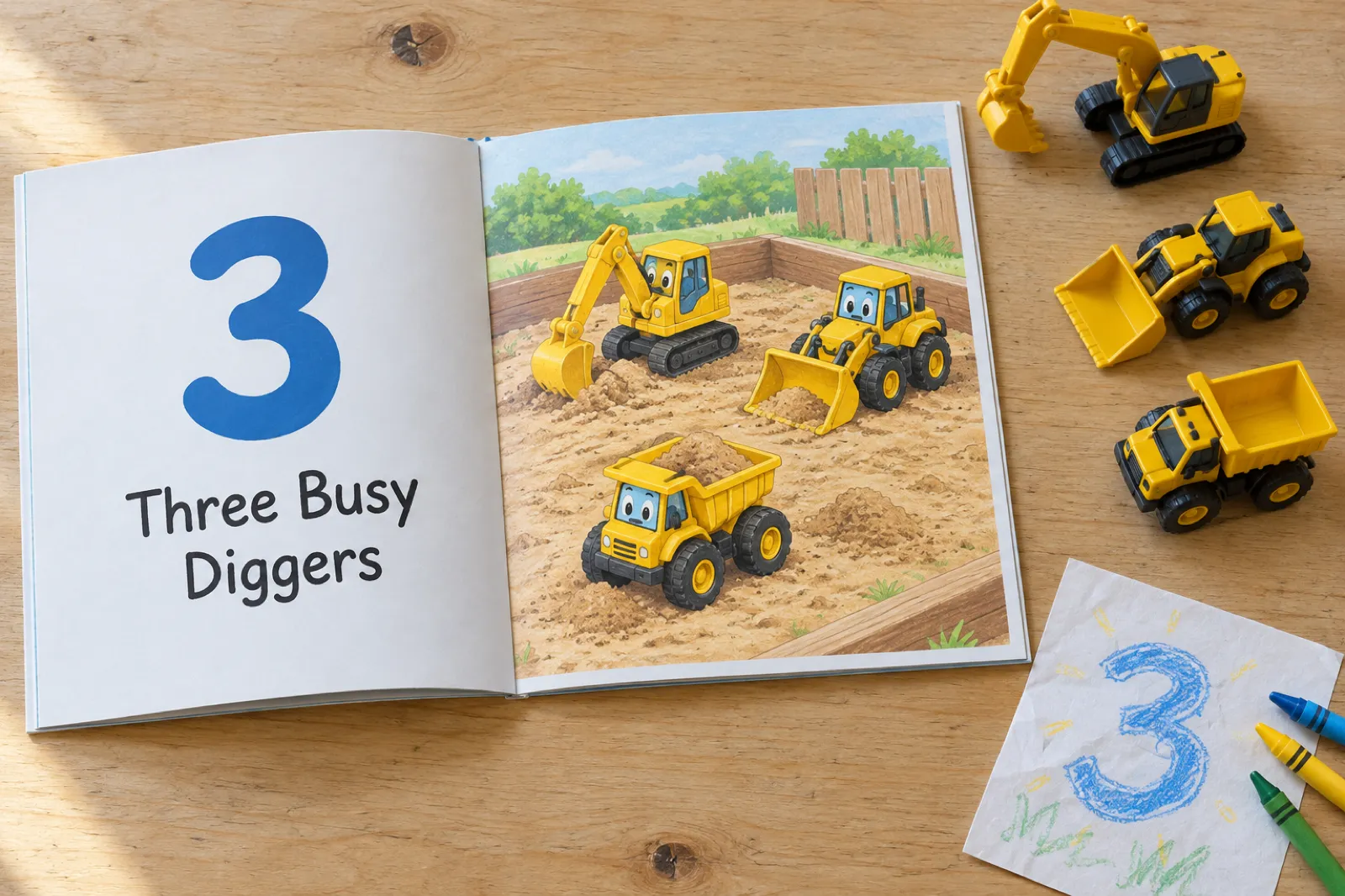
A counting book is the other half of the tile, and in some ways the easier book to make well. Every page has the number large, the number written as a word, and exactly that many things to count. The quick example on the screen is the classic: "a counting book from 1 to 10 with busy construction vehicles". One digger, two dump trucks, three cranes. A child counts along with a finger, and the picture checks the answer.
- 1 to 5 for the youngest, around two: big objects, plenty of space between them, one word a page.
- 1 to 10 is the standard counting book, for two to four year olds. Ten pages, one theme.
- 1 to 20 for four and five year olds who already count to ten and are learning the teens. Twenty pages; keep the objects small and distinct so twenty can be counted.
- Counting with a character: "Tommy the turtle counts the things he finds on the beach, 1 to 10". The character sheet keeps Tommy the same on every page and the book reads like a story.
Counting books people have made here include a turtle who counts, a bug counting book, a child learning to count, and a spooky counting book to twenty for Halloween. A class counting book is a good school project too: each child picks a number and a thing to count, the teacher types the list into the plan, and the class gets a book with their ideas in it.
A tip for the picture: say what the things are doing, not only what they are. "Three diggers in a sandpit" gives the painter a scene; "three diggers" gives it a row of diggers on white. Both are countable, but the first is a page a child wants to look at.
Personalised ABC books, and the baby shower alphabet
A personalised alphabet book is the most popular gift version of the format: the child's name on their own letter, and the child drawn into the pictures. Put the name and a short description in the idea: "an alphabet book of farm animals for my daughter Maisie, who has curly red hair and a yellow raincoat, with Maisie on the M page and on the last page". The character sheet draws Maisie from that description, and she looks the same on every page she appears on.
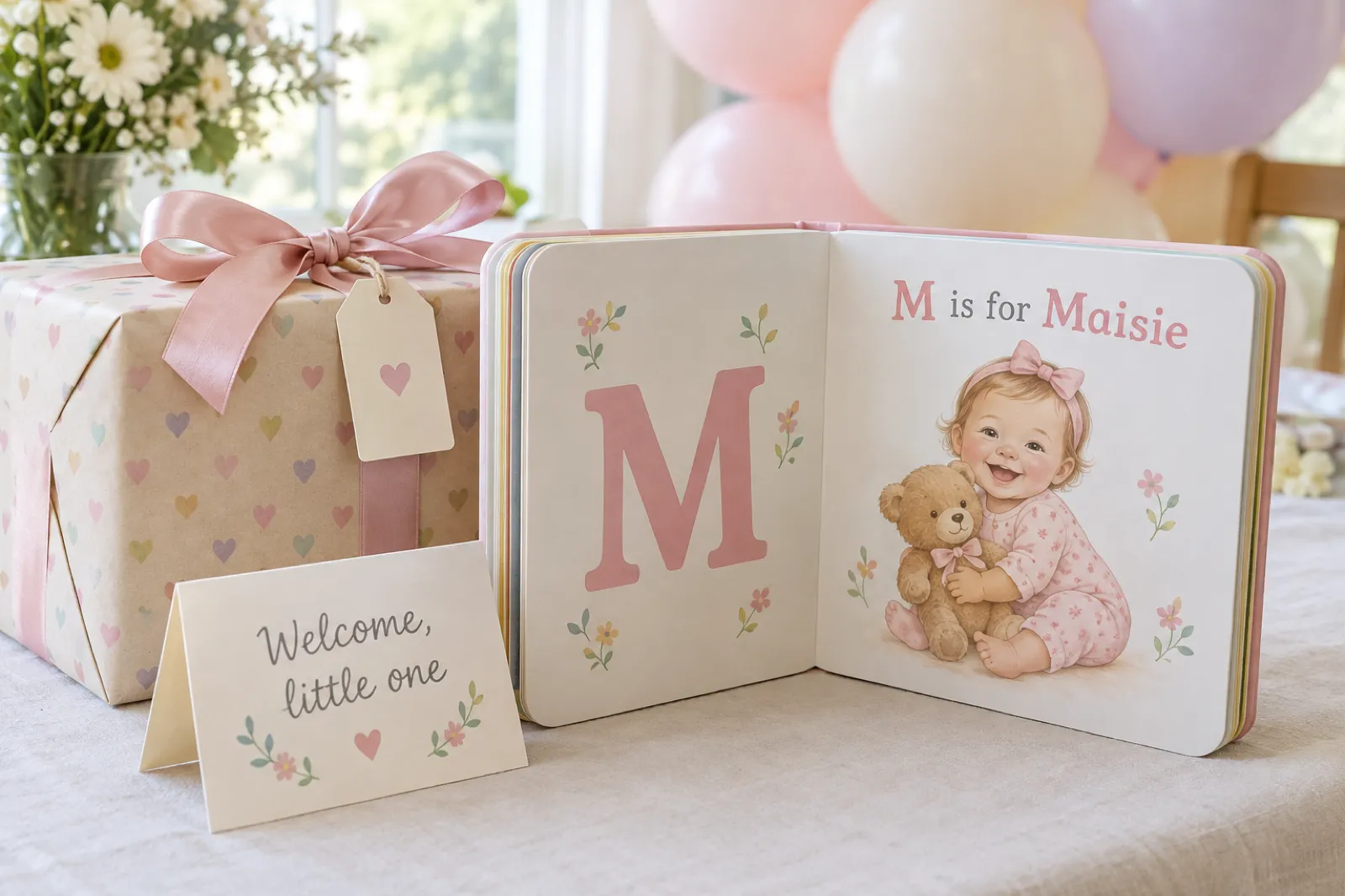
At some baby showers, guests each decorate a letter page of a "make your own ABC book" for the baby. Making the book with AI does the other version: the whole alphabet is ready before the day, printed and bound, with the baby's name on its letter and the family on F. Good baby shower themes are soft ones: animals, the nursery, things in the garden, family. The Storybook and Watercolour art styles suit them; there are eight styles in all, including Coloured pencil, Crayon and Felt and clay, and you pick one on the start screen under the page count.
Other personalised alphabets that work: a grandparent's alphabet ("G is for Grandad's garden"), a first-birthday alphabet of the year's firsts, a new-sibling alphabet, a family alphabet with every relative on their initial. For a full story about a named child rather than an alphabet, the personalised children's book maker is the better format. For a story to read at bedtime, the bedtime story walkthrough makes a picture book starring your child.
The ABC book project: classroom, homeschool, high school
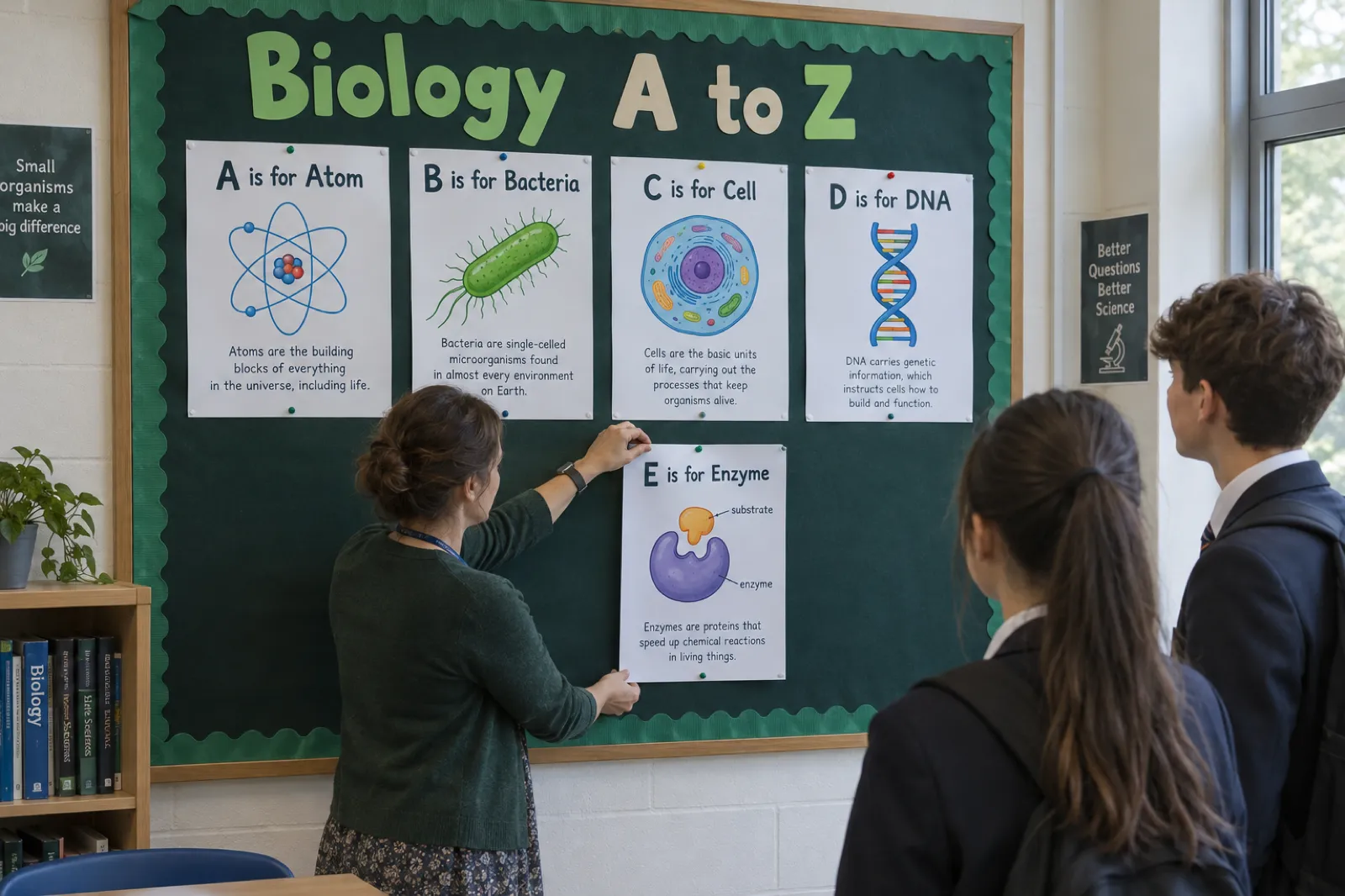
The alphabet book is one of the most common school assignments there is, from reception to high school. Younger children make one about themselves; older students make an ABC book of a subject, with one fact per letter: an ABC book of biology, of the solar system, of a period of history, of a novel the class is reading, of maths words. The letters force the student to find 26 things worth saying about the topic, which is the whole point of the exercise.
| Who | The idea | What to do with it |
|---|---|---|
| A nursery or reception teacher | "An alphabet book of things in our classroom, for ages 3 to 5" | Print it big and read it at circle time; the children find each thing in the room |
| A primary teacher | "A class counting book from 1 to 20, one page per child's idea" | Type each child's idea into the plan; print a copy for every family |
| A middle school science teacher | "An ABC book of the solar system for ages 11 to 13, one fact a page" | A model answer to show before students make their own |
| A high school biology class | "Biology A to Z for year 10: one key term and one fact a page" | A revision reader or a display board, as in the picture above |
| A homeschooling parent | "Un abecedario de animales para un niño de 5 años", typed in Spanish | One letter a day; the page words come in the language the idea is written in |
For a graded project, the student's work is the facts, not the pictures. Have students write their own line for each letter and type it into the plan before clicking create; the AI then illustrates their words. That keeps the thinking theirs and makes the book look finished. Teachers can find more classroom uses on the page for teachers, and a worksheet-style book is better made with the workbook video.
Which ABC book for which age: 1 to 7
The best ABC books for two year olds look nothing like the best ones for six year olds, and the age you put in the idea is what changes the words on the page. Here is what to ask for at each age.
| Age | Words on a page | Pictures | Example line |
|---|---|---|---|
| 1 to 2 | One word, or "A is for Apple" | One big object, plain background | "B is for Ball" |
| 2 to 3 | A short line with a sound or action | One subject doing one thing | "D is for Duck. Quack, quack!" |
| 3 to 5 | One line, sometimes rhyming | A small scene with things to spot | "D is for Diplodocus, the longest dinosaur of all." |
| 5 to 7 | One or two sentences with a fact | A full scene | "D is for Diplodocus. It was as long as three buses and ate only plants." |
The words a picture book should carry at each age, and why, are set out in the children's book word count guide. For an alphabet book the rule is simpler: fewer words for younger readers, and the letter always bigger than anything else on the page.
Printable ABC book PDF, Amazon KDP, Etsy and Gumroad
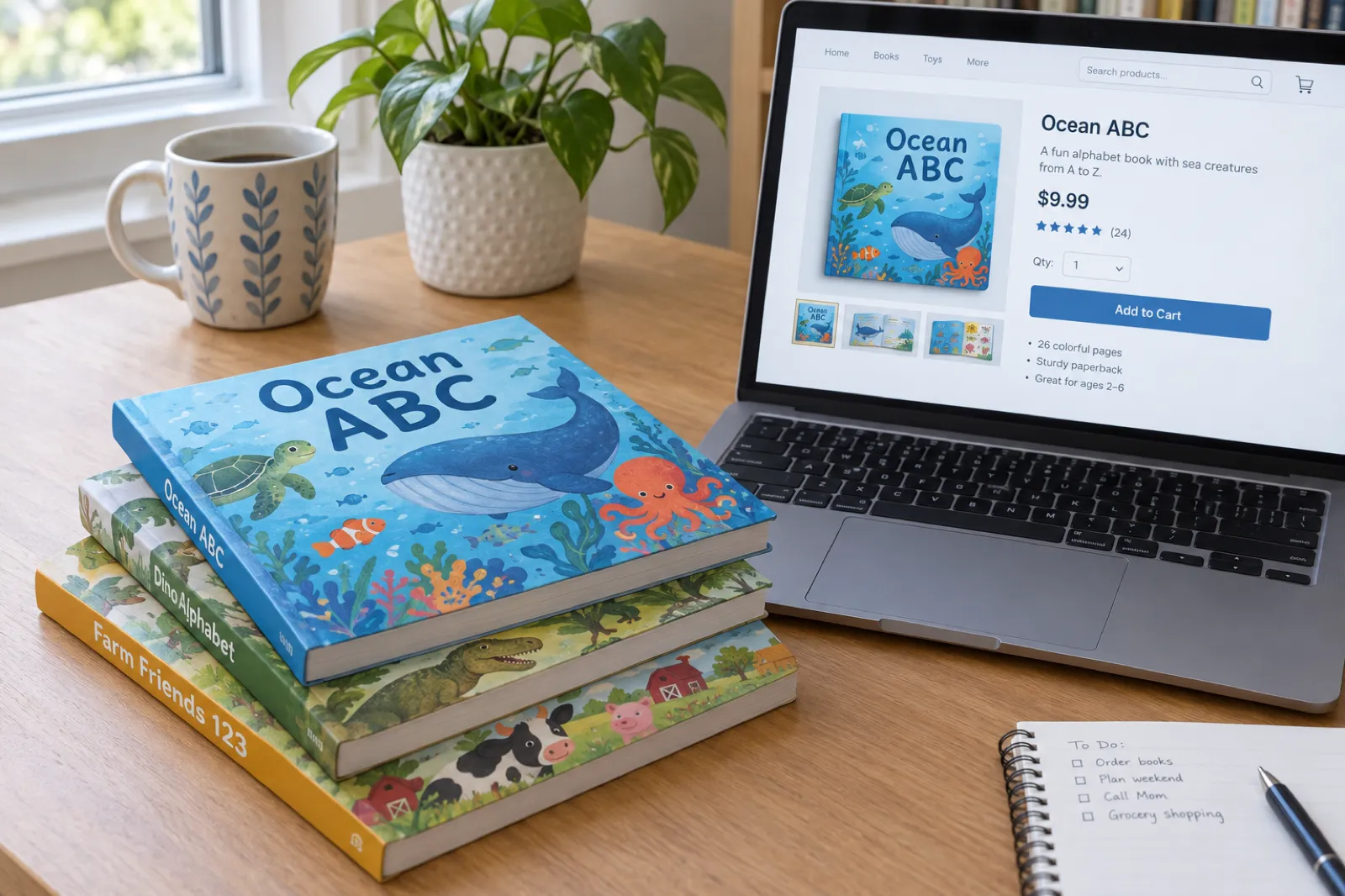
The video ends where the book becomes a product, and names three places it can go. Each one wants the same book in a slightly different shape.
- A printable PDF. Export the PDF and print it at home or at a print shop, square at 8.5 by 8.5 inches. For a classroom set, print single-sided and staple. This is also the file you sell as a printable ABC book on Etsy or Gumroad.
- An Amazon paperback. Export the KDP files: the interior PDF and the cover, with bleed. Amazon needs at least 24 pages for a paperback, so a 26-page alphabet book qualifies and a counting book to 10 does not. The picture book bleed guide explains the settings, and the children's book self-publishing guide covers the listing. Declare the AI-generated images at title setup as KDP's content guidelines ask; our KDP AI disclosure page explains what to tick.
- Etsy and Gumroad. Both are published from the finished book. Gumroad fills in the listing for you; Etsy needs your shop connected once. Alphabet printables, alphabet flashcards and personalised name books are long-standing digital products on both.
- An ebook. The EPUB works on tablets and phones, where a picture book reads one page at a time.
You keep full commercial rights to what you make, on every plan. The guide to selling AI-generated books covers the rules on each marketplace, and selling children's books covers pricing. If you plan to sell, make the theme specific: there are many animal alphabets, and very few alphabets of Caribbean fruits or of a single city.
What people have made with the ABC & counting format
The format went live on 29 August 2026. By the day this video went up, people outside our team had made 13 ABC and counting books: 10 alphabet books and 3 counting books, 3 of them in German. It is a small number, so read it as a list of ideas rather than a market:
- An alphabet of common things in Hawaii, for toddlers.
- A Caribbean fruits ABC.
- Two German animal alphabets and a German kindergarten alphabet.
- A monster alphabet, and a Halloween alphabet from acorn to zombie.
- An animal ABC, and an "ABC and counting adventures" book that tried to do both.
- Counting books with a turtle, with bugs, and with a child learning to count.
- A spooky counting book to twenty.
Two patterns stand out. Most are about a place or a culture as much as about letters, which is where AI alphabets have the most room: nobody has published the Caribbean fruits alphabet a family in Trinidad wants. And one tried to be an alphabet and a counting book at once; pick one per book (the words in your idea decide it), and make the other as a second book.
Six mistakes to avoid with an alphabet or counting book
- Mixing letters and numbers in one book. "ABC and 123" sounds generous and reads muddled. Make the alphabet, then make the counting book as a second book with the same character and art style named in the idea.
- A theme with no Q. Before you click create, read the plan's Q, U, V, X, Y and Z pages. If the AI has reached for something a child cannot say, change it there, for free.
- Words too long for the reader. "Parasaurolophus" is a joy for a five year old and a wall for a two year old. Say the age in the idea; it sets the words.
- A counting page with too many things to count. Twenty small objects crowd a page. Ask for them in a scene ("twenty ladybirds on a leafy branch") so they spread out.
- Leaving the child's description out. In a personalised book, "for Maisie" without hair, clothes or age gives the painter nothing to hold. One line of description is enough.
- Selling a short counting book as a paperback. Under 24 pages Amazon will not print it. A counting book to 10 is a printable, an ebook or a gift.
The other children's book videos
The ABC & counting format sits beside two other illustrated formats, each with its own video. A story picture book has a plot and pages you can rearrange; a coloring book has black line art and no words on the page; an ABC book has a fixed sequence and a letter or number on every page.
Full video transcript
Lightly punctuated for readability; the wording is as spoken. The video was recorded before alphabet books were fixed at 26 pages with the plan order locked; the steps are otherwise the same.
Read the transcript (9:35)
You can create an ABC and counting book for toddlers on Inkfluence AI in just a few minutes. First, head to the Inkfluence AI homepage. Then, navigate to start from book type and click ABC and counting. Here, you've got some quick examples with some prompts that you can add in. So, an ABC book of animals for toddlers, a counting book from 1 to 10 with busy construction vehicles, an alphabet book where every letter is a different dinosaur. Alternatively, you can add in your own prompt, but I'm going to use this one because that sounds pretty cool.
You then have the recommended page count for an ABC book. As you can see, the number of pages then correlates with the number of illustrations within the book, because it accounts for the pages, the cover, and the character sheet. So, when you're ready, you can then select the number of pages that you want. So, I'm going to go for 12 pages. And then click generate my book. And this will then create my ABC book on Inkfluence AI.
So, I've clicked generate my book. And as you can see, Inkfluence AI is beginning to create my ABC book. And it sounds pretty cool, I'm not going to lie. I'm very happy for that prompt on Inkfluence AI. So, let's see what it comes back with. So, here we go. We've got the different letters. As you can see, they correlate to a dinosaur. Now, you can move these around if you want. Or you can delete as well. You can also add in chapters if you think there's something missing. But I'm happy with how this looks. So I'm going to click create my ABC book.
This is now going to create my book for me. And in a few minutes I'll have a full ABC book that Inkfluence AI has created. As you can see, it's extremely quick. The outline is beginning to be created. And in a few seconds we'll then be on the next page, which is where Inkfluence AI is piecing together the designs for my book.
As you can see here, we've got the progress bar. So we've got 11 out of 12 pages created and it's all done. Now we'll wait for Inkfluence AI to show us the different pages. And if you can remember, it's an ABC book where every letter is a different dinosaur. So pretty cool. Looking forward to seeing how this turns out.
As you can see, the designs are being made currently. But when they are ready, we can then click through and look at each design. And you can understand what your book is going to look like from the pages that Inkfluence AI creates. As there's a few pages, Inkfluence AI is getting to work. But when it's done, you can then sell this book if you wanted to. You can list it on Etsy, on Gumroad, on Amazon. Here we go. We've got our character sheet. So, as you can see, these are the characters within our book. We've got this very cute dinosaur here with a little bow tie and a leaf. And now, we should begin to see the pages of our book.
As you can see, we've got a progress bar as well. So, we can understand where in the process our book is. And Inkfluence AI is keeping us up to date along the way as well.
It is amazing, in my opinion, how quickly Inkfluence AI can create a coloring book, a picture book, and an ABC book. And the options are then endless to what you do with this content. Like I said, you can publish this book on Etsy, Gumroad, or Amazon, and charge and make money from it. You can read it yourself, of course. The options are endless. So, here we go. We've got our book beginning to take shape, which is amazing. Look at this. Absolutely incredible. The illustrations are just on point. They look really, really clean.
And our book is beginning to be pieced together. There we go. We've got the next design. It's a dinosaur singing.
But, I fully recommend you trying out this feature. I think it's absolutely amazing. It's game-changing. You can use this to create any book that you think of. So, the possibilities are endless. Get really creative with it and see what you create. And then, like I said, you can then monetize it and sell the product on Etsy, Gumroad, or Amazon, which is amazing as well. Here we go. The last few designs. Look at that dinosaur. So cute.
Here we go. Just being finalized. Nice. And just like that, we've got our book by Inkfluence AI. In a few seconds, we'll be able to click through and look at the book in detail. We can then publish it to Etsy or Gumroad and we can download the content to then upload to Amazon and sell our book there.
Like I said, I definitely recommend doing this. Try it out. Get creative. See what you create, because the possibilities are endless. When I was going through this video, I did not think about creating a dinosaur ABC book where every letter was a different dinosaur. And that's why the prompts from Inkfluence are so good. They give you stuff that you wouldn't think of yourself and it will inspire the creativity and get you designing something really cool.
So, definitely try this out. Mess around with it. See what you create. And like I said, you can always upload it to Etsy, Gumroad, and Amazon to monetize and sell.
A few more seconds and we'll have our book. As you can see, it says here every page is painted from the same character sheet, so your hero looks the same on page one and page 14. And your book is already saved. So, you can view it, you can go off and come back and view it, and your book will be saved.
Putting the final touches on our book, and then we'll be able to download it. And there you have it. Our ABC book is fully illustrated. So, you can download it straight away, or you can edit it. As you can see, we've got our cover, which looks amazing. And we've got our book here. As you can see, that dinosaur begins with the letter A. I won't pronounce that. We've then got this one here, Brachiosaurus. Got C, Ceratosaurus. Probably butchered the way you're meant to pronounce that. Diplodocus. It's consistent with the prompt, and as you can see, an amazing book that Inkfluence AI has created.
We can then publish this on the free showcase on Inkfluence AI, on Gumroad, and choose our price, or on Etsy, if you connect your Etsy shop. We can also export it as a PDF, a KDP file, or an ePub, and upload it to Amazon to sell. So, that's how you use Inkfluence AI to create an ABC book of your choice.
ABC and counting book FAQ
How do you make an ABC book with AI?+
How many pages is an ABC book?+
How do you make a counting book?+
What are good ABC book themes?+
What do you put for X in an ABC book?+
Can I make a personalised ABC book with my child's name?+
Is an AI ABC book good for a baby shower?+
What age is an ABC book for?+
Can students use this for an ABC book project?+
Does the AI draw the same character on every page?+
Can you change the pages before they are drawn?+
How much does it cost to make an ABC book?+
Can I print an ABC book or sell it on Amazon?+
Can I sell an ABC book on Etsy or Gumroad?+
Can I make an ABC book in another language?+
Can I make a series of ABC books?+
Keep reading
- AI ABC book maker: the tool page for alphabet and counting books.
- AI picture book maker: the story format, with a plot and pages you can rearrange.
- Free AI children's book generator: what you can make before you pay for anything.
- AI children's book illustrator: the art styles and the character sheet in detail.
- Personalised children's book maker: a story with a named child as the hero.
- AI coloring book generator: black line art for colouring, the third illustrated format.
- Bold and easy coloring books: thick outlines for the same toddlers an ABC book is for.
- How to make a children's picture book with AI: the written guide.
- What children's book illustration costs: a 26-page alphabet against an illustrator's quote.
- How to write a book series with AI: continue an alphabet as a series of themes.
- Paperback publishing on KDP: trim, bleed and page counts for print.
- Book cover design: what makes a children's cover work at thumbnail size.
- Ebook formats: PDF against EPUB for a picture book.
- Christmas coloring books: the seasonal companion to a Christmas alphabet.
- Halloween coloring books: for the spooky counting book's audience.
A theme, a reader, A to Z. Then generate.
The plan appears in seconds and is free to change. The pages a few minutes after that.