
The AI Children's Book Illustrator
That Never Forgets What Your Fox Looks Like
Every page illustrated to match its words, with a consistent cast from cover to closing page. Bring your own story or let the AI write it with you.
Warm storybook style, painted covers with hand-lettered titles, and print-ready square export for Amazon KDP. Regenerate any single page without breaking the rest.
Quick Answer
The best AI for children's book illustrations is one built for whole books, not single images. Inkfluence AI illustrates every page of a children's book with the same characters throughout, paints each image to match that page's text, letters the title into a painted cover, and exports a print-ready square PDF for Amazon KDP. General image generators like Midjourney and DALL-E create beautiful one-off images but leave character consistency, text layout, covers, and print formatting to you. Human illustration for a self-published picture book usually costs about $1,500 to $11,000; AI illustration is included in plans from $9.99/month. You can bring your own story and use the AI purely as your illustrator, and regenerate any page individually.
The problem with illustrating a book one image at a time
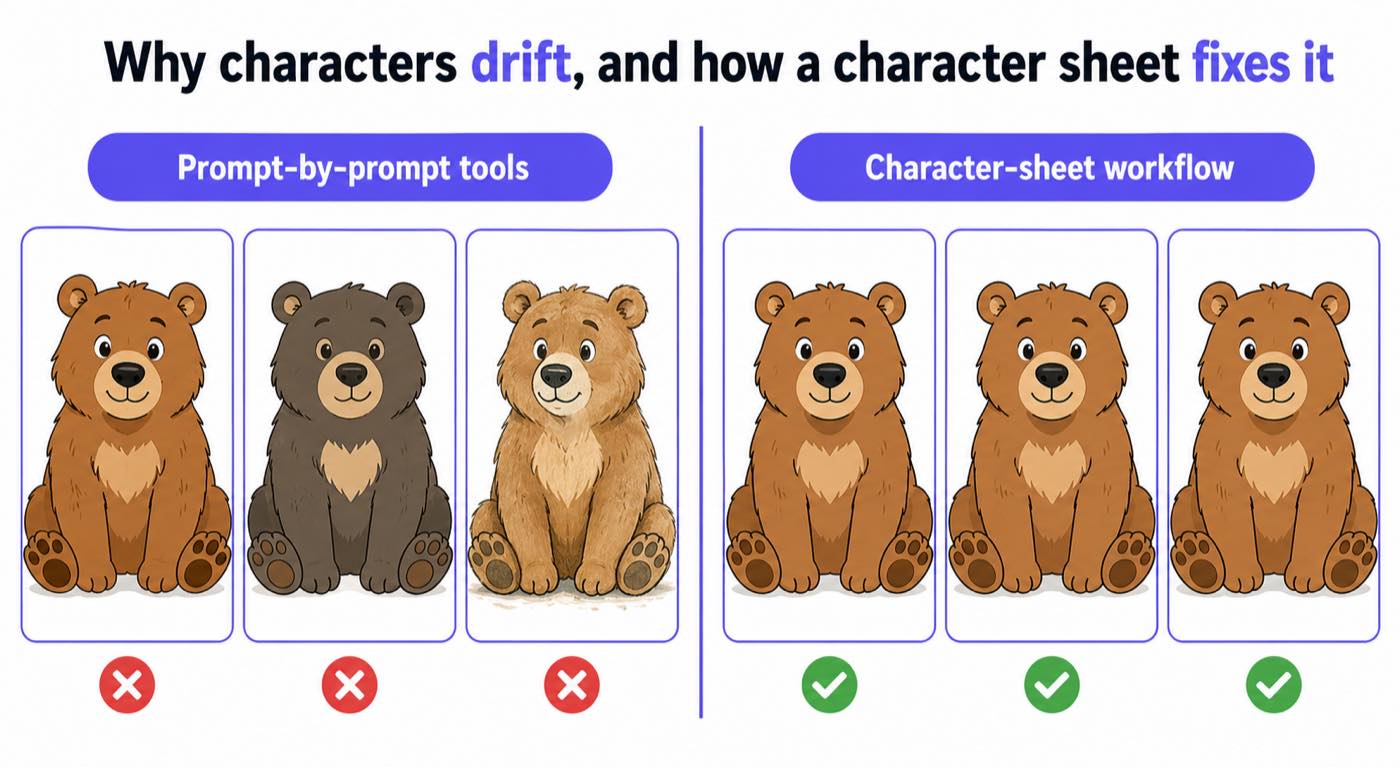
Anyone who has tried to illustrate a children's book with a general image generator knows the wall you hit: page 1's fox is auburn with a blue vest, page 4's fox is orange with no vest, and page 9 somehow has two foxes. Children track picture books through their characters, so the moment the hero changes appearance, the book stops working. Illustrators call this character consistency, and it is the single hardest thing to get from image tools that treat every prompt as a blank canvas.
The second wall is text-image agreement. A book page is not decoration plus words: the picture is supposed to show the moment the words describe, and add what they leave out. Prompting an image tool page by page from your manuscript, you end up art-directing a dozen separate commissions and reconciling them afterwards in a layout tool.
Inkfluence AI's illustrator was built against both walls. Your story's cast is established once, each character with a fixed look, and every page is painted against that cast, showing that page's exact moment, in one consistent style, with the composition leaving calm space for the words to sit on the art.
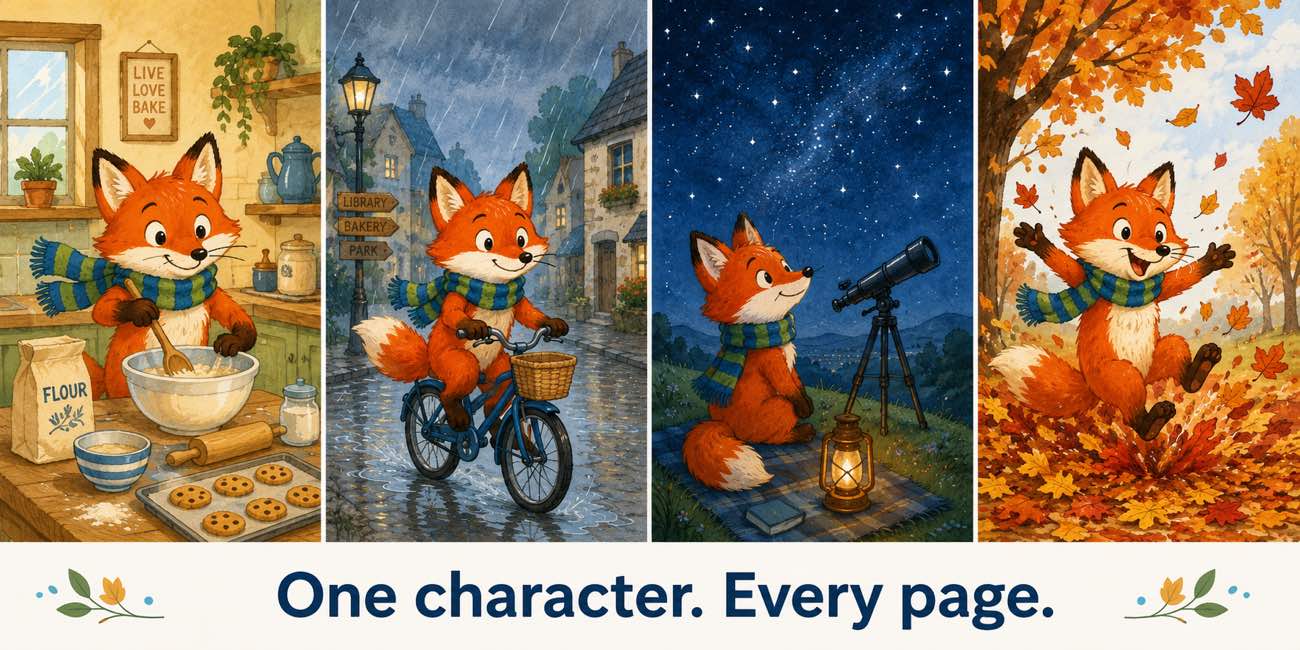
One cast, kept consistent
Unedited output from a generated bedtime book: the cast is established first, then every page and the cover are painted against it.
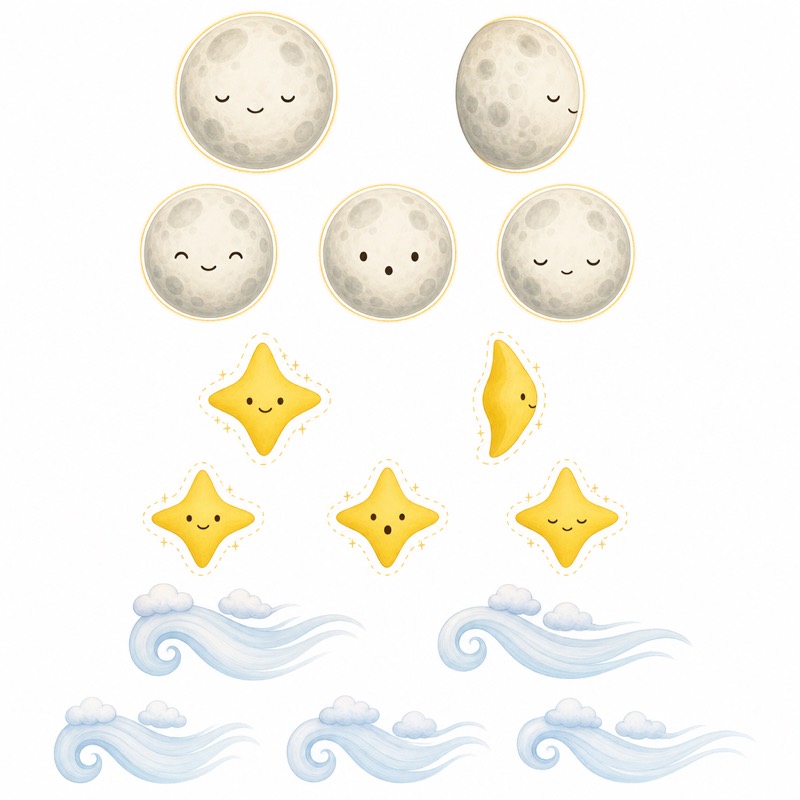
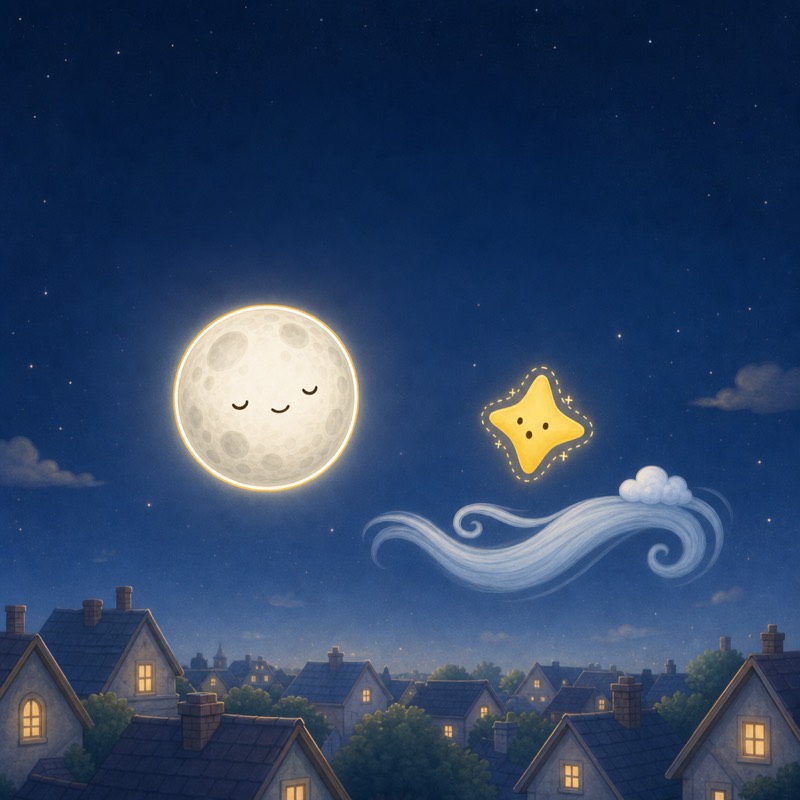
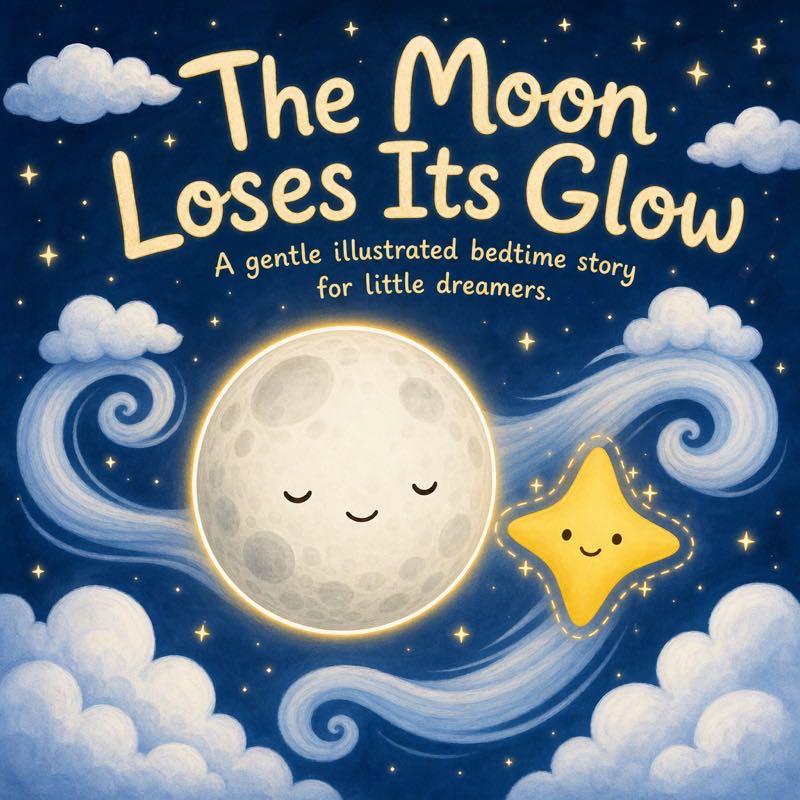
Two ways to use the illustrator
Your story, AI illustration
Already have a manuscript? Put your own words on each page in the editor and generate art to match. You keep full authorial control of the text; the AI works as your illustrator, cover artist, and layout department.
Full book generation
Start from one idea and let the picture book maker write age-tuned read-aloud text and illustrate every page together. Edit any page's words or regenerate any image afterwards.
What it costs compared to hiring
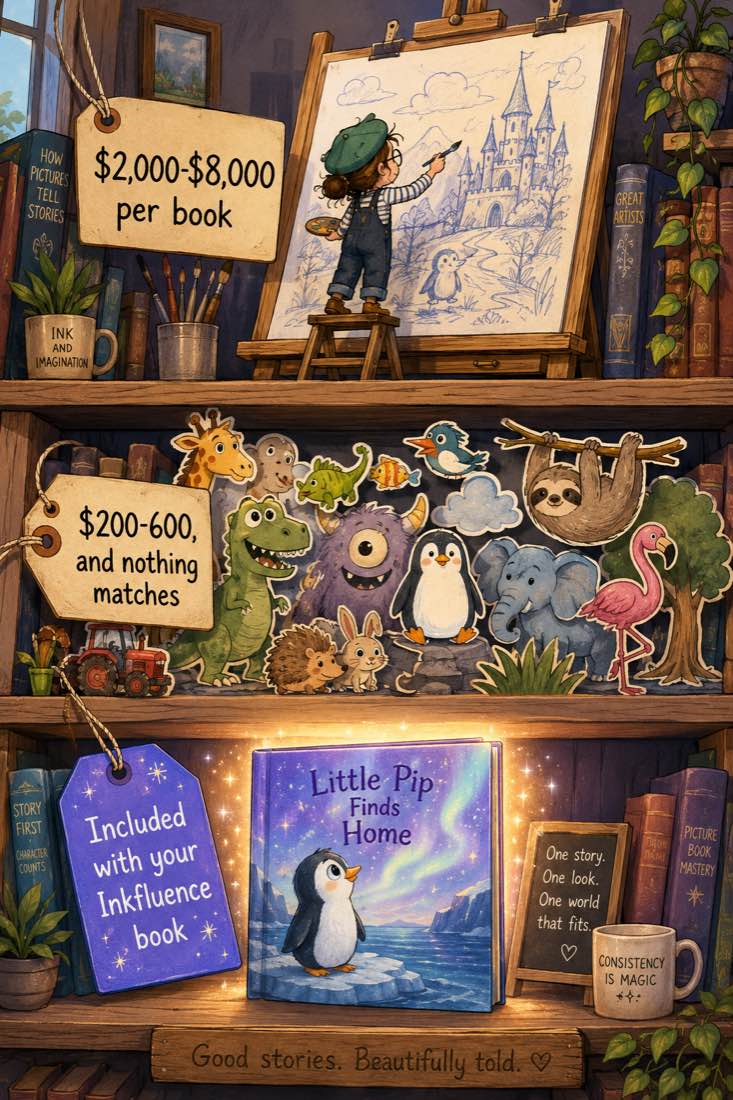
Commissioning a human illustrator for a self-published picture book usually costs about $1,500 to $11,000 and takes months, per the sourced rates in our children's book illustration cost guide. That is the right choice for some projects. For self-publishers testing ideas, building a catalogue, or making personal books for their own children (the personalized children's book maker covers that case), AI illustration on a $9.99/month plan changes what is possible: a finished, consistent, print-ready book per month for the price of two coffees.
Why most AI illustration workflows fall apart after page five
Understanding the failure modes makes you a better buyer of any tool, ours included. When people illustrate a book with a general image generator, three things go wrong in a predictable order:
1. Prompt drift
Each image is a fresh roll of the dice. Describing your fox slightly differently on page 6 ("small fox in a vest" vs "young fox wearing a waistcoat") produces a visibly different fox, and even identical prompts vary between generations. By page five most people are maintaining a paragraph-long character description and pasting it into every prompt, and it still drifts.
2. Style drift
Style is even more slippery than character. "Watercolour storybook style" spans an enormous range, and a book where page 4 looks like a different illustrator painted it reads as broken even when every character is correct. Locking style requires the same reference discipline as locking characters, doubled.
3. The re-roll lottery
When an image is wrong, regenerating it re-rolls everything: fix the fox's ears and the sky changes, the pose changes, the style shifts. The last mile of a DIY book is often dozens of re-rolls per page hunting for one that fixes the flaw without breaking something else.
A purpose-built book illustrator addresses all three structurally: the cast is fixed before any page is painted, every page is generated in one held style, and regenerating a single page repaints it against the same cast and style rather than re-rolling the universe. That is the difference between an image tool and a book tool, and it is worth testing in any product you evaluate: generate three pages of the same character and see if you would recognise them in a line-up.
Choosing an illustration style that ages with your reader
Style is a craft decision before it is an aesthetic one. Soft, rounded, warm-palette art (the classic bedtime look, and Inkfluence's default) reads as safe and cosy to ages 2 to 5, which is exactly right for books meant to end the day calmly. Ages 4 to 8 tolerate and enjoy more detail: busier scenes, more expressive faces, small background jokes to find on the fifth reading. What rarely works in this category is photorealism, which children read as uncanny, and high-contrast angular styles, which read as tense.
Whatever the style, the composition rule is constant: every page needs a calm area where the text sits without fighting the art. Inkfluence composes each illustration with that text zone planned, alternating top and bottom across pages so the book has visual rhythm when flipped.
The style words that actually steer an illustration
"Cute children's book style" is the least useful phrase in AI illustration: it spans everything from flat vector to oil paint. These are the vocabulary families that reliably move the result, whether you are directing our illustrator or any other tool:
Medium words
"Soft watercolor", "gouache", "crayon texture", "flat vector", "paper cut-out", "colored pencil". The single strongest lever; pick one and keep it for the whole book.
Line words
"Thick friendly outlines" reads younger; "loose sketchy ink line" reads older; "no outlines, soft edges" reads dreamy. Line weight is the fastest way to shift the felt age of a book.
Light words
"Golden afternoon light", "cozy lamplight", "cool moonlit blues". Light carries the emotion of a page more than any facial expression; bedtime books live in the warm-to-moonlit range.
Palette words
"Bright primary colors" for toddlers, "muted storybook pastels" for gentle stories, "autumn palette" for cozy ones, deep red, pine green and snow white for a personalized Christmas book. Name five colors and the book holds together shelf-wide.
Inside Inkfluence you set this direction once and the whole book is painted in it; the same vocabulary works page by page in any tool. For which styles suit which age bands, see the section below, and for the full book workflow read the picture book guide.
Who owns AI illustrations, and can you sell them?
The practical questions, answered plainly:
- Your books are yours to sell. On every Inkfluence plan, including free, you hold full commercial rights to the books you create: KDP, Etsy, Gumroad, school fairs, anywhere. Selling an illustrated children's book covers the colour print costs and what each copy pays.
- Platforms require disclosure, not permission. Amazon KDP asks whether a book contains AI-generated text or images during setup; answering honestly is required and publishing proceeds normally. Etsy and Gumroad currently require accurate listing descriptions rather than formal AI declarations.
- Copyright law is still settling. In the US, purely AI-generated images currently receive limited copyright protection; your original text, your arrangement, and your book as a whole are a stronger basis than any single image. For most self-publishers this is a practical non-issue, but authors building a major franchise should read the US Copyright Office guidance linked in the sources below.
Pricing
| Route | Cost | What you get |
|---|---|---|
| Inkfluence Creator | $9.99/mo | Monthly illustration allowance for a full picture book, plus writing, covers, EPUB/DOCX, audiobooks |
| Inkfluence Premium | $19.99/mo | Larger allowance for catalogue builders, unlimited chapters, every format |
| Freelance illustrator | About $1,500 to $11,000 per book | Bespoke human art, months of turnaround, strongest copyright position |
| DIY image generator + layout tool | $20 to $50/mo in subscriptions | Full art direction, and the consistency work described above |
Give your story its pictures
Consistent characters, text-matched art, a painted cover, and a print-ready book at the end.
Start Illustrating FreeAI Children's Book Illustrator FAQ
What is the best AI for children's book illustrations?
How does AI keep characters consistent across pages?
Can AI illustrate a story I wrote myself?
What illustration style does it use?
How much does a children's book illustrator normally cost?
Can I sell books with AI illustrations on Amazon KDP?
What resolution are the illustrations?
Can I regenerate an illustration I don't like?
Does the illustrator handle the cover too?
Is there a free way to try the AI illustrator?
AI illustrator vs. Midjourney for a children's book: what's the real difference?
Can it illustrate books in languages other than English?
Sources and further reading
- Reedsy: How much it costs to illustrate a children's book
- Amazon KDP: AI-generated content disclosure guidelines
- SCBWI: Society of Children's Book Writers and Illustrators
- US Copyright Office: Copyright and artificial intelligence guidance
Related Tools
AI Picture Book Maker
The complete illustrated book, generated from one idea.
Children's Book Illustration Cost
Illustrator rates per page and per book, and a calculator for AI, human and hybrid routes.
Halloween Story Generator
A real Halloween picture book, with its character sheet, made from one prompt.
AI Children's Book Creator
Stories, chapter books, and picture books for young readers.
Best AI Children's Book Creators
The 2026 comparison of leading tools.
AI Book Illustration Generator
Consistent illustration for any book, fiction or non-fiction.
AI Coloring Book Generator
Whole printable coloring books in clean line art.
Free AI Children's Book Generator
What's genuinely free, and what illustration costs.
Self-Publish a Children's Book on KDP
Trim, bleed, print costs and the paperback upload for an illustrated book.
Children's Book Word Count by Age
How many words go on each illustrated page, by age band.
Watch a picture book get illustrated
Video walkthrough: prompt, character sheet, pages painted from it, export.