
The AI Book Illustration Generator
That Keeps Every Chapter in One Style
Image generators make pictures. Books need illustration: the same characters on every page, one committed style cover to cover, and art that shows what each page actually says.
Generate illustrations inside the book editor itself, from your manuscript's real scenes. Works for children's books, fiction, how-to guides, and cookbooks. Print PDF and EPUB export with the art embedded. You own full commercial rights.
Quick Answer
An AI book illustration generator illustrates entire books rather than producing standalone images: it draws from the manuscript's actual scenes, keeps characters consistent across every page using a locked cast reference, holds one style from cover to cover, and exports print PDFs and EPUBs with the art embedded in the file. Inkfluence AI generates illustrations inside the book editor for any genre, with the full page-by-page pipeline for children's picture books and line-art mode for coloring books. Generic image tools require re-prompting and re-describing characters for every single image; a book illustration generator carries that context for you. You own full commercial rights.
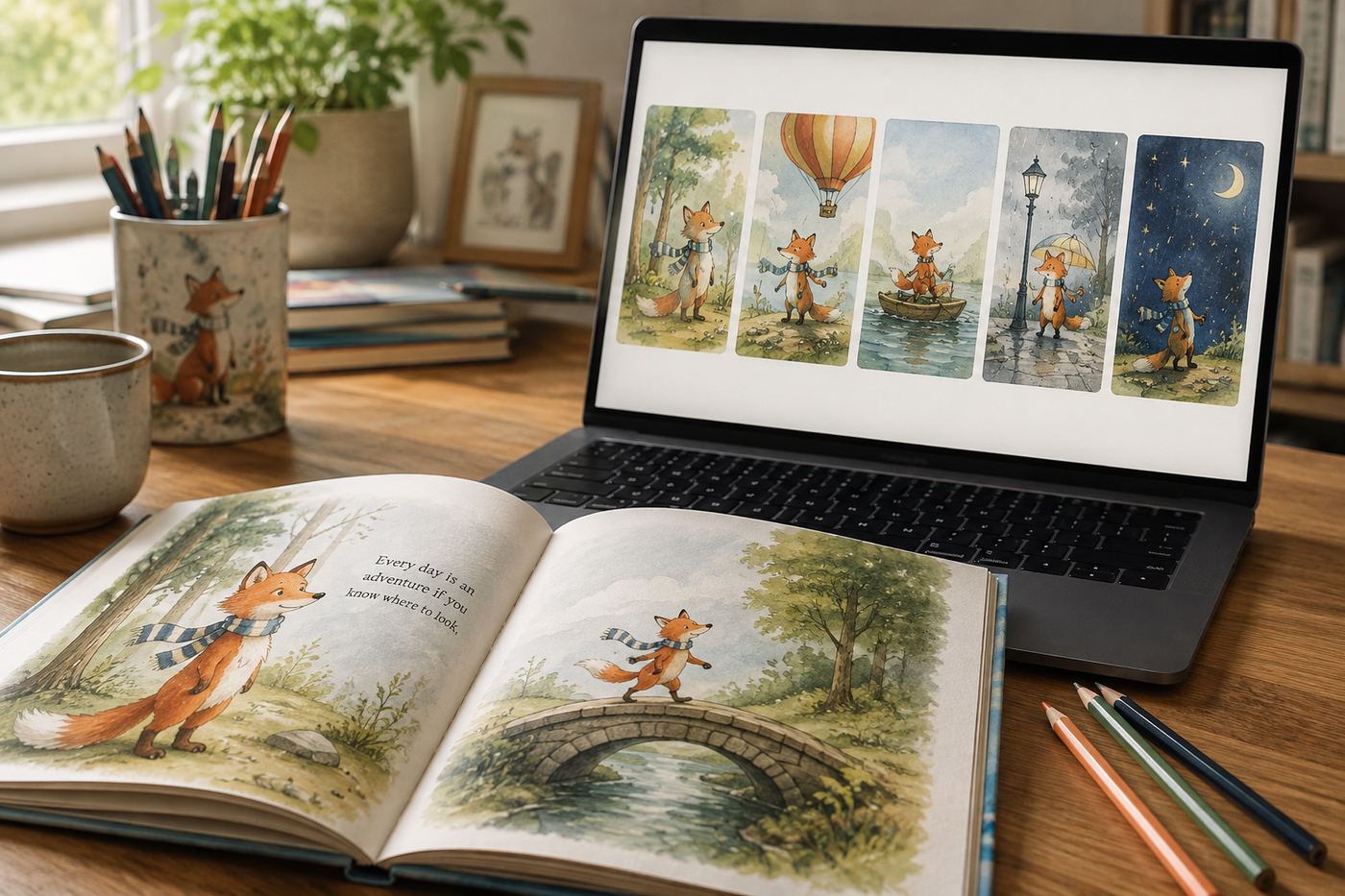
An image generator with "book" in the title is still an image generator
Search for book illustration tools and you will find a familiar pattern: a general-purpose image generator wearing a "book illustration" landing page. The generator is usually good. It is also solving the wrong problem, because a book is not thirty independent images. It is one visual world, and every failure mode of illustrating with generic tools comes from that gap.
The character drifts: your heroine's hair changes color between chapter 2 and chapter 5 because every prompt starts from zero (the full mechanics of why are in our character drift guide). The style drifts: page 8 came out painterly and page 9 came out flat, because "watercolor storybook style" means something slightly different to the model each time. The art and the text disagree: the picture shows a generic forest while the page describes a moonlit garden, because you summarized instead of the tool reading the scene. And when the images are finally done, the layout, the placement, and the export are all still your job.
Inkfluence generates illustration from inside the book. The editor knows what each page says, the cast is locked before drawing begins, the style is committed once for the whole book, and the finished files export with the art already placed, whether that is a picture book, a coloring book, or an illustrated guide.
Two ways to illustrate, depending on the book
Chapter illustrations, any genre
Inside any chapter, generate an illustration of that chapter's content: a scene from your novel, a finished dish for a cookbook chapter, a concept visual for a how-to guide. Leave the style on Auto and every image follows the book's committed style. Regenerate any image individually until it is right.
Styles include watercolor, storybook, flat vector, line art, cinematic, and photographic looks. Fiction, non-fiction, workbooks, and guides all supported.
The full picture-book pipeline
For children's books, illustration goes further: every page is illustrated automatically from its own scene, the cast is locked in a character reference so the same characters appear throughout, the story's world stays consistent page to page, and the cover is painted with the title lettered into the art.
This is the picture book maker; the same pipeline drives coloring books (line art) and ABC books.
Consistency you can check, not just a claim
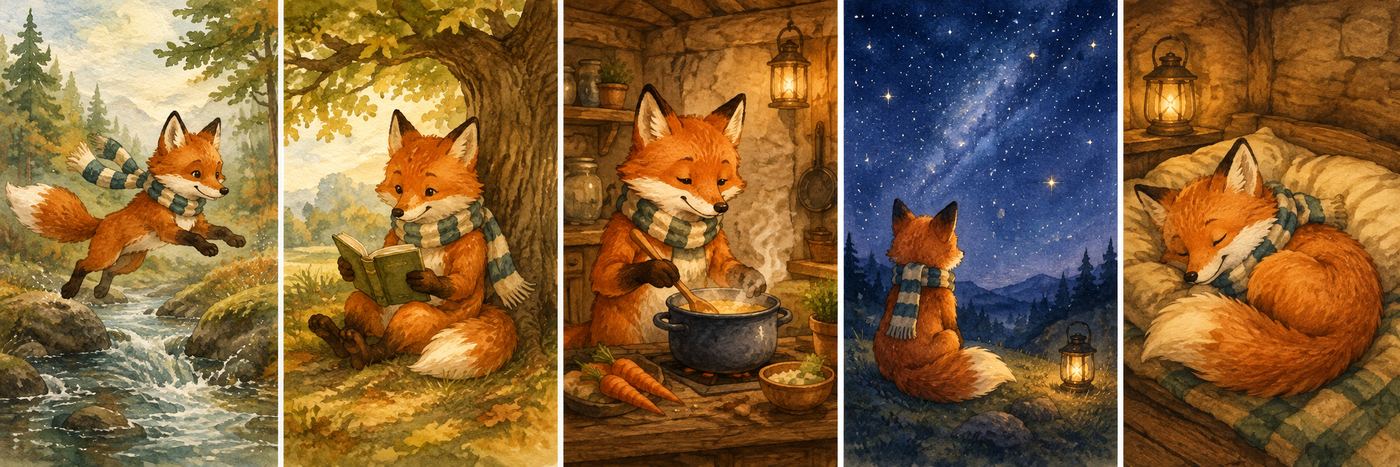
Every AI tool on the market claims consistent characters. Here is what it actually looks like across five scenes of one generated book: same fox, same scarf, same proportions, whether she is mid-leap in chapter 1 or asleep in the final scene. The cast reference is drawn once and every illustration is generated against it, which is a fundamentally different mechanism from hoping thirty independent prompts describe the same animal. It is what an AI book illustrator has to do that an AI image generator does not; run any tool through the page-7 test in our consistency guide to see the difference measured.
Print and ereader details that generic tools skip
The last mile is where illustrated books go wrong. Two details matter and neither is glamorous. First, print: interior images need to sit correctly in a print PDF at your trim size, which Inkfluence handles at export, including the full-bleed square format picture books use and the 8.5" x 11" trim coloring books use on Amazon KDP.
Second, EPUB: some workflows link illustrations from web URLs, which means the art silently vanishes when the book is read offline or submitted to a store. Inkfluence embeds every illustration inside the EPUB file itself, so the book you upload is the book readers see.
And the honest compliance note most tool pages omit: Amazon KDP requires disclosure of AI-generated content, including illustrations, during title setup. It is a form answer, not a barrier. Details in our KDP AI disclosure guide.
What book-aware generation means under the hood
Four pieces of context ride along with every illustration request, and they are the entire difference from prompting an image tool. The scene: what this page or chapter actually says, read from the manuscript rather than re-summarized by you. The cast: your characters' locked visual references, so nobody is re-invented. The world: the story's setting, decided once and held on every page, because a garden story that turns Arctic the moment a scene mentions water is the quiet failure mode of scene-by-scene prompting (the full drift taxonomy is in our consistency guide). And the style: the book's single committed visual voice.
Composition is book-aware too. Picture-book spreads are painted knowing where the text will sit, so each image keeps a calm zone for the words instead of fighting them. Coloring pages are composed with large open regions because someone will color them. A chapter illustration in a how-to guide is composed as a figure, not a splash page.
And when one image misses, you regenerate that image alone, with all four pieces of context intact, which is why a fix takes seconds instead of restarting a prompt-archaeology session to remember how you described the fox three weeks ago.
The math for one fully illustrated book
Concrete numbers, since this category loves to hide them. A standard 14-page picture book uses one illustration per page, plus a painted cover, plus the character reference sheet: about 16 images. On Premium ($19.99/month, 50 images), that is a full book with 34 images left for regenerating pages you want another take on, or most of a second book. On Creator ($9.99/month, 20 images), it is one book a month with a few retakes, and add-on credits (1 chapter credit per image) cover anything beyond. The app shows the count against your real remaining allowance before you generate, so the answer to "what will this cost me" is on screen, not in a help doc.
For chapter illustrations in prose books the math is lighter: a 10-chapter generated guide with one figure per chapter uses 10 images. Full plan details are on the pricing page. The same allowance covers AI cover art through the cover designer's separate cover allowance, so interiors and covers do not compete.
Mixing in your own illustrations
Generation is not all-or-nothing. Plenty of authors arrive with some art: a commissioned character design, a photograph that must appear, a hand-drawn map, or a cover built in the cover designer. Images can be placed into any chapter alongside generated ones, and the export machinery treats them identically: correctly placed in the print PDF, embedded in the EPUB.
The workflow that works best for commissioned-plus-AI books (common among first-time authors): lock the style to match your commissioned pieces as closely as one of the style voices allows, use generated art for the volume pages, and spend your illustrator budget on the cover and the two or three images that matter most. That is the hybrid the economics actually support, and it is how several of the better-looking self-published picture books are quietly made.
Hiring an illustrator vs generating: the honest comparison
A commissioned human illustrator brings judgment, taste, and originality that AI does not replace, and for some books that is exactly what you should buy. For the ones where it is out of reach, the numbers below are why AI-illustrated children's books and guides exist at all. It is also a four-figure, multi-week project for a fully illustrated book, which puts it out of reach for most self-published titles, lead magnets, and experiments. AI illustration changes the economics of the books that would otherwise never be illustrated at all.
| Commissioned illustrator | Generic image AI | Inkfluence AI | |
|---|---|---|---|
| Typical cost, full book | Four figures and up | Subscription + your hours | From $9.99/mo (20 images), $19.99/mo (50) |
| Timeline | Weeks to months | Days of prompting + assembly | Within the book generation itself |
| Character consistency | Excellent | Poor across many images | Locked cast reference |
| Layout and export | Separate designer, often | Your job | Included |
| Originality ceiling | Highest | Good images, no book context | Book-aware, editable per image |
What illustration adds, genre by genre
Children's books are the obvious case: the art IS half the book, which is why they get the full page-by-page pipeline of the children's book creator. Cookbooks are the sleeper case: a recipe chapter in the ebook generator with a finished-dish image converts browsers in Amazon's Look Inside in a way text never does, and one committed photographic style keeps forty recipes looking like one kitchen. How-to and business books use illustration as figures: a flat-vector concept visual per chapter turns a wall of advice into something skimmable, and skimmable is what sells in the sample (and in a lead magnet, where the skim IS the product). Fiction is taste territory: chapter-opener art in a cinematic style gives an indie novel the production feel of a hardcover special edition, and memoirs quietly benefit from the same treatment at emotional moments.
The common thread: in every genre, the illustration problem is a consistency problem across many images, not a quality problem with one. Which is the entire reason this page's tool exists at the book level rather than the image level.
The style vocabulary, and when to use each
A book commits to one visual voice. These are the voices, matched to the books they serve:
Watercolour
Soft edges, warmth, texture. The default register of bedtime storybooks and gentle memoirs.
Storybook
Rounded shapes, friendly light: the classic children's trade look, and the picture-book mode's home style.
Line art
Clean black-and-white outlines. Coloring books, activity pages, and minimalist chapter headers.
Flat vector
Crisp, modern, diagram-friendly. Business books, how-to guides, and workbooks.
Cinematic
Dramatic light and depth. Fiction scenes, thrillers, and atmosphere-first chapter art.
Photo & minimal
Photorealistic looks for lifestyle and cookbook content; minimal for clean non-fiction.
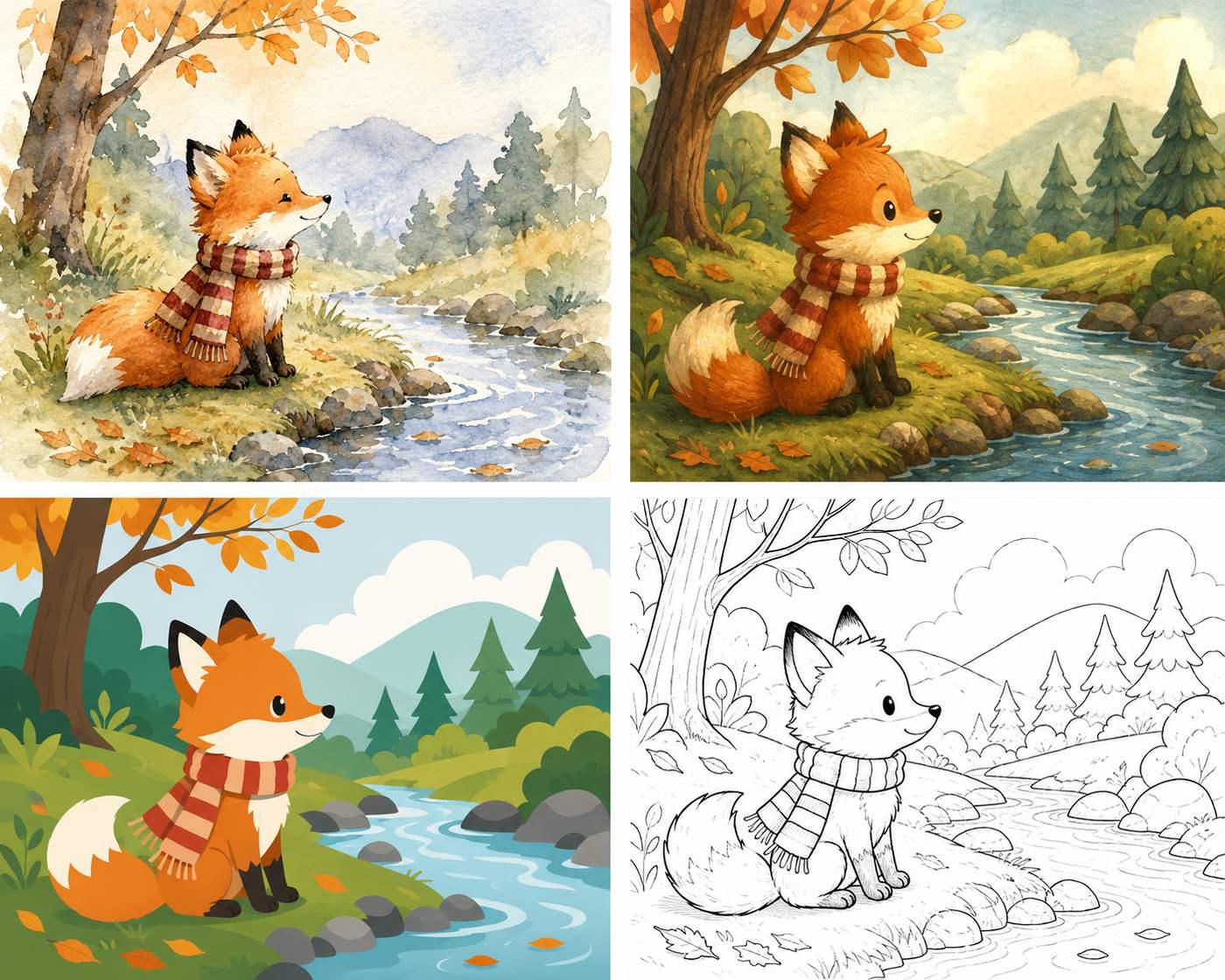
Leave the per-image picker on Auto and every illustration follows the book's committed style, which is how a 30-image book stays one book.
Against the image generators wearing book costumes
Search this category and you will meet generic image tools with "book illustration" landing pages. Respectable image generators, wrong layer of the problem:
| Capability | Fotor / Recraft / Venngage | Midjourney / DALL-E | Inkfluence AI |
|---|---|---|---|
| Single image quality | Good | Excellent | Good, book-tuned |
| Reads your manuscript's scenes | No, you re-describe per image | No | Yes, generated inside the editor |
| Character memory across a book | No cross-image memory | Partial, manual reference workflows | Locked cast reference, automatic |
| Style held book-wide | Per-prompt, drifts | Per-prompt, drifts | Committed once per book |
| Layout + export with art placed | Your job | Your job | Print PDF + EPUB, art embedded |
| Writes the book too | No | No | Yes, 33 book types |
If you love art-directing individual images, generate them anywhere and place them in the editor; the book-level machinery still does the layout and formatting. The point is not that image tools are bad, it is that thirty coordinated illustrations is a different job than one great picture.
Five mistakes that make AI-illustrated books look amateur
1. Mixing styles. A painterly page 8 next to a flat page 9 screams assembly. One style, committed at the start, no exceptions for "this one just looked cool".
2. Art that contradicts the text. The page says moonlit garden, the picture shows noon in a forest. Generating from the manuscript itself is the fix; summarizing scenes by hand is where the drift enters.
3. Character drift. The heroine's hair changes color between chapters and young readers absolutely notice. Cast references, not paragraph descriptions: the full breakdown is in our consistency guide.
4. Web-linked images in EPUBs. If the art lives at a URL instead of inside the file, it vanishes offline and fails store checks. Embedded or it did not happen.
5. Skipping the disclosure. Amazon asks about AI-generated images at setup. Answer honestly; it is a checkbox, not a gate, and misrepresenting it is the only way to turn it into a problem.
AI book illustration FAQ
What is an AI book illustration generator?
An AI book illustration generator creates illustrations for the pages of an actual book, as opposed to a general image generator that makes standalone pictures. The difference is book-awareness: illustrations drawn from your manuscript's real scenes, a consistent style and cast across every chapter, images placed into the book's layout, and export formats that keep the art embedded for print and ereaders. Inkfluence AI generates illustrations inside the book editor itself, so the art and the book are never separate projects.
What is the best AI for book illustrations?
The best AI for book illustrations is the one that works at book level rather than image level: consistent characters via a locked cast reference, one committed style across every chapter, art generated from the manuscript's actual scenes, and correct print and EPUB export. A general image generator can be an excellent AI book illustrator for a single frontispiece; for 10 to 40 coordinated images, book-aware tooling is what separates finished books from folders of pictures.
Can AI keep characters consistent across a whole book?
Yes, and this is the hardest part of illustrating a book with generic image tools. Inkfluence locks your story's cast in a character reference before illustrating, then draws every scene against it, so the fox on page 3 is the same fox on page 27. General image generators re-invent the character on every prompt because each generation is independent.
What's the difference between this and Midjourney or DALL-E for book illustrations?
Image generators make excellent single images, but a book needs more: 10 to 40 images in one committed style, characters that stay recognizable, art that depicts what each page's text actually says, images placed in the layout, and files that export correctly for print and EPUB. With a general image tool, all of that is your job. A book illustration generator does the book part, not just the image part.
What illustration styles are available?
Watercolor, storybook, flat vector, line art, cinematic, and photographic styles among others, chosen per book so the whole book stays in one visual voice. Children's picture books default to a warm storybook style; coloring books use clean black-and-white line art; non-fiction can use clean modern illustration.
Can I illustrate a non-fiction book, not just kids' books?
Yes. Chapter illustrations work in any book: how-to guides, cookbooks, self-help, business books, workbooks. You generate images inside any chapter from the editor, and the same style carries across the book. Children's picture books additionally get the full picture-book pipeline where every page is illustrated automatically.
Is the art high enough resolution for print?
Illustrations are generated at high resolution and exported inside print PDFs at your chosen trim size. For Amazon KDP interiors, the standard guidance is to keep interior images crisp and uncompressed; Inkfluence handles image placement and export so you upload one clean PDF rather than wrangling image files.
Do EPUB exports keep the illustrations?
Yes, and this detail matters more than it sounds: some tools link images from the web, which breaks the moment the book is opened offline or submitted to a store. Inkfluence embeds illustrations directly inside the EPUB file, so the art travels with the book on Kindle and every other ereader.
Can I publish a book with AI illustrations on Amazon?
Yes. Amazon KDP accepts books with AI-generated illustrations and requires you to disclose AI-generated content during publishing setup. Disclosure is a form answer, not a barrier; AI-illustrated books are published on KDP every day.
How much does AI book illustration cost compared to hiring an illustrator?
Commissioning human illustration for a fully illustrated book is typically a four-figure project and takes weeks or months, which is entirely fair given the craft involved. AI illustration inside Inkfluence uses a monthly allowance: 20 images per month on Creator ($9.99/month), 50 on Premium ($19.99/month), with add-on credits beyond that. A fully illustrated picture book fits inside a single month's Premium allowance.
Can I regenerate an illustration I don't like?
Yes. Every illustration can be regenerated individually without touching the rest of the book, and you can adjust what a scene shows before re-drawing it.
Who owns the rights to the illustrations?
You do. Full commercial rights to the books and illustrations you create, on every plan: publish on KDP, sell on Etsy or Gumroad, or use them anywhere else.
Related tools and guides
AI Picture Book Maker
The full pipeline for children's books: every page written and illustrated with a consistent cast.
AI Children's Book Illustrator
Kids-book illustration in depth: styles, age bands, and character continuity.
Children's Book Illustration Cost
Illustrator rates per page and per book, and a calculator for AI, human and hybrid routes.
AI Coloring Book Generator
The same pipeline in line-art mode: whole printable coloring books from one theme.
AI Book Cover Generator
Covers are their own craft: typography, spine math, and store-ready dimensions.
KDP AI Disclosure Policy
Exactly what Amazon asks about AI-generated art and how to answer it.
AI Book Generator
Write the book itself: 33 book types, from novels to guides to workbooks.
Illustrate the whole book, not one image at a time
Consistent characters, one committed style, art generated from your actual pages, and export that keeps it all in place.
Start Illustrating