
Consistent Characters in AI Children's Books: Why They Drift, and Every Method That Fixes It (2026)
The fox on page 3 never matches the fox on page 7, until you understand why. The four methods for character consistency in AI illustration, compared honestly, plus the page-7 test to run before trusting any tool's claim.
Quick Answer
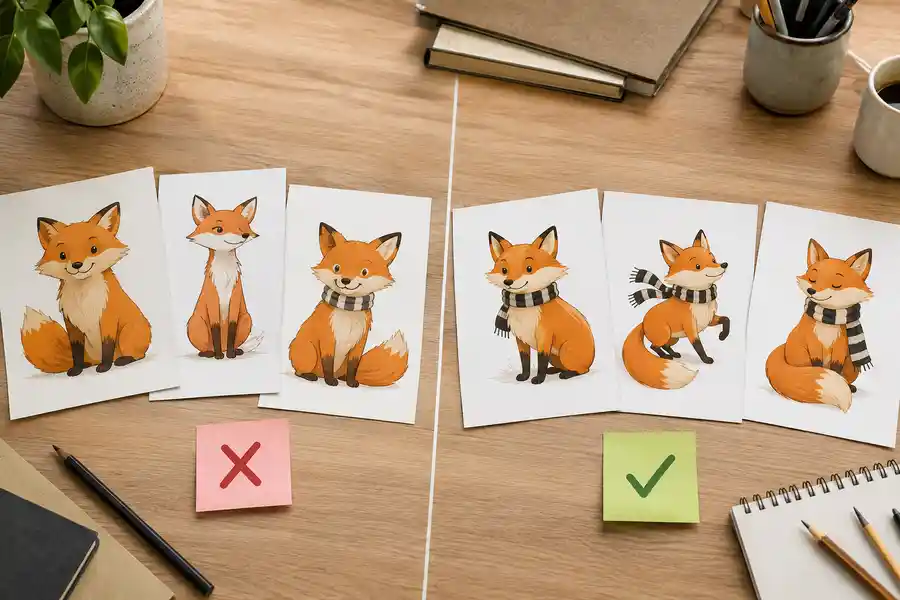
AI characters drift between pages because every image generation is independent: the model re-invents the character from your words each time, and words underdetermine a design. The four fixes, in rising order of reliability: detailed re-prompted descriptions (weakest), image-reference or seed reuse per generation (better, manual), a reference photo pipeline (good for likeness books), and a locked character reference the system draws every page against automatically, as in Inkfluence's picture-book mode (strongest, and how Inkfluence AI's picture-book mode works). Before trusting any tool's "consistent characters" claim, run the page-7 test: generate seven scenes of the same character and lay pages 1 and 7 side by side.
Character consistency is the problem everyone making an AI children's book hits by page three. The story is charming, the first illustration is perfect, and then the second illustration stars a slightly different animal: rounder, redder, different scarf, a stranger wearing your character's name. Every tool now claims to have solved this. Here is what actually causes it, every method that genuinely helps, and how to test the claims.
Why AI characters drift: the real cause
Image models do not remember (which is the entire argument of our book illustration page). Each generation starts from scratch: your prompt goes in, an image comes out, and nothing about the previous image carries over. When you write "a small fox with a striped scarf" twice, you are not asking for the same fox twice; you are asking two independent artists to each invent a small fox with a striped scarf. They will agree about exactly as much as your words pinned down, and words pin down far less than we feel they do: "small fox" says nothing about muzzle length, eye size, leg proportions, ear shape, fur pattern, or how the tail curls, and every unpinned attribute gets re-rolled each time.
This is why drift gets worse across a book, not better. Thirty pages means thirty independent re-inventions, and children, the most attentive audience on earth for visual continuity, notice every one. A picture book lives on the child recognizing their friend on every page.
The four methods, honestly compared
Method 1: Hyper-detailed prompt descriptions (weakest)
Write a paragraph-long character sheet and paste it into every prompt. It helps, because more attributes get pinned, and it caps out fast, because language cannot specify a face. Expect siblings, not the same character. This is the method most "how to make a children's book with ChatGPT and Midjourney" tutorials teach (our 11-tool comparison reviews that whole workflow family), and it is why the books those tutorials produce look the way they do. Cost: your patience. Reliability: low.
Method 2: Seed and image-reference reuse (better, heavily manual)
Some generators let you reuse a seed or feed a previous image as a reference for the next generation (image-to-image, or a character-reference parameter). Done carefully, page-to-page similarity improves a lot. The costs: it is manual per image, quality degrades as scenes diverge from the reference pose (your reference is the fox standing; now draw the fox swimming), and style consistency becomes its own second battle. Workable for a patient hobbyist making one book; painful at 30 pages.
Method 3: Reference photo pipelines (good for likeness books)
Personalized-book tools take photos of a real child and generate them into illustrated scenes. When the subject IS the likeness, this is the right mechanism, and it is genuinely good now for gift books (for story-first personalization, where the child is the hero but the book is written fresh, see the storybook generator or the personalized children's book maker). Limits: it solves likeness for the photographed subject, not general cast consistency (the dragon best friend still drifts), and the style range tends to be narrow.
Method 4: A locked character reference, enforced by the system (strongest)
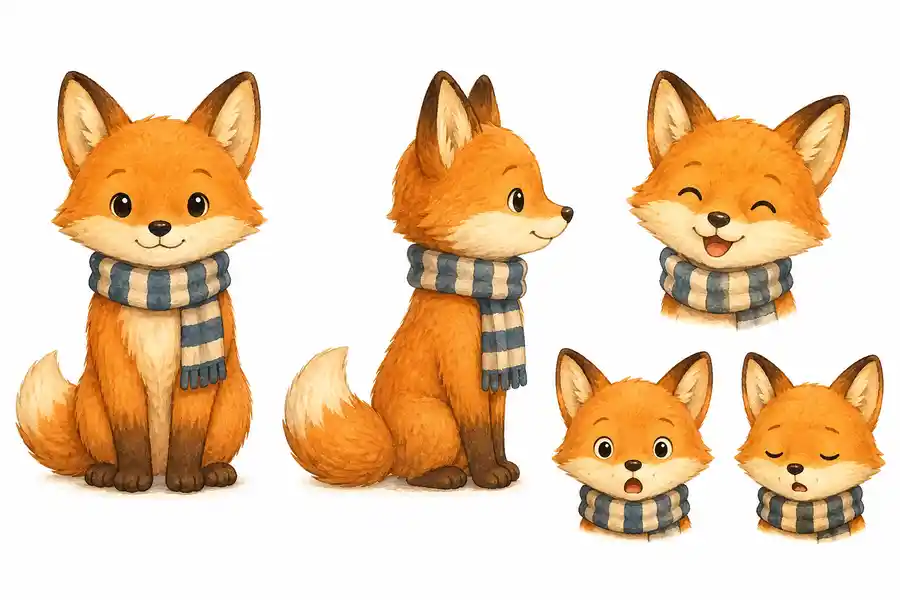
The publishing-grade approach: fix the cast before any page is painted. A character reference is generated once, front view, side view, expressions, and then every page in the book is drawn against that reference automatically, with the same committed art style, without you re-describing anyone. Drift stops being something you fight per image because consistency is enforced by the pipeline, not by your prompt discipline. This is how Inkfluence AI's picture-book mode works: the cast is locked from the story itself, every spread is painted against it, the story's setting is held consistent page to page too (world drift is character drift's quieter sibling), and the same mechanism drives the coloring book generator's recurring characters in line art. A personalized book for grandparents runs the same mechanism on a family cast: a grandparent and up to three grandchildren, each drawn on the sheet before page one.
The four methods, side by side
| Method | Consistency | Effort per page | Style holds too? | Best for |
|---|---|---|---|---|
| Detailed descriptions | Low: siblings, not the same character | Low | No | One-off single images |
| Seed / image reference | Medium: degrades as poses diverge | High, manual per image | Separate battle | Patient hobbyists, short books |
| Reference photos | High for the photographed subject only | Low | Narrow range | Likeness gift books |
| System-locked cast reference | High, enforced across the book | None, automatic | Yes, committed per book | Real books, series, KDP |
The page-7 test
Every tool page on the internet now says "consistent characters". Claims are free; here is the test that is not. Before committing to any tool for a real book:
- Generate the same character in seven different scenes (any tool from the comparison will do for the test): standing, running, eating, sleeping, from behind, close up, far away. Varied poses are the point; consistency is easy when every image is the same pose.
- Put image 1 and image 7 side by side and ask a child, genuinely the best judge available, "is this the same fox?"
- Check the style, not just the character: did the line weight, palette, and rendering stay in one visual voice across all seven?
- Check the background world: if scenes share a location, did it stay the same place?
A tool that passes the page-7 test can make a book. A tool that passes only page 2 can make a pair of images.
Consistency beyond the character
Three quieter kinds of drift decide whether a book feels professionally made:
- Style drift: page 8 painterly, page 9 flat. One committed style must be enforced book-wide (the style voices are catalogued on the illustration page), which is why per-image style prompting fails at book scale.
- World drift: the story is set in a garden village and page 6 is suddenly the Arctic because the scene mentioned water. The fix is the same shape as the cast fix: decide the world once, hold every page to it.
- Prop drift: the stick from page 4 becomes an umbrella by page 9 (the storybook engine tracks prop entrances for exactly this reason). Objects need continuity too; a story-aware pipeline tracks that a stick, once introduced, stays a stick.
All three follow from the same root cause as character drift, independent generations with no memory, and yield to the same class of fix: book-level context, enforced by the system rather than the prompter.
A worked example: locking Pip the penguin
Here is the locked-reference method on a real book shape, a 14-page picture book about a penguin scared of water. Before any page is painted, the cast is fixed: "Pip: a small chubby baby penguin with soft gray-and-white feathers, a bright orange beak, round flippers, and a tiny yellow scarf." That sentence becomes a drawn reference (views and expressions), and it, not your prompt discipline, is what every page is generated against.
Then the pages diverge exactly the way the page-7 test demands: Pip at the sea's edge, Pip mid-leap over a puddle, Pip asleep. Different poses, angles, and moments, one recognizable penguin, because the reference travels to every generation automatically. The same run also holds the world (a story's garden village stays a garden village even when a page mentions the sea, which is precisely where scene-by-scene prompting relocates to the Antarctic) and the props (the stick found on page 5 is the same stick on page 10).
The practical consequence is workflow-shaped: when page 9's art is not quite right, you regenerate page 9. You do not re-describe Pip, re-negotiate the style, or ripple changes through a prompt document. That single fact is most of the difference between finishing an illustrated book and abandoning one.
Your continuity pass: the pre-publish checklist
Whatever method you used, run this before export. It takes ten minutes and catches what every method occasionally misses:
- The lineup: open every page's art as thumbnails in a grid. Same character(s), same proportions, same signature details (the scarf, the spot, the glasses) on every appearance?
- The style scan: any page that looks like it wandered in from a different book? Regenerate it in the committed style (the style voices themselves are catalogued on the illustration page).
- The world check: recurring locations drawn as the same place? Weather and season coherent with the story's timeline?
- The prop audit: objects that matter to the plot present and unchanged in every scene that mentions them?
- The text-art agreement: does each picture show what its page says? The fastest amateur tell is art that contradicts its own caption.
What this means for your book
If you are making a one-off gift book and enjoy the craft, method 2 with patience produces something lovely (start the story side free). If the book stars your actual child, method 3 tools are built for that. If you are making real books, for KDP, for a series, for sale, use a pipeline where consistency is structural: cast locked before painting, style committed once, world held constant, and every page generated from what the story actually says. That is the difference between generating images and illustrating a book, and it is the entire thesis of our book illustration generator. If you are weighing a human illustrator instead, our guide to children's book illustration cost prices the routes side by side.
Whichever method you choose, publishing honesty still applies: Amazon KDP requires AI-content disclosure for AI-generated illustrations, a form answer covered in our disclosure guide, and quality curation is your job in every method. The page-7 test just tells you how much of that job the tool already did. When the art is ready, our guide to self-publishing a children's book on Amazon KDP covers the print side.
Style drift: running the same test on the look
Characters get the attention, but style drift sinks just as many books and hides better in spot checks. The mechanism is identical: "warm watercolor storybook style" is re-interpreted per generation, so line weight thickens on one page, the palette cools on another, and page 9 arrives subtly flatter than page 8. No single page looks wrong; the book looks wrong, and buyers flipping pages in a preview feel it before they can name it.
The test is the page-7 test's second pass (the kids-book specifics live on the children's book illustrator page): lay your seven varied scenes side by side and squint. Do they read as one artist's work? Check the tells in order: line weight, then palette temperature, then how backgrounds are treated (full scenes on some pages, floating subjects on others is the classic tell). The fix follows the same logic as cast consistency: the style must be committed once at book level and applied by the pipeline, because a style re-described in words per image drifts for exactly the reason characters do.
Why this bar rose in 2026
Two years ago, an AI-illustrated children's book was novel enough that buyers graded on a curve. That curve is gone. Marketplaces have filled with low-effort AI books, buyers have learned the tells, and reviews now name them explicitly: characters that change between pages, art styles that lurch, six-fingered hands on page four. The result is a hard split in outcomes, books that clear the consistency bar sell alongside traditionally illustrated titles, and books that miss it collect the reviews that kill a listing in its first month.
This is, counterintuitively, good news for anyone reading a guide like this one. The bar being visible means it is beatable on purpose: consistency is now a solved problem at the tooling level, the quality pass is a checklist rather than an art degree, and the sellers still uploading drift-riddled books are handing careful publishers their market share. In a category where the commodity is generation, the differentiators are exactly the unglamorous things this guide covers: a locked cast, one style, a held world, and ten minutes of honest checking before export. (Line-art books play by the same rules; the coloring book generator's recurring characters ride the identical mechanism.)
Frequently asked questions
Why do AI-generated characters look different in every image?
Because each generation is independent: the model re-invents the character from the text description every time, and text leaves most visual attributes unspecified. Every unspecified attribute (proportions, face shape, markings) gets re-rolled per image.
What is the best AI tool for consistent character illustrations in children's books?
The strongest mechanism is a system-enforced character reference: the cast is drawn once and every page is generated against it automatically, as in Inkfluence AI's picture-book mode. Manual methods (seed reuse, image references) can approach it with effort; description-only prompting cannot. Run the page-7 test on any tool before trusting its claim.
Can Midjourney or DALL-E keep characters consistent across a book?
Partially, with manual effort: character-reference features and image-to-image help page-to-page similarity, but the workflow is per-image, style drift remains your problem, and nothing tracks the story's world or props. They generate excellent images; the book-level continuity is left to you.
How do I test if an AI tool really keeps characters consistent?
Run the page-7 test above: seven varied scenes of one character, then compare images 1 and 7 side by side, judging the character, the art style, and any shared location. Varied poses are the point; consistency is trivial when every image repeats the same pose.
How do I keep the art style consistent, not just the character?
Commit one style for the whole book and have it applied by the pipeline rather than re-described per prompt. Style re-described in words drifts exactly the way characters do, and for the same reason.
Does character consistency matter for coloring books too?
Yes: a recurring character is what turns 30 coloring pages into a book with a fan; the workflow for that is the coloring book guide. The same locked-reference mechanism works in line art, which is how a themed coloring book keeps its star recognizable while the scenes change.

Founder, Inkfluence AI
Sam is the founder of Inkfluence AI. He built the platform to make book creation accessible to everyone - from first-time authors to seasoned publishers.
Helpful links
Ready to Create Your Own Ebook?
Start writing with AI-powered tools, professional templates, and multi-format export.
Get Started FreeRelated Articles
 Company
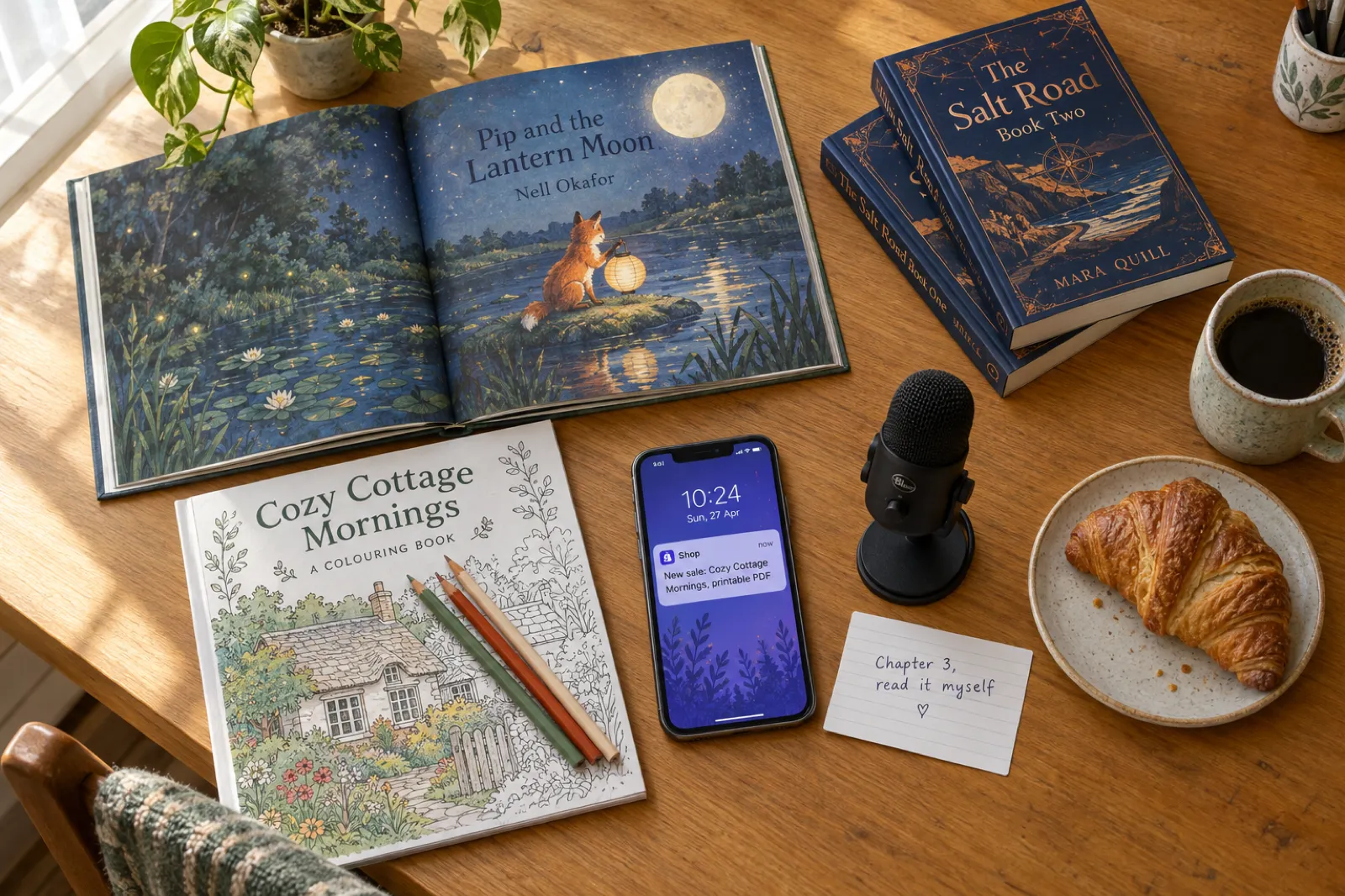
 What's New in Inkfluence AI: October 2026
Inkfluence now writes and paints whole picture books, has an AI assistant in the editor, a Publish page for Etsy, Gumroad and Amazon, book series, and narration in your own voice. Everything new since August, with where to find it and which plan it is on.
 Publishing
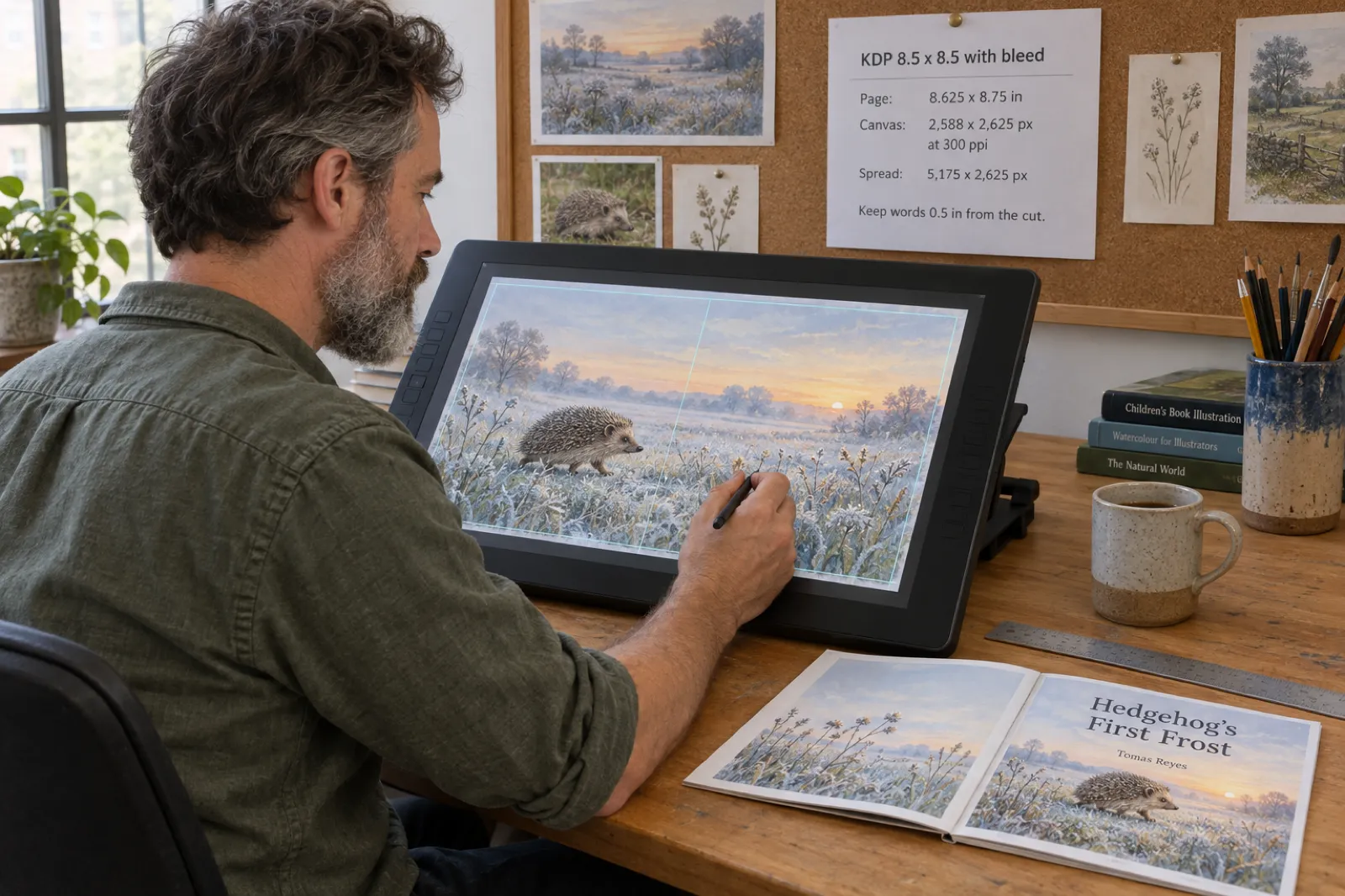
 KDP Picture Book Bleed and Canvas Size for Illustrators (8.5 x 8.5, 8 x 10, 8.5 x 11), 2026
The exact KDP page size with bleed, canvas pixels for Procreate, Photoshop and Canva, two-page spread sizes, safe areas and the four-sided bleed mistake, with a free calculator for every picture book trim.
 Children's Books
 Children's Book Word Count and Page Count by Age (2026): Board Books to Middle Grade, with Real Picture-Book Data
How many words and pages a children's book needs, from board books to young adult, with every range sourced to a publisher or editor and dated, words per page from real picture books by age band, and a word-budget calculator that checks KDP's 24-page minimum.
Get ebook tips in your inbox
Join creators getting weekly strategies for writing, marketing, and selling ebooks.