
One idea in. A finished book out.
Most "ebook makers" hand you a blank template and make you write every word. Inkfluence makes the whole book: it writes the chapters, designs the cover, and exports a publish-ready PDF, EPUB, DOCX, KDP package, and audiobook. A finished book, not a draft.
Quick Answer
An AI ebook maker builds a complete, publish-ready ebook from one idea: it writes the chapters, designs the cover, and exports the finished files. The word that matters is finished. Design-first ebook makers like Designrr, Canva, and Venngage hand you a layout and expect you to write every word yourself. Inkfluence AI writes the whole manuscript first, then adds a KDP-ready cover and exports PDF, EPUB, DOCX, a KDP package, and an optional audiobook. Free plan: 5 chapters to start plus 5 more every month, full commercial rights, no credit card.
The maker pipeline
From a one-line idea to a book you can upload today
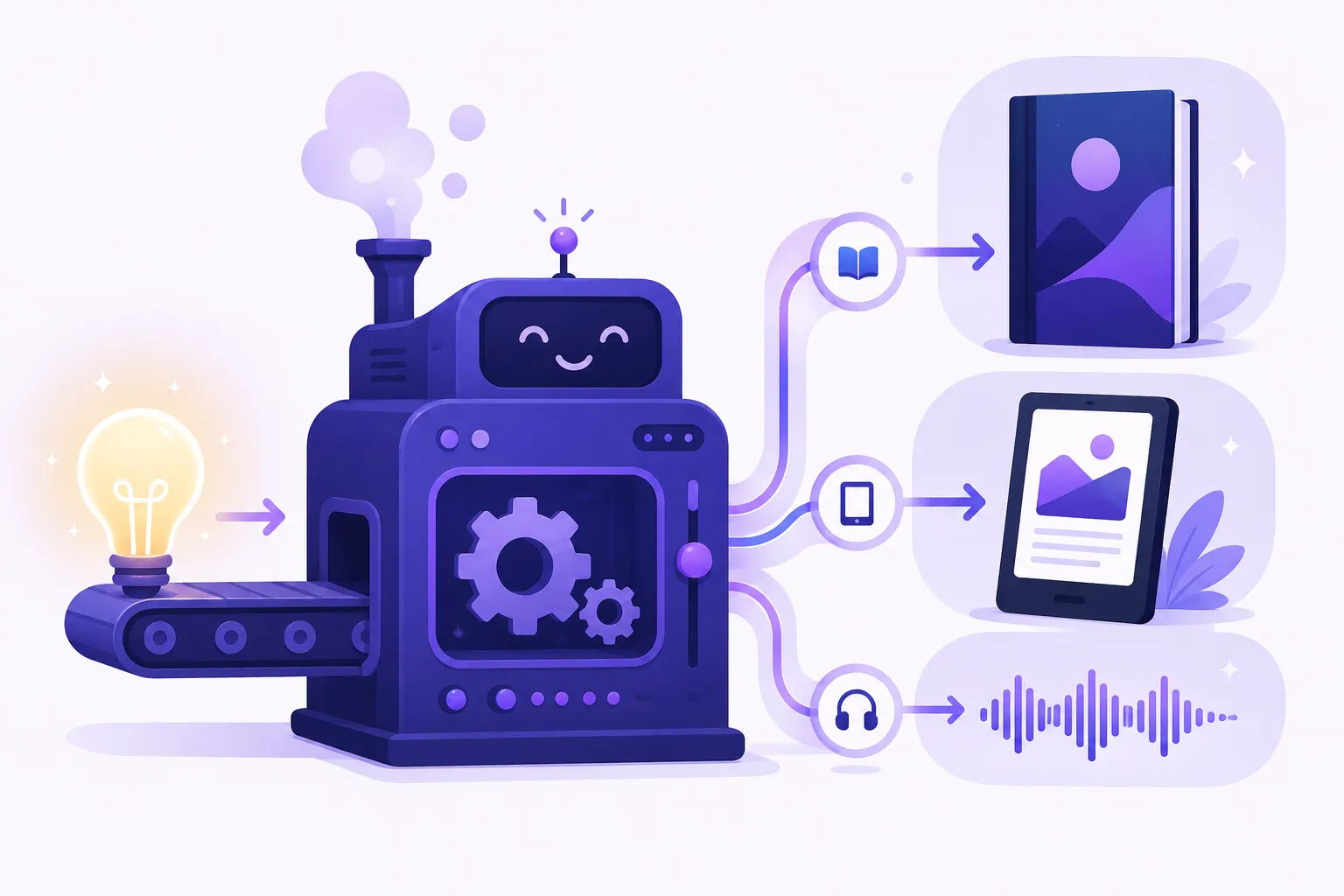
Five stages, one workflow. Nothing to stitch together. Each stage hands its work to the next, and a finished book comes out the end.
- 1
Your idea
A title, a one-line idea, or a short brief.
- 2
Chapters
AI writes the whole book in your voice.
- 3
Cover
KDP-ready cover, generated or your own.
- 4
Formats
PDF, EPUB, DOCX, KDP package.
- 5
Publish
Amazon, Apple, Kobo, Gumroad, Etsy.
- 1
Your idea
A title, a one-line idea, or a short brief.
- 2
Chapters
AI writes the whole book in your voice.
- 3
Cover
KDP-ready cover, generated or your own.
- 4
Formats
PDF, EPUB, DOCX, KDP package.
- 5
Publish
Amazon, Apple, Kobo, Gumroad, Etsy.
What comes out
Everything a finished ebook needs, in one project
A real ebook maker does not stop at the words. Here is the full set of deliverables you get from a single idea, all from one place.
Written chapters
The full manuscript, drafted chapter by chapter in one consistent voice.
Book cover
KDP-ready JPG front cover, or a full paperback wrap sized to your page count.
Web-optimised for sharing and print-ready for paperback.
EPUB
Reflowable file for Amazon KDP, Apple Books, and Kobo.
DOCX
Editable Word file to keep refining in Word or Google Docs.
KDP package
Interior plus cover bundle, ready to upload to Amazon.
Audiobook
MP3 narration in 49 voices across 14 languages, with ACX-spec chapter files.
Build your package
What will the maker hand you?
Two quick picks. We will show the exact set of files you would get and where to publish them.
1 of 2 · What are you making?
Maker vs design tools
Most "ebook makers" make you write every word
Design-first tools make a pretty layout and leave the writing to you. Compared on the part that decides whether you actually finish: does it make the book, or just the container? For the ranked roundup, see our best AI ebook generators.
| Feature | Inkfluence AI | Designrr | Canva | Venngage | Visme | Gamma |
|---|---|---|---|---|---|---|
| Writes the actual chapters for you | Full manuscript, chapter by chapter | Repurposes content you supply | You write all text | You write all text | You write all text | Short AI text per slide |
| Long-form book, not a layout to fill | 30,000+ words, one voice | Reformats existing posts | Template pages | Template pages | Template pages | Slide-style cards |
| AI book cover included | KDP-ready JPG + paperback wrap | Limited | Design-your-own | Templates | Templates | Not included |
| KDP-ready export package | Interior + cover bundle | PDF export | PDF export | PDF export | PDF export | PDF/PPT export |
| Audiobook from the same book | 49 voices, ACX-spec files | Not included | Not included | Not included | Not included | Not included |
| Finished book, not a blank template | Publish-ready from one idea | Needs your source text | Needs your full text | Needs your full text | Needs your full text | Needs your full text |
| Commercial rights on the free plan | Yes | Paid only | Free tier limited | Limited free | Free for sharing, paid PDF | Limited free, then paid |
Verified against vendor pricing and feature pages in May 2026.
The bottom line
Inkfluence AI Ebook Maker is the only entry on this list that writes the manuscript, designs the cover, and exports a publish-ready package (PDF, EPUB, DOCX, KDP bundle) plus an ACX-spec audiobook, all from one idea and one subscription. Its free tier (5 chapters plus 5 every month, full commercial rights) needs no credit card; Creator is $9.99/mo and Premium is $19.99/mo with unlimited chapters and the audiobook studio. By contrast, Designrr (around $29/mo) repurposes content you already wrote, and Canva (around $15/mo Pro), Venngage (around $19/mo), Visme (around $29/mo), and Gamma (around $16/mo Plus) are design tools that give you a layout and expect you to bring all the words and your own cover. Other makers worth knowing, Flipsnack, Kotobee, and Beacon, are page-flip and layout tools in the same camp. If you want the container, a design tool is fine. If you want the book, you want a maker that writes it. Indie authors shipping 3 to 5 ebooks a year save roughly $500 to $3,000 versus hiring a ghostwriter per book at $1,500 to $10,000. Verified against vendor pricing in May 2026.
All-in-one vs the stack
Why one maker beats stitching five tools together
The usual self-publishing stack is four or five separate apps. A maker collapses them into one project, and the difference is more than convenience.
The typical route to a finished ebook runs through a chain of tools: a chatbot or an ebook writer for the words, a separate cover designer for the artwork, a layout app to lay it all out, an export tool to make the PDF or EPUB, and yet another service if you want an audiobook. Every handoff is a place where formatting breaks, the voice resets, or a file comes out the wrong size for the store you are targeting.
An ebook maker keeps all of that in one place. The same brief that shapes the prose also sizes the cover and drives the export, so the title, author name, chapter structure, and trim size stay consistent from the first chapter to the final upload. There is no re-pasting a manuscript between apps, no rebuilding the table of contents by hand, no guessing whether your cover meets Amazon's pixel spec. If you want to plan first, the outline generator seeds the whole project; if you would rather move fast, the ebook generator takes a single prompt to a complete draft.
It is also cheaper and faster. Subscribing to a writer, a design tool, and an audiobook service separately runs well over $100 a month combined, before you have published anything. One maker on a single plan does the writing, the cover, and the export, with the audiobook studio included on Premium. For a fuller breakdown of how the terms differ, see ebook writer vs generator vs creator vs maker, or start free on the free ebook creator and decide once you have a real book in hand.
Formats and destinations
Which file you get for where you publish
The maker exports the right format for each store. Pick where you are headed and it hands you the matching file.
| Where you publish | What the maker hands you | Notes |
|---|---|---|
| Amazon KDP (Kindle ebook) | EPUB + JPG cover | Upload both in KDP, disclose AI assistance, done. |
| Amazon KDP (paperback) | Print-ready interior PDF + full wrap cover | Wrap is sized to your exact page count. |
| Apple Books and Kobo | EPUB | Same EPUB works across both stores. |
| Your own site or Gumroad | PDF + EPUB | Sell the download directly; Gumroad takes 10% + $0.50 plus card processing. |
| Etsy | Popular for printables, planners, and guides. | |
| Email list or lead magnet | Branded PDF | A finished freebie that grows your list. |
| Google Play Books or Kobo (audiobook) | Per-chapter MP3 (ACX-spec) | One book becomes ebook, paperback, and audiobook. Audible's ACX requires human narration. |
Need print specifics? The PDF ebook maker covers KDP interior and wrap-cover sizing.
Any genre, any format
Make any kind of ebook
33 blueprints cover fiction and non-fiction, and the maker shapes the writing, cover, and structure to match. Here is where most makers start, with the tool or guide built for each.
Fiction and novels
Hold characters and plot across a whole book with the novel writer, spin up a mystery or thriller, or write the romance readers binge. Built for fiction authors of any genre.
Business and authority books
Turn your expertise into a business book that opens doors. The go-to for thought leaders, consultants, and entrepreneurs building a signature book.
Self-help and personal growth
Write a warm, transformational guide that meets the reader where they are. Popular with self-help authors, coaches, and therapists packaging their method.
Lead magnets and marketing
Ship a polished lead magnet that grows an email list, or a free guide that earns the sign-up. A favourite of marketers and course creators.
Cookbooks, workbooks, and how-tos
Build a cookbook, an interactive workbook, or a study guide with clear, repeatable structure that exports clean to print.
Just getting started
New to all this? The maker is built for first-time authors and Kindle publishers. Prefer it written for you start to finish? Use the AI ghostwriter, or read how to write an ebook first.
Who it's for
Who searches for an ebook maker and what they want
Six kinds of makers land here. Here is what each one is after and how an all-in-one maker helps.
Makers who want the whole book done ("ai ebook maker", "ebook maker", "ebook maker ai")
They want a finished book out the other side, not a layout tool. The maker writes the chapters, makes the cover, and exports the files in one workflow, the same path the ebook generator takes but with more control over each step.
Free-tier hunters ("free ebook maker", "free ai ebook maker", "ebook maker free no sign up")
They want to make a real book before paying. The free plan gives 5 chapters plus 5 more every month, a cover, PDF export, and full commercial rights, no credit card.
Browser-first makers ("online ebook maker", "ebook maker online", "make an ebook online")
They want nothing to install. Inkfluence runs entirely in the browser and on the iOS app, and saves as you go.
KDP self-publishers ("ebook maker for kdp", "kindle ebook maker", "amazon ebook maker")
They need files Amazon accepts. The maker exports a KDP-ready EPUB or print interior plus a JPG cover, and the Kindle publishers guide explains AI-content disclosure in plain terms.
Cross-shoppers from design makers ("Designrr alternative", "Canva ebook", "ebook maker that writes for you")
They are tired of design tools that make them write everything. Inkfluence writes the manuscript first like a true ebook writer, then designs and exports on top of it.
Multi-format publishers ("ebook and audiobook maker", "make ebook in all formats")
They want one book in every format. The maker ships PDF, EPUB, DOCX, a KDP package, and an ACX-spec audiobook from a single project.
How it makes a book
The 5 stages, in plain terms
No black box. This is exactly how the maker turns a single idea into a finished, publish-ready book.
Your idea becomes the blueprint
Type a title or a one-line idea, or fill a short brief covering audience, voice, goal, and length. That brief becomes the blueprint every chapter is written against, so the whole book holds one voice. Want to plan first? Seed it with the book outline generator.
The AI writes every chapter
Each chapter is drafted in your voice and on purpose, with continuity carried across the whole book. The same engine powers the AI book writer across all 33 blueprints and the novel writer for fiction. You can preview, regenerate, or edit any chapter.
The cover gets made
Generate a KDP-ready JPG cover in seconds with the cover generator, restyle until it fits, or upload your own. Ebook front cover or full paperback wrap, sized to your page count.
You pick the formats
Export PDF, EPUB, DOCX, or a print-ready KDP package. One book, every format a store asks for. The PDF ebook maker handles the print side, and EPUB covers Kindle, Apple Books, and Kobo.
You publish anywhere, audiobook optional
Upload to Amazon KDP, Apple Books, Kobo, Gumroad, or Etsy. Then turn the same book into an audiobook in 49 voices across 14 languages, with per-chapter files that meet Audible's ACX specs. New to publishing? Start with the self-publishing guide.
After the maker
From finished file to first sale
Making the book is the hard part, and the maker does it. Here is the short path from a finished file to a live listing.
Once the maker hands you the files, publishing is mostly uploading. For Amazon, you take the EPUB or the print-ready interior from the PDF ebook maker, add the JPG cover, set your price, and tick the box that discloses AI assistance. AI-assisted books are allowed on Amazon and stay eligible for the 70 percent royalty tier, so disclosure costs you nothing. If Amazon is your main channel, the Kindle publishers guide walks through KDP step by step, and writing for Kindle covers the niche-fit side.
Not headed to Amazon? The same files work everywhere. Sell the PDF and EPUB direct from your own site or Gumroad and keep the full price, list on Etsy as a printable, or hand the PDF to your email list as a free download. Picking a topic that actually sells is its own skill, which is why it helps to study the best ebook niches before you commit a whole book to one.
If you want the full arc from blank page to launch, the self-publishing guide and the ebook creation guide cover pricing, categories, and launch timing, and how to write an ebook is the end-to-end primer. The maker handles the building; these cover the selling.
From idea to in hand
A finished book, not a folder of drafts
The point of a maker is the thing you can hold and publish. One idea this morning, a real book by the afternoon.
FAQ
Common questions
What is an AI ebook maker?
An AI ebook maker is a tool that builds a complete, publish-ready ebook from a single idea: it writes the chapters, designs the cover, and exports the finished files. The key word is finished. A real ebook maker hands you a book you can upload to a store today, not a rough draft you still have to format or a blank template you have to fill in yourself.
How is an ebook maker different from an ebook writer or an ebook generator?
They emphasise different parts of the same job. A writer emphasises the prose. A generator emphasises speed. A maker emphasises the finished artifact: the whole publishable package, cover and export formats included. Inkfluence AI is all three in one workflow, so you do not have to stitch a writing app, a cover app, and an export app together. See the full breakdown in ebook writer vs generator vs creator vs maker, or compare the writing-first ebook writer and the fast ebook generator.
Is there a free ebook maker plan?
Yes. The free plan gives you 5 AI-written chapters to start plus 5 more every month, full commercial rights, PDF export, and the cover designer with templates and your own images. AI-generated cover art is on paid plans. No credit card. Creator ($9.99/mo) adds 35 chapters per month plus EPUB and DOCX export. Premium ($19.99/mo) is unlimited chapters plus the full audiobook studio. Start on the free ebook creator or see the full pricing breakdown.
Does the ebook maker actually write the words, or just format them?
It writes the words. This is the main difference between Inkfluence and design-first ebook makers like Designrr, Canva, Venngage, Visme, and Flipsnack. Those tools make a layout and expect you to bring your own text. Inkfluence writes the full manuscript chapter by chapter in your voice, then handles the cover and export on top of it.
What formats does the ebook maker export?
PDF (web-optimised and print-ready), EPUB (for Amazon KDP, Apple Books, and Kobo), DOCX (to keep editing in Word or Google Docs), and a KDP package (interior PDF plus a JPG cover bundle ready to upload to Amazon). Audiobook export adds MP3, either merged for sale or per-chapter ACX-spec files for stores that accept AI narration. The PDF ebook maker covers the print-ready side in detail.
Can I publish what the maker makes on Amazon KDP?
Yes. The maker exports a KDP-ready package: an interior PDF for paperback or an EPUB for Kindle, plus a JPG cover. Amazon KDP allows AI-assisted books as long as you disclose them at upload, and they are eligible for the 70 percent royalty tier and KDP Select. Disclosure does not change your pricing or distribution.
Does it make the cover too?
Yes, the cover is part of the package. The AI cover designer makes a KDP-ready JPG front cover for ebooks and a full wrap (front, spine, back) for paperbacks, sized to your page count. You can regenerate, restyle, or upload your own.
Can it make an audiobook from my ebook?
Yes. On the Creator and Premium plans, the audiobook studio narrates your finished book in any of 49 voices across 14 languages and exports MP3, including per-chapter files that meet ACX's technical audio spec, so the same book can ship as ebook, paperback, and audiobook from one project.
Do I own commercial rights to the ebook?
Yes, on every plan including free. You can publish on Amazon KDP, sell on Gumroad or Etsy, give it to your email list, or use it however you like. Inkfluence does not retain rights to anything the maker produces for you.
Can it make fiction as well as non-fiction?
Yes. There are 33 content blueprints covering both: 6 fiction blueprints (romance, mystery and thriller, fantasy, sci-fi, comedy, true-crime, biography) and 27 non-fiction blueprints (how-to, business, personal development, cookbooks, lead magnets, workbooks, devotionals, lesson plans, and more). Character continuity is held for fiction with the novel writer, and framework progression for non-fiction.
Is it an online ebook maker, or do I have to install something?
It runs entirely in your browser. Nothing to download or install, and your work saves as you go. There is also an iOS app if you prefer to make ebooks on your phone or tablet.
How long does it take to make a finished ebook?
A first complete draft of a 25,000-word non-fiction ebook, cover included, takes 1 to 3 hours of active work. The AI drafts each chapter in seconds; most of your time goes to reviewing chapters and regenerating any you want sharper. Adding a cover and exporting takes a few minutes more.
Related
Keep exploring
AI Ebook Writer (Prose, Chapter by Chapter)
Open →
AI Ebook Generator (Fast, One Prompt)
Open →
Free Ebook Creator (Free Tier Friendly)
Open →
AI PDF Ebook Maker (KDP Print-Ready)
Open →
AI Book Cover Generator
Open →
AI Audiobook Generator
Open →
Best AI Ebook Generators (2026)
Open →
How to Write an Ebook (Complete Guide)
Open →
Ebook Writer vs Generator vs Creator vs Maker
Open →
Ebook Kaise Banaye: हिंदी ई-बुक और PDF
Open →
Book Kaise Likhe: AI से हिंदी में किताब
Open →
Ready to make your ebook?
One idea in, a finished book out. Free plan gives you 5 chapters to start plus 5 more every month, a cover, and KDP-ready export. No credit card.