
How to Make a Personalized Bedtime Story with AI (Watch One Get Made in 5 Minutes)
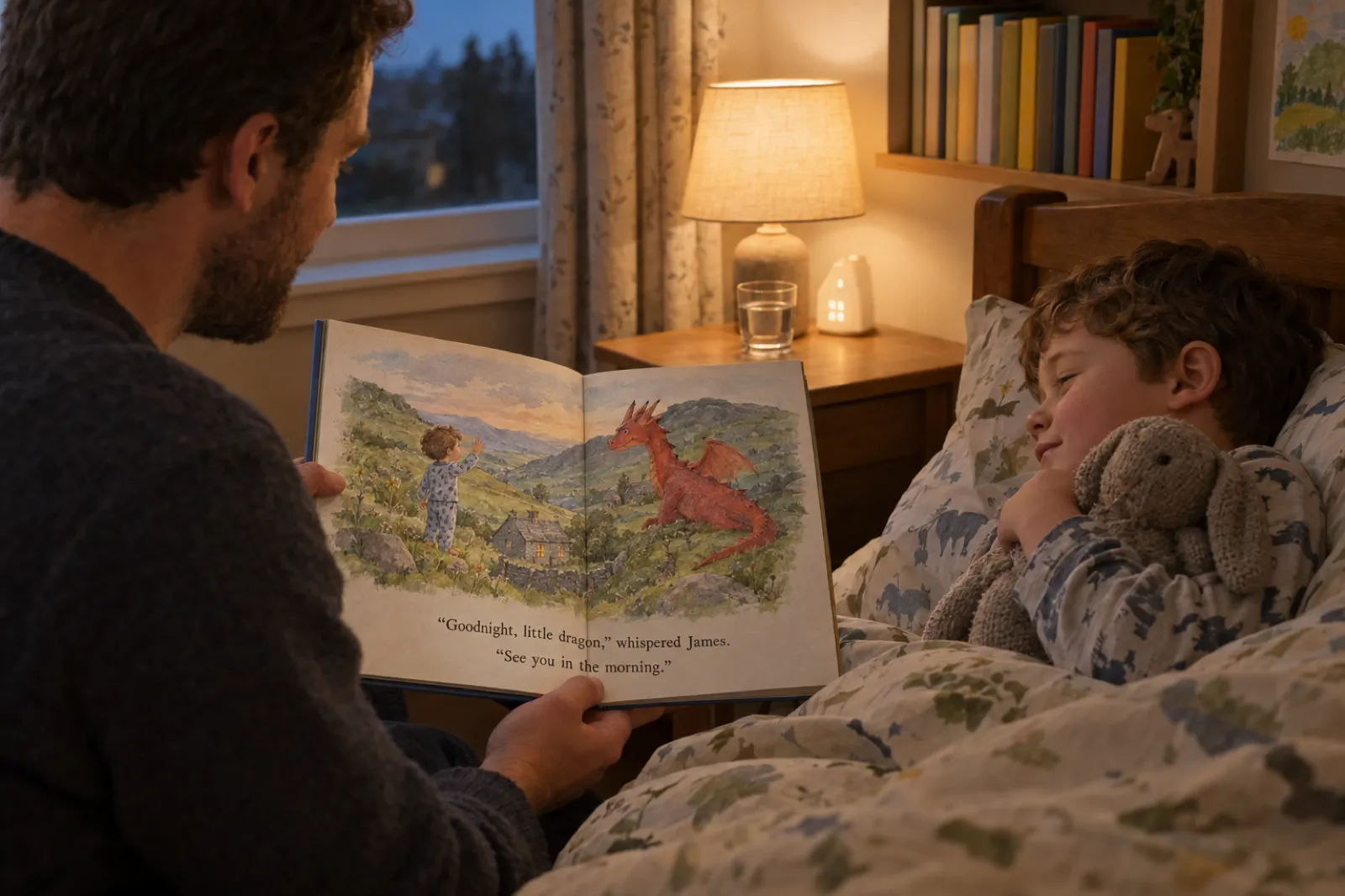
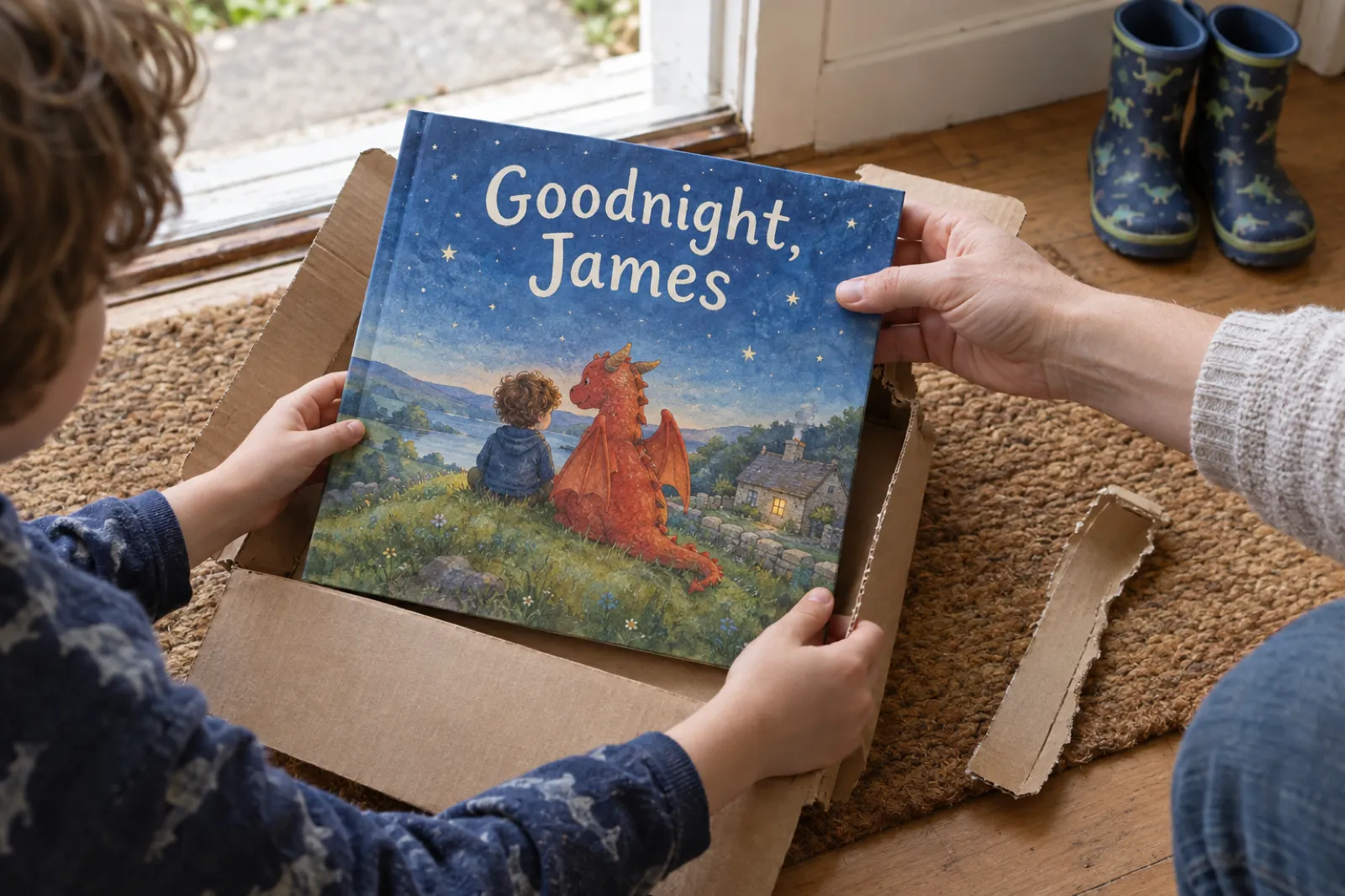
A bedtime story made for one child does something a shop-bought book cannot: the boy in the pictures has his curly hair, the hill outside the window is his hill, and the toy rabbit on the last page is the one under his chin. In the video above, Sam types "a personalised bedtime story for a boy named James who lives in Wales, UK", picks a page count and an art style, edits the plan, and watches the book get painted page by page. This page follows every step on screen, then covers what the video has no time for: what to put in the idea, calm pacing, length by age, two dozen bedtime ideas, audio, printing one copy, and privacy.
Quick Answer
To make a personalized bedtime story with AI, choose the Picture book tile in Inkfluence AI and type one sentence about the child: their name and age, what they look like, where they live and one thing they love, plus "calm and gentle, with a sleepy ending". Set the page count (10 to 16, with 14 recommended), pick one of eight art styles and click Generate my book. Edit the plan of pages, then click Write & illustrate my book: a character sheet is painted first, then the cover, then every page from that sheet, so the child looks the same on every page. Read it aloud once, then print the PDF, order a copy through Amazon KDP, or record it as an audiobook. Picture books use the monthly pictures on Creator or Premium, or 1 credit a page; a text-only bedtime story is free.
What the video shows, step by step
Here is each step in order, with what the screen actually offers. The general picture book walkthrough covers the same screens for a story that is not about a real child; this page stays with bedtime.
1. Start from Home and choose a book type
The video starts on the app's Home screen, at the row of book types. Two of the Illustrated books tiles suit a bedtime book. Picture book ("Written and painted for you, or from your own pictures") writes the story and paints every page; if you already have drawings, switch to "I already have my pages" instead, as the own-images video shows. ABC & counting makes one letter or number a page, a good bedtime book for a toddler learning letters (see the ABC book video). Sam picks Picture book.
2. Type the idea
Sam types: "A personalised bedtime story for a boy named James who lives in Wales, UK." That is a complete idea: a name, a place and a purpose. Each extra detail shows up somewhere in the book: an age sets how many words go on a page, a description sets how James looks in every picture, and a favourite toy gives the ending something to hold.
If you type into the main box on Home instead of choosing the tile, the app decides the kind of book from your words, and "a bedtime story" on its own becomes a text story with short chapters. Say "picture book" in the sentence, as every prompt on this page does.
3. Choose the page count
Next comes the Page count slider. The video mentions 10 and 16, which are the two ends of the slider, and the recommendation under it, 14 pages. Any whole number in between works. One picture is painted per page, with the cover and character sheet included free, so the page count is also the number of pictures used. On Creator or Premium, if you have fewer pictures left this month than the format allows, the slider stops at the pictures you have left plus any chapter credits, never below 10, and a line underneath says how many credits would cover the rest. The age guide below says which length suits which child.
4. Pick an art style
Under the page count is the Art style row, eight tiles: Storybook (the default: bright, soft and rounded), Watercolour, Coloured pencil, Crayon, Ink and wash, Vintage (a 1950s picture book with a faded print look), Comic and Felt and clay (handmade miniature figures, like a stop-motion film). The character sheet, every page and the cover are painted in it, and if your idea names a style ("with watercolour illustrations"), that tile is chosen for you. For bedtime, the quieter styles sit best: Watercolour, Coloured pencil, Ink and wash, or Storybook. Comic is a little loud for lights out.
5. Generate the book and review the plan
Click Generate my book and a progress bar runs while the plan is written. The plan is the story broken into pages, each with a title and a summary. Sam shows what you can do: move a page up or down (or drag it), delete it, or add one with Add page; you can also rewrite any title or summary. Nothing is painted yet, so this is the free place to make the book yours: add the page where the dog falls asleep, or move the wobbly bit earlier so the last pages all wind down. The sample plan further down shows what a calm 14-page bedtime arc looks like.
6. Write and illustrate
When the plan reads right, click the button at the bottom of it. The video calls it "write and illustrate my book"; on screen it reads Write & illustrate my book. The words are written while the pictures are painted. First comes a character sheet, one picture of James from a few angles that every page is painted from, which keeps the boy on page twelve the boy on page one (the consistency explainer has the detail). Then the cover, then the pages, one by one. You can watch, or leave them to finish in the background.
7. Describe the child for a closer likeness
Sam's most useful tip: to make the child look like your child, say what your child looks like. "Curly brown hair and blue eyes" goes onto the character sheet, and so onto every page. The likeness comes from words; there is no photo upload, which for a child is the right way round. For a real photograph, open a page in the editor, click its picture and choose Swap image.
8. Export, listen, publish
The video ends on what you can do with the finished book. Export it as a PDF (to print at home or read on a tablet), a KDP package (the interior and cover files Amazon's print service wants), an EPUB (for an e-reader) or a DOCX (a Word file). Turn it into an audiobook in the audiobook studio, so the story can be played at bedtime. Or publish it: free on the Community page (the showcase in the video), or for sale on Gumroad or Etsy. For a book about your own child, read the privacy section first.
Three small differences between the video and the screen
- The page count is a slider from 10 to 16, not a choice between 10 and 16. Any whole number in between works, and 14 is the recommendation.
- The button after the plan reads "Write & illustrate my book", with an ampersand.
- The video calls the free public page the showcase; in the app's main menu and on the Publish page it is called Community.
How to personalize a bedtime story so it feels like your child
A name on the cover is the least of it. What makes a child go quiet and point at the page is recognising their own life: the cat on the stairs, the yellow raincoat, the walk past the bakery. Seven details carry most of that. Pick the three or four that matter most to this child this month; a story with all seven reads like a form.
| Detail | How to say it in the idea | What it changes in the book |
|---|---|---|
| Name | "for a boy named James" | The hero's name in every line. Use what you call them at bedtime, nickname included. |
| Age | "aged 4" or "for ages 4 to 5" | How many words go on each page, from one short line for toddlers to a short paragraph from about six. |
| Looks | "curly brown hair, blue eyes, star pyjamas" | The character sheet, and so every picture. Hair, eyes, skin tone, glasses, one item of clothing. |
| Home town | "who lives in a village in Wales" | The view from the window, the walk home, a landmark the child knows. A real place gives the painter something to show. |
| Pet or comfort object | "with his toy rabbit, Bun" or "his dog, Pepper" | A companion on every page, and the natural last image: the rabbit tucked in, the dog asleep at the foot of the bed. |
| A fear to soften | "who is a little scared of the dark landing" | A gentle problem the story can solve, so the book has a shape and the child goes to sleep with the answer. |
| The routine | "bath, pyjamas, two stories, night light" | The last pages follow the real evening, so the book ends exactly where the child is lying. |
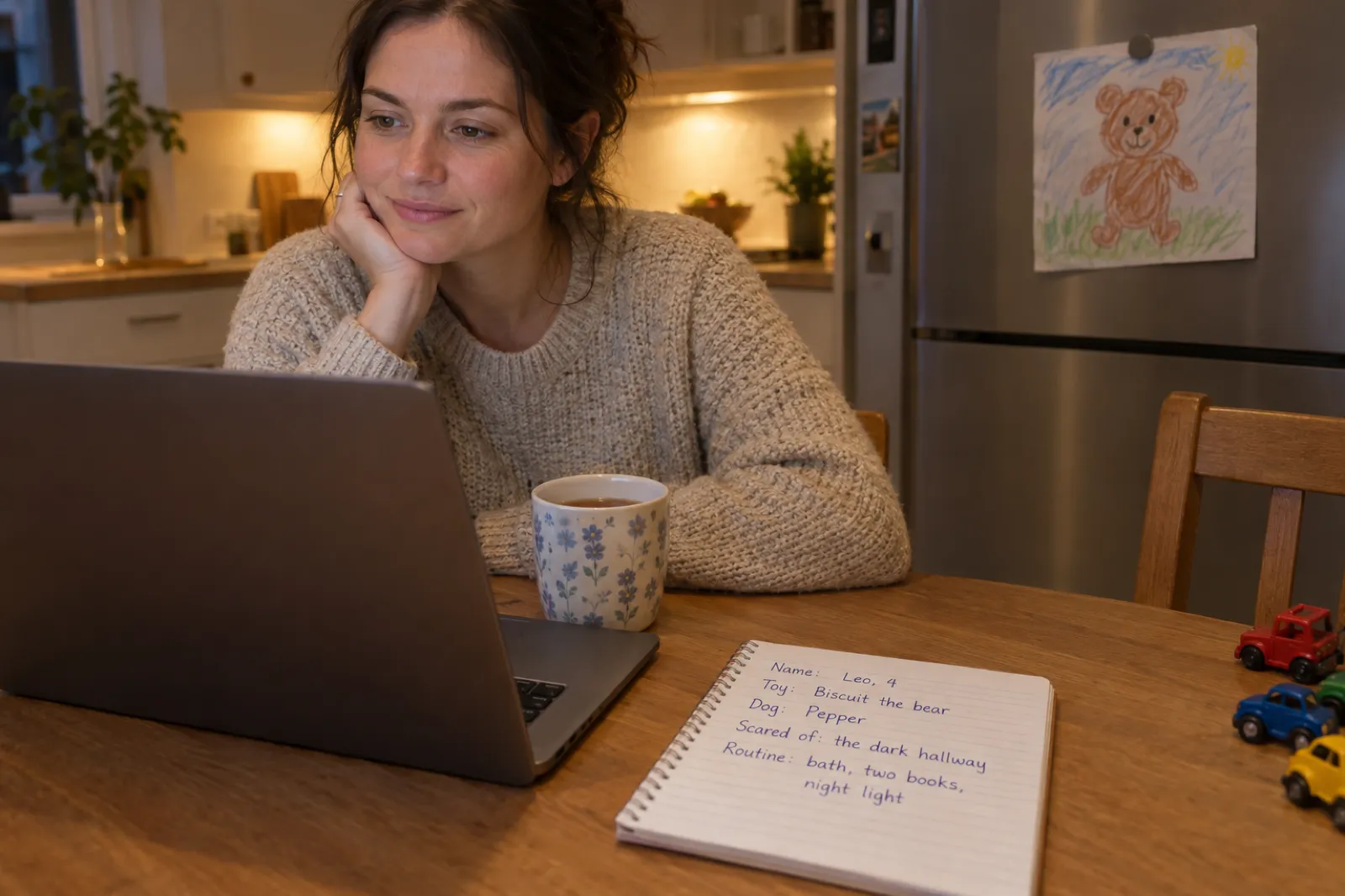
The looks deserve the most care, because every page follows the character sheet. Describe your child the way you would to someone collecting them from school: "dark curly hair, brown skin, round glasses, a green dinosaur hoodie" beats "cute and cheeky". If you change your mind about the looks later, make the book again with the new description.
Leave out anything you would not want a child to hear about themselves ("always naughty at bedtime" will be heard as exactly that), and a full address or school name: "near the sea in Cornwall" paints just as well. The personalized children's book maker has worked examples for every kind of book starring a child, not only bedtime ones.
Build your child's bedtime story idea
Fill in what you know and the idea below rewrites itself. Nothing you type leaves this page until you press the button, which opens the app with the idea in the box ready to generate. Leave a field empty and the sentence simply skips it.
Book
Art style
Your idea
A personalized bedtime picture book for a child, for ages 4 to 5. Calm and gentle, with short pages for reading aloud and a soft, sleepy ending at home in bed.
The age options match the three reading levels the app writes for, so "2 to 3" really does give shorter pages. The Text story option drops "picture book" from the idea on purpose, so the app writes a text story the free plan covers: try one tonight, paint it later. The free children's book generator page sets out exactly what the free plan does and does not include.
Calm bedtime pacing: how a sleepy story should move
A daytime picture book can build to a big moment and stop. A bedtime book should get quieter as it goes, so the last page arrives at the pace of the child's breathing. Shape that on the plan screen with three rules.
- A gentle arc, not a cliffhanger. Put any small problem (the dark landing, the missing rabbit, tomorrow's new school) in the first third, solve it in the middle, and spend the last third winding down. If the plan puts the exciting part on page 13, move it.
- A soft ending in the real bedroom. The last two pages should be the child in their own bed, with the comfort object and the night light. Ending where the listener is lying does more for sleep than any lesson.
- Short pages for sleepy ears. One or two lines, read slowly, gives a tired child time to look at the picture. Say the age in the idea and the app sizes the pages.
A line that comes back ("and the moon kept watch") gives a child something to say along with you by the third time. Add one in the plan's page summaries, or later in the editor, where any page can be rewritten, shortened or made softer with the quick actions. Cut chases, shouting, villains and big new questions on the last page. The children's book word count guide has the trade lengths for each age if you want to compare, and the children's book writing guide covers read-aloud rhythm in more depth.
What a calm 14-page plan for James could look like
The plan the app writes will be different each time; this is the shape to steer it towards. Notice where the energy is: a little in the middle, none at the end.
- Evening in the village: James walks home with Mum as the sky turns pink over the hills
- Bath time, with a paper boat that sails to the end of the bath and back
- Pyjamas with stars on, and Bun the rabbit waiting on the pillow
- James looks out of the window at the dark hill and feels a little wobbly
- On the hill, a small red dragon is looking back, just as wobbly
- The dragon waves; James waves back
- The dragon is scared of the dark too, so James shows it the stars he can count
- They count them together: one, two, three, all the way to ten
- The dragon's yawn is so big it puffs a tiny cloud
- James tells the dragon how he gets brave: Bun, the night light, and Dad's song
- The dragon curls up on the hill like a cat
- James climbs into bed and tucks Bun in beside him
- Dad sings the song, quieter each time
- "Goodnight, little dragon," whispers James, and the whole valley goes to sleep
If you change one thing in your own plan, make it the last page: the one they hear as the light goes off.
Age guide: how long, how many words, which story
The app reads the age in your idea and sizes each page to it, mixing one-line pages with a few fuller moments so the book has a rhythm. The word ranges below are the ones it writes to; the page counts are suggestions within the 10 to 16 the format allows.
| Age in the idea | Words on a page | Pages to choose | What works at bedtime |
|---|---|---|---|
| 2 to 3 | About 3 to 30: a single very short line, sometimes two | 10 to 12 | Naming things they know: their toy, their cat, their bath, their bed. A repeated line. No problem to solve. |
| 4 to 5 | About 5 to 70: from one line to a few short lines | 12 to 14 | One small worry, gently solved (the dark, a new baby, school tomorrow). A friendly animal companion. |
| 6 to 8 | About 15 to 120: up to a short paragraph | 14 to 16 | A small adventure that comes home, a bit of humour, details they can spot in the pictures. They may read a page to you. |
Between bands, go younger at bedtime: slightly too simple is soothing, slightly too long keeps them awake. For a baby under two, the words are written for a toddler; keep it to 10 pages and read the pictures. For a child who has outgrown picture books, a short chapter story read one chapter a night suits better: the Text story option above, or the storybook generator.
24 personalized bedtime story ideas, by age and theme
Swap the name, the place and the companion for your own, and keep the shape. Each one is written as a picture book idea, so it can go straight into the app.
For ages 2 to 3: the world they already know
- "A bedtime picture book for Maisie, 2, where she says goodnight to everything in her house, one thing a page, ending with her toy elephant."
- "A picture book for Leo, 3, about his digger toys going to sleep one by one in the toy box, until only Leo is awake."
- "A bedtime picture book for Ava, 3, counting the sheep on the hill behind her house in Yorkshire, from one to ten, until she falls asleep."
- "A picture book for baby Noah's big sister Isla, 3, about tucking in all her teddies and then being tucked in herself."
- "A bedtime picture book for Oscar, 2, where the moon says goodnight to every animal on the farm, and last of all to Oscar."
- "A picture book for Mia, 3, about her bath, her pyjamas, her milk and her night light, told in one short line a page."
For ages 4 to 5: one small worry, gently solved
- "A bedtime picture book for James, 4, who lives in Wales and is a little scared of the dark, until a sleepy red dragon on the hill shows him the stars."
- "A picture book for Zara, 5, whose baby brother is coming home tomorrow, and who teaches her toy lion how to be a big sister."
- "A bedtime picture book for Ethan, 4, starting school tomorrow, who packs his bag with his dog, Biscuit, and dreams about the friendly classroom."
- "A picture book for Ruby, 5, who is sleeping in her own bed all night for the first time, with a brave night light called Twinkle."
- "A bedtime picture book for Arlo, 4, who misses Grandad in Scotland, so they both look at the same moon at bedtime."
- "A picture book for Sofia, 5, who has just moved to a new flat in Leeds, and finds one thing to love in her new bedroom each night."
- "A bedtime picture book for Theo, 4, whose toy rabbit gets lost under the bed and is found just in time for sleep."
- "A picture book for Freya, 5, after a busy first day at nursery, remembering three good things before she goes to sleep."
For ages 6 to 8: a small adventure that comes home
- "A bedtime picture book for Max, 7, who sails his bed across a calm sea to an island of sleeping whales and back before morning."
- "A picture book for Amelia, 6, who visits the bakery near her house in Bath at night, where the bread is tucked in to rise."
- "A bedtime picture book for Ollie, 8, a football fan, whose team's mascot comes to his window to say well played and goodnight."
- "A picture book for Lily, 6, who finds a door in her wardrobe to a quiet library where the books are going to sleep."
- "A bedtime picture book for Jacob, 7, who helps the night train in his town deliver dreams to every house on his street."
- "A picture book for Hannah, 6, whose cat, Pepper, takes her on a slow walk across the rooftops of her town and home to bed."
For any age: family and occasions
- "A bedtime picture book for twins Alfie and Rosie, 4, who take turns choosing the dream they will share tonight."
- "A picture book for Ella, 5, for the nights Mum works late, about all the ways Mum says goodnight even when she is not home."
- "A bedtime picture book for Kai, 3, adopted last spring, about the night he came home and how loved he is in his own bed."
- "A picture book for Grace, 6, on the night before her birthday, when every toy in her room whispers what they love about her."
For seasonal bedtime books, the personalized Christmas book guide covers the Christmas Eve story and its print deadlines, and the free Christmas story generator and Halloween story generator write a quick text version starring your child. For a book from a grandparent, with them in the pictures, the grandparents' book guide has its own ideas.
Reading it aloud, or playing it as an audiobook
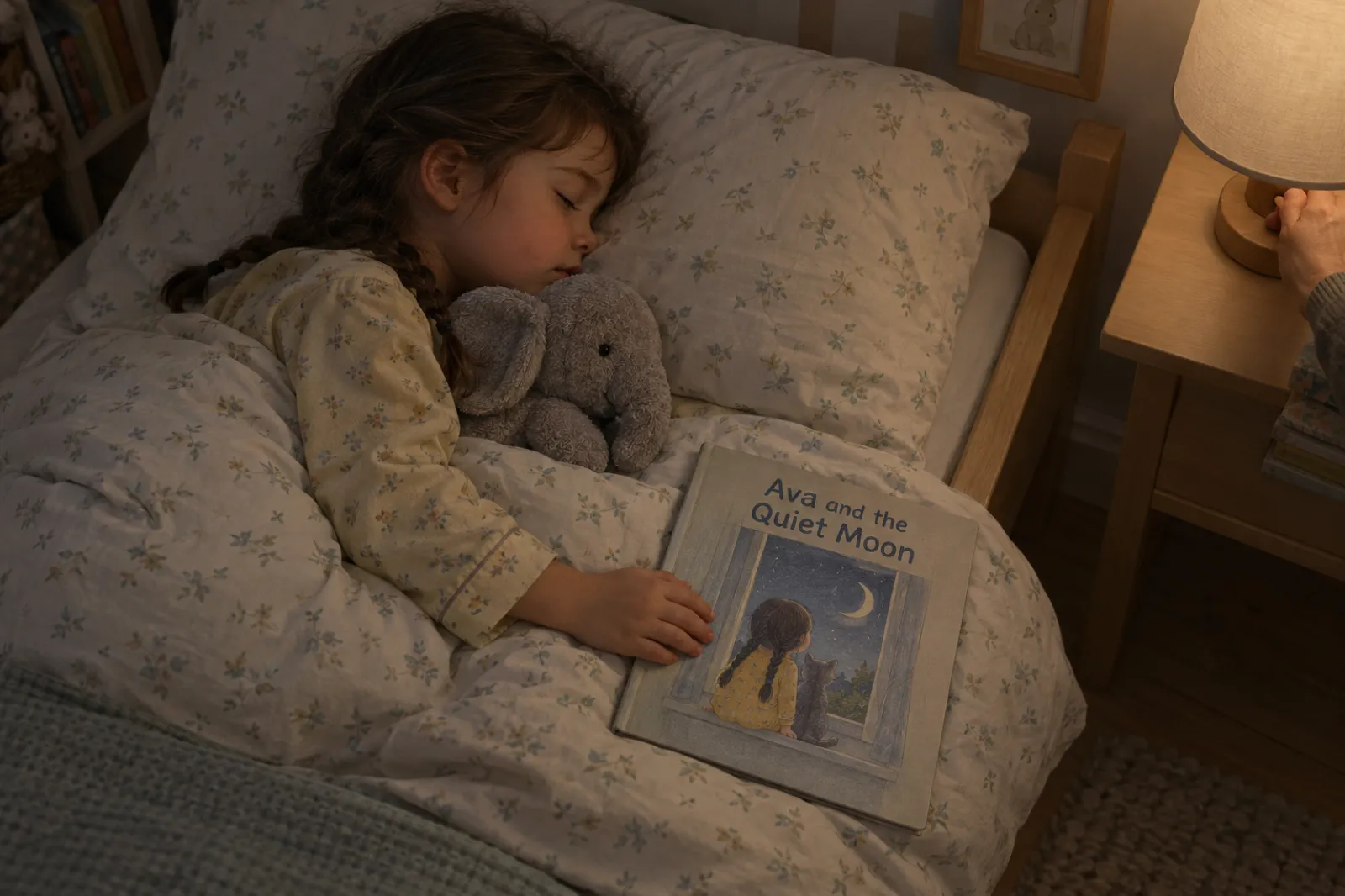
Read it yourself whenever you can: a parent's voice, with the child finding their own face in the pictures, is the point of making one. Read it aloud once alone before the first bedtime to catch the line that is a mouthful, then fix it in the editor with Rewrite, Shorten or Softer.
An audiobook earns its place on the other nights: a grandparent babysitting, a parent away, a second child who needs you, or a second listen after the light goes off. Open the book in the audiobook studio, choose the pages and a voice, and record; download the MP3s or a ZIP and play them from a phone or speaker. Each page of a picture book is a short chapter, so a 14-page book is 14 short recordings, which fits inside Creator's 15 audiobook chapters a month (Premium has 30). The audiobook generator page has the voices, and the ebook to audiobook video shows the studio on screen.
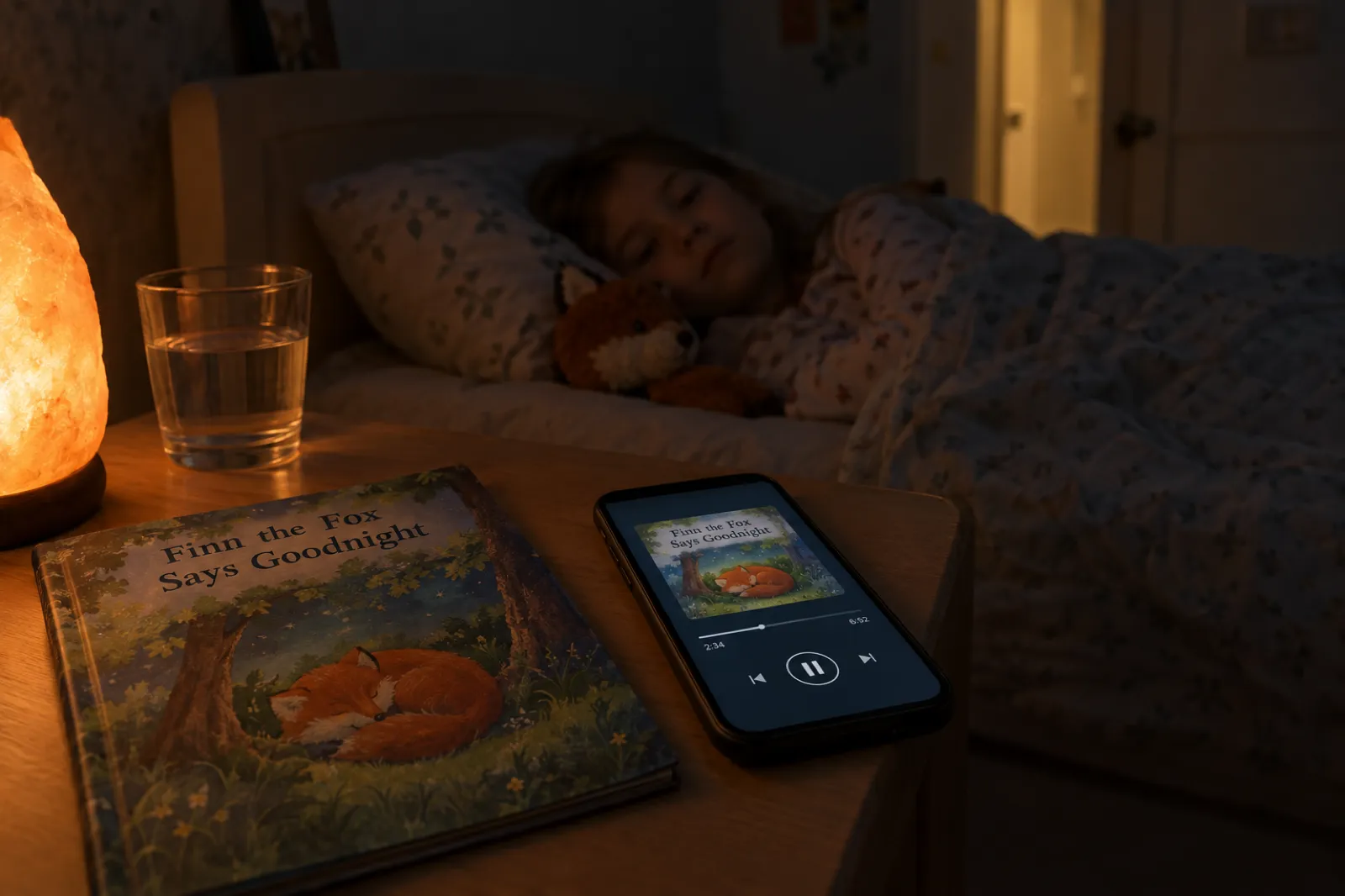
An audiobook works best once the child knows the pictures, since they will not see them; pick a calm voice and keep the volume low. For a recording in your own voice, the narrate your own audiobook guide has a simple home setup. For a short clip to send family, the book-to-video tool has a Read-aloud style made for picture books: three pages read aloud with the words lighting up as they are read.
Printing at home or getting a printed copy
Printing at home. Export the PDF. Picture books come out on a square 8.5 by 8.5 inch page, the picture filling the page and the words set over a calm part of it. Print on the thickest paper your printer takes, trim any border, and staple or have a print shop bind it. It is ready tonight.
Ordering a printed copy. Export the KDP package (interior and cover files, pictures running to the edge); in KDP choose Bleed (PDF only), as the READ ME FIRST file says. A 14-page book is under KDP's 24-page paperback minimum, so the export adds blank pages and the export window says how many. A dedication or a "this book belongs to" page can use some of that space.
Then the choice that matters for a private family book. A proof copy is a test copy for you to review before you publish, so the book never has to be listed for sale, but it carries a "Not for Resale" watermark. An author copy is a print of your live book, so the book has to be published on Amazon first, which makes it public, at least until you unpublish it (KDP help: proof and author copies). For a book with your child's name and face in it, the proof copy is usually the better trade. The guide to printing one copy of a book compares every route with costs and timings, and the KDP paperback guide walks through the setup screens. If you do publish, KDP asks you to declare AI-generated content, which the AI disclosure guide explains.
The EPUB, with the pictures included, opens on a tablet or e-reader, handy on holiday; the ebook formats guide explains the rest.
Privacy: your child's name, face and home town
A personalized bedtime book is full of personal details, which is fine while it stays in the family. A book you make stays in your own account. It becomes public only if you choose one of three things: the free Community page, a Gumroad listing, or an Etsy listing. There are no private share links, so there is no half-public setting to trip over.
- Keep a book about your own child unpublished. Send the PDF to a grandparent, or give them a printed copy.
- The likeness comes from words, not a photo. No photo of your child is used to make the pictures. A photo you add with Swap image lives on that one page.
- Use a town, not an address. "A village in Wales" paints the hills just as well.
- Selling bedtime books? Make them about invented children. "Finn, 4" can be bought by any family; your Finn should not be on a public shelf.
For the selling side, see the guide to selling children's books and the Etsy and Gumroad pages.
What it costs: which plan makes a bedtime picture book
The words are cheap; the paintings are what cost something to make, so painted picture books sit on the paid plans or on credits. A text bedtime story is free.
| Plan | Picture books | A 14-page bedtime book | Audiobook |
|---|---|---|---|
| Free | With chapter credits, 1 credit a page (the cover and character sheet are included). Free monthly chapters are for text books: up to 5 a month. | 14 credits; the 15-credit pack covers it | Not included |
| Creator | 20 pictures a month, one per page, then 1 credit per extra picture | Fits, with 6 pictures left that month | 15 audiobook chapters a month |
| Premium | 50 pictures a month, then 1 credit per extra picture | Three a month, with pictures to spare | 30 audiobook chapters a month |
The start screen shows the exact number before anything is made, and a book only starts when every page can be painted. Current prices are on the pricing page. If you are weighing the cost against commissioning an illustrator, the illustration cost breakdown sets the two side by side.
Common mistakes with a personalized bedtime story
- Describing personality instead of looks. "Funny and kind" paints nothing; "red hair in bunches, freckles, a green cardigan" paints your child.
- Forgetting the age. Without it the app writes for the middle of the range: too many words for a two-year-old, too few for a seven-year-old.
- Typing "bedtime story" without "picture book". In the main box on Home that becomes a text story. Choose the Picture book tile, or say "picture book".
- Leaving the exciting part at the end. Move it to the middle in the plan and give the last three pages to winding down.
- Packing in every detail. Three or four details used well feel more like your child than ten in a list.
- Skipping the read-through. The line that trips your tongue tonight will trip it every night after.
- Publishing a book about your own child. The Community page is lovely for invented stories; for your child's real name and town, send the PDF to family instead.
- Choosing a loud art style. Comic is fun by day; at bedtime, the softer styles keep the room quiet.
More than one bedtime book
Children who love their bedtime book ask for another. In My Books, open the book's menu and choose Continue as a series: the next picture book keeps the same child, setting and art style, one book at a time, so a child can collect one for each new thing that year (see the book series guide). For a two-language family, write the idea in the language you want, or use Translate from the book's menu for a second copy (the book translator lists the languages). For a gift, the cover designer changes the title lettering and adds a back cover without repainting any page.
Personalized bedtime story FAQ
How do you make a personalized bedtime story with AI?+
Can the AI make the child in the story look like my child?+
How long should a bedtime picture book be?+
Is it free to make a personalized bedtime story?+
What should I put in the idea?+
Can I change the pages before it is painted?+
Can I turn the bedtime story into an audiobook?+
Can I get a printed copy of the bedtime book?+
Is my child's bedtime story private?+
Can I make a second bedtime story with the same child?+
Keep reading
- How to make a picture book with AI: the general picture book video, with a moose exploring Canada.
- Personalized children's book maker: every kind of book starring your child, as a gift.
- AI picture book maker: the picture book tool, with sizes, styles and export.
- Consistent characters in AI children's books: why the child looks the same on every page.
- How to self-publish a children's book on Amazon: if a bedtime book turns into one for sale.
- How to make a coloring book with AI: the line-art sister format, for quiet time before bed.
- ABC book maker: an alphabet book with your child on their own letter.
One sentence about your child. Then goodnight.
The plan appears in under a minute and is free to change. The painted pages a few minutes after that.