
· Facts checked 22 Oct 2026
Turn Your Book Into a Video: Short Videos Made From Your Own Pages
A finished book already holds everything a short video needs: a first line that grabs, pictures, and a voice. This guide shows how to turn a picture book, a novel, an ebook or PDF, or a non-fiction book into a 15 to 20 second vertical video for TikTok, Instagram Reels and YouTube Shorts, with a real example for each kind of book and a picker that tells you which style fits yours.
By Sam May, Founder of Inkfluence AI
Quick answer
Open your book in Inkfluence AI and choose Make a video. The studio writes an opening line and three lines from the book's own words, puts them over the book's own pictures, reads them in one of six voices with captions, and ends on your cover and where to buy it. Press Make video and the MP4 (1080 x 1920) is ready in about a minute. Creator includes 20 videos a month, Premium 60. It makes short teasers, not a full animated film of the book.
15 to 20 s
Every video: an opening line, three lines and an ending card.
1080 x 1920
Vertical 9:16 MP4 for TikTok, Reels and Shorts.
About 1 min
From pressing Make video to a finished file.
6 styles
One for each kind of book, from picture books to non-fiction.
6 voices
With captions that light up word by word as they are read.
20 or 60
Videos a month on Creator or Premium.
What "turn your book into a video" can mean
People mean three different things by this. Decide which one you want before you pick a tool.
- A short video that sells the book. Fifteen to sixty seconds, vertical, made to stop someone scrolling and send them to the book. This is what authors post on TikTok, Reels and Shorts, and what this page is mostly about.
- The book itself as a video. Every page shown and read aloud, the way a teacher plays a storybook on the classroom screen. For a 32-page picture book this is realistic; for a novel it is an audiobook with pictures, and an audiobook is the better format for that.
- An animated adaptation. Moving characters, scenes, a film of the story. No tool does this well for a whole book today. Text-to-video tools make clips of a few seconds from a typed description, and the characters drift from clip to clip.
The table compares the routes authors actually use, checked 22 Oct 2026.
| Route | What you get | Uses your book's words and pictures | Your work |
|---|---|---|---|
| Inkfluence AI book video | 15 to 20 s vertical MP4 with voice, captions and an ending card | Yes: lines from the text, pictures from the pages and cover | Check the lines, press Make video |
| Text-to-video clip generator | A clip of a few seconds from a typed scene (Canva's describes 8 s with audio, 6 s without) | No: it draws its own version of your scene | Write prompts, stitch clips, add text and voice |
| Video editor by hand | Anything you can build | Only what you copy in | Pick lines, record a voice, time the captions, export |
| Screen recording a flipbook or PDF | Pages turning on screen | Yes, but small and landscape | Record, crop, add voice; text is hard to read on a phone |
| Paying a trailer maker | A finished trailer, usually landscape | If you send them | A brief, a wait, a fee per video |
If you want a longer, cinematic trailer for a launch or a website, our guide to making a book trailer covers scripting and pacing, and the book trailer maker page shows what to expect from trailer tools. For a steady stream of short posts made from the book itself, read on.
Four real videos made from four real books
These were made in the Inkfluence AI video studio from books written in the app: a picture book, a children's chapter book, a mystery with only a cover, and a gardening guide. Nothing was edited afterwards. Press play for sound.
Each opens on a line you can read in two seconds, keeps its words clear of the buttons the apps lay over the frame, and ends on the cover. The pictures do the work only where the book has them: the lighthouse mystery has nothing but a cover, so it leans on its trope cards.
How to turn your book into a video, step by step
The whole workflow, from a book on your computer to a video on your phone. Most of it is reading what the studio wrote and deciding whether you like it.
- Get the book into Inkfluence AI. If you wrote it there, it is already in your dashboard. If it lives in Word, a PDF, an EPUB or a text file, import it first (more on files below).
- Open the video studio. Use the Video card in the dashboard's Tools, Make a video in the book's menu or on the Publish page, or Video in the editor. It works the same on a phone and a computer.
- Check the style. The studio marks the style that suits your book as Suggested. You can switch to any of the six; the lines are rewritten to suit.
- Read the five scenes. The opening line (up to 9 words, shown and spoken in the first two seconds), Line 1 to Line 3 (up to 12 words each), and the ending card. Type over any line, press New line for another one from the book, or Hear this line to hear it read.
- Choose the pictures. Under each line the studio has already picked the picture from your book that fits it best. Swap it for another page, chapter image or the cover, or upload your own with Add a picture.
- Pick a voice and the ending. Six voices, music off or one of three moods, and the line on the ending card: your store names, a "Link in bio" line, or up to six words of your own.
- Make the video. Press Make video. It takes about a minute, and you can keep editing or close the studio while it is made. The finished video waits in My videos.
- Download and post. Download video saves the MP4; Copy caption copies a post caption written for you, with a few hashtags and the book's link.
Before you press Make video, the preview plays a quick sketch of the whole thing, scene by scene, so you never spend a video on a version you have not seen. The help centre has the same steps with every button name in the make a video help article.
Which video style fits your book?
Answer three questions. The picker recommends a style and a second choice, shows the real example closest to your book, and gives you the pattern for your opening line, a voice and a music setting to start from. It runs in your browser; nothing is sent anywhere.
Recommended style
Read-aloud
Second choice:
Opening line pattern
Example from a real video
The three lines
- Voice to try first:
- Music:
- Pictures:
The six styles at a glance
Every style has the same five scenes. What changes is how the opening line is written, what the three lines are, and how they look on screen. The sections after the table take each kind of book in turn.
| Style | Best for | Opening line | The three lines |
|---|---|---|---|
| Read-aloud | Picture books | A "What if...?" question a child would love | The book's own words from three pages, over each page's picture |
| Tropes | Romance | A "POV:" line or a line of tension | Three tropes the book really has, stacking up |
| World intro | Fantasy and sci-fi | A question that opens the world | The world, the stakes, the turn |
| Suspense teaser | Thriller, crime and horror | A short, cold shock line | Clipped lines that build dread, then a question |
| Page excerpt | Any fiction | A line about the moment | A real passage, word for word, shown as a page |
| Key takeaways | Non-fiction | A problem, said straight to the reader | Three ideas a reader could act on, one per card |
Picture books and storybooks: Read-aloud
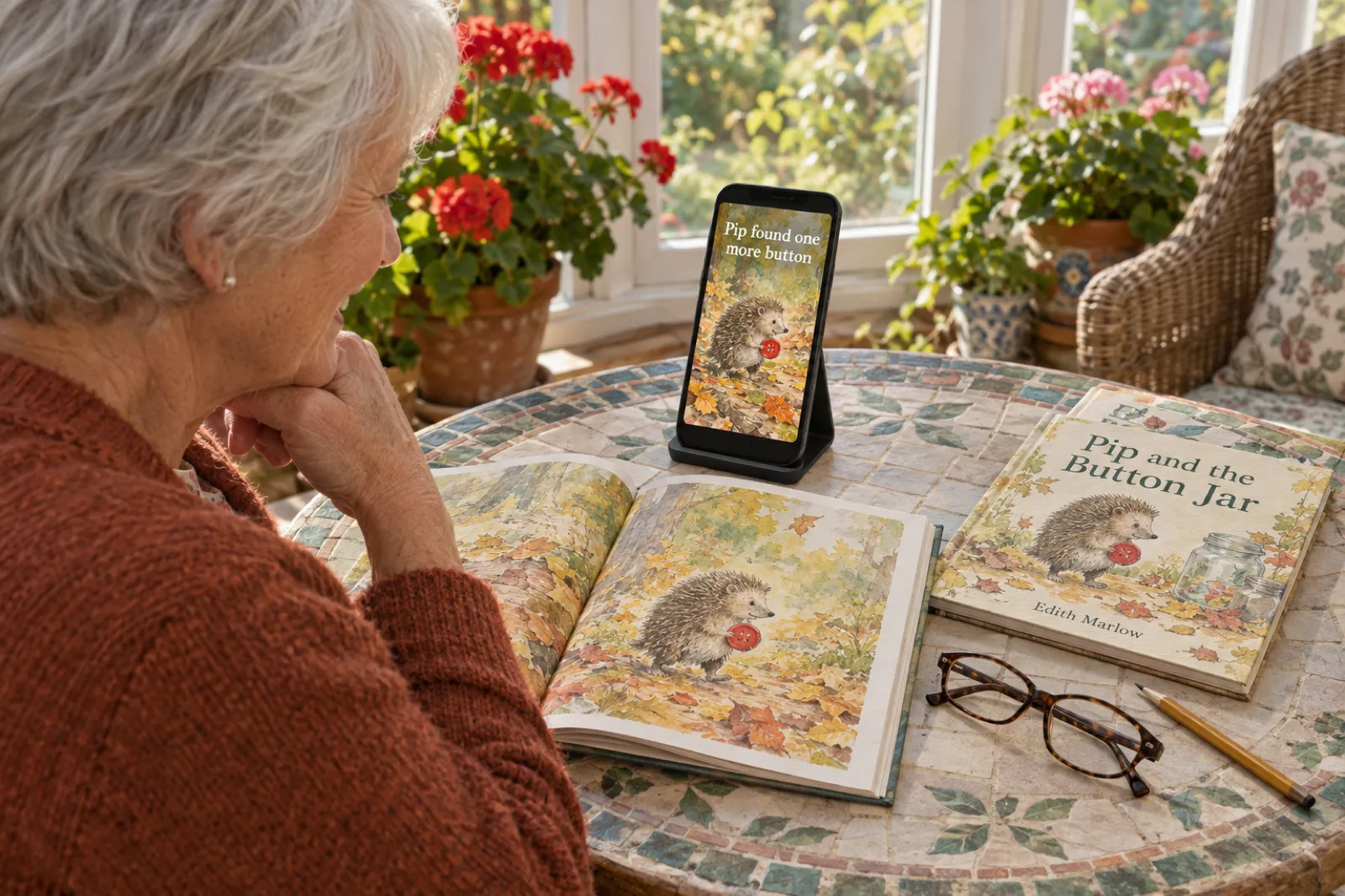
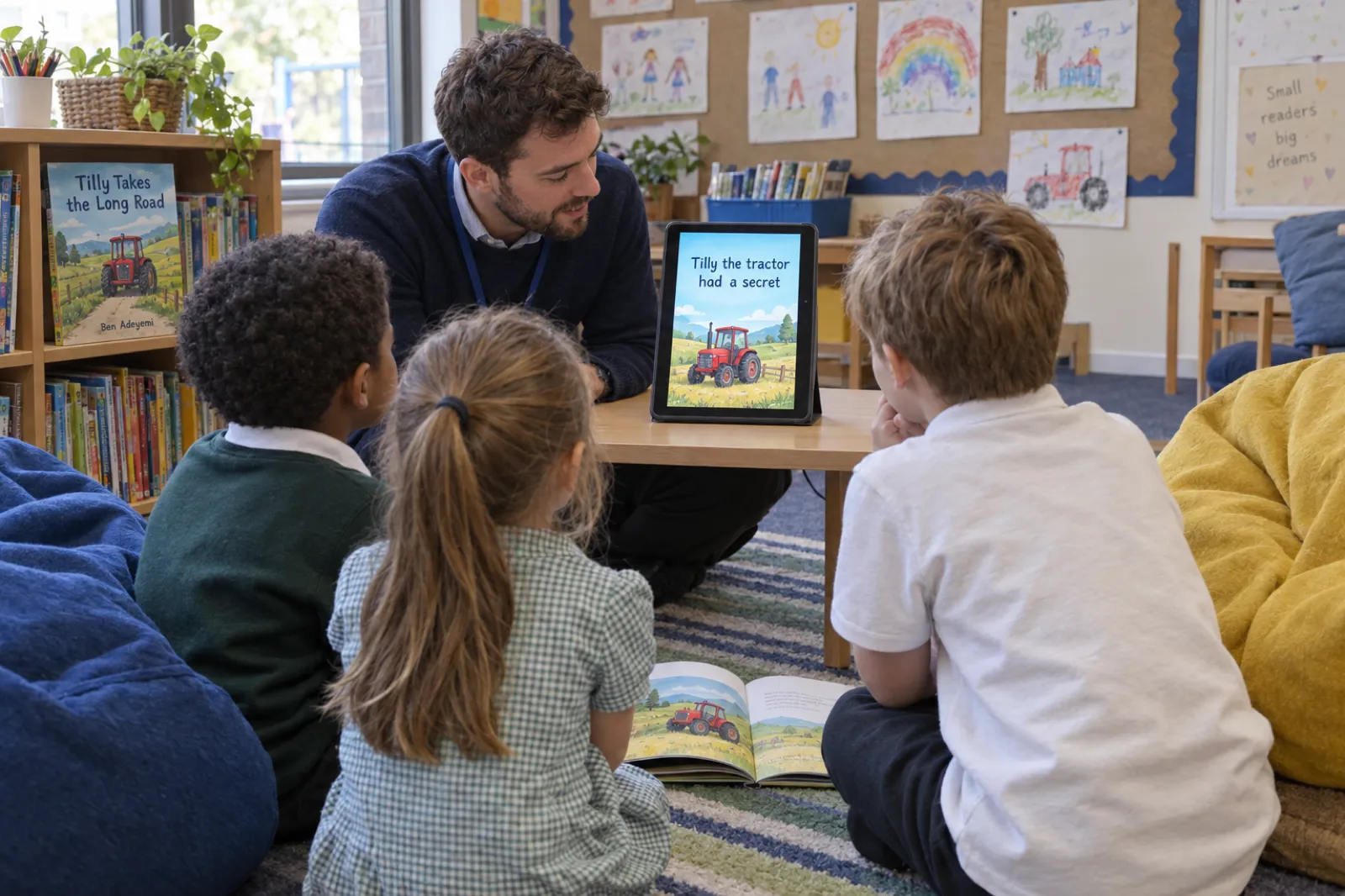
A picture book is the easiest book to turn into a video, because the illustrations already are the video. Read-aloud takes three sentences, copied exactly from three different pages in story order (one early, one from the middle, one later, never the last page, so the ending stays a surprise), and lays each over the illustration from its own page. The words light up as the voice reads them, which is how a parent reads with a finger under the line.
The opening is a question rather than a page: "What if a fallen star needed your help?" in the Finn example. Children's book videos are watched by the adults who buy the books, and a question gives them a reason to keep watching before the story starts.
If you searched for a storybook video maker or an animated picture book, be clear about what the motion is. The pictures are your book's own illustrations, with a slow push-in on each scene, a little different every time. The fox does not walk across the page. That keeps the art exactly as you or your illustrator drew it, and it is why the videos look like your book and not like someone else's version of it.
No picture book yet? The AI storybook generator writes and illustrates one, and the picture book maker lays it out for print. If you already have artwork, turn your illustrations into a picture book first, or follow the walkthrough on making a picture book with your own images; the video then uses your own art.
Novels and chapter books: Page excerpt
If your book is a novel, the strongest proof that it is worth reading is a page of it. Page excerpt finds one striking passage in your opening chapters and copies three consecutive sentences from it, word for word, onto a clean book page. The voice reads them while each word lights up in turn, the way a passage looks on an e-reader with the highlighter running.
The Caretaker Is A Dragon example shows the shape. The opening is the moment in the studio's own words: "The caretaker sneezed, and the mop caught fire." Then the page: "A small orange flame shot from his mouth. Ollie stared. The caretaker stared at the mop." Short sentences read best, so the studio picks a passage of short sentences over cutting a long one in half.
The lines come from the opening chapters, so nothing is spoiled, and the studio never writes invented reviews or awards into a video. If you would quote a different passage, paste your favourite three sentences over it, up to twelve words a line.
Page excerpt suits literary and historical fiction, memoir, middle grade and poetry (paste three lines of a poem). For novel to video as a workflow: write or import the novel, check the opening chapters are the ones you want quoted, and make one Page excerpt video, then one in your genre's style, and compare. If the novel is still in progress, the AI novel writer drafts chapters you can edit.
Romance: Tropes
Romance readers choose books by trope, and they search the app the same way. The Tropes style writes three tropes your book really has, two to six words each, in the words readers use ("Enemies to lovers", "Forced proximity", "He falls first"), and stacks them one by one under a "POV:" opening line. Each new card lights up as it is spoken while the earlier ones stay on screen, so by the last line the whole pitch is visible.
The Last Lighthouse example uses Tropes for a mystery, which shows the style works beyond romance when a book has a clear set of hooks: "Storm bound together", "Missing lighthouse keeper returns", "Family secrets beneath the waves". It was also made from a book with nothing but a cover, which is the common case for novels, and the trope cards carry it.
Check the tropes against your book before you post: a trope the book does not deliver earns a bad review. For the rest of the marketing side, see how to sell romance novels, and the AI romance novel writer if the book is still being written.
Fantasy and sci-fi: World intro
A fantasy or science fiction book sells its world before its plot. World intro opens with a question that opens the world, then gives it in three lines: the world, the stakes, the turn. Each line names real things from the book (a city, a law of magic, a ship), because a specific invented name is more intriguing than any amount of "an epic adventure awaits".
The pattern, as you might write it for a book of your own: "What if the tide only came in once a year?" Then: "In Harrowmere, the sea is a harvest." "Miss it, and the town starves." "This year, the sea does not come back." Every line is under twelve words, and the last one leaves a question the book answers.
If the book has chapter images or maps, put them under the lines; a map behind "In Harrowmere, the sea is a harvest" does a lot of work. Still building the world? The AI fantasy novel writer and the sci-fi story generator keep the names and rules consistent across chapters.
Thrillers, crime and horror: Suspense teaser
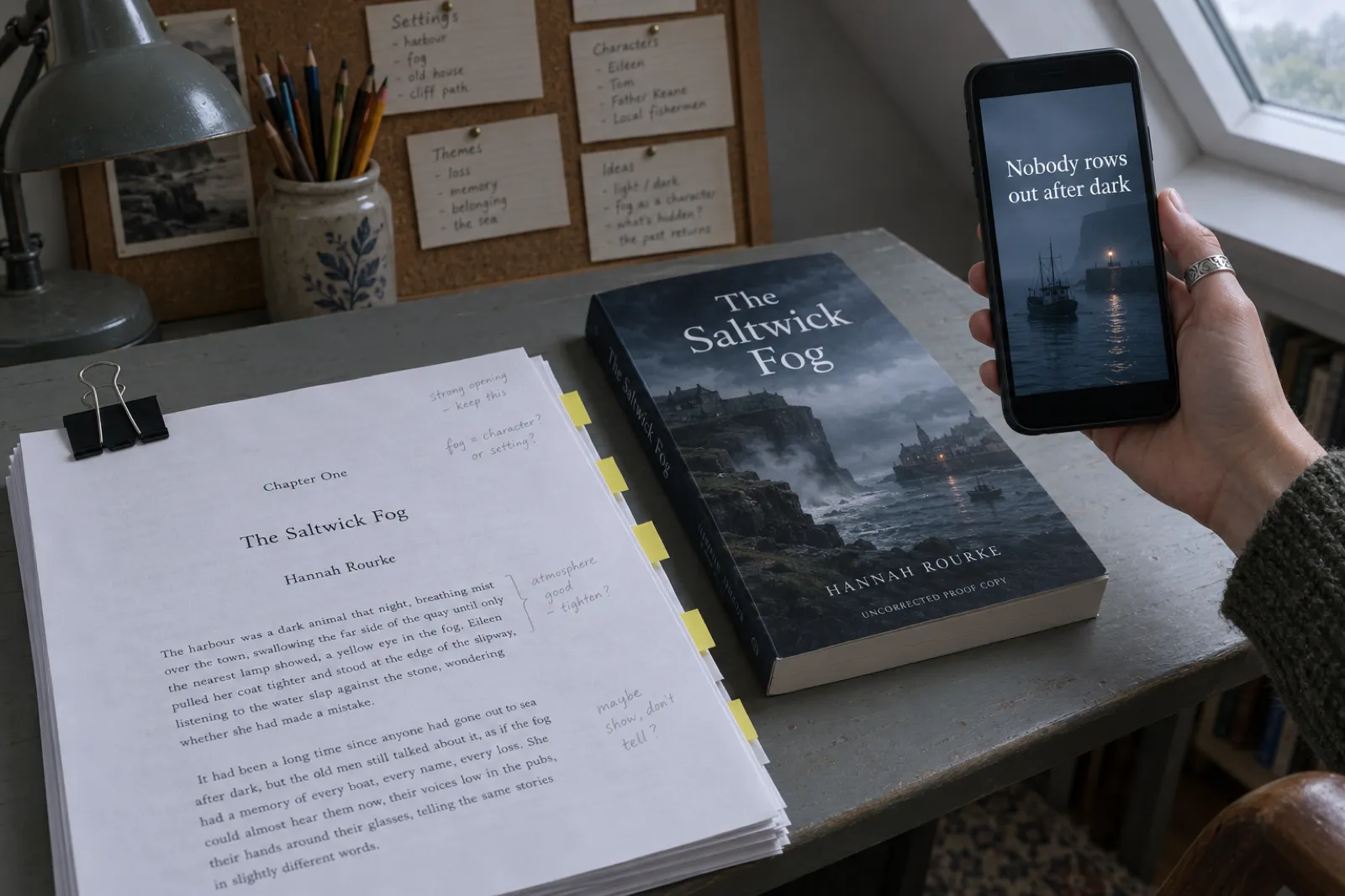
Suspense teaser is the shortest, sharpest style. The opening is a cold shock line; the next two lines are clipped, three to eight words each, building dread on hard cuts; the last is a question the book answers, without the answer. Cedar with Suspense music is the place to start.
An example of the shape: "Nobody rows out after dark." "The lamp on the quay is lit." "Nobody lit it." "So who is still out there?" Four lines, under twenty words, and nothing from the second half of the book.
Horror and crime readers on short-video apps respond to atmosphere more than plot summary, so pick dark, simple pictures: a doorway, a road, a window at night. If your book has none, upload one with Add a picture and it is saved into the book for the next video. The mystery and thriller writer and the horror story generator are there for the next book.
Non-fiction: Key takeaways
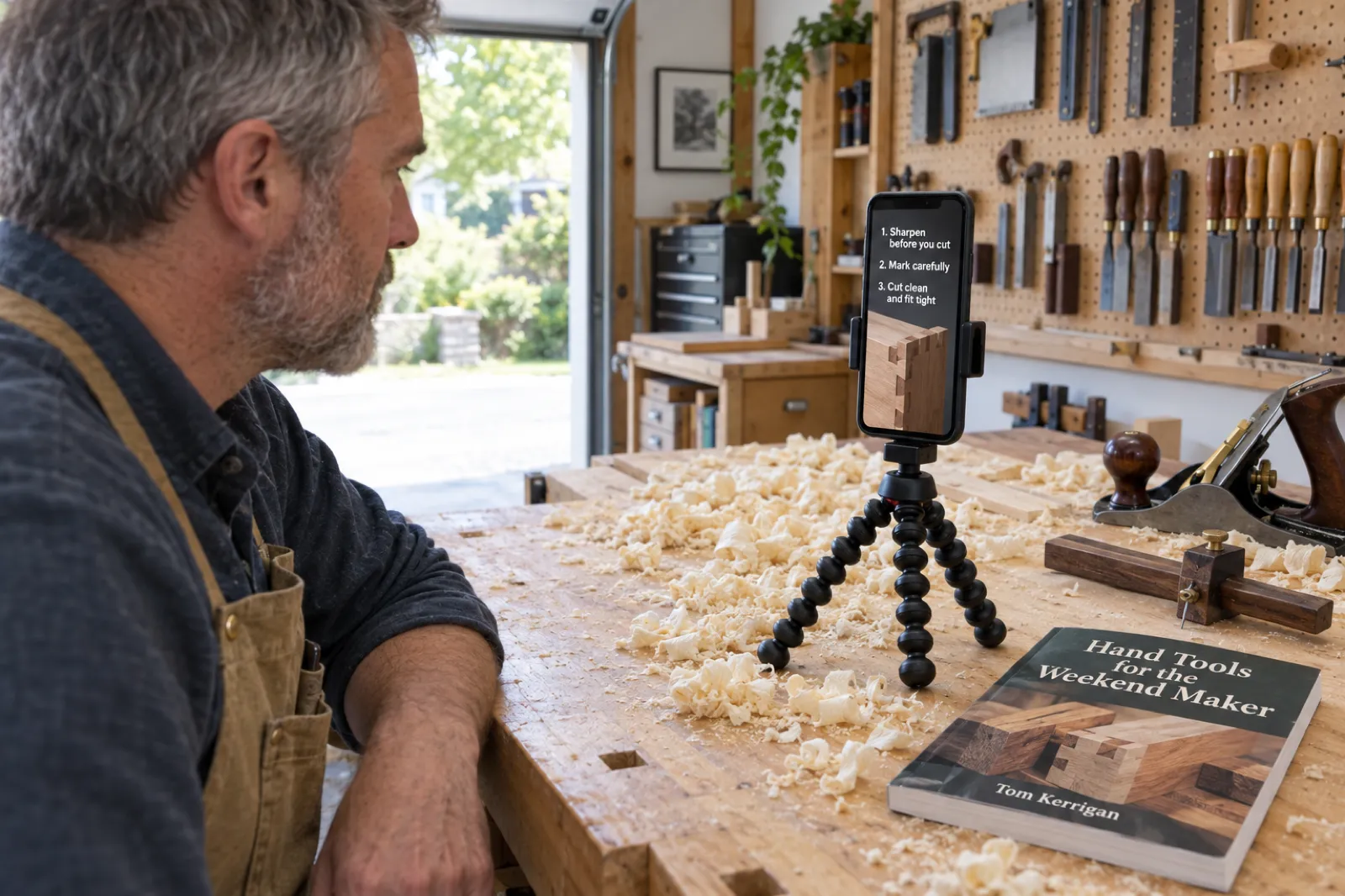
A non-fiction book sells on what the reader will be able to do afterwards. Key takeaways opens with a problem said straight to the viewer, then gives three specific, useful ideas from the book, one per numbered card, each a complete sentence of six to nine words a reader could act on today. The spoken word is marked on the card as it is read.
The Balcony Vegetable Garden example: "Stop guessing what your balcony can grow." Then "Track direct sunlight before choosing your vegetables", "Match each crop to a container with enough root room", "Use local frost dates to plan your planting calendar". That is real, free advice, and it is exactly why it sells the book: it proves the author knows the subject and leaves the viewer wanting the other two hundred pages.
Give away good ideas. A takeaway too vague to use ("Mindset is everything") reads as an advert; a specific one reads as help.
A twelve-chapter guide has material for a month of posts, three ideas at a time. For the book itself, see how to write a non-fiction book with AI and our page for non-fiction authors.
From a PDF, ebook or Word file: import first
"PDF to video" and "ebook to video" converters that take a file and hand back a video usually do one of two things: they turn each page into a slide, or they summarise the text and generate stock footage around it. Neither uses your book well. The better order is to bring the book in as a book, with chapters and pictures, and make the video from that.
| Your file | What import does | Check before the video |
|---|---|---|
| Word (.docx) | Chapters from your headings; inline pictures kept | Chapter titles use Heading 1, so the opening chapters are the real ones |
| EPUB | Chapters from the ebook's structure; pictures kept | Front matter did not land as chapter one |
| Chapters detected from the text; pictures kept | Print PDFs often lose heading styles: check the chapter list | |
| Plain text (.txt) | Chapters detected from the text | No pictures: add a cover, or upload pictures in the studio |
The studio writes its lines from the title, the description and the opening chapters, and for picture books from every page's words. So two things matter after import: that the opening chapters are really the start of the story (not a dedication or a table of contents), and that the book has a description. The guide to importing your manuscript covers each format, and the importing help pages list the buttons. A cover can come from your file or from the AI book cover generator, and the book description generator fills an empty description.
The first two seconds: writing the opening line
The opening line is shown and spoken in the first two seconds, when most people decide whether to keep watching. It is the line most worth your attention, and the one most authors get wrong by starting with the title or "My new book is out". Nine words is the limit. Five or six is better.
- A question a reader wants answered. "What if a fallen star needed your help?" Works for picture books and fantasy.
- A moment from the story. "The caretaker sneezed, and the mop caught fire." Works for any fiction with a vivid early scene.
- A point of view. "POV: The dead lighthouse keeper knows your family secret." The viewer is put inside the premise.
- A problem, said plainly. "Stop guessing what your balcony can grow." Works for non-fiction because it names the reader's own frustration.
Make two versions of the same book with different opening lines and post both. Posting often works better than one perfect video, and twenty videos a month on Creator gives room to test. Press Hear this line before you settle: a line that reads well can sound flat, and you get 30 listens a day, with a line you have already heard playing again for free.
Voices, captions and music
Most short videos are watched with the sound on now, but plenty are not, so every video carries both: a voice and on-screen words that light up as they are read.
Coral
Warm and bright. Funny children's books, food, gardening.
Marin
Calm and natural. Romance, literary fiction, memoir.
Fable
British storyteller. Fantasy, classic tales, picture books.
Cedar
Deep and steady. Thrillers, crime, horror, epic fantasy.
Sage
Soft and gentle. Bedtime books, poetry, wellbeing.
Ash
Clear and confident. Business, self-help, how-to.
The pairings are suggestions, not rules. The voice reads with feeling to suit the style, and in the studio you can hear your own opening line in each voice.
Music is off by default, because a voice on its own reads best and TikTok and Instagram let you add a trending sound when you post. If you want music inside the video, pick Cozy (soft and warm), Suspense (low and tense) or Playful (light and bouncy). If you want the whole book read aloud rather than three lines, that is an audiobook: the AI audiobook generator narrates every chapter, and ebook to audiobook explains the steps.
Posting the video to TikTok, Reels and Shorts
One file works on all three. The video is vertical 9:16 at 1080 by 1920 pixels, the full-screen shape all three apps play, and at 15 to 20 seconds it sits well inside every limit: YouTube, for example, counts square or vertical uploads of up to three minutes as Shorts. The words are kept between the top tenth and the bottom fifth of the frame, where the apps put their own buttons and captions, so nothing you wrote is hidden under a like button.
- Download video, on your phone or on a computer.
- Copy caption: one or two sentences about the book in your voice, three to five hashtags and the book's link if it has a public page or store link. Edit it before you copy.
- Upload the video in the app, paste the caption, and add a sound if the video has no music. If the ending card says "Link in bio", put the link in your profile first.
AI labels. The voice is made with AI, and some apps add an AI label to videos like this. TikTok said in May 2024 that it would start labelling AI-generated content automatically when it carries Content Credentials, and YouTube asks creators to disclose content that is realistic and made or altered with AI. A narrated book video over your own illustrations is not posing as real footage, but read each app's current rules and use its label when it asks. The studio never writes "AI" into your lines; what you declare is your call.
For the bigger plan around the videos (when to post, what to pair them with, where to send people), see the ebook marketing strategy guide and the book launch checklist.
What it costs, and what "free" really means
Book videos are part of the Creator and Premium plans, with no charge per video and no share of your sales. Prices checked 22 Oct 2026:
| Plan | Price | Book videos | "Made with Inkfluence AI" mark |
|---|---|---|---|
| Free | $0 | Watch four example videos and a moving preview of your own book (no voice); cannot make or download | Not applicable |
| Creator | $9.99 a month | 20 a month | Small mark on the ending card |
| Premium | $19.99 a month | 60 a month | Can be switched off |
The count resets each month and is shown next to Make video. A video that fails is never counted; open My videos and try again. Credit packs, which add chapters, do not include videos. The plans also include full-length books, unbranded exports, illustrations and audiobook chapters; the full list is on the pricing page.
On "book to video AI free": we have not found a free tool that reads a whole book and makes a narrated, captioned short from its own words and pictures. For a single video, a free editor and your own voice will get you there with more effort; for a video every few days, that is what the plans are for.
Honest limits
- Short, not long. Every video is about 15 to 20 seconds, with five scenes. There is no setting for a two-minute trailer or a full read-through.
- Moving pictures, not animation. Your pictures move with slow push-ins; characters do not walk, talk or change pose.
- Vertical only. One shape, 9:16, made for phones. For a landscape trailer on a website or YouTube's main feed, use an editor or a trailer service.
- Pictures come from the book. A book with only a cover gets videos built on the cover and on-screen words, like the lighthouse example. Upload pictures with Add a picture to vary the scenes.
- Latin-alphabet languages. English, Spanish, French, German, Portuguese and other languages written in the Latin alphabet work. Arabic, Chinese, Japanese, Russian, Hindi and other scripts cannot be made into videos yet.
- Your own books. The studio works on books in your Inkfluence account.
- Not free. Free accounts can preview but not make videos.
Why Inkfluence is the best route for authors
General video tools start from a blank timeline or a prompt and know nothing about your book, so you supply the lines, pictures, voice and timing. A video made where the book lives starts from the book.
- It has read the book. The lines come from your own words and opening chapters, in your book's language, never spoiling the ending, with no invented reviews or awards.
- It uses your art. Illustrations, chapter images and cover appear as you made them, matched to the lines, not redrawn by a generator.
- It knows the genre. Six styles written for how each kind of book is actually sold on short-video apps.
- The fiddly parts are done. Voice, word-by-word captions, safe zones, the ending card with your stores or a link-in-bio line, and a post caption.
- The book and the video stay together. Change the title or cover and the next video uses it; add a store link and the ending card names the store.
The same account writes the book, designs the cover, formats it for Amazon KDP, narrates the audiobook and now makes the videos. Our roundup of the best AI book writing apps compares that with the other tools authors use, and the self-publishing guide puts the steps in order. Selling picture books in particular? How to sell children's books covers where the videos fit, and the guide to self-publishing a children's book on Amazon covers the listing they point to.
Turning a book into a video: frequently asked questions
Can AI turn my book into a video?
Yes, as a short promotional video. Inkfluence AI reads your book, writes an opening line and three lines from its own words, picks pictures from its pages, records a voice and makes a 15 to 20 second vertical MP4 for TikTok, Reels and Shorts in about a minute. You can edit every line first. It does not turn a whole book into a film.
Can I turn my book into a video for free?
Not with Inkfluence AI. A free account can write a book, watch four example videos and see a moving preview of its own book in the studio, but making and downloading videos needs Creator ($9.99 a month, 20 videos) or Premium ($19.99 a month, 60 videos). Credit packs do not include videos.
How do I convert a PDF or ebook into a video?
Import the file first. Inkfluence AI imports Word, PDF, EPUB and plain text files, finds the chapters and keeps inline pictures. Once the book is in your dashboard, open its menu and choose Make a video. A PDF made by a print tool may lose its heading styles, so check the chapter list after import.
Can it make a full animated movie of my novel?
No, and no tool we know of does that well for a whole novel today. Inkfluence makes a short teaser with your own pictures moving slowly behind the words. Text-to-video tools make clips of a few seconds from a typed scene, and the characters drift from clip to clip.
How long are the videos, and what size?
About 15 to 20 seconds, vertical 9:16, 1080 by 1920 pixels, as an MP4. That fits TikTok, Instagram Reels and YouTube Shorts, which accepts vertical videos of up to three minutes as Shorts.
Which style is best for a picture book or storybook video?
Read-aloud. It reads three lines copied from three different pages of your book, over the illustration from each page, with the words lighting up as they are read. The opening is a question a child would love, such as "What if a fallen star needed your help?"
Do I have to write the script myself?
No. The studio writes the opening line and three lines from your book when it opens, plus a post caption with a few hashtags. You can rewrite any line, press New line for another one from the book, and press Hear this line to hear it in your chosen voice before you make the video.
Will TikTok or YouTube label the video as AI?
They may. The voice is made with AI, and some apps add an AI label to videos like this. TikTok labels some AI-generated content automatically, and YouTube asks creators to disclose realistic AI-made content. Check each app's rules when you post.
Can I remove the "Made with Inkfluence AI" mark?
On Premium, yes: it is a small mark on the ending card only, and Premium can switch it off. On Creator it stays.
Does it work for books that are not in English?
For books in languages written in the Latin alphabet, such as Spanish, French, German and Portuguese, yes. Books in other scripts, such as Arabic, Chinese, Japanese, Russian or Hindi, cannot be made into videos yet.
Sources
All checked 22 Oct 2026. App rules change; if a platform's own page disagrees with this one, the platform's page wins.
- YouTube Help: Understand three-minute YouTube Shorts: Shorts up to three minutes, square or vertical.
- YouTube Help: Disclosing use of GenAI content: when creators must disclose realistic AI-made or altered content.
- TikTok Newsroom, 9 May 2024: Partnering with our industry to advance AI transparency and literacy: automatic labels for AI-generated content carrying Content Credentials.
- Canva Help: Create a video clip: 8-second clips with audio or 6-second clips without, from a described scene.
- Inkfluence AI help: How to turn your book into a video: studio steps, allowances, languages.
- Inkfluence AI example videos: made in the video studio on 22 Oct 2026 from four books written in the app; durations measured from the files.
TikTok, Instagram, Reels, YouTube, Shorts, Canva and Amazon are trademarks of their owners. Inkfluence AI is an independent tool and is not affiliated with or endorsed by any of them.
Related tools and guides
Book Trailer Maker
What trailer tools make, and when a trailer beats a short.
How to Make a Book Trailer
Scripting, pacing and the shots that sell a book.
AI Storybook Generator
Write and illustrate the picture book first.
AI Children's Book Creator
Children's books from idea to print file.
AI Audiobook Generator
The whole book read aloud, chapter by chapter.
Import Your Manuscript
Word, PDF, EPUB or text into chapters.
Make a Picture Book With AI
From idea to illustrated pages, step by step.
AI Book Cover Generator
The cover your ending card shows.
How to Sell Romance Novels
Tropes, covers and where readers find them.
Pricing
Creator and Premium, with videos included.
Best AI Book Writing Apps
How the tools compare, book videos included.
AI Book Generator
Write the full book, then make its videos.
Your book already has the words and the pictures.
Open it in Inkfluence AI, check the lines, and have a video ready to post in about a minute. Write or import the book free; videos come with Creator and Premium.
Turn my book into a video