
· Checked 22 Oct 2026
Book Trailer Maker: Turn Your Own Book Into a Video
Inkfluence AI makes a short vertical book trailer from the book you wrote: an opening line in the first two seconds, three lines taken from your pages, your cover and your book's own pictures, a narrator, captions that light up word by word, and an end card that tells people where to buy. It takes about a minute, and the MP4 is ready for TikTok, Instagram Reels and YouTube Shorts.
By Sam May, Founder of Inkfluence AI
Quick answer
The book trailer maker in Inkfluence AI starts from your finished book, not from a template: it reads the book's description and opening chapters (or a picture book's pages), writes the lines, matches each one to a picture from the book, and narrates it in one of six voices. You can change every word. Videos are 15 to 20 seconds, 1080 by 1920 pixels. They are included in the Creator plan ($9.99 a month, 20 videos) and Premium ($19.99 a month, 60 videos). The free plan can preview its own book in the studio but cannot make videos.
15 to 20 s
Length of every video: an opening line, three lines and an end card.
1080 x 1920
Vertical 9:16 MP4 for TikTok, Reels and Shorts.
About 1 min
From pressing Make video to a finished file.
6 styles
Read-aloud, Tropes, World intro, Suspense teaser, Page excerpt, Key takeaways.
6 narrators
From warm and bright to deep and steady, with word-by-word captions.
20 or 60
Videos a month on Creator or Premium. Failed videos never count.
Four book trailers made with it
These are real outputs from the studio, made from four real books in Inkfluence AI with the words the studio suggested. Nothing was edited afterwards. Press play with the sound on: the narration is half of what makes a short video work.
Look at what they have in common. None opens on a logo or the title. Each starts with a line that asks a question or drops you into a moment, keeps the cover or the book's art on screen, and ends on the cover with one clear instruction. The picture book uses its own illustrations; the novels lean on the cover because their pages are text. For more on why video works for books at all, and the other formats you can make, see how to turn your book into a video.
What this book trailer maker does differently
Most tools sold as a book trailer maker are general video editors with a book-shaped template: you bring the words, the pictures and the voice, then fit them into someone else's layout. That is fine if you enjoy editing. It is slow if you want a new video every few days, which is what short-form platforms reward.
Inkfluence AI works the other way round, because your book already lives there. When you open the studio it has read the book's description and opening chapters, picked the style that suits the genre, and drafted all four lines. Working from the opening chapters is deliberate: the video sells the setup and never gives away your ending.
The words come from your book
A Page excerpt copies a real passage word for word. Tropes and World intro lines are written from what happens in your chapters. Every line is editable, and New line writes a fresh one.
The pictures are yours
Your cover, illustrated pages and chapter images, each matched to the line it sits under. No stock footage of a stranger walking on a beach. Upload your own picture if you have a better one.
The voice reads with feeling
Six AI narrators, directed to suit the style: hushed for a thriller, bright for a picture book. Captions light up word by word as they are spoken.
It ends with a way to buy
The end card shows your cover, title and author with your store names, a link in bio line, or up to six words of your own, and the voice says it too.
If your book is not in Inkfluence AI yet, you can write it there with the AI book writer or bring in a manuscript you already have through the Word and PDF import. A plain typed cover works, but a real cover makes a better trailer: the AI book cover generator makes one in the same app.
Book trailer script planner: draft and time your 15 seconds
Try the shape before you make anything. Pick your kind of book, write an opening line and three lines, and the planner counts the words against the studio's limits, times the video at the pace finished videos are narrated, plays a rough preview, and drafts a caption for your post. It runs in your browser; nothing is sent anywhere. Load a sample to see a finished script for each genre.
A sketch of the timing, not the real video: no voice, no art.
Estimated length: -
Left to right: opening line, line 1, line 2, line 3, end card.
Suggested style
Voices to try first
How the timing works: finished videos are narrated at about 2.4 words a second (the narrators take their time for effect). Each scene adds a short lead-in and a cross-fade, a line scene lasts at least 2.4 seconds, and the end card holds about a second after the voice so people can read it. Videos top out just under 20 seconds, so a long script gets read a little faster or needs trimming. Checked against three of the example videos above, the estimate came within 1.5 seconds of their real length, and within half a second for two of them.
How to make a book trailer in Inkfluence AI
The studio works the same on a phone and a computer. On a phone the scenes sit in a strip under the preview and a bar at the bottom opens Words, Style, Voice and Pictures one at a time. If you want the general craft of trailers (storyboards, shot lists, editing your own in another app), the step-by-step guide on how to make a book trailer covers it; these are the steps in our app.
1. Open the studio from your book
Choose Make a video from the book's menu, from the Publish page, from Video in the editor, or from the Video card in your dashboard's Tools. The studio opens on that book and plays a sketch of the whole video so you can see every scene before you spend anything.
2. Tighten the opening line
Up to nine words, shown and spoken in the first two seconds. A question or a moment from the story works best. Keep the title out of it; the title belongs on the end card.
3. Edit the three lines
Up to twelve words each. Type over any of them, press New line for a fresh one from your book, or press Hear this line to hear it in the voice you picked (30 listens a day; a line you already heard plays again free).
4. Choose pictures, style and voice
Each line already has a picture from your book. Swap it, press Show all to see every picture in the book, or Add a picture to upload one. The suggested style is marked; any of the six can be used for any book. Play a sample of each narrator, then hear your own opening line in it.
5. Set the end card
Pick "Out now on" with your stores (paste your Amazon, Etsy or Gumroad link once and it is saved to the book), "Link in bio" for TikTok and Instagram, or up to six words of your own such as "Free on Kindle Unlimited". You can correct the title and author here too.
6. Make, download, post
Press Make video. It takes about a minute, and you can keep editing or close the studio while it runs: the finished video waits in My videos with a notice in the app. Download video saves the MP4; Copy caption copies a post caption written for you, which you can edit first.
Six trailer styles, matched to your genre
A style changes how the three lines look and how the narrator delivers them. The studio suggests one from your book's genre; you can switch at any time and the lines are rewritten to fit. The opening lines below are invented examples, not from real books.
| Style | Best for | On screen | Example opening line |
|---|---|---|---|
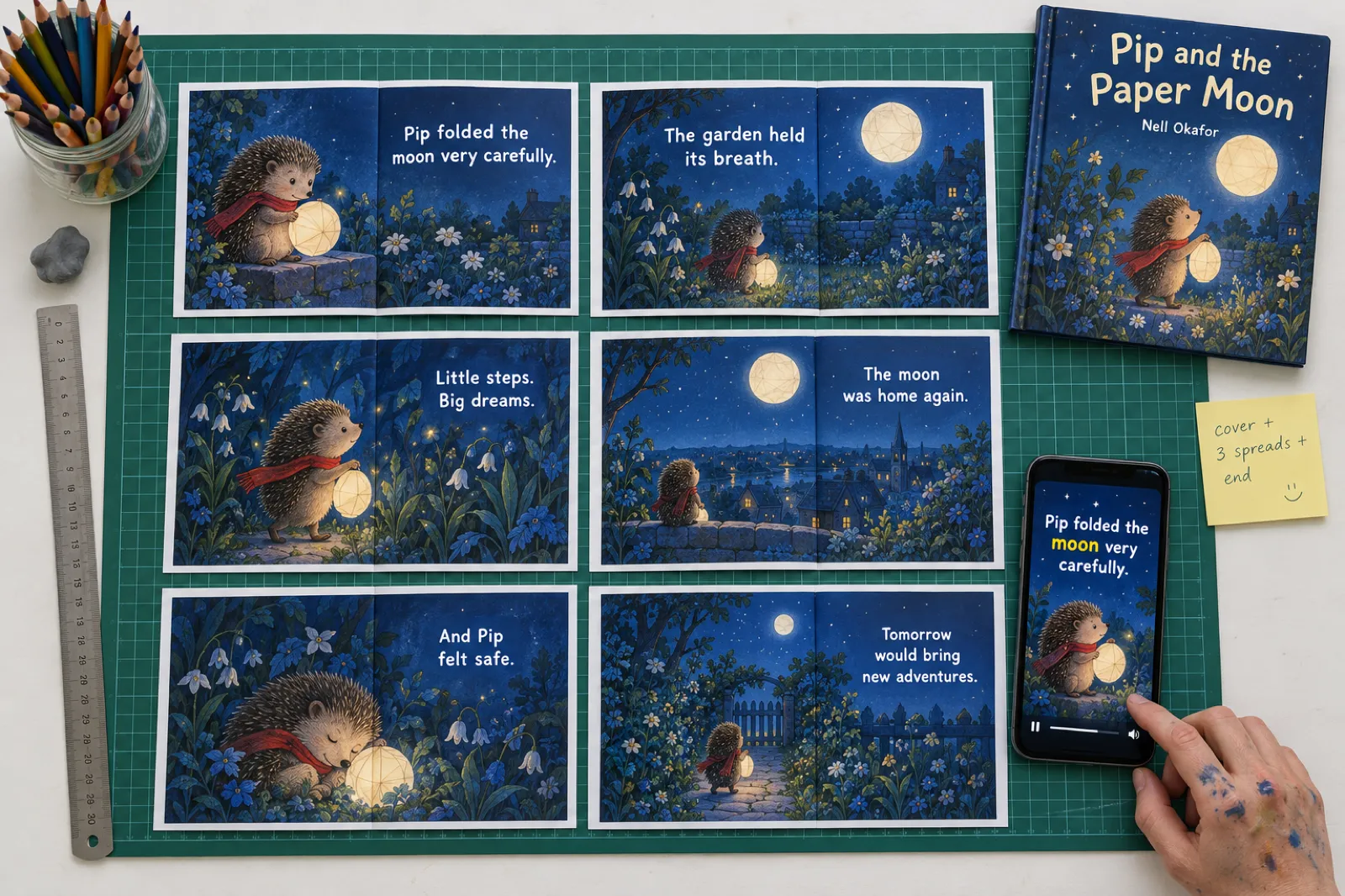
| Read-aloud | Picture books | Three pages read over their own illustrations, words lighting up as they are read. | "What if the moon fell into your garden?" |
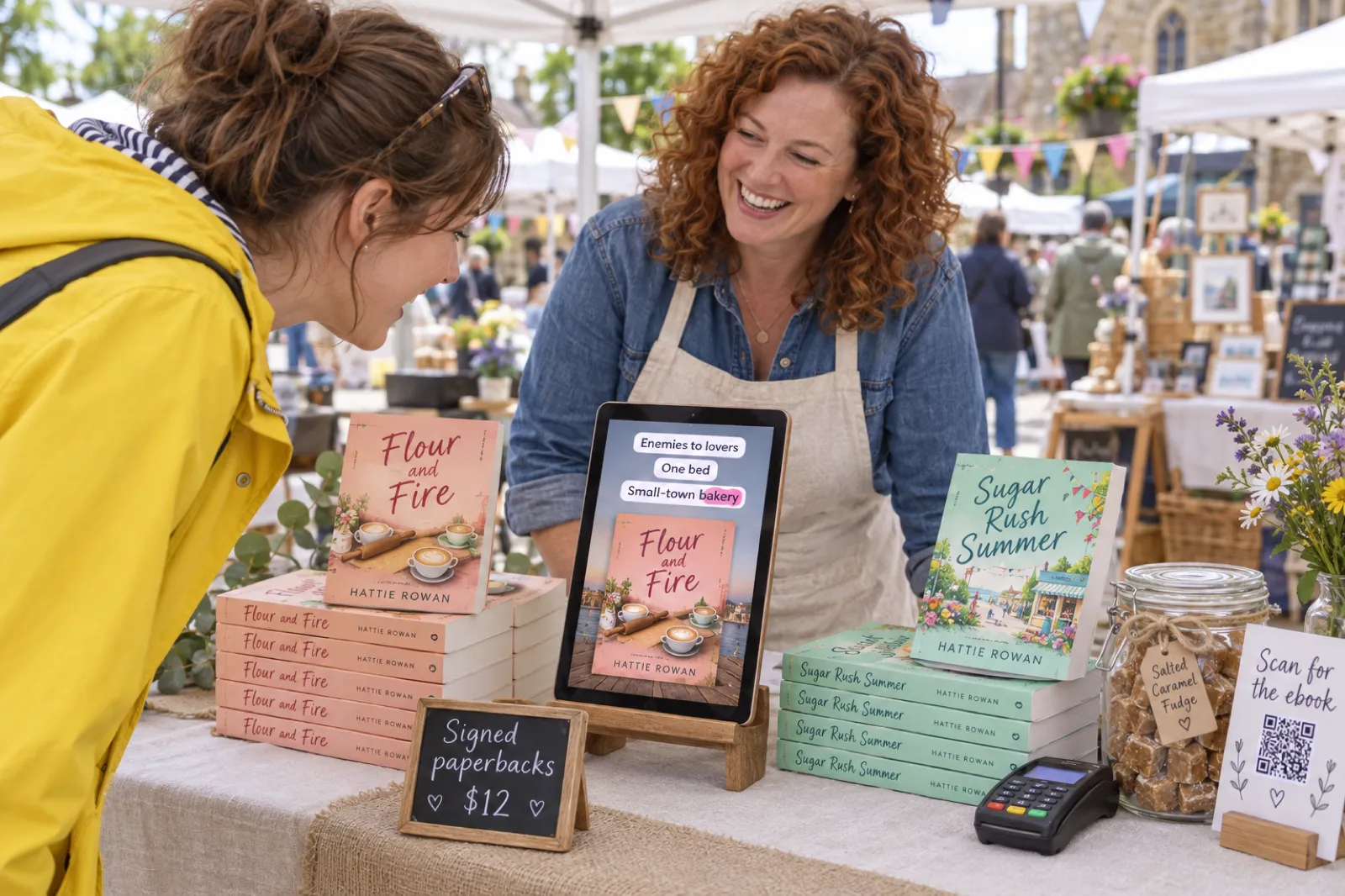
| Tropes | Romance | Your tropes stack up one at a time, two to five words each. | "POV: your rival opens a bakery next door" |
| World intro | Fantasy and sci-fi | Three lines that build the world: the place, the stakes, the turn. | "The sea chose a queen. She said no." |
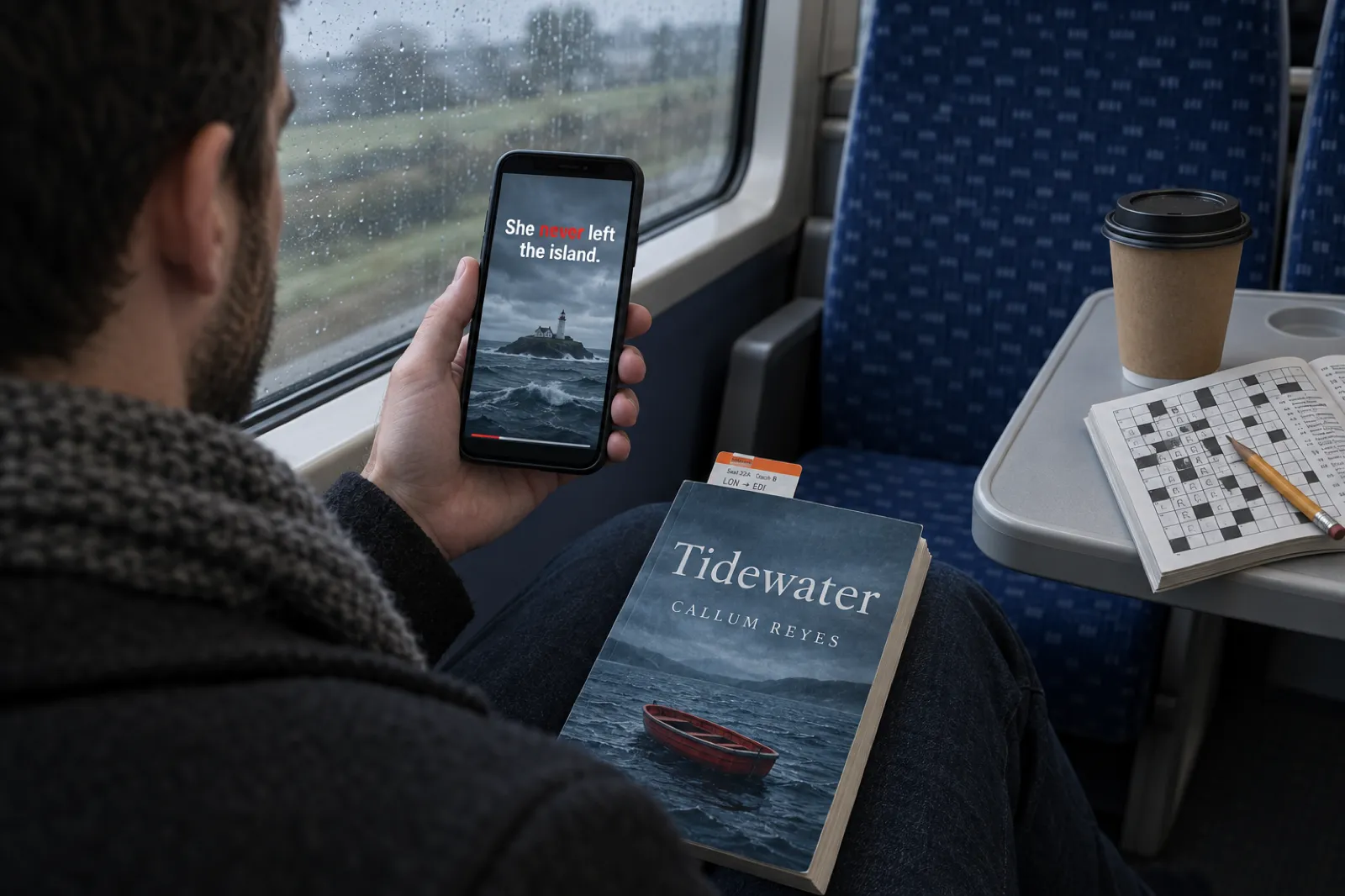
| Suspense teaser | Thriller, crime and horror | Short, sharp lines on hard cuts, one beat each. | "She never left the island." |
| Page excerpt | Any fiction | A real passage from your book as a page, each sentence highlighted as it is read. | "Some letters wait forty years to be opened." |
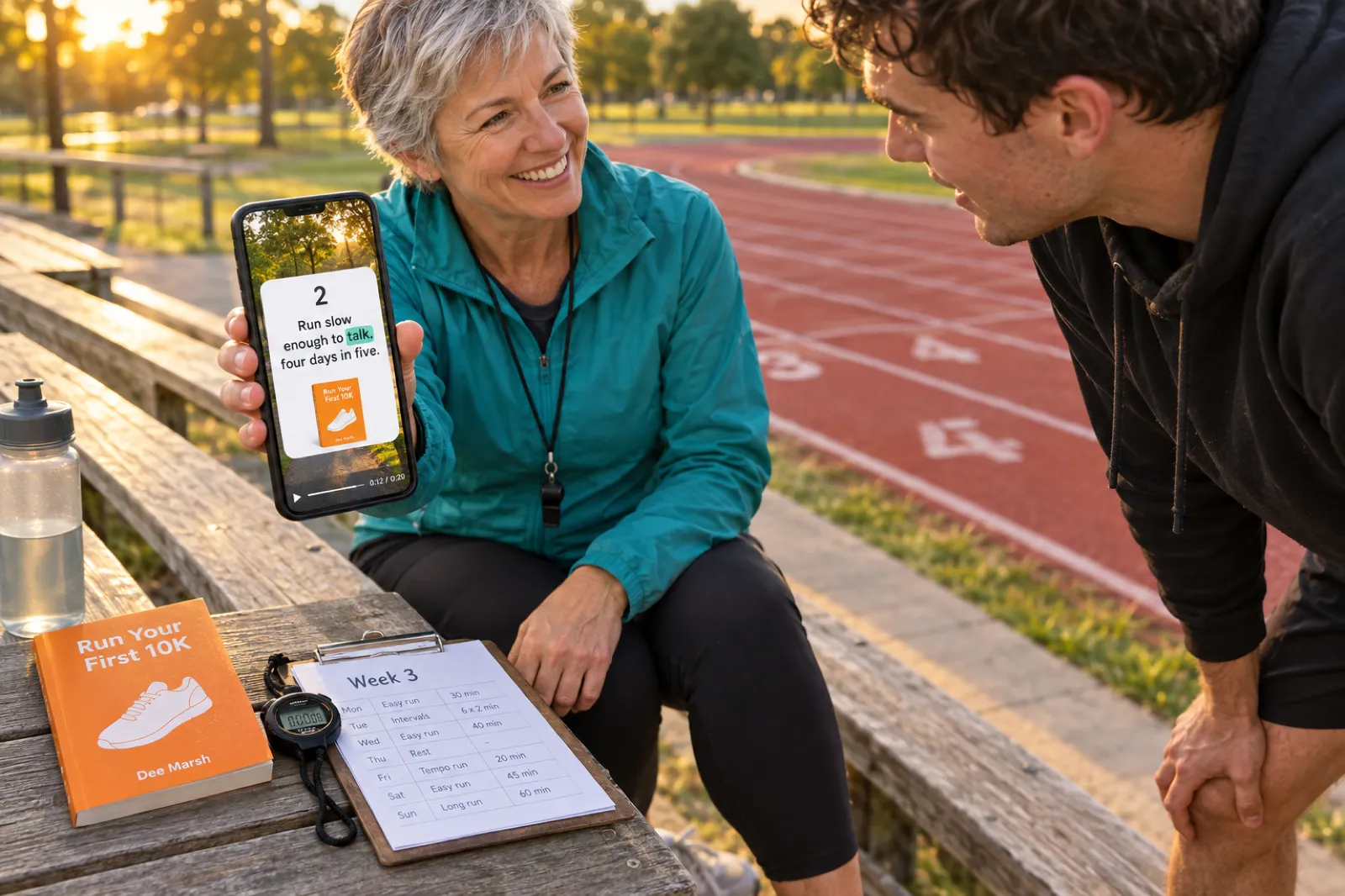
| Key takeaways | Non-fiction | Three numbered cards, one idea each, said plainly. | "You do not need to run fast to finish." |
Some notes from making these. Tropes work because readers on short-form platforms shop by trope: "enemies to lovers" or "found family" tells a romance reader more in two words than a paragraph of plot. Keep each one to two to five words. World intro is for books where the setting is the selling point; spend line one on the place, line two on what is at stake, line three on the turn. Suspense teaser cuts hard between short lines, so it suits a thriller with a clean hook more than a slow literary mystery. Page excerpt is the safest choice for any novel with strong prose, because it shows readers exactly what they will get.
Read-aloud is built for picture books. Three pages read over their illustrations give parents a real taste of the book, and the art does the selling. If you make picture books, the AI storybook generator and the picture book maker produce the illustrated pages these videos are drawn from, and your own illustrations work too. Key takeaways turns a non-fiction book into three numbered, practical ideas; it works for how-to, health, business and self-help titles written with tools like the business book writer.
Read-aloud
Write the book first: picture book maker
Tropes
Write the book first: romance novel writer
World intro
Write the book first: fantasy novel writer
Suspense teaser
Write the book first: thriller writer
Page excerpt
Write the book first: novel writer
Key takeaways
Write the book first: self-help book writer
Voices, captions and music
Short-form video is designed for sound on. Meta reports that over 75% of Reels views on Instagram are watched with sound, and Google says music, voiceover or both lift Shorts ad conversions by over 20%. That is why every video is narrated. Captions are burned in as well, lighting up word by word, so the video still works for anyone scrolling on mute.
| Narrator | Sound | Try it for |
|---|---|---|
| Coral | Warm and bright | Romance, cosy fiction, upbeat how-to |
| Marin | Calm and natural | Literary fiction, memoir, page excerpts |
| Fable | British storyteller | Picture books, fantasy, fairy tales |
| Cedar | Deep and steady | Thrillers, crime, horror |
| Sage | Soft and gentle | Bedtime stories, devotionals, wellbeing |
| Ash | Clear and confident | Business, fitness, key takeaways |
The narrator is directed by style, so the same voice reads a Suspense teaser lower and slower than a Read-aloud. Books written in Spanish, French, German, Portuguese, Italian, Dutch, Indonesian and twelve other Latin-alphabet languages are narrated in that language with a native accent. If you want your book narrated in full, that is a separate tool: the AI audiobook generator records every chapter, and you can also narrate your audiobook yourself.
Music is off by default. A voice on its own reads clearly, and TikTok and Instagram both let you add a trending sound when you post, which can help a post travel. If you want music baked into the file, choose Cozy (soft and warm), Suspense (low and tense) or Playful (light and bouncy). The three moods are made for Inkfluence AI, so there is no song licence to worry about. That matters: one roundup of free trailer tools notes that Canva's Popular Music collection is licensed for personal use only.
Inkfluence AI vs FlexClip, Animaker, Canva and InVideo
These are the tools people search for alongside "book trailer maker". Each was checked on its own book trailer page on 22 Oct 2026, except Canva, whose pages refused our requests that day; Canva's row comes from a July 2026 roundup of free trailer tools and is marked so. Prices change, so check each site before you buy.
| Tool | You start from | Who writes the words | Pictures and voice | Best for |
|---|---|---|---|---|
| Inkfluence AI | Your book, already in the app | Drafted from your book's description and opening chapters; every line editable | Your cover and the book's own pictures or uploads; six AI narrators, word-by-word captions | Authors who want many short vertical videos of their own book, fast |
| FlexClip | A book trailer template, your own clips and photos, or a book PDF through its PPT-to-video feature | You, or its AI script tool from your input | Stock library, AI image-to-video and text-to-video; text-to-speech, voice cloning, auto subtitles | Building a trailer from templates and stock in several shapes |
| Animaker | A template (the page says 100+ in one place and 500+ in another) or a blank project | You | Over 100 million stock assets and a custom character builder | Animated trailers with cartoon characters |
| Canva (via roundup) | Video templates you fill with your cover, title and blurb | You | Your own uploads plus Canva's free and paid media library | People who already design covers and posts in Canva |
| InVideo | A blurb, synopsis or prompt you paste in | Its AI writes a script from what you paste | Stock or AI-generated clips; AI voiceover; your cover on the last scene | Cinematic, movie-style trailers from a synopsis |
Where Inkfluence AI is the better pick. It is the only one of these that drafts the lines from your book's own text and matches each one to the book's own pictures. The others start from a template, a blank timeline or a pasted blurb, so you write the words and find the pictures every time. That gap widens with every extra video: the studio's tenth version of your trailer takes the same minute as the first, and each one can try a different hook or style. Because the pictures are your book's own art rather than stock clips, the video shows readers the actual book, which is what they are deciding to buy.
Where the others are better. If you want a 30 to 60 second cinematic trailer with moving footage, InVideo and FlexClip generate or source clips and we do not. If you want cartoon characters acting out a scene, Animaker's character builder does that. If you need a 16:9 or square video, the general editors export several shapes; ours is vertical only. And if the book is not yours, or not in Inkfluence AI, those tools are the right place. For a wider look at what each writing app includes beyond video, see our best AI book writing apps of 2026.
Is there a free book trailer maker?
Plainly: Inkfluence AI does not make videos on its free plan. A free account can open the studio, watch the four example videos, and see its own book played as a sketch from its opening lines, so you know what you would get. Making and downloading a video needs a paid plan.
Free
$0
Watch examples and preview your own book in the studio. No video downloads.
Creator
$9.99 a month
20 book videos a month, with a small "Made with Inkfluence AI" mark on the end card.
Premium
$19.99 a month
60 book videos a month, and the mark can be turned off.
Both paid plans include the writing, cover, export and audiobook tools as well; the full list is on the pricing page. A video that fails to finish is not counted, and the allowance resets at the start of each calendar month.
If you need a free tool today, the other tools are general editors where you do the work yourself. According to a July 2026 roundup of free trailer tools, Canva's free plan exports 1080p without a watermark as long as every element comes from its free library; Clipchamp exports up to 1080p free; iMovie is free on Apple devices; FlexClip's free plan exports at 720p and its stock is not cleared for commercial use; and Animaker's free plan adds a watermark (Animaker's own page confirms that). The step-by-step guide to making a book trailer yourself covers those routes.
Book trailer maker for students
"Book trailer maker for students" usually means a school project: make a trailer for a novel you read in class. Our studio is the wrong tool for that. It works from a book in your own Inkfluence AI library, and a class novel belongs to its author and publisher. For that assignment, Canva, iMovie or Google Slides with a recorded voice will do the job, and the book trailer how-to has a storyboard plan for a school project.
Where it does fit: a student, a creative writing class or a young writers' club that writes its own stories. Write the story, add a cover, and the trailer becomes the launch for the class anthology or a reading night. Teachers who build lesson material in Inkfluence AI can also turn a study guide into a Key takeaways video for a class page.
What a book trailer needs to do in 2026
The old idea of a book trailer was a 60-second mini-movie with stock actors and orchestral music. Publicists and readers have been cool on those for years, and Reedsy warns that "making a bad trailer is worse than making no trailer at all". What the platforms now say about short video is more useful, and it shaped every rule in the studio.
| What the platform says | Source | What the studio does |
|---|---|---|
| "46% of online purchase conversions with Reels now happen within the first 2 seconds of attention" | Meta, 3 Mar 2026 | The opening line is on screen and spoken from the first frame |
| "Introduce your content proposition in the first 3 seconds"; show 5 to 10 words a second as text; vertical 9:16, at least 720p; "end with a clear call-to-action" | TikTok creative best practices | Short caption bursts, 1080 x 1920, an end card that says where to buy |
| "For action-oriented ads, use 10-30 second vertical videos"; sound lifts conversions "by over 20%" | Google Ads, YouTube Shorts guidance | 15 to 20 seconds, always narrated |
| Sponsored Brands video: 6 to 45 seconds, "20 secs or less highly recommended", "16:9 (square pixel) only" | Amazon Ads specs | Our vertical video suits social posts, not this Amazon ad slot |
Two findings about books in particular. A study of 41,392 BookTok videos from 107 accounts (Thelwall and Finlay, April 2026) found that half of the ten most-viewed accounts post faceless, captioned montages of book visuals rather than talking to camera: exactly the shape these videos take, so you never need to film yourself. And the Written Word Media survey of 1,346 authors (December 2025) found an email list, promo sites, Facebook ads and BookBub deals ranked as the most effective marketing; trailers were not in its ranking. Treat a trailer as one post among many, with your launch checklist and list doing the heavy lifting, not as the thing that sells the book on its own.
One caution for picture-book authors on YouTube: a video marked "made for kids" loses comments, cards and end screens, so the end card on the video itself is the only place your link appears. Say the store name out loud on the end card.
A week of posts from one book
TikTok's own advice for ads is three to five clearly different videos at a time, and authors who sell steadily on short-form platforms tend to post often rather than wait for one hit. With the studio, the cheapest way to post often is to change one thing per video. A plan for one novel:
Monday: Page excerpt
Your strongest passage from the opening chapters, read as a page. Let the prose sell itself.
Wednesday: Tropes or World intro
Same book, a different door in. Tropes for romance and romantasy, World intro for fantasy and sci-fi.
Friday: a new opening line
Keep Wednesday's lines and try a "POV:" line or a question. The opening line is the variable that matters most.
Sunday: a different voice
Same script, another narrator. Note which version gets saves and shares, not just views.
Put the link where people can tap it: in the caption on YouTube, in your profile on TikTok and Instagram. A store page that matches the video helps too, so check your listing with the book description generator and the A+ Content generator before you post. Timing a run of videos around a season? The KDP publishing calendar has the submit-by dates. For the broader plan, our guides on selling romance novels, selling children's books and selling ebooks on Amazon show where a video fits in a launch. If you sell direct, the end card's store links work for Etsy and Gumroad as well as Amazon.
Limits, stated plainly
- No free videos. The free plan previews; Creator and Premium make videos (20 and 60 a month).
- One shape, one length. Vertical 9:16 only, about 15 to 20 seconds. No 16:9, no square, no long cut yet.
- Pictures, not footage. Scenes are your still pictures with gentle movement. There is no generated video of characters moving.
- Your book must be in Inkfluence AI. Write it there or import it. It cannot make a trailer for a book it has not seen.
- The lines come from the opening chapters. If your best moment is in chapter 20, type it in yourself.
- Latin-alphabet languages only, for now. 19 languages are narrated; books in Arabic, Hindi, Chinese, Japanese, Korean, Russian, Greek and other scripts cannot be made into videos yet.
- AI voice, labelled as such where apps require it. You cannot record your own voice in the studio. Some platforms add an AI label to videos like this; Amazon's rules on AI and your book listing are covered in our KDP AI disclosure guide.
- No posting for you. You download the MP4 and post it yourself, with the caption the studio wrote.
Worried readers will mind? Our look at whether readers care about AI in books covers what surveys show. The safest ground is the one these videos stand on: your real pages, your real art, and a voice reading them.
Book trailer maker: frequently asked questions
What is the best book trailer maker for authors?
If your book is written or imported in Inkfluence AI, the video studio there is the quickest route: it writes the lines from your book, uses your cover and the book's own pictures, adds a voice and word-by-word captions, and makes a vertical 15 to 20 second video in about a minute. If you want a long cinematic trailer with stock footage, or a trailer for a book you did not write, a general video editor such as Canva, FlexClip or Animaker fits better.
Is there a free AI book trailer maker?
Not on Inkfluence AI. The free plan can watch the example videos and preview its own book in the studio as a sketch, but making and downloading videos needs Creator ($9.99 a month, 20 videos) or Premium ($19.99 a month, 60 videos). General editors such as Canva, Clipchamp and iMovie have free tiers where you build the trailer yourself.
How long should a book trailer be?
For TikTok, Reels and Shorts, 15 to 20 seconds is a good target, and it is what Inkfluence AI makes. TikTok asks for the main message in the first 3 seconds, Google recommends 10 to 30 second vertical videos for ads that ask for an action, and Amazon recommends 20 seconds or less for its video ads. Classic cinematic trailers run 30 to 40 seconds.
How do I make a book trailer with AI?
Open your book in Inkfluence AI and choose Make a video (in the book's menu, on the Publish page, in the editor, or the Video card in Tools). The studio has already written an opening line and three lines from your book and picked pictures. Change any of them, pick a style and one of six voices, then press Make video. Download the MP4 and copy the caption written for your post.
Can I use my own pictures in the trailer?
Yes. Each scene uses your cover or a picture from the book, already matched to the line, and you can swap it for any other picture in the book or upload one. An uploaded picture is saved into the book, so you can use it again.
Will the video say it was made with AI?
The voice is made with AI, and the studio tells you that some apps add an AI label to videos like this. Creator videos carry a small "Made with Inkfluence AI" mark on the end card; Premium can turn it off.
What size is the video and where can I post it?
A vertical MP4, 1080 by 1920 pixels (9:16), made for TikTok, Instagram Reels and YouTube Shorts. It also works in Instagram and Facebook Stories. It is not the 16:9 shape Amazon's Sponsored Brands video ads ask for.
Does a failed video use up my allowance?
No. A video counts when it finishes. If one fails, it is not counted, and the allowance resets at the start of each calendar month.
Can students use it for a book trailer project?
Only for a story they wrote themselves in Inkfluence AI. A school trailer about a published book someone else wrote is better made in Canva, iMovie or Google Slides; the how-to guide on this site walks through that version.
Which languages does it work in?
The narration and captions work in 19 languages written in the Latin alphabet, including English, Spanish, Portuguese, French, German, Italian, Dutch and Indonesian. Books in Arabic, Hindi, Chinese, Japanese, Russian and other non-Latin scripts cannot be made into videos yet.
Step-by-step help for every part of the studio is in the help centre: how to turn your book into a video.
Sources
Product details are from Inkfluence AI as it works on 22 Oct 2026. Outside pages were read on the date shown.
- Meta for Business, click attribution update (3 Mar 2026; read 22 Oct 2026): 46% of Reels purchase conversions within the first 2 seconds.
- Meta for Developers, Reels ads (7 Nov 2024; read 19 Oct 2026): over 75% of Reels views on Instagram are sound on.
- TikTok Ads, creative best practices (read 22 Oct 2026): first 3 seconds, 5 to 10 words a second, 9:16 at 720p or more, end with a call to action, 3 to 5 creatives.
- Google Ads, YouTube Shorts ads guidance (read 22 Oct 2026): 10 to 30 second vertical videos; sound lifts conversions by over 20%.
- Amazon Ads, Sponsored Brands video specs (read 22 Oct 2026): 6 to 45 seconds, 20 or less recommended, 16:9 only.
- YouTube Help, made for kids features (read 22 Oct 2026): comments, cards and end screens turned off.
- Thelwall and Finlay, Malaysian Journal of Library and Information Science 31(1) (30 Apr 2026; read 19 Oct 2026): 41,392 BookTok videos from 107 accounts.
- Written Word Media, 2025 author survey (2 Dec 2025; read 22 Oct 2026): 1,346 responses; most effective tactics.
- Reedsy, how to make a book trailer (8 Jul 2024; read 22 Oct 2026): "making a bad trailer is worse than making no trailer at all"; most trailers run 30 to 40 seconds.
- FlexClip, book trailer maker (read 22 Oct 2026): templates, AI Recreate, stock, AI image-to-video and text-to-video, text-to-speech, voice cloning, subtitles, PDF to video.
- Animaker, book trailer maker (read 22 Oct 2026): template counts, 100M+ stock assets, character builder, watermark on the free version.
- InVideo, AI book trailer page (read 22 Oct 2026): paste a synopsis or prompt; stock or AI clips; AI voiceover.
- ebookpbook, free and low-cost book trailer makers (19 Jul 2026; read 22 Oct 2026): free-plan resolution, watermark and licensing notes for Canva, Clipchamp, iMovie, FlexClip and Animaker.
TikTok, Instagram, Reels, YouTube, Shorts, Amazon, Kindle, FlexClip, Animaker, Canva, InVideo, Clipchamp and iMovie are trademarks of their owners. Inkfluence AI is independent and not affiliated with any of them.
Related tools and guides
Turn Your Book Into a Video
Every video format for a book, and why short video works.
How to Make a Book Trailer
Length, storyboard and editing, in any app.
AI Audiobook Generator
The whole book narrated, chapter by chapter.
AI Book Cover Generator
The cover your end card will show.
AI Storybook Generator
Illustrated pages for Read-aloud trailers.
Book Description Generator
The blurb people read after they tap through.
Author Bio Generator
A profile bio to go with the link in bio.
Social Media Strategy Generator
A posting plan around your videos.
AI Book Translator
Translate the book, then make its trailer in that language.
KDP Publishing Calendar
Submit-by dates for seasonal launches.
Best AI Book Writing Apps 2026
What each app includes, videos among them.
AI Horror Story Generator
A story made for a Suspense teaser.
Your book, in fifteen seconds.
Open the studio on your book. The lines are drafted, the pictures are picked, and the video is about a minute away.
Make your book trailer