
Ebook Marketing Strategy 2026: The Complete Guide to Selling More Books
How to market an ebook in 2026, in order: fix the title, build a small email list before launch, run a planned launch week, set up your Amazon listing, then add ads and price promotions. With an 8-week timeline, a channel comparison, and what a sale earns on KDP, Gumroad and Etsy (checked 2 October 2026).
Quick Answer
To market an ebook, work in this order. First, give it a title and subtitle that say who it is for and what it does. Second, start an email list 6 to 8 weeks before launch with a free sample or checklist. Third, plan launch week day by day and line up early readers who will leave honest reviews. Fourth, fill every part of your store listing: on Amazon KDP that is up to seven keywords, three categories and a description that sells. Then add paid ads and price promotions, and only keep the ones that earn more than they cost. Email and the store listing do most of the selling for most authors; ads speed up what already works.
Most ebooks that do not sell are not bad books. Nobody found them. The author finished the manuscript, uploaded it, posted once, and waited. This guide is the plan that replaces the waiting: what to do before launch, what to do in launch week, which channels are worth your hours, how Amazon's own tools work, when ads pay, and how price changes what you keep.
It is written for self-publishers selling one ebook or a small catalogue, on Amazon KDP, their own store, or both. Every number about Amazon, Gumroad, Etsy and BookBub was read on that company's own page on 2 October 2026 and is linked; anything we could not confirm is left out.
Platform facts checked 2 October 2026. Prices in US dollars on the US stores unless stated.
Why do most ebooks fail to sell?
The usual pattern is "publish and pray": weeks on the book, an afternoon on the launch. When sales do not come, the author blames the topic or the writing. Usually neither is the problem. The book never reached the people who would have bought it. A store like Amazon's holds millions of titles and shows a handful per screen, and your book competes for those slots on its title, cover, description, reviews and sales history. The same failures show up again and again:
- ✓Marketing stops after launch week. The author promotes for seven days, then stops. Most of a book's sales life is still ahead of it at that point.
- ✓No audience of their own. Authors who rely on social media rent their reach from an algorithm. Authors with an email list own it, and can tell every reader about the next book.
- ✓One title. A catalogue sells itself, because each book points to the others. A single book has to do all its own selling.
- ✓An empty listing. Unused keyword slots, a vague title and a description that lists contents instead of outcomes mean the store's search, the biggest free channel there is, never shows the book.
None of these needs a large budget to fix. They need a plan, started earlier than feels necessary.
What should you fix before you spend anything on marketing?
The title and subtitle. Every buyer, store search, social preview and AI assistant that recommends books reads them first. A title that names its reader and the result they want (Budget Meals for One-Income Families, not Smart Money Habits) markets itself wherever it appears; a vague one forces you to buy that attention.
Our own data shows how often this is skipped. In an August 2026 snapshot of 87,000+ books created on Inkfluence AI, only 5.1% of titles used a subtitle separator at all, and the median title was 4 words long. Most authors leave the cheapest marketing space they have nearly empty.
So test the title line first: could a stranger tell who this book is for and what it does in three seconds? The subtitle is where the reader, the outcome and your main search phrase fit, for example Budget Meals for One-Income Families: 60 Dinners Under $10 That Kids Will Eat.
How does the ebook marketing funnel work?
Every sale passes through four stages, whether the buyer notices or not. Knowing which stage is failing tells you what to fix, and stops you buying more traffic for a listing that cannot convert it.
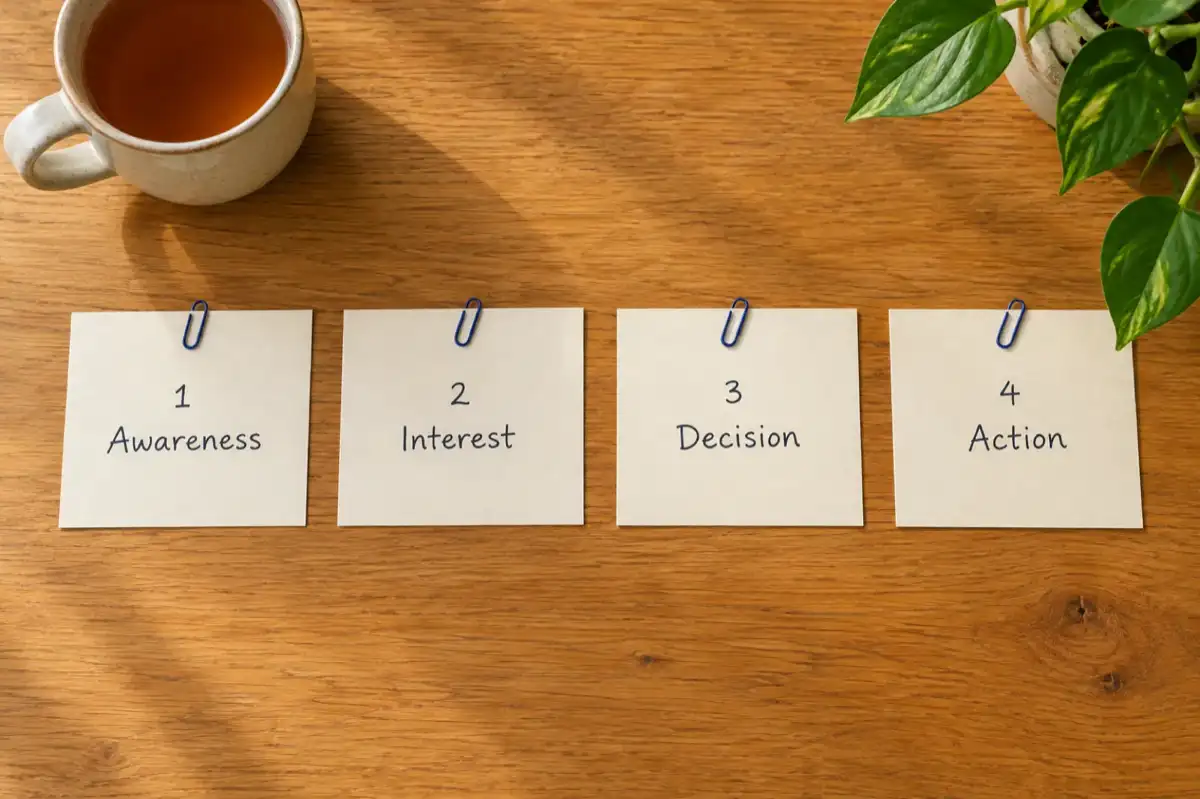
1. Awareness
The reader learns the book exists: a search result, a post, an ad, a friend, a newsletter. If this stage fails, nothing else matters.
2. Interest
They click and look. The cover, title, subtitle, description and first reviews decide whether they stay. If you get views but few sales, the problem is here.
3. Decision
They weigh it up. Price, reviews, a free sample and how clearly the book promises a result decide this stage.
4. Action
They buy. A working link, a simple checkout and a real reason to buy now (a launch price that really ends) close the sale.
Video and ads mostly create awareness; the listing handles interest; reviews and price handle the decision. Email works across all four.
Every channel at a glance
| Channel | Money cost | Time to results | Hours a week | Best for |
|---|---|---|---|---|
| Store listing (keywords, categories, description) | Free | Days, once the store has indexed the book | Front-loaded | Every book |
| Email list | Free tier of an email tool to start | Weeks, as the list grows | 1 to 2 | Non-fiction with a clear problem; series fiction |
| Short-form video | Free | Unpredictable | 3 to 5 | Fiction, cooking, fitness, self-help |
| Communities and forums | Free | Weeks to months | 2 to 3 | Niche non-fiction |
| Guest posts and podcasts | Free | Weeks (pitch, record, publish) | 2 to 3 | Business, career and expert non-fiction |
| Amazon Ads | You set the budget; pay per click | Days | 1 to 2 | Books with reviews that already sell |
| Facebook and Instagram ads | You set the budget | Weeks, when used to grow a list | 2 to 3 | Growing an email list |
| Price promotions (KDP Select, BookBub) | Lost margin, plus any feature fee | Same day to a week | Under 1 | Getting reviews and rank; series starters |
Hours are rough planning figures. The trade is the point: free channels cost time, paid ones cost money, and the two every book needs (the listing and the email list) are free.
What should you do before your ebook launches?
Start six to eight weeks before launch. That time checks the topic has buyers, builds a short list of people waiting for launch day, and gets advance copies out so reviews appear in week one.
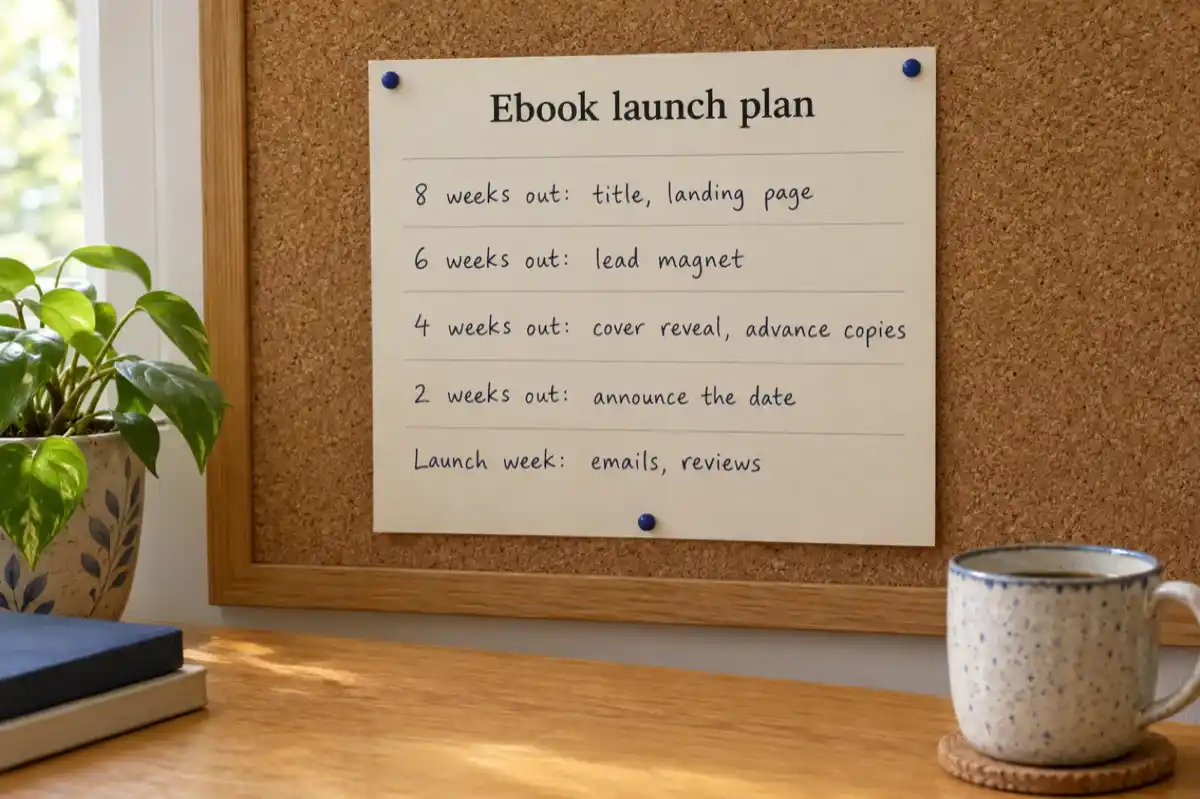
The 8-week launch timeline
| When | Focus | What to finish |
|---|---|---|
| 8 weeks out | Foundation | Check demand for the topic. Fix the title and subtitle. Set up a one-page signup page and a free email tool. |
| 6 weeks out | Audience | Release a lead magnet (a checklist, a sample chapter). Start sharing short tips from the book. Pitch two or three blogs or podcasts. |
| 4 weeks out | Anticipation | Reveal the cover. Send advance copies to 10 to 20 readers. Set up a pre-order if your store offers one. Write the launch emails. |
| 2 weeks out | Countdown | Announce the date everywhere. Confirm your advance readers are ready to review. Write the store description and fill in keywords. |
| Launch week | Momentum | Run the day-by-day plan below. |
| Weeks 2 to 12 | Steady sales | Email sequence on autopilot, content from the book, first small ad tests, one price promotion. |
1. Check the topic has buyers
Type your main phrase into the Kindle store search bar and read the suggestions: they reflect what shoppers search. Plenty of top results with reviews means demand; a page of books with none means a quiet topic. For ideas by category, see ebook ideas that sell.
2. Build a waiting list
One page: what the book is, who it is for, and "Join the list to hear on launch day." Any email tool with a free tier will do. A hundred people who asked to hear about this book beat thousands of followers who did not.
3. Share a sample
A free chapter or checklist from the book, as a PDF, gives people a reason to join and a taste of the writing. End it with a link to the full book.
4. Line up early reviews
Ask 10 to 20 readers in your field or genre to read an advance copy and leave an honest review once the book is live. Keep it clean: Amazon's KDP rules say you can give readers a free or discounted copy, but offering anything else, such as a gift card, invalidates the review, and reviews posted in exchange for compensation are removed (KDP customer reviews, checked 2 October 2026).
You cannot market a book that is still a blank page. Inkfluence AI writes a full draft from your outline, then gives you a cover, a PDF sample for your list, and the files for launch.
Start your ebook freeFree plan: 5 chapters to start, plus 5 more each month. No card needed.
What should launch week look like, day by day?
Launch week is when everyone you gathered acts at once, and early sales and reviews help a new book show up in store search and "also bought" rows. If you want a full pre-flight list of files, links and settings to check before you press publish, use our separate ebook launch checklist; this section is the marketing plan for the week itself.
The 7-day launch plan
- ✓Day 1, launch: Check the listing is live and every buy link works on a phone. Email your list with one clear link and the launch price. Post on every channel you use. Tell your advance readers the book is live.
- ✓Day 2: Share the story behind the book: why you wrote it, who it is for. People respond to the reason, not the pitch.
- ✓Day 3: Post the most useful standalone passage, tip or scene from the book, with a link at the end.
- ✓Day 4: Share early reader reactions, with permission. Other readers' words do more than your own.
- ✓Day 5: Send a second email to subscribers who opened the first but did not click. Restate the one result the book gives them.
- ✓Day 6: Say when the launch price ends. Only do this if it really ends.
- ✓Day 7: Send a last-chance email, raise the price to its regular level, and thank everyone who helped.
Then move to the steady channels below. Most authors stop after day 7; the books that keep selling are the ones still being marketed three months later.
How do readers find ebooks in 2026?
Discovery now starts in several places:
- ✓Store search and autocomplete. Still the biggest shop window. Shoppers pick from suggestions before they finish typing.
- ✓AI assistants. Readers ask "what should I read about X?" and assistants answer from the title, subtitle and description. A plain promise gets recommended.
- ✓Short video from readers. Fiction especially spreads through reader videos, which carry more weight than an author's own posts.
- ✓Newsletters. Deal newsletters and niche curators lend you their readers' trust.
- ✓Web search. Non-fiction readers search for the problem, not the book (see content marketing).
Which free marketing channels work for ebooks?
These cost consistency rather than money, which is why most authors drop them too early.
Social media
Give useful things away: tips, short excerpts and examples from the book, with a link at the end. Pick one or two platforms where your readers already are:
- ✓LinkedIn: business, careers, leadership.
- ✓Instagram Reels and TikTok: fiction, self-help, fitness, cooking, lifestyle.
- ✓Pinterest: cookbooks, planners, workbooks, crafts.
- ✓Reddit and forums: niche topics. Follow each community's self-promotion rules.
- ✓YouTube: how-to topics, one short video per chapter.
Guest posts and podcasts
A guest post on a blog your readers visit, or a podcast with a host in your field, reaches a warm audience for free. Choose by audience fit, not size, and pitch steadily: most pitches get no reply.
Communities
Groups, Discord servers and forums on your topic are where readers ask questions. Fifteen minutes a day answering well makes you the person people recommend, and your book the obvious next step.
How do you use email marketing to sell an ebook?
Email is the one channel you own. Algorithms change; a list of people who asked to hear from you stays yours, carries over to every later book, and converts better than passing social traffic.
Build the list with a lead magnet
Offer something free that solves one small problem next to the one the book solves: a checklist, template or sample chapter. The lead magnet generator page walks through formats that work. Put a signup link at the front and back of the ebook itself too, so every reader can join.
The 5-email welcome sequence
Set it up once and every new subscriber gets it:
| When | What it does | |
|---|---|---|
| 1. Welcome | Straight away | Delivers the lead magnet, says who you are and what you will send. |
| 2. A useful idea | Day 2 | One tip from the book's topic. No selling. |
| 3. A story | Day 4 | A real situation that shows the problem the book solves. |
| 4. The offer | Day 6 | What the book covers, who it is for, what changes after reading it, one link. |
| 5. Proof and a reason to act | Day 8 | Reader reviews, plus a real deadline if there is a launch price. |
After that, send something useful every week or two; when the next book comes out, the list is your launch. More in our guide to ebook funnels.
How do you market an ebook on Amazon KDP?
On Amazon, the listing is the base of your marketing: every ad, post and email sends people to it, and Amazon's search sends more for free when it is filled in well. These are the parts you control.
Keywords: use all seven
KDP lets you add up to seven keywords or short phrases (KDP keywords help, checked 2 October 2026). Use all seven. KDP advises phrases a reader would search for (setting, character types, themes, tone) in the order people type them, and not repeating your title or categories, quality claims like "best", or other people's brand names. For a method, see our Kindle keyword research guide and the KDP SEO guide.
Categories: pick three that fit
You can select three categories when you set up a book in KDP (KDP categories help, checked 2 October 2026). Pick accurate ones, specific enough that a new title can be seen near the top; start where the bestselling books most like yours are shelved. Older guides that say pick two and ask support for more are out of date.
The description is a sales page
The description decides the interest stage. A structure that works: a hook that names the reader's problem or goal in one or two sentences, a promise of what changes for them (outcomes, not a list of chapters), one line of proof (a review or your credentials), five to seven short bullets of what is inside, and a closing line that asks for the sale. "You will cook a weeknight dinner in 30 minutes" sells; "includes breakfast, lunch and dinner recipes" does not. Our free book description guide has formulas and examples you can copy.
Reviews
Reviews do most of the work in the decision stage. Ask for an honest review on the last page, ask your list, and follow up with advance readers. Never pay for or swap reviews: KDP removes reviews given in exchange for compensation, and anything beyond a free or discounted copy invalidates a review (KDP customer reviews).
KDP Select promotions
If you enrol the ebook in KDP Select, which makes it exclusive to Amazon while enrolled, you get two promotion tools. Free Book Promotions let you offer the ebook free for up to 5 days in each 90-day enrolment period (KDP free promotions). Kindle Countdown Deals are timed discounts on Amazon.com and Amazon.co.uk, running from 1 hour to 7 days; the book must have been in KDP Select for at least 30 days, its list price must be $2.99 to $24.99 on Amazon.com, the discount must be at least $1.00, and the list price must stay unchanged for 30 days before and 14 days after the deal (Kindle Countdown Deals, all checked 2 October 2026). Whether exclusivity pays depends on your other stores; our KDP Select vs wide guide walks through the trade.
Inkfluence AI drafts the Amazon description in three versions from your actual chapters, suggests your seven keywords and categories from KDP's own category list, and exports the KDP files.
Build your listing from your bookBook description, Keywords & categories and the KDP package come with any paid plan or a credit pack.
Which paid ads are worth it for an ebook?
Ads speed up a book that already converts; they cannot fix a weak cover or description. Start small, measure what each sale costs, and keep only what earns more than it costs.
Amazon Ads
Amazon Ads reach shoppers who are already looking for something to read. KDP authors can run Sponsored Products, which appear in search results and on other books' pages, and Sponsored Brands, which show a set of your books or a video. Both are cost per click: you pay only when someone clicks, you choose your bid, and you set your own budget (Advertising for KDP books). Amazon's own budget guide suggests that many advertisers start from about $10 a day per campaign, while choosing a budget you can afford (Amazon Ads budget guide, checked 2 October 2026).
Judge ads on ACoS, advertising cost of sale: ad spend divided by the sales the ads brought in. Your break-even ACoS is your royalty divided by your price. For a $4.99 ebook on the 70% option, the royalty is about $3.39 (see the pricing table), so break-even is 3.39 ÷ 4.99, about 68%. Below that, the ad pays for itself on the first sale; above it, you are paying to sell. Give each keyword a couple of weeks, pause the ones with clicks and no sales, and raise bids where ACoS is healthy. In a series, read-through makes a book 1 sale worth more than one royalty.
Facebook and Instagram ads
These work best for growing your list: advertise the free lead magnet, not the book. Do the sum before you scale. If a subscriber costs $2 and one in thirty buys, each sale costs $60 in ads, which only works with a higher-priced book, a series or a product after the book.
BookBub
BookBub says it has over 10 million members (BookBub Partners). Its Featured Deals are an editorially chosen email of discounted books, and the bar is high. A book must be free or discounted by at least 50%, must not have been offered at a better price in the last 30 days, and must be a limited-time offer; non-fiction must be at least 100 pages and novels at least 150; and BookBub says meeting every requirement still does not guarantee a feature (Featured Deal requirements, checked 2 October 2026). If you are not selected, BookBub also sells self-serve ads.
How do you use content marketing to sell a paid ebook?
The slow channel: free articles, videos and posts that answer your readers' questions and point to the book. It takes months, then keeps working without new spending, and the book already holds the material.
Articles from chapters
Rewrite one chapter as a standalone article answering one search question, ending with a link to the book. Twelve chapters, twelve articles.
Short video
Turn each chapter's main idea into a 60 to 90 second video. Show the tip working rather than talking about the book.
One book, eight assets
| From the book | Turn it into | Where to post |
|---|---|---|
| One chapter | An article | Your website, Medium, LinkedIn |
| One key idea | A carousel post | Instagram, LinkedIn |
| Three to five tips | Short videos | TikTok, Reels, Shorts |
| A list or a process | A one-page graphic | |
| Three chapters | A free sample PDF | Your signup page |
| The whole book | An audiobook edition | Your own store, as a bundle or upgrade |
| Chapter summaries | An email series | Your list |
| Questions readers ask | Forum answers | Reddit, Quora, groups |
An audio edition reaches people who listen while they commute or exercise. Inkfluence AI narrates books chapter by chapter on the Creator and Premium plans; our ebook-to-audiobook guide covers the steps, and the ACX policy explainer covers where AI narration can and cannot be sold.
Using a free ebook to market a business or service is a different job; see our guide on creating an ebook that sells.
How should you price an ebook to sell more copies?
Price is a marketing tool. Too low and readers assume the book is thin; too high without reviews and they hesitate. On Amazon, the price also sets your royalty rate. Typical ranges: $2.99 to $4.99 for a novel, $4.99 to $9.99 for practical non-fiction, more for workbooks sold direct, and free for a lead magnet.
How Amazon's royalty bands work
On Amazon.com, the 70% royalty option is open to ebooks priced from $2.99 to $12.99. That band took effect on 7 July 2026; before that it stopped at $9.99 (KDP ebook list price requirements). Outside the band the rate is 35%. At 70% you are paid 70% of the list price minus VAT and a delivery cost of $0.15 per MB on Amazon.com; at 35% there is no delivery cost. The 70% option also requires the ebook to be priced at least 20% below any print edition on Amazon (KDP pricing terms, both checked 2 October 2026).
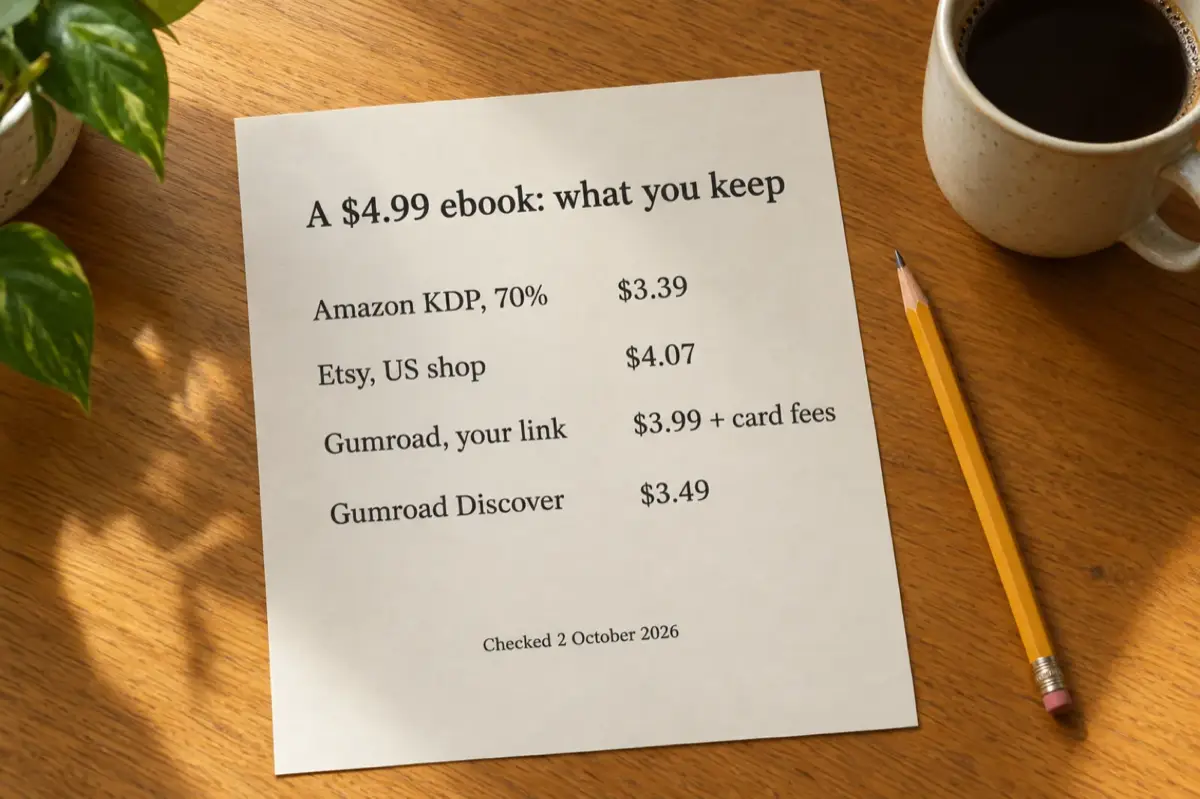
What one sale earns, by store and price
| Store and price | How it is worked out | You keep |
|---|---|---|
| Amazon KDP, $1.99 (35%) | 0.35 x $1.99 | $0.70 |
| Amazon KDP, $2.99 (70%) | 0.70 x ($2.99 - $0.15) | $1.99 |
| Amazon KDP, $4.99 (70%) | 0.70 x ($4.99 - $0.15) | $3.39 |
| Amazon KDP, $9.99 (70%) | 0.70 x ($9.99 - $0.15) | $6.89 |
| Amazon KDP, $12.99 (70%) | 0.70 x ($12.99 - $0.15) | $8.99 |
| Amazon KDP, $14.99 (35%) | 0.35 x $14.99 | $5.25 |
| Gumroad, $4.99 sold through your own link | $4.99 - (10% + $0.50) | $3.99, before card processing |
| Gumroad, $4.99 sold through Discover | $4.99 - 30% | $3.49 |
| Etsy, $4.99, US shop | $4.99 - $0.20 listing - 6.5% - (3% + $0.25) | $4.07 |
Amazon rows assume Amazon.com (no VAT) and a 1 MB text ebook, so a $0.15 delivery cost at 70%. Gumroad: 10% + $0.50 on direct sales and 30% on Discover marketplace sales, no monthly fee (Gumroad pricing, Gumroad's fees). Etsy: $0.20 listing fee, 6.5% transaction fee and, for a US shop, 3% + $0.25 payment processing (Etsy fees policy). All checked 2 October 2026; taxes, currencies and other countries differ. Try your own numbers in the royalty calculator.
Moving from $1.99 to $2.99 on Amazon nearly triples what you earn, and going above $12.99 drops you back to 35%, so $14.99 earns less than $12.99. Your own store keeps more of each sale, but you bring every buyer yourself; many authors use Amazon for being found and a direct store for their list. Our pages on selling on Gumroad and selling on Etsy cover setup on each.
Pricing tactics that move copies
- ✓A real launch price that ends on day 7.
- ✓KDP Select tools: a Countdown Deal or free days (see above).
- ✓Deal newsletters, so a price drop is seen.
- ✓Bundles of two or three related books.
- ✓Tiers on your own store: the ebook, or the ebook with templates or audio.
- ✓A cheap or free first book in a series, the most dependable fiction tactic.
More on setting the number: how to price an ebook.
Selling direct? From Inkfluence AI you can publish the finished book to your Gumroad or Etsy shop: it drafts the listing description, suggests a price and tags, and uploads the files and cover.
Create a book to sellGumroad and Etsy publishing are included on the Creator ($9.99 a month) and Premium plans.
How else can an ebook earn, beyond direct sales?
Many authors add one or more of these to copy sales:
- ✓Lead generation: a free ebook builds a list you sell bigger products to.
- ✓A course or workshop: the book says what to do; the course walks people through it.
- ✓Consulting and speaking: a useful book makes you the obvious hire.
- ✓Affiliate links: tools you really use, where store rules allow.
- ✓An audio edition: sold alone or as an upgrade.
- ✓Licensing: companies sometimes pay to use material for training.
Why does a backlist sell more than a single ebook?
Authors who earn steadily rarely have one big hit. They have five, ten or twenty titles that point to each other, and each launch goes to a bigger list than the last. Ways to make a catalogue work:
- ✓An "Also by" page in every book, with your signup link.
- ✓A series, where each book leads into the next. On the Creator and Premium plans, Inkfluence AI's "Continue as a series" writes the next book from where the last one ended, carrying the characters and events forward for fiction.
- ✓A free entry book that leads to the paid ones.
- ✓Rotating promotions, so a different title is discounted or featured each month.
- ✓Update and relaunch. A new cover, sharper subtitle or new chapter is a reason to email the list and promote again.
- ✓Reader referrals. Ask your list to share the free sample; on your own store, an affiliate link lets readers earn from it.
This is where writing speed matters: at three months a book, ten books take two and a half years. For the long view, see passive income from ebooks.
Which metrics show your ebook marketing is working?
Track these and let them decide where your next hour goes:
| Metric | Why it matters |
|---|---|
| Sales or downloads | The main result. |
| Revenue by store | Shows which store actually earns, not which is busiest. |
| Email list growth | The asset that outlasts this book. |
| Signup page conversion | Fix the page before buying more traffic for it. |
| Best Sellers Rank | Your relative position on Amazon; a lower number means more recent sales. |
| Reviews and rating | Proof for the next buyer. |
| ACoS or cost per sale | Shows which ads to keep and which to stop. |
| Traffic sources | Where buyers come from, so you can do more of it. |
What are the most common ebook marketing mistakes?
- ✗Publishing with no plan. Write the plan before you publish.
- ✗One channel. Combine the listing, email and one or two other channels.
- ✗A weak cover. Shoppers see it at thumbnail size; the title must read small.
- ✗Stopping after launch week. The months after launch decide whether a book keeps selling.
- ✗No email list. A list is the one audience you keep.
- ✗A price on the wrong side of a band. $1.99 instead of $2.99, or $14.99 instead of $12.99, on Amazon.com costs you money on every sale.
- ✗Buying or trading reviews. They get removed.
- ✗Not tracking anything. You cannot tell what worked.
Where does Inkfluence AI help with marketing an ebook?
Inkfluence AI is a book writer, not a marketing agency: the list, the posts and the outreach are still yours. But several pieces of the plan come straight out of the app.
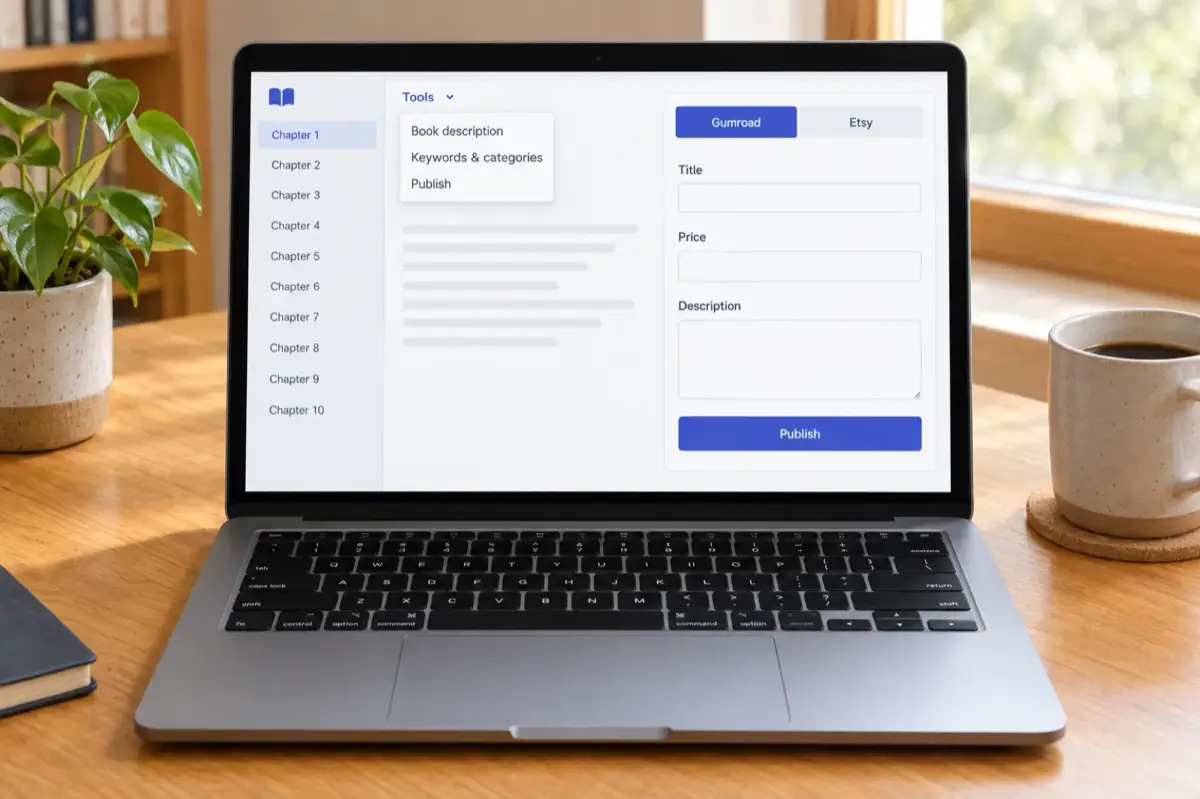
| Marketing job | What the app does | Plan |
|---|---|---|
| A book worth marketing | Writes a full draft from your idea or outline, which you edit in place. | Free plan: 5 chapters to start, plus 5 a month |
| Cover | A cover designer for the front cover, used in every export; AI cover art on top. | Designer on every plan; AI cover art with any paid plan or credits |
| Sample PDF for your list | PDF export of the whole book or a few chapters. | All plans |
| Store description | Book description tool: three versions (Hook, Benefit, Short) written from your own chapters. | Any paid plan or credits |
| Keywords and categories | Suggests the seven KDP keyword slots, subtitles, and categories chosen only from KDP's own list. | Any paid plan or credits |
| Files for Amazon | EPUB for Kindle; the KDP package (print interior PDF, full wrap cover with the spine sized to the page count, front cover image). | Any paid plan or credits |
| Direct store listing | Publishes to your Gumroad or Etsy shop with an AI-drafted description, a suggested price and tags. | Creator or Premium |
| Audio edition | Narrates chapters as an audiobook: 15 chapters a month on Creator, 30 on Premium. | Creator or Premium |
| Next book in a series | "Continue as a series" writes the next book from where the last one ended. | Creator or Premium |
Creator is $9.99 a month ($89 a year), Premium $19.99 a month ($179 a year), and credit packs start at $9.99 for 15 credits (pricing). You keep the rights to your book and all of the store's royalty.
Write the book, export the files, draft the listing and publish to your store from one place. Then spend your time on the marketing that only you can do.
Try Inkfluence AI freeStart on the free plan. Upgrade only when you are ready to export and sell.
Frequently asked questions
What is an ebook marketing strategy?
A plan for getting an ebook found, considered and bought. It covers the title and listing, building an email list before launch, a planned launch week, the channels you will use after launch (store search, email, social, content), paid ads if they pay, and pricing. Without one, even a good book gets lost among millions of others.
How do I promote my ebook for free?
Use all seven KDP keywords and three accurate categories, write a description that sells an outcome, ask early readers for honest reviews, build an email list with a free sample, and turn chapters into articles and short videos. All of these cost time rather than money.
How much should I spend on ebook marketing?
You can start with nothing. If you try ads, set a small budget, measure what each sale costs against what each sale earns, and only scale what pays. Amazon's own budget guide suggests many advertisers start from about $10 a day per campaign, but choose a budget you can afford to lose while testing.
What price gets the most out of Amazon KDP?
On Amazon.com, prices from $2.99 to $12.99 qualify for the 70% royalty option (the top of that band rose from $9.99 on 7 July 2026). Below $2.99 or above $12.99 the rate is 35%. A $4.99 text ebook earns about $3.39 a sale at 70%.
Should I give my ebook away for free?
In two cases: as a lead magnet to build your list, or as the first book of a series. Otherwise use short free promotions (KDP Select allows up to 5 free days per 90-day enrolment) to gain reviews and rank, then return to the regular price.
Should I sell on Amazon or my own store?
Usually both. Amazon brings shoppers you could not reach alone. Your own store (Gumroad, Etsy or your site) keeps more of each sale and gives you the buyer's email. On a $4.99 ebook, KDP's 70% option pays about $3.39 and a Gumroad sale through your own link leaves $3.99 before card processing (fees checked 2 October 2026).
How important are the title and subtitle?
More than any single tactic. The title line is read by every shopper, store search and AI assistant. In an August 2026 snapshot of 87,000+ books created on Inkfluence AI, only 5.1% used a subtitle and the median title was 4 words, so most books leave this space nearly empty.
Your ebook marketing checklist
For every book you publish:
- ☐ Check the topic has buyers (store search suggestions, competing books with reviews)
- ☐ Test the title and subtitle: who is it for and what does it do, in three seconds
- ☐ Make a cover whose title reads at thumbnail size
- ☐ Write the description: hook, promise, proof, bullets, ask
- ☐ Fill all seven KDP keywords and pick three categories
- ☐ Set a price inside the band you want ($2.99 to $12.99 for 70% on Amazon.com)
- ☐ Make a lead magnet and a signup page; add signup links inside the book
- ☐ Write the five welcome emails and the launch emails
- ☐ Send advance copies to 10 to 20 readers for honest reviews
- ☐ Prepare ten pieces of content from the book (articles, videos, posts)
- ☐ Run the 7-day launch plan
- ☐ Test small ads once you have reviews, and track ACoS
- ☐ Plan the next title, and email the list about it
Related guides
Ebook launch checklist
Files, links and settings to check before you press publish.
Kindle keyword research
Find the seven phrases readers type into the Kindle store.
Royalty calculator
Put your own price and file size in and see what each sale earns.
Sell ebooks on Gumroad
Set up a direct store and keep the buyer's email.
Sell ebooks on Etsy
Digital download listings, fees and what sells there.
Self-publishing on Amazon KDP
Royalty bands, file specs and timelines from KDP's own pages.
Sources
All checked 2 October 2026.
- KDP: eBook list price requirements: 70% band $2.99 to $12.99 on Amazon.com from 7 July 2026.
- KDP: digital pricing terms: royalty formulas, $0.15 per MB delivery cost, 20% below print.
- KDP: keywords and KDP: categories.
- KDP: customer reviews.
- KDP: Free Book Promotions and Kindle Countdown Deals.
- KDP: advertising for KDP books and Amazon Ads: Sponsored Products budget guide.
- BookBub Partners and Featured Deal requirements.
- Gumroad pricing and Gumroad's fees.
- Etsy: fees and payments policy.
- First-party: title and subtitle figures from an August 2026 snapshot of 87,000+ books created on Inkfluence AI.
Write the book. Then work the plan.
Inkfluence AI drafts your ebook from an outline, gives you a cover, the Kindle and KDP files, a store description and a Gumroad or Etsy listing, so your time goes into the marketing.
Start your ebook free
Founder, Inkfluence AI
Sam is the founder of Inkfluence AI. He built the platform to make book creation accessible to everyone - from first-time authors to seasoned publishers.
Helpful links
Ready to Create Your Own Ebook?
Start writing with AI-powered tools, professional templates, and multi-format export.
Get Started FreeRelated Articles
 Publishing
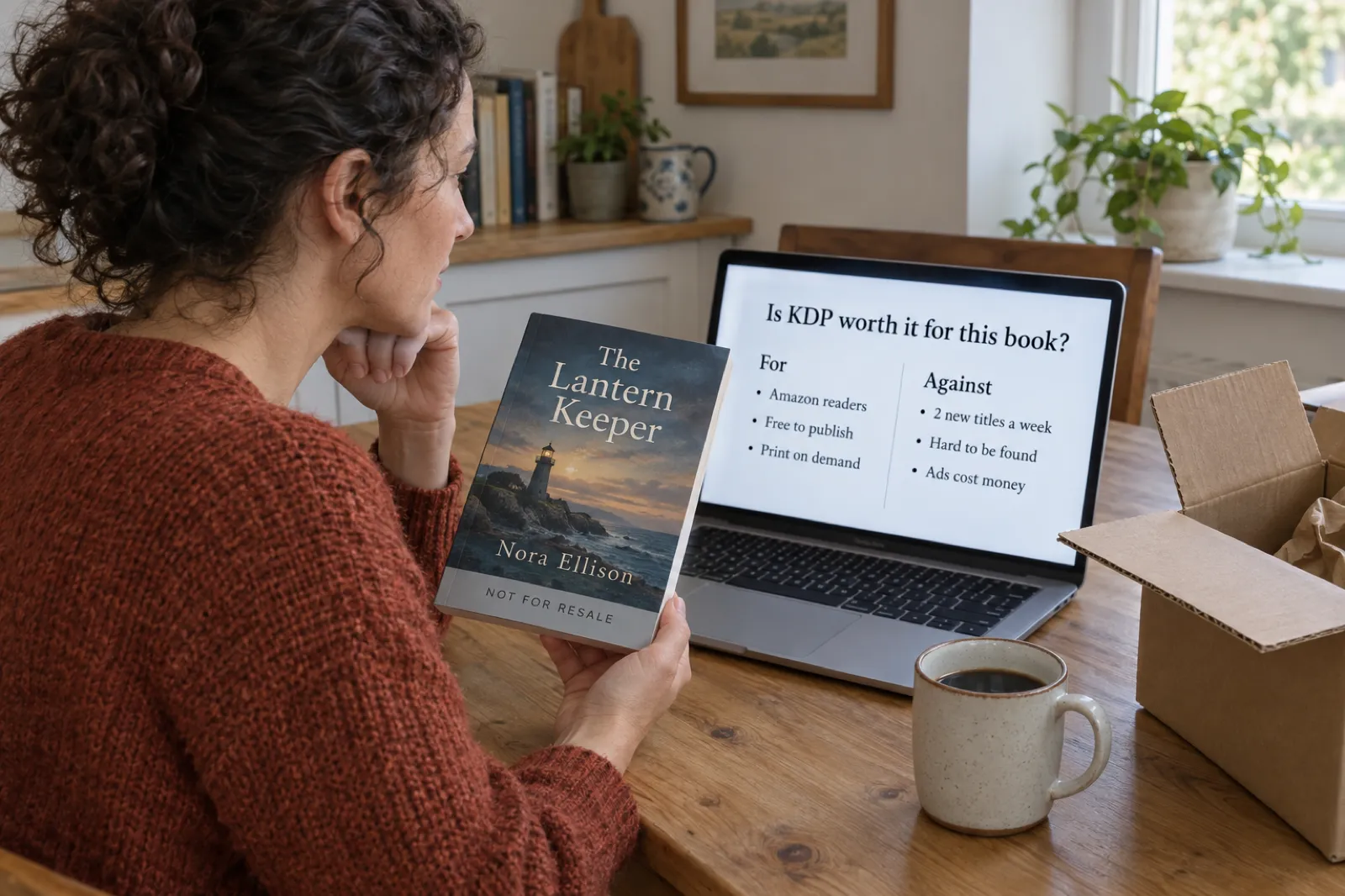
 Is KDP Worth It in 2026? An Honest Verdict by Book Type
A dated verdict for novels, non-fiction, picture books, coloring books, journals and family books: what changed on KDP in 2026, what publishing really costs, what most authors earn, when Etsy, Gumroad or going wide fits better, and a checklist that picks the route for your book.
 Publishing
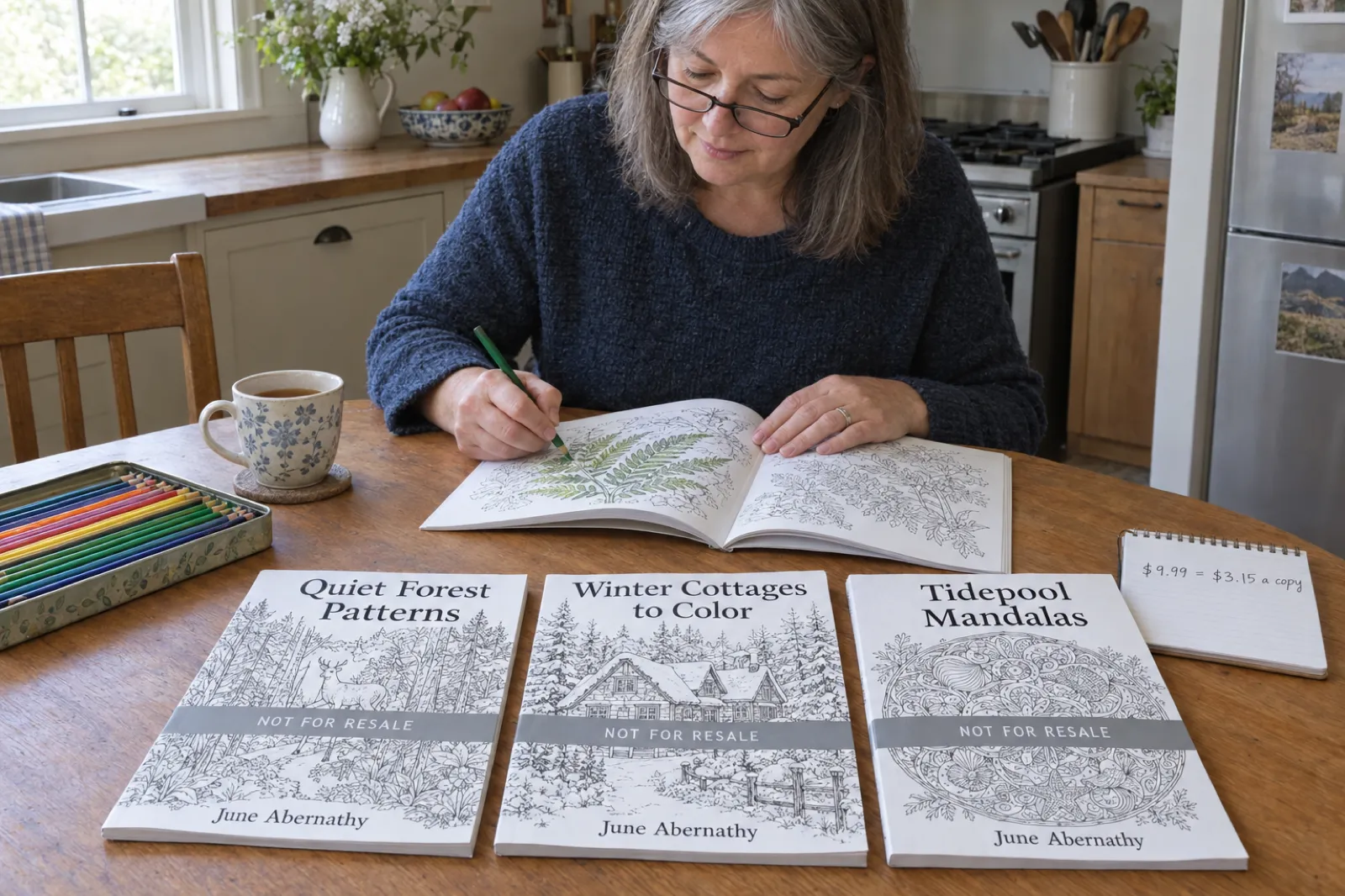
 Do Low-Content Books Still Make Money in 2026? Journal and Coloring Book Income, Worked Out
What journals, notebooks, planners and coloring books really earn on KDP in 2026: royalty per copy by trim, pages and price, why most titles sell few copies, the two-a-week limit, the rules that cut income, and where the money still is, with an estimator.
 Publishing
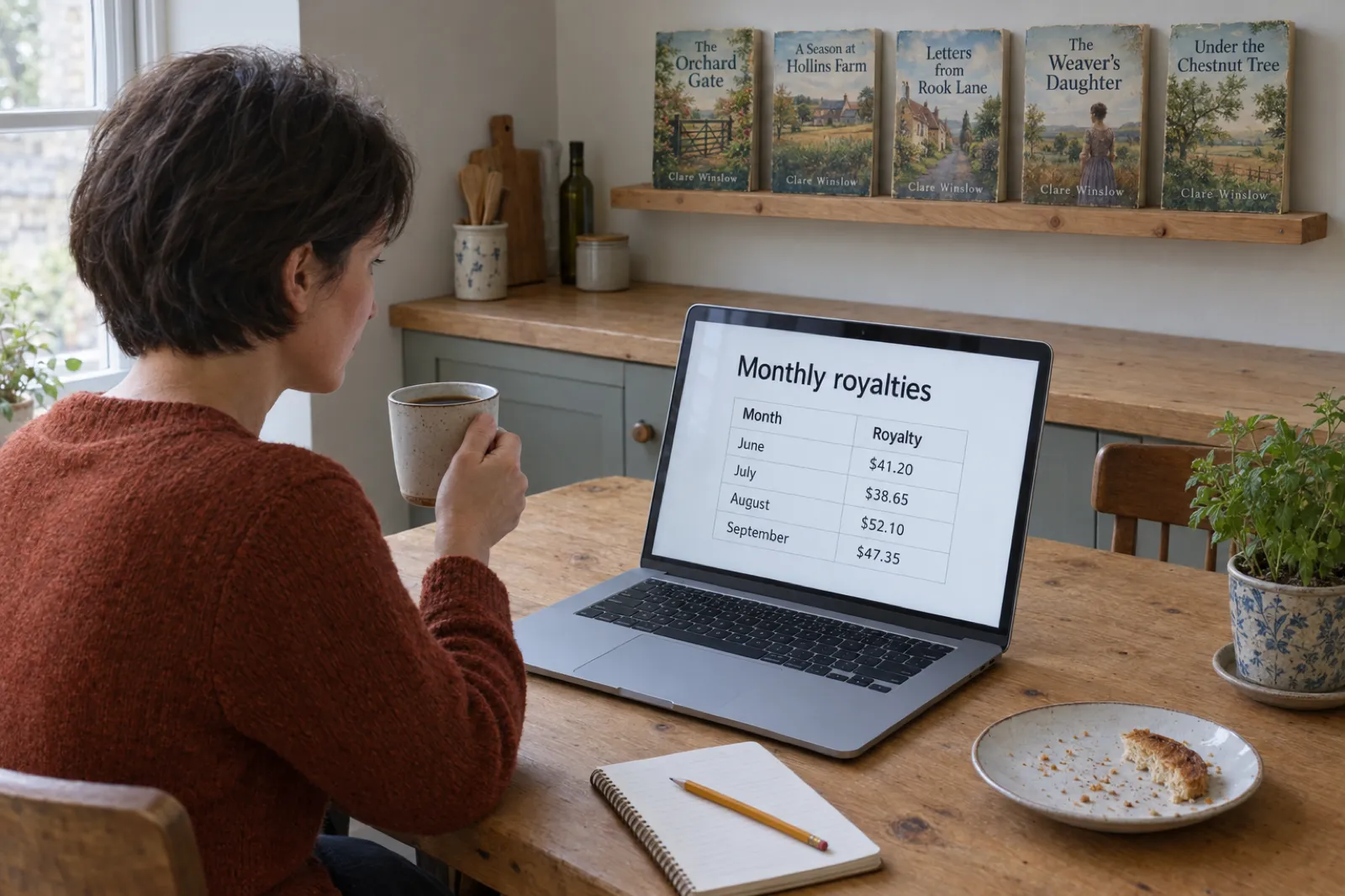
 How Much Do KDP Authors Make? Real 2026 Numbers, by Format and Catalogue Size
Most KDP authors earn under $100 a month and a minority earn a living. The 2026 survey numbers, what one copy earns in each format under KDP's new rules, why most books sell little, and what changes it, with an estimator for your own catalogue.
Get ebook tips in your inbox
Join creators getting weekly strategies for writing, marketing, and selling ebooks.