
How to Write a Book with AI in 2026: From Idea to Published in Minutes
Can AI really write a full book? Yes. This guide covers how to write a book with AI in 2026, from choosing your topic to publishing on Amazon KDP. With real examples, tool comparisons, and a step-by-step workflow that takes minutes.

Quick Answer
Yes, AI can write a full book in 2026. Tools like Inkfluence AI generate complete, structured books (outline, chapters, cover, table of contents) from a single text prompt. The process takes minutes, not months: describe your book idea, choose a genre, and the AI produces a formatted ebook ready to export as PDF, EPUB, or DOCX. You then edit, add your voice, design the cover, and publish. AI handles the drafting; you stay in creative control.
If you have searched "can AI write a book" or "how to write a book with AI," you are not alone. It is the most common question people ask about AI writing tools in 2026. The short answer: AI will not write a literary masterpiece that wins the Booker Prize. But it will produce a complete, well-structured book that you can edit, polish, and publish, in a fraction of the time it would take to write from scratch.
This guide covers everything: what AI can and cannot do, a step-by-step workflow, the best tools, what to watch out for, and how to publish your AI-assisted book on Amazon KDP and other platforms.
Can AI Really Write a Full Book?
Yes, but with a caveat. AI generates text based on patterns. It does not "understand" your book the way a human author does. For the under-the-hood mechanics, see our deep dive on how AI book generators work end-to-end. Here is what that means in practice:
AI can produce:
- A complete 5-to-15-chapter ebook from a single prompt
- Structured outlines with logical chapter flow
- Non-fiction that reads professionally (how-to guides, business books, cookbooks)
- Fiction with consistent characters, plot arcs, and dialogue
- Cover designs generated from text descriptions
- Export-ready PDF, EPUB, and DOCX files
AI struggles with:
- Original research or data that does not exist online
- Deep personal stories and memoirs (your life experiences)
- Highly technical content (medical, legal, engineering) without expert review
- Distinctive literary voice that sounds uniquely "you"
- Maintaining perfect consistency across 50+ chapters
The key insight: AI is a first-draft machine, not a final-draft machine. The best workflow is: let AI do the heavy lifting (structure + drafting), then you edit for voice, accuracy, and personality. This turns a 3-month project into a 3-day project.
What AI Does Well (and Where It Struggles)
Understanding AI's strengths helps you use it effectively instead of fighting against its limitations.
| Task | AI Quality | Your Role |
|---|---|---|
| Generating outlines | Excellent | Review and reorder chapters |
| Writing how-to content | Excellent | Add personal examples |
| Writing fiction dialogue | Good | Polish for natural voice |
| Recipe books and cookbooks | Excellent | Test and verify recipes |
| Cover design | Good | Adjust colors, fonts, layout |
| Formatting (TOC, chapters) | Excellent | Choose style preferences |
| Fact-checking | Poor | Always verify claims |
| Personal anecdotes | Cannot do | Write these yourself |
The pattern is clear: AI excels at structure and well-known information. It falls short on personal experience and original research. Use it accordingly.
Write your first book in minutes
Describe your idea. Inkfluence AI writes, formats, and exports your book as PDF or EPUB. Free to start, no credit card.
Try It Free7 Steps to Write a Book with AI (Step-by-Step)
This workflow works for any type of book: fiction novel, non-fiction guide, cookbook, workbook, lead magnet, or children's book. We are using Inkfluence AI as the example, but the principles apply to any AI writing tool.
Step 1: Describe Your Book Idea
Open the dashboard and type a description of your book. Be specific. Instead of "a book about cooking," write: "A vegetarian cookbook with 30 quick weeknight recipes for busy parents, organised by cooking time."
The more detail you give, the better AI performs. Include:
- Target audience: Who is reading this?
- Goal: What should the reader learn or experience?
- Length: 5 chapters for a short ebook, 10-15 for a full book
- Tone: Professional, friendly, storytelling, academic
Step 2: Choose a Blueprint
Inkfluence AI has 20+ book blueprints that shape how your book is structured. Each blueprint is designed for a specific type of content:
Fiction
Novels, short stories
How-To Guide
Step-by-step tutorials
Recipe Book
Cookbooks, meal plans
Workbook
Exercises, activities
Lead Magnet
Study Guide
Exam prep, revision
Kids Fiction
Children's stories
Business
Strategy, startup
There is also: Personal Development, Education Guide, Devotional, Q&A Book, Playbook, Checklist Pack, Listicle, and more. The blueprint shapes the chapter structure, headings, and content style automatically.
Step 3: Review the AI-Generated Outline
Before writing begins, AI generates a full outline with chapter titles and key points. This is your chance to:
- Reorder chapters for better flow
- Remove chapters that feel redundant
- Add chapters for topics the AI missed
- Rename chapters to match your preferred style
A strong outline is the difference between a coherent book and a random collection of AI text. Spend a few minutes here. For more outline strategies, see our book outline generator guide.
Step 4: Generate Chapters
Click generate and watch the AI write each chapter. On Inkfluence AI, each kind of book is written the way its continuity needs:
- Fiction: Chapters are written one at a time, in order, with the story bible, the last 3 chapters in full and a running record of the whole book (who knows what, where everyone is, what has already happened)
- Non-fiction: Every chapter is planned up front with its own framework, opening and example, then all chapters are written at the same time without repeating each other
- Cookbooks and list books: Each entry is self-contained
Generation typically takes 2-5 minutes for a full 5-chapter ebook. A 15-chapter book takes about 10-15 minutes.
Step 5: Edit and Add Your Voice
This is the most important step. AI gives you a solid draft, but your book needs you in it. Open the built-in editor and:
- Add personal stories and real-world examples
- Fix any factual claims (AI can hallucinate statistics)
- Adjust the tone so it sounds like you, not a robot
- Cut sections that feel repetitive or generic (see 9 techniques to avoid generic AI output)
- Add your own writing prompts to regenerate specific sections
Most authors spend 1-3 hours editing a 5-chapter AI-generated ebook. For a full-length novel, expect 1-2 days of editing.
Step 6: Design the Cover
A professional cover matters. Inkfluence AI includes a built-in cover designer with:
- AI-generated cover images from text prompts
- 50+ stock image presets for quick designs
- Custom font, colour, and layout controls
- One-click presets for different genres
You can also upload your own cover image if you prefer to use Canva or a professional designer.
Step 7: Export and Publish
Click export and choose your format:
- PDF: Perfect for lead magnets, sharing, and printing
- EPUB: Required for Amazon KDP, Apple Books, and Kobo
- DOCX: For further editing in Word or Google Docs
Free users get PDF export. Creator and Premium plans unlock EPUB and DOCX for professional distribution. See pricing for details.
How Long Does It Take to Write a Book with AI?
Real numbers from Inkfluence AI users:
| Book Type | AI Generation | Your Editing Time | Total Time | Traditional Writing |
|---|---|---|---|---|
| 5-chapter ebook / lead magnet | 3-5 minutes | 30 min - 2 hours | Under 3 hours | 2-4 weeks |
| 10-chapter non-fiction | 8-12 minutes | 3-8 hours | 1-2 days | 2-4 months |
| 15-chapter novel | 12-18 minutes | 1-3 days | 2-4 days | 6-12 months |
| Cookbook (30 recipes) | 5-8 minutes | 2-4 hours | Half a day | 3-6 months |
The AI generation itself is always minutes. The variability comes from how much editing you want to do. Some people export directly after generation. Others spend days perfecting every paragraph. Both approaches are valid.
Best AI Tools for Writing a Book in 2026
There are many AI tools that can help with book writing, but they fall into two categories: purpose-built book tools and general AI chatbots. For a deep comparison, see our full review of free AI book writing tools and our best AI book writing software comparison.
Purpose-Built Book Writing Tools
| Tool | Best For | Free Tier? | Export Formats | Generates Full Book? |
|---|---|---|---|---|
| Inkfluence AI | Complete book creation + export | Yes (5 chapters + 5/month) | PDF, EPUB, DOCX | Yes |
| Sudowrite | Fiction writing, long-form novels | Free trial only | DOCX | Partially |
| Designrr | PDF ebook design | No | No (design only) | |
| Scrivener | Long-form manuscript management | No | EPUB, DOCX, PDF | No (manual writing) |
General AI Chatbots for Book Writing
ChatGPT, Claude, and Google Gemini can all help with book writing, but they require significant manual work. You prompt chapter by chapter, copy-paste into a document, format everything yourself, and handle cover design separately. They are better suited as writing assistants than as complete book-creation tools.
For a detailed comparison between chatbots and dedicated tools, see our guide on best AI ebook generators.
What Kind of Book Should You Write with AI?
Some book types are a perfect fit for AI. Others need more human involvement. Here is a practical ranking:
How-to guides, practical guides, business books
AI excels at organising information logically. These books have clear structure and factual content. Perfect first project.
The recipe-book blueprint produces excellent results. Ingredient lists, instructions, and nutritional info are well-structured. One of the best AI use cases.
Study guides and education materials
AI structures information clearly for revision. Great for teachers and students.
AI handles plot structure, dialogue, and world-building. You will need to edit for voice and style. For tips specific to fiction, see our fiction writing guide.
Great for coaching materials and course companions. The workbook blueprint adds exercises, reflection prompts, and action items automatically.
Memoirs and personal essays
AI cannot know your life story. Use it for structure and formatting, but write the actual content yourself. AI can help with phrasing and flow.
See it in action
Pick any book type above. Inkfluence AI generates the outline, writes every chapter, designs the cover, and exports as PDF or EPUB.
Create Your Book FreeAI Book Writing vs Traditional Writing: Honest Comparison
Let's be fair about what you gain and what you lose. If you want the process with no AI assumed at all, from word counts by genre to editing costs, see our step-by-step guide to writing a book.
| Factor | AI-Assisted Writing | Traditional Writing |
|---|---|---|
| Time to first draft | Minutes to hours | Months to years |
| Cost | Free to $19.99/month | Free (your time) or $3,000-$10,000 (ghostwriter) |
| Unique voice | Requires editing to add | Built-in from the start |
| Structural quality | Consistently well-organised | Varies by writer skill |
| Formatting and export | Automatic (PDF, EPUB, DOCX) | Manual or hire a formatter |
| Cover design | AI-generated or template | Hire a designer ($200-$1,000) |
| Writer's block | Eliminated | Common pain point |
| Best for | Speed, scale, first-time authors | Literary fiction, deeply personal works |
The honest take: if you are writing the next great American novel, AI is a brainstorming partner but not a replacement. If you are writing a business book, cookbook, course companion, or lead magnet, AI genuinely does 80% of the work.
Publishing Your AI-Written Book
Your book is written and edited. Now what? Here are the most popular publishing routes:
Amazon KDP (Kindle Direct Publishing)
The most popular self-publishing platform. Upload your EPUB, set your price, and your book appears on Amazon within 24-72 hours. For a full walkthrough, see our Amazon KDP self-publishing guide.
- Export your book as EPUB from Inkfluence AI
- Upload your AI-generated cover (KDP requires specific dimensions)
- Set pricing (most ebooks sell for $2.99 to $9.99)
- Optimise your listing with KDP SEO keywords
- Must disclose AI-generated content (see below)
Direct Sales (Gumroad, Etsy, Your Website)
Sell your ebook directly and keep most of the revenue: a $9.99 PDF nets about $7.90 on Gumroad and about $8.59 on Etsy after fees. Export as PDF, upload to Gumroad or Etsy, and share the link. This works well for passive income ebooks and niche content.
Lead Magnets (Email List Building)
Give your ebook away free in exchange for email addresses. This is the most popular use case for short AI-generated ebooks. See our guide to creating lead magnets that convert.
Audiobooks
Inkfluence AI includes an AI audiobook generator that converts your chapters to spoken audio using text-to-speech. Premium and Creator plans include audiobook generation.
Copyright, Legal, and KDP AI Disclosure
This is the question everyone asks: Can you copyright an AI-written book?
The current legal position (as of 2026):
- Pure AI output (zero human involvement) is generally not copyrightable under US law
- AI-assisted works (human selects topic, edits, adds content, makes creative decisions) are copyrightable. The human contribution is what earns copyright protection.
- Amazon KDP requires you to disclose AI-generated content. You must indicate whether AI was used for text, images, or both. Failure to disclose can result in book removal.
For a detailed breakdown of what you must declare, see our Amazon KDP AI disclosure policy guide for 2026.
Practical advice:
Always edit and add original content to your AI-generated book. This strengthens your copyright claim, improves the quality, and satisfies Amazon's disclosure requirements. The more human involvement, the stronger your legal position.
5 Mistakes That Ruin AI-Written Books
We have seen thousands of books generated on Inkfluence AI. These are the most common mistakes that turn a good AI draft into a bad final product:
1. Publishing without editing
AI writes competent first drafts, not perfect final copies. Readers can tell when a book has not been touched by a human. Spend at least an hour reviewing and adding your perspective.
2. Vague prompts
"Write a book about business" produces generic content. "Write a practical guide for solopreneurs who want to land their first 10 clients through LinkedIn outreach" produces targeted, useful content. Be specific about audience, goal, and scope.
3. Trusting facts blindly
AI can generate plausible-sounding statistics that are completely made up. Always fact-check claims, especially in non-fiction. Remove or replace any statistic you cannot verify.
4. Ignoring the cover
People judge books by their covers. An ebook with no cover or a default template cover will not sell. Use the AI cover generator or design something custom.
5. Using ChatGPT as a book tool
ChatGPT is a chatbot, not a book creator. You have to prompt chapter by chapter, copy-paste into a doc, format manually, create the cover separately, and handle export yourself. Purpose-built tools like Inkfluence AI handle all of that in one workflow.
Who Writes Books with AI?
AI book writing is not just for tech enthusiasts. Here is who actually uses tools like Inkfluence AI:
Create lead magnets and authority books to grow their business
Build study guides, revision packs, and course materials
Speed up first drafts and overcome writer's block
Repurpose video and podcast content into ebooks
Write ebooks for clients without spending weeks per project
Create client workbooks and training programmes
More Resources
Dig deeper into specific topics:
- How to Use AI to Write a Book (detailed step-by-step)
- Best Free AI Book Writing Tools (7 tools tested)
- Best AI Book Writing Software (2026)
- AI Novel Writing Guide
- How to Write Fiction with AI for Free
- Free AI Book Writer (No Sign-Up Required)
- Ebook Ideas: 500+ Topics by Niche
- Amazon KDP AI Disclosure Policy Guide
- How to Make Passive Income with Ebooks
- Ebook Marketing Strategy
Ready to write your book?
From idea to finished ebook in minutes. Free to start, no credit card required.
Start Writing FreeFrequently Asked Questions
Can AI write a full book?
Yes. AI tools like Inkfluence AI can generate a complete book with chapters, headings, table of contents, and a cover from a single text prompt. The AI generation takes minutes. Most authors then spend time editing and adding their personal voice. The result is a polished, export-ready ebook.
Is it legal to publish an AI-written book?
Yes. There are no laws prohibiting the publication of AI-assisted books. Amazon KDP requires you to disclose AI-generated content, but it does not ban it. The more you edit and contribute original content, the stronger your copyright claim. See our KDP AI disclosure guide for details.
How long does it take to write a book with AI?
AI generation itself takes 3-15 minutes depending on book length. A 5-chapter ebook generates in about 3 minutes. A 15-chapter novel takes about 12-15 minutes. Editing adds anywhere from 30 minutes to a few days depending on how much you want to personalise the content.
What is the best free AI book writer?
Inkfluence AI's free tier offers 5 chapters per month with PDF export and access to all 20+ book blueprints. It is the only free AI book writing tool that generates structured, multi-chapter books and exports them directly as PDF, EPUB, or DOCX. For more options, see our comparison of free AI book writing tools.
Can I sell an AI-written book on Amazon?
Yes. Amazon KDP allows AI-assisted content. You must disclose that AI was used in the creation process (text, images, or both). Books that fail to disclose AI involvement risk being removed. The key requirement is disclosure, not prohibition.
How much does it cost to write a book with AI?
Free options exist. Inkfluence AI offers a free tier with 5 chapters plus 5 more every month. Paid plans start at $9.99/month (Creator, 35 chapters/month) and $19.99/month (Premium, unlimited). By comparison, hiring a human ghostwriter costs $3,000 to $10,000+ for a full book. See our pricing page.
Is an AI-written book copyrightable?
AI-assisted works where a human makes creative decisions (selecting topics, editing, adding content, structuring) are generally copyrightable. Pure AI output with zero human involvement may not be. The practical advice: always edit your AI-generated content and add original material.
What types of books can AI write?
AI can write fiction (novels, short stories, children's books), non-fiction (self-help, business, how-to guides), recipe books, workbooks, study guides, lead magnets, checklists, playbooks, devotionals, and more. Inkfluence AI supports 33 book types. See our ebook ideas page for inspiration.
ChatGPT vs Inkfluence AI for writing books?
ChatGPT is a general-purpose chatbot. You have to prompt it chapter by chapter, copy-paste output into a document, format everything manually, design a cover separately, and handle export yourself. Inkfluence AI is a purpose-built book creator: you describe your idea once, it generates the full book with structure, cover, and direct export to PDF/EPUB/DOCX. For a detailed comparison, see our software comparison.
Can AI write a novel?
Yes. AI can generate plot outlines, character descriptions, and chapter drafts for novels. The fiction blueprint in Inkfluence AI maintains context across chapters (the story bible, the last 3 chapters in full and a running record of the whole book). Fiction typically needs more editing for voice and style than non-fiction. See our AI novel writer page and novel writing guide.
Do I need to be a writer to use AI book tools?
No. AI book tools are designed for everyone, including people who have never written a book before. You describe your idea in plain language and the AI handles structure, drafting, and formatting. Many Inkfluence AI users are first-time authors, entrepreneurs, and content creators who want to publish without spending months writing.
How do I make my AI book sound less robotic?
Three techniques: (1) Add personal stories, anecdotes, and real examples the AI cannot know. (2) Vary sentence length, as AI tends to write uniformly. (3) Choose a specific tone when generating (friendly, storytelling, conversational) rather than defaulting to "professional." The editing step is where your book goes from "AI-generated" to "authored by you."

Founder, Inkfluence AI
Sam is the founder of Inkfluence AI. He built the platform to make book creation accessible to everyone - from first-time authors to seasoned publishers.
Helpful links
Ready to Create Your Own Ebook?
Start writing with AI-powered tools, professional templates, and multi-format export.
Get Started FreeRelated Articles
 Publishing
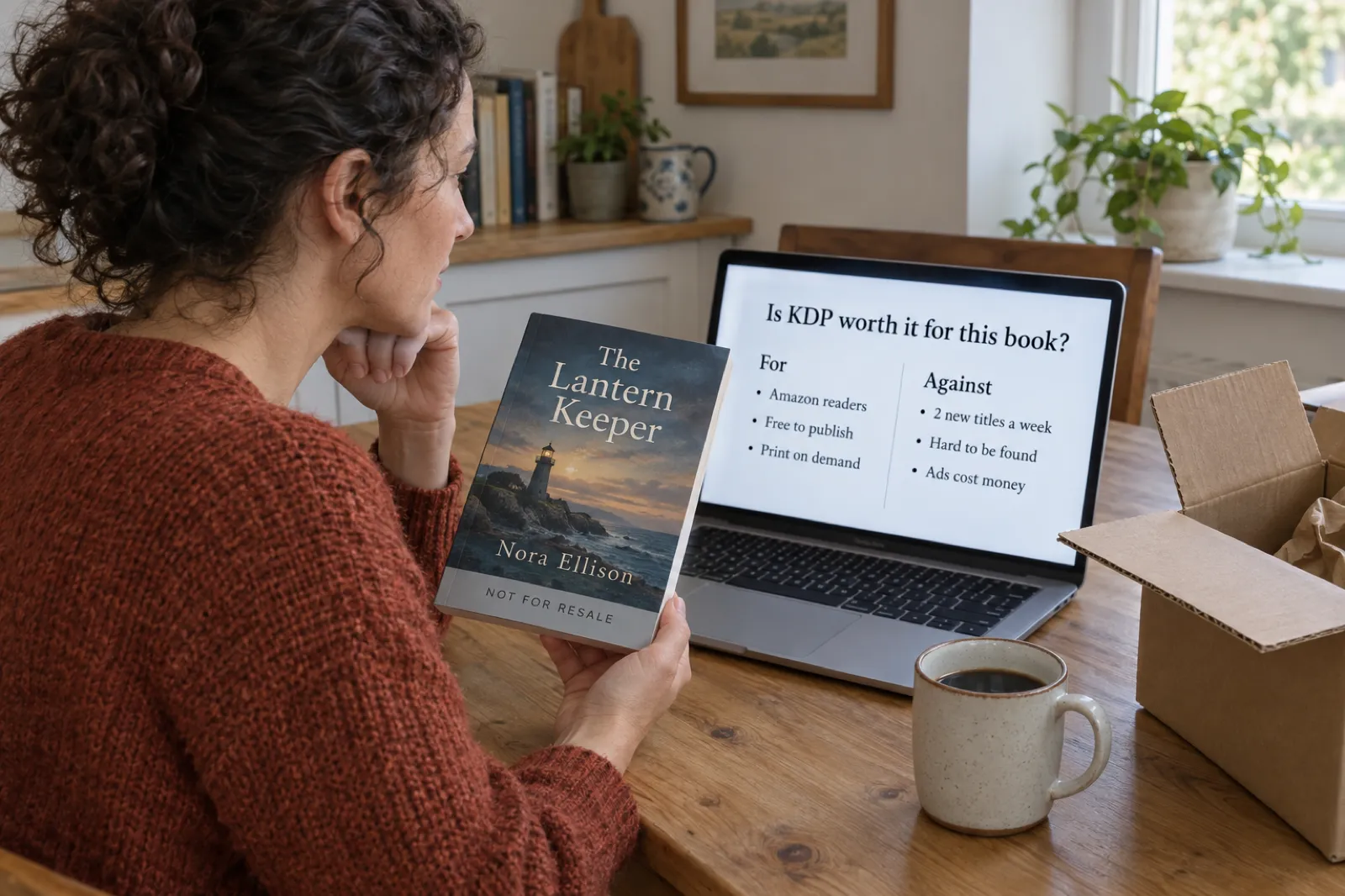
 Is KDP Worth It in 2026? An Honest Verdict by Book Type
A dated verdict for novels, non-fiction, picture books, coloring books, journals and family books: what changed on KDP in 2026, what publishing really costs, what most authors earn, when Etsy, Gumroad or going wide fits better, and a checklist that picks the route for your book.
 Publishing
 How Much Do KDP Authors Make? Real 2026 Numbers, by Format and Catalogue Size
Most KDP authors earn under $100 a month and a minority earn a living. The 2026 survey numbers, what one copy earns in each format under KDP's new rules, why most books sell little, and what changes it, with an estimator for your own catalogue.
 AI Writing
 Sudowrite vs Novelcrafter (2026): Price, Built-in AI vs Your Own Key, Story Bible vs Codex
Sudowrite ($10 to $59 a month, AI built in) against Novelcrafter ($4 to $20 a month, AI from your own provider): price, how the AI is paid for, Story Bible against Codex, drafting, editing, export and series, read on both vendors' sites on 17 October 2026, with a picker.
Get ebook tips in your inbox
Join creators getting weekly strategies for writing, marketing, and selling ebooks.