
Best AI Ebook Generators in 2026: 7 Tools Compared
A hands-on comparison of the best AI ebook generators in 2026 covering features, pricing, export formats, and who each tool is built for. Find the right one for your workflow.

Quick Answer
The best AI ebook generators in 2026 are Inkfluence AI (best overall - outline, chapters, cover design, and PDF/EPUB/DOCX export in one workflow), Designrr (best for converting existing blog content into formatted PDFs), Canva (best for design-heavy one-pagers), and Beacon (best for lead magnet landing pages). The key differentiator is chapter continuity - most tools write chapters in isolation, producing disjointed ebooks. This guide compares 7 tools on structure quality, design capabilities, export formats, and pricing.
The AI ebook generator market has grown rapidly since 2024. What used to be a niche category with two or three options has expanded into a crowded space where every tool promises "idea to ebook in minutes." The problem is that most of them deliver very different things under the same label.
Some tools are genuinely end-to-end: they generate outlines, write chapters with continuity, design covers, and export to PDF and EPUB. Others are glorified text generators that dump paragraphs into a basic template and call it an ebook. The difference matters, especially if you plan to publish, sell, or use the ebook as a lead magnet.
This comparison looks at 7 AI ebook generators available in 2026, breaks down what each one actually does, and helps you decide which one fits your workflow. We tested every tool listed here and evaluated them on structure quality, chapter continuity, design capabilities, export options, and pricing transparency.
Related reading: If you want to understand how AI ebook generators work under the hood, read our AI Ebook Generator explainer. For niche selection, see best ebook niches for 2026. For a step-by-step writing process, see how to write a book with AI.
What to Look For in an AI Ebook Generator
Before diving into the tools, here is what separates a useful ebook generator from a gimmick:
- Outline generation: Can the tool build a structured, logical chapter outline from a short prompt? Or does it just produce a flat list of headings?
- Chapter continuity: Does Chapter 3 build on what Chapter 2 established? Or does every chapter read like it was written in isolation?
- Design and formatting: Does the output look like a professional ebook, or does it look like a Google Doc with a cover slapped on top?
- Export formats: PDF is the minimum. EPUB matters if you sell on Amazon KDP or Apple Books. DOCX is useful for further editing.
- Editing capabilities: Can you refine, rewrite, or expand sections inside the tool? Or is it a one-shot generator with no editing layer?
- Pricing honesty: Many tools advertise "free" but paywall the export. Understand what you actually get before committing.
1. Inkfluence AI
Best for: End-to-end ebook creation with professional design, cover generation, and multi-format export.
Inkfluence AI is an ebook creation platform built specifically for long-form publishing. It is not a general AI writing tool that happens to do ebooks. The entire product is designed around one workflow: take an idea, generate a structured outline, write chapters with continuity, design a branded cover, and export to PDF, EPUB, or DOCX.
The outline generator analyses your topic and creates a chapter-by-chapter structure that flows logically. Non-fiction chapters are planned together up front, each with its own method and example so none repeats another, and novels are written one chapter at a time with the story so far in view. That planning is rare among AI tools and makes a noticeable difference in the final product. Fiction support is strong too, with genre-aware prompting for romance, thriller, fantasy, sci-fi, and more.
Design is handled automatically. Inkfluence applies professional layouts with consistent typography, spacing, and colour palettes. You can customise colours, fonts, and branding across all your projects. The AI cover designer generates covers in three styles (Modern, Bold, Minimal) so the exterior matches the interior.
Beyond text and design, Inkfluence also supports voice-to-text input (speak your ideas and the tool structures them), 30+ language translation, and audiobook generation with 49 AI voices in standard or HD quality. The editor includes inline image insertion, callouts and quotes, word count tracking, and auto-save.
Export options cover PDF, EPUB (for Kindle and Apple Books), and DOCX. The free plan gives you unlimited projects with outline generation, chapter drafting, and PDF export. The Creator plan ($9.99/month) adds EPUB and DOCX export, AI covers, and audiobook narration (15 chapters/month). Premium ($19.99/month) adds unlimited chapters, priority generation, and higher audiobook allowance (30 chapters/month).
Strengths: True chapter continuity, professional design automation, cover generation, audiobook support, multi-format export, generous free plan, iOS app.
Limitations: No real-time collaboration (single-user editor). EPUB export requires the paid plan.
See example ebooks to preview the output quality, or compare plans.
Try Inkfluence AI Free
Go from idea to finished ebook in minutes. Enter your topic, get a structured outline, generate chapters, design a cover, and export to PDF. No design skills needed.
Create Your Ebook FreeNo credit card required. Free plan available.
2. Designrr
Best for: Repurposing existing blog posts into formatted PDFs.
Designrr has been around since the early days of ebook tooling. Its original selling point was importing blog posts, transcripts, or documents and converting them into designed PDFs using templates. It does this well and has a large template library.
Where Designrr falls short in 2026 is AI-native creation. It was not built around AI generation from scratch. If you already have content and want to reformat it into a lead magnet or ebook, Designrr works. If you want AI to generate the content from an idea, you will need to write the text elsewhere first and import it.
The editor is drag-and-drop with a learning curve. Export is PDF only for most plans, with EPUB on higher tiers. Pricing starts around $29/month, which is significantly higher than newer tools that include AI generation.
Strengths: Large template library, good for blog-to-ebook repurposing, established platform.
Limitations: No AI content generation from scratch, no outline workflow, no cover AI, dated editor UX, higher price point.
3. Canva (Ebook Templates)
Best for: Visual-first creators who want full design control over every page.
Canva is not an ebook generator in the traditional sense. It is a design tool with ebook templates. You get complete control over layout, typography, images, and branding, but you have to write every word yourself (or paste in AI-generated text from elsewhere).
For creators who want pixel-perfect design, Canva is hard to beat. The template selection is enormous. But the workflow is entirely manual. There is no outline generation, no chapter flow, no continuity engine, and no publishing pipeline. You design each page individually, which is fine for short lead magnets but painful for a 15-chapter book.
Export is PDF only. No EPUB. No DOCX. If you need Kindle-compatible files, Canva is not the right tool.
Strengths: Best-in-class design flexibility, huge template library, familiar interface.
Limitations: No AI writing or outline generation, no EPUB export, manual page-by-page workflow, not built for long-form books.
For a direct comparison, see Inkfluence AI vs Canva.
4. Beacon
Best for: Marketers creating lead magnets with built-in opt-in forms.
Beacon focuses specifically on lead magnets rather than full-length ebooks. Its strength is combining ebook creation with email capture: you design a resource and embed opt-in forms directly inside the PDF. For marketers whose primary goal is lead generation, this integration is valuable.
The AI capabilities are relatively basic compared to dedicated ebook generators. Beacon can help generate content for shorter formats but does not offer the structured outline-to-chapter workflow needed for longer books. Templates are clean and modern, though the selection is smaller than Canva.
Pricing is free for basic use, with paid plans starting at $19/month for gated content and custom branding.
Strengths: Lead magnet focus, built-in opt-in forms, clean templates.
Limitations: Not designed for full-length ebooks, basic AI generation, no EPUB export, no chapter continuity.
For a direct comparison, see Inkfluence AI vs Beacon.
5. ChatGPT (with manual formatting)
Best for: Writers who want raw text generation and are comfortable handling design and export themselves.
ChatGPT is not an ebook generator. It is a general AI assistant that can write long-form content if you prompt it carefully. Many creators use it to draft chapters, brainstorm outlines, and generate content for ebooks they then assemble and format in another tool.
The writing quality from GPT-4o and later models is strong. But ChatGPT has no concept of a "book" as a structured object. There is no outline workflow, no chapter management, no formatting, no design, no cover generation, and no export. You get text in a chat window and copy it into your own layout tool.
For creators who already have a design workflow and just need raw chapter drafts, this approach works. For everyone else, the assembly overhead is significant. You also lose chapter continuity once the conversation exceeds the context window, meaning later chapters may contradict earlier ones.
Strengths: High-quality text generation, flexible prompting, useful for brainstorming.
Limitations: No ebook workflow, no formatting, no design, no export, no chapter management, context window limits break continuity in long books.
For a direct comparison, see Inkfluence AI vs ChatGPT.
6. Squibler
Best for: Fiction writers who want AI-assisted drafting inside a writing editor.
Squibler positions itself as an AI writing platform for fiction and non-fiction authors. It offers an editor with AI generation features like "write next paragraph," character development tools, and an outline builder. The interface is closer to a writing app (like Scrivener) than a design tool.
The strength of Squibler is its focus on the writing process itself. It helps authors brainstorm, expand scenes, and overcome writer's block. However, the design and export side is weaker. There is no AI cover generator, and export formatting is basic compared to dedicated ebook platforms.
Pricing starts at $20/month for the AI-assisted plan.
Strengths: Writing-focused interface, fiction-aware features, character tools.
Limitations: Basic export formatting, no AI cover generation, no professional layout automation, monthly cost is higher than alternatives.
For a direct comparison, see Inkfluence AI vs Squibler.
7. EbookMagic
Best for: Quick, no-frills ebook generation from a single prompt.
EbookMagic is one of the simpler tools in the category. You enter a topic, the tool generates content and produces a downloadable PDF. The selling point is speed and simplicity: no editor, no design decisions, no learning curve.
The tradeoff is control. You have limited ability to edit, rearrange, or refine the output. The design is template-based with minimal customisation. There is no outline review step, no chapter-by-chapter editing, and no EPUB export. For quick digital products or testing an idea, it works. For anything you want to put your name on, you will likely want more control.
Strengths: Fast, simple, low barrier to entry.
Limitations: Minimal editing, no EPUB, no cover design, no chapter editing, no branding customisation.
For a direct comparison, see Inkfluence AI vs EbookMagic.
Non-Fiction vs Fiction AI Book Generators
Not all AI book generators handle fiction and non-fiction equally well. The distinction matters because the two formats require fundamentally different AI capabilities.
Non-fiction AI book generators need to produce logical structures, accurate information hierarchies, and clear instructional flow. A business guide that contradicts itself in Chapter 7 is useless. Tools like Inkfluence AI are built for this: the outline-to-chapter pipeline ensures each section builds on the last and maintains factual consistency throughout the book.
Fiction AI book generators (sometimes called AI novel writers) need narrative awareness: character tracking, plot arc management, dialogue voice consistency, and genre conventions. A romance novel where the protagonist's eye colour changes between chapters breaks immersion. Inkfluence AI supports 33 book types including romance, thriller, fantasy, sci-fi, and literary fiction with genre-aware prompting that keeps character details and plot threads consistent.
If you are writing non-fiction, prioritise tools with strong outline generation and chapter continuity. If you are writing fiction, look for tools that understand narrative structure rather than just producing paragraphs of text. For a dedicated fiction walkthrough, read the AI novel writing guide.
AI Ebook Creation Workflow: How These Tools Actually Work
Understanding the AI ebook creation workflow helps you evaluate tools more effectively. Most generators follow a similar pipeline, but the quality of each step varies enormously:
- Topic and audience input: You describe what the ebook is about and who it is for. More specific inputs produce better results. "Meal prep guide for busy nurses working 12-hour shifts" outperforms "healthy eating guide."
- Outline generation: The AI creates a chapter-by-chapter structure. In better tools, this includes sub-sections and key talking points for each chapter. In basic tools, you get a flat list of headings.
- Chapter drafting: Each chapter is generated sequentially, using the outline and previous chapters as context. This is where continuity matters: tools that generate chapters in isolation produce disjointed books.
- Editing and refinement: You review, rewrite, and personalise the content. The best tools have inline editors with AI assist (rewrite, expand, shorten). Basic tools give you raw text with no editing layer.
- Cover design: AI cover generators produce professional covers based on your genre, title, and colour preferences. Only a few tools include this step.
- Export: The finished ebook is exported to PDF, EPUB, or DOCX. Format quality varies. Some tools produce clean, professionally typeset files. Others produce basic document exports with no design.
The entire workflow from idea to exported ebook takes minutes with Inkfluence AI, or up to an hour if you spend time editing and personalising the content. See the full AI ebook workflow explained.
Free AI Ebook Generators: What You Actually Get Without Paying
"Free AI ebook generator" is one of the most searched terms in this category, and for good reason. Most creators want to test a tool before paying. But "free" means very different things depending on the tool:
- Inkfluence AI (free plan): One full ebook project with all chapters, AI cover design, and PDF export. No credit card required. This is the most complete free offering in the market. Start free here.
- ChatGPT (free tier): Unlimited text generation, but no formatting, no design, no export. You get raw text in a chat window and handle everything else yourself.
- Canva (free tier): Design templates are free, but AI text generation is limited. Good for visual formatting, not for writing from scratch.
- Beacon (free tier): One lead magnet project. Oriented towards short-form content rather than full-length ebooks.
The critical question is not "is it free?" but "can I actually finish a complete ebook without paying?" For most tools, the answer is no. We tested this extensively. Read our free AI ebook writer comparison for the full breakdown of what each free tier actually includes.
AI Ebook Generator Comparison Table
| Feature | Inkfluence AI | Designrr | Canva | Beacon | ChatGPT | Squibler | EbookMagic |
|---|---|---|---|---|---|---|---|
| AI outline generation | Yes | No | No | Basic | Manual | Yes | Yes |
| Chapter continuity | Yes | No | No | No | Limited | Partial | No |
| AI cover design | Yes | No | No | No | No | No | No |
| PDF export | Yes (free) | Yes | Yes | Yes | No | Yes | Yes |
| EPUB export | Creator+ | Higher tier | No | No | No | Basic | No |
| In-app editor | Rich text | Drag-drop | Design canvas | Template | Chat only | Writing editor | No |
| Audiobook generation | Yes | No | No | No | No | No | No |
| Free plan | Yes | No | Limited | Yes | Limited | No | Limited |
| Starting price | Free / $9.99-$19.99/mo | $29/mo | Free / $13/mo | Free / $19/mo | Free / $20/mo | $20/mo | Varies |
See It in Action
Inkfluence AI handles outline, writing, cover design, and export in one tool. Create a professional ebook and sell it on Amazon, Gumroad, or your own site.
Which AI Ebook Generator Should You Choose?
The answer depends on your workflow and what you are creating:
- Full ebooks from scratch (fiction or non-fiction): Inkfluence AI is the most complete option. It handles everything from outline to audiobook in one tool, with a free plan that lets you test the entire pipeline.
- Repurposing existing blog content into PDFs: Designrr is built for this specific use case.
- Short lead magnets with pixel-perfect design: Canva gives you the most design control, but you handle all writing and formatting manually.
- Lead magnets with email capture built in: Beacon combines ebook creation with opt-in forms, which is valuable for funnel builders.
- Raw chapter drafts for self-assembly: ChatGPT produces strong text if you are comfortable formatting and exporting elsewhere.
- Fiction writing with AI suggestions: Squibler is writing-focused but lacks the design and export depth of ebook-specific platforms.
- Quick one-shot ebook from a prompt: EbookMagic keeps it simple, but you sacrifice control and customisation.
If you are unsure, start with a free plan. Inkfluence's AI ebook generator lets you create unlimited projects and export to PDF at no cost, so you can evaluate the output before committing. See the step-by-step ebook creation guide to get started.
Frequently Asked Questions
What is the best free AI ebook generator in 2026?
Inkfluence AI offers the most complete free plan for ebook creation: unlimited projects, outline generation, chapter drafting, and PDF export with no credit card required. Other tools either limit free usage to a single project or paywall the export step.
Can I use ChatGPT to create an ebook?
You can use ChatGPT to write chapter drafts, but it does not handle formatting, design, covers, or export. You would need to assemble the text in a separate tool. For a complete ebook workflow, a dedicated ebook generator is more efficient.
Which AI ebook generator exports to EPUB for Kindle?
Inkfluence AI exports to EPUB on the Creator plan and above. Designrr supports EPUB on higher-tier plans. Most other tools in this comparison export to PDF only.
Are AI-generated ebooks good enough to sell?
AI-generated ebooks can produce professional-quality first drafts, but the best results come from editing and adding your own expertise. The AI handles structure and flow; you add the unique insights, stories, and voice that make the book worth buying. Many creators use AI to cut production time from weeks to minutes, then spend their time on refinement.
What is the cheapest AI ebook generator?
Inkfluence AI has the lowest entry point for a feature-complete ebook generator: free for core features, $9.99/month for the Creator plan with EPUB and cover generation. Most competitors start at $19 to $29 per month.
Do I need design skills to use an AI ebook generator?
No. Tools like Inkfluence AI apply professional layouts, typography, and formatting automatically. You choose colours and fonts, but the design system handles spacing, page structure, and visual consistency. The output looks like it was designed by a professional without you needing any design experience.
Final Thoughts
The AI ebook generator space in 2026 is mature enough that you no longer need to compromise. Tools exist that handle the full pipeline from idea to published book, with professional design, multi-format export, and pricing that starts at free.
The old workflow of writing in one tool, designing in another, and exporting from a third is becoming unnecessary. The best tools combine all three steps, remove the friction that slows creators down, and let you focus on what actually matters: your ideas and your audience.
Ready to Create Your Ebook?
Inkfluence AI takes you from idea to published ebook in minutes. Write, design, and export to PDF or EPUB. Sell on Amazon KDP, Gumroad, Etsy, or your own site.
Create Your Ebook FreeNo credit card required. Free plan includes full ebook creation and PDF export.

Founder, Inkfluence AI
Sam is the founder of Inkfluence AI. He built the platform to make book creation accessible to everyone - from first-time authors to seasoned publishers.
Helpful links
Ready to Create Your Own Ebook?
Start writing with AI-powered tools, professional templates, and multi-format export.
Get Started FreeRelated Articles
 AI Writing
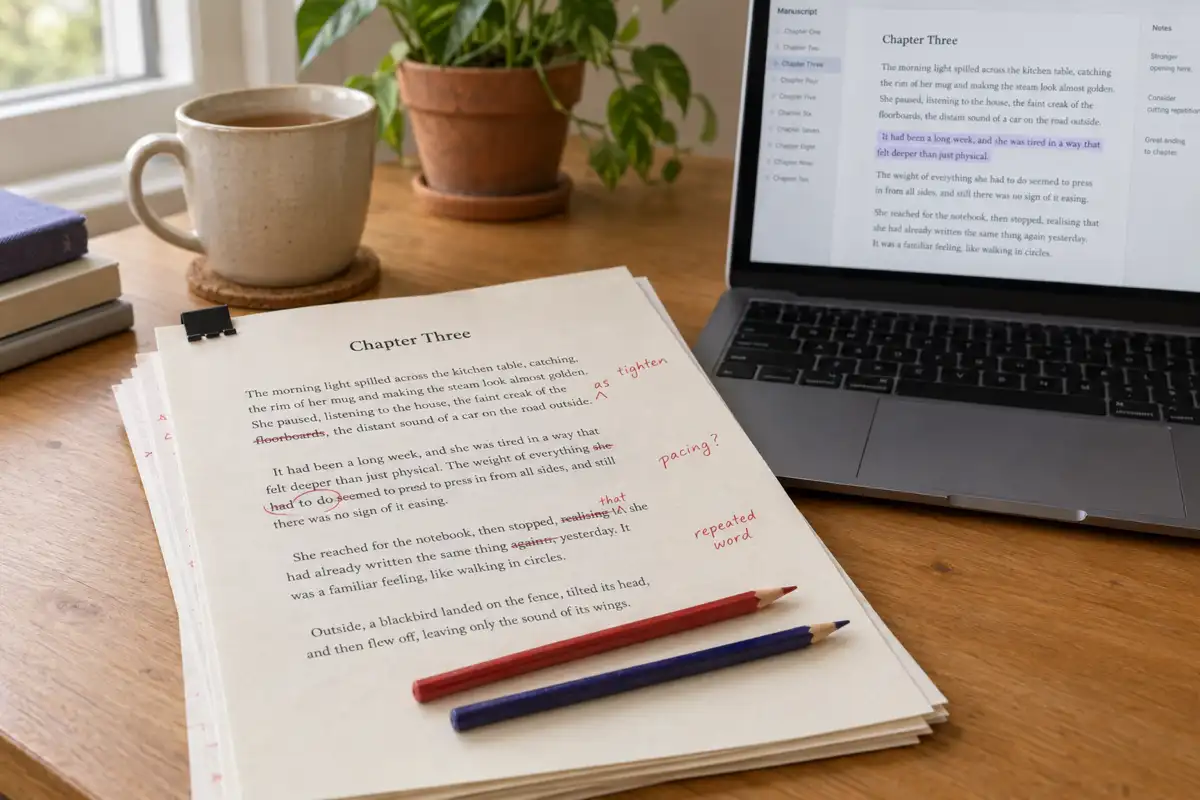
 Best AI for Editing a Book (2026): 9 Tools Compared by Editing Job
Which AI should edit your manuscript? We compare ProWritingAid, Grammarly, AutoCrit, Sudowrite, Novelcrafter, ChatGPT, Claude, the free checks in Google Docs and Word, and Inkfluence AI by the job each does best: grammar, line editing, story feedback, or editing and publishing in one place. Prices checked 2 October 2026.
 Guides
 Selling AI Coloring Books on Amazon KDP: The 2026 Rules, Specs, and Math
Are AI coloring books allowed on KDP? Yes, with disclosure. The part nobody covers: the AI workflow that passes review, style consistency across 30 pages, the interior specs that cause rejections, and the royalty ladder that decides your price.
 Guides
 How to Make an Adult Coloring Book in 2026: From Idea to Printed Pages
The modern walkthrough: what makes line work read as "adult", the three ways to create pages (draw, convert, generate), how to assemble a real book instead of a stack of pages, and the fork between KDP paperbacks, Etsy printables, and printing at home.
Get ebook tips in your inbox
Join creators getting weekly strategies for writing, marketing, and selling ebooks.