
Sudowrite vs Novelcrafter (2026): Price, Built-in AI vs Your Own Key, Story Bible vs Codex
Sudowrite ($10 to $59 a month, AI built in) against Novelcrafter ($4 to $20 a month, AI from your own provider): price, how the AI is paid for, Story Bible against Codex, drafting, editing, export and series, read on both vendors' sites on 17 October 2026, with a picker.
Quick Answer
Choose Sudowrite if you want the AI built in and ready: its Story Bible takes you from an idea to an outline to drafted chapters, with fiction-tuned models and editorial feedback, from $10 a month paid yearly ($19 monthly). Choose Novelcrafter if you want to run the workshop yourself: a Codex that tracks your world, planning grids, and any AI provider you connect and pay for separately, from $8 a month for the plan with AI. Both export Word files; neither makes the EPUB or the print file.
Checked on 17 October 2026. Every Sudowrite and Novelcrafter fact on this page was read on the vendors' own websites, pricing pages and help documentation that day; they are listed under Sources. This is a spec comparison: we did not buy both tools and write the same novel in each, so there are no scores or ratings here. We make Inkfluence AI, which is neither of these; it appears once, near the end, for readers who want something different.
Sudowrite and Novelcrafter are the two tools novelists most often weigh against each other once they decide they want AI inside their writing app rather than in a separate chat window. Both are built for fiction first. Both keep a record of your characters and world that the AI reads before it writes. Both let you write a series. And both start from the same promise: you stay the author, the AI helps.
Where they differ is how much they decide for you. Sudowrite is a finished product with the AI already wired in: you pay one subscription, spend credits, and its own fiction models and features do the work. Novelcrafter is closer to a well-organised workshop: you pay a small subscription for the tools, then connect whichever AI you like and pay that provider for what you use. That single difference shapes the price, the learning curve and the kind of writer each one suits, and most of this page follows from it.
Sudowrite vs Novelcrafter by the numbers (17 October 2026)
$10 / $19
Sudowrite's lowest plan, a month, paid yearly or monthly
$8
Novelcrafter's lowest plan with AI (Hobbyist), plus your AI provider
Built in
Sudowrite's AI, paid in credits
Your key
Novelcrafter's AI, paid to the provider you choose
21 days
Novelcrafter's free trial, no card
.docx
what both export; neither makes EPUB or print files
Sudowrite vs Novelcrafter at a glance (checked 17 October 2026)
Two columns, both from the vendors' own pages. "Not stated" means the page we read does not say, not that the feature is missing.
| Sudowrite | Novelcrafter | |
|---|---|---|
| Price a month | Hobby & Student $10 yearly / $19 monthly; Professional $22 / $29; Max $44 / $59 | Scribe $4, Hobbyist $8, Artisan $14, Specialist $20 (base US prices); two months free yearly |
| AI included? | Yes, paid in monthly credits (225,000 to 2,000,000) | No: from Hobbyist you connect your own provider or a local model and pay for usage; Scribe has no AI |
| Try before paying | Free trial, no card; refund if you ask in the first 7 days | 21-day trial, all features, no card |
| Free plan | No | No |
| World and character record | Story Bible: braindump, genre, style, synopsis, characters, worldbuilding, outline, scenes | Codex: a wiki of characters, places and lore with automatic tracking, links and progressions |
| Drafting | Write (continues in your voice), Draft from scenes, Expand, Describe; Story Bible generates each stage | Generate prose from scene beats (Hobbyist and up), with prompts you can customise |
| Context from earlier chapters | Chapter Continuity: up to 20,000 words from up to 25 linked documents | The Codex entries and summaries you include; you choose what goes in |
| Feedback and review | Feedback on Professional and Max; developmental and line edits, beta reads | Basic review on all plans; advanced review listed as planned; Workshop chat on Artisan and Specialist |
| Planning views | Story Bible outline, Canvas for plot points and arcs | Grid, Matrix, Outline, scene labels, custom POVs, timeline markers |
| Series | Series folders share Characters, Worldbuilding and Outlines; Series Timeline | Codex shared across a series; universes listed |
| Import | .txt, .doc, .docx, .rtf, .odt; Scrivener backups; Import Novel fills the Story Bible | Word, Markdown, HTML, Apple Pages |
| Export | .docx per document, or the project as .zip or one .docx (Story Bible not included) | .docx or Markdown, optionally with the Codex, chats and snippets |
| EPUB or print PDF | Not stated; finish in a formatter | Not stated; its export has an option for importing into Vellum or Atticus |
| Collaboration | Document sharing and Clean Copy | Viewers need a free account, editors a paid plan; inviting others to your books and creating teams is on Specialist |
| Phone | iOS and Android companion app (dictation, chat, some writing tools) | Works in a mobile browser for notes and review |
| After you cancel | You can still open and export your documents | Read-only access; you can view and export |
The short verdict
- Choose Sudowrite if you want to open the app and write, with the AI already in place. Its Story Bible is a guided path from a braindump to a synopsis to an outline to scenes to chapter prose, its own fiction models are tuned for storytelling, and the Professional and Max plans add the developmental and line feedback many writers pay for. You trade control over the model, and you budget in credits that can drain fast on the expensive models.
- Choose Novelcrafter if you like to organise and tune. Its Codex is the deeper world-tracking tool, its planning grid and matrix suit plotters, and you decide which AI writes for you, from a top commercial model to one running free on your own machine. You trade setup time: you will create an account with an AI provider, paste in a key, and learn its prompt system.
- Choose either if your priority is keeping a long novel consistent. Both read a record of your characters and world before they write, both share that record across a series, and both export a Word file you can take to a formatter.
- Choose neither if you only want a chat partner for brainstorming. A general assistant does that for free; these two are worth paying for when you are drafting a whole book inside them.
A note on who wrote this: we make a different product and earn nothing from either of these two. Many reviews of writing tools carry affiliate links; check the disclosure on any comparison you read, this one included.
Which one should I pick? Answer four questions
The picker runs in your browser and sends nothing anywhere. It uses only the facts on this page.
Our pick for you
Sudowrite
Price: what each one really costs
The headline prices are not comparable on their own, because one includes the AI and the other does not. Here is what each pays for.
Sudowrite: three plans, credits included
Sudowrite's documentation lists three plans. Hobby & Student is $10 a month paid yearly or $19 paid monthly, with 225,000 credits a month. Professional is $22 or $29, with 1,000,000 credits. Max is $44 or $59, with 2,000,000 credits. The pricing page shows the yearly figures by default and advertises "up to 50% off" for paying yearly, so check which toggle you are reading. Feedback is only on Professional and Max.
Credits on Hobby & Student and Professional expire at each monthly refresh; Max credits roll over for up to 12 months. If you run out, you can buy more, and purchased credits never expire. Quick Edit and Chat are included without spending credits by default, with an optional higher-quality mode that does use them.
Novelcrafter: four plans, AI paid separately
Novelcrafter's pricing page lists Scribe at $4 a month, Hobbyist at $8, Artisan at $14 and Specialist at $20, in its base US dollar prices; the live page converts them into your local currency, and paying yearly gives two months free. Scribe has the writing, Codex and series tools but no AI. Hobbyist adds AI scene summaries, character extraction and generating prose from scene beats, all through your own key. Artisan adds the Workshop chat and Specialist adds inviting collaborators and running teams.
The AI itself is billed by whichever provider you connect. Novelcrafter's own help page on AI cost walks through an example prompt and shows how much the cost per generation varies between models, and suggests checking your provider's pricing. If you run a model on your own computer, the AI costs nothing beyond your electricity. Novelcrafter also says it runs no sales or holiday discounts, so the price you see is the price.
What a year of drafting a novel costs
| Route | Tool cost for a year | What else you pay |
|---|---|---|
| Sudowrite Hobby & Student, yearly | $120 | Extra credits if you use expensive models; no feedback on this plan |
| Sudowrite Professional, yearly | $264 | Extra credits only if you exceed 1,000,000 a month |
| Novelcrafter Hobbyist, yearly | $80 (ten months at $8) | Your AI provider's usage charges, from nothing on a local model upwards |
| Novelcrafter Artisan, yearly | $140 (ten months at $14) | Your AI provider's usage charges |
| Either, plus a formatter | Add a formatting app for EPUB and print | See Atticus vs Vellum for one-time prices |
The yearly Novelcrafter figure assumes the "two months off" means you pay for ten; check the total at checkout in your currency. The real comparison is your AI usage: a writer who drafts most chapters with AI on a premium model can spend more through a Novelcrafter key than on a Sudowrite plan, and a writer who uses AI lightly, or on an inexpensive or local model, will spend less.
How the AI works, and who pays for it
Sudowrite runs the AI for you. Its own fiction model, Muse (version 1.5 is the current one on its homepage), sits alongside a list of "Prose Modes" and experimental models from the large AI companies, and you can switch between them in Write and Draft. Every generation costs credits, and how many depends on the model and how much context it reads. Sudowrite's own example is worth knowing before you buy: the same request to continue a story by 200 words, reading the same context, used about 70 credits on an efficient model and more than 8,000 on a costly one, a hundredfold difference. On a 225,000-credit plan, your choice of model decides how far the month goes.
Novelcrafter does not sell AI. You connect an AI platform of your choice with an API key, or point it at a model running on your own computer, and Novelcrafter sends your prompts there. You can edit the prompts it uses, build your own shortcuts, and exclude parts of your story from what the AI sees. The benefit is choice and transparency: you can try a new model the week it comes out, and you see exactly what you pay. The cost is setup. You need an account with a provider, a key pasted into the app, and some sense of which model writes the way you want.
For a writer who does not want to think about models at all, Sudowrite is the simpler deal. For a writer who already has opinions about which model writes the best dialogue, Novelcrafter is the one that lets them act on it.
Story Bible vs Codex: how each remembers your book
Long fiction fails on memory: a character's eye colour changes, a dead man walks back in, a secret is revealed twice. Both tools answer that with a structured record the AI reads before it writes, but the two records are built for different habits.
Sudowrite's Story Bible: a guided path
Story Bible is a sequence of fields that feed each other. You start with a Braindump and a Genre, add a Style (typed in, or taken from your writing with Match My Style), and generate a Synopsis. The Synopsis informs Characters and Worldbuilding; those inform the Outline; the Outline informs Scenes; and Scenes feed the chapter prose. Any field can be written by hand or generated and then rewritten with instructions. If you step through it in order, you end up with a first draft of scenes. Sudowrite's docs describe it as both an organiser for you and a "source of truth" for the AI.
On top of that, Chapter Continuity links documents in order so the AI reads what came before: when you use Write, it pulls in up to 20,000 words from the linked previous chapters, across up to 25 documents, plus up to 20,000 words of the current one, favouring the most recent. If the context is too large, it drops the oldest material first and shows you what it included.
Novelcrafter's Codex: a wiki you build
The Codex is a wiki of your characters, places, objects and lore. It tracks where each entry is mentioned, links entries to each other, supports aliases and nicknames, custom details such as species or story role, and progressions that record how a character or place changes as the book goes on. The AI draws on the Codex entries relevant to a scene, and you can see and control what goes in. It is more work to build than a Story Bible, and more precise once built. Novelcrafter's planning views (a drag-and-drop Grid, a spreadsheet-like Matrix and a plain Outline) sit beside it.
The practical difference: Story Bible is better if you want the tool to lead you from an idea to an outline. The Codex is better if you already plot in detail and want a precise world record you control. If you want to try the idea before choosing, our free story bible generator builds the basic sheet either tool can start from.
Drafting chapters
Sudowrite has more ways to put words on the page. Write continues from your cursor in your voice, about 300 words at a time with options to choose from. Draft turns Story Bible scenes into chapter prose. Expand fills out a rushed passage, Describe adds sensory detail, and Brainstorm and Canvas help with plot points, twists and names. Visualize makes art from your character and world descriptions. Plugins, which Sudowrite says number more than 1,000, add community-built tools.
Novelcrafter's drafting is built around scene beats: you write a short beat for what happens, and Hobbyist and higher plans generate the prose from it with the Codex and summaries as context. Because the prompts are editable, you can shape exactly how a beat becomes prose, and the Workshop chat on Artisan lets you talk through a scene with your manuscript open beside it.
If you want the AI to take more of the first draft, Sudowrite's tools go further out of the box. If you want each scene to start from your own beat and your own prompt, Novelcrafter is the more deliberate route.
Editing, feedback and review
Sudowrite's Rewrite takes instructions ("more inner conflict", "less telling"), Quick Edit makes targeted changes, and Feedback, on Professional and Max, gives what its pricing page calls developmental edits, line edits and beta reads. That editorial layer is one of the main reasons writers move up from Hobby & Student.
Novelcrafter's review tools are listed as basic on every plan, with an advanced review set listed as planned on Artisan and Specialist; it also offers revision history, highlights and markers for notes to yourself, and the chat on Artisan. For outside eyes, its collaboration lets you invite an editor or proofreader.
Whichever you use, read every chapter yourself before you trust either tool's feedback. If you want a second opinion on a finished draft, our guide to AI for editing a book covers the editing tools as a group.
Import, export and finishing the book
Getting your work in. Sudowrite's Import Novel takes .txt, .doc, .docx, .rtf or .odt files, is optimised for manuscripts up to 120,000 words, and builds a Story Bible from what it reads (focusing on five to seven main characters). It can also import a Scrivener backup with your folder structure, or add a single document to a project without touching the Story Bible. Novelcrafter imports Word, Markdown, HTML and Apple Pages files.
Getting your work out. Sudowrite exports a document as .docx, or a whole project as a .zip or as one merged .docx in sidebar order; the Story Bible is not included, though some of its sections have their own export. Novelcrafter exports Word .docx or Markdown, lets you choose which acts, chapters and scenes go in, can include the Codex, chats and snippets, and has a switch for act titles that its help recommends turning off when you import into Vellum or Atticus.
Finishing the book. Neither tool's pages describe making an EPUB for Kindle, a print-ready PDF or a cover. Plan on a formatting app at the end: our formatting software comparison covers the options, and how to format a book for KDP covers the file rules.
Series, collaboration and mobile
Series. Both are good here. Sudowrite's Series folders share Characters, Worldbuilding and Outlines between the books in the folder, keep a Series Timeline you can reorder, and let you hide a character from the AI in volumes where they do not appear. Novelcrafter shares the Codex across a series, and its progressions are well suited to a character who changes from book to book.
Collaboration. Sudowrite offers document sharing and what it calls Clean Copy for collaborators. On Novelcrafter anyone with an account can be invited to view, and a paid plan is needed to edit; inviting others into your own books and series, and creating teams, is on Specialist. Its docs note that changes by others do not appear instantly, so it suits revision passes rather than writing side by side in real time.
Phone. Sudowrite has a companion app on iOS and Android, focused on dictation and chat, with some writing tools. Novelcrafter works in a mobile browser for notes and reviewing your story on the go.
Which to choose, by situation
- First novel, no plan yet: Sudowrite. The Story Bible's guided path is the shortest route from an idea to an outline you can draft from.
- Epic fantasy or a long series with a big cast: Novelcrafter, for the Codex, progressions and the Matrix, unless you would rather pay for Sudowrite's built-in AI and use its Series folders.
- You want editorial feedback on chapters: Sudowrite Professional.
- You already pay for an AI service or want a specific model: Novelcrafter.
- Tight budget: Novelcrafter Hobbyist with an inexpensive model, or Scribe with no AI if you only want the organiser.
- Co-writing: Novelcrafter Specialist for shared books and teams; Sudowrite for sharing documents with an editor.
- Writing in a language other than English: try both trials in your language. Sudowrite notes some features may fall back on English; Novelcrafter depends on the model you connect.
If you want a full first draft instead
Both tools are built for writers who draft inside them, chapter by chapter. If what you actually want is the whole first draft written from your premise, with the chapters kept consistent and an EPUB and print files at the end, that is a different kind of tool. We make one, Inkfluence AI's novel writer, which writes the chapters in order with a story record and exports the book; it is free to start and gives you less sentence-level control than either tool on this page.
Try a full draft freeBefore you pay: a checklist
- Run both trials on the same chapter of your own book, not on a sample prompt.
- On Sudowrite, open the recent activity view and see how many credits that chapter used on the model you liked. Multiply by your chapters.
- On Novelcrafter, check your AI provider's dashboard for the same chapter's cost.
- Export a chapter from each as .docx and open it in your formatter, so you know the last step works.
- If you write a series, set up book two in each before you decide; that is where the record of your world earns its keep.
- Read the cancellation terms: both let you keep and export your writing after you stop paying.
Frequently asked questions
Is Sudowrite or Novelcrafter better?
Neither wins outright. Sudowrite is the easier start: the AI is built in, its Story Bible walks you from an idea to drafted chapters, and its fiction models and feedback tools are the reason most people pay for it. Novelcrafter is the more flexible workshop: a Codex that tracks your world, planning views, and AI from any provider you connect, paid separately. Pick Sudowrite if you want the AI to do more of the drafting with less setup; pick Novelcrafter if you want control over the model, the prompts and the cost.
How much does Sudowrite cost in 2026?
From Sudowrite's plan documentation, read 17 October 2026: Hobby & Student is $10 a month paid yearly or $19 paid monthly (225,000 credits a month), Professional is $22 or $29 (1,000,000 credits), and Max is $44 or $59 (2,000,000 credits that roll over for up to 12 months). The pricing page shows the yearly figures by default.
How much does Novelcrafter cost in 2026?
Novelcrafter's pricing page lists Scribe at $4 a month, Hobbyist $8, Artisan $14 and Specialist $20 in its base US dollar prices, with two months free on a yearly plan (read 17 October 2026; the live page converts to your local currency). The AI is not included: from Hobbyist up you connect your own AI provider and pay that provider for what you use.
Does Novelcrafter include AI, or do I need my own key?
You bring your own. Novelcrafter calls it BYOK, bring your own key: from the Hobbyist plan you connect an AI platform of your choice, or a model running on your own computer, and pay that provider directly. Scribe, the cheapest plan, has no AI features at all.
Is there a free version of Sudowrite or Novelcrafter?
Neither has a free plan. Sudowrite offers a free trial with no credit card and, its docs say, a refund if you ask within the first 7 days of a paid plan. Novelcrafter offers a 21-day free trial with every feature unlocked and no card. Both let you keep and export your writing after you stop paying.
Can I export my novel from Sudowrite or Novelcrafter?
Yes, as a Word file. Sudowrite exports a document as .docx, or a whole project as a .zip or as one merged .docx; the Story Bible is not included. Novelcrafter exports Word .docx or Markdown, and can include the Codex, chats and snippets. Neither makes an EPUB or a print-ready PDF, so a formatting app finishes the book.
Which is better for a book series?
Both handle series. Sudowrite shares Characters, Worldbuilding and Outlines between projects in a Series folder and builds a Series Timeline. Novelcrafter shares the Codex across the books in a series, and its Codex tracks how characters and places change over time with progressions.
Does Sudowrite or Novelcrafter write in other languages?
Sudowrite says you can write in almost any language and that it matches your language when it offers suggestions, but that some features may fall back on English when it is not sure. On Novelcrafter the language quality depends on the model you connect, since you choose it.
Sources
All read on 17 October 2026.
- Sudowrite: homepage, pricing, FAQ, and its documentation on plans, credit use, rollover, Story Bible, Chapter Continuity, Series, importing and exporting.
- Novelcrafter: homepage, pricing, features, and its help on exporting, AI cost and collaboration.
Related reading
- Sudowrite review and pricing and the Sudowrite alternatives
- Inkfluence AI vs Novelcrafter and Inkfluence AI vs Sudowrite
- Best AI novel writers and the best AI for writing novels
- Best AI models for novel writing, useful if you will connect your own model to Novelcrafter
- AI novel continuity checking
- The real cost of bring-your-own-key against all-included AI writers
- Atticus vs Vellum, for the formatting step after either tool
- Inkfluence AI vs BookNova, a whole-novel generator sold on lifetime plans
- Character bible generator and plot generator
- Migliore IA per scrivere libri (in Italian, both tools among eight)

Founder, Inkfluence AI
Sam is the founder of Inkfluence AI. He built the platform to make book creation accessible to everyone - from first-time authors to seasoned publishers.
Helpful links
Ready to Create Your Own Ebook?
Start writing with AI-powered tools, professional templates, and multi-format export.
Get Started FreeRelated Articles
 AI Writing
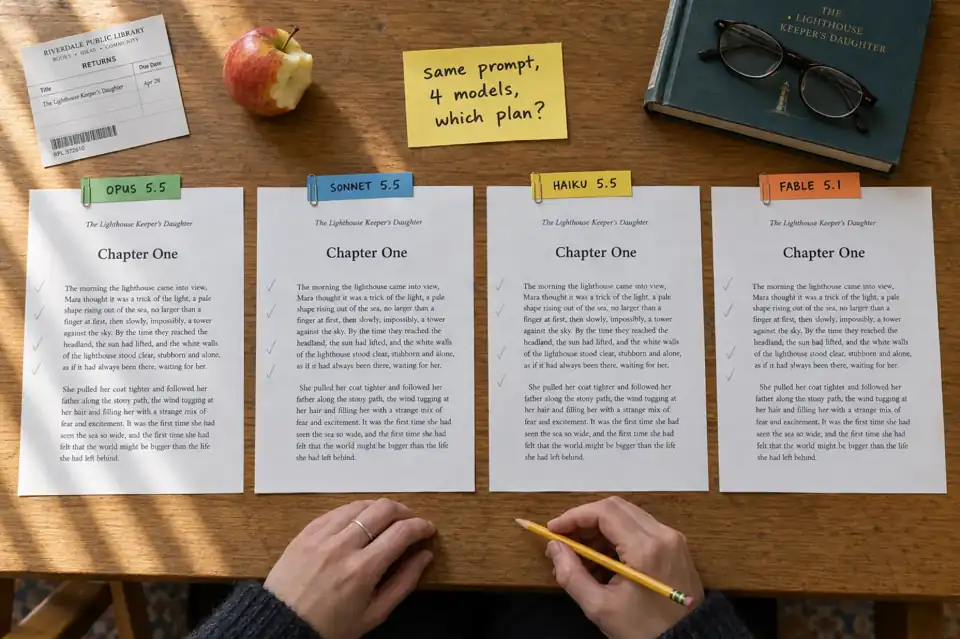
 Which Claude Model Is Best for Writing? Opus 5.5, Sonnet 5.5, Haiku 5.5 and Fable 5.1 Compared (October 2026)
Which Claude model should you write with in October 2026? Opus 5.5, Sonnet 5.5, Haiku 5.5 and Fable 5.1 compared on what Anthropic actually publishes: which plan includes each one, API prices, context and output limits, speed, and what each is built for. Plus the maths of fitting a whole book, and when a book tool is the better pick.
 AI Writing
 Best AI for Editing a Book (2026): 9 Tools Compared by Editing Job
Which AI should edit your manuscript? We compare ProWritingAid, Grammarly, AutoCrit, Sudowrite, Novelcrafter, ChatGPT, Claude, the free checks in Google Docs and Word, and Inkfluence AI by the job each does best: grammar, line editing, story feedback, or editing and publishing in one place. Prices checked 2 October 2026.
 AI Writing
 How to Make a Children's Picture Book with AI: Idea to Printed Book in a Day
The complete 2026 workflow for making a fully illustrated children's picture book with AI: age-band word counts, page planning, consistent characters, cover design, and publishing it on Amazon KDP with the right disclosure.
Get ebook tips in your inbox
Join creators getting weekly strategies for writing, marketing, and selling ebooks.