
The Best Sudowrite Alternative
Is the One That Finishes the Book
Sudowrite is a fine prose partner at $10 to $44 a month on annual billing. It does not write your book, make the cover, build the file or put it on sale. Inkfluence AI does all of that from one brief, free to start and $9.99 a month after.
Below: Sudowrite's real 2026 prices, six alternatives at verified prices, a feature table that gives Sudowrite its due, the cost of one finished novel on each, and how to move a manuscript across.
Updated October 2026 · By the Inkfluence AI team
Quick answer
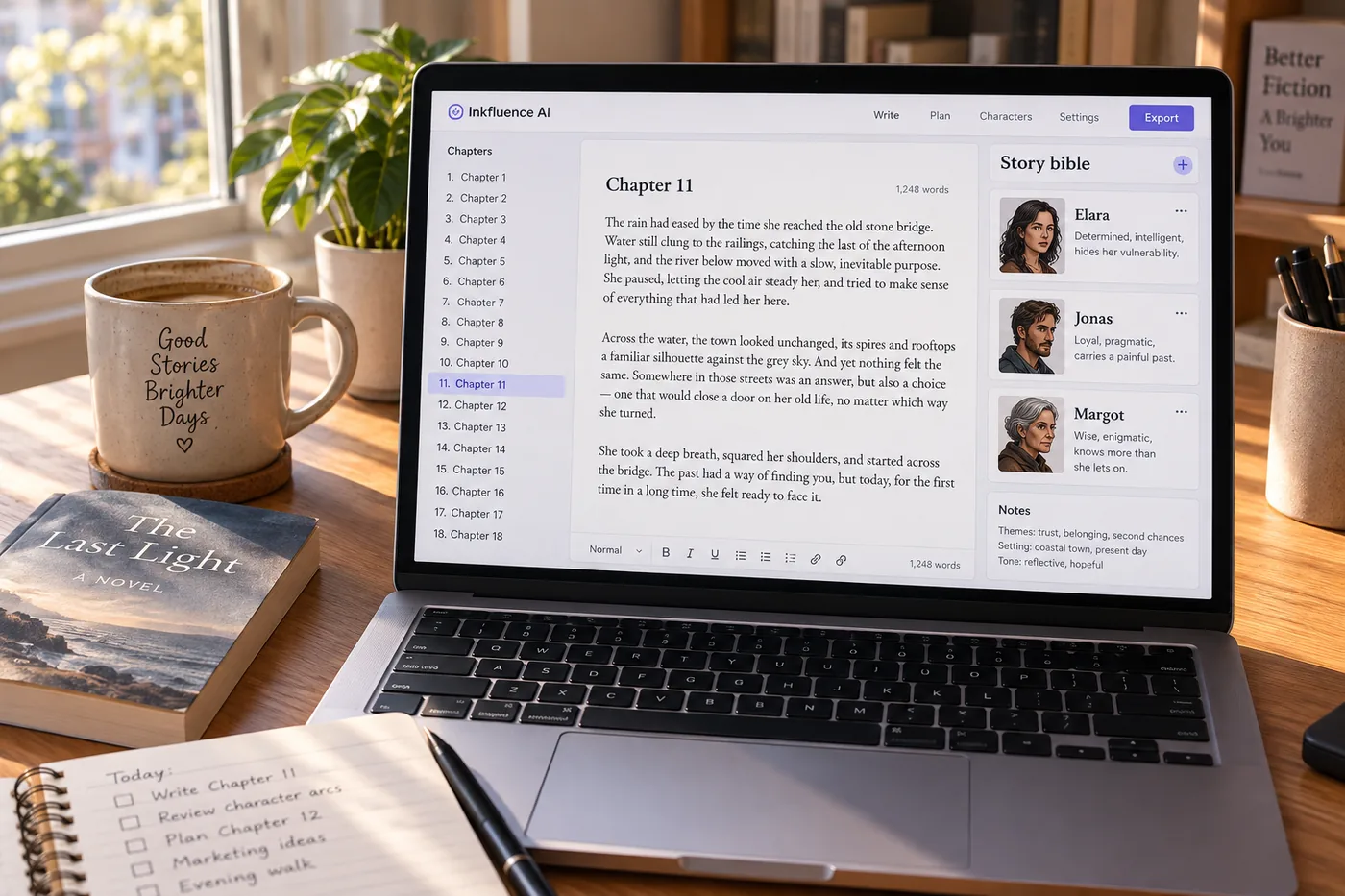
The best Sudowrite alternative depends on what you want to be holding at the end. If it is a finished book, Inkfluence AI plans it from your brief, writes every chapter in sequence against a story bible, reviews the draft with exact quotes and fixes, and exports EPUB, print PDF and DOCX with a cover and an audiobook, free to start and $9.99 a month after. If it is better sentences in a draft you are writing yourself, Sudowrite's Describe and Rewrite tools are still the most specialised on the market at $10, $22 or $44 a month on credits. Sudowrite has no permanent free plan; the trial needs no card. Novelcrafter is cheaper at $4 to $20 but bring-your-own-key, and Type starts free on credits. The tables below hold every number to its source.
Why authors go looking for a Sudowrite alternative
Three reasons come up more than any others, and none of them is that Sudowrite is bad. The first is the shape of the tool: it is a partner for prose you are writing, scene by scene, and an author who sat down to get a whole book out of an idea finds themselves still at the keyboard three months later with a good manuscript and no file to sell. The second is the meter. Credits are a sensible way to price a prose tool, and they are also a thing you watch; every Describe pass has a cost, and on the two lower tiers unused credits are not stated to carry over. The third is everything after the prose: the cover, the EPUB, the print interior, the audiobook, the listing. Sudowrite does none of it, by design, and the author assembles a second toolkit.
Then there is price. The plans are $10, $22 and $44 a month on annual billing in September 2026, $19, $29 and $59 billed monthly, which is fair for what they do, but the number most people search for is "is sudowrite free", and the answer is a trial with no card and then $10 a month. Authors comparing that with a tool that has a permanent free tier and a $9.99 plan with the exports included are doing sensible arithmetic, and the full Sudowrite review walks through the plans in detail.
What this page will not do is pretend the craft tools are weak. They are the best reason to use Sudowrite, and the feature table below says so in its own row.
Sudowrite pricing in 2026, verified
Taken from Sudowrite's own pricing page on 3 September 2026. The figures are the annual-billing rates the page leads with; billed month to month the tiers are $19, $29 and $59, and the page advertises the annual saving as up to 50%.
| Plan | Monthly price | Credits | Who it fits |
|---|---|---|---|
| Hobby & Student | $10 per month ($19 billed monthly) | 225,000 credits per month | Short fiction and trying the tool |
| Professional | $22 per month ($29 billed monthly) | 1,000,000 credits per month | A novel a year with Describe and Rewrite in daily use |
| Max | $44 per month ($59 billed monthly) | 2,000,000 credits per month; unused credits roll over for 12 months | Several books a year |
No permanent free plan; the trial requires no card. For the same money, Inkfluence Creator is $9.99 for 35 chapters a month and Premium is $19.99 for unlimited chapters, with the exports, cover designer and audiobook included; the pricing page has the current allowances.
The best Sudowrite alternatives in 2026, at verified prices
Every page ranking for this search belongs to one of the tools on it. This one does too, so the table holds each tool to its own pricing page and says what it is for rather than what it is worth. Prices checked 3 September 2026; two tools whose pricing pages would not load are named below without numbers.
| Tool | From | How it charges | What it writes | Beyond the prose | Best for |
|---|---|---|---|---|---|
| Inkfluence AI | Free, then $9.99 per month | Plan allowance: 35 chapters on Creator, unlimited on Premium; no per-action meter on writing | The whole book, chapter after chapter, from a plan you approve | Editor with chapter review, cover designer, EPUB, print PDF and DOCX, audiobook, Etsy and Gumroad publishing | Finishing and publishing a book, fiction or non-fiction |
| Sudowrite | $19 per month ($10 billed yearly) | Monthly credits: 225,000 to 2,000,000 | Scenes and passages with you, inside its Story Engine | Prose tools only: no cover, export, audiobook or publishing | Line-level fiction craft: Describe, Rewrite, brainstorming |
| Novelcrafter | $4 per month | No AI on the $4 Scribe plan; from the $8 plan you bring your own AI key and pay the model provider separately | Scenes you prompt, against a codex you maintain | Planning workspace; no export pipeline to stores | Planners who want full control of the model and the bill |
| Type | Free, then $8 per month | Monthly credits: 500,000 to 6,000,000 | Drafts and rewrites in a document editor | General writing editor; not book-shaped | Mixed writing: essays, stories, scripts |
| Squibler | See the comparison page | Subscription tiers | Stories and screenplays from prompts | Visual planning board | Screenwriters and visual planners |
| NovelAI | $10 per month | Tablet $10, Scroll $15, Opus $25 a month, with Anlas credits on top for images | Continues the prose you type, in your style, as an interactive co-writer | Story and image generation; no book file, cover or publishing | Interactive fiction and co-writing, page by page |
| ChatGPT or Claude | Free, then a subscription | Message limits by tier | Whatever you paste, one exchange at a time | Nothing book-shaped: you assemble everything | A paragraph or a brainstorm, not a manuscript |
Novel Mage and Chapter also appear on this search with one-time prices; their pricing pages would not load on the day this was checked, so they are not tabled. Squibler and Atticus are compared in full on the Squibler and Atticus pages, and Novelcrafter on the Novelcrafter comparison.
Sudowrite, Novelcrafter and NovelAI: three fiction specialists, three different bargains
These three come up together because they are the tools built only for fiction, and they charge in three different ways. Sudowrite sells credits on a subscription, $10 to $44 a month, and does the craft work with you. Novelcrafter sells the workspace, $4 to $20 a month, and sends you to your own model provider for every generation, which is the cheapest entry and the least predictable bill. NovelAI sells a co-writer that continues what you type, $10 to $25 a month with Anlas credits on top, and is the one of the three most at home with interactive fiction rather than a manuscript headed for a store.
None of the three exports a book file, designs a cover, narrates or publishes, and none writes non-fiction. That is not a criticism; it is the category. If you already have a draft and want the best sentence-level partner, pick among these three on how you like to work, and the story-tools comparison puts them side by side on output, and Sudowrite vs Novelcrafter compares the first two head to head. If you want the draft written and the book finished, the comparison is with the table above, not among them.
Sudowrite vs Inkfluence AI: feature by feature
The honest version, including the two rows Sudowrite wins.
| Feature | Inkfluence AI | Sudowrite | Detail |
|---|---|---|---|
| Writes a complete book from one brief | ✓ | ✗ | Inkfluence plans the chapters, you approve, and it writes them in sequence. Sudowrite works scene by scene with you at the keyboard |
| Story bible for character and world continuity | ✓ | ✓ | Both. Inkfluence builds it from your brief and keeps every chapter to it; Sudowrite's is part of its Story Engine |
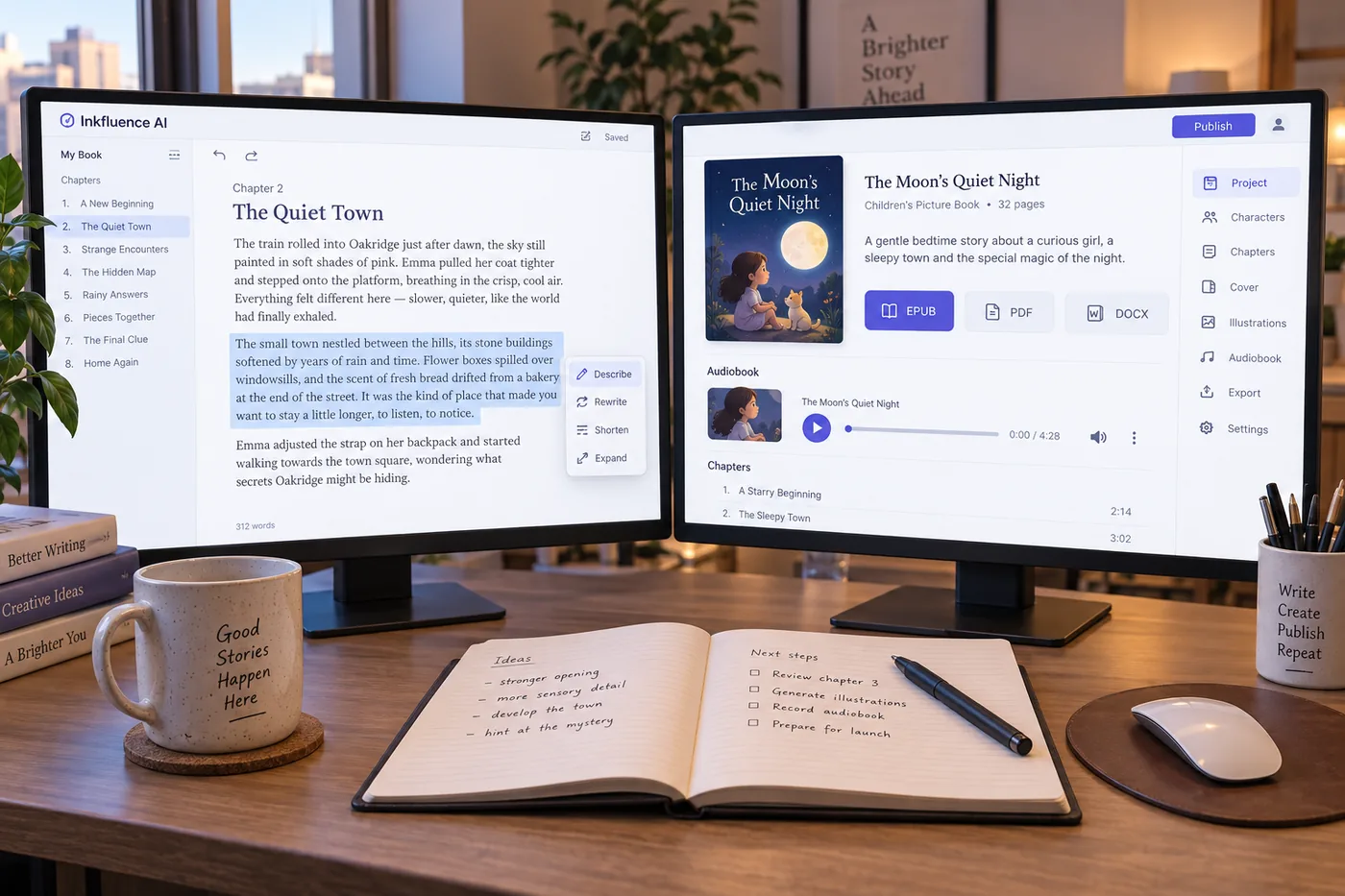
| Prose craft tools on a selection | ✓ | ✓ | Inkfluence: Proofread, Rewrite, Shorten, Expand, Softer, Punchier, custom. Sudowrite: Describe and its Rewrite modes, which remain the more specialised set for sensory prose |
| Chapter review with exact quotes and fixes | ✓ | ✗ | Inkfluence returns findings by severity and category, each with a verbatim quote and a replacement you apply or dismiss |
| Whole-book editorial letter | ✓ | ✗ | A pass over every chapter, then a 250 to 400 word letter with the three or four things that matter, anchored to chapters |
| Non-fiction | ✓ | ✗ | Sudowrite is built for fiction. Inkfluence writes guides, workbooks, cookbooks and courses in the same workspace |
| Cover design and AI cover art | ✓ | ✗ | Built in, with print wrap covers for KDP |
| EPUB, print PDF and DOCX export | ✓ | partial | Sudowrite exports text; the book file is your job. Inkfluence exports store-ready files |
| Audiobook narration | ✓ | ✗ | 49 voices across 14 languages, encoded to the ACX audio spec per chapter |
| Publish to Etsy and Gumroad from the app | ✓ | ✗ | One step from the finished book |
| Permanent free plan | ✓ | ✗ | Inkfluence: 5 chapters, then 5 more every month, no card. Sudowrite: a trial with no card, then $19 a month, or $10 a month billed yearly |
| Unlimited writing on the top plan | ✓ | ✗ | Inkfluence Premium ($19.99) has no chapter meter. Sudowrite Max ($59 a month, or $44 billed yearly) is 2,000,000 credits a month with rollover |
| Credits that roll over | n/a | partial | Sudowrite Max rolls unused credits over for 12 months; the lower tiers do not state rollover. Inkfluence meters chapters, not credits, so nothing expires mid-book |
The chapter review and editorial letter are described in full on the AI book editor page, which also publishes what the review finds across real chapters; the story bible on the AI novel writer page.
What Sudowrite does better, said plainly
Describe is the feature people miss when they leave. Highlight a moment, ask for the senses, and it returns sound, smell, texture and light in a paragraph you can keep or cut. The Rewrite modes are broader than our seven quick actions: more tonal options, more control over how far the rewrite moves from your sentence. And the Story Engine, which takes a novel through its beats with you, is a serious piece of design for an author who wants to write every line themselves with a guide beside them.
If that describes you, and you are happy to build the rest of the publishing toolkit yourself, Sudowrite at $22 a month is a defensible choice and the head-to-head comparison goes into the craft tools in more depth than this page needs to.
Where Inkfluence wins is everything outside that scene: the plan, the sequential draft, the review with quotes and fixes, the letter on the whole book, the cover, the file, the audiobook and the listing. Different jobs. The mistake is buying one expecting the other.
What one finished novel costs on each
Arithmetic on the verified prices, for a 20-chapter novel. The variable is time: a tool that writes the draft costs one month; a tool that helps you write it costs as many months as you take.
| Route | Per month | A 20-chapter novel | What you pay for the draft |
|---|---|---|---|
| Inkfluence Creator | $9.99 | A 20-chapter novel in one month sits inside the 35-chapter allowance | $9.99 for a first draft; $19.99 on Premium if you want unlimited redrafts |
| Sudowrite Professional | $29 | Written with you over the months a novel takes at the keyboard | $29 per month for as long as the draft takes; $87 across a three-month draft (or $22 a month on a yearly plan) |
| Novelcrafter Hobbyist | $8 | Plus the model provider's bill for every generation | $8 per month plus usage; predictable only if you watch the meter |
| Type Pro | $16 | 1,500,000 credits a month, which its own page pitches at novel length | $16 per month while drafting |
Our published chapter lengths for fiction are on the AI novel writer page, so you can size a book against the 35-chapter Creator allowance; the royalty calculator turns the finished file into a per-sale number.
How the whole-book workflow actually runs
Describe the book in a few sentences
Genre, setting, protagonist, what they want and what stands in the way. The book generator page shows what a brief that works looks like; most are a few sentences.
Approve the plan and the story bible
Chapters with titles and summaries, plus characters, places, rules and tone. Rename, reorder, cut. Nothing is written until you say so, and the outline generator works the same way on its own.
The chapters write in sequence
Each one with what just happened and the state of the characters, so the draft is one story rather than twenty scenes. A first draft lands in under an hour.
Review, then revise on the selection
The chapter review returns findings with a verbatim quote, the problem, why it costs the reader and a fix; the whole-book pass writes an editorial letter. Then Proofread, Rewrite, Shorten, Expand, Softer, Punchier or a custom instruction on any selection, each shown as a preview first. The manuscript editor page walks the passes in order.
Cover, file, audio, listing
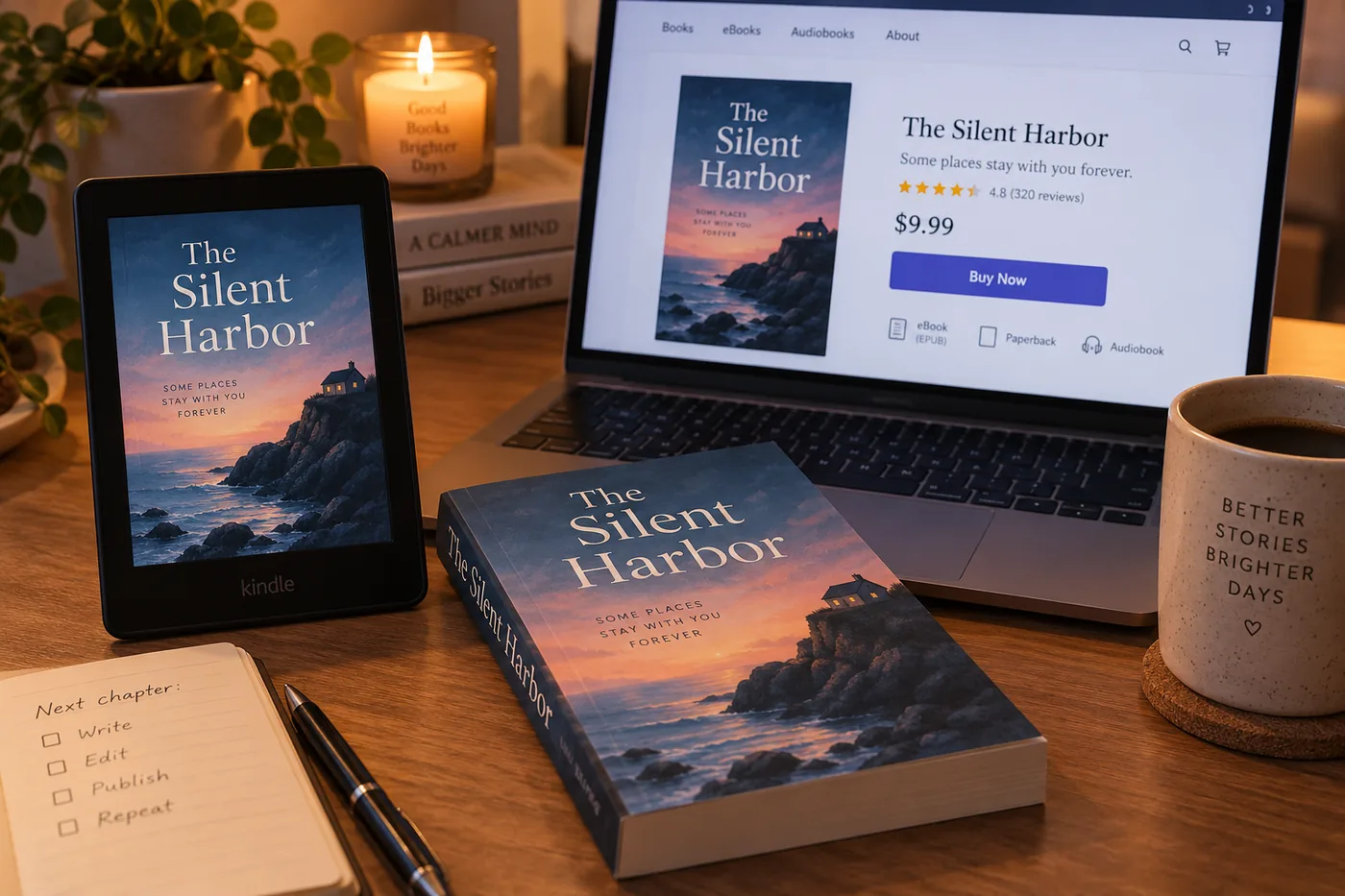
The cover designer, EPUB and print PDF for KDP, DOCX for a human editor, a narrated edition from the audiobook generator, and direct publishing to Etsy or Gumroad. The selling walkthrough shows the last step on video.
How to move a Sudowrite manuscript across
- Export the text from Sudowrite as a document with your chapter headings intact.
- Import it as DOCX, PDF, EPUB or TXT. Each heading becomes a chapter; a file without headings goes through automatic detection. Importing costs nothing on any plan.
- Bring the story bible over by pasting your character and world notes into the bible, so the review and any new chapters hold to them.
- Run the whole-book pass for the editorial letter, then chapter reviews where it points; the editor page has the order.
- Add what is missing in the book's voice: open a chapter slot and use Write in the AI panel, which drafts from the bible and the neighbouring chapters.
- Finish it: cover, export, audiobook, listing, with the KDP guide for the print edition.
The move also works the other way. Some authors draft here for the structure and the file, then take one chapter that matters into Sudowrite for a Describe pass and paste it back. Nothing about either tool stops you.
The alternative for non-fiction authors
This is the shortest section on the page because the field is small. Sudowrite is built for fiction; Novelcrafter and Type are fiction and general prose. If you are writing a practical guide, a workbook, a cookbook or a course, the alternative is not a like-for-like prose tool but a workspace with structures for those forms. Inkfluence writes non-fiction with frameworks, examples and a named persona per chapter so twenty chapters do not repeat the same opening, and the workbook generator adds exercises and answer spaces.
The novel-writer ranking on this site compares eight fiction tools on published features, verified prices and our own fiction data if you want the field compared beyond price.
Five mistakes when switching tools
- Buying a co-writer when you wanted a publisher. Decide what you want to be holding at the end, then choose.
- Comparing the cheapest tier of each. Novelcrafter's $4 is before the model bill; Sudowrite's $10 is before you learn how fast credits go; ours is $9.99 with the exports in. Compare the month that ends with a book.
- Skipping the plan step. On a whole-book tool the plan is where the novel is decided. Read it before the first chapter writes.
- Publishing the first draft. Whichever tool, the draft is material. Add what only you know, and use the review before the cover.
- Forgetting the rights. They are yours on every Inkfluence plan; the US Copyright Office registers AI-assisted work to the extent of the human part, so rewrite in your own words wherever the book matters.
Sources and method
Prices. Sudowrite, Novelcrafter and Type pricing pages, read on 3 September 2026; two tools whose pages would not load are named without prices. Inkfluence prices and allowances from the pricing page.
Features. Sudowrite's Describe, Rewrite modes and Story Engine as described on its site and in our head-to-head comparison, updated August 2026. Inkfluence features stated from the product.
Our numbers. Fiction chapter medians on the AI novel writer page; what the chapter review finds across real chapters on the AI book editor page. Neither is restated here.
Rights. US Copyright Office, Copyright and Artificial Intelligence. KDP's AI-content declaration in the disclosure guide.
Sudowrite alternative: frequently asked questions
What is the best Sudowrite alternative in 2026?+
Is Sudowrite free?+
How much does Sudowrite cost?+
Is there a cheaper alternative to Sudowrite?+
What does Sudowrite do better than Inkfluence AI?+
What does Inkfluence AI do that Sudowrite does not?+
How do Sudowrite credits work?+
Does Sudowrite have a story bible?+
Can I move a Sudowrite manuscript to Inkfluence AI?+
Is Sudowrite worth it?+
Which alternative is best for non-fiction?+
Which alternative is best for Amazon KDP?+
Does the free Inkfluence plan write a real book?+
How long does a novel take on each?+
Who owns the rights?+
Is there a Sudowrite alternative with an audiobook?+
Can I use both?+
Related comparisons and tools
ProseEngine Alternatives 2026
Plan gates, pricing, what it does not do, and five novel tools ranked.
Inkfluence AI vs ProseEngine
Book generation, continuity checks, audiobooks and pricing, head to head with prices verified September 2026.
Inkfluence AI vs Sudowrite
The head-to-head, craft tool by craft tool.
Sudowrite review and pricing
The plans, the credits, and who it suits.
Inkfluence AI vs Novelcrafter
Bring-your-own-key planning versus a finished book.
Best AI novel writer 2026
Eight tools, one 30,000-word manuscript.
AI novel writer
The story bible and the sequential draft.
AI book editor
Chapter review, quick actions, the editorial letter.
AI developmental editor
The whole-book pass and editorial letter, with what 55 real letters say.
AI beta reader
Where readers drift, by chapter, and the questions to ask the book.
Start with a finished book, not a better sentence
Five chapters free, no card. The plan appears in under a minute.
Write a book free