
Sudowrite Review 2026: Pricing, Features, Pros and Cons
An honest look at Sudowrite in 2026 - what it does well, where it falls short, current pricing across all tiers, and which writers it is actually built for.

Quick Answer
Sudowrite is an AI writing assistant built specifically for fiction writers. It costs $10-$44/month on annual billing (or $19-$59 billed monthly): Hobby and Student for 225k credits, Professional for 1M credits, and Max for 2M credits with 12-month rollover. All tiers unlock the same features and differ only by credit allowance. Its strongest tools are the Story Engine (guided novel development), Describe (sensory prose expansion), and Rewrite (style variations). It works well for prose craft, but does not export to PDF, EPUB, or DOCX, has no book-cover designer, no audiobook creation, and no non-fiction templates. If you need a complete book creation and publishing pipeline, Inkfluence AI covers the full workflow from outline to export for $0-$19.99/month.
Updated September 2026 · Hands-on review · Pricing re-verified from Sudowrite's site on 3 September 2026
Sudowrite has carved out a specific niche in the AI writing space: prose-focused fiction assistance. But with AI writing tools evolving rapidly in 2026, is Sudowrite still worth subscribing to? This Sudowrite review breaks down current pricing, the core features, and the honest pros and cons after hands-on testing across multiple writing projects.
This review covers everything: current pricing, core features with hands-on impressions, what Sudowrite does better than competitors, where it falls short, and who should (and should not) use it.
What Is Sudowrite?
Sudowrite is an AI writing assistant focused on fiction. It helps with prose-level tasks - expanding descriptions, rewriting passages, and brainstorming plot ideas. It runs in the browser and uses a guided "Story Engine" for chapter-by-chapter novel development.
Unlike full-pipeline AI book generators that take you from idea to published book, Sudowrite only helps with the writing itself. You still need separate tools for outlining, formatting, cover design, export, and distribution. That distinction matters if your goal is actually publishing a book rather than just drafting prose.
Sudowrite Pricing in 2026
Sudowrite offers three consumer tiers (plus a contact-only Enterprise plan) and no ongoing free plan, just a one-time free trial of roughly 10,000 credits with no credit card required. The headline prices below are the discounted annual-billing rates; billed monthly, the same tiers run $19, $29, and $59. All tiers unlock the same features, the only difference is how many credits you get each month.
| Plan | Price/mo (annual | monthly) | Credit Allowance | Best For |
|---|---|---|---|
| Hobby / Student | $10 | $19 | 225,000 credits | Casual writers, short fiction |
| Professional | $22 | $29 | 1,000,000 credits | Active novelists, multiple projects |
| Max | $44 | $59 | 2,000,000 credits (12-mo rollover) | Prolific authors, heavy daily usage |
Key pricing notes:
- Credits cover AI-generated output (Describe, Rewrite, Story Engine, Brainstorm); credit cost varies per feature
- Hobby and Pro credits do not roll over month-to-month; Max tier credits roll over for 12 months
- Most active novelists fit comfortably on Pro at $22/mo; Max suits writers releasing multiple novels per year
- There is no permanent free plan. A free trial is available with no credit card required
For comparison, Inkfluence AI's free plan lets you generate a full book (outline + chapters + cover) with no credit card, and paid plans start at $9.99/month for 35 chapters or $19.99/month for unlimited.
Core Features Reviewed
Story Engine
Story Engine guides you through novel development step by step: define characters, settings, and plot beats, then generate draft chapters. The guided structure helps with consistency, but the output often needs significant rewriting. Pacing tends to feel mechanical, dialogue can fall flat, and the AI occasionally forgets plot details unless you intervene manually.
Describe and Rewrite Tools
The Describe tool expands passages with sensory detail. The Rewrite tool generates variations in different tones. Both are useful during editing, but limited in scope - they work at the sentence and paragraph level only. You cannot use them to restructure chapters, generate outlines, or produce complete sections.
Brainstorm and Canvas
Brainstorm suggests plot directions and character ideas. Quality varies - sometimes creative, often generic. Canvas is a basic visual board for organizing story elements, but it is rudimentary compared to dedicated outlining tools. Neither feature is a major differentiator.
What Sudowrite Does Well
Credit where it is due - Sudowrite's Describe and Rewrite tools produce decent prose-level output, and the fiction-specific focus means features are tailored rather than generic. If you exclusively write literary fiction and already have a full publishing toolchain, Sudowrite fills a narrow niche.
That said, "good at prose refinement" is a limited value proposition when full book creation tools now generate complete novels with consistent tone, character development, and dialogue - then export them as publish-ready PDFs and EPUBs in the same workflow.
Where Sudowrite Falls Short
No Export Formats
Sudowrite exports a document or a whole project as DOCX (or a ZIP of DOCX files) and nothing else. There is no PDF or EPUB export and no KDP-ready formatting, so to publish you open the DOCX in another tool for layout - a significant gap for self-publishers.
No Book-Cover Designer
Sudowrite's Visualize tool can generate scene and character images, but there is no book-cover designer that outputs a formatted, print-ready cover. You will still need a separate tool like Canva or BookBrush for that.
Built for Fiction
Sudowrite is built for fiction and has no templates or structured-content features for non-fiction, self-help, cookbooks, or how-to guides. If you write across genres, you will need a second tool for non-fiction projects.
Credit Limits
At $22/month Pro you get 1M credits. Active novelists usually finish a novel inside that allowance, but heavy users running Describe and Rewrite repeatedly on existing text can burn through it faster. The $44 Max tier with 12-month rollover is the better choice for prolific writers.
No Audiobook Creation
No text-to-speech or audiobook generation. With audiobooks one of the fastest-growing formats in publishing, this is an increasingly notable gap for authors who want to reach listeners.
No Free Plan
You must pay to use Sudowrite beyond the brief trial. For writers on a budget, this is a barrier - especially when free AI book writing tools exist that generate full books at no cost.
Who Should Use Sudowrite?
Sudowrite is a good fit if you:
- Write primarily literary fiction or genre novels
- Want AI help at the sentence and paragraph level (description, rewriting, brainstorming)
- Already have a publishing workflow for formatting, covers, and distribution
- Prefer a co-writing experience where you stay in control of every chapter
- Do not need export features - you are comfortable copy-pasting into Word, Scrivener, or Vellum
Sudowrite is not a good fit if you:
- Write non-fiction, self-help, business books, cookbooks, or educational content
- Want a complete pipeline from idea to published book (outline, chapters, cover, export)
- Need PDF, EPUB, or DOCX export for Amazon KDP, Gumroad, or Apple Books
- Want to create audiobook versions of your writing
- Are on a tight budget and need a free plan to start
What Fiction Writers Actually Do (First-Party Data)
One thing a feature list cannot tell you is how people actually use an AI fiction tool. From the 79,000+ books created on our own platform, fiction is one of the two largest categories, and the writers who get the strongest results share one habit. They give the AI real detail, so the average brief runs to a few hundred words rather than a single line, and then they edit the draft into their own voice. Whichever tool you choose, Sudowrite included, that is the pattern that separates a usable draft from a generic one.
Why Writers Are Switching to Inkfluence AI
The biggest gap with Sudowrite is everything that happens after the writing. Most authors do not just want help refining prose - they want to go from idea to published book. Since August 2026 that includes the editing layer: Inkfluence's editor reviews a chapter with each finding quoted from the text, graded and paired with a fix, and a whole-book pass closes with an editorial letter that names where a reader drifts. Here is how the two platforms compare on the full workflow:
| Feature | Inkfluence AI | Sudowrite |
|---|---|---|
| Free plan | Yes - full book | No (trial only) |
| Paid price | From $9.99/mo | From $10/mo (annual) |
| Usage limits | 35 chapters/mo (Creator) or unlimited (Premium) | 225K-2M credits/mo |
| Genre support | 20+ blueprints (fiction + non-fiction) | Fiction only |
| Book outline generation | Yes - auto from prompt | Guided (Story Bible) |
| Full chapter generation | Yes - sequential with context | Guided (Story Engine) |
| Cover designer | Built-in + AI generation | No |
| PDF / EPUB / DOCX export | All three | None (text only) |
| Audiobook creation | Yes, realistic AI voices | No |
| KDP-ready output | Yes | No |
| Time to finished book | 30-60 minutes | Self-paced co-writing |
For a deeper dive, see our full Inkfluence AI vs Sudowrite comparison. If you are weighing several tools, the Sudowrite alternatives page tables seven of them at prices verified in September 2026, including the cost of one finished novel on each.
Inkfluence AI covers fiction and non-fiction with 20+ genre-specific blueprints - from romance novels and mystery thrillers to self-help books and cookbooks. One prompt in, formatted book out - with a designed cover and one-click PDF/EPUB export.
Final Verdict: Is Sudowrite Worth It in 2026?
Sudowrite fills a narrow niche: prose refinement for fiction writers who already have a complete publishing workflow. If that describes you precisely, the Describe tool is decent at $10-22/month.
For everyone else - and that includes most writers - Sudowrite's limitations are hard to justify. DOCX export only, no PDF or EPUB. No cover design. No audiobook creation. No non-fiction support. No permanent free plan. You end up paying $10+/month for a tool that only handles one piece of the puzzle, then spending more time and money stitching together separate tools for everything else.
The better path for most writers: Inkfluence AI takes you from a single prompt to a formatted, exportable book with a professional cover - in 30-60 minutes, with a free plan that generates a complete book. No word limits, no separate tools required, no copy-pasting between apps.
Our rating: 3 out of 5 - Decent prose tools, but the missing publishing features and high price relative to all-in-one alternatives make it hard to recommend in 2026.
Weighing other studios? Our ProseEngine alternatives page covers the other scored-revision tool in this space, its plan gates and euro pricing, and Inkfluence AI vs ProseEngine is the full head-to-head.
Frequently Asked Questions
Is Sudowrite free?
No. Sudowrite offers a free trial of about 10,000 credits with no credit card required, but there is no ongoing free plan once those trial credits are used. Paid plans start at $10/month on annual billing ($19/month billed monthly). If you need a genuinely free AI book writing tool, Inkfluence AI's free plan generates a complete book with no credit card required.
How much does Sudowrite cost per month?
Sudowrite's annual-billing rates are $10/mo (Hobby and Student, 225K credits), $22/mo (Professional, 1M credits), and $44/mo (Max, 2M credits with 12-month rollover). Billed monthly, the same tiers are $19, $29, and $59. Credit costs vary by feature, and unused credits roll over only on the Max tier.
Can Sudowrite write a full novel?
Sudowrite's Story Engine feature can help you develop a novel chapter by chapter, but it is a guided process that requires significant input and editing from you. It is not a one-click novel generator. For fully automated book generation, other tools are more suitable.
Does Sudowrite export to PDF or EPUB?
No. Sudowrite exports DOCX only (a single document, or a whole project as a merged DOCX or ZIP). There is no PDF or EPUB export and no print-ready formatting, so you open the DOCX in a separate tool (Word, Scrivener, Vellum, or an AI PDF generator) to create publishable files.
Is Sudowrite good for non-fiction?
No. Sudowrite is designed specifically for fiction. It has no templates, blueprints, or features for non-fiction genres like self-help, business, cookbooks, or educational content. For non-fiction, consider a tool with genre-specific templates.
Can I use Sudowrite for Amazon KDP publishing?
You can write in Sudowrite and then manually format your manuscript for KDP using another tool. But Sudowrite itself does not produce KDP-ready files. For a direct idea-to-KDP workflow, you need a platform that exports formatted PDF and EPUB.
Does Sudowrite have a cover designer?
No. Sudowrite has no cover creation features. You will need a separate tool like Canva, BookBrush, or an AI book cover generator to design your cover.
Is Sudowrite better than ChatGPT for writing books?
For fiction prose quality, Sudowrite's Describe and Rewrite tools are more purpose-built than ChatGPT's general output. But ChatGPT offers more flexibility, a free tier, and handles non-fiction well. Neither produces formatted, exportable books on their own. See our full comparison of AI book writing software.
What happened to Sudowrite's free tier?
Sudowrite has never had a permanent free tier. They offer a free trial of about 10,000 credits for new signups, but once the trial ends you must subscribe to continue using the platform.
Can Sudowrite create audiobooks?
No. Sudowrite has no text-to-speech or audiobook creation features. For AI-powered audiobook creation, see dedicated audiobook generators that convert your book to spoken audio with realistic AI voices.
Related Resources

Founder, Inkfluence AI
Sam is the founder of Inkfluence AI. He built the platform to make book creation accessible to everyone - from first-time authors to seasoned publishers.
Helpful links
Ready to Create Your Own Ebook?
Start writing with AI-powered tools, professional templates, and multi-format export.
Get Started FreeRelated Articles
 Tools
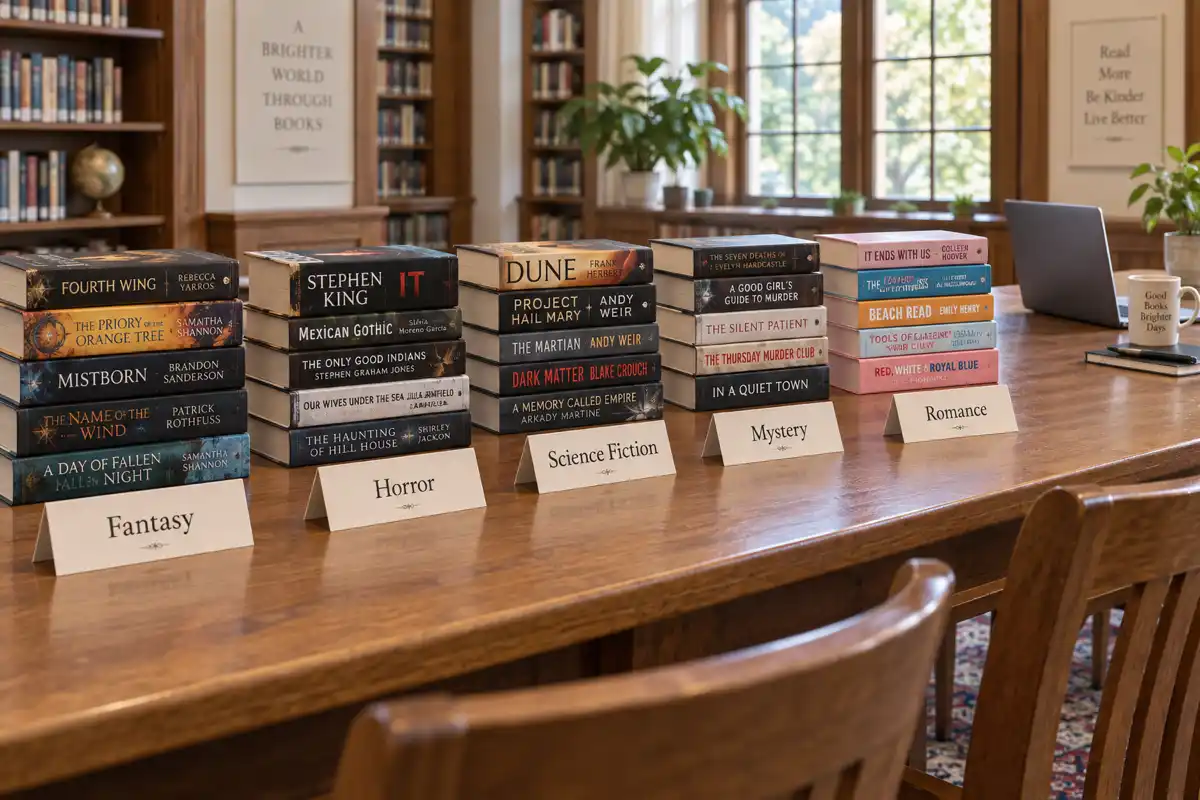
Tools Best AI for Writing Fantasy, Horror, Sci-Fi, Mystery and Romance Novels in 2026, Genre by Genre
The best AI for writing a novel depends on the genre. Fantasy needs world memory, mystery needs clue tracking, romance needs heat rules, horror needs restraint. We judged eight AI tools genre by genre, with first-party data on what 32,482 fiction authors actually wrote in the last six months.
 AI Writing
 How to Write Fanfiction with AI (Step by Step, 2026)
A practical, eight-step workflow for writing a full multi-chapter fanfic with AI: from picking your fandom and trope to keeping characters in voice, editing in your own style, and posting to AO3 or Wattpad.
 AI Writing
 How to Evaluate AI Novel-Writing Quality in 2026: 7 Dimensions That Matter
A practical framework for telling a good AI novel writer from a bad one. The 7 quality dimensions readers actually feel, how to test each one in under an hour, and the red flags that show up in chapter 3.
Get ebook tips in your inbox
Join creators getting weekly strategies for writing, marketing, and selling ebooks.