
AI Ebook Creator
Make a Finished Ebook Online
The ebook creator that writes the chapters too. One idea becomes an outline, chapters, a cover and a file you can sell or give away, usually in about ten minutes.
33 book types, 30 writing languages, translation into 59, and export for Amazon KDP, Apple Books, Kobo, Gumroad and Etsy. You keep the rights on every plan. The free plan writes 5 chapters a month and exports a PDF.

Quick answer
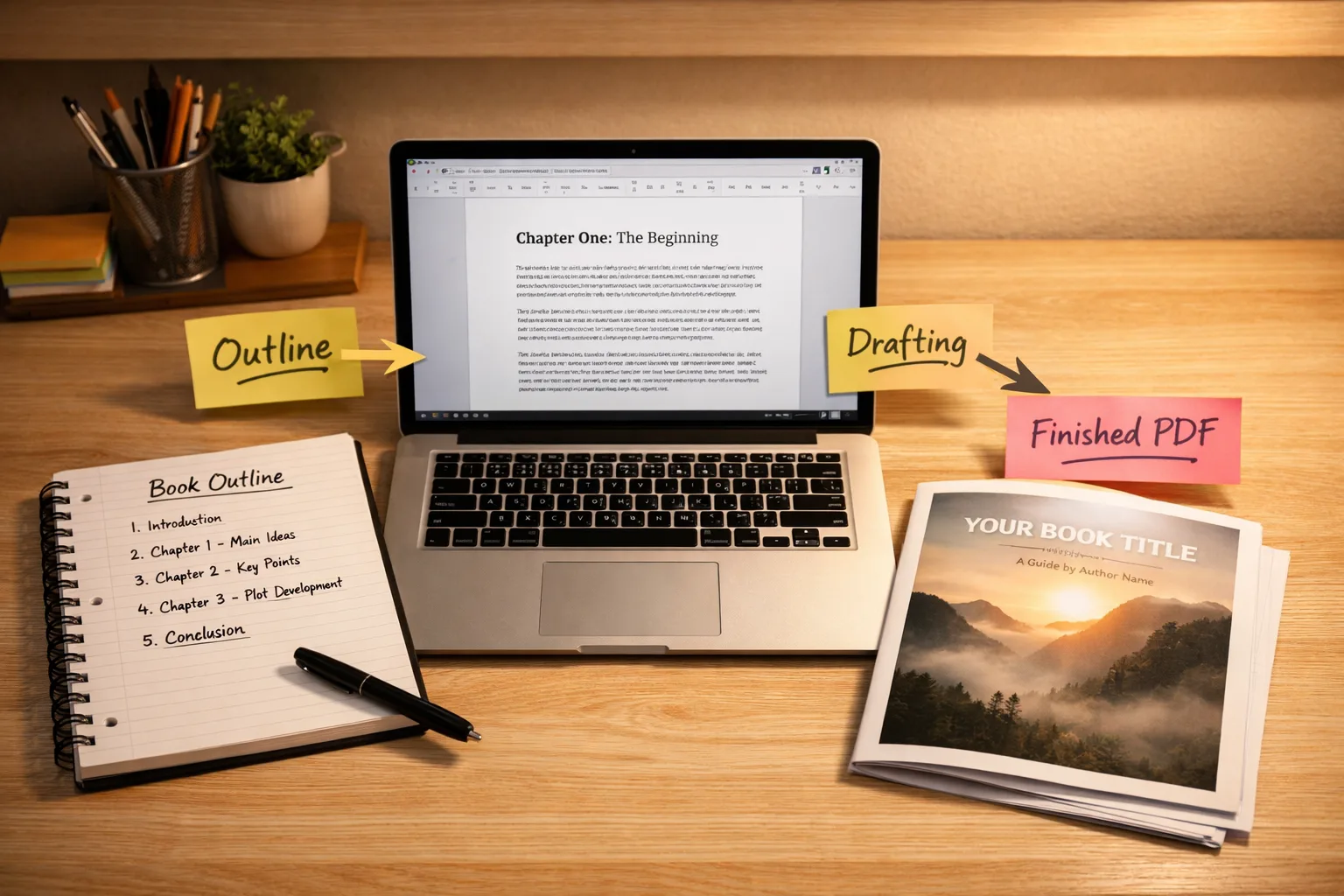
An ebook creator is a tool for making an ebook from start to finish: the words, the layout, the cover and the file. An AI ebook creator also writes the draft for you. With Inkfluence AI you type one idea, check the chapter outline, and the chapters are written in a few minutes; then you edit, add a cover and export. A short guide takes about 10 minutes to a first PDF.
- Free: 5 chapters a month (up to 5 in one book), editor, PDF export, no card.
- Paid: Creator $9.99 a month (35 chapters, about 4 books, under $2.50 a book) or Premium $19.99 (unlimited chapters). Both add EPUB, Word and the Amazon KDP package.
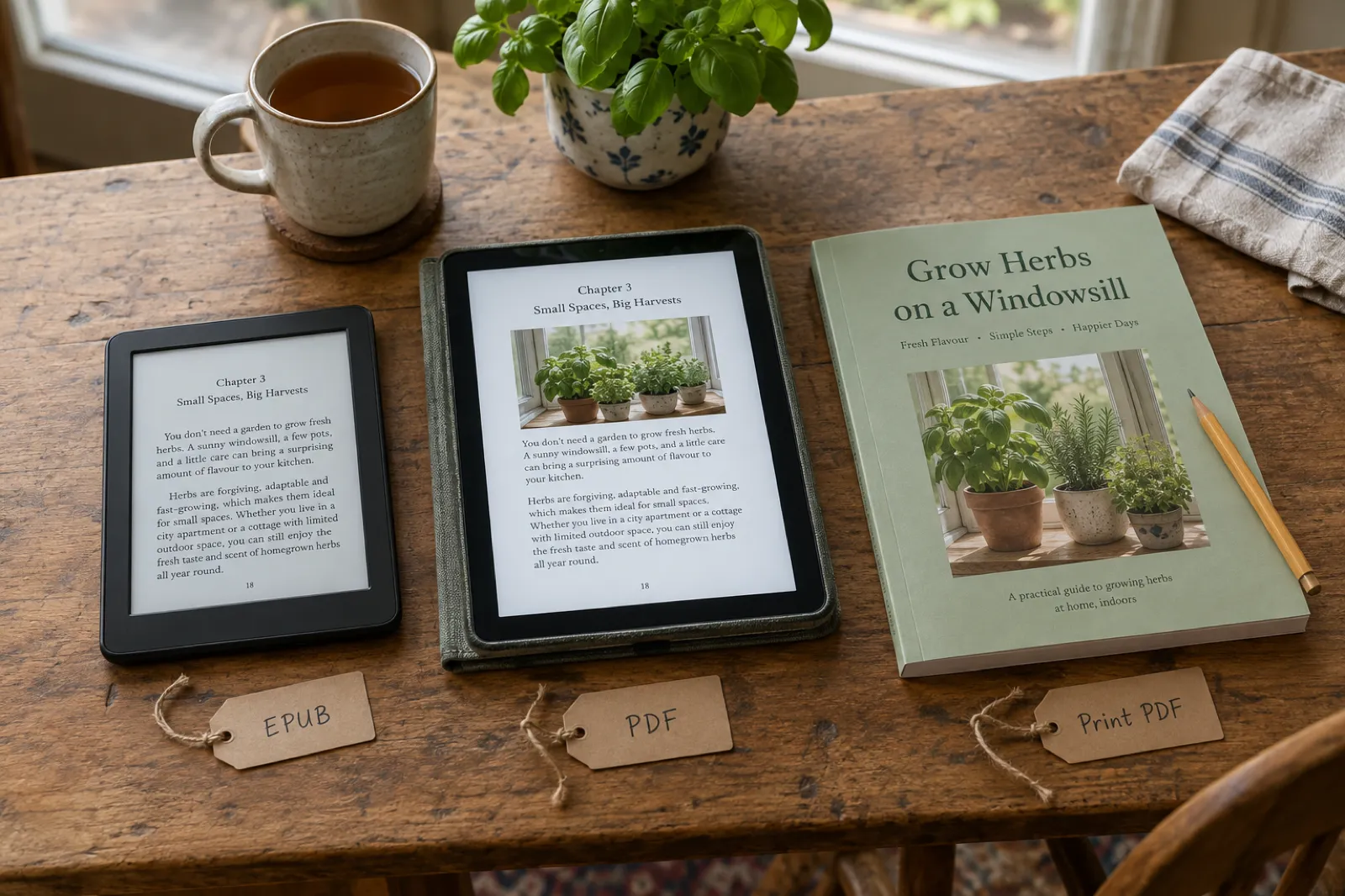
- Files: EPUB for Kindle, Apple Books and Kobo; PDF for Gumroad, Etsy and email gifts; a print PDF plus full-wrap cover for a paperback. Which store wants which file.
- Rights: you keep them on every plan, free included.
What is an AI ebook creator?
An AI ebook creator is software that takes you from an idea to a finished ebook file in one place. Older ebook makers start from a blank page: you write the book somewhere else, paste it in, and the tool formats it. An AI ebook creator writes the first draft as well. It plans the chapters, writes them, lets you edit every line, makes a cover, lays out the pages and exports the files that stores and readers open.
Inkfluence AI works like this. You describe your book in a sentence or two and pick one of 33 book types (a how-to guide, a cookbook, a workbook, a lead magnet, a novel, a picture book and more). The AI builds an outline, writes the chapters, and opens them in an editor where you can rewrite anything by hand or with AI Assist. When you are happy, you export a PDF, an EPUB, a Word file or the full Amazon KDP package, or publish straight to your Gumroad or Etsy shop.
The difference from a general chatbot is that the book is one project, not a conversation. Chapters know about each other, so a guide does not explain the same idea three times and a novel remembers who is who. Contents pages, chapter headings, page sizes and cover sizes are handled for you. If you want to see how the consistency part works, our explainer on how Inkfluence keeps a book consistent walks through it.
How to create an ebook in 10 minutes, step by step
This is the route for a short non-fiction ebook, such as a 6 to 10 chapter guide you want to sell or give away. The times are typical for that size. A longer book, or a novel, takes longer at step 4, and every book deserves more time at step 5 than the minimum shown here.
- 1
Write the idea in one or two sentences
1 minSay who the ebook is for and what they get from it: "A beginner's guide to growing herbs on a windowsill, for renters with no garden, friendly and practical." That one sentence decides the title, the outline and the tone. If you already have notes, a Word file or an old blog post, import it instead of starting from a blank box.
- 2
Pick the book type and the number of chapters
1 minChoose the closest of the 33 book types (how-to guide, cookbook, workbook, lead magnet, novel, picture book and so on). The type changes how chapters are written: a workbook gets exercises, a cookbook gets recipes with ingredients and method. The chapter count is the length lever: 5 to 7 short chapters for a lead magnet, 8 to 12 for a guide you sell.
- 3
Check the outline
1 to 2 minOn manual setup the AI shows you the chapter plan before it writes anything. Rename, reorder, delete or add chapters until the order matches how you would teach it. This is the cheapest moment to change your mind, so spend a minute here.
- 4
Let it write the chapters
2 to 4 minNon-fiction chapters are written at the same time, each with its own example and angle so they do not repeat each other, which is why a whole short ebook arrives in a few minutes. Fiction is written in order, with story memory carrying characters and events from one chapter to the next, so it takes longer.
- 5
Read, cut and add yourself
2 minOpen each chapter in the editor. Cut anything generic, add one story or number of your own per chapter, and use AI Assist to rewrite a paragraph, shorten a section or review the whole chapter. This step is where an ebook stops sounding like everyone else's.
- 6
Make the cover
1 minUpload your own cover image, design one with fonts and colours, or generate one with AI on a paid plan. A paperback gets a back cover and spine too.
- 7
Preview and export
1 minPick a book style in Preview, then export: PDF on every plan, and EPUB, Word (DOCX) or the Amazon KDP package (print interior PDF plus full-wrap cover) on a paid plan or with a credit pack. Or publish straight to your Gumroad or Etsy shop.
Three things that make the 10 minutes count
- Be specific about the reader. "For nurses on night shifts" gives you better chapters than "for everyone". Our AI book prompts page has examples you can copy.
- Spend your first minute on the outline. It is much faster to move a chapter in the plan than to rewrite one afterwards. The book outline generator is a free way to practise.
- Add one thing only you know per chapter. A client story, a mistake you made, a number from your own work. That is what readers remember and what makes a cheap ebook feel worth paying for.
5 chapters a month on the free plan, no card needed.
What makes a good ebook creator in 2026?
Whatever tool you pick, an ebook creator earns its place by getting you to a file you can actually sell or send. In practice that means five things, and it is worth checking all five before you commit to any platform:
- Help with the words, not just the pages. Blank-page tools leave the hardest part to you. An ebook creator with real AI writing turns an outline into finished chapters you edit, rather than empty templates you fill.
- Formatting you never think about. Margins, chapter breaks, contents pages and consistent type should be automatic, and should survive the trip to Kindle Previewer. More on this in our ebook formats guide.
- A cover without leaving the tool. If the creator sends you to a separate design app for the cover, you are running two tools, not one. See the AI book cover generator.
- Real export formats. PDF for direct sales and lead magnets, EPUB for Amazon KDP and Apple Books, DOCX when you want to keep editing elsewhere. A single locked format is a warning sign.
- Commercial rights in writing. You should own what you make on every plan, including free ones.
Inkfluence AI is built to pass all five, and the free plan lets you check each one on a real project before paying anything.
Ebook creator, generator or maker: does the name matter?
Not really. The industry uses ebook creator, ebook generator and ebook maker for overlapping products, and searching any of the three lands you in the same aisle. What does matter is the category underneath the name: AI platforms that write the book, typesetting tools that format a finished manuscript, and design apps for visual documents. We compare all three categories honestly, including tools we do not make, in our guide to the best ebook creators of 2026, and named AI tools one by one in the best AI ebook generators comparison.
Within our own product the words point at the same engine: the AI ebook generator page approaches it prompt-first (one idea in, whole book out), this page approaches it creator-first (your outline and edits steering the AI, and which file goes where), and the free ebook creator page covers exactly what the unpaid plan includes. Same tool, three doors.
Free vs paid: what each plan gets you
The free plan is a real ebook creator, not a demo: it writes chapters, gives you the full editor and exports a PDF you can use. The paid plans add more chapters, the other file formats, pictures, audio and selling from the app. Here is the whole difference on one table.
| What you get | Free | Creator | Premium |
|---|---|---|---|
| Price | $0 | $9.99 a month or $89 a year | $19.99 a month or $179 a year |
| AI-written chapters | 5 a month, up to 5 in one book | 35 a month (about 4 books) | Unlimited |
| Export | PDF, EPUB, DOCX, Amazon KDP package | PDF, EPUB, DOCX, Amazon KDP package | |
| AI assists in the editor | 3 a day | 15 a day | 100 a day |
| AI images in chapters | Not included | 20 a month | 50 a month |
| AI covers | Design or upload your own | 10 a month | 30 a month |
| Audiobook chapters | Not included | 15 a month | 30 a month |
| Translated copies | Not included | 15 a month | 40 a month |
| Sell on Gumroad or Etsy from the app | Not included | Yes | Yes |
| Commercial rights | Yes | Yes | Yes |
Plan allowances as enforced in the app on 6 November 2026. Full details on the pricing page.
Stay on free if...
You want one short PDF a month: a lead magnet, a guide for clients, a printable for your class. Five chapters is enough for a tight, useful ebook, and PDF is the file people expect for a free download.
Pay when...
You want to sell on Kindle, Apple Books or Kobo (they want EPUB), print a paperback through KDP, write books longer than five chapters, or publish to Gumroad and Etsy from the app. A credit pack covers a single book without a subscription.
Not sure which you need? The AI cost calculator works it out from how many books you plan to write, and the free ebook creator page goes deeper on what the free plan can and cannot do.
What one ebook costs to create
The short version: under $2.50 an ebook on Creator, about $4 to $5.33 from a credit pack, and $0 for one short PDF a month on the free plan. The table assumes an 8-chapter ebook, which is a typical size for a guide you sell. Chapters are the only thing counted, so a shorter book costs less and a longer one more.
| Route | What you pay | One 8-chapter ebook |
|---|---|---|
| Free plan | $0 | $0 for one 5-chapter ebook a month, PDF only |
| Credit pack, 15 chapters | $9.99 once | About $5.33 (8 chapters at $0.67) |
| Credit pack, 50 chapters | $24.99 once | About $4.00 (8 chapters at $0.50) |
| Creator monthly | $9.99 a month, 35 chapters | Under $2.50 at about 4 books a month |
| Creator yearly | $89 a year | About $1.86 at 4 books a month |
| Premium | $19.99 a month, unlimited chapters | Falls with every extra book you write |
For comparison, doing it the traditional way means paying people for each part. An editor, a cover designer and a formatter are separate bills, and our guide to what it costs to publish a book lists real 2026 rates for each. An AI ebook creator does not remove the case for a human editor on an important book, but it does mean you only pay one when the book has earned it. Once you know your cost per book, the royalty calculator shows what you keep per sale on Kindle, and our post on how to price an AI-created ebook helps you set the price.
Ebook file formats: which store wants which file
The most common mistake with a first ebook is making the right book in the wrong file. Stores that sell to e-readers want EPUB, because the text reflows to fit any screen. Shops where people download a file want PDF, because it looks the same everywhere. Printers want a print-ready PDF at an exact page size, plus a cover that wraps around the spine. Editors want Word.
| Where the ebook goes | File it wants | What to export |
|---|---|---|
| Amazon Kindle (KDP ebook) | EPUB (KDP also takes Word) | EPUB, or files 3 and 4 of the KDP package |
| Amazon paperback (KDP print) | Print-ready interior PDF plus a full-wrap cover PDF at your trim size | KDP package, files 1 and 2 |
| Apple Books | EPUB that passes EPUBCheck | EPUB |
| Google Play Books | EPUB or PDF | EPUB or PDF |
| Kobo Writing Life | EPUB (Word files are converted for you) | EPUB |
| Barnes & Noble Press | EPUB or Word for the ebook, print-ready PDF for print | EPUB, DOCX or PDF |
| Draft2Digital (wide distribution) | Word or EPUB | DOCX or EPUB |
| Gumroad, Etsy, Payhip, your own site | Any file you like; PDF is the usual choice, EPUB as a bonus | PDF, plus direct publishing to Gumroad and Etsy |
| Email sign-up gift (lead magnet) | PDF (every plan) | |
| Editing with a co-author or editor | Word (DOCX) | DOCX |
Store file rules checked 6 November 2026: KDP supported eBook formats, Apple Books formatting guidelines, Google Play Books Partner Center and the Draft2Digital FAQ.
Store rules as stated in each store's help pages, summarised in the guides linked in the first column. PDF exports on every plan; EPUB, DOCX and the KDP package need a paid plan or a credit pack.
EPUB
Text that reflows on any screen, with a clickable contents list. Our EPUB files are checked with EPUBCheck, the validator Apple and Google use, before they reach you.
Fixed pages that look identical on a phone, a laptop or paper. Best for workbooks, checklists and anything people print. Choose the page size in Export.
KDP package
One zip with the paperback interior, the full-wrap cover, the Kindle cover and the Kindle EPUB, each numbered by the KDP box it goes in. See the AI book formatter.
Selling wide rather than only on Amazon? Where to sell ebooks in 2026 compares the stores, their royalty splits and their AI rules, and which stores allow AI-written books covers the disclosure boxes you will see on each one.
Ebook examples by type, and what to ask for
Each book type changes how the chapters are written, so picking the right one matters more than the wording of your prompt. These are the ebooks people make most often, with the shape to ask for, the file to export and where they usually end up.
Lead magnet guide
- Ask for:
- 5 to 7 short chapters, one promise
- Export:
- Usually goes to:
- Free download in exchange for an email address
How-to guide
- Ask for:
- 8 to 12 chapters, one skill start to finish
- Export:
- EPUB and PDF
- Usually goes to:
- Kindle, Gumroad, your own site
Cookbook
- Ask for:
- Recipe chapters grouped by meal or method
- Export:
- PDF and print PDF
- Usually goes to:
- Etsy, KDP paperback, gifts
Workbook or planner
- Ask for:
- Short lessons with exercises and checklists
- Export:
- Print PDF
- Usually goes to:
- KDP paperback, coaching clients
Study guide
- Ask for:
- One chapter per topic with summaries and questions
- Export:
- Usually goes to:
- Students, tutors, course add-ons
Business playbook
- Ask for:
- One framework or process per chapter
- Export:
- PDF and EPUB
- Usually goes to:
- Clients, Gumroad, KDP
Children's picture book
- Ask for:
- Pages of words and AI illustrations, same characters throughout
- Export:
- Print PDF with bleed
- Usually goes to:
- KDP paperback, Etsy
Novel or novella
- Ask for:
- Chapters written in order with story memory
- Export:
- EPUB
- Usually goes to:
- Kindle, Kindle Unlimited
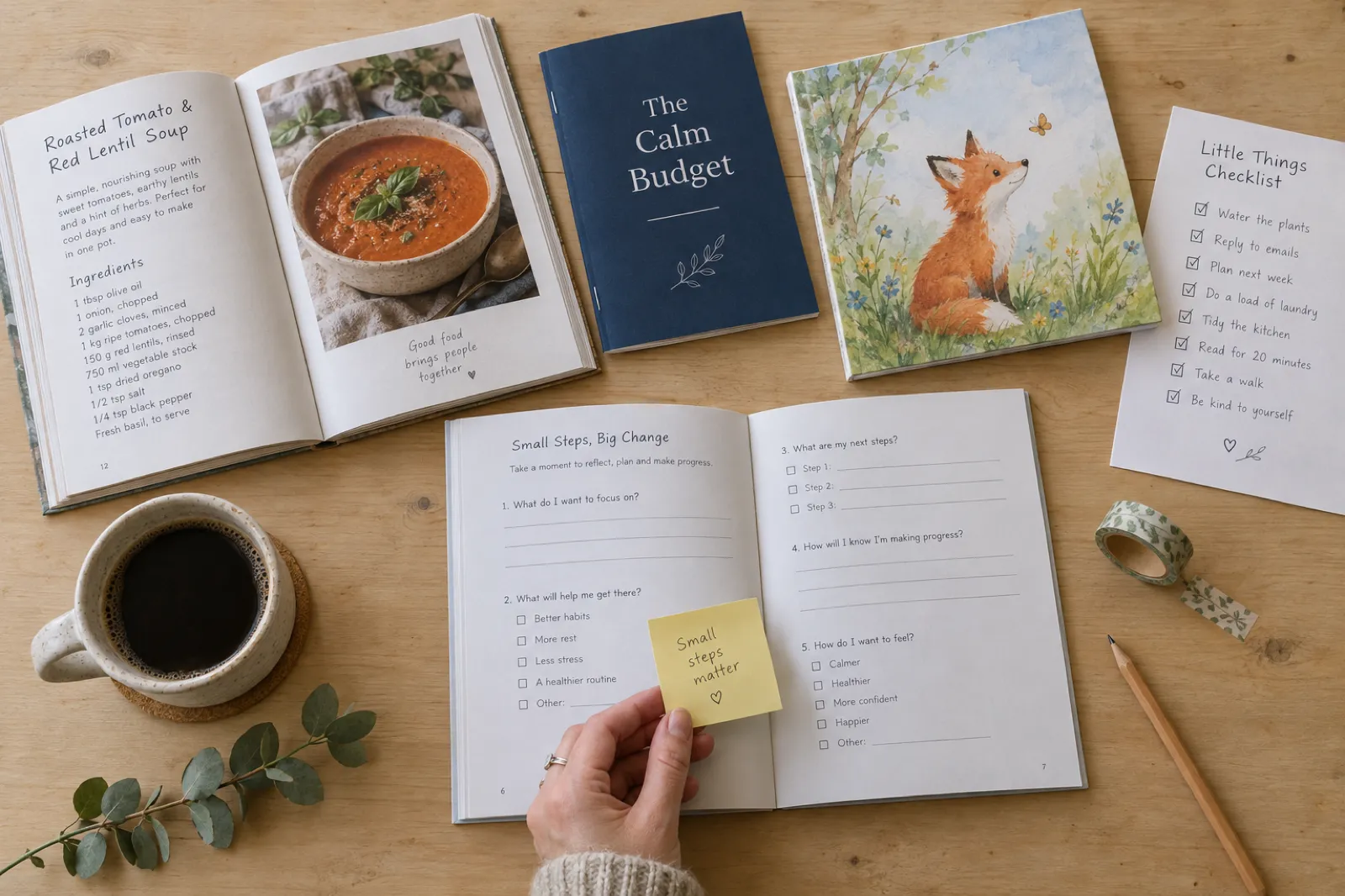
Looking for a topic first? Best ebook niches ranks topics by demand and competition, and what types of books AI can create lists all 33 book types with an example of each.
Preview AI-Generated Ebooks
Flip through real pages from ebooks created with Inkfluence AI
Loading preview...
Who uses an AI ebook creator?
Authors and writers
Draft novels, non-fiction books and short stories, then export EPUB for Kindle or a print file for a paperback. Novels keep characters and events straight with story memory.
Coaches and consultants
Turn a method into a client workbook, a lead magnet or a full business book, starting from your own notes or slides.
Digital product sellers
Build a small catalogue of guides, planners and cookbooks for Etsy, Gumroad and KDP, published from the app.
Teachers and students
Make study guides, revision summaries, lesson packs and course companions from lecture notes.
Content creators
Turn your best posts, videos or podcast episodes into an ebook: import the transcripts and let the AI shape them into chapters.
Small businesses
Write onboarding guides, training manuals and customer handbooks with clean formatting and no designer.
Lead magnet workflow: the fastest way to get value from an ebook
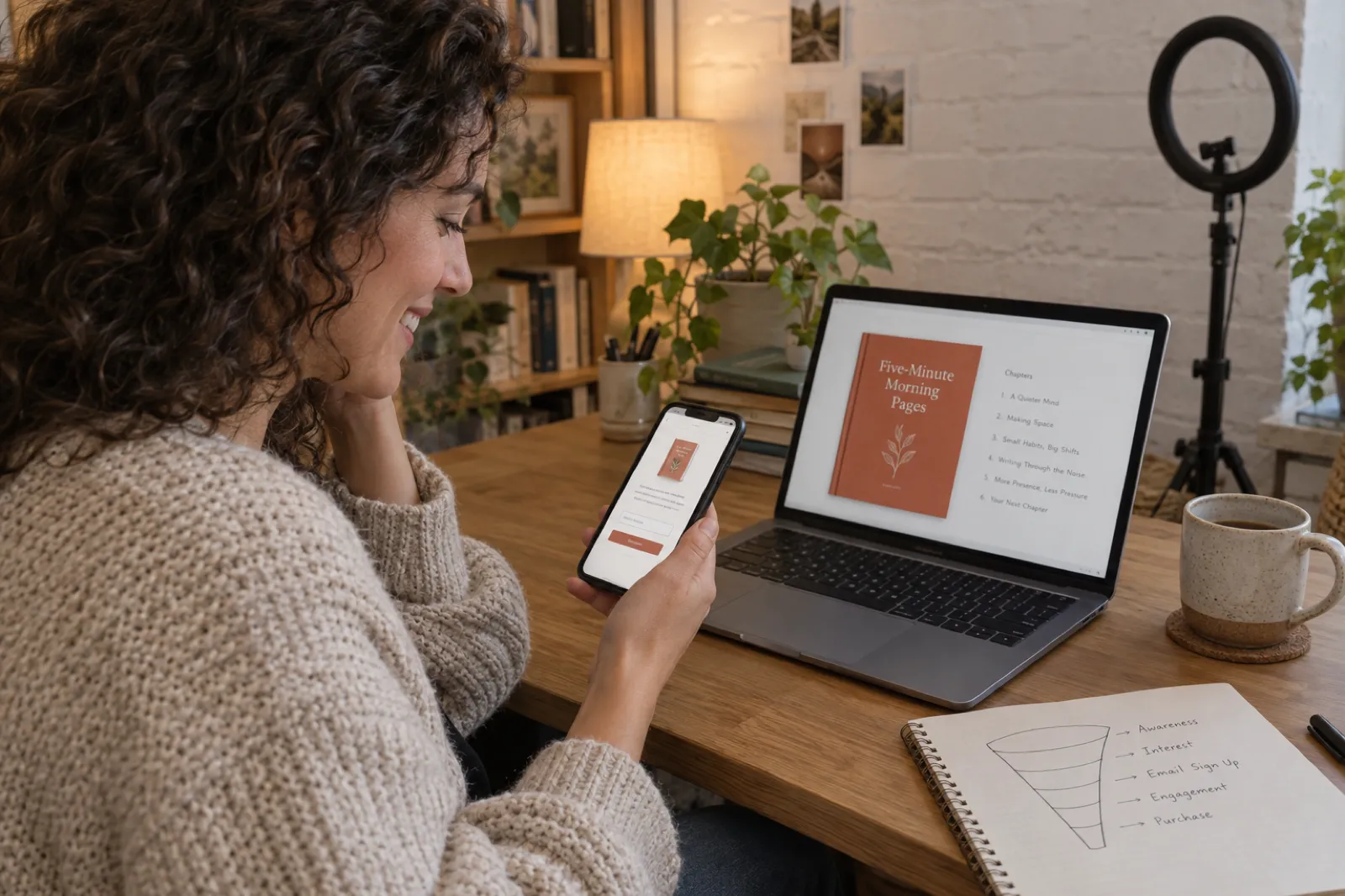
If your goal is email sign-ups rather than sales, the best ebook is short, specific and useful on day one. The free plan covers this completely, because a lead magnet is usually five chapters or fewer and always a PDF.
Choose a narrow promise
One outcome your audience wants this week. "7-day plan", "checklist" and "framework" titles are easy to say yes to.
Create the ebook
Pick the lead magnet book type, keep it to five chapters, and add one example from your own work to each.
Export and deliver
Export the PDF, upload it to your email tool as the sign-up gift, and point your landing page at it.
Six mistakes people make with their first ebook
These come up again and again in the books people make and then rework. All of them are quick to avoid if you know about them before you start.
- A topic for everyone. "Healthy eating" competes with thousands of books. "Healthy lunches for shift workers with a microwave and 20 minutes" has an obvious reader, an obvious title and an obvious first chapter.
- Too many chapters for the promise. A lead magnet with fifteen chapters does not get read. Match the chapter count to the job: a handful for a free guide, more for a book people pay for.
- Publishing the first draft. The draft is the start. Read every chapter, cut the general sentences, and add the examples only you have. Readers forgive a short book; they do not forgive a generic one.
- The wrong file for the store. A PDF uploaded to Kindle reads badly on a phone; an EPUB sent as an email gift confuses people who cannot open it. Check the formats table before you export.
- A cover that cannot be read as a thumbnail. Stores show your cover about the size of a postage stamp. Short title, big type, one image. Our book cover design guide has the rules.
- Skipping the AI disclosure. Amazon KDP asks whether text, images or translations were AI-generated, and Apple Books asks for a label. Answer honestly; our page on the KDP AI disclosure policy explains what counts.
AI ebook creator vs doing it yourself
The traditional way to make an ebook looks like this: research the topic, write 10,000 words or more in a document, design a cover in a design app, format the layout in a word processor or typesetting tool, then convert it to PDF and EPUB with separate software. For most people that is many evenings spread over several weeks, and the formatting and conversion steps are where first-timers get stuck. If your book already exists as a PDF, see how to convert a PDF into an ebook.
An AI ebook creator puts all of that in one session. You describe the idea, check the outline, the chapters are written, you edit, and you export. The draft arrives in minutes; the time you save goes into making it yours.
The honest trade-off is voice. An AI draft is a strong, well-organised starting point, but it does not know your clients, your mistakes or your opinions. Readers can tell the difference between an ebook that was generated and one that was generated and then worked on. The editor and AI Assist make that second pass quick: rewrite a paragraph in your tone, cut a section, or ask for a review of the whole chapter.
The approach that works: let the AI do the structure and the first draft, then spend your own time on examples, stories and the opening of each chapter. If you would rather start from your own writing, import your manuscript and use the AI only where you want it.
How an AI ebook creator compares with the usual mix of tools
Many people piece an ebook together from a chatbot for the words and a design app for the pages. This is what changes when one tool does both.
| Job | Chatbot | Design app | Inkfluence AI |
|---|---|---|---|
| Writing the chapters | Text in a chat, pasted out by hand | You write it | Whole draft from one idea |
| Chapters that know about each other | Only within one chat | Not applicable | Outline-led, with story memory for fiction |
| Layout and contents page | None | Manual, page by page | Automatic, five book styles |
| Cover | None | Templates | Upload, design or AI, plus spine and back |
| Files | Plain text | Usually PDF | PDF, EPUB, DOCX, KDP package |
| Audiobook and translation | No | No | 56 voices; 59 languages |
After the ebook: audio, translations, video and a series
A finished ebook is the start of a few more products, and each one reuses the work you have already done.
Audiobook
Narrate chapters with 56 AI voices in 20 languages and download MP3s or a chapter ZIP. Creator includes 15 audiobook chapters a month, Premium 30. See the AI audiobook generator.
Translated editions
Make a translated copy in any of 59 languages and sell it in that country's store. See the AI book translator.
Book video
A short vertical video of your book for TikTok, Reels and Shorts, read aloud with captions. See how to turn your book into a video.
A series
Continue a book you own as book 2, with the same characters or the same subject carried forward. See the AI book series writer.
AI ebook creator FAQ
What is an AI ebook creator?
Can I create an ebook online for free?
How long does it take to create an ebook with AI?
What is the best free ebook maker?
Which file format should my ebook be?
How much does it cost to create an ebook with AI?
Can I sell the ebooks I create?
Can I use my own notes or an old manuscript?
Is an AI ebook creator better than ChatGPT for ebooks?
Does the free plan put a watermark on my ebook?
Can I make an ebook in another language?
Can I turn my ebook into an audiobook?
Create your first ebook today
One idea, about ten minutes, and a PDF you can use. Add EPUB, Word and KDP files when you are ready to sell.
Related Tools
AI Ebook Generator
One prompt in, whole ebook out
AI Ebook Writer
Writing-first: voice across a whole book
AI Non-Fiction Book Writer
Authority books from your framework
AI Book Creator
Print and ebook from one project
AI Book Maker
Quick book making from a prompt
AI Ghostwriter
Your ideas, drafted as a book
AI Book Cover Generator
Covers, spines and back covers
KDP Tools
Free calculators and templates for Amazon
How to Create a Lead Magnet with AI (Video)
A short ebook lead magnet from one promise to a PDF
Free Ebook Creator
What the free plan includes
Book Kaise Likhe (हिंदी)
AI से हिंदी में किताब लिखने के कदम
Ebook Kaise Banaye (हिंदी)
हिंदी ई-बुक और PDF, फ़ोन से भी
Also in other languages: Creare un ebook con l'IA · كاتب كتب بالذكاء الاصطناعي
Related Reading
Fastest Way to Create an Ebook
Step-by-step guide to fast ebook creation
How to Make an Ebook for Free (2026)
Every free route, compared
How to Write a Book
The whole job in eleven steps
How to Write a Book with AI (2026)
Complete AI book writing guide
Can You Sell AI-Generated Books?
Rights, disclosure and store rules
KDP Royalties in 2026
What you earn per Kindle and paperback sale