
How to Create a Lead Magnet with AI (Idea to Finished Ebook in 6 Minutes)
If you are growing an email list or attracting clients in the social media space, a short, focused ebook is the easiest lead magnet to make. In the video below, James from the Inkfluence team takes one narrow promise, "a 7-day content plan for small business owners", and turns it into a seven-chapter ebook with a generated cover and a PDF export, in about six minutes. Under the video: why the narrow promise matters, what the Chapters panel and cover editor give you, what 783 lead magnets built on the platform look like, and the full transcript.
783
lead magnets generated on Inkfluence AI as of 11 September 2026, 465 of them in the last 90 days
5 chapters
the length of 95% of them: one promise, delivered in a short guide, not a book
39%
have been exported at least once, most of them as PDF, the format opt-in pages expect
Quick Answer
To create a lead magnet with AI, narrow the topic to one outcome for one audience, type that promise into the Inkfluence AI lead magnet generator, and generate. The AI writes the chapters (seven in the video), you shape them in the Chapters panel, generate a cover in the style you want, and export a PDF for your opt-in page. The free plan covers the whole flow for a five-chapter guide, and you keep full commercial rights.
In this video
- 0:00 Why a short, focused ebook is the easiest lead magnet for a social media business
- 0:30 Narrowing the topic: a 7-day content plan, or a beginner's guide to Reels for local shops
- 1:05 Entering the prompt and clicking create my book
- 1:40 Seven chapters building; download now or edit first; delete, rename, regenerate
- 2:45 Adding a chapter with AI: starting points and the brief, standard, detailed lengths
- 3:40 The cover: your own image, a stock image, or an AI cover in editorial, photographic, illustrated, minimal or bold
- 5:20 Audiobook option, preview, and export as PDF, KDP, EPUB or DOCX
Why does the narrow promise matter so much?
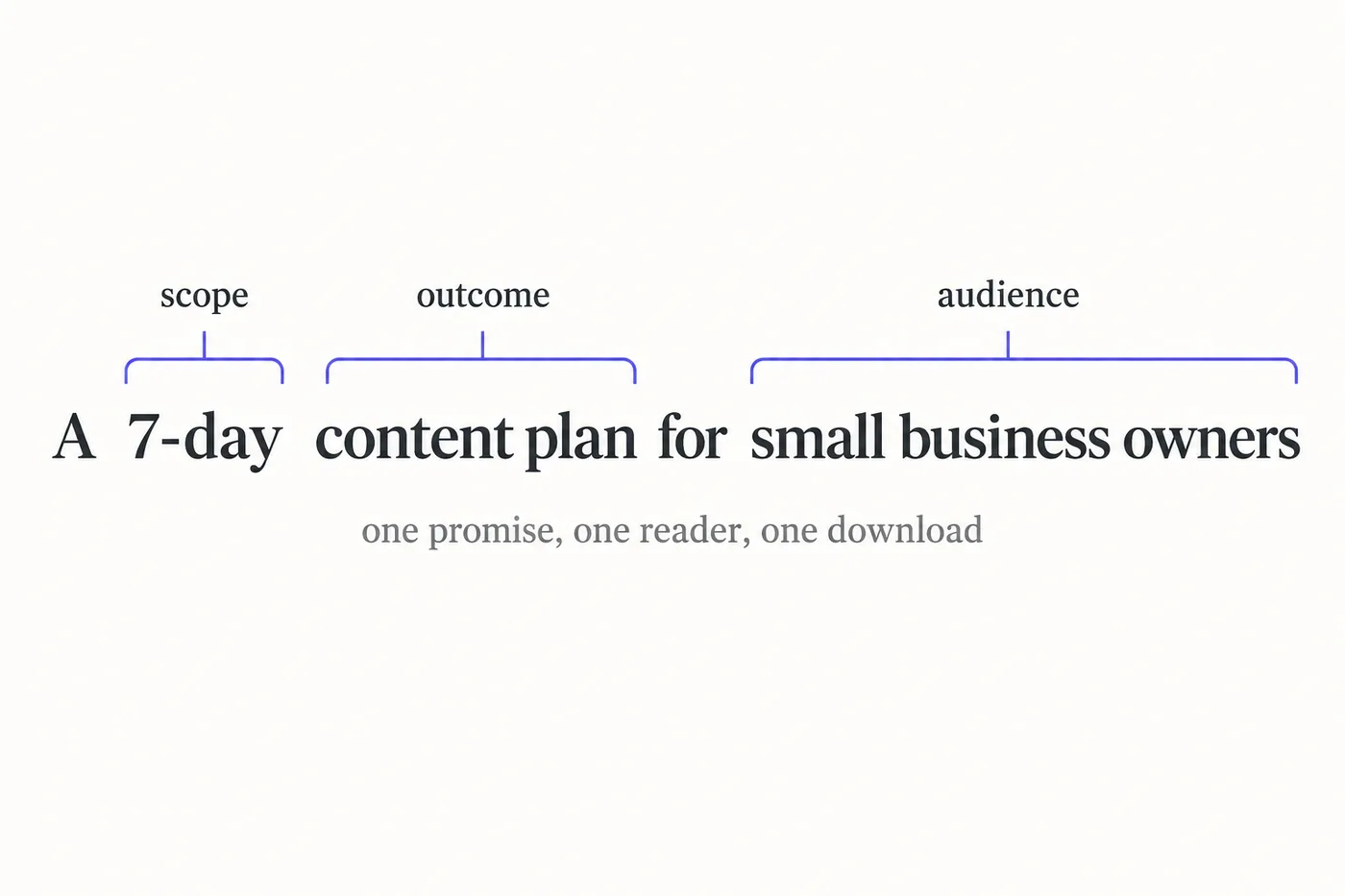
The first minute of the video is advice, not clicks, and it is the advice that decides whether the lead magnet works. James's rule: pick a specific outcome your audience wants. "A 7-day content plan for small business owners" and "the beginner's guide to Instagram Reels for local shops" are his two examples, and both do the same three things in one line. They name a result (a plan, a beginner's competence), they name who it is for (small business owners, local shops), and they imply a scope small enough to finish (seven days, one format). A lead magnet is a promise on an opt-in page; the reader is deciding in two seconds whether the promise is worth an email address. "Social media tips" is not worth one. "Seven days of posts, planned, for a business like mine" is.
The narrow promise also does the AI's structural work for it. When the prompt carries an outcome, an audience and a scope, the outline that comes back is already the table of contents of a useful guide. The video's prompt produces seven chapters without any further instruction, because "7-day" told the AI how many units the plan has. That is worth copying: put the structure in the promise and you rarely have to fix the outline.
What happens between the prompt and the finished book?
Once the prompt is in the text box and create my book is clicked, the ebook generator shows the chapters building one by one. The demo's book is seven chapters; James points out that this is not fixed, and that a ten- or fifteen-chapter guide, or a five-chapter one, is a matter of adding and deleting chapters afterwards. For a lead magnet, shorter usually wins. Our own numbers agree: 95% of the 783 lead magnets generated on the platform are five chapters long, which is also the size the free plan writes in one go. Five to seven chapters at a few hundred to a thousand words each delivers one promise properly and gets read to the end.
When the build finishes, two buttons: download the completed book, or edit it first. The video takes the edit, and for a lead magnet that is the right call every time. The draft is complete and structured, but the thing that makes a lead magnet convert to a client is the part only you can add: your own example, your own numbers, the one mistake you see every week. That pass takes an hour, not a weekend.
What does the Chapters panel let you change?
Four things, all shown on camera. Delete a chapter that does not serve the promise. Rename a chapter so the contents page reads like your landing page. Regenerate a chapter with AI when the angle is right but the text is not. And add a chapter: click Add, and the editor offers either a blank chapter you write yourself or an AI-written one. The AI route shows starting points drawn from the book itself, so a "day eight" or a "what to do when a post flops" chapter is one click away, and it asks for a length before writing: brief at about 200 words, standard at about 500, or detailed at about 1,000.
The length choice is the most useful control on the page for lead magnets. A checklist chapter wants brief. A worked example wants detailed. Mixing them is what makes a short guide feel designed rather than generated.
How does the cover get made?
The cover editor offers three routes, and the video walks all three. Upload your own image, which is the choice if you already have brand photography. Pick a stock image, which James illustrates with a flower shop: a flower photo becomes the cover in a click. Or generate a cover with AI by choosing a style (editorial, photographic, illustrated, minimal or bold), typing a short brief, and reviewing the result. The demo picks minimal, briefs it with "7-day content plan for small businesses", and applies the cover it gets back. If the first attempt is close but not right, generate again with a tweaked brief; nothing is committed until you click apply.
For a lead magnet the cover is the thumbnail on your opt-in page, so it has to read at 200 pixels wide. Minimal and bold styles survive that shrink; busy illustrated covers often do not. The cover design guide covers typography and sizes for self-publishers. The AI book cover generator page goes deeper on styles and sizes.
Preview, export, and the audiobook option
With the cover applied, the video previews the finished book and opens the export menu: PDF, a KDP-ready file, EPUB, DOCX, and the audiobook option that narrates the chapters in a voice and language you choose. For the lead magnet itself, export PDF. It opens on every device, holds the layout, and is what email platforms and landing page builders expect as a delivery file (the free AI PDF creator page explains what the free export includes). The other formats matter later: EPUB and KDP when the guide grows into a paid ebook, DOCX when a client or editor wants to work on the text, and an audiobook when your audience listens more than it reads.
Six lead magnet promises that work, and why
The video's prompt is nine words carrying an outcome, an audience and a scope. Here are six more in the same shape, each ready for the prompt box, with the reason it converts.
| Promise | Why it works |
|---|---|
| A 7-day content plan for small business owners (the video's own) | "7-day" sets the scope and the chapter count; the reader knows exactly what they get |
| The beginner's guide to Instagram Reels for local shops | One format, one audience, and "beginner" removes the fear of not being ready |
| 30 caption templates for restaurants that post daily | A countable deliverable; templates are used the same day they are downloaded |
| The pre-launch checklist for coaches opening a group programme | A moment in the reader's life, not a topic; urgency is built in |
| A five-email welcome sequence for online course creators | Delivers the exact asset the reader is about to need, in the right length |
| The first-90-days playbook for new marketing managers | Career-stage audiences search for exactly this phrase and share it with peers |
If the title is the sticking point, the free book title generator gives you twenty options from the promise alone, and the lead magnet examples post has a shelf of real ones by niche.
What 783 lead magnets built on the platform tell us
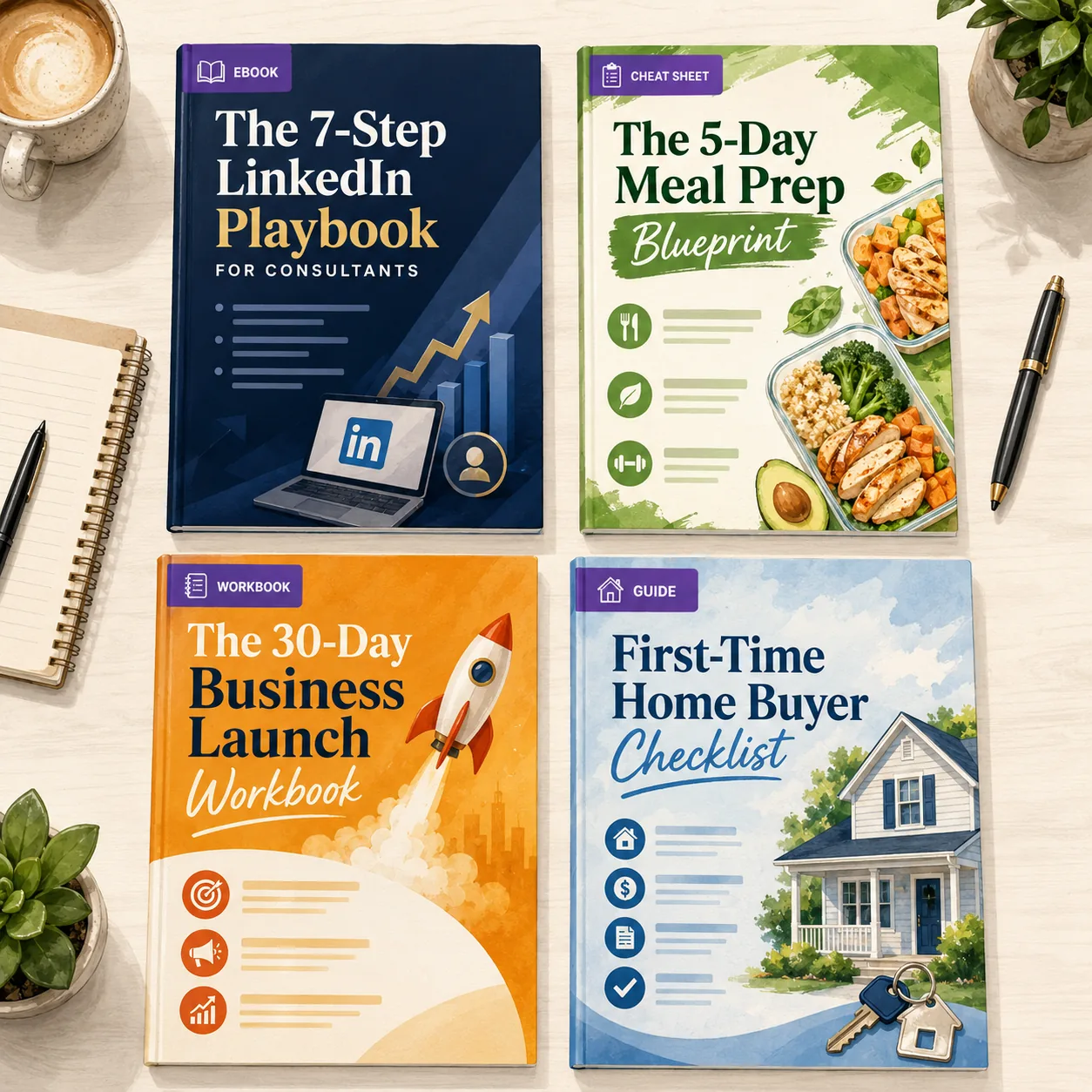
We pulled every book generated on Inkfluence AI with the lead magnet blueprint on 11 September 2026. There are 783, and 465 of them, well over half, were created in the last 90 days. Three patterns are worth knowing before you start.
They are short by choice. 95% run five chapters, the size the free plan generates in one pass, and almost nobody extends them. A lead magnet is a single promise delivered; the people making them have understood that and stopped at five. The video's seven-chapter plan is at the long end, and only because the promise itself was seven days.
They get exported. 39% have been exported at least once, which for a format that exists to be handed out is the number that matters. Only 7% were edited for more than an hour after generation: lead magnets are made and shipped, not polished for weeks.
They are mostly, but not only, English. 84% are in English; Spanish, Arabic, Portuguese and French follow. The prompt works in any of the platform's languages, and a lead magnet written natively in Spanish for a Spanish-speaking audience beats a translated one.
What the AI does and what you do
A lead magnet that brings in clients is a draft the AI wrote plus proof only you can supply. Here is the split, stage by stage, as it plays out in the video.
| Stage | The AI handles | You handle |
|---|---|---|
| Promise | Nothing; it writes to the promise it is given | Choosing one outcome for one audience, the decision that does most of the work |
| Structure | The chapter outline, one unit of the promise per chapter | Deleting anything that drifts from the promise, renaming to match the landing page |
| Drafting | Complete chapters with steps, examples and takeaways | Nothing, this is the part that used to take the weekend |
| Proof | Plausible, generic examples | Your client's result, your real numbers, the screenshot of the post that worked |
| Cover | A generated cover in the style you pick | The style call (minimal and bold survive a small thumbnail) and the brand colours |
| Delivery | PDF, EPUB, DOCX and audio exports | The opt-in page, the email that delivers the file, and the follow-up sequence |
The right-hand column is an afternoon of work you are the only person qualified to do. That trade is the whole point of the six minutes above.
One promise in. One lead magnet out.
The same flow as the video: type the promise, generate the chapters, apply a cover, export the PDF. Free to start, no card needed.
Create your lead magnet freeAfter the export: getting the lead magnet in front of people
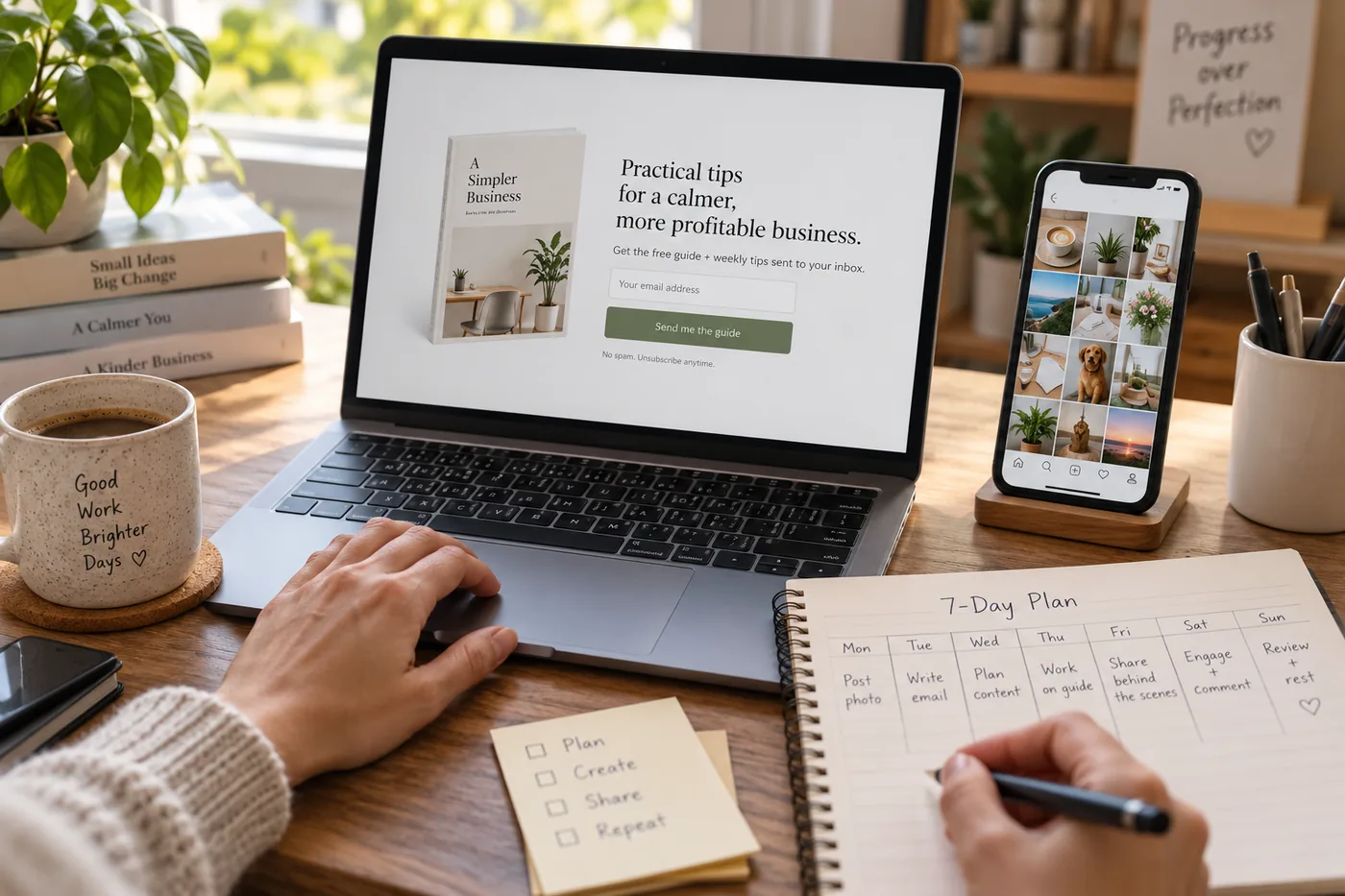
The video ends at the export, which is where the marketing starts. Three things turn a PDF into a list. First, a landing page that repeats the promise from the cover in the headline, shows the cover as a thumbnail, and asks for an email and nothing else. Second, delivery by email rather than a direct download link, so the first message of your sequence is the file itself and the second is the offer. Third, distribution: the same social media accounts the lead magnet is about, pinned posts, a link in bio, and a mention in every piece of content that touches the topic. Our guide to creating a lead magnet that converts covers landing pages and sequences in detail, and building an email list with downloadable PDFs covers the platform setup.
If the guide earns its keep, the second version is a paid product: the same chapters, extended and exported to EPUB, become an ebook you can sell on Etsy or Gumroad, and the workbook James mentions is the natural upsell for coaches.
Five mistakes that stop a lead magnet converting
- A broad promise. "Social media marketing guide" competes with every free blog post on the internet. Narrow it until it sounds like it was written for one reader.
- Too long. A lead magnet is judged on whether it delivered, not on page count. Five to seven short chapters, read in one sitting, beats a thirty-page manual nobody opens twice.
- No proof. The AI writes plausible advice; the reader is deciding whether to trust you. Add the result you got, with numbers, in chapter one.
- A cover that dies at thumbnail size. The cover lives on an opt-in page at a couple of hundred pixels wide. Big type, one image, minimal or bold style.
- No next step. The last chapter should say what to do now and how to get help doing it. A lead magnet that ends without an offer is a free ebook, not a lead magnet.
Full video transcript
Lightly punctuated for readability; the wording is as spoken.
Read the transcript (6:24)
This is James from Inkfluence AI, and today I'm going to be showing you how to create a social media lead magnet with Inkfluence AI. So, if you're trying to grow an email list or attract clients in the social media space, a short, focused ebook is one of the easiest lead magnets to create, and Inkfluence AI can get you from idea to finished book very quickly.
So, what I'd recommend is start by narrowing your topic. If you own a social media business, for example, pick a specific outcome your audience wants. For example, a 7-day content plan for small business owners, or the beginner's guide to Instagram Reels for local shops. The narrower the promise, the more people will actually download and read it.
So, what you want to do is, when you've got your prompt for your lead magnet idea, head to Inkfluence AI and add in your prompt in the text box. What we're going to do is go for a 7-day content plan for small business owners. And when you've entered in your prompt, click create my book. Inkfluence AI will then get to work and create your ebook for you. And as you can see here, it's building our seven-chapter book. Now, if you want this to be 10 chapters, 15 chapters, or even less than seven chapters, say five chapters, you can delete and add chapters in your book, and you can use AI to create content if you want to add in more chapters.
So here, as you can see, Inkfluence AI has started and is nearly finished building our 7-day content plan lead magnet. Once this is complete, you could also turn this into a workbook or another type of book to then download and add to your website. As you can see, you can now download your completed book, your completed lead magnet, or you can edit it first if you want to go through the content and make sure that everything is as you want.
Like I said, you can add in chapters. So, if we go to Chapters, you can delete, rename, or regenerate with AI. You can also add in more chapters by clicking Add. And then, if you want to generate it with AI, you click that. It will then take you to this bit here, and as you can see, it gives you the option to write out what you want, or there are some starting points that Inkfluence AI has drawn out based on your book. You can then choose the length: brief, and that is 200 words; standard, which is 500 words; or detailed, which is 1,000 words. When you're ready, if you want to do that, you can then create your new chapter with Inkfluence AI and it will create an extra chapter in your book.
You can also edit the cover. So, as you can see here, we've got this cover here. You can add your own image, you could use one of these stock images. For example, if this was a flower shop business, you could add in a flower and that would then apply to your cover. Or you can use AI to create an AI book cover. As you can see here, we've got the different options: editorial, photographic, illustrated, you've got minimal, you've got bold. So, let's say we want this to be minimal. We can then add in "7-day content plan for small businesses" and then generate cover, and Inkfluence AI will take your prompt and apply it to the type of book cover that you want to create. You can then choose to add it to your book, or you can create a different book cover if you want to tweak some different bits.
As you can see, it's nearly ready with our book cover. So, we can review that, and then if we're happy, we can add it to our book. You can also create an audiobook if you wanted to, and you can select the voice and the language for your audiobook. There we go. So, I'm happy with that, so I'll click apply cover. And as you can see, I've now got a full book for my lead magnet that I can apply to my website, and it happened within a few minutes.
You can then preview your book, as you can see here, and when ready, you can export as a PDF, KDP, EPUB, DOCX, or, like I mentioned, you can create an audiobook with Inkfluence AI as well. So there you have it. That's how you can create a lead magnet through Inkfluence AI to add to your website and drive sign-ups.
Lead magnet FAQ
How do you create a lead magnet with AI?
Narrow the promise to one outcome for one audience, type it into the prompt box, and generate. In the video the prompt is "a 7-day content plan for small business owners", and the AI writes a seven-chapter ebook from it. Then you review the chapters, add or remove any, design a cover, and export as PDF for your opt-in page.
How long does it take to make a lead magnet with AI?
Minutes for the draft. The video runs six minutes and covers the whole thing: prompt, generation, an added chapter, a generated cover and export. Your own edit, where you add real examples and check the advice, is the only part that takes real time, typically an hour or two.
What makes a good lead magnet topic?
A narrow, specific promise. "A 7-day content plan for small business owners" or "the beginner's guide to Instagram Reels for local shops" will be downloaded and read; "social media tips" will not. Name the outcome and the audience in the title and the AI structures the chapters around them.
How long should a lead magnet ebook be?
Short. Most lead magnets made on Inkfluence AI are five chapters, and a five-to-seven chapter guide at a few hundred to a thousand words a chapter is enough to deliver one promise well. Readers download a lead magnet to get a result quickly, not to read a book.
Can I change the number of chapters after it generates?
Yes. The video shows the Chapters panel: delete a chapter, rename it, regenerate it with AI, or click Add to write a new one. When you add a chapter with AI you choose a length: brief (about 200 words), standard (about 500) or detailed (about 1,000).
Does the AI design the cover too?
Yes. The cover editor in the video offers three routes: upload your own image, pick a stock image, or generate a cover with AI in a chosen style (editorial, photographic, illustrated, minimal or bold). You type a short brief, review the result, and apply it or generate another.
What format should a lead magnet be exported in?
PDF for almost every lead magnet: it opens everywhere, keeps your layout, and is what email platforms and opt-in pages expect. The export menu in the video also offers EPUB, DOCX and a KDP-ready file, which matter if the same guide later becomes a paid ebook or a paperback.
Can I turn the lead magnet into a workbook?
Yes. The video mentions this as a next step: the same idea can be generated again as a workbook, with exercises and answer spaces, which suits course creators and coaches who want a lead magnet that gets used rather than skimmed.
Can I make a lead magnet with AI for free?
Yes. The free plan generates 5 chapters to start plus 5 more every month, includes the cover designer, and exports to PDF, which is exactly the shape of the lead magnet in the video. Paid plans add EPUB and DOCX export, more chapters and audiobook narration.
Do I own the lead magnet I create?
Yes. Everything you create on Inkfluence AI is yours with full commercial rights on every plan, including free. You can give it away for email sign-ups, sell it, or repurpose it.
Can I make an audiobook version of the lead magnet?
Yes. The video shows the audiobook option next to the cover tools: choose a voice and a language and the chapters are narrated. An audio version is a strong second lead magnet for podcast audiences and commuters.
What do I do with the PDF once it is exported?
Host it behind an email form. Upload the PDF to your email platform or website, build a landing page that repeats the promise from the title, and deliver the file by email after sign-up. The strategy guide linked below covers landing pages and follow-up sequences.
Where does the demo happen, and can I follow along?
Everything happens in the Inkfluence AI dashboard: the prompt box, the Chapters panel, the cover editor, the audiobook option and the export menu. Open the dashboard in another tab and pause the video at each step.
The bottom line: the six minutes above take the part of lead magnet creation that used to stall people, writing and laying out the thing, and reduce it to a prompt, a review and an export. The part that still matters is the promise you type and the proof you add. Get those two right and the rest is a video's length of work. For the whole platform in one sitting, the full book creation tutorial goes step by step, and the write-a-book walkthrough shows the same editor on a longer book.
Related reading
Branded checklists and ebooks as lead magnets
The checklist format, when it beats a guide, and how to brand it.
Lead magnets for coaches
The formats that book discovery calls, with examples by coaching niche.
The ebook funnel behind the lead magnet
Opt-in page, delivery email, nurture sequence and the offer at the end.
Turn blog posts into lead magnets
If the content already exists, import it and skip the drafting step.
Ebook lead magnet examples
Fifteen real ones by niche, with the promise each one makes.
PDF vs EPUB vs DOCX
Which export to use for a lead magnet, a Kindle book and a client document.
Keep going
AI Lead Magnet Generator
The tool from the video: formats, what each plan includes, and worked examples.
Creating a lead magnet that converts
The strategy side: landing pages, delivery emails and follow-up sequences.
The workbook walkthrough
Two-minute video: the format James suggests as the next version of the same content.
Write a full non-fiction book
When the lead magnet earns its keep, the long version: format picker, outline review, parallel chapters.
The travel guide walkthrough
Eight-minute video: a destination guide a travel blogger or local business can give away or sell.
A guidebook for your guests
Not a freebie for strangers but a welcome book for people already staying: local chapters written for you, house pages typed by you.