
How to Write a Non-Fiction Book with AI (Watch the Whole Flow in 3½ Minutes)
Non-fiction is where most first books happen: a how-to guide, a health handbook, a personal development journal built from something you know. In the video below, James from the Inkfluence team walks the complete flow, starting without a fixed idea, choosing a category from the format picker, taking one of its ready-made premises, reviewing the chapter outline, and generating the book. This page walks through each decision you see on screen, what it changes about the book you get, and how to take the draft to something publishable.
89,000+
books created on Inkfluence AI, and non-fiction how-to, health, finance, and personal development titles are the platform's largest families
30+
book formats in the picker shown in the video, each shaping the structure the AI generates
In parallel
non-fiction chapters write simultaneously, which is why a complete draft lands in minutes
Quick Answer
To write a non-fiction book with AI, either type your idea into the Inkfluence AI book generator or use the Choose a Format flow to pick a category (how-to guides, health and wellness, finance, personal development, business, and more), take one of its example premises or write your own, set the chapter count and a Quality or Speed generation mode, and generate. The AI proposes a chapter outline you can rename, extend, and reorder before anything writes; when you approve it, every chapter generates in parallel with its own pre-assigned framework so the book does not repeat itself. You then edit the draft, verify the facts, design a cover, and export as PDF (free) or EPUB and DOCX (paid). The video above shows the full flow in three and a half minutes, and the complete transcript sits further down this page.
In this video
- 0:00 Two ways to start: type your idea, or open Choose a Format
- 0:25 The non-fiction categories: how-to guides, health and wellness, finance, personal development
- 0:55 Quick examples: three ready-made premises, picking the self-compassion journal
- 1:30 Chapter count and choosing Quality or Speed generation
- 2:00 The outline: adding a chapter, describing its coverage, reordering
- 2:30 Write the book: chapters generating live with names listed
- 3:10 Download, or "I want to edit first" into the editor and cover tools
What if you already have the idea, and what if you don't?
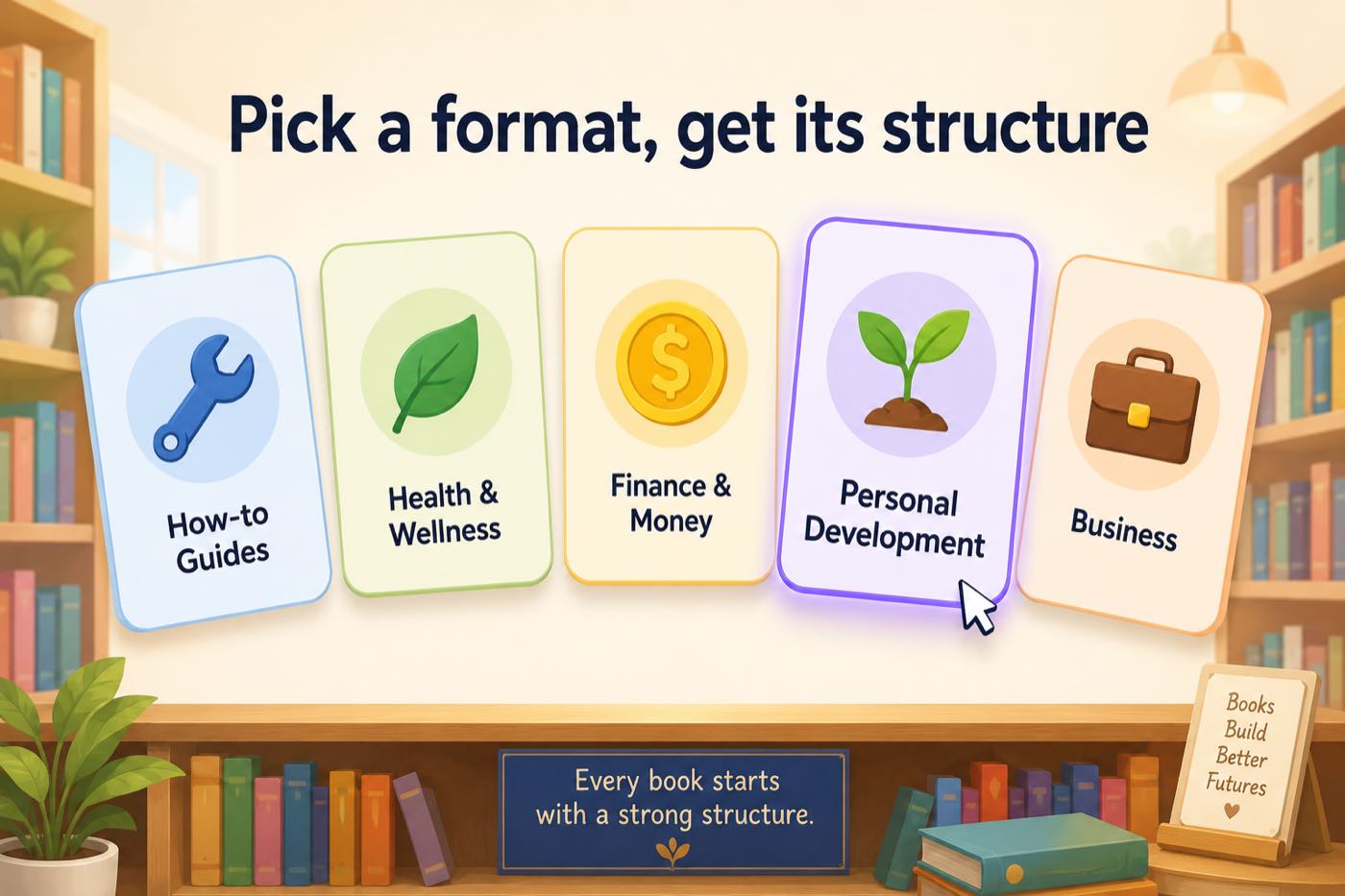
The video opens on the fork every author hits. If the idea exists, you type it into the prompt box and click create; that is the whole entry. But the demo deliberately takes the other path, the one for people who know they want to write a non-fiction book without knowing which one yet: Choose a Format. It opens a picker with the non-fiction families at the top, how-to guides, health and wellness, finance and money, and a long list beyond, over 30 formats in all. Picking a format is not decoration; it decides the skeleton the AI builds. A how-to guide structures around steps and implementation, a finance book around concepts and worked numbers, a personal development title around reflection and exercises. Our book types overview maps the full list against what each one is for.
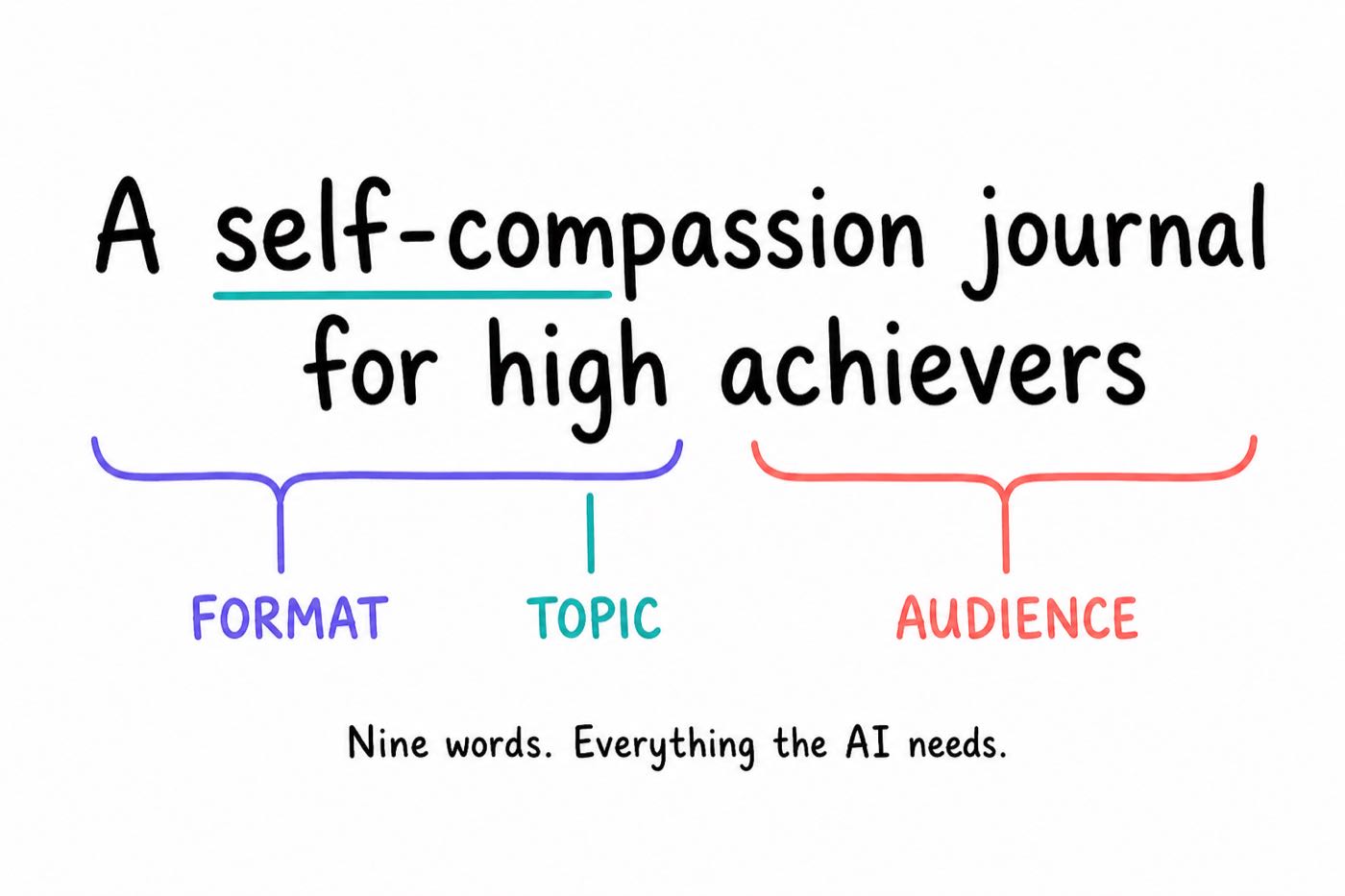
The demo picks personal development, and the picker answers the blank-page problem a second time: three quick example premises appear, a self-compassion journal for high achievers, a habit reboot plan for new parents, and a resilience handbook for creators navigating burnout. Notice what all three share: a format, a topic, and a named audience in one line. That is the anatomy of a good non-fiction premise, and it is exactly the pattern to copy when you write your own; the book prompt guide goes deep on why the audience clause does the most work.
What do chapter count and Quality vs Speed actually change?
Before generating, two settings. Chapter count first: the demo sets four to keep the video short, and real non-fiction commonly runs eight to fifteen, one chapter per distinct idea, method step, or module. You are not locked in: chapters can be added at the outline stage and again later in the editor, so the count is a starting shape rather than a contract.
Then the generation mode. Quality mode generates with the best structure and depth and takes slightly longer; Speed mode generates faster with more concise output. The honest guidance: Quality for anything you intend to publish or sell, Speed for testing a premise, drafting a lead magnet, or producing a compact guide where brevity is the point. Both modes run the same outline and editing flow, so nothing downstream changes except the prose you start from.
Why does the outline review matter so much?
This is the stage the video lingers on, and rightly: after you click generate, the chapter outline appears before a single chapter writes. For the self-compassion journal, four chapters land on screen, and everything about them is editable. Want a fifth chapter? Add it, give it a title, and describe what it covers in a sentence, and the AI writes it to that brief. Think chapter three should come first? Move it up. Nothing spends until you click write the book, which makes this the highest-leverage minute of the whole process: structure problems cost a click here and hours later. If you like planning structure before committing at all, the free outline generator runs this stage standalone.
What happens when the book writes?
Click write the book and the chapters generate, with each chapter's name listed as it completes. Two things are worth knowing about what you are watching. First, non-fiction chapters write in parallel rather than one after another, which is why the demo has finished chapters within moments and a full book lands in minutes regardless of length. Second, repetition is prevented structurally: each chapter is allocated its own named framework, opening style, and example persona at outline time, so ten chapters generated simultaneously still read as ten distinct chapters rather than one chapter ten ways. The chapter generator page explains that allocation system in detail.
Download now or edit first?
The video ends on the real decision: the book is generated, and you can download it immediately or click "I want to edit first". For non-fiction, take the edit. The draft is complete and structured, but non-fiction lives on trust, and trust comes from the things only you can add: verified facts, your own case studies, the vocabulary of your field, and advice sharpened by having done the thing. Open each chapter in the editor, rewrite freely or select a passage for AI-assisted rewriting, and swap generic examples for yours. Then design the cover in the cover designer and export. Our guide to preventing factual errors in AI non-fiction is the checking workflow worth following before anything goes on sale.
Which non-fiction format should you pick?
The picker in the video is the fastest route to the right structure. These are the non-fiction families it leads with, what each generates, and who tends to publish them.
| Format family | What the AI structures | Typical authors |
|---|---|---|
| How-to guides | Step-based chapters with implementation detail and takeaways | Practitioners packaging a skill; the biggest single family |
| Health and wellness | Concept explanations, protocols, and sustainable-habit framing | Coaches, trainers, and wellness creators |
| Finance and money | Concepts with worked numbers, decisions, and action steps | Advisors, budgeting and FIRE writers, side-hustle authors |
| Personal development (the demo's pick) | Warm, transformational chapters with reflection and exercises | Coaches and anyone writing from experience; see the self-help writer |
| Business | Framework-first chapters that build a named method across the book | Consultants and founders; see the business book writer |
| Workbooks and practical formats | Exercises, prompts, and lined answer spaces per chapter | Trainers and educators; watch the workbook walkthrough |
Five non-fiction premises that work, and why
The demo's premise, "a self-compassion journal for high achievers", is nine words carrying a format, a topic, and an audience. Here are five more in the same shape, each ready for the prompt box shown at the start of the video.
| Premise | Why it works |
|---|---|
| A meal prep guide for shift workers who cook once a week | The audience constraint (shift work, one cook day) shapes every chapter |
| A first-rental-property handbook for couples buying in their thirties | Named life stage produces worked numbers at the right scale |
| A habit reboot plan for new parents (from the video's own examples) | The situation implies the constraints: no time, broken sleep, small wins |
| A client-getting guide for freelance designers leaving agencies | The transition frames chapter one and the audience knows itself instantly |
| A calm-communication handbook for managers who dread conflict | The emotional hook in the audience clause gives the book its voice |
Add the outcome when you have one, "so they can fill their calendar without cold outreach", and the whole outline aims at it. Struggling for the title itself? The free book title generator produces twenty options per click once the premise exists.
What we see across 100,000+ books
Non-fiction is the platform's centre of gravity: how-to guides, personal development, health, finance, and business titles make up the largest share of the 100,000+ books created on Inkfluence AI. Two patterns from that corpus are worth stealing. First, short briefs win: most books start from a premise of only a few sentences, and specificity, naming the audience and the situation, predicts a strong draft far better than brief length does. Second, the books that reach export overwhelmingly go through the editor first; the authors who treat the draft as their raw material rather than their final product are the ones whose books ship. The non-fiction authors page collects the full toolkit, and thought leaders covers the authority-book variant where the book exists to win clients rather than royalties.
The non-fiction division of labour: what the AI does, what you do
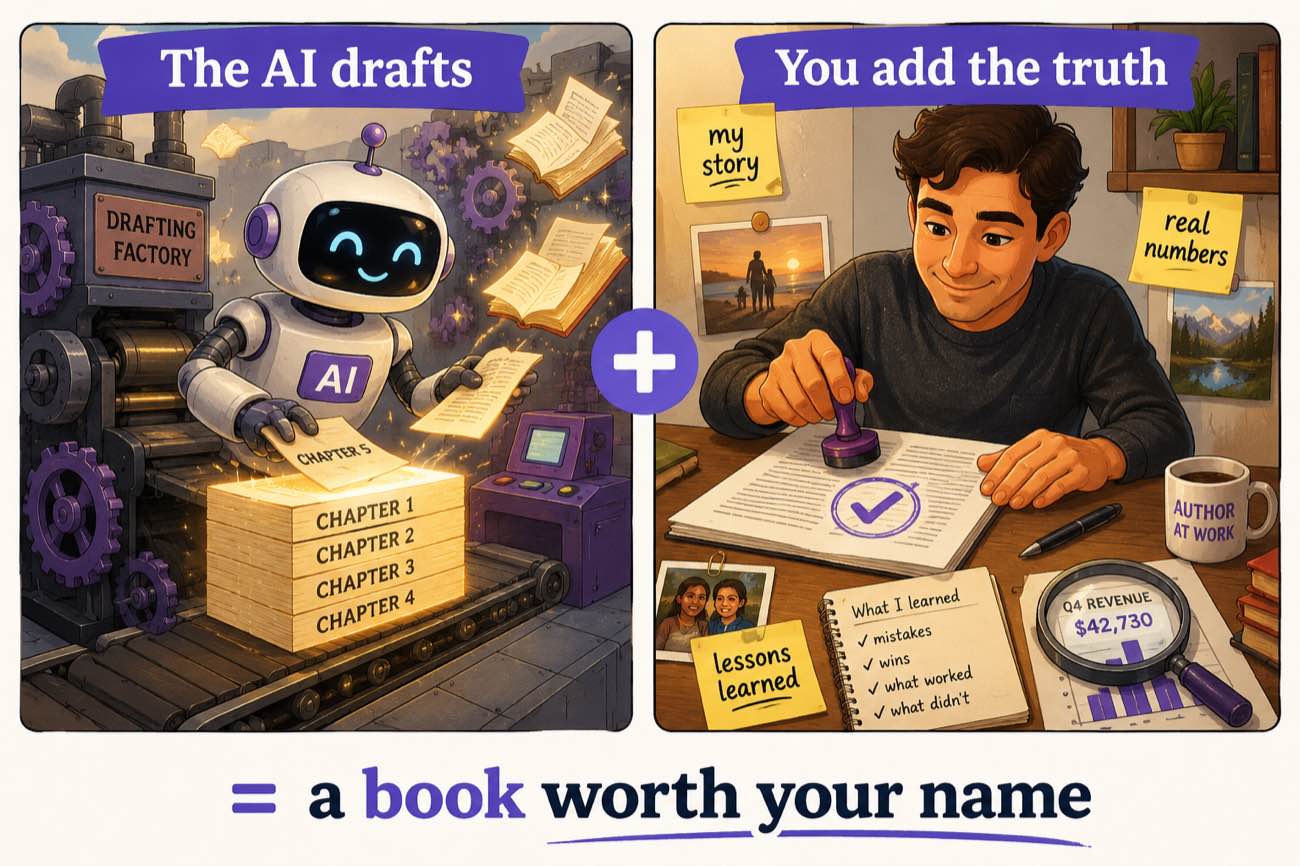
Every good AI-written non-fiction book follows the same split, and being explicit about it is the fastest way to a publishable result. The AI is a structural engine; you are the source of truth. Here is the honest boundary, side by side.
| Stage | The AI handles | You handle |
|---|---|---|
| Structure | Chapter architecture, one distinct idea per chapter, a named framework threaded through the book | The outline review: cutting, adding, and reordering to match how you actually teach the subject |
| Drafting | Complete chapters with explanations, transitions, examples, and takeaways, generated in parallel | Nothing; this is the part you skip entirely |
| Truth | Plausible, well-organised claims | Verification of every figure and method step; plausible is not the same as correct in your field |
| Credibility | Generic illustrative examples | Your client stories, your numbers, the mistake that taught you the lesson: the parts a reader cannot get elsewhere |
| Voice | Clean, consistent prose in the format's register | Swapping in the vocabulary your field really uses, and the phrases that sound like you |
| Finish | Cover generation, formatting, and export to PDF, EPUB, DOCX | The publish decision: KDP, Etsy, Gumroad, lead magnet, or all of them |
Read the right-hand column again: it is a few focused hours of work you are uniquely qualified for, and none of it is staring at a blank page. That trade is the entire proposition of the video above.
How many chapters should your non-fiction book have?
The demo picks four for brevity; your real answer comes from the format. A useful rule: one chapter per thing the reader must understand or do, plus an opening chapter that frames the problem and a closing chapter that turns the book into action. In practice that gives natural ranges: a lead magnet runs 3 to 5 chapters, a focused how-to guide 8 to 10, a comprehensive handbook 12 to 15, and a personal development book 8 to 12 with exercises woven through. Past fifteen, ask whether you are writing one book or two; a tighter book that gets finished outsells a doorstop that gets abandoned, and the second half of the material becomes your next title or your email course.
Whatever you choose at generation, the number stays soft: the outline stage adds chapters with a title and a coverage note, and the editor adds them after generation too. Start at the low end of your range; it is easier to deepen a tight book than to rescue a bloated one.
Pick a format. Review an outline. Read your book.
The same flow as the video: choose a non-fiction category or type your idea, shape the outline, and generate. Free to start, no card needed.
Start your non-fiction book freeFrom draft to published: the non-fiction finishing pass
Non-fiction has a specific finishing discipline because readers buy it for reliability. Four checks, in order. Facts: verify every figure, claim, and method step the draft asserts; you are the domain expert, the AI is the writing partner, and our factual-errors guide gives this a full workflow. Credibility: add the things a draft cannot know, your client stories, your numbers, the mistake you made in year one. Voice: replace generic phrasing with the words your field actually uses. Actionability: sharpen each chapter's advice until a reader could act on it this week. Then cover, export, and publish: Amazon KDP for the bookstore route, or Etsy and Gumroad for direct sales, both from the same exported files.
Comparing tools first? Our honest ranking of the best AI for writing non-fiction covers where each option fits, including where a plain chatbot is genuinely enough and where a book platform earns its keep.
Five mistakes that weaken AI non-fiction
- A topic with no audience. "A book about productivity" generates something generic; "for remote developers drowning in meetings" pitches every chapter. The audience clause is the highest-value phrase in the prompt.
- Skipping the outline review. The video shows chapters being added and reordered before writing; that minute is the cheapest structural editing you will ever do.
- Publishing the raw draft. Structure and prose arrive finished; trust does not. Facts checked and lived examples added are what separate a book from an artifact.
- Speed mode for the flagship book. Speed is for tests and lead magnets. The book carrying your name and price tag deserves Quality mode and the extra minutes.
- Too many chapters too soon. Eight strong chapters beat fifteen thin ones. Start compact; the editor adds chapters later where the material genuinely demands them.
Full video transcript
Lightly punctuated for readability; the wording is as spoken.
Read the transcript (3:30)
It's James from Inkfluence AI, and today I'm going to be showing you how to write a non-fiction how-to guide with AI. So, if you have the idea already, you can add it in to this text box here and click create my book. Or if you are struggling to think of an idea and you want some inspiration, you can head to choose a format and add detail. As you can see, there are the non-fiction and guides at the top. And we've got different options in terms of what we want to create. So, how to guides, health and wellness, finance and money. There's loads of different options here for you to choose from. So, for this, we are going to choose personal development and continue.
And there are some quick examples that we can select from here. So, as you can see, there's three different examples. A self-compassion journal for high achievers, a habit reboot plan for new parents, a resilience handbook for creators navigating burnout. If you have an idea already though and you want to add that in, then you can also put it in there if you're inspired by these or if you've got the idea already. So, we're going to go for a self-compassion journal for high achievers. We're going to select the chapter count as four just for this video. And then you can choose the generation mode, so quality, so the best structure and depth, but it is slightly slower in terms of generating, or speed, so faster generation with concise output. When you've chosen your options, you can then click generate my book and Inkfluence AI will get to work.
So, as you can see, Inkfluence AI is beginning to create our book on self-compassion for high achievers and it's created the four chapters right here. Now, if you want an extra chapter, you can add it in and you can add in the chapter title and what that chapter covers as well. And you can also move chapters up and down depending on your personal preference. So once we're happy with that, we can then click write the book and Inkfluence AI will get to work. So as you can see, it's beginning to create the first chapter. And we've got the chapter names down here. So you can look at the different chapters that it's creating. And it will very shortly have the chapter there.
And there you have it. As you can see, it's creating them extremely quickly. And we've got our ebook, our non-fiction ebook within minutes, which is absolutely amazing. You can then download your book or if you want to read through it and edit anything then you can do that by clicking I want to edit first and then you can start creating different text or a different cover for your book. So that's how we create a non-fiction ebook through Inkfluence AI.
Non-fiction writing FAQ
How do you write a non-fiction book with AI?
Two ways in, both shown in the video. If you already have the idea, type it into the prompt box and generate. If you want structure first, open "Choose a format", pick a non-fiction category such as how-to guides, health and wellness, finance, or personal development, and start from a curated example or your own idea. Either way the AI builds a chapter outline you can review and reorder, then writes every chapter. You edit the draft, add a cover, and export as PDF, EPUB, or DOCX.
How long does it take to write a non-fiction book with AI?
The draft is minutes: chapters generate quickly, and the video goes from an idea to written chapters inside three and a half minutes of screen time. Your real timeline is the review pass afterwards, checking facts, adding your expertise and examples, and tightening the voice, which for most non-fiction books is a few focused hours rather than the months a manuscript normally takes.
What non-fiction formats can the AI write?
The format picker in the video shows the families: how-to guides, health and wellness, finance and money, personal development, business, and more, over 30 blueprints in total. Each format shapes the structure it generates: a how-to guide builds around steps and implementation, a personal development book around exercises and reflection, a finance book around concepts and worked numbers.
What if I do not have a book idea yet?
Use the format picker. Every category offers quick examples you can start from directly; the video picks personal development and gets three ready-made premises, including the self-compassion journal it builds. The examples are starting points, so you can take one as-is, adapt the wording, or use them purely as inspiration for your own line.
What is the difference between Quality and Speed generation modes?
Quality mode generates with the best structure and depth and takes slightly longer; Speed mode generates faster with more concise output. For a book you plan to publish, Quality is the right default. Speed suits quick drafts, lead magnets, and testing an idea before committing to the full version.
Can I control how many chapters the book has?
Yes, you set the chapter count before generating; the video sets four to keep the demo short, and real non-fiction books commonly run eight to fifteen. You can also add chapters at the outline stage with your own title and description of what the chapter covers, and add more later in the editor.
Can I review the outline before the book writes?
Yes, and the video shows this stage in full. After you generate, the chapter outline appears for review: you can rename chapters, add a chapter with its own title and coverage notes, and move chapters up or down. Nothing writes until you click "write the book", so the structure is in your hands before any credits are spent on chapters.
Does the AI write all the chapters at once?
For non-fiction, yes: chapters are written in parallel rather than one after another, which is why a complete draft lands in minutes. Each chapter is allocated its own framework and focus at outline time, so parallel generation does not produce repetitive chapters.
Can I edit the book after it generates?
Yes, and the video ends on exactly that choice: download immediately, or click "I want to edit first" and open the full editor. There you can rewrite any passage, restructure chapters, add images, adjust the cover, and use AI-assisted rewriting on selected text. For non-fiction, the edit pass is where your expertise and examples turn a strong draft into your book.
Is a book written with AI good enough to publish?
As a draft, it is structured, coherent, and complete; as a published book, it needs your pass first. The non-fiction books that do well follow a clear division of labour: the AI produces the structure, the explanations, and a consistent draft, and the author verifies facts, adds lived examples and credibility, and sharpens the advice. Our guide to preventing factual errors in AI non-fiction covers the checking workflow.
Can I write a how-to guide with AI for free?
Yes. The free plan writes 5 chapters per generation plus 5 more each month, includes the cover designer, and exports to PDF, enough for a compact guide or lead magnet. Paid plans raise the allowance and add EPUB, DOCX, and audiobook export.
What kinds of non-fiction sell best?
Specific beats broad. A how-to guide aimed at a named audience ("meal prep for shift workers") outperforms a general one ("healthy eating") because buyers search for their situation. Health, money, productivity, and self-development are the perennial big categories, and lead magnets and workbooks are the fastest-moving practical formats. Naming the audience in your prompt is the single highest-leverage word choice.
Do I own the rights to sell a book made with AI?
Yes. Books you create with Inkfluence AI are yours with full commercial rights on every plan, including free. Authors publish them on Amazon KDP, sell them on Etsy and Gumroad, and use them as lead magnets and course materials.
Can the AI write the book in my language?
Yes, books generate natively in over 30 languages. Write your idea in your language and the outline, chapters, and headings generate in it directly rather than being translated afterwards.
Where does the video demo happen, and can I follow along?
Everything happens in the Inkfluence AI dashboard, starting from the prompt box and the "Choose a format" flow next to it. You can follow along on the free plan: pick a category, take one of the quick examples, and you will be at the same outline screen the video shows within a minute or two.
The bottom line: the three and a half minutes above compress the part of non-fiction writing that used to take months, structure and drafting, into a picker, an outline review, and a click. What the video deliberately leaves for you is the part worth your name on the cover: facts verified, your experience added, advice sharpened. Pick a category, take a premise or bring yours, shape the outline while it is still free to shape, and spend your saved months on the finishing pass instead of the blank page.
Keep going
AI Book Generator
The tool from the video: formats, generation modes, and what each plan includes.
The written book-writing system
The deeper written guide: prompt structure, editing flow, and tone control.
The book series walkthrough
Three-minute video: one guide becomes a set of companion or expanded books, each on its own topic or for its own reader.
The lead magnet walkthrough
Six-minute video: the shortest non-fiction format, a one-promise guide built for an email list.
The workbook walkthrough
Two-minute video: the practical sibling format with exercises and answer spaces.
The travel guide walkthrough
Eight-minute video: a practical non-fiction format with one place per chapter, from plan to export.
How to sell what you made
Two-minute video: a finished book going live on Etsy, Gumroad, and the free Showcase.