
Airbnb Guidebook Maker: Write a Guest Welcome Book for Your Holiday Let
A guest guidebook is the book a host leaves in the kitchen: a welcome, how the house works, and where to eat, what to see and how to get around once the bags are down. It is usually the last job on a new listing and the first thing a tired guest looks for. On Inkfluence AI the two halves are made differently. The local chapters (the streets around the house, where to eat, beaches and walks, rainy days, day trips, getting around) are written for you from one line about your place and your guests. The house pages (the key safe, the wifi, the heating, the bins, check-out) are yours to type, because nobody else knows them. Then you export a PDF to print, bind or send before arrival.
Airbnb and Vrbo are trademarks of their owners. Inkfluence AI is an independent tool, not affiliated with or endorsed by either; "Airbnb guidebook" is simply what most hosts call the book.
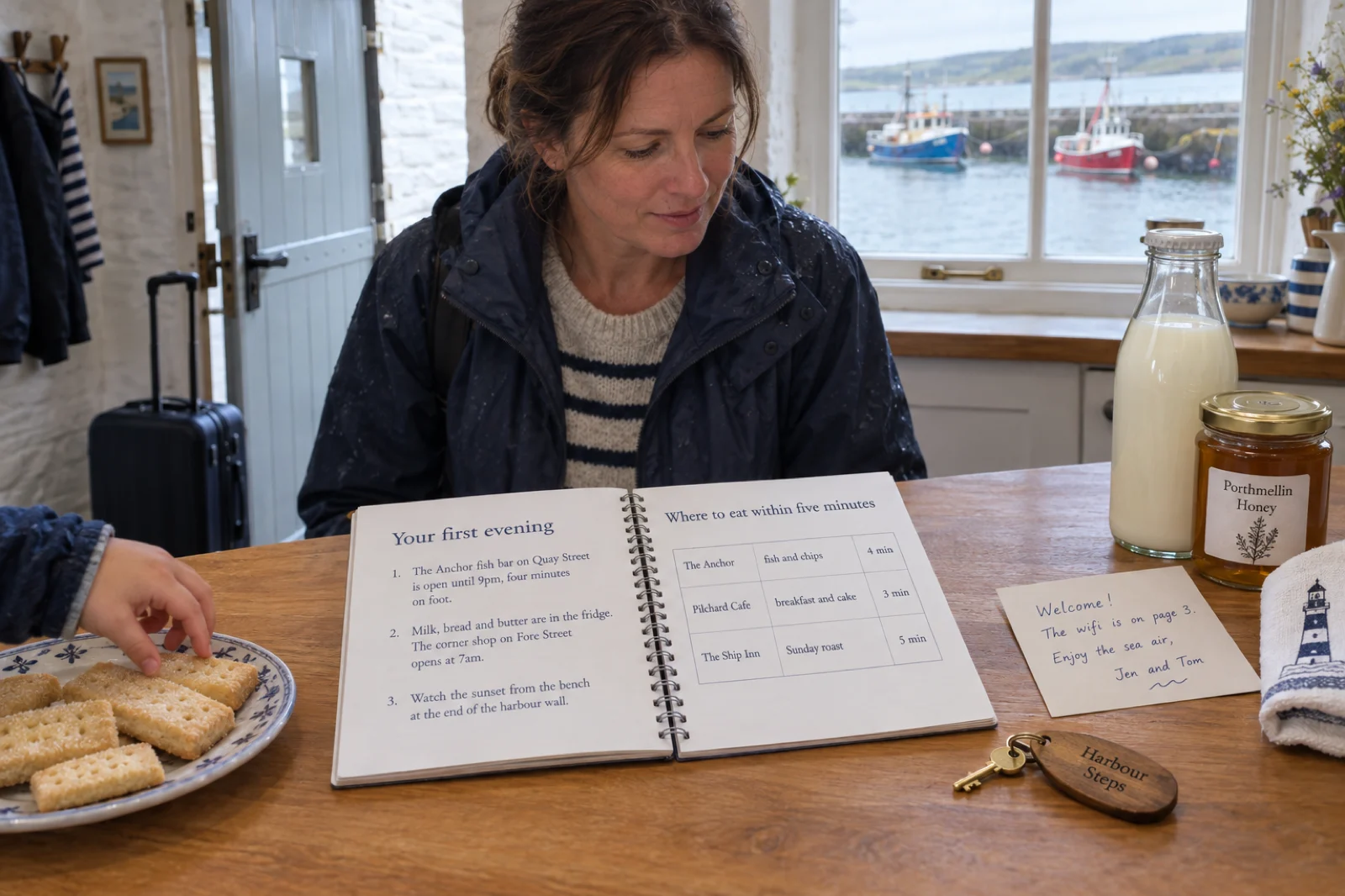
What is an Airbnb guidebook?
An Airbnb guidebook, also called a welcome book or house guide, is a short printed or PDF book a holiday-let host leaves for guests. It does two jobs. It explains the house: how to get in, the wifi, heating and appliances, the rules, what to do in an emergency and how to check out. And it introduces the area: where to eat and drink, what to see, walks and beaches, day trips and how to get around. The house part can only come from the host. The area part is the slow part to write, and it is the part Inkfluence AI writes from a one-line brief, for you to check, trim and put your name to.
Written for you
The local chapters, from one line: the streets around the house, where to eat, beaches and walks, rainy days, day trips, getting around.
Typed by you
The welcome, getting in, wifi and heating, appliances, rules, emergency numbers and check-out. The app cannot know these, so the plan leaves them to you.
Out as a PDF
Print it at A5 for a binder or send it before arrival. The free plan writes up to five chapters a book and exports PDF.
Plan your guidebook
Pick the property, the guests and how they get around, tick the sections you want, and the planner lays out every chapter in the order it will sit in the finished book, marked by who writes it. It also writes the one-line prompt for the local chapters. It runs in your browser: nothing you type here is sent anywhere until you press the button.
How the button works. Write this guidebook opens your Inkfluence AI dashboard with the prompt already in the idea box. Press Create my book (writing needs a free account, so you will be asked to sign in first if you are not) and the local chapters are written straight away, in the travel guide format: the prompt is worded as a local travel guide for guests, which is how the app recognises it. If you would rather see and edit the chapter plan before anything is written, choose New Book, then Choose a book type, then Travel guide, and paste the prompt there instead. That route shows the plan first. Either way, the house pages in the list are the ones you add yourself afterwards, in the editor, as the steps below show.
Two details make the prompt work. It names the kind of property and who stays, because a guide for families who walk everywhere picks different places from a guide for couples with a car. And it tells the book the guests already have somewhere to stay. The travel format is built for people still choosing where to sleep, so check each chapter for a where-to-stay table anyway and delete it.
What goes in a guest guidebook, section by section
Guests read a guidebook in two sittings. The first is ten minutes after they arrive, standing in the kitchen with the bags still by the door, looking for the wifi and the heating. The second is that evening or the next morning, sitting down, deciding what to do with the day. A good guidebook is built for both: the first pages answer the arrival questions fast, and the rest reads like advice from a friend who lives there. These are the sections, what each one holds, and who should write it.
| Section | What it holds | Who writes it |
|---|---|---|
| Welcome letter | A few lines in your own voice: who you are, the three things worth knowing tonight, and where in the book to find the wifi. | You |
| Arriving and getting in | Parking, which door, the key safe or lockbox (not its code), the lock that needs a push, where the light switches are, luggage on the stairs. | You |
| Wifi, TV and heating | The network name and where the password is, the TV and remote, the heating controls, hot water and how long it takes. | You |
| Kitchen and appliances | Oven, hob, dishwasher, washing machine, coffee machine: for each, the one step guests get wrong. | You |
| House rules | Quiet hours, smoking, pets, parties, the hot tub or pool. One short page, specific and polite. | You |
| Rubbish and recycling | Which bin is which, where they go, and the collection day. | You |
| Emergencies and useful numbers | Your number, the emergency number for the country, nearest pharmacy and hospital, the stopcock, fuse box, fire blanket and extinguisher. | You, checked twice |
| The streets around the house | What is within five or ten minutes on foot, where to go on the first evening, the nearest shop. | Written for you |
| Where to eat and drink | Named places from breakfast to late, the dish to order, a rough price, what to book ahead. | Written for you |
| Beaches, parks and walks | Named spots and routes, how long each takes, what to bring. | Written for you |
| Rainy days | Indoor places that are open in the months you let the house. | Written for you |
| Day trips | Places within an hour or two, how to get there and why go. | Written for you |
| Getting around | Buses, trains, taxis, parking and bike hire, with rough costs and times. | Written for you |
| Check-out | The time, a short list (beds, dishwasher, bins, windows, keys) and where the keys go. | You |
The order matters more than the length. Put the welcome letter first, then everything a guest needs in the first hour: getting in, the wifi, the heating and hot water. Rules come after the house pages, not before them; a book that opens with a list of fines reads like a warning. The local chapters follow, and check-out closes the book because it is the last thing a guest needs. If the house has one thing that always goes wrong (the shower that needs two turns, the oven that runs hot, the gate that sticks), give it its own line near the front.
One item does not belong in the book at all: the key-safe or door code. Send it by message before arrival. Codes change between guests, printed books get photographed, and a PDF sent ahead of a stay can be forwarded. The wifi password is different. It is fine in the printed copy that stays in the house, on a page of its own near the front, and it is often the most used page in the book.
An example guidebook: Harbour Steps Cottage
Harbour Steps Cottage is invented for this page: a two-bedroom stone cottage on the harbour in Porthmellin, a made-up Cornish fishing town, let to families and couples who arrive by car and then walk everywhere. Here is its guidebook as it would be built in Inkfluence AI on a paid plan, in reading order, with who wrote each part. Six chapters are local and written from one prompt; the rest is typed by the owners.
Welcome to Harbour Steps Cottage
The house, the harbour and the coast path
- Introduction, renamed Welcome to Harbour Steps Cottage You type
A short letter from Jen and Tom, the three things worth knowing tonight, and a line saying the wifi is on page 3.
- Chapter 1 Arriving and getting in You type
Parking on the quay, the key safe by the blue door (the code comes by message), the steep steps with suitcases, the light switch behind the door.
- Chapter 2 Living in the cottage You type
Wifi and TV, the heating Boost button, hot water, the oven that runs hot, dishwasher tablets under the sink, the washing machine, the bins.
- Chapter 3 House rules and emergencies You type
Quiet after ten for the neighbours, no smoking, dogs off the beds; the stopcock, fuse box, fire blanket, nearest pharmacy and hospital, and your number.
- Chapter 4 Porthmellin harbour and the old town Written for you
What is within ten minutes on foot, the first evening, the corner shop, the harbour at high tide.
- Chapter 5 Where to eat and drink in Porthmellin Written for you
Breakfast to last orders, named places, the dish to order and roughly what it costs, and which ones to book ahead in August.
- Chapter 6 Beaches and the coast path Written for you
The beaches in reach, which suit small children, which allow dogs, walking times, and a pointer to the tide table.
- Chapter 7 Porthmellin on a rainy day Written for you
Indoor options open out of season, from the small museum to the cafe with board games.
- Chapter 8 Day trips from Porthmellin Written for you
Three or four places within an hour, how to get there, and why each one is worth a day.
- Chapter 9 Getting around without the car Written for you
Buses along the coast, taxis worth saving in your phone, parking if you do drive, bike hire.
- Final Thoughts, renamed Before you leave You type
Check-out time, the four-line list (beds, dishwasher, recycling, keys), and a thank-you.
For a real town, the planner above would give the owners a one-line prompt for chapters 4 to 9 in this shape: "A local area travel guide for guests staying at a cottage in [town], written for families with young children who get around mostly on foot. 6 chapters, one each on: the harbour and old town; where to eat and drink; beaches and the coast path; a rainy day; day trips; getting around." After the chapters are written, the work is theirs: renaming the chapters in their own words, deleting any where-to-stay tables, adding the walking time from their front door to each place they recommend, and checking every opening time against the places' own websites.
The same book on the free plan
On the free plan a book writes and exports with up to five chapters. The Introduction and Final Thoughts pages sit outside that count, which is what makes a full guidebook possible for free: the Introduction, renamed Welcome to Harbour Steps Cottage, carries the welcome letter, getting in, the wifi and heating, the kitchen and the rules, and Final Thoughts, renamed Before you leave, carries check-out. The five chapters are all local: the harbour and old town, where to eat and drink, beaches and the coast path, day trips, and getting around. The rainy-day chapter goes, and a line about the museum moves into the harbour chapter. It is a shorter book, and for most guests that is no loss.
What the AI writes well, and what only you can write
The local chapters are written in the travel guide format, and it helps to know how that format thinks, because it was built for travellers and your guests are travellers who have already booked. It plans one place or theme per chapter and names real places throughout: restaurants with the dish to order and a rough price, sights with opening hours and entry costs, transport with fares and journey times. It avoids advice that could apply anywhere, so you get "the fish bar on Quay Street" rather than "try the local seafood". And it rotates the layout from chapter to chapter, so one chapter opens with a quick-facts box and a ranked list of things to do, the next runs as a food timeline from breakfast to late night, the next ends with a sample day. That is exactly the research a host means to write up and never does.
Written well from a one-line brief
- The streets around the house and ideas for the first evening
- Where to eat and drink, with named places, dishes and rough prices
- Beaches, parks and walks, with how long each takes
- Rainy-day options and things for children
- Day trips, with how to get there and why go
- Getting around: buses, trains, taxis, parking and bike hire
- Local customs and the mistakes first-time visitors make
Only you can write
- The welcome, in your own voice
- Getting in: the door, the key safe, parking, the stairs
- Wifi, TV, heating and hot water for your actual system
- Every appliance and its one quirk
- House rules, bins and check-out
- Emergency numbers, the stopcock, the fuse box
- Your own favourites: "the bakery we love opens at 7"
Why the house part stays with you: no writing tool has been inside your house. Ask one for heating instructions and you get plausible instructions for a heating system, not yours, written with the same confidence as the true ones. A guest who follows them at eleven at night on a cold evening will message you anyway, and now with less patience. So the planner keeps the house out of the prompt entirely, and the steps below add those pages as blank chapters you type. Inkfluence AI does not fill in house details from your listing or anywhere else; there is nothing for it to read them from.
Check local facts before you print
Everything in the local chapters that a guest will act on needs checking against a current source before it goes on paper. Opening days and hours first: many seaside and rural places close for the winter or open only at weekends out of season. Then prices, bus and train times, ferry and boat-trip times, whether a restaurant is still trading or has changed hands, and whether a beach allows dogs in summer. Tides deserve a rule of their own: never print a tide time, point guests to a current tide table instead. A first draft can state any of these confidently and wrongly, and a printed book cannot correct itself.
The quickest way through is one pass per chapter with a map open. For each named place, confirm it exists and is open, correct the hours from its own website, and replace any figure you cannot confirm with a range or nothing at all. Add your own walking or driving time from the door, which no guidebook for tourists can give. Then put the month and year of the check on the first page, for example "Local details checked: March 2026". Guests forgive a price that has moved since; they do not forgive a ten-minute walk in the rain to a restaurant that closed two years ago. The travel guide walkthrough has the same checking routine for a full travel guide.
From one-line prompt to printed guidebook, step by step
This is the route with the most control: it shows you the chapter plan before anything is written. The planner's button is the faster route through the dashboard's idea box, and from step 4 onwards the two are the same.
-
1. Start the book in the travel guide format
From the dashboard choose New Book, then Choose a book type, and pick the Travel guide tile, described in the app as itineraries, city guides and trip planning. The next screen asks "Where are you taking readers?" Paste the prompt from the planner, or write your own in the same shape: the kind of property, the town, who stays, how they get around, and the local topics or places you want a chapter each on. If your guests mostly speak another language, type the brief in that language and the book is written in it.
-
2. Set the chapter count for the local chapters only
The slider recommends eight chapters for a travel guide. For a guest guidebook, count only the local chapters, because the house pages are added later by hand. Five or six is plenty for most places, and five is what the free plan writes in a book. Each one comes out long: travel guides in this format run to a median of about 1,900 words a chapter, so five chapters is already a real read. On a paid plan the same screen offers Quality or Speed; pick Quality, the default, for a book guests will act on. Click Generate my book.
-
3. Edit the plan before it is written
The screen titled "Here's your plan" lists every chapter with a title and a summary, and says what to do with it: rename, reorder or remove chapters. Rename chapters in your own words ("Porthmellin harbour and the old town"), drag them into the order a guest would use them (nearest first, day trips last), delete anything too far from the house to matter, and use Add chapter for a place the plan missed. Changing the plan costs nothing; only writing uses your allowance. Then click Write the book. Chapters for non-fiction are written at the same time rather than one after another, so the book arrives in minutes.
-
4. Put the house pages in
Open the finished book in the editor and open Contents. At the top sits the Introduction: click it, replace whatever is there with your welcome letter, and change its heading to "Welcome to" and the name of your place. Use Add at the top of Contents to create a blank chapter for each house section (it arrives at the end, named Chapter 7 or similar), rename it, type the details, and drag it up above the local chapters. At the bottom, Final Thoughts becomes "Before you leave" with the check-out list. On the free plan, put all the house sections into the Introduction instead, because the Introduction and Final Thoughts do not count towards the five chapters but typed chapters do.
-
5. Edit the local chapters as a guest would read them
Read each chapter as someone who has just arrived. Delete any where-to-stay tables, cut places more than an hour away unless they are in the day-trips chapter, and add the walking time from your door next to the places you would send a friend. The AI assistant in the editor can shorten, rewrite or expand a passage you select, and a chapter that misses the mark can be regenerated with AI. Then do the fact check above, place by place.
-
6. Lay it out for the page
The format bar has headings, lists, bold and links. Under All tools, then Insert, you will find Table, Button, Page break and Divider. A Table suits the appliance notes (appliance, what to press, what not to do). A Page break puts the wifi details on a page of their own so they can be laminated and kept by the router; every chapter already starts on a new page in the PDF. A Button is a real link, so a guest reading the PDF on a phone can tap it, for example to your recommended taxi firm's booking page. For photos, Image, then Insert Image adds one from your device: the heating panel with the Boost button circled saves more messages than a paragraph. Generate with AI makes an illustration instead, on Creator or Premium.
-
7. Give it a cover guests recognise
Click Edit cover and upload a photo of the front door or the view from the window, or choose a stock image; both work on every plan. Put the property name on it, large. AI-generated covers come with the paid plans or credits, and the cover generator page shows the styles.
-
8. Export the PDF
Click Export and choose PDF. Under Page Size & Content, pick A5 for a binder or booklet, or US Letter or A4 for full sheets; switch the Table of contents on so guests can find the wifi page; set Chapter numbers to None, or change the Chapter label, if "Chapter 4" reads oddly in a guidebook. Preview it, then export. A PDF from the free plan carries a small "Made with Inkfluence AI" footer and a closing page about the app; on a paid plan, or once you have bought credits, both go and a switch removes the remaining credit line.
Print, PDF or phone: getting the book to your guests
The export is a PDF, and one PDF does all three jobs: it prints, it travels as an attachment, and it opens on a phone. What changes is how you prepare it for each.
| Format | Best for | How | Watch for |
|---|---|---|---|
| A5 binder, laminated pages | The copy that lives in the kitchen | Export at A5, print single-sided, laminate each page, file in a four-ring binder | Reprint only the page that changes; date the first page |
| Spiral-bound booklet | A neat copy on the coffee table | Export at A5 or US Letter and have a print shop bind it | Every change means a reprint, so keep prices and hours light |
| PDF before arrival | Guests planning on the journey | Send the same PDF the way you already message guests before a stay | Leave access codes out; the file can be forwarded |
| On the phone during the stay | Guests who never open a binder | The same PDF; links and Buttons stay tappable | Tables wider than three columns get cramped on a small screen |
| Bound paperback | A local guide you also sell or give away | The KDP package: an interior PDF and a full wrap cover with the spine sized to the page count (paid plans or credits) | More than most lets need; take the house pages out first |
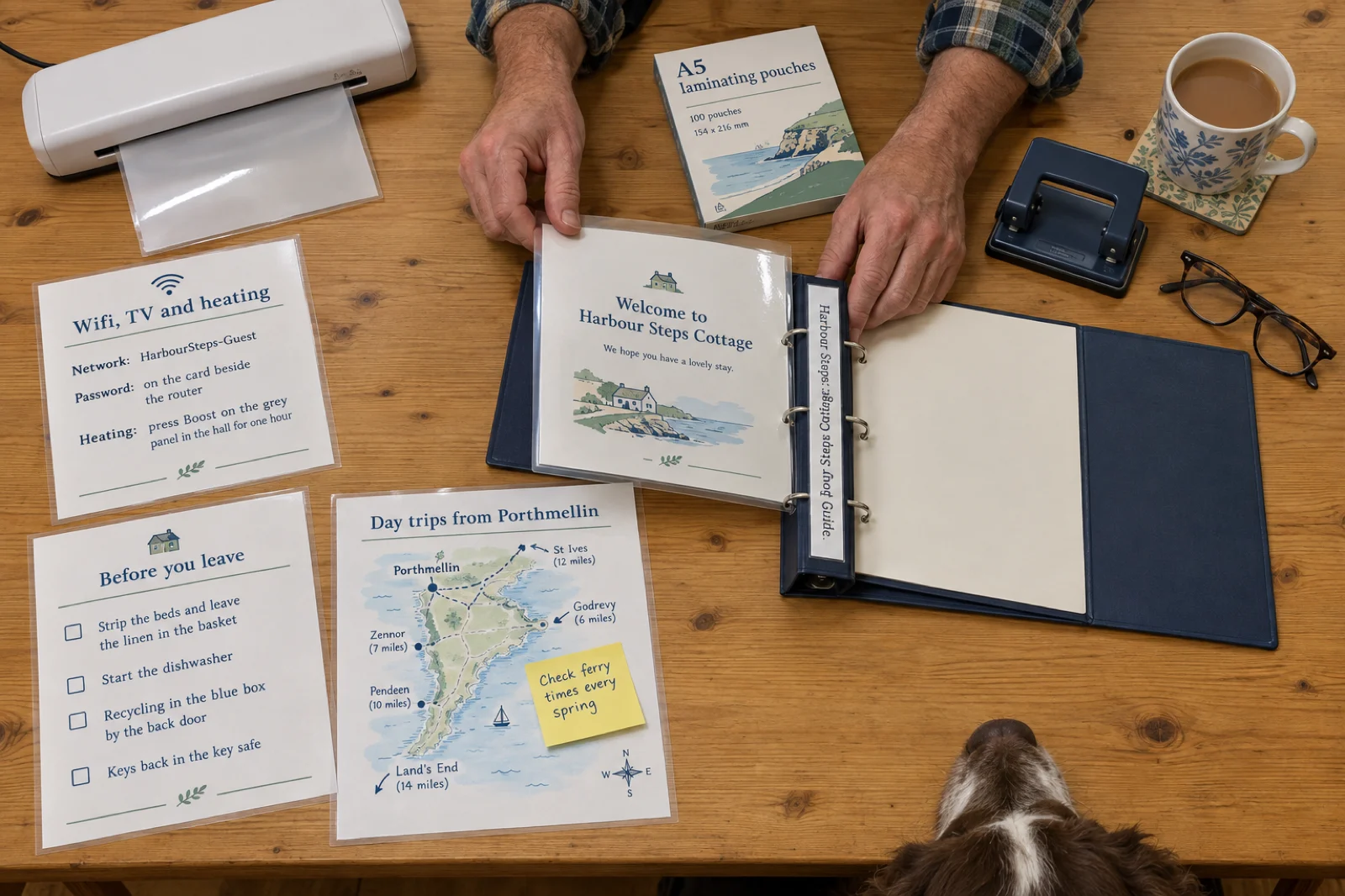
A5 or full page? A5 (148 by 210 mm) suits a welcome book because it sits flat on a worktop and fits a small binder; the export offers it directly, alongside US Letter, A4, the 6 by 9 inch trade size and others. A home printer on A4 or Letter paper can print A5 pages two to a sheet with its own booklet or multiple-pages setting, or print them one to a sheet and trim. Full-page Letter or A4 is easier to read for older guests and suits a standard ring binder.
File size. A guidebook that is mostly text makes a small PDF that sends easily. Photos add weight. The editor compresses each photo as it goes in, and photos exported from your phone as JPEG come out sharper than PNG screenshots at the same size, so use JPEG for pictures of the house.
On the phone. There is no hosted guest link or QR code built into Inkfluence AI, and it does not need one: the PDF is the phone version. If you want a code on the fridge, upload the PDF to your own cloud storage and point any QR code tool at that link. Guests with an e-reader can take the EPUB instead (paid plans or credits), though few will ask.
Airbnb's own tools. Use them alongside the book rather than instead of it. According to Airbnb's help centre, a host guidebook of recommended places is public on Airbnb and has a Preview and print option, and the Arrival guide in your listing holds the check-in method, directions, wifi password and a house manual that guests receive after booking, and can carry checkout instructions. What those do not give you is a book: a welcome in your own words, the reasons to go somewhere rather than a pin on a map, a day trip explained from your door, something on the kitchen table for the guest who never opens the app, and one document that works the same for guests who booked through Vrbo, another site or directly with you.
One thing not to do. Inkfluence AI has a public Community shelf where authors publish books for readers to find. It is a shelf for readers, not a private link for guests, so never publish a guidebook with your address, access instructions or wifi password there.
What hosts write on Inkfluence AI, and what they leave out
We read every book on Inkfluence AI whose title or brief is about a short-term rental, on 23 September 2026. The pattern is lopsided in a way that explains why this page exists: hosts write about hosting, and almost nobody has written the book the guest opens.
48
books about short-term rentals, made by 31 people between 25 March and 23 September 2026
46
are about running the rental; 4 of them tell the host to make a welcome book or house manual
2
were written for the guests: one welcome guide to the author's own house and one set of printable house signs
The 46 hosting books cover starting an Airbnb business with or without owning property, co-hosting, pricing and profit, cleaning and turnovers, guest messaging, direct bookings and automation. Four of them, including a hosting checklist and an operations manual, tell the host to make a printed welcome book or house manual as part of doing the job well. Only two books on the platform are that book. It is the same gap every new host knows: the listing, the photos and the pricing get done, and the guidebook is a folder of loose notes by the kettle.
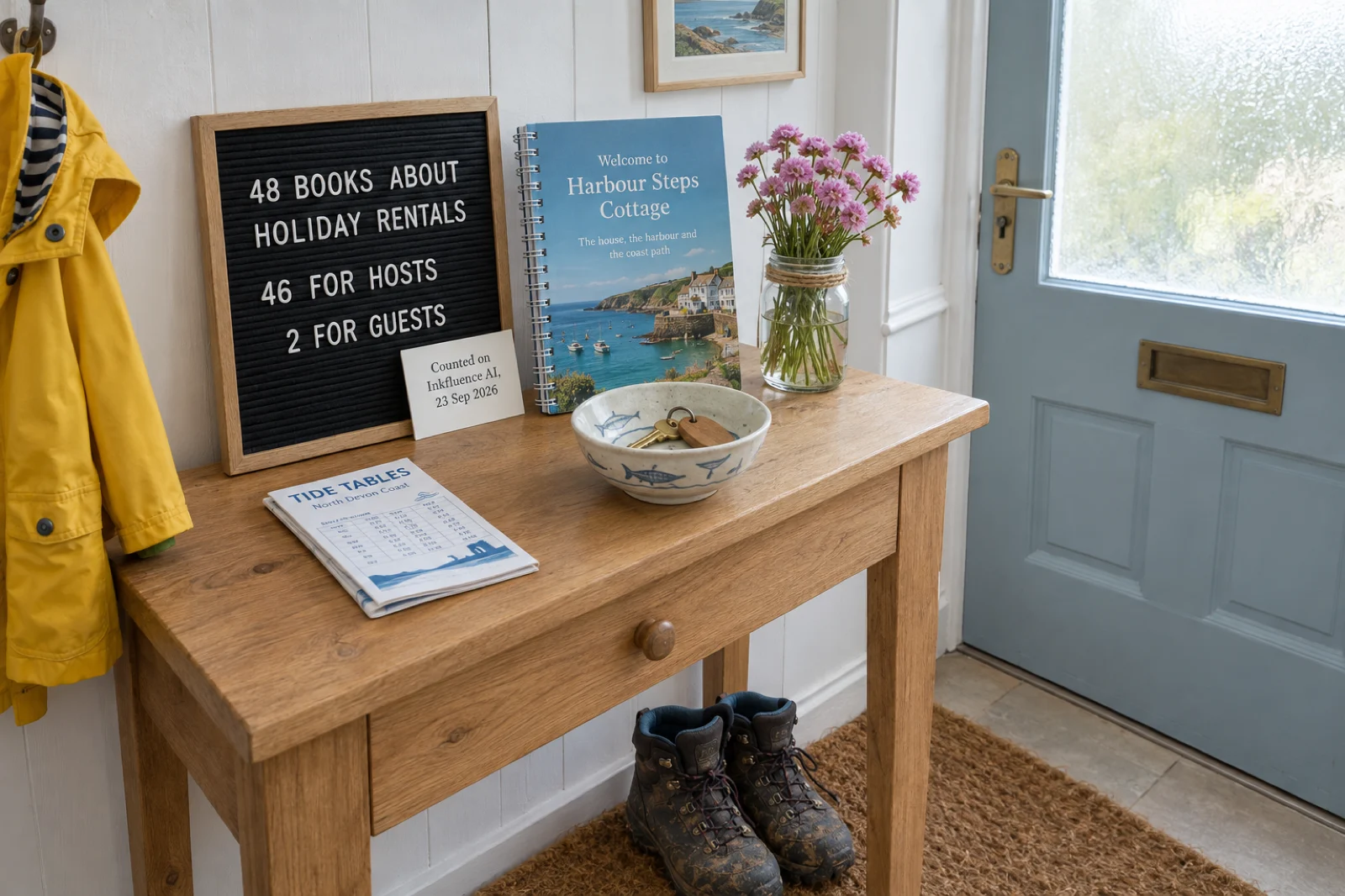
How it was counted. Every book on the platform was read by rule, not picked by hand. A book counts as about short-term rentals when its title, the opening of its brief or its one-line topic names Airbnb, Vrbo, a holiday or vacation rental, a short let or rental arbitrage together with a hosting word (host, guests, listing, bookings, cleaning, profit and similar). It counts as written for guests when it is a welcome book, house manual, guest guide or house signs for people staying; books with a host-facing title that include a welcome-book template are counted as hosting books. Novels and memoirs set in a B&B are excluded, and so are long prompts that mention Airbnb only as a company in a list. No title, brief or account is published. The counting script is kept with the site's other data scripts. The figures are published under a Creative Commons Attribution 4.0 licence: quote them with a link to this page.
For the travel format that writes the local chapters, the travel guide numbers cover how long its chapters run and where people set their guides; the wider picture across every kind of book is on what people write with AI.
How the guidebook changes with the property
The sections stay the same; the weight moves. A cabin guidebook is half about the wood burner, a city apartment's is half about the building. Lead with what your guests will ask first.
| Property | House pages that matter most | Local chapters to lead with |
|---|---|---|
| City apartment | The building door and buzzer, the lift or stairs, the bin store, quiet hours for the neighbours, where not to park. | The streets around the building on foot, breakfast within five minutes, the metro or bus from the door, late-night food. |
| Seaside cottage | Parking, the key safe, where sandy kit and wet towels go, the heating, the outdoor tap. | Beaches and which allow dogs, the coast path, fish and chips, rainy-day options, the tide table. |
| Cabin or lodge | The track in, the wood burner, water and power, phone signal (or where to find it), what to do if the power goes. | Walks from the door, the nearest shop and fuel, the pub worth the drive, day trips for bad weather. |
| Villa with a pool | Pool rules and hours, the gate, air conditioning, gas bottles, mosquitoes, the maid or pool service days. | Markets and their days, beaches, car hire and parking in the nearest town, restaurants to book. |
| Farm stay or rural house | Gates to close, animals not to feed, water supply, heating, muddy boots, the septic tank rules. | Farm shops, pubs, footpaths, the nearest town for supplies, children's outings. |
| Room in your home | Which rooms are shared, the bathroom routine, keys, when you are home and when you are not. | Your neighbourhood on foot and your own favourites; guests in a room want the local friend more than the manual. |
The guests change it too, which is why the planner asks who usually stays. Families need early dinners, playgrounds, a rainy-day chapter and how far each place is on small legs. Guests with a dog need the beaches that allow dogs in summer, the pubs that welcome them and the nearest vet. Walkers want routes from the door and where to dry boots. People working remotely want the wifi speed stated honestly on the first page and a cafe with a table and a socket. Name the guest in the prompt and the local chapters pick for them.
If you run several properties in one town, write the local chapters once: make one book for the area, then use Duplicate from the book's menu in My Books for each house, and change only the house pages and the cover. If your guests come from many countries, the finished guidebook can be translated into a copy in another language, keeping the original as it is; translation comes with Creator (15 books a month) and Premium (40). The book translator page covers the languages.
Template, example or maker?
Most people looking for an Airbnb guidebook search for a template, an example or a PDF. Each solves a different part of the problem. A template gives you the headings (arrival, wifi, house rules, local area) and leaves the slow part blank: somebody still has to write several pages about where to eat and what to do. An example shows you a finished book about somewhere else, which helps with the shape and not with the content. A maker writes the local part for your area and leaves you the house part, which is the split this page is built on.
You can use all three here. The planner is a free template shaped to your property: copy the chapter list into any document and you have the headings in the right order. The Harbour Steps Cottage book above is a complete example, in a paid version and a free one. And the button writes the local chapters for your own town. If you already bought a designed template you like, keep its layout and paste the chapters into it; the words are the part most templates leave empty.
Six guidebook mistakes that send guests to your inbox
- The wifi on page nine. It is the first thing guests look for. Put it on the first page after the welcome, or on a laminated card by the router, and say in the welcome where it is.
- Rules before the welcome. A book that opens with fines reads like a warning. One short page of rules, after the house pages, said once and politely.
- Area advice that fits anywhere. "There are lots of great restaurants nearby" helps nobody at seven in the evening. Name the places and give the walking time from your door; that is what the local chapters are for.
- Printed guesses. A restaurant that closed, a bus that only runs in summer, a tide time. Check each one before you print, and date the book.
- The access code in the PDF. Codes change and files get forwarded. Send the code by message and keep it out of the book.
- Written once, never updated. A guidebook ages by the season. Re-check the local chapters before each summer, edit, and export again; with a laminated binder you reprint only the pages that changed.
Airbnb guidebook FAQ
What is an Airbnb guidebook?+
What should be in an Airbnb guidebook?+
Is there a free Airbnb guidebook template?+
Can I make my Airbnb guidebook a PDF?+
How long should an Airbnb guidebook be?+
Can you show an Airbnb guidebook example?+
Should the wifi password and door code go in the guidebook?+
How do I print a welcome book?+
Can guests read the guidebook on their phone?+
Can I write the guidebook in another language?+
Does Airbnb have its own guidebook feature?+
Is Inkfluence AI connected to Airbnb?+
How do I keep the guidebook up to date?+
What should a welcome book cover look like?+
Related tools and guides
AI Travel Guide Creator
The travel guide format behind the local chapters, for guides you sell or give away.
How to Create a Travel Guide with AI (Video)
Eight minutes from brief to finished guide, and the numbers from 654 travel guides.
How to Write a Travel Guide with AI
The written guide: formats, itinerary structure and premise templates.
PDF vs EPUB vs DOCX
Why the PDF is the right file for a phone, a printer and a binder.
Adding Images to an Ebook
Photos of the heating panel and the view, sized for print and screen.
AI Book Translator
A copy of the guidebook for guests who read another language.
How to Sell Travel Guides
Turning the local chapters into a guide for other visitors to buy.
The local chapters from one line. The house pages from you.
Plan it above, or start from the Travel guide tile. The free plan writes up to five chapters a book and exports PDF.