
How to Sell Digital Travel Guides Online, and How Much They Make
A digital travel guide is a planned trip in a file: the order to do things in, where to eat on the way, what it costs and how to get between the stops, bought by someone who would rather not spend three evenings working it out. This page covers the selling half. Which store suits which kind of guide, what Etsy, Gumroad, Amazon and your own site each keep from a sale (checked against their fee pages on 23 September 2026), how to write a listing that a traveller searching for the place will click, and how to keep a guide accurate enough to earn good reviews. It is honest about the money too. We cannot see what our users sell, so there are no income claims here, only the arithmetic you need to work out your own.
Etsy, Gumroad, Amazon and Kindle are trademarks of their owners. Inkfluence AI is an independent tool and is not affiliated with or endorsed by any of them.
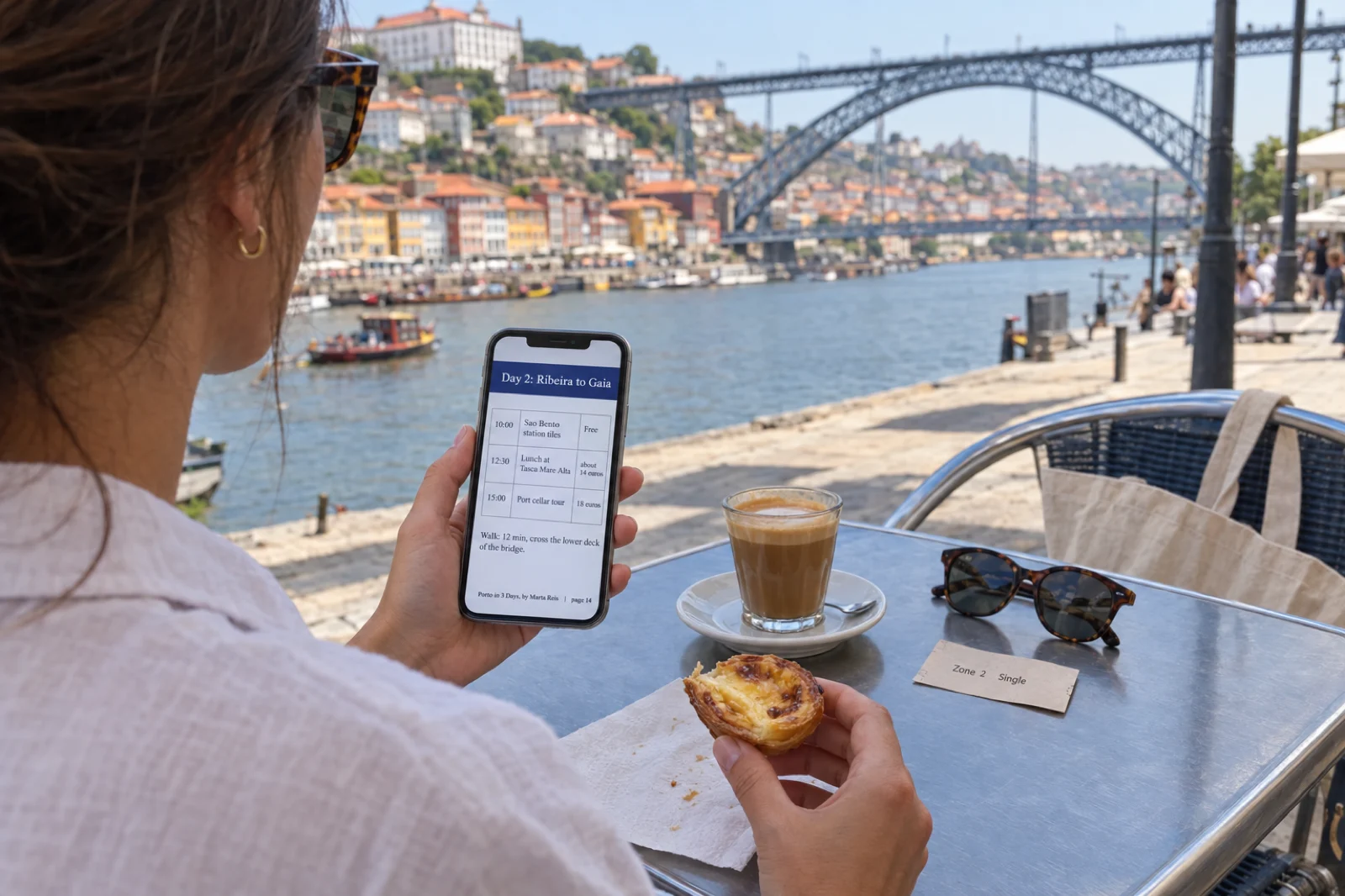
How do you sell a travel guide online?
Pick one trip for one kind of traveller, write the guide as a plan they can follow on the day, check every price and opening time, and export it as a PDF. List the PDF as a digital download on Etsy, where people search for a destination, or on Gumroad, where your own followers buy through your link; sell it as a Kindle ebook or paperback on Amazon KDP if you will keep it up to date; or sell it from your own site. Each store keeps a different share. At $12, a sale keeps about $10.41 on a US Etsy shop, $9.65 through your own Gumroad link and $8.19 as a Kindle ebook. How much a guide makes in total depends on how many people find it, which no fee table can tell you.
Where it sells
Etsy for guides people search by place. Gumroad for guides you sell to your own audience. Amazon for guides you will keep current. Your own site for the biggest share of a sale.
What a store keeps
From about 5% on your own site to 30% through Gumroad Discover at a $12 price, and 65% of a Kindle ebook priced outside Amazon's $2.99 to $12.99 band.
What we cannot tell you
How many copies a guide sells. We do not see our users' sales, and nobody's typical sales are public. The worked examples on this page are examples.
Build a travel guide listing
Choose the kind of guide, the place, who it is for and where you will sell it. The builder lays out a chapter plan, writes a listing title and description in that store's style (with tags for Etsy), and works out what you keep from each sale at the price you set, using each store's published fees. It runs in your browser: nothing is sent anywhere until you press Write this guide.
Per sale at this price
You keep
$0.00
Chapter plan
Listing title
Description draft
Before you list it here
Brief for the chapters
How the button works. Write this guide opens your Inkfluence AI dashboard with the brief already in the idea box. Press Create my book (writing needs a free account, so you will be asked to sign in first if you are not) and the chapters are written in the travel guide format, because the brief is worded as a travel guide, which is how the app recognises it. If you would rather see and edit the chapter plan before anything is written, choose New Book, then Choose a book type, then Travel guide, and paste the brief there instead. Either way, the listing title and description are yours to paste into the store, or on Creator and Premium to start from with Auto-fill with AI in the Publish window.
The take-home figure is one sale at the price on the slider, in US dollars, using each store's published rates: Etsy's listing, transaction and US processing fees; Gumroad's 10% + $0.50 plus 2.9% + $0.30 card processing, or its flat 30% on Discover; Amazon's 70% royalty minus $0.15 a MB delivery inside the $2.99 to $12.99 band and 35% outside it; and a standard US card rate of 2.9% + $0.30 on your own site. It leaves out sales tax, currency conversion and anything you spend on ads. For a month of sales across several books, the ebook income calculator does the projection.
How much do travel guides make?
Every answer to this question comes down to one line of arithmetic: price, times the copies you sell, minus what the store keeps. Two of those three numbers are knowable before you start. The price is yours to set, and each store publishes its fees. The third, how many copies sell, is the one nobody can give you, and anyone who quotes a typical monthly income for travel guides is guessing or selling something.
We are in the same position. Inkfluence AI can see that a book has been sent to Etsy or Gumroad from the app, and anyone can read the prices on public Gumroad pages. Neither store tells us what sold. Of the 2,291 Gumroad products published through the app, only 24 show a sales count on their public page at all, and a handful of sellers who choose to show one say nothing about the rest. So this section gives you the part that can be calculated exactly, what you keep from each sale, and worked examples that are clearly examples.
What you keep from one sale, by store
Take-home per sale in US dollars at three prices, with each store's fees as published on 23 September 2026. Before sales tax and currency conversion, and before any money you spend on ads.
| Where the sale happens | At $8 | At $12 | At $20 |
|---|---|---|---|
| Etsy, US shop | $6.79 | $10.41 | $17.65 |
| Gumroad, your own link | $6.17 | $9.65 | $16.62 |
| Gumroad Discover | $5.60 | $8.40 | $14.00 |
| Kindle ebook (2 MB file) | $5.39 | $8.19 | $7.00 |
| Your own site, card payment link | $7.47 | $11.35 | $19.12 |
| Etsy, when an Offsite Ad made the sale (15%) | $5.59 | $8.61 | $14.65 |
How each row is worked out. Etsy: $0.20 to renew the listing after each sale, 6.5% transaction fee, and 3% + $0.25 payment processing for a US shop (Fees & Payments Policy, last updated 13 February 2026; Etsy Payments Policy, last updated 31 July 2026). Gumroad: 10% + $0.50 on sales through your own profile or links, plus card processing of 2.9% + $0.30, or a flat 30% including processing on Discover sales (pricing page and Gumroad's fees). Kindle: 70% of the price minus delivery at $0.15 per MB (a 2 MB file here) between $2.99 and $12.99, and 35% of the price outside it (eBook royalties, list price requirements). Your own site: Stripe's standard US card rate of 2.9% + $0.30 (Stripe pricing). All read on 23 September 2026. Fees change: check the store's page before you set a price.
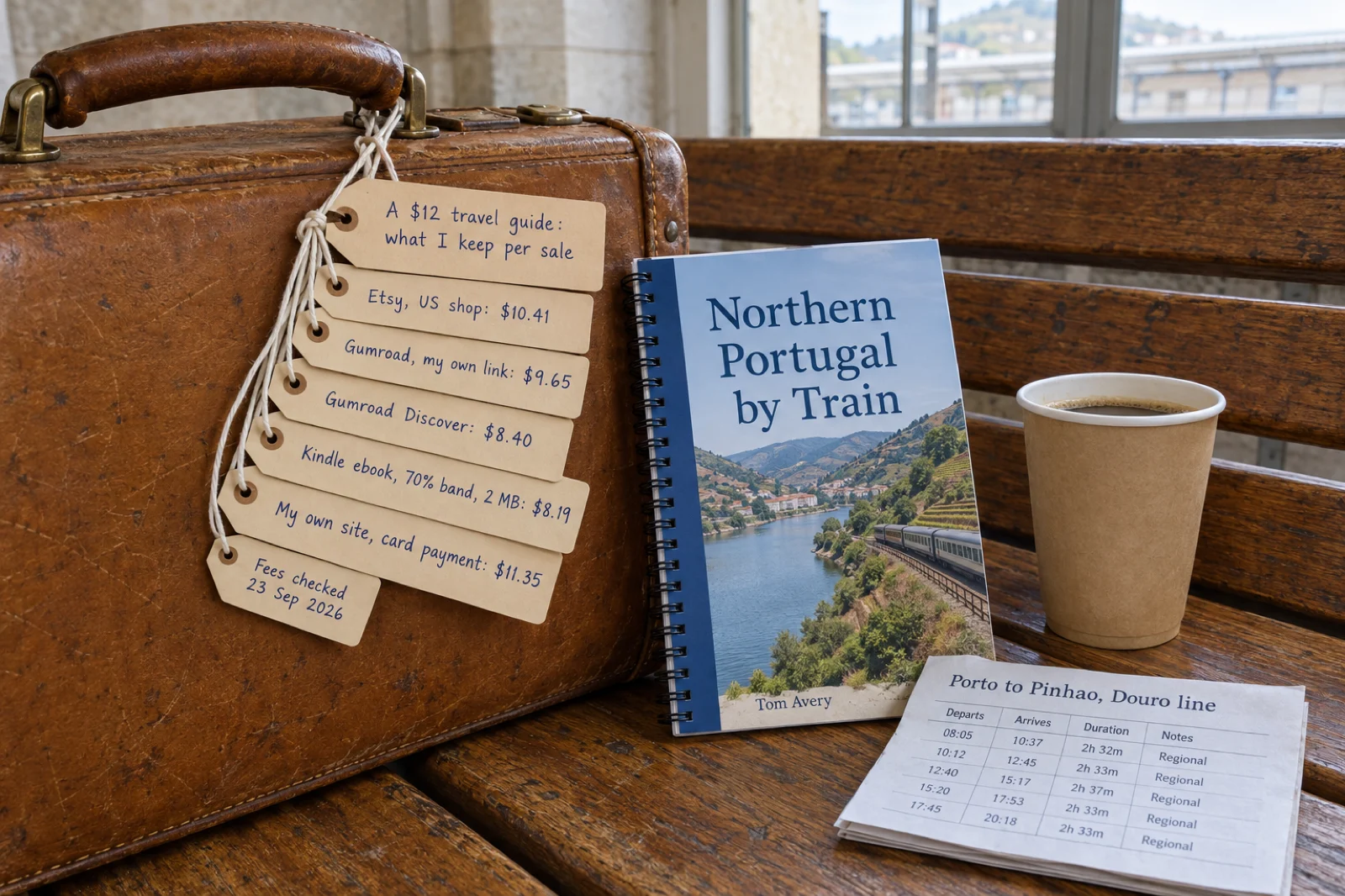
Three things the table shows
Fixed fees hurt cheap guides. Gumroad's 50 cents plus 30 cents of card processing is 80 cents a sale whatever the price, so an $8 guide loses almost a quarter of its price there and a $20 guide under 17%. Etsy's fixed part is 45 cents (the renewal plus the processing fee's 25 cents). Etsy keeps less than Gumroad at every price in the table, and the gap narrows as the price rises; the case for Gumroad is the audience you bring to it, not the fee.
Amazon's band matters more for travel guides than most books. A guide to a week in a region is long and detailed, and its natural price often sits above ten dollars. Until 7 July 2026, a Kindle ebook priced above $9.99 dropped to the 35% royalty; Amazon has since widened the 70% band on Amazon.com to $12.99, with similar changes in its other stores. At $12 that is the difference between $8.19 and $4.20 a sale. Above $12.99 the 35% rate still applies, which is why the $20 column shows Kindle so far behind. Our guide to KDP royalties in 2026 sets out every price from $0.99 to $14.99.
Photos cost money on Kindle and nowhere else. Amazon's 70% royalty is worked out after a delivery charge of $0.15 per megabyte on Amazon.com (£0.10 on Amazon.co.uk). A text guide of 1 MB has 15 cents taken off the price before the 70% is worked out; a photo-heavy guide of 8 MB has $1.20 taken off, on every sale. Etsy and Gumroad charge nothing per megabyte, though Etsy caps each file at 20MB. Compress photos before they go in, and consider a lighter Kindle edition.
Worked examples (examples, not forecasts)
Example A
A $12 weekend guide, 15 sales in a month on Etsy
15 x $10.41 = $156.15 before tax. If three of those sales came through Etsy's Offsite Ads, take off 3 x $1.80: $150.75. Listing it in the first place cost $0.20.
Example B
The same guide to a newsletter of 2,000 readers on Gumroad
If 1% of readers buy, that is 20 sales: 20 x $9.65 = $193.00. At 0.5%, 10 sales and $96.50. The percentage is yours to test; it is not ours to promise.
Example C
A 120-page paperback at $12.99 on Amazon.com
Black ink, 6 x 9 inch: printing is $1.00 + 120 x $0.012 = $2.44, so each sale pays 60% x $12.99 minus $2.44 = $5.35. In standard colour at $16.99, printing is $4.06 and the royalty $6.13.
The paperback example uses Amazon's printing costs for Amazon.com (printing cost, paperback royalty): black ink costs $1.00 a book plus $0.012 a page from 110 pages (a flat $2.30 below that), and the royalty rate is 60% at list prices of $9.99 and above but 50% at $9.98 and below. A cheap paperback therefore pays twice over: a lower rate and the same printing bill. The royalty calculator runs other page counts and trims.
What goes on the other side of the ledger
- Your time. Writing is the fast part now. Checking every named place, visiting or re-visiting, taking photos and building the listing is most of a day for a short guide and more for a long one.
- Store costs before a sale. Etsy may charge a one-time set-up fee when you open a shop (the amount is shown during set-up), and each listing costs $0.20 and renews every four months if you keep automatic renewal on. Gumroad and KDP charge nothing up front.
- Ads, if you buy them. Etsy Ads and Amazon ads are optional and billed on top. Offsite Ads are different: Etsy charges them only on a sale they bring, at 15% for shops under $10,000 in sales over the last year (you can opt out) and 12%, compulsory, from $10,000.
- The tool. On Inkfluence AI you can write a short guide and export a PDF on the free plan. For a guide you charge for you will likely want Creator ($9.99 a month) or Premium ($19.99): they remove the footer credit and closing page from the PDF, add the EPUB and KDP package, send books to Etsy and Gumroad, and write longer guides. At $12 on Etsy, one sale a month covers Creator.
- Tax. Gumroad collects and pays sales tax as the merchant of record, and Etsy collects it in the places where it is required to. Your income from the sales is still yours to report.
Where is the best place to sell travel guides?
The best store is the one where your buyers already are. A traveller searching for "Lisbon itinerary" on Etsy finds you without knowing your name; a reader of your travel blog follows your link to Gumroad because they already trust you; a Kindle reader finds you in Amazon's search and judges you by the reviews. The fee differences in the table above are real, but they matter less than whether anyone sees the guide at all.
| Store | Who finds the guide | File the buyer gets | Suits | Watch for |
|---|---|---|---|---|
| Etsy | People searching Etsy for the place or the trip | A download: up to five files, 20MB each | Tightly named trips, itineraries, printables | Crowded results for famous cities; AI disclosure; Offsite Ads fee |
| Gumroad | Your own followers, through your link; some strangers via Discover | A download of whatever files you attach | Bloggers, creators, newsletter writers, local experts | 80 cents a sale in fixed fees; little traffic of its own |
| Amazon Kindle | Amazon shoppers searching for the destination | A Kindle ebook made from your EPUB | Guides you will update and that can earn reviews | 70% only from $2.99 to $12.99; delivery per MB; KDP Select exclusivity |
| Amazon paperback | Readers who want print for the trip | A printed, bound book | Road trips, walking guides, gifts | Colour printing is costly; 50% royalty below $9.99 |
| Your own site | Your visitors, and nobody else | Whatever you send after payment | Established blogs, tour businesses, guesthouses | You handle delivery, refunds and sales tax |
Etsy: for guides people search for by place
Etsy buyers type what they want. For travel that means the place and the trip: "Rome itinerary", "Iceland road trip", "Tokyo food guide". A guide whose title matches the search, with a first photo that shows it is a real guide, gets seen by people who have never heard of you, and that is Etsy's advantage over every other route here. It is also why it is crowded for the famous cities. A guide to "Paris" competes with everything; a guide to "Paris with a toddler in winter" competes with far less and is exactly what that parent wants.
Travel guides sell on Etsy as digital downloads. A listing can hold up to five files of up to 20MB each (Etsy's digital listings help), so the PDF and an EPUB can go together, and a large photo guide may need compressing. Etsy's seller handbook gives titles up to 140 characters and 13 tags of up to 20 characters each, and its title guidance now suggests fewer than 15 words, with the tags carrying the other phrases people search. Etsy asks sellers to disclose AI-assisted items: open the listing, find How it's made, and choose With an AI generator.
From Inkfluence AI on Creator or Premium, the book's Publish window has a Sell on Etsy tab. You open your Etsy shop first (step 1 on the tab), connect it once with Connect my Etsy shop, and then Auto-fill with AI drafts the listing description, up to ten tags and a suggested price from the book. Publish to Etsy sends the EPUB and the cover to your shop as a digital-download listing in draft. On Etsy you then add the PDF export as a second file, add two or three more photos and the last three tags, tick the AI disclosure and switch the listing to active. The Etsy selling guide covers shop set-up and the whole flow in detail.
Gumroad: for guides you sell to your own audience
Gumroad is a checkout, not a shop window. It turns a link into a payment and a download, and it is at its best when you already have people who read what you write: a travel blog with a post that ranks for "two days in Seville", an Instagram account where followers ask for your list of places, a newsletter about one region. You write the guide those people keep asking for, put the link where they already are, and Gumroad handles payment, delivery and sales tax (it has been the merchant of record for all sales since 1 January 2025). Its Discover marketplace can bring strangers, at a flat 30% of those sales.
On Creator or Premium, the Publish window's Sell on Gumroad tab connects your account with Connect Gumroad. Auto-fill with AI writes the listing description, a short summary and tags, and suggests a price; the price box starts at $9.99, and 0 makes the guide free. Publish to Gumroad sends the EPUB and the cover and switches the product on, or leaves it as a draft if your Gumroad payouts are not set up yet. Add the PDF on Gumroad afterwards, because most people buying a travel guide want the PDF on their phone. The Gumroad selling guide goes through each screen.
Amazon KDP: for guides you will keep up to date
Amazon brings the most shoppers and asks the most of the guide. Kindle readers review what they find on the ground, so a closed restaurant or a changed bus route turns into a one-star review that stays on the page. If you will re-check and republish the guide each year, Amazon rewards that; if you will not, sell it where a stale edition does less lasting damage. Amazon asks during publishing whether the content is AI-generated; the answer does not block publishing (the KDP AI disclosure guide explains what it asks).
The Kindle ebook is made from the EPUB export, and the paperback from the KDP package, a print-ready interior PDF and a full wrap cover with the spine sized to the page count; both exports come with a paid plan or a credit pack, and you upload them to KDP yourself. Two rules shape the decision. The 70% royalty applies from $2.99 to $12.99 on Amazon.com, so price the ebook inside it. And KDP Select, the optional programme behind Kindle Unlimited, runs in 90-day terms that require the ebook to be exclusive to Amazon in digital form; while enrolled, you cannot sell the same guide as a PDF on Etsy, Gumroad or your own site. The paperback is not affected. For the general KDP route, see how to sell ebooks on Amazon.
Your own site: the biggest share, and all the work
Selling from your own site with a card payment link keeps the most of each sale: about $11.35 of $12 at Stripe's standard US rate. It suits a blog or a local business that already has the traffic, such as a walking-tour company selling its route book or a guesthouse selling its guide to the town. You deliver the file (an email with the PDF attached, or a download link after payment), you handle refunds, and you are the seller for tax purposes, so sales tax and VAT on digital goods are yours to work out. Many bloggers put a Gumroad checkout on their own site instead, which costs more per sale and takes the tax and delivery off their hands.
Which guides people list for sale, and where
We counted every book made on Inkfluence AI since 1 February 2026, when the travel format opened, and checked which ones are listed for sale on Etsy or Gumroad through the app, on 23 September 2026. We also read the prices on the public Gumroad page of every product published through the app. Travel guides stand out on both counts.
5.4%
of travel guides are listed for sale through the app, on Etsy, Gumroad or both: 35 of 654. Across every kind of book made since 1 February 2026 the rate is 2.4% (2,549 of 107,815). Travel guides come third of 33 book types with 200 or more books, behind inspirational books and true crime.
Link to this stat$9.99
is the typical price charged by the 337 sellers with live Gumroad products published through the app; the middle half charge $6.99 to $11.49. 119 of them charge exactly $9.99, where the app's price box starts.
Link to this statOur reading of the first two. A travel guide is one of the few kinds of book with a buyer who is searching for it by name, and Etsy is the store built on search, so travel guides go there far more than books in general, which mostly go to Gumroad. It fits what the stores are for: people who make travel guides tend to be making them for strangers planning a trip, not for an audience they already have. How the 654 travel guides break down by store is on the travel guide walkthrough, along with how long they run and where they are set.
On the third: the typical Gumroad price sits exactly on the app's starting price, and more than a third of sellers never moved off it. That says as much about defaults as about the market. Price a travel guide from what it saves the buyer and what comparable guides to the same place charge, not from the number already in the box. Travel guides on their own are too few to price this way: 21 are live on Gumroad, more than half of them from one seller, so we do not quote a travel-only figure.
How it was counted. Every book created on the platform from 1 February to 23 September 2026 was counted by its format and by whether it is linked to an Etsy listing or a Gumroad product created through the app, counted up to the same moment as the travel guide walkthrough's figures. A book counts as listed while that link exists: unpublishing removes it, listings made directly on Etsy or Gumroad without the app are not visible to us, and Etsy listings arrive as drafts, so a few may never have been switched on. Book types with fewer than 200 books are left out of the ranking. Prices were read once, on 23 September 2026, from the public page of each Gumroad product published through the app: 2,291 products, 2,094 still live, from 337 sellers. The typical price is the median of each seller's median price, so one seller with hundreds of products counts once. Sales counts were not used: most product pages do not show one. No title, brief, shop, product or account is published. The counting script is kept with the site's other data scripts. The figures are published under a Creative Commons Attribution 4.0 licence: quote them with a link to this page.
Digital travel guide template: six shapes that sell
People do not buy "a guide to Portugal". They buy a plan for the trip they have already half-booked. The six shapes below are the ones that map to how people plan, and each has a chapter plan you can copy as a template. The price bands are starting points worked out from length and detail, not market data; before you settle on one, look at what three guides to the same place charge on the store you picked.
| Shape | Who buys it | Chapters | Starting band | Where to start |
|---|---|---|---|---|
| A city weekend | Someone with flights booked for two or three days and no plan yet | Before you go, getting around, one chapter a day, where to eat, extra time | $5.99 to $11.99 | Etsy, where people search the city by name |
| A week in a region | A couple or family planning a route: which towns, in what order, how to get between them | Planning the route, one chapter per base town, a day trip, where to eat, know before you go | $9.99 to $19.99 | Etsy or Gumroad; Kindle if you will keep it updated |
| A food and drink guide | Travellers who plan the trip around meals | The dishes to know, breakfast and coffee, markets and street food, lunch, dinner by neighbourhood, bars | $5.99 to $12.99 | Gumroad, sold to a food blog or social audience |
| A road trip | Drivers who want stages, distances, parking and where to stop | Planning the drive, one chapter per stage, detours, a driving checklist | $9.99 to $19.99 | Etsy; a paperback suits a glovebox copy |
| A set of ready-made itineraries | Visitors who want one day, two days or a rainy day already planned | One day, two days, three days, rainy day, on a budget, day trips, getting around | $7.99 to $16.99 | Etsy, often bundled with a printable checklist |
| A local's guide to where you live | Visitors who want the places a resident would send a friend | The town as locals see it, neighbourhoods, where locals eat, free things, day trips | $4.99 to $9.99 | Gumroad from your own channel, or a free lead magnet |
Two things make any of these worth paying for, and both are things a free blog post rarely has. The first is order: the guide says what to do first, second and third, and how long the walk is between them, so the buyer can follow it without thinking. The second is a date: prices, opening hours and transport checked in a named month, so the buyer knows how far to trust it. The travel format on Inkfluence AI already writes in that practical style, one place or day per chapter with named places, prices, hours and transport, and it varies the layout from chapter to chapter (a quick-facts box, a ranked list of sights, a food timeline, a sample day). The checking and the dating are yours.
What separates a guide that gets reviews from one that gets refunds is the part only you can add. Your own photos, not stock images of the same five views every other listing uses. The walking time you actually walked. The mistake you made on the first day and how to avoid it. The one restaurant you went back to twice. A guide written for strangers still sells best when it reads like a friend's notes, and the written guide to travel writing goes further into structure, voice and niches.
How to make and sell a travel guide, step by step
The route with the most control, from the Travel guide tile to a live listing. The builder's button above is the faster route in through the dashboard's idea box; from step 3 the two are the same. The travel guide video walkthrough shows steps 2 to 7 on screen in under eight minutes.
-
1. Pick one trip for one traveller, and check the competition
Choose the shape, the place and the traveller before anything else. Then search the store you plan to sell on for that place and trip, and note the three listings that come up first: their price, their page count or chapter list, and what their reviews complain about. The complaints are your chapter plan. If the top results are all generic city guides, a guide for one kind of traveller has room; if a strong guide already owns the exact trip, pick a narrower one.
-
2. Start the book in the travel format
From the dashboard choose New Book, then Choose a book type, and pick the Travel guide tile, described in the app as itineraries, city guides and trip planning. The next screen asks "Where are you taking readers?" Type the brief in the shape the builder uses: the place, the traveller, the trip, and the chapters you want. The slider recommends eight chapters; the free plan writes up to five a book, and paid plans allow up to 40 in the plan. On a paid plan choose Quality, the default, for a guide you will sell. Click Generate my book. To write the guide in another language, type the brief in that language.
-
3. Edit the plan before it is written
The screen titled "Here's your plan" lists every chapter with a title and a summary. Rename chapters so they read like the listing will ("Day two: Alfama and the river"), put them in the order the trip happens, delete anything off the route and add what is missing. Changing the plan costs nothing; only writing uses your allowance. Then click Write the book. Non-fiction chapters are written at the same time rather than one after another, so the guide arrives in minutes.
-
4. Check every fact a buyer will act on
This is the step that decides your reviews. Go through each chapter with a map open. For each named place, confirm it exists and is open, correct the hours and prices from its own website, and replace any figure you cannot confirm with a range or nothing. Check transport times, ferry and boat times, seasonal closures and anything that needs booking. Guides written this way run long, a median of about 1,900 words a chapter across the travel guides made on the platform, so budget the time. Put "Prices and hours checked: [month and year]" on the first page.
-
5. Add what only you know
Add your photos with Image, then Insert Image (the editor compresses each one as it goes in), your walking times, your own favourites and the mistakes you made. The AI assistant in the editor can shorten, rewrite or expand a passage you select, and a chapter that misses can be regenerated. Under All tools, then Insert, a Table suits a day's stops with times and prices, a Button adds a link a reader can tap in the PDF, and a Page break puts a checklist on a page of its own for printing. If you add affiliate links to hotels or tours, add them yourself this way and say so in the guide; the app does not insert any.
-
6. Make a cover that works at thumbnail size
Click Edit cover. Upload a photo from the trip or choose a stock image on any plan, or generate an AI cover from a short prompt with a paid plan or credits. Put the place in the largest type on the cover and the trip underneath ("3 days", "by train", "for families"). On Etsy the cover is usually the first photo and appears about the size of a stamp in search results, so test it small. The cover generator page shows the styles.
-
7. Export the files each store needs
Click Export. The PDF, on every plan, is the file for Etsy, Gumroad and your own site; under Page Size & Content pick US Letter or A4 for printing at home, A5 for a compact guide, and switch the table of contents on. The EPUB is for Kindle and other ebook stores, the KDP package for a paperback, and DOCX for editing elsewhere; those three come with a paid plan or a credit pack. A PDF exported on the free plan carries a small "Made with Inkfluence AI" footer and a closing page about the app, which a paid plan or credit pack removes.
-
8. List it
On Creator or Premium, click Publish in the editor and choose Sell on Etsy or Sell on Gumroad. Connect the shop or account once, click Auto-fill with AI (or paste the builder's draft), set the price and click Publish to Etsy or Publish to Gumroad. Both send the EPUB and the cover; add the PDF on the store afterwards. On Etsy, open the draft, tick With an AI generator under How it's made, add your photos and the last few tags, and activate it. For Amazon, upload the EPUB or the KDP package to KDP yourself. The Publish window also has a Free showcase tab, which publishes the guide for readers on Inkfluence AI; use it for a free sample, not the guide you charge for.
-
9. Keep it current
Before each travel season for the place, re-check the guide, edit the chapters that changed, export again, replace the file on each store and change the checked date. Answer every buyer who reports a change, fix it, and thank them in the next edition. On Amazon, upload the new file to the same book rather than publishing a new one, so the reviews stay with it.
Listing photos for a guide nobody can hold
A digital guide has no physical product to photograph, and that is exactly why the photos decide so much. The buyer is trying to see what they will get before they pay. Five images do most of the work, in this order:
- The cover, large and readable, with the place and the trip in the title. This is the search-results image.
- The contents page, so the buyer can see the chapters and judge the scope in two seconds.
- A sample day or a sample page, with a real table of stops, times and prices visible.
- A map or route page, if the guide has one you drew or have the right to use.
- What you get: the formats (PDF, and EPUB if included), the number of chapters or pages, and the month the details were checked.
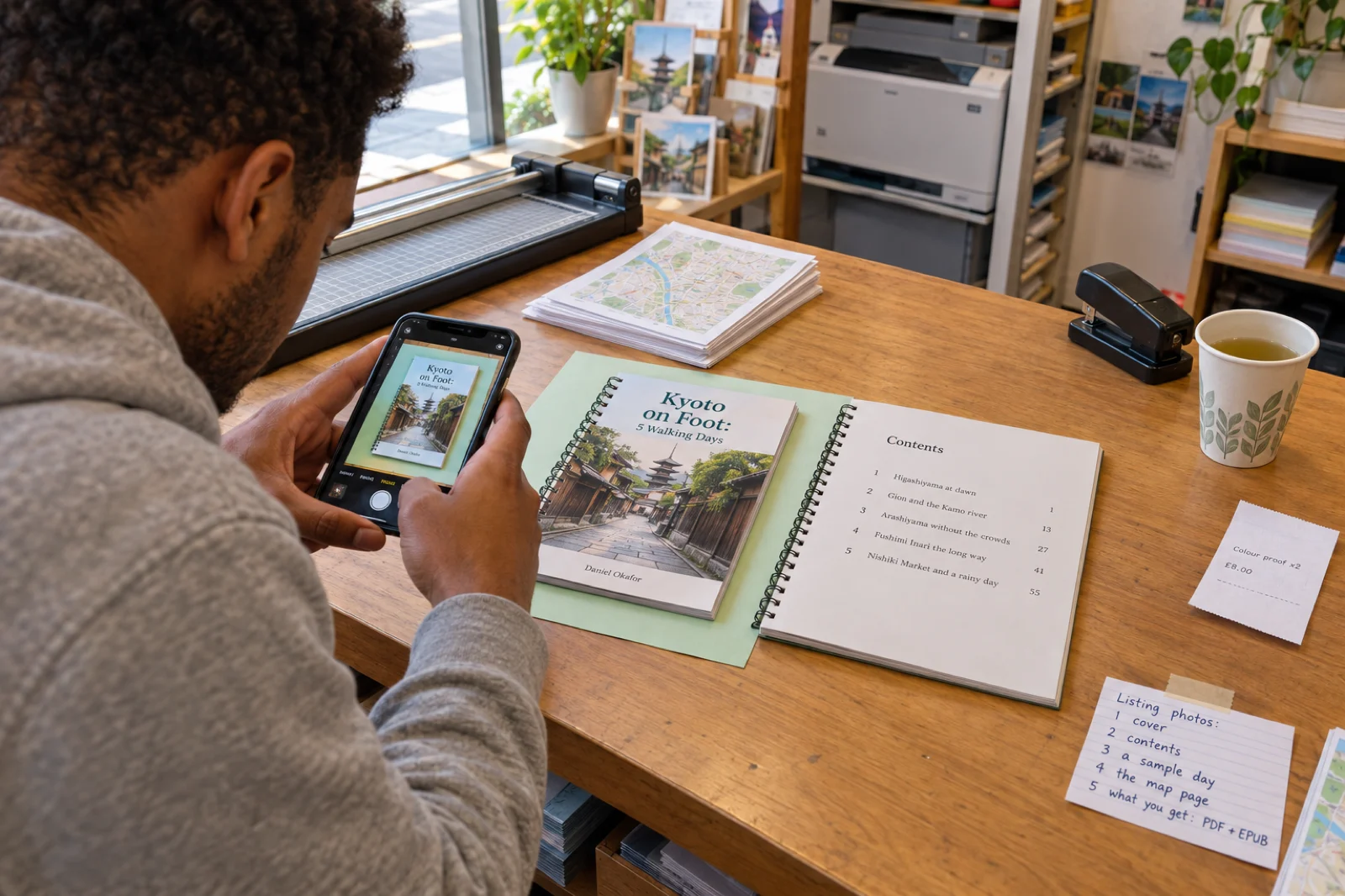
Two ways to make those images. Print a proof at a copy shop or at home, lay it on a plain coloured card by a window and photograph it with your phone; a real printed page reads as a real product. Or take screenshots of the PDF pages and place them on a phone or tablet frame in any design tool. Either way, show real pages from your guide, never a page the buyer will not find inside.
The photos are separate from the file. On Etsy the images you upload are what shoppers see, and the PDF itself is only delivered after purchase, so a listing needs both. Publishing from Inkfluence AI sends the cover as the first image; the other four are yours to add on Etsy or Gumroad.
Keeping a paid guide accurate, and yours to sell
Accuracy is the product. A free blog post can be out of date; a guide someone paid for cannot, or not for long. Any first draft that names real places with prices and hours can state one wrongly and sound certain about it, whoever or whatever wrote it. Check each fact before you sell, date the check, and never print a time that changes daily, such as a tide or a sunset; point to where the buyer can look it up.
Photos and maps. Use photos you took, or ones whose licence allows commercial use in a product you sell. Maps are the easiest thing to get wrong: a screenshot of a commercial map service is usually not yours to sell. If you draw a route on a map made from OpenStreetMap data, the data is open but its licence requires a credit such as "© OpenStreetMap contributors" in the guide. Inkfluence AI does not make maps, so any map is yours to add as an image.
Names. Name places freely; that is what a guide is for. Keep other publishers' brand names out of your title and tags (a guide is not "in the style of" a famous series), and do not suggest a hotel, museum or tour company endorses you unless it does.
AI disclosure. Etsy asks you to mark AI-assisted listings under How it's made; Amazon KDP asks during publishing whether the text is AI-generated; Gumroad has no separate setting. Saying so in the listing as well, as the builder's drafts do, costs nothing and sets the right expectation: written with help, checked by a person.
Rights to what you make. The guides you write on Inkfluence AI are yours to sell on every plan, including free. The selling walkthrough video shows the Etsy and Gumroad screens in order, and PDF vs EPUB vs DOCX explains which file each reader needs.
Seven mistakes that stop travel guides selling
- A guide to everywhere. "Italy" is not a trip. "Rome, Florence and Venice by train in ten days" is, and it is what people search.
- No date on the facts. Without "checked in [month]", a buyer cannot tell a fresh guide from one written years ago, and neither can a reviewer.
- Stock photos in the listing. The same five views appear on every listing for a famous city. Show your pages and your photos.
- Pricing from the default. $9.99 is where many price boxes start, not a price anyone chose. Price from what the guide saves and what comparable guides cost.
- A Kindle price just above $12.99. $13.99 on Amazon.com pays 35%, about $4.90 a sale, where $12.99 at 70% pays over $8.
- KDP Select and a PDF elsewhere. Enrolling the ebook in Select while selling the PDF on Etsy breaks Amazon's exclusivity terms.
- Listing and forgetting. On Etsy the draft has to be activated after publishing from the app; on every store the guide has to be re-checked every season.
Selling travel guides: FAQ
How do you sell a travel guide online?+
Where is the best place to sell travel guides?+
How much do travel guides make?+
How much should I charge for a digital travel guide?+
Can I sell a travel guide on Etsy?+
What does Gumroad charge to sell a travel guide?+
Can I sell a travel guide on Amazon KDP?+
Can I sell the same travel guide on Etsy, Gumroad and Amazon?+
Do I need an audience to sell travel guides?+
Can I sell a travel guide written with AI?+
What format should a digital travel guide be?+
Is there a free digital travel guide template?+
Can I sell a guide made on the free plan?+
How often should I update a travel guide I sell?+
Related tools and guides
How to Create a Travel Guide with AI (Video)
Making the guide, step by step, and the numbers from 654 travel guides.
AI Travel Guide Creator
The travel format itself: prompt examples and the kinds of guide it writes.
How to Write a Travel Guide
Structure, voice, niches and premise templates for travel writing.
Airbnb Guidebook Maker
A guide for your own guests instead of for sale: the welcome book.
How to Sell Children's Books
The same questions for a picture book: colour printing, what a copy pays, and a print and price planner.
How to Sell Coloring Books
A book sold twice: the Amazon paperback and the printable, with what each copy pays.
How to Sell Romance Novels
A Kindle sale, a Kindle Unlimited read and a paperback, and what each one pays.
How to Sell Workbooks and Activity Books
A book the buyer writes in: the Etsy printable, the KDP paperback, and which KDP boxes to tick.
How to Sell Fitness Ebooks
Workout plans, meal plans and 30-day challenges: PDF, Kindle and paperback maths, and health-claim rules.
How to Sell a Devotional
Daily devotionals, prayer journals and Bible studies: per-sale maths and how many verses each translation allows.
Sell Ebooks on Etsy
Shop set-up, AI disclosure and the publish flow for any ebook.
Sell Ebooks on Gumroad
Connecting your account, the listing and the launch.
How to Sell Ebooks on Amazon
Formatting, pricing, keywords and launch on KDP.
Ebook Income Calculator
Project a month of sales across several books and stores.
One trip, one traveller, checked and dated.
Build the listing above, or start from the Travel guide tile. The free plan writes up to five chapters a book and exports a PDF.