
Best AI for Editing a Book (2026): 9 Tools Compared by Editing Job
Which AI should edit your manuscript? We compare ProWritingAid, Grammarly, AutoCrit, Sudowrite, Novelcrafter, ChatGPT, Claude, the free checks in Google Docs and Word, and Inkfluence AI by the job each does best: grammar, line editing, story feedback, or editing and publishing in one place. Prices checked 2 October 2026.
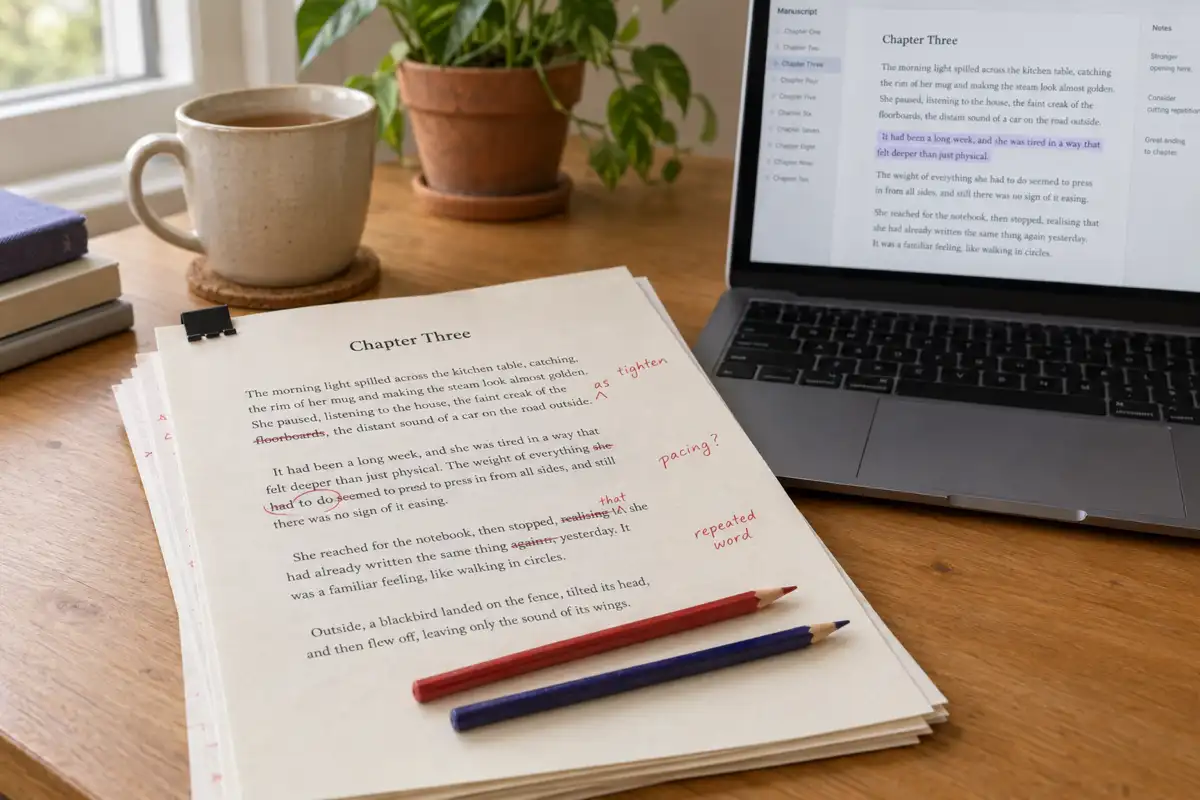
Quick Answer
There is no single best AI for editing a book, because a book needs three different kinds of edit. For grammar and line editing, ProWritingAid is the strongest dedicated tool, with Grammarly close behind on grammar and clarity. For feedback on a novel's story, pacing and characters, Sudowrite (developmental edits, line edits and beta reads on its Professional and Max plans) and AutoCrit lead. ChatGPT and Claude are flexible second readers if you write good prompts. For editing a manuscript and then exporting, publishing and narrating it from the same place, Inkfluence AI is the all-in-one pick. For a free start, AutoCrit's Free Forever plan has no word limit, and the spelling and grammar checks in Google Docs and Word for the web cost nothing.
Most "best AI editor" lists rank tools as if they all did the same thing. They do not. A grammar checker will not tell you that your second act sags, and a story-feedback tool will not catch every missing comma. If you pick one tool and expect it to do the whole edit, you either pay for features you never use or ship a book with a problem nobody looked for.
This guide sorts nine tools that authors actually reach for by the editing job each one is good at, with honest notes on what each cannot do. It covers novels and non-fiction, free and paid options, and where a human editor still earns their fee. Every price and plan detail for another company's product was checked on that company's own pricing or help page on 2 October 2026, with the source linked. Where we could not confirm a detail, we left it out.
Prices checked 2 October 2026, in US dollars, as shown on each vendor's site. Prices change, taxes and regional pricing vary, and some vendors show annual prices as a monthly figure. Check the linked page before you buy.
What is the best AI for editing a book?
The honest answer depends on which edit your manuscript needs right now. Here are the verdicts by job. The detail and the reasoning follow further down.
Best for grammar and line editing
ProWritingAid
Deep style reports (overused words, sentence variety, pacing of the prose) on top of grammar, plus daily Chapter Critiques on paid plans. Grammarly is the simpler alternative if you mainly want clean, clear sentences.
Best for fiction story feedback
Sudowrite, with AutoCrit as runner-up
Sudowrite's Professional and Max plans list developmental edits, line edits and beta reads. AutoCrit scores pacing, dialogue and repetition against your genre and has a free plan with no word limit.
Best free option
AutoCrit Free Forever, plus Docs or Word
AutoCrit's free plan has no word limit, so a whole manuscript fits, with Adverbs, Word Choice and Readability tools. Run the free spelling and grammar check in Google Docs or Word for the web alongside it, and paste problem chapters into a free AI chat for feedback.
Best all-in-one: edit, export, publish
Inkfluence AI
Import the manuscript, edit with selection actions, chat and chapter reviews, get a whole-book editorial letter on a paid plan, then export PDF, EPUB, DOCX or a KDP package and make the audiobook in the same project.
If you only take one thing from this page: run the edits in order. Fix the story first, then the sentences, then the commas. Polishing the grammar of a chapter you later cut is wasted work, whatever tool you use.
What are the three kinds of editing a book needs?
Publishing uses a few overlapping names, but almost every edit falls into one of three passes. Knowing which pass you are on tells you which tool to open.
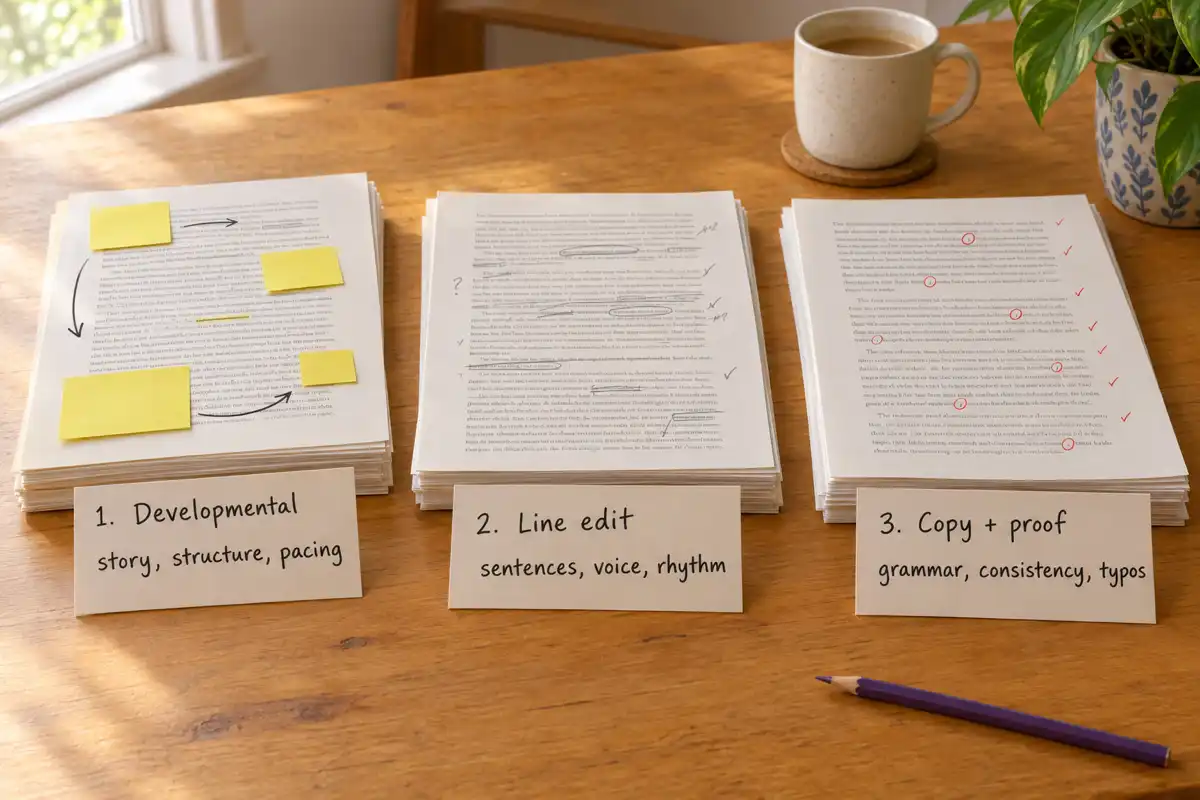
1. Developmental edit
The big picture. Does the story or argument work? Is the structure right, does the middle drag, are the characters' choices believable, does each chapter earn its place? For non-fiction: is the promise on the cover kept, and are chapters in the order a reader needs them?
2. Line edit
Sentence by sentence. Rhythm, word choice, clarity, filler, repeated words, weak verbs, dialogue that sounds like nobody talks. This is where most AI editing tools are built to help, and where they help most.
3. Copy edit and proofread
Correctness. Grammar, spelling, punctuation, consistent names and spellings, tense slips, typos. Grammar checkers do the bulk of this well. A final human read still catches what they miss.
For the long version of each pass, our AI developmental editor page covers the structural pass and the AI manuscript editor page covers line-level polish.
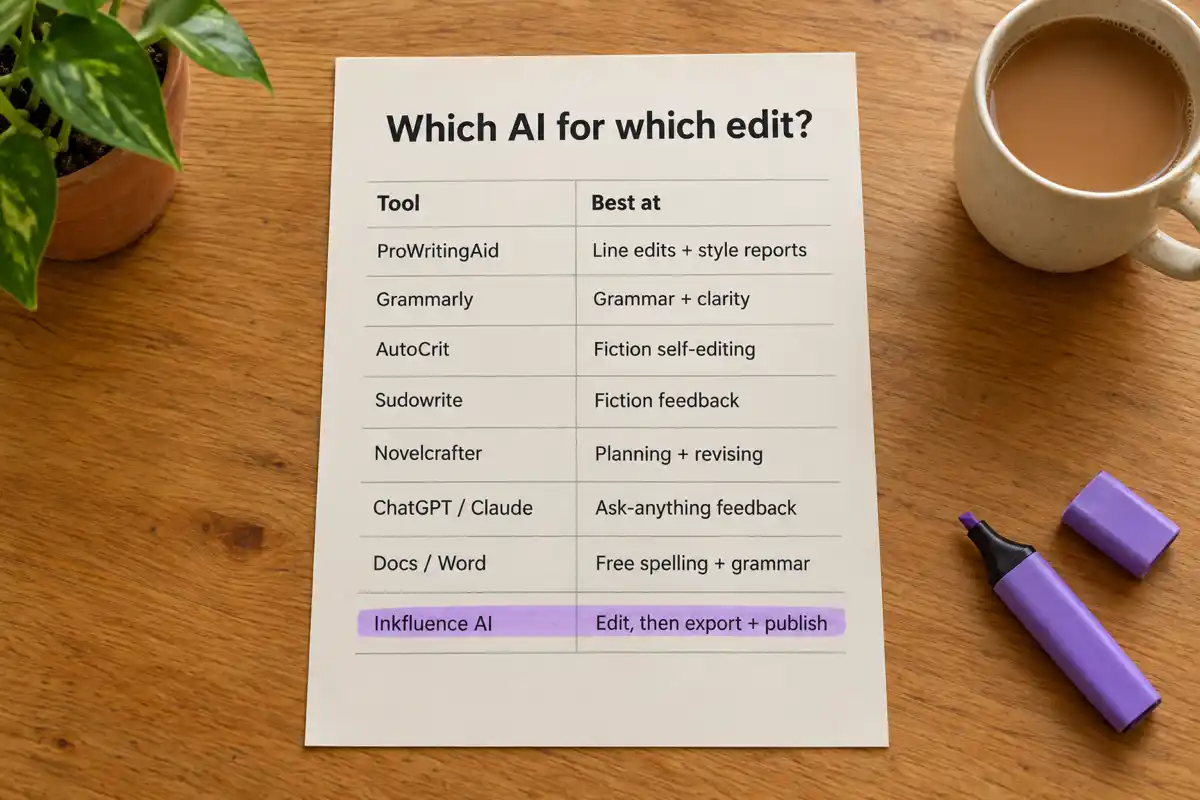
Quick comparison: 9 AI editing tools side by side
The table lists the job each tool is best at, whether it gives feedback on the whole manuscript rather than one passage at a time, and the free option and entry price as shown on the vendor's site on 2 October 2026.
| Tool | Best at | Story or manuscript-level feedback | Free option | Paid from |
|---|---|---|---|---|
| ProWritingAid | Line edits + style reports | Chapter Critique on paid plans; Manuscript Analysis and Virtual Beta Reader cost extra Story Credits | Yes: each report twice a day on 500 words | $30/mo, or $120/yr |
| Grammarly | Grammar + clarity | No | Yes: spelling, grammar, tone, 100 AI prompts | Pro from $12/mo |
| AutoCrit | Fiction self-editing | Yes: Story Analyzer+ (arcs, conflict, plot threads) on Pro | Yes: Free Forever, no word limit, selected tools | $30/mo, or $15/mo billed yearly |
| Sudowrite | Fiction feedback | Yes: developmental edits, line edits and beta reads on Professional and Max | Free trial, no card | $19/mo, or $10/mo billed yearly |
| Novelcrafter | Planning + revising | Basic review features; AI uses your own key | 21-day free trial, no card | $4/mo (Scribe, no AI) |
| ChatGPT | Ask-anything feedback | Only what you paste or upload and ask for | Yes: Free plan | Go $8/mo, Plus $20/mo |
| Claude | Ask-anything feedback | Only what you paste or upload and ask for | Yes: Free plan, up to 5 Projects | Pro $20/mo, or $17/mo billed yearly |
| Google Docs / Word | Free spelling + grammar | No | Yes: built-in checks with a free account | Word with Copilot: Microsoft 365 Personal $9.99/mo |
| Inkfluence AI | Edit, then export + publish | Yes: chapter Review on every plan; whole-book editorial letter on Creator and Premium | Yes: first 5 chapters, 3 AI assists a day, PDF export | Creator $9.99/mo, Premium $19.99/mo |
Best AI for grammar and line editing
Both tools below work inside the writing apps you already use, which matters when your manuscript lives in Word or Google Docs.
ProWritingAid: best for line editing and style reports
ProWritingAid is built for long-form writers rather than email. Beyond grammar it runs line editing reports that look at the shape of your prose: repeated words, sentence length variety, sticky sentences, pacing within a passage and more. On a book that is the difference between "no errors" and "reads well".
According to its pricing page (checked 2 October 2026), the free plan lets you run each line editing report up to two times a day on 500 words of text, with 10 Rephrases a day. That is enough to judge whether you like the reports, not enough to edit a novel. Premium is $30 a month billed monthly, $120 a year, or $399 once for lifetime access. Premium Pro is $36 a month, $144 a year, or $699 lifetime.
Paid plans add Chapter Critiques: one a day on Premium, 30 a day on Premium Pro, none on Free. The bigger manuscript-level features, Manuscript Analysis, Plot Analysis, Character Analysis, Virtual Beta Reader and Marketability Analysis, use Story Credits that are paid for separately, with discounts of up to 40% on Premium and up to 65% on Premium Pro. Browser and app integrations are included on every plan; its integrations page lists Word, Scrivener and, through the browser extension, Google Docs.
Good at: line-level style, consistency, repeated words, long documents in Word or Docs. Less good at: story feedback unless you buy Story Credits; the free plan is too small for a whole book.
Grammarly: best for grammar and clarity
Grammarly is the most familiar name here and the easiest to start with. It underlines errors as you type and suggests clearer phrasing. Its plans page lists a free plan for spelling and grammar, tone detection and 100 AI prompts a month, and Pro from $12 USD a month, which adds full-sentence rewrites, tone adjustment, plagiarism and AI-text detection, and 2,000 AI prompts.
For a book, Grammarly is a strong copy-editing pass and a decent clarity pass. It is not built to comment on story, structure or pacing across chapters, and its suggestions lean towards plain, business-clear prose. That is right for most non-fiction and sometimes wrong for fiction, where a fragment or an odd rhythm is the point. Accept its suggestions one at a time on a novel.
Good at: grammar, spelling, clarity, works almost everywhere. Less good at: book-level feedback; can flatten a deliberate fiction voice.
Want the edit and the finished book files in one place? Import your manuscript and try the selection edits on your first 5 chapters free.
Start editing freeFree on your first 5 chapters, with 3 AI assists a day and PDF export. EPUB, DOCX and the KDP package come with any paid plan or a credit pack.
Best AI for fiction feedback: AutoCrit, Sudowrite and Novelcrafter
Novels need feedback that grammar tools do not give: whether a scene drags, whether the dialogue sounds like people, whether a character's choices follow from who they are. These three tools are built for fiction writers and approach that job differently.
Sudowrite: best for developmental feedback on fiction
Sudowrite started as a drafting tool and has grown editing features. Its pricing page (checked 2 October 2026) lists three plans: Hobby & Student at $19 a month billed monthly or $10 a month billed yearly, Professional at $29 or $22, and Max at $59 or $44. All plans include Write, Rewrite, Describe and Expand, style matching, series continuity and a fiction-focused AI chat for brainstorming, research and editing. The line that matters for editing, "Get developmental edits, line edits, and beta reads", appears on Professional and Max, not on Hobby & Student. Plans run on monthly credits (225,000 on Hobby & Student, 1,000,000 on Professional and 2,000,000 on Max, with Max's unused credits rolling over for 12 months), and the pricing page offers a free trial with no credit card. Sudowrite's help pages say its Feedback feature, which leaves margin comments and can run on a scene, a chapter or the whole book, is exclusive to Professional and Max.
If you are editing a novel and want an AI to comment on structure and scenes, Sudowrite's Professional plan is the most direct match on this list. It is fiction-first: for a business book or a how-to guide it is the wrong shape. Our Sudowrite review covers the drafting side in more depth.
AutoCrit: best for genre-aware fiction self-editing
AutoCrit analyses a manuscript and scores it, which suits writers who like to see the numbers. Its pricing page lists a Free Forever plan, described as a "fully-featured writing platform with no word limits" with selected tools such as Adverbs, Word Choice and Readability, and Pro at $30 a month, or $15 a month billed annually.
Pro adds the fiction reports: pacing and momentum, dialogue and dialogue tags, adverbs in dialogue, repeated words and phrases, clichés, passive indicators, tense consistency and showing versus telling, a Direct Genre Comparison Score, and Story Analyzer+, which gives feedback on character arcs, conflict and active plot threads. Comparing your pacing and dialogue against your genre is the feature people buy it for.
Good at: measurable fiction problems, genre comparison, a free plan with no word cap. Less good at: rewriting for you; non-fiction.
Novelcrafter: best for planning and revising with your own AI
Novelcrafter is a novel-writing workspace built around a Codex, its database of characters, places and lore, with AI features layered on top. Its pricing page lists Scribe at $4 a month (no AI features), Hobbyist at $8, Artisan at $14 and Specialist at $20, all with a 21-day free trial and no credit card. On Hobbyist and above the AI works through your own key ("bring your own key"), so the AI bill is separate from the subscription. Every tier includes basic review features, and Artisan adds Workshop Chat. There is no free plan, only the trial.
For editing, Novelcrafter is strongest when you planned the book inside it: the Codex keeps names and facts straight while you revise scenes. It is less of a drop-in for an existing manuscript you just want feedback on, and setting up your own AI key is a step some writers will not want.
Good at: keeping a long novel consistent while you revise; flexible AI choice. Less good at: quick feedback on a finished draft; AI is not included in the price.
Can ChatGPT or Claude edit a book?
Yes, with effort. General AI chat assistants are flexible editors because you can ask for anything: "list every place the timeline contradicts itself", "rewrite this paragraph in plainer English", "where would a reader stop reading this chapter, and why?". The quality of the answer depends heavily on how much of the book they can see and how precisely you ask.
ChatGPT
OpenAI's ChatGPT pricing lists a Free plan, Go at $8 a month, Plus at $20 a month, and Pro from $100 a month. For editing, the free plan is enough to test chapter-level feedback. The practical limits are the ones every chat tool has: it sees what you paste or upload in that conversation, so consistency across a 90,000-word novel is your job, and every change has to be copied back into your manuscript by hand.
Claude
Anthropic's Claude pricing lists a Free plan (with up to 5 Projects), Pro at $20 a month or $17 a month billed annually, and Max from $100 a month. Projects let you keep a manuscript and notes together across conversations, which helps on a long book. The page describes context of up to 1M tokens, varying by model, so it can hold a lot of a manuscript at once.
Both are good second readers. Neither knows your book's structure as chapters, keeps an edit history inside your manuscript, or produces a publish-ready file. Our AI tools for authors vs ChatGPT comparison goes further into that trade.
A prompt that works for either: paste one chapter and ask "Act as a developmental editor. Give me the three most important problems in this chapter for a reader, each with a quote from the text, why it costs the reader, and a suggested fix. Do not rewrite the chapter." Asking for quotes keeps the feedback anchored to your actual words instead of generic advice.
What can Google Docs and Word do for free?
Before paying for anything, use what you have. Google Docs has a free built-in spelling and grammar check: per Google's help page, you open the document and click Spelling and grammar check, then Change or Ignore each suggestion. It supports English, Spanish, French, German, Portuguese and Italian. Gemini in Docs adds help with writing, tone, shortening or expanding text, summaries and proofreading, and Google's Docs AI page says it is included for Workspace plan subscribers; Google's AI Pro and Ultra plans also include Gemini in Docs.
Microsoft Editor runs in Word for the web with a free Microsoft account and suggests fixes for spelling, grammar and stylistic issues, according to Microsoft's support page. Signed in with Microsoft 365, it adds refinements such as more concise sentences, simpler words and a more formal style. On Microsoft's plan comparison, Microsoft 365 Personal is $9.99 a month or $99.99 a year, Family $12.99 a month or $129.99 a year, and Premium $19.99 a month or $199.99 a year, each including the desktop apps with Copilot.
These built-in checks are a sound first copy-editing pass and cost nothing. They do not comment on story or structure. Run them early so the AI feedback you pay for later is not spent on typos.
Inkfluence AI: edit your book, then publish it from the same place
Inkfluence AI is our product, so weigh this section accordingly. We have tried to describe only what it does today and where it falls short. Its case is not "better grammar than Grammarly"; it is not. Its case is that the editing, the editor's notes and the finished files live in one project, so you are not copying text between four apps before you can publish.
Bring the manuscript in
You can import an existing draft as DOCX, DOC, PDF, EPUB, TXT or Markdown, and it is split into chapters for you. A Word file with Heading 1 for chapter titles imports most cleanly, because PDFs do not carry heading styles. Or write the book in Inkfluence from an outline and edit it there.
Select text for quick edits
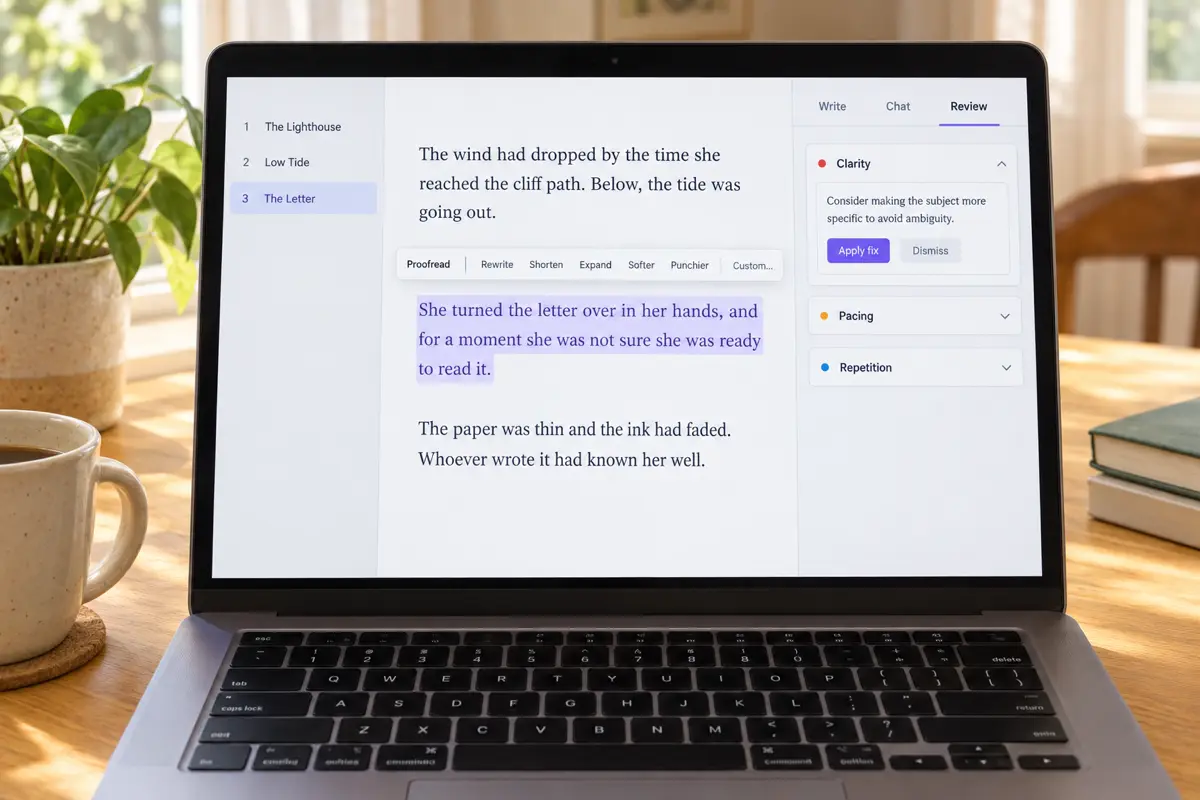
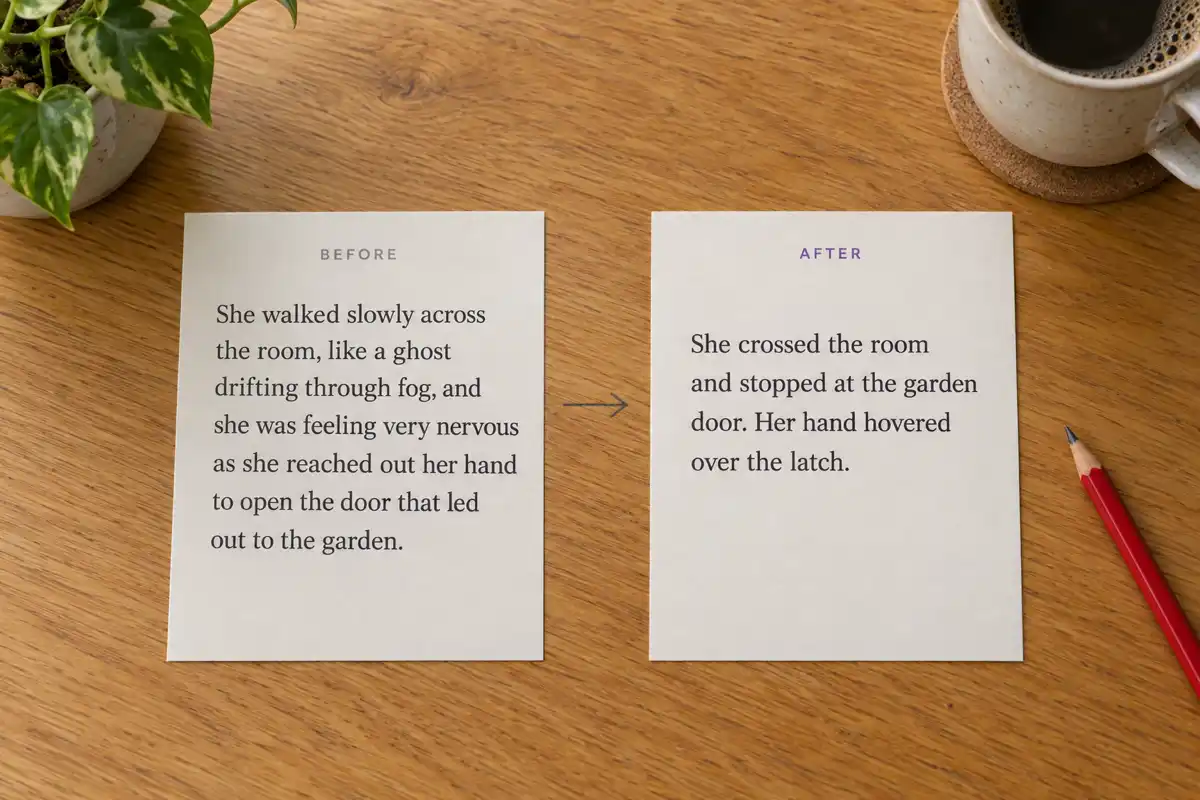
Highlight any passage and a small menu appears with Proofread, which only corrects spelling, grammar and punctuation and leaves your wording alone, then Rewrite, Shorten, Expand, Softer and Punchier, then Custom for your own instruction ("make it rhyme", "mention the lighthouse"). The result arrives as a preview. You choose Replace selection, Insert below or Try again, and Show changes highlights exactly what moved. Nothing replaces your text until you say so.
Chat about the book, not just the paragraph
The AI Assist panel has three tabs: Write, Chat and Review. Chat answers questions about the book you have open, using the book's brief, its outline, the chapter you are in and, for fiction, the story bible. Ask "does this chapter repeat anything from chapter 2?" or "give me three stronger last lines". Prose it suggests appears as cards you can insert; the manuscript only changes when you click Insert.
Review a chapter, or get an editorial letter for the whole book
Review this chapter reads the open chapter like an editor and returns between three and eight findings, each tagged by severity and category (clarity, pacing, repetition, continuity, grammar or style), with the quoted passage, why it costs the reader and a suggested fix. Apply fix swaps the text in place; Dismiss moves on. On the Creator and Premium plans, Whole book reads up to 40 chapters and writes an editorial letter: a short verdict, the three or four themes that matter most across the manuscript tied to specific chapters, and the single highest-impact next step, with findings listed per chapter. If a chapter needs more than line fixes, Regenerate with AI in the chapter menu rewrites it from your instructions.
Then finish the book
This is the part the other tools on this list do not do. From the same project you can write the book description, design a cover, export a PDF on any plan, export EPUB, DOCX and a KDP print package on any paid plan or with a credit pack, and turn the edited book into an audiobook. If you edit a typo after export, you re-export; there is no copying back and forth.
The limits, plainly
- Daily AI assists. Selection edits, chat and reviews share a daily allowance: 3 on Free, 15 on Creator and 100 on Premium, over a rolling 24 hours.
- The whole-book editorial letter is paid. Chapter reviews work on every plan; the book-wide letter needs Creator or Premium.
- No live grammar underlining. Proofread works on what you select. For a full mechanical sweep, a dedicated checker is faster.
- It is not a human editor. It will not know your market or your reader the way a good developmental editor does. More on that below.
Plans: try it free on your first 5 chapters (plus 5 more each month). Creator, at $9.99 a month or $89 a year, edits a whole manuscript with 35 chapters a month and adds EPUB, DOCX and KDP export. Premium, at $19.99 a month or $179 a year, is unlimited. See pricing for everything included.
Import your manuscript, run a chapter review, and see what an editor would flag first.
Review my first chapter freeNo card needed. Chapter reviews work on the free plan; the whole-book letter is on Creator and Premium.
Can AI do developmental editing?
Partly, and better than it could a year ago. Developmental editing asks whether the book works as a whole: structure, pacing, character arcs, the logic of an argument, what to cut. AI can now read a long manuscript and point to real, specific problems. Here is a fair split of what it does well and what it does not.
What AI does well
- Spots chapters that repeat each other or restate earlier points
- Flags continuity slips: names, ages, timelines, who knows what
- Notices scenes with no change in them, and where tension drops
- Summarises each chapter so you can see the shape of the book
- Gives the same patient read at 2am as at 9am
What AI does poorly
- Judging whether a book will find its market
- Knowing when a rule should be broken on purpose
- Telling you the hard truth that the premise is not strong enough
- Checking facts, sources and expert claims in non-fiction
- Reading for the feeling a specific reader will have
The practical approach is to use AI for the first structural pass. Let it find the continuity slips, the sagging middle and the repeated chapter openings, fix those, and then decide whether the book needs a paid human developmental edit. A human editor's hours go further when software has already flagged the obvious problems. For a deeper treatment, see our AI beta reader page, which covers reader-style feedback on a full draft.
Is there a free AI book editor?
Yes, several, with limits. None of them will edit a full-length book for free with no catch, but a careful writer can do a lot without paying.
| Free option | What you get free | The catch |
|---|---|---|
| Google Docs | Spelling and grammar check | No story or style feedback |
| Word for the web | Editor: spelling, grammar, some style | Refinements need Microsoft 365 |
| Grammarly Free | Spelling, grammar, tone, 100 AI prompts a month | Full-sentence rewrites are Pro |
| AutoCrit Free Forever | No word limit, selected tools (Adverbs, Word Choice, Readability) | Pacing, dialogue and story reports are Pro |
| ProWritingAid Free | Each report twice a day on 500 words, 10 Rephrases a day | Too small for a whole book |
| ChatGPT / Claude Free | Chapter feedback on what you paste | Usage limits; manual copy back |
| Inkfluence AI Free | Your first 5 chapters, 3 AI assists a day, chapter Review, PDF export | Creator edits a whole manuscript (35 chapters a month); EPUB/DOCX need a paid plan or credits |
The most useful free tier for a whole book is AutoCrit's, because it has no word limit. A free workflow that holds up: run Docs or Word's checker over the whole manuscript, use AutoCrit's free tools on a novel or Grammarly Free on non-fiction, then paste your weakest two or three chapters into a free AI chat with the developmental-editor prompt above. Our free AI book writer page covers what Inkfluence's free plan includes for writing as well as editing.
Try the editor on your own chapters before you decide anything.
Open the free editorFree plan includes chapter Review and 3 AI assists a day.
What is the best AI for editing a novel, and does non-fiction differ?
It differs a lot. Fiction editing is about effect: tension, voice, character, what the reader feels and when. Non-fiction editing is about clarity, order and accuracy: does each chapter deliver what it promised, and is every claim right?
For a novel, pick one story-feedback tool and one sentence tool. Sudowrite (Professional) or AutoCrit for the story, and ProWritingAid for the line edit, is a strong pairing for writers who want dedicated tools. Accept grammar suggestions carefully, because fiction breaks rules on purpose. Continuity is the novel-specific trap: a character's eye colour, a dead character who reappears, an event retold as news. Any tool that can see the whole book helps here; a chat that only sees one chapter at a time does not. Our AI novel editor page walks through fiction-specific passes, and best AI for writing novels covers the drafting side.
For non-fiction, Grammarly or ProWritingAid for clarity, plus a structural read that checks for chapters that repeat each other and promises the book never keeps. Non-fiction has one job no AI can do for you: verify the facts. AI editors will happily polish a wrong number into a well-written wrong number. Check every statistic, quote and source yourself, or pay an expert to.
AI editor vs human editor: what each is good for
This is not an either/or. Most authors who publish well use AI for the mechanical and first-pass work and spend their editing budget on the human judgement that software cannot supply. Here is how the work splits.
| Editing job | AI editor | Human editor |
|---|---|---|
| Typos, grammar, punctuation | Fast and thorough; misses some context errors | Catches what software misses on a final proof |
| Repeated words, filler, rhythm | Very good, especially with style reports | Good; slower and more expensive |
| Continuity across chapters | Good when the tool can see the whole book | Good; depends on the editor's notes |
| Structure and pacing | Useful first pass; flags symptoms | Diagnoses causes and proposes the fix |
| Market fit, genre expectations | General at best | The main reason to hire one |
| Fact-checking non-fiction | Not reliable | A subject expert is the right person |
| Cost and speed | Free to tens of dollars a month; minutes | Usually priced per word or per project; weeks |
If you can afford one human edit, a developmental edit after your AI passes gives most first books the most value. If you cannot, run every AI pass in order, then recruit two or three real readers from your audience.
How do you edit a book with AI, step by step?
This order works whichever tools you choose. It keeps you from polishing passages you will later cut, and it keeps the AI's suggestions from steering the book away from what you meant.
- Rest the draft. Leave it for a few days. Fresh eyes beat any tool.
- Write down what the book is for. One paragraph: who it is for, what they should feel or be able to do at the end. Every AI suggestion gets judged against this.
- Run a structural pass. Get chapter summaries and a whole-book read from a tool that can see the full manuscript (a whole-book review, Sudowrite's developmental edit, Manuscript Analysis, or a long-context chat). Look for repeated chapters, missing steps, a sagging middle and continuity slips.
- Fix structure by hand. Move, merge and cut chapters yourself. Use AI to draft a bridge paragraph if you need one, then rewrite it in your words.
- Review chapter by chapter. One chapter at a time, ask for the three to eight most important problems with quotes. Apply what you agree with, dismiss the rest.
- Line edit. Run style reports for repeated words, filler and rhythm. Use Shorten and Rewrite on specific passages, not whole chapters.
- Copy edit. Run a grammar checker over everything. On fiction, accept suggestions one at a time.
- Read it aloud, or listen to it. Hearing the book catches clunky rhythm faster than reading it. An audiobook export or a text-to-speech pass works.
- Get real readers, and a human editor if you can. Two or three people from your audience, briefed with specific questions.
- Proofread the final file. Check the exported PDF or EPUB itself; formatting adds its own errors.
Publishing on Amazon? Read our guide to publishing AI-assisted books on KDP, including what to declare: KDP asks about AI-generated content, and AI-assisted editing of text you wrote is treated differently from AI-generated text.
How do you keep your voice when AI edits your book?
The most common complaint about AI editing is that everything comes back sounding the same: smooth, correct and nobody's. That is avoidable.
- Ask for diagnosis before rewriting. "What is wrong with this paragraph?" keeps you in charge. "Rewrite this paragraph" hands over the voice.
- Edit small selections. A sentence or a paragraph at a time. Whole-chapter rewrites drift furthest from your style.
- Use the narrowest tool for the job. If a passage only needs corrections, use a proofread that keeps your wording, not a rewrite.
- Compare before you accept. Look at what changed, word by word. If a change removes something you meant, reject it.
- Watch for AI habits. Stacked similes, triplets of adjectives, every paragraph ending on a neat summary line. Cut them on sight. Our guide to avoiding generic AI output lists the common ones.
- Read the final chapter aloud. If it does not sound like you, the edit went too far.
Key Takeaways
- Edit in three passes, in order: developmental (story and structure), line (sentences and voice), copy and proof (correctness).
- Best for grammar and line editing: ProWritingAid, with Grammarly as the simpler grammar and clarity choice.
- Best for fiction story feedback: Sudowrite on Professional or Max, with AutoCrit for genre-aware reports and a free plan with no word limit.
- Best flexible second reader: ChatGPT or Claude, with specific prompts that ask for quotes.
- Best free start: AutoCrit Free Forever (no word limit), with the built-in checks in Google Docs and Word for the web.
- Best all-in-one: Inkfluence AI, for editing a manuscript and exporting, publishing and narrating it in one project.
- Still human work: market fit, fact-checking non-fiction, and the final call on every change.
Frequently Asked Questions
What is the best AI for editing a book?
It depends on the edit. ProWritingAid is the strongest dedicated tool for line editing and style, Grammarly for grammar and clarity, Sudowrite (Professional and Max plans) and AutoCrit for fiction story feedback, and ChatGPT or Claude as flexible readers. Inkfluence AI is the all-in-one choice if you want to edit and then export, publish and make an audiobook from the same project.
What AI can I use to edit my novel manuscript?
For story-level feedback, Sudowrite's Professional plan lists developmental edits, line edits and beta reads, and AutoCrit's Pro plan scores pacing, dialogue and repetition against your genre. For the sentences, ProWritingAid. For an editor-style read that you can apply in place and then export as an EPUB or KDP file, import the manuscript into Inkfluence AI and use chapter Review and, on a paid plan, the whole-book editorial letter.
Can AI do developmental editing?
It can do a useful first developmental pass: repeated chapters, continuity slips, sagging pacing and scenes where nothing changes. It is weaker on market fit, on knowing when a rule should be broken, and on fact-checking. Use AI first, fix what it finds, then decide whether you need a human developmental editor.
Is there a free AI book editor?
Yes. Google Docs and Word for the web have free spelling and grammar checks, Grammarly and AutoCrit have free plans, ProWritingAid's free plan covers 500 words per report, and ChatGPT and Claude have free tiers. AutoCrit's free plan is the most useful for a full manuscript because it has no word limit. Inkfluence AI is free to try on your first 5 chapters, with chapter Review and PDF export; Creator edits a whole manuscript (35 chapters a month) and Premium is unlimited.
Is AI editing as good as a human editor?
For grammar, typos, repeated words and continuity, AI is fast and often thorough. For structure it gives a useful first read. For market fit, genre expectations, fact-checking and judgement about what your book is trying to do, a good human editor is still better. Most authors get the best result from both: AI first, human second.
Is Grammarly or ProWritingAid better for a book?
ProWritingAid is built more for long-form writers, with style reports and Chapter Critiques on paid plans. Grammarly is simpler and strong on grammar and clarity. On 2 October 2026 ProWritingAid Premium was $30 a month or $120 a year, and Grammarly Pro was listed from $12 a month.
Do I have to disclose AI editing on Amazon KDP?
KDP asks about AI-generated content when you publish. Using AI to edit or refine text you wrote is treated differently from AI-generated text. Read KDP's current guidance before you publish; our KDP AI disclosure guide explains the distinction.
Edit the book, then publish it
Import your manuscript, review it chapter by chapter, and export PDF, EPUB, DOCX or a KDP package from the same project.
Start editing freeRelated Reading

Founder, Inkfluence AI
Sam is the founder of Inkfluence AI. He built the platform to make book creation accessible to everyone - from first-time authors to seasoned publishers.
Helpful links
Ready to Create Your Own Ebook?
Start writing with AI-powered tools, professional templates, and multi-format export.
Get Started FreeRelated Articles
 Self-Publishing
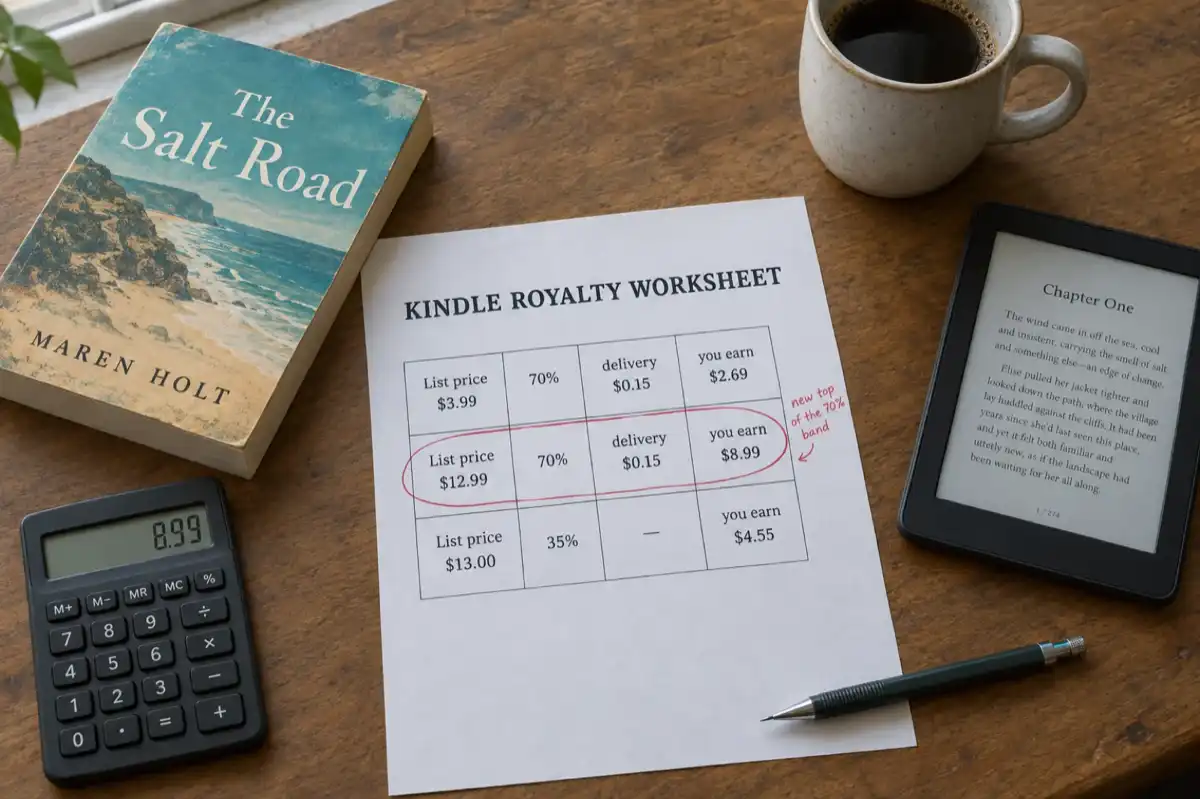
 KDP Royalties 2026: The 70% Band Now Runs to $12.99
Since 7 July 2026 Amazon KDP pays 70% on Kindle ebooks priced from $2.99 to $12.99, up from $9.99. What the change means for your price, how the delivery charge and the $13 cliff work, and what paperbacks, hardcovers and Kindle Unlimited pay, with worked examples.
 Guides
 Selling AI Coloring Books on Amazon KDP: The 2026 Rules, Specs, and Math
Are AI coloring books allowed on KDP? Yes, with disclosure. The part nobody covers: the AI workflow that passes review, style consistency across 30 pages, the interior specs that cause rejections, and the royalty ladder that decides your price.
 Guides
 How to Make an Adult Coloring Book in 2026: From Idea to Printed Pages
The modern walkthrough: what makes line work read as "adult", the three ways to create pages (draw, convert, generate), how to assemble a real book instead of a stack of pages, and the fork between KDP paperbacks, Etsy printables, and printing at home.
Get ebook tips in your inbox
Join creators getting weekly strategies for writing, marketing, and selling ebooks.