
Free AI Book Writer: Write & Export PDF in 2026
Write your book with a free AI book writer. Generate chapters, edit freely, and export to PDF with this step-by-step workflow for 2026.
Quick Answer
Free AI book writers let you generate a complete, chaptered ebook from a text prompt without paying. Inkfluence AI offers a free plan with 5 chapters, 3 Smart Continue generations per day, and PDF export - no credit card required. The free tier is enough to produce a short ebook, lead magnet, or guide ready for distribution.
Searching for a free AI book writer? You're not alone. Thousands of writers, entrepreneurs, and creators search for low-friction tools they can test quickly without hidden paywalls or surprise trial charges.
The frustration is real. You've probably clicked on three or four "free AI writers" already today, only to hit a paywall the moment you tried to export your work. Or maybe you got 200 words in before the tool demanded you create an account and enter billing information "just in case." It's exhausting.
In 2026, genuine free options finally exist. AI writing tools have matured, competition has increased, and some platforms now offer legitimate free tiers that include PDF export. This guide walks you through exactly how to write a complete ebook using free AI tools, from blank page to finished PDF, without paying a single dollar or handing over your credit card.
Rising Intent: "AI Novel Writer Free Unlimited"
Search demand is also rising fast for ai novel writer free unlimited. The intent is similar: start writing now, avoid fake-free flows, and keep enough momentum to finish a complete manuscript. If you are writing fiction, use our AI novel writer free unlimited guide alongside this no-sign-up workflow.
If you already have chapters drafted, convert them into audio early with the AI Audiobook Generator. Publishing text and audio together gives you more distribution surface from the same core content.
Why the "No Sign Up" Part Matters
The desire to skip account creation isn't about laziness. It's about trust. When you encounter a tool that demands your email before showing you anything, you're making a bet. You're betting that this tool will actually work, that it won't spam you, that it won't sell your information, and that the "free" part isn't a lie designed to hook you before the real paywall appears.
That's a lot of bets to make before you've written a single word.
Writers who search for "free AI book writer no sign up" have usually been burned before. They've signed up for tools that promised free ebook creation, spent an hour writing, and then discovered that downloading their own work required a $29/month subscription. The search phrase itself is a defense mechanism against misleading marketing.
The good news is that transparency in AI tools has improved. While truly zero-signup options remain rare, several platforms now offer what I call "light signup": just an email or Google login, no credit card, with genuine free functionality that includes export. That's the category we'll focus on here.
Understanding What "Free" Actually Means in 2026
Before diving into the workflow, let's set realistic expectations about free AI book writers. In 2026, most tools fall into three categories, and knowing which is which will save you hours of frustration.
The first category is truly no signup, and it's the rarest. These tools let you write without any account whatsoever. The trade-off is significant: your work doesn't save, features are minimal, and export options are basic. Tools in this category work for quick experiments or generating a few paragraphs, but they're not practical for writing an actual book. You'll lose your work if you close the browser tab.
The second category is light signup, and this is where the real value lives. Tools like Inkfluence AI ask for an email address or let you sign in with Google. That's it. No credit card. No phone number. No lengthy onboarding questionnaire. Your work saves automatically to your account, and you can export to PDF without paying. The free tier has limits - usually a certain number of chapters or words - but those limits are clearly stated upfront, and the export functionality works without hidden catches.
The third category is fake free, and these are the tools that have made everyone so skeptical. They advertise "free AI book writer" in their marketing, let you write for hours, and then lock the export button behind a paywall. Or they require a credit card "for verification" and charge you after a trial period you forgot about. Always check the export policy before investing time in any tool. If the pricing page is deliberately confusing, that's a red flag.
For this guide, we'll use tools from the light signup category. You'll need an email address, but nothing else. The workflow produces a real, downloadable PDF.
The Complete Workflow: From Blank Page to Finished PDF
Here's the exact process to write and export an ebook for free. Each step includes the specific tool you need and what to expect from it. For the deeper version, our step-by-step AI book creation guide walks through every stage of the pipeline.
Decide What You're Creating
Before you open any AI tool, spend five minutes deciding what kind of book you're writing. This sounds obvious, but it determines everything else: the length, the structure, and whether the free tier will be enough.
A lead magnet runs 5 to 15 pages and serves one purpose: capturing email addresses. It solves a specific problem quickly and leaves readers wanting more. This format is perfect for free tiers because you only need 3-5 chapters. If you're building an email list, the Lead Magnet Generator is designed exactly for this.
A short ebook runs 20 to 50 pages and works well for selling on Gumroad or giving away to build authority. The Free Ebook Creator handles this format perfectly, with enough free chapters to create something substantial.
A full book runs 100+ pages and is what you'd publish on Amazon KDP or Apple Books. For longer works, check out the AI Novel Writer which is optimized for fiction, or explore KDP publishing tools for getting your book to market.
For your first AI-written ebook, I recommend starting with a lead magnet. It's achievable within free limits, gives you practice with the AI workflow, and produces something immediately useful for your business or platform.
Generate Your Outline First
The biggest mistake new AI book writers make is jumping straight into chapter generation without an outline. This produces rambling, unfocused content that's painful to edit. A strong outline is the foundation of every good ebook, and AI can generate one in seconds.
Open the Book Outline Generator and enter your book topic, your target audience, and how many chapters you want. The AI will produce a complete chapter-by-chapter structure with suggested titles and brief descriptions of what each section should cover.
Don't accept the first outline blindly. Review it with a critical eye. Are the chapters in a logical order? Does the progression make sense for your reader? Are there any gaps where important topics are missing? Adjust the outline until it flows naturally from introduction to conclusion. This ten minutes of planning will save you an hour of rewriting later.
A solid ebook typically has 7 to 12 chapters. Fewer than that feels thin; more than that risks overwhelming readers. Each chapter should deliver one clear idea or outcome. If a chapter is trying to do three things, split it up.
Ready to start writing?
Generate your first chapter free. No credit card required.
Try the AI Book Writer →Write Each Chapter with AI Assistance
With your outline ready, open the AI Book Writer and start generating chapters. This is where the real magic happens, but it's also where many people go wrong by being too passive.
The quality of AI output depends entirely on the quality of your input. Vague prompts produce generic content. Specific prompts produce focused, useful chapters. Instead of telling the AI to "write about marketing," tell it to "write about email marketing strategies for fitness coaches who want to convert free consultation calls into paid coaching packages." The more context you provide, the better the output.
Each chapter typically needs a title from your outline, the key points you want covered, a target word count (500-1500 words per chapter works for most ebooks), and guidance on tone: conversational, professional, or academic. For fiction projects, the AI Novel Writer offers genre-specific prompts that improve output quality.
Generate the full chapter, then read it carefully. AI excels at structure and covering standard points but struggles with originality and personal insight. The draft is a starting point, not a finished product. You'll edit it in the next step, but for now, focus on getting all your chapters generated.
If a chapter doesn't feel right, regenerate it with adjusted prompts rather than trying to salvage weak content. It's faster to start fresh than to rewrite paragraph by paragraph.
Edit Like Your Reputation Depends on It
This step separates amateur AI content from professional ebooks. Raw AI output has a distinctive sound: competent but generic, correct but soulless. Every chapter needs a human editing pass to transform it into something worth reading. Our guide on AI ebook writing covers editing techniques in detail.
First, cut the repetition. AI tends to make the same point multiple ways, padding content with variations of the same idea. Be ruthless. If a paragraph doesn't add new information, delete it. Your ebook should be tight and valuable, not long and padded.
Second, add your personal examples. This is what AI cannot do and what makes your content valuable. Where the AI says "many entrepreneurs struggle with time management," you should add your specific story about the week you missed three client deadlines and what you learned from it. Personal examples create connection and credibility.
Pro tip
Read your chapters aloud. Your ear catches awkward phrasing that your eyes skip over. If you stumble while reading, your readers will stumble too.
Third, fix the transitions. AI writes paragraphs that stand alone but don't always flow into each other naturally. Read each chapter aloud and notice where the jumps feel abrupt. Add bridging sentences that guide readers from one idea to the next.
Fourth, verify the facts. AI can confidently state incorrect statistics, invent studies that don't exist, and get dates wrong. If a chapter mentions a specific number or research finding, verify it. If you can't verify it, remove it or make the language more general.
Finally, adjust the voice. AI defaults to a neutral, somewhat formal tone. If your brand is casual and conversational, rewrite sentences to match. Your readers chose your ebook because they want to hear from you, not from a robot.
Budget 10-15 minutes of editing per chapter. For a 10-chapter ebook, that's about two hours of editing. A worthwhile investment for content you'll use to represent your expertise.
Craft Your Introduction and Conclusion
The introduction and conclusion frame your entire ebook. Many writers treat them as afterthoughts, but they're actually the most important sections for reader satisfaction and conversion.
Your introduction should hook readers immediately with a problem they recognize or a promise of transformation. It should clearly state who this ebook is for (and implicitly, who it's not for). It should preview what they'll learn without giving everything away. And it should briefly establish why you're the right person to teach this. All of this should happen in one to two pages, not ten.
Your conclusion should summarize the key takeaways without simply repeating chapter titles. It should provide a specific next step: what should the reader do immediately after finishing? And it should point toward additional resources, whether that's your other content, your services, or your email list. The conclusion is your last chance to create momentum, so don't let readers finish and wonder "now what?"
Design a Cover That Doesn't Embarrass You
People absolutely judge books by their covers. A sloppy cover signals sloppy content, regardless of how good your writing actually is. The good news is that a professional-looking cover doesn't require design skills or paid software.
For lead magnets and free ebooks, simplicity wins. You need a bold, readable title that's legible even as a small thumbnail. You need your name or brand name. You need a clean background: either a solid color or a simple image that doesn't compete with the text. And you need a professional font, which means avoiding Comic Sans, Papyrus, and anything that looks like handwriting.
Inkfluence AI includes a built-in cover designer that handles this automatically. For more design guidance, check out our ebook design best practices guide.
Export Your Finished PDF
With your content complete and cover designed, it's time to export. Use the AI PDF Ebook Maker to generate a professionally formatted document.
Before hitting export, do a final check. Make sure all chapters are in the correct order. Verify that headings are consistent in style. Scan for obvious typos, especially in chapter titles which are more visible. Confirm your cover image is included and looks right.
The export is free. Download your PDF and you're done. You now have a finished ebook ready to share on your website, offer as a lead magnet, sell on Gumroad, or distribute however you choose.
Questions Everyone Asks About Free AI Book Writers
Can I really write a complete ebook without paying anything?
Yes, with realistic expectations. Free tiers typically allow 3-5 chapters, which is enough for a lead magnet or short guide. If you're writing a full-length book, you'll likely need to upgrade at some point, but you can absolutely validate your idea and produce something useful without spending money upfront.
Will my content be flagged as AI-generated?
Raw AI output has tells that detection tools and experienced readers will notice. The solution is editing. When you add your personal examples, adjust the voice, and cut the generic padding, the content becomes genuinely yours. AI detection looks for patterns, and human editing breaks those patterns while adding real value.
Can I legally sell ebooks I wrote with AI?
Yes. You own the content you generate with AI tools. However, the question isn't really about legality. It's about quality. AI-generated ebooks that go straight from generation to sale without editing tend to get poor reviews and refund requests. Treat AI as a first draft tool that accelerates your work, not a magic button that replaces the work entirely. If you're planning to sell on Amazon, read our KDP tools guide and make sure you understand the KDP AI disclosure policy before publishing.
How long does this actually take?
With Inkfluence AI, generation takes just 2-3 minutes - you can watch each chapter appear in real-time. A 5-chapter lead magnet can be drafted and polished in under an hour. A full 15-chapter ebook might take a few hours when you include proper editing and formatting. Compare that to the weeks or months that traditional writing would require. AI dramatically accelerates the process, but quality editing still matters.
Related Tools and Guides
Ready to explore more? Here are the tools mentioned in this guide:
- AI Book Writer - Generate chapters with AI assistance
- Book Outline Generator - Create your chapter structure
- Lead Magnet Generator - Build email list opt-ins
- AI PDF Ebook Maker - Export to professional PDF
- Free Ebook Creator - All-in-one creation tool
- AI Audiobook Generator - Turn written chapters into narrated audio
For deeper dives into specific topics, check out our guides on how to write an ebook, lead magnet examples, best ebook creation tools, best free AI book writing tools, and ai novel writer free unlimited.
Start Writing Your First Ebook Today
The tools exist. The workflow is proven. The only remaining step is to actually do it.
Open the AI Book Writer, generate your first chapter, and see how the output looks. If it's not perfect, edit it. If it needs adjustment, regenerate with better prompts. Within minutes, you'll have multiple chapters of real content that you can shape into something valuable.
Your first ebook doesn't need to be your masterpiece. It needs to exist. Get the first one finished, learn what works and what doesn't, and apply those lessons to the next one. The writers who succeed with AI tools aren't the ones who wait for perfect conditions. They're the ones who start imperfect projects and improve as they go.
Your free AI-written ebook is waiting to be created. The only thing stopping you is the decision to begin.
Generate your first ebook chapter in minutes. No sign-up required.
Start Writing Free →
Founder, Inkfluence AI
Sam is the founder of Inkfluence AI. He built the platform to make book creation accessible to everyone - from first-time authors to seasoned publishers.
Helpful links
Ready to Create Your Own Ebook?
Start writing with AI-powered tools, professional templates, and multi-format export.
Get Started FreeRelated Articles
 AI Writing
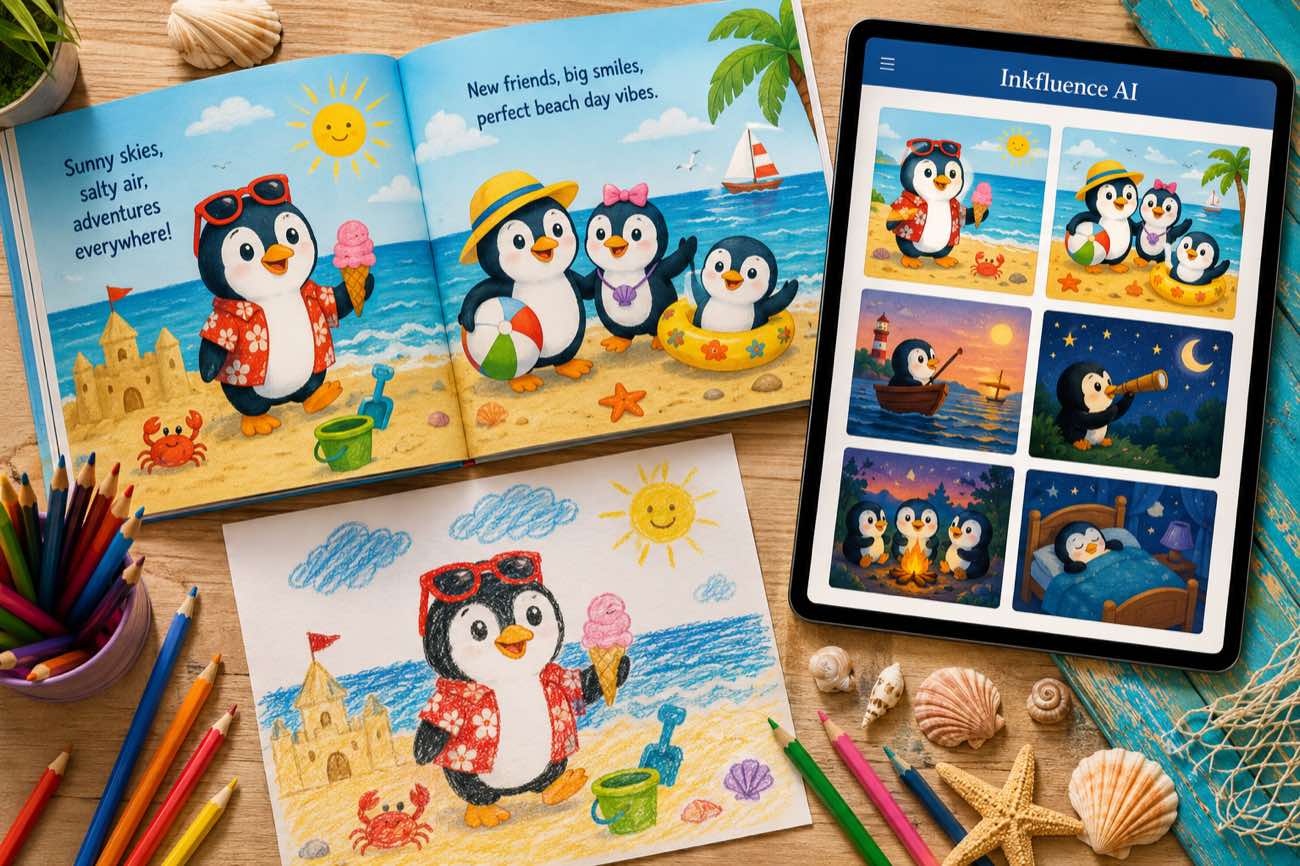
 How to Make a Children's Picture Book with AI: Idea to Printed Book in a Day
The complete 2026 workflow for making a fully illustrated children's picture book with AI: age-band word counts, page planning, consistent characters, cover design, and publishing it on Amazon KDP with the right disclosure.
 AI Writing
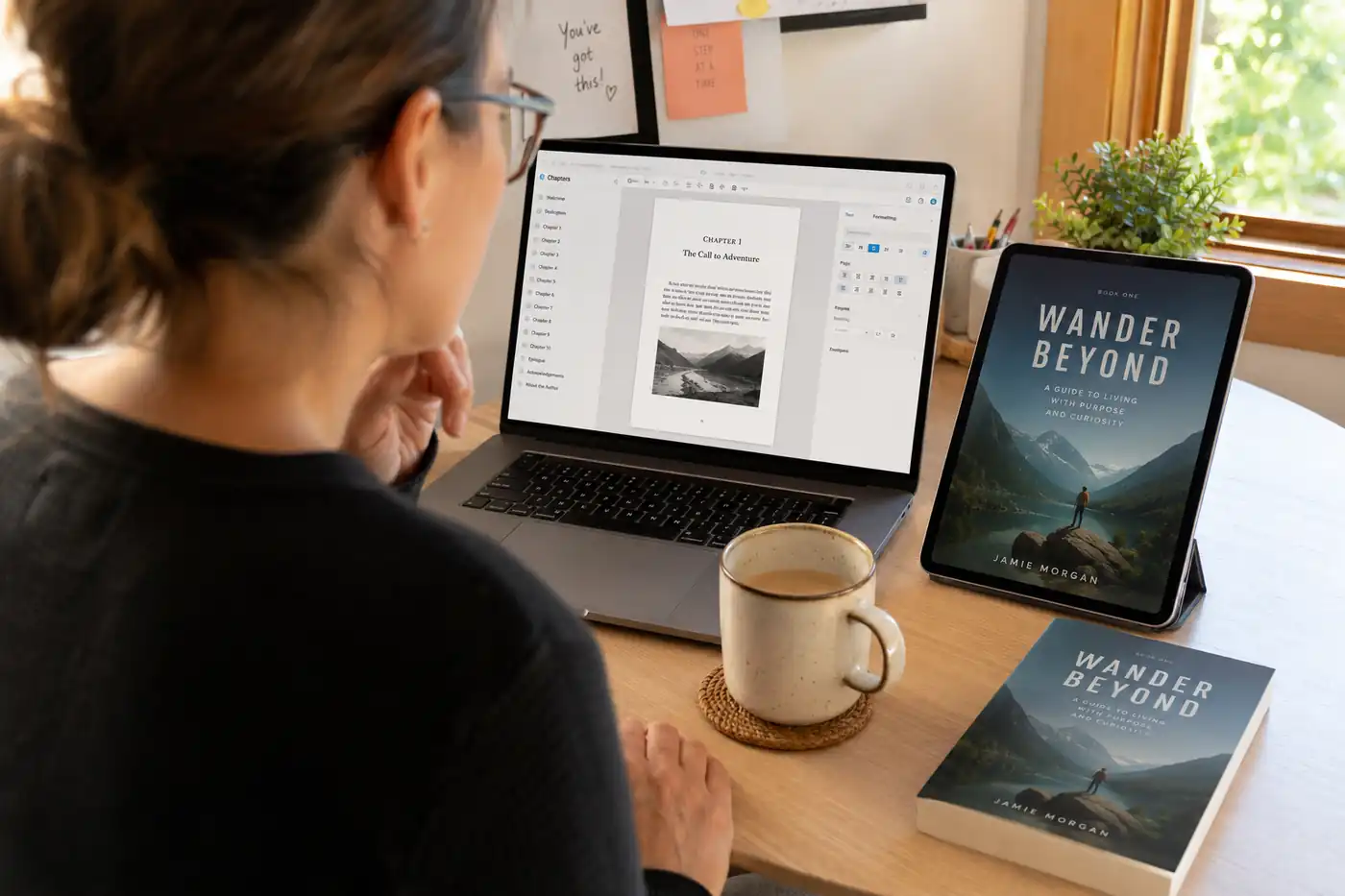
 The 9 Best Ebook Creators in 2026: AI, Formatting, and Design Tools Compared
Not every "ebook creator" does the same job. We compare the 9 best tools of 2026 across three categories: AI generators that write the book, formatting tools that typeset it, and design tools that make it beautiful, with verified pricing for each.
 AI Writing
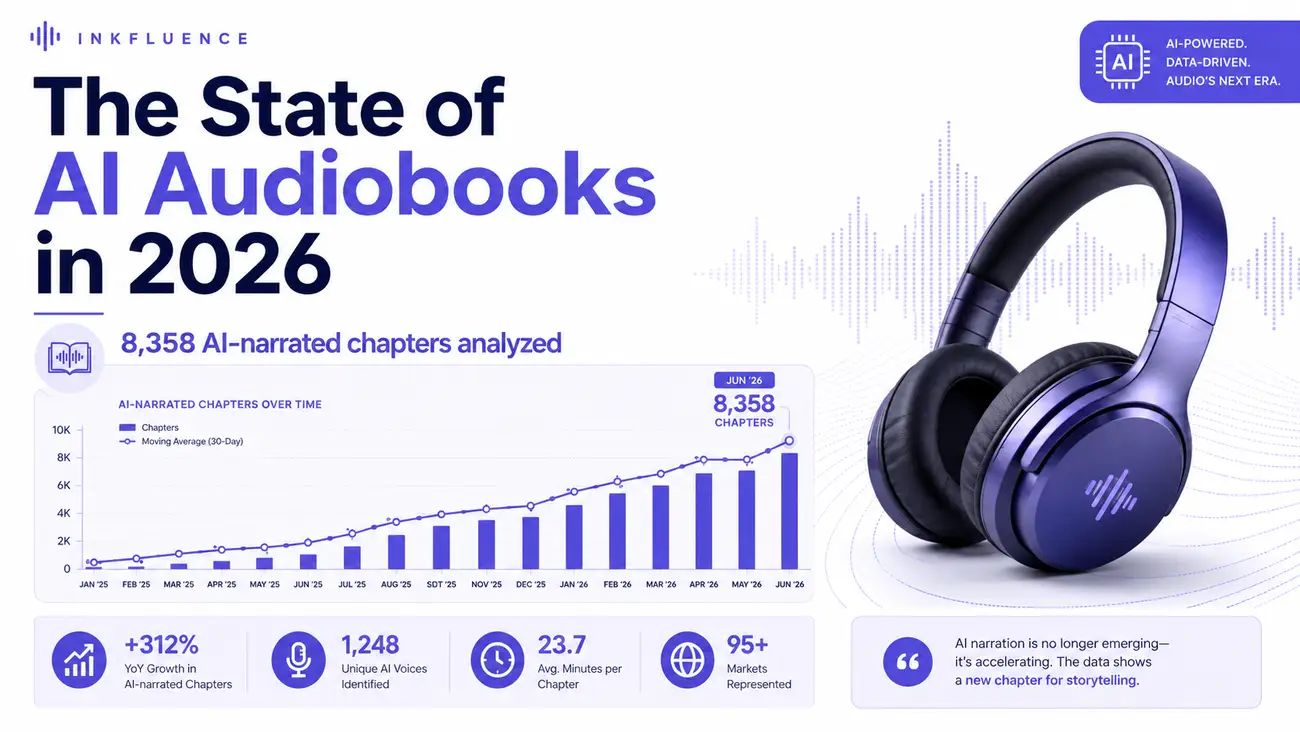
 The State of AI Audiobooks in 2026: What 8,358 AI-Narrated Chapters Reveal
We looked at 8,358 chapters our users narrated into audiobooks with AI. Monthly narration grew from a handful of chapters in late 2025 to nearly 3,000 a month by mid-2026, 99% of jobs finished cleanly, and listeners consistently pick natural, conversational voices over dramatic ones. Here is the first-party data and what it means for authors.
Get ebook tips in your inbox
Join creators getting weekly strategies for writing, marketing, and selling ebooks.