
How to Use AI to Write a Book in 2026: Complete Step-by-Step Guide
Learn how to write a full book with AI in 2026. This step-by-step guide covers planning, outlining, drafting, editing, cover design, and publishing your first AI-assisted book.

Quick Answer
To write a book with AI in 2026, follow these steps: (1) choose your book type and topic, (2) generate a structured outline with an AI tool like Inkfluence AI, (3) draft each chapter sequentially so the AI maintains continuity, (4) edit and inject your own expertise, and (5) design a cover and export to PDF or EPUB. The entire process takes hours, not months. AI handles structure, drafting, and formatting while you provide the ideas and creative direction.
Writing a book used to take months or years of solo effort. In 2026, AI tools can help you go from a blank page to a finished, published book in a fraction of the time. Whether you are writing fiction, non-fiction, or a lead magnet, AI handles the heavy lifting while you stay in creative control.
This guide walks you through the entire process, step by step, using Inkfluence AI as the primary tool. Every step works for novels, business books, self-help guides, and ebooks alike. Browse the genre-specific writing guides for tailored walkthroughs.
Why Use AI to Write a Book?
AI does not replace your voice or ideas. It accelerates the tedious parts of book writing: structuring, drafting first passes, brainstorming chapters, and formatting. If you want to see what happens behind the scenes when AI writes a book, we break the full pipeline down stage by stage, and our piece on how AI integrates across publishing workflows covers everything that follows writing. Here is what AI brings to the table:
- Speed: A first draft that would take 3 months can be produced in days
- Structure: AI generates professional outlines so you never stare at a blank page
- Consistency: Tone, pacing, and formatting stay uniform across chapters
- Cost savings: No need to hire ghostwriters or formatters for your first draft
- Export-ready output: Tools like Inkfluence AI produce finished PDFs and EPUBs, not just raw text
For a comprehensive walkthrough covering genre selection, prompting strategies, and publishing, see our companion guide on how to write a book with AI in 2026.
Step 1: Choose Your Book Type and Topic
Before you open any AI tool, get clear on what you are writing. The type of book determines how you use AI and which features matter most.
- Non-fiction (self-help, business, how-to): Works best with AI because the structure is logical. AI excels at organising information into chapters and subheadings.
- Fiction (novel, short stories): AI can generate plot outlines, character profiles, and chapter drafts. You will need to edit more for voice and style. See our AI novel writing guide for fiction-specific tips.
- Lead magnets and ebooks: Shorter formats (10,000 to 30,000 words) where AI can produce a polished draft very quickly. Check our complete ebook writing guide for more detail.
Pick a topic you know well or have researched thoroughly. AI works best when you can guide it with specific direction rather than vague prompts.
Step 2: Generate a Book Outline
The outline is the most important step. A strong outline means every chapter has purpose and flow. In Inkfluence AI, you enter your book topic, target audience, and desired length. The AI generates a structured outline with chapter titles and key points for each section.
Tips for better outlines:
- Be specific about your audience: "small business owners aged 30 to 50" is better than "entrepreneurs"
- Include the outcome: "readers will be able to launch a Shopify store" gives AI a clear goal
- Aim for 8 to 15 chapters for a full-length book, 5 to 8 for an ebook
- Review and reorder chapters before moving to drafting
You can also use the free book outline generator to create your outline before starting the full book.
Step 3: Draft Each Chapter with AI
With your outline locked in, generate each chapter one at a time. This approach gives you more control than generating the entire book in one pass.
In Inkfluence AI's book writer, each chapter is generated based on the outline context, so the AI knows what came before and what comes next. This keeps the book coherent.
Best practices for chapter drafting:
- Generate one chapter, review it, then move to the next
- Edit as you go rather than waiting until the end
- Add your own examples, stories, and expertise to make the content unique
- Use the AI assistant to rewrite specific paragraphs if the tone is off
Write Your Book Today
Inkfluence AI handles the outline, drafting, and formatting. You add the ideas and expertise. Go from blank page to finished book in minutes, not months.
Start Writing FreeNo credit card required. Generate your first book outline in minutes.
Step 4: Edit and Refine Your Draft
No AI-generated draft is ready to publish as-is. The editing phase is where your book becomes truly yours.
- First pass: fact-check and accuracy. AI can hallucinate statistics and references. Verify every claim.
- Second pass: voice and tone. Rewrite sections that sound generic. Add your personality, anecdotes, and opinions. See our full guide to avoiding generic AI book output for 9 proven techniques.
- Third pass: flow and transitions. Make sure chapters connect logically and the reader is guided from one section to the next.
- Final pass: grammar and formatting. Use Inkfluence AI's built-in editor or export to your preferred writing tool.
Many authors find that AI reduces total writing time by 60 to 80 percent, but the editing phase is still essential. The result should read like something you wrote, not something a machine produced.
Step 5: Design Your Book Cover
A professional cover is non-negotiable if you plan to sell or distribute your book. In Inkfluence AI, the AI cover designer generates covers based on your genre, title, and colour preferences.
Cover design tips:
- Study bestselling covers in your genre for inspiration
- Keep the title large and readable at thumbnail size (critical for Amazon and online stores)
- Use colours that match your genre: dark tones for thriller, bright for self-help, elegant for business
- Generate multiple options and test them with your audience before committing
Step 6: Export and Format Your Book
Your book needs to be in the right format for your distribution channel:
- PDF: Best for direct sales, lead magnets, and Gumroad. Inkfluence AI exports print-ready PDFs with proper margins and formatting.
- EPUB: Required for Amazon KDP, Apple Books, and most ebook stores. Our tool generates valid EPUB files automatically.
- DOCX: Useful if you need to make further edits in Word or Google Docs before final export.
If you are publishing on Amazon KDP, check our complete KDP self-publishing guide for formatting requirements and best practices.
Step 7: Publish and Distribute
With your finished book in hand, you have several publishing options:
- Amazon KDP: The largest marketplace for self-published books. Free to publish, 35 to 70 percent royalties. Use our KDP tools to optimise your listing and review the AI disclosure requirements before you publish.
- Direct sales: Sell PDFs through Gumroad, Payhip, or your own website and keep most of each sale (a $9.99 PDF nets about $7.90 on Gumroad after fees; Payhip takes 5% on its free plan plus processing).
- Lead magnets: Use your book (or a chapter) as a free download to build your email list. Our lead magnet creator is built for this.
- Audiobook: Convert your finished book into an audiobook with AI audiobook generation.
The Entire Workflow in One Tool
Outline, write, edit, design a cover, and export to PDF or EPUB. Sell on Amazon KDP, Gumroad, or your own site. Inkfluence AI does it all so you do not need three different tools.
How Long Does It Take to Write a Book with AI?
Realistic timelines based on book length and your involvement level:
| Book Type | Word Count | AI Drafting | Editing | Total Time |
|---|---|---|---|---|
| Lead magnet / short ebook | 5,000 to 15,000 | 5 to 15 minutes | 1 to 3 hours | 1 day |
| Non-fiction book | 25,000 to 50,000 | 2 to 5 days | 1 to 2 weeks | 2 to 3 weeks |
| Novel | 50,000 to 80,000 | 1 to 2 weeks | 3 to 6 weeks | 1 to 2 months |
These timelines assume you are using a dedicated book-writing AI tool like Inkfluence AI, not a general chatbot. Purpose-built tools produce better output faster because they understand book structure.
Common Mistakes to Avoid
- Publishing the AI draft without editing: Readers can spot unedited AI content. Always invest time in making the book your own.
- Skipping the outline: Jumping straight to chapter drafting produces a disjointed book. Spend time on the outline first.
- Using generic prompts: "Write me a book about fitness" produces generic content. Be specific about audience, angle, and outcome.
- Ignoring your unique perspective: AI provides the structure. You provide the expertise, stories, and personality that make the book worth reading.
- Not verifying facts: AI confidently generates inaccurate information. Fact-check every statistic, quote, and claim.
Best AI Tools for Writing a Book in 2026
For a detailed comparison of the top tools, read our best AI ebook generators 2026 roundup. Here is a quick summary:
- Inkfluence AI: All-in-one book creation platform. Outline, write, edit, design covers, export PDF/EPUB. Best for authors who want everything in one tool.
- ChatGPT / Claude: General-purpose AI. Good for brainstorming and drafting, but you handle formatting, covers, and export yourself.
- Designrr: Focused on repurposing existing content into ebooks. Less useful for writing from scratch.
- Squibler: AI-assisted writing tool with a focus on fiction. Good for novelists who want AI co-writing features.
Best AI for Writing Novels and Long-Form Fiction
Fiction writing with AI is different from non-fiction. Novels require character consistency, plot arc management, dialogue voice, and genre conventions that generic chatbots struggle with. Here is what to look for in an AI novel writer:
- Character tracking: Does the tool remember that your protagonist has brown eyes and a fear of heights? Tools with chapter-to-chapter context maintain these details. Chatbots lose them once the conversation exceeds their context window.
- Genre awareness: A romance novel follows different structural conventions than a thriller. The best AI novel writing tools adjust pacing, tone, and chapter endings based on genre.
- Scene and dialogue quality: AI-generated dialogue often sounds stilted in generic tools. Purpose-built fiction tools produce more natural conversations between characters.
- Length support: Novels run 50,000 to 100,000 words. Many AI tools cap output at a few thousand words. Inkfluence AI supports full novel-length generation with continuity across all chapters.
Supported genres include romance, thriller, fantasy, sci-fi, literary fiction, mystery, horror, and historical fiction. Each genre uses specialised prompting to match reader expectations. For a complete walkthrough, see our AI novel writing guide.
Can AI Help You Write a Non-Fiction Book?
Non-fiction is where AI book writing tools deliver the strongest results. The structure of non-fiction (logical chapters, clear headings, instructional flow) maps well to how AI generates content. Here is what AI handles well in non-fiction:
- Outline generation: AI excels at breaking a broad topic into logical chapters. A prompt like "12-chapter guide on starting a consulting business" produces a structured, sequential outline that you can refine in minutes.
- Research synthesis: AI can summarise and organise information into readable sections. This is invaluable for guides, how-to books, and educational content where clarity matters more than voice.
- Consistency: Non-fiction requires that terminology, definitions, and advice remain consistent throughout. AI tools with chapter continuity maintain this automatically.
- Formatting: Bullet points, numbered steps, tables, and call-out boxes are native to how AI structures content. The output looks professional without manual formatting.
The areas where you still need to add your own work: personal stories, case studies from your experience, original frameworks, and opinions that differentiate your book from generic advice. AI provides the skeleton. You provide the substance that makes the book worth buying.
Popular non-fiction categories for AI book writing include self-help, business strategy, personal finance, health and wellness, technology guides, and how-to manuals. See trending digital product niches for more ideas.
Free AI Book Writers: What You Can Create Without Paying
The search for a free AI book writer is one of the most common starting points for first-time authors. Here is the reality of what free tools offer in 2026:
- Inkfluence AI (free plan): Create a full book with all chapters, outline generation, AI cover design, and PDF export. No credit card, no word cap on the free project. This is the most complete free option for writing a book from scratch.
- ChatGPT free tier: Unlimited text generation, but output stays in the chat. You handle structuring, formatting, design, and export yourself. Good for brainstorming, not for producing a finished book.
- Google Docs + Gemini: Basic AI assistance inside a document editor. Useful for expanding paragraphs, but no book-specific features like outlines, covers, or EPUB export.
Most authors start with the free plan to validate their idea, then upgrade when they want to produce multiple books or need EPUB export for Amazon KDP. For a full comparison, read free AI ebook writer: what you actually get. You can also browse the best free AI book writing tools to see how every option stacks up.
Frequently Asked Questions
Can AI really write a full book?
Yes, AI can generate a complete book draft from an outline. However, the best results come from treating AI as a co-writer rather than a hands-off generator. You provide the direction, expertise, and final edits. AI handles the structure and first-draft writing. Most published authors using AI spend about 30 to 40 percent of their time on editing and personalisation.
Is it legal to publish a book written with AI?
Yes. In most jurisdictions, the person who directs and edits the AI output holds the copyright. The key is that you are making creative decisions: choosing the topic, guiding the outline, editing the content, and adding your own material. Amazon KDP does require you to disclose any AI-generated content during publication. For a deeper look at the legal landscape, read our article on AI book copyright in 2026.
How much does it cost to write a book with AI?
Inkfluence AI offers a free tier that lets you create your first book at no cost. Paid plans start from a few pounds per month. Compare this to hiring a ghostwriter (typically thousands of pounds) or spending months of your own time. AI book writing is by far the most affordable option for first-time authors.
Will readers know my book was written with AI?
Not if you edit properly. The editing phase is where you inject your personality, rewrite generic passages, and add real-world examples. A well-edited AI-assisted book is indistinguishable from a traditionally written one. The authors who get caught are the ones who publish raw, unedited AI output.
Do I need technical skills to use AI book writing tools?
No. Tools like Inkfluence AI are designed for non-technical users. You type your book idea, review the outline, and the AI generates chapters. No coding, prompt engineering, or technical setup required.
Can I use AI to write fiction and non-fiction?
Absolutely. AI handles both. Non-fiction tends to produce better first drafts because the structure is more predictable. Fiction requires more editing for voice and creativity, but AI is excellent at generating plot outlines, character arcs, and chapter structures. Inkfluence AI supports 20+ different book types, from novels and self-help guides to cookbooks and workbooks.
Ready to Write Your Book?
Join thousands of authors using Inkfluence AI to create professional books. Free plan includes outline generation, chapter drafting, cover design, and PDF export.
Start Your Book FreeNo credit card required. Your first book is on us.

Founder, Inkfluence AI
Sam is the founder of Inkfluence AI. He built the platform to make book creation accessible to everyone - from first-time authors to seasoned publishers.
Helpful links
Ready to Create Your Own Ebook?
Start writing with AI-powered tools, professional templates, and multi-format export.
Get Started FreeRelated Articles
 AI Writing
 Best AI for Editing a Book (2026): 9 Tools Compared by Editing Job
Which AI should edit your manuscript? We compare ProWritingAid, Grammarly, AutoCrit, Sudowrite, Novelcrafter, ChatGPT, Claude, the free checks in Google Docs and Word, and Inkfluence AI by the job each does best: grammar, line editing, story feedback, or editing and publishing in one place. Prices checked 2 October 2026.
 Self-Publishing
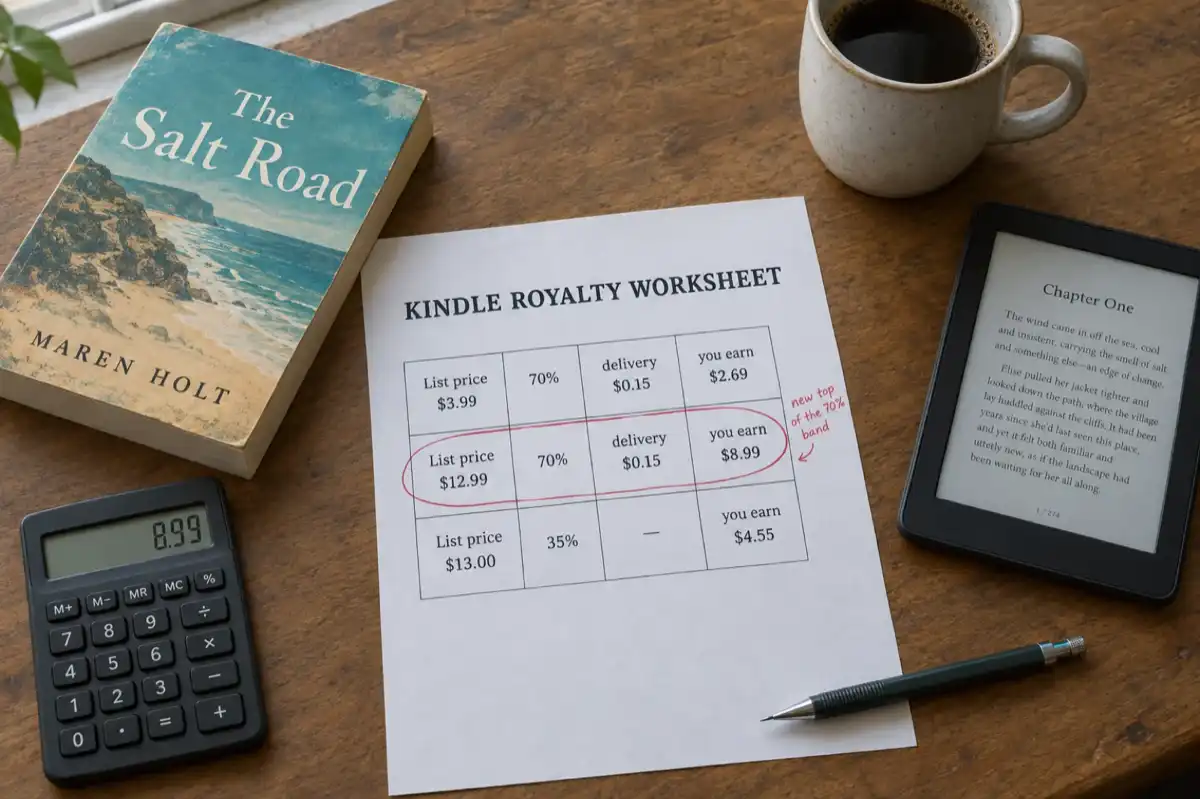
 KDP Royalties 2026: The 70% Band Now Runs to $12.99
Since 7 July 2026 Amazon KDP pays 70% on Kindle ebooks priced from $2.99 to $12.99, up from $9.99. What the change means for your price, how the delivery charge and the $13 cliff work, and what paperbacks, hardcovers and Kindle Unlimited pay, with worked examples.
 Guides
 Selling AI Coloring Books on Amazon KDP: The 2026 Rules, Specs, and Math
Are AI coloring books allowed on KDP? Yes, with disclosure. The part nobody covers: the AI workflow that passes review, style consistency across 30 pages, the interior specs that cause rejections, and the royalty ladder that decides your price.
Get ebook tips in your inbox
Join creators getting weekly strategies for writing, marketing, and selling ebooks.