

Quick Answer
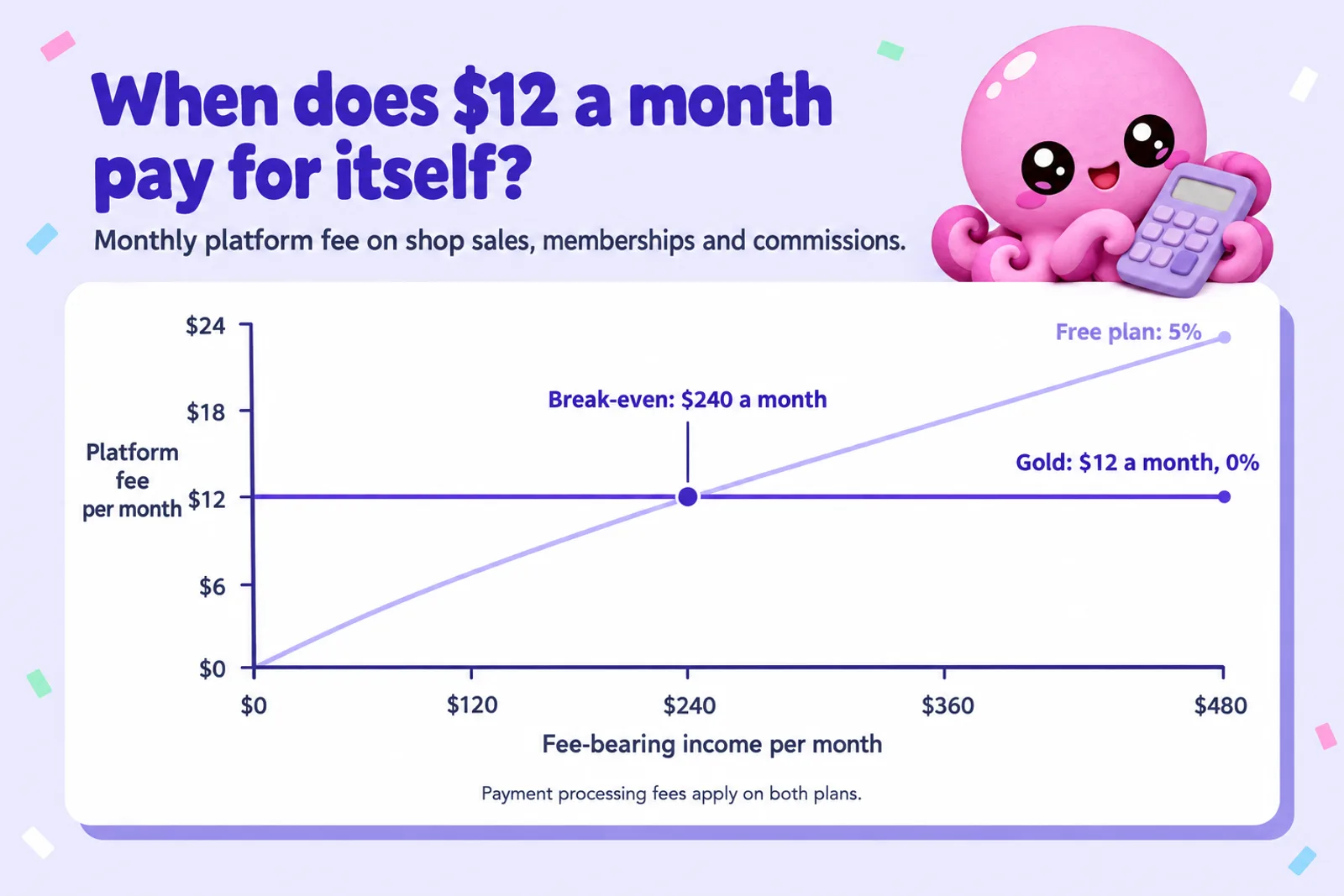
Ko-fi lets an author take tips, ebook sales, monthly memberships and commissions on one page, with the money going straight into your own PayPal or Stripe account. The free plan takes 5% of shop sales, memberships, monthly tips and commissions, and 0% of one-time tips once you switch off its default Standard setting. Ko-fi Gold costs $12 a month and takes 0% on everything, so it pays for itself above about $240 a month of fee-bearing income. Processing fees come on top on both. Ko-fi does not handle VAT or sales tax for you and brings you very few new readers, so it suits authors who already have fans.
Checked on 28 October 2026. Ko-fi's site and help centre refuse automated reading, so every Ko-fi fact here comes from Ko-fi's own pages (ko-fi.com, help.ko-fi.com and more.ko-fi.com) as shown in search results that day, cross-checked against each other. We did not use third-party reviews for any Ko-fi number. Where Ko-fi's pages disagree or say nothing, we say so. PayPal, Stripe, Patreon, Payhip and Gumroad facts come from their own pricing and help pages. Links are in Sources.
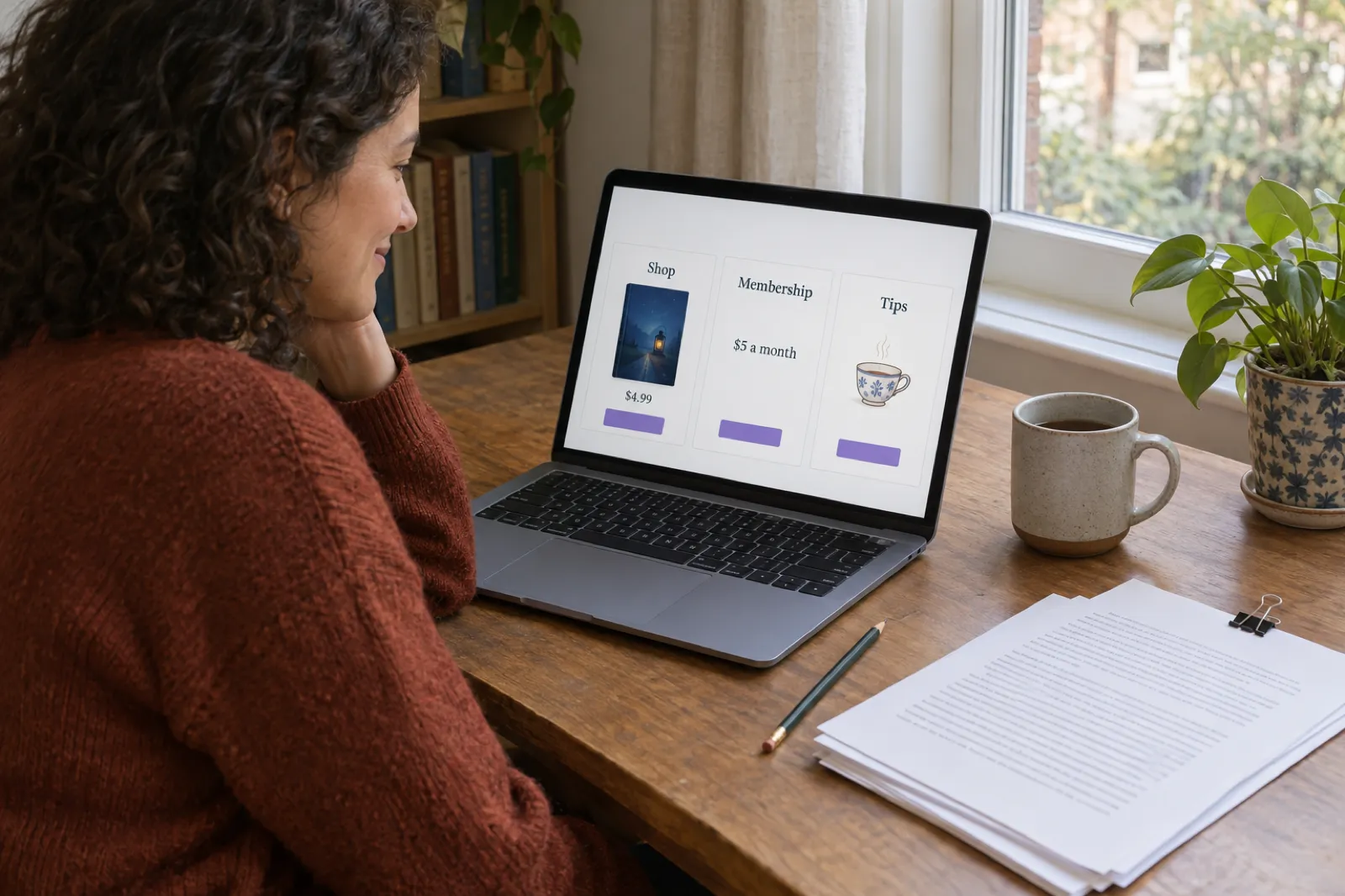
Most selling platforms make an author pick one thing: a shop, a membership or a tip jar. Ko-fi puts all of them on one page and charges little for it, which makes it a natural home for writers who already have readers: a serial fiction author posting weekly, an illustrator selling picture book PDFs, or a novelist whose newsletter readers ask how to support the next book. This guide covers what Ko-fi really costs, when Gold is worth it, how each part works for books, and where Ko-fi falls short.
Disclosure: Inkfluence AI is our product. It helps you plan, write and format books and exports the files you would upload to Ko-fi; it does not connect to Ko-fi itself. Ko-fi has not paid for or seen this page.
What Ko-fi is, for an author
Ko-fi started as a "buy me a coffee" button: a page where fans could send a creator a small one-time tip. It has grown into a creator storefront. Ko-fi calls itself the free Patreon alternative "chosen by 1M creators", and a single Ko-fi page can now hold five things an author can use:
- One-time tips (Ko-fi still calls them coffees), sent without signing up for anything.
- Monthly tips and memberships. Recurring support, with tiers, member-only posts and Discord roles. This is where serial fiction lives.
- Ko-fi Shop. Digital downloads and physical items: ebooks, PDFs, art packs, signed copies.
- Commissions. Paid-upfront custom work with slots, terms and a request form.
- Posts. Public or member-only updates, which double as a place to publish chapters.
Supporters can pay without making a Ko-fi account, which matters for authors: a newsletter reader can click a link and buy your ebook in a minute. For readers who want member posts, an account is needed to see what they paid for.
What Ko-fi is not: an ebook store with millions of shoppers, a Kindle delivery service, or a tax collector. Each gap gets its own section below.
Ko-fi fees in 2026: Free, Standard and Gold
Much of the web still quotes old Ko-fi numbers, such as a $6 Gold plan. This is how Ko-fi's own pages describe it in October 2026.
The free plan
No monthly charge and no listing fee. Ko-fi takes a 5% service fee on shop sales, memberships, monthly tips and commissions. One-time tips are 0%, with one catch covered next.
The Standard setting (formerly Contributor status)
This is the part most authors miss. Ko-fi's help centre says new creators now start with "all of Ko-fi unlocked from day one". In practice that means a setting called Standard (older help pages call it Contributor status) is switched on by default, and it takes 5% of your one-time tips too, in exchange for extras such as supporter-only content, scheduled posts and a shorter page name. You can switch it off in Settings > Payment to keep one-time tips completely fee-free.
If you will post member-only chapters or schedule posts, leave it on. If your page is mainly a tip jar and a shop, switch it off. Ko-fi's pricing page and help centre word this differently, so check your own Settings > Payment page.
Ko-fi Gold
Ko-fi's Gold page now opens with "You no longer need Ko-fi Gold", because every feature is available on the free plan for a 0 to 5% fee. Gold is still sold: it unlocks 0% service fees on all payment options for a fixed $12 a month, rather than the 5% fee. Ko-fi says new users can only take Gold monthly; annual plans are no longer offered to new members.
| Payment type | Free, Standard off | Free, Standard on (default) | Gold ($12 a month) |
|---|---|---|---|
| One-time tips"Buy me a coffee" | 0% | 5% | 0% |
| Monthly tips and memberships | 5% | 5% | 0% |
| Ko-fi Shop salesDigital and physical | 5% | 5% | 0% |
| Commissions | 5% | 5% | 0% |
| PayPal or Stripe processingCharged by the processor, not Ko-fi | Extra | Extra | Extra |
Source: Ko-fi's "Does Ko-fi take a fee?", "Contributor status" and "What is Ko-fi Gold?" help articles and its pricing, Gold, memberships and commissions pages, as shown in search results on 28 October 2026.
When Gold pays for itself
Gold is a flat $12 against 5% of your fee-bearing income, so the break-even is simple: $12 divided by 5% is $240 a month. Fee-bearing income means shop sales, memberships, monthly tips and commissions, plus one-time tips if Standard is on. Below $240, the free plan costs less; above it, Gold does. At $500 a month of fee-bearing income the free plan costs $25 in fees, so Gold saves $13 a month, or $156 a year.
Gold does not touch processing, which on small payments often costs more than Ko-fi's cut.
PayPal, Stripe and getting paid
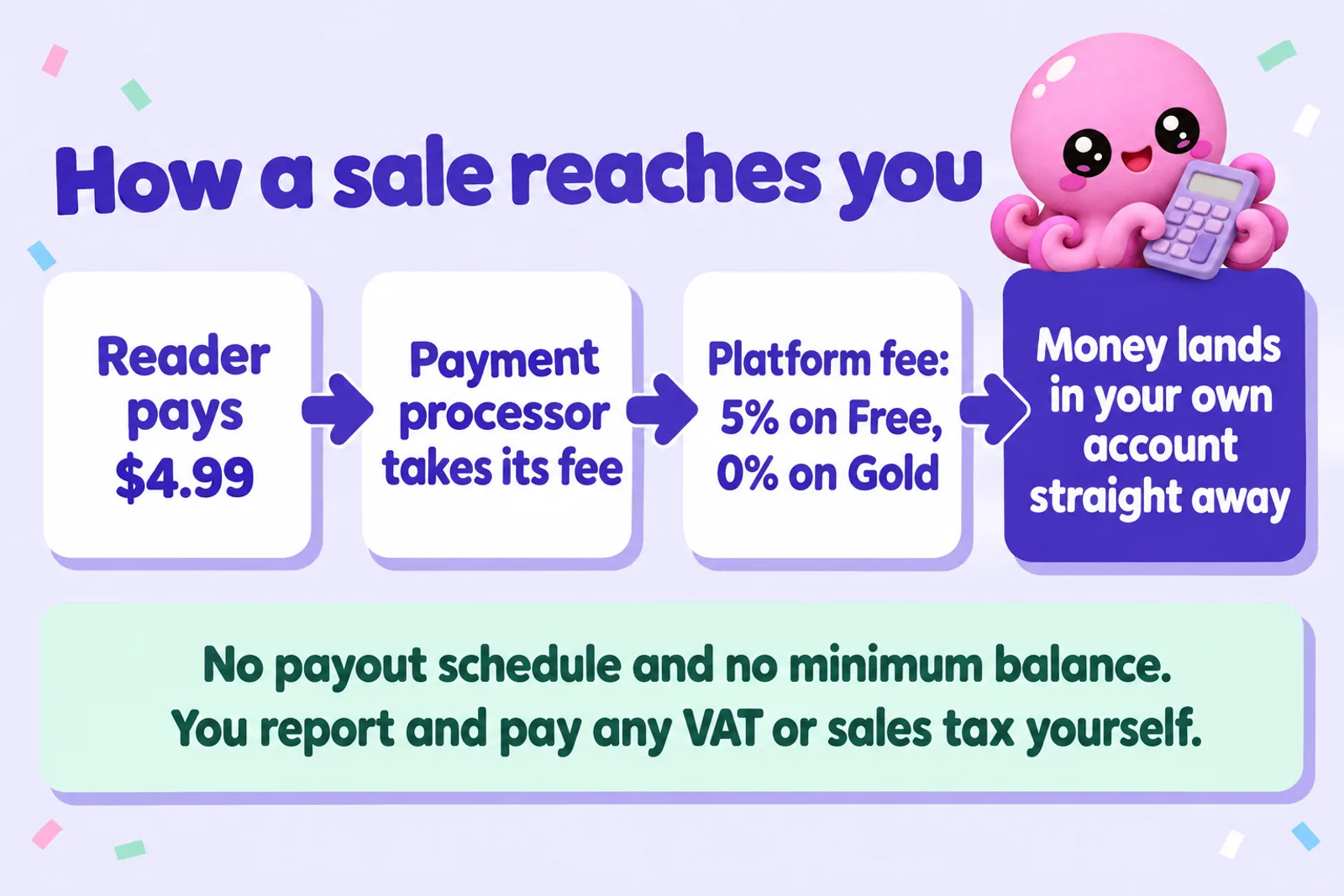
Ko-fi does not hold your money. Its help centre describes payments going straight from the supporter into the creator's own PayPal or Stripe account, with no Ko-fi balance, no minimum and no payout schedule. That is the biggest practical difference from Patreon and Gumroad, which collect the money first and pay you out later.
- Two processors only. Ko-fi supports PayPal and Stripe, and you can connect one or both.
- Stripe needs a full account. Ko-fi's help pages say Stripe Express accounts are not supported.
- Apple Pay and Google Pay appear through Stripe on one-time payments, with no setup on your side. Ko-fi says they are not available for memberships or other recurring payments.
- Processing fees are your cost: "normal transaction fees", in Ko-fi's words, usually around 3% + $0.30.
What the processors charge (US accounts)
| Processor | Standard rate | Extra for international | On a $4.99 sale |
|---|---|---|---|
| Stripestripe.com/pricing | 2.9% + $0.30 | Cross-border cards cost more; plus a fee if currency is converted | $0.44 |
| PayPal Checkoutpaypal.com business fees, US | 3.49% + $0.49 | +1.50% | $0.66 |
The fixed part hurts small payments: on a $3 tip, Stripe's $0.30 is 10% on its own. Set a $5 entry tier rather than $1, and bundle cheap items. Rates differ outside the US.
Refunds and disputes
Because the payment sits in your PayPal or Stripe account, refunds and chargebacks run through them, not through Ko-fi. Ko-fi warns that with commissions paid upfront there is a small chance a buyer disputes the payment with their provider, and recommends clear terms, regular messages and records of everything agreed. The same habits protect ebook sales: say clearly what the file is and which formats are included.
Write the book your readers keep asking for
Inkfluence AI helps you plan, write and edit an ebook, a novel or a picture book, then exports clean files ready to upload to Ko-fi Shop. Start on the free plan and see your first chapters today.
Start writing freeKo-fi earnings calculator
Put in a typical month. The calculator shows what Ko-fi and your payment processor take on the free plan and on Gold, what you keep, and how far you are from Gold paying for itself.
Ko-fi earnings calculator: Free vs Gold
Runs in your browser. Nothing is saved or sent anywhere.
Money in each month: $0.00 · Fee-bearing income: $0.00
| Plan | Ko-fi cost | Processing | You keep a month |
|---|
Constants, read 28 Oct 2026: Ko-fi free plan 5% on shop sales, memberships, monthly tips and commissions, 0% on one-time tips with Standard off (5% with it on); Ko-fi Gold $12 a month and 0% (Ko-fi help centre, pricing and Gold pages). Stripe 2.9% + $0.30 per payment (US standard rate); PayPal Checkout 3.49% + $0.49 (paypal.com US business fees). International cards, currency conversion, VAT and sales tax are not included. Break-even for Gold: $12 / 5% = $240 of fee-bearing income a month.
Write something to sell on Ko-fiTwo worked examples
A serial fiction writer with 30 members at $5, 20 sales of a $4.99 ebook and 15 tips of $5 takes in $324.80 a month. With Standard off, fee-bearing income is $249.80, so the free plan's 5% is $12.49 and Gold's flat $12 is 49 cents cheaper. Stripe takes $28.92 across 65 payments. This writer keeps about $283 a month either way. With Standard on, tips join the fee base, the free plan costs $16.24 and Gold would save about $4 a month.
A picture book creator selling 60 PDFs at $7.99, with 10 sketchbook members at $3, two $40 commissions and 10 tips of $5, takes in $639.40. Fee-bearing income is $589.40, so the free plan costs $29.47 against Gold's $12: Gold saves $17.47 a month, about $210 a year. Stripe takes $43.14. Ten $3 memberships cost $3.87 in processing, about 13% of what they bring in.
Our ebook pricing guide helps set the shop price, and the ebook income calculator projects sales across stores if Ko-fi is one channel of several.
Selling ebooks in Ko-fi Shop
Ko-fi Shop sells digital downloads and physical items. For an author: list an ebook, upload the files, set a price, and buyers download straight after paying.
What to sell
- The ebook itself, as EPUB and PDF together so the buyer can read on any device. Our ebook formats guide explains the difference.
- Collected editions of a serial for readers who prefer to binge.
- Picture book and colouring book PDFs to print at home.
- Bonus material: maps, character art, deleted scenes, a prequel.
- Audiobooks as downloadable MP3s. The AI audiobook generator makes them from your manuscript, and where to sell an AI audiobook covers the other options.
Pricing options
Each shop item has a price, and Ko-fi lets you add a pay what you want option so buyers can pay more than the minimum. With loyal readers, a $4.99 minimum plus "pay more if you like" lets fans round up. Each item also has an "Exempt from sales tax" switch that bypasses your default tax setting for that item (see Tax before you touch it).
What Ko-fi Shop does not do
- No delivery to Kindle or e-reader apps. The buyer downloads the file, so explain in the description how to open an EPUB, or include a PDF.
- No shopper traffic to speak of (see discovery).
- No tax handling: you set and remit tax yourself.
Ko-fi lists storage and file limits in its Shop help article; the figures we could see were from an older version, so check them before uploading a large audiobook.
Have a story readers already love?
Turn it into a finished ebook in Inkfluence AI: outline it, write it chapter by chapter in your own voice, and export a clean EPUB and PDF for your Ko-fi shop. The free plan exports PDF; EPUB comes with any plan or credit pack.
Create my ebookMemberships for serial fiction
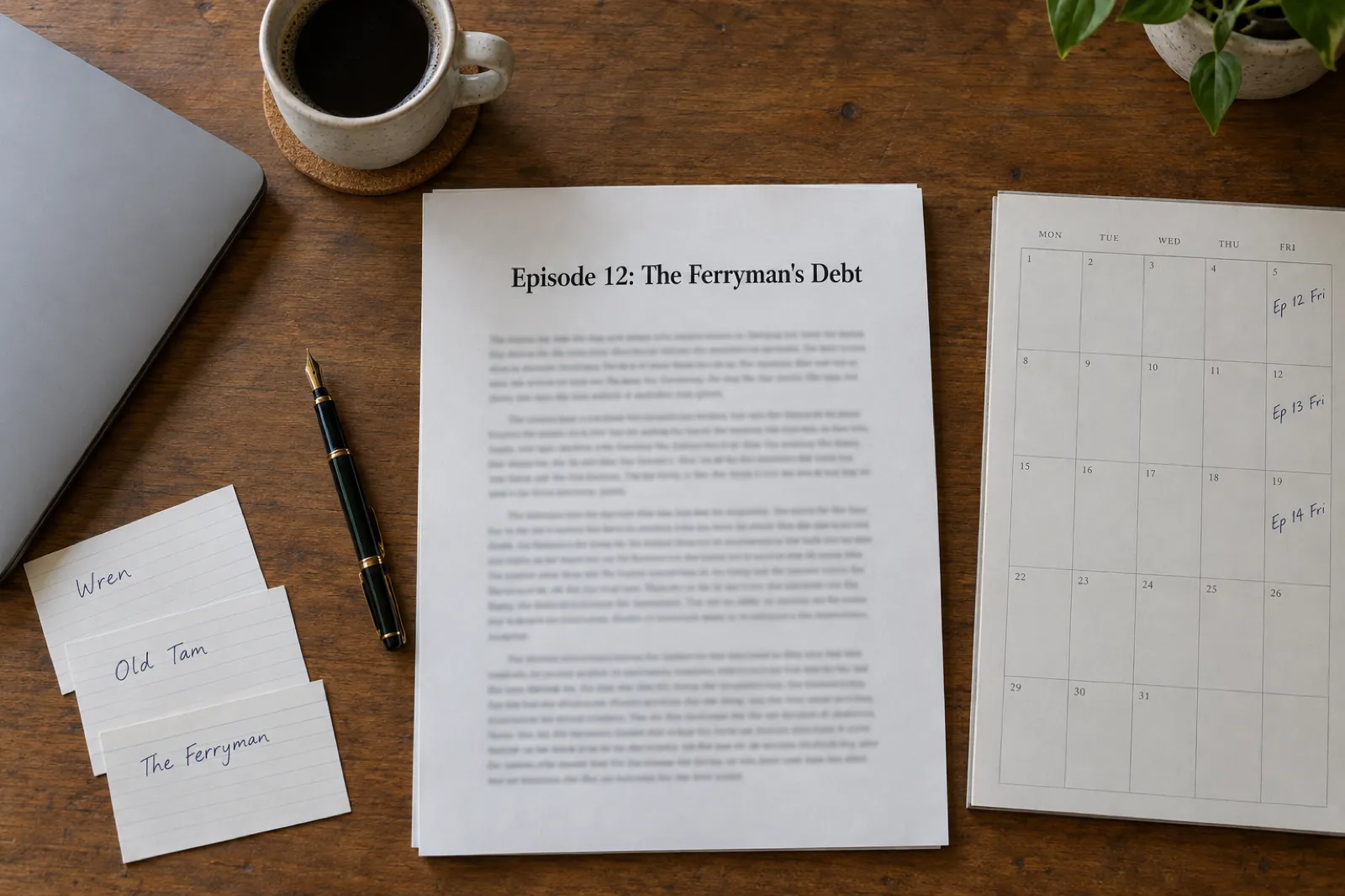
Memberships are where Ko-fi earns its place for fiction writers. A serial is a promise of a new episode every week or fortnight, and memberships turn that promise into steady monthly income.
How Ko-fi memberships work
- Tiers. You add tiers, each with a name and a minimum monthly price. Supporters can choose to pay more.
- Billing. Members are charged when they join, then on the same date each month. We found no annual option for supporters in Ko-fi's help pages.
- Member posts. When you write a post, you pick the minimum tier that unlocks it. Episode 12 for the $5 tier, the bonus chapter for the $10 tier.
- Discord. Connect your server and Ko-fi can give each tier its own role, so members get access to a reader chat automatically. Monthly members lose the role when their membership ends.
- Fee: 5% on the free plan, 0% on Gold, plus processing.
A simple tier plan for a serial
| Tier | What members get | Why it works |
|---|---|---|
| Reader, $5 a monthMost of your members | Each new episode a week before it goes public; the collected ebook when an arc ends | Early access is the reason most serial readers pay. $5 carries the processor's fixed fee well |
| Insider, $10 a month | Everything above, plus a monthly bonus scene and a vote on side stories | Fans who want more pay more; the extra work is one short piece a month |
| Patron, $25 a monthKeep it small | Everything above, plus a name in the acknowledgements and a signed print copy each year | A handful of superfans can match dozens of $5 members |
Promise only what you can keep delivering, and write a buffer before launch: four to six finished episodes means a bad month never shows.
Writing the serial
Serial fiction is a series in miniature: every episode needs to remember what came before, keep characters consistent and leave a reason to come back. If you draft with help, the AI novel writer plans and writes long fiction chapter by chapter while keeping track of characters and what has happened so far. For arcs that run book after book, the AI book series writer continues a finished book as the next volume, carrying the cast and events forward, and our guide on how to write a book series with AI walks through planning one. The story bible generator keeps names, places and rules straight, and our continuity checking guide covers catching slips before members do.
Chapter length is the lever that matters for serials. In Inkfluence AI each chapter usually runs about 1,000 to 1,500 words, which is a comfortable single episode; the number of chapters sets the length of an arc. Edit every episode yourself before it goes out; Ko-fi's rules also expect honesty about how it was made (see the AI section).
Commissions for authors and illustrators
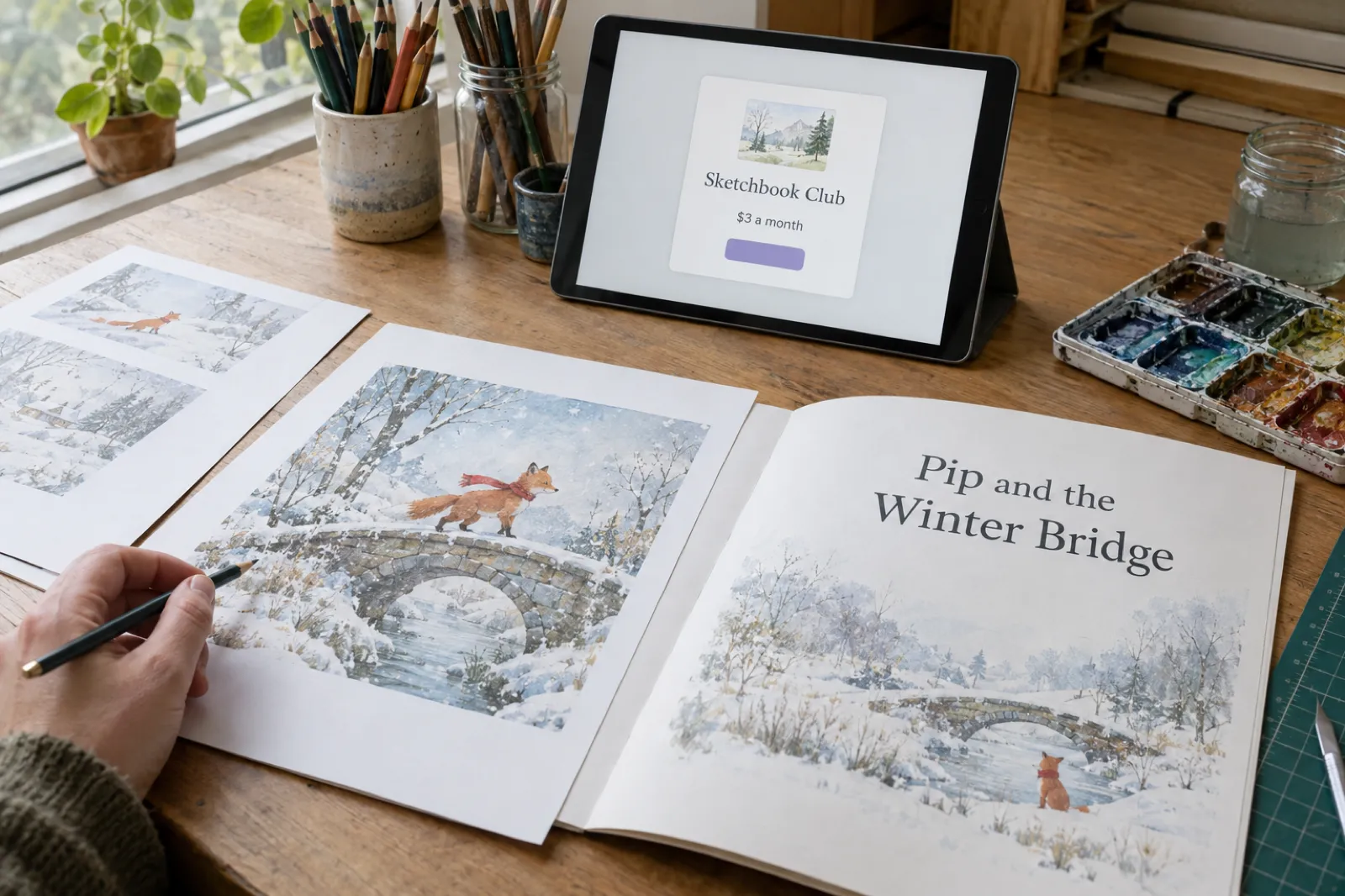
Ko-fi Commissions were built for artists, but they fit writers and illustrated-book creators well. You open commissions, set how many slots you have, write your terms, and buyers submit a request and pay upfront. Ko-fi says buyers must agree to your terms before they submit, and you can message them to agree details. The fee is 5% on the free plan or 0% on Gold, plus processing, and the money lands in your account straight away.
Commission ideas that work for authors:
- Personalised picture books with a child's name, pet or hometown. The personalised children's book maker and the AI picture book maker handle the writing and pictures; you handle the personal details and the final check.
- Custom short stories: a birthday story, an anniversary story, a story set in a reader's favourite place.
- Character art and illustrated scenes from your own books, for comic and illustrated-book creators who draw.
- Manuscript critiques or blurb rewrites for other writers, if editing is a skill you sell.
Ko-fi suggests terms that cover turnaround time, what the price includes, delivery, and your refund and cancellation policy: clear terms are your best defence against a dispute. Open only as many slots as you can finish on time.
Tax: who handles VAT and sales tax
This is the part of Ko-fi that most surprises authors coming from Payhip or Gumroad. Ko-fi's help article "How tax works on Ko-fi" says it is a direct payment service: supporters pay you directly into your own PayPal or Stripe account, so Ko-fi does not collect or remit sales tax or VAT on your behalf. Its terms say creators are solely responsible for working out, collecting, reporting and paying any taxes, VAT and sales tax included, wherever they and their supporters live.
What Ko-fi gives you is a tool: add the places where you are registered and the percentage, and Ko-fi adds it at checkout on shop items, memberships and commissions. You receive the tax with the payment and pay it over yourself.
EU VAT on ebooks
Ebooks and other downloads sold to consumers in the EU are generally taxed where the buyer lives. The EU's own guidance sets a €10,000 threshold for cross-border sales by businesses based in the EU, below which home-country VAT can apply. Sellers not established in the EU can use the EU's non-Union One Stop Shop to register in one EU country and declare VAT on services to EU consumers. The UK has its own rules. Whether and when you need to register depends on where you are and how much you sell, so ask a tax adviser before your EU or UK sales grow. It is the main reason some authors sell ebooks on Payhip or Gumroad and keep Ko-fi for tips and memberships.
Income reporting
Separately from sales tax, Ko-fi reports income for creators in the EU and UK who meet certain thresholds, under the EU's DAC7 rules and the UK equivalent. It does not deduct income tax. Keep records from day one.
Content rules and Ko-fi's AI stance
Ko-fi has a dedicated help article, "Ko-fi's stance on AI". It does not ban AI-assisted work. Ko-fi says it focuses on making sure content meets copyright law and its content guidelines rather than deciding which tools are acceptable. What it does require:
- Honesty about how work was made. Presenting AI-generated content to buyers as your own human-made work breaks Ko-fi's terms. Its examples are marketing AI-generated reference images as hand-drawn, and selling AI-written content as your own writing.
- No copyright infringement. The content guidelines bar AI content that can be shown to directly infringe an artist's copyrighted work.
- No AI work in giveaways or contests, including on Ko-fi's social accounts and Discord.
- No scraping of Ko-fi content, including to train AI models.
For a writer, the practical step is a short line in your shop item and About section, such as "Drafted with AI writing tools, then edited and revised by me." Our roundup of which stores allow AI-written books compares Ko-fi's approach with Amazon, Etsy and the rest, and can you sell AI-generated books? covers the wider question.
Will Ko-fi find you readers?
Mostly, no. Ko-fi's help article "Can I search for creators on Ko-fi?" says you cannot search for creators directly on Ko-fi and that no algorithm decides who sees your content. There is an Explore page that features creators by category, but Ko-fi does not publish how creators are chosen for it, so we could not confirm whether or how an author gets listed. Ko-fi's own advice is to pin your link in posts, add it to your bios and use the same handle as on your other accounts.
For authors that means Ko-fi is a checkout for readers you already have, not a way to find new ones. Put the Ko-fi link at the back of every ebook, in every newsletter footer and on your author website. If you need a channel that brings shoppers, look at Etsy for printables, or the stores in our guide to publishing wide for ebooks.
Give readers a free first book
A short prequel or first episode is how most authors grow the audience that later joins a membership. Write it in Inkfluence AI, export it, and use it to point readers to your Ko-fi page.
Write a reader magnetKo-fi vs Patreon vs Payhip vs Gumroad
All four can sell an ebook and run a membership. They differ on fees, who handles tax, when you are paid and whether they bring buyers.
| Ko-fi | Patreon | Payhip | Gumroad | |
|---|---|---|---|---|
| Platform fee | Free: 5% (0% on one-time tips with Standard off). Gold: $12 a month, 0% | 10% for creators who publish after 4 Aug 2025 | 5% (Free), $29 + 2% (Plus), $99 + 0% (Pro) | 10% + $0.50 on your own links; 30% on Discover |
| ProcessingUS card rates | PayPal or Stripe fees, extra | 2.9% + $0.30 on payments over $3, plus payout fees | PayPal or Stripe fees, extra | 2.9% + $0.30, extra on direct sales |
| A $5 membership leavesBefore tax; Stripe-type card rate | About $4.30 (Free), $4.55 (Gold) | About $4.05, before payout fees | About $4.30 (Free) | About $3.55 |
| VAT and sales tax | You handle it; Ko-fi adds your rates at checkout | Collects and pays VAT where it is required to | Collects and pays EU and UK VAT, US and most Canadian sales tax | Merchant of record for all sales tax since 1 Jan 2025 |
| When you're paid | Instantly, into your PayPal or Stripe | Payouts from your Patreon balance | Instantly, into your PayPal or Stripe | Payouts from your balance once it reaches $100 |
| Brings buyers? | Very few: no creator search | Little, but readers know the name | A small marketplace | Discover, at 30% |
| Also sells | One-time tips and commissions, built in | Member posts, plus one-time sales of posts and collections | Courses, memberships, coaching, physical products | Courses, memberships, calls and commissions |
Patreon: support.patreon.com creator fee and VAT articles. Payhip: payhip.com/pricing and help centre. Gumroad: gumroad.com/pricing. Read 28 October 2026. Figures for a $5 payment at 2.9% + $0.30.
Ko-fi or Patreon?
Patreon is the membership brand readers recognise, and it handles VAT where it is required to. But it charges new creators 10%, holds your money until payout, adds payout fees, and Apple takes 30% when a member joins through Patreon's iPhone app. Ko-fi charges half as much (or nothing on Gold), pays instantly and adds a shop, tips and commissions. Ko-fi is the cheaper start; Patreon makes more sense once handling tax across many countries costs you real time.
Ko-fi or Payhip?
Both take 5% at the free level and pay you instantly. Payhip handles EU and UK VAT and US and most Canadian sales tax, stamps PDFs and has fuller store tools; Ko-fi has tips, commissions and simpler member posts. Selling the ebook on Payhip and running the membership on Ko-fi is a sensible split. See our Payhip review, how to sell ebooks on Payhip and the Payhip fee calculator.
Ko-fi or Gumroad?
Gumroad takes 10% + $0.50 on direct sales but acts as merchant of record, so it handles sales tax everywhere. On a $4.99 ebook you keep about $3.55 on Gumroad against about $4.30 on Ko-fi Free. Gumroad suits sellers who want tax off their plate. Compare in Payhip vs Gumroad and how to sell ebooks on Gumroad.
Other creator checkouts work in similar ways. See our guides to Stan Store for authors, selling ebooks on Lemon Squeezy and selling ebooks on Sellfy, and the full channel list in where to sell ebooks in 2026.
Who Ko-fi suits, and who it doesn't
A good fit
- Serial fiction writers with readers on a newsletter or a free reading site, who want weekly episodes paid for by memberships and a shop for collected editions. See also Inkfluence AI for series authors.
- Illustrated-book and comic creators who already post art, can take commissions, and sell printable picture books or art packs. The AI book illustration generator and making a picture book with your own images help if you illustrate.
- Authors with a fan base who keep hearing "how can I support you?"
- Writers selling mainly in one country, where tax is simpler.
Not the best fit
- Authors with no audience yet. Ko-fi will not bring readers. Start on Amazon KDP or Etsy where shoppers already search.
- Ebooks in KDP Select. Select requires the digital edition to be exclusive to Amazon for each 90-day term, so you cannot also sell it on Ko-fi. Bonus material and other books are fine.
- Sellers with lots of EU or UK buyers who don't want to handle VAT. Payhip, Gumroad or Patreon do more of this for you.
Step by step: from manuscript to Ko-fi launch
The whole route, from first draft to a live Ko-fi page with a shop item and a membership.
1. Write the book or the first arc
For fiction, the AI novel writer works chapter by chapter; for a run of books, the series writer continues each finished book into the next. For non-fiction ebooks, guides and workbooks, start with the AI ebook generator. For picture books, the picture book maker. The number of chapters sets the length; revise every chapter yourself.
2. Split it into episodes, if it is a serial
Each chapter can be an episode. Keep four to six in hand before you announce.
3. Make the cover and the files
Make a cover with the AI book cover generator, then export. On the Inkfluence AI free plan you can export a PDF (with Inkfluence branding); EPUB, Word and KDP print files come with any plan or a credit pack, which also removes the branding. For a shop item, upload both an EPUB and a PDF. The AI book formatter tidies a manuscript you wrote elsewhere.
4. Set up Ko-fi
- Create your page with the handle you use elsewhere.
- Connect PayPal, Stripe or both. Stripe needs a full account, not Express.
- Decide on Standard in Settings > Payment: keep it on if you will post member-only episodes, switch it off if your page is mainly tips and a shop.
- Set up tax for any place you are registered, before your first sale.
5. Add the shop item
- Upload the EPUB and PDF, add the cover image and a clear title.
- Describe the book, the formats included and how to open them.
- Add a one-line note on how the book was written, in line with Ko-fi's AI stance.
- Set the price, and turn on pay what you want if your readers like to tip.
6. Add membership tiers
Two or three tiers, a $5 entry tier and rewards you can keep up. Your first member-only post: a welcome with the release schedule.
7. Price it
Look at what similar books in your genre sell for, then use the calculator above to see what each price leaves you after fees. Remember the fixed processing fee: below about $3 it takes a large share of every sale. Our pricing guide has more.
8. Launch to the readers you already have
- Email your newsletter with the shop link and the membership.
- Put the Ko-fi link at the back of every ebook you sell elsewhere, and in your author bio.
- Post the first episode publicly, with a clear "next episode for members on Friday" line.
- After a month, check the numbers: if fee-bearing income is regularly above $240, switch to Gold.
Start your serial or ebook today
Inkfluence AI plans the outline, writes the chapters with you and exports the files your Ko-fi shop needs. Your first chapters are free.
Open Inkfluence AIKo-fi for authors: FAQ
How much does Ko-fi take from authors in 2026?
On the free plan Ko-fi takes 5% of shop sales, memberships, monthly tips and commissions, and 0% of one-time tips if you switch off its default Standard setting. Ko-fi Gold costs $12 a month and takes 0% on everything. PayPal or Stripe fees come on top on both plans, about 2.9% + $0.30 a payment at Stripe's standard US rate.
Is Ko-fi Gold worth it?
Only once your fee-bearing income (shop, memberships, commissions, plus tips if Standard is on) passes about $240 a month, because 5% of $240 is $12. Below that the free plan costs less. New members can only pay for Gold monthly.
Can I sell ebooks on Ko-fi?
Yes. Ko-fi Shop sells digital downloads as well as physical items, so you can list an EPUB and PDF with a fixed or pay-what-you-want price, and buyers download after paying. The fee is 5% on the free plan or 0% on Gold, plus processing.
Does Ko-fi handle VAT and sales tax?
No. Ko-fi describes itself as a direct payment service: buyers pay into your own PayPal or Stripe account, so Ko-fi does not collect or pay VAT or sales tax for you. It lets you add tax by location at checkout; you report and pay what you collect.
When do I get paid on Ko-fi?
Straight away. Payments go directly into your connected PayPal or Stripe account when the supporter pays, with no Ko-fi balance, minimum or payout schedule.
Can I sell AI-written books on Ko-fi?
Ko-fi does not ban AI-assisted work. Its stance on AI says creators must be honest about how their work was made, and that selling AI-written content as your own human-made writing breaks its terms. A short, plain note on how you wrote the book keeps you on the right side of the rule.
Is Ko-fi better than Patreon for writers?
On fees, usually. A $5 membership leaves about $4.30 on Ko-fi Free and about $4.55 on Gold, against about $4.05 on Patreon's 10% plan for new creators, before Patreon's payout fees. Patreon handles VAT where it must and is better known to readers.
Will Ko-fi bring me new readers?
Not many. Ko-fi's help centre says you cannot search for creators directly on Ko-fi and no algorithm decides who sees your posts. Plan on bringing readers from your newsletter, social accounts and books.
Can I run a serial fiction membership on Ko-fi?
Yes. Set up membership tiers with a monthly price, then publish each episode as a post limited to the lowest tier that should see it. Members are billed monthly, and each tier can get a Discord role.
What we could not confirm
- Anything beyond what search results showed of Ko-fi's pages: check ko-fi.com/pricing before relying on a number.
- How creators are picked for Ko-fi's Explore page.
- Current Ko-fi Shop file size and storage limits by plan, and the full list of Gold extras beyond the 0% fee.
- Whether Ko-fi offers annual memberships to supporters (we found only monthly billing).
Related reading
- Where to sell ebooks in 2026: every channel and a picker
- Payhip review (2026)
- Stan Store for authors (2026)
- Which stores allow AI-written books
- How to publish an ebook wide
- How to make money selling AI ebooks
- Inkfluence AI for fiction authors
- Inkfluence AI plans and pricing
Sources
All checked on 28 October 2026. Ko-fi pages refused automated reading that day; their content was read from search-result text of the pages themselves.
- Ko-fi: Pricing, Ko-fi Gold, Memberships, Commissions, Patreon alternative and Terms
- Ko-fi help centre: Does Ko-fi take a fee?, Contributor status, What is Ko-fi Gold?, How do I get paid?, Payment methods, Connect your Stripe account, Ko-fi Shop, Memberships and tiers, Discord rewards, Commissions, How tax works on Ko-fi, DAC7 and UK reporting, Ko-fi's stance on AI, Content guidelines, Can I search for creators on Ko-fi?
- PayPal: US business fees (PayPal Checkout 3.49% + $0.49, +1.50% international) and Stripe: Pricing (2.9% + $0.30 standard card rate)
- Patreon: Creator fees overview, Standard platform fee for new creators, How VAT works for creators
- Payhip: Pricing and Gumroad: Pricing
- EU VAT: Your Europe: cross-border VAT and One Stop Shop registration
- Amazon KDP Select (exclusivity terms)

Founder, Inkfluence AI
Sam is the founder of Inkfluence AI. He built the platform to make book creation accessible to everyone - from first-time authors to seasoned publishers.
Helpful links

Ready to write your own book?
Write with AI, make it yours, and export PDF, EPUB and KDP-ready files from one project.
Keep reading
 Selling
 How to Sell Ebooks on Lemon Squeezy in 2026: Fees, Tax and Setup
Selling an ebook on Lemon Squeezy in 2026, from its own pricing page and help docs checked 28 October: the 5% + $0.50 fee and every extra, tax handled as merchant of record, payouts, store approval, what you cannot sell, what Stripe's ownership and Managed Payments mean for new sellers, a step-by-step setup and a calculator against Payhip and Gumroad.
 Selling
 How to Sell Ebooks on Sellfy in 2026: Plans, Fees and Is It Worth It
Sellfy charges a flat monthly plan and 0% per sale, with no free plan and a sales cap on every tier. Here is what each plan costs and includes, how tax, delivery and PDF stamping work, a step-by-step setup for an ebook, and a calculator that shows when Sellfy beats Payhip, Gumroad and Lemon Squeezy at your own sales.
 Tools
Tools Payhip Review 2026: Fees, Features, VAT and Whether It's Worth It for Ebook Sellers
An honest Payhip review checked against Payhip's own pricing, help centre and terms on 28 October 2026: the three plans and what they really cost, every feature that matters to ebook and digital product sellers, how VAT and the new US and Canadian sales tax handling work, payouts, limits, support reputation, the AI content position, a plan calculator with break-even figures, and the alternatives.

Get ebook tips in your inbox
Join creators getting weekly strategies for writing, marketing, and selling ebooks.