

Quick Answer
Stan Store is a storefront for the link in your social bio. You can sell ebooks, give away free lead magnets in exchange for an email address, and sell courses, coaching and memberships from one page at stan.store/yourname. It costs $29 a month (Creator) or $99 a month (Creator Pro), with a 14-day trial and no free plan. Stan takes 0% of each sale; Stripe or PayPal take their usual processing fee. Stan is not the merchant of record, so tax is yours. It brings you no new buyers: it converts the followers you already have. For an author with a few sales a month, Payhip's free plan or Gumroad costs less. Stan starts to pay off when you sell steadily to an engaged audience, or when you also sell coaching or a course.
A lot of authors now sell the way creators do. They post on Instagram or TikTok, point people at the link in their bio, and hand over a free guide or a short ebook from there. Stan Store is one of the tools built for that habit, and authors searching for "amazon kdp, etsy, stan store, gumroad" (or, in Italian, "stan store come funziona") want to know where it fits next to the stores they already know.
This guide answers that from an author's point of view: plans, what a sale really costs, lead magnets and email, payouts and tax, how Stan compares with Payhip, Gumroad, Etsy and Amazon KDP, a calculator for your own numbers, and a step-by-step setup. Every Stan fact comes from Stan's pricing page, help centre or Terms of Service, read on 28 October 2026 and listed under Sources.
Disclosure: Inkfluence AI is our product. It writes ebooks, workbooks and lead magnets and exports them as files you can sell anywhere, including on Stan. We have no relationship with Stan, earn nothing if you sign up, and say plainly below where Stan is the wrong choice.
Published 28 October 2026. Prices and features checked the same day on stan.store and help.stan.store.
What Stan Store is (and isn't)
Stan Store is a one-page shop at stan.store/yourname. You put that address in your Instagram, TikTok or YouTube bio, and followers who tap it see your products as buttons or cards: a free guide, an ebook, a course, a booking calendar. Each product has its own checkout page, built for a phone.
Stan's Terms of Service describe it as a platform for creators to sell to their "fans and followers". That matters for authors. Stan is a checkout, not a marketplace: nobody browses Stan looking for a romance novel the way they browse Amazon or Etsy. Every buyer arrives because you sent them.
A few features exist specifically for social sellers:
- Stan AutoDM (Creator plan): people comment or DM a keyword on an Instagram post or Story, and Stan replies with your link. Stan warns automatic comment replies can raise the risk of being "flagged as a bot by Meta".
- Stanley: Stan's AI tool for drafting promotional posts and giving social media tips, described in its terms.
- No custom domain: Stan says you "cannot create or embed a custom domain" into your store. You can forward a domain you own, such as yourname.com, to your Stan address through your domain host.
- No embedding (yet): Stan says there is "no built-in way to embed your Stan Store directly on your website". If you already have an author site, you either link to Stan from it or forward the whole domain to your store.
If followers see a warning when tapping your stan.store link inside TikTok or Instagram, Stan says it comes from the apps, not Stan; check the link in a logged-out browser.
Plans and prices in 2026
Stan has two plans and no free tier. Its pricing page, last updated on 22 July 2026, says Stan offers "a 14-day free trial to explore the platform before committing, not a free plan". You can sell during the trial as soon as you connect Stripe or PayPal.
| Plan | Price | What it includes for an author |
|---|---|---|
| Creator14-day free trial | $29 a month, or $300 a year (about $25 a month) | Storefront, digital downloads, lead magnets and email collection, unlimited course builder, booking calendar, recurring memberships, community, store analytics, Stan AutoDM for Instagram |
| Creator Pro14-day free trial | $99 a month, or $948 a year (about $79 a month) | Everything in Creator, plus discount codes, limited-quantity offers, upsells and order bumps, funnels, Afterpay and Klarna, affiliate management, contact import, email broadcasts and automated email flows, and tracking pixels for Meta, Google, Pinterest and TikTok |
Both plans have the same 0% transaction fee; the jump to $99 buys marketing tools, not a better rate. For authors the key line is email: Creator collects addresses, but sending broadcasts and automated sequences from Stan is Creator Pro (Stan says it pays a fee for every email sent). You can keep your own email tool instead, covered below.
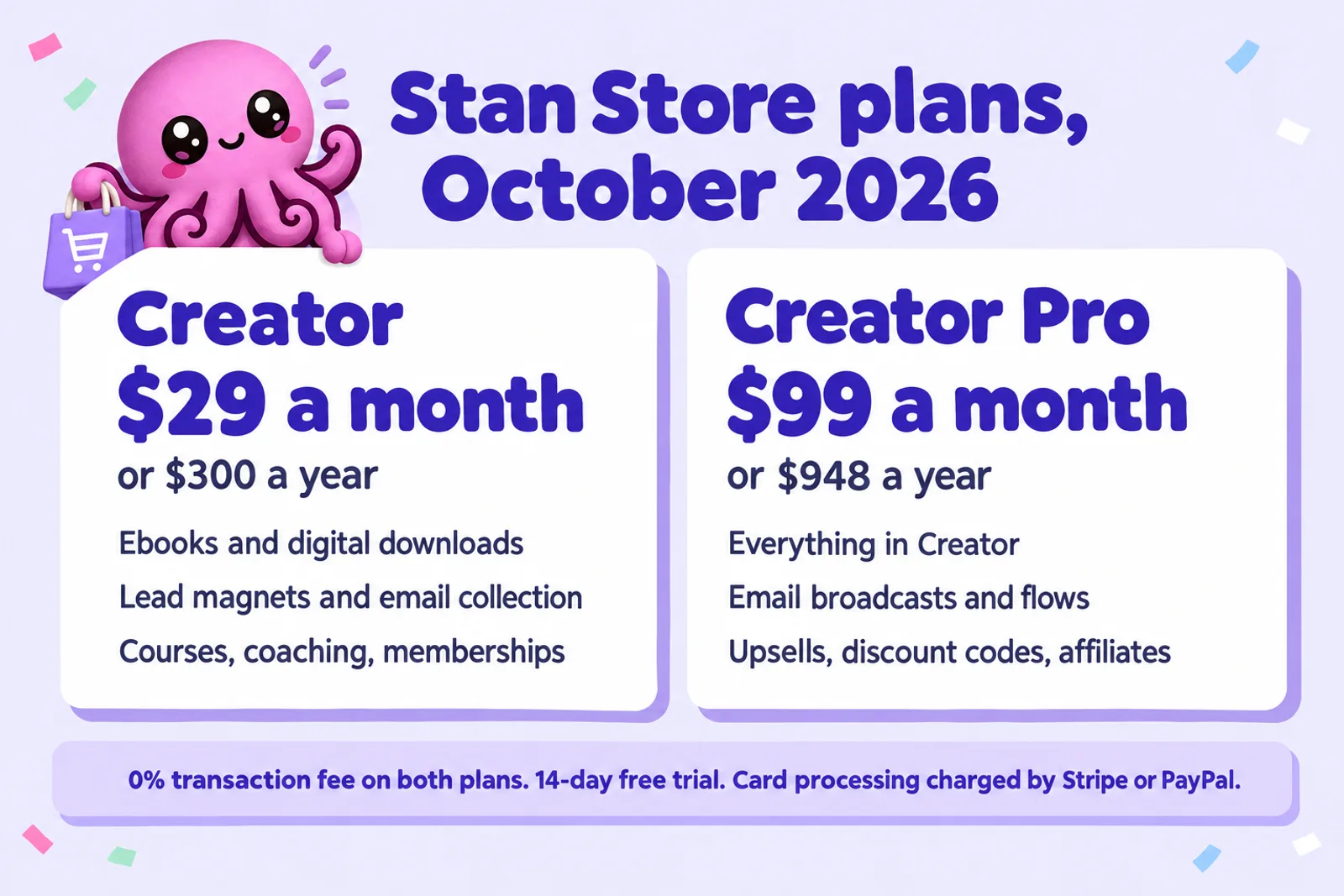
The yearly Creator price saves $48. Only commit to a year once you have a few months of sales data: Stan reviews subscription refunds by hand, only for a fully cancelled plan and a payment in the last 30 days, and not for "non-usage of the platform".
What a sale really costs
Stan's pricing table says the transaction fee is "None, keep 100% of every sale." That is true of Stan's own cut. Two other costs still come out of every sale, and one comes out every month:
- Card processing. Stan says you pay the standard Stripe or PayPal processing fee. Stripe's standard US card rate is 2.9% + $0.30, with 1.5% more on international cards. PayPal's US checkout rate is 3.49% + $0.49. These are the same constants our Payhip fee calculator uses, and they apply on Payhip and Gumroad too.
- Your plan. $29 or $99 a month, whether you sell nothing or a thousand copies.
- Tax you may owe. Because Stan is not the merchant of record, any VAT or sales tax due on a sale is yours to collect and pay. More on this under payouts and tax.
Here is what that means for a $9.99 ebook paid by a US card, compared with the two checkouts authors most often weigh it against:
| Sales a month at $9.99 | Stan Creator$29 plan, 0% fee | Payhip Free$0 plan, 5% fee | Gumroad$0 plan, 10% + $0.50 |
|---|---|---|---|
| Per sale, before any plan | $9.40 | $8.90 | $7.90 |
| 10 sales | $65.00 | $89.01 | $79.01 |
| 30 sales | $253.01 | $267.02 | $237.04 |
| 60 sales | $535.02 | $534.05 | $474.08 |
| 100 sales | $911.03 | $890.08 | $790.13 |
What you keep a month after processing (Stripe US 2.9% + $0.30) and the monthly plan, before tax. Gumroad's 10% + $0.50 is for sales through your own links; sales it finds you through Discover are charged 30%.
The pattern is simple. Stan saves you the platform's percentage on every sale (about $0.50 against Payhip Free and about $1.50 against Gumroad on a $9.99 book), and charges you a flat $29 for it. At low volume the flat fee loses. On a $9.99 ebook, Creator only comes out ahead of Payhip Free from 59 sales a month (it roughly breaks even at 58, the figure in our where to sell ebooks guide), and ahead of Gumroad from 20 sales a month. Higher prices bring those numbers down, because the percentage you save grows with the price:
| Ebook price | Creator monthly beats Payhip Free from | Creator monthly beats Gumroad from | Creator yearly beats Payhip Free from |
|---|---|---|---|
| $5 | 116 sales a month | 29 sales | 100 sales |
| $9.99 | 59 sales | 20 sales | 51 sales |
| $12 | 49 sales | 18 sales | 42 sales |
| $19 | 31 sales | 13 sales | 27 sales |
| $27 | 22 sales | 10 sales | 19 sales |
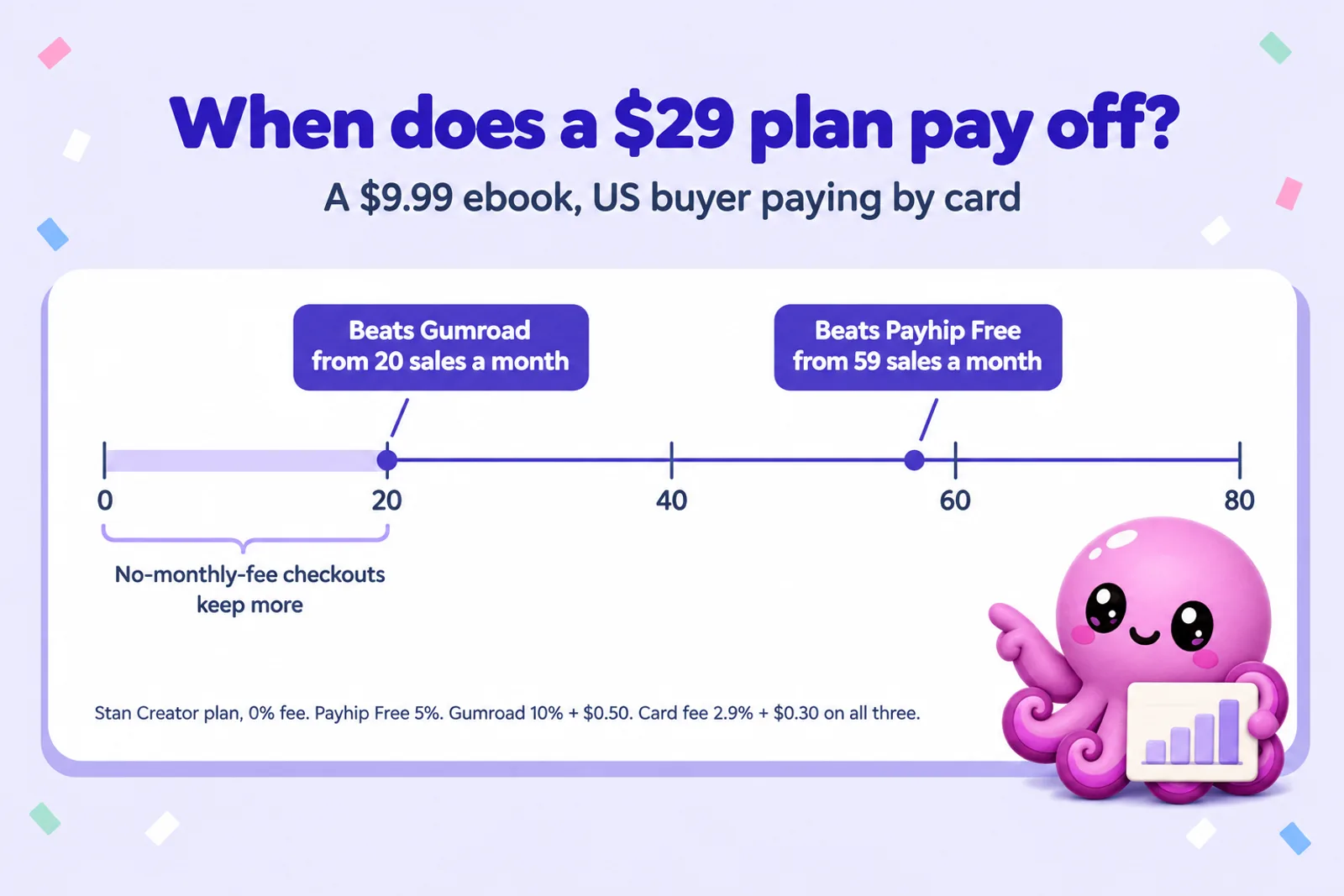
Creator Pro at $99 needs about 199 sales of a $9.99 ebook to beat Payhip Free; it is priced for courses and coaching. And fees are only half the story: a platform that finds you buyers (Etsy search, Gumroad Discover, Amazon) can be worth more than a few cents a sale. Stan finds none.
What authors can sell on Stan
Stan's product types map well onto what authors and coaches usually sell. Here is each one, with what Stan's help centre says about it:
- Digital products (ebooks, workbooks, templates, audio). Upload a file or redirect to a link. Stan accepts "nearly any file type", recommends under 500MB and supports up to 5GB. Buyers open it from the confirmation page and get a confirmation email with access. PDF opens on any phone; add an EPUB for e-readers.
- Lead magnets. A free product that collects a name and email address, then delivers a file or link. Covered in the next section.
- Courses. The Creator plan includes an unlimited course builder. Many non-fiction authors turn a book into a course; our guide to turning a book into an online course and the AI course creator cover the content side.
- Coaching calls and webinars. A booking calendar that syncs with Google Calendar and Zoom. This is where coaches who write books make most of their money, and the reason Stan suits them better than it suits novelists.
- Memberships. Recurring subscriptions, for example a monthly bonus chapter, a reading club or a paid community.
- Physical books: not really. Stan says it doesn't "sell physical products seamlessly" and "doesn't calculate shipping prices or inventory". You can rig a custom product with an address field, but paperbacks belong on Amazon KDP or your own shop. Our Shopify guide for authors covers selling print and digital from your own site.
What sells best from a bio link is short, specific and practical: a guide that solves one problem, a workbook, a recipe collection. Fiction sells here if your audience follows you for your stories, but most novel readers buy where they already read. Our list of digital product ideas and the guide to pricing ebooks help with the what and the how much.
Write the guide your followers keep asking for
Inkfluence drafts a practical ebook, workbook or lead magnet chapter by chapter from your outline, in your voice. You edit every line, then export a PDF ready to upload to Stan.
Start your ebook freeLead magnets and email
For most authors with a following, the best first product on Stan is free. A lead magnet swaps a useful guide for an email address, and an email list is the one audience no algorithm can take away.
How a Stan lead magnet works
- You create a lead magnet product (Stan's help centre calls it a "Collect Emails / Applications" product). It is "not intended for direct sale", so it has no price.
- Name and email are required fields. You can add more, such as a phone number or a multiple-choice question about what the reader wants help with.
- You attach a file or a link. Stan sends a confirmation email only when one is attached, so always attach the guide itself.
- You can give the lead magnet its own landing page and its own link, which is handy for a pinned post or a single campaign.
What happens to the emails
On Creator, Stan collects the contacts but doesn't send newsletters or sequences for you. You have two routes:
- Upgrade to Creator Pro for email broadcasts (one-off sends) and email flows (automated sequences with tags). Stan says Pro sends unlimited emails. If you bring an existing list, Stan imports up to 5,000 contacts per store in total; contacts gathered through your store don't count towards that.
- Keep your own email tool and connect it with Zapier. Stan's Zapier trigger "New Customer" fires for everyone who signs up or buys, and Stan's guides cover Flodesk, ConvertKit, AWeber and Mailchimp. This is usually cheaper than Pro if all you need is a welcome sequence.
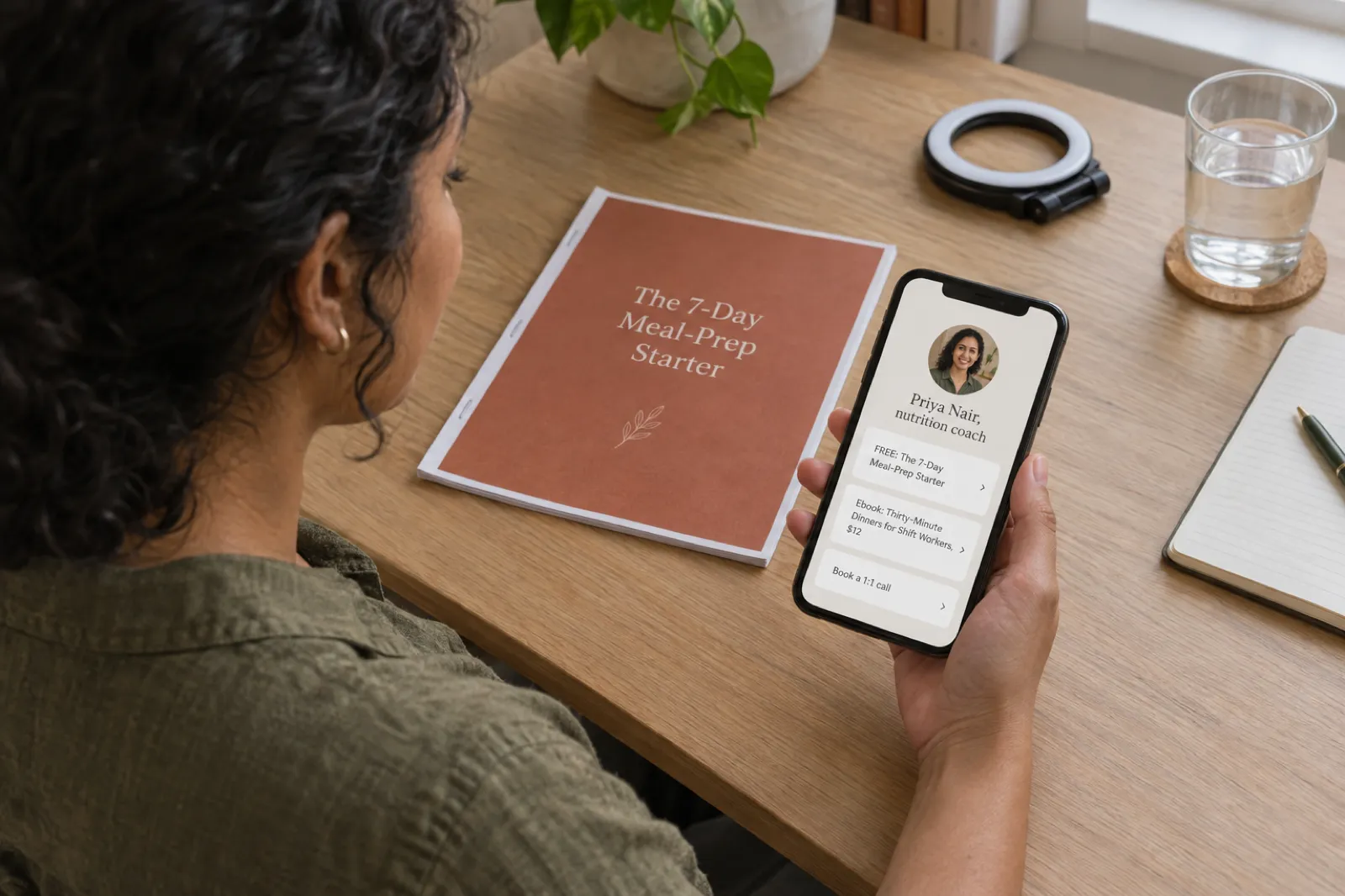
The lead magnet works best when it leads naturally to the paid book: a free "7-day meal-prep starter" points to the full meal-prep ebook. Our guides to lead magnets that convert, ebook lead magnet examples and lead magnets that book coaching clients go deeper on what to give away.
Upsells, discounts and affiliates
The Creator Pro tools are where Stan earns its higher price, for creators who sell several things:
- Order bumps and upsells. Offer the workbook, the audiobook or a discounted call at checkout. A low-priced bump is one of the easiest ways to raise the average order.
- Discount codes and limited-quantity offers for launch weeks.
- Affiliate Share. Let readers and fellow creators sell your products for a commission. It is Pro-only; Stan suggests rates of 20% to 50%, pays affiliates automatically, and holds affiliate income for 7 business days so you can refund first. Affiliate sales must be paid through Stripe.
- Tracking pixels for Meta, Google, Pinterest and TikTok, if you run ads.
Separately, Stan's own referral programme pays you 20% of the subscription of anyone who joins Stan through your link, for as long as they stay ($6 a month for a monthly Creator, $19.80 for monthly Pro). It starts after their trial, needs an active Stan plan of your own, and is for organic sharing only, not paid ads.
Payouts, refunds and tax
Getting paid
During setup Stan creates a Stripe account for you; you can't connect one you already have, and the country can't be changed later from settings. It covers 39 countries, including the US, Canada, the UK, most of the EU, Australia and Japan. Elsewhere you connect PayPal.
Stripe sales show as "Available Soon" while Stripe settles them, which takes about 2 to 7 business days (the first sale on a new account can take 3 to 7 while Stripe verifies you). Then you press Cash Out on the Income tab. The minimum is the equivalent of $10, you cash out the whole available balance rather than part of it, and the money usually lands in 1 to 2 days.
Refunds
Your customers' refunds are your call. Stan's refund policy says its team "is unable to process refunds on behalf of Creators", and each creator sets their own policy. Write one for your ebook (many authors offer a no-questions refund within 14 or 30 days) and put it on the checkout page; Stan's help centre explains how to add terms and conditions to your products.
Tax: you are the seller
This is the biggest practical difference between Stan and Gumroad or Payhip. Stan's Terms of Service say Stan "is not a party to any transactions regarding the purchase and sale of Creator Content" and that those transactions "are solely between Creators and Customers". In plain terms, Stan is not the merchant of record. You are the seller of every ebook.
Why it matters: digital products carry VAT in the UK and the EU at the buyer's rate, and some US states tax digital goods. Gumroad (merchant of record since 1 January 2025) and Payhip (UK and EU VAT, and since July 2026 US and Canadian sales tax) do that work for you. Stan doesn't. If you sell to buyers abroad, check what applies to you, or ask an accountant, before your first sale.
Stan and AI-written books
Stan publishes no rule against selling AI-assisted ebooks or guides, and it uses AI itself (the Stanley assistant). What its Terms of Service do say:
- You are "solely responsible" for everything you upload, and you must hold the rights to sell it.
- Adult and mature content is banned, explicitly "including but not limited to; literature, imagery, and artificial-intelligence-generated content".
- Credit-repair and credit-counselling products are banned, as are files that infringe anyone else's rights.
So a practical guide or a novel you wrote with AI help, edited properly and described honestly, is fine on Stan. Our round-up of which stores allow AI-written books covers the rules everywhere else, and can you sell AI-generated books? explains rights and disclosure.
Make the free guide and the paid book in one place
Start with a lead magnet, then expand the same topic into the full ebook. Both export as clean PDFs you can upload to Stan, Payhip or Gumroad.
Create your lead magnetStan vs Payhip, Gumroad, Etsy and KDP
These five solve different problems, and many authors use two or three at once.
| Platform | What it costs | Brings you buyers? | Handles tax? |
|---|---|---|---|
| Stan StoreLink-in-bio checkout | $29 or $99 a month, 0% fee, plus processing | No Your followers only | No You are the seller |
| PayhipCheckout with a small marketplace | Free plan 5%, Plus $29 + 2%, Pro $99 + 0%, plus processing | A little Mostly your audience | Yes UK/EU VAT, US and Canadian sales tax |
| GumroadCheckout plus Discover marketplace | 10% + $0.50 on your own links, 30% on Discover sales, no monthly fee | Some Through Discover | Yes Merchant of record |
| EtsyMarketplace | $0.20 listing, 6.5% transaction fee, 3% + $0.25 processing (US) | Yes Etsy search | Mostly Collects in most regions |
| Amazon KDPEbook store | 70% royalty from $2.99 to $12.99 less a delivery fee, else 35% | Yes Amazon's readers | Yes Amazon is the seller |
Stan vs Payhip
Payhip is the cheapest way to start selling direct: no monthly fee on the free plan, 5% a sale, tax handled, and PDF stamping with the buyer's email. Stan's edge is the social layer: AutoDM, a phone-first storefront, and coaching built in. For ebooks alone, Payhip usually wins until about 59 sales a month at $9.99. Our Payhip review and the guide to selling ebooks on Payhip have the details.
Stan vs Gumroad
Gumroad charges more per sale (10% + $0.50 on your own links) but nothing a month, handles tax worldwide, and can find buyers through Discover at a 30% cut. Stan beats it on fees from about 20 sales a month at $9.99. Gumroad suits testing one ebook; Stan suits steady sales or several products. See Payhip vs Gumroad and our Gumroad selling guide.
Stan vs Etsy
Etsy is a marketplace: strangers search it for printables, planners and recipe books, so a listing can sell without a following. With a small audience, Etsy brings buyers Stan never will; with a large one, Stan keeps more per sale and gives you the buyer's email. Our Payhip vs Etsy comparison and Etsy ebook guide explain how Etsy discovery works for ebooks.
Stan and Amazon KDP together
KDP and Stan do different jobs. Amazon brings readers but pays about $6.89 on a $9.99 ebook and never gives you the reader's email; Stan keeps about $9.40 before the plan and hands you the customer. Many authors list on KDP for discovery and sell from Stan to followers. The catch: an ebook in KDP Select (Kindle+) must be exclusive to Amazon, including your own store. A different free guide is fine; the same ebook is not. Our guides to selling ebooks on Amazon KDP and publishing wide cover that choice, and Gumroad vs Amazon KDP runs the same direct-versus-store comparison for Gumroad.
Other checkouts worth knowing: Lemon Squeezy (5% + $0.50 and merchant of record), Sellfy (a monthly-fee storefront like Stan) and Ko-fi (popular with creators who also take tips and memberships).
Calculator: is Stan worth it for me?
The calculator estimates monthly sales from your following, then shows what you'd keep on Stan, Payhip Free and Gumroad, and the sales Stan needs to come out ahead. Set the two percentages from your own data: link taps in your platform's insights, and conversion from past launches.
Stan: you keep a month
$0.00
Payhip Free
$0.00
Gumroad
$0.00
Assumptions, checked 28 Oct 2026: Stan takes 0% and charges the plan you pick. Payhip Free takes 5% of the price; Gumroad takes 10% + $0.50 on sales through your own links (30% on Discover sales, not modelled). The same processing fee is applied on all three. Sales = followers x visit rate x buy rate, rounded. Before VAT and sales tax, which Stan leaves to you and Payhip and Gumroad handle. The visit and buy rates are placeholders for your own numbers, not Stan data. An illustration, not a forecast.
Write the ebook to sell from your bioReading the result honestly. With the default numbers (10,000 followers, 3% visiting, 2% buying, a $12 ebook) you get about 6 sales a month. That keeps roughly $39 on Stan after the $29 plan, against about $65 on Payhip Free. That is the normal picture for an author starting out. It changes quickly with a higher price, a bundle, or coaching: one $150 call booked through Stan covers about five months of Creator. For a deeper look at income across several books and channels, try our ebook income calculator.
Step by step: from draft to link in bio
Here is the full route for an author or coach who wants a free lead magnet and a paid ebook on Stan. It takes an afternoon once the writing is done.
1. Write the ebook and the lead magnet
Pick one problem your followers ask about and write two things: a short free guide that solves part of it, and the full ebook that solves all of it. In Inkfluence, start a book from your idea or outline and say in the idea that it is a free lead magnet, a checklist or a practical guide; the lead magnet generator and our lead magnet creator guide walk through it, and how to create a lead magnet with AI has the full method. For workbooks there is the workbook generator.
Length is set by the number of chapters you choose (each usually runs about 1,000 to 1,500 words): three to five for a lead magnet, eight to twelve for a paid guide. Then edit in your own stories and opinions, the part followers can't get anywhere else.
2. Export a PDF
From the Export button, download a PDF. On the free plan the PDF includes an Inkfluence branding page; any paid plan or credit pack removes the branding and also unlocks EPUB and Word (DOCX) exports, which you'll want if you also publish on KDP. Our exporting help lists every option. Make a simple cover with the AI book cover generator; Stan needs a 400 x 400 thumbnail and a 1920 x 1080 checkout banner, so crop a square and a wide version of the same art.
Inkfluence publishes directly to Gumroad and Etsy, but not to Stan, so on Stan you upload the file yourself. That takes under a minute.
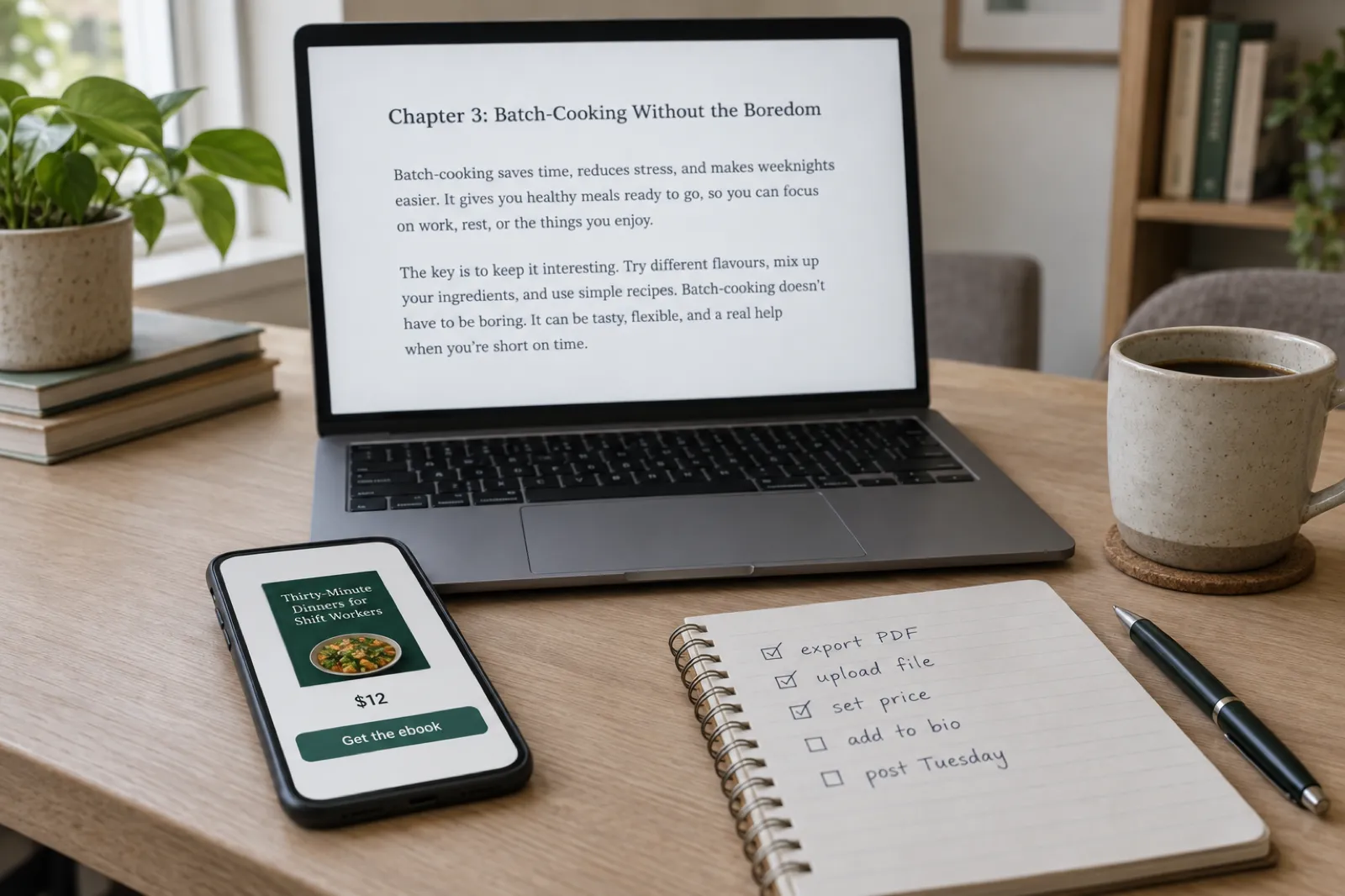
3. Set up Stan and connect payments
- Start the 14-day trial and pick your username carefully: it becomes stan.store/yourname.
- Add a photo, a one-line description and your social links. Stripe and PayPal review your store when you connect and look for a clear description of what you sell and a way to contact you.
- Publish at least one product (Stan requires this first), then connect Stripe through Stan's flow, or PayPal if your country isn't supported.
4. Create the free lead magnet
- Add a lead magnet (collect emails) product with a specific title: "The 7-Day Meal-Prep Starter" beats "Free Guide".
- Upload the PDF so the confirmation email sends, and customise that email to say what's inside.
- On Creator Pro, attach an email flow. On Creator, connect your email tool through Zapier's New Customer trigger.
5. Create the paid ebook product
- Add a Digital Product, choose a thumbnail style (button, callout or preview), upload the 400 x 400 image and write the button text ("Get the guide, $12").
- On the checkout page, add the banner and a description: who it's for, what's inside, what they'll be able to do after reading, and the format.
- Set a round price, upload the PDF (and EPUB if you have one), add your refund policy and publish. Then open your store in a logged-out browser to see what a reader sees.
6. Put it in your bio and post
Add your Stan link to every bio. Post about the problem, not the product: several useful posts ending with "the free guide is in my bio", and one a week that mentions the paid book. On Instagram, set an AutoDM keyword ("comment GUIDE and I'll send it"). Our ebook marketing guide and the social media strategy generator can help you plan a month of posts, and the ebook launch checklist covers launch week.
Turn your expertise into a book your followers will buy
Outline it, let Inkfluence draft the chapters, then make it yours. Export a PDF for Stan, an EPUB for KDP, and publish to Gumroad or Etsy from the same project.
Start writing freeA simple author funnel on Stan
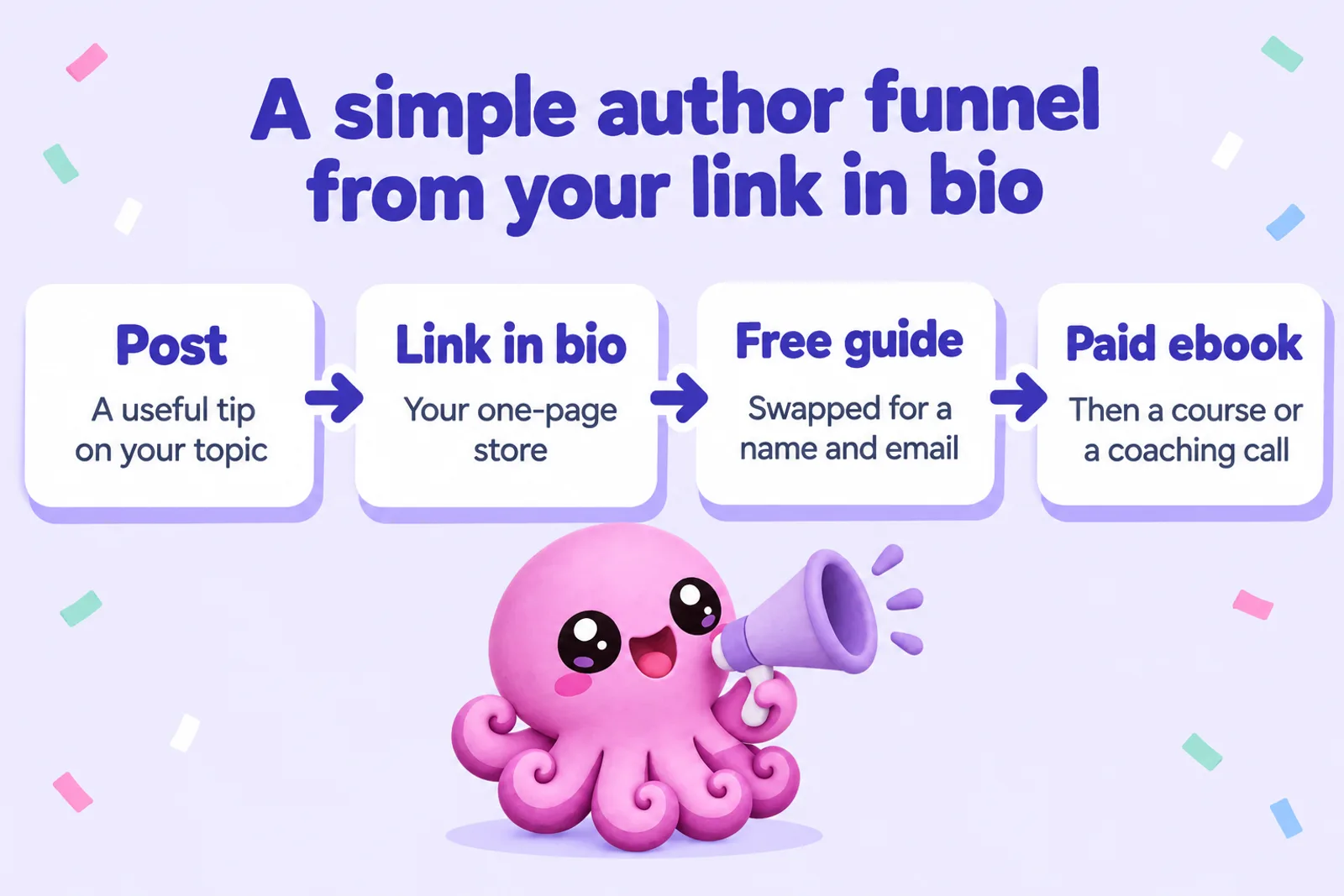
Stan is designed around one idea: a follower moves from free to paid in small steps. For authors that usually looks like this:
- Posts that teach or entertain, each pointing to the bio link.
- A free lead magnet: a checklist, a sample chapter, a starter guide. This is where you collect the email.
- A paid ebook at $9 to $20 that goes deeper. Email subscribers who got the free guide are your warmest buyers.
- An order bump on the checkout (Pro): the workbook, the audiobook version or a template pack at a few dollars more.
- A higher-priced offer for those who want more: a course, a group programme or a one-to-one call.
For coaches, the ebook proves you know your subject; the call is what pays. That's where Stan clearly earns its $29, handling the guide, the book and the booking from one link. Our pages for coaches, life coaches, course creators and influencers show how they use Inkfluence for the writing part. If you prefer email to social, the email course generator turns the same material into a sequence you can send after the lead magnet.
Who Stan suits, and who should skip it
Stan is a good fit if you
- Have an engaged following on Instagram or TikTok that already asks for your advice.
- Sell more than an ebook: coaching, a course, a membership or a community.
- Sell enough each month to clear the break-even numbers above.
- Are comfortable handling VAT or sales tax yourself, or have an accountant who does.
Skip Stan for now if you
- Have no following yet and need a store that brings buyers (Etsy, Amazon KDP, Gumroad Discover).
- Sell one ebook and a few copies a month (Payhip Free or Gumroad cost less).
- Sell mostly to the UK and EU and want VAT handled for you (Payhip, Gumroad, Lemon Squeezy).
- Have your ebook in KDP Select, which rules out selling the same ebook yourself.
Mistakes to avoid
- Paying for Creator Pro too early. Start on Creator with Zapier for email; upgrade when you need order bumps, discount codes or built-in email.
- A vague product. "My ebook" doesn't sell from a bio. "The 30-minute dinner plan for shift workers" does.
- Skipping the edit. Your followers know your voice. A draft that doesn't sound like you costs trust, which is what a link-in-bio business runs on.
Stan Store for authors: FAQ
How much does Stan Store cost in 2026?
Creator is $29 a month or $300 a year. Creator Pro is $99 a month or $948 a year. Both start with a 14-day free trial, and there is no free plan. Stan takes no transaction fee; Stripe or PayPal charge their usual processing fee.
Does Stan Store really charge 0% fees?
Stan itself takes nothing from each sale on either plan. You still pay payment processing to Stripe or PayPal. In the US, Stripe's standard card rate is 2.9% + $0.30, so a $9.99 ebook leaves about $9.40 before your monthly plan.
Can I sell ebooks on Stan Store?
Yes. Create a Digital Product, upload your PDF or EPUB (up to 5GB, under 500MB recommended) or link to it, set a price and publish. Buyers get it on the confirmation page and by email.
Can I give away a free lead magnet on Stan Store?
Yes. A Lead Magnet product collects a name and email address and delivers a file or link, with no price. Lead magnets are on the Creator plan. Automated email sequences (Email Flows) and email broadcasts need Creator Pro, or you can pass new contacts to an outside email tool through Zapier.
Is Stan Store the merchant of record?
No. Stan's Terms of Service say it is not a party to sales of creator content and that each sale is between the creator and the customer. That makes you the seller, so VAT and sales tax on your ebooks are yours to work out. Gumroad and Payhip, by contrast, collect and pay sales tax and VAT for you.
Does Stan Store allow AI-written ebooks?
Stan publishes no rule against AI-assisted products. Its terms ban adult and mature content, including AI-generated adult content, and make you responsible for what you upload and for having the rights to sell it. Write it, edit it, and describe it honestly.
Is Stan Store worth it for a new author?
Usually not at the start. With only a handful of sales a month, $29 costs more than Payhip's free plan (5% a sale) or Gumroad (10% + $0.50). On a $9.99 ebook the Creator plan only comes out ahead of Payhip Free from about 59 sales a month, and ahead of Gumroad from about 20. It makes more sense if you also sell coaching or courses.
How do Stan Store payouts work?
Stan sets up a Stripe account for you (in 39 countries), or you connect PayPal. Stripe funds settle in 2 to 7 business days; then you cash out the whole available balance once it reaches $10, and it lands in about 1 to 2 days.
Can I use my own domain with Stan Store?
Not directly. Your store lives at stan.store/yourname. Stan says you can forward a domain you already own to that address through your domain host.
Can I sell paperbacks on Stan Store?
Not easily. Stan says it does not sell physical products seamlessly and does not calculate shipping or track inventory. Sell print copies through Amazon KDP or your own shop, and use Stan for the ebook, the free guide and any coaching.
Your following is the hard part. The book can be quick.
Inkfluence writes the ebook, workbook or free guide from your outline, then exports a PDF you can sell on Stan, Payhip or anywhere else. Start free, no card needed.
Write your first ebookRelated reading
- Where to sell ebooks in 2026: every route compared, with a picker
- Payhip vs Gumroad: the two no-monthly-fee checkouts head to head
- Etsy vs Gumroad for ebook sellers
- Downloadable PDFs for building an email list
- Free lead magnet guide
- Inkfluence for content creators
- Inkfluence plans and pricing
Sources
- Stan: Stan Store pricing (updated 22 July 2026)
- Stan Help: Creator vs Creator Pro
- Stan Help: Can I start selling while in my trial period?
- Stan Help: Sell a digital download product
- Stan Help: How customers access your digital product after purchase
- Stan Help: How to create a collect emails product
- Stan Help: Why are email flows only on Creator Pro?
- Stan Help: How to import your existing email list
- Stan Help: How to connect Stan with Zapier
- Stan Help: Affiliate Share FAQ
- Stan Help: What is Stan's referral program?
- Stan Help: How to cash out inside Stan and Why is my balance Available Soon?
- Stan Help: Countries available for Stripe Custom accounts
- Stan Help: Stan's refund policy
- Stan Help: Can I create a custom domain?
- Stan Help: Can I sell physical products?
- Stan Help: How to set up Stan AutoDM
- Stan Help: Warnings on TikTok or Instagram
- Stan Terms of Service (revised 25 November 2025)
- Payhip: Pricing and Gumroad: Pricing (read 28 October 2026)

Founder, Inkfluence AI
Sam is the founder of Inkfluence AI. He built the platform to make book creation accessible to everyone - from first-time authors to seasoned publishers.
Helpful links

Ready to write your own book?
Write with AI, make it yours, and export PDF, EPUB and KDP-ready files from one project.
Keep reading
 Selling
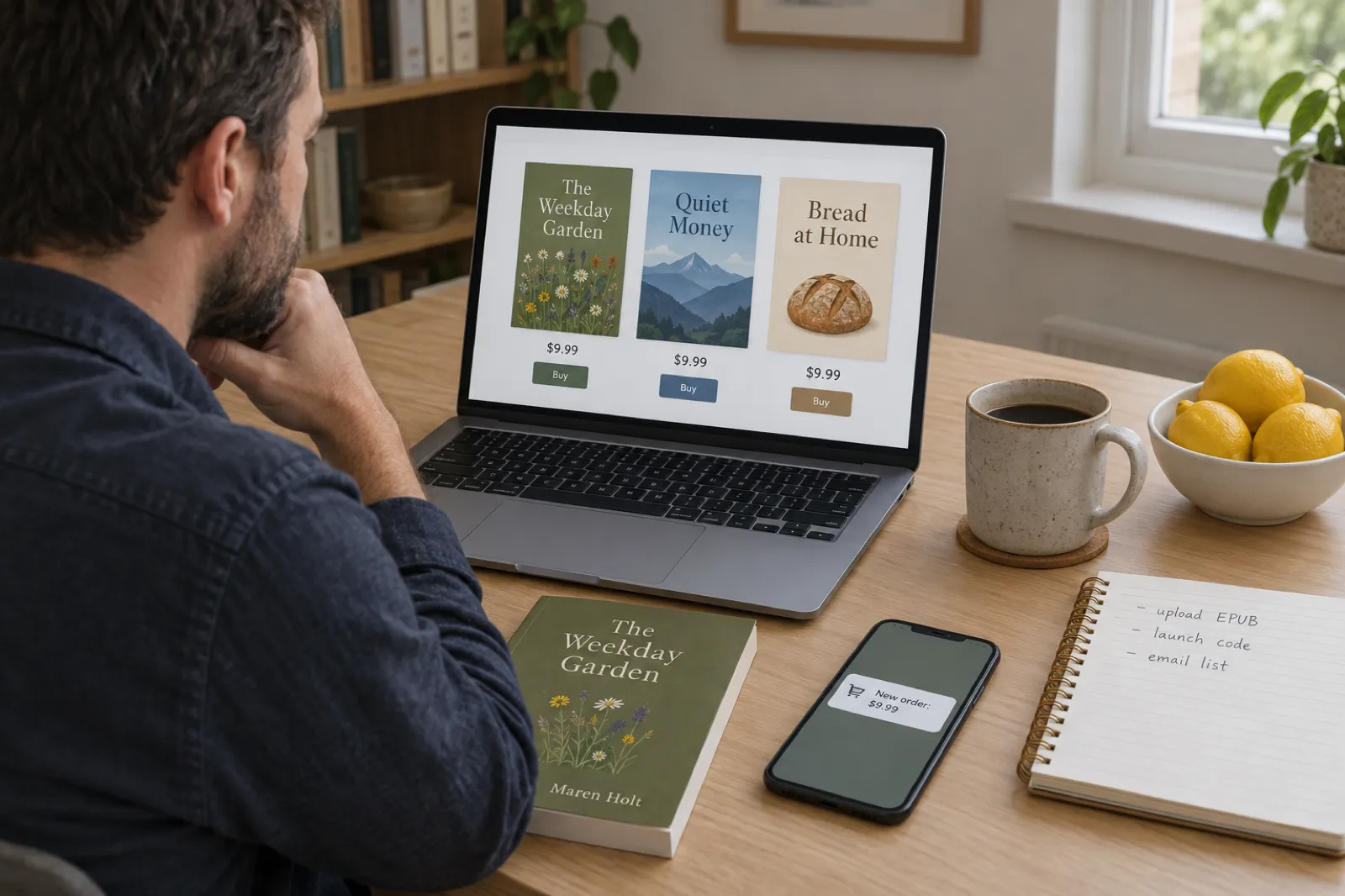
 How to Sell Ebooks on Lemon Squeezy in 2026: Fees, Tax and Setup
Selling an ebook on Lemon Squeezy in 2026, from its own pricing page and help docs checked 28 October: the 5% + $0.50 fee and every extra, tax handled as merchant of record, payouts, store approval, what you cannot sell, what Stripe's ownership and Managed Payments mean for new sellers, a step-by-step setup and a calculator against Payhip and Gumroad.
 Selling
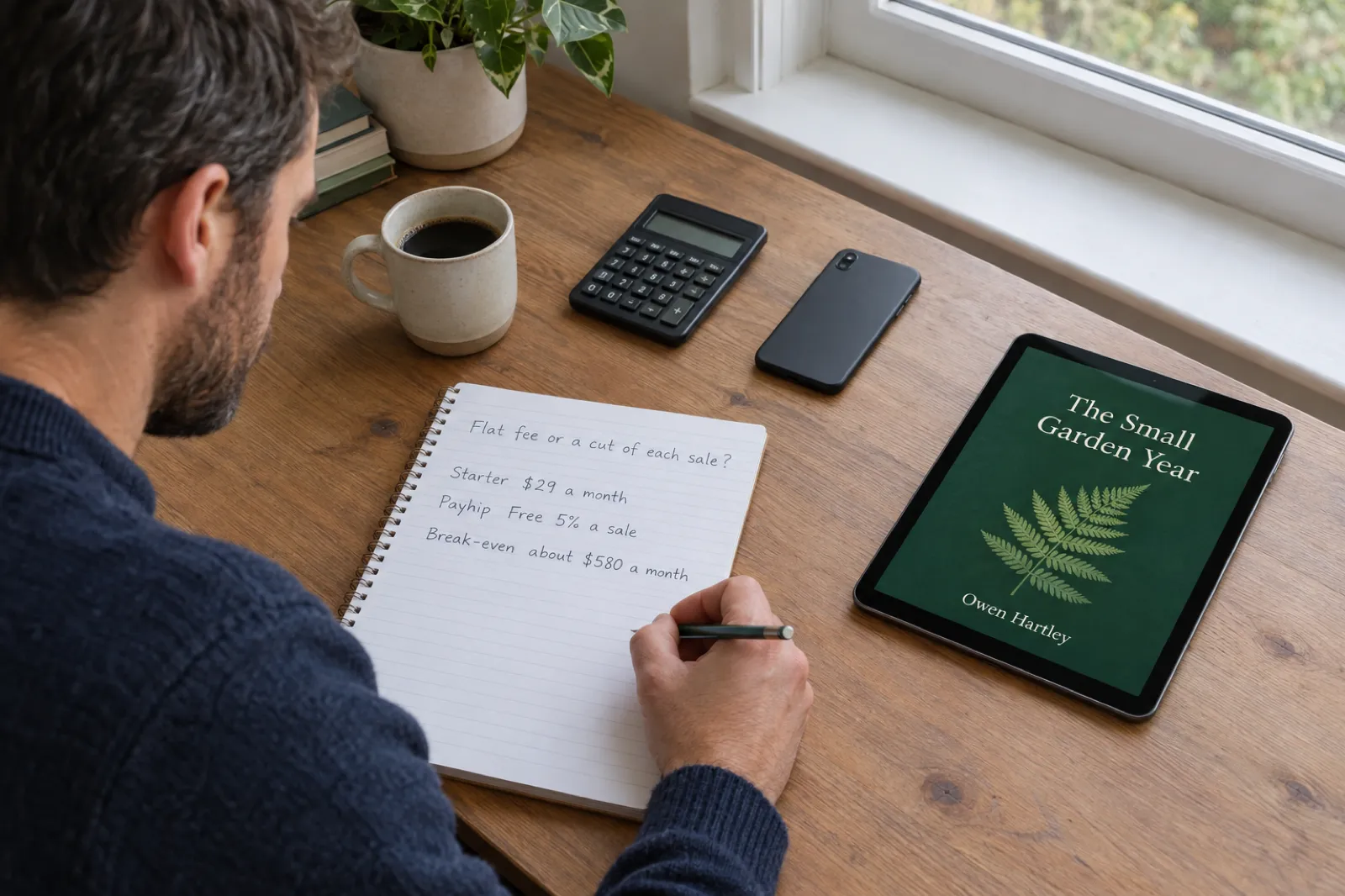
 How to Sell Ebooks on Sellfy in 2026: Plans, Fees and Is It Worth It
Sellfy charges a flat monthly plan and 0% per sale, with no free plan and a sales cap on every tier. Here is what each plan costs and includes, how tax, delivery and PDF stamping work, a step-by-step setup for an ebook, and a calculator that shows when Sellfy beats Payhip, Gumroad and Lemon Squeezy at your own sales.
 Selling
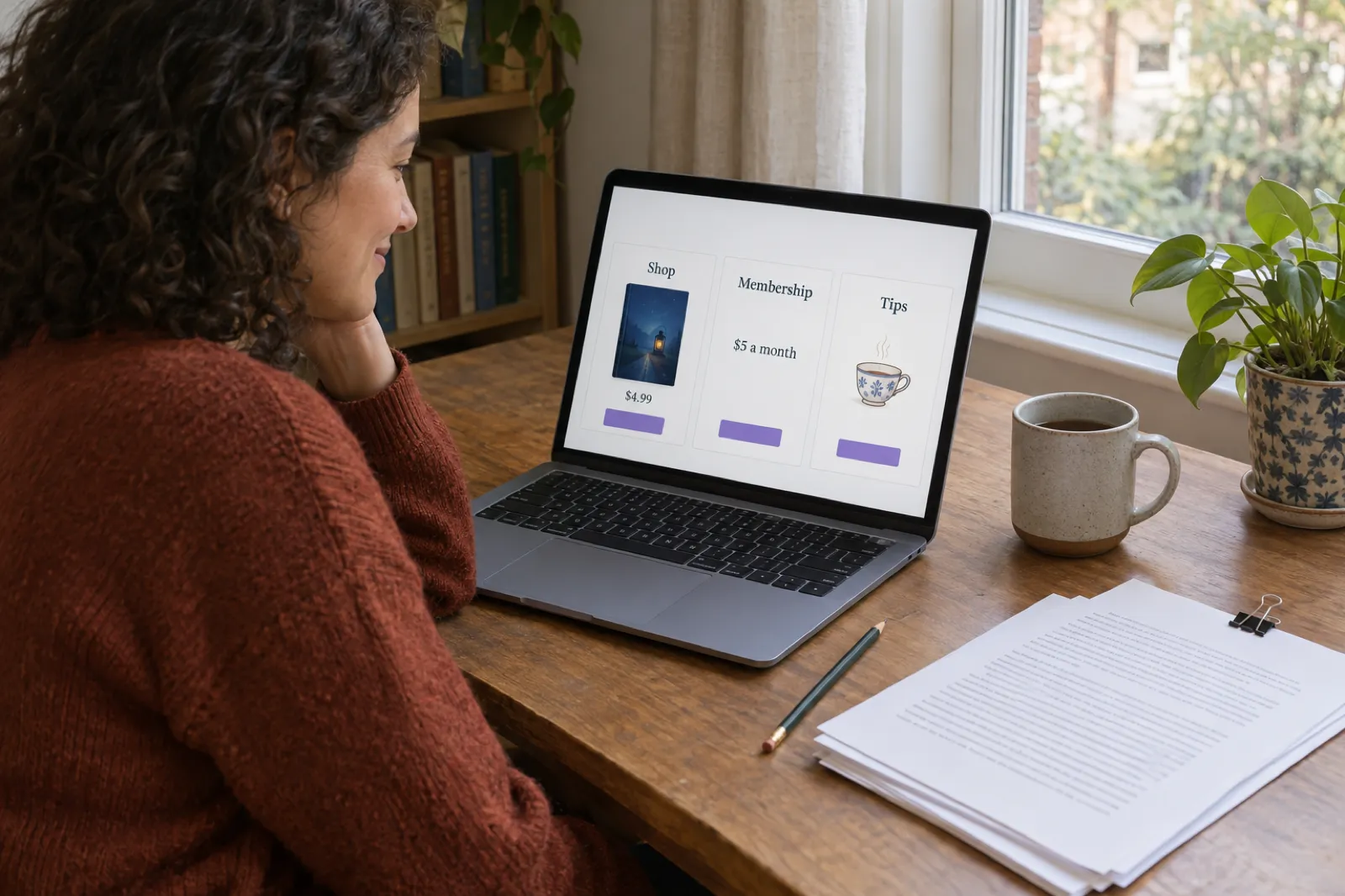
 Ko-fi for Authors (2026): Selling Ebooks, Memberships and Commissions Through Ko-fi Shop
Ko-fi for writers, checked against Ko-fi's own help centre on 28 October 2026: what the free plan and Ko-fi Gold really take, how tips, Ko-fi Shop, memberships and commissions work for authors, PayPal and Stripe fees, payouts, tax, the AI rule, discovery, a Ko-fi earnings calculator, and how it compares with Patreon, Payhip and Gumroad.

Get ebook tips in your inbox
Join creators getting weekly strategies for writing, marketing, and selling ebooks.