


Quick Answer
On fees, Payhip wins for almost every ebook seller. Its free plan takes 5% plus the card fee, so a $9.99 sale leaves about $8.90; Gumroad takes 10% + $0.50 plus 2.9% + $0.30 for the card, leaving about $7.90. Gumroad's case is convenience: it has been the merchant of record for every sale since January 2025, it has built-in emails and automatic affiliate payouts, and its Discover marketplace can bring buyers (at 30%). Payhip now handles EU and UK VAT, US sales tax and most Canadian sales tax too, pays you the moment a sale clears, and gives you a full store builder on its free plan.
Checked on 28 October 2026. Every fee, rule and feature below comes from Payhip's and Gumroad's own pricing pages and help centres, read that day and linked in Sources. Money examples are for a US buyer paying by card, in US dollars, before sales tax or VAT, using Stripe's standard US card rate of 2.9% + $0.30 (the same figure Gumroad quotes for its own card processing). Where a company did not say something, we say so instead of guessing.
Payhip and Gumroad are the two names that come up first when an author asks where to sell an ebook directly to readers. Both give you a product page, take the payment, deliver the file and hand you the buyer's email address, with no monthly fee to start. Up close they differ in four ways that change what you take home: how much of each sale they keep, who deals with sales tax and VAT, when the money reaches you, and which tools come included for growing a list of readers.
This guide compares the two using only what each company publishes about itself, with a calculator for your own numbers and a verdict for each kind of seller. If you are still deciding between selling direct and selling through stores like Amazon, start with our broader guide to where to sell ebooks in 2026 and come back here when you have narrowed it to these two.
Disclosure: Inkfluence AI is our product. It writes ebooks with you, publishes straight to your own Gumroad account and exports the files you upload to Payhip. Neither company pays us.
Payhip vs Gumroad at a glance (October 2026)
The short version, row by row. Each line is expanded in its own section below.
| Payhip | Gumroad | |
|---|---|---|
| Monthly fee | $0 (Free Forever), $29 (Plus) or $99 (Pro) | None |
| Fee per sale | 5%, 2% or 0% by plan | 10% + $0.50 on your own links; 30% on Discover sales; 5% + $0.50 on direct sales after $20,000 in a month |
| Card or PayPal processing | Extra: PayPal or Stripe standard rates on every plan | Extra on direct sales: 2.9% + $0.30 for cards, PayPal fees for PayPal; included in the 30% on Discover |
| You keep from $9.99 | $8.90 (Free), $9.20 (Plus), $9.40 (Pro), before the monthly fee | $7.90 (own link), $6.99 (Discover) |
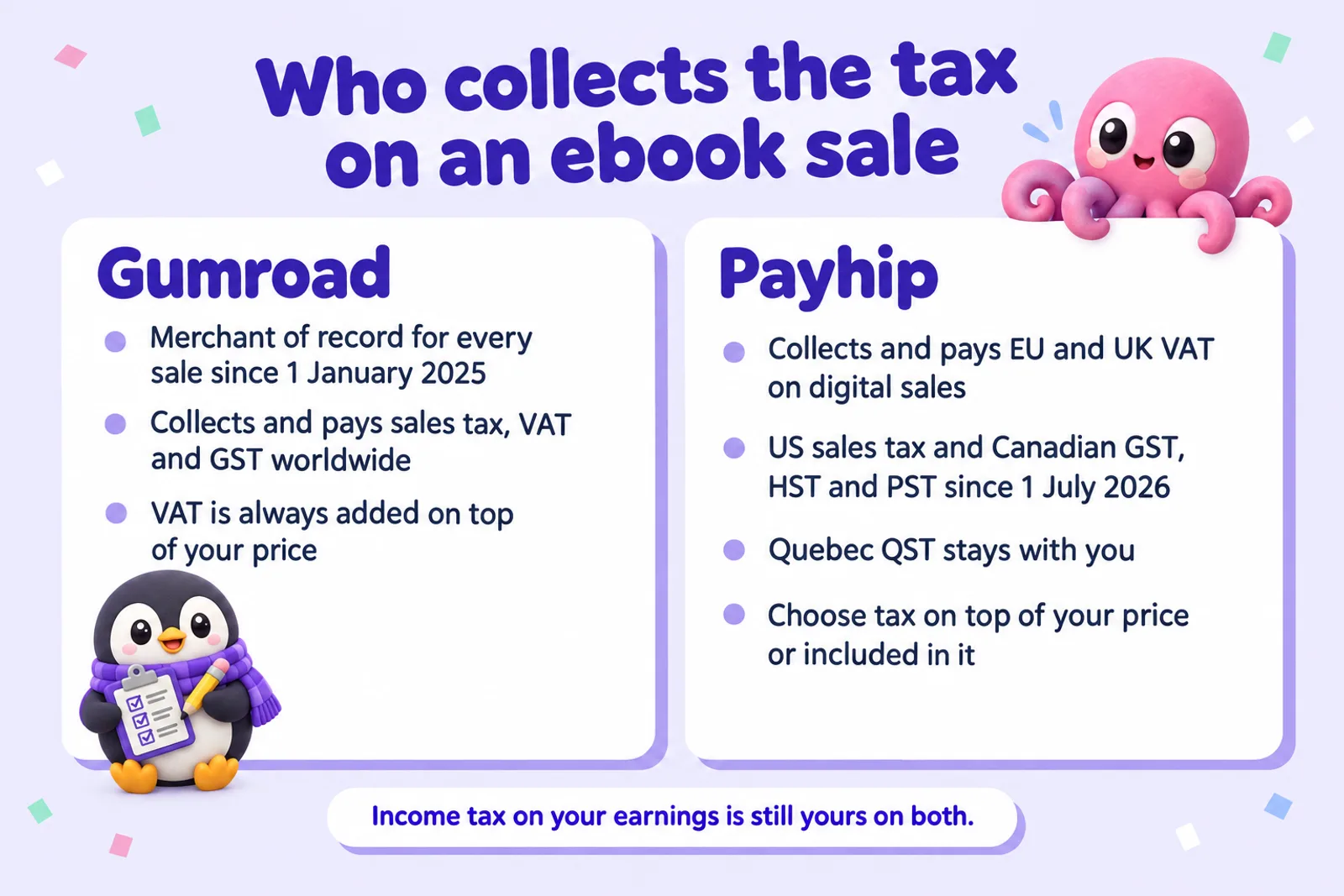
| Sales tax and VAT | Collects and pays EU and UK VAT, US sales tax and Canadian GST, HST and PST (not Quebec QST) | Merchant of record for all sales worldwide since 1 January 2025 |
| When you're paid | Straight to your connected PayPal, Stripe or other processor right after each sale | From your Gumroad balance once it reaches $100; weekly, monthly or quarterly with a 7-day hold, daily or instant for eligible US sellers |
| Marketplace | Payhip marketplace, no extra fee, after $10 in sales and a review | Discover, 30% per sale, after a $100 balance and a risk review |
| Features by plan | Every feature on every plan | One plan |
| PDF stamping | Buyer's email and purchase date, top left of every page | Buyer's email and Gumroad's logo, bottom right of the first page |
| Email to buyers | Email Updates to customers, plus links to 14 email services | Built-in emails and automated workflows, once you have earned $100 and had a payout |
| Affiliates | Yes; you pay affiliates yourself from a monthly report | Yes; Gumroad splits and pays them automatically |
| Courses, memberships, coaching | All three, plus a store builder and blog | Courses, memberships, calls and commissions |
| Largest file | 5 GB per file | 20 GB per file on paid products; 250 MB in total on free ones |
| AI-written ebooks | No AI rule | No AI rule for ebooks; selling AI services is banned |
| Trustpilot (28 Oct 2026) | 4.5 from 561 reviews | 1.4 from 421 reviews |
Fees: what each one keeps from a sale
Gumroad's pricing page shows "10% + $0.50" and no monthly fee, which sounds like the whole cost. Its help article on fees adds what the pricing page leaves out: the 10% + $0.50 "does not include" credit card processing at 2.9% + $0.30, or PayPal fees. Payhip says the same about itself: PayPal and Stripe "will still charge at their standard rates" on every plan. On both, you pay the platform and the processor; the difference is the size of the platform's share.
Gumroad's fees
On a sale through your Gumroad profile, a link you share or a buy button on your site, Gumroad keeps 10% plus $0.50, and card processing comes off as well: $1.00 + $0.50 + $0.59 on a $9.99 ebook, leaving about $7.90. The fixed parts hurt cheap ebooks most: at $4.99 you keep about $3.55, or 71%.
When a buyer finds you through Gumroad's Discover marketplace, Gumroad takes a flat 30% with processing included, so a $9.99 sale leaves $6.99. A quirk: below about $4.68, a Discover sale leaves you more than one through your own link, because the $0.80 of fixed fees outweighs the extra percentage.
Two more rules matter at the edges. Once your paid sales in a calendar month reach $20,000, new direct sales that month cost 5% + $0.50, automatically, resetting on the 1st. And on a refund, Gumroad returns its own fee but keeps the processing part.
Payhip's fees
Payhip's three plans all include every feature ("no feature-gating here", says its pricing page). Only the split between a monthly fee and a per-sale fee changes:
- Free Forever: $0 a month, 5% per sale.
- Plus: $29 a month, 2% per sale.
- Pro: $99 a month, no transaction fee.
With a card through Stripe at the US standard rate, a $9.99 sale leaves $8.90 on Free, $9.20 on Plus and $9.40 on Pro, before the monthly fee. Through PayPal (3.49% + $0.49 for PayPal Checkout in the US) the free-plan figure is about $8.65. Payhip's marketplace adds no fee of its own.
One detail in Payhip's VAT article works in your favour: the 5% is charged on your price before VAT. Its example is a $10 ebook sold in France with 20% VAT on top: the buyer pays $12, Payhip takes $0.50 plus the $2.00 of VAT, and you receive $9.50 before PayPal's fee.
Side by side at four common prices
| Ebook price | Gumroad, own link | Gumroad Discover | Payhip Free | Payhip Plus | Payhip Pro |
|---|---|---|---|---|---|
| $4.99 | $3.55 | $3.49 | $4.30 | $4.45 | $4.55 |
| $9.99 | $7.90 | $6.99 | $8.90 | $9.20 | $9.40 |
| $19.99 | $16.61 | $13.99 | $18.11 | $18.71 | $19.11 |
| $29.00 | $24.46 | $20.30 | $26.41 | $27.28 | $27.86 |
What you keep from one sale, US buyer paying by card, before tax. Payhip Plus and Pro figures are before their $29 and $99 monthly fees. Gumroad direct: price minus 10% minus $0.50 minus 2.9% minus $0.30. Gumroad Discover: 70% of the price. Payhip: price minus the plan's percentage minus 2.9% minus $0.30.
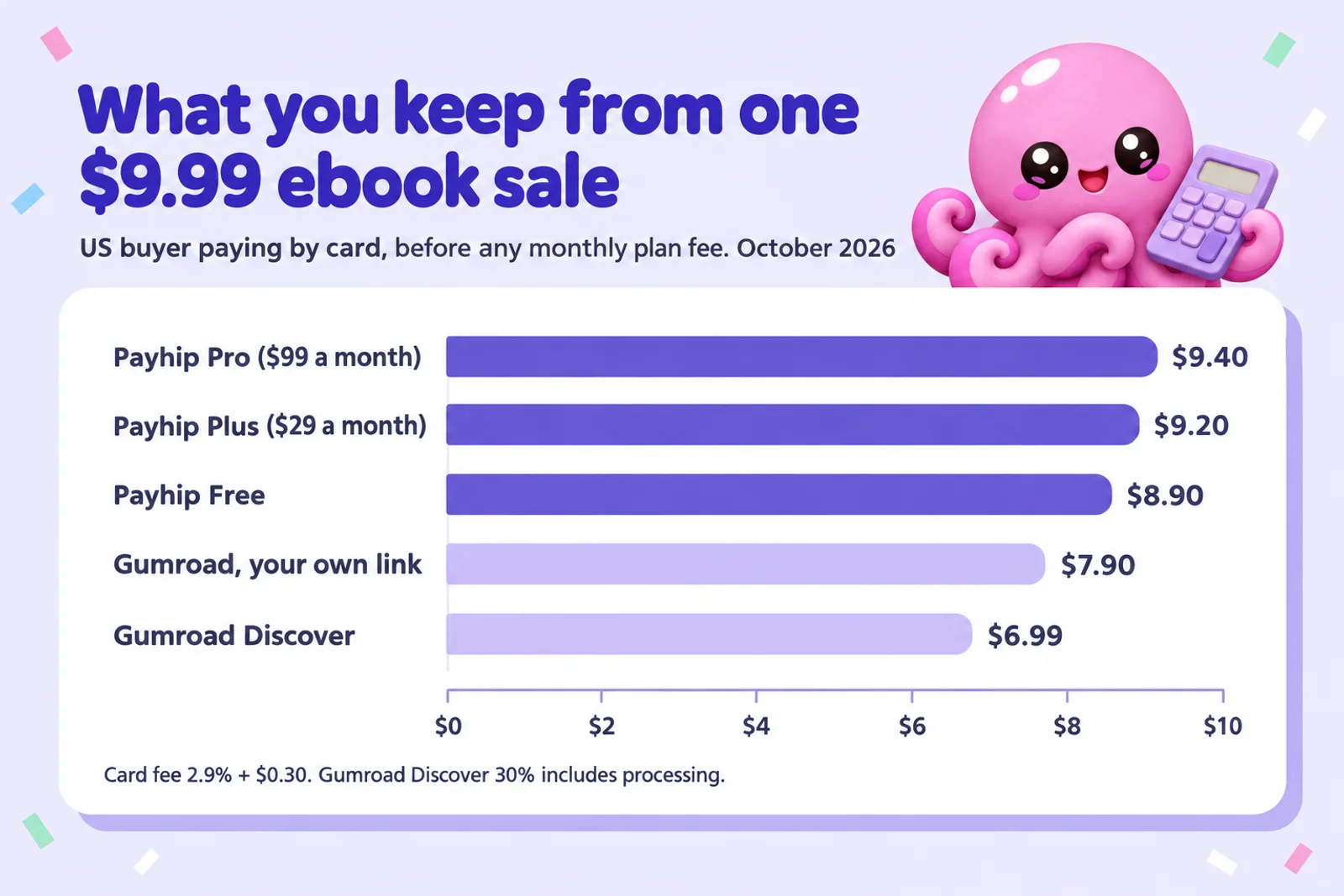
The gap between Payhip Free and Gumroad's own-link fee is 5% of the price plus $0.50: about $1.00 on a $9.99 ebook, or roughly $600 a year at 50 copies a month. Whether Gumroad's extras are worth that is what the rest of this guide helps you decide. For pricing the ebook itself, see how to price an ebook.
Have the ebook before you pick the checkout
Inkfluence AI drafts a full ebook from your idea, chapter by chapter, with a cover, and exports the PDF and EPUB that both Payhip and Gumroad take. Start free and see a chapter before you pay anything.
Start my ebook freeCalculator: your price, your sales, your break-even
Enter your price and expected monthly sales, pick a Payhip plan and how buyers pay, and, if you expect some Gumroad sales from Discover, their share. You get each platform's monthly and yearly take, the cheapest Payhip plan at that volume, and the sales level where each paid plan pays for itself.
Gumroad, per month
Payhip, per month
Constants, checked 28 Oct 2026, before sales tax and VAT. Gumroad: 10% + $0.50 per direct sale plus card processing of 2.9% + $0.30 (Gumroad help, "Gumroad's fees"); 30% on Discover sales, processing included; direct sales after the sale that takes the month to $20,000 pay 5% + $0.50, with Discover sales assumed spread evenly through the month. Gumroad's PayPal fees are not modelled. Payhip (payhip.com/pricing): Free $0 + 5%, Plus $29 + 2%, Pro $99 + 0%, no extra fee on marketplace sales. Stripe US card 2.9% + $0.30, plus 1.5% on international cards (Stripe pricing). PayPal US, PayPal Checkout 3.49% + $0.49, plus 1.50% on international payments (PayPal business fees). The break-even lines compare Payhip with Gumroad's own-link fee below the $20,000 tier.
Write the ebook to sellA typical result: a $9.99 ebook selling 50 copies a month leaves about $445 on Payhip Free against about $395 on Gumroad. With 20% of Gumroad sales from Discover the gap widens to about $59 a month, unless those are buyers you would never have reached; the calculator shows how many Gumroad would need to bring. For Payhip in other currencies, or with discounts and affiliates, use our Payhip fee calculator.
Where the break-even points fall
Payhip's free plan already undercuts Gumroad on every card sale, so the interesting break-evens are inside Payhip: when a monthly fee is worth paying to cut the per-sale fee.
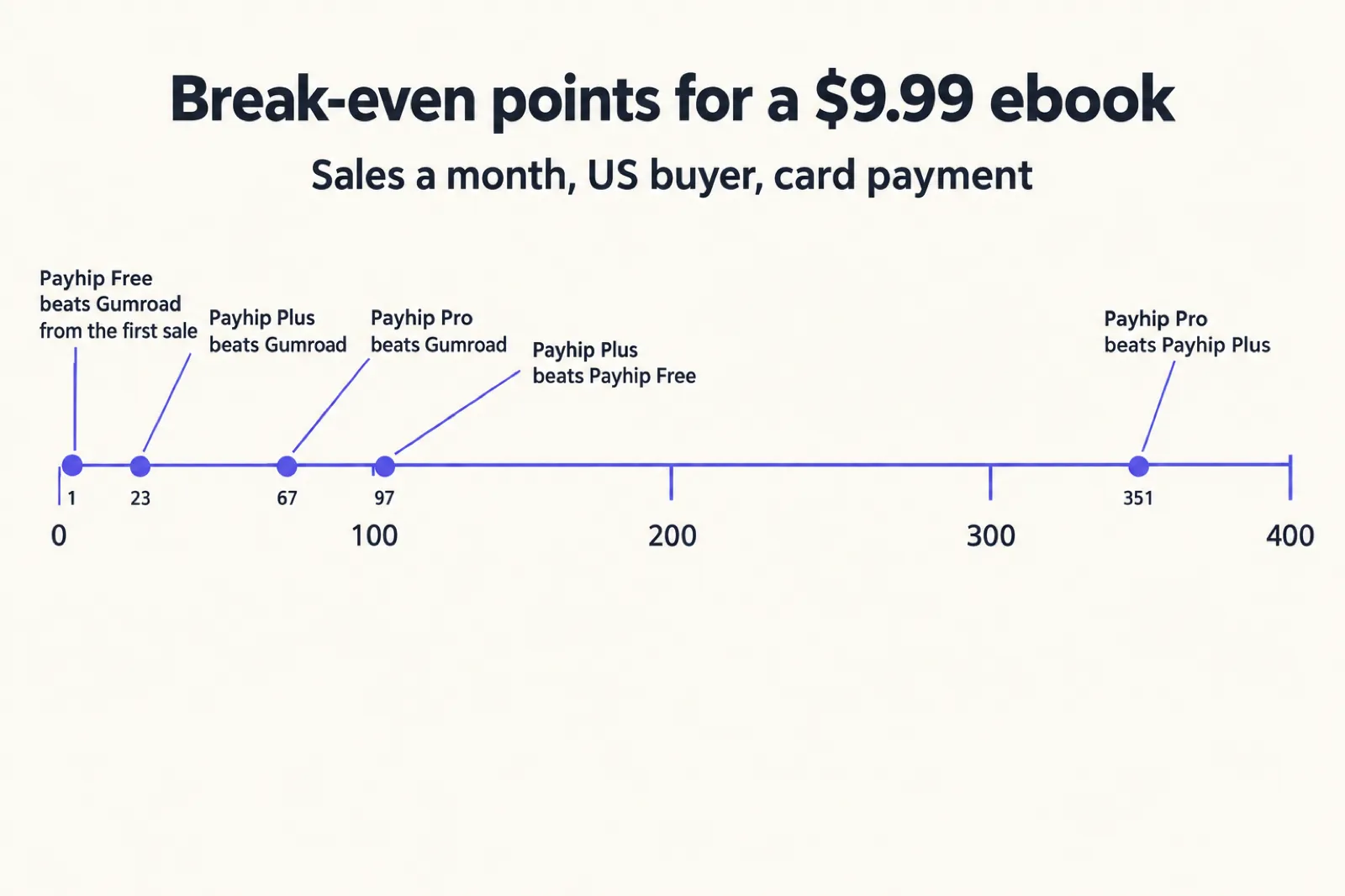
- Plus beats Free when 3% of your monthly sales is more than $29, so from about $967 a month in sales: 97 copies at $9.99, 49 at $19.99, 34 at $29.
- Pro beats Plus when 2% of your monthly sales is more than the extra $70, so from about $3,500 a month: 351 copies at $9.99, 176 at $19.99, 121 at $29.
- Pro beats Free from about $1,980 a month, but Plus is cheaper than both between $967 and $3,500, so most sellers go Free, then Plus, then Pro.
- Against Gumroad, Plus pulls ahead from 23 sales a month at $9.99 and Pro from 67. These matter only if you were thinking of starting on a paid Payhip plan; the free plan is ahead from the first sale.
Gumroad's high-volume rate of 5% + $0.50 starts only after $20,000 of sales in a month, and even then a $9.99 direct sale leaves about $1.00 less than on Payhip Pro. At that volume, tax handling and payout timing matter more than the fee.
Merchant of record, sales tax and VAT
Selling digital files across borders creates tax obligations even for a one-person business: VAT for EU and UK buyers, sales tax in many US states, GST, HST and provincial taxes in Canada. Both platforms now take most of this off your hands, in different ways.
Gumroad: merchant of record for everything
Gumroad says that since 1 January 2025 it "handles ALL your tax obligations": it "now acts as the Merchant of Record for all sales", so it is legally the seller to your buyer and collects and pays sales tax worldwide, with no tax settings left for you. Two details matter for ebooks. Gumroad adds VAT on top of your price and you cannot make it inclusive. And its "Mark product as e-publication for VAT purposes" setting applies the reduced VAT rates many EU countries set for ebooks, and 0% in the UK.
If you already file sales tax returns, Gumroad provides a reseller certificate for reporting its sales as sales for resale. Income tax on your earnings remains yours.
Payhip: VAT, US and Canadian sales tax, region by region
Payhip handles digital EU and UK VAT, the rules the EU introduced in 2015 and the UK kept after leaving: it adds the VAT at checkout, collects it and pays it to the tax authorities each quarter. Since 1 July 2026 it also collects and pays US sales tax, as what US law calls a marketplace facilitator, and Canadian GST, HST and PST, as a digital platform operator. Payhip says it charges nothing for this. Three edges remain with you: Quebec's QST, if you are required to collect it; a possible "zero dollar" sales tax return in a US state where you have a physical presence, which Payhip suggests checking with a tax professional; and any other tax you choose to set up, which Payhip reports to you but does not pay.
Payhip lets you add tax on top of your price or include it, which keeps the price buyers see the same everywhere at the cost of a smaller share on taxed sales. Business buyers with a valid EU VAT number can use the reverse charge.
For most ebook sellers the difference is now small. If you sell everywhere and want one company legally responsible for every sale, Gumroad is cleaner; if your readers are mostly in the US, Canada, the UK and the EU, Payhip covers you.
Getting paid
Payhip never holds your money. You connect PayPal and, in most cases, one other processor (Payhip supports 13, including Stripe, Square, Mollie and Razorpay), and each payment lands there when the sale completes: "We will deposit your sales to you immediately after a transaction has been completed." The processor then pays you on its normal schedule.
Gumroad holds the payment in your Gumroad balance. You need at least $100 to be paid (more in some countries), on a daily, weekly, monthly or quarterly schedule; on the last three, each sale waits at least 7 days and a payout covers sales through the previous Friday. Bank payouts arrive in local currency in 2 to 7 business days; where banks are not supported, Gumroad pays through PayPal in US dollars with a 2% fee. Eligible US sellers can take instant payouts up to $10,000 for 3%, or daily payouts.
For a new author the difference is noticeable: on Payhip your first $4.99 sale is in your PayPal account the same day; on Gumroad your first payout waits for a $100 balance, which at $4.99 is 29 sales. Gumroad also runs identity checks through Stripe as your sales grow, which is standard for a platform that holds your money.
Audience: Gumroad Discover vs the Payhip marketplace
A checkout does not bring you readers; you bring them. Both platforms now add a marketplace on top.
Gumroad Discover recommends products to people browsing and searching on Gumroad. Your account qualifies once your payout settings are complete, you have a balance of at least $100 from genuine sales (self-purchases and friends do not count), and Gumroad's risk team has reviewed you, which takes about three weeks on average after you pass $100. Each product then needs at least one sale, a category and ratings switched on. Discover sales cost 30%, and products on Discover are automatically opted into Gumroad Affiliates, where anyone can promote you for a fixed 10% commission (you can opt out).
The Payhip marketplace launched in 2024. Your store qualifies after $10 in total sales and a review by Payhip's accounts team; then each product is approved separately, usually within 10 days. Only digital products are listed for now. There is no extra fee: a marketplace sale costs the same 5%, 2% or 0% as any other.
Neither company publishes how many buyers browse its marketplace, so there is no honest way to say one sends more. Discover is older and dearer; Payhip's is newer, cheaper and easier to qualify for. Set categories and tags carefully and treat marketplace sales as a bonus. For buyers actively searching, Etsy (printables and workbooks) and the ebook stores (books read on a device) bring far more; see Payhip vs Etsy, Etsy vs Gumroad and Gumroad vs Amazon KDP.
Fill the store with books readers want
Pick a topic your readers ask about, describe it in a sentence, and Inkfluence AI drafts the chapters, the cover and the listing description. One book becomes a series, a workbook edition and a free lead magnet.
Draft my next ebookFeatures ebook sellers use
Here are the features that matter for selling ebooks, workbooks and guides, compared on what each help centre says they do.
Protecting your PDF
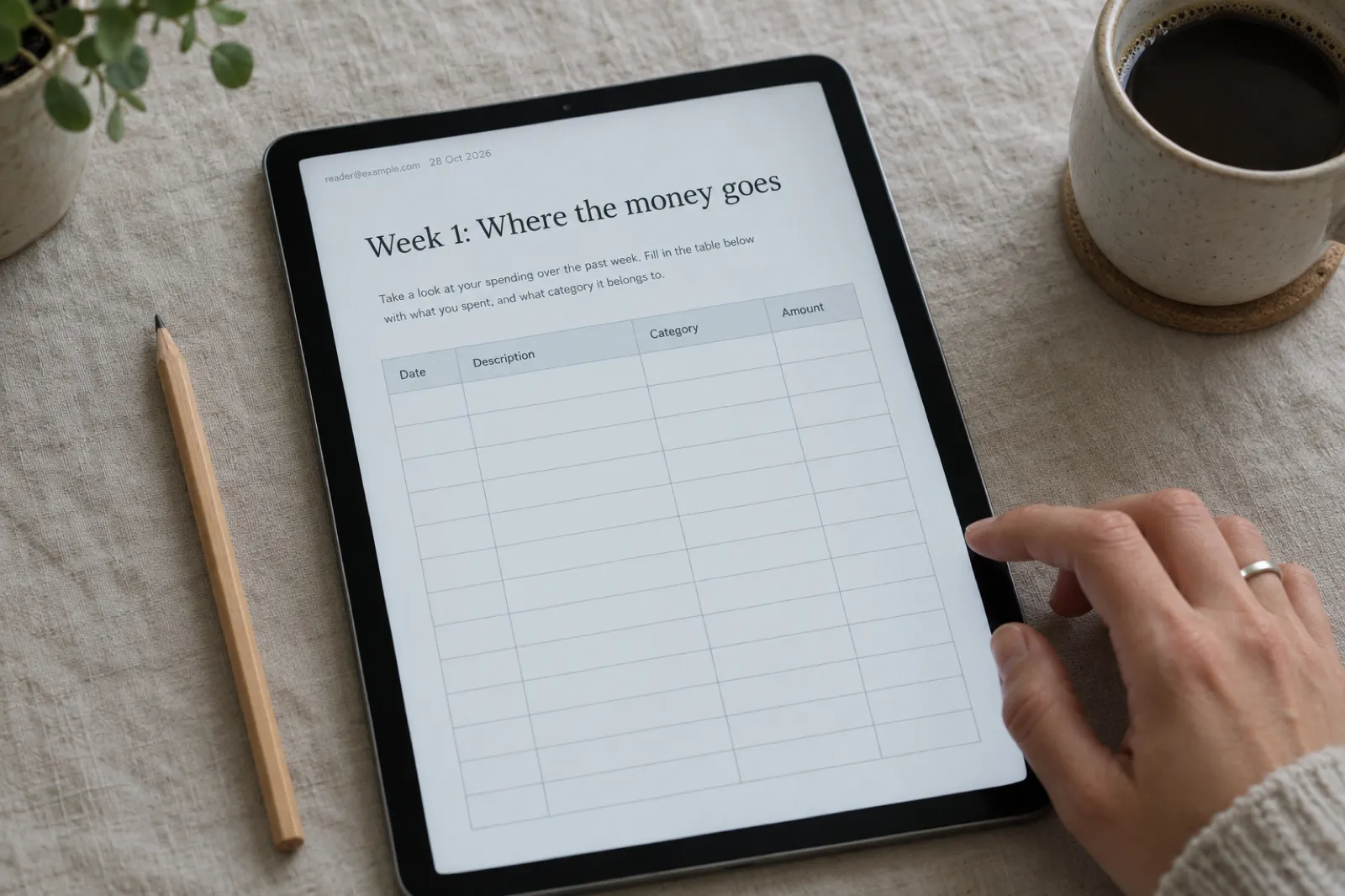
Both stamp PDFs with the buyer's details to discourage sharing, and neither is DRM. Payhip stamps the buyer's email address and the purchase date on the top left of every page, for PDFs under 250 MB in portrait orientation, and also limits downloads (5 per buyer by default, adjustable, and you can reset a buyer's count). Gumroad stamps the buyer's email and Gumroad's logo in the bottom-right corner of the first page only, which keeps stamping fast; a stamped PDF cannot also be password-protected, and Gumroad's help says plainly that it has no DRM for authors.
Files and formats
Both deliver any file type, so one product can hold a PDF and an EPUB. Payhip allows 5 GB per file; Gumroad 20 GB per file on products above $0.99 and 250 MB in total on free ones. Neither sends an EPUB to a reader's Kindle for them. Our guide to ebook formats explains when to offer which.
Pricing tools
- Pay what you want, discount codes, bundles: both (on Payhip, type "5+" for a $5 minimum).
- Upsells: Gumroad offers one after the buyer presses Pay. Payhip has cross-sells and order bumps at checkout, upgrade discounts after purchase, and since 2026 cart-abandonment emails.
- Regional pricing: Gumroad offers purchasing power parity discounts of 20% to 60% by country. Payhip has none, but a "refer a friend" discount instead.
Email and your reader list
This is Gumroad's strongest feature for authors: built-in emails to followers and customers, a subscribe page, and automated workflows such as a welcome sequence, a drip-fed course or abandoned-cart reminders. The catch: no emails until you have earned $100 after fees and received a payout. Payhip's built-in option is lighter: Email Updates to all customers or one product's buyers, and a newsletter section that collects followers you export. Beyond that it connects to 14 email services, including Mailchimp, ConvertKit, MailerLite, Flodesk and Klaviyo, and adds buyers to your list automatically. EU buyers must tick a consent box, so your list will be smaller than your customer count.
If you already use an email service, Payhip's approach keeps your list in a tool you control; if not, Gumroad works on day one. For building a list with a free ebook, see how to create a lead magnet that converts.
Affiliates
Both let affiliates promote you for a commission you set, with a 30-day cookie. The difference is who pays them. Gumroad splits each sale and pays the affiliate itself, sharing fees in proportion to the commission. Payhip "is not able to pay your affiliates for you": it gives you a monthly report with each affiliate's PayPal email and commission, and you pay them.
Courses, memberships and coaching
If an ebook is the first step of a bigger offer, both can carry the next one. Payhip's course builder has seven lesson types (video, text, quiz, download, survey, assignment, embed) in a branded player, memberships have tiers and free trials, and coaching connects to Calendly and Zoom. Gumroad sells courses, tiered memberships, and calls and commissions once your account is 30 days old. To turn a book into a course, see our guide to converting a book into an online course and the AI course creator cover the content side.
Storefront, branding and your own domain
Payhip gives every plan a full drag-and-drop store builder with themes, sections, a blog, customer reviews, SEO settings, a cookie banner and an announcement bar. You can connect your own domain (Payhip generates the SSL certificate), customise the checkout page with your banner, logo and colours, and switch off the "Powered by Payhip" badge. For an author without a website, a Payhip store on a custom domain can be the website.
Gumroad gives you a profile at yourname.gumroad.com, customisable product and landing pages, and custom domains: more uniform than a Payhip store, with less to configure and less room for your own brand. Both give you buy buttons to embed on an existing site, or link from a newsletter, a social profile or a Shopify store.
AI content and what you can't sell
Neither platform has a rule against ebooks written with AI help, which puts them among the more relaxed places to sell. Our guide to which stores allow AI-written books compares them with Amazon, Apple, Etsy and the rest.
Gumroad's prohibited list (revised 16 September 2026) bans "AI services", meaning selling access to AI tools, not a book written with one. It also bans reselling what you did not create, including PLR and MRR ebooks, plus credit-repair ebooks and sexually explicit content. Payhip bans get-rich-quick schemes, debt and credit-repair content, unlicensed medical advice, pornography, copyright infringement and gambling, and you must follow PayPal's and Stripe's terms too.
On both, sell only what you have the rights to and describe it honestly. If a topic sits near a banned category (a money book that could read as get-rich-quick, a health book that could read as medical advice), frame it as education. The can you sell AI-generated books guide goes further on rights and disclosure.
Reputation and support
On Trustpilot, read on 28 October 2026, Payhip has a TrustScore of 4.5 from 561 reviews and Gumroad has 1.4 from 421 reviews, with Trustpilot noting that Gumroad "hasn't replied to negative reviews". Review sites over-represent people with a problem, and Gumroad has far more sellers, so treat this as a signal about how each company handles complaints rather than a measure of how often things go wrong.
The complaints follow the business models. Gumroad holds money and runs risk reviews, so unhappy reviews tend to be about held balances and account reviews; its help centre documents payout delays and reviews in detail. Payhip never holds your money, so that kind of problem moves to PayPal or Stripe. Both run support by email and publish detailed help centres; we answered every question in this guide from them.
Start with a book worth selling
The platform matters less than the book. Write a focused ebook in Inkfluence AI, edit it chapter by chapter, and export a polished PDF or EPUB ready for Payhip, Gumroad or both.
Write my ebook nowPublishing to each from Inkfluence AI
Gumroad: publish from the app
On the Creator and Premium plans, Inkfluence AI publishes a finished book straight to your own Gumroad account. Open the book, click Publish, pick the "Sell on Gumroad" tab and connect your Gumroad account (it opens Gumroad so you can authorise; payments and payouts stay on Gumroad). Then:
- Click "Auto-fill with AI" to draft the description, a summary, up to 10 tags and a suggested price. Every field stays editable.
- Choose the files: PDF (the default), EPUB, or both.
- Publish. Your cover becomes the product image and the product goes live; if Gumroad payouts are not set up yet, it stays a draft until they are.
- Click "Edit listing" to add a refund policy, PDF stamping or a discount in Gumroad's own editor.
The step-by-step version is in our selling help, and selling ebooks on Gumroad covers the listing itself in depth.
Payhip: export and upload
Payhip's public API currently covers coupons and license keys only, so no app can create a Payhip product for you yet. Uploading takes a couple of minutes:
- In Inkfluence AI, export the book as a PDF, an EPUB or both. The free plan exports PDF; EPUB, Word and the KDP print files come with any plan or credit pack (see exporting help).
- In Payhip, add a new digital product, upload the files and your cover image.
- Paste a description. Our free book description generator helps if you are starting from a blank box.
- Set the price, switch on PDF stamping and a download limit in Advanced Settings, choose a marketplace category and tags, and publish.
Our guide to selling ebooks on Payhip walks through the store setup in full, and the Payhip review covers what it is like to use day to day.
Every plan can also put the book on a free public showcase page with a sample chapter and a buy button for Gumroad, Etsy or Amazon. For what to write first, digital product ideas and making money selling AI ebooks are good places to start, and the workbook generator suits the printable products that sell well on both.
Verdict by seller type
| You are | Pick | Why |
|---|---|---|
| Selling your first ebook to a small list | Payhip Free | Keeps about $1 more per $9.99 sale, pays you on the day of each sale, and the full store is free. |
| Selling mostly to the US, UK, EU and Canada | Payhip | Its tax handling now covers all four, at no charge, and you can include tax in your price. |
| Selling to buyers everywhere, wanting no tax admin at all | Gumroad | It is the merchant of record for every sale in every country. |
| Building a list with no email service yet | Gumroad | Built-in emails and automated workflows from day one (once you pass $100 and a payout). |
| Running an affiliate launch with many partners | Gumroad | It pays affiliates for you; on Payhip you pay each one yourself. |
| Selling an ebook with a course or coaching on top | Payhip | Course builder, memberships, Calendly and Zoom coaching, all on the free plan. |
| Making over about $1,000 a month | Payhip Plus, then Pro from about $3,500 | The monthly fee is covered by the lower percentage. |
| Giving away a free lead magnet | Either | Both deliver $0 products and capture emails; Gumroad caps free products at 250 MB, Payhip at 5 GB per file. |
| Selling printables with no audience yet | Neither first | Start where buyers search, like Etsy, and add a direct checkout later. |
Put simply: Payhip is the better default for authors because it keeps more of each sale, pays faster and its free plan is complete. Gumroad earns its higher fee when its worldwide tax coverage, built-in email and hands-off affiliate payouts are worth more to you than about a dollar per $10 sale. For workbooks, planners and other printables, see how to sell workbooks and our guide to creating a workbook with AI; for books people read on a device, the ebook stores belong in the plan too, as our guide to publishing wide explains.
Using both, and switching
Both are non-exclusive and free to list on, so you can promote one checkout and list the same ebook on the other for its marketplace. The only conflict is KDP Select: while enrolled, the digital edition must be sold only on Amazon for each 90-day term. Our guide to KDP Select vs going wide covers that choice.
If you move, email past buyers a link to their files (both can), take your list with you (Gumroad exports followers and a CSV of every sale; Payhip exports its follower list, and buyers are already in your email service if you connected one), and leave the old page up for a few weeks with a pointer to the new one. A launch routine for the new store is in our ebook launch checklist, and the ebook income calculator helps you set a realistic monthly target before you pick a plan.
Write once, sell it everywhere
Draft your ebook in Inkfluence AI, publish it to Gumroad in one click on Creator or Premium, and export the same files for Payhip, Etsy and the ebook stores. Free to start.
Create my ebookPayhip vs Gumroad: FAQ
Is Payhip or Gumroad better for selling ebooks?
For most authors selling to their own readers, Payhip: its free plan takes 5% plus the card fee, so a $9.99 ebook leaves about $8.90, against about $7.90 on Gumroad (10% + $0.50 plus 2.9% + $0.30 card processing). Gumroad suits sellers who want one company handling all sales tax worldwide, or its built-in emails and Discover marketplace.
What are Gumroad's fees in 2026?
Gumroad charges 10% + $0.50 per sale through your profile or links, plus card processing of 2.9% + $0.30 (or PayPal fees). Discover marketplace sales pay a flat 30%, processing included. There is no monthly fee, and after $20,000 of sales in a month, new direct sales drop to 5% + $0.50.
What are Payhip's fees in 2026?
Payhip has three plans with the same features: Free Forever at $0 a month and 5% per sale, Plus at $29 a month and 2%, and Pro at $99 a month with no transaction fee. PayPal or Stripe charge their standard processing fees on every plan. Sales through the Payhip marketplace cost nothing extra.
Is Gumroad a merchant of record?
Yes. Gumroad says it has been the merchant of record for all sales since 1 January 2025, collecting and paying sales tax, VAT and GST worldwide. Income tax on what you earn is still yours.
Does Payhip handle VAT and sales tax?
Yes, for the main regions. Payhip collects and pays digital EU and UK VAT, and since 1 July 2026 it also collects and pays US sales tax as a marketplace facilitator and Canadian GST, HST and PST as a digital platform operator. Quebec QST stays with you if you are required to collect it, and you can set up other taxes yourself.
Which pays out faster, Payhip or Gumroad?
Payhip. Each payment goes straight to the PayPal, Stripe or other processor account you connect, right after the sale. Gumroad holds sales in your balance, needs $100 to pay out, and on weekly, monthly or quarterly schedules each sale waits at least 7 days; eligible US sellers can get daily or instant payouts.
Does Payhip have a marketplace like Gumroad Discover?
Yes, since 2024. It lists approved digital products at no extra fee once your store has $10 in sales and has passed a review. Gumroad Discover charges 30% and needs a $100 balance plus a risk review first. Neither publishes its traffic, so treat both as a bonus.
Can I sell AI-written ebooks on Payhip and Gumroad?
Neither has a rule against AI-written ebooks. Gumroad bans selling AI services, reselling PLR or MRR ebooks, credit-repair ebooks and sexual content; Payhip bans get-rich-quick schemes, debt or credit-repair content and unlicensed medical advice, among others.
Can I sell the same ebook on both Payhip and Gumroad?
Yes, both are non-exclusive. The exception is KDP Select: while an ebook is enrolled, its digital edition must be exclusive to Amazon.
Can Inkfluence AI publish to Payhip or Gumroad?
It publishes straight to your own Gumroad account on Creator and Premium, with description, tags, price, cover and your choice of PDF, EPUB or both. Payhip has no public way for apps to create products, so you export the files and upload them.
Sources
Every external fact on this page was read on the source below on 28 October 2026. Inkfluence AI features were checked in our product code the same day.
- Gumroad: Pricing (10% + $0.50 direct, 30% Discover, no monthly fee, all tax obligations handled since 1 January 2025)
- Gumroad Help: Gumroad's fees (card processing 2.9% + $0.30 and PayPal fees excluded; Discover includes processing; 5% + $0.50 after $20,000 a month; refunds)
- Gumroad Help: Sales tax on Gumroad and EU and UK VAT on Gumroad (merchant of record; VAT not inclusive; e-publication rates)
- Gumroad Help: Getting paid ($100 minimum, schedules, 7-day hold, PayPal 2% payout fee, instant payouts 3%)
- Gumroad Help: Gumroad Discover (eligibility, risk review, automatic Gumroad Affiliates)
- Gumroad Help: Affiliates on Gumroad, Workflows, PDF stamping, File size limits, Upsells, Purchasing power parity, Selling services
- Gumroad: Prohibited products (last revised 16 September 2026) and Things you can't sell on Gumroad
- Payhip: Pricing (Free Forever, Plus, Pro; all features on every plan; PayPal and Stripe fees; immediate deposits; tax FAQ)
- Payhip: Features (store builder, marketplace, courses, coaching, memberships, PDF stamping, license keys)
- Payhip Help: Digital EU VAT and UK VAT, US sales tax and Canada sales tax (from 1 July 2026)
- Payhip Help: How do I get paid? and How Payhip works
- Payhip Help: Marketplace (no extra fee, $10 in sales and a review, digital only)
- Payhip Help: Protect your products, Affiliates, Email Updates, Mailing lists, Courses, Coaching, Adding a digital product, Changelog
- Payhip Help: What products are not allowed on Payhip?
- Stripe: Pricing (US standard card rate 2.9% + 30 cents, plus 1.5% for international cards) and PayPal: Business fees, US (PayPal Checkout 3.49% + $0.49, plus 1.50% international)
- Trustpilot: Payhip and Trustpilot: Gumroad
Related reading
- Where to Sell Ebooks in 2026: every channel, with a picker
- How to Sell Ebooks on Payhip and the Payhip Fee Calculator
- Payhip Review (2026) and Payhip vs Etsy
- How to Sell Ebooks on Gumroad
- Ko-fi for Authors (2026): tips, memberships and a shop on one page
- Selling Ebooks on Etsy and Gumroad
- Which Stores Allow AI-Written Books
- Lead Magnet Generator and AI Ebook Generator
- AI Book Cover Generator
- Inkfluence AI plans and pricing

Founder, Inkfluence AI
Sam is the founder of Inkfluence AI. He built the platform to make book creation accessible to everyone - from first-time authors to seasoned publishers.
Helpful links

Ready to write your own book?
Write with AI, make it yours, and export PDF, EPUB and KDP-ready files from one project.
Keep reading
 Selling
 How to Sell Ebooks on Lemon Squeezy in 2026: Fees, Tax and Setup
Selling an ebook on Lemon Squeezy in 2026, from its own pricing page and help docs checked 28 October: the 5% + $0.50 fee and every extra, tax handled as merchant of record, payouts, store approval, what you cannot sell, what Stripe's ownership and Managed Payments mean for new sellers, a step-by-step setup and a calculator against Payhip and Gumroad.
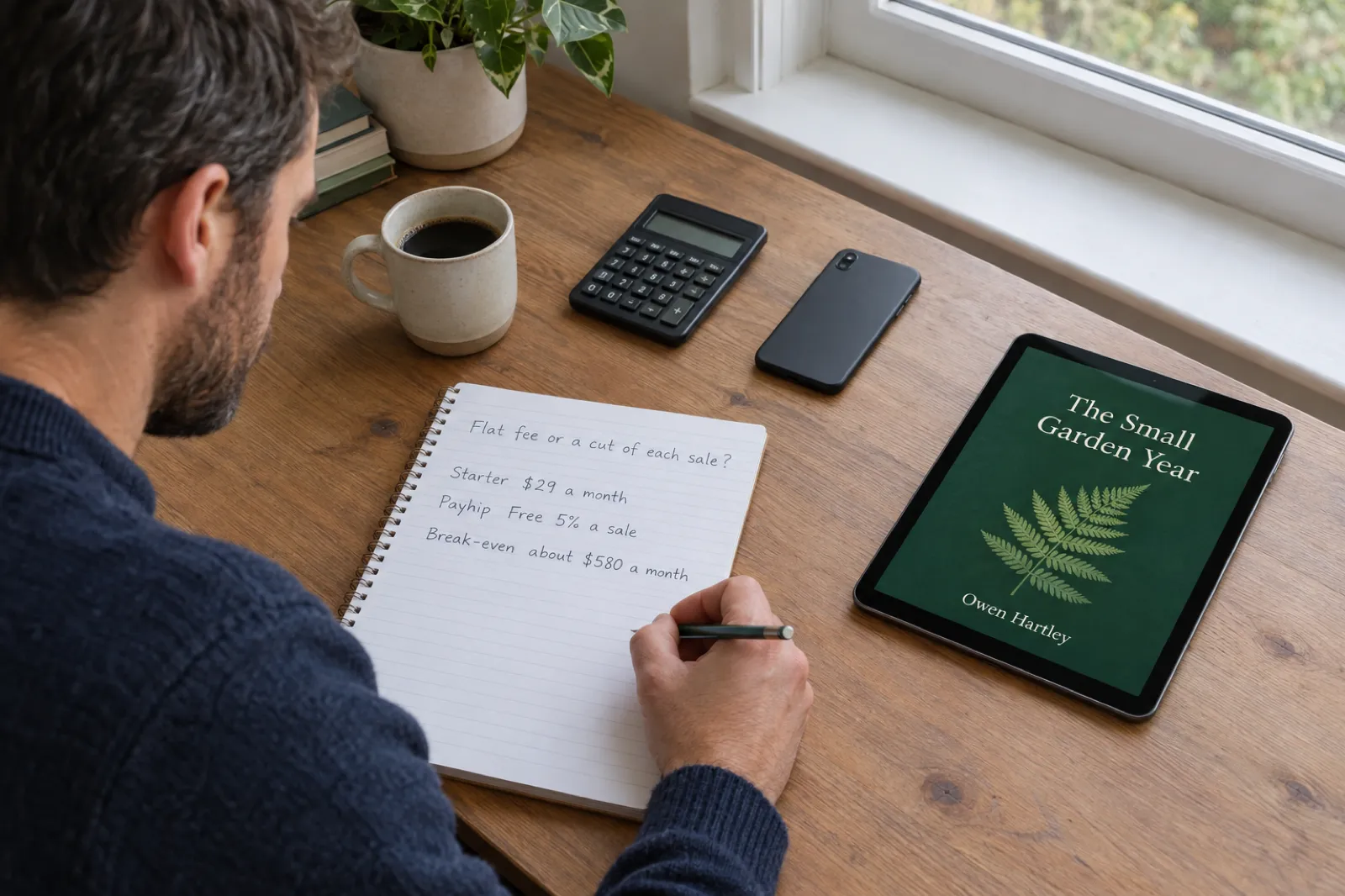 Selling
 How to Sell Ebooks on Sellfy in 2026: Plans, Fees and Is It Worth It
Sellfy charges a flat monthly plan and 0% per sale, with no free plan and a sales cap on every tier. Here is what each plan costs and includes, how tax, delivery and PDF stamping work, a step-by-step setup for an ebook, and a calculator that shows when Sellfy beats Payhip, Gumroad and Lemon Squeezy at your own sales.
 Selling
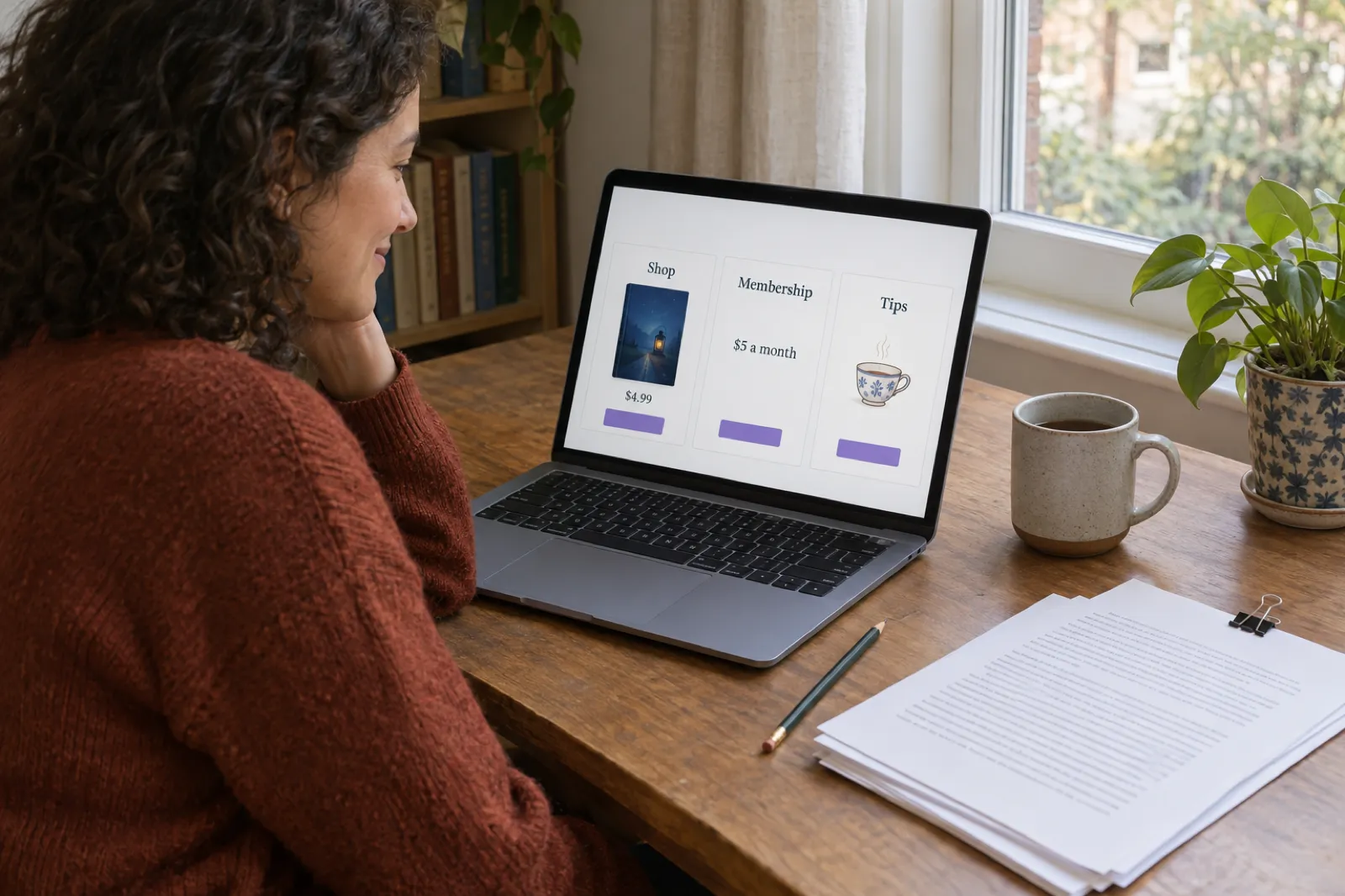
 Ko-fi for Authors (2026): Selling Ebooks, Memberships and Commissions Through Ko-fi Shop
Ko-fi for writers, checked against Ko-fi's own help centre on 28 October 2026: what the free plan and Ko-fi Gold really take, how tips, Ko-fi Shop, memberships and commissions work for authors, PayPal and Stripe fees, payouts, tax, the AI rule, discovery, a Ko-fi earnings calculator, and how it compares with Patreon, Payhip and Gumroad.

Get ebook tips in your inbox
Join creators getting weekly strategies for writing, marketing, and selling ebooks.