Updated October 2026 · 6 tools · prices checked 31 Oct 2026
The Best NovelAI Alternative for Novelists in 2026
NovelAI is good at the next paragraph. A novel needs more: a plan for thirty chapters, a memory of what already happened, and a file a store will accept. These six tools are ranked on exactly that, with free tiers and prices read from each vendor's own site.
The gap this page is about: from a pile of generated text to a book a reader can buy.
The best NovelAI alternative for novelists: the short answer
Quick answer
If you used NovelAI to write a novel and now want to finish and publish it, switch to Inkfluence AI. It outlines the book, writes it chapter by chapter against a story bible that tracks what has already happened, and exports PDF, EPUB, Word and KDP print and Kindle files. The free plan writes 5 chapters a month, and one book can be paid for once with a credit pack. If you would rather write every sentence yourself, Sudowrite and Novelcrafter are the next picks. For one scene, Claude or ChatGPT.
This page is for novelists. NovelAI is also used for text adventures and anime-style image generation; if that is what you use it for, it remains a good tool for it and this ranking is not about those jobs.
Want the two tools side by side, feature by feature? Read Inkfluence AI vs NovelAI. This page answers a different question: if NovelAI is not getting your novel finished, what should you use instead?
Why novelists look for a NovelAI alternative
A plain-text export is one long scroll. A novel is chapters, front matter, a cover and a file in the right format.
NovelAI describes its story tool as "a story generator built to write with you, not for you" (NovelAI homepage). That is an honest description, and it explains the four complaints novelists bring to us most often.
1. There is no book at the end
NovelAI's story settings docs list five exports: a .story file, a .scenario file, plain text (.txt), the clipboard, and an image of the text. None of them is an EPUB, a print PDF or a Word file.
2. It writes turn by turn
You write, it continues, you steer. That is lovely for discovery writing, and slow for a 70,000-word draft. There is no outline that becomes chapters.
3. Memory is something you maintain
The longest context is on Opus, "up to 28,672 tokens" (subscription docs), roughly 21,000 words. Beyond that, the lorebook entries you write and update carry the story.
4. The free part is a trial
The Paper trial is 50 text generations, once. After that the cheapest plan is $10 a month. Many people searching "is NovelAI free" are really asking whether there is a free way to keep going.
None of this makes NovelAI a bad tool. It makes it a tool for a different job. An alternative for a novelist should do the opposite on each point: a finished file, an outline that turns into chapters, memory that keeps itself up to date, and a free allowance that comes back every month.
What changed for NovelAI and its alternatives in 2026
Checked 31 Oct 2026 on each vendor's own site
NowNovelAI's homepage says its story writer is "powered by GLM 4.6", a general-purpose model, and leads with anime image generation. Plans are still $10, $15 and $25 a month, and the story export list is still .story, .scenario, plain text, clipboard and image.
RulesKDP now caps new titles at 2 per book format each week, resetting Sunday 12:00 AM UTC (KDP's limits page). Finishing one strong novel beats drafting five.
NewInkfluence AI's story bible now keeps a running record. Since September, after each chapter it notes what is now true on the page (who knows what, where everyone is, what has happened) and checks the next chapter's plan against it before writing, so a reveal is not told twice.
PricesSudowrite's monthly billing sits well above its yearly price. Its own cost post (updated 19 Oct 2026) lists Hobby & Student at $19 a month billed monthly against $10 a month billed yearly.
PricesChat plans spread out. ChatGPT lists Go at $8 and Plus at $20, with Pro at $100, $200 or $500 a month; Claude Pro is $20, or $17 a month billed yearly.
Which NovelAI alternative fits which writing job
Start from the job you were trying to do in NovelAI. The best pick gets that job to a finished novel; the runner-up is the strongest option with a different trade-off.
Every price below was read on the vendor's own pricing page on 31 Oct 2026. "Book files" means what you can download to publish: where a vendor's page does not say, the cell says so rather than guessing.
The Inkfluence AI credit pack is a one-time payment, not monthly. Novelcrafter shows prices localised by region; these are the US figures.
The best NovelAI alternatives for novelists, ranked
Best overallFree planPay once option
1. Inkfluence AI: best for finishing and publishing a novel
Inkfluence AI starts where NovelAI stops. Type the premise, pick a genre, and it writes an outline you can change chapter by chapter. Then it writes the novel in order, each chapter reading what came before, with a story bible holding the plot, characters, key objects and the rules of your world. The chapters land in an editor where you rewrite anything by hand, regenerate a chapter, or open AI Assist to write, chat about the book, or review a chapter or the whole manuscript.
When the draft is done, the same project gives you a cover with back and spine, an audiobook in Inkfluence's narration voices, a translation, and the files: PDF, EPUB, Word, and a KDP package with the print interior and Kindle files. "Continue as a series" writes book two from book one's real ending.
Free: 5 chapters a month, every month; editor, story bible, cover designer, PDF export (with Inkfluence branding).
Paid: Creator $9.99 a month or $89 a year (35 chapters a month, 20 images, 15 audiobook chapters); Premium $19.99 a month or $179 a year (no monthly chapter limit, 50 images, 30 audiobook chapters).
Pay once: 15 chapter credits $9.99, 25 for $12.99, 50 for $24.99. Credits never expire, and the first pack unlocks EPUB and Word export for life.
Ownership: the terms say you keep all rights, and your content is not used to train AI models.
Limits, plainly: no text-adventure mode and no anime image generator; length follows chapter count (roughly 1,000 to 1,500 words a chapter), not a word target.
2. Sudowrite: best for writers who draft their own prose
The closest in spirit to NovelAI's co-writing: you write, and it suggests, rewrites, describes and expands. It has its own Story Bible. Usage is metered in monthly credits, so heavy drafting months cost more.
Free: trial with no card; length not stated.
Paid: Hobby & Student $19 a month billed monthly or $10 yearly (225,000 credits); Professional $29 or $22; Max $59 or $44 (Sudowrite's cost post, pricing page).
3. Novelcrafter: best for planners who bring their own AI
A novel workspace with a Codex for characters and places, scene beats and summaries. The Codex does a similar job to a NovelAI lorebook. From Hobbyist up, AI runs on your own provider key, so there is a second bill.
Free: 21-day trial, no card, all features; no free plan.
Paid: Scribe $4 (no AI), Hobbyist $8, Artisan $14, Specialist $20 a month; yearly is "2 Months off" (pricing).
Book files: formats not named on the pricing page.
4. Squibler: best for a long manuscript on a bigger budget
An AI book editor that generates a full 200 to 300 page book on Plus, with PDF and DOCX export. The free tier is for testing; full-length generation sits on the paid plans.
Free: 1,000 AI credits a month, "$0 forever".
Paid: Plus $29.99 a month or $15.83 a month yearly; Pro $89.99 or $49.17 (pricing).
Natural prose and patient with long pasted text, so it is good for reworking a chapter. For a whole novel it is a chat window: you carry the plan, the continuity and the assembly yourself.
Free: free tier with usage limits.
Paid: Pro $20 a month, or $17 a month billed yearly ($200); Max from $100 (pricing).
Quick with premises, names, twists and a scene on demand. The same limits as any chat tool for a whole book: earlier chapters fall out of view, and the formatting, cover and EPUB are your job. Our page on a ChatGPT alternative for writing a book covers that switch.
Free: free tier with usage limits.
Paid: Go $8, Plus $20, Pro $100, $200 or $500 a month (OpenAI pricing docs).
The novelist's checklist: what each NovelAI alternative does
Four questions decide whether a tool gets a novel finished. "Not stated" means the vendor's pricing page does not say; check before you rely on it.
Tool
Outline to chapters
Memory across the book
EPUB and KDP files
Inkfluence AI
Also: cover, audiobook, translation, series
Yes, editable outline, written in order
Story bible, updated after every chapter
Yes: EPUB, Word, KDP print and Kindle files
Sudowrite
Drafts scenes from your outline
Story Bible
Not stated on pricing page
Novelcrafter
Generates from scene beats (your AI key)
Codex you maintain
Not named on pricing page
Squibler
Full book on Plus
Not stated on pricing page
PDF and DOCX; no EPUB stated
Claude, ChatGPT
One request at a time
The conversation, until it scrolls away
No
NovelAI (reference)
Continues your text
Context plus keyword lorebook
No: .txt and its own formats
Is NovelAI free? The trial versus a free plan
No. NovelAI has a free trial, which it calls Paper. For a logged-in account with a verified email, it gives 50 text generations, 30 image generations up to 1024 by 1024, and 100 text-to-speech generations. When those are gone, you need Tablet ($10 a month), Scroll ($15) or Opus ($25). All three include unlimited text and text-to-speech; Opus adds 10,000 Anlas a month for images (Tablet and Scroll get 1,000) and the longest memory (NovelAI subscription docs, checked 31 Oct 2026).
Fifty generations is enough to feel the tool, not to write a chapter you would keep. If what you want is a free way to keep writing a novel, the question is which tools give you something every month.
Tool
What free gives you
Comes back monthly?
Inkfluence AI
5 AI-written chapters, editor, story bible, cover designer, PDF
Yes, 5 chapters every month
Squibler
1,000 AI credits
Yes; full-length books are on paid plans
Claude, ChatGPT
Chat with usage limits
Yes; no book tools
Sudowrite
Trial, no card
No
Novelcrafter
21-day trial, all features
No
NovelAI (reference)
50 text, 30 image, 100 text-to-speech generations
No, once
Five chapters a month will not draft a novel quickly, and it is not meant to. It is enough to test the outline, the voice and whether chapter five still remembers chapter one. For more free routes, see our free AI novel writer page and the free and unlimited AI novel writers roundup.
Lorebook or story bible: keeping a novel consistent
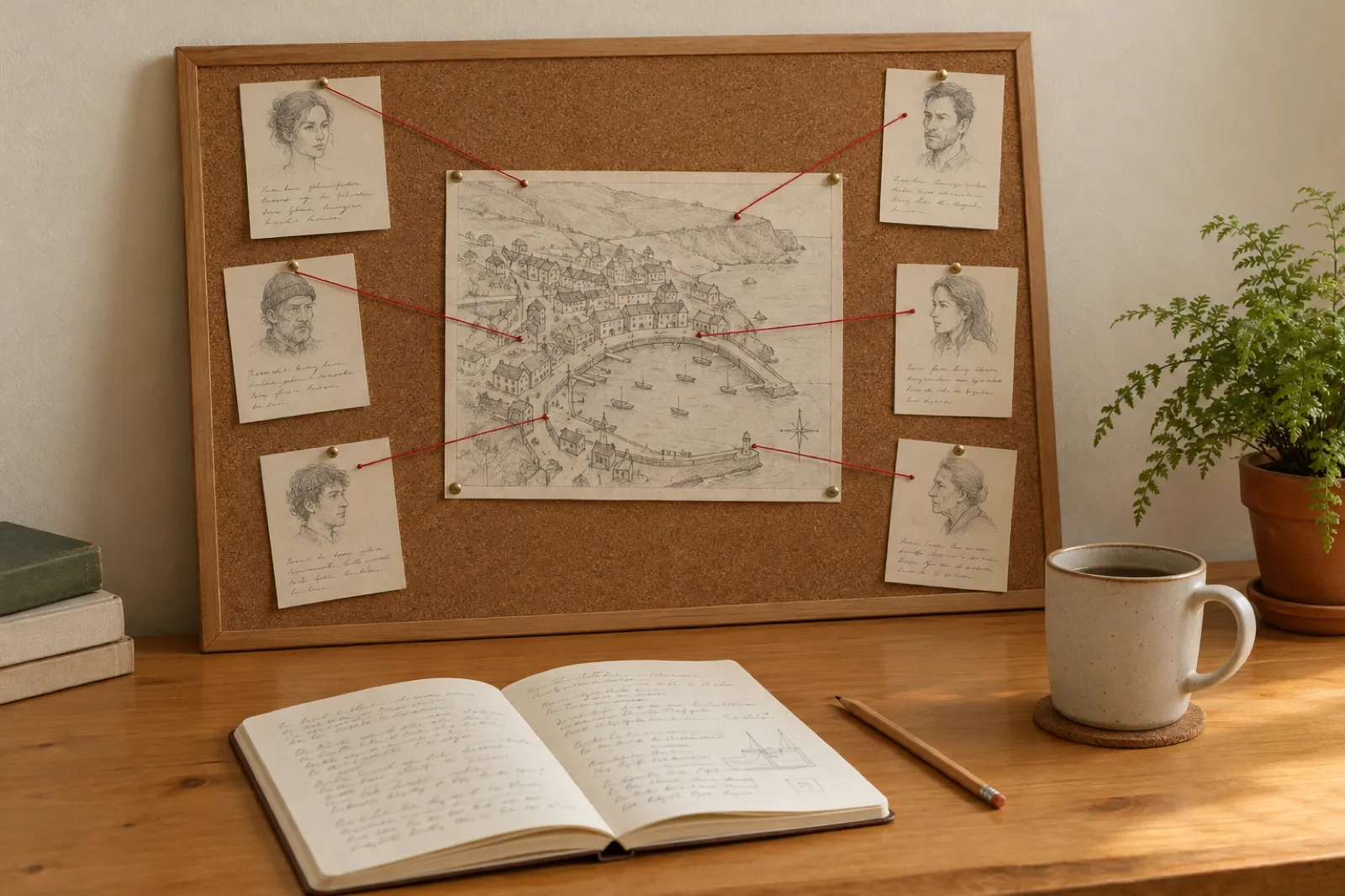
Every long novel has a board like this somewhere. The question is who keeps it current.
The lorebook is the NovelAI feature novelists miss most, so it is worth being precise. A lorebook entry has a title, some text and activation keys. When a key (say, a character's name) appears in the recent story, the entry's text is added to what the AI sees. NovelAI scans up to 10,000 characters of recent text for keys, and each entry has a token budget. A Lore Generator can draft entries for you, but the lorebook stays something you build and update (NovelAI lorebook docs).
That works well for facts that do not change: a city, a magic system, a character's eye colour. It is weaker for the facts that change chapter by chapter, which are the ones that break novels: who has learned the secret, who is injured, where the letter is now. If you forget to update the entry after chapter 12, chapter 20 still believes the old version.
Inkfluence AI's story bible is built from your outline: plot, synopsis, characters, key objects and the rules you set. You can edit any of it. After each chapter is written, Inkfluence AI records what is now true on the page, and before the next chapter it checks that chapter's plan against the record. If the outline planned a reveal for chapter 6 but the story already revealed it in chapter 3, chapter 6 is written as what happens next, not as news. The details are in how Inkfluence AI keeps a book consistent.
Fixed facts
Places, rules, looks. Both a lorebook and a story bible hold them well.
Changing facts
Who knows what, who is where. A story bible that updates itself after each chapter keeps up.
The plan
A lorebook has no outline. A story bible sits next to one, so the book has a shape.
Worked example: one 30-chapter novel, three routes
The first five chapters are the real test: is the voice right, and does chapter five remember chapter one?
This is a worked example, not a lab test. It uses each vendor's published prices (checked 31 Oct 2026) and Inkfluence AI's own plan rules to show what one novel costs and who does which step.
The book: a 30-chapter mystery set in a harbour town, about 30,000 to 45,000 words of first draft, to publish as a Kindle ebook and a 6 by 9 inch paperback.
Route A
Inkfluence AI, pay once
Free plan: outline and the first 5 chapters this month. Read them.
Happy? A 25-credit pack ($12.99, once) covers chapters 6 to 30.
The pack also unlocks EPUB and Word export for life.
Export the KDP package: print interior plus Kindle files.
Cost: $12.99 once. Or Creator for one month at $9.99 (35 chapters, 5 spare for rewrites).
Route B
NovelAI, then format elsewhere
Write turn by turn, steering each continuation; how long 30 chapters takes is up to you.
Opus ($25 a month) for the longest memory, plus lorebook upkeep.
Export as .txt, split it into chapters in a word processor.
Format the interior and build an EPUB in a separate tool, then a cover.
Cost: $25 a month while drafting, plus any formatting or cover tool.
Route C
Sudowrite, then format elsewhere
Draft scene by scene with you writing much of it.
Hobby & Student at $19 a month, or Professional at $29 for more credits.
Story Bible carries characters and outline.
Move the text out to format, build the EPUB and design a cover.
Cost: $19 to $29 a month while drafting, plus formatting and cover.
Word counts are rough: Inkfluence AI has no word-count setting, and chapters usually come out at 1,000 to 1,500 words, so 30 chapters is a solid first draft you then edit and expand. For targets by genre, see how many words in a novel. For the subscription-free route in more depth, our best AI book writer with no subscription page compares every pay-once option.
How to move a NovelAI story into a book
Already have thousands of words in NovelAI? You do not have to start again. Five steps:
Step 1
Export as plain text
In NovelAI's story settings, Export Story, As Plaintext. You get a .txt file with only the story text. Keep the .story file too, as a backup.
Step 2
Save your lorebook notes
Lorebooks export as .json, .lorebook or .png. Copy the entries you care about (characters, places, rules) into a document.
Step 3
Import into Inkfluence AI
New Book, Import a document. It takes Word, EPUB, PDF or text, and several files can come in as one book. See how to import your manuscript.
Step 4
Set up chapters and the story bible
Check the chapter breaks in the editor, then paste your lorebook notes into the Story Bible so new chapters respect them.
Step 5
Finish, then export
Add the missing chapters, ask AI Assist to review the whole book for loose ends, design the cover, and export the EPUB and KDP files. If the story wants a sequel, "Continue as a series" writes book two from the real ending.
One honest note on interactive sessions: a NovelAI story written as a back-and-forth often reads like one, with second-person turns and abrupt jumps. Expect to rewrite the joins. AI Assist's review is good at finding them; the rewriting is yours.
Publishing on KDP: the part NovelAI leaves to you
An ebook, a paperback interior and a wraparound cover: three files KDP wants, none of which a .txt export gives you.
Getting a novel onto Amazon takes a handful of rules and the right files. From KDP's own help pages, read on 31 Oct 2026:
Disclose AI-generated content. KDP's content guidelines define AI-generated content as "text, images, or translations created by an AI-based tool" and require you to report it when you publish. "You are not required to disclose AI-assisted content", meaning work you wrote yourself and used AI to edit or refine. Our KDP AI disclosure guide walks through the form.
Two new titles a week per format. Ebook, paperback and hardcover each allow 2 new titles a week, resetting Sunday 12:00 AM UTC (KDP limits).
Trim size and page count. The most common US paperback trim is 6 by 9 inches; 5 by 8 and 5.5 by 8.5 are common for fiction. A black-ink paperback on white paper runs 24 to 828 pages, and bleed is 0.125 inch when anything prints to the edge (KDP trim and bleed). Novels usually print without bleed.
Ebook file. KDP takes EPUB for Kindle ebooks. A plain .txt file has no chapters, contents page or styling, so it needs converting first.
Audiobooks: not ACX. ACX accepts human narration only. AI-narrated audiobooks go to other stores; see where to sell an AI audiobook.
In Inkfluence AI these steps are buttons in one project. Export, KDP gives you the print interior and the Kindle files, with page sizes from 5 by 8 to 6 by 9 and margins set for the size. The cover designer builds the front, back and spine. The audiobook studio narrates chapters on Creator (15 a month) and Premium (30). For the file types, our ebook formats guide and KDP Print guide have the detail, and can you sell AI-generated books covers the rules.
NovelAI alternatives by genre
Most NovelAI novelists write genre fiction. Genre changes what the tool has to get right: a fantasy world's rules, a romance's slow build, a mystery's fair clues. Inkfluence AI has a starting point for each, with the same story bible underneath.
Plenty of writers keep both. NovelAI is a sandbox: you write a line, see where it goes, and follow the surprises. If that playful discovery is how you find a story, keep doing it there, then bring the premise and your notes to Inkfluence AI when you want an outline and a finished book.
Inkfluence AI does not offer a text-adventure mode or an anime image generator, and it is not trying to. Its pictures are for books: covers, chapter illustrations and illustrated children's books (see the AI picture book maker).
Use NovelAI for
Open-ended play, discovering a story turn by turn, anime-style character art.
Use Inkfluence AI for
The novel itself: outline, chapters with a story bible, editing, cover, EPUB and KDP files, audiobook and series.
How we chose and checked these NovelAI alternatives
People searching "NovelAI alternative" want different things. This page serves the novelists: people who want a finished, publishable book. Every tool here is a real option for at least one part of that job.
Prices
Read on each vendor's own pricing page or docs on 31 Oct 2026. No third-party price lists. Where a vendor's page is silent, we say so.
NovelAI facts
Exports, lorebook mechanics, trial and plans from NovelAI's own documentation; ownership from its terms, section 1.3.
Publishing rules
From KDP's own help pages on AI disclosure, weekly title limits and trim sizes.
Bias, stated
We make Inkfluence AI and rank it first for finished novels. We also say plainly what it does not do: text adventures and anime art.
What is the best NovelAI alternative for writing a novel?
Inkfluence AI. It plans the novel as an outline, writes it chapter by chapter against a story bible that records what has happened, and exports PDF, EPUB, Word and KDP print and Kindle files from the same project. The free plan writes 5 chapters a month, so you can judge it on your own story before paying. Sudowrite and Novelcrafter suit writers who draft most sentences themselves.
Is NovelAI free?
NovelAI has a free trial, not a free plan. Its Paper trial gives an email-verified account 50 text generations, 30 image generations and 100 text-to-speech generations. After that the plans are Tablet $10, Scroll $15 and Opus $25 a month (NovelAI subscription docs, checked 31 Oct 2026). Inkfluence AI's free plan gives 5 AI-written chapters every month with no end date.
Is there a free NovelAI alternative?
Yes. Inkfluence AI has a free plan with 5 chapters a month, an editor, a story bible and PDF export. Squibler has a free tier of 1,000 AI credits a month, and Claude and ChatGPT have free chat tiers. Sudowrite and Novelcrafter offer trials, not free plans.
Can NovelAI export a book as EPUB or PDF?
No. NovelAI's documentation lists five export options for a story: a .story file, a .scenario file, plain text (.txt), the clipboard, and an image of the text. To publish, you take the plain text into another tool for chapters, layout, cover and an EPUB or print PDF.
How do I move a NovelAI story into Inkfluence AI?
Export the story from NovelAI as plain text, then use Import a document in Inkfluence AI, which accepts Word, EPUB, PDF and text files. Split the text into chapters in the editor, fill in the story bible, and carry on writing or go straight to export.
Does Inkfluence AI have something like NovelAI's lorebook?
Yes, the story bible. It is created from your outline (plot, synopsis, characters, key objects and the rules you set), you can edit it, and after each chapter Inkfluence AI records what is now true on the page so later chapters do not repeat or contradict it. A NovelAI lorebook entry is written by you and inserted when its keyword appears in the recent text.
Is Inkfluence AI cheaper than NovelAI?
Creator is $9.99 a month against NovelAI Tablet at $10, and Creator includes EPUB and KDP export, a cover designer and 15 audiobook chapters a month. If you write one book, you can also pay once: 25 chapter credits cost $12.99, never expire and unlock EPUB and Word export for life.
Who owns a novel written with NovelAI or Inkfluence AI?
You do, under both tools' terms. NovelAI's terms say you retain all rights and ownership of your Content. Inkfluence AI's terms say you keep all rights to what you create and that your content is not used to train AI models. Copyright law protects human authorship, so your own edits matter.
Can I publish a novel written with AI on Amazon KDP?
Yes. When you publish you must tell KDP about AI-generated text, images or translations; AI-assisted work, where you wrote it and used AI to edit, does not need disclosing. KDP also limits new titles to 2 per book format each week, resetting Sunday 12:00 AM UTC.
What are some sites like NovelAI for writing novels?
For writing and publishing a novel: Inkfluence AI (outline, chapters with a story bible, EPUB and KDP files), Sudowrite (a credit-priced co-writer), Novelcrafter (a planning workspace with a Codex, AI on your own key), Squibler (long manuscripts, PDF and DOCX), and Claude or ChatGPT for single scenes. For the two tools side by side, read Inkfluence AI vs NovelAI.
Start from a premise or import what you wrote in NovelAI. Outline it, write it with a story bible, and export EPUB and KDP files when you are ready. 5 chapters a month free, no card.