
Quick answer (19 November 2026)
- What changed: on 18 November 2026 Spotify opened Audiobook Creation Tools, its free AI narration tool inside Spotify for Authors, to self-published authors in the UK and 20 other new markets (22 with the US), and added Spanish.
- The deal: upload an EPUB, pick a licensed digital voice, fix pronunciations, preview each chapter, publish to Spotify. Free for up to five audiobooks per Spotify for Authors account, for good: slots do not reset, drafts count, and deleting a book does not give the slot back.
- The fine print: one voice per book, 4 generations per project (including fixes after publishing), 500,000 characters at most, English or Spanish only, and a validated payment profile registered in one of the 22 countries.
- Where it goes: Spotify, which is heading for 180+ markets. It is non-exclusive, and Spotify points to Voices by INaudio for other stores, but it documents no way to download the audio files.
- When to make your own instead: more than five books, a language other than English or Spanish, different voices per chapter, or files you can upload to Google Play Books, Kobo or your own shop.
For that second route, Inkfluence AI is the best option we know of: it narrates your book chapter by chapter in 20 languages, lets you redo any chapter, and gives you one MP3 of the whole book or one MP3 per chapter to upload where you choose. What it does, and its limits.
Make your audiobookIf you self-publish from the UK, Ireland, Canada, Australia or New Zealand, you can now turn a finished ebook into an AI-narrated audiobook on Spotify without paying anything, for up to five books. That is a real offer and a good one. It also comes with limits that matter more than the headline suggests, and most of them are written down only in Spotify's help centre, not in the announcement.
This guide sets out what Spotify has said, page by page, and what it has not. Then it covers when you are better off making your own audiobook files, and how.
Disclosure: Inkfluence AI is our product. It writes, formats and exports books and narrates audiobooks, so it is one of the alternatives discussed below. We have tried to be fair to Spotify's tool, which is the right choice for some authors, and we say where.
Published 19 November 2026. Every Spotify fact below was read on Spotify's own newsroom, Spotify for Authors site or help centre on 19 November 2026; sources are listed at the end. Where Spotify has not said something, we say so rather than guess.
What Spotify announced on 18 November 2026 Confirmed at source
Spotify's newsroom post of 18 November 2026 says its Audiobook Creation Tools are expanding to 21 more markets and gaining Spanish-language support. The tools first opened to self-published authors in the United States on 9 September 2026, so with this expansion they are available in 22 countries.
Spotify describes the tools as giving "eligible self-published authors a new way to turn their finished manuscript into an audiobook". The process, in Spotify's words: an author "uploads a finished manuscript as an .epub file and picks a voice from a curated library of licensed digital voices". Before publishing, authors can "listen back to preview every chapter and make adjustments to things like pronunciation", and "nothing goes live until the author approves it". The voice library now includes new Spanish voices, so Spanish-language manuscripts can become Spanish-language audiobooks.
Chester Lau, who leads Author Growth at Spotify, said: "Bringing these tools to 21 more markets means many more stories can find listeners."
Spotify also shared some early numbers from the US launch, without absolute figures behind them:
- Spotify for Authors sign-ups "have more than doubled" since the tools launched.
- "Nearly two in three new authors" have tried Audiobook Creation Tools.
- "More than 60% of uploaded manuscripts" have gone on to be published.
That last number means roughly four in ten uploaded manuscripts have not been published. Spotify does not say why; the limits below suggest a few likely reasons.
The news fits a wider push. On 7 October 2026 Spotify said audiobooks are expanding from 22 markets to more than 180 by the end of 2026, which we covered in Spotify audiobooks in 180+ markets. The newsroom post confirms that titles made with the creation tools "can be published in 180 markets". So the audience for an AI-narrated book on Spotify is getting much bigger at the same moment that making one becomes free for more authors. For the wider picture of AI narration this year, see the state of AI audiobooks in 2026.
The 22 countries where authors can use the free tool
Spotify's help article on getting access lists all 22 by region, and the rule that matters: you need "a payment profile registered in a supported country or region". The payment profile's country counts, not where your readers live.
| Region | Countries | Since |
|---|---|---|
| North America | United States | 9 September 2026 |
| English-speaking, new | United Kingdom, Ireland, Canada, Australia, New Zealand | 18 November 2026 |
| Europe, Spanish | Spain | 18 November 2026 |
| Central America and Caribbean | Mexico, Guatemala, Honduras, El Salvador, Nicaragua, Costa Rica, Panama, Dominican Republic | 18 November 2026 |
| South America | Colombia, Chile, Peru, Ecuador, Bolivia, Paraguay, Uruguay | 18 November 2026 |
A few gaps stand out. Argentina is not on the list, even though it is a large Spanish-speaking market, and neither is any country in mainland Europe apart from Spain. Germany, France, Italy, the Netherlands, the Nordic countries and Portugal are all missing, as are India, South Africa and Brazil. Spotify's help article puts it simply: "If your country or region isn't listed, Audiobook Creation Tools aren't currently available for your account." Spotify has not given dates for any further markets.
Outside the 22, you can still sell an AI-narrated audiobook on Spotify by making it elsewhere and uploading it through Spotify for Authors. For books in German, French, Italian or Portuguese that is the only route anyway, because the tool does not support those languages.
What you actually get
Taking the newsroom post, the Spotify for Authors product page and the help centre together, here is what the free tool does:
- EPUB in, audiobook out. "Currently, we support EPUB files." There is no Word or PDF upload, so you need a clean EPUB of the finished book.
- A curated library of licensed digital voices. You press play on a voice to hear a sample read from your own book, which is a nice touch: you hear how it handles your prose, not a stock paragraph.
- One narrator per book. The help article on choosing a voice says: "You can use 1 voice per audiobook." You can change it before publishing; after publishing, a different voice means a new version.
- Pronunciation control. You review pronunciations "for names, places, acronyms, and other terms", and the product page says you have "full direction over pronunciation rules before publishing".
- Chapter previews. Spotify creates previews of each chapter, and you can regenerate a chapter's preview after changing a pronunciation.
- Automatic publishing. When you select Submit and Publish, Spotify generates the audio in the background and publishes it to Spotify automatically. "Most audiobooks are published within 72 hours."
- A clear label. Titles made with the tool "include a 'Narrated by Digital Voice' label on Spotify".
- Non-exclusive terms. The product page: "Spotify for Authors is non-exclusive, giving you complete control over your audiobook." The September launch post adds that "when you create an audiobook using Spotify for Authors, it's yours".
For an author with a finished English or Spanish book, an EPUB already made and no audiobook yet, that is a lot for nothing: a labelled AI audiobook on a platform heading for 180 markets, with no narration bill and no exclusive deal. If it fits your book, use it.
The limits, as Spotify's help centre defines them
The help article "Understanding audiobook creation limits" says a good deal more than the announcement, and it changes how you should use your five.
5
audiobooks per Spotify for Authors account, for good
4
generations per book, including fixes after publishing
500,000
characters at most per manuscript
1
voice per audiobook
2
languages: English and Spanish
72 h
for most audiobooks to go live
Five per account, not five per year
"Each Spotify for Authors account can create up to 5 audiobooks from text." The help article does not mention any reset, and it says plainly: "Once a slot is used, it's permanent." So the five are a lifetime allowance for the account as things stand, not a monthly or yearly one.
Drafts count, and deleting does not help
Every project uses a slot, including draft projects. "Deleting a draft or unpublishing an audiobook doesn't free up a slot." In practice this means you should not start a project to experiment. If you upload an EPUB just to hear how the voices sound and then abandon it, you have spent one of your five books.
Four generations per book
"Each audiobook project allows up to 4 generations." A generation is used "any time your audiobook is generated or regenerated, including during editing and after publishing". The first full generation is one of the four, and a later voice change or pronunciation fix is another. Four is enough for a careful author who gets the pronunciation list right before publishing.
You cannot swap the manuscript
The help article on editing a published title says you can change the voice, pronunciations and metadata through a new version, but the EPUB itself cannot be replaced. If you change the text of the book (a corrected chapter, a new edition, an added epilogue), that needs a new project, which means another of your five slots.
A length cap
"Manuscripts must be 500,000 characters or fewer." Spotify gives the limit in characters, not words, and does not say whether spaces count. As a rough guide, English prose runs about 5 to 6 characters a word including spaces, so the cap is somewhere around 80,000 to 100,000 words. Most non-fiction and many novels fit; a long fantasy novel or an omnibus may not. Our audiobook length calculator turns a word count into listening hours if you want to see what your book becomes.
What happens after five
When you reach the limit, Spotify for Authors shows a notice if you try to start another project. The September launch post says to contact support if you want more than five. Spotify has not published a price for extra books or said whether there will be one, and the product page adds that "some limits on usage and audiobook generation may apply".
More than five books, or want to redo chapters freely?
Inkfluence AI has no cap on the number of books. Narrate chapter by chapter, re-record any single chapter, and download the MP3s to upload where you choose.
Start your audiobookEligibility checklist
Spotify's help article on getting access gives three conditions. To use Audiobook Creation Tools, you must:
- Have a Spotify for Authors account. Sign-up is free at authors.spotify.com.
- Complete your payment profile. "You can use Audiobook Creation Tools after your payment profile is complete." The newsroom post calls this a "validated payment profile".
- Have that payment profile registered in a supported country or region, meaning one of the 22 above.
On top of those, the other help articles add practical conditions you need to meet before you start:
- Be a self-published author. Every Spotify page on the tools talks about self-published authors.
- Agree to the Audiobook Creation Opt In Terms of Use, which the main help article says is required.
- Allow time for approval. "Payment profile approval can take up to 5 business days." If you are planning a launch date, set up the payment profile first.
- Have the book as an EPUB, in English or Spanish, at 500,000 characters or fewer.
- Keep to Spotify's platform rules. A help article warns that access to the tools "may be revoked" if you publish content that breaks them.
Two things that are not on the list are just as useful to know. Spotify does not say the ebook has to be on sale on Spotify first, or published through any particular distributor. And it does not mention any requirement to own the audio rights beyond being the self-published author, so if a publisher holds your audio rights, check your contract before you upload.
Languages: English and Spanish only
The product page is clear: "Audiobook Creation Tools currently support English and Spanish-language titles." Spanish arrived on 18 November, which is why most of the new countries are in Latin America and Spain. English-language authors in the UK, Ireland, Canada, Australia and New Zealand were already covered on language; until now they were blocked on country.
For any other language, Spotify recommends a separate third-party studio, where you can export your finished audiobook and then upload it to Spotify for Authors. The product page notes that fees apply there. So a German, French, Portuguese, Italian or Polish edition is not covered by the free offer, even for an author in one of the 22 countries.
That matters because Spotify's own expansion is built around other languages. Its 7 October post named new audiobook catalogues in Spanish, Portuguese, Italian and Polish. If you want to reach those listeners with a translated edition, you will need to make that audiobook outside the free tool. Our AI book translator handles the text, and Kindle Translate vs AI book translation compares the ways to get a translated edition. Spanish-language readers can find our own generador de audiolibros con IA page.
Where the audiobook can go, and who has the files
On Spotify: published for you
"After processing finishes, your audiobook is automatically published to Spotify." The newsroom post says titles made with the tools can be published in 180 markets, matching Spotify's plan to reach more than 180 by the end of 2026.
Other stores: through Voices by INaudio
The help article on publishing says: "After your audiobook is published on Spotify, you can distribute it to other audiobook platforms through INaudio." In your catalogue you select the audiobook and choose "Manage distribution on INaudio". Voices by INaudio was previously called Findaway Voices by Spotify, and its network includes Apple Books, Google Play Books and Audible, among others.
There is a catch. Spotify's general help article on digital voice narration says: "We don't currently share audiobooks with digital voice narration to referral partners." Spotify's pages do not explain how that sits with the creation tools' INaudio option, and they do not say which retailers in the INaudio network accept a digitally narrated title. Audible's own position is already clear: ACX requires human narration and lists unauthorised AI recordings as prohibited, as covered in does ACX accept AI narration. The authorised AI route onto Audible is Amazon's own Virtual Voice, explained in KDP Virtual Voice. So treat "other stores" as something to check title by title, not something to count on.
The audio files themselves
We could not find any page in Spotify's help centre that describes downloading or exporting the generated audio. Spotify's September launch post says the audiobook "is yours", and the Spotify for Authors terms say you retain ownership of your content. But owning the audiobook is not the same as having the files: if you want MP3s for Google Play Books, Kobo or your own website, Spotify does not document a way to get them.
Exclusivity
None. "No. Spotify for Authors is non-exclusive." You can publish or unpublish whenever you like, and you are free to make a different audiobook of the same book elsewhere. Our where to sell an AI audiobook guide lists every store's rules for AI narration, side by side.
Want audiobook files you can upload anywhere?
Inkfluence AI gives you one MP3 of the whole book or a ZIP with one MP3 per chapter, mastered to the audiobook standard most stores use. Upload them to Google Play Books, Kobo or your own shop.
Make your audiobook filesRoyalties and prices: what is and is not public
Spotify's help article on distribution terms says "Spotify will pay you directly for royalties accrued on Spotify", using the payment profile you set up. Its royalty reports article describes two sources of money:
- À la carte sales: listeners buying your audiobook on Spotify.
- Premium listening: streams of your audiobook by Spotify Premium subscribers whose plan includes audiobook access.
Royalties are paid in US dollars (with a Canadian dollar option through one of the payout providers), monthly, and "some months will include quarterly earnings". For a UK author, that means your earnings arrive in dollars and your bank or payout provider converts them.
What Spotify does not publish is a royalty rate for self-published audiobooks, or who sets the listener price for a title made with the free tools. None of the pages we read answers either question. If you want early listeners and reviews, Spotify's free audiobook redemption codes are worth using, though copies given away that way earn nothing.
Timeline: Spotify's AI audiobook tools, by date
- 1 August 2025: Spotify for Authors opens direct audiobook publishing to self-published authors.
- 21 May 2026: at its Investor Day, Spotify announces Audiobook Creation Tools as a closed beta.
- 9 September 2026: the tools open to self-published authors in the United States, English only, free for up to five audiobooks.
- 7 October 2026: Spotify says audiobooks are expanding from 22 markets to more than 180 by the end of 2026.
- 18 November 2026: the tools reach the UK, Ireland, Canada, Australia, New Zealand, Spain and 15 Latin American and Caribbean countries, and gain Spanish.
- End of 2026: Spotify's audiobook rollout to more than 180 listener markets is due to finish.
Elsewhere, Amazon folded audiobooks into Kindle+ in October and ACX changed its royalty model for new users. Our self-publishing news for November rounds up the rest.
Step by step: making an audiobook with Spotify's free tool
If the tool fits your book, here is the order that gets the most out of five slots and four generations.
- Choose your five books before you upload anything. A started project uses a slot, permanently. Put your best-selling or most "listenable" English or Spanish titles first: narrative non-fiction, self-help, memoir and plot-driven fiction usually suit audio better than reference books or anything full of tables.
- Set up the payment profile first. Approval can take up to 5 business days, and you cannot use the tools until it is complete.
- Get the text ready to be heard. Replace tables and charts with a sentence that says what they show, remove "click here" style links, and check how numbers, dates and abbreviations will be read. Our ebook to audiobook guide covers these edits.
- Check the length. Keep the manuscript at 500,000 characters or fewer. Your word processor's character count is the quickest check.
- Make a clean EPUB. The EPUB cannot be replaced after you start, so proofread before you export. Chapter headings should be real headings, so each chapter comes out as its own section.
- Write your pronunciation list in advance. Character names, place names, invented words, acronyms and brand names. Doing this before the first generation is what keeps you inside four generations.
- Upload, then pick the voice by listening to your own text. Spotify plays each voice reading from your book. Listen to two or three passages in different moods (dialogue, description, a list) before you decide, because you get one voice for the whole book.
- Review pronunciations and listen to every chapter preview. Regenerate a chapter's preview after changing a pronunciation. Check the opening and closing of each chapter, where headings and front matter often trip narration up.
- Add the metadata and submit. Select Submit and Publish. Most titles go live within 72 hours, with the "Narrated by Digital Voice" label.
- Check distribution options. In your catalogue, look at "Manage distribution on INaudio" to see what is offered for this title.
- Promote it. Fill in your Spotify author profile, share the link and use redemption codes for early reviewers.
When to make your own audiobook instead
Spotify's tool is the right answer for a lot of authors. It is the wrong one in some clear cases. Here is how we would decide.
| Your situation | Better route | Why |
|---|---|---|
| One to five English or Spanish books, Spotify is the main target | Spotify's free tool | Free, labelled, published for you, non-exclusive |
| More than five books, or a series you will keep adding to | Make your own files | Slots are permanent; book six onwards needs another route anyway |
| A book in German, French, Portuguese, Italian or another language | Make your own files | The free tool supports English and Spanish only |
| You want MP3s for Google Play Books, Kobo or your own shop | Make your own files | Spotify documents no download of the generated audio |
| Fiction where you want different voices for different chapters or narrators | Make your own files | Spotify allows one voice per audiobook |
| A book you expect to revise (guides, yearly editions, courses) | Make your own files | The EPUB cannot be swapped; a revised text needs a new slot |
| A book over about 80,000 to 100,000 words | Make your own files, or split it | The 500,000-character cap |
| Audible is your main target | KDP Virtual Voice or a human narrator | ACX does not accept AI narration made elsewhere |
| Your payment profile is outside the 22 countries | Make your own files | The tool is not available to your account |
The two routes also combine well. A sensible plan for a UK author with a backlist: use Spotify's five free slots for your strongest English titles, and make your own files for everything else, including the translated editions and any book you plan to sell on Google Play Books or Kobo. We would avoid publishing two different AI audiobooks of the same book on Spotify, since that splits listeners and reviews across two listings.
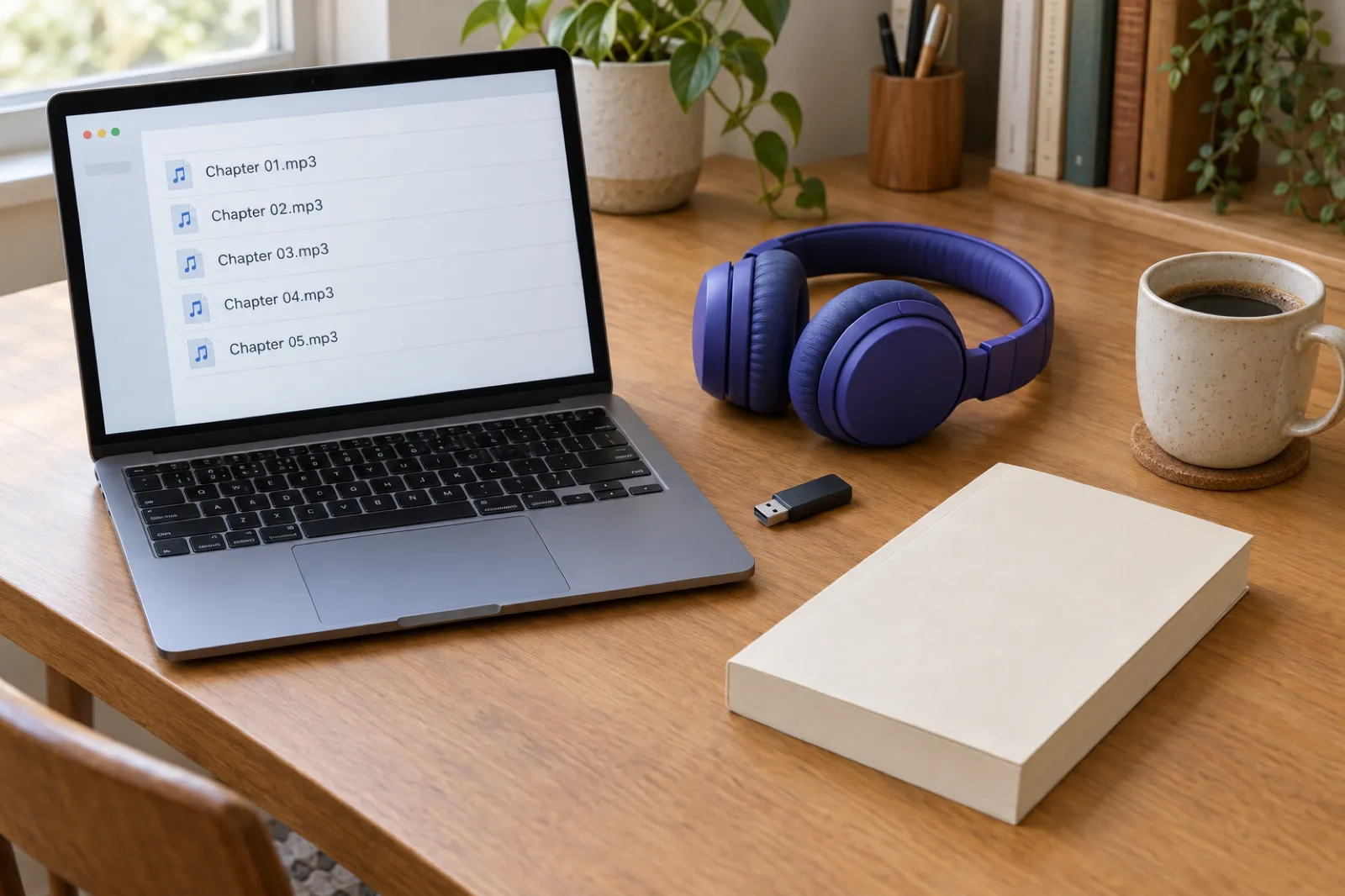
Spotify's free tool vs making your own with Inkfluence AI
| Spotify Audiobook Creation Tools | Inkfluence AI | |
|---|---|---|
| Cost | Free for up to 5 audiobooks per account | Creator $9.99/month (15 narrated chapters), Premium $19.99/month (30), credit packs for more |
| Number of books | 5, permanent slots, drafts count | No cap |
| Who can use it | Self-published authors with a payment profile in 22 countries | Anyone, any country |
| Languages | English, Spanish | 20 languages, 56 voices |
| Voices per book | 1 | Different voices for different chapters if you want them |
| Fixes | 4 generations per book, EPUB cannot be replaced | Re-record any single chapter; edit the text in the editor first |
| Input | EPUB, up to 500,000 characters | Write the book in the app, or import PDF, EPUB, DOCX or TXT |
| Output | Published to Spotify; no documented file download | One MP3 of the book, or one MP3 per chapter in a ZIP |
| Where it can go | Spotify (180+ markets); INaudio option to check per title | Stores that accept AI narration, such as Google Play Books and Kobo, plus your own site; you upload yourself |
Prices are the monthly prices on our pricing page on 19 November 2026; yearly plans cost less per month. One credit covers one narrated chapter, and credits never expire.
Already have the EPUB? Import it and hear it today.
Import your book, preview each voice free, set pronunciations for names and places, and narrate it chapter by chapter in the language your readers speak.
Import your bookMaking your own audiobook with Inkfluence AI
If you are in one of the "make your own" rows above, Inkfluence AI is the most complete way we know to do it, because the book, the audiobook and the export files live in one project. Here is how it works.
- Bring the book, or write it. Import a manuscript (PDF, EPUB, DOCX or TXT) and the chapters are detected for you, or write a new book with the AI book writer from an outline you approve.
- Translate it if you want another edition. The AI book translator makes the German, French, Portuguese or Italian edition that Spotify's free tool cannot narrate.
- Choose a voice by ear. The AI audiobook voices page has every narrator reading the same passage: 56 voices in 20 languages, including British, American, Australian and New Zealand English. In the app you hear a free preview of each voice before you record. Creator includes 50 of the 56 voices; the six HD voices are on Premium.
- Set pronunciations. Add rules for character names, places and acronyms once and they apply as you record.
- Narrate chapter by chapter. Record the whole book, or a few chapters at a time. You can give a chapter a different voice, which suits fiction with more than one narrator. Our fiction audiobook generator page shows how authors use that.
- Listen and fix. Edit a chapter's text and record just that chapter again. There is no fixed number of redos per book: each recording uses one chapter from your allowance.
- Download. One MP3 of the whole book, or a ZIP with one MP3 per chapter, encoded at 44.1 kHz and 192 kbps and loudness-normalised to the audiobook standard most stores use.
- Upload where you sell. Google Play Books (choose a synthesized voice as narrator) and Kobo (set the narrator to synthesised voice) both accept AI narration you make yourself. You can also sell from your own website or a shop like Gumroad. Our guides to publishing on Google Play Books and Kobo cover the setup.
Honest limits. Inkfluence AI narration is AI narration, so it carries the same store rules as any other: it cannot go to Audible through ACX, and you disclose it at upload wherever you sell. Spotify accepts digital voice narration from providers it gives as examples ("and more") and does not name other tools, so ask Spotify for Authors support before you upload files made anywhere else, including ours. Apple Books takes AI narration only through its approved partners, as our Apple Books guide explains. Narration is not on the free plan; Creator includes 15 narrated chapters a month and Premium 30, and credit packs (15 credits for $9.99, 25 for $12.99, 50 for $24.99) add more, so a 20-chapter book is one month of Premium or a month of Creator plus a pack. Inkfluence AI does not upload to stores for you. If your one goal is an English book on Spotify and you have a free slot left, Spotify's tool costs nothing and we would use it.
For a closer look at voice quality, see AI audiobook voice quality and the best AI voice generators for audiobooks. If you would rather read it yourself, narrate your own audiobook shows how to record each chapter in the browser, and Inkfluence AI vs human narrators covers when hiring a person is worth it.
Your audiobook, in your readers' language
Import or write the book, narrate it chapter by chapter, and download the MP3s. Free to start, no credit card.
Start your audiobookGetting any book ready for digital narration
Whichever route you take, a digital voice reads exactly what is on the page. Beyond the edits in the step-by-step above, three checks save generations on Spotify and recordings everywhere else:
- Front matter. Cut it back to the title, author and a narrator credit. A voice reading an ISBN or a copyright page aloud is the quickest way to sound amateur.
- Dialogue tags in fiction. With one narrator, unclear speaker changes are harder to follow by ear than on the page. Add a tag where a long exchange loses track of who is speaking.
- Numbers and local words. "£1.5m" and "1.5 million pounds" do not always come out the same. For a book set in Britain, listen for place names and regional words in the first chapter and add them to the pronunciation list early.
Our guides to turning an ebook into an audiobook with AI and AI audiobook creation go further, and the complete guide to AI audiobooks covers the whole process from manuscript to store.
Notes for UK authors in particular
- Your payment profile decides access. It must be registered in the UK (or another of the 22). If you set yours up in another country, that is the country Spotify checks.
- Royalties come in dollars. Spotify pays in US dollars, so expect conversion fees from your payout provider or bank.
- Think about Audible separately. Many UK listeners buy on Audible. Spotify's tool does not get you there, and ACX will not take AI narration made elsewhere. Virtual Voice, if Amazon offers it for your ebook, is the authorised AI route, and our ACX audiobook guide covers the human-narrated one.
- Going wide still matters. An audiobook on Spotify and an ebook in Kindle+ are different decisions. KDP Select vs wide distribution and how to publish an ebook wide explain the trade-offs.
What Spotify has not said
No Spotify page we could read on 19 November 2026 answers these:
- Whether you can download the audio. No help article describes a download or export of the generated files.
- The royalty rate and the listener price. Spotify explains how and when it pays, but not how much, or who sets the price of a title made with the tools.
- Which other stores take these titles. See the INaudio catch above.
- What more than five costs. The launch post says to contact support; no price is published.
- The next markets. No dates for Argentina, mainland Europe beyond Spain, or anywhere else.
- The voices. The newsroom post does not say how many voices there are or which accents they cover.
We will update this page if Spotify answers any of them. For how AI-written books (rather than AI-narrated ones) are treated store by store, see which stores allow AI-written books.
Frequently asked questions
Is Spotify's AI audiobook tool free in the UK now?
Yes. Since 18 November 2026, self-published authors whose Spotify for Authors payment profile is registered in the UK can use Audiobook Creation Tools, free for up to five audiobooks. You need a Spotify for Authors account, a validated payment profile and your book as an EPUB.
Which countries can use Spotify's free AI audiobook tools?
Twenty-two: the United States (since 9 September 2026), plus the UK, Canada, Australia, Ireland, New Zealand, Spain, Mexico, Colombia, Chile, Peru, Ecuador, Guatemala, Bolivia, the Dominican Republic, Honduras, Paraguay, El Salvador, Nicaragua, Costa Rica, Panama and Uruguay. What counts is the country your payment profile is registered in.
Is the five free audiobooks limit per year?
No. Spotify's help centre says each Spotify for Authors account can create up to five audiobooks from text, and once a slot is used it is permanent. Drafts count, and deleting or unpublishing does not give the slot back.
What languages does Spotify's audiobook tool support?
English and Spanish. Spanish was added on 18 November 2026. For other languages, Spotify points to a separate paid third-party studio.
Can I sell my Spotify-made AI audiobook on Audible or Apple Books?
Spotify says you can distribute a published title to other platforms through Voices by INaudio, but its digital voice help article says it does not currently share digitally narrated audiobooks with referral partners, and ACX does not accept AI narration. Check the "Manage distribution on INaudio" option for your title before you count on another store.
Can I download the audio files Spotify makes?
Spotify's help centre does not describe a download or export of the generated audio. If you need MP3 files you can upload anywhere, make them yourself.
How long can my book be for Spotify's free tool?
Manuscripts must be 500,000 characters or fewer. As a rough guide, English prose runs about 5 to 6 characters a word including spaces, so that is somewhere around 80,000 to 100,000 words.
How much does Spotify pay for audiobooks made with its AI tool?
Spotify does not publish a rate. Its royalty help page says royalties come from direct purchases and from listening by Premium subscribers, paid monthly in US dollars.
What is the alternative if I have more than five books?
Make the audiobook files yourself. Inkfluence AI narrates your book chapter by chapter in 20 languages with 56 voices (including British, American, Australian and New Zealand English), and you download one MP3 of the whole book or one MP3 per chapter. There is no cap on the number of books.
Sources
- Spotify Newsroom, Audiobook Creation Tools expansion, 18 Nov 2026, read 19 Nov 2026 (also on Spotify's newsletter)
- Spotify for Authors, Audiobook Creation Tools product page, read 19 Nov 2026
- Spotify for Authors blog, Turn Your Book Into an Audiobook in Minutes, 9 Sep 2026, read 19 Nov 2026
- Spotify for Authors help: Audiobook Creation Tools on Spotify, Understanding audiobook creation limits, Getting access, Choosing a digital voice, Editing a published title, Publishing your audiobook, all read 19 Nov 2026
- Spotify for Authors help: Digital voice narration, Spotify for Authors and Voices by INaudio, Getting your audiobook on other listening platforms, Royalty payments, read 19 Nov 2026
- Spotify Newsroom, Audiobooks on Spotify Are Going Global, 7 Oct 2026
- Spotify, Spotify for Authors Terms and Conditions, section 4, read 19 Nov 2026
- Reporting that pointed us to the change: The Bookseller (19 Nov 2026) and PPC Land (18 Nov 2026)
Related reading
- Spotify audiobooks in 180+ markets: what indie authors should do
- Where to sell an AI audiobook: every store's rules
- AI audiobook generator: narrate your book chapter by chapter
- AI vs human audiobook narrators
- AI audiobook trends
Five free on Spotify. Everything else, your way.
Narrate the rest of your books, in any of 20 languages, and keep the MP3 files.
Make your audiobook
Inkfluence AI Team
Tips, tutorials, and strategies from the Inkfluence AI team to help you write, publish, and sell ebooks faster.
Helpful links

Ready to write your own book?
Write with AI, make it yours, and export PDF, EPUB and KDP-ready files from one project.
Keep reading
 Publishing
Audible Audio Discovery: What Audible's AI Book Previews Mean for Authors (2026)
Audible's new Audio Discovery plays an AI-voiced overview of a book next to its narrated sample and author or editor commentary, built from synopses, metadata and reviews. What listeners hear, which books get it, what authors control, how it relates to KDP Virtual Voice, and a checklist for getting your description, sample and audiobook ready.
 Company
What's New in Inkfluence AI: November 2026
Book videos, picture books at print size, your own characters, the app in eight languages, folders, 56 narrators that now read your introduction, and the Black Friday offer: everything new since October.
 Publishing
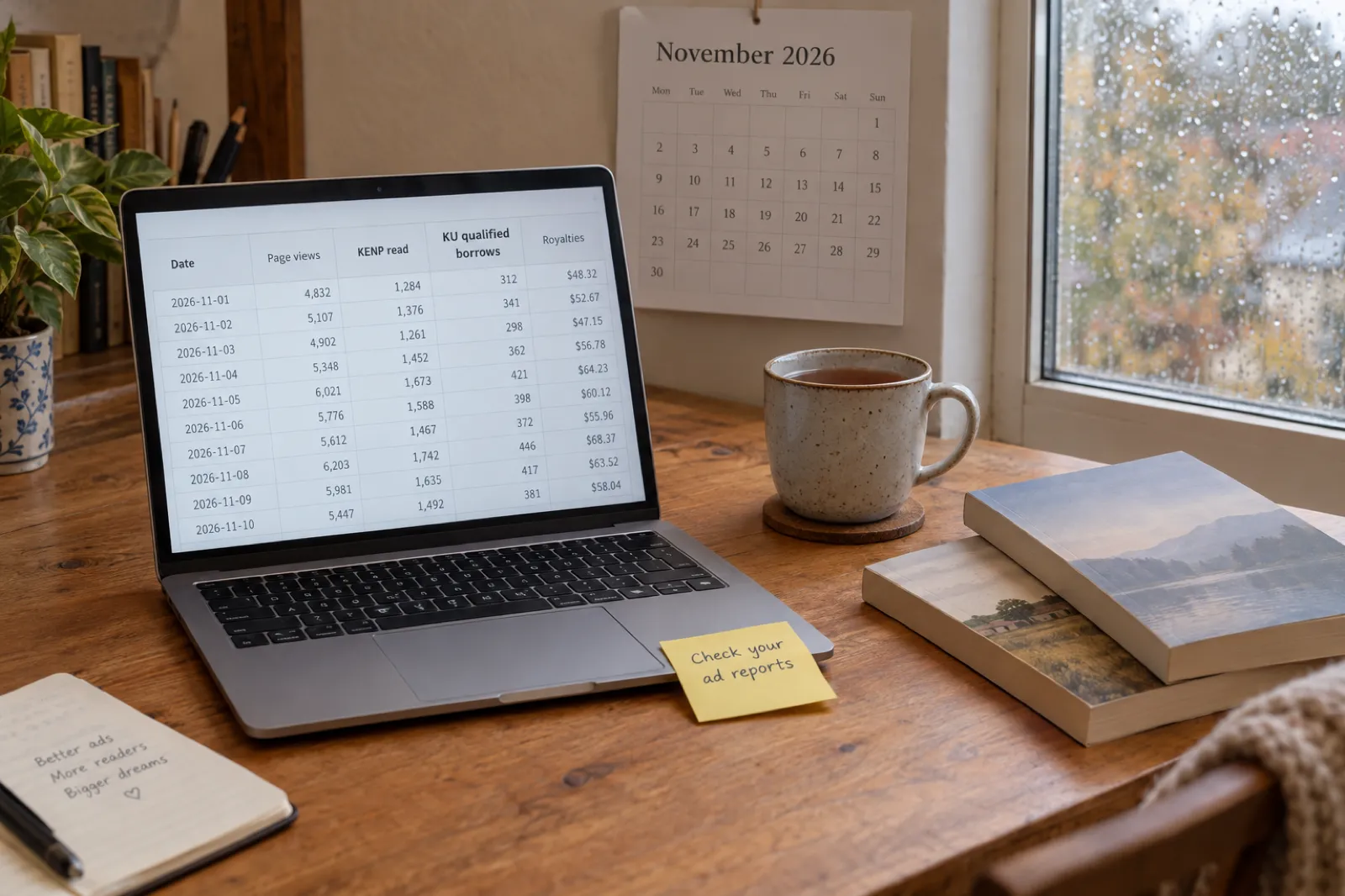
What Changed for Self-Publishers This Month (November 2026)
The self-publishing changes that matter in November 2026, each checked at its source: Amazon Ads dropped page-based KENP royalty estimates for "qualified borrows", Etsy prints your digital files and refunds the full 6.5% fee through Share & Save, Spotify audiobooks head to 180+ markets, Smashwords takes pre-orders, and new Gemini and GPT models. What each means and what to do.

Get ebook tips in your inbox
Join creators getting weekly strategies for writing, marketing, and selling ebooks. You also get our free PDF guide, Your First Book in a Weekend.