
Updated November 2026 · prices checked on vendor sites 10 November 2026
AI Writing Software: Which Kind Fits What You Write (2026)
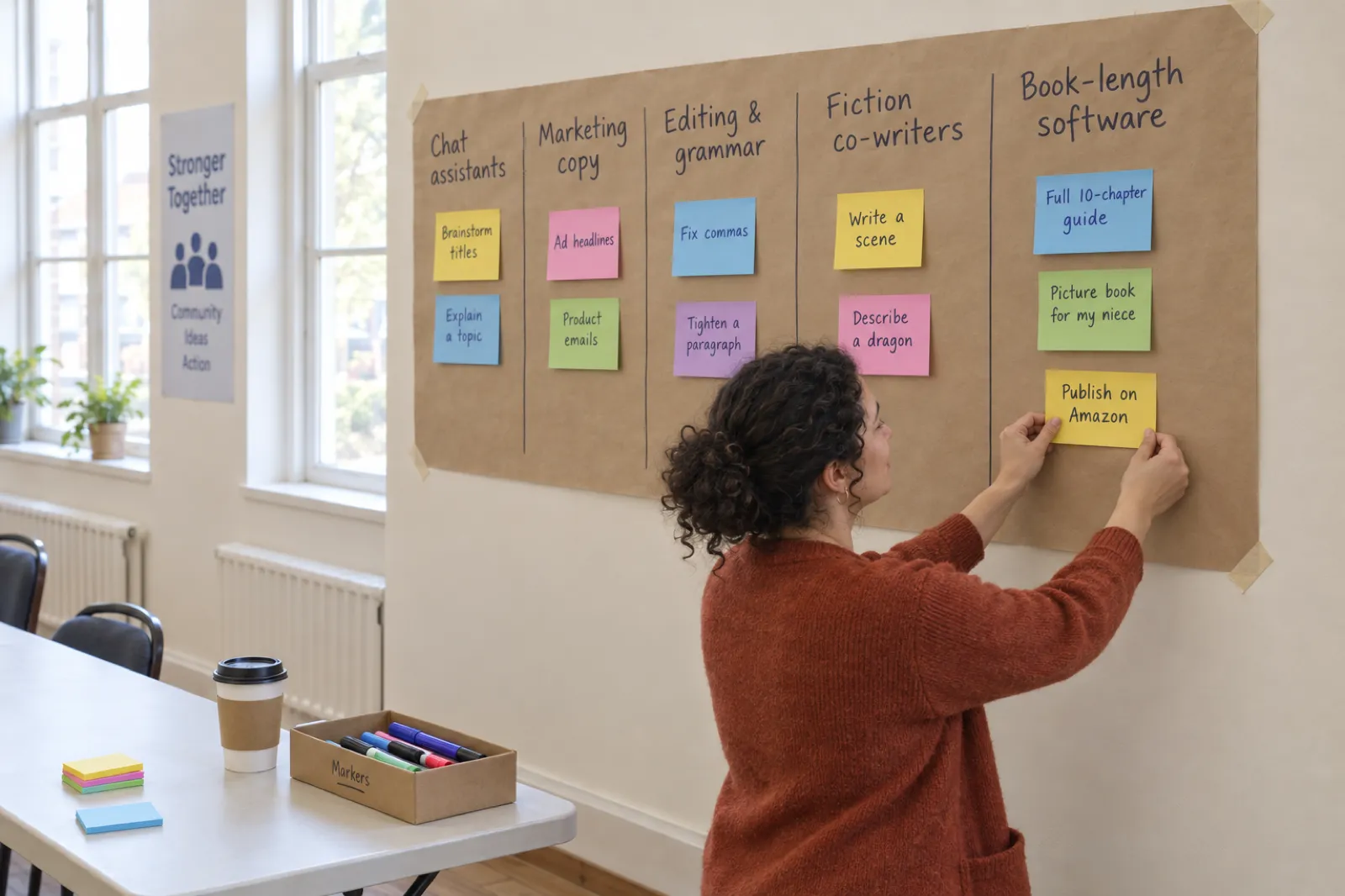
"AI writing software" covers five very different products: chat assistants, marketing copy tools, editing tools, fiction co-writers and book-length software. They are good at different jobs. This guide sorts them, names the well-known tools in each, shows what they cost, and explains which one to use for what you are actually writing.
By Sam May, founder of Inkfluence AI
The short answer
The best AI writing software is the one built for the length and destination of what you write:
- Writing a whole book (an ebook, a novel, a picture book, a workbook, an audiobook, files for Amazon KDP): Inkfluence AI. It plans, writes, edits, designs the cover and exports PDF, EPUB, Word and the KDP package in one place. Free to start.
- Questions, brainstorming and short drafts: a chat assistant such as ChatGPT or Claude.
- Marketing copy for a brand or agency: a marketing tool such as Jasper; for SEO and AI search visibility, Writesonic.
- Fixing text you already wrote: an editing and grammar tool.
- Writing a novel yourself, scene by scene, with AI suggestions: a fiction co-writer such as Sudowrite, Novelcrafter or NovelAI.
Most people searching for AI writing software have one of two jobs in mind. Either they want help with everyday writing (emails, posts, a paragraph that will not come out right), and a chat assistant they may already have is enough. Or they want to produce something long and finished: a guide to sell, a novel, a children's book. That second job is where general tools run out, because a book is not a long chat reply. It needs a plan that holds for twenty chapters, a memory of what was said in chapter three, a cover, and files a store will accept. A planning canvas covers the first of those; see Storyflow alternatives.
If your job is a book, our ranking of the best AI book writing apps compares the book tools one by one, and best AI book writing software shows how we tested them. This page stays one level up: which kind of software to look at in the first place.
The five kinds of AI writing software
Every product below can produce text. What separates them is what they are built around: a conversation, a brand, a document you wrote, a novel you are writing, or a book you want finished. The examples are well-known tools in each group, described from their own sites.
| Kind of software | Built for | What you end up with |
|---|---|---|
| Book-length softwareInkfluence AI, SquiblerOur pick for books | A whole book: outline, chapters, cover and publishable files | PDF, EPUB, Word, KDP package, audiobook |
| Chat assistantsChatGPT, Claude | Questions, brainstorming, short drafts, explaining things | Text in a chat window |
| Marketing copy toolsJasper, Writesonic | Brand content, ads, emails, SEO and AI search visibility | Short marketing assets |
| Editing and grammar toolsGrammar checkers and style editors | Fixing and tightening text you already wrote | Your own text, corrected |
| Fiction co-writersSudowrite, Novelcrafter, NovelAI | Scene-by-scene help inside a novel you are writing | Prose and story notes, exported as text |
The categories overlap at the edges. A chat assistant can write a chapter; a fiction co-writer can brainstorm a blog post. But each one is shaped around a different finished thing, and that shape decides how much work is left for you at the end. The sections below take each kind in turn.
Writing something book-length?
Type the idea, approve the outline, and read the first chapters in minutes. 5 chapters a month on the free plan.
Start a book freeChat assistants: ChatGPT and Claude
Chat assistants are the AI writing software most people already have. You type a request, you get an answer, you ask for changes. They are excellent at the small and varied jobs that fill a working day: a reply to a difficult email, ten title ideas, an explanation of a topic you are about to write about, a rough first paragraph to push against.
ChatGPT and Claude both have free tiers and paid plans that raise usage limits and unlock stronger models. Claude's own pricing page lists Pro at $20 a month, or $17 a month billed annually, with Max plans from $100 a month (claude.com/pricing, checked 10 November 2026). ChatGPT's paid plans are on its pricing page; the amounts did not display when we checked, so we do not quote them here.
Where chat assistants run out
A conversation is not a manuscript. Ask for a ten-chapter guide and you get either a compressed summary or a long reply that stops partway and offers to continue. Each continuation is another message to copy into a document, and as the thread grows, details from early messages carry less weight: a character's eye colour changes, a framework introduced in chapter two is renamed in chapter seven, the same example turns up twice.
Then there is everything after the words. A chat window does not design a cover, lay out a print interior, build an EPUB that passes a store's checks, or narrate the book. You can do each of those with other tools, and plenty of authors do, but the chat assistant is one ingredient of a book, not the kitchen.
If you already pay for a chat assistant and want to know when a book tool is worth adding, our side-by-side pages for Inkfluence AI vs ChatGPT and Inkfluence AI vs Claude go through it feature by feature, and a ChatGPT alternative for writing a book covers the workflow differences.
Marketing copy tools: Jasper and Writesonic
Marketing tools are AI writing software built for businesses that publish a lot of short content under one brand. Their strengths are brand voice settings shared across a team, templates for ads, product descriptions and emails, and workflows for approving and reusing content. They are priced for that: Jasper's Pro plan is $69 a month per seat, or $59 billed yearly, with a 7-day free trial and a custom Business plan (jasper.ai/pricing).
Writesonic began as a copywriting tool and now presents itself around SEO and visibility in AI search answers: tracking how a brand shows up in AI assistants and producing content to improve it. Its plans start at $79 a month billed annually, with a free trial and no card needed (writesonic.com/pricing).
For a marketing team these are sensible purchases. For someone writing one book they are an odd fit: the price is set for a business seat, and the output is short-form. If what you want is a book to support a business, such as a lead magnet, a guide for clients or an authority book, book software gets you a designed PDF or a paperback instead of loose copy. See Inkfluence AI vs Jasper for a direct comparison, the lead magnet generator for the short version, and the AI non-fiction book writer for the long one.
Editing and grammar tools
Editing tools work on text that already exists. They catch spelling and grammar mistakes, flag long sentences and passive voice, suggest tighter wording and sometimes rewrite a paragraph in a different tone. Many now live inside the places you already write, as a browser extension or a word processor add-on.
They are the right AI writing software when the words are yours and you want them cleaner. They are the wrong one if you are stuck before the words exist: an editor cannot plan chapter six. They also tend to work a sentence or a paragraph at a time, so they will not tell you that chapters four and nine make the same point, which is the more common problem in a long draft.
Book software has editing built in. In Inkfluence AI you can rewrite, expand or shorten any passage, ask the assistant about the chapter you are in, and on Creator and Premium ask for a review of the whole book, which comes back as an editorial letter. Our AI book editor page shows those tools, and the best AI for editing a book compares standalone options.
Fiction co-writers: Sudowrite, Novelcrafter and NovelAI
Fiction co-writers are built for novelists who want to stay at the keyboard. You write; the software suggests the next lines, describes a setting, rewrites a scene in another tone, or answers questions about your own story notes. They suit writers who enjoy drafting and want help, not a draft.
- Sudowrite is a fiction writing app with story planning and drafting help. Plans start at $10 a month billed yearly, with a free trial and no card; without a paid plan the AI features are off (sudowrite.com/pricing). See Sudowrite alternatives.
- Novelcrafter is a planning and drafting workspace for novels. Plans run from $4 to $20 a month with a 21-day trial and no free plan; AI on its $8 plan and above works through an AI provider key you bring yourself, which that provider bills separately (novelcrafter.com/pricing). See Novelcrafter alternatives.
- NovelAI is a story generator that also makes images. Subscriptions start at $10 a month, with a trial (novelai.net). See NovelAI alternatives.
The trade-off is the finish. These tools are about the prose, so most of them leave the cover, the print interior, the EPUB and the audiobook to other software. If you want a complete first draft of a novel that you then revise, rather than help with each scene, that is book-length software's job. Inkfluence AI writes fiction chapters in order and keeps a running record of characters, places, objects and who knows what, so a secret kept in chapter three is still a secret in chapter eight.
For novel-specific picks, read the best AI for writing novels and the best novel writing software, or go straight to the AI novel writer.
AI writing software for books: Inkfluence AI in depth
Book-length software is built around the finished book. It plans the whole thing before writing, keeps every chapter aware of the others, and ends with files a reader or a store can use. Squibler sits in this group too: it offers book and screenplay creation, with a free plan of 500 AI credits a month and paid plans from $15.83 a month billed annually (squibler.io/pricing; see Squibler alternatives).
Inkfluence AI is our product, and it is the one we recommend for books because it covers the most of the journey in one project: from a one-line idea, or your own manuscript, through to an exported paperback interior, an audiobook and a shop listing. Here is the whole path.
Step 1
Describe the book
Type the idea in one or two sentences, or import a Word document, PDF, EPUB or text file. Pick one of 33 book types, from how-to guides and cookbooks to romance, picture books and coloring books, and a chapter count.
Step 2
Approve the outline
The software plans every chapter first. On manual setup it waits for you: reorder chapters, rename them, cut what does not belong. This is where the book becomes yours.
Step 3
Chapters are written
Non-fiction chapters are written at the same time, each given its own example and angle so they do not repeat each other. Fiction is written in order, with a story record that tracks who knows what, so chapter nine remembers chapter three.
Step 4
Edit in a real editor
Rewrite, expand or shorten any passage, ask the assistant about your chapter, or request a whole-book review on Creator and Premium. Everything you change stays in one project.
Step 5
Make the cover
Upload your own, build one in the designer, or generate an AI cover on a paid plan (Creator includes 10 AI covers a month, Premium 30). The cover follows the book into every export.
Step 6
Export the files
PDF on every plan. EPUB, Word and the Amazon KDP package (paperback interior, full-wrap cover, Kindle cover and EPUB in one zip) on Creator, Premium or with a credit pack.
Step 7
Audiobook, video and selling
Narrate chapters with 49 AI voices in 14 languages, make a short book video, list the book in your own Etsy or Gumroad shop, and share a free first chapter on its public book page.

What kinds of books
There are 33 book types, and the type changes how chapters are written. A how-to guide gets steps and checklists; a cookbook gets recipes with ingredient lists; a romance gets scenes and dialogue; a workbook gets prompts and fill-in lines. Illustrated books are their own family: a picture book keeps the same characters on every page, and the coloring book generator produces line art ready for print. Books can be written in 30 languages, and a finished book can be translated into others as a separate copy.
What the plans include
- Free: 5 chapters a month, up to 5 in one book, PDF export with a small footer credit, 3 AI assists a day. No card.
- Creator, $9.99 a month or $89 a year: 35 chapters a month (about four short books), EPUB, Word and KDP export, 15 AI assists a day, 10 AI covers and 15 audiobook chapters a month.
- Premium, $19.99 a month or $179 a year: unlimited chapters, 100 AI assists a day, 30 AI covers and 30 audiobook chapters a month.
- Credit packs: 15 chapters for $9.99, 25 for $12.99 or 50 for $24.99, paid once, for one book without a subscription.
Every plan gives you commercial rights to what you make. The full breakdown is on the pricing page, and the AI cost calculator works out which plan suits the number of books you plan.
After the writing
This is where book software earns its place. The cover generator makes a front cover, and the KDP export builds the full wrap (front, spine and back) sized to your trim and page count. The audiobook studio narrates the book chapter by chapter. A book video gives you something to post. And the Publish page lists the book in your own Etsy or Gumroad shop, while Amazon gets the files you upload yourself; the KDP tools cover the listing.
Want the overview of what the platform can make? Start with the AI book writer or the AI book generator, and see finished books in the examples.
See the whole path on your own idea
Outline, chapters, cover and a PDF on the free plan. Upgrade only when you want EPUB, Word or the KDP package.
Start your book freeAI writing app or web software?
Many searches are for an "AI writing app" or an "AI app for writing", which usually means one of two things: something on the phone, or something simpler than a desktop program. In practice the best answer is both: an app for the moments you have and a web version for the long sessions.
Inkfluence AI runs in any browser and has an iPhone and iPad app. On the phone you can start a book, write chapters with AI, edit, design a cover, export and record an audiobook; the iPad layout gives the chapter list and editor more room. Books sync to your account, so you can outline on the bus and finish the edit at a desk. Our iOS ebook creator page walks through the app.

Chat assistants also have good phone apps, and for quick writing they are often the fastest thing on your home screen. Fiction co-writers and marketing tools are mostly used in a browser on a computer. Whatever you choose, check three things on the phone version: that it saves to the same account as the web version, that it can export (not just draft), and that long text is comfortable to edit, not just to read.
For the full list of book-writing apps by platform, see the best AI book writing apps; for free options, the best free AI book writing tools.
Six questions to choose the right AI writing software
Feature lists all look alike. These six questions sort the field faster, and the first one does most of the work.
Question 1
What am I writing?
A caption, an email or a blog intro is a chat assistant or marketing tool job. A book, a guide, a workbook or a novel is a book-length job. Start with the output, not the brand name.
Question 2
How long is it?
Anything under about 1,500 words fits in one chat reply. Past that you are managing many replies, and the tool needs to remember what it wrote earlier. That is the line between a chat and book software.
Question 3
Where will it be published?
Amazon KDP wants an EPUB and a print-ready PDF with a full-wrap cover; Etsy and Gumroad want a PDF or EPUB; a newsletter wants plain text. Check the software exports the file your store asks for.
Question 4
Whose voice is it?
If you are writing every sentence yourself, you want an editor or a fiction co-writer. If you want a full draft to react to, you want software that writes the whole thing and then lets you edit it.
Question 5
What does it cost per book?
Divide the monthly price by what you will actually finish, whether that is books, posts or campaigns. A $69 marketing seat is cheap for an agency and expensive for one book; $9.99 for 35 chapters is about four books a month.
Question 6
Can I try it free?
A real free plan beats a trial that asks for a card. Make one small, real thing on the free tier before you pay, and judge the result, not the feature list.

Put the answers together and the choice usually makes itself. A short piece in your own voice, published on your blog: a chat assistant or an editor. Marketing assets for a team: a marketing tool. A novel you want to write line by line: a fiction co-writer. A long, finished thing for a store or a reader, especially if you want a draft to react to rather than a blank page: book-length software.
If you are still unsure what a book needs, how to write a book covers the manual process with word counts and editing costs, and how to write a book with AI shows the AI version step by step.
Answered "a book" to question one?
Try the book software on the free plan before you pay for anything. No card.
Try it on your bookOne task, three kinds of software
To make the differences concrete, take one realistic job: a 10-chapter beginner guide to sourdough for busy people, to sell as an ebook and a paperback. Here is how it goes in a chat assistant, a marketing tool and book software. The walk-through describes how each kind of tool is built to work; your results will vary with the prompt and the plan.
In a chat assistant
You ask for an outline and get a good one in seconds. Then you ask for chapter one, and chapter two, and so on, copying each answer into a document. By chapter six you notice the starter-feeding schedule has changed since chapter two, and the same "busy parent" example has appeared three times. You fix those by hand, paste everything into a word processor, add headings, a contents page and front matter, find a cover elsewhere, and convert the file to EPUB with a separate tool. It works. It also takes several evenings of assembly on top of the writing.
Where it fits: brainstorming the angle, testing chapter titles, explaining the fermentation science to yourself before you write about it.
In a marketing copy tool
The templates are for landing pages, product descriptions, emails and ads. You can push it to write long-form sections, but the tool is organised around campaigns, not chapters, and you finish with a set of documents rather than a book file. For this job it is the wrong shape at a business price.
Where it fits: once the book exists, writing the sales page, the launch emails and the ads for it.
In book software
You type the idea, choose the how-to type and ten chapters, and approve the outline: you move troubleshooting to the end and rename "Hydration Ratios" to "Flour, Water, Time" because that is how your readers talk. The chapters are written at the same time, each with its own example and angle, so the busy-parent story appears once. You spend your evening on the part that matters: adding your own schedule, your photos and the mistakes you made with your first loaves. Then you make a cover, export the KDP package, and record the book as an audiobook for listeners who bake with their hands full.
Where it fits: the book itself, start to finish, with your time going on your knowledge rather than on assembly.
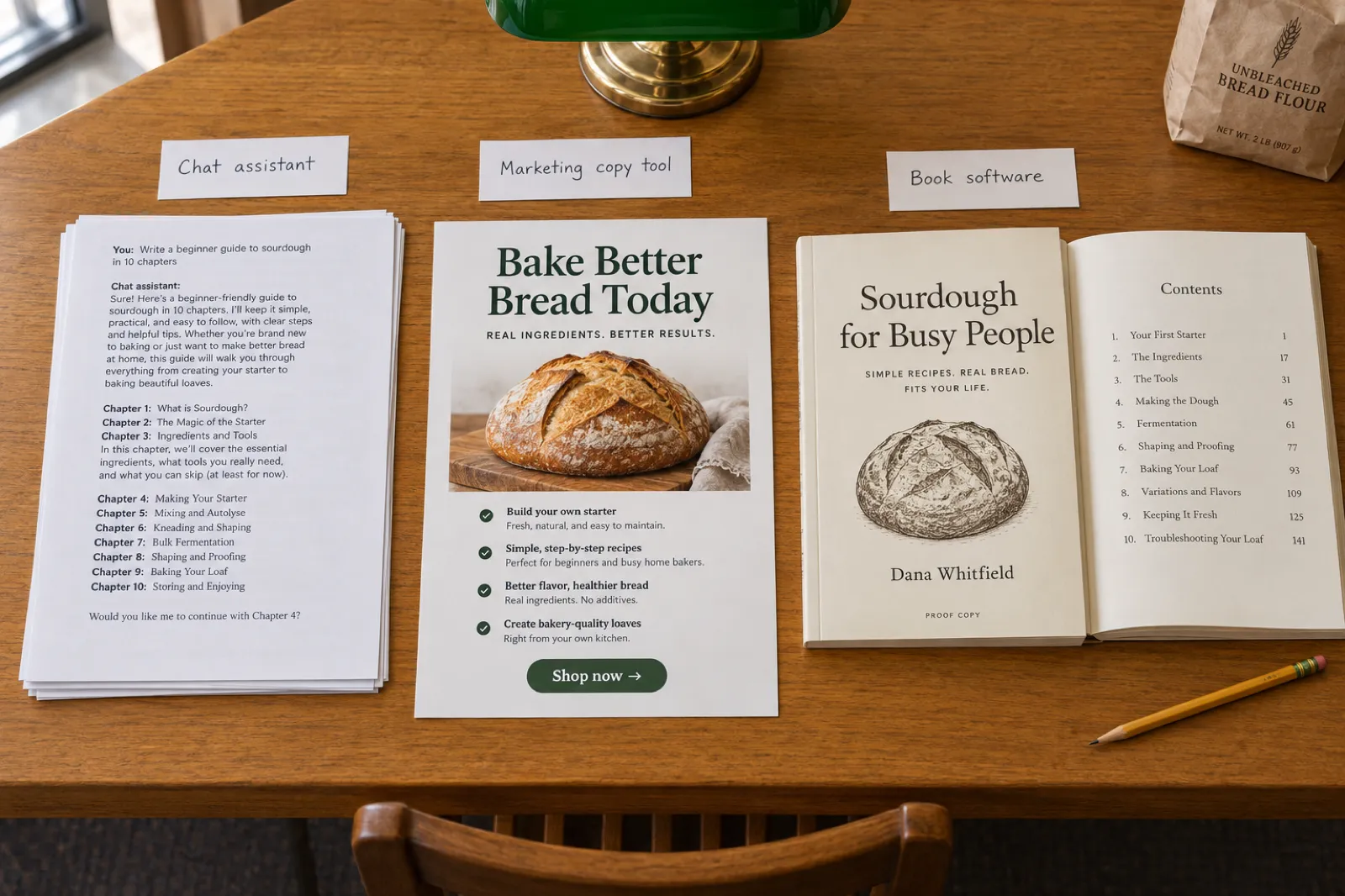
The honest summary: all three can help with this book, and many authors use more than one. But only one of them is built to produce the book. Use the chat assistant for thinking, the marketing tool for selling, and book software for the thing you are selling.
Opens the dashboard with the idea filled in. Change it to your own topic.
AI writing software prices compared
Each price was read on the vendor's own pricing page on 10 November 2026, in US dollars. Prices change, some are shown only for annual billing, and some vendors localise them, so treat this as a guide and check the linked page before you buy.
| Software | Price (checked 10 November 2026) |
|---|---|
| Inkfluence AIBook-length software | Free (5 chapters a month); Creator $9.99 a month (35 chapters) or $89 a year; Premium $19.99 a month (unlimited chapters) or $179 a year; credit packs from $9.99 (plans) |
| SquiblerBook-length software | Free with 500 AI credits a month; Plus $29.99 a month or $15.83 billed annually; Pro $89.99 a month or $49.17 billed annually (source) |
| ChatGPTChat assistant | Free tier; paid plans: see vendor site (source) |
| ClaudeChat assistant | Free; Pro $20 a month or $17 a month billed annually; Max from $100 a month (source) |
| JasperMarketing copy | Pro $69 a month per seat, or $59 billed yearly; 7-day free trial; Business on request (source) |
| WritesonicMarketing, SEO and AI search | From $79 a month billed annually; free trial (source) |
| SudowriteFiction co-writer | From $10 a month billed yearly; free trial, no card (source) |
| NovelcrafterFiction co-writer | $4 to $20 a month; 21-day trial; AI through your own key from the $8 plan (source) |
| NovelAIFiction co-writer | From $10 a month; trial (source) |
Two things are easy to miss when comparing these numbers. First, what the price buys: a chat plan buys usage of a general assistant, a marketing seat buys a team workflow, and a book plan buys finished books with covers and files. Second, what else you will pay for. A book written in a chat assistant still needs a cover, formatting software and possibly narration; Novelcrafter's AI on its paid plans runs on a key you pay the AI provider for separately.
For books, the cost per finished book is the fairest comparison. On Inkfluence AI Creator, 35 chapters a month works out to about four books of eight or nine chapters, under $2.50 a book, with the KDP files included. Our best AI book generator ranking compares book tools on exactly that.
Free AI writing software: what you actually get
"Free" means three different things in this market: a free plan you can use indefinitely, a free trial that ends, and free tools that do one small job. Here is how they split.
Free plans
Inkfluence AI (5 chapters a month, PDF export), ChatGPT and Claude (free chat tiers), Squibler (500 AI credits a month). Use them as long as you like within the limits.
Free trials
Jasper (7 days), Novelcrafter (21 days), Sudowrite, Writesonic and NovelAI. Good for testing, but plan a real project for the trial window or it runs out before you learn anything.
Free single-job tools
Title, outline and blurb generators that run in the browser with no account. Ours include the book outline generator and the book title generator.
For a book, the free plan to test is the one that lets you finish something: a short guide or the first five chapters of a novel, exported as a PDF you can read like a reader would. That tells you more than a week of prompts. The free AI writer for books page explains exactly what the Inkfluence free plan covers, and the free AI book writer lets you try it.
Publishing AI-written work: the rules that matter
Whatever software you use, the rules sit with the store and the law, not the tool. Three are worth knowing before you publish.
- Amazon KDP asks about AI. When you publish, KDP asks you to disclose AI-generated text, images or translations, even if you edited them substantially afterwards. Content you created yourself and only edited, refined or brainstormed with AI is AI-assisted and does not need disclosing (KDP content guidelines). Our explainer on the KDP AI disclosure policy walks through the questions.
- Copyright follows human authorship. The US Copyright Office does not register material generated without human authorship. Your own writing, selection and arrangement can be protected, which is one more reason to put real work into the edit.
- Facts are your responsibility. Any AI writing software can state a figure, a study or a quote with confidence and be wrong. Check every one against its source before publishing, or cut it.
Can you make money from it? Yes, plenty of authors do, within the stores' rules. Can you sell AI-generated books covers where they are allowed and what sells.
AI writing software: FAQ
What is the best AI writing software?
What is the best AI writing software for books?
Is there free AI writing software?
What is the best AI writing app for iPhone?
What is the best AI software for writing a novel?
Can I publish AI-written books on Amazon KDP?
Is ChatGPT good enough as writing software?
What is the difference between AI writing software and an AI writing assistant?
Who owns what AI writing software produces?
Can AI writing software write in my voice?
Which AI writing software is best for marketing copy?
Can AI writing software make picture books or coloring books?
Do I still need a grammar checker?
How much does AI writing software cost?
Writing a book? Use software built for books
Outline, chapters, editor, cover, PDF, EPUB, KDP files, audiobook and shop listings, in one place, on the web and on iPhone.
No credit card. 5 chapters a month on the free plan.
Related guides and tools
Best AI Book Writing Apps (2026)
Book tools compared one by one
Best AI for Writing Novels (2026)
Fiction tools by genre and job
Best AI Book Generator
Ranked, with methodology and scorecards
AI Book Writer
From idea to finished book
AI Novel Writer
Fiction written in order, with continuity
AI Story Writer
Short stories and story ideas
AI Ebook Writer
Guides and how-to ebooks
AI Ghostwriter
Human vs AI costs and timelines
All Comparisons
See how we compare, tool by tool
Import Your Manuscript
Bring a Word file, PDF or EPUB
AI Story Writing Tools Compared
Story tools side by side
All Free Tools
Generators, calculators and templates