
Updated November 2026 · 6 alternatives · checked 13 November 2026
The Best Storyflow Alternative for Writing the Actual Book
Storyflow is a visual canvas for planning creative projects, and its own writers page says it "will not write a finished manuscript for you". If your plan is ready and what you need now is the book, here are six alternatives, ranked, with every price read on the vendor's own site on 13 November 2026.
By Sam May, founder of Inkfluence AI

Short answer: which Storyflow alternative should you use?
If you want the manuscript written, use Inkfluence AI: it turns your idea or your plan into a chapter outline you can edit, then writes every chapter to it and exports a book you can publish. If you write every sentence yourself and want AI help on the prose, use Sudowrite. If you want a planning tool with no AI at all, Plottr is the closest like-for-like, with Campfire as the free option and Scrivener 3 for planning and writing in one desktop app.
What Storyflow is
A visual canvas
"AI Visual Workspace for Creative Teams"
Writes the manuscript?
No
"It will not write a finished manuscript for you"
Storyflow price
From $7.99/mo
Plus, billed yearly; $9.99 monthly
Free plan
Not yet
Launches before the end of 2026
Disclosure, and why we rank ourselves first
Inkfluence AI is our product, so read this ranking with that in mind. We put it first because it does the one thing a planning canvas leaves out: it writes the book, chapter by chapter, from an outline you approve, keeps the story consistent with a story bible that updates after every chapter, and exports PDF, EPUB, DOCX and a KDP print package with a cover and an audiobook in the same project. Everything we say about Storyflow and the others comes from their own pages, quoted where it matters. What Inkfluence AI does, and does not do.
Turn my plan into a bookThe 6 best Storyflow alternatives for writers, ranked
Ranked for a writer who has planned, or wants to plan, a book and needs to finish it. Prices and features read on each vendor's own page on 13 November 2026.
-
Inkfluence AI Our pick
The best Storyflow alternative when the goal is a finished book: plan the outline, then the AI writes every chapter to it.
Writes whole chapters in order from an outline you review, with a story bible that updates after each chapter. PDF on every plan; EPUB, DOCX and a KDP print package on any paid plan or credit pack; covers and audiobooks in the same app.
Free plan (5 chapters a month). Creator $9.99/mo, Premium $19.99/mo. Credit packs from $9.99, paid once.
-
Sudowrite AI writer
For writers who draft their own prose and want AI help on every scene.
Drafts and rewrites prose; Storyflow’s own comparison calls it the tool that "drafts the prose". No EPUB, KDP file, cover or audiobook listed on its pricing page.
$10, $22 or $44 a month billed yearly. Free trial, no card.
-
Novelcrafter Bring your own AI
For planners who want a story Codex and to pick their own AI model.
Generates prose from scene beats on Hobbyist and up, through an AI account you connect and pay for. Exports Word or Markdown.
Scribe $4/mo (no AI); Hobbyist $8, Artisan $14, Specialist $20 with your own AI key. 21-day trial, no free plan.
-
Plottr No AI
For visual plotting on timelines, the closest like-for-like planner, with no AI.
"No AI" on every plan. You write the book elsewhere. A planner: outlines and series bibles, not a manuscript.
$60/yr; Pro $9.99/mo or $99/yr; lifetime from $150. 30-day trial.
-
Campfire No AI
For worldbuilders who want maps, timelines and character sheets with a free tier.
No AI writing listed on its pricing page. Manuscript module; publishing files done elsewhere.
Free (25,000-word manuscript, 10 characters, 2 maps). Standard $12/mo.
-
Scrivener 3 No AI
For writers who want a corkboard and outliner tied to the draft itself, and no AI.
No AI mentioned on its overview page. You write every word. Compiles the manuscript to ebook, PDF and Word formats.
One licence per platform; 30-day free trial; iOS US$23.99.
5 chapters a month on the free plan, no card. Not sure which fits? Use the picker below.
What Storyflow is, in its own words
Storyflow, at storyflow.so, calls itself an "AI Visual Workspace for Creative Teams". Its homepage pitch is "Organize, research, and create on one canvas": you drag images, PDFs, video and notes onto an infinite board, arrange them as cards, kanbans, mind maps and storyboards, and an AI that "holds the whole project in context" helps you sort, research and plan. The use cases run from filmmakers, photographers and brand designers to marketers, developers and writers, and the board can be turned into a PDF, slides or a poster.
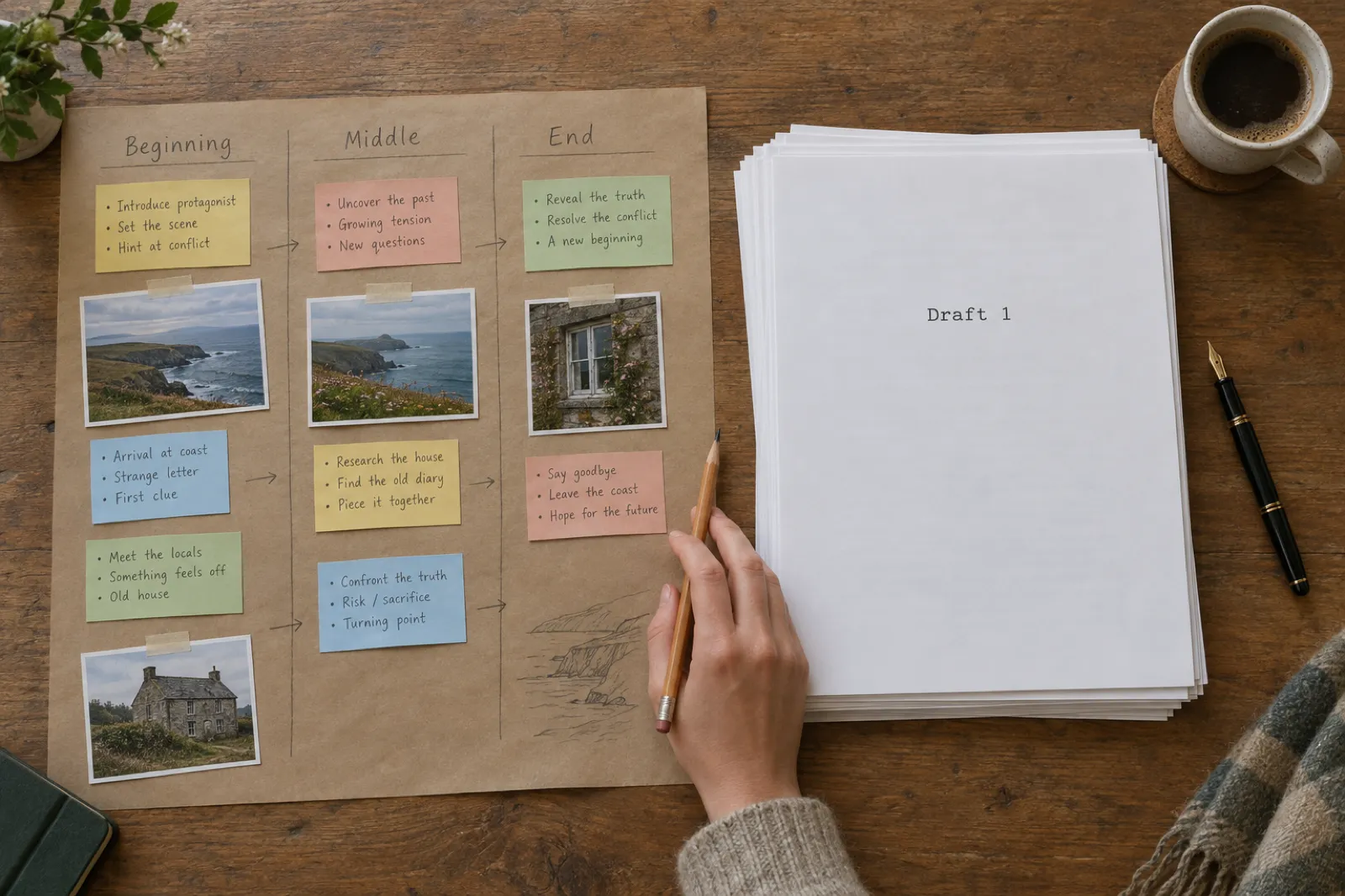
For writers, Storyflow describes itself as "the story planning software where writers and agents outline & write together", with "one infinite canvas to outline plots, build characters and structure every scene". Its AI can take a one-line premise, a synopsis, a note or a PDF and generate "a starting outline, beat sheet or planner board you can build on". The AI reads the board in front of you, and you can point it at up to one Blueprint or Tactic (its name for structure templates such as the Hero's Journey or Five-Act Structure) and up to three Documents. Sharing a board with a beta reader or editor is free, and live co-editing is on the Max plan.
Then the sentence that matters for anyone searching for an alternative. On the same page, Storyflow says its AI "will not write a finished manuscript for you", and calls what it produces "a rough first draft to push against, never a finished manuscript." In its own comparison with Sudowrite, Storyflow sums it up: "Sudowrite drafts the prose; Storyflow plans the structure", and suggests writers "plan and structure in Storyflow, then draft prose in Sudowrite." That is an honest description, and it is the gap the alternatives below fill.
Storyflow pricing in November 2026
From Storyflow's pricing page, read on 13 November 2026. The page says: "Storyflow is paid-only during early access, and the Free plan launches before the end of 2026." Anyone a paid member invites to a board can join at no cost. Its writers page, read the same day, says you can start free with no credit card, so check the pricing page for the current position before you sign up.
| Plan | Price | What you get |
|---|---|---|
| Free | $0, coming before the end of 2026 | 3 projects, 100 images, 10 uploads, 3 tactics, 25 actions a week from an outside assistant. In-app AI "coming late 2026". |
| Plus | $9.99/mo, or $7.99/mo billed yearly ($95.88) | Unlimited objects and shared boards, all 200+ tactics, Storyflow AI in the app, unlimited uploads. |
| Pro | $19/mo, or $14/mo billed yearly ($168) | Adds AI image generation and 10 times the AI allowance of Plus. |
| Max | $49/mo, or $39/mo billed yearly ($468) | 20 times the AI of Plus, image generation and a team workspace; live co-editing. |
Every plan works with outside assistants (Storyflow names Claude, ChatGPT, Gemini and Grok) so they can build or read your boards; the free plan caps that at 25 actions a week. Compare: Inkfluence AI's free plan exists today and writes 5 chapters a month with no card, and its paid plans start at $9.99 a month with the writing included. See Inkfluence AI pricing for every allowance.
Why writers look for a Storyflow alternative
Storyflow is a good canvas, and for some projects (a film shoot, a campaign, a team planning a series bible together) it may be exactly right. The reasons a writer goes looking for something else follow from what Storyflow says about itself.
The plan is done; the book is not
A beautiful board of acts and beats is still zero chapters. Storyflow says plainly its AI will not write the manuscript, so the 80,000 words are still ahead of you.
A tool for every creative job
Storyflow serves filmmakers, designers, marketers and writers on one canvas. Writers who want book-specific steps (chapters, a story bible, a cover, KDP files) may want a tool built around the book.
No free plan yet
On its pricing page Storyflow is paid-only during early access, with a free plan due before the end of 2026. Writers who want to try a whole book first look for a permanent free tier.
Publishing happens somewhere else
A board exports as a PDF to share. The files a store needs, such as an EPUB or a print interior with a wrap cover, are a separate job in a separate tool.
Storyflow vs Inkfluence AI, job by job
The two tools overlap only at the start. Storyflow's column is quoted or summarised from its own pages; Inkfluence AI's from our product as it works today.
| Job | Storyflow | Inkfluence AI |
|---|---|---|
| See the whole story at once | An infinite canvas of cards, columns, mind maps and moodboards | A chapter outline you edit before writing, and a story bible of cast, world, rules and threads |
| Turn an idea into a plan | The AI builds "a starting outline, beat sheet or planner board" | The AI builds a chapter outline from your idea and pauses for you to rename, reorder, add or cut chapters |
| Write the manuscript | "It will not write a finished manuscript for you" | Writes every chapter in order to the outline, in your chosen genre, tone and language |
| Keep the story consistent | The AI reads the board you have open, plus one tactic and up to three documents | After each chapter it records what is now true on the page; before the next, it checks the plan against that record |
| Edit with AI | Feedback on structure, plot holes and pacing | Chat that knows your book, chapter review, rewrites of selected text |
| Publish | Exports a board as a PDF to share | PDF, EPUB, DOCX and a KDP print package with a wrap cover; AI covers; audiobook narration |
| Work with a team | Free invites; live co-editing on Max | Built for one author per book; share a PDF or DOCX for feedback |
For the wider field of story tools, our AI story writing tools comparison tests the main options side by side, and the best novel writing software covers the planners and word processors.
Which Storyflow alternative fits you? A 20-second picker
Three questions. The answer updates as you choose, runs in your browser and uses the same facts as the rest of this page.
1. Inkfluence AI: the best Storyflow alternative for writing and finishing the book
Inkfluence AI starts where a planning canvas stops. You describe the book, or paste the plan you already have, and it turns that into a book: outline, chapters, cover, files, and an audiobook if you want one. Disclosure again: it is our product. Here is what it does and where it stops.
- You approve the plan first. On manual setup (New Book, then Write a book with AI), the AI builds a chapter outline from your idea and pauses. Rename chapters, reorder them, cut the ones you do not want, add your own, then click Write the book. For fiction, the characters you add in Story setup show on the same screen, so names come through exactly. The book outline generator shows the idea.
- It writes every chapter to that plan. Novels are written in order, each chapter carrying on from the one before. See the AI novel writer and, for non-fiction, the non-fiction book writer.
- A story bible that keeps itself up to date. Every novel gets one: cast and world, plot, rules the story must keep, open threads and a timeline, all editable. After each chapter it records what is now true on the page, such as who knows what and where everyone stands, and before the next chapter it checks that chapter's plan against it, so a reveal is not told twice. You can rename a character across the whole book from it. More on the story bible.
- AI editing on your own pages. A chat that knows your book, a chapter review, and quick rewrites of any passage you select, on every plan (3 a day free, 15 on Creator, 100 on Premium). The AI book editor covers it.
- Files you can publish. PDF on every plan; EPUB, DOCX and a KDP print package (an interior sized to your trim and a full wrap cover) on any paid plan or with a credit pack. AI covers: 10 a month on Creator, 30 on Premium. Audiobook narration: 15 chapters a month on Creator, 30 on Premium.
- A series that carries on. On Creator and Premium, Continue as a series writes the next book from how the last one actually ends, with the story bible carried across.
- What it does not do. There is no free-form canvas, moodboard or real-time co-editing: if you think in cards on a wall, plan there and bring the plan across. The free plan writes 5 chapters a month (a longer novel is planned in full and the rest waits until you upgrade or buy credits) and exports PDF with a small Inkfluence AI credit. Creator is not unlimited: 35 chapters a month. We do not print or ship books.
Already written part of the book in Word or another editor? Import the manuscript free on every plan, and keep going with AI from where it stops. Comparing us with the prose tools specifically? See Inkfluence AI vs Sudowrite and Inkfluence AI vs Novelcrafter.
Planned in Storyflow? How to bring the plan into Inkfluence AI
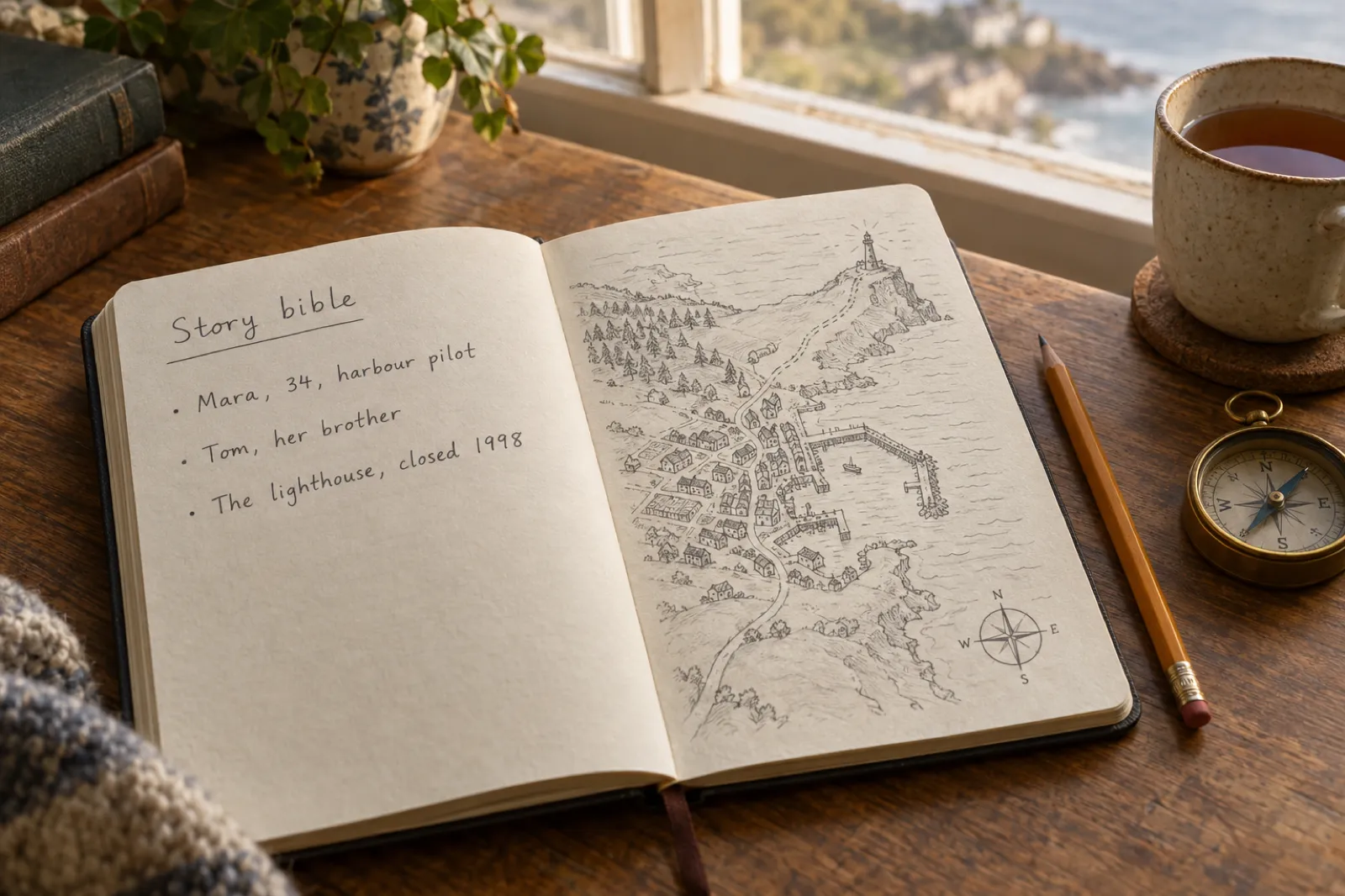
You do not have to give up a board you like. Many writers will plan on a canvas and write somewhere else, which is what Storyflow itself suggests. Here is the quickest route from a finished board to a written draft.
- Gather the text from your board. Copy the synopsis, the main characters with a line about each, the setting, and your chapter or beat list in order. If your board's documents hold this already, copy those.
- Start a new book. In Inkfluence AI, click New Book, then Write a book with AI, choose the kind of book (a novel, a romance, a how-to guide and so on) and paste everything into the idea box. Add your characters in Story setup if it is fiction.
- Check the outline against your board. The AI builds a chapter outline and stops. Make it match your beats: rename, reorder, add, remove. This is the step where your planning pays off.
- Write the book. Click Write the book. Chapters are written in order, and the story bible fills in from your plan and updates as the chapters land.
- Edit, then publish. Read it, change what you want by hand or with the AI tools, add a cover and export the files your store needs.
A board full of pictures does not paste as text, and you do not need it to: the outline and the cast are what the writing uses. Keep the moodboard open beside you while you edit.
2. Sudowrite: AI help for writers who draft their own prose
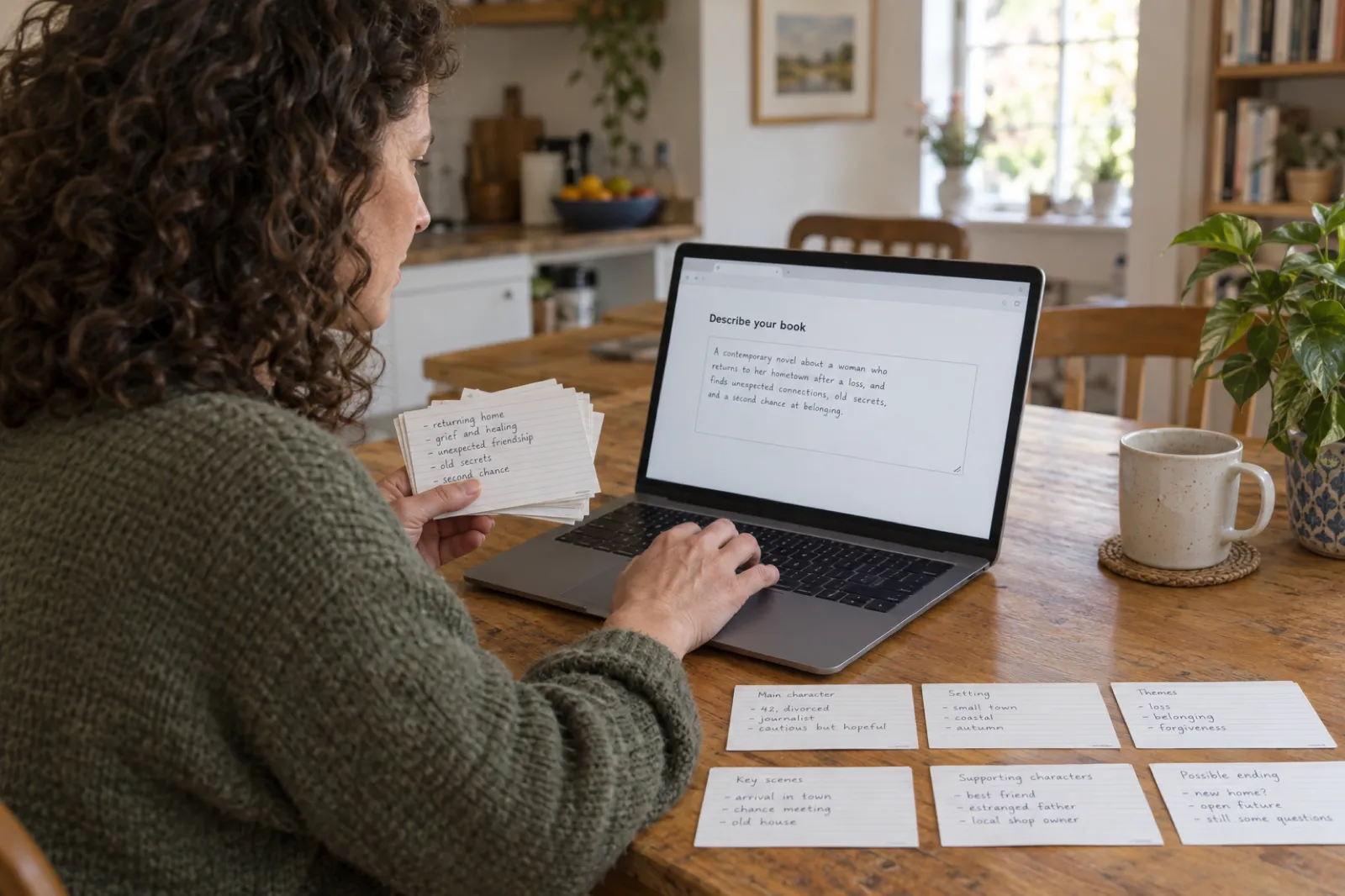
Sudowrite is the tool Storyflow itself names for the drafting half. It is an AI writing assistant built around fiction prose: it drafts and rewrites scenes and keeps a Story Bible of your characters and world. On its pricing page, read 13 November 2026, plans are $10, $22 and $44 a month with a monthly or yearly toggle; on our 10 November recheck those figures were the yearly rates, and Sudowrite's own blog gave $19, $29 and $59 billed monthly. Each plan comes with a monthly credit allowance, and there is a free trial with no card.
Choose it if you want to write the book yourself, sentence by sentence, with an AI at your elbow. Look elsewhere if you want whole chapters written to a plan and files to publish; its pricing page lists no EPUB, KDP print file, cover or audiobook. Our Sudowrite alternatives page goes deeper.
3. Novelcrafter: a story Codex with the AI of your choice
Novelcrafter is closer to Storyflow's planning side than Sudowrite is: its Codex holds characters, places and lore that the AI can draw on, and it plans acts, chapters and scenes. On 13 November 2026 its pricing page listed Scribe at $4 a month with no AI, then Hobbyist ($8), Artisan ($14) and Specialist ($20), where the AI runs through an account you connect with an AI provider and pay separately. It says it does not currently offer a free plan; there is a 21-day trial.
Choose it if you want to pick the model and shape every prompt. Look elsewhere if a second AI bill and the setup put you off, or you need publishing files: it exports Word or Markdown. See Novelcrafter alternatives.
4. Plottr: the closest visual planner, with no AI
If what you liked in Storyflow was seeing the story laid out, Plottr is the like-for-like choice built only for books: plot timelines, scene cards, character and place notes, and series bibles. Its pricing page lists "No AI" on every plan as a feature. Plottr is $60 a year; Plottr Pro is $9.99 a month or $99 a year; lifetime licences start at $150; and there is a 30-day free trial.
Choose it if you want to plan without AI and write the book yourself. Pair it with a writing tool for the draft, or bring the outline into Inkfluence AI to have it written.
5. Campfire: worldbuilding modules and a free tier
Campfire splits planning into modules: characters, timelines, maps, magic systems, cultures, languages and a manuscript. Its free tier, read 13 November 2026, includes a 25,000-word manuscript, 10 characters, 20 timeline events and 2 maps with no card, and the Standard plan is listed at $12 a month (down from $19). Its pricing page does not mention AI writing.
Choose it if you are building a world with maps and lore and want to start free. The 25,000-word manuscript cap on the free tier is short of a full novel.
6. Scrivener 3: corkboard and outliner tied to the draft
Scrivener is the long-standing desktop choice for writers who plan and write in one place. Every section of a project sits on a virtual index card, so moving cards on its corkboard rearranges the manuscript, and its outliner shows synopses and word counts for a chapter or the whole book. Its overview page does not mention AI. The store offers a 30-day free trial and sells a licence per platform; the iOS app was US$23.99 on 13 November 2026.
Choose it if you want no AI and software that runs on your own computer. Our Inkfluence AI vs Scrivener comparison covers the trade-offs.
Other tools people search for alongside Storyflow
Search results mix several similar names. Each is a different product, read on its own site on 13 November 2026.
StoryFlow Editor
A desktop app on Steam for building branching dialogue and interactive stories for games, with visual scripting, HTML and JSON export and plugins for game engines. In Early Access. Not related to storyflow.so. For interactive fiction in a browser, see our interactive fiction generator.
Chapterly
An AI assistant for readers, not writers: you import highlights, discuss each chapter with an AI tutor and review with spaced repetition. Seven days of everything free, then a Free plan or Pro at $22 a month.
StoryLab.ai
An AI content marketing and social media suite with generators for captions, video scripts and an eBook Generator, free to try. Built for marketers; for a full book with chapters, a cover and publishing files, see the AI ebook generator.
Which tool for which writer
| If you | Pick | Why |
|---|---|---|
| You have the plan and want the book written | Inkfluence AI | Paste the synopsis and chapter plan, check the outline, and every chapter is written to it. |
| You want a finished, published book this month | Inkfluence AI | Writing, cover, KDP files, EPUB and audiobook come out of one project. |
| You write every sentence yourself but want AI suggestions as you go | Sudowrite | A prose tool built around drafting and rewriting your scenes. |
| You want to choose the AI model and control every prompt | Novelcrafter | Bring your own AI key; you pay that provider separately. |
| You want a visual plot timeline and no AI anywhere | Plottr | Its pricing page lists "No AI" on every plan. |
| You plan visually with a team, for film, video or a book | Storyflow | A shared canvas with free invites; real-time co-editing on Max. |
When Storyflow is the better choice, and when Inkfluence AI is
Storyflow is the better choice when the plan is the product: a pitch deck, a shot list, a campaign, a story you are developing with a co-writer or a team. Its canvas holds images, video and research beside the structure, invites are free, live co-editing is on Max, and it works with assistants you may already use. Screenwriters breaking a script into beats and filmmakers planning a shoot get more from it than a book tool can give them.
Inkfluence AI is the better choice when the book is the product. You can plan there too (an editable outline and a story bible rather than a canvas), but the point is what happens next: every chapter written to the plan, the story kept straight from chapter 1 to the end, and a cover, an EPUB, a KDP print package and an audiobook from the same project.
Using both is reasonable. Plan on the board, write in Inkfluence AI. Nothing about either one stops you.
Worked example: from a planning board to a 24-chapter novel
An invented example, to show each step and what it costs. Ruth has spent two weekends on a board for a coastal mystery: a harbour pilot, Mara, returns to the town where a lighthouse keeper vanished in 1998. She has 24 chapter beats in three columns, a cast of six and a folder of reference photos.
1. The plan goes in (ten minutes, free)
She copies the synopsis, the six characters and the 24 beats, starts a new novel in Inkfluence AI and pastes them in. The outline comes back with 24 chapters; she renames two and moves the reveal at the lighthouse from chapter 15 to chapter 17, where her board had it.
2. The first chapters (free)
The free plan writes chapters 1 to 5 straight away; chapters 6 to 24 wait in "Your story continues", already planned. She reads the opening, adjusts a line of Mara's dialogue, and checks the story bible: Mara, Tom and the 1998 closure are all there.
3. The rest of the book ($12.99 once, or a month of Creator)
To finish, she buys 25 credits for $12.99 (enough for the 19 remaining chapters, with credits to spare for a cover) rather than subscribe. Keep writing writes chapters 6 to 24 in order, each checked against what is already true on the page.
4. Publishing
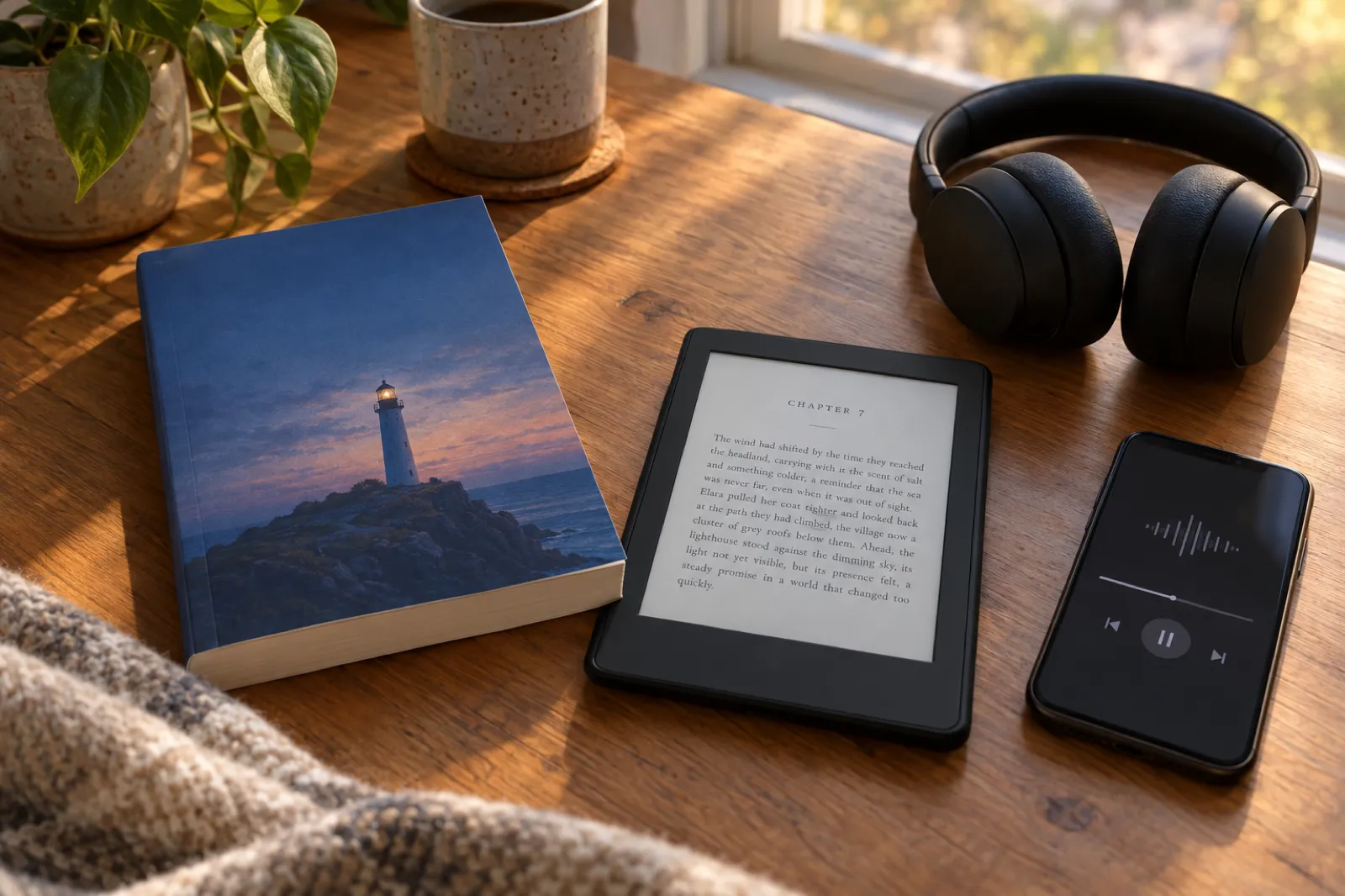
Holding credits unlocks EPUB, DOCX and the KDP print package. She designs a cover, exports the EPUB for Kindle and the print interior with a wrap cover for a paperback proof, and keeps her board as the series bible for book 2.
Before you publish: three things to check
- Disclosure. Amazon KDP asks you to disclose AI-generated text, images and translations when you publish, even after editing. Text you wrote and only polished with AI is AI-assisted, which KDP does not ask you to disclose. Our guide to self-publishing on Amazon KDP covers the form.
- The listing. The title, description and keywords decide whether readers find the book: see KDP SEO and the book description generator.
- The cover. Your board's moodboard is a good brief. The AI book cover generator turns it into a cover sized for Kindle and print.
For the full route from draft to store, read how to write a book and how to sell ebooks on Amazon.
How we built this comparison
Every claim about another product comes from that product's own pages, read in a browser on 13 November 2026 and linked below. Where two of a vendor's pages disagree (Storyflow's writers page says you can start free; its pricing page says it is paid-only during early access) we report both. We left out "TD Stories", which appears in searches next to Storyflow, because we could not find a product page to check. Inkfluence AI facts come from the product as it works today and from our pricing page. If anything here is out of date, the vendor's page wins; tell us at contact and we will fix it.
Storyflow alternatives: frequently asked questions
What is the best Storyflow alternative?
For writers who want the book itself, Inkfluence AI. Storyflow plans a story on a visual canvas and says on its own writers page that "it will not write a finished manuscript for you". Inkfluence AI builds a chapter outline you can edit, writes every chapter to it with a story bible that keeps the facts straight, and exports PDF, EPUB, DOCX and a KDP print package. There is a free plan (5 chapters a month), Creator is $9.99 a month and credit packs start at $9.99, paid once.
What is Storyflow?
Storyflow (storyflow.so) describes itself as an "AI Visual Workspace for Creative Teams": an infinite canvas where you gather notes, references and research and arrange them into boards, mind maps, storyboards and plans, with an AI that reads the board. It is used by filmmakers, designers and marketers as well as writers. For writers it offers story planning templates, character boards and beat sheets.
Does Storyflow write your book?
No. Its writers page says the AI gives you "a starting outline, beat sheet or planner board" and "will not write a finished manuscript for you". Storyflow’s own comparison with Sudowrite suggests planning in Storyflow and drafting the prose in another tool.
Is Storyflow free?
Not yet, on its pricing page as read on 13 November 2026: "Storyflow is paid-only during early access, and the Free plan launches before the end of 2026." Anyone invited to a board by a paid member can join free. Its writers page says you can start free, so check the pricing page for the current position.
How much does Storyflow cost?
On 13 November 2026: Plus $9.99 a month or $7.99 a month billed yearly ($95.88), Pro $19 or $14 a month billed yearly ($168), and Max $49 or $39 a month billed yearly ($468). A free plan with 3 projects is announced for before the end of 2026.
What is the difference between Storyflow and Sudowrite?
Storyflow plans structure on a canvas; Sudowrite drafts and rewrites prose. Storyflow’s own comparison puts it plainly: "Sudowrite drafts the prose; Storyflow plans the structure." Inkfluence AI does both halves for a whole book: an editable outline, then every chapter written to it, then the files to publish.
Can I move my Storyflow plan into Inkfluence AI?
Yes, by copy and paste. Copy your synopsis, characters and chapter plan from the board, start a new book with Write a book with AI, and paste them into the idea box. The AI builds a chapter outline from them and pauses so you can match it to your plan before any chapter is written.
Is there a free alternative to Storyflow for writers?
Yes. Inkfluence AI has a free plan that writes 5 chapters a month, with the outline review and PDF export. Campfire has a free tier with a 25,000-word manuscript, 10 characters and 2 maps, and no AI writing listed. Plottr, Sudowrite and Novelcrafter offer trials rather than free plans.
Is Storyflow the same as StoryFlow Editor?
No. StoryFlow Editor is a separate desktop app sold on Steam for building branching dialogue and interactive stories for games, with HTML and JSON export and plugins for game engines. Storyflow at storyflow.so is a web canvas for planning creative projects.
Does Inkfluence AI have a visual canvas like Storyflow?
No. Inkfluence AI plans with a chapter outline and a story bible (cast, world, rules, open threads, timeline), not a free-form canvas of cards and images. If arranging cards on a wall is how you think, plan there and bring the plan across; Inkfluence AI takes it from outline to finished book.
Can Inkfluence AI write a series?
Yes, on Creator and Premium. Continue as a series writes the next book from how the previous one actually ends, carrying the characters, story rules, open threads and what has already happened. Novels continue one book at a time.
Do I have to disclose AI when I publish on KDP?
For AI-generated text, images or translations, yes: KDP asks you to disclose them when you publish, even if you edited them. Text you wrote yourself and only polished or brainstormed with AI counts as AI-assisted, which KDP does not ask you to disclose.
Sources
All read 13 November 2026.
- Storyflow: homepage, for writers, pricing and Storyflow vs Sudowrite (18 June 2026).
- Sudowrite pricing; Novelcrafter pricing; Plottr pricing; Campfire pricing.
- Literature & Latte: Scrivener overview and store.
- StoryFlow Editor on Steam; Chapterly; StoryLab.ai.
Storyflow, Sudowrite, Novelcrafter, Plottr, Campfire, Scrivener, StoryFlow Editor, Chapterly and StoryLab.ai are trademarks of their owners. Inkfluence AI is independent and not affiliated with any of them.
Related tools and guides
Best AI Novel Writer 2026
The novel tools, tested.
Plot Generator
A plot to start the board with.
AI Story Generator
Short stories from a prompt.
Best AI Book Writing Software
Whole-book writers compared.
Squibler Alternative
Another manuscript tool, compared.
Write a Book With AI
From an outline to drafted chapters.
The plan is ready. Write the book.
Paste your plan, check the outline and read the first chapters free. Finish, cover and publish from the same project.
Write my book free