
Updated October 2026 · 8 tools, 1 worked example · prices and KDP rules checked 31 Oct 2026
Best AI Book Translator for Self-Published Authors (2026)
Most translation tools hand you back text. An author needs a second edition: chapters in order, the cover and description in the new language, files a store will accept, and the right to sell it where you like. This guide compares eight routes on exactly that, then prices one 60,000-word book on each, with the sums shown.
By Sam May, founder of Inkfluence AI
Short answer
Inkfluence AI is our pick for authors. It turns a finished book into a new, editable book in any of 59 languages, translates the chapter titles, description and cover text with it, checks every passage for text left in the original language, and exports Kindle EPUB, print PDF, Word and KDP files you can sell anywhere. A 60,000-word book costs $9.99 (Creator includes 15 translations a month) or $12.99 with a credit pack. Kindle Translate is free if Amazon invites you, but it covers five languages to and from English, Kindle ebooks only, and Amazon keeps the files. KDP requires you to disclose any AI translation.
What changed in 2026
Each line was read on the store's or vendor's own page on 31 Oct 2026.
- 30 Jun: Amazon updated its Kindle Translate announcement: translations now run between English and Spanish, German, French, Italian and Portuguese. The service launched on 6 November 2025 and is still an invite-only beta on kdp.amazon.com. (Amazon, KDP)
- 22 Sep: Inkfluence AI raised its monthly allowance to 15 book translations on Creator and 40 on Premium, three times the previous Creator figure.
- 2 Oct: Inkfluence AI added a check that rejects any passage that comes back still in the original language and re-runs it, so a reader never meets a stray paragraph of the source text.
- 22 Oct: Kindle Unlimited became Kindle+. KDP's Kindle Translate pricing page says translations of an ebook enrolled in KDP Select are enrolled too, for 90 days at a time. (Amazon, KDP)
- Still true: KDP defines AI-generated content as "text, images, or translations created by an AI-based tool" and asks about it every time you publish or republish. (KDP)
The first question: who will own the translation?
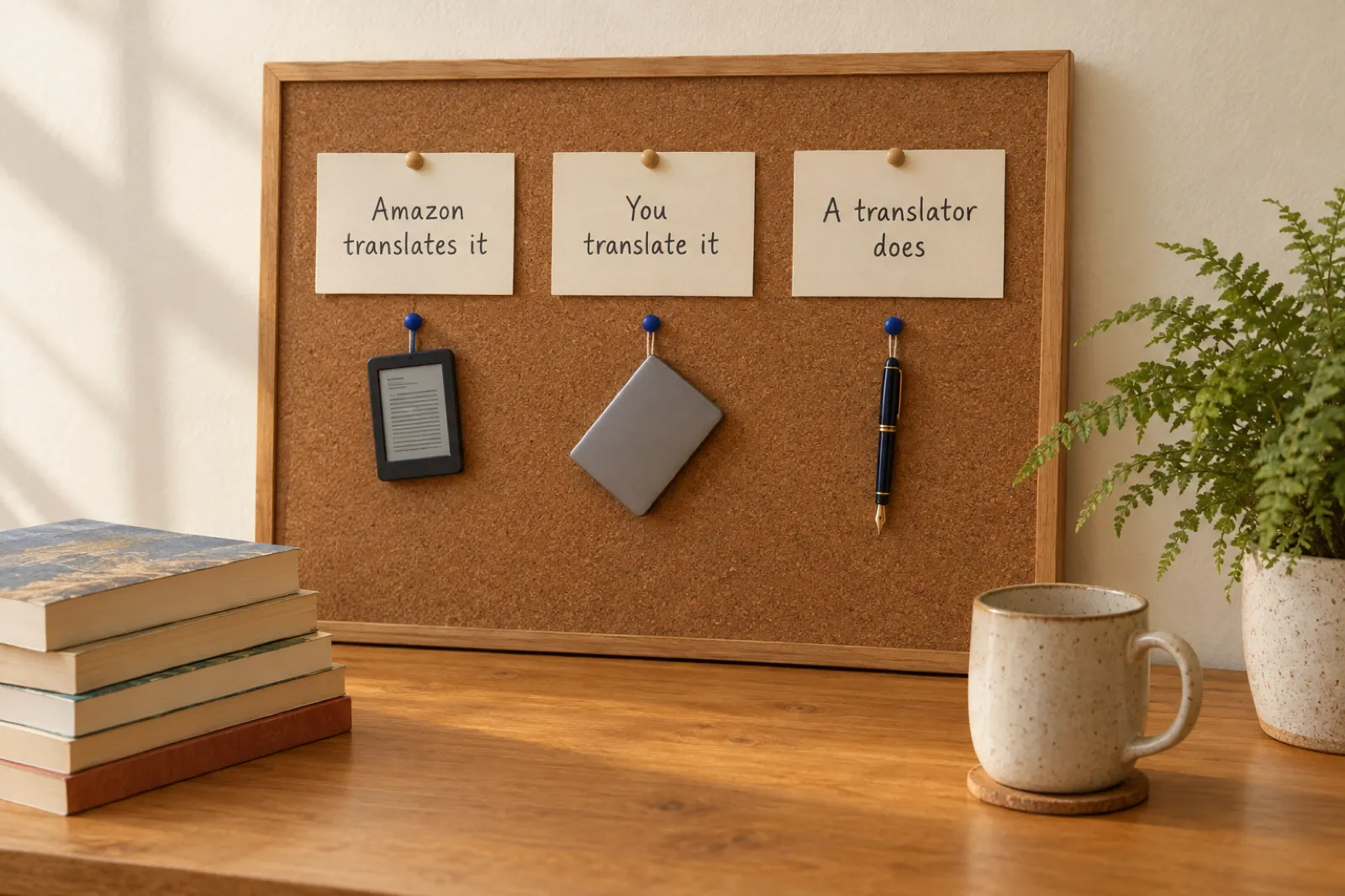
Every route is one of three kinds, and what separates them most is who owns the result and where it may be sold.
Amazon translates it. Kindle Translate makes a Kindle ebook from your Kindle ebook and publishes it for you. It costs nothing and handles the listing. In return, Amazon keeps the files, the edition sells only in Kindle stores, you cannot edit the text, and only five languages to and from English are on offer.
You translate it with a tool. Inkfluence AI, the file translators, DeepL, Google and the chat assistants all sit here. The files stay with you, so you can publish a paperback, list it on Apple Books or Kobo, or sell it from your own shop. Tools differ in what you get back: a ready book, a file, or text to assemble.
A human translator does it. Right for literary fiction headed to a traditional publisher, and slow and expensive (section 8).
Want a paperback, another store, an audiobook or a sixth language? Then the first route is closed. Our Kindle Translate vs translating it yourself post covers Amazon's beta in detail; this page compares the tools.
The AI book translators compared
Prices are from each vendor's own pricing page, checked 31 Oct 2026. The middle column is the cheapest way to translate one 60,000-word book on that tool; the sums are in the next section. Euro prices are shown as the vendor lists them.
| Tool and price (31 Oct 2026) | One 60,000-word book | What you get back |
|---|---|---|
| Inkfluence AIOur pick Translates the whole book into a new, editable book Creator $9.99/mo (15 translations a month), Premium $19.99/mo (40); or credits: 15 for $9.99, 25 for $12.99, 50 for $24.99 | $9.99 (Creator month) or $12.99 (25-credit pack) | A second book: chapters, cover text and description translated, ready to export as EPUB, PDF, Word or KDP files and to narrate. Sell it anywhere. |
| Kindle Translate (Amazon) Invite-only KDP beta, Kindle ebooks only Free during the beta | $0, if invited and eligible | A Kindle ebook that Amazon publishes and labels. English to and from Spanish, German, French, Italian and Portuguese only. Amazon keeps the files; no print, no other stores. |
| Translate A Book (translateabook.com) Upload a file, get the same file type back Pay per book in euros; Standard, Pro and Author modes | About €5 to €8 (Standard), €15 to €25 (Pro), €73 to €129 (Author) | The translated file in the format you uploaded, with an AI proofreading report. Layout kept except for PDF. |
| BookTranslator.ai EPUB in, EPUB out Basic $6.99, Pro $9.99 per 100,000 words; minimum $6.99 | About $6.99 | A translated EPUB. EPUB is the only file it accepts. |
| DeepL General document translator Individual €7.49/mo, Team €24.99/user/mo (billed annually, as shown on DeepL's page) | €89.88 (a year of Individual) | A translated Word file (or PDF). You rebuild the ebook and print files yourself. |
| Google Translate and Google Docs Free document translation Free | $0 | A translated .docx or PDF up to 10 MB, or a translated copy in Google Drive. Formatting and the ebook are your job. |
| ChatGPT General chat assistant Free; Go $8, Plus $20, Pro from $100 a month | $20 (a month of Plus) and your evenings | Text in a chat window, a chapter at a time. You assemble the book. |
| Claude General chat assistant Free; Pro $20 a month ($17 billed yearly); Max from $100 | $20 (a month of Pro) and your evenings | Text in a chat window, a chapter at a time. You assemble the book. |
Sources: Kindle Translate, Translate A Book calculator, BookTranslator.ai, DeepL (euro prices, annual billing, as its page showed us), Google Translate, ChatGPT, Claude. Inkfluence AI prices from our pricing page.
What one 60,000-word book costs on each route, with the sums
This is a worked example on published prices, not a quality test. The book: a 60,000-word English novel in 25 chapters, going into Spanish. Two conversions do most of the work.
~360,000
Characters, at about 6 per English word once spaces and punctuation are counted: 60,000 x 6. Character-billed tools charge on this.
18 credits
Inkfluence AI charges 1 credit per 20,000 characters of text once a plan's monthly allowance is used: 360,000 / 20,000 = 18.
~30 pastes
For a chat assistant, 60,000 words in passages of about 2,000 words, each pasted, translated, copied back and re-formatted.
The arithmetic, tool by tool
- Inkfluence AI: Creator includes 15 book translations a month, so this book is one of them: $9.99 for the month ($89 a year works out to $7.42 a month). Premium includes 40: $19.99. With no subscription, the free plan plus a 25-credit pack covers the 18 credits: $12.99, with 7 credits left for chapters, covers or a short book. A trilogy going into Spanish and German is six translations, all inside one Creator month: $1.67 an edition.
- Kindle Translate: $0. KDP calls it "a free service in beta". The price is paid in conditions: an invitation, an eligible ebook, five languages, Kindle only.
- Translate A Book: its calculator's table for a Word file lists about €5 (Standard), €15 (Pro) and €73 (Author) at 50,000 words, and about €8, €25 and €129 at 100,000. A 60,000-word book falls between: roughly €5 to €8 on Standard. Custom translation instructions are a €19.90 add-on.
- BookTranslator.ai: Basic is $6.99 and Pro $9.99 per 100,000 words, priced from tokens, with a $6.99 minimum: about $6.99. EPUB only.
- DeepL: Individual lists 3 file translations a month, files up to 30 MB and up to 1,000,000 characters a document, at €7.49 a month billed annually: €89.88 up front for the year. The free plan's file allowance is 1 file a month up to 5 MB.
- Google Translate or Google Docs: $0 for a .docx under 10 MB, or a Docs copy. Text inside images is not translated.
- ChatGPT Plus or Claude Pro: $20 for a month, plus the evenings it takes to paste 30 passages and rebuild the formatting.
- Human translator: Translate A Book's calculator assumes €0.15 a word: €9,000 for this book. Real quotes vary.
Cost for one 60,000-word book (US$ prices, 31 Oct 2026)
If Amazon has invited you and the book qualifies
You rebuild the ebook and print files afterwards
A trilogy into Spanish and German: 6 of the 15 included, $9.99 / 6
Minimum price; EPUB only, priced from tokens at upload
1 of 15 translations included that month
18 credits used, 7 left; no subscription
1 of 40 translations included that month
One month, about 30 pastes, formatting rebuilt by hand
One month billed monthly, same manual assembly
Lowest qualifying spend on each tool's published plans. Euro-priced tools (Translate A Book, DeepL) are in the list above rather than the chart, to avoid an exchange-rate guess. Taxes excluded. Only the Inkfluence AI rows include the cover text, description and publishing files.
#1 for authors
1. Inkfluence AI: a translated book, not a translated file
Every other tool here translates text. Inkfluence AI translates a book. Write it with AI, or import your manuscript from Word, EPUB, PDF or text, then pick Translate from the book's menu, the Publish page or Settings, Language. Choose one of 59 languages and a new book appears on your dashboard with the language as its subtitle. Your original is never touched.
What the translation covers
- Every chapter, with headings, bold, lists, quotes and tables kept in place. Tables are translated on their own so no cell is skipped.
- The chapter titles, translated together so naming stays consistent, plus the book title, description, introduction and closing section.
- The cover title and subtitle in the cover design, so the front matches the inside.
- Illustrations and picture-book spreads carried across unchanged, with the character sheet, so a picture book keeps every page layout.
- Numbers, prices, units, code and links left exactly as written.
The checks that run on every passage
Long chapters are split into passages of about 12,000 characters, and each translated passage must pass three checks before it is kept: every formatting tag present and in the same order as the original, a length that shows nothing was cut off, and no long runs of the original wording (the sign of a passage handed back untranslated). A passage that fails is re-run automatically. If the book still cannot pass, it is marked as failed and you are not charged; accounting happens only when the translation succeeds. Translate the same unchanged book into the same language twice and you get the finished edition back without paying again.
After it lands
The translation is an ordinary book. Edit any line in the same editor as the original, ask the AI assistant to review a chapter or the whole book, and export it as a Kindle EPUB, a print PDF, a Word file or the KDP package. Narrate it with the audiobook studio, whose voices cover 14 languages including Spanish, French, German, Italian, Portuguese, Japanese and Arabic. Sell it on Amazon, Apple Books, Kobo, Gumroad, Etsy or your own site.
Plans and limits, stated plainly
The free plan writes 5 chapters a month and includes no translations, but credits unlock them: 1 credit per 20,000 characters of text, at least 1 per book. Creator ($9.99 a month or $89 a year) includes 15 book translations a month and Premium ($19.99 a month or $179 a year) includes 40; past the allowance, credits pay for more. Credit packs are 15 for $9.99, 25 for $12.99 and 50 for $24.99, and they do not expire.
Three honest limits. Inkfluence makes the edition but does not publish it to a store for you. Names are kept as written, and there is no glossary, so a character you want renamed in German is a find-and-replace in the editor. And a picture book made purely from your own finished page images has no words for us to translate, because the text is part of the pictures. The AI book translator page lists all 59 languages and what our own translated editions show.
2. Kindle Translate: free, if Amazon chooses your book
Kindle Translate is Amazon's own AI translation for KDP ebooks. KDP's help page calls it "a free service in beta" and says it is "an invite-only beta for eligible KDP eBooks on kdp.amazon.com". Its languages page lists English into French (France), German, Italian, Portuguese (Brazil) and Spanish (Spain), and those five into English (US). There is no pair between two other languages, and Japanese books are not eligible.
The eligibility rules are strict: the ebook must be live (not a pre-order), reflowable rather than fixed layout, have a cover and a primary author, not be mainly public domain, and not itself be a translation. Heavy use of images, tables, graphs, code or several languages can make a book unsuitable. Translations take "a few hours to be created (up to 24 hours)", and you can preview them, but "direct editing of the translated text is not available at this time". Readers see a language label and a sample.
The terms matter more than the price. The beta terms say "Amazon retains ownership of Kindle Translate Edition files" and "you may not sell or distribute Kindle Translate Editions outside of the Program", and Amazon may remove an edition from sale at any time. Royalties follow the normal 35% and 70% ebook plans.
Pick it for a plain-prose Kindle ebook going into one of the five languages, if that edition can live on Amazon only. For a paperback, other stores, a picture book or a line you want to change, you need a translation you own. Our full Kindle Translate guide covers every rule, and KDP Select vs wide explains why a translated edition often sells better outside Amazon's walls.
3. Translate A Book: a file translator built for books
Translate A Book takes an uploaded file (EPUB, Word, PDF, IDML, MOBI and others) and hands back the translated file in the same format. It sells Standard, Pro and Author modes; Author runs a deeper analysis and takes 3 to 12 hours. Prices are per book in euros; its price calculator puts a 50,000-word Word file at about €5, €15 and €73 for the three modes. An AI proofreader returns a quality score and an error report.
It suits a finished, formatted book that only needs the same file in another language. It stops at the file: cover, description and edits happen elsewhere, and PDF layout changes because the text has to be extracted. If you do not yet have a formatted ebook, our book formatting software comparison covers the programs that make one.
4. BookTranslator.ai: EPUB in, EPUB out
BookTranslator.ai does one thing: it translates an EPUB and returns an EPUB with the chapters, images and styling where they were. Its home page lists Basic at $6.99 and Pro at $9.99 per 100,000 words, priced from tokens, with a $6.99 minimum. Its FAQ says "We support only EPUB format", and offers a refund within 7 days for failed, corrupted or incomplete translations.
For a clean EPUB with no plans for print, it is a quick, low-cost reading copy. A paperback means rebuilding the book in a layout program, and edits happen in an EPUB editor. Our guide to formatting a book for Kindle shows what a store-ready EPUB needs.
5. DeepL: strong on documents, stops at the document
DeepL is the translator most professionals already use. Its pricing page showed us euro prices on annual billing: Individual €7.49 a month with 300,000 characters of text and 3 file translations a month, Team €24.99 per user a month with 20 file translations, and Business €49.99. The free version allows 1 file a month up to 5 MB. DeepL's service specification lists Word, PowerPoint, Excel and PDF files up to 30 MB and up to 1,000,000 characters a document, which a 60,000-word manuscript fits comfortably.
EPUB is not on its list, so the path is Word in, Word out, then the ebook and print files rebuilt in a formatting tool. For an author who already pays for DeepL it is a reasonable first draft, and the first of several steps. If your manuscript lives in Google Docs, our Google Docs to KDP guide covers the formatting half.
6. Google Translate and Google Docs: free, and a lot of tidying
Google Translate's help page says you can translate documents up to 10 MB in .docx, .pdf, .pptx or .xlsx, PDFs must be 300 pages or fewer, and text inside images and scanned pages is not translated. In Google Docs, Tools, Translate document makes a translated copy in your Drive; a Word file has to be converted to a Google Doc first.
It is a free way to see roughly how a chapter reads. As a publishing route it leaves everything after the text to you: chapter breaks, styles, front matter, description, cover, and the ebook and print files. Our best AI ebook generators roundup covers the tools that do that assembly.
7. ChatGPT and Claude: good translators, poor bookbinders
General assistants translate prose well and explain their word choices. ChatGPT is free, with Go at $8, Plus at $20 and Pro from $100 a month on OpenAI's pricing page. Claude is free, with Pro at $20 a month ($17 billed yearly) and Max from $100 on Anthropic's pricing page.
The trouble is the book around the text. A 60,000-word novel is about 30 pastes, names and tone drift unless you keep re-explaining them, formatting comes back plain, and nothing checks that a passage was not quietly shortened. Then you build the ebook and print files yourself. Our comparisons of Inkfluence AI vs ChatGPT and Inkfluence AI vs Claude go through the rest of the book workflow, and our AI models for novel writing post compares their prose.
8. A human literary translator, and the hybrid most authors use
For literary fiction, poetry or a book sold to a foreign publisher, a human translator is still the standard, and the publisher will expect one. The cost is the obstacle: at the €0.15 a word one vendor's calculator assumes, a 60,000-word book is €9,000, and at 2,000 words a day it takes about six weeks.
Most self-published authors land on a hybrid. Translate the whole book with AI, then pay a native-speaking editor to read it against the original. A read-through is a fraction of a full translation fee, and it catches exactly what AI misses: a joke that does not land, a name that sounds wrong, a formal "you" where the book wants an informal one.
What carries over to the translated edition
This table decides how much work is left after the translation. File translators are grouped (Translate A Book, BookTranslator.ai, DeepL, Google); chat assistants are ChatGPT and Claude.
| Inkfluence AI | Kindle Translate | File translators | Chat assistants | |
|---|---|---|---|---|
| What goes in | Your book in the app, or an imported Word, EPUB, PDF or text file | A live, reflowable KDP ebook | A file you upload (each tool has its own list) | Text you paste, a chapter at a time |
| Headings, lists, tables, images | Kept; every passage checked tag by tag | Books heavy on images, tables or code may be refused | Kept on most formats; PDF layout usually changes | Usually lost; rebuilt by hand |
| Cover text and book description | Cover title, subtitle and description translated with the book | Default cover with the language added, or upload your own | Not part of the file; a separate step | Separate prompts |
| Check for passages left untranslated | Yes, on every passage, re-run automatically | Automated checks before publication | AI proofreading on some tools | None; you spot it |
| Edit the translation afterwards | Every line, in the same editor as the original | "Direct editing ... is not available at this time" | In another program | By asking again |
| What you can publish | Kindle EPUB, print PDF, Word, KDP files, audiobook; sell anywhere | One Kindle ebook, Amazon only | The same file type back | Text |
Kindle Translate column from KDP's eligibility, getting started and beta pages; file translators from each vendor's site; Inkfluence AI from our own product, 31 Oct 2026.
KDP rules for an AI-translated edition
Three KDP rules apply to every route except Kindle Translate. New to KDP? Start with self-publishing on Amazon KDP.
1. Disclose the AI translation
KDP's content guidelines: "We require you to inform us of AI-generated content (text, images, or translations) when you publish a new book or make edits to and republish an existing book through KDP." They define AI-generated content as "text, images, or translations created by an AI-based tool", and add that it counts as AI-generated "even if you applied substantial edits afterwards".
So an AI translation of your own book is disclosed as AI-generated, even after a native editor's pass. Our KDP AI disclosure guide walks through the questions on the publish screen.
2. Credit the translator and the original author
The same page: "Books that are translations of another work must credit the translator and the original author in the contributor field." If you translated your own book with AI, you are both. Our copyright page template shows where the translator credit and original title go inside the book.
3. Check that KDP sells your language in your format
KDP's supported languages page splits languages by format. Arabic, Hindi, Persian, Gujarati, Tamil and Chinese (Traditional) are ebook only; Japanese is ebook and paperback; Polish and Ukrainian are paperback and hardcover only. Russian, Korean, Chinese (Simplified) and Turkish are not on the list at all, so those editions sell through other stores or your own site.
The royalty calculator shows what each store pays at a given price, and publishing wide covers the stores that sell the languages KDP does not.
Which tool fits which job
Find the row closest to your book. Still writing it? See the best AI story generators first.
| Your situation | Best pick | Why |
|---|---|---|
| A series in English, going into Spanish and German as ebooks and paperbacks, sold on Amazon and elsewhere | Inkfluence AI | Each edition is a full book to edit, export and narrate; Creator covers 15 a month. |
| A book written in Spanish, German, Polish or Japanese that needs an English edition | Inkfluence AI | Any language into English (US). Kindle Translate takes five source languages and refuses Japanese. |
| A plain-prose Kindle ebook, English to one of five languages, Amazon has invited you, and you never want to edit it | Kindle Translate | Free, published and labelled by Amazon. Kindle only, and Amazon keeps the files. |
| A picture book, cookbook or workbook with images and tables | Inkfluence AI | Illustrations, spreads and tables carry across. Kindle Translate refuses fixed-layout ebooks. |
| You already have a finished EPUB from another program and want the same file back, untouched | A file translator | BookTranslator.ai (EPUB only) or Translate A Book return the same format. |
| A short business document, a letter or a contract, not a book | DeepL or Google Translate | Built for documents, not finished books. |
| A literary novel with wordplay, going to a traditional publisher | A human literary translator | Publishers buy the translator's craft. Use AI for a reading draft at most. |
How to translate your book in Inkfluence AI
Six steps from a finished book to a second edition you can publish. The AI book translator page has more detail on each.
Step 1
Finish the original
Fix typos, chapter order and the description first: a fix now is a fix in every language.
Step 2
Bring it in
Written elsewhere? Import the Word, EPUB, PDF or text file and check the chapter breaks. Each chapter translates as its own unit.
Step 3
Pick Translate and a language
From the book's three-dot menu, the Publish page or Settings, Language. The window shows how many translations you have left this month.
Step 4
Let the chapters run
Chapters translate side by side, so a novel usually takes minutes. A failed run is never charged.
Step 5
Read chapter one and the cover
Check names, form of address, units and the title, ideally with a native reader.
Step 6
Export and publish
EPUB, print PDF, Word or the KDP package. On KDP, disclose the AI translation and credit the translator and original author.

What AI translation gets right, and what a native reader must check
On ordinary prose, AI translation carries the sense across reliably. Where it needs a human eye is choices, not grammar. The translator cannot know whether your detective should keep her English name in the Spanish edition, whether your self-help book addresses the reader as "tú" or "usted", or that the pun in your title has no German equivalent.
So the useful question is which tool leaves you best placed to fix those choices. A translation you can edit in place turns a native reader's notes into an hour of work; one locked in a store's files or scattered across 30 chat replies turns them into a weekend.
The six-point read before publishing
- Names and places: keep or localise, then make it consistent with a find-and-replace.
- Form of address: formal or informal "you", decided once for the whole book.
- Units, currency and dates: Inkfluence AI leaves them as written; convert them for a German or French edition.
- Idioms and wordplay: especially in the title, subtitle and chapter titles, which buyers see first.
- Regional variant: Spain or Latin American Spanish, Brazil or Portugal Portuguese. Inkfluence AI translates Portuguese as Brazilian and English as US.
- The description: it sells the book, so read it twice. Our book description generator can rewrite it in the new language from scratch.
Six mistakes that waste a translation
All of them happen before or just after the translation, and all are avoidable.
Translating a draft
Every later fix has to be made in every language. Finish the original first.
Skipping the disclosure
KDP asks about AI translations on every publish and republish. Answer it, and credit the translator and original author.
Choosing a language KDP will not sell
A Russian or Korean ebook cannot go on KDP, and a Polish ebook cannot either. Check the format list before you translate.
Locking a series into one store
A Kindle Translate edition stays on Amazon. If book one is wide, a translated book two you do not own splits the series.
Forgetting the cover and description
A Spanish book with an English cover line and English blurb reads as a mistake to the buyer. Translate the whole package.
Never reading it
Publish no edition nobody fluent has read. One chapter and the cover is enough to catch the worst.
Related guides and tools
Tool
AI Book Translator
All 59 languages and what the translation keeps.
Kindle Translate
Kindle Translate vs Translating It Yourself
Amazon's beta, rule by rule.
Policy
KDP AI Disclosure Policy
What to answer on the publish screen.
Policy
KDP's AI Rules in 2026
Text, images and translations explained.
Guide
Import Your Manuscript
Word, EPUB, PDF or text into a book.
Selling
How to Publish an Ebook Wide
Stores for the languages KDP does not sell.
Stores
Which Stores Allow AI Books
Every store's AI policy in one place.
Audio
AI Audiobook Generator
Narrate the translated edition in 14 languages.
Comparison
Best AI Audiobook Generator
Routes and costs for the audio edition.
Comparison
Best AI Ebook Generators
The tools that build the book itself.
Comparison
Best AI Book Writing Software
Writing tools for every kind of author.
Series
AI Book Series Writer
Write book two, then translate the set.
Frequently asked questions
What is the best AI book translator in 2026?
How much does it cost to translate a 60,000-word book with AI?
Do I have to disclose an AI translation on Amazon KDP?
Is Kindle Translate available to everyone?
Can I sell a Kindle Translate edition as a paperback or on other stores?
Which languages can Inkfluence AI translate a book into?
Does AI translation keep my book's formatting?
Is DeepL good for translating a whole book?
Can I translate a book I wrote somewhere else?
Should a native speaker check an AI translation?
Give your book a second shelf
Import or open the book, pick a language, read chapter one, export the edition. The cover text and description come with it, and the files are yours to sell anywhere.
The free plan writes 5 chapters a month. Translations come with Creator (15 a month), Premium (40 a month) or credits.