
Best Free AI Book Cover Generators (2026): What You Get for $0
Free AI book cover tools compared on what the free plan really includes: watermarks, export size, commercial rights, public galleries and sign-up. Every row checked on the vendor's own pages on 9 October 2026, with KDP cover specs and the AI disclosure rule.
Quick Answer
The best free options in 2026 are Inkfluence AI (free cover designer built into your book; AI cover art needs credits or a plan), Adobe Express (free daily AI generations, commercial use allowed), Canva (20 AI uses a month) and Ideogram (30 credits a week, but free images are public). For Kindle you need a 1,600 x 2,560 px JPEG or TIFF with no watermark, and Amazon asks you to disclose AI-generated cover images.
Checked on 9 October 2026. Method: we read each tool's own pricing, help and terms pages on that date and recorded what the free plan allows. Where a vendor does not state something, the table says so instead of guessing.
"Free" means something different on every cover tool. One gives you unlimited templates but no AI. Another gives AI images that anyone can browse. A third lets you generate all day but only for personal use, which rules out a book you plan to sell. This guide lines up what each free plan actually includes, then shows how to turn free art into a cover Amazon will accept.
If you want the wider picture, including paid tools, our main roundup of the best AI ebook cover generators covers both. This page is only about the $0 tier.
The free-tier table (checked 9 October 2026)
Each row is what the free plan includes, taken from the vendor's own pages. "Not stated" means we could not find the answer on an official page, so treat it as unknown rather than as a yes.
| Tool | Free allowance | Watermark on free | Free export | Commercial use of free output | Sign-up | Cheapest paid |
|---|---|---|---|---|---|---|
| Inkfluence AI Best overall for covers made with your book | Full cover designer: 172 free library photos, 33 free complete designs, your own image, text and layout. AI cover art is not on the free plan | None on the cover; free PDF exports carry Inkfluence branding | Cover inside your book PDF. The 2,000 x 3,200 JPG and the KDP print wrap need a plan or credits | Yes, it is your book | Free account | 15 credits $9.99 (1 credit per AI cover), or Creator $9.99/mo with 10 AI covers a month |
| Adobe Express | Free daily AI generations, 268,000+ free templates | No visible mark stated; Content Credentials may be attached | JPEG, PNG, PDF; 4K export is paid | Yes, except beta features labelled non-commercial | Adobe account | Express Premium $9.99/mo |
| Canva | Up to 20 AI uses a month (reset on the 1st), free book cover templates | Premium elements watermarked; free elements clean | PDF, JPG, PNG; CMYK print profile is paid | Yes: licence covers books and book covers; you own AI output | Canva account | Pro US$144/yr |
| Ideogram | 30 credits a week | Not stated | JPEG at original size; PNG and upscaling are paid | Yes, on all plans. Free images are public | Google, Apple or Microsoft sign-in | Plus $20/mo ($15/mo yearly) |
| ChatGPT | "Limited image creation" (no number given) | No visible mark; C2PA and SynthID metadata | Portrait images at 1,024 x 1,536 px; upscale for 2,560 | Yes: you own the output | Free account | Go $8/mo, Plus $20/mo |
| Gemini | Free image generation with a daily quota | Visible watermark plus SynthID | 1K download without an AI plan, 2K with one | Google claims no ownership; no explicit commercial grant | Google account | AI Plus $4.99/mo |
| Leonardo.Ai | 150 tokens a day, no carry-over | Not stated | Not stated | Licence only: Leonardo owns free output and licenses it to you, commercial use included. Free images are public | Account | Not verifiable on 9 Oct |
| KDP Cover Creator | Free layouts, fonts and Amazon's image gallery. No AI | None | Goes straight onto your KDP book; adds the barcode | Yes, for that KDP book | KDP account | Free |
| BookBrush | 15 image downloads; its Cover Creator is a paid feature | Not stated | Not stated | Not stated | Account | Plus $149/yr |
| Kittl | 100 AI tokens (one-off), 5 projects | Not stated | PNG/JPG up to 800 px at 72 dpi | No: personal use only. Free AI images are public | Account | Pro $12 per editor/mo, billed yearly |
| Microsoft Designer | Monthly free credits | Content Credentials (C2PA) | Built-in upscaler to 4K | No: personal, non-commercial use | Microsoft account | Microsoft 365 Personal $9.99/mo |
| Midjourney | No free trial on web or Discord | n/a | n/a | Paid plans only; companies over $1M revenue need Pro or Mega | Account | Basic $10/mo |
Three rows drop out straight away for a book you plan to sell: Microsoft Designer and Kittl's free plan are personal use only, and Gemini's visible watermark breaks KDP's no-watermark rule. Midjourney has no free tier at all. That leaves a short list of genuinely usable free options, covered below.
What "free" usually leaves out
Most "free AI cover generator" pages stop at "free plan available". The catches are in the details, and they fall into five groups.
- A watermark. KDP's cover guidelines list "typos, watermarks, or placeholder/template text" among the things a cover must not contain. A watermarked free export cannot go on a Kindle book, whatever it looks like. Gemini adds a visible watermark. Canva watermarks its Premium elements on the free plan, so a template that mixes free and Premium pieces will export with marks across it.
- Low resolution. Kindle's ideal cover is 2,560 px tall. Kittl's free export tops out at 800 px, which is below even KDP's 1,000 px minimum height. Gemini downloads at 1K without an AI plan. ChatGPT's portrait size is 1,536 px tall, so it clears the minimum but needs upscaling for the ideal size.
- A public gallery. On Ideogram, Leonardo and Kittl, free images are public. Anyone can see your cover concept before your book is out, and a look-alike can appear on someone else's book. If the cover is part of a launch, that matters.
- No commercial rights. Microsoft Designer is "licensed for personal, non-commercial use". Kittl's free plan is personal use only. Leonardo's free plan gives Leonardo the ownership of what you make and gives you a licence back. Only some free tiers say plainly that you can sell what you create.
- Credits that run out. Canva gives 20 AI uses a month, Ideogram 30 credits a week, Leonardo 150 tokens a day, Kittl 100 tokens once. A cover usually takes many attempts, so a small allowance can be gone before you have one you like.
The tools, one by one
Ranked by how well the free tier gets you to a cover you can actually publish, not by brand size.
1. Inkfluence AI: best overall for covers made with your book
Inkfluence AI's cover designer is not a standalone image generator. It is the cover step inside a book you are writing, so the title, subtitle and author name are already there, and the cover travels with the book into every export.
What's free: the full designer. That means 172 free library photos (out of 454) and 33 free complete designs (out of 74), your own uploaded image, title and author text, effects and layout. The free PDF export includes the cover you design. Premium photos and designs can be previewed on the free plan, but exporting with one needs a plan or credits.
The catch, stated plainly: AI cover art is not on the free plan. It comes with credits or a paid plan. Creator includes 10 AI covers a month and Premium 30, and the count resets each calendar month. Beyond that, or on the free plan with a credit pack, each AI cover costs 1 credit, which works out at about $0.67 a cover from the 15-credit pack at $9.99. Downloading the cover as a separate 2,000 x 3,200 JPG for a Kindle upload, and the print-ready full wrap in the KDP export, also need a plan or credits. Free PDF exports carry Inkfluence branding.
What the paid AI art does: it takes its cue from your book's title, subtitle, type and tone, offers 10 styles (editorial, photographic, illustrated, vintage, atmospheric, bold, minimal, painterly, collage and technical), takes an optional 300-character direction, and can either letter the title into the art or leave the type to the designer. Your last 12 AI covers stay in a gallery so you can switch back. The Print tab previews back, spine and front together, with trim size, paper type and page count driving the spine width, plus fields for the blurb, quotes, ISBN and spine text.
Best for: authors writing the book in the same place, who want the cover, the interior and the export to match without moving files between tools. KDP-size cover on free? You can design it for free and it ships inside your free PDF; the standalone Kindle JPG and the paperback wrap need credits or a plan.
Design your cover where you write the book
Start a book on the free plan and use the cover designer with free photos and designs. Add a credit pack only when you want AI cover art or the KDP files.
Open the cover designer2. Adobe Express: best free AI art with clear commercial rights
What's free: free daily AI generations (Adobe now describes the free allowance as daily rather than a fixed monthly number) and more than 268,000 free templates. Adobe's pricing page lists commercial use as available on the free plan, with one exception: beta features labelled as non-commercial.
The catch: Adobe may attach Content Credentials to generated images, and its terms ask you not to strip them. 4K export is a paid feature, and we could not confirm on Adobe's pages whether free PDFs can be exported in CMYK, so plan to rely on KDP's own colour conversion for print.
Best for: generating cover art you can sell and laying out the type in the same tool. KDP-size cover on free? Yes for an ebook: set a 1,600 x 2,560 px custom size and export a JPEG.
3. Canva: best free templates, with a small AI allowance
What's free: up to 20 Standard or Premium AI uses a month, reset on the 1st (UTC), and a large set of free book cover templates. Canva's old "Magic Media" and "Dream Lab" names are gone; it is now "Create an image with Canva AI". Canva's AI terms say you own the output and can use it for any lawful purpose, except edits of Canva library content.
The catch: Premium elements export with a watermark on the free plan, and "print-ready" CMYK output is a paid feature. Canva's Content License allows images in "books and book covers" with unlimited prints, but not as a trade mark, and when a design mixes licence categories the most restrictive one applies. Free downloads include PDF, JPG and PNG, and the PDF Print option supports 300 dpi with a 0.125" bleed.
Best for: non-designers who want a template to start from. If you are choosing between Canva and a book tool for the whole job, our Inkfluence AI vs Canva comparison covers the trade-offs.
4. Ideogram: generous free credits, public by default
What's free: 30 credits a week, but only when you sign in with Google, Apple or Microsoft. Ideogram's terms do not restrict commercial use on any plan and assign the rights to you. Free downloads are JPEG at the original size.
The catch: free images are public. PNG downloads and upscaling are paid, so you may need a separate upscaler to reach 2,560 px.
Best for: exploring many art directions quickly when you do not mind the concepts being visible. Several third-party lists still quote "10 slow credits a week"; Ideogram's own plan page says 30.
5. ChatGPT: own the output, plan to upscale
What's free: OpenAI's pricing page lists "Limited image creation" on the free plan without a number. OpenAI's terms say you own the output. Images carry C2PA metadata and SynthID, not a visible watermark.
The catch: OpenAI's portrait image size is 1,024 x 1,536 px, which clears KDP's minimum but is a 1.5:1 ratio, not the 1.6:1 KDP recommends, and it is short of the 2,560 px ideal. Expect to crop or extend and upscale. Lettering is unreliable, so set the type elsewhere.
Best for: people who already use ChatGPT and want to describe a cover in plain words.
6. KDP Cover Creator: the free, no-AI baseline
What's free: everything. Cover Creator lives inside KDP and works for ebooks, paperbacks and hardcovers. You pick a layout and font, then use Amazon's image gallery or upload your own image, and it adds the ISBN barcode for print.
The catch: Amazon's help page mentions no AI image feature, and the layouts are simple. It is the safest way to finish a cover, though, because it is built to KDP's own rules.
Best for: the second half of the two-tool workflow below: bring free AI art, add type and a barcode in Cover Creator.
7. Gemini: easy to use, but the watermark blocks KDP
What's free: image generation with a daily quota. Google's help page says downloads are 1K without an AI plan and 2K with one.
The catch: Gemini adds a visible watermark as well as invisible SynthID. A visible watermark fails KDP's cover rules, and Google's terms say it does not claim ownership but give no explicit commercial grant. Use it for mood boards, not for the final file.
8. Leonardo.Ai: daily tokens, but Leonardo owns free output
What's free: 150 tokens a day that do not carry over.
The catch: section 8.7 of Leonardo's terms says that on free plans, ownership of the output vests in Leonardo. You get a non-exclusive, royalty-free licence that includes commercial use, and paid plans assign ownership to you. Free images are also public. For a cover that becomes the face of your brand, that is a weak position to build on.
9. BookBrush: author templates, no free cover builder
BookBrush's free plan is not shown on its pricing page, but sign-up still works. It includes 15 image downloads, 250+ 3D mockup templates, thousands of author templates and a large stock photo library. Its Cover Creator starts on the Plus plan ($149 a year). Good for marketing images around a book; not a free cover generator.
10. Kittl and Microsoft Designer: fine for personal projects only
Kittl's free plan is personal use only, its free AI images are public, and free exports stop at 800 px at 72 dpi, below KDP's minimum. Microsoft Designer is "licensed for personal, non-commercial use", which rules it out for a book you sell. Both are fine for a gift book or a classroom project.
Midjourney: no free plan
Midjourney has no free trial on the web or Discord. The cheapest plan is Basic at $10 a month, images are public unless you pay for Pro or Mega (Stealth mode), and companies earning over $1M a year must be on Pro or Mega to own their assets. It belongs in the paid comparison, not here.
Free AI art plus a free editor: the two-tool workflow
The most reliable free route splits the job in two: one tool for the picture, another for the type. AI image tools are good at mood and texture and poor at spelling, and KDP's metadata rules mean the title, subtitle, author and series on the cover "should match the corresponding metadata fields". One wrong letter is a rejection.
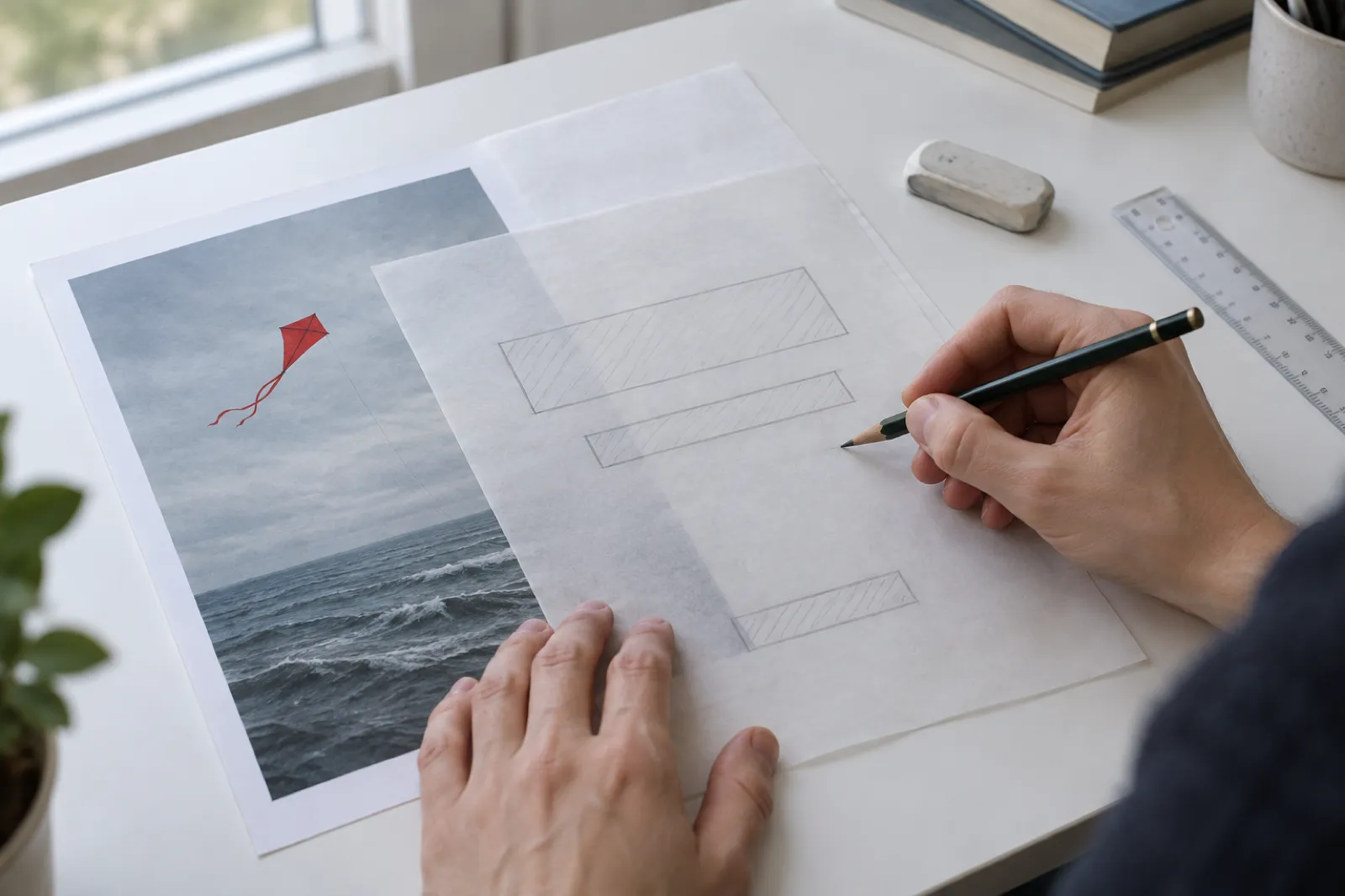
- Generate art with no text. Ask for "no lettering" and describe where the empty space should be, for example "sky in the top third left plain". Adobe Express is the cleanest free choice for commercial use; Ideogram and ChatGPT also work if their trade-offs suit you.
- Check the size. If the image is shorter than 2,560 px, upscale it before adding type, not after, so the lettering stays sharp.
- Set the type in an editor. Canva free, KDP Cover Creator or the Inkfluence AI cover designer all let you upload your own image and add the title and author over it. Use one or two fonts, large enough to read at thumbnail size.
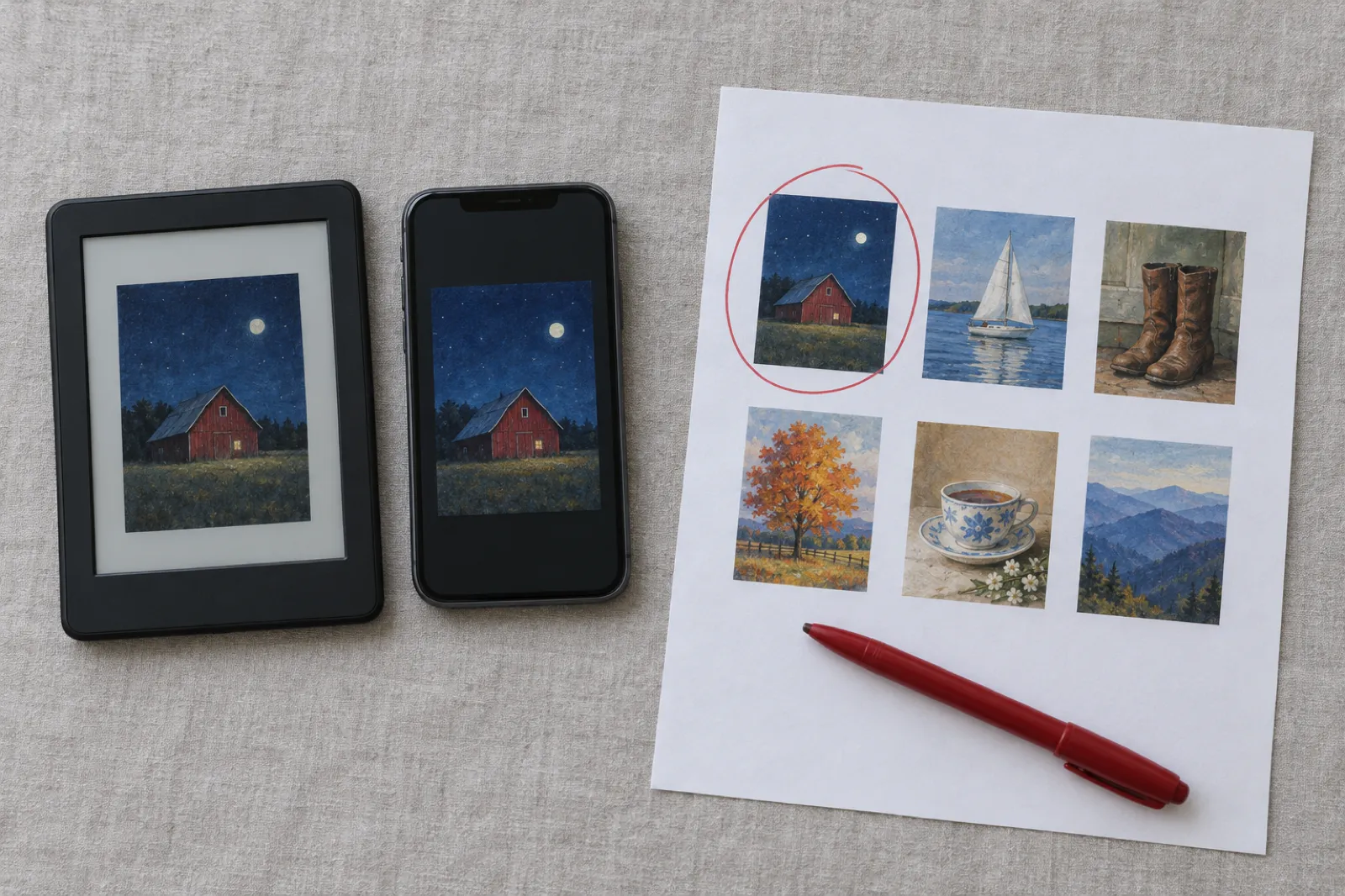
- Test at thumbnail size. Shrink the cover to about the size it shows in Amazon search results and on a phone. If you cannot read the title, make it bigger or simplify the art.
- Export to spec. JPEG or TIFF for the ebook, a single PDF full wrap for paperback (see the specs below).
Inkfluence AI collapses steps 3 to 5 into the book itself: the designer already knows your title and author, and the cover goes out with the PDF. For broader design advice, see our guide on how to design a book cover with AI and the book cover design lesson.
KDP cover specs you can hit for free
Every number here comes from Amazon's KDP help pages, checked on 9 October 2026.
Kindle ebook cover
| Spec | KDP requirement |
|---|---|
| Ideal size | 2,560 px high x 1,600 px wide |
| Minimum | 1,000 px high x 625 px wide |
| Maximum | 10,000 px on either side |
| Ratio | Ideal height to width of at least 1.6:1 |
| File | TIFF or JPEG, under 50MB |
| Colour | RGB |
| Resolution | 72 dpi accepted; 300 PPI recommended for best results |
| Light covers | Add a 3 to 4 px medium grey border so the edge shows on a white page |
The 72 dpi vs 300 PPI wording confuses people. For a screen image, the pixel count is what matters; dpi is only a label stored in the file. A 1,600 x 2,560 px JPEG is the same image whether its header says 72 or 300. What KDP's "300 PPI" line is really asking for is enough pixels for a sharp result, which the 2,560 px height gives you. Do not shrink a cover to 72 dpi thinking it is required.
Paperback cover
A paperback cover is one PDF containing the back, spine and front as a single image, called a full wrap.
- Bleed: 0.125" on the top, bottom and outside edges. Keep text at least 0.125" inside the trim, at 7 pt or larger.
- Spine: width is your page count times a paper factor (0.002252" for white paper, 0.0025" for cream, 0.002347" for premium colour). KDP says "We only print spine text on books with more than 79 pages", and wants 0.0625" clear on each side of the spine text.
- Resolution and colour: 300 DPI minimum, CMYK for images, no embedded colour profiles.
- File: one PDF, under 650MB (40MB or less recommended). If you leave the barcode out, KDP places one for you.
For a 6 x 9 inch paperback with 200 pages on white paper, the spine is 200 x 0.002252 = 0.45", so the full wrap is 0.125 + 6 + 0.45 + 6 + 0.125 = 12.70" wide by 9.25" tall. The calculator in the picker below does this for any trim size. Amazon's own cover calculator gives a template too. Hardcovers use a different wrap (0.51" wrap, 0.635" safe area, 0.4" hinge), so do not reuse a paperback file.
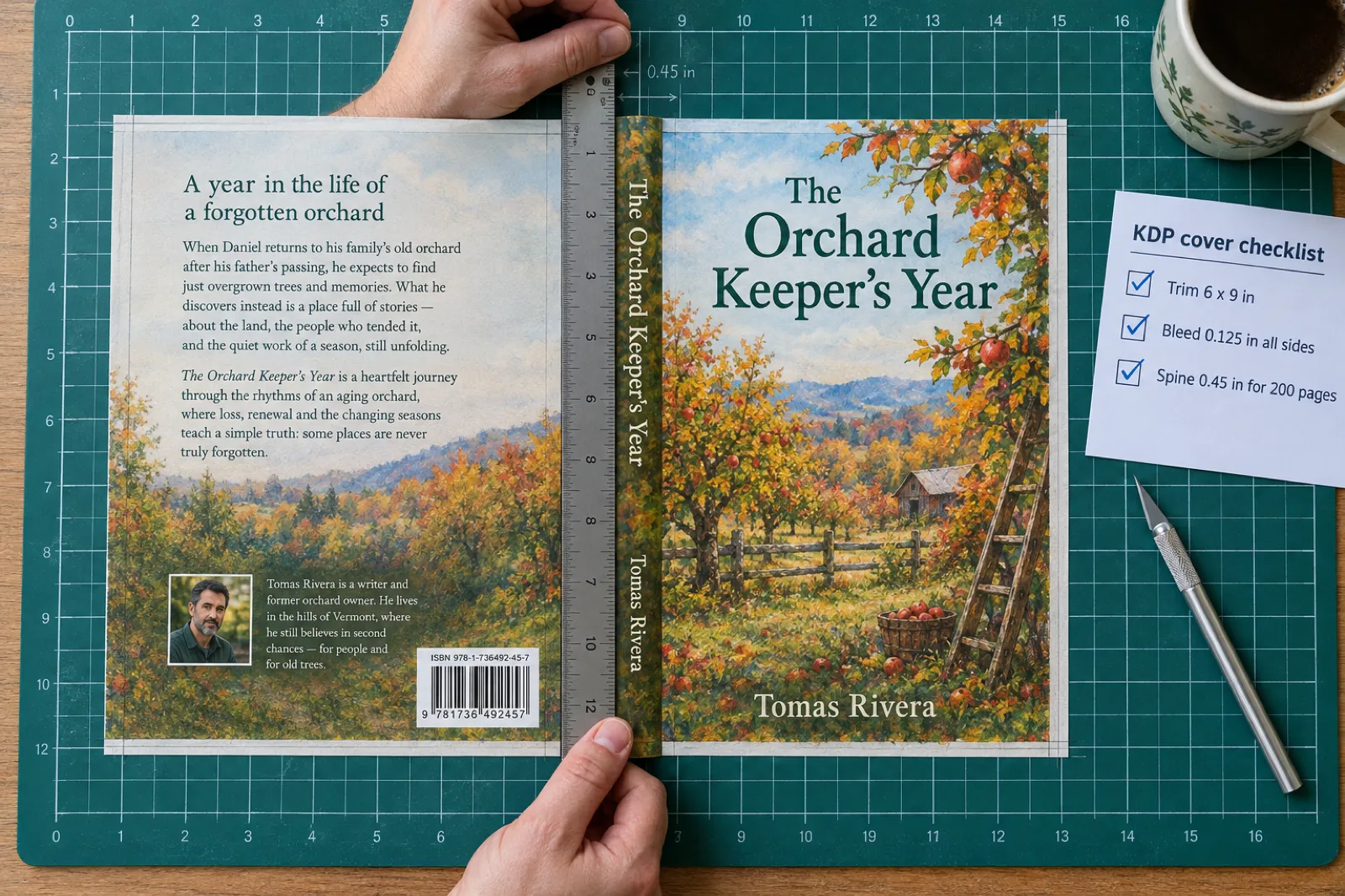
Most free image tools only make a front. To build the wrap you need an editor that handles exact inch dimensions, or a tool that builds the wrap for you. Inkfluence AI's Print tab does that from your trim size, paper and page count, and the print-ready full wrap PDF is part of the KDP export, which is a paid or credit feature. Our guides to paperback publishing on KDP and creating a print-ready PDF cover the interior side.
Rules that get covers rejected
- No prices or promotions. The cover must not "Mention pricing or other temporary promotional offers".
- No watermarks, typos or template text. This is where most free exports fail.
- Text must match your metadata. Title, subtitle, author and series on the cover should match what you enter in KDP, and must not contradict the detail page.
- No look-alikes. Covers that imitate another book's cover "aren't allowed". This is one more reason to avoid public galleries for your final concept.
Our KDP tools page and KDP tools guide list the other free checks worth running before you upload, and the self-publishing on KDP lesson walks through the upload itself.
Free AI images and commercial use
Selling a book makes the cover commercial use. Here is where each free tier stands, from the vendors' terms on 9 October 2026:
- Clear yes: Adobe Express (commercial use listed on the free plan, except labelled beta features), Canva (you own AI output; the Content License covers book covers), Ideogram (not restricted on any plan), ChatGPT (you own the output).
- Licence, not ownership: Leonardo.Ai's free plan (Leonardo owns it, you get a commercial licence).
- Unclear: Gemini (Google claims no ownership but grants no explicit commercial right), and the watermark is a problem anyway.
- No: Microsoft Designer and Kittl's free plan (personal use only).
Two more points, neither of them legal advice. First, KDP makes you responsible for the intellectual property in your cover, so the vendor's terms are what you rely on if anyone asks. Second, owning an image under a vendor's terms is not the same as holding a copyright in it. In its January 2025 report on copyrightability, the US Copyright Office concluded that "prompts alone do not provide sufficient human control to make users of an AI system the authors of the output". The type, layout and any art you add yourself are a different matter, which is another reason to design the cover rather than upload raw AI output.
Do you have to disclose an AI cover on KDP?
Yes, if the image came from an AI tool. KDP's content guidelines say: "We require you to inform us of AI-generated content (text, images, or translations)" and that "AI-generated images include cover and interior images and artwork."
Three details catch people out:
- Editing does not change the answer. KDP counts content as AI-generated if it was created by an AI-based tool "even if you applied substantial edits afterwards". Adding your own type over AI art still leaves an AI-generated image on the cover.
- AI-assisted is different. If you created the image yourself and used AI to edit or improve it, that is AI-assisted and does not need disclosing.
- Stock photos and your own uploads are not AI-generated unless they were made with AI. A cover built from a library photo and your own type has nothing to disclose on the image side.
Our full guide to the Amazon KDP AI disclosure policy covers text and translations too, and the short version lives in the KDP AI disclosure lesson. Selling elsewhere? Etsy has its own AI disclosure rules.
Write the book, then dress it
The free plan writes your book and gives you the cover designer with free photos and designs. The cover is part of the free PDF export.
Start a book freeWhat 49,000 exported books show about covers
We looked at the saved cover of every book exported from Inkfluence AI: 49,045 books all time, and 24,084 created and exported in the last 90 days (counted 9 October 2026). Of more than 49,000 exported books, about 1 in 7 carries the author's own image, about 1 in 10 recent books uses AI cover art, and most authors start from a library photo.
Cover source of exported books
Books created and exported in the last 90 days (24,084). All-time share (49,045 books) in brackets.
Two things stand out. AI art is not the default even where it is available: most authors start from a photo, and the AI share reflects which authors are on a plan or credits, since AI cover art is not on the free plan. And nearly 1 in 7 authors brings their own image, which is why every free option above that lets you upload and set type is worth knowing.
Among the 7,415 AI covers our authors generated in the last 90 days, editorial and photographic styles make up 6 in 10:
| AI cover style | Share | AI cover style | Share |
|---|---|---|---|
| Editorial | 40.1% | Vintage | 3.3% |
| Photographic | 19.4% | Minimal | 3.2% |
| Atmospheric | 10.5% | Painterly | 3.0% |
| Illustrated | 9.1% | Technical | 2.1% |
| Bold | 7.7% | Collage | 1.7% |
Clean, magazine-like layouts and realistic photos are what most authors pick when they have the choice, which is a useful hint for your prompt in any free tool: ask for a simple subject and plenty of empty space, not a busy scene.
Pick a free tool in 30 seconds
Answer four questions and the shortlist below updates from the table above. For a paperback, the calculator works out your full-wrap size.
Your shortlist
- Inkfluence AI: free designer with free photos and designs; AI art and KDP files need credits or a plan.
- Adobe Express: free daily AI generations, commercial use allowed.
- Canva: 20 AI uses a month; build from free elements.
Free vs paying for a cover
Free is enough when:
- It is your first ebook and you want to learn the process before spending anything.
- The book is a lead magnet or a free download, where the cover just needs to look tidy. A free ebook creator covers the whole job.
- You are testing whether a niche sells before investing in it.
- You have your own photo or artwork and only need to add type.
Pay (for a plan, credits or a designer) when:
- You need a paperback full wrap with a spine, barcode space and bleed done correctly.
- You are writing a series and every cover needs the same layout.
- You are in a crowded genre where the cover has to compete with professionally designed books on the same search page.
- You need high-resolution art without public galleries or licence-only rights.
The money involved is small either way. A credit pack at Inkfluence AI makes an AI cover cost about $0.67, and the paid plans of most tools above start around $8 to $20 a month. For the full cost picture, see the real cost of publishing an AI book and our KDP royalties guide. For paid cover tools ranked side by side, go back to the best AI ebook cover generators.
From idea to finished book, cover included
Write the book free, design the cover with free photos and designs, and add AI art or the KDP print wrap only if you need them.
Try Inkfluence AI freeMaking a picture book or a coloring book? Those have their own cover needs: the picture book maker paints a matching cover automatically on paid plans, and our guide to selling AI coloring books on KDP covers the cover rules for that format.
Frequently asked questions
Is there a free AI that can make a book cover?
Yes. Adobe Express gives free daily AI generations with commercial use allowed, Canva gives 20 AI uses a month, Ideogram gives 30 credits a week, and ChatGPT and Gemini include limited free image creation. Each has a catch (public images, low resolution, a visible watermark or unclear rights), so check the free tier before you design a cover you plan to sell. Inkfluence AI has a free cover designer with free photos and designs; its AI cover art needs credits or a paid plan.
Which free AI book cover generator has no watermark?
Adobe Express states no visible watermark on free output and allows commercial use, though it may attach Content Credentials metadata. ChatGPT images carry C2PA and SynthID metadata rather than a visible mark. Canva watermarks Premium elements on the free plan but not free elements. Gemini adds a visible watermark, which rules it out for a KDP upload as is, because KDP rejects covers with watermarks.
Can I make a book cover for free with no sign-up?
Not with any of the tools in this comparison. Each one asks for at least a free account before it generates or exports, and Ideogram's free credits only apply when you sign in with Google, Apple or Microsoft. A free account costs nothing, so the real question is what the free tier lets you do with the file afterwards.
Can I use a free AI cover commercially on Amazon KDP?
It depends on the tool. Adobe Express allows commercial use on its free plan, Canva's licence covers books and book covers, Ideogram does not restrict commercial use on any plan, and OpenAI assigns you the output. Microsoft Designer and Kittl's free plan are personal, non-commercial use only. On Leonardo's free plan, Leonardo owns the output and gives you a licence. KDP also makes you responsible for the rights in your cover.
Do I have to tell Amazon my cover was made with AI?
Yes, if the image was created by an AI tool. KDP's content guidelines say AI-generated images include cover and interior images and artwork, and an image still counts as AI-generated even if you applied substantial edits afterwards. If you made the cover yourself and used AI only to edit or improve it, that is AI-assisted and does not need disclosing.
What size should a free ebook cover be for Kindle?
KDP's ideal ebook cover is 2,560 pixels high by 1,600 pixels wide, a 1.6:1 ratio. The minimum is 1,000 by 625 pixels and the maximum is 10,000 pixels on either side. Upload a JPEG or TIFF under 50MB in RGB colour.
Can Canva's AI make a book cover for free?
Yes, within limits. Canva's free plan includes up to 20 Standard or Premium AI uses a month, reset on the 1st, plus free book cover templates. Premium elements are watermarked on the free plan, and the CMYK print profile is a paid feature, so build your cover from free elements and expect to use KDP's own conversion for print colour.
Is KDP Cover Creator free, and does it use AI?
Cover Creator is free inside KDP for ebooks, paperbacks and hardcovers. It offers layouts, fonts, Amazon's image gallery or your own upload, and it adds the barcode. Amazon's help page does not mention any AI image feature, so pair it with your own art if you want an AI image.
Why does AI spell my book title wrong, and how do I fix it?
Image models draw letters as shapes, so long titles often come back with swapped or invented letters. Generate the artwork without text, then set the title, subtitle and author name in a design tool such as Canva, KDP Cover Creator or the Inkfluence AI cover designer. KDP also requires the cover text to match your title and author fields exactly.
Is a free cover good enough, or should I pay a designer?
A free cover is fine for a first ebook, a lead magnet or testing a niche, as long as it meets KDP's specs and is readable as a thumbnail. Pay for a designer or a plan when you need a print full wrap, a matching series look or a cover that competes in a crowded genre.
Sources
Every external fact on this page was read on the source below on 9 October 2026.
- KDP: eBook cover image guidelines (size, ratio, format, RGB, dpi, border, Cover Creator), checked 9 Oct 2026
- KDP: eBook cover rules (no pricing, no watermarks or typos), checked 9 Oct 2026
- KDP: metadata guidelines (cover text matches metadata, no look-alike covers), checked 9 Oct 2026
- KDP: paperback cover requirements (bleed, spine factors, spine text, 300 DPI, CMYK, file size), checked 9 Oct 2026
- KDP cover calculator, checked 9 Oct 2026
- KDP: hardcover cover requirements, checked 9 Oct 2026
- KDP: Cover Creator, checked 9 Oct 2026
- KDP: content guidelines, AI-generated content, checked 9 Oct 2026
- US Copyright Office: Copyright and Artificial Intelligence, Part 2 (January 2025), checked 9 Oct 2026
- Canva pricing, AI access, watermarks, download file types, Content License, AI Product Terms, checked 9 Oct 2026
- Adobe Express pricing and Adobe's Firefly generative credits FAQ, checked 9 Oct 2026
- Microsoft Designer FAQ, checked 9 Oct 2026
- Kittl pricing, checked 9 Oct 2026
- Ideogram plans, FAQ and terms, checked 9 Oct 2026
- ChatGPT pricing, OpenAI terms of use, C2PA in ChatGPT images, checked 9 Oct 2026
- Gemini image generation and Gemini help, checked 9 Oct 2026
- Leonardo.Ai terms of service (section 8.7), checked 9 Oct 2026
- Midjourney plans, checked 9 Oct 2026
- BookBrush pricing, checked 9 Oct 2026
Related reading
- Best AI Ebook Cover Generators (2026), free and paid
- AI Book Cover Generator
- How to Design a Book Cover with AI
- How to Publish AI-Generated Books on KDP
- AI Book Formatter and best book formatting software
- Ebook formats explained
- AI Book Illustration Generator
- Free AI Book Writer
- Self-publishing guide

Founder, Inkfluence AI
Sam is the founder of Inkfluence AI. He built the platform to make book creation accessible to everyone - from first-time authors to seasoned publishers.
Helpful links
Ready to Create Your Own Ebook?
Start writing with AI-powered tools, professional templates, and multi-format export.
Get Started FreeRelated Articles
 Guides
 How to Make an Ebook for Free (and From a PDF) in 2026
Every free way to make a real ebook in 2026: which free tool exports which format, what Amazon KDP accepts today, and how to turn a PDF into an ebook without wrecking the layout.
 AI Writing
 Best AI for Editing a Book (2026): 9 Tools Compared by Editing Job
Which AI should edit your manuscript? We compare ProWritingAid, Grammarly, AutoCrit, Sudowrite, Novelcrafter, ChatGPT, Claude, the free checks in Google Docs and Word, and Inkfluence AI by the job each does best: grammar, line editing, story feedback, or editing and publishing in one place. Prices checked 2 October 2026.
 Self-Publishing
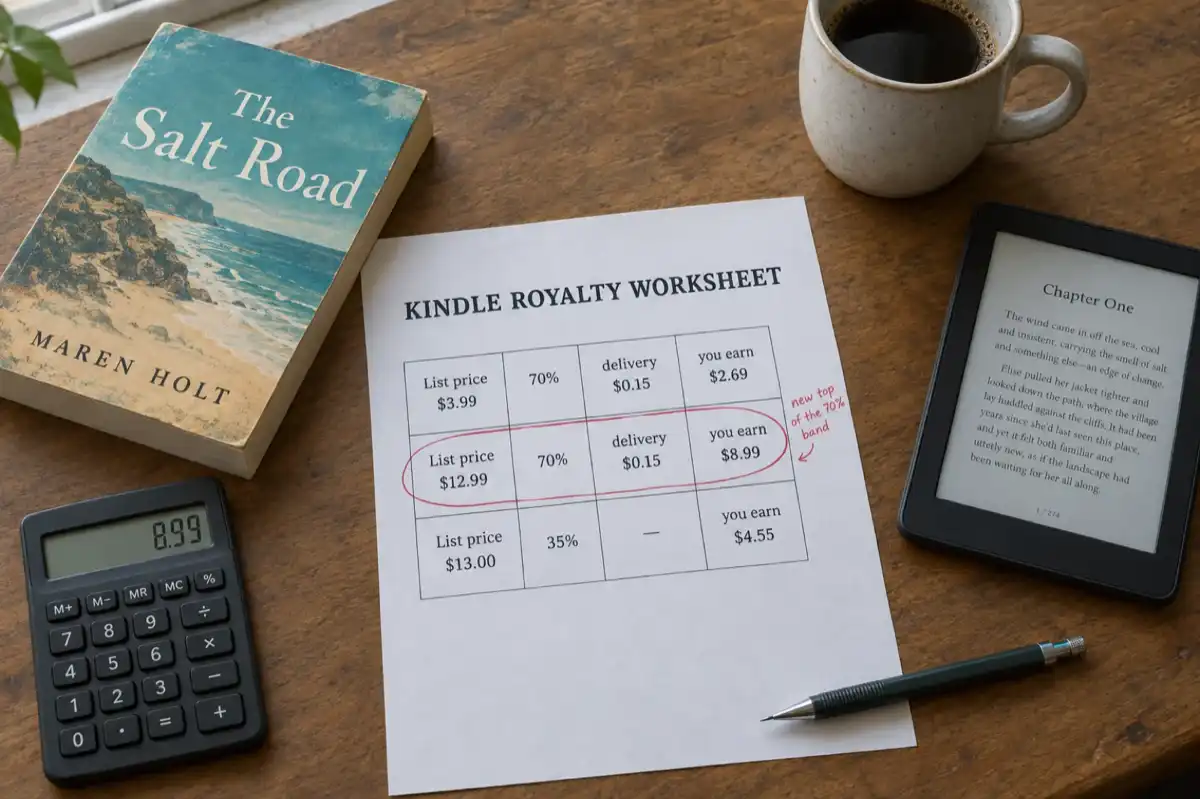
 KDP Royalties 2026: The 70% Band Now Runs to $12.99
Since 7 July 2026 Amazon KDP pays 70% on Kindle ebooks priced from $2.99 to $12.99, up from $9.99. What the change means for your price, how the delivery charge and the $13 cliff work, and what paperbacks, hardcovers and Kindle Unlimited pay, with worked examples.
Get ebook tips in your inbox
Join creators getting weekly strategies for writing, marketing, and selling ebooks.